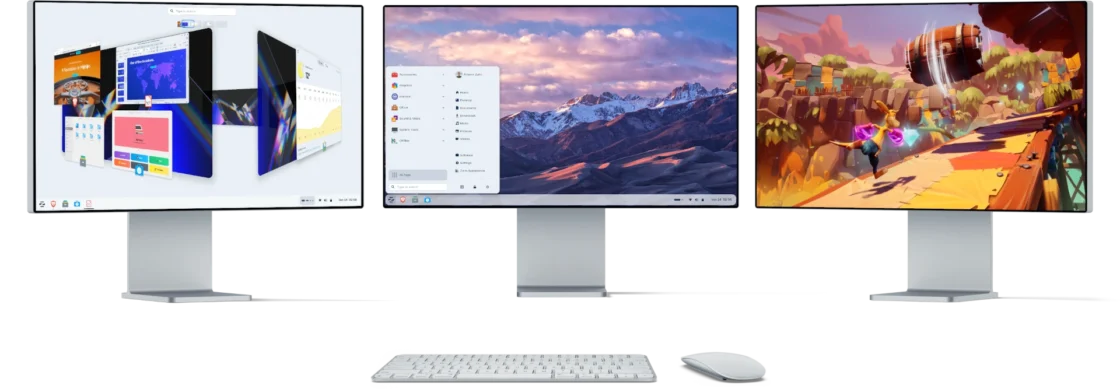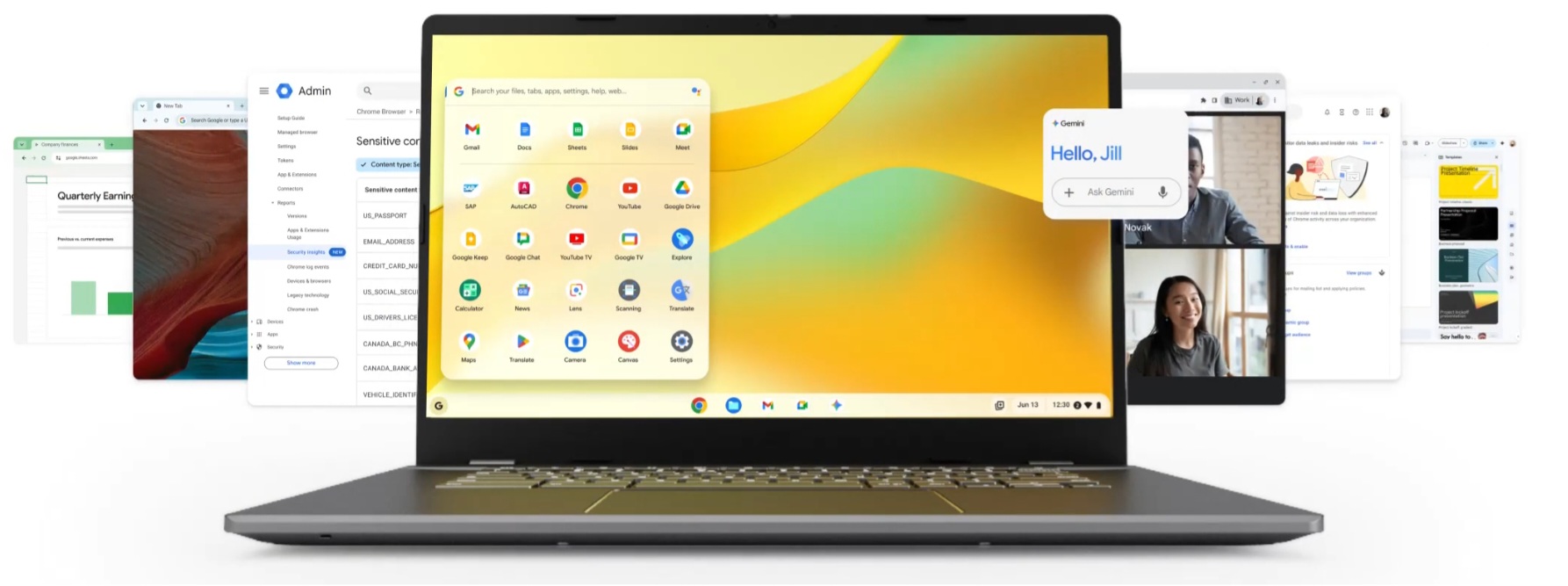
A surprising number of laptops are not obsolete in any meaningful hardware sense. They were simply stranded by the software market. Windows 10 support ended on October 14, 2025, and many older machines do not qualify for Windows 11 even though they still have usable screens, keyboards, batteries, and enough performance for ordinary work. That is the opening ChromeOS Flex was built to exploit. Google offers it free of charge, says it is designed for many PCs and Macs from the last decade or more, and officially supports a growing list of certified models.
Table of Contents
The idea becomes more interesting once you strip away the common misunderstanding. People hear that ChromeOS is based on Linux and assume ChromeOS Flex is basically a lightweight Linux distro with Google branding. That is only half true. ChromiumOS, the open-source foundation behind ChromeOS, uses the Linux kernel and Linux system components, but the product experience is built around a tightly managed browser-first operating system, not around the usual desktop-Linux ideals of maximum control, package freedom, and host-level customization.
The timing finally makes old hardware interesting again
For years, reviving an old laptop felt like a hobby project. In 2026, it looks more like a practical decision. Microsoft says Windows 10 machines still run after end of support, but they no longer receive security updates, technical support, or regular software maintenance unless you move to a paid extended support path. For people with a five- or eight-year-old laptop that misses Windows 11 requirements, the choice is suddenly blunt: replace the machine, pay to extend the life of old software, or move to another operating system.
ChromeOS Flex matters because it gives those machines a cleaner landing than many users expect. It is not promising workstation power. It is promising a modern, maintained, lower-friction environment for the things a huge share of people already do most of the day anyway: browser work, email, streaming, documents, web apps, and cloud storage. Google also says ChromeOS Flex follows the same release cycle as ChromeOS, which matters more than marketing copy about speed. A rescued laptop only stays rescued if the software keeps arriving.
There is also a psychological advantage that pure Linux replacements sometimes struggle to match. Many mainstream users do not want a new operating system in the traditional sense. They want less operating system. ChromeOS Flex succeeds when it removes complexity rather than replacing one tangle with another. That restraint is a bigger selling point than the Linux base. It is the difference between reviving a machine for daily use and turning it into a weekend experiment.
Linux underneath, ChromeOS on the surface
Google’s own ChromiumOS architecture documents are unusually clear here. The platform consists of the Chromium-based browser and window manager, system-level software including the kernel and drivers, and firmware. The kernel is Linux. The drivers and many low-level services come from the Linux world as well. So yes, the statement “ChromeOS is based on Linux” is fundamentally correct.
Still, that truth can mislead people if they stop there. A traditional Linux desktop puts the operating system itself in front of you. You manage packages, swap desktop environments, choose file systems, alter services, tinker with kernels, and decide how open or locked down the machine should be. ChromeOS Flex does not live in that culture. It is designed around managed updates, strong defaults, constrained surfaces, and a web-first workflow. Even its Linux app story is separated behind virtualized layers rather than folded directly into the host in the classic desktop-Linux fashion.
ChromeOS Flex and traditional Linux side by side
| Area | ChromeOS Flex | Traditional Linux desktop |
|---|---|---|
| Daily model | Browser-first, tightly managed | General-purpose desktop OS |
| App model | Web apps, PWAs, some Linux apps on supported devices | Native Linux packages and broader desktop software |
| Tinkering room | Limited by design | Wide open |
| Security style | Signed images, auto-updates, strong defaults | Depends heavily on distro and setup choices |
This is the distinction people need before installing anything. ChromeOS Flex is Linux-based in architecture, but it is not a conventional Linux desktop in day-to-day behavior. That difference is exactly why some people love it and others bounce off it within an hour.
The machines that benefit most are easier to spot than people think
ChromeOS Flex shines on laptops whose owners already live in Chrome, Google Docs, Slack, Zoom, Spotify, YouTube, webmail, and a handful of browser-based tools. On those machines, the value proposition is not subtle. You keep the hardware, discard the dead-end operating system, and move into a platform Google still updates. That makes more sense in 2026 than it did a few years ago because the post-Windows-10 pile of “still fine, no longer supported” PCs is now enormous.
It also suits institutions with cupboards full of retired or half-retired laptops, though the logic works just as well at home. A family machine used for homework, email, and banking does not need creative power-user freedom. It needs predictable startup, safe browsing habits, and a system that does not constantly ask to be managed like a small IT department. ChromeOS Flex was designed with that operational simplicity in mind, and Google’s positioning around existing hardware reuse is not cosmetic. It is central to the product.
There is a sustainability angle too, and this is one place where the editorial case is stronger than the technical one. A laptop that avoids the recycling pile for another three or four years is not a gimmick. It is a useful machine that stayed in circulation because the software stopped demanding that every task be performed on brand-new hardware. ChromeOS Flex will not save every aging PC, but it gives a large class of ordinary laptops a plausible afterlife instead of treating them as waste.
The compromises arrive early and they are not minor
Anyone considering ChromeOS Flex should read the small print before falling in love with the idea. Google Play and Android apps are not supported on ChromeOS Flex devices. That single line rules out the platform for more people than any processor benchmark ever will. If part of your Chromebook fantasy involved mobile apps, game launchers, or Android-only utilities, Flex is not that product.
The hardware rules are also firm enough to matter. Google says ChromeOS Flex is for Intel or AMD x86-64 devices, with 4 GB of RAM and 16 GB of internal storage as the minimum, and it warns that some pre-2010 components can produce a poor experience. Certified models get official support; non-certified devices may work, but Google does not guarantee performance, functionality, or stability across updates. That is a generous invitation to experiment, not a promise.
The installation checks that matter most
| Check | What to verify |
|---|---|
| Hardware baseline | Intel or AMD x86-64, 4 GB RAM, 16 GB storage minimum |
| Device status | Certified model preferred for predictable behavior |
| Security setup | UEFI and Secure Boot enabled if supported |
| Expectation control | No Android apps, no supported dual boot, Linux support can vary by model |
That list sounds simple, but it quietly defines the whole experience. A certified business laptop from the late 2010s is a much better Flex candidate than a random aging notebook pulled from a drawer. Google explicitly says dual boot is not supported, and while you can test ChromeOS Flex from a USB installer before committing, the real success stories tend to come from machines that match the official path rather than the improvised one.
Security is stronger than many old PCs, but weaker than a real Chromebook
This is where the Linux conversation gets more nuanced. ChromiumOS security is built around system hardening, process isolation, secure auto-update, encryption, and verified boot. On native ChromeOS hardware, that model is one of the platform’s biggest advantages. On ChromeOS Flex, Google is careful with its wording because Flex is being installed on hardware that was never originally built around ChromeOS assumptions.
Google says ChromeOS Flex devices do not provide the same verified boot guarantees as ChromeOS devices. It recommends enabling UEFI Secure Boot where supported, and notes that this can preserve roughly the same boot-security baseline as a Windows device, but not the full Chromebook-style security chain. It also notes that user data is encrypted automatically, yet some Flex devices lack supported TPM hardware to protect encryption keys at the hardware level. In plain language, Flex can still be a meaningful security upgrade over an abandoned Windows 10 install, but it is not a software-only path to a full Chromebook security model.
That distinction should not scare off sensible users. It should sharpen expectations. If you are choosing between unsupported Windows 10 on an old laptop and ChromeOS Flex on a certified model with Secure Boot configured properly, Flex has a credible case. If you think Flex turns any random legacy PC into a security clone of a modern Chromebook, it does not.
Linux apps exist, but the freedom is curated
The Linux base becomes visible again once you move beyond the browser. Google’s Linux-on-ChromeOS stack, often referred to as Crostini, allows Linux apps to run alongside regular ChromeOS apps. That sounds like a bridge back to “real Linux,” but the architecture tells a different story. ChromeOS runs that environment inside virtual machines and containers, with the VM treated as the security boundary and the code inside it treated as untrusted. That is elegant engineering, though it is not the same thing as turning the host into an open Linux workstation.
On ChromeOS Flex, the story gets narrower. Google says Linux development environment support varies by specific model. So the best way to think about Linux on Flex is not as a guaranteed right but as a device-dependent bonus. On the right machine, it can add terminal tools, editors, IDEs, and a useful bridge to the wider Linux ecosystem. On the wrong machine, or on unsupported hardware, it may be unavailable or less reliable than the phrase “Linux-based OS” leads people to expect.
That is why ChromeOS Flex is often a better recommendation for the browser-first household than for the longtime Linux enthusiast. A Linux enthusiast may quickly run into the fences and resent them. A user who just wants an old ThinkPad or Dell Latitude to feel useful again may never hit those fences at all. The same limitation can feel either oppressive or liberating depending on what you expected from the machine.
A second life only works when the new job fits the machine
The smartest way to look at ChromeOS Flex is neither as a miracle rescue nor as a fake Linux. It is a deliberate compromise. You give up part of the breadth of Windows and much of the freedom of traditional Linux, and in return you get a system that can make older hardware feel current again for a narrower, more modern style of everyday computing.
That compromise is more respectable than some enthusiasts admit. A laptop does not need to compile kernels, render 3D scenes, and run niche desktop software to deserve another three years of life. Sometimes it only needs to open quickly, browse safely, stay updated, and get out of the way. ChromeOS Flex is at its best when it turns an aging laptop into a focused machine rather than pretending it can be everything.
So yes, ChromeOS is based on Linux. The kernel is there. The Linux DNA is real. Yet the real reason to install ChromeOS Flex is not ideological kinship with Linux. It is much more practical than that. It gives the right old laptop a future that still feels current. For a lot of machines in 2026, that is already a very good deal.
Author:
Jan Bielik
CEO & Founder of Webiano Digital & Marketing Agency
This article is an original analysis supported by the sources cited below
Differences between ChromeOS Flex and ChromeOS
Official Google Help documentation outlining app support, firmware behavior, TPM handling, verified access limits, and model-specific Linux support on ChromeOS Flex.
https://support.google.com/chromeosflex/answer/11542901
Prepare for installation
Official ChromeOS Flex installation requirements and setup guidance, including minimum hardware requirements and warnings about non-certified devices.
https://support.google.com/chromeosflex/answer/11552529
Certified models list
Official Google list of ChromeOS Flex certified devices maintained for supported hardware compatibility.
https://support.google.com/chromeosflex/answer/11513094
Install ChromeOS Flex Fast Secure OS for PCs and Macs
Official ChromeOS product page describing ChromeOS Flex pricing, device scope, update cadence, and its positioning as a way to modernize existing hardware.
https://chromeos.google/products/chromeos-flex/
Software Architecture
ChromiumOS design documentation describing the architecture of ChromiumOS, including the Chromium browser layer, firmware, and Linux kernel components.
https://www.chromium.org/chromium-os/chromiumos-design-docs/software-architecture/
Security Overview
ChromiumOS security documentation covering hardening, isolation, secure auto-update, encryption, and verified boot principles.
https://www.chromium.org/chromium-os/chromiumos-design-docs/security-overview/
Running Custom Containers Under ChromeOS
ChromiumOS technical documentation explaining the VM and container model used for Linux workloads on ChromeOS.
https://www.chromium.org/chromium-os/developer-library/guides/containers/containers-and-vms/
Linux on ChromeOS
Official ChromeOS developer documentation describing Linux app support on ChromeOS and how the Linux environment integrates with the desktop.
https://chromeos.dev/en/linux
Windows 10 support has ended on October 14, 2025
Official Microsoft support page explaining the end of support for Windows 10 and the consequences for devices still running it.
https://support.microsoft.com/en-us/windows/windows-10-support-has-ended-on-october-14-2025-2ca8b313-1946-43d3-b55c-2b95b107f281