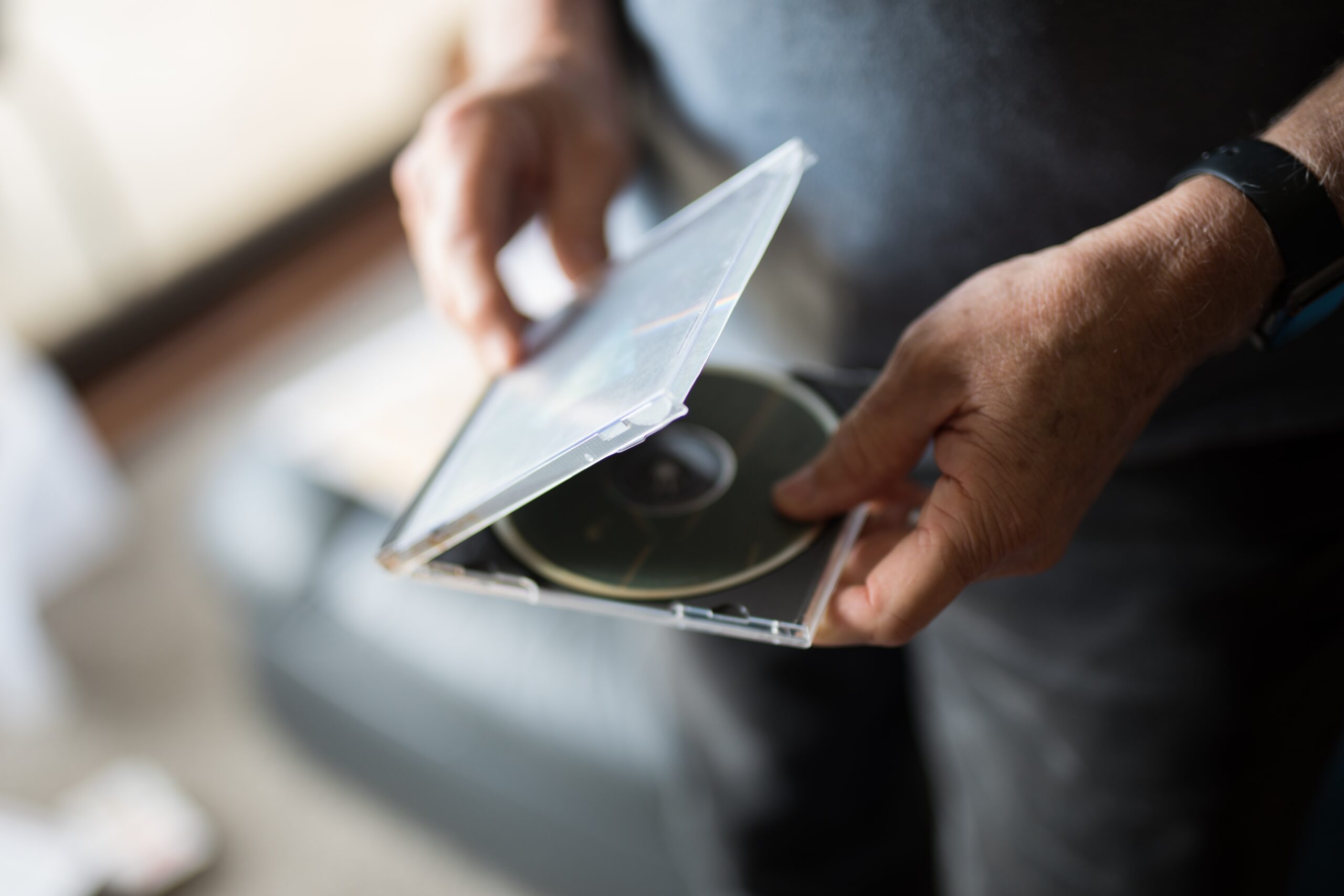
Most people hear M-DISC and picture a leftover format from another decade: blank discs, external burners, a fiddly manual workflow, and a shelf that looks more 2009 than 2026. That reaction misses the real use case. M-DISC belongs in the narrow but important category of cold archival storage—the kind of storage you reach for when the files matter more than convenience and when a second live copy on another hard drive does not feel like enough. The original M-DISC site still frames the product as media that can preserve data for “1,000 years or more,” while current Verbatim product pages use more restrained language and describe a projected lifetime of several hundred years based on ISO/IEC 16963 testing.
Table of Contents
That difference in wording matters. So does the gap between marketing and preservation practice. A 2022 NIST report aimed at evidence preservation lists M-DISC DVD and Blu-ray at “at least 100 years” and “acceptable for archival use,” while it treats unused SSDs and HDDs far more skeptically as archival media. The same report also notes that archival planning is never solved by media alone; data still need to be copied forward before technology and hardware availability become a trap. That is the right frame for judging M-DISC: not as a magic object, but as one unusually durable layer in a broader preservation strategy.
M-DISC belongs in the cold-storage conversation
Backup and archive are often treated as the same thing. They are not. A backup is usually about recovery after deletion, ransomware, device failure, or plain bad luck. An archive is about keeping a stable, readable copy of selected material for a very long time, even after computers, software versions, cables, and habits have changed. That distinction is the reason M-DISC still deserves attention. A fast SSD is wonderful for work. A large HDD is still one of the easiest ways to keep a local backup. A cloud account gives you off-site reach. None of those options, by themselves, are especially comforting as a shelf-stable personal archive.
The files that fit this category are easy to recognize. Think family photos after you have finished sorting them. Think exported wedding videos, finished music masters, scans of legal and property documents, tax records, passport copies, estate papers, source code snapshots tied to released projects, or the final version of a book manuscript. These are not files you edit every day. They are files you want to survive your next laptop, your next operating system, your next storage fad, and maybe your next house move. That is where disc-based cold storage starts to make sense again.
The Library of Congress is blunt about the basic preservation problem. Recordable optical discs are convenient, but they are machine-dependent, and access depends on compatible hardware and software still being available. That warning does not disqualify optical storage. It tells you what the job really is. Preservation is two jobs at once: keeping the bits intact, and keeping a path to read them later. M-DISC helps with the first job better than most consumer media. It does nothing by itself to solve the second.
That is also why the lazy debate around M-DISC goes nowhere. People set up a false choice between “modern” storage and “old” storage. A serious archive uses layers with different failure modes. If your photos live only in the cloud, you depend on an account, a payment method, a company policy, and your own sync settings. If they live only on an external hard drive, you depend on one mechanical device that can die suddenly. If they live only on flash storage, you depend on charge retention and controller health. A write-once optical copy stored offline does not replace those systems. It gives you a different kind of insurance.
CISA’s ransomware guidance still centers offline backups for a reason. Attackers target reachable storage first. Anything mounted, synced, or casually accessible can become collateral damage. A burned disc in a case on a shelf has very little attack surface. That sounds almost too simple, which is exactly why it remains useful. Low-tech storage still has one huge advantage: you can disconnect it completely without paying a subscription or trusting a software dashboard.
The physical design is why M-DISC feels different
The pitch behind M-DISC has always rested on materials. The M-DISC technology page describes data being engraved into a patented “rock-like” layer rather than stored in the organic dye structures used by ordinary recordable optical media. Verbatim’s current M-DISC pages use similar language and say their discs use a patented inorganic write layer that will not fade or deteriorate the way dye-based media can. That physical claim is the heart of the product. Without it, M-DISC would be just another blank disc with grandiose packaging.
That matters because the weak point in recordable optical media is not the plastic circle itself. It is the data layer and the reflective structure that allow the drive to distinguish marks from unmarked areas. NIST’s guide on care and handling of CDs and DVDs explains that environmental forces degrade the data layer much faster than the polycarbonate substrate and that a disc becomes useless long before the clear plastic body is the limiting factor. The same guide also notes how sensitive some dye-based media can be to light and storage conditions. M-DISC’s appeal is that it tries to remove that dye weakness from the equation.
That is the real technical reason many people who work with long-lived private archives still find M-DISC interesting. The usual consumer storage race is about capacity, speed, and price. M-DISC was built around a different priority: stability while sitting still. It is closer in spirit to archival paper, microfilm, or write-once enterprise storage than it is to a USB stick you toss in a drawer. The disc is supposed to be boring. Boring is good when the job is survival rather than convenience.
Verbatim’s current product pages also make a useful point that gets lost in casual discussion: they are not selling M-DISC only as a nostalgic DVD product. Their lineup includes 25GB, 50GB, and 100GB Blu-ray formats, which gives the format a more plausible role in real-world archival use. One 100GB disc is still tiny beside a hard drive, but it is large enough for a curated photo archive, a finished video collection, or a compressed document set that has already been organized. That shift from 4.7GB DVD-only thinking to Blu-ray capacity changes the argument quite a bit.
The design still comes with friction. An M-DISC copy is manual, deliberate, and write-once. That irritates people who want storage to disappear into the background. It attracts people who want a stable, fixed snapshot. Those are different mindsets. If you are archiving finished family photos once a year, write-once is a feature. If you are moving active project files around every week, it is a nuisance. M-DISC feels good only when the archive itself is curated.
The longevity claim needs a sober reading
The easiest way to get M-DISC wrong is to repeat the “1,000 years” line as though anyone has observed anything close to that span in real life. No one has. What exists are material claims, accelerated-aging tests, comparative studies, and later institutional summaries. The original M-DISC site still uses the 1,000-year framing. Current Verbatim pages choose “several hundred years” instead. NIST IR 8387 goes lower still and lists “at least 100 years.” Those are not identical claims, and treating them as identical does not help the reader.
The strongest case for M-DISC is not that it has already proved a thousand-year shelf life. The stronger case is comparative: the medium was designed to avoid the most obvious weakness of ordinary recordable discs, and current authoritative guidance still places it in a much better archival category than HDDs, SSDs, or rewritable optical media left unused on a shelf. NIST IR 8387 explicitly lists M-DISC DVD and Blu-ray as acceptable for archival use, with at least 100 years of longevity, while ordinary CD-R/DVD-R/Blu-ray are given a conservative minimum under 30 years and rewritable discs are rated lower.
The underlying evidence chain also exists in public view. Verbatim’s M-DISC pages still cite ISO/IEC 16963 longevity testing and say the discs withstood U.S. Department of Defense testing. A public-release report prepared by the Naval Air Warfare Center Weapons Division at China Lake documents the comparative testing of Millenniata’s archival DVD. You do not need to treat that report as holy writ to see its importance. It is much better than a bare marketing slogan.
There is also a broader optical-media context here. The NIST/Library of Congress optical longevity study was not written for M-DISC specifically, but it remains a key reference because it shows how preservation researchers think about optical media in the first place: accelerated aging, error growth, shelf-life considerations, and storage conditions. In other words, the serious question has never been “Will this disc last forever?” The serious question is “Under controlled conditions, how fast does a medium become unreliable, and how soon should a careful archivist migrate it?”
That last point keeps the topic grounded. NIST IR 8387 defines longevity in its table as the amount of time an unused, unpowered medium can be expected to remain readable with very high confidence, and it says this number should be treated as the maximum time before data are copied to new media. That is a preservation mindset, not a fantasy mindset. The smart reading of M-DISC is not “write once and forget it for a millennium.” It is “write to a medium with unusually strong shelf characteristics, then still manage it like an archive.”
So yes, the thousand-year slogan deserves skepticism. It is too absolute. But skepticism cuts both ways. Writing M-DISC off as mere nostalgia also ignores the fact that a current NIST report still treats it as one of the few consumer-friendly media types suitable for very long-lived offline storage. The better verdict is narrower and stronger: M-DISC is credible as a personal archival medium precisely because the serious guidance around it is more conservative than the sales pitch.
Hard drives and flash are excellent tools and poor monuments
Hard drives and SSDs dominate everyday backup for good reasons. They are fast, cheap per gigabyte, easy to automate, and spacious enough to absorb messy real-world data. None of that makes them ideal for a private archive that will spend most of its life sitting untouched. NASA’s review of archival storage makes the larger point well: organizations usually need a mix of technologies, because the best medium depends on access patterns, cost, and the distinction between active archives and long-term repositories. Consumer users need the same honesty. A good working backup medium is not automatically a good shelf medium.
NIST IR 8387 is unusually direct on this point. In its media longevity table, unused SSDs are listed at under one year and not recommended for archival use, while unused HDDs are listed at under two years and also not recommended for archival use. Those numbers are often misread. They are not saying an SSD or HDD becomes worthless in one or two years of normal active service. They are speaking about the confidence you should place in an unpowered medium sitting in storage before you copy it to fresh media. For cold archives, that is exactly the question that matters.
Western Digital’s own SSD endurance white paper reinforces the same problem from the flash side. It explains that SSDs must meet power-off data-retention requirements during their rated endurance life, and that once the NAND has exhausted its rated endurance there is no longer any expectation of retention for a specific length of time. The paper also notes that client and enterprise use cases differ because consumer devices spend more time unpowered. None of this turns SSDs into bad products. It just shows why flash storage is engineered for use, not for decades of passive waiting.
Hard drives have a different weakness set. They are fantastic for bulk storage and still the easiest way to keep a full local mirror of a computer or NAS. They are also mechanical devices. Backblaze’s 2025 drive report, drawn from a huge fleet, puts the annualized failure rate at 1.36% and notes that no drive model recorded zero failures that year. Large fleet data do not map neatly onto an individual user’s shelf, but the lesson is simple enough: a single hard drive is a temporary object, not a monument.
That is why arguments like “my external SSD is more modern than M-DISC” do not settle anything. Modernity is not the metric. The metric is failure mode. HDDs fail mechanically, sometimes without much warning. SSDs and flash media depend on charge retention, controller integrity, and power-on assumptions. Optical archive media fail differently, and offline write-once media fail differently again. A layered archive wants those differences. If your cloud copy and your local backup share the same syncing error, or your laptop and backup drive both die in the same electrical event, your archive was never as independent as it looked.
That is also why M-DISC is easiest to defend in a small, high-value archive, not in general household storage. Storing 18TB of media on discs would be painful and expensive. Storing your legal records, family photos, a few finished video projects, and a clean export of your financial archive on a handful of discs is a completely different proposition. The right comparison is not “Can M-DISC replace my NAS?” It is “What medium do I trust for the copy I hope I never need?”
Offline copies still matter after cloud and ransomware
Cloud storage changed backup habits more than any disc format ever did. It removed friction, made off-site duplication normal, and gave ordinary people access to redundancy that used to require much more effort. It also encouraged a false sense of finality. A cloud account is a service relationship, not an archival object. Files can be deleted, overwritten, synced into damage, caught in account issues, or stranded behind formats and policies you do not control. Cloud belongs in a good backup plan. It should not be the only place irreplaceable material lives.
CISA’s ransomware guidance still tells organizations to maintain offline, encrypted backups of critical data and to test them. That advice scales down cleanly to private users. A cold archive copy should be physically separate, not mounted all the time, and not casually reachable by the same machines that could be compromised. An optical archive kept offline is slow, manual, and annoyingly old-fashioned. That is part of its value. Slowness creates separation. Separation creates resilience.
M-DISC also benefits from its write-once character. After the disc is burned, verified, labeled, and shelved, a piece of malware on your laptop cannot silently encrypt it over the network. A sync bug cannot overwrite it. A software update cannot reinterpret it. A user cannot accidentally drag a folder into the trash and propagate the mistake everywhere. This does not make M-DISC invulnerable. Fire, loss, scratches, heat, hardware scarcity, and plain human disorganization are still very real. But it sharply reduces one whole class of digital risk: remote alteration of the archival copy.
This is where M-DISC feels most sensible: as the quiet last-line copy. Your day-to-day backups should stay automated and easy. Your archival copy should be stable and hard to tamper with. Those two jobs pull in different directions. People get into trouble when they force one tool to do both. The best storage plans are rarely elegant. They are redundant in ugly, practical ways. A cloud copy, a working local backup, and an offline archive each fail differently. That is exactly what you want.
Capacity and hardware friction are the real drawbacks
The strongest objections to M-DISC are not philosophical. They are practical. Capacity is limited, write workflows are slower, and compatible hardware is less common than it used to be. Those are not small issues. They are the reason M-DISC is a specialist layer rather than a universal answer. The original 4.7GB M-DISC DVD still exists as a concept, but the format makes more sense today in Blu-ray variants that hold 25GB, 50GB, or 100GB. Even then, a single modern photo library or 4K video collection can chew through discs fast.
Compatibility is also real, though better than many people assume. M-DISC’s drive-compatibility page says not all DVD drives can write the original M-DISC DVD, while all DVD drives can read it. For Blu-ray M-DISC, the site says the newer discs are more widely compatible and lists tested burners from LG, ASUS, Pioneer, Panasonic, and others. NIST IR 8387 also notes that M-DISC requires an M-DISC writer. You do not need a huge ecosystem. You do need to buy the right burner on purpose.
The good news is that the ecosystem has not disappeared. ASUS still sells external DVD and Blu-ray drives with explicit M-DISC support, including portable models such as the SDRW-08D2S-U and SBW-06D5H-U. Their current product pages continue to market M-DISC support as a reason to buy the drives. That does not prove the ecosystem is flourishing forever. It does prove that M-DISC remains a live consumer category rather than a fully orphaned relic.
The workflow is more demanding than dragging files to an external drive. You have to curate the content, burn the disc, verify the result, label it clearly, store it well, and keep some record of what is on it. If you hate manual maintenance, M-DISC will annoy you. If you view archiving as a deliberate act, the extra steps feel less like friction and more like ceremony. That difference in temperament matters more than most technical comparisons. M-DISC works best for people willing to create a finished archive, not for people who want storage to take care of itself.
A private archive workflow where M-DISC earns its keep
The most convincing case for M-DISC is not “put everything on discs.” It is “decide what deserves long-lived offline status.” Start by separating living files from finished files. Living files belong on SSDs, HDDs, and cloud systems because they change. Finished files are different. A folder of completed tax returns does not need rapid random access. A set of family photos exported in clean, standard formats does not need to live on a spinning drive forever. A final master of your music or documentary does not need the same storage logic as your scratch project directory.
That curation step is where most people either make M-DISC useful or make it miserable. If you dump chaotic data onto discs without structure, you create a durable mess. If you archive only the material that is irreplaceable, settled, and worth finding later, the format becomes much easier to justify. Good candidates are photos in standard image formats, exported family videos, scanned documents in PDF or TIFF, password vault exports protected separately, financial records, medical records, creative masters, research notes, and a plain-text inventory explaining what each disc contains.
A sensible personal workflow looks more like archivist behavior than backup behavior. Build a clean archive folder tree. Use stable file names. Keep dates in filenames or directories. Export from proprietary formats when possible. Burn two copies, not one. Store one at home and one elsewhere. Keep a burner or at least a note of the compatible model you used. None of that is glamorous. It is the difference between “owning durable media” and “having an archive.”
Where M-DISC fits best
| Medium | Best job | Weak spot if used alone |
|---|---|---|
| M-DISC | Cold archive of finished, high-value files | Low capacity, manual workflow, future drive availability |
| HDD | Large local backup and active media library | Mechanical failure, shock, shelf neglect |
| SSD or flash | Fast working copy and portable transfer | Passive retention limits, controller dependence |
| Cloud storage | Off-site redundancy and convenience | Account dependence, sync errors, service changes |
That split is the useful way to think about storage. M-DISC is strongest where permanence matters more than speed, and weakest where scale and convenience matter most. The table is not a ranking. It is a division of labor shaped by different risks.
This is also where the price argument becomes more honest. M-DISC is expensive if you try to make it your main storage platform. It is much easier to defend if you treat it as a small archive for the material you would fight hardest to recover. Most private users do not need to archive every download, every phone screenshot, every versioned work file, or every duplicate RAW sequence. They need a durable copy of the handful of things that would hurt the most to lose. That is a much more favorable problem size for optical archival media.
Storage conditions and periodic checks still decide the outcome
Durable media still need decent treatment. NIST’s guide for CDs and DVDs recommends controlled storage conditions, with 18°C and 40% relative humidity described as suitable for long-term storage and lower temperature and humidity preferred for extended-term storage. The same guide spends a lot of time on handling because damage is often boringly physical: poor labeling, cheap sleeves, heat, contaminants, and sunlight. Archive media do not get to escape physics just because the marketing sounds geological.
That is one reason I would never recommend M-DISC as a write-it-and-forget-it object. Store the discs vertically in proper cases. Keep them in a cool, dark, dry place. Avoid sunlight, attic heat, and casual drawer abuse. Keep a simple catalog outside the discs themselves. The Library of Congress has long stressed that access is tied not only to media survival but also to hardware and software continuity. A disc that is physically fine but unreadable because you no longer own any compatible drive is not a successful archive.
The Library of Congress also gives ordinary people a very plain recommendation that fits nicely here: check your photos and storage media at least yearly so you know you can still get at them and so you can respond to hardware or software obsolescence. That advice is gold because it cuts through the fantasy of permanent media. The archive that survives is the archive somebody revisits. Even a five-minute annual check is better than decades of blind confidence.
NIST’s older digital-preservation work makes the same principle explicit. Digital preservation involves copying information onto newer media before the old media become so obsolete that access is lost. The Library of Congress follows that logic institutionally by monitoring storage systems for risk and planning migration to new media and platforms. That is how serious preservation works. Longevity buys you time. It does not remove the need to act.
That perspective actually strengthens the case for M-DISC rather than weakening it. If every archive eventually needs review and migration anyway, then the best medium is the one that gives you the largest margin for neglect without quiet failure. That is the role M-DISC fills well. It is forgiving storage for carefully chosen files. It does not need to win a beauty contest against cloud dashboards or fast NVMe drives. It needs to sit still, stay readable, and give you an offline copy with unusually strong shelf characteristics. The evidence says it does that job credibly.
A sane verdict for M-DISC
M-DISC deserves neither cultish praise nor dismissive eye-rolling. It is a sensible archival medium for private data if you use it for the right files and inside the right system. The right files are finished, irreplaceable, high-value files. The right system includes at least one easier working backup, one off-site path, and a habit of checking archived media once in a while. Treat M-DISC as a shelf-stable archive layer, and it looks strong. Treat it as a universal backup replacement, and it quickly looks clumsy.
The strongest argument in its favor is simple. Most personal backup plans are optimized for convenience, not for survival after years of neglect, hardware turnover, account drift, and networked risk. M-DISC points in the other direction. It asks for more effort up front in exchange for a medium designed to sit quietly for a very long time. That trade still makes sense for photos, documents, music masters, family video, and any private record you would hate to reconstruct. The format is limited. The workflow is slower. The capacity is modest. None of that changes the core point. For a carefully chosen offline archive, M-DISC still makes sense.
Author:
Jan Bielik
CEO & Founder of Webiano Digital & Marketing Agency
FAQ
The original M-DISC site still uses the “1,000 years or more” language, but current Verbatim product pages use a more conservative claim of several hundred years based on ISO/IEC 16963 testing. NIST IR 8387 is more restrained again and lists M-DISC DVD and Blu-ray at at least 100 years and acceptable for archival use.
For everyday backup, no. External hard drives are far better for large, frequently changing data. For a cold archive copy that will sit offline for long periods, M-DISC has a stronger archival profile in NIST’s guidance than unused HDDs or SSDs.
Usually, yes. NIST IR 8387 notes that M-DISC requires an M-DISC writer, and the M-DISC compatibility page says not all DVD drives can write the original M-DISC DVD. Current ASUS product pages still sell external drives with explicit M-DISC support.
Finished, irreplaceable files fit best: family photos, exported videos, scanned legal or financial documents, music masters, and final project archives. Files that change all the time belong on HDDs, SSDs, NAS systems, or cloud backups instead.
It helps as an offline archival layer. CISA still recommends offline backups because attackers often target reachable backup systems. Once an M-DISC copy is burned and shelved offline, it is far less exposed to remote encryption or deletion than mounted storage.
A yearly check is a good habit. The Library of Congress recommends checking photos and storage media at least once a year so you can catch access problems and respond to hardware or software obsolescence before the archive turns into guesswork.
For most people, yes. Blu-ray M-DISC offers much more practical capacities—25GB, 50GB, and 100GB—while current compatibility is better than many people expect. DVD M-DISC still has a role for document-heavy archives, but Blu-ray is usually the more flexible format.
This article is an original analysis supported by the sources cited below
M Disc
The original M-DISC site and its current statement about archival-quality storage for 1,000 years or more.
Techonology
M-DISC’s own description of the disc’s “rock-like” recording layer and archival positioning.
Drive Compatibility
Compatibility guidance for DVD and Blu-ray M-DISC writers and readers, including capacity references.
M DISC BD-R DL 50GB 6X Limited Archival – 10pk
Verbatim’s current product page with the “several hundred years” claim and ISO/IEC 16963 reference.
M DISC BDXL 100GB 6X with Branded Surface – 25pk Spindle
Verbatim’s 100GB BDXL M-DISC page used for capacity, material, and durability claims.
M DISC BD-R 100GB 4X White Inkjet Printable, Hub Printable – 25pk Spindle
A second current Verbatim M-DISC page confirming capacity tiers and archival positioning.
External Blu-ray Drive
ASUS category page showing that M-DISC-capable external Blu-ray drives are still an active retail category.
SDRW-08D2S-U
ASUS product page for a portable external DVD burner with explicit M-DISC support.
SBW-06D5H-U
ASUS product page for a portable Blu-ray burner with M-DISC support and archival messaging.
CD / CD-R and DVD-R RW Longevity Research – Research Projects – Preservation Science
Library of Congress research page on optical-disc longevity and the preservation risks tied to hardware dependence.
NIST/Library of Congress (LoC) Optical Media Longevity Study
NIST publication page for the optical-media longevity study that frames the evidence around recordable discs.
NIST / Library of Congress Optical Disc Longevity Study
The full report used for the preservation logic behind accelerated aging and life-expectancy estimation for optical media.
Digital Evidence Preservation: Considerations for Evidence Handlers
NIST report used for archival suitability comparisons across M-DISC, optical media, HDDs, SSDs, and tape.
The State of the Art and Practice in Digital Preservation
NIST paper used for the broader preservation principle that digital materials must be refreshed before media or technology become obsolete.
Responsibility for Digital Collections Content and Storage Systems
Library of Congress guidance showing how a major institution monitors media risk and plans migration.
Care and Handling of CDs and DVDs — A Guide for Librarians and Archivists
NIST landing page for the standard care-and-handling reference used to discuss storage and environmental controls.
A guide for librarians and archivists: care and handling of CDs and DVDs
The full NIST guide used for recommended temperature and humidity conditions and disc-handling guidance.
White Paper: SSD Endurance and HDD Workloads
Western Digital’s explanation of SSD endurance and power-off retention limits.
Backblaze Drive Stats for 2025
Large-fleet HDD failure data used to illustrate the gap between active backup storage and long-term archival confidence.
StopRansomware Guide
CISA guidance used for the case for offline backups and resilience against ransomware.
Four Easy Tips for Preserving Your Digital Photographs
Library of Congress blog guidance used for the recommendation to check archived storage media yearly.
Evolution of Archival Storage (from Tape to Memory)
NASA overview used for the point that real archival systems usually mix storage technologies for different jobs.
Accelerated Life Cycle Comparison of Millenniata Archival DVD
Public-release China Lake report documenting comparative testing of Millenniata’s archival DVD.