Windows users do not usually leave Windows because they suddenly fall in love with Linux. They leave because the old arrangement stops making sense. Windows 10 support ended on October 14, 2025, and Microsoft’s official path forward is to move to supported hardware and Windows 11 or look at paid extended security options. For a lot of people, that creates an uncomfortable question: is the answer really a new computer, or just a better operating system for the one they already own? Zorin OS has built its reputation around that exact moment. As of April 2026, Zorin OS 18 is the current major release, based on Ubuntu 24.04 LTS and supported through June 1, 2029. According to the Zorin project, more than 78% of Zorin OS 18 downloads came from Windows users, which says a great deal about where its appeal actually lands.
Table of Contents
The strongest case for Zorin OS is not that it copies Windows. That would be too small an argument. Its real strength is that it reduces the emotional and practical cost of switching. It makes the first week less jarring, the second week more productive, and the long-term decision easier to defend. That is why it stands out as one of the best choices for people who want to leave Windows without turning their daily computer life into a project.
Familiarity is treated as a feature
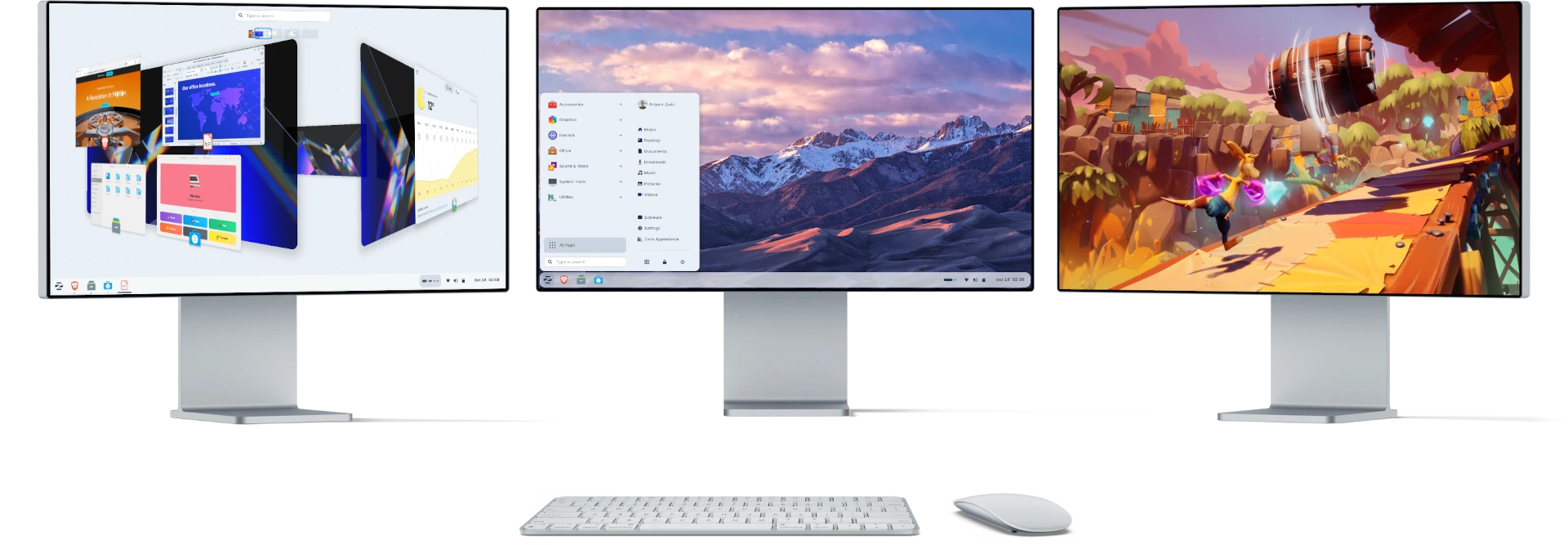
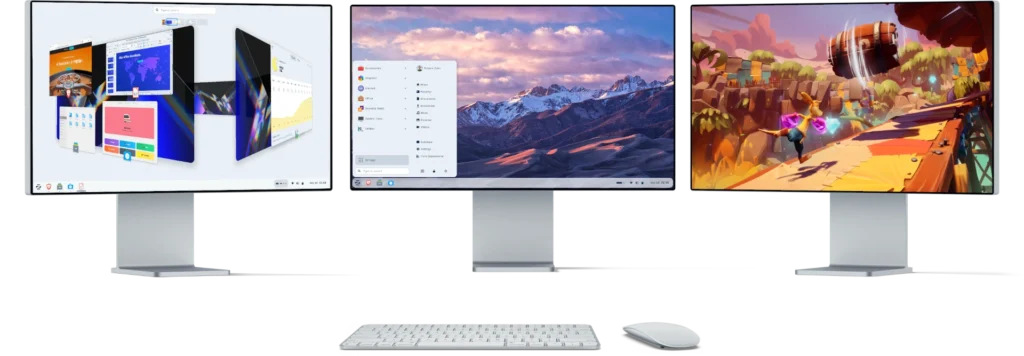
A lot of Linux distributions still behave as if learning a new desktop is part of the moral price of admission. Zorin OS does not. It treats familiarity as legitimate design work. The project has leaned into that idea since its early releases, and the current version continues it through Zorin Appearance, which lets users switch desktop layouts to something closer to the environment they already know. The free editions include standard layouts, while Zorin OS Pro expands that idea further with 12 layouts in total, including Windows 11-like and Windows Classic-like options.
That matters more than Linux veterans sometimes admit. A familiar start menu, taskbar logic, window behavior, and general desktop rhythm do not merely look comforting. They preserve muscle memory. They let a former Windows user find settings, launch apps, manage files, and multitask without feeling that every routine action now requires translation. Zorin OS understands that the first barrier in any migration is not the kernel or the package format. It is the feeling that your own computer has become foreign.
Friction disappears in the places that matter
The usual praise for migration-friendly Linux distros focuses on screenshots. The better measure is friction. Can you install software without reading forum archaeology? Can you keep working while you learn? Can the system meet a normal user halfway?
Zorin OS does a lot of the quiet work well. Its Software store pulls from the Zorin and Ubuntu APT repositories, Flathub, and the Snap Store out of the box. That means a user is not trapped in one narrow software channel. Zorin also supports .deb packages, AppImage, and optional Windows installer support for .exe and .msi files. You do not need to understand Linux packaging theory on day one to get a browser, messaging app, image editor, office suite, or media tool installed.
Switching cost at a glance
| What usually scares Windows users | What Zorin OS does about it |
|---|---|
| The desktop will feel alien | Lets you switch to familiar layouts through Zorin Appearance, with more options in Pro |
| Installing software will become complicated | Combines APT, Flatpak, and Snap in one store, while also supporting .deb, AppImage, and optional Windows installer handling |
This is where Zorin feels mature rather than merely beginner-friendly. It does not force every choice into a command-line ritual. It builds a path that lets a normal desktop user start first and learn later.
There is also a useful distinction between the free and paid editions. Zorin OS Core is free and already suitable for most people, while Pro is a one-time purchase that adds premium layouts, extra software, additional artwork, and installation support. That is a sensible structure. The free version is not bait, and the paid version is not framed like a subscription tollgate. It is closer to a convenience upgrade for people who value the polish and want a more complete out-of-the-box setup.
Old hardware stops feeling disposable
This is where the Zorin argument gets stronger than aesthetics. A large part of the Windows transition story is really a hardware story. Many Windows 10 machines still work perfectly well for web use, documents, media, study, light creative work, and even some gaming, yet they are no longer in Microsoft’s comfortable support lane. Zorin positions itself as an alternative that can keep those machines useful instead of pushing them toward the recycling pile.
The official minimum requirements are modest: a 1 GHz dual-core 64-bit processor, 2 GB of RAM, and 15 GB of storage for Core. Zorin also says it has streamlined the OS to run on computers as old as 15 years. Those claims do not mean every ancient laptop will suddenly feel luxurious, but they do mean the barrier to reuse is far lower than in the current Windows ecosystem. For homes, schools, nonprofits, and small offices, that changes the math. A switch to Zorin can be a budget decision, not only a philosophical one.
That practical value is easy to underestimate. Saving a serviceable PC from forced retirement is not glamorous, but it is often the smartest move in the room. It cuts cost, extends hardware life, and reduces unnecessary churn. Zorin is persuasive here because it pairs that hardware leniency with an interface that does not punish mainstream users for arriving late to Linux.
App support is broader than many Windows users expect
App compatibility is usually where migration pitches become slippery. Zorin is strongest when it avoids that mistake. It does not pretend every Windows app belongs on Linux. Instead, it gives users three realistic lanes.
The first lane is native Linux or cross-platform software. Zorin’s own help documentation lists alternatives for Windows-only tools, including LibreOffice, ONLYOFFICE, WPS Office, SoftMaker FreeOffice, Google Docs, and Microsoft 365 in the browser for office work. That is the right center of gravity for most people. A huge share of everyday computing no longer depends on one Windows-only executable. It depends on whether you can browse, write, message, meet, edit documents, watch media, manage files, and handle basic creative work. In that world, Zorin is already on solid ground.
The second lane is package breadth. Because the built-in store covers multiple software sources, Zorin users are not boxed into a thin default catalog. That matters because the practical complaint from new Linux users is rarely “Linux has no apps.” It is “I do not know which app source to trust and use.” Zorin’s unified store lowers that confusion.
The third lane is Windows App Support. Zorin lets users install an optional support layer and then open many .exe or .msi installers directly from the file manager. On top of that, the project has expanded its built-in database for detecting popular Windows installers and suggesting more tailored alternatives instead of blindly pushing users to sideload them. That is a smart compromise. Compatibility exists, but Zorin still nudges users toward the more stable long-term path when native or web-based options are better.
Gaming no longer disqualifies the switch
Gaming used to be the quickest way to end this conversation. That is no longer true. Zorin’s own guidance for Windows games points users toward Steam with Steam Play enabled, Lutris, or Heroic Games Launcher, and reserves Windows App Support as a fallback when those routes are not enough. That advice is sensible because it reflects the modern Linux gaming landscape instead of overselling a magic button.
For many players, that is already enough. If your library lives largely inside Steam, or your habits center on older games, indie releases, emulation, and a reasonable slice of mainstream PC titles, Linux is no longer an automatic deal-breaker. Zorin benefits from arriving at this moment with an interface and setup flow that do not make gaming feel like specialist territory. You can get there without first becoming a distro tinkerer.
The limits deserve plain language
This is still Linux, and honesty makes the recommendation stronger. Zorin OS is one of the best choices for leaving Windows, but it is not a universal substitute for every Windows workflow. Some apps are better replaced than emulated. Some hardware peripherals may need extra checking. Some users will discover that a must-have proprietary tool still anchors them to Windows. Zorin says as much in its own documentation by explicitly recommending cross-platform alternatives for apps that do not run well in Linux or as web apps.
That is why the smartest migration path is usually not reckless. Zorin’s installation guide supports installing it alongside your current operating system or instead of it, which makes dual booting a practical safety net for cautious users. You do not have to turn the switch into a cliff edge. You can test the hardware, confirm the apps you actually use, and then decide whether Windows still deserves space on the drive.
There is also a cultural reason Zorin works better than some technically brilliant alternatives. It does not speak to the user with contempt. It does not assume that wanting a familiar desktop or easy installer is laziness. It treats migration as a design problem worth solving. That respect shows up in the interface, the documentation, the packaging choices, and the balance between flexibility and restraint.
A better exit than buying another PC
The strongest argument for Zorin OS in 2026 is simple. It offers an exit from Windows that feels proportionate. Not everybody wants a hobby. Not everybody wants to replace a perfectly usable laptop because an operating system vendor changed the support horizon. Not everybody wants to learn a new desktop grammar just to keep browsing the web, writing documents, joining calls, managing family photos, and getting work done.
Zorin OS earns its place near the top of the migration shortlist because it understands that reality. It offers a familiar desktop, broad software access, optional Windows app compatibility, decent gaming paths, low enough system requirements to revive aging hardware, and a support window that gives users room to settle in. More importantly, it makes the switch feel survivable before it tries to make it exciting. That is why it is not merely a good Linux distribution. For many people leaving Windows, it is one of the few that starts with the right question: how do we make change feel manageable?
Author:
Jan Bielik
CEO & Founder of Webiano Digital & Marketing Agency
This article is an original analysis supported by the sources cited below
Windows 10 support has ended on October 14, 2025
Official Microsoft guidance on the end of Windows 10 support and the transition path for existing users.
https://support.microsoft.com/en-us/windows/windows-10-support-has-ended-on-october-14-2025-2ca8b313-1946-43d3-b55c-2b95b107f281
Technical details – Zorin OS
Official Zorin OS technical specifications covering the Ubuntu 24.04 LTS base, support timeline, software sources, and supported app formats.
https://zorin.com/os/details/
Zorin OS
Official overview page describing Zorin OS, its design goals, and its approach to making computers faster, easier, and more privacy-respecting.
https://zorin.com/os/
Download – Zorin OS
Official download page comparing Zorin OS editions and outlining the differences between Core, Pro, and Education.
https://zorin.com/os/download/
Zorin OS Pro
Official page detailing Zorin OS Pro features, premium desktop layouts, bundled software, installation support, and the one-time purchase model.
https://zorin.com/os/pro/
System Requirements – Zorin Help
Official minimum hardware requirements and compatibility guidance for installing Zorin OS.
https://help.zorin.com/docs/getting-started/system-requirements/
Install Apps – Zorin Help
Official documentation explaining how to install apps from the Software store and supported package sources in Zorin OS.
https://help.zorin.com/docs/apps-games/install-apps/
Windows App Support – Zorin Help
Official guide to enabling support for running many Windows .exe and .msi installers in Zorin OS.
https://help.zorin.com/docs/apps-games/windows-app-support/
Alternatives to Windows Apps – Zorin Help
Official list of Linux, web, and cross-platform alternatives to common Windows-only applications.
https://help.zorin.com/docs/apps-games/alternatives-to-windows-apps/
Play Games – Zorin Help
Official gaming guide recommending Steam Play, Lutris, and Heroic Games Launcher for playing games on Zorin OS.
https://help.zorin.com/docs/apps-games/play-games/
Install Zorin OS – Zorin Help
Official installation guide covering both replacement installs and side-by-side installation with another operating system.
https://help.zorin.com/docs/getting-started/install-zorin-os/
Test the Upgrade From Zorin OS 17 to 18 & Celebrating 1 Million Downloads of Zorin OS 18
Official Zorin blog post reporting download milestones and noting that most Zorin OS 18 downloads came from Windows users.
https://blog.zorin.com/2025/11/18/test-the-upgrade-from-zorin-os-17-to-18-and-celebrating-1-million-downloads-of-zorin-os-18/
Image source: Zorin OS