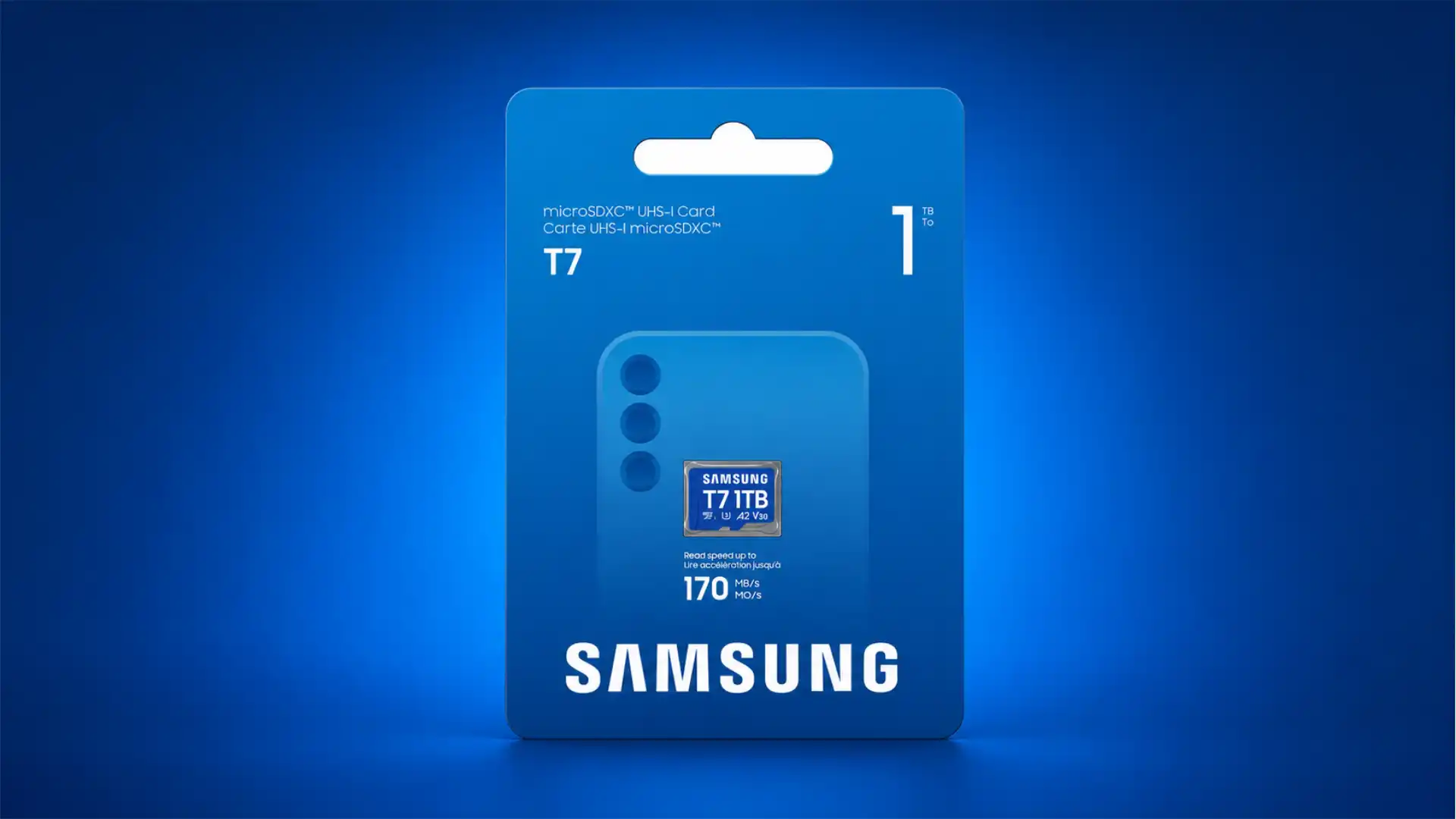
A cheap microSD card can look like a bargain until the camera stops recording, the console refuses to load a game, the dashcam overwrites broken footage, or a fake “1 TB” card quietly corrupts files after its real capacity runs out. The problem is not that buyers ignore speed. The problem is that the card label has become a stack of symbols, each answering a different question. C10, U3, V30, A2, UHS-I, UHS-II and microSD Express are not one ranking system. They describe different parts of card performance, compatibility and workload behavior. The difference matters more in 2026 than it did a few years ago because gaming devices, drones, action cameras, surveillance cameras and phones now use microSD cards in very different ways.
Table of Contents
The label is a language, not a leaderboard
A modern microSD card label is easy to misread because it compresses several standards into a few square millimeters of plastic. A buyer sees “Class 10,” “U3,” “V30,” “A2,” “UHS-I,” “SDXC,” and a maximum read speed such as “190 MB/s.” It looks like a single performance score. It is not. Each symbol answers a narrower question. Speed Class and UHS Speed Class speak mainly about sustained sequential write performance. Video Speed Class refines that promise for video recording. Application Performance Class measures random small-file behavior. UHS-I or UHS-II describes the bus interface. SDHC, SDXC and SDUC describe capacity families and file systems. microSD Express describes a newer PCIe/NVMe path closer to SSD behavior. The SD Association explicitly separates these categories and states that speed class symbols indicate minimum writing speed under defined conditions, not broad “card quality.”
That distinction is the heart of the buying mistake. A card can be “fast” in one sense and weak in another. A cheap card may advertise a large read number because reading one big file in a controlled test is easier than sustaining writes under heat, writing thousands of small blocks, or surviving repeated overwrite cycles. A card sold for general storage may work fine in a phone full of photos and fail in a security camera that writes continuously for weeks. A card that is acceptable for a Nintendo Switch may be useless for Nintendo Switch 2 if it lacks the microSD Express standard, because Nintendo now limits Switch 2 expandable game storage to microSD Express cards.
The confusing part is that none of the printed symbols is fake by itself. Class 10 really does mean something. U3 really does mean something. V30 really does mean something. The trap is thinking the biggest-looking symbol covers every use. A V30 card is not automatically a great app card. An A2 card is not automatically a high-bitrate cinema card. A UHS-II card is not useful at UHS-II speeds unless the host and reader support its second row of pins. A microSD Express card can drop to older behavior in older devices. The card and the device negotiate what they can actually use.
The market makes the problem worse because sellers know which numbers impress buyers. “Up to 190 MB/s” looks stronger than “minimum sustained write speed 30 MB/s,” even though the second number may be the one that decides whether 4K recording is safe. Capacity claims are even easier to exploit. A suspiciously cheap “2 TB” or “4 TB” card can show a false capacity to an operating system while storing only a fraction of the advertised space. TP-Link’s camera support documentation describes the common fake-capacity scam: a small card is manipulated to appear larger, and files beyond the real capacity become unusable.
Buyers do not need to memorize every SD specification. They need a better mental model. Read the card label as a set of workload promises, then match those promises to the device. Video needs sustained writes. Apps and games need random access plus host compatibility. Cameras need reliable write behavior and capacity that matches shoot length. Dashcams and security cameras need endurance. Switch 2 needs microSD Express. Any suspiciously cheap high-capacity card needs skepticism before it gets trusted with real data.
The old Class 10 mark is now a weak signal
The “C” mark around a number is the oldest speed class most buyers still see. C2, C4, C6 and C10 indicate minimum sequential write levels of roughly 2, 4, 6 and 10 MB/s. In the present market, C10 is common enough that it often feels like a basic hygiene mark rather than a serious performance guide. The SD Association still lists Speed Class as one of the four speed-class families, but newer devices usually ask for more than Class 10 when the workload involves high-resolution video, large files or heavy use.
The reason is mechanical, not cosmetic. Class 10 was useful when the main question was whether a card could handle modest photo and video workflows. A steady 10 MB/s write floor was enough for many older cameras. A present-day action camera, drone, gaming handheld, phone or dashcam may push much harder. It may write high-bitrate video, create metadata, manage file rotation, buffer bursts, recover after power loss, and deal with heat. C10 only tells the buyer that the card meets an old minimum sustained sequential write level. It does not tell the buyer whether the card is suitable for 4K action footage, app storage, fast game loading, continuous recording or a new microSD Express host.
Class 10 also coexists with stronger marks. Many good cards are C10 because they exceed that base level, but the useful information sits elsewhere on the label. A SanDisk Extreme, Samsung PRO Plus, Kingston Canvas Go! Plus or Lexar Professional card may show C10 alongside U3, V30 and A2. The C10 mark is not harmful; it is just not enough. The buyer should treat it the way a driver treats “road legal” tires. It says the product belongs in the category. It does not say whether it is suited for mountain snow, track heat, wet braking or heavy load.
The cheap-card market abuses that gap. Sellers can print or promote “Class 10” on cards that look modern but perform poorly under harder tasks. A buyer searching by price may see “C10” and assume the important test has been passed. In practice, the device may need U3 or V30, and those marks mean a higher minimum sustained write level. DJI’s recommended lists for current handheld imaging products repeatedly name U3, V30 or even V90 models for action cameras and pocket cameras, including Osmo Action 5 Pro recommendations such as SanDisk Extreme PRO U3 A1 V30, Kingston Canvas Go! Plus U3 A2 V30, and Kingston Canvas React Plus U3 A1 V90.
Class 10 also says nothing about authenticity. A counterfeit card can print C10 on the label. A fake-capacity card can display the capacity promised by the seller until the file system crosses the true storage limit. SanDisk’s safe buying guide warns buyers to inspect packaging, names, logos, printing and actual capacity, and says a price that looks too good to be true probably is.
The practical rule is blunt. Do not buy a microSD card because it says C10. Buy it because the full label and the seller match the device. C10 may be present on a good card, but it should almost never be the deciding mark for a 2026 purchase unless the device is old and undemanding.
U1 and U3 describe sustained writes, not the bus generation
One of the most common buyer mistakes is mixing up “U3” and “UHS-III.” They sound related, but they answer different questions. U1 and U3 are UHS Speed Class symbols. UHS-I, UHS-II and UHS-III are bus interface generations. U1 means a minimum sustained write level of 10 MB/s. U3 means a minimum sustained write level of 30 MB/s. The SD Association defines U1 and U3 as UHS Speed Classes and says they apply to UHS bus interface product families.
The printed “U” with a 1 or 3 inside it is therefore not the same as the Roman numeral near the SD logo. A U3 card can be UHS-I. A U3 card can be UHS-II. The U3 mark tells you the minimum sustained write performance class. The UHS-I or UHS-II mark tells you the interface path the card can use with a compatible host. Kingston’s explainer makes the same separation clear: U1 and U3 relate to minimum write performance, while UHS-I and UHS-II refer to bus interfaces with different theoretical ceilings.
This is not a nerdy naming issue. It causes bad purchases. A buyer looking for a camera card may search for “UHS 3” and find confusing listings. Some sellers write “UHS-3” when they mean U3, which makes buyers think they need a bus generation that is rarely relevant in consumer microSD purchasing. The right question is simpler: does the device require U3, V30, V60, V90 or microSD Express? The host manual matters more than the retailer’s loose wording.
U3 remains a sensible baseline for many mainstream performance uses. It lines up with the 30 MB/s floor also expressed by V30. DJI lists many current action and pocket devices with recommended cards carrying U3 and V30 ratings, and TP-Link describes Class 10 or UHS 1 as a minimum for some camera contexts while warning that stable long-running recording depends on card validity and reliability.
U1 still has a place. Older cameras, music players, basic tablets, e-readers, low-bitrate devices and simple file storage may not need U3. A U1 card from a reputable brand can be perfectly reasonable when the workload is light. The mistake is buying U1 for devices that explicitly ask for U3 or V30. Saving a few euros on a U1 card makes little sense if the device records high-bitrate video or writes continuously. The first failure may erase the only clip that mattered.
The bus question comes later. A UHS-I U3 card is often enough for mainstream action cameras, drones, Android phones, original Nintendo Switch and Steam Deck-style use where the device’s slot does not benefit from UHS-II. A UHS-II card can read and write faster in a compatible reader or camera, but it cannot force a UHS-I-only device to run at UHS-II speed. The card is only one side of the link.
Video Speed Class is the mark most camera buyers should read first
The “V” mark is one of the clearest parts of the label because it maps directly to sustained video write needs. V6, V10, V30, V60 and V90 are Video Speed Classes. The number represents a minimum sequential write level in MB/s under the standard’s conditions. V30 therefore means a 30 MB/s video-class floor, V60 means 60 MB/s, and V90 means 90 MB/s. The SD Association says Video Speed Class was created for high-resolution and high-quality 4K/8K recording and for newer NAND behavior.
This makes V-class especially useful for action cameras, drones, mirrorless cameras, 360 cameras and recorders. Video capture is unforgiving because the camera produces data at a constant rate. If the card stalls, the device has only a buffer and a few recovery options. Some cameras stop recording. Some drop frames. Some reduce reliability when heat rises. Some accept the card but fail only at the highest settings. For video, the minimum sustained write number matters more than the flashy maximum read number on the front of the package.
V30 is the safe mainstream floor for many 4K devices, especially compressed 4K action-camera and drone footage. It does not mean every 4K mode on every camera is covered. High-bitrate, high-frame-rate, all-intra, RAW, 8K or professional modes may require V60, V90, CFexpress or another storage format. The device’s manual wins. DJI’s current list illustrates the split: many Osmo Action and Pocket recommendations use U3 A2 V30 cards, while some higher-performance Kingston Canvas React Plus recommendations carry V90.
The V mark also helps buyers avoid weak cards disguised by capacity. A cheap 512 GB card with no V30 mark is risky for modern cameras even if the seller advertises a high read speed. The package may say “up to 100 MB/s,” but that can be a read claim, a best-case number, or a number achieved with special readers. It does not promise the sustained write floor the camera needs. A card bought for video should show the video class your camera requires, not just a big capacity and a high “up to” speed.
V60 and V90 introduce another compatibility issue. The SD Association states that V60 and V90 are used in UHS-II mode or faster. That means a V90 card is not just a higher number; it belongs in a higher-performance ecosystem. It may have extra pins and cost more. If the camera cannot use UHS-II, the money may be wasted. If the camera demands V90, a cheap V30 card is the wrong tool. The buyer has to match both performance and host support.
The simple shopping order for video is: identify the camera’s required V class, buy from a reputable brand and seller, choose capacity after speed, then test the card before a paid shoot or important trip. A “cheap but large” card reverses that order and puts the least trustworthy signal first.
Common microSD markings and the promise behind each one
| Marking | What it mainly describes | Practical meaning | Buyer trap |
|---|---|---|---|
| C10 | Old Speed Class | Minimum 10 MB/s sequential write | Too weak as the only modern signal |
| U1 | UHS Speed Class | Minimum 10 MB/s sustained write | Often mistaken for bus speed |
| U3 | UHS Speed Class | Minimum 30 MB/s sustained write | Often mislabeled by sellers as “UHS-3” |
| V30 | Video Speed Class | Minimum 30 MB/s video-class write | Not enough for every high-bitrate mode |
| V60/V90 | Video Speed Class | Higher sustained video floors | Needs compatible higher-speed hosts |
| A1/A2 | Application Performance Class | Random IOPS plus 10 MB/s sustained sequential | A2 needs host support to show full benefit |
| UHS-I/UHS-II | Bus interface | Potential transfer path between card and host | Card cannot exceed the device slot |
| microSD Express | PCIe/NVMe-based SD path | SSD-like direction for gaming and high data workloads | Required by Switch 2, not the same as ordinary microSD |
This table compresses the buying logic. The right card is not the one with the most symbols. It is the one whose symbols match the job.
Application Performance Class matters for phones, apps and game libraries
A1 and A2 are often overlooked because camera buyers focus on V30 and U3. For phones, Android app storage, game libraries and small-file workloads, A-class may matter more. Application Performance Class measures random read and write behavior using 4 KB commands, plus a minimum sustained sequential requirement. The SD Association says A1 was introduced under SD Physical 5.1, A2 under SD Physical 6.0, and A2 relies on features such as Command Queuing and Cache for higher performance.
The numbers explain the point. SD Association thought-leadership material describes A1 as offering 1,500 random read IOPS, 500 random write IOPS and 10 MB/s sustained sequential performance. It describes A2 as raising that to 4,000 random read IOPS and 2,000 random write IOPS, while still keeping 10 MB/s sustained sequential performance. The exact figures are less important than the pattern. A-class is about thousands of small operations, not just moving one big movie file.
This distinction matters for devices that do not treat the card as a simple video tape. A phone launching apps from adopted storage may read many small libraries, configuration files, cache files and database fragments. A handheld game system may load assets, shader data, save-related files and patches. A tablet may keep media indexes and thumbnails. Random performance determines how responsive those tasks feel. A card can have a decent sequential read number and still feel slow when it has to chase small files around flash.
A2 is not magic. The SD Association cautions that A2 performance is available only with a combination of an A2-supported host and an A2-supported card; otherwise, at least A1 behavior is available by A-class combination. This is why some buyers do not see a huge difference between A1 and A2 in older readers or devices. The host has to speak the right features. The label is a capability, not a guarantee that every device will unlock it.
A2 also does not replace V30. A card marked A2 may still only guarantee a 10 MB/s sustained sequential floor for the A-class requirement, although many real cards also carry V30 or U3. Samsung’s PRO Plus data sheet, for example, identifies A2 as a random-performance class and separately identifies V30 as a 30 MB/s video capture class. That split is exactly what buyers should understand. A2 helps with app-like workloads. V30 helps with video-like workloads. A good all-round card often has both.
For buyers using microSD in Android phones, tablets, Steam Deck-style libraries or emulation handhelds, the safe mainstream target is usually a reputable UHS-I card with U3, V30 and A2, unless the device requires something else. That set does not make the card the fastest possible option, but it avoids the worst mismatch: a large, cheap, sequential-only card with weak random access.
Bus interface decides the ceiling, not the real-world result
UHS-I, UHS-II and SD Express are easy to overvalue because they sound like big generational jumps. They do matter. They describe the electrical and physical path between card and host. UHS-II and SD Express cards add a second row of pins, while conventional cards use the first row for Default Speed, High Speed and UHS-I modes. The SD Association notes that faster bus-transfer cards use a second-row pin layout for UHS-II and SD Express, and that first-row pins provide backward compatibility with conventional hosts.
The ceiling is not the same as the result. UHS-I has a lower theoretical bus ceiling than UHS-II. Kingston’s guide cites UHS-I theoretical maximum transfer speeds up to 104 MB/s and UHS-II up to 312 MB/s. But the actual transfer rate depends on the card controller, NAND, firmware, reader, device slot, file sizes, temperature and workload. A UHS-I card advertised at more than 104 MB/s often depends on vendor-specific reader behavior or modes; the broad point for buyers is still that a standard UHS-I device cannot magically become a UHS-II host.
This is why a UHS-II microSD card can be a poor value in many consumer devices. The original Nintendo Switch, many phones, many action cameras, many dashcams and many tablets use UHS-I-class slots. Put a UHS-II card in one of those devices and it usually falls back to a compatible lower mode. The card may still work, but the extra money buys little inside that host. It may help later when you use a UHS-II reader to offload footage to a computer, but only if your workflow benefits from faster transfers.
The opposite mistake is more painful. If a camera truly needs V60 or V90 behavior, or if a device requires microSD Express, buying a cheaper UHS-I V30 card will not satisfy the requirement. Nintendo Switch 2 is the cleanest public example. Nintendo says Switch 2 uses microSD Express for expandable storage and that ordinary microSD/microSDHC/microSDXC cards cannot be used for saving or loading digital games or save data on Switch 2, except limited media import behavior from older Switch cards.
Bus interface is a compatibility gate and a performance ceiling. It is not proof of endurance, authenticity or suitability by itself. A UHS-II card from a poor seller can still be fake. A microSD Express card used in a legacy device can still run at legacy behavior. A UHS-I card from a strong line can outperform a weak card in the tasks the device actually uses. The buyer’s order should be: device requirement first, interface second, workload class third, brand and seller always.
microSD Express changes the shopping rules for new gaming devices
microSD Express is the biggest reason ordinary card advice needs an update. It brings PCIe and NVMe concepts into the SD family, which moves the card closer to SSD-like behavior. The SD Association says SD Express and microSD Express add PCIe and NVMe architecture to SD memory cards and deliver much higher sequential and random access than legacy SD platforms. It also notes that SD Express was introduced in SD 7.0, microSD Express in SD 7.1, and later strengthened through SD 8.0 and SD 9.1.
For many buyers, microSD Express became visible because of Nintendo Switch 2. Nintendo states that Switch 2 uses microSD Express because faster access is needed for smooth game operation, supports microSD Express cards up to 2 TB, and does not include a microSD Express card in the console package. Nintendo’s compatibility page also states that a standard microSD card previously used with Nintendo Switch will not allow saving or loading digital games or save data on Switch 2.
This creates a new category of wrong purchase. A parent, gamer or casual buyer may search “microSD card for Switch” and buy a card that worked perfectly in the original Switch. For Switch 2, that can be the wrong standard. The word “Express” matters. A normal UHS-I microSDXC card, even a good one, is not a substitute for microSD Express in a Switch 2.
The transition also shows why cheap-card habits are dangerous. microSD Express cards cost more because the technology is newer and the performance path is different. A seller offering huge microSD Express capacity at a suspiciously low price deserves extra skepticism. Product pages from licensed and established lines show realistic pricing and capacity positioning, not miracle capacity for pocket change. SanDisk’s officially licensed 512 GB microSD Express card for Nintendo Switch 2 advertises up to 880 MB/s read and up to 650 MB/s write, while Nintendo’s store explains that Switch 2 needs the new standard for faster access and smooth game operation.
microSD Express also changes card-reader needs. A buyer may own a laptop slot or USB reader that handles ordinary SD and microSD but not Express modes. The card can be backward compatible in some contexts, yet that does not mean the reader will use its Express performance. The host must support the standard. This matters for downloading, backing up, moving captures and testing performance.
The mainstream advice is therefore split. For original Switch, Steam Deck, many cameras and older devices, a good UHS-I U3 V30 A2 card may still be the sensible pick. For Switch 2, ordinary microSD is the wrong card family. The speed class discussion comes after that compatibility gate.
Capacity marks are not speed marks
SDHC, SDXC and SDUC are capacity families, not speed ratings. This seems obvious until product listings blur everything together. SDHC means over 2 GB up to 32 GB and uses FAT32. SDXC means over 32 GB up to 2 TB and uses exFAT. SDUC means over 2 TB up to 128 TB and uses exFAT. The SD Association lists those capacity ranges and file-system families in its capacity overview.
The capacity family tells you whether the device can address and format the card type, not whether the card is quick enough. A 512 GB SDXC card can be slow. A 128 GB SDXC card can be fast. A 1 TB card can be genuine and reliable, or it can be fake. A capacity logo does not protect the buyer from poor write performance, bad random access or weak endurance.
Capacity compatibility is still important. Some devices support only up to a stated card size. DJI lists different capacity ceilings across products: Osmo Action 5 Pro supports microSD up to 1 TB, Osmo Action 4 up to 512 GB, and older models may be lower. Nintendo Switch 2 supports microSD Express cards up to 2 TB. A card larger than the device’s supported maximum may fail, format incorrectly or behave unpredictably.
The capacity question also affects economics. Larger cards are often cheaper per gigabyte, but not always safer. A 1 TB card from a major brand and trusted retailer may be a good purchase for a game library or long trip. A no-name 1 TB or 2 TB card at a fraction of the normal price is a data-loss risk. SanDisk’s safe buying guide lists lower actual capacity than printed capacity as a counterfeit warning sign. TP-Link separately warns that fake-capacity cards may appear larger than they are and fail when written beyond real capacity.
Capacity is the easiest spec to desire and the easiest spec to fake. That is why cheap high-capacity cards are especially dangerous. The buyer does not always notice on day one. A fake-capacity card may accept a few files, format successfully on a computer, and appear normal in a quick test. The failure happens after the real storage is exhausted. At that point the user may have already trusted it with vacation footage, dashcam evidence, drone work, game downloads or camera files.
The safe approach is boring: buy capacity from known lines, confirm the device’s maximum supported size, full-test suspicious cards before use, and treat unrealistic pricing as evidence. The card should be large enough for the job, but capacity should never outrank authenticity and sustained performance.
Maximum read speed sells the card, minimum write speed saves the file
Retail packaging loves maximum read speed because it is a big number. “Up to 160 MB/s,” “up to 190 MB/s,” “up to 205 MB/s,” and now “up to 880 MB/s” for microSD Express cards create a clear marketing ladder. Read speed matters. It affects offloading files, loading games, opening media libraries and copying backups. But for capture and data safety, the more important number is often minimum sustained write speed.
The SD Association’s speed-class system exists because flash memory transfer speed varies, and streaming workloads such as video need a constant writing speed. The association says speed class types assure minimum sequential card access performance under defined conditions, including multi-stream access for SD Express Speed Classes. That is the engineering reason behind the symbols. They are not decoration. They are meant to help a host avoid dropouts and mismatches.
The split between maximum read speed and minimum write speed explains many real failures. A card may read a large file quickly in a benchmark but write slowly after its cache fills. It may perform well when empty and worse when nearly full. It may slow down under heat. It may handle one big sequential stream but struggle with mixed writes. A cheap card can advertise a peak number that does not reflect the device’s actual worst moment.
For cameras, drones and dashcams, writes are the risk point. A camera creates data. If the card cannot accept it quickly enough and steadily enough, the recording stops or becomes unreliable. For gaming, reads are more visible because load times annoy users, but writes still matter for downloads, updates, shader caches, save-related data and moving content. For phones, random I/O can dominate perceived speed even when sequential read looks fine.
A good product page separates these claims. Lexar’s Professional 1066x microSD page, for example, advertises read and write figures and also marks the card as U3, V30 and A2. Samsung’s PRO Plus listing advertises read/write speeds and separately identifies U3, Class 10, UHS-I, V30 and A2 ratings. Those separate symbols are useful because no single number describes the whole card.
A buyer should distrust any listing that sells only capacity and peak read speed while hiding write class, model number, warranty and seller identity. Real cards from serious brands usually provide enough detail to match the device. Cheap mystery listings often avoid the exact information that would reveal a mismatch.
Sustained performance is different from burst performance
Flash storage often performs best for a short burst. The controller writes into fast cache, the card is cool, the file system is simple, and the workload is neat. Sustained performance is harder. It asks the card to keep going after the easy part ends. That is why video-class marks and endurance lines matter.
A camera recording 4K or 8K footage does not care that the card was fast for five seconds. It needs the card to keep accepting data for minutes or hours. A dashcam may write in loops every day, often inside a hot car. A security camera may record continuously and check card health. A handheld console may download tens of gigabytes, then read game assets for long sessions. Burst speed gets attention. Sustained behavior decides reliability.
The standards are designed around defined minimums, but the real world adds wear, temperature and file-system state. A card that is nearly full has fewer free blocks to work with. A card that has endured thousands of overwrites may have more blocks retired or more controller housekeeping to perform. A card in a hot drone, action camera or parked car may throttle or fail sooner. Cheap cards save money where users cannot see it: NAND grade, controller quality, firmware, validation, packaging control and warranty support.
This is also where “same label, different behavior” appears. Two cards can both say U3 V30 A2 and still differ in real transfer rates, thermal behavior and durability. The label is a minimum class, not a full benchmark. Reputable review sites test cards with sustained and real-world file workloads because product labels do not tell the whole story. Digital Camera World’s 2026 microSD coverage, for instance, compares real-world read and write behavior across current cards and notes that the tested SanDisk Extreme A2 64 GB card produced different read/write results for large files and multiple small files.
For most buyers, the answer is not to chase laboratory perfection. It is to leave margin. If the device asks for V30, buy a reputable V30 card rather than a cheap card that barely claims it. If the device is mission-critical, consider a stronger line or an endurance line. If the camera offers very high-bitrate settings, check the manual and user-tested compatibility lists. If the card will hold important work, test it before use.
The worst buyer habit is filling the card for the first time during the event that matters. A new card should be formatted properly, filled and verified if authenticity is uncertain, then tested in the device at the highest intended setting. The cost of a failed card is not the price of the card. It is the lost recording, lost evidence, lost project or lost time.
Cheap cards fail in ways that look like device problems
Bad microSD cards often disguise themselves as camera glitches, console bugs or phone issues. The device freezes. A camera stops recording. A drone reports a card error. A dashcam says formatting failed. A game loads slowly. A phone reports corruption. The user blames the device because the card is tiny and silent. Yet storage is often the weak link.
TP-Link’s support page gives a practical example from cameras. It says fake-capacity cards may fail when data exceeds the real capacity and that camera formatting can reveal invalid space because the process writes and checks the card. It also says camera data is important and that data loss or write failure has a major impact. That is exactly the danger. The card problem surfaces only when the device tries to rely on it.
Action cameras and drones amplify the issue. They are small, hot, battery-powered and write large files. A cheap card may work at 1080p but fail at high bitrate. It may work on a desk but fail on a summer ride. It may work when empty and fail after a few cycles. The user sees a random stop and assumes the camera is defective. The real fix may be a reputable U3 V30 or V60/V90 card from the manufacturer’s recommended list.
Gaming devices show a different pattern. A cheap large card may install games, but loading stutters, downloads are slow, or files corrupt during updates. With Switch 2, the wrong card family is even clearer: Nintendo says only microSD Express cards can be used for game data and related storage on Switch 2. An ordinary card is not a bargain there. It is incompatible for the main job.
Phones and tablets can show sluggishness rather than hard errors. A card with weak random writes may make app storage feel slow, especially when updates, media libraries and cache writes happen at the same time. A2 can improve random I/O on supported hosts, but only with the right card-device combination. Cheap cards often lack the controller behavior that makes small writes tolerable.
Dashcams and security cameras are the harshest judges because they write constantly. A normal consumer card may survive for a while, but continuous overwrite cycles favor endurance-rated models. Many cheap cards are not built for that duty. They fail slowly, with corrupted clips exactly when evidence is needed.
A reliable card is not an accessory. It is part of the device’s recording or loading system. When the card is bad, the device inherits the blame. The safer troubleshooting habit is simple: before replacing the camera, drone or console, test with a known genuine card that matches the device’s recommended class.
Counterfeits are not rare edge cases in the buyer’s decision
Counterfeit microSD cards are not just fake logos on obvious scam sites. They appear in marketplaces, confusing reseller chains, suspicious discount listings and sometimes mixed inventory environments. The problem is attractive to scammers because microSD cards are small, easy to ship, easy to relabel and hard for casual buyers to verify. A fake card can look convincing until it is filled.
SanDisk publishes a dedicated support page for non-authentic and counterfeit cards, warning that microSD and SD cards with similar or no rear markings are not made by SanDisk. Its safe buying guide lists warning signs such as damaged or unsealed packaging, discoloration, typographical errors, wrong specifications, missing certification information, low quality printing, wrong product names, reduced actual capacity and too-good-to-be-true prices. Kingston makes a similar point from the brand side, saying that well-known brands are not immune to counterfeiting and advising buyers to purchase through authorized distributors and resellers.
The most dangerous fake is not always the slow one. It is the fake-capacity card. A manipulated card may tell the computer it has 512 GB, 1 TB or 2 TB while physically holding far less. Early use looks normal because the first files fit inside the real capacity. Later files overwrite, vanish or become unreadable. TP-Link’s camera guidance describes this exact class of scam and explains that data beyond the true capacity cannot be used normally.
This is why “it formatted fine” is not proof. A quick format does not fill every block and read it back. A card can pass a superficial test and fail a full-capacity write/read check. A card can show the advertised capacity in the operating system because the controller lies. A buyer who wants to trust a questionable card must perform a full write-verify test before use. That takes time, especially on large cards, but it is cheaper than discovering the truth after a trip or job.
Marketplace buying adds another layer. A listing may display a real brand image, but the seller may not be the brand or an authorized reseller. Reviews may refer to older inventory, different capacities or another seller attached to the same listing. A low price from an unknown shop is not the same as a promotion from the manufacturer or a trusted retailer.
The buyer’s strongest protection is boring supply-chain discipline: buy known models from known sellers, keep receipts, inspect packaging, verify model numbers, and full-test cards before trusting them with irreplaceable data. Cheap cards exploit impatience.
Device recommendations beat generic card advice
Generic advice is tempting because microSD labels look universal. “Buy U3 V30 A2” is a decent mainstream shorthand, but it is not always correct. The device maker’s requirement wins. DJI publishes product-by-product recommended cards and capacity limits. Nintendo publishes separate compatibility rules for Switch and Switch 2. GoPro maintains guidance for cards that work with its cameras. The SD Association publishes the standard language, but the device maker defines what its hardware and firmware will accept.
Device lists matter because they capture more than the symbol. A manufacturer may test specific card families for thermal behavior, timing, formatting, firmware interaction and capacity. A camera may accept any V30 card in theory but behave best with tested lines. A drone may reject certain models after a firmware update. A console may require a whole new card standard. A dashcam may need endurance more than peak speed.
DJI’s list shows the value of specificity. It does not say “any fast card.” It lists models and classes for each product. Osmo Action 5 Pro supports microSD up to 1 TB and recommends cards across SanDisk, Kingston and Lexar lines, including U3 A2 V30 and V90 options. Older Action models have different capacity ceilings and recommendations. This is exactly how buyers should think: device first, card second.
Nintendo’s Switch 2 pages are even stricter. The original Switch can use ordinary microSD cards, but Switch 2 is only compatible with microSD Express for game-related expandable storage. Nintendo also warns that standard microSD cards used with the original Switch will not allow saving or loading digital games or save data on Switch 2. A generic “best microSD for Switch” article can therefore be dangerous if it does not distinguish model generation.
GoPro-style action camera advice also depends on camera generation and recording settings. Search results from GoPro’s official support page identify it as a card-compatibility resource updated recently, and GoPro support threads warn users when a card may be too slow and advise V30 or higher for some settings. The exact card should still be matched to the camera model and mode.
The safest buyer habit is to read the device support page before the retailer page. Retail listings are built to sell. Support pages are built to reduce failures. The difference shows.
Cheap does not always mean bad, but suspiciously cheap means risk
There is a fair way to save money on microSD cards. Buy last year’s reputable model. Choose UHS-I instead of UHS-II when the device cannot use UHS-II. Pick 256 GB instead of 1 TB if capacity is not needed. Wait for a sale from a trusted retailer. Avoid official-branded novelty cards when the same underlying performance is available in a standard line. Those are rational savings.
The dangerous version is different. It starts with a card that is far cheaper than comparable products from known brands, often with huge capacity and vague performance claims. The seller may use awkward product names, copied images, unrealistic capacity, strange packaging, or missing model numbers. The listing may emphasize “ultra fast,” “4K,” “camera,” “gaming,” and “Class 10” while hiding V class, A class, bus interface and warranty. SanDisk’s safe buying guide explicitly lists too-good-to-be-true pricing and lower actual capacity as counterfeit warning signs.
The economic logic is simple. NAND flash has a cost. Controllers have a cost. Validation has a cost. Packaging, distribution and warranty have a cost. A real high-capacity, high-performance card cannot be sold at a tiny fraction of normal market price without some explanation. Maybe the card is used, fake, relabeled, slower, lower capacity, gray-market, or unsupported. Sometimes it is simply a bad listing. The buyer carries the risk.
Cheap-card defenders often say, “It works for me.” That may be true for light use. A cheap card can store music files, PDFs or casual photos if the capacity is real and the workload is gentle. The warning is not that every affordable card is trash. The warning is that the cheapest unknown card is a bad place to store anything important or write-intensive. A microSD card is not like a decorative case. Failure damages data.
Use-case value also changes the price calculation. A €20 saving means little if the card holds wedding footage, drone survey files, dashcam evidence, travel video, schoolwork, game downloads or security-camera footage. The correct comparison is not cheap card versus expensive card. It is cheap card versus the cost of losing the data or repeating the work.
The best value zone for many buyers is a reputable midrange card: UHS-I, U3, V30, A2, from a known brand, bought from a known seller. For cameras with higher demands, step up to V60/V90 or the manufacturer’s recommended line. For continuous recording, buy endurance. For Switch 2, buy microSD Express. For unknown marketplace bargains, assume the deal has to prove itself before the card gets trusted.
Endurance is a separate buying category
Speed labels do not tell the whole story for dashcams, body cams, trail cameras and security cameras. These devices write repeatedly, often every day, sometimes in heat or cold, and often by overwriting old files. A normal high-speed consumer card may pass the speed requirement and still be the wrong tool because its NAND and firmware are not aimed at continuous recording. Endurance is not just speed. It is write-cycle tolerance, thermal behavior, firmware handling and failure predictability.
Manufacturers often sell separate “Endurance,” “High Endurance,” “Pro Endurance” or surveillance-focused lines. These cards may not advertise the largest peak speeds. They are marketed for sustained loop recording and longer write life. That makes them better suited for dashcams and security cameras than a card designed mainly for quick photo transfer. A buyer who picks only the fastest-looking read speed may choose the wrong product family.
TP-Link’s warning for camera use points in the same direction. It says monitoring cameras need stable long-term card operation and that data loss or write failure can have a major impact. That is a support-page way of saying the workload is harsher than casual storage. In a security device, the card may be the only local evidence. The card must be boringly reliable.
Capacity also works differently in loop recording. A bigger card can reduce overwrite frequency because the same cells are recycled less often. But bigger is not enough if the card is fake or weak. A genuine 256 GB endurance card may be safer than a questionable 1 TB bargain. The device’s maximum supported capacity still matters, and some cameras format cards in a way that reveals fake capacity only after a full check.
The buyer should also consider operating conditions. A dashcam card may sit inside a parked car under summer heat. An outdoor security camera may face winter cold. An action camera may heat the card in a sealed body during long 4K recording. Product lines with clear temperature, shock, water, X-ray or wear claims can be useful, but those claims should come from the manufacturer’s page or packaging, not from vague marketplace text.
For continuous recording, the practical checklist is different from gaming or casual phone storage. Choose an endurance-rated model from a real brand. Match the device’s capacity maximum. Use the device’s recommended format procedure. Replace the card proactively in important systems. Check recordings periodically instead of assuming the card still works. The first sign of failure should not be the missing clip you needed.
Gaming exposes the random-access side of card performance
Game storage sits between video capture and app storage. It reads large assets, small metadata, patches, save-adjacent files, downloadable content and update packages. It may also write during downloads and installs. Peak read speed helps, but random access and host compatibility matter too. This is why A-class and device support have become more relevant to gamers.
The original Nintendo Switch era trained many buyers to think ordinary microSDXC cards were enough. For that console family, many UHS-I cards from reputable brands were fine because the host did not benefit from ultra-high-end card interfaces in the way a camera reader might. The Switch 2 era changes the storage rule. Nintendo’s support pages say Switch 2 requires microSD Express for expandable game-related storage and supports cards up to 2 TB.
That change is not a minor speed bump. microSD Express uses PCIe/NVMe architecture inside the SD ecosystem, which the SD Association frames as a path to much higher sequential and random access and even running applications or operating systems from cards. Games are a natural fit for that direction because modern game data is large, scattered and latency-sensitive.
Steam Deck-style devices show a different lesson. Many use UHS-I microSD slots, so buying UHS-II cards may not improve in-device performance. A good UHS-I A2 card can be a better value than an expensive interface the slot cannot use. But cheap cards with weak random performance can make downloads, installs and loading feel worse. The right card depends on the host’s slot and software behavior.
Game buyers also face capacity pressure. Games and updates are large, so a 128 GB card can fill quickly. The temptation is to buy the cheapest 1 TB card available. That is exactly where counterfeit risk rises. A fake 1 TB card may appear normal until large installs cross its real capacity. At that point files corrupt, downloads fail or games disappear. The failure wastes time even if no irreplaceable data is lost.
The safer gaming rule is: for Switch 2, buy genuine microSD Express; for older UHS-I handhelds, buy a genuine UHS-I U3 V30 A2 card from a trusted line; for any large game library, treat fake capacity as the main enemy. Capacity is useful only when it is real.
Phones and tablets punish weak random writes
Phones make microSD cards work in messy ways. Photos and videos are sequential enough, but apps, thumbnails, caches, offline maps, messaging media and system indexes involve many small reads and writes. A slow random-write card can make the device feel laggy even when the card advertises a respectable read speed.
This is the workload A1 and A2 were built to describe. The SD Association says Application Performance Class addresses the need for random and sequential performance when applications and application data are stored on cards. It also says A2 uses Command Queuing, Cache and maintenance functions, and that full A2 behavior requires an A2-supported host plus an A2-supported card.
A cheap card can cause subtle problems in phones. The gallery takes longer to build previews. Offline maps load slowly. Apps installed on adopted storage stutter. Video files save, but moving and indexing them becomes sluggish. Some issues look like Android bloat or phone aging when the real constraint is card I/O.
A2 is often worth choosing for phone storage when the device supports it, but it is not the only requirement. The card should also be genuine, from a good seller, and fast enough for any video recording the phone will send to external storage. Many strong mainstream cards combine A2 with U3 and V30, which makes them good all-round options. Samsung, Lexar and other established lines publish cards with these combined marks.
The phone market also has fewer premium expandable-storage devices than before, which changes the card’s role. Some buyers use microSD mainly for media storage in budget or rugged phones. Others use it in tablets, handhelds, cameras or audio players. The card should match the actual task. A music library does not need A2 V30 performance. App storage does. 4K recording does. Long-term backup of important files needs authenticity and verification more than raw speed.
The safest habit is to avoid making a microSD card the only copy of anything important. Phones get lost. Cards fail. File systems corrupt. If the card holds photos, back them up elsewhere. A fast card improves the experience, but redundancy protects the memories.
Cameras care about write margin, not marketing adjectives
Camera card advice has to be more conservative than general storage advice because recording failures are visible and costly. The card is receiving a stream from a sensor, encoder and buffer. If it cannot keep up, the camera may stop. If the file is corrupted, the moment is gone. The difference between a decent card and a bargain card may not appear until the highest settings are used.
The first camera question is the recording format and bitrate. A compressed 4K mode may be fine with V30. A higher-bitrate 4K mode, 8K mode, all-intra codec or high-frame-rate setting may require V60, V90, CFexpress or internal storage. The manufacturer’s manual or support list is the authority. The SD Association’s V-class system gives the performance language, but the camera maker defines which class is needed for each mode.
Action cameras are especially demanding because they mix high data rates with heat, vibration, waterproof housings and tiny bodies. DJI’s support list repeatedly recommends U3 V30 or stronger cards for Osmo Action and Pocket models, with capacity limits that vary by model. GoPro’s card compatibility resources and support messages point users toward V30 or higher when a card may be too slow for certain settings.
Mirrorless and cinema cameras add another layer. Some use full-size SD rather than microSD, but the same markings apply. V60 and V90 can matter for high-bitrate formats, and UHS-II support can matter for both recording and offload. A microSD card in an adapter is usually not ideal for serious camera work unless the device specifically supports that workflow. The adapter adds one more contact interface and one more weak point.
The practical camera rule is to buy above the minimum when the shoot matters. If the manual says V30 and the mode is critical, a reputable V30 card may be fine, but a stronger tested card gives margin. If the manual says V60 or V90, do not cheat downward. If the camera maker publishes recommended models, use them. Format in the camera unless the manufacturer says otherwise. Rotate cards instead of using one huge card for everything. Copy footage promptly and verify backups.
The cheapest card in the bag should never hold the most expensive shot of the day.
Drones add vibration, heat and replacement cost to the storage problem
Drone footage creates a specific kind of microSD risk. The card is small, but the flight is costly. A failed recording can waste battery cycles, travel time, weather windows, client access, permits or survey work. The drone may fly perfectly while the card silently fails. The buyer then discovers the loss after landing.
Drones often record high-resolution video with compression tuned for action and movement. They may also write photos, metadata, logs and proxy files. The card has to keep up in a compact device exposed to temperature changes and vibration. A low-quality card may work during a short test and fail during a longer recording. Because drones are often used outdoors, heat and cold matter more than they do for a card sitting in a laptop.
Manufacturer card lists matter here. DJI’s storage-card recommendations include specific models and speed classes for camera products, and DJI’s action and pocket lists show how frequently U3 A2 V30 cards appear in modern capture devices. Even when a drone model is not named in a particular list section, the lesson applies: camera-device makers test known lines because random marketplace cards create support problems.
A drone card should be treated as field equipment. Keep it in a case. Avoid swapping it in dusty or wet conditions. Format it in the device. Offload footage after flights. Do not use one giant card for a whole month of work without backups. Label cards and rotate them. Retire cards that show errors. Cheap storage habits are out of place when the flight itself is expensive.
Counterfeit risk is also sharper because drone buyers often look for high capacity. 4K and 5.4K footage consumes space quickly. A fake-capacity card can look attractive. It may even record the first few flights. Then one day the files exceed the real capacity and break. TP-Link’s warning about fake-capacity cards becoming unusable past their true storage limit is not limited to security cameras; it describes the same underlying scam.
For drones, buy the card the way you buy propellers or batteries: from a source you trust, with specifications you can verify. The small saving from a cheap card is not worth losing the flight.
Dashcams and security cameras need endurance before peak speed
Dashcams and security cameras write in loops. They often erase and rewrite the same storage areas for months. They may run in heat, cold, power interruptions and vibration. Their value appears after an incident, not during ordinary use. That makes them the wrong place for bargain cards.
A fast V30 card may work, but endurance-rated cards are usually the better category. The workload is repeated writing, not occasional file transfer. Manufacturers design endurance cards for surveillance and dashcam behavior, often with longer write-cycle tolerance and monitoring-friendly firmware. Peak read speed is secondary.
TP-Link’s support page makes the long-term stability problem explicit for monitoring cameras, saying the card must work stably for a long time because data loss or failure to write can have a major impact. It also warns that fake-capacity cards may fail during formatting and normal operation. That is a support issue every security-device maker wants to avoid.
Dashcams add heat. A car interior can become hostile to consumer electronics. A card that passed a desk test may fail after repeated summer parking. Buyers should look for operating-temperature claims from real manufacturers and consider replacing cards on a schedule. Waiting until the card dies defeats the purpose.
Capacity should be chosen to match recording length and device support. More capacity can reduce overwrite frequency, which can help endurance, but only if the card is genuine and supported. A fake large card is worse than a smaller genuine one. A card above the device’s supported limit may not be recognized or may format incorrectly.
The simplest rule is: never buy the cheapest microSD card for a camera whose job is evidence. Use endurance-rated storage from a known brand, test recording playback periodically, and replace the card before it becomes ancient.
Buyers confuse official branding with performance needs
Officially licensed cards are convenient because they reduce compatibility anxiety. Nintendo-branded or camera-branded cards can be real, reliable and easy to recommend. They can also cost more than equivalent non-branded cards from the same performance tier. The buyer should separate compatibility assurance from raw value.
Nintendo’s store page for the Samsung microSD Express Card for Switch 2 explains that the console uses the new microSD Express standard for faster access and smooth games, and that older cards used for Nintendo Switch are not compatible if they lack microSD Express standards. That official card solves a real compatibility problem. A buyer who does not want to think can choose it and be done.
For original Switch, phones, cameras and tablets, official branding may be less necessary. A reputable card that meets the same class and capacity requirements may work just as well. But the buyer must know the requirement. A cute branded card with weak performance is not better because it has a logo. A non-branded-by-device card from a serious storage brand can be the better buy.
The same logic applies to “for GoPro,” “for drone,” “for Android,” and “for gaming” listings. Those words are not standards. They are marketing categories unless backed by exact specs and manufacturer support. The real marks are U3, V30, A2, UHS-I, UHS-II, microSD Express, endurance class, capacity family and the device’s own compatibility list.
Brand trust matters, but brand artwork is not a substitute for specs. Buyers should pay for official licensing when it reduces real uncertainty, not when it merely decorates the card.
Retail listings often hide the wrong detail
A good microSD listing should tell you the exact model line, capacity, speed classes, bus interface, read speed, write speed, warranty and seller. Bad listings use broad words. They say “high speed,” “4K,” “gaming,” “ultra,” “premium,” “Class 10,” and “compatible with all devices.” They may omit V class, A class, exact write speed, manufacturer part number or warranty. That omission is a signal.
Part numbers matter because card families change. A brand may sell Ultra, Extreme, Extreme PRO, EVO Select, PRO Plus, Canvas Select Plus, Canvas Go! Plus, Canvas React Plus, Professional Silver, High Endurance and many other lines. These are not interchangeable. Some prioritize price. Some prioritize app performance. Some prioritize video. Some prioritize endurance. Without the exact line and model, a buyer cannot compare.
Capacity variants can also differ. A 64 GB card in a product family may have lower write speed than the 256 GB version. Reviewers often note these differences. Digital Camera World’s testing of the SanDisk Extreme A2 64 GB card found read and write behavior tied to the tested capacity and advised that the 256 GB version may be the better value and speed choice within that product line.
Marketplace pages can also merge reviews across capacities and sellers. A five-star review for a 128 GB card sold by the brand may sit beside a 1 TB option sold by a third party. The product page looks trustworthy while the selected variant is not the same. Buyers must check the seller field, shipped-by field, capacity selection and model number before checkout.
A vague listing is asking the buyer to trust the seller instead of the spec. That is exactly backwards for storage. The card is too important and too easy to fake.
Formatting is not a repair strategy for fake or unsuitable cards
Formatting has a place. It prepares the file system, clears old data structures and can restore correct behavior after a card has been used in another device. The SD Association provides SD Memory Card Formatter for SD, SDHC, SDXC and SDUC cards and recommends it over generic operating-system formatting tools because OS tools may not be optimized for SD cards and could result in lower performance.
But formatting is not magic. It cannot turn a U1 card into a V30 card. It cannot give A2 host support to an old device. It cannot make an ordinary card work as microSD Express in Switch 2. It cannot create real NAND capacity on a fake card. It cannot fix a dying card beyond temporary cleanup.
The best formatting method depends on the device. Cameras, drones, dashcams and consoles often prefer cards formatted by the device itself. A PC formatter may be useful for restoring a card before use, but the device’s own format option often sets folder structure and recording expectations. Nintendo and camera makers may require specific handling. The SD Formatter is useful as a trusted tool, not as a universal cure.
Formatting also interacts with testing. A quick format only resets file-system structures. A full write/read verification tests whether the card can actually store data across its claimed capacity. Suspicious cards need the second kind of test, not just a format. TP-Link’s note that a camera formatting process reads and writes the card space to check validity shows why fake-capacity cards may fail under a real device check.
Format cards properly, but do not use formatting as proof of quality. A good card should be genuine, matched to the device, formatted correctly and tested under the intended workload.
The first-use test should happen before the important job
A microSD card should not meet its real workload for the first time during a paid shoot, holiday, flight, race, wedding, security incident or long gaming download. Testing is dull, but it catches the problems that cheap cards hide.
A sensible test has three layers. First, inspect the card and packaging. Look for damaged seals, wrong fonts, misspellings, strange colors, poor printing, missing markings and wrong model names. SanDisk’s safe buying guide identifies packaging integrity, correct product nomenclature, spelling, print quality, product names and suspicious price as areas to check. Kingston recommends authorized sellers and shows product-verification technologies used on some products.
Second, verify capacity. For any card bought from a less-than-perfect source, run a full write/read test with trusted tools before use. The test should write across the full advertised capacity and read back the data. It takes hours on large cards, but fake-capacity scams are designed to beat quick checks.
Third, test inside the actual device. Record at the highest intended camera setting for longer than a typical clip. Download and launch a large game. Let the dashcam record and loop. Move files to and from the card. Check for overheating, errors and slowdowns. A card that passes a PC benchmark may still have issues in a device.
Testing also creates a baseline. If the card later slows dramatically or throws errors, the buyer knows it changed. Without a baseline, every failure feels mysterious. Card-health tools vary by brand and device, but simple behavior checks still help.
The point of testing is not to prove the card is perfect forever. It is to catch obvious fraud, mismatch and early failure before the card holds unique data. Cheap cards often fail this stage. That is the moment to return them, not rationalize them.
Heat turns marginal cards into failing cards
Flash storage performance changes with temperature. Small devices create heat, and microSD cards live in cramped slots. An action camera sealed in a waterproof body, a drone filming in summer, a dashcam in a parked car, or a console downloading a large game can all heat the card. A marginal card that seems fine in a room-temperature benchmark may fail in the field.
Heat affects both performance and longevity. Controllers may throttle. Error correction may work harder. NAND wear can accelerate. Cheap cards often have less margin because their components and validation are weaker. The user does not see this on the label. They see it as recording stops, card errors or corrupted files.
The SD Association’s SD Express materials now explicitly mention power and thermal management as part of SD 9.1 advancements for SD Express Speed Classes. That matters because high-performance removable cards are moving into workloads that behave more like small SSD tasks. Faster storage consumes power and creates heat. Standards and host behavior must manage that.
For ordinary UHS-I cards, the lesson is still practical. Do not buy at the edge. A card barely matching the requirement has less room for heat, wear and full-card slowdowns. A reputable card with the correct class and good device support has more margin. For dashcams, pick endurance models with strong temperature claims. For cameras, avoid using untested cheap cards in long high-bitrate sessions.
Heat also affects readers. A cheap USB reader can overheat, bottleneck or disconnect during large transfers. Buyers sometimes blame the card when the reader is the weak link. Use a reputable reader that supports the card’s bus class, especially for UHS-II and microSD Express workflows.
A speed label is measured under defined conditions. Your device may be hotter, fuller and harsher. Buy margin.
Adapters are convenient, not performance upgrades
microSD-to-SD adapters are passive physical adapters. They let a microSD card fit a full-size SD slot. They do not improve the card. They do not add speed class, endurance or bus support. They can also add contact problems if cheaply made or worn.
For casual use, adapters are fine. Many cards ship with them. They are useful for laptops, cameras that accept SD, and readers. But serious camera work deserves caution. A full-size SD card built for the camera may be sturdier than a microSD card in an adapter. The adapter introduces one more set of contacts and one more small object to lose or damage.
Bus compatibility still applies. A UHS-II microSD card needs a compatible adapter and host path to use UHS-II behavior. A basic adapter may not expose what is needed. A microSD Express card cannot gain Express performance in a reader that lacks Express support. The card, adapter, reader and host all form the chain.
Adapters also confuse buyers because the package may show both SD and microSD symbols. The card itself is microSD. The adapter does not change the device’s capacity or speed support. A device that accepts only full-size SD may work with a microSD-in-adapter, but a device that requires a full-size card for physical durability or certified performance may not be ideal.
Use adapters for convenience. Do not use them to outsmart device requirements. If the camera maker recommends full-size UHS-II V90 SD cards for a high-bitrate mode, a cheap microSD card in an adapter is not an equal substitute.
The card reader can bottleneck every offload
Buyers often test cards with whatever reader is nearby. That can produce misleading results. A slow reader can make a good card look bad. A reader without UHS-II support can limit a UHS-II card. A reader without microSD Express support can hide Express performance. A cheap reader can disconnect during large transfers and corrupt work.
The SD Association’s formatter page lists SD slots and USB readers as interface devices for accessing cards, and reminds users to confirm device compatibility with SD, SDHC, SDXC or SDUC memory cards before formatting. The same principle applies to speed. The reader must support the card’s interface and capacity family.
For photographers and videographers, reader speed affects workflow time. A UHS-II card used in a UHS-II camera but offloaded through an old USB 2.0 reader wastes the card’s benefit. For Switch 2 or microSD Express cards, a legacy reader may work only in fallback mode or not provide expected transfer speed. For large 1 TB cards, slow readers turn verification into an overnight task.
Readers also affect authenticity checks. A flaky reader can create false errors. Before declaring a card fake, test with a reliable reader and port. Use direct USB ports when possible. Avoid loose hubs during long write-verify tests. Keep the reader cool during sustained transfers.
The storage chain is only as fast and reliable as its weakest part. Card, reader, cable, port, device, file system and workload all matter.
Warranty is a signal, not a backup
Reputable cards often carry multi-year or lifetime limited warranties, but a warranty replaces hardware, not lost footage. It still matters because it signals that the manufacturer expects to support the product and wants traceable sales channels. But it should not make buyers casual about backups.
Warranty value depends on authenticity and seller. A counterfeit card does not get a real manufacturer warranty. A gray-market card may create regional support issues. A card bought from an unknown marketplace seller may be harder to claim. This is another reason authorized sellers matter. Kingston explicitly advises buying from authorized distributors and resellers to help ensure authenticity.
Warranty length also varies by product category. Endurance cards may have warranties tied to write workload. High-performance cards may have limited warranties with exclusions. Officially licensed gaming cards may have different terms. Buyers should not assume all cards from the same brand share the same support.
The deeper point is that warranty cannot recover unique data. If a card fails after a drone shoot, the replacement card does not recreate the flight. If a dashcam card dies after an accident, the warranty claim is irrelevant. If a fake-capacity card corrupts a game library, time is lost even if games can be re-downloaded.
Treat warranty as one quality signal. Treat backups as the actual protection.
The safest mainstream card spec is boring
For many buyers, the safest everyday microSD target is not exotic. It is a genuine UHS-I microSDXC card from a known brand with U3, V30 and A2 marks, bought from a trusted seller, in the capacity the device supports. This spec covers many phones, tablets, action cameras, drones, original Switch-style storage, emulation handhelds and general media use. It is not perfect for every device, but it is a strong mainstream baseline.
The reason it works is balance. U3 and V30 give a 30 MB/s sustained write class for many 4K-style workflows. A2 gives better random-access capability on supported hosts. UHS-I matches many consumer device slots. SDXC covers mainstream capacities above 32 GB up to 2 TB. Reputable brands publish exact product pages and warranties.
Examples in the market support the pattern. Samsung’s PRO Plus microSD card page lists U3, Class 10, V30, UHS-I and A2, with read/write speeds up to 180/130 MB/s for the cited model. Lexar’s Professional 1066x microSD page lists U3, V30 and A2, with advertised read/write figures aimed at action cameras, drones and Android smartphones. DJI’s recommended lists include multiple cards in the U3 A2 V30 family for modern handheld imaging products.
This baseline does not apply to everything. Switch 2 requires microSD Express. High-bitrate professional video may require V60, V90, CFexpress or another format. Dashcams and security cameras should prioritize endurance. Old devices may have lower capacity limits. Industrial devices may need industrial-temperature cards. The baseline is useful because it avoids the cheapest weak cards while staying reasonable.
For a non-specialist buyer in 2026, “reputable UHS-I U3 V30 A2” is often the safe middle. The wrong shortcut is dropping to a no-name card with only Class 10 and a huge capacity claim.
Safer buying targets by device type
| Device or use | Safer baseline | Main trap |
|---|---|---|
| Action camera or drone | Manufacturer-listed U3 V30 or higher | Buying by peak read speed only |
| Dashcam or security camera | Endurance-rated card with supported capacity | Using cheap consumer cards for loop recording |
| Android phone or tablet | Genuine A2 plus U3/V30 if recording video | Ignoring random write performance |
| Original Nintendo Switch or UHS-I handheld | Genuine UHS-I U3/V30/A2 card | Paying for interfaces the slot cannot use |
| Nintendo Switch 2 | Genuine microSD Express up to supported capacity | Buying ordinary microSDXC cards |
| Professional high-bitrate video | Camera-required V60/V90 or required format | Assuming V30 covers every 4K or 8K mode |
This table is not a substitute for the manual. It gives the buyer a first filter before checking the exact device support page.
Switch 2 makes the cheap-card warning easier to explain
Nintendo Switch 2 is a useful public case because the compatibility rule is strict and easy to verify. Nintendo says Switch 2 uses microSD Express, that only microSD Express cards can be used for saving game data, in-game screenshots and videos on Switch 2, and that ordinary microSD cards cannot be used for any other purpose beyond importing older screenshots and videos from an original Switch card. Nintendo’s compatibility page repeats that Switch 2 is only compatible with microSD Express cards and supports microSD Express cards up to 2 TB.
This means the old advice “any good microSD card is fine for Switch” now needs model context. It may still be useful for Nintendo Switch, Switch Lite and Switch OLED. It is wrong for Switch 2 expandable game storage. The buyer must look for the microSD Express symbol and standard, not just microSDXC.
The shift also changes pricing psychology. Ordinary microSDXC cards have become cheap because the market is mature. microSD Express is newer and faster, so it costs more. A buyer comparing only capacity may think Switch 2 storage is overpriced and reach for a cheap ordinary card. That saves money only by buying the wrong thing.
Licensed cards reduce confusion, but buyers can also choose non-licensed microSD Express cards that meet Nintendo’s standard and capacity requirements. Nintendo says any card up to 2 TB that meets the microSD Express standard can be used. The key is not the character art; it is the standard.
This is also where counterfeit risk will likely grow. When a new card category is expensive and in demand, fake or mislabeled products become more attractive. A listing that says “for Switch 2” but lacks microSD Express markings, exact model number, trusted seller and realistic price should be treated as suspect.
Switch 2 has made one lesson mainstream: microSD compatibility is no longer only about physical size. The same tiny slot can demand a different storage technology.
SD Express Speed Class adds another layer for future buyers
SD Express Speed Class is newer than the familiar V-class marks and is meant for SD Express workloads. The SD Association lists E150, E300, E450 and E600 as SD Express Speed Classes, and says they apply to the SD Express bus interface family. It also states that SD Express Speed Class is defined for NVMe protocol, supports multi-stream access, and includes power and thermal management optimized for speed-class support.
This matters because SD Express moves SD cards toward SSD-like tasks. The card may no longer be just a camera buffer or media store. It may run applications, games, edge workloads or high-volume transfers. The old V-class language still matters for video, but Express-class language gives host and card makers another way to signal guaranteed minimum sequential performance in the new interface environment.
For ordinary consumers, E-class markings are still less familiar. Many buyers will first encounter microSD Express through Switch 2 cards that advertise very high read/write speeds and official compatibility rather than through E150/E300/E450/E600 education. But as SD Express devices expand, the E-class layer may become more visible.
The buyer lesson is familiar: new symbols do not erase old questions. A microSD Express card still needs to be genuine. The host still needs to support Express mode. The card still has capacity limits. The workload still matters. A future E-class card may be excellent for one device and unnecessary for another.
The best near-term habit is to read “Express” as a compatibility family first. If a device requires microSD Express, ordinary cards are out. After that, compare capacity, official device support, actual read/write claims, warranty and seller. As E-class markings appear more widely, they can refine the choice further.
The capacity race makes fakes more tempting
SDUC raises theoretical capacity far beyond ordinary consumer needs. The SD Association lists SDUC as over 2 TB up to 128 TB using exFAT. That does not mean cheap multi-terabyte cards on marketplaces are safe. Standards define what can exist. Retail availability, product validation and price are separate questions.
The bigger the advertised capacity, the more attractive the scam. A buyer may see “2 TB” or “4 TB” and think standards now allow huge cards, so the bargain might be real. But real high-capacity flash still costs money. A fake-capacity card can borrow the language of future standards while delivering a tiny real capacity.
This is why capacity skepticism should rise with size. A cheap 32 GB fake is annoying. A fake 1 TB or 2 TB card can destroy far more data before being detected. The operating system may show the promised capacity, and the buyer may trust it for months if they do not fill it quickly. Then the real limit appears as corruption.
SanDisk and TP-Link both identify lower actual capacity or expanded fake capacity as a warning sign. Buyers should treat high-capacity cards as products that require provenance. Who made it? What is the exact model? Is the capacity sold on the manufacturer’s official page? Is the price in line with the market? Is the seller authorized or at least trusted? Can the card pass a full write/read verification?
The larger the card, the less sense it makes to gamble on a no-name bargain. A full-capacity test on a 1 TB card is slow, but recovering lost data is slower and often impossible.
Real brands still have weak lines and strong lines
Buying a known brand is necessary but not sufficient. Major brands sell different card families for different budgets and workloads. A basic consumer line may be genuine and reliable for light use but not suited for high-bitrate video or continuous recording. A high-performance line may be excellent for cameras but overkill for a music player. An endurance line may be safer for dashcams even if its peak speed looks lower.
SanDisk, Samsung, Kingston, Lexar and others all segment their products. The line name matters. SanDisk Ultra is not the same proposition as SanDisk Extreme or Extreme PRO. Kingston Canvas Select Plus is not the same as Canvas Go! Plus or Canvas React Plus. Samsung EVO Select is not the same as PRO Plus or PRO Endurance. Lexar’s Professional lines target different speeds and workloads.
This is why “buy SanDisk” or “buy Samsung” is incomplete advice. The correct version is: buy the appropriate line from a real brand, from a trusted seller, with the markings your device needs. Product pages help. Samsung’s PRO Plus page, Lexar’s Professional 1066x page and Kingston’s speed-class guide give buyers real class information instead of vague claims.
Brand reputation also attracts counterfeits. Kingston says quality-brand recognition has not made it immune to counterfeiting. SanDisk publishes counterfeit-card warnings for the same reason. A famous logo on a marketplace listing is not proof. Seller trust still matters.
The best practical method is to start with the device requirement, then choose a few product lines that match it, then compare prices only among those lines from reputable sellers. That prevents the cheapest unrelated card from entering the comparison.
A real budget card can be a good choice for light storage. A fake premium card is worse than a boring genuine one.
Reviews should test the workload, not just the benchmark
Benchmarks are useful, but they can mislead. A sequential read test may show impressive numbers that do not predict video stability, app launch behavior, dashcam endurance or game loading. A single benchmark also may not capture thermal throttling, full-card behavior or small-file performance.
Better reviews test multiple patterns: large-file read, large-file write, small-file transfers, random I/O, sustained writes and sometimes real camera or gaming use. Digital Camera World’s microSD testing reports different performance for large single files and multiple small files, which is the kind of distinction buyers need. Wired’s SD speed explainer also separates Speed Class, UHS Speed Class, UHS bus type and Video Speed Class, which is useful because these marks answer different questions.
The buyer should read reviews through the device lens. A card that wins a file-copy test may not be the best dashcam card. A card that is excellent for original Switch may not work for Switch 2. A card that is fast in a UHS-II reader may behave like an ordinary card in a UHS-I host. A card that handles 4K may not handle a specific camera’s high-bitrate mode.
Reviews also age. Card models change, firmware changes, capacities change, and counterfeit listings change. A 2022 recommendation may still be good for an older camera but incomplete for 2026 Switch 2 storage. Current device support pages should override old generic lists.
Use reviews to compare real cards, not to ignore the manual. The manual tells you the minimum and compatibility. Reviews tell you which matching cards perform well.
The safest purchase path has four filters
A buyer can avoid most microSD mistakes with four filters.
First, filter by device requirement. Check the manual or official support page. Identify capacity ceiling, required speed class, bus family and special categories such as microSD Express or endurance. Nintendo Switch 2 and DJI product lists show why this step matters.
Second, filter by workload. Video capture needs V class. App and game storage benefits from A class and random performance. Continuous recording needs endurance. Large file offload may justify UHS-II or Express readers. Casual media storage can use a more modest card.
Third, filter by product line and seller. Choose known lines with exact model numbers. Buy from the manufacturer, authorized retailers or trusted shops. Avoid listings with vague specs, miracle capacity and suspicious price. SanDisk and Kingston both frame authenticity as a purchasing-channel issue, not only a visual inspection issue.
Fourth, filter by test. Inspect packaging, format correctly, run a full-capacity test if source is uncertain, and test in the device at the intended settings. The more important the use, the more strict the test.
This process is slower than clicking the cheapest listing. That is the point. Storage failure is expensive precisely because it arrives after the purchase. A microSD card should earn trust before it gets important data.
A practical decoding of common card examples
A card labeled “microSDXC UHS-I U3 V30 A2” is a strong mainstream all-rounder. It is SDXC capacity family, UHS-I bus, 30 MB/s UHS Speed Class floor, 30 MB/s Video Speed Class floor, and A2 random-performance capability on supported hosts. This is often a good fit for phones, tablets, action cameras, drones, original Switch-style devices and handhelds, assuming the capacity is supported and the card is genuine.
A card labeled “microSDXC C10 U1” is weaker. It may be fine for simple storage, older devices, music, documents or low-demand cameras, but it is not the safer choice for 4K action footage, modern drones, app storage or game libraries. The C10 and U1 marks both point to a 10 MB/s class floor. That can be enough for some jobs and not enough for others.
A card labeled “V60 UHS-II” belongs in a higher-performance camera workflow. It may be wasted in a UHS-I-only device, but needed in a camera that requires sustained write speed above V30. The buyer should confirm the camera and reader support UHS-II to use the benefit.
A card labeled “microSD Express” belongs to the newer Express family. It is the category Switch 2 requires for expandable game-related storage. It is not the same as ordinary microSDXC. The buyer should still check capacity, seller and official support. Nintendo supports microSD Express cards up to 2 TB on Switch 2.
A card labeled “1 TB Class 10 high speed” from an unknown seller is a red flag if the price is far below real market cards. It may be genuine but low-grade, or it may be fake. Without V class, A class, exact model and trusted seller, the buyer lacks the information needed for serious use.
The best label is not the longest one. It is the one that answers the device’s question clearly.
Cheap cards are especially bad for irreplaceable data
Some data is disposable. A downloaded game can be re-downloaded. A copied movie can be copied again. A test clip can be shot again. Other data is unique: travel footage, family photos, crash evidence, security recordings, drone survey data, client shoots, field research, school projects, voice recordings, body-camera evidence. The same card failure has different consequences depending on what it holds.
This is why cheap-card advice should be framed around data value, not only performance. A bargain card used as temporary scratch storage is one thing. A bargain card used as the only copy of a wedding video is reckless. A no-name dashcam card that fails during an accident defeats the entire device. A fake-capacity card used for a once-in-a-lifetime trip can corrupt memories that cannot be recreated.
The safest storage plan has redundancy. Copy important files to a computer, external SSD, NAS or cloud service. Use two cards for long trips instead of one huge card. Offload daily. Do not keep months of unique footage on one removable card. Replace aging cards. Retire cards that show errors. Full-test new cards before use.
A reliable card reduces failure probability. It does not eliminate it. Flash storage wears out, controllers fail, devices lose power, file systems corrupt and users make mistakes. Backups are the only way to turn storage failure into inconvenience instead of loss.
Do not ask a cheap microSD card to be the only witness. That is the real warning behind “don’t buy cheap cards.”
The buyer’s checklist for 2026
The microSD market in 2026 is split across old and new realities. Ordinary UHS-I microSDXC cards are mature and affordable. microSD Express is newly important because of Switch 2 and future high-performance devices. Video classes still matter for cameras. A1/A2 still matters for apps and game-like workloads. Endurance still matters for continuous recording. Counterfeits still exploit bargain hunting.
A buyer standing in a store or looking at a listing should ask seven questions:
Does my device require ordinary microSD, microSDXC, UHS-I, UHS-II, endurance or microSD Express?
What capacity does the device support?
Does the workload need V30, V60, V90 or another video class?
Does the workload need A1 or A2 random performance?
Is the card from a real product line with an exact model number?
Is the seller trustworthy enough for storage?
Have I tested the card before trusting it?
This checklist avoids most mistakes because it forces the buyer to treat the card as part of a system. The device, card, reader, workload and data value all interact.
The most common safe answer remains a reputable UHS-I microSDXC U3 V30 A2 card for mainstream devices. The major exceptions are easy to remember: Switch 2 needs microSD Express. High-bitrate professional video may need V60/V90 or another format. Dashcams and security cameras need endurance. Suspiciously cheap high-capacity cards need testing or avoidance.
The industry is moving from storage cards to tiny removable SSDs
microSD Express shows where the SD ecosystem is heading. The SD Association describes SD Express as bringing PCIe and NVMe architecture, the same broad technology family used by SSDs, into SD memory cards. It frames the result as much higher sequential and random access for uses such as applications, operating systems, gaming, drones, edge AI and 4K/8K video.
This shift changes buyer expectations. A memory card used to be a passive place to dump photos. Now it may be asked to behave like system storage. That requires better controllers, thermal planning, random I/O, host support and standard communication. It also raises the cost of mistakes. If a removable card holds executable game data or app data, weak random behavior and fake capacity become more painful.
The market will likely become more segmented, not less. Cheap basic cards will remain for simple storage. Midrange U3 V30 A2 cards will stay useful for mainstream devices. Endurance cards will serve cameras that write constantly. UHS-II and V90 cards will serve high-end imaging. microSD Express cards will serve devices that need SSD-like removable performance. Buyers who search only “largest cheapest microSD” will be pulled toward the wrong end of that segmentation.
The good news is that the standards already provide a readable map. The bad news is that retailers rarely teach it. The buyer has to learn enough to avoid being fooled by the wrong number.
The future of microSD is faster, but the purchase logic is stricter. Compatibility now matters as much as capacity.
The real difference between a cheap card and a good card
A cheap card and a good card may both be small, black, plastic and labeled with impressive symbols. The difference sits inside the supply chain and controller behavior. A good card is more likely to use flash suited to the workload, firmware that handles wear and errors properly, validation against standards, consistent capacity, real warranty support and traceable distribution. A cheap mystery card may cut any of those corners.
That difference becomes visible under stress. Sustained writes, heat, full capacity, random workloads, loop recording and long transfers reveal weak cards. The buyer may never see the difference if the card stores a few songs. The buyer will see it when recording 4K footage, installing large games, running apps, saving surveillance clips or filling a claimed 1 TB card.
The price gap is often smaller than people think. A genuine midrange card from a known brand may cost a little more than a no-name card, not five times more. The huge gap usually appears only when the cheap listing makes unrealistic promises. That is not value. It is risk dressed as value.
A good card also saves time. Faster offloads, fewer errors, fewer failed recordings, less troubleshooting and better compatibility all have value. A buyer who spends hours diagnosing a fake or slow card has already lost the saving.
A microSD card is cheap only if it works when the device needs it. Otherwise it is the smallest part that can ruin the whole system.
The final buying rule is simple enough
The practical rule is not “always buy the most expensive card.” It is never buy the cheapest card that barely describes itself. Buy the card whose exact standard, speed class, workload category, capacity and seller match the device.
For a camera, read the required V class and recommended models. For a phone or handheld, pay attention to A2 and real random performance. For a dashcam or security camera, buy endurance. For Switch 2, buy microSD Express. For old devices, check capacity limits. For every device, buy from a seller you can trust and test the card before it holds irreplaceable data.
The printed symbols are not there to impress collectors. They are a compact compatibility language. Once the buyer reads them correctly, the market becomes less confusing. C10 is old baseline information. U3 and V30 are sustained-write signals. A2 is app-like random access. UHS-I and UHS-II are interface paths. SDXC and SDUC are capacity families. microSD Express is a new performance and compatibility class.
Cheap cards exploit the fact that many buyers see only capacity and price. Better buying starts by seeing the whole label.
Questions buyers ask before choosing a microSD card
C10 is an older Speed Class mark for a 10 MB/s minimum sequential write level. U3 is a UHS Speed Class mark for a 30 MB/s minimum sustained write level. V30 is a Video Speed Class mark for a 30 MB/s video-class sustained write level. U3 and V30 are more useful for modern camera and video devices than C10 alone.
No. U3 is a UHS Speed Class rating. UHS-I, UHS-II and UHS-III are bus interface generations. A card can be U3 and UHS-I at the same time.
V30 is enough for many compressed 4K modes, but not all. High-bitrate, high-frame-rate, all-intra, RAW or 8K modes may require V60, V90 or another storage format. The camera manual decides.
A2 can improve random read and write behavior for app-like workloads, but full A2 performance requires a supported card and supported host. It does not replace V30 for video.
UHS-I is a bus interface type. It describes the transfer path between card and host, not the card’s whole performance. Many mainstream devices use UHS-I slots.
UHS-II is worth it when the camera, reader or workflow supports it. In a UHS-I-only device, a UHS-II card usually falls back and may not justify the cost.
microSD Express is a newer SD standard using PCIe/NVMe architecture for much higher performance. It is required for Nintendo Switch 2 expandable game storage.
Not for game storage. Nintendo says Switch 2 uses microSD Express cards. Old ordinary microSD cards can only be used in limited ways such as importing screenshots and videos from the original Switch.
Buy a genuine microSD Express card within Nintendo’s supported capacity limit. Nintendo says Switch 2 supports microSD Express cards up to 2 TB.
Check the camera maker’s list first. Many modern action cameras need at least U3 and V30, while higher modes or models may need stronger cards.
Use an endurance-rated card from a known brand, with capacity supported by the dashcam. Peak read speed is less important than long-term loop-recording reliability.
No. Some affordable cards are genuine and fine for light use. The risk rises when a card has huge capacity, vague specs, unknown seller, unrealistic price or poor packaging.
Check packaging, printing, model names, rear markings, seller reputation and price. Then run a full-capacity write/read test before using the card for important files.
Not by itself. A bigger genuine card can reduce card swaps and overwrite frequency, but a fake or unsupported large card is dangerous. Capacity must be real and device-supported.
The card may be too slow, fake, unsupported, overheating, badly formatted or unsuitable for the recording mode. Test with a known genuine card that matches the camera’s required class.
For cameras, drones and dashcams, formatting in the device is often safest because the device creates the expected file structure. The SD Association’s formatter is useful for restoring cards on a computer, but it cannot fix fake capacity or wrong speed class.
Yes, especially for file transfers and game loading. But for recording video, minimum sustained write speed often matters more.
Yes. A card can have high sequential read speed but weak random writes, poor endurance, wrong bus compatibility or no support for the required standard.
For many current non-Express devices, a genuine UHS-I microSDXC card with U3, V30 and A2 is a strong mainstream choice. Switch 2, high-bitrate professional video and continuous recording are major exceptions.
Author:
Jan Bielik
CEO & Founder of Webiano Digital & Marketing Agency
This article is an original analysis supported by the sources cited below
Speed Class
Official SD Association developer explanation of Speed Class, UHS Speed Class, Video Speed Class and SD Express Speed Class markings.
Speed Class Standards for Video Recording
SD Association consumer guide explaining why video recording needs minimum sequential write guarantees.
Application Performance Class
Official SD Association page explaining A1 and A2 application performance classes and host-card requirements.
Application Performance Class for Running Smartphone Apps
Consumer-facing SD Association guide to A1 and A2 random-performance requirements for app storage.
What to Know Before Storing Data on a SD Memory Card
SD Association article describing A1 and A2 IOPS levels and sustained sequential requirements.
Controllers: The Unsung Heroes in Achieving A2
SD Association technical discussion of A2 controller behavior and the random IOPS increase over A1.
SD Express Implementation Overview
Official SD Association overview of SD Express and microSD Express using PCIe and NVMe architecture.
SD Standard Overview
Official SD Association overview describing SD and microSD form factors, pin layouts and faster bus interfaces.
Capacity SD SDHC SDXC SDUC
Official SD Association capacity-family guide covering SD, SDHC, SDXC and SDUC capacity limits and file systems.
SD Memory Card Formatter for Windows and Mac
Official SD Association formatter page explaining SD card formatting support and recommendations.
microSD Express Card FAQ
Nintendo support page explaining Switch 2 microSD Express requirements, supported uses and capacity support.
microSD Card and microSD Express Card Compatibility with Nintendo Switch 2 and Nintendo Switch
Nintendo compatibility page distinguishing ordinary microSD support from Switch 2 microSD Express support.
Samsung microSD Express Card 256GB for Nintendo Switch 2
Nintendo store page explaining why Switch 2 uses microSD Express expandable storage.
SanDisk microSD Express Card for Nintendo Switch 2
SanDisk product page for an officially licensed Switch 2 microSD Express card with published read and write claims.
List of Recommended Storage Cards for Handheld Imaging Devices
DJI support list showing recommended microSD cards, classes and capacity limits for Osmo Action and Pocket devices.
SD Cards That Work With GoPro Cameras
GoPro support resource for compatible microSD card choices across GoPro camera models.
Sandisk Safe Buying Guide
SanDisk support guide for identifying genuine products and warning signs of counterfeit storage.
Learn About Non-Authentic, Fake, Counterfeit Sandisk Memory Cards
SanDisk support page showing counterfeit and non-authentic SD and microSD card marking issues.
How to Identify Kingston Product
Kingston product-verification page explaining authenticity checks and the importance of authorized sellers.
How to Verify Fake Micro SD Cards When Using with VIGI Cameras
TP-Link support guide explaining fake-capacity microSD cards and why monitoring cameras need stable storage.
A Guide to Speed Classes for SD and microSD Cards
Kingston explainer covering Speed Class, UHS Speed Class and bus interface differences.
Samsung PRO Plus 128GB MicroSD Card
Samsung product page showing U3, V30, A2 and UHS-I markings on a mainstream performance microSD card.
Samsung microSD UHS-I Card PRO Plus Lineup
Samsung data sheet separating V30 video speed class from A2 application performance class.
Lexar Professional 1066x microSDXC UHS-I Card SILVER Series
Lexar product page showing a U3, V30 and A2 microSD card positioned for action cameras, drones and Android devices.
Do SD Card Speeds Matter
Wired explainer separating Speed Class, UHS Speed Class, UHS bus type and Video Speed Class for buyers.
The best microSD cards in 2026
Digital Camera World buying guide and testing reference for current microSD card performance and use-case differences.
| Citing this article? Brief excerpts are welcome. Please credit Webiano.digital, name the author where stated, and include a link to https://webiano.digital and to this original article. Full or substantial republication requires prior written permission. Read our Copyright and Content Use Policy. |
This article was prepared with the assistance of artificial intelligence tools. The content underwent expert human review, and Webiano Digital & Marketing Agency assumes editorial responsibility for its final version and publication.