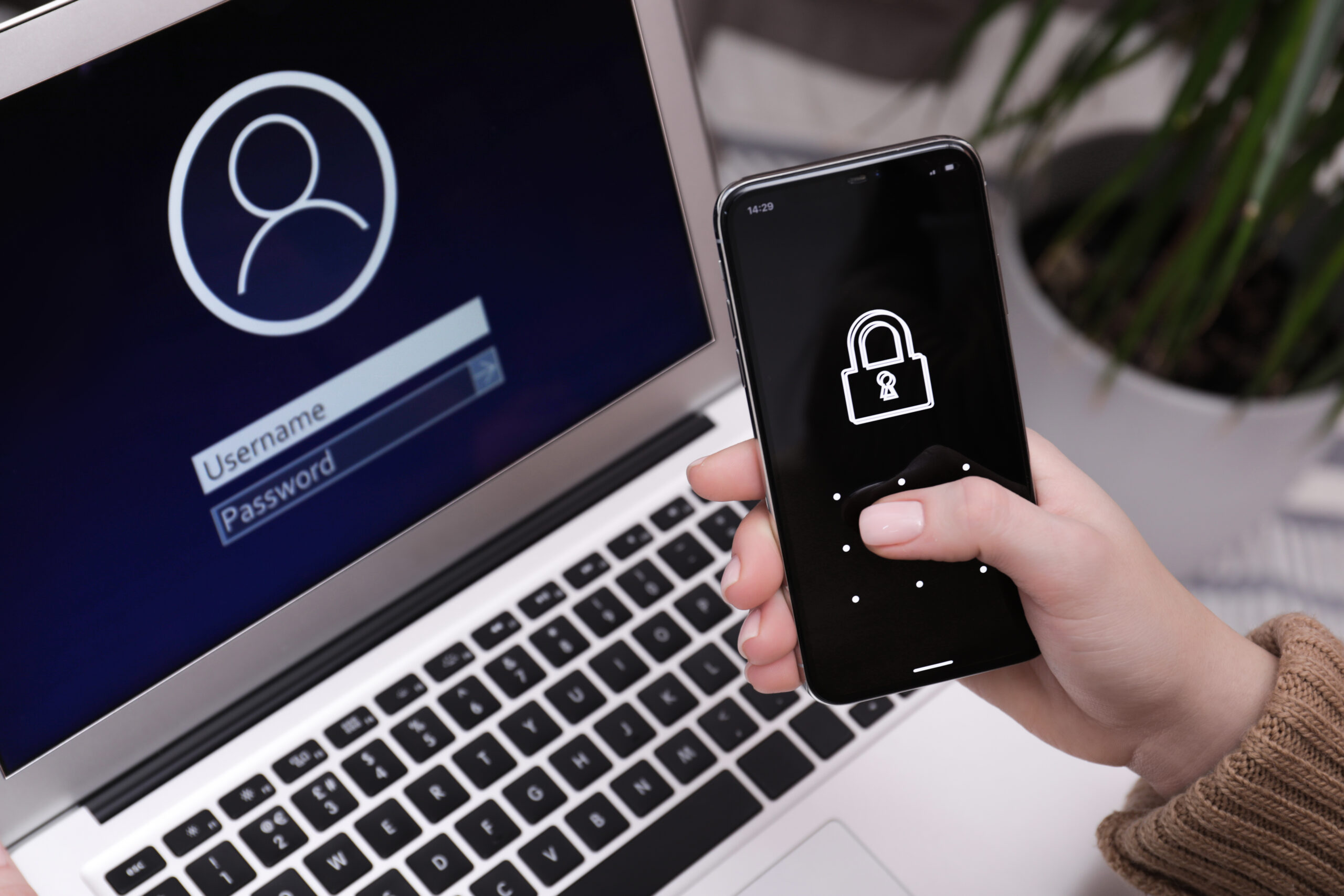
A password on its own is a flimsy gate. It feels private because you typed it, memorized it, maybe even made it long. Attackers do not care. They care that passwords leak, get reused, get guessed, get phished, and get stuffed into login forms at scale. That is why 2FA matters so much. It does not make you invincible. It makes a stolen password much less useful. OWASP explicitly recommends multi-factor authentication to prevent credential stuffing, brute force, and stolen credential reuse. NCSC says to turn it on for your important accounts, especially email. FTC says more and more services offer it, but it is still often not enabled by default. CISA says any MFA is better than none, while also warning that stronger, phishing-resistant methods are better than older approaches.
Table of Contents
That small pause at login annoys people for exactly the reason it works: it adds a condition the attacker often cannot satisfy. They may know your password from a breach, a fake login page, malware, or simple password reuse. What they usually do not have is your device, your trusted authenticator, your passkey, or your hardware key. That gap is where 2FA earns its keep.
The strongest argument for enabling 2FA is not abstract security hygiene. It is basic math. If one secret fails, you still have another barrier. If the second barrier is good enough, the attack stops there. A few extra seconds during sign-in can save you days of recovery, reputational damage, money, account resets, and the quiet panic that follows a compromised inbox or cloud drive.
The short delay that buys real protection
Most people understand 2FA only as a nuisance. A code arrives. A prompt appears. You type six digits. You tap approve. That framing misses the point. 2FA is not about adding ritual. It is about changing the economics of attack. Password-only logins are cheap to attack because passwords are cheap to steal. Criminals can buy breach data, replay old credentials, automate login attempts, and sift through the results. The moment a second factor is added, a large class of low-cost attacks becomes far less attractive. OWASP describes weak, reused, or stolen passwords as the most common way accounts get compromised. Verizon’s 2025 credential abuse research says compromised credentials accounted for 22% of its breaches as an initial access vector. Have I Been Pwned notes that password reuse is extremely common and creates risk across multiple accounts.
That matters because most people do not lose accounts through movie-style hacking. They lose them through boring, repeatable failure paths. A password from an old shopping site breach gets reused on email. A fake Microsoft or Google login page collects a password and immediately replays it. A social media password gets exposed, and the attacker tests it against cloud storage, banking, or work tools. 2FA does not erase these attack paths, but it narrows the opening.
Google’s own published research on account hijacking makes this concrete. In a year-long study, Google reported that adding a recovery phone number could block up to 100% of automated bots, 99% of bulk phishing attacks, and 66% of targeted attacks it studied. It also found that SMS helped, but on-device prompts performed better against targeted attacks. That gap matters because the quality of the second factor matters.
There is another overlooked point. 2FA protects against your own future mistakes. You may be careful today and tired tomorrow. You may notice phishing on a laptop and still tap a bad link on your phone while distracted. You may promise yourself you will never reuse a password and then break that promise for some meaningless service you forgot about two months later. A strong second factor is not a moral award for disciplined users. It is a backstop for normal human behavior.
That is also why regulators, standards bodies, consumer agencies, and platform vendors all keep returning to the same advice. NCSC tells people to use 2-step verification on important accounts and singles out email because inbox access allows password resets elsewhere. FTC tells consumers to start with banks, credit cards, email, social media, tax sites, and payment apps. ENISA says to enable 2FA whenever possible and pair it with unique passwords and a password manager. These are not edge-case recommendations. They are mainstream advice because the underlying problem is mainstream too.
People often ask whether 2FA is still worth it now that passkeys exist. The answer is yes, but the category has widened. In some services, passkeys effectively replace the old password-plus-code flow with something better. In others, classic 2FA still matters because passkeys are not fully supported, not yet enrolled, or not the user’s primary sign-in method. The smart posture is not loyalty to one acronym. It is to stop relying on passwords alone.
Passwords fail in familiar ways
A weak password is bad. A reused password is worse. A strong reused password is still reused. That is the part many people miss. Password quality and password uniqueness are different things. You can have a long, odd-looking password that feels serious and still lose the account because you used it in three places and one of them leaked.
OWASP’s MFA guidance does not dance around this. It says administrators should assume user passwords will be compromised at some point and design systems accordingly. OWASP’s Top 10 entry on identification and authentication failures points to credential stuffing, brute-force attacks, weak recovery flows, and missing or ineffective MFA as recurring causes of compromise. Have I Been Pwned exists for the same reason: breached passwords remain useful to attackers precisely because people reuse them.
Password-only security breaks down in at least four ordinary ways.
The first is breach spillover. An unrelated service gets compromised, your credentials appear in a dump, and the attacker tries the same email-password pair elsewhere. This is not targeted. It is industrial. It succeeds often enough to stay profitable.
The second is phishing. You type your password into a site that looks real. The page forwards it to the real service in real time. If the site also asks for an SMS code, the attacker may try to relay that too. NIST’s current authentication guidance is clear that OTP and out-of-band methods that rely on manual entry are not phishing-resistant because the code can be relayed to the real verifier.
The third is account recovery abuse. Attackers do not always need to log in directly. They may hit “forgot password,” intercept or socially engineer the recovery path, or exploit weak fallback methods. FTC warns people never to hand over verification codes, because anyone asking for one is trying to get into an account. That alert exists because verification codes are now part of common scam scripts.
The fourth is fatigue and habit. People approve prompts they did not initiate. They ignore “minor” accounts. They store recovery codes badly or not at all. They keep legacy protocols enabled in work environments. NCSC warns that an apparently strong MFA deployment can still be undermined if weaker legacy access methods remain available.
This is why security people say passwords are not dead, but their monopoly is over. A password can still be part of the flow. It just should not be the only thing standing between your account and whoever bought a credential list yesterday.
Google’s own numbers help explain why this is worth the trouble. The company said that after auto-enrolling more than 150 million people in 2-Step Verification in 2021, it saw a 50% decrease in compromised accounts. You do not need to believe every marketing claim any company makes. You can, however, treat that figure as a useful signal: reducing password-only exposure at scale produces visible gains.
The more uncomfortable truth is that many people still think of 2FA as something reserved for work accounts, banking, or “important” people. That is outdated thinking. Your email is important. Your cloud storage is important. Your messaging app is important. Your social accounts are important if they contain private conversations, contacts, or public trust. The attack surface is not defined by how glamorous the service sounds. It is defined by what can be reset, impersonated, exfiltrated, or chained from that account.
What 2FA is and what it is not
The terms get mixed together constantly, so it helps to clean them up.
OWASP defines multi-factor authentication as requiring more than one type of evidence to authenticate. The most common factors are something you know such as a password or PIN, something you have such as a phone, authenticator app, or security key, and something you are such as a fingerprint or face scan. NCSC uses the more consumer-friendly term 2-step verification, but it is describing the same broad idea. NIST frames it through authentication assurance levels and says AAL2 requires either a multi-factor authenticator or a combination of two single-factor authenticators.
The important distinction is this: two checks are not automatically two factors. OWASP explicitly notes that a password plus a PIN is not meaningful MFA if both are “something you know.” If one phishing page can steal both, you have not really changed the security model. You have just added another field.
That is why the phrase “2FA everywhere” should not be understood as “accept any second step without thinking.” The method matters.
An SMS code is usually better than no second factor at all. A time-based code from an authenticator app is usually better than SMS. A hardware security key or a well-implemented passkey is better still. That ranking is not just opinion. NCSC’s current MFA guidance orders common methods with FIDO2 credentials first, followed by challenge-based authenticator apps, app-based code generators, hardware-based code generators, and message-based methods such as email, SMS, and voice. FTC also says authenticator apps and security keys are more secure than the common text-message approach. NIST goes further and treats PSTN-based out-of-band authentication as a restricted authenticator.
That last point deserves attention. When NIST calls PSTN out-of-band authentication restricted, it is not saying “never use it under any circumstances.” It is saying there are known risks attached to phone-network delivery. NIST explicitly tells verifiers to consider risk indicators such as device swap, SIM change, and number porting before using the PSTN to deliver an authentication secret.
This also explains why many people get confused by passkeys. A passkey can function as a stronger authentication method than the classic password-plus-code model because it uses cryptographic keys bound to the site or app you are signing into. Microsoft says passkeys are phishing-resistant credentials that can serve as MFA when combined with device biometrics or a PIN. Google says passkeys can bypass the second authentication step because control of the device is already being verified. GitHub says a passkey can satisfy both password and 2FA requirements in a single step.
So the practical translation is simple. 2FA is not a single product. It is a family of ways to stop a password from being enough. Some members of that family are much stronger than others.
A quick ranking of common second factors
| Method | Protection level | Main weakness | Good default use |
|---|---|---|---|
| Passkeys or FIDO2 security keys | Highest | Setup and recovery need care | Email, work accounts, admin accounts, anything sensitive |
| Authenticator app with challenge or TOTP codes | Strong | Can still be phished if codes are manually entered | Most personal accounts that do not support passkeys |
| SMS or voice code | Better than nothing | SIM swap, port-out fraud, code interception, phishing relay | Backup option when stronger methods are unavailable |
| Email-delivered code | Weakest among common options | Depends on email account security, easy to chain if inbox is compromised | Temporary fallback, not a preferred long-term method |
NCSC ranks FIDO2 first and message-based methods last among common choices. FTC says authenticator apps or security keys are more secure than text-message codes. NIST says OTP and out-of-band methods that depend on manual entry are not phishing-resistant, and it treats PSTN out-of-band delivery as restricted.
Not all second factors deserve the same trust
People often talk about 2FA as a single checkbox. That is too blunt. A second factor can be weak, decent, strong, or excellent. If you do not distinguish between them, you end up with false confidence.
Take SMS first. It survives because it is easy. Nearly everyone has a phone number. Most services can implement text delivery without much friction. Users understand the flow immediately. That convenience is real, and it explains why SMS remains widespread. It is also why people should not sneer at it. For many accounts, SMS is still better than no second factor at all. OWASP says exactly that. FTC says texted passcodes are common and simple.
The problem is not that SMS never works. The problem is that it works in ways attackers can sometimes route around. FTC warns that hackers can take over your phone number through a SIM swap and receive your texted verification codes. FCC explains that port-out fraud and SIM swapping can give attackers control of a victim’s phone number, letting them intercept calls and texts meant for account verification. NIST tells verifiers to consider SIM change and number porting as risk indicators when relying on PSTN delivery.
Authenticator apps are usually a better middle ground. They reduce dependence on the phone network and usually generate codes locally. They are still not perfect. If the flow depends on you manually typing a code into a phishing page, a sophisticated attacker may relay it. NIST is explicit that OTP authenticators requiring manual entry are not phishing-resistant. Still, authenticator apps are usually a meaningful step up from SMS for everyday users, and FTC recommends them as a more secure option.
Push-based approval apps sit in a murkier space. Some are simple “approve or deny” flows. Those can be better than SMS, but they created a newer problem: prompt bombing or MFA fatigue. Users receive repeated push requests and eventually tap approve to make them stop. CISA has warned about this and recommends number matching as a mitigation when organizations cannot yet implement phishing-resistant MFA. Microsoft now enables number matching for Authenticator push notifications and describes it as a key security upgrade over traditional push approvals.
Then there are security keys and passkeys. This is where the conversation gets sharper. FTC says security keys are the strongest common form of two-factor authentication because they do not rely on credentials that hackers can steal. Apple says physical security keys provide extra protection against phishing attacks. NCSC ranks FIDO2 credentials first. FIDO says passkeys are phishing-resistant and designed to eliminate shared secrets on the server side. That is the real dividing line. Stronger methods are not just “another code channel.” They change the protocol so the secret is harder or impossible to replay in the old ways.
A lot of consumer advice stops too early and says “turn on 2FA.” That is fine as a starting sentence. It is not enough as a finished sentence. The better advice is this: turn on the strongest method the account supports, and do not confuse availability with quality. If the service offers passkeys, use them. If it offers security keys, consider them for high-value accounts. If it only offers an authenticator app, use that. If all you have is SMS, use SMS rather than nothing, but do not treat it as the final destination.
That sequence is more realistic than purity politics. People do not secure all accounts in one afternoon. They move in layers. The mistake is not starting with a weaker method on a weak platform. The mistake is staying there forever out of inertia.
Email deserves first place because it unlocks everything else
Ask people which account matters most and many will say banking. From a direct financial-loss point of view, that is understandable. From a control point of view, email is often the real crown jewel.
NCSC spells this out plainly: you should use 2-step verification for email because criminals with access to your inbox can use it to reset passwords on your other accounts. The agency repeats the same point in its small-organization guidance, calling 2SV one of the most effective ways to protect email and other accounts.
That single fact changes the order in which you should secure things. Email is not just another account. It is the recovery rail for many other accounts. If an attacker gets into your inbox, they may not need to crack your banking password directly. They can work the reset flow. They can intercept password change confirmations. They can search your inbox for invoices, cloud links, crypto exchanges, tax notices, social logins, travel bookings, and contacts worth impersonating. A compromised inbox is often less an endpoint than a launchpad.
This is also where many people underestimate the damage from “unimportant” accounts. Social media may not feel critical until it is used to impersonate you publicly. Cloud storage may not feel urgent until it contains scans of IDs, contracts, family photos, or business files. A shopping account may seem trivial until it contains saved cards, addresses, and a password you reused elsewhere. Once you look at accounts as a connected system rather than isolated drawers, the case for 2FA gets much stronger.
Google’s research also reinforces the value of device-based checks over weaker fallback methods. In its 2019 study, on-device prompts performed better against targeted attacks than SMS codes tied to a recovery phone number. The lesson is not that SMS is useless. The lesson is that your first secured account should ideally also use one of the better second factors, because that account will often influence recovery across the rest of your digital life.
There is another ugly angle here: verification code scams. FTC warns that anyone asking for your verification code is a scammer. That warning exists because attackers know many users still think the code is just a routine part of customer support or identity confirmation. It is not. It is a key to the account at that moment. If your email or phone number is already involved in a scammer’s reset attempt, handing over the code finishes the job for them.
So the smart order is not random. Start with email. Then do your primary password manager, cloud storage, banking and payment services, phone account, work accounts, and the social platforms that carry personal or professional trust. FTC’s list is close to this logic. NCSC’s priority on email fits it exactly.
Your mobile carrier account also deserves more attention than it gets. FCC and FTC both warn about SIM swapping and port-out fraud. If an attacker can hijack your number, they may turn your phone into a recovery tool against you. That makes carrier account protection part of the 2FA story, not a separate topic. People treat the phone number as the second factor but forget the phone account itself also needs protection.
The best setup for most people is simpler than they think
Security advice gets ignored when it sounds like a lifestyle change. The good news is that a solid everyday setup is not exotic.
For most people, the best baseline looks like this in practice: use a password manager, use unique passwords, turn on 2FA for important accounts, prefer passkeys or authenticator apps over SMS when available, and store recovery material somewhere safe. ENISA recommends unique passwords, a password manager, and 2FA. NCSC gives the same broad direction. FTC says to start with sensitive accounts and keep remembered devices limited to your own devices.
That setup is already enough to eliminate a huge amount of ordinary risk.
A password manager fixes the reuse problem better than willpower ever will. It also makes it easier to accept longer, stranger passwords without caring what they are. Then 2FA steps in as the barrier for the day the password is still lost anyway.
For many personal accounts, an authenticator app is the best compromise between strength and ease. It works offline. It avoids the phone-network weaknesses of SMS. It is widely supported. It does, however, require care during phone changes. If you wipe a device or move to a new one, you need to make sure your app transfers or backup methods are in place.
Passkeys are becoming a better answer whenever supported. Google lets users sign in with a passkey tied to a fingerprint, face scan, or phone screen lock. Apple says passkeys are more secure than passwords and resistant to phishing. Microsoft says passkeys can serve as MFA when paired with device biometrics or a PIN. GitHub says passkeys can satisfy both password and 2FA requirements. That is a major shift because it reduces the number of places where users can be tricked into typing something valuable into the wrong page.
The key is not to wait for the perfect ecosystem before improving anything. Some services still offer only SMS or email codes. Use them if you must. Just keep upgrading your strongest and most central accounts first.
There is also value in using more than one second factor where a service allows it. GitHub explicitly suggests configuring additional 2FA methods to reduce the risk of lockout and strongly recommends multiple registered methods. That is sensible across the board. The best second factor is one you can still use after a lost phone, broken screen, or stolen bag.
A final practical point: do not ignore the devices themselves. Apple recommends protecting devices with a passcode. Google notes that passkeys rely on the ability to unlock your device. Microsoft passkeys depend on a device PIN or biometric gesture. If the phone or laptop is sloppy, the account layer above it inherits that weakness.
Passkeys are not hype but they are not magic either
The most useful way to think about passkeys is as a better answer to a bad question. The bad question was, “How do we keep typing secrets into login forms but make it safer?” The better question is, “How do we stop relying on shared secrets that can be stolen and replayed?”
Passkeys answer that with public-key cryptography. Apple explains that the device creates a unique cryptographic key pair for each account. The private key stays on the device. The server stores only the public key. No shared secret is transmitted at sign-in. Google says passkeys cannot be shared, copied, written down, or accidentally handed to an attacker in the way passwords can. Microsoft says passkeys offer verifier impersonation resistance, which is another way of saying the authenticator is bound to the service it was created for, not any fake lookalike page. FIDO describes passkeys as phishing-resistant by design and says they help reduce credential stuffing and remote attacks because there are no passwords to steal.
That is a real improvement, not branding.
Passkeys also solve a usability problem that older 2FA never fully solved. Traditional 2FA improves security by adding friction. Passkeys often improve security while cutting friction. You unlock with the same biometric or PIN you already use on the device. FIDO argues that this can raise sign-in success rates, reduce password resets, and lower support costs. That is why passkeys are not just a consumer story. They are a business story too.
Still, passkeys are not magic. They do not remove the need for recovery planning. They do not eliminate every social engineering path. They do not automatically secure accounts that still allow weak fallbacks, legacy protocols, or unprotected recovery channels. NCSC’s warning about MFA anti-patterns matters here as much as anywhere. A strong front door is less impressive if a side door remains open with only a password.
They also demand sensible device trust. Google warns users to create passkeys only on devices they personally own and use, because someone who can unlock the device may be able to access the account. That is not a flaw in passkeys. It is the natural trade-off of device-centered authentication. You are shifting trust from a memorized secret to possession of a device plus local unlock. That is usually a good trade, but it is still a trade.
So the right position on passkeys is neither skepticism nor worship. Use them where they are mature, especially for major platforms and high-value accounts. Keep your recovery story clean. Do not assume that “passwordless” means “thoughtless.” The strongest login method still lives inside a wider account system that can be weakened by careless fallback paths.
Lockout is the part people ignore until it hurts
Security fails in two directions. One is compromise. The other is self-lockout. Most casual 2FA advice spends almost all its time on the first and almost none on the second. That is a mistake.
Google’s research found that when challenged, 38% of users in one experiment did not have access to their phone. Another 34% could not recall their secondary email address. That is not a fringe problem. It is everyday life: dead battery, phone left behind, new device, travel, broken screen, lost number, changed job, expired backup email. A second factor protects you only if you can still produce it when you need it.
GitHub’s recovery guidance is refreshingly blunt. If you lose access to your 2FA credentials, recovery codes or another recovery option may get you back in. If you lose both your 2FA methods and your recovery methods, you can permanently lose access. GitHub also recommends registering multiple authentication methods instead of relying on a fallback SMS number alone.
Apple’s security key guidance is equally direct. Security keys provide extra protection against phishing, but if you lose all trusted devices and all security keys, you could be locked out permanently.
That is not a reason to avoid strong authentication. It is a reason to finish the setup properly.
A sensible recovery plan has a few boring parts. Save recovery codes in a secure place. Register more than one second factor when the service allows it. Review trusted phone numbers and backup emails. Remove old devices you no longer control. If you use passkeys, know how to revoke one from a lost device. Google’s support pages explain how to remove passkeys from a stolen or inaccessible device. GitHub explains recovery code use in detail.
People also underestimate the difference between “I can log in today” and “I can still recover this account after a phone disaster.” Those are not the same question. An account protected by a single authenticator app on a single phone may feel secure right up until that phone is gone. An account protected by a passkey plus a second method plus stored recovery material is far more durable.
This is one reason passkeys backed by a well-secured ecosystem can be attractive. FIDO argues that synced passkeys reduce the pain of new devices while staying phishing-resistant. Apple and Google both tie passkey use to broader device ecosystems that can make migration easier if managed properly. But ease of ecosystem sync is not a substitute for recovery discipline. It is only part of it.
The best mental model is simple: set up 2FA as if you expect both attackers and bad luck. Most people plan for one and forget the other.
Businesses lose the plot when MFA is partial
Personal accounts are messy. Business environments are messier because exceptions multiply.
Many organizations proudly announce MFA deployment when what they really deployed was MFA on one polished sign-in path. NCSC warns against exactly this kind of false comfort. It highlights legacy protocols as a common bypass: some services support strong MFA on modern interfaces while still allowing weaker password-only access through older email, file transfer, or management protocols. It also warns about excluded accounts and other anti-patterns that leave sensitive users outside the stronger controls.
This is not a theoretical edge case. It is common because companies optimize for compatibility and user complaints. That is how you end up with a secure portal next to an insecure side entrance.
Microsoft’s recent enforcement changes show how seriously major platforms now treat this. Microsoft says MFA enforcement began rolling out for accounts accessing Azure and Microsoft admin portals starting in late 2024, with further enforcement for Microsoft 365 admin and tooling access following in 2025. That is the market telling admins that password-only access for privileged actions is no longer acceptable. CISA has likewise pushed organizations toward phishing-resistant MFA and number matching where stronger methods are not yet in place.
For small businesses, the mistake is often scope. They protect payroll and ignore email. They secure the finance platform and forget the shared social media account. They roll out 2FA for staff but leave vendor logins, forwarding rules, old admin accounts, or remote access tools exposed. CISA’s small-business guidance frames MFA as a requirement for business accounts generally, not as a luxury for large enterprises. ENISA’s technical guidance also points to strong authentication for privileged and system administration accounts.
The better approach is uncomfortable but clear. Map the accounts that can move money, reset passwords, publish externally, access customer data, or administer systems. Then require strong authentication on all of them without side doors. If a service cannot support strong enough authentication for the data it holds, NCSC says that should influence whether you choose that service at all.
There is no glamour in this work. It is mostly inventory, cleanup, policy, and user support. Yet this is where MFA either becomes a meaningful control or a press-release checkbox. Partial deployment creates the worst outcome: people believe they are covered while attackers keep looking for the weak route that remained enabled for convenience.
A few extra seconds is still one of the best trades online
Security advice often collapses under its own drama. 2FA does not need drama. It needs honesty.
It will not fix reckless password reuse by itself. It will not protect a user who hands an attacker both password and code on the same fake page if the method is weak enough. It will not rescue a careless recovery setup. It will not matter much if the service still exposes a password-only legacy path.
Even so, turning on 2FA remains one of the highest-value actions an ordinary person can take online. That is true because password theft is common, account chaining is common, recovery abuse is common, and the countermeasure is usually available in a settings menu right now. NCSC says 2-step verification is available on most major services. FTC says many services offer it, even if it is not always on by default. OWASP says any MFA is better than no MFA.
The smarter version of the advice is even better than the slogan. Use the strongest method each account offers. Secure email first. Prefer passkeys, security keys, or authenticator apps over SMS when you have the choice. Register backup methods. Save recovery codes. Remove old devices. Do not approve prompts you did not initiate. Never hand anyone a verification code.
That is not paranoia. It is basic control over your own digital perimeter.
What people call “a few extra seconds” is really a tiny pause in exchange for a large shift in odds. You are making stolen passwords less valuable, phishing harder to finish, reuse less costly, and recovery abuse less straightforward. For something that takes minutes to set up and seconds to use, that is an unusually good deal.
FAQ
2FA usually means two factors. MFA is the broader category covering two or more factors. 2-step verification is a common consumer label for the same idea. The main point is that your account should not rely on a password alone.
Usually yes. OWASP and CISA both make that point. A weak second factor is still often better than password-only access, though stronger methods are much better.
Passkeys and FIDO2 security keys are the strongest mainstream options because they are phishing-resistant and do not rely on reusable shared secrets.
In most cases, yes. Authenticator apps avoid some of the risks tied to the phone network, including SIM swap and port-out abuse.
Not if SMS is the only option. Use it rather than leaving the account protected by only a password. But switch to a stronger method when the service offers one.
Because your inbox often controls password reset links and account recovery for other services. If someone gets into your email, they may be able to work outward from there.
On many services, yes. Google, Microsoft, and GitHub all support passkey flows that reduce or remove the need for the old password-plus-code pattern.
No. Passkeys use public-key cryptography and are bound to the site or app. A TOTP code stored in a password manager is still a one-time code that you may type manually.
Some methods can, some cannot. SMS and manually entered codes can still be relayed through phishing pages. Passkeys and security keys are much better against phishing.
It is when attackers spam push notifications until a user finally approves one. Number matching helps reduce that risk.
Yes. Recovery codes are part of the setup, not an optional extra. Without them, losing a device can turn into a serious account recovery problem.
Yes. That is why you should register more than one second factor where possible and store recovery material securely.
Not every account carries the same risk, but many “small” accounts still hold personal data, payment details, or a reused password. Start with high-value accounts, then expand outward.
No. A password manager and 2FA solve different problems. The manager helps with unique strong passwords. 2FA helps when a password is still exposed or misused.
Email, admin accounts, cloud storage, finance tools, customer data systems, remote access, and any account that can publish externally or reset other accounts.
Yes. Legacy protocols and excluded accounts can bypass stronger controls. MFA has to cover the whole access path, not only the nicest login screen.
No. On major platforms, the biometric check stays on the device. The server gets proof tied to the passkey flow, not your fingerprint or face data.
Turn on 2FA for email first, then your password manager, banking, cloud storage, work accounts, and social platforms. Use an authenticator app or passkey where available, and store recovery codes safely.
Author:
Jan Bielik
CEO & Founder of Webiano Digital & Marketing Agency
This article is an original analysis supported by the sources cited below
NIST Special Publication 800-63B
NIST’s current authentication guidance, including phishing resistance, assurance levels, and the restricted status of PSTN-based out-of-band authentication.
Multifactor Authentication Cheat Sheet
OWASP’s practical guidance on MFA concepts, factor types, strengths, weaknesses, and implementation advice.
A07 Identification and Authentication Failures
OWASP Top 10 guidance linking missing or weak MFA to credential stuffing, brute force, and stolen credential reuse.
Testing Multi-Factor Authentication
OWASP testing guidance that emphasizes proper coverage, secure implementation, and logging for MFA.
Passkeys
FIDO Alliance overview of passkeys, including phishing resistance, user experience, and security design.
Passkey Implementation Overview
FIDO implementation guidance explaining why organizations are moving from passwords and SMS OTPs toward passkeys.
Require Multifactor Authentication
CISA guidance for requiring MFA in business environments, with emphasis on phishing-resistant options.
Multifactor Authentication
CISA’s general MFA best-practice page for reducing unauthorized access risk.
CISA Releases Guidance on Phishing-Resistant and Numbers-Matching Multifactor Authentication
CISA alert on phishing-resistant MFA and number matching as a defense against MFA fatigue.
Use Two-Factor Authentication To Protect Your Accounts
FTC consumer advice on turning on 2FA, prioritizing sensitive accounts, and choosing stronger methods.
Protect Your Personal Information From Hackers and Scammers
FTC guidance comparing common 2FA methods and noting that authenticator apps and security keys are more secure than texted codes.
What’s a verification code and why would someone ask me for it
FTC warning on verification-code scams and why those codes should never be shared.
SIM Swap Scams How to Protect Yourself
FTC consumer alert on SIM swap risk and steps to reduce account takeover exposure.
Port-Out Fraud Targets Your Private Accounts
FCC consumer guidance on port-out fraud and the danger of phone-number takeover.
Cyber Hygiene
ENISA’s baseline cyber hygiene guidance covering unique passwords, password managers, and 2FA.
Tips for secure user authentication
ENISA advice encouraging MFA, password uniqueness, single sign-on with MFA, and password manager use.
Setting up 2-Step Verification (2SV)
NCSC consumer guidance on enabling 2-step verification and prioritizing important accounts, especially email.
Recommended types of MFA
NCSC ranking of common MFA methods, placing FIDO2 credentials ahead of weaker message-based methods.
Avoiding MFA anti-patterns
NCSC guidance on legacy-protocol bypasses, excluded accounts, and other ways MFA deployments fail in practice.
Secure your email
NCSC small-organization advice stressing 2-step verification for email as one of the most effective protections.
Turn on 2-Step Verification
Google’s official instructions for enabling 2-Step Verification and its relationship to passkeys.
Sign in with a passkey instead of a password
Google’s official passkey guidance, including device requirements, phishing resistance, and recovery implications.
New research How effective is basic account hygiene at preventing hijacking
Google’s published research on how recovery phones, SMS, and on-device prompts affected hijacking resistance.
Keeping you safe online with Google and beyond
Google blog post reporting large-scale 2SV auto-enrollment and a reduction in compromised accounts.
Two-factor authentication for Apple Account
Apple’s official explanation of Apple Account 2FA and how trusted devices and codes are used.
About Security Keys for Apple Account
Apple guidance on security keys as added protection against phishing for high-risk users.
About the security of passkeys
Apple’s technical overview of passkey security, phishing resistance, and public-key design.
Microsoft Entra multifactor authentication overview
Microsoft’s overview of MFA and the role of additional verification methods in enterprise identity.
Passkeys (FIDO2) authentication method in Microsoft Entra ID
Microsoft’s explanation of passkeys as phishing-resistant credentials and how they work technically.
Plan for mandatory Microsoft Entra multifactor authentication
Microsoft documentation on mandatory MFA enforcement for admin and related access paths.
How number matching works in MFA push notifications for Authenticator
Microsoft’s documentation on number matching as an upgrade over basic push-approval prompts.
Configuring two-factor authentication
GitHub’s official 2FA setup guide, including passkeys, security keys, and multiple methods to reduce lockout risk.
Recovering your account if you lose your 2FA credentials
GitHub’s detailed recovery guidance showing why backup methods and recovery codes matter.
Pwned Passwords
Troy Hunt’s widely used service for checking whether passwords have appeared in known breaches, with context on password reuse risk.
Credential stuffing attacks 2025 DBIR research
Verizon’s supplementary DBIR research on credential abuse and the continued role of compromised credentials in breaches.
| Citing this article? Brief excerpts are welcome. Please credit Webiano.digital, name the author where stated, and include a link to https://webiano.digital and to this original article. Full or substantial republication requires prior written permission. Read our Copyright and Content Use Policy. |
This article was prepared with the assistance of artificial intelligence tools. The content underwent expert human review, and Webiano Digital & Marketing Agency assumes editorial responsibility for its final version and publication.