The Chrome bug was fixed, but the security question remains open
The Chrome vulnerability tracked as CVE-2026-0628 is the kind of bug that looks narrow on paper and much larger once you trace what it touched. The formal description is technical: an insufficient policy enforcement issue in Chrome’s WebView tag before version 143.0.7499.192 allowed an attacker who persuaded a user to install a malicious extension to inject scripts or HTML into a privileged page. NVD lists the issue as high severity through CISA ADP enrichment, with a CVSS 3.1 score of 8.8 and high confidentiality, integrity, and availability impact. Google shipped the Chrome desktop update on January 6, 2026, moving Stable to 143.0.7499.192/.193 for Windows and Mac and 143.0.7499.192 for Linux.
Table of Contents
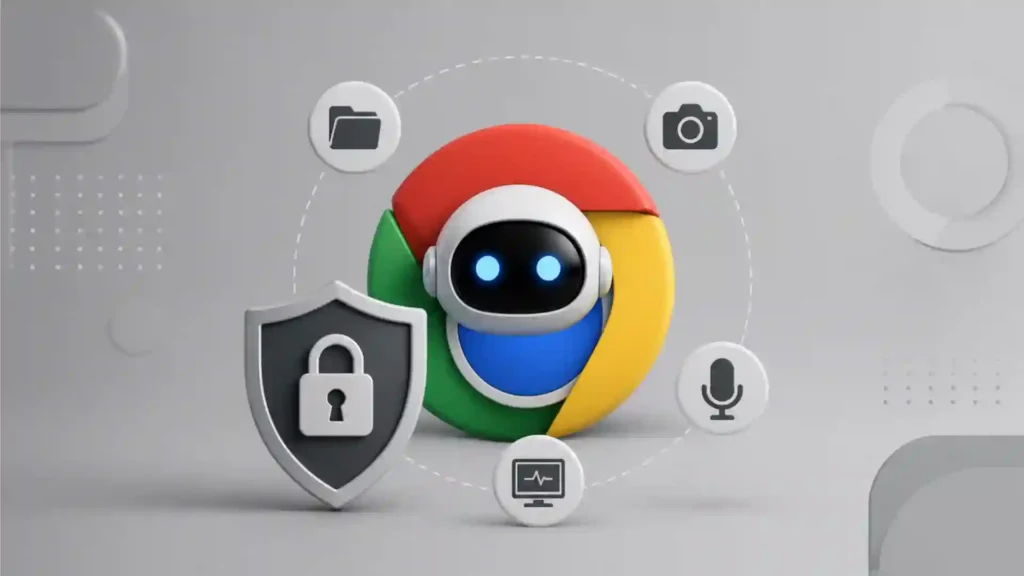
The human version is sharper. A browser extension with ordinary-looking permissions could cross into the Gemini Live side panel and inherit powers that belonged to Chrome’s AI assistant, not to the extension itself. Palo Alto Networks Unit 42 said the flaw could let malicious extensions with basic permissions hijack the Gemini Live panel and gain access to camera and microphone use, screenshots of websites, local files, and local directories. The researchers disclosed the issue to Google and said Google released a fix before Unit 42 published the details.
That does not mean Gemini itself was spyware. It means the trust boundary around a deeply integrated AI feature failed. The danger was not that the assistant could summarize a web page. The danger was that the assistant lived close enough to the browser’s privileged core that hijacking it changed the attacker’s position. A normal web page cannot casually switch on a microphone, read local directories, or screenshot arbitrary HTTPS content. A low-privilege extension should not be able to do that either. In this case, the extension did not need those powers directly. It needed a way into the AI panel that already had them.
The incident matters because it captures the next phase of browser security. The browser is no longer just a window for websites. Chrome, Edge, Atlas, Comet, and other AI-first browsing products are moving toward assistants that understand pages, compare tabs, act across services, speak with users, navigate interfaces, and in some cases perform multi-step tasks. Google says Gemini in Chrome uses the content of the current tab by default and lets users share up to ten open tabs; it can summarize articles, compare information across pages, draft messages, use Gmail, and complete multi-step actions on the user’s behalf.
That shift changes the threat model. An AI assistant inside the browser is not just another feature. It is a privileged interpreter sitting between the user, the web, the browser, local resources, cloud accounts, and sometimes the microphone. Once that interpreter is embedded in a trusted UI surface, the security bar rises. Old browser assumptions—tab isolation, extension permission prompts, origin boundaries, site sandboxing—still matter, but they no longer cover the whole risk.
CVE-2026-0628 was patched. Users on current Chrome builds are not facing the same known flaw. Yet the story should not be filed away as a routine update. It is a warning about architecture. Agentic browsers need the powers they ask for, but every permission given to an assistant becomes a future escalation path if the assistant, its container, or its communication channel is compromised.
Gemini in Chrome sits closer to the browser than a normal webpage
Gemini in Chrome is not the same thing as opening the Gemini website in a tab. Google describes Gemini in Chrome as a Chrome feature and a separate experience from the Gemini web and mobile apps. It can use content from the current browser tab to answer questions, and users can share more tabs when they want context across pages. Google’s help page also says that, after opt-in, Gemini appears in Chrome’s side panel and can be used for article summaries, concept explanations, recipe modifications, comparisons across pages, recommendations, Gmail drafts, and multi-step actions.
That distinction matters. A website in a tab is usually governed by the web security model. It has an origin. It is constrained by browser boundaries. It cannot simply inspect everything else the browser sees. A built-in AI side panel is different. It is meant to understand what the user is doing in the browser. It needs current-page context. It may need multi-tab context. It may need voice input. It may need to interact with the visible page. Google’s Gemini Live documentation says that to use Live, Gemini in Chrome needs permission to use page content and the device microphone; it also lets users share the current tab or up to ten recent open tabs.
The feature is useful precisely because it breaks out of the old model of one page, one context, one tab. Users do not ask an assistant to summarize a page because they want to manually copy the article text into a chat window. They ask because the assistant is already there. They do not ask it to compare pages because they want to stitch together ten browser tabs by hand. They ask because the assistant can see enough context to do that work. The same convenience that makes the AI panel feel natural also makes it sensitive.
Unit 42’s research focused on the moment the Gemini web app was loaded not in a normal browser tab, but inside the new Gemini panel. The researchers wrote that changing properties of the Gemini web app inside an ordinary tab would not grant special powers. The flaw came from allowing an extension to influence the Gemini app when loaded inside the privileged panel, where Chrome attached powerful capabilities such as file access, screenshots, camera access, and microphone access.
That is the architectural lesson. A URL does not tell the whole security story anymore. The same web app may carry different risk depending on where it is loaded, what browser component hosts it, and which privileged bridges are attached. Security teams have spent years thinking about origins, CSP, extension permissions, and tab isolation. Agentic browser features add another question: which trusted host is wrapping this content, and what powers does that host expose?
For ordinary users, this is hard to see. Chrome does not visually teach people the difference between a normal web app, a browser-owned side panel, an extension side panel, and an AI assistant surface with browser-level context. A side panel looks safe because it belongs to the browser. That visual trust is part of the risk. If attackers can place phishing content or silent surveillance behavior inside a trusted browser panel, the user’s instinct works against them.
For enterprises, the distinction is sharper. A normal website can be filtered, inspected, isolated, logged, and blocked. A built-in AI assistant may sit outside the controls companies use for web traffic and SaaS apps. It may have access to sensitive internal pages, dashboards, source code repositories, CRM records, HR systems, help desk tickets, and email. Once the assistant sees those pages, the security model must account for the assistant as a data-processing component, not a decorative sidebar.
The vulnerability came from a boundary that should have held
Browser extensions are powerful by design. They block ads, manage passwords, translate pages, capture clips, rewrite text, check grammar, add accessibility tools, and enforce corporate controls. Chrome’s extension platform depends on permissions declared in a manifest. Google’s developer documentation says extensions declare access through permission fields such as API permissions, content script match patterns, and host permissions, with some changes triggering warnings shown to users. The same documentation says permissions limit damage when an extension is compromised.
CVE-2026-0628 showed the limit of that promise. The malicious extension did not need to be granted direct camera, microphone, screenshot, or filesystem powers in the way a user might understand. It used a route through the Gemini panel. Unit 42 identified the declarativeNetRequest API as the relevant mechanism. Chrome’s own documentation describes that API as a way for extensions to block or modify network requests by using declarative rules, without intercepting and viewing request content in the older way. The API is used for legitimate purposes, including content blocking and privacy tools.
That is what makes the bug more troubling than a crude malicious-extension story. The API itself was not invented for spying. The security failure was that a rule system meant to affect web requests could touch a privileged browser-hosted AI surface. Unit 42 wrote that the ability to intercept or alter requests for Gemini when loaded inside a normal tab was expected behavior. The failure was allowing similar interference when Gemini ran inside the browser’s Gemini panel.
A security boundary is useful only if every path respects it. Browser security often depends on boring enforcement rules: this context may script that one, this frame may not access that frame, this extension may modify this host but not browser UI, this origin may not read that origin. The dangerous bugs usually hide in the exceptions. WebView components, privileged pages, extension APIs, embedded panels, browser-owned schemes, and internal bridges all create places where a rule may be missed.
The Chrome vulnerability maps to CWE-862 Missing Authorization, according to NVD’s weakness enumeration. That classification is apt. Missing authorization is not always dramatic in code. Sometimes it is one forgotten rejection path: a component that should have been out of scope for a particular kind of extension rule is treated as if it were ordinary web content.
The browser’s old hierarchy was supposed to be clear. A website sits below the browser. An extension has defined powers over certain content. A privileged browser component sits above both. CVE-2026-0628 blurred that hierarchy. A lower-privileged extension could inject code into a higher-privileged assistant surface. Once that happened, the assistant’s permissions became the attacker’s indirect permissions.
This is why “basic permissions” can be misleading. Users often evaluate extension risk by reading permission prompts. Security teams often evaluate risk through requested APIs and host access. Both are needed, but they do not capture compositional risk: the risk created when one component with modest rights can influence another component with stronger rights. Agentic browsing multiplies that problem because assistants are built to bridge contexts.
The exploit path was not magic, just misplaced trust
The vulnerability did not require a science-fiction attack against the AI model. It did not require the assistant to “decide” to spy. The core exploit path was more ordinary: persuade a user to install a crafted extension, use extension capabilities to inject script or HTML into a privileged Gemini page, then run code where code should not run. NVD’s description explicitly states that exploitation required convincing a user to install a malicious extension.
That prerequisite matters, but it should not be treated as a comfort blanket. Browser extension abuse is not rare. GitLab’s security team described a 2025 malicious extension cluster in which extensions appeared to provide their advertised functionality while carrying malicious service worker behavior; GitLab also noted that malicious browser extension updates had been distributed through the Chrome Web Store after developer accounts were compromised in a December 2024 supply-chain attack.
BleepingComputer reported that a phishing campaign targeting Chrome extension developers led to at least 35 compromised extensions with data-stealing code, collectively used by roughly 2.6 million people. That campaign used emails made to look as if they came from Google and pushed developers toward a deceptive OAuth flow.
These incidents are relevant because the Chrome Gemini flaw did not need the attacker to defeat every security layer from scratch. It needed an extension foothold. Attackers know how to get those footholds. They can publish fake tools, buy small extensions, compromise developer accounts, push malicious updates, impersonate trusted brands, or hide bad behavior behind working features. Once an extension is installed, it lives in the browser’s daily work environment.
That makes CVE-2026-0628 a force multiplier. A malicious extension is already bad. A malicious extension that can route itself through a privileged AI side panel is much worse. The extension’s own permission set no longer tells the full story. The attacker can move from “extension that modifies requests” to “code executing inside a trusted assistant container with access to page content, local files, screenshots, and media devices,” according to Unit 42’s proof of capability.
This is not a prompt-injection story in the narrow sense, but it belongs to the same family of agentic risk. OWASP describes prompt injection as inputs that alter a model’s behavior and may lead to unauthorized access, disclosure of sensitive information, or arbitrary command execution in connected systems. OWASP also describes excessive agency as a vulnerability in which an LLM-based system has too much functionality, too many permissions, or too much autonomy, letting damaging actions occur after manipulated or unexpected model outputs.
CVE-2026-0628 was not caused by a malicious instruction hidden in a page. It was caused by a browser enforcement gap. Yet both risks meet at the same point: the assistant becomes a broker of power. Whether the broker is manipulated by hidden text, hijacked through extension injection, or confused by a flawed tool call, the outcome depends on what the broker is allowed to do.
Camera, microphone, screenshots and files changed the severity
The most alarming part of Unit 42’s disclosure was not that a malicious extension could inject code. Browser extension abuse often involves injection. The alarming part was what injected code could do once it landed inside the Gemini panel. Unit 42 said their report to Google demonstrated that an ordinary extension could start the browser’s camera and microphone without asking for user consent, reach local files and directories, capture screenshots of tabs showing HTTPS websites, and turn the Gemini panel into a phishing interface.
Each capability attacks a different layer of privacy.
Camera and microphone access turns a browser flaw into a physical surveillance risk. A workplace browser is not just a software interface; it sits beside meetings, legal calls, health appointments, trade discussions, interviews, and product planning. Even short unauthorized access can capture information that never appears in a file or web page.
Screenshots of HTTPS pages undermine a common mental shortcut. Many users treat HTTPS as the privacy shield. HTTPS protects data in transit between browser and site. It does not protect what the browser itself displays after decryption. If a privileged component can screenshot the page, the encryption has already done its job and is no longer relevant to the attack. Unit 42 specifically called out screenshots of any website served over HTTPS as one demonstrated capability.
Local file and directory access creates a bridge from web compromise to endpoint exposure. Browsers have spent years restricting arbitrary file access because local documents often contain tax records, legal files, source code, exports, screenshots, password recovery documents, private photos, medical letters, and business data. AI assistants that legitimately use files or device context must treat that access as high-risk from day one.
Trusted-panel phishing is more subtle. A phishing page in a normal tab has visible signs: a suspicious domain, odd page layout, strange redirects, a mismatch between the site and the request. A fake prompt inside a browser-owned Gemini side panel inherits trust from the UI around it. Unit 42 warned that phishing content shown inside the Gemini panel is dangerous because the panel is integrated into the browser as a trusted component.
This is where the phrase “AI assistant as spy” lands. It should not be read as a claim that Gemini was intentionally spying. The risk is architectural. Once a malicious actor controls a privileged assistant surface, the assistant’s legitimate senses become surveillance tools. Page context becomes browsing intelligence. Voice input becomes microphone access. Visual context becomes screenshots. Local file access becomes endpoint reconnaissance. A trusted panel becomes a phishing stage.
Security teams often rank browser issues by whether they lead to remote code execution, sandbox escape, credential theft, or data exposure. This flaw touches several categories indirectly. It turns extension installation into a path toward high-sensitivity device and data access. It also makes user consent weaker because the relevant permissions may have been granted to the assistant, while the attacker’s extension appears to ask for something else.
Agentic browsers are changing the browser from viewer to actor
The old browser mostly waited. Users clicked links, entered passwords, filled forms, uploaded files, copied text, switched tabs, and submitted actions. The browser mediated the web but did not usually decide what to do next. AI browsers and AI side panels move toward a different model: the browser watches more, interprets more, and acts more.
Google’s own Gemini in Chrome help page lists multi-step actions, Gmail drafting, past photo lookup, page summaries, and cross-page comparison among the tasks users can ask Gemini to perform. Google’s Gemini Live help page says users can speak to Gemini while browsing and ask it to navigate current-page content by voice, such as scrolling or highlighting relevant content.
Google is not alone. OpenAI says ChatGPT Atlas includes an agent mode that works with browsing context and can research, analyze, automate tasks, plan events, or book appointments while the user browses. Perplexity describes Comet as an AI browser and personal assistant that can delegate tasks such as inbox handling, grocery ordering, finance tracking, and trip planning. Microsoft says Copilot Mode in Edge brings AI into browsing, while Copilot Vision can see the screen and scan or analyze what is visible.
This is the market direction. It is also the security problem. A browser that acts for the user must receive powers once reserved for the user. It must see context, hold memory, call tools, fill forms, open pages, compare data, and sometimes interact with accounts. The assistant is no longer a passive chatbot in another tab. It becomes part of the browser’s control plane.
Control planes must be treated differently from content. In cloud security, a control plane that manages infrastructure receives stricter protections than the workloads it manages. In enterprise identity, an admin account is handled differently from a normal user account. In the browser, agentic AI surfaces should receive the same kind of scrutiny. They are not content panels. They are privileged automation layers.
The problem is not that agentic browsers should not exist. The problem is that they are arriving faster than the mental models around them. Users understand a website asking for camera access. They understand an extension asking to read and change data on websites, even if they often click through too quickly. They do not yet understand a side panel assistant that can see pages, listen to speech, interact with tabs, call connected services, and act across sessions.
AI browser builders often emphasize that users stay in control. That must become testable, not just reassuring. Control should mean visible boundaries, revocable scopes, separate consent for high-risk actions, per-site context rules, clear logs, and hard technical barriers between web content, extensions, assistant runtime, and browser-owned resources.
The extension ecosystem already had a trust problem
The Chrome Web Store and other extension marketplaces are necessary because browsers are platforms. Users want tools. Developers build them. Businesses deploy them. Yet the extension ecosystem has long carried an uncomfortable truth: an extension can be both useful and dangerous at the same time.
Chrome’s Manifest V3 was built partly to reduce extension risk. Google says Manifest V3 aims to improve privacy, security, and performance, to give users more control over what extensions can do, to remove remotely hosted code from extensions, and to replace the blocking form of the webRequest API with declarativeNetRequest for many cases.
Those are real improvements. They reduce some forms of abuse. They make certain extension behaviors easier to review. They limit the ability to pull unreviewed code from remote servers. They move some request-blocking logic into a browser-evaluated declarative system. Yet they do not remove the core problem: users still install third-party code into the browser, and that code may later behave differently.
GitLab’s 2025 analysis is a sober reminder. It described extensions that delivered their stated functionality while also showing coordinated malicious behavior. It warned that trusted software distributors and the Chrome Web Store’s reputation made attacks more convincing, and that automatic update mechanisms are a particular risk when effective control of an extension changes invisibly between updates.
An academic study on malicious browser extensions in 2025 reached a similar broad conclusion. It described browser extensions as increasingly exploited for phishing, spying, DDoS, email spam, affiliate fraud, malvertising, and payment fraud. The authors said their work bypassed Firefox and Chrome security mechanisms in a controlled research setting and demonstrated that malicious extensions could still be developed, published, and executed in extension stores.
The Gemini Live vulnerability sits on top of that existing base. It did not create extension risk. It raised the ceiling on what an extension foothold could reach. The AI panel became a privilege amplifier.
This is the enterprise nightmare. A company may already allow extensions for password management, content filtering, meeting notes, CRM help, PDF work, or developer productivity. Many extensions update automatically. Employees rarely inspect extension ownership changes. Help desks rarely have complete visibility into every extension on every unmanaged or lightly managed browser. Now add a built-in AI assistant with access to the current tab, shared tabs, microphone, and connected apps. The old extension risk becomes an agentic browser risk.
DeclarativeNetRequest was not the villain
It would be easy to blame declarativeNetRequest and move on. That would miss the point. Chrome’s declarativeNetRequest API was created to let extensions block or modify network requests through rules rather than letting extensions intercept traffic directly. Google’s documentation frames it as more privacy-preserving than older interception patterns because extensions can modify requests without viewing their content.
For ad blockers, privacy extensions, enterprise filters, and security tooling, request modification is useful. A browser that forbids all request modification would break many legitimate extensions. The question is not whether extensions should ever influence requests. The question is which browser contexts must be untouchable, even when the URL resembles ordinary web content.
Unit 42’s explanation centers on that line. Interfering with Gemini’s web app in an ordinary tab does not grant special powers. Interfering with it inside the Gemini panel did. The flaw was not that the extension had a rule engine. The flaw was that the browser did not reject rule application where a privileged WebView-hosted assistant context should have been protected.
Security failures like this often happen when a trusted component embeds something web-like. WebView is a convenient way to reuse web technology inside applications and browser interfaces. The challenge is that embedded web content may inherit host privileges or communicate with privileged native code. If normal web modification rules reach that embedded content, the attacker may gain a route into the host.
This pattern is older than AI. Desktop apps have shipped insecure WebViews. Mobile apps have exposed unsafe JavaScript bridges. Browser extensions have abused content scripts. Electron-style apps have suffered from overly broad integration between web content and local system capabilities. Agentic browsers bring the same pattern into a higher-value target: a web-powered assistant that is supposed to see and act.
The lesson for browser vendors is direct. Privileged AI panels need an explicit deny-by-default model for extension influence. A browser should not assume that because an assistant loads a web app from a normal domain, the extension rules that apply to ordinary web tabs should apply inside assistant-hosted WebViews. The host context is the security boundary, not just the URL.
For security reviewers, the takeaway is also direct. When assessing AI browser features, ask where the assistant UI is rendered, what components host it, what APIs can modify its traffic, what extensions can observe or alter it, what origin is used, what bridges are exposed, and whether the same app behaves differently in tab mode versus panel mode. Those are not implementation details. They are the difference between a website and a privileged control surface.
Prompt injection and panel hijacking belong in the same risk family
CVE-2026-0628 was not a prompt injection vulnerability. Still, it belongs beside prompt injection in any serious agentic browser threat model.
OWASP describes direct prompt injection as a user prompt altering model behavior, and indirect prompt injection as instructions coming from external sources such as websites or files. The latter is especially relevant to browsers because web pages are full of untrusted text, hidden text, alt text, comments, metadata, scripts, and documents. If an assistant reads page content and treats hostile instructions as part of its operating context, it may take actions the user never intended.
Panel hijacking attacks the assistant from a different angle. Instead of tricking the model with malicious instructions, the attacker compromises the environment in which the assistant runs. The model may be innocent. The content may be innocent. The user may be innocent. The container is the problem.
Both routes converge on the same question: what can the assistant do after it has been steered off course? If the answer is “summarize a page badly,” the damage is limited. If the answer is “read files, inspect tabs, draft emails, activate microphone, use connected apps, and navigate pages,” the damage can become serious quickly.
OWASP’s excessive agency category gives a useful vocabulary. It points to excessive functionality, excessive permissions, and excessive autonomy as root causes. Browser assistants may have all three if they are built without strict segmentation. They may have broad functionality across pages and services, permissions that exceed the minimum needed for the task, and enough autonomy to chain steps.
This is where AI safety and browser security must meet. AI safety teams often think about model behavior, harmful output, refusals, prompt injection, and user intent. Browser security teams think about origins, sandboxing, extension APIs, WebViews, memory safety, CSP, and exploit chains. Agentic browsers sit across both. A browser AI can fail because the model follows a malicious page instruction. It can fail because an extension rewrites its runtime. It can fail because a WebView bridge exposes too much. It can fail because the user gave broad standing consent months earlier.
The old split between “application security” and “AI security” is not good enough for this product class. Agentic browser security needs model guardrails, browser isolation, extension containment, user consent design, enterprise policy, audit logging, and permission minimization working together. A weakness in any one layer may route around the others.
HTTPS does not protect data after the browser displays it
The Slovak warning in the original brief says HTTPS encryption offers no protection against screenshots taken from inside the browser. That is correct, and it is worth spelling out because many readers misunderstand where HTTPS stops.
HTTPS protects the path between the user’s browser and the server. It prevents network eavesdroppers from reading or altering traffic in transit, assuming certificate validation and cryptographic protocols hold. Once the browser receives the content and renders it, the data exists in the browser’s memory, on the screen, in the DOM, and sometimes in caches or local storage. A component with enough local access does not need to break HTTPS. It can read the result after decryption.
Unit 42’s proof-of-capability included screenshots of tabs displaying HTTPS websites. That does not make HTTPS weak. It means the attacker was positioned on the wrong side of the shield: inside the client environment.
This distinction matters for enterprises. Security programs often monitor traffic, enforce TLS inspection in limited settings, use secure web gateways, block malicious domains, and rely on SaaS access policies. Those controls are useful. They do not fully address an attack where the browser itself, or a privileged browser component, is abused after a user opens a legitimate HTTPS page.
Consider a payroll dashboard. The network request is encrypted. The domain is legitimate. The user is authorized. The page renders correctly. The browser shows no warning. If a hijacked assistant surface captures the rendered page, the data leaves the protected channel without ever attacking TLS. The same applies to source code repositories, admin panels, healthcare portals, banking pages, legal portals, procurement systems, and internal dashboards.
That is why browser-resident controls are becoming more relevant. Google Safe Browsing protects users across billions of devices by warning against dangerous sites and downloads, and Google says its scanning infrastructure protects the Chrome Web Store from potentially harmful extensions. Yet Safe Browsing is not the same thing as runtime containment of trusted AI panels. Marketplace scanning, URL reputation, and download warnings are necessary, but agentic browser security needs narrower runtime enforcement around privileged surfaces.
The lesson is blunt: encrypted transport does not protect against compromised local interpretation. AI browsers increase the amount of local interpretation that happens inside the browser. That makes local trust boundaries more central.
The user-consent model is under strain
Browser permission prompts were built for a simpler world. A site asks for microphone access. A user allows or blocks it. An extension asks for access to certain sites or APIs. A user installs or refuses it. A browser setting lets the user revoke access later. This model is imperfect but understandable.
AI side panels strain it. Google’s Gemini in Chrome settings include permissions for precise location, microphone, sharing the current tab by default, and letting Gemini browse for the user. Gemini Live requires page content sharing and microphone permissions for voice-based use.
Those settings are not wrong. They are needed for the features. But they create standing grants. Once a user permits a microphone for Live, or tab sharing by default, or browsing assistance, later activity may feel less like a fresh consent moment and more like an ambient capability. CVE-2026-0628 turned that into a sharper issue because Unit 42 found that injected code inside the panel could start camera and microphone access without asking the user again.
Consent becomes weaker when users cannot tell which actor is using the permission. Did Gemini use the microphone because the user started Live? Did Chrome use it because an internal component required it? Did an injected script abuse a permission granted to the panel? Did an extension trigger a chain indirectly? Most users cannot answer those questions. Many administrators cannot either without telemetry.
A stronger model would separate consent by action, actor, and context. The assistant should not have a single bucket of trust. It should have scoped trust. Reading the current article is not the same as reading ten tabs. Summarizing a public page is not the same as reading a Google Doc. Listening during a Live session is not the same as activating audio after a panel event. Filling a form is not the same as submitting it. Drafting an email is not the same as sending it. Reading local files is not the same as scanning directories.
This is not only a UX issue. It is a security control. Clearer prompts matter less because users read every word—many do not—but because scopes can be enforced in code, logged, revoked, and audited. If the assistant is granted only the current tab for the current task, an injected script has less to steal. If the microphone grant expires when Live ends, a later compromise has less standing power. If file access is per-file and not directory-wide, the blast radius shrinks.
Enterprises need browser AI policy, not just AI policy
Many organizations have written rules about ChatGPT, Gemini, Copilot, and data entry into AI tools. Fewer have mapped those rules onto browser-native AI. That gap matters because Gemini in Chrome is not merely an external chatbot where the user chooses what to paste. It can receive current-tab content by default after opt-in, share multiple tabs, connect to Workspace contexts, and use browser-integrated permissions.
A policy that says “do not paste confidential data into public AI tools” may not cover an AI assistant that sees confidential data because it is present in the active tab. A policy that blocks certain AI websites may not cover browser features embedded into the browser UI. A policy that audits SaaS prompts may not capture microphone-based Live sessions or side-panel actions. Browser AI turns passive browsing into potential AI processing.
Chrome Enterprise gives administrators tools to manage extensions. Google’s admin documentation describes allow/block modes for Chrome Web Store apps and extensions, including a mode where users can install only allowed extensions, and another where users may request extensions for admin review. It also says admins can block extensions based on requested permissions, such as cookie access or USB access.
Chrome’s ExtensionSettings policy gives managed Chrome environments a way to set default extension rules and individual extension configurations by extension ID. Google says the policy controls multiple extension-related settings and applies to managed Chrome browsers on Windows, Mac, and Linux.
Those controls should now be paired with AI browser controls. Enterprises should know which users have Gemini in Chrome, which accounts can enable it, whether Live is allowed, whether microphone access is allowed, whether current-tab sharing is enabled by default, whether connected apps are available, and whether agentic browsing features are allowed in sensitive departments. The same applies to Edge Copilot Mode, ChatGPT Atlas agent mode, Comet, and other AI browsers.
A practical enterprise stance does not require banning every AI browser feature. It requires classifying workflows. Public web research is different from source code review. Marketing copy review is different from M&A due diligence. Customer support summaries are different from patient records. Finance dashboards are different from public product pages. The browser AI policy should follow data sensitivity, not hype.
Organizations also need telemetry. If an AI assistant reads a tab, that should be logged where possible. If an assistant uses microphone access, that should be visible. If a browser extension changes ownership, asks for new permissions, or starts modifying AI assistant traffic, that should trigger review. Browser security used to be a user-productivity issue. For agentic browsing, it becomes identity, endpoint, data protection, and insider-risk work.
Individual users need fewer extensions and tighter defaults
For individual users, the first protection is still mundane: update Chrome. The known vulnerability was patched in the Chrome 143 update line. Current Chrome builds include the fix. The risk is higher for users on unmanaged devices, delayed updates, portable browser builds, enterprise environments with slow patch cycles, or Chromium-based variants that lag vendor patches. Google’s Chrome release notes identify the patched desktop versions from January 2026, and NVD lists Chrome versions before 143.0.7499.192 as affected.
The second protection is extension discipline. Most people install extensions casually and forget them. That is dangerous. Remove anything you do not use. Prefer well-known publishers. Be cautious with clones of popular tools. Check whether an extension’s purpose matches its permissions. Watch for sudden permission changes. Treat AI sidebar extensions, coupon extensions, VPN extensions, screenshot tools, PDF tools, and “productivity boosters” with special care because they often ask for broad page access.
The third protection is to reduce ambient AI access. Gemini in Chrome lets users manage permissions such as microphone, precise location, current-tab sharing by default, and letting Gemini browse for the user. Turning off features you do not use reduces the power available if something later goes wrong.
Users should also understand the difference between deleting a suspicious extension and assuming the problem is gone. A malicious extension may have copied cookies, tokens, page content, files, or screenshots before removal. If you suspect compromise, remove the extension, update the browser, restart it, sign out of sensitive accounts, revoke sessions where available, rotate passwords for accounts used during the exposure window, and enable phishing-resistant multifactor authentication for critical accounts.
For browser AI, the safest daily habit is not fear. It is scoping. Use AI side panels deliberately. Do not leave broad sharing on by default unless the convenience is worth the exposure. Do not use Live with microphone permissions in sensitive meetings unless you need it. Do not let an assistant browse or act across accounts without checking what it can access.
A user should be able to say, “I am sharing this tab for this task,” rather than, “My browser assistant is always watching what I browse.” That small distinction changes the risk.
Security teams should test assistant surfaces like privileged applications
Agentic browser features deserve the same treatment as privileged applications. They should have threat models, abuse cases, security tests, logs, revocation controls, and incident response procedures. CVE-2026-0628 offers a checklist of where to look.
Start with extension interaction. Can extensions modify, inject into, or observe the assistant panel? Can declarative request rules affect assistant WebViews? Can content scripts reach any assistant-rendered frame? Can an extension see prompts, outputs, shared-tab context, or tool results? Can extension updates change that access without new user approval?
Next examine privileged bridges. What APIs connect the assistant to screenshots, local files, media devices, browser tabs, history, downloads, identity, cookies, password managers, cloud accounts, or enterprise services? Are those bridges isolated per capability? Does each bridge validate caller identity? Are calls authorized by user task and not merely by panel origin?
Then review UI trust. Can untrusted content display inside a browser-owned panel without clear origin and state indicators? Can a fake sign-in prompt appear in the assistant surface? Can the assistant ask for credentials in a way that looks like Chrome? Is there a tamper-resistant indicator when microphone, camera, tab sharing, or browsing automation is active?
Then test prompt and content attacks. OWASP’s prompt injection categories should be adapted to browser context: malicious web pages, hidden instructions, document metadata, injected comments, hostile PDFs, screenshots containing text, and cross-tab contamination. A browser assistant should treat page content as untrusted data, not as instructions.
Finally, evaluate excessive agency. OWASP recommends minimizing extensions available to LLM agents and avoiding excessive permissions and autonomy. Browser assistants should not have tools they do not need for the current task. They should not keep sensitive powers alive after task completion. High-impact actions should require independent confirmation.
The testing mindset should assume that the assistant will be attacked through every layer: malicious page text, malicious extension, compromised extension update, injected panel script, WebView policy gap, user confusion, connected-app overreach, and stolen session tokens. A safe agentic browser is not one that says the model is aligned. It is one that remains contained when a surrounding component fails.
AI browser vendors need a stricter contract with users
The current AI browser message often focuses on convenience: summarize this page, compare tabs, plan a trip, automate shopping, draft the email, navigate by voice. Users like that. Productivity sells. Yet security needs a clearer contract.
A user should know when an assistant is reading the current tab, when it is reading other tabs, when it is using connected apps, when it is using microphone input, when it is able to take screenshots, when it has local file access, and when it can act rather than only answer. Google does show shared-tab indicators and settings for Gemini in Chrome, including a glowing underline when Gemini is using a page and controls to stop sharing tabs.
Those indicators are a start. The harder part is making the boundary enforceable under attack. If a malicious extension or page can subvert the assistant’s container, indicators may lie or fail to appear. Security cannot rely only on UI honesty. It needs structural separation.
The vendor contract should include several hard promises:
Extensions cannot modify privileged assistant surfaces unless explicitly allowed for enterprise-managed scenarios.
Assistant WebViews cannot inherit web modification rules meant for ordinary tabs.
Camera, microphone, screenshot, and file access require capability-specific bridges with fresh authorization and clear runtime indicators.
Assistant tools are task-scoped and expire when the task ends.
High-impact actions require confirmation outside the model’s own generated content.
Connected apps are separated by service, account, and data class, not bundled under one broad “AI access” switch.
Enterprises can disable, scope, audit, and log assistant features using normal management channels.
None of this removes every risk. It raises the cost of turning one bug into broad surveillance. CVE-2026-0628 was damaging because one boundary miss opened a route to many powers. A stricter contract would make those powers separate locks, not one unlocked cabinet.
Vendors also need public clarity around patches. Google’s Chrome release channel documented the security fix in January 2026, while Unit 42 later published the technical analysis in March. That sequence is normal for responsible disclosure: patch first, detail later. Users and enterprises still need simple patch status language, especially when AI browser features are rolling out unevenly by region, account type, operating system, and admin policy.
The incident exposes a deeper problem with trusted UI
Trusted UI is one of the quiet pillars of browser security. Users trust the address bar. They trust permission prompts. They trust browser settings. They trust built-in panels more than random websites. Attackers know this, so they imitate browser prompts, abuse notification prompts, create fake login windows, and push malicious extensions through familiar interfaces.
The Gemini Live flaw gave that problem a new shape. Unit 42 warned that phishing content inside the hijacked Gemini side panel was especially dangerous because the panel is part of the browser.
Trusted UI becomes risky when untrusted content can inhabit it. A browser-owned surface should make spoofing harder, not easier. If the assistant panel can display arbitrary attacker-controlled prompts under the visual authority of Chrome, users may enter passwords, approve actions, share files, or continue a voice session because the request appears to come from a trusted assistant.
This risk will grow as AI assistants become more personable and conversational. Users may not see a prompt as a system request. They may see it as “Gemini asking,” “Copilot asking,” “ChatGPT asking,” or “Comet asking.” That social layer matters. People may trust a named assistant more readily than a browser dialog. Attackers can exploit that familiarity.
The answer is not to remove personality from assistants. The answer is to make sensitive actions impossible to fake. A generated chat message should never serve as the only confirmation for a high-risk action. Browser-level confirmations should be separate, visually distinct, hard to imitate, and tied to exact permissions. “Gemini wants to access your microphone” is less useful than “Chrome is granting microphone access to Gemini Live for this session only; no extension can use this grant.”
The same principle applies to credentials. An assistant should not ask users to type passwords into its chat unless there is a highly constrained, auditable, and secure credential flow. Browser vendors have spent years training users not to enter passwords into random dialogs. AI panels must not undo that work by making credential requests conversational.
Security language must avoid both panic and comfort
The phrase “your AI assistant is a spy” is powerful because it captures the emotional risk. A compromised assistant could watch, listen, and read. Yet it can also mislead if readers come away thinking Gemini was built as spyware or that every AI browser is already compromised. The accurate frame is more useful: a patched Chrome flaw showed how a malicious extension could turn a trusted AI side panel into a surveillance and phishing surface.
That distinction matters for credibility. Panic leads users to dismiss the issue once the headline fades. Comfort leads vendors and enterprises to treat it as an ordinary CVE. Neither response is enough.
A sober reading has four parts.
First, the flaw was real, high severity, and patched. NVD, Google’s release notes, Unit 42, SANS, Malwarebytes, and The Hacker News all describe the vulnerability and its security impact, with Chrome’s patched versions documented in January 2026.
Second, exploitation depended on malicious extension installation. That is a barrier, but not a rare one. Extension compromise, malicious updates, and deceptive store listings have repeatedly affected large user bases.
Third, the real lesson is architectural. AI assistants inside browsers need enough power to be useful. Those powers must be compartmentalized so one injection route does not inherit everything.
Fourth, agentic browsing is not going away. Google is developing Gemini in Chrome; Microsoft is pushing Copilot Mode in Edge; OpenAI has Atlas; Perplexity has Comet. The market is moving toward browsers that reason, see, listen, and act. Security has to meet that product reality, not pretend it can be rolled back.
Good security writing should not make users helpless. This incident points to concrete action: update browsers, reduce extensions, block unapproved extensions in enterprises, scope AI permissions, monitor browser assistant behavior, and demand stronger vendor controls. The risk is serious because the browser is becoming an operating layer for AI work. The response should be equally serious, not theatrical.
A compact risk map for AI browser assistants
Risk areas exposed by CVE-2026-0628
| Risk area | What happened in the Chrome Gemini case | Safer design direction |
|---|---|---|
| Privileged assistant surface | A malicious extension could inject into the Gemini panel rather than a normal tab | Treat AI panels as protected browser UI, not ordinary web content |
| Extension interaction | declarativeNetRequest rules reached a context they should not have reached | Deny extension modification of assistant WebViews by default |
| Media and screen access | Camera, microphone, screenshots, and page visibility became part of the impact | Separate each capability with fresh, scoped authorization |
| Local data exposure | Local files and directories were reachable through the hijacked assistant context | Use per-file grants, strong sandboxing, and auditable access |
| Trusted-panel phishing | The Gemini panel could be turned into a phishing surface | Keep generated content separate from browser-level prompts |
| Enterprise visibility | Extensions and AI browser features can overlap in unmanaged ways | Pair extension allowlisting with AI assistant policy and logs |
This table is not a replacement for a threat model. It is the minimum set of questions every AI browser feature should raise. The more an assistant can see and do, the less acceptable it is to treat its security as a normal webpage problem.
The practical response for companies using Chrome
For companies, patching is step one, not the program. Chrome should be current across managed and unmanaged endpoints. Devices stuck below 143.0.7499.192 should be treated as exposed to this known issue, especially if Gemini in Chrome or extension-heavy workflows are present. The Chrome release notes and NVD entry provide the baseline version details.
Then comes extension control. Chrome Enterprise allows admins to block all extensions except those on an allowlist, allow users to request extensions, and block extensions based on permissions. That is the control path companies should use for browser extension risk. A permissive extension culture does not pair well with privileged AI browser features.
Companies should also inventory browser AI usage. Which users have Gemini in Chrome? Which departments use Edge Copilot Mode? Has anyone installed Atlas or Comet for work? Are these tools allowed with corporate accounts? Are connected apps enabled? Are sensitive sites excluded from AI page sharing? Are assistants allowed to use microphone access during client calls? These questions belong in security review, not only IT support.
For high-risk teams—finance, legal, HR, engineering, security operations, executive support, healthcare, public sector, regulated data teams—the safer default is narrow access. Disable agentic browsing where business need is weak. Allow summarization only for approved data classes. Require separate approval for tools that can act, submit, send, buy, delete, or modify records. Log what can be logged. Block unapproved AI browsers where enterprise controls are absent.
Incident response playbooks should add browser assistant scenarios. If a suspicious extension is found, responders should ask whether browser AI was active during the exposure window. If users had Gemini Live, microphone access, shared tabs, connected Workspace apps, or AI browsing enabled, the investigation should include possible screenshots, tab content, local file enumeration, and token theft. A normal extension-removal checklist may miss those paths.
The better long-term approach is to treat the browser as a managed workspace, not just a user app. For many employees, the browser is where identity, SaaS data, documents, email, meetings, code, and AI now meet. A weak browser policy is a weak data policy.
The practical response for everyday Chrome users
An everyday user does not need to become a browser security engineer. A few habits cover most of the practical risk.
Keep Chrome updated. Use the browser’s update screen rather than assuming automatic updates already completed. Restart the browser after updates. Users on corporate devices should ask whether updates are centrally managed and current.
Review extensions. Remove old tools, duplicate coupon add-ons, unknown PDF helpers, abandoned screenshot utilities, and anything installed for a one-time task. A smaller extension list is easier to trust. Do not install extensions from links in social posts, ads, pop-ups, or emails. Go directly to the publisher’s site or the official store listing.
Check AI permissions. In Gemini in Chrome settings, review microphone, precise location, current-tab sharing by default, and browsing assistance settings. Turn off what you do not use. Google’s help pages describe where these controls live under Chrome’s AI innovations settings.
Treat the assistant panel as powerful. Do not paste passwords into it. Do not upload sensitive files unless you understand where they go and why. Do not use voice mode around private conversations unless you meant to share microphone input. Do not share multiple tabs when one tab is enough.
Watch for strange behavior. Unexpected microphone or camera activation, a sudden Gemini panel prompt asking for credentials, unexplained extension permission changes, new extensions you do not remember installing, or browser pages redirecting oddly should all trigger a review.
If you suspect trouble, remove suspicious extensions, update Chrome, restart the device, revoke active sessions for sensitive accounts, rotate passwords, and enable strong multifactor authentication. For financial, work, healthcare, or government accounts, report suspicious access through the official support channel.
These steps are not perfect. They reduce exposure. The user’s goal is to avoid giving standing power to software that does not need it. That principle works for extensions, AI assistants, apps, and accounts alike.
The browser is becoming the front door to personal AI
CVE-2026-0628 will not be the last AI browser security story. It may not even be the strangest one. The next incidents may involve indirect prompt injection from pages, malicious PDFs, compromised extensions, connected-app abuse, shopping agents, memory poisoning, voice-command confusion, or trusted-panel phishing. The browser is becoming the front door to personal AI, and front doors attract attackers.
The direction is easy to see. Google says Gemini in Chrome can work with page and tab context. OpenAI says Atlas agent mode works with browsing context and can automate tasks. Microsoft says Copilot Vision can see the screen. Perplexity presents Comet as a browser that works for the user and a personal assistant that can handle delegated tasks.
Each vendor will implement controls differently. Some will do better than others. The winners should not be the products with the boldest automation claims. They should be the ones that make trust boundaries visible, enforceable, and auditable.
The Chrome Gemini flaw gives the industry a useful early warning. It says that a browser assistant is not safe just because the model is helpful. It says that a side panel is not safe just because it belongs to the browser. It says that extension permissions are not enough if extensions can reach privileged assistant containers. It says that HTTPS does not protect rendered content from local capture. It says that AI browsing cannot inherit every old browser assumption unchanged.
The fix for CVE-2026-0628 closed one known hole. The harder work is larger: AI browsers need security architectures built around least privilege, strict compartmentalization, visible consent, extension isolation, and enterprise control. Anything less turns convenience into a standing invitation for privilege escalation.
The real lesson is not to fear the assistant, but to contain it
A useful assistant needs context. A dangerous assistant has context without containment. That is the line.
Gemini in Chrome, Copilot in Edge, Atlas, Comet, and the next generation of agentic browsers will keep adding features because users want the browser to do more than display pages. Summaries, comparisons, voice navigation, task automation, connected apps, and saved workflows are not fringe ideas. They are becoming the default product race.
Security has to shape that race. The browser should not become a soft, all-seeing layer where extensions, pages, agents, and local resources bleed into each other. The assistant should be treated as a powerful but bounded delegate. It should see only what the user intentionally shares. It should act only within scoped authority. It should ask again before high-risk actions. It should keep browser-owned prompts separate from generated content. It should leave an audit trail. It should be manageable by organizations and understandable by users.
CVE-2026-0628 made the abstract concrete. A low-privilege extension could hijack a trusted AI panel and reach powers that should have stayed out of bounds. That is enough to change how we evaluate browser AI. The question is no longer whether an assistant gives better answers. The question is what happens when the assistant, or the surface around it, is compromised.
A browser assistant is welcome when it behaves like a careful delegate. It becomes a liability when it behaves like a privileged window with too many hidden doors. The future of AI browsing depends on closing those doors before attackers make them routine.
Questions readers ask about Gemini Live, Chrome and agentic browser security
No. The available research describes a patched Chrome vulnerability that could let a malicious extension hijack the Gemini Live in Chrome panel. The issue was about a security boundary failure around a privileged AI surface, not evidence that Gemini was intentionally built to spy.
CVE-2026-0628 is a high-severity Google Chrome vulnerability involving insufficient policy enforcement in the WebView tag. It affected Chrome before version 143.0.7499.192 and could allow script or HTML injection into a privileged page through a crafted Chrome extension.
Google’s January 6, 2026 Stable Channel update moved Chrome desktop to 143.0.7499.192/.193 for Windows and Mac and 143.0.7499.192 for Linux. NVD lists versions before 143.0.7499.192 as affected.
The documented attack path required convincing the user to install a malicious Chrome extension. That extension could then abuse the flaw to inject into the Gemini panel.
A normal tab runs as ordinary web content. The Gemini panel was a browser-integrated assistant surface with access to stronger capabilities so it could support AI browsing tasks. That difference turned injection into the panel into privilege escalation.
Unit 42 said their proof showed camera and microphone activation without extra consent, local file and directory access, screenshots of HTTPS websites, and phishing content inside the Gemini panel.
No. HTTPS protects data while it travels between server and browser. If a privileged local component captures the rendered page after decryption, HTTPS is no longer the relevant defense.
Extensions run inside the browser and often need access to page content or browser APIs. Malicious, compromised, or sold extensions can exploit that access, especially when updates occur automatically and users do not notice ownership or behavior changes.
The API is not inherently unsafe. It lets extensions block or modify network requests using rules and supports legitimate tools such as ad blockers. The Chrome bug was that extension request rules could affect a privileged Gemini WebView context that should have been protected.
The exact CVE was a Chrome implementation issue. The broader risk applies across agentic browsers: any browser assistant with privileged page, file, screen, voice, or tool access needs strict isolation from websites and extensions.
Not based on the cited CVE. The article uses those products as examples of the wider AI browser movement. Each product needs its own security review, architecture, controls, and patch history.
Update Chrome, remove unused extensions, review Gemini in Chrome permissions, turn off microphone or tab sharing defaults you do not need, and avoid entering passwords or sensitive files into assistant panels unless you understand the access path.
Patch Chrome across the fleet, inventory extensions, enforce extension allowlists for sensitive teams, review Gemini in Chrome and other AI browser settings, and decide which data classes may be processed by browser assistants.
Not always. A better approach is risk-based control. Public research and low-risk productivity tasks may be allowed, while legal, HR, finance, source code, healthcare, and regulated data workflows may need stricter limits or disabling.
Users trust browser-owned surfaces more than ordinary pages. If an attacker can display a fake request inside a trusted AI panel, the user may treat it as a legitimate browser or assistant prompt.
OWASP uses the term for LLM-based systems that have too much functionality, too many permissions, or too much autonomy, allowing damaging actions after unexpected or manipulated outputs.
Indirect prompt injection happens when an AI model receives malicious instructions from external sources such as websites or files. For browser assistants, this is a major concern because the assistant reads web content as part of its normal job.
They should isolate assistant panels from extension influence, scope permissions by task, separate browser prompts from generated chat content, require confirmation for high-impact actions, restrict local file access, and give enterprises policy and logging controls.
The main lesson is that AI browser assistants must be contained like privileged applications. Their usefulness depends on context and action, but every granted power must be isolated so one compromised component cannot inherit all of it.
Author:
Jan Bielik
CEO & Founder of Webiano Digital & Marketing Agency
This article is an original analysis supported by the sources cited below
Taming Agentic Browsers: Vulnerability in Chrome Allowed Extensions to Hijack New Gemini Panel
Palo Alto Networks Unit 42’s original technical analysis of CVE-2026-0628 and the Gemini Live in Chrome hijacking path.
Stable Channel Update for Desktop
Google’s official Chrome release note documenting the January 2026 desktop update that patched CVE-2026-0628.
CVE-2026-0628 Detail
NIST National Vulnerability Database entry describing the vulnerability, affected Chrome versions, severity enrichment, and weakness classification.
CVE Record: CVE-2026-0628
The official CVE record for the Chrome WebView policy enforcement vulnerability.
NewsBites Volume XXVIII – Issue 16
SANS NewsBites summary of the Unit 42 disclosure, Chrome patch status, CVSS score, and practical impact.
New Chrome Vulnerability Let Malicious Extensions Escalate Privileges via Gemini Panel
The Hacker News report summarizing the vulnerability, patch versions, Gemini panel attack path, and agentic browser implications.
Chrome flaw let extensions hijack Gemini’s camera, mic, and file access
Malwarebytes analysis explaining the user-facing privacy risks and mitigation steps after the Chrome Gemini Live flaw.
Use Gemini in Chrome
Google Chrome Help documentation describing Gemini in Chrome, tab sharing, side panel use, permissions, and available tasks.
Go Live with Gemini in Chrome
Google Chrome Help documentation covering Gemini Live setup, microphone permission, tab sharing, and voice navigation features.
New ways to navigate the AI era with Google’s enterprise platforms and devices
Google Cloud blog post describing newer Gemini in Chrome enterprise workflows, including reusable Skills in the Gemini side panel.
chrome.declarativeNetRequest
Chrome for Developers reference explaining the declarativeNetRequest API used by extensions to block or modify network requests.
Declare permissions
Chrome extension documentation explaining extension permission categories, host permissions, warnings, and manifest-based access.
Extensions / Manifest V3
Chrome for Developers documentation describing Manifest V3 goals, remotely hosted code restrictions, and changes to request modification.
Allow or block apps and extensions
Google Chrome Enterprise documentation describing extension allowlists, blocklists, user requests, and permission-based blocking.
Configure ExtensionSettings policy
Google Chrome Enterprise documentation for configuring managed extension settings by default policy and individual extension ID.
Safe Browsing
Google Safe Browsing overview describing protections for dangerous sites, downloads, and potentially harmful extensions.
LLM01:2025 Prompt Injection
OWASP GenAI Security Project guidance defining direct and indirect prompt injection risks for LLM-based systems.
LLM06:2025 Excessive Agency
OWASP GenAI Security Project guidance explaining excessive functionality, excessive permissions, and excessive autonomy in LLM agents.
AI Risk Management Framework
NIST overview of the AI Risk Management Framework and generative AI risk management resources.
Introducing ChatGPT Atlas
OpenAI’s official announcement of ChatGPT Atlas and its agent mode for tasks using browsing context.
Comet Browser: a Personal AI Assistant
Perplexity’s official Comet page describing the AI browser, personal assistant positioning, and delegated task use cases.
Copilot in Edge
Microsoft Edge page describing Copilot Mode and Copilot Vision as AI browsing features.
Tech Note – Malicious browser extensions impacting at least 3.2 million users
GitLab security analysis of malicious browser extensions, Chrome Web Store update abuse, and extension supply-chain risks.
New details reveal how hackers hijacked 35 Google Chrome extensions
BleepingComputer report on the phishing campaign that compromised Chrome extension developers and injected data-stealing code.
A Study on Malicious Browser Extensions in 2025
Academic paper examining malicious browser extension threats, attack categories, and weaknesses in extension review and execution controls.
| Citing this article? Brief excerpts are welcome. Please credit Webiano.digital, name the author where stated, and include a link to https://webiano.digital and to this original article. Full or substantial republication requires prior written permission. Read our Copyright and Content Use Policy. |
This article was prepared with the assistance of artificial intelligence tools. The content underwent expert human review, and Webiano Digital & Marketing Agency assumes editorial responsibility for its final version and publication.