A Bluetooth smart tag is easy to dismiss until the first time it changes the outcome. A suitcase that never appears on the carousel is no longer only a customer-service problem. A bike that disappears from a locked hallway may still leave a signal. A wallet left in a taxi has a last known place instead of a blank memory. A person living with dementia who carries a tagged bag may give family and emergency responders a tighter search area before a bad situation turns worse.
Table of Contents
A small tag becomes a recovery system
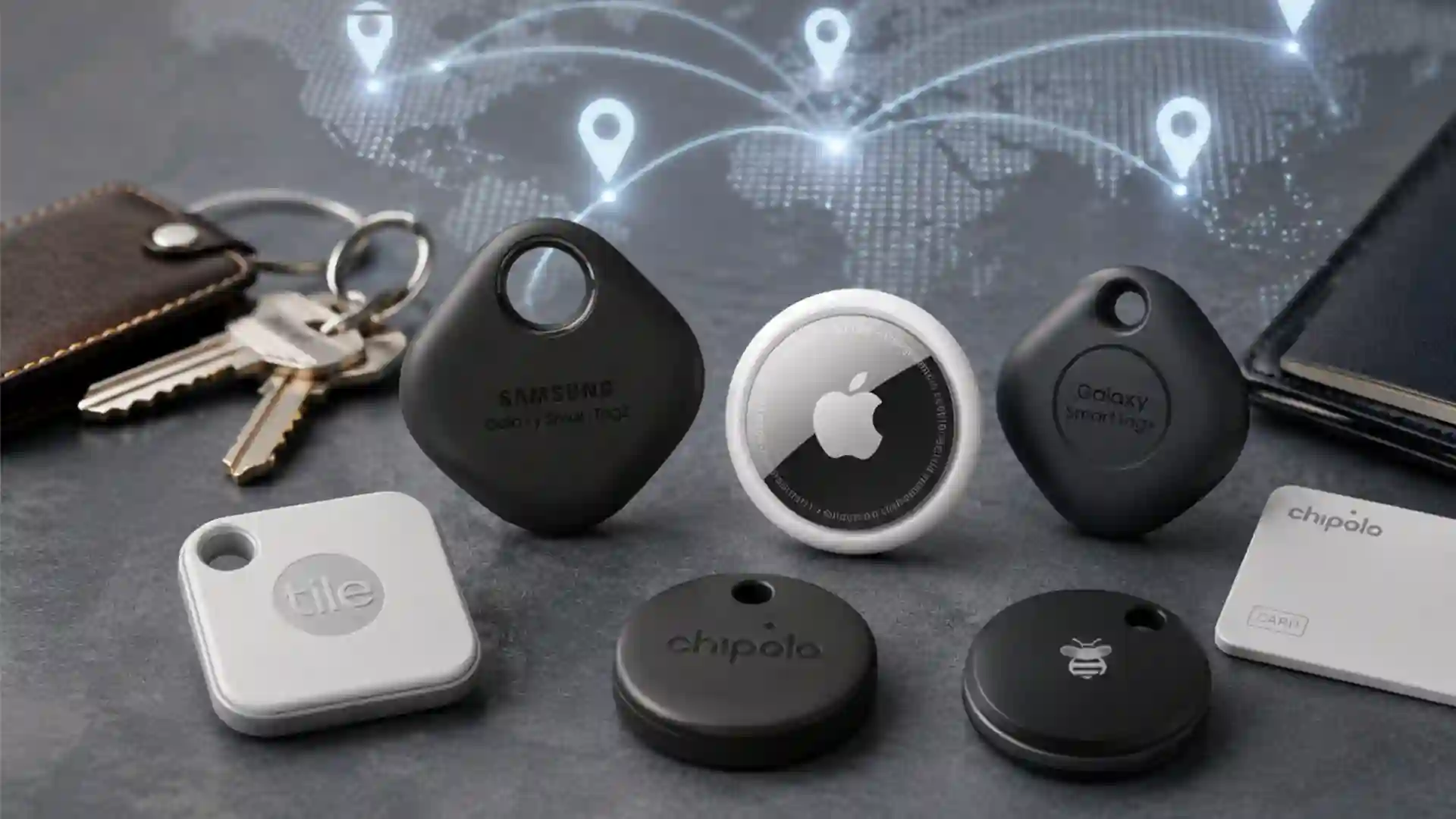
The category now includes Apple AirTag, Samsung Galaxy SmartTag2, Google Find Hub-compatible trackers, Tile by Life360, Chipolo, Pebblebee, Motorola moto tag, eufy SmartTrack and smaller alternatives. The shape is simple: a coin, card, fob or sticker. The real product is the network behind it.
Apple describes AirTag as a device that sends out a secure Bluetooth signal detected by nearby Find My network devices, which relay the tag’s location to iCloud so the owner can view it in the Find My app. Apple says the process is anonymous and encrypted, and that AirTag location history is not stored on the tag itself. It also says AirTag location sharing with third parties, including more than 50 airlines, stops when the item is recovered or expires after seven days.
That is the news shift: smart tags have moved from “where are my keys?” to “where is the thing, person-adjacent object or bag that matters right now?” The practical value is no longer limited to forgetful households. Airlines are building tracker links into baggage tracing. Android’s crowdsourced network is catching up. Samsung has a long-battery option for Galaxy users. Tile has turned new trackers into discreet SOS buttons for Life360 circles. At the same time, abuse cases have pushed Apple, Google, Samsung and Tile to build unwanted-tracking alerts and detection tools into the category.
The phrase “can save a life” needs precision. A smart tag is not a satellite beacon, a medical alert system, a legal substitute for consent, or a police-grade tracker. It has no built-in GPS in most consumer versions. It depends on nearby phones or compatible devices. It may fail in remote places, underground garages, sealed metal containers or low-phone-density areas. But when the risk is time, search area and uncertainty, even a rough location signal may matter.
This is especially true for vulnerable-person care, travel, theft recovery and urgent household situations. A tag on a child’s backpack does not replace supervision. A tag in the coat of an older adult with dementia does not replace a care plan. A tag in a car does not make it safe to chase thieves. Yet each of these situations has a common failure point: nobody knows where to begin looking. A smart tag often gives that first lead.
The market has moved from gadgets to networks
The old Bluetooth tracker was a short-range beeper. It worked when the missing thing was under a sofa cushion, behind a cabinet, inside a backpack, or sitting in the car. The owner opened an app, pressed a button, and the tracker rang. That version still matters, but it is no longer the full story.
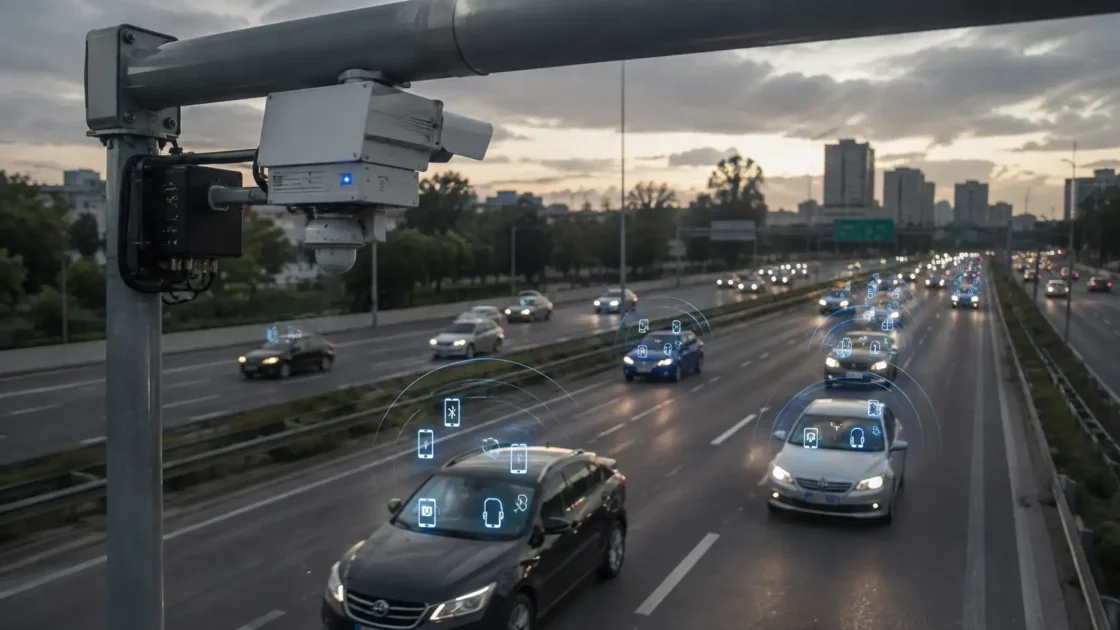
The modern smart tag is part of a crowdsourced location network. Apple has Find My. Samsung has SmartThings Find. Google has Find Hub, the renamed and expanded Android finding network. Tile has its own network inside the Life360 ecosystem. Each uses nearby phones or devices to notice anonymous Bluetooth signals from lost tags and report an approximate location to the tag owner. The tag does not know where it is; the network does.
This makes ecosystem choice more important than tag shape. An AirTag works best for someone who uses iPhone, iPad, Apple Watch and the Find My app. Samsung Galaxy SmartTag2 is built for Galaxy owners using SmartThings Find. Google Find Hub-compatible tags, including Chipolo Point, Pebblebee and moto tag, target Android users outside Samsung’s locked ecosystem. Tile remains one of the few long-standing options that works across iOS and Android through its own app, now tied closely to Life360.
The competitive race is not only about finding lost items. It is about density, trust, abuse prevention, sharing, battery life, airline acceptance and family use. A tracker network wins when enough people carry compatible phones, when alerts do not create constant false alarms, when victims of hidden tracking receive warnings, and when owners get usable locations without needing to understand radio engineering.
Google’s April 2024 launch of the expanded Find My Device network was a major Android-side shift. Google said users would be able to locate items such as keys, wallets and luggage with Bluetooth tracker tags from Chipolo and Pebblebee, and that those tags would support unknown tracker alerts across Android and iOS. Google also pointed to future tags from eufy, Jio, Motorola and others.
Samsung had already built a Galaxy-based alternative with SmartThings Find and the SmartTag line. Apple had the public mindshare because AirTag became the default reference point for this entire category. Tile had the older brand recognition and a broad cross-platform user base. The result in 2026 is a tracker market split by phone identity rather than by object type.
That split is awkward for families. One parent may use an iPhone, another may use a Samsung phone, a teenager may use a Pixel, and a grandparent may not want any app at all. A household that buys the wrong tracker discovers the problem only after pairing fails or the strongest features do not work. The tag is cheap; the wrong network choice is expensive in stress.
AirTag set the public benchmark for consumer finding
AirTag became the category’s reference product because Apple solved three problems at once: setup, network density and nearby precision. Pairing is fast for iPhone users. Find My was already familiar. The device is small enough to hide in a suitcase pocket or attach to keys. For supported iPhones, Precision Finding uses ultra-wideband to guide the owner in close range with direction and distance cues.
The more consequential feature is not the polished white disc. It is the reach of the Find My network. AirTag does not need a cellular plan. It does not need a subscription. It uses Bluetooth and nearby Apple devices to report location to the owner. Apple says only the owner can see the AirTag location, location data and history are not stored on AirTag, relay devices stay anonymous, and the location data is encrypted through the process.
For lost luggage, this became a cultural moment. Travelers began placing AirTags inside checked bags and comparing airline claims with Find My locations. Sometimes the bag was not lost; it was sitting in a back room. Sometimes it was at an airport the traveler never visited. Sometimes it was moving through a delivery process. The emotional shift was huge: the passenger had evidence, not only a file number.
Apple later formalized that behavior through Share Item Location. In November 2024, Apple announced a feature that lets users share the location of an AirTag or Find My network accessory with third parties such as airlines. Apple said the shared link can be used by airlines to locate misplaced items and that it automatically stops when the item is recovered or expires after seven days.
AirTag’s weakness is also obvious. It is an Apple product. Android users cannot set one up as their own tracker. They can receive unwanted-tracking alerts and scan for suspicious trackers, but they are not the intended owner base. AirTag also lacks an integrated keyring hole, which makes accessories almost mandatory for keys, bikes and bags. It uses a replaceable coin cell battery, which is convenient, but owners must pay attention to battery warnings before travel.
The product’s biggest public risk was never losing items. It was misuse. AirTags were quickly reported in stalking, car-theft scouting and harassment cases. Apple added safety alerts, sound changes and guidance. Apple and Google later worked together on a cross-platform unwanted-tracking specification. That collaboration did not remove the risk, but it changed expectations for every competitor. No serious tracker brand can now claim item recovery while ignoring personal safety.
Samsung SmartTag2 gives Galaxy owners a deep native option
Samsung’s Galaxy SmartTag2 is the natural pick for many Samsung phone owners, especially those already using Galaxy devices, SmartThings and Samsung account services. It is not an AirTag clone in the narrow sense. It lives inside Samsung’s own ecosystem and uses SmartThings Find, with features built around Galaxy hardware and Samsung’s app layer.
The second-generation design fixed practical problems that mattered in daily use. Samsung gave SmartTag2 a ring-shaped body with a reinforced loop, making it easier to attach directly to keyrings, bags, luggage handles and pet collars without buying a separate holder. That sounds small until the tracker is used every day. A tag that needs an accessory is more likely to be delayed, misplaced or attached badly.
Battery life is Samsung’s most visible claim. Samsung said Galaxy SmartTag2 lasts up to 700 days in Power Saving Mode and up to 500 days in Normal Mode, a major increase over previous Galaxy SmartTag models. That matters for bikes, spare keys, tool bags, camera cases and seasonal luggage. A tracker that dies quietly is worse than no tracker because it creates false confidence.
SmartTag2 also has UWB support for supported Galaxy phones, which allows a more precise nearby search through features such as Compass View. Samsung markets it as a tracker for valuables, keys, bikes, bags and luggage, while also tying it into IoT control through SmartThings. That last feature gives Samsung a small but real difference: the button on the tag is not only for finding. It can trigger connected-home routines.
The catch is ecosystem lock-in. Galaxy SmartTag2 is not the best choice for a mixed iPhone and Android household unless the owner of the tracked item is committed to a compatible Galaxy phone. A Pixel user should not buy SmartTag2 expecting full native Google Find Hub behavior. An iPhone household should not buy it expecting AirTag behavior. The hardware may look universal. The network is not.
Samsung also has to handle the same safety problem as Apple. Samsung’s support guidance says users can turn on Unknown tag alerts in the SmartThings app so they receive a notification if an unknown SmartTag is moving with them. The presence of that feature is not a minor footnote. It is part of whether the tracker deserves public trust.
For Galaxy users, SmartTag2 is a strong choice because it combines long battery life, a practical physical loop, SmartThings Find support, nearby finding and Samsung-native controls. For everyone else, the better advice is blunt: buy the tracker that belongs to your phone network, not the one with the most familiar name.
Google Find Hub changes the Android side of the story
Android tracking used to be fragmented. Tile had its app. Samsung had Galaxy tags. Some niche devices used their own networks. Google’s expanded Find My Device network, now branded Find Hub, changed the center of gravity for non-Samsung Android users. It created a native Android-side answer to Apple’s Find My item network.
The network matters because Android is not one device family. It includes Google Pixel, Motorola, OnePlus, Xiaomi, Nothing, Sony, Nokia-branded devices, Samsung phones and many other models. A working Android tracker network needs broad OS-level participation, strong privacy rules and enough compatible tags. Google’s move gave companies such as Chipolo, Pebblebee and Motorola a common platform rather than forcing each brand to build a separate crowd.
Google said its expanded network allows users to locate everyday items through Bluetooth tags made for the Find My Device network, including Chipolo and Pebblebee at launch, with more brands later. It also introduced Find Nearby, Nest proximity cues and accessory sharing for friends and family.
The privacy design is a major part of the story. Google’s security team wrote that it built the new Find Hub network with data safeguards, safety-first protections and user controls, after gathering input from privacy and advocacy groups. This matters because the Android network is potentially huge, and a careless design would create a tracking system with abuse risks at global scale.
Android tracker users should understand one trade-off. Google’s anti-abuse design has sometimes made the network feel more conservative than Apple’s, especially in low-density locations or places where aggregation rules require more than one nearby Android device before a location is reported. That privacy posture may frustrate someone looking for a stolen bike in a quiet suburb. It also reduces the chance that one passing phone becomes an easy surveillance relay for hidden tracking.
Google’s Find Hub-compatible tag ecosystem is now broader than it was at launch. Chipolo Point works with Google’s network. Pebblebee offers versions that work with Apple Find My or Google Find Hub, and universal models that can be switched after reset. Motorola’s moto tag integrates with Google’s Find My Device network. The category is still young compared with AirTag, but it is no longer a blank space.
The strategic shift is plain: Android users no longer need to buy an AirTag and borrow an iPhone to get serious item tracking. They need to choose carefully among Google Find Hub tags, Samsung SmartTag2 and Tile depending on their phone, family setup and use case.
Tile turns item tracking into a family safety button
Tile is older than AirTag and carries a different identity. It began as a cross-platform Bluetooth finder for keys, wallets and everyday items. Its newer phase under Life360 changes the value proposition: Tile is becoming part item tracker, part family-safety accessory.
Life360 announced a new Tile tracker lineup in September 2024 with integrated safety features. The company said users could send a Life360 SOS alert to their Circle with three quick presses of the tracker button. It listed models such as Tile Mate with up to 350 feet of Bluetooth range and Tile Pro with up to 500 feet, with IP68 water resistance claims on the new lineup.
That SOS feature is a real distinction from AirTag and SmartTag. AirTag does not act as a panic button. SmartTag can trigger SmartThings routines, but it is not primarily marketed as a family SOS device. Tile’s newer pitch is that the object finder can also send a discreet alert when the owner’s phone is nearby and connected through the Life360 system.
This is useful in very specific situations. A student walking home may not want to unlock a phone. An older adult may find a physical button simpler than an app. A person who feels unsafe in a parking lot may use a triple press more discreetly than a phone call. The limit is equally clear: Tile’s SOS feature depends on setup, phone proximity, account configuration and the Life360 service model. It is not a standalone emergency beacon.
Tile also has its own safety tension. Its Scan and Secure feature allows iOS and Android users to scan for nearby Tiles and Tile-enabled devices that may be traveling with them, even without an active Tile account, provided they use the latest Tile app. Life360 says Tile trackers are for lost or misplaced items, not for tracking people.
Tile also offers Anti-Theft Mode, which can hide Tiles from Scan and Secure so a thief cannot easily identify a hidden tracker. That may appeal to bike owners and photographers. It also raises uncomfortable questions because any reduction in detectability may complicate unwanted-tracking protections. Life360 says activation involves identity verification and strict terms. The market is now wrestling with the same dilemma everywhere: a tracker that is easy for thieves to find is weaker for theft recovery, but a tracker that is hard for anyone to find is more dangerous for victims of stalking.
Tile’s advantage remains cross-platform familiarity. It works for households split between iOS and Android, especially those already paying for Life360 features. Its disadvantage is that it lacks the operating-system-level network density of Apple Find My and Google Find Hub. The best Tile buyer is not simply someone who loses keys. It is someone who values the Life360 family map, SOS features and cross-platform app enough to accept a different network model.
Alternatives matter because households are mixed
The “AirTag versus SmartTag” framing is too narrow. Real households are messy. One person uses iPhone. Another uses Samsung. A work phone runs Android Enterprise policies. A child has an old iPad but no phone. A traveler wants a wallet card, not a round fob. A cyclist wants water resistance and a loud alarm. A parent wants sharing. A caregiver wants reliability, consent and simple battery checks.
That is why alternatives matter. Chipolo, Pebblebee, Motorola, eufy and Tile fill the gaps left by the big ecosystems. Some work with Apple Find My. Some work with Google Find Hub. Some use their own app. Some offer card formats for wallets. Some use rechargeable batteries. Some include lights or loud buzzers. Some work with both Apple and Google networks, but usually not at the same time.
Chipolo Point, for example, is made for Google’s Find My Device app and supports features such as making the tracker ring, nearby distance hints, map location through the Google network, sharing and Fast Pair. Chipolo says Android devices around the world work together to support finding belongings.
Pebblebee’s newer approach is platform flexibility. Its support page says new Clip, Card and Tag devices support Google Find Hub and Apple Find My, with universal products able to work with either network after reset. It also states that Apple Find My supports left-behind alerts while Google Find Hub support differs by feature.
Motorola’s moto tag targets Google’s network directly. Motorola says moto tag integrates with Google’s Find My Device network and uses Bluetooth signals so owners can find items such as keys, purses, luggage and bikes on a map. eufy’s SmartTrack Link sits more on the Apple Find My side, with QR code contact information and left-behind alerts through the eufy Security app.
The alternative market is not a pile of cheap substitutes. It is where form factors become more useful. AirTag is awkward in a wallet without a special holder. A card tracker is easier. Samsung SmartTag2 is better for a keyring than AirTag because the loop is built in. A rechargeable Pebblebee may suit someone who dislikes coin-cell batteries. A Tile Pro with a louder ring may be better for a workshop or sports bag.
The buyer’s job is to match five things: phone ecosystem, object type, network density, battery model and safety features. Brand loyalty is less useful than honest use-case matching.
Compact comparison of major tracker ecosystems
| Tracker ecosystem | Best fit | Main strength | Main limit |
|---|---|---|---|
| Apple AirTag and Find My | iPhone households, luggage, keys, bags | Large Apple network, Precision Finding on supported iPhones, airline sharing | Not owner-friendly for Android users |
| Samsung Galaxy SmartTag2 | Galaxy phone owners, bikes, keys, bags, SmartThings users | Long battery claims, built-in loop, Galaxy-native finding | Best features require Samsung ecosystem |
| Google Find Hub tags | Pixel and Android users outside Samsung lock-in | Native Android network, growing tag support | Network behavior may vary by density and region |
| Tile by Life360 | Mixed iOS and Android families, Life360 users | Cross-platform app, SOS button on new Tiles | Network model differs from OS-level Apple and Google systems |
This comparison is deliberately practical rather than exhaustive. The strongest tracker is the one your phone, family and use case will support on the day something goes missing.
The real technology is the crowd, not the plastic tag
The smart tag itself is a beacon. Most consumer tags do not contain GPS. They do not talk to satellites. They do not send their own cellular signal. They broadcast a Bluetooth identifier. Nearby compatible devices detect that signal and, depending on the network’s rules, relay location information to the owner through an encrypted system.
That means a tracker’s power rises and falls with the crowd around it. A bag moving through Heathrow, Frankfurt, JFK, Singapore Changi or Dubai is likely to pass many phones. A wallet left in a busy café may be found quickly. A bike hidden in a rural shed may not update until someone with a compatible device passes nearby. A tag inside a metal toolbox, under a car seat, in a basement or in dense concrete may perform worse than the app interface suggests.
The crowd also explains why a tag may show “last seen” rather than live movement. A smart tag is not a live GPS tracker. It reports when noticed. It may go silent for hours, then update suddenly. Owners who understand this are less likely to panic and more likely to use the last known point intelligently.
The network design must balance two goals that often fight each other. Owners want fast, frequent, precise updates. Society needs protections against hidden surveillance. A network that reports every anonymous tag seen by every phone instantly would be powerful for lost property. It would also be frightening in the wrong hands. A network that waits for multiple devices, rotates identifiers, warns potential victims and limits sharing is safer but less satisfying when a stolen item is moving.
This balance is why tracker reviews that focus only on range miss the real issue. The advertised Bluetooth range matters at home. It matters in a parking lot. It matters when the tag is somewhere nearby and the owner is trying to make it ring. For lost luggage or theft recovery, network density and privacy rules matter more than the number printed on the box.
The crowd also changes who benefits. Wealthy cities with high smartphone density get stronger recovery odds. Airports and train stations are good environments. Remote areas are weaker. Countries where Android dominates may make Google Find Hub more attractive once compatible devices and settings are widespread. Places with high iPhone penetration may favor AirTag. Samsung-heavy markets may produce better SmartTag2 outcomes than outsiders expect.
No brand fully controls that last-mile reality. A company can build hardware, apps, encryption and alerts. It cannot guarantee that the right phone will pass the right object at the right moment. That uncertainty is the reason smart tags should be described as recovery aids, not recovery promises.
Bluetooth explains the first layer of finding
Bluetooth is the local radio layer that makes consumer tags small, cheap and battery-light. A tag wakes, broadcasts, listens for commands such as “play sound,” and preserves power by doing very little most of the time. Bluetooth Low Energy made this category practical because it supports low-power communication over short distances.
The Bluetooth SIG describes Bluetooth technology as a device positioning technology used for location services, including item finding and indoor positioning. In consumer trackers, that translates into two daily behaviors: make a nearby item ring, and let nearby phones notice a lost tag’s signal.
The strengths are obvious. Bluetooth works indoors. It is cheap. It fits into a tiny object. It does not require a cellular subscription. It uses little power. It is already present in phones. That combination made the mass-market tracker possible.
The limits are just as real. Bluetooth range changes with walls, bodies, metal, water, battery level, antenna design and interference. A tag in the open may behave very differently from a tag buried under clothes in a suitcase. A tag attached to a metal bike frame may lose range depending on placement. A wallet tracker pressed against cards, coins or RFID-blocking material may sound weaker or report less often.
Owners often misunderstand “range.” If a product page says 300 feet or 500 feet, that usually means an open-air Bluetooth condition, not a guarantee inside an apartment block, airport baggage system or parking garage. The owner’s phone must still reach the tag directly for ringing or nearby guidance. For far-away finding, the owner is relying on other phones and the network.
Bluetooth tags also move between two modes of usefulness. At home, they are audible finders. The ring matters more than the map. Outside the home, they are network witnesses. The last seen location matters more than the ring. A good tag must do both, but different products lean in different directions.
For people buying their first tracker, the practical test is simple. Put the tag where it will actually live. Close the bag. Put the wallet in the pocket. Attach it to the bike mount. Walk away. Ring it. Check whether the sound is clear. Then leave it in a realistic place and see how long location updates take. Marketing claims matter less than this ugly little test.
Bluetooth is not magic. It is a low-power clue system. Used that way, it is excellent. Treated as a live surveillance-grade locator, it disappoints.
UWB makes nearby finding feel different
Ultra-wideband, usually shortened to UWB, is the technology that makes close-range finding feel precise. Bluetooth can say something is nearby and can make it ring. UWB can provide more directional and distance-aware guidance when both the phone and tracker support it.
The FiRa Consortium explains that UWB ranging uses Time of Flight measurements, calculating distance by measuring the round-trip time of challenge and response packets between devices. For a user, the technical detail becomes a simpler experience: the app may show distance, direction and feedback that narrows the search faster than listening alone.
AirTag supports Precision Finding with supported iPhones. Samsung SmartTag2 supports UWB features with compatible Galaxy phones. Motorola’s moto tag was built with Google’s network in mind and UWB support on compatible Android hardware. The buyer must check both sides: a UWB tag is not enough; the phone must also support UWB and the app must expose the feature.
UWB is most useful in places where sound and maps are not enough. A suitcase may be in a pile of similar black bags. A wallet may be in a room but not visible. Keys may be wedged in a couch. A camera bag may be behind a row of boxes in a storage area. A direction arrow and distance estimate reduce the search from “somewhere nearby” to “right there.”
Its limit is range and environment. UWB is a nearby-finding technology, not a long-distance locating network. It does not replace the crowd network. The tag still needs Bluetooth and nearby network devices for far-away reports. UWB begins to matter once the owner or rescuer is close.
The safety implications are mixed. Precision is good for owners finding a misplaced object. It can also raise concerns if a tag is misused. That is why unwanted-tracking alerts, sound alerts and disable instructions sit beside UWB as part of the same product conversation.
In practical buying terms, UWB is worth paying attention to when the tracked item is often lost nearby and hard to see. It matters for keys, bags, parked cars in large garages, travel luggage and equipment cases. It matters less for objects that are either at home or far away, with no frequent close-range search. For some users, a loud alarm and strong network are more useful than UWB.
The category’s next phase will likely make UWB less premium and more expected. For now, UWB is the feature that turns a tracker from a map clue into a final-meter finder.
Luggage changed the public value of smart tags
Checked luggage gave smart tags their most visible public use case because baggage loss combines money, anxiety, distance and poor information. A missing suitcase is not only an inconvenience. It may contain medicine, work clothes, chargers, documents, mobility equipment accessories, children’s items, formalwear for an event, or the only clothes a traveler has for a week abroad.
Before consumer trackers, travelers depended on airline systems and staff updates. Those systems still matter. Airlines scan bags, record transfers, use baggage reconciliation systems and trace delayed items through services such as SITA WorldTracer. But passengers often saw only vague statuses. “Delayed” did not tell them whether the bag was in the departure airport, arrival airport, transfer hub, warehouse, truck or wrong country.
AirTag and similar tags changed the passenger’s information position. The traveler may not be able to retrieve the bag personally, but they can often see whether the airline’s story makes sense. This created tension at first. Passengers would show staff a phone map, while the airline system might not yet reflect that location. Over time, the obvious answer emerged: connect consumer tracker data to official baggage tracing workflows.
Apple’s Share Item Location feature was a turning point because it gave airlines a controlled way to receive a temporary location link rather than screenshots, angry emails or unsupported map claims. Apple says more than 50 airlines now support lost item location sharing through Find My, with sharing expiring after seven days or when the item is recovered.
SITA’s later reporting gave the concept operational weight. In December 2025, SITA said integration of AirTag and Find My Share Item Location technologies with SITA WorldTracer had reduced “permanently lost luggage” by 90 percent. It said passengers using AirTag or another Find My accessory can temporarily and securely share their bag’s location with airlines through WorldTracer, creating a direct link between Find My location and airline recovery systems.
The significance is bigger than one Apple feature. Airlines have spent years improving baggage tracking. IATA Resolution 753 requires tracking at four points: passenger handover, loading onto the aircraft, delivery to the transfer area and return to the passenger. IATA also says 41 percent of mishandling occurs during transfers and that 88 percent of passengers want real-time tracking.
Consumer tags fill the gap between official custody scans. They do not replace airline systems. They add a passenger-owned signal that may reveal where the bag sits between scans, after a missed transfer, or after it leaves the airport. The smartest baggage future is not airline tracking versus AirTag. It is airline tracking plus passenger-owned location sharing, handled through secure workflows.
For travelers, the advice is direct. Put the tracker inside the bag, not dangling outside where it can be torn off. Rename the tag clearly. Check battery before departure. Use Lost Mode or the relevant lost-item setting. Share the official link only with the airline or baggage service when needed. Do not rely on the tracker as permission to enter restricted airport areas or confront handlers.
Airlines now see tracker data as operational intelligence
The airline industry did not embrace consumer trackers out of romance for gadgets. It embraced them because baggage recovery is expensive, emotional and operationally messy. A delayed bag creates call-center work, delivery costs, staff time, passenger frustration, compensation exposure and reputational damage. A permanently lost bag is worse.
Baggage systems already generate data. Tags are scanned at check-in, loading, transfer and arrival. Airports use sorting systems. Airlines use reconciliation tools. Ground handlers use handheld scanners. SITA WorldTracer is a long-established tracing system used to match missing bags to reports. The problem is that even mature systems have blind spots.
A passenger-owned tracker adds a different kind of signal. It may show a bag in a terminal corner, warehouse, belt area, delivery van or wrong airport. The signal may not be precise enough to pick the bag from a pile, but it may be good enough to send staff to the right zone. When integrated into official tools, it reduces the awkward process of passengers trying to describe what their phone shows.
This matters during disruption. Weather, strikes, air-traffic delays, missed connections, short-staffed ground operations and peak holiday loads create baggage backlogs. Bags may be separated from passengers through no single dramatic failure. A tracker helps because it turns a hidden queue into a visible location.
The strongest airline use case is not the routine bag that arrives normally. It is the exception: the transfer failure, the misplaced cart, the destination mismatch, the delivery delay, the bag sitting in a room that nobody has matched yet. In those moments, consumer tracker data becomes a search hint inside a larger operational system.
This also explains why official sharing matters. A screenshot is static. A passenger’s live map shown at a counter is not scalable. A secure shared link with expiry, authentication and limited access is more usable. Apple’s model has pushed the industry toward that structure. Google Find Hub and other networks will face pressure to support airline-friendly workflows with similar care.
Airlines also need policies for staff. A location dot is not always exact. Bluetooth networks approximate through nearby devices. A map pin may represent where the tag was last detected, not where the bag is now. Staff need to treat tracker data as a lead, not as absolute truth. Passengers need the same discipline.
The baggage lesson will likely spread. Equipment rental, event production, field service, film gear, medical-device logistics, school sports equipment and high-value tools all share the same problem: official systems track custody, but real objects go missing between custody events. Smart tags make that gap smaller.
Theft recovery has power and limits
Smart tags are often marketed for lost items, but many buyers think about theft. Bikes, scooters, tools, camera bags, sports gear, handbags, guitars, luggage and work equipment are expensive and portable. A hidden tracker feels like a quiet insurance policy.
It can be useful. A bike owner may see the last known location after a theft. A contractor may track a tool bag that left a jobsite. A traveler may locate a stolen suitcase. A car owner may discover that a spare bag or backpack still reports from a stolen vehicle. Police may use the information as one lead among many.
The limit is danger. A tag location is not a license to confront a thief. Map pins can be approximate. Apartment buildings contain many units. A stolen object may be in a car, garage, storage area or business. A person who tracks stolen property alone may walk into violence, trespass or a false accusation. The safer path is to document the location, serial numbers and ownership proof, then contact police or the relevant authority.
Tracker makers have also made theft recovery harder in one specific way: anti-stalking alerts may warn whoever is carrying the stolen object. A thief with a modern phone may receive an unknown tracker alert. They may find the tag, disable it and discard it. Owners hate this. Safety advocates defend it. Both sides have a point.
Tile’s Anti-Theft Mode is one attempt to resolve the tension by making Tiles less visible to Scan and Secure while adding identity verification and legal terms. But the category has not found a perfect answer because no perfect answer exists. A hidden tracker is useful precisely because the person carrying it may not know it is there. That same property creates stalking risk.
The best practical theft setup uses layers. Use a physical lock. Record serial numbers. Photograph the item. Register the bike if local systems exist. Hide the tracker where it is not obvious, but do not disable safety features illegally or modify hardware in unsafe ways. Use more than one tag for very high-value gear if the network and ethics allow. One visible decoy and one hidden tag may buy time, though it may also trigger alerts.
For cars, smart tags are weaker than dedicated GPS trackers with cellular service and vehicle power. AirTag and similar devices may update in cities, but they are not vehicle-security systems. Professional thieves know to scan. Cars have metal, compartments and signal challenges. A dedicated tracker with a subscription, power management and recovery service may be better for serious vehicle protection.
Smart tags are best at creating early location clues. They are not magic theft reversal devices. Their value lies in narrowing uncertainty before the trail disappears.
Caregiving is the most sensitive use case
The strongest life-safety argument for smart tags appears in caregiving, but it is also the area that requires the most restraint. Families caring for someone with dementia, cognitive impairment, autism, intellectual disability, traumatic brain injury or episodes of disorientation may face wandering risk. The fear is not abstract. A person may leave home, a hotel, a school, a care facility or a familiar route and become unable to explain where they are.
The Alzheimer’s Association says six in 10 people living with dementia will wander at least once, many do so repeatedly, and wandering can be dangerous or life-threatening. It recommends safety planning and notes that GPS devices may be considered if a person who is still safely able to drive gets lost. The CDC describes wandering, also called elopement, as leaving a safe area or responsible caregiver, and says it is a safety issue for some people with disabilities, families and communities.
A consumer smart tag may support a safety plan when it is attached to an object the person reliably carries: a coat, bag, shoe, keychain, walker pouch or luggage. It may give family a last seen location. It may help searchers know whether the person left the building, reached a bus stop, entered a park, or moved toward a familiar shop.
But this use must be framed carefully. AirTag, SmartTag2, Tile and most alternatives are not medical devices. They do not provide guaranteed live GPS. They may fail where phone density is low. They may alert the person or people nearby. The person may remove the item. The battery may die. For high-risk wandering, a purpose-built GPS device, medical ID, local wandering response service and care plan may be more appropriate.
Consent and dignity matter. A person with capacity should know and agree. A person without capacity still deserves the least intrusive safety approach, guided by family, clinicians, guardianship rules and local law. Secret tracking of adults is ethically serious even when family intent is protective. In care settings, policies must be written, not improvised.
The best caregiving use of a smart tag is transparent and layered. The tag is one clue, not the plan. It sits beside recent photos, medical information, ID bracelets, neighbor awareness, door alerts, routines, safe-return programs, and clear emergency steps. Families should test the tag monthly, check battery status, practice the app workflow, and write down who has access.
A tag may save time. In wandering incidents, time matters. But the life-saving element is the whole response system, not the plastic disc itself.
Children, disability and consent require stricter rules
Parents often ask whether they should put an AirTag, SmartTag or Tile in a child’s backpack. The practical answer depends on the child’s age, risk profile, school rules, local law and whether the tracker is for an item or for the child. The ethical answer is clearer: tracking a child should be proportionate, explained in age-appropriate terms and not used as a substitute for supervision.
A tag in a backpack may be reasonable for a young child walking to school, a child with elopement risk, a school trip, a theme park visit, or travel through airports. But a backpack can be left behind, swapped or removed. A tag will not stop abduction. It will not detect distress. It will not call emergency services. It may not update in a rural area. Parents need to avoid the dangerous comfort of a blinking location dot.
For children with autism or intellectual disability who may wander, families often need more than a consumer item tracker. The CDC’s guidance on wandering emphasizes prevention, safety planning and community action for children and youth with disabilities. A tracker may be part of that plan, but the plan should start with known triggers, secure environments, communication supports, school coordination and emergency instructions.
Schools may restrict trackers because they can record location patterns, create privacy issues for other students, or cause conflict with staff. A school may accept a medical or safety-related device under a plan but reject casual tracking. Parents should not hide a tracker in a school bag and assume everyone will welcome it.
Teenagers raise a separate issue. A teen with normal independence deserves privacy. Secretly tracking a teenager’s movements can damage trust and may cross legal lines depending on age and jurisdiction. Location sharing should be discussed, limited and reciprocal where appropriate. A smart tag used to recover a school bag is different from a hidden device used to monitor social life.
There are also abuse scenarios inside families. A controlling parent, partner or relative can misuse trackers. Device makers cannot know family dynamics. That is why cross-platform alerts matter. The same alert that annoys a parent who placed a tag in a backpack may protect someone else from coercive surveillance.
The safest rule is narrow: use smart tags to protect belongings and to support agreed safety plans for people at real risk, not to create secret control over another person’s movement. When the risk is serious, choose tools built for the risk rather than stretching a consumer item finder beyond its design.
Pets and trackers need a colder assessment
People attach smart tags to dog collars because tags are small, cheap and subscription-free. The idea is understandable. Dogs run through open doors. Cats slip out at night. A lost pet is emotionally brutal. A tag seems like a simple fix.
The problem is that most Bluetooth smart tags are not pet trackers in the true sense. They depend on nearby phones or compatible devices. A dog running through a busy city park may update often. A dog running into woods, fields or industrial land may not update at all. A cat hiding under a shed may be inside Bluetooth range but not near a reporting device. A pet moving fast may leave the last known location behind quickly.
A dedicated GPS pet tracker with cellular service, geofencing and live tracking is better for pets that roam, run, escape or travel in low-density areas. It costs more because it does more. It has its own connection rather than waiting for passerby phones. It usually has a larger battery and a subscription. For many pet owners, that trade is worth it.
Smart tags still have a role. They are useful for indoor cats, urban dogs, luggage-style pet carriers, leashes, harnesses and backup identification. NFC or QR lost-mode features may let a finder contact the owner. A tag may confirm that a cat is near the house or that a dog’s collar was left at a neighbor’s home. It may be a good secondary layer beside a microchip and ID tag.
But the owner should not treat an AirTag, SmartTag2 or Tile as a full pet-safety system. Apple itself markets AirTag for personal items. Samsung markets SmartTag2 for valuables. Tile markets item finding and family safety features. None of these is a veterinary tracking solution. For pets at serious escape risk, GPS beats Bluetooth.
There is also a comfort issue. A tag must be attached safely so it does not irritate the pet, catch on objects, add too much weight, or become chewable. Coin-cell batteries are hazardous if swallowed. Any collar-mounted device must be secured in a way that does not expose the battery or break under normal activity.
The pet category is a useful reminder that “trackable” is not the same as “safe.” The right question is not whether a tag might update. It is whether the system will work in the exact place the animal is likely to go missing.
Privacy protections decide whether the category survives
Smart tags sit on a line between safety and surveillance. The same feature that finds a stolen bag can follow a person. The same small size that makes a tracker easy to hide in luggage makes it easy to hide in a car, coat pocket, purse or child’s toy. The category’s long-term future depends on whether the public trusts the protections.
Apple and Google’s 2024 cross-platform specification was a major moment. The companies said they worked together on Detecting Unwanted Location Trackers so iOS and Android users could receive alerts if a compatible Bluetooth tracker was unknowingly moving with them. Apple implemented the capability in iOS 17.5, and Google launched it for Android 6.0 and later devices.
Google’s security blog gave the Android-side meaning: if an Android user receives an alert, they can view the tracker’s identifier, make it play a sound and access disable instructions. Google also said manufacturers including Chipolo, eufy, Jio, Motorola and Pebblebee committed that future tags would be compatible.
This cross-platform layer is not perfect. Alerts may arrive after movement over time, not instantly. Some victims may ignore alerts because they sound technical. A tracker may be hidden where sound is hard to hear. A person without a smartphone may not receive warnings. Older phones, disabled settings or unsupported trackers complicate detection. But the baseline has changed.
The public now expects four protections. First, a hidden tracker should eventually warn the person being followed. Second, the person should be able to make it sound. Third, they should receive instructions to disable it. Fourth, the tracker should expose some identifier for law enforcement or platform investigation.
This expectation affects buying advice. A cheap tracker from an unknown brand may save a few euros, but if it lacks compatible unwanted-tracking protections, it is a worse citizen in the ecosystem. Retailers and marketplaces should treat that as a safety issue, not a technical footnote.
Privacy also matters for legitimate owners. Users should know who can see an item, how sharing works, when shared links expire, whether family members can access location, and what data the manufacturer stores. A tracker in a suitcase is one thing. A tracker attached to a mobility aid, medical bag or child’s backpack carries more sensitive movement data.
The category survives only if item recovery does not become normalized secret surveillance. That is the standard every brand now faces.
Anti-stalking alerts are now part of the product
A smart tag review that ignores anti-stalking alerts is incomplete. Safety alerts are not optional extras. They are part of the product’s function, just like battery life and range. A tracker that finds bags but endangers people is not a successful tracker.
Apple’s system warns iPhone users when an unknown AirTag, Find My accessory or compatible Bluetooth location tracker appears to be moving with them. Android now has unknown tracker alerts for compatible devices. Google says Android users with Android 6 and up can identify, find and remove trackers placed near them or in their belongings without their knowledge or consent. Samsung has Unknown tag alerts inside SmartThings. Tile has Scan and Secure.
The user experience matters. An alert should be understandable under stress. “Unknown item moving with you” is better than a technical Bluetooth message. The app should show the route where the tracker was detected, offer a sound option, provide disable instructions, and explain when to contact law enforcement. The victim should not need to know what BLE, UWB or DULT means.
False alarms are unavoidable. A person on a train may travel near someone else’s bag. Family members may borrow keys. A shared car may contain another person’s tag. A moving company may transport tagged items. Alerts must avoid panic without minimizing risk. Clear wording matters.
Owners also need to behave responsibly. Do not hide trackers in someone else’s car, bag or clothing. Do not place trackers on rented equipment without disclosure. Do not use trackers to monitor employees unless the law, employment contract and policy clearly allow asset tracking, and even then track the asset rather than the person wherever possible. Do not use a tracker during relationship conflict. A smart tag used secretly in a breakup or custody dispute can become evidence of stalking.
Anti-stalking features also create friction for legitimate theft recovery. A thief may get an alert. That frustration is real. But the alternative is worse: silent consumer surveillance devices sold in every electronics aisle. The industry has chosen to accept some theft-recovery weakness to reduce personal harm.
The safety alert is not a bug in the tracker category. It is the price of selling tiny location devices to the public.
Android and iPhone users no longer live in separate safety worlds
The early smart tag market had a dangerous asymmetry. AirTag worked beautifully for iPhone owners, but Android users did not receive the same native protections at first. Apple released Tracker Detect for manual scanning, but manual scanning depends on suspicion. The stronger safety model is automatic warning across platforms.
Apple and Google’s cross-platform work changed that. The Detecting Unwanted Location Trackers specification made it possible for compatible Bluetooth trackers to trigger alerts across iOS and Android. The companies announced it on May 13, 2024, with Apple implementing in iOS 17.5 and Google supporting Android 6.0 and later.
This matters because stalking and abuse do not respect device ecosystems. A victim may use Android while the abuser uses AirTag. A victim may use iPhone while the hidden tracker is made for Google’s network. Families share cars. People ride public transport. Workplaces mix devices. Cross-platform detection is the only serious path.
The same idea shapes future tracker design. Brands that want access to Apple Find My or Google Find Hub must meet platform requirements. Consumers should look for compatibility with unwanted-tracking alerts, not only compatibility with finding networks. The badge on the package should answer both questions: will it find my item, and will it warn someone if misused?
There is still fragmentation. Samsung SmartTag alerts work inside Samsung’s ecosystem and SmartThings settings. Tile’s Scan and Secure requires the Tile app. Not every Bluetooth beacon in the world follows the Apple-Google specification. Some suspicious devices may not be item trackers at all. Stalking can also happen through phones, cars, apps, spyware and account compromise. Smart tag alerts solve only part of the problem.
Still, the direction is healthier. A person carrying an Android phone is no longer blind to the most famous tracker category. An iPhone user is no longer protected only against Apple’s own tags. The market has accepted that safety must cross platform boundaries because abuse crosses them too.
For everyday users, the practical instruction is simple: keep phone software updated, do not disable Bluetooth and location permissions without understanding the safety trade, learn what an unknown tracker alert looks like, and take alerts seriously. For parents and caregivers, teach family members that a tracker warning is not a joke or spam message. It may be the first sign that something is wrong.
Product choice is really network choice
The most common buying mistake is comparing tags as if they are independent gadgets. They are not. A tracker belongs to a network. The network belongs to an ecosystem. The ecosystem belongs to a phone, account, operating system and privacy model.
An iPhone user should start with AirTag and Find My-compatible alternatives such as Chipolo, Pebblebee or eufy. A Samsung Galaxy user should compare SmartTag2 against Google Find Hub tags and Tile, depending on whether they prefer Samsung-native features or broader Android direction. A Pixel user should avoid buying SmartTag2 unless they understand the limitations and should look at Chipolo Point, Pebblebee, moto tag and other Find Hub devices. A mixed household should consider Tile or universal Pebblebee-style products, but only after checking which app will control the item.
Account ownership matters. The person who pairs the tag controls it. If a family puts a tracker in shared luggage, the family should decide who owns it and who has shared access. If the wrong person pairs the tag, others may not see it when needed. If a traveler’s partner has the location but the traveler is alone at the airport, the setup has failed.
Sharing features are improving. Apple lets users share AirTag and Find My accessories, and now share lost item links with third parties. Google’s network supports accessory sharing. Pebblebee says both Google Find Hub and Apple Find My support sharing for its compatible devices, though feature differences remain. These features should be set up before the trip, not while standing in a baggage claim line.
The object type also decides the tag. For keys, use a tag with a ring hole or strong accessory. For wallets, use a card format. For luggage, use a tag with strong battery and network reach, placed inside. For bikes, use a hidden mount and accept that alerts may expose it. For camera bags, use a loud alarm and a network that fits your phone. For caregiving, choose a device the person will actually carry, and consider dedicated GPS if risk is high.
Price should not dominate the decision. A cheaper tracker on the wrong network is waste. A premium tracker with dead battery is useless. A tracker that nobody in the household knows how to use is theater. The best tracker is the one that is paired, charged, shared, tested and attached to the object that will actually go missing.
Batteries and durability shape real reliability
Battery life sounds boring until the tracker fails. Most tags are bought with energy and then forgotten. They sit in luggage for months, on spare keys, in a bike mount, inside a camera case, at the bottom of a backpack. When the crisis arrives, the owner opens the app and discovers the battery died three weeks earlier.
This is why Samsung’s SmartTag2 battery claim matters. Up to 700 days in Power Saving Mode and 500 days in Normal Mode is not only a spec-sheet win. It reduces maintenance burden for objects that are rarely handled. Apple says AirTag works for more than a year on a replaceable standard battery. Tile’s newer lineup includes models with multi-year non-replaceable batteries and Tile Pro with a replaceable battery. Pebblebee and Chipolo offer rechargeable models in some lines.
There is no single best battery model. Replaceable coin cells are convenient and cheap, but they create waste and require safe handling. Rechargeable trackers reduce battery waste and may be better for wallets or reusable travel gear, but the owner must remember to charge them. Non-replaceable multi-year batteries reduce maintenance until they die, then the device is effectively disposable unless the manufacturer has a return program.
Durability matters in specific ways. IP ratings are useful, but owners should read them correctly. Splash resistance is not swimming. Water resistance is not saltwater immunity. Dust resistance matters for workshops, bikes and sports gear. A tracker on a dog collar faces more abuse than one in a passport pouch. A tracker inside checked luggage may face pressure, cold, heat and impact.
Sound level also matters. A tiny speaker inside a closed suitcase may be hard to hear in an airport. A wallet card inside a thick leather wallet may sound weaker. A tag inside a bike frame may be muffled. Owners should test sound in the real hiding place. Do not assume a loud alarm in a quiet room will be audible in a garage, station or baggage hall.
Attachment is another reliability issue. AirTag needs an accessory for most external use. SmartTag2 has a built-in ring. Tile Mate and Pro include holes. Card trackers fit wallets but may bend if placed badly. Adhesive trackers can fall off if the surface is dirty, curved, hot or wet.
Reliability is built before loss happens. Charge or replace batteries before travel. Check app status monthly. Test sound. Confirm sharing. Confirm the tag is still attached. Rename tags clearly. A tracker that is maintained quietly is more useful than a premium tracker forgotten in a drawer.
Smart homes and shared items create quiet everyday value
The dramatic stories involve stolen bikes, missing bags and wandering risk. The daily value is quieter. Smart tags reduce household friction. They find keys, remotes, wallets, school bags, tool cases, camera pouches, passports, hearing-aid cases, medication bags and parking passes. They save minutes that otherwise become arguments.
Shared items are especially suited to trackers. A house key used by roommates. A TV remote in a shared apartment. A child’s sports bag. A family suitcase. A stroller. A diaper bag. A car key. A work access card. If one person owns the item but several people use it, sharing access in the app prevents a single point of failure.
Google’s Find My Device launch included accessory sharing examples such as house keys with a roommate, a TV remote with a friend or luggage with a travel buddy. That is not glamorous, but it reflects actual life. The tracker is often most useful when the person who lost the object is not the person who paired it.
Samsung adds another layer through SmartThings. A SmartTag button can be tied into connected-home routines, such as controlling IoT devices. For some users, the tracker becomes both a finder and a small remote. Tile’s reverse ring feature lets users find a phone by pressing the tracker. eufy SmartTrack Link also supports finding a silent phone through the eufy setup, according to its product page.
The home use case also shows where maps are less useful than sound. If keys are somewhere inside a flat, the last known map pin may only show the home address. The speaker matters. The app’s nearby search matters. UWB may matter. The ability to ask Siri, use a Galaxy feature, or open Find Hub quickly matters.
For older adults, a tag on keys or a wallet may preserve independence by reducing everyday panic. For families with children, a tag in a school bag may reduce morning chaos. For neurodivergent people who experience executive-function strain, tagged objects may reduce the emotional load of repeatedly losing the same item. These are not headline moments, but they are real.
The best home setup uses naming discipline. “Dad keys,” “Blue suitcase,” “Anna school bag,” “Medication pouch,” and “Camera case” are better than “AirTag 3.” Shared households should agree where tags go and who receives alerts. A tracker is a tiny database of important objects; bad labels make it less useful.
The weak points owners discover too late
Most tracker disappointments come from assumptions. The owner assumes the tag has GPS. It does not. They assume it updates live. It may not. They assume the map pin is exact. It may be approximate. They assume the battery is fine. It may be dead. They assume the tag is still attached. It may have fallen off. They assume a thief will not find it. The thief may receive an alert.
The first weak point is remote coverage. A smart tag in a crowded airport may update constantly. A smart tag in a mountain cabin may not update for days. A smart tag on a bike locked in a basement may be invisible until someone passes close enough with a compatible device. If the object is likely to be lost in remote places, choose GPS.
The second weak point is material. Metal, water and dense packing reduce radio performance. A tag taped under a metal bike frame may perform worse than one mounted in plastic. A tracker inside a foil-lined wallet may fail. A tag buried inside a suitcase full of electronics may update less reliably.
The third weak point is account access. If a spouse pairs the tracker to their phone and then takes a flight without the bag, the person with the bag may not see it. If an employee leaves a company and trackers are tied to their account, assets may become harder to manage. If a caregiver’s phone is replaced and tags are not migrated correctly, the system may break silently.
The fourth weak point is legal misunderstanding. Tracking your own suitcase is fine. Tracking your company’s equipment with policy may be fine. Tracking another adult without consent is dangerous territory. Tracking a rented car, employee vehicle, ex-partner, roommate or teenager secretly may be unlawful or abusive depending on facts and jurisdiction.
The fifth weak point is overconfidence. Parents may relax because a backpack has a tag. Caregivers may delay calling for help because they are watching a stale map point. Theft victims may chase a dot. Travelers may argue with airline staff as if the phone location overrides all operational rules. A smart tag is a clue, not command authority.
The solution is to write the failure modes down before relying on the tag. Ask where the object is likely to go missing. Ask who needs access. Ask what network will be nearby. Ask what happens if the tag alerts someone else. Ask whether GPS is needed. Ask whether the use respects consent. Most bad tracker setups fail one of these questions.
A practical setup that avoids false confidence
A smart tag should be set up like safety gear, not like a novelty. The process takes a few minutes, and it prevents most failures.
Start with the phone ecosystem. Use AirTag or Find My-compatible trackers for iPhone owners. Use SmartTag2 for committed Galaxy users. Use Google Find Hub tags for Android users who want native Google network support. Use Tile when Life360 integration, cross-platform app use or SOS features matter more than OS-level network density.
Name the tag with the object and owner. “Black Samsonite checked bag” is better than “AirTag.” “Lucas backpack” is better than “Tag 2.” Add emoji only if it helps recognition. In a family account, boring names win.
Place the tracker where it will not be removed accidentally. In luggage, put it inside a zipped compartment. On keys, use a strong ring. In a wallet, use a card tracker rather than forcing a round tag. On bikes, use a mount that balances concealment with signal performance. In a caregiver use case, attach it to something the person accepts and carries reliably.
Test the exact placement. Ring it from another room. Walk outside and check connection. Put the bag in the car. Close the wallet. Leave the object with a family member and confirm sharing. If the sound is too muffled or the location does not update, change placement before it matters.
Turn on relevant alerts. For owner convenience, left-behind notifications are useful for bags, wallets and keys. For safety, keep unknown tracker alerts active on phones. Do not disable system protections to avoid nuisance messages without understanding the risk.
Set a maintenance rhythm. Before every trip, check battery and app status. Once a month, open the app and confirm all tags appear. Replace or charge batteries before long travel. Remove tags from objects you sell, donate or lend long term. Reset trackers before passing them to another owner.
For theft use, prepare proof. Photograph the item, serial number, receipt and tracker placement if safe. If stolen, give police clear information and do not confront suspects. For baggage use, keep airline file numbers and use official share links. For caregiving use, write an emergency plan with phone numbers, medical notes and recent photos.
Practical use cases and limits
| Use case | Strong setup | Main risk | Safer rule |
|---|---|---|---|
| Checked luggage | Tag inside zipped pocket with airline share link ready | Location may lag behind baggage movement | Use tracker data as a recovery lead |
| Bike or scooter | Hidden tag plus strong physical lock | Thief may receive alert or find the tag | Do not confront; involve police |
| Dementia wandering support | Tag on carried item plus care plan | Person may remove item or enter low-coverage area | Use as a backup, not the primary plan |
| Child backpack | Shared access and clear family rules | Bag can be left behind or school may object | Pair with supervision and school policy |
| Wallet or keys | Correct form factor and left-behind alerts | Battery neglect or weak sound | Test monthly in real placement |
This table shows the central pattern: smart tags work best when paired with a behavior rule. The rule matters as much as the hardware.
Business use is growing from baggage rooms to equipment closets
Businesses were using asset tags long before AirTag, but consumer smart tags changed expectations. Employees now know that a small tracker can show where a bag or key was last seen. That expectation is moving into small business, events, construction, healthcare support roles, field service, education, photography, film production and logistics.
The use cases are obvious. A school wants to locate shared projectors, tablets and sports bags. A production company wants to track camera cases and lighting kits. A contractor wants to find toolboxes. A clinic wants to avoid misplacing mobile equipment. A hotel wants to track luggage carts. A rental business wants to know whether a case was left at a client site.
Consumer tags may work for small teams, but businesses need stricter rules. The company must decide who owns the tracker account, who sees locations, how consent is handled, whether employees are informed, whether tracking is limited to assets, and how data is removed when equipment is sold. A tag hidden in a company tool case is different from a tag hidden in an employee’s personal bag.
The legal and HR risk is not theoretical. Asset tracking can become worker surveillance if handled badly. A company that tracks laptops or tool cases should write a policy that says what is tracked, why, who can access the data, how long it is retained, and how employees can report concerns. In some jurisdictions, works councils, unions or data-protection rules may apply.
Consumer networks also create support issues. AirTags are tied to Apple IDs. SmartTags are tied to Samsung accounts. Google Find Hub tags are tied to Google accounts. Tile is tied to Tile or Life360 accounts. A business that scatters trackers across personal employee accounts will regret it. When someone leaves, the asset record becomes messy.
For larger fleets, professional asset-tracking platforms may be better. They offer dashboards, inventory controls, audit logs, role-based access, replaceable batteries, rugged devices, cellular or LoRaWAN options, and formal support. Consumer smart tags are best for smaller asset pools or secondary recovery clues.
The baggage industry points to the future. SITA WorldTracer integration with Apple’s Share Item Location shows how consumer tracker signals can enter operational systems rather than sit only on a passenger phone. Similar patterns may emerge in equipment management: the worker or customer shares a temporary location link, and the business uses it as one recovery input.
Business adoption will grow where the tracker reduces search time without creating surveillance creep. The companies that write clear policies will get the benefit with less conflict.
Regulation will keep tightening around hidden tracking
Lawmakers have noticed Bluetooth trackers because abuse cases are easy to understand. A device sold for keys can be hidden in a car. A tracker meant for luggage can be placed in a handbag. A product marketed as convenience can become a stalking tool. That creates pressure for criminal laws, civil remedies and platform duties.
The Associated Press reported in April 2024 that Pennsylvania’s House voted to criminalize using Bluetooth tracking devices to secretly monitor someone without permission, joining a wider movement among states addressing hidden tracking. The same report noted that many states already prohibit remote tracking while others were adding or strengthening laws.
The legal direction is likely to continue. Legislatures do not need deep technical knowledge to act here. The public harm is visible: stalking, domestic abuse, vehicle tracking, harassment and coercive control. Expect more laws that define unauthorized electronic tracking, increase penalties, allow police to obtain owner information, and require platforms or manufacturers to respond to legal requests.
Manufacturers will also face pressure through product design. Regulators may ask whether alerts are clear, whether sound warnings are loud enough, whether serial numbers are accessible, whether law enforcement can identify owners, whether anti-theft modes weaken victim safety, and whether cheap imported trackers evade standards.
The difficult area is legitimate hidden tracking of property. A bike owner wants a hidden tag because a visible tag is useless against theft. A domestic abuse victim wants hidden safety tools. A company wants hidden tags in equipment. A parent may want a tag in a child’s backpack. A caregiver may want a tag on an item carried by an adult at risk. Laws and platform rules have to distinguish property recovery, protective care, consent and stalking.
No law will solve every edge case. The better standard is layered: clear consent where people are tracked, visible policy where employees are affected, strong alerts for unknown trackers, rapid disable instructions, legal access to owner data in abuse cases, and penalties for misuse.
Consumers should assume that secret tracking is legally risky. The fact that a device is sold in a store does not make every use lawful. The fact that the app allows a feature does not make it ethical. The safest legal line is to track your own items, shared items with consent, and vulnerable-person safety devices under a documented care basis.
The next tracker race will be precision, sharing and trust
The next phase of smart tags will not be only thinner devices or louder alarms. The major race will involve precision, network reach, safe sharing, abuse resistance and institutional integration.
Precision will come through wider UWB support, better Bluetooth direction finding, smarter nearby search interfaces and improved sound design. Android’s UWB support inside Google Find Hub-compatible trackers will matter because Apple and Samsung already made precise nearby finding a premium expectation. When Pixel, Motorola, Samsung and other Android phones expose more UWB features through Find Hub, Android tags become more competitive.
Sharing will become more formal. Families want shared items. Airlines want temporary access. Businesses want controlled recovery links. Caregivers want limited access that respects dignity. A future tracker app will need permissions that look less like “owner only” and more like “owner, family member, airline for seven days, police case export, business admin, emergency contact.”
Trust will be harder. Every theft-recovery improvement may create privacy concern. Every anti-stalking improvement may weaken theft recovery. Every new network participant increases coverage and risk. Brands that explain the trade-offs honestly will earn more trust than brands that pretend no trade-off exists.
Battery and sustainability will also matter. Disposable trackers look worse as the category scales. Rechargeable cards, replaceable batteries, recycling programs and longer-life designs will become selling points. The best design may differ by form factor: coin cells for key fobs, rechargeable batteries for wallet cards, larger cells for rugged outdoor tags.
The airline model may spread into other services. Rental car companies, hotels, train operators, courier services and event venues may accept temporary tracker links in claims workflows. A lost-item office that can view a secure location link with expiry has a better starting point than a vague description.
The standards layer is equally important. The Apple-Google unwanted tracking effort may expand through IETF work and broader manufacturer adoption. A mature market needs standards because consumers cannot evaluate hidden Bluetooth behavior brand by brand. They need confidence that a compliant tracker will be detectable when misused and private when used correctly.
The winning products will not only find objects. They will fit into ordinary life without creating new fear. The future smart tag must be easy for owners, useful for recovery teams and hostile to stalkers. That is a harder design goal than making a disc beep.
Small tags belong in a larger safety plan
Smart tags are useful because they reduce uncertainty. They turn “I have no idea” into “last seen near this place.” They turn “the airline lost my bag” into “the bag appears to be in this airport area.” They turn “my keys are gone” into “they are ringing behind the sofa.” They may turn a wandering incident into a faster search.
That does not make them enough. A suitcase still needs a luggage label inside and outside. A bike still needs a good lock and registration. A child still needs supervision and clear rules. A person living with dementia still needs a care plan, ID, neighbor awareness and emergency steps. A pet still needs a microchip and maybe GPS. A business still needs inventory controls. A tracker is one layer.
The best use of AirTag, Samsung SmartTag, Google Find Hub tags, Tile and alternatives is calm and planned. Buy for the network you actually use. Attach the tag to the object that matters. Share access with the person who will need it. Check the battery. Test the sound. Learn unknown-tracker alerts. Respect consent. Use official sharing workflows with airlines. Call police for stolen property instead of chasing a dot.
For many people, the first smart tag will be bought for keys. The second will go in luggage. The third may go on a bike, camera bag or child’s backpack. Then the category becomes part of household risk management. The price is low enough to spread, but the responsibility rises with every tag.
The honest verdict is this: smart tags can save items often, time sometimes and lives in the right layered safety plan. They do not do it alone. Their value appears when the owner understands both the signal and the limits.
Practical questions about AirTag, SmartTag and tracker alternatives
AirTag is the default choice for most iPhone users because it works directly in Apple Find My, supports Precision Finding on compatible iPhones, and has broad airline support through Share Item Location. Find My-compatible alternatives from Chipolo, Pebblebee and eufy may be better for wallet cards, different shapes or lower prices.
Galaxy SmartTag2 is usually the strongest native option for Samsung Galaxy users because it works with SmartThings Find, offers long battery life claims, has a built-in loop and supports Galaxy-focused nearby finding features on compatible phones.
Google Find Hub-compatible trackers are the right starting point. Chipolo Point, Pebblebee, Motorola moto tag and newer Google-compatible alternatives are built for Android’s native finding network. Pixel users should look there before buying a Samsung SmartTag or AirTag.
Android phones can detect many unwanted AirTags and compatible trackers through unknown tracker alerts, but Android users cannot set up and own an AirTag in the same way an iPhone user can. AirTag is made for Apple’s Find My ecosystem.
No, Galaxy SmartTag2 is built for Samsung’s ecosystem and SmartThings Find. iPhone users should choose AirTag or a tracker that supports Apple Find My.
Most consumer smart tags do not have built-in GPS. They use Bluetooth and nearby phones or compatible devices to report an approximate location through a finding network. Dedicated GPS trackers are better for live tracking, remote areas, pets at escape risk and vehicle security.
A smart tag may reduce search time in certain emergencies, especially when attached to an item carried by a person at risk of wandering. It should be treated as one layer in a safety plan, not as a medical alert device or guaranteed emergency locator.
They may be useful when used transparently, legally and as part of a wider care plan. For high-risk wandering, families should consider purpose-built GPS devices, medical IDs, wandering response services and professional care advice.
It may be reasonable for younger children, travel, school trips or specific safety risks, but it is not a substitute for supervision. Parents should consider school rules, the child’s privacy, the fact that a backpack can be left behind, and whether a dedicated safety device is needed.
They are useful as a backup in cities or for pets that stay near people, but they are not true GPS pet trackers. A pet that runs into woods, fields or low-phone-density areas needs a dedicated GPS pet tracker with cellular service.
Yes, modern phones may warn users about unknown trackers moving with them. This protects people from stalking but may also alert thieves carrying stolen property. Owners should never confront suspects based on a tracker location.
Many airlines can accept Apple Share Item Location links, and SITA has integrated Apple Find My Share Item Location with WorldTracer. This gives baggage teams a more direct way to use passenger-owned tracker data in recovery workflows.
Place it inside a zipped internal pocket, not outside the bag. External tags can be torn off, stolen or damaged. Check the battery before travel and rename the tracker clearly.
Tile remains useful for mixed iOS and Android households and Life360 users. Newer Tile trackers add SOS features that AirTag does not offer. The trade-off is that Tile’s network and app model differ from Apple and Google’s OS-level networks.
The main risk is hidden tracking of people without consent. This is why iPhone and Android unknown tracker alerts, Samsung Unknown tag alerts and Tile Scan and Secure matter. A tracker should be used for items, shared property or documented safety plans, not secret surveillance.
Battery life depends on model and settings. Samsung claims Galaxy SmartTag2 can reach up to 700 days in Power Saving Mode and 500 days in Normal Mode. AirTag uses a replaceable battery rated by Apple for more than a year. Tile, Chipolo and Pebblebee vary by model.
Rechargeable trackers reduce coin-cell battery use and work well for wallet cards or regularly used items. Coin-cell trackers are convenient for long storage because batteries are easy to replace. The better choice depends on whether the owner will remember to charge the device.
It may provide occasional location clues if nearby compatible devices detect it, but it is not a vehicle tracking system. Cars are better protected with dedicated GPS trackers, alarms, immobilizers and police reporting.
They should follow the phone’s instructions, make the tracker play a sound if safe, look for it in belongings or the vehicle, read disable instructions, document screenshots, and contact local authorities if stalking or danger is suspected.
Author:
Jan Bielik
CEO & Founder of Webiano Digital & Marketing Agency
This article is an original analysis supported by the sources cited below
AirTag
Apple’s official AirTag page explains Find My network operation, privacy design, Lost Mode, battery expectations and Share Item Location support with airlines.
Use AirTag and Find My to keep track of your personal items
Apple’s support guide for setting up and using AirTag with Find My for everyday personal items.
Use Find My to locate your lost Apple device or AirTag
Apple’s support page on locating lost devices, AirTags and Find My network accessories.
Apple and Google deliver support for unwanted tracking alerts in iOS and Android
Apple’s announcement of cross-platform unwanted tracking alerts developed with Google.
Google and Apple deliver support for unwanted tracking alerts in Android and iOS
Google’s security announcement explaining Android alerts for AirTag, Find My Device-compatible tags and other specification-compatible trackers.
Find unknown trackers
Google’s Android Help page explaining unknown tracker alerts and the Android version support requirement.
5 ways to use Android’s new Find My Device
Google’s launch article for the expanded Android Find My Device network, including Bluetooth tag support, Find Nearby, Nest proximity and accessory sharing.
How we built the new Find Hub network with user security and privacy in mind
Google’s technical security blog describing privacy and safety protections in the Android Find Hub network.
Trackable tags and devices that work with Android Find Hub
Google’s Android page for Find Hub-compatible trackers, accessories and devices.
Introducing new Samsung Galaxy SmartTag2
Samsung’s official announcement for Galaxy SmartTag2, including battery-life claims, design changes and use cases.
Galaxy SmartTag2
Samsung’s product page for Galaxy SmartTag2 with feature and durability information.
SmartThings Find
Samsung’s SmartThings Find service page for locating Galaxy devices and SmartTag products.
How to disable SmartTag2 location tracking
Samsung’s support page explaining Unknown tag alerts for SmartTag2.
Introducing new Life360 Tile Bluetooth trackers
Life360’s announcement of the 2024 Tile tracker lineup with integrated SOS features and range claims.
Tile trackers
Life360’s Tile tracker product hub for current Bluetooth tracker models.
Tile Scan and Secure overview
Life360’s support page explaining Scan and Secure for detecting nearby Tile and Tile-enabled devices.
Tile Anti-Theft Mode
Life360’s support page describing Anti-Theft Mode and its effect on Tile Scan and Secure visibility.
One year later, SITA shows how integration of Apple’s Find My Share Item Location can strengthen baggage operations for airports and airlines
SITA’s report on Apple Find My Share Item Location integration with WorldTracer and its impact on permanently lost luggage.
2024 SITA Baggage IT Insights
SITA’s baggage report covering global mishandled baggage trends and aviation baggage technology.
IATA Baggage Tracking
IATA’s page on Resolution 753, baggage tracking points, passenger demand for real-time tracking and transfer-related mishandling.
Air Travel Consumer Reports
The U.S. Department of Transportation’s hub for airline consumer reports, including mishandled baggage data.
Wandering
The Alzheimer’s Association’s guidance on dementia wandering risk and caregiver safety planning.
Coping with Alzheimer’s behaviors, wandering and getting lost
The National Institute on Aging’s guidance on wandering and safety steps for Alzheimer’s caregivers.
Wandering, also called elopement
The CDC’s page on wandering risk among some children and youth with disabilities.
How UWB works
FiRa Consortium’s explanation of UWB ranging and Time of Flight measurement.
Bluetooth location services
Bluetooth SIG’s overview of Bluetooth technology for location services, item finding and indoor positioning.
Chipolo Point finders for Google’s Find My Device app
Chipolo’s product page for trackers made for Google’s Find My Device network.
Choosing between Apple Find My and Google Find Hub for your device
Pebblebee’s support page comparing Apple Find My and Google Find Hub support across Pebblebee trackers.
Moto tag
Motorola’s moto tag page describing Google Find My Device network integration and Bluetooth item finding.
Eufy SmartTrack Link
Eufy’s product page for SmartTrack Link, including Apple Find My support, QR code contact features and left-behind alerts.
| Citing this article? Brief excerpts are welcome. Please credit Webiano.digital, name the author where stated, and include a link to https://webiano.digital and to this original article. Full or substantial republication requires prior written permission. Read our Copyright and Content Use Policy. |
This article was prepared with the assistance of artificial intelligence tools. The content underwent expert human review, and Webiano Digital & Marketing Agency assumes editorial responsibility for its final version and publication.