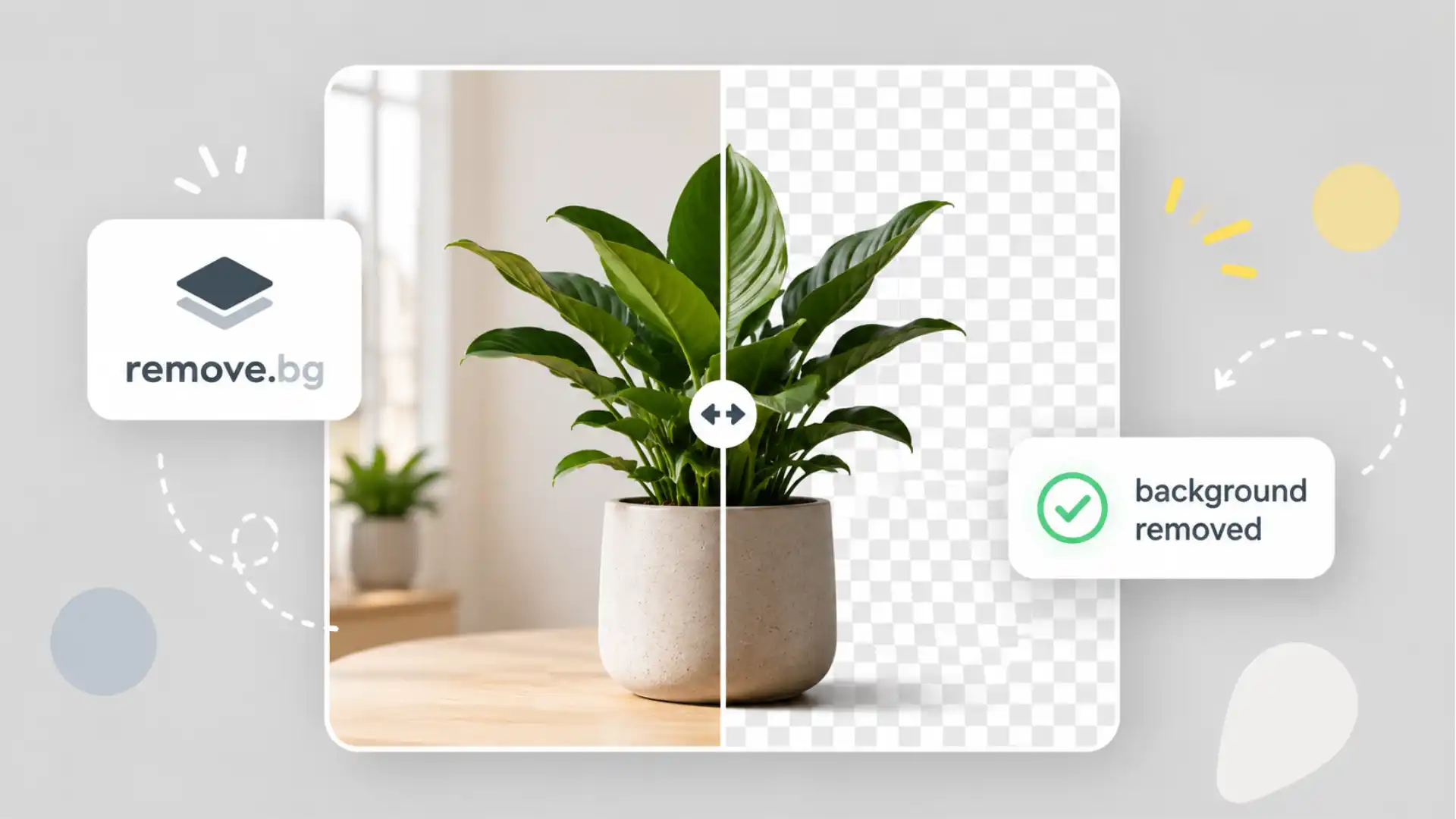
The strange brilliance of remove.bg is that it barely asks you to learn anything. You open the site, drop in an image, and a few seconds later the background is gone. No toolbar archaeology. No careful tracing around hair. No pretending you remember where Photoshop hides the subject selection menu. It feels less like software and more like a trapdoor: one moment your photo is standing inside a room, a street, a messy desk, a bad product setup; the next moment the subject is floating on transparency, ready to be placed somewhere else.
Table of Contents
That is why remove.bg still deserves attention, even after background removal became a default feature inside half the design tools on the internet. It captured a job people hated and reduced it to a single action. That sounds obvious now, but it was not obvious when the web was still full of upload forms that promised “AI editing” and returned a jagged mess around hair, fur, wheels, glass, or clothing folds. Remove.bg was memorable because the result often looked better than the amount of effort it asked from you.
Founded in 2018, remove.bg now sits under Canva Austria GmbH after Canva acquired Kaleido, the team behind the product, in 2021. That corporate history matters less than the product instinct behind it. Remove.bg did not start as a big creative suite. It started as one crisp promise: remove the background from an image. The whole site still bends around that promise. The homepage is not trying to make you become a designer. It is trying to make one ugly little visual chore disappear.
That narrowness is the magic. Remove.bg understands that the internet is full of people who do not want to edit images; they want to finish something. A marketplace seller wants a cleaner product photo. A recruiter wants a headshot on a neutral background. A social media manager wants a quick cutout for a post. A developer wants an API that can process image batches without someone opening a desktop editor. A student wants a sticker-like image for a presentation. The job is small, repetitive, and annoying. Remove.bg treats it with exactly the right amount of seriousness.
The website that wins by doing one thing
The homepage experience is almost comically direct. Upload image. Wait. Download. That is the entire emotional pitch. A weaker product would bury the action under templates, accounts, tutorials, examples, pricing blocks, and “creative possibilities.” Remove.bg keeps the main interaction close to the surface. The product knows that its first impression is not copywriting. Its first impression is whether the cutout looks right.
The result is a site that feels closer to a utility than a brand campaign. You do not need to understand layers, masks, alpha channels, clipping paths, or selection tools. The web app turns a technical editing concept into a household gesture. Upload the image; the machine finds the subject; the background falls away. It is the kind of tool people remember because the name is the instruction.
That name is unusually good. Remove.bg is not poetic, but it is perfect internet naming. It is short, functional, and almost command-like. You can hear someone recommending it out loud: “Just use remove dot bg.” No explanation needed. The domain carries the whole product. In a market full of image tools with soft, invented names, remove.bg won by sounding like a keyboard shortcut.
The one-click promise also makes the site unusually shareable. A tool like this spreads because someone sees the before-and-after instantly. You do not need to persuade a person that background removal is useful. The value appears on the screen. That is why remove.bg belongs in the same mental drawer as tiny web utilities that solve one visible problem with almost no ceremony: PDF compressors, color pickers, file converters, password generators, QR code makers. The best of them feel like public infrastructure, even when they are commercial products.
There is a design lesson here. A good web tool does not always need to become a workspace. Sometimes the browser tab is enough. Remove.bg is strongest when it behaves like a machine on a counter: put something in, get something out. The temptation for any successful utility is to expand until it becomes a platform. Remove.bg has expanded, but the core site still respects the quick visit.
That is harder than it looks. Every product team wants more engagement, but many users want less product. They want fewer decisions, fewer screens, fewer upsells, fewer moments where the interface asks them to become invested. Remove.bg works because the first use is not a relationship. It is a favor.
The old pain was real
To appreciate remove.bg, you have to remember what background removal used to feel like. It was not just a technical task; it was a patience tax. You opened a heavy editor, zoomed into the image, tried a selection tool, corrected the edge, cursed the flyaway hair, refined the mask, previewed it against a different background, found a weird halo, and started cleaning. For designers, that was normal work. For everyone else, it was a small punishment.
The worst part was not the cutting. The worst part was that the task looked simple until you tried it. A person can point at a photo and say, “I only need the person, not the room.” The human eye separates subject from background without effort. Software did not. Old tools wanted you to translate that visual understanding into a careful manual selection. The better you wanted the result to look, the more time you had to spend.
Hair exposed the gap immediately. A clean cutout around a bald product box is one thing; a clean edge around curls is another. Transparent glass, bicycle spokes, lace, shadows, pets, plants, furniture legs, and car mirrors all turn background removal into a test of edge judgment. Even when a tool found most of the subject, the final ten percent could eat the whole afternoon.
Remove.bg arrived at the exact point where machine vision could make that frustration feel outdated. The site did not ask users to admire the technology; it made the old workflow feel absurd. That is a stronger product move than shouting about AI. People believe in automation when it removes a specific annoyance they have actually felt.
The first successful cutout has a small shock to it. You know the task should have taken longer. That mismatch between expected effort and actual effort is the reason the product feels magical. Not because background removal is the deepest use of artificial intelligence, but because the saved effort is so obvious.
This is also why remove.bg aged well. The job has not gone away. People still sell products online. People still make thumbnails, pitch decks, marketplace listings, memes, profile images, ad creatives, classroom materials, stickers, posters, and quick mockups. Visual work has spread far beyond professional design teams. The more people publish images, the more often someone needs the subject separated from the mess behind it.
The best interface is the disappearing one
Remove.bg’s interface works because it does not overexplain itself. The page trusts the user to understand the before-and-after. Once the image is processed, the result is the product tour. You can download the preview, sign in or use credits for higher-resolution needs, try editing options, or move the cutout elsewhere. The path is plain enough for a first-time user and useful enough for repeat work.
The site’s free tier is part of that experience. Remove.bg says low-resolution images up to 0.25 megapixels can be processed on the website for free for personal use. It also offers 50 free previews per month for the desktop app or API, while higher-resolution downloads and commercial use sit behind paid plans or image packages. That split makes sense for the product: quick casual work remains accessible, while heavier professional use pays for throughput and resolution.
This pricing shape also reveals the real customer groups. A one-off user wants the free preview; a store, studio, agency, or developer wants volume. Remove.bg is not only a consumer web trick. It is a production tool hiding behind a simple upload box. Once you have hundreds or thousands of images, background removal stops being a creative task and becomes an operations problem.
The API is where that second identity becomes clear. Remove.bg describes its API as a simple HTTP interface for removing image backgrounds automatically with one API call. The documentation offers code samples, parameter references, and account-based API keys. That means the same cutout engine can sit inside an ecommerce workflow, a media pipeline, a design template generator, a listing tool, or a custom internal system.
This dual nature is one reason remove.bg is interesting as a web product. The public face is tiny, but the use cases behind it are not. A casual user sees a before-and-after. A developer sees a repeatable image operation. A marketplace operator sees cleaner catalogs. A photographer sees a faster way to create client variants. A car dealer sees vehicles separated from inconsistent lots and backgrounds. The same simple action serves very different levels of seriousness.
The product also benefits from a rare kind of obviousness. Nobody needs to be taught why a clean cutout is useful after they see one. Put a product on a white background and it looks more sellable. Put a person on transparency and they fit into a thumbnail. Remove a distracting bedroom wall behind a portrait and the subject looks more intentional. The tool’s value lands visually, not verbally.
Where remove.bg fits
| Use case | Why it works | Where it can strain |
|---|---|---|
| Product listings | Fast clean cutouts for shops and marketplaces | Reflective or transparent objects may need checking |
| Headshots | Quick neutral images for profiles and slides | Hair edges and busy backgrounds can still matter |
| Social posts | Instant sticker-like subjects for layouts | Low-resolution exports may limit polished use |
| Developer workflows | API access turns editing into a batch process | Costs and credit planning matter at scale |
| Casual edits | No editor skills required | Results still depend on the source image |
The useful point in this table is not that remove.bg does everything. It is that the tool sits at the narrow intersection of speed, clarity, and repeatability. When the source image is decent and the job is simple, remove.bg can save more time than a larger editor because it skips the larger editor entirely.
The Canva connection changed the scale
Remove.bg’s story became bigger when Kaleido joined Canva. Canva says Kaleido first introduced Background Remover inside Canva in 2019, and Canva acquired Kaleido in 2021. Canva also says more than 2 billion images and videos have had their background removed in Canva. That number gives the feature a different kind of weight. Background removal is not a niche editing trick anymore. It is one of the basic moves of online design.
The acquisition makes sense because Canva and remove.bg share the same product philosophy at their best. Both take a task that once belonged to trained designers and make it available to people who just need to make something look presentable. Canva did this with layouts, templates, and social graphics. Remove.bg did it with cutouts. The two products meet at the exact spot where visual work became everyday work.
This is why background removal became such a sticky feature inside design platforms. A cutout is not the final design, but it unlocks many designs. Once the subject is separated, it can sit on a colored background, inside a thumbnail, next to text, on a product card, in a carousel, in a marketplace listing, or inside a presentation. Background removal is a gateway action. It turns a photograph into a design asset.
Canva’s scale also explains why remove.bg did not disappear after bigger platforms copied the trick. The standalone site still has a reason to exist because it is faster than entering a full design environment. When you only need the cutout, opening a full canvas can feel like walking through a shopping mall to buy a battery. Remove.bg remains the side door.
Kaleido’s own site says its products, including remove.bg, Unscreen, and Designify, remain the same in branding and functionality after the legal entity name change to Canva Austria GmbH. That continuity matters for users who know remove.bg as its own destination. The product did not need to become “Canva Background Remover Online Free Tool Suite.” Its sharpness comes from staying recognizably itself.
The wider Canva connection also adds a useful signal about product durability. Small web utilities often vanish, get cloned into uglier ad traps, or rot behind broken upload flows. Remove.bg has instead become part of a larger creative infrastructure while keeping the original web shortcut alive. That is not the only path for a useful internet tool, but it is one of the better outcomes.
There is a cultural point here too. The web keeps absorbing specialist skills into little buttons. Cropping, captioning, resizing, translating, generating subtitles, cutting backgrounds, compressing files, transcribing audio: all of these used to require either patience or paid software. Now many of them are browser chores. Remove.bg is one of the clearest examples because the transformation is visual and immediate.
The magic has limits, which is good to know
Remove.bg is impressive, but it is not psychic. The cleaner the source image, the better the cutout usually feels. Strong subject separation, decent lighting, sharp focus, and a background that does not fight the foreground all help. A blurry subject wearing colors similar to the wall behind them gives any background remover a harder job. The tool can feel magical, but it still works from pixels.
Edges remain the place to look. Hair, fur, smoke, shadows, glass, mesh, and fine object details are where automatic cutouts earn or lose trust. The result may look perfect against transparency but reveal a halo when placed on a dark background. A product photo may look clean until you notice that a thin handle, cable, or transparent rim was softened too much. For fast social work, that may not matter. For paid product imagery, it can.
There is also the question of shadows. A perfect cutout is not always the most natural-looking result. Products often need a shadow, reflection, or grounded base to avoid looking pasted into space. Remove.bg focuses on isolating the subject, though related editing options and wider design tools can help rebuild the scene. The user still needs taste. Removing the background is not the same as making the image finished.
The free preview limit is another practical boundary. For quick personal use, low-resolution output is often enough; for print, ads, product pages, or polished brand work, resolution matters. Remove.bg’s own help pages separate free low-resolution website use from paid higher-resolution and commercial options. That is not a flaw, but it is worth knowing before someone builds a workflow around free downloads.
Privacy deserves a plain reading too. Remove.bg says uploaded images are transferred with SSL/TLS encryption, used to remove the background and offer the result for download, and deleted at the latest about one hour after upload; API images are deleted right after processing. That is a stronger answer than many image tools give, but users should still apply common sense. Do not upload material you would not want processed by a third-party service unless the terms and your own risk tolerance fit the situation.
The internet is also crowded with imitators. Because remove.bg is such a clean idea, lookalike domains and background-removal clones are everywhere. Some are legitimate competitors. Others are confusing, low-trust, or built to catch people who misremember the domain. The official site is remove.bg. That detail matters when the workflow involves image uploads, accounts, credits, or billing.
The product thinking is sharper than it looks
Remove.bg is easy to underestimate because the output is so simple. A missing background does not feel like a grand technical achievement once it becomes normal. But the product thinking is strong. It chooses a painful task, gives it a name people can remember, strips away the learning curve, creates instant visual proof, and then extends the same action into APIs, desktop use, integrations, and higher-volume plans.
The most interesting thing is how little explanation the product needs. Many AI tools ask users to write prompts, compare variants, tweak settings, accept randomness, and learn a new mental model. Remove.bg does not ask for that kind of participation. It takes a visual task with a clear right-enough answer and returns a result. The user’s role is mostly to judge whether the cutout is good enough.
That makes it feel calmer than many generative tools. Remove.bg is not trying to invent an image; it is trying to subtract the part you do not want. That distinction matters. Generative AI often creates negotiation: is this the right style, face, object, lighting, composition, mood? Background removal creates inspection: did it keep the subject and remove the background? The success condition is narrower, which makes the tool easier to trust for everyday work.
The best version of remove.bg is almost invisible inside a workflow. A seller uploads product photos and gets cleaner listings. A developer sends images through an endpoint. A social editor creates quick cutouts for a batch of posts. A designer uses it to prepare assets before layout work. The product becomes a verb rather than a destination.
That verb-like quality is rare. People do not say they are using a computer vision segmentation service; they say they are removing the background. Remove.bg got close to owning that action online. Plenty of alternatives now exist, including built-in tools inside Canva, Adobe, mobile photo apps, ecommerce platforms, and operating systems. But remove.bg still has the advantage of being the thing people remember when they need the job done without opening a heavier tool.
There is a lesson for anyone building on the web. A product does not need to sound ambitious to become deeply useful. Remove.bg did not begin by promising to change creativity. It solved one visual irritation better than expected. The ambition appeared later, through scale, integrations, and enterprise use. The entry point stayed small.
The people who should keep it bookmarked
Remove.bg is especially good for people who live between “I am not a designer” and “I still need this to look decent.” That group is enormous. Founders making landing pages, marketers building ads, sellers preparing listings, teachers making slides, creators designing thumbnails, office workers cleaning up profile images, developers automating image flows, and small teams without a full-time designer all fit the pattern.
For ecommerce, the appeal is blunt. Messy product photos damage trust. A clean background will not fix a bad product, but it removes visual noise from the buying decision. Small sellers often photograph items wherever they can: kitchen tables, storage rooms, car seats, sidewalks, warehouse floors. Remove.bg gives them a fast way to turn inconsistent source material into something closer to a catalog asset.
For creators, the tool is useful because cutouts are the grammar of thumbnails and social visuals. A person, object, or pet lifted from its original background becomes a movable piece. You can make it larger, place it beside text, add a colored field behind it, create a reaction image, or build a simple composite. The cutout is not the joke or the message, but it gives the layout a subject.
For teams, the API is the more serious discovery. Once background removal becomes repeatable through software, it stops being a manual design queue. A company with thousands of images does not want an intern dragging files into a web app all afternoon. It wants the operation inside an upload flow, catalog system, creative generator, or internal dashboard. Remove.bg’s API documentation is part of the product’s real power.
For photographers and visual editors, remove.bg is not a full replacement for careful masking. It is a fast first pass, a shortcut, and sometimes the whole job. Professionals will still care about edge quality, color spill, shadows, resolution, and art direction. But even a serious editor can appreciate a tool that turns the boring part into a draft.
For casual users, the site is simply fun. There is pleasure in watching an image become portable. A dog becomes a sticker. A chair becomes a product shot. A person becomes a profile asset. A meal becomes a menu item. The ordinary photograph loses its clutter and becomes usable in a different context. That little act of extraction is satisfying because it changes what the image is for.
Small answers before opening it
The official help page says low-resolution images up to 0.25 megapixels can be processed on the website for free for personal use, with 50 free previews per month available for the desktop app or API. Higher-resolution images and commercial use require paid options.
No. Remove.bg offers the website experience, API access, integrations, desktop options, and related tools. The browser upload is the fastest way to understand the product, but the API is the more serious route for repeat workflows.
Yes. Remove.bg was built by Kaleido, and Canva acquired Kaleido in 2021. The product now operates as a Canva Austria GmbH brand while still keeping the remove.bg identity.
Remove.bg says website uploads and results are deleted at the latest about one hour after upload, while API images are deleted right after the call is processed. That is the official claim, and privacy-sensitive users should still review the policy before uploading sensitive material.
No. Automatic cutouts can struggle with blurry photos, low contrast, hair, fur, transparent objects, complex edges, and shadows. But the tool is often good enough so quickly that the tradeoff feels more than fair.
Why it is still worth opening
Remove.bg is worth opening because it gives a small, visible win almost immediately. The site has the confidence of a tool that does not need to explain itself. That confidence is rare. Many products ask for your attention before they prove they deserve it. Remove.bg proves itself with the processed image.
The site also represents one of the better instincts in consumer AI: do not make the user perform intelligence for the machine. The user should not have to write a careful prompt for a simple cutout. They should not have to choose between models, tune sliders, or understand segmentation. They should be able to upload the image and judge the output. Remove.bg respects that.
Its staying power comes from matching the task size. Background removal is too small to justify a complicated workflow and too common to ignore. That is the sweet spot for a great web utility. The task is annoying enough that people search for a fix, visible enough that the fix feels satisfying, and repeatable enough that businesses eventually want an API.
There is also something refreshingly old-web about it. Remove.bg is a website you visit because you need a thing done. No feed. No social graph. No performance of community. No grand dashboard required for the first try. Just an upload box and a result. The modern web often forgets how pleasant that can be.
The tool is not the whole future of image editing, and it does not need to be. Its achievement is smaller and more durable: it made one formerly fussy edit feel normal. Once that happens, there is no going back. Nobody wants to spend twenty minutes cutting out a subject when a website can do a usable version in seconds.
That is the kind of internet magic that ages well. Not the magic of surprise for its own sake, but the magic of saved effort. Remove.bg takes a tiny recurring frustration and removes it so cleanly that the old way starts to feel unreasonable. For a web tool, that is about as strong as a recommendation gets.
Author:
Jan Bielik
CEO & Founder of Webiano Digital & Marketing Agency
This article is an original analysis supported by the sources cited below
remove.bg
Official website for the background removal tool, used to understand the core product experience and public positioning.
About remove.bg
Official company page stating that remove.bg was founded in 2018, is part of Canva, and serves individuals, small businesses, developers, photographers, and enterprise users.
Remove Background automatically with 1 API call
Official API documentation page describing remove.bg’s HTTP API, API keys, code samples, and free monthly API calls.
Is remove.bg free?
Official help article explaining free low-resolution website use, 50 free previews per month, and paid options for higher-resolution and commercial work.
Is remove.bg safe?
Official help article describing image transfer, confidentiality, deletion timing, and privacy/security resources.
Unveiling the new Canva Developers Platform
Canva Newsroom article mentioning Kaleido’s Background Remover integration in Canva, the 2021 acquisition, and the large-scale use of background removal inside Canva.
Kaleido
Official Kaleido information page explaining the legal entity name change to Canva Austria GmbH and stating that remove.bg, Unscreen, and Designify remain available under their existing brands and functionality.
| Citing this article? Brief excerpts are welcome. Please credit Webiano.digital, name the author where stated, and include a link to https://webiano.digital and to this original article. Full or substantial republication requires prior written permission. Read our Copyright and Content Use Policy. |
This article was prepared with the assistance of artificial intelligence tools. The content underwent expert human review, and Webiano Digital & Marketing Agency assumes editorial responsibility for its final version and publication.