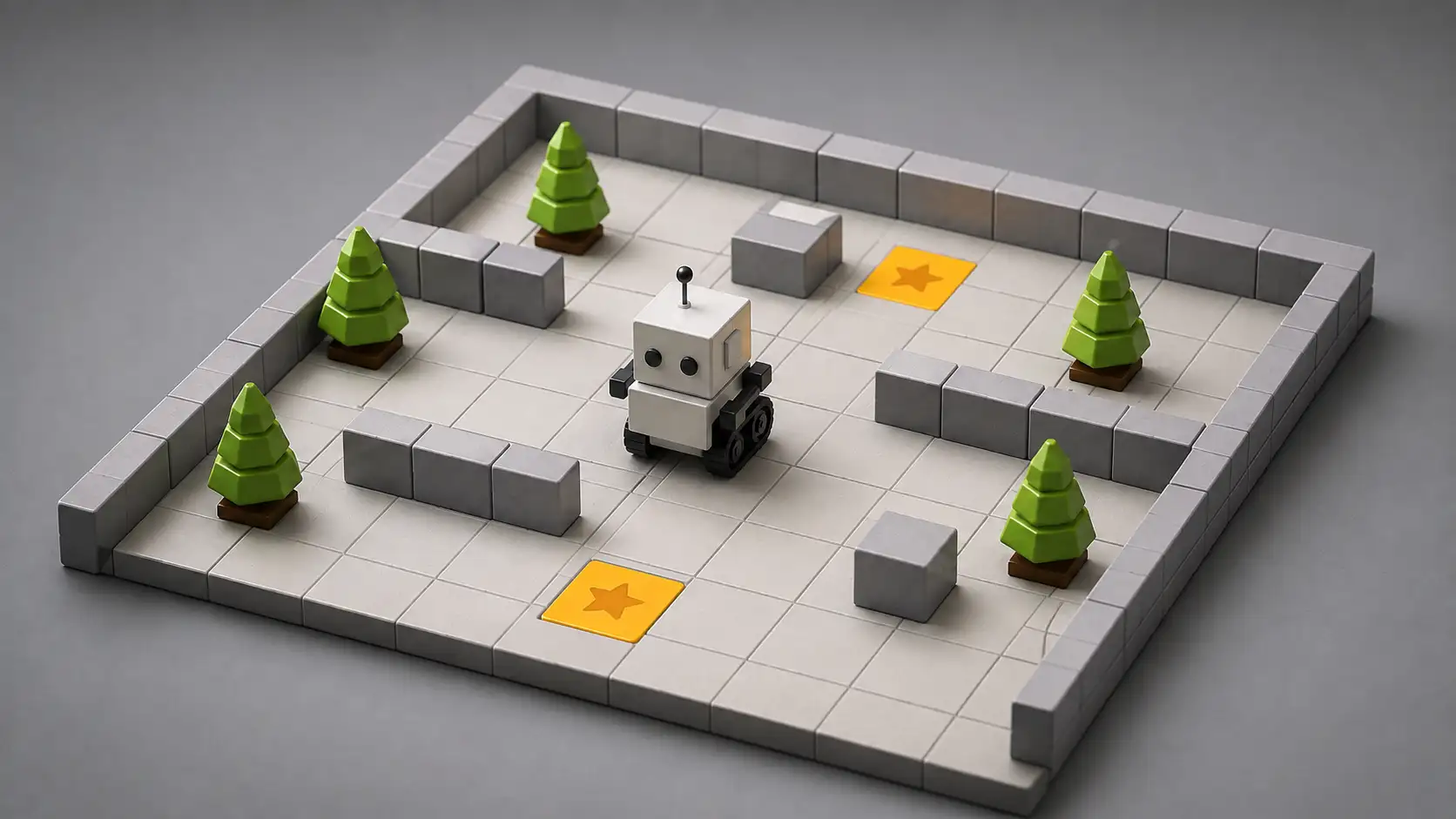
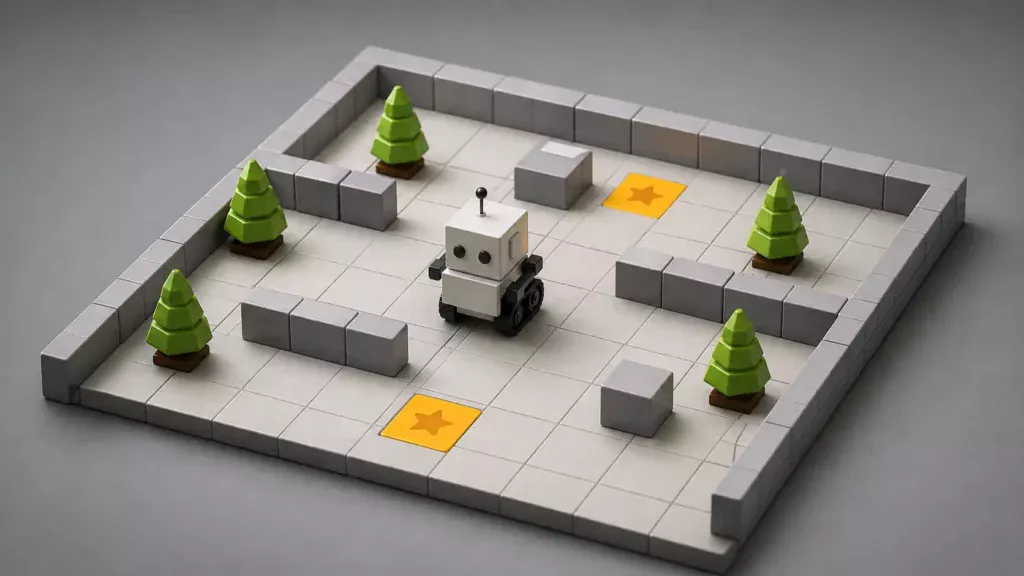
Robot Karel feels almost comically small at first. A robot stands inside a square grid. It can move forward. It can turn. It can place small objects. It can check whether a wall blocks its path. That is more or less the universe. No cloud accounts need to be praised. No artificial intelligence has to be invoked. No productivity promise hangs over the interface. You write a little program, run it, and watch a robot obey your instructions with brutal literalness.
Table of Contents
The strange pleasure of a robot that only understands a few things
That smallness is the point. Robot Karel belongs to an older and still useful idea in programming education: beginners should not meet code first as a mess of frameworks, packages, terminals, and invisible state. They should meet it as a creature in a room. When the creature moves, the program has worked. When it crashes into a wall or fails to collect the right object, the bug is no longer an abstraction. It is right there, on the grid.
The version at robotkarel.sk is especially interesting because it keeps that old idea alive as a web-native teaching space. The site says visitors can try programming tasks for Robot Karel as he moves through a square grid and places coloured bricks. It lists the core teaching pieces: basic commands, conditions, loops, conditional loops, custom commands, recursion, 2D and 3D modes, coloured bricks, random colours, and a slow-run mode for stepping through mistakes.
That list tells you almost everything about the taste of the project. It is not trying to be a glossy children’s coding toy with confetti. It is not trying to impersonate a professional IDE. It sits in a nicer middle space: visual enough to be grasped, textual enough to feel like real programming, constrained enough that a learner can hold the whole system in their head.
Karel is old enough to feel new again. The concept goes back to Richard E. Pattis and his 1981 book Karel the Robot: A Gentle Introduction to the Art of Programming. The robot’s name points to Karel Čapek, the Czech writer whose play R.U.R. gave the word “robot” to the wider world. The robotkarel.sk page also notes that Karel programming was once popular in Czechoslovakia, including on PMD computers from 1986 and later PC versions.
That history matters because Karel is not nostalgia for nostalgia’s sake. Plenty of old educational software is charming but dead. Karel survives because the original teaching trick is still sharp: reduce the world until every error has a visible consequence. Make programming tactile without needing hardware. Let the learner see control flow as movement through space.
Open Robot Karel and you are not greeted by the usual beginner-programming anxiety. There is no immediate demand to understand what a runtime is. There is no giant syllabus. There is no black terminal waiting like a courtroom. The robot is a little actor. The grid is a stage. The program is a script. That metaphor is simple, but it does real work.
The web is full of tools that promise to teach coding by making it easier. Karel does something more specific: it makes code accountable. If you write a loop that never ends, the robot does not politely pretend the idea was almost right. If you turn the wrong way, the screen exposes it. If you forgot to handle a wall, Karel is stuck because your thinking was incomplete.
That immediate visible consequence is why the project belongs in Web Radar. It is not merely an educational site. It is a reminder that some of the strongest interfaces on the web are small, opinionated worlds. They do not need endless features. They need the right boundary.
A teaching idea that has aged better than most coding trends
Karel’s original genius was to separate programming from professional programming culture. Beginners often get thrown into a language and are expected to learn syntax, editor habits, runtime errors, file structures, naming conventions, and problem-solving at the same time. Karel trims that pile down. The learner starts with commands that map cleanly to visible action.
That is why the robot still feels kind instead of childish. A childish tool hides the real subject. A kind tool narrows the room so the subject can be faced. Karel does not pretend programming is just dragging colourful shapes or pressing “next.” The user still has to express a plan, test it, read failure, revise it, and understand sequence.
The Stanford Karel material makes the same point with unusual bluntness. It describes programming as a learn-by-doing activity and says that reading about a concept is not the same as using it in a program. It also argues that anyone who wants to understand programming, even in Karel’s simple environment, needs to get hands-on with the computer.
That philosophy is visible in Robot Karel’s feature choices. Slow execution is not a flashy feature, but it is one of the most useful teaching features a programming environment can have. A beginner rarely fails because they know nothing. They fail because they cannot yet watch their own reasoning unfold. Step-by-step running gives them a way to see the program as a sequence of decisions rather than a lump of text.
The site’s use of bricks, marks, coloured bricks, and random colours also matters. These are not decorative toys. They give tasks state. They let a teacher or learner create problems where the robot has to respond to what is in the world, not just march through a fixed route. Once a beginner writes “move, move, turn,” the next leap is conditional thinking: move only if the path is free, place something if a condition is true, repeat until the world changes.
This is where Karel becomes a surprisingly honest model of programming. Most real code is not a magic spell. It is a set of instructions operating against state, constraints, and feedback. Karel makes those things visible. The grid is the state. Walls are constraints. The robot’s success or failure is feedback.
The language can stay tiny because the problems can grow. That is the trick. A small command set does not mean a small learning space. Once you combine sequence, condition, repetition, custom commands, and recursion, the grid starts to produce puzzles that feel much larger than the vocabulary. The student stops memorising commands and starts designing behaviour.
Robot Karel also avoids a common failure of beginner tools: pretending that syntax does not matter at all. Syntax is not the soul of programming, but it is part of the discipline. A learner has to care whether an instruction is placed in the right block. They have to discover that the computer is literal in a way humans are not. Karel makes that literalness feel fair because the commands are understandable.
The oldest educational software often had this clarity because it had no choice. Limited machines forced designers to make teaching systems that were small, legible, and direct. Modern web tools are not forced into that discipline, which is why many of them bury the first lesson under account creation, mascots, badges, dashboards, and menus. Robot Karel’s charm is partly that it keeps the old constraint as a design virtue.
There is also a quiet regional layer here. Karel has a particular resonance in Czech and Slovak computing culture because of the name, the Čapek connection, and the history of school computers. Robotkarel.sk does not present Karel as an imported museum piece. It treats him as a living classroom object. The author line names Jaroslav Výbošťok, a computer science teacher, as the author of the site.
That teacher-made feeling is part of the appeal. Some web projects feel polished and hollow. This one feels built around classroom friction: students need tasks, teachers need exercises, mistakes need to be visible, and syntax needs a cheat sheet. It has the personality of a tool made by someone who has watched beginners get stuck in specific ways.
Why the grid still works
A square grid is one of the best interfaces ever invented for explaining computation. It turns abstract operations into spatial choices. Forward means forward. Left means left. A wall is a wall. A placed brick changes the world. A repeated action visibly repeats. A condition can be tested because the screen gives the learner something to inspect.
That sounds basic until you compare it with a first encounter with a mainstream language. A beginner writing JavaScript, Python, or Java may run a program and get output in a console, but the result can feel detached from the code. The screen prints a number or an error. The learner has to imagine the process. In Karel, process has a body.
The body is small, but it carries a heavy teaching load. Karel’s position, direction, and surroundings become the learner’s mental model. When a program fails, the student can ask practical questions: Where is the robot facing? Is the path blocked? Did it place the brick before or after turning? Did the loop stop too early? These are debugging questions disguised as movement questions.
That disguise is powerful. Debugging is often taught as a technical skill, but at the beginner stage it is really a habit of attention. The student learns to stop blaming the computer and inspect the instructions. The robot does not have moods. It does what the code says. That can be annoying, but it is also liberating.
Robotkarel.sk’s slow-start or step mode speaks directly to that habit. The page presents slow execution as a way to step through and find mistakes. That is the difference between seeing that a program is wrong and seeing where it becomes wrong. For beginners, that difference is enormous.
The grid also makes abstraction feel earned. A student can first write a few raw commands. Then they notice a repeated pattern. Then they give the pattern a name as a custom command. The concept of a function stops being an alien term and becomes a shortcut for a movement they already understand. The same thing can happen with loops and recursion. The learner reaches the abstraction because the concrete task has become annoying without it.
This is why Karel does not need to imitate a real robot too closely. A physical robot brings motors, sensors, batteries, surfaces, calibration, and expensive failure. Those things are wonderful later, but they can swamp the first lesson. Karel’s fake robot is more useful precisely because it is clean. It has enough physicality to be understood and enough artificiality to stay teachable.
There is a subtle design discipline in limiting the robot’s intelligence. Karel cannot solve the puzzle for the student. Karel cannot infer intent. Karel cannot gently rewrite the code. The learner must become precise. In an age where tools increasingly autocomplete thought, that precision feels almost radical.
The best beginner environments do not remove difficulty. They choose the right difficulty. Karel removes accidental difficulty: installation pain, complex libraries, unclear output, intimidating syntax surfaces. It keeps meaningful difficulty: sequencing, logic, decomposition, condition checking, and patience.
That distinction is why the project is more than a curiosity. Many people who bounced off programming were not defeated by programming itself. They were defeated by the first interface they met. Karel offers a softer door without lying about what is inside.
What stands out when you open Robot Karel
| Feature | Why it matters |
|---|---|
| Square-grid robot world | Turns code into visible movement instead of invisible execution |
| Basic commands | Gives beginners a small vocabulary they can actually remember |
| Conditions and loops | Introduces control flow through obstacles, repetition, and changing state |
| Custom commands | Lets learners discover functions through repeated movement patterns |
| 2D and 3D modes | Makes the same logic readable in different visual styles |
| Slow execution | Helps students find the exact moment their reasoning breaks |
| Coloured bricks and marks | Gives exercises richer state without making the interface messy |
The table also shows the project’s restraint. Robot Karel is not impressive because each feature is rare. It is impressive because the features belong together. Every piece supports the same teaching loop: write, run, watch, notice, repair.
A web tool with classroom fingerprints
Robot Karel does not hide the fact that it is made for teaching. The site offers a free version called Karel Free and says users can request access, a syntax cheat sheet, and a collection of exercises through the contact form. That detail gives the project a different texture from a public coding game chasing casual traffic. It feels closer to a working classroom instrument.
That matters because programming education is full of tools aimed at everyone and no one. A tool built for a teacher’s real workflow has to answer less glamorous questions. Can a student understand the task quickly? Can they recover from mistakes? Can the teacher give exercises without spending the whole lesson explaining the interface? Can the environment reveal the student’s thinking?
Robot Karel’s answer seems to be visual feedback plus a small language. The learner is not buried under choices. They are asked to form a plan. That plan must survive contact with the grid. A teacher can point to the screen and say, “Look, this is where your loop keeps going,” or “You turned before checking the wall.” The conversation becomes concrete.
A good classroom tool also needs friction in the right places. Too little friction and the learner only performs the interface. Too much friction and the learner gives up before the concept arrives. Karel’s friction is mostly conceptual. The robot will not move through walls. The loop will not magically stop. The custom command will not define itself. These are productive frustrations.
There is a reason so many Karel descendants exist. Search around the web and you find online simulators, Java-based versions, mobile interpretations, 3D games, and old SourceForge projects. The concept is simple enough to be reimplemented again and again, but durable enough that each implementation has to make real choices. Some aim at classroom programming. Some turn Karel into a game. Some preserve older syntax. Some translate the idea into modern web tooling.
Karelrobot.com, for example, frames Karel as a coding game using Java and says its demo contains seven introduction levels for absolute beginners. It also presents itself as a modern 3D adaptation of Stanford’s Karel environment. That version leans into game progression and visual modernisation. Robotkarel.sk feels more like a direct educational environment, with explicit syntax topics and classroom materials.
Another online tool at karel.kubiq.sk shows the opposite flavour: a hands-on browser workspace with editor shortcuts, world zoom, remote control, a scenario log, play and pause, and saved code/world data in cookies after running. It also explains that its Karel-like language is evaluated as JavaScript with replacements rather than as a real C compiler. That is a wonderfully web-ish implementation detail: imperfect, practical, and honest.
Karel1981.com takes a more archival and mobile-adjacent approach. Its landing page cites the familiar origin story, naming Richard E. Pattis, Stanford, and Karel Čapek, and points to iOS and Android versions. The site is sparse, but its existence reinforces the same point: Karel is not one product. It is a small programming myth that keeps being rebuilt.
Robotkarel.sk stands out because it combines that myth with a local teaching voice. The Slovak page is not trying to dominate search results or become the universal Karel. It is serving a specific educational community while remaining legible to anyone curious enough to translate the page or poke around. That is exactly the kind of web project that disappears in plain sight.
The web used to be full of these teaching corners. A teacher, developer, hobbyist, or small team would build a tool because a classroom needed it, a local language needed it, or an old idea deserved a browser version. Those projects rarely had the polish of a funded education platform, but they often had sharper pedagogical instincts. They knew the problem because they lived near it.
Robot Karel has that closeness. It cares about syntax sheets, exercises, modes, stepping, coloured bricks, and the path from commands to recursion. It does not waste much space proving that programming matters. It assumes the learner is there to try.
The hidden internet value of small educational worlds
A project like Robot Karel is easy to underestimate because it does not look like the future. It is not a giant platform. It does not sell itself with social proof. It does not pretend every child will become a software engineer after completing a path. Its value is quieter: it keeps a strong learning pattern available on the open web.
That is rarer than it should be. The web is packed with educational content, but much of it is passive. Videos explain. Articles describe. Courses package. Karel asks the learner to act. The act is small, yet the loop is complete: instruction, execution, observation, correction. That loop is where programming becomes real.
The site also preserves a kind of humane difficulty. Modern software often tries to prevent users from feeling lost. Karel permits the learner to be lost inside a bounded room. That is different. A bounded room lets confusion become curiosity. The learner can test a hunch quickly. They can make a mess and reset. They can build a habit of tracing consequences.
There is a lesson here for product design beyond programming education. The strongest beginner tools often do less, not because they lack ambition, but because they know what a first mental model should contain. Karel’s world contains only the parts needed for a beginner to understand control. The product does not ask for attention; it gives attention somewhere to land.
This is also why the robot metaphor still beats many newer visual metaphors. Blocks, nodes, cards, and flowcharts can all teach something, but a robot in a grid gives the learner a protagonist. The code controls a body. That body faces a direction, occupies a position, and encounters objects. Human beings are good at reasoning about bodies in space. Karel borrows that ability.
The physical metaphor also makes failure less humiliating. A syntax error in a terminal can feel like a scolding. A robot facing the wrong way can feel like a puzzle. The student is still wrong, but the wrongness is visible and repairable. That emotional difference is not soft. It changes whether a beginner stays in the task.
Karel’s slowness is part of its intelligence. Many coding tools celebrate speed: instant deployment, instant answers, instant generation. Robot Karel benefits from being watchable. The learner sees the sequence happen in time. The program is not just a result; it is behaviour. For programming beginners, behaviour is the missing bridge.
That bridge becomes especially useful when introducing loops. A loop in text can seem mystical: the program goes back, repeats, exits under a condition. On the grid, the loop becomes footsteps. The robot moves until something changes. The learner sees repetition not as syntax but as rhythm. Once they understand the rhythm, the syntax has somewhere to attach.
Custom commands work the same way. In a mainstream language, a function can feel like bureaucracy: write a name, add brackets, pass something, call it later. In Karel, a custom command is a named habit. Turn right. Climb a stair. Clear a row. Return home. The learner names a chunk of behaviour because the task asks for it. Abstraction arrives as relief.
Recursion is the boldest topic on the robotkarel.sk list. Recursion can become a swamp even for learners who understand loops. In a grid world, it can be introduced through repeated spatial structures: keep solving the smaller version of the same movement problem until the world says stop. That does not make recursion trivial, but it gives it a body.
Coloured bricks and random colours suggest another clever layer. They allow tasks where the world is not entirely predictable. The student has to write logic that responds rather than memorises. That is a step toward real programming: code should not only perform a rehearsed dance; it should handle conditions.
The 2D and 3D modes are also more than visual preference. Some learners read top-down grids cleanly. Others connect faster with a scene that has depth. Switching representation can make the same logic feel different without changing the underlying problem. That is a useful teaching move: keep the concept stable while changing the view.
A small educational world becomes memorable when its rules are few enough to become second nature. Karel’s rules are not realistic, but they are stable. The learner stops wondering what the robot can do and starts wondering what they can express with it. That shift is where the pleasure begins.
Why this is worth opening now
Robot Karel is worth opening because it resists the current internet’s worst habit: hiding simple things behind too much interface. The project’s center is still the task. A robot needs instructions. The learner writes them. The world answers. For anyone who likes educational design, old-school computing, programming pedagogy, or small web tools with a real purpose, that is enough.
It is also worth opening because Karel shows how durable a good teaching abstraction can be. The idea has survived from a 1981 educational language through Stanford materials, Central European school memories, browser simulators, mobile apps, and 3D reinterpretations. Each version changes the surface, but the core remains almost stubbornly intact.
That stubbornness is not a weakness. The robot moves through a grid because that is still one of the cleanest ways to explain sequence, state, condition, repetition, decomposition, and debugging. Newer teaching systems may look smoother. Few are clearer.
Robotkarel.sk is especially appealing for readers who enjoy the web as a place of cultural continuity. The Čapek connection gives the robot a literary root. The Czechoslovak computing history gives it local memory. The modern browser version gives it present-day use. Those layers sit together without fuss.
The site also offers a small critique of how coding is often sold. Programming does not need to begin with career anxiety, productivity theatre, or a heroic promise about the future. It can begin with a robot, a wall, a brick, and a command that either works or does not. That is a cleaner invitation.
For teachers, the practical draw is obvious. Karel gives students a place to make mistakes that are visible and discussable. It supports the concepts that matter early, from basic movement to recursion, without requiring a professional environment. It gives the teacher a shared object on the screen rather than an invisible process inside each student’s head.
For self-learners, the draw is different. Robot Karel offers a way to test whether programming thinking feels interesting before the overhead of a full language arrives. A person who enjoys making Karel solve a grid problem may have the patience for code. A person who hates it has still learned something honest about the kind of thinking programming asks for.
For designers, the site is a study in constraint. It shows that a tool does not need a large surface area to teach a large idea. It needs a world with consistent rules, tight feedback, and tasks that grow just past the learner’s comfort. That is harder to design than it looks.
For internet culture people, Robot Karel has another appeal: it is a web artifact with memory. It connects a Czech literary origin, a Stanford teaching language, Czechoslovak classroom computing, and today’s browser-based experimentation. The result feels like a small tunnel through computing history, not a frozen archive.
There are limits. Robot Karel will not teach the full mess of software development. It will not teach version control, APIs, databases, deployment, typing discipline, package management, or collaborative code review. It is not supposed to. Its job is earlier and narrower: build the mental reflex that a program is a set of exact instructions acting on a world.
That narrowness makes it better. The internet has enough bloated “learn to code” promises. Robot Karel offers something humbler and more durable. It gives the learner a robot and asks them to think clearly.
The best web finds often have this quality. They are not huge. They are not trying to replace everything. They preserve one good idea with enough care that it still works when you stumble across it decades after it was born. Robot Karel is one of those finds.
Useful answers before opening it
Robot Karel is a beginner-friendly programming environment built around a robot moving through a square grid. The learner writes commands that make the robot move, turn, place objects, and respond to conditions in the world.
No. It is simple enough for younger learners, but the underlying ideas are serious. Sequence, loops, conditions, custom commands, debugging, and recursion are not children’s concepts. Karel just gives them a small stage.
The grid makes program behavior visible. A learner can see where the robot is, which direction it faces, whether a wall blocks it, and how the world changes after each command.
It feels like a living teaching project rather than only an archive or game remake. The site describes 2D and 3D modes, coloured bricks, random colours, slow execution for finding errors, and a free version with syntax and exercise materials available through contact.
No. Karel is built for the beginning of the learning path. The whole premise is that a learner can start with a few commands and grow into more complex thinking through visible tasks.
No. Karel prepares the mind for programming. It gives beginners a way to understand logic and control before they meet the larger machinery of a mainstream language.
Because programming is not only typing code. It is understanding instructions, state, conditions, and failure. A tool like Karel trains the part of the mind that checks whether an instruction actually matches the world.
Author:
Jan Bielik
CEO & Founder of Webiano Digital & Marketing Agency
This article is an original analysis supported by the sources cited below
Robot Karel
Official page describing the Slovak Robot Karel project, its programming concepts, 2D and 3D modes, coloured bricks, slow execution, free version, author, and historical framing.
Karel Robot
Official site for a modern 3D Karel-inspired coding game using Java, useful for comparing how the Karel idea is being reworked as a game-like learning experience.
Robot Karel by Kubiq
Online Karel workspace with editor controls, world zoom, remote control, scenario logging, play and pause, world data handling, and a practical browser-based implementation note.
Robot Karel 1981
Sparse project page connecting Karel to Richard E. Pattis, Stanford, Karel Čapek, and mobile versions of RobotKarel.
Karel the Robot Stanford documentation
Stanford course material explaining Karel as a hands-on introduction to programming and showing how simple robot commands become executable beginner programs.
| Citing this article? Brief excerpts are welcome. Please credit Webiano.digital, name the author where stated, and include a link to https://webiano.digital and to this original article. Full or substantial republication requires prior written permission. Read our Copyright and Content Use Policy. |
This article was prepared with the assistance of artificial intelligence tools. The content underwent expert human review, and Webiano Digital & Marketing Agency assumes editorial responsibility for its final version and publication.