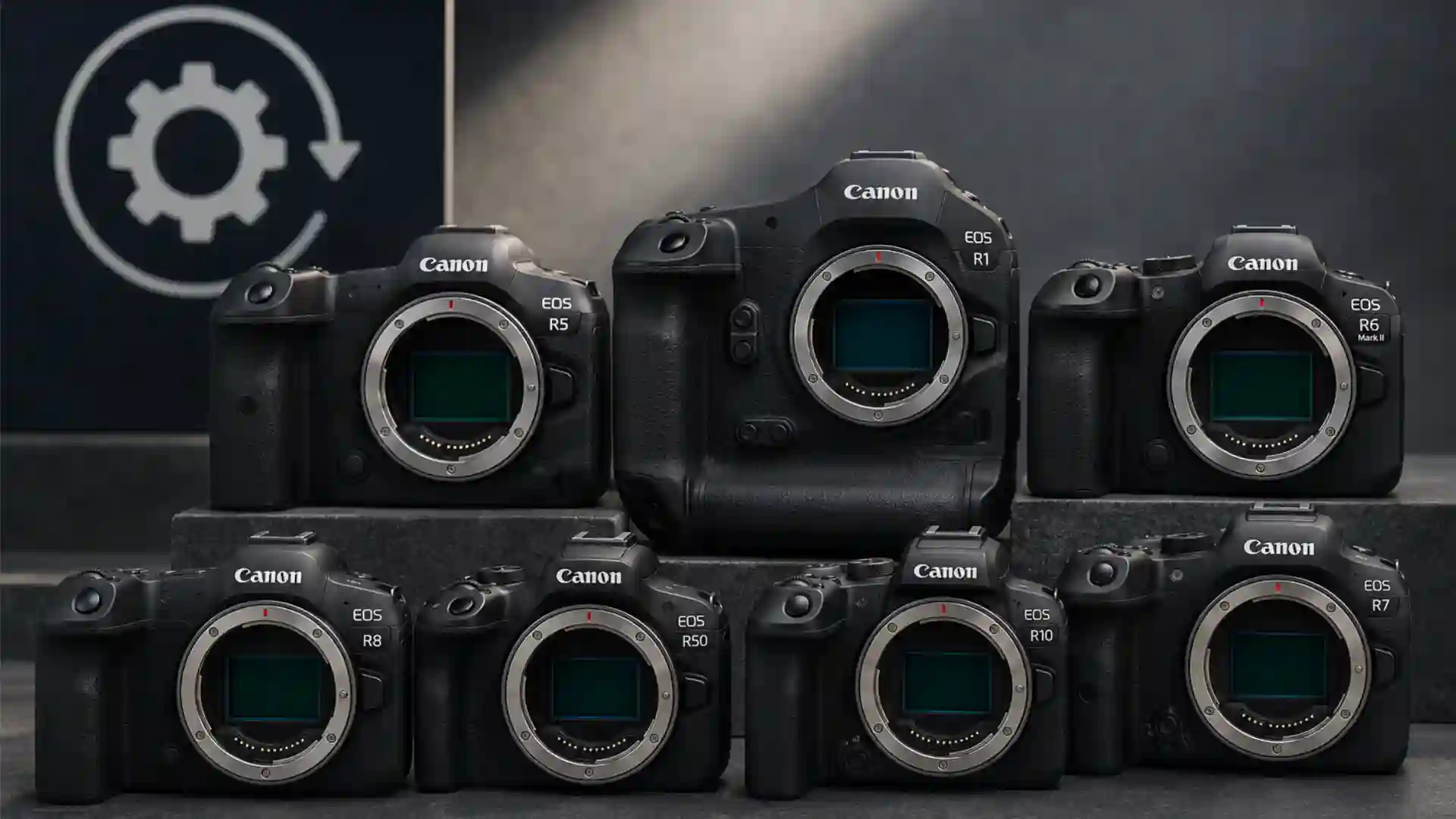
Canon’s May 2026 firmware release looks routine at first glance: seven EOS R-series mirrorless cameras receive new software, with bug fixes, stability work, USB recognition fixes, Wi-Fi control additions and developer support spread across the line. The real story sits higher up the range. The EOS R1 and EOS R5 Mark II receive the kind of firmware that changes professional handling, not just background reliability, with Action Priority expanded to American football, better person-priority tracking, video display improvements, FTP transfer options, AF setting portability and several field-workflow changes.
Table of Contents
Digital Camera World reported the firmware rollout on May 15, 2026, listing updates for the EOS R3, EOS R10, EOS R6 Mark II, EOS R8, EOS R100, EOS R5 Mark II and EOS R1. The same report identifies the EOS R1 and EOS R5 Mark II as the two models receiving the most substantial upgrades, while the smaller updates focus mainly on stability, connectivity and compatibility. Canon’s own regional support notes also show the firmware versions and changelogs for models including the EOS R1 version 1.3.0, EOS R5 Mark II version 1.3.0, EOS R3 version 2.1.0 and EOS R6 Mark II version 1.7.0.
Canon’s firmware release is a product strategy signal
Canon’s new firmware set is best read as a system-level update rather than a scattered maintenance release. Seven EOS R-series cameras are included, but the work is uneven by design. Entry and mid-range bodies receive stability, SDK, USB and connection fixes. The flagship bodies receive deeper shooting tools. Canon is protecting the value of its professional cameras by extending capability after launch, especially in areas where sports, news, agency, wedding and hybrid video users feel small workflow gains every day.
The updated camera list is clear: EOS R3 version 2.1.0, EOS R10 version 1.8.0, EOS R6 Mark II version 1.7.0, EOS R8 version 1.6.0, EOS R100 version 1.3.0, EOS R5 Mark II version 1.3.0 and EOS R1 version 1.3.0. Related Canon community notices also point to a wider May 2026 firmware wave that includes the EOS R50 V and PowerShot V1, though the seven-camera mirrorless story focuses on EOS R-series bodies.
The timing matters. The EOS R1 is Canon’s top professional mirrorless body, built for sports, agencies and demanding field work. The EOS R5 Mark II sits in the high-resolution hybrid tier where stills, video, commercial shooting and creator work overlap. Firmware version 1.3.0 for both cameras does not only fix errors. It adds shooting features and interface controls that answer real production complaints: how to identify athletes in helmets, how to keep AF behavior consistent across multiple camera bodies, how to move files more reliably under pressure, how to monitor exposure in video, and how to make a camera behave predictably in multi-screen or remote setups.
Firmware has become part of the professional camera lifecycle. A flagship body is no longer judged only by launch-day specifications. Buyers now ask whether the manufacturer continues to refine autofocus, video tools, remote operation, transfer reliability and third-party integration. Canon’s release says that the EOS R platform is still being actively shaped after purchase.
The seven updated cameras and their practical meaning
Canon’s rollout covers cameras with very different audiences. The EOS R1 and EOS R5 Mark II sit at the top. The EOS R3 remains a professional sports and news body. The EOS R6 Mark II is a widely used enthusiast and professional hybrid camera. The EOS R8 and EOS R100 serve lighter full-frame and entry-level needs. The EOS R10 remains a compact APS-C camera used by enthusiasts, travel shooters and creators.
Firmware versions in the May 2026 EOS R rollout
| Camera | Firmware version | Main practical focus |
|---|---|---|
| Canon EOS R1 | 1.3.0 | Action Priority, tracking, video displays, FTP, AF settings, stability |
| Canon EOS R5 Mark II | 1.3.0 | Action Priority, DPRAW, video tools, FTP, AF settings, stability |
| Canon EOS R3 | 2.1.0 | Wi-Fi band selection, EOS Multi Remote control, SFTP fix |
| Canon EOS R6 Mark II | 1.7.0 | Wi-Fi band selection, CCAPI support, FTP/SFTP and USB fixes |
| Canon EOS R10 | 1.8.0 | EDSDK support, Bluetooth and USB fixes, stability |
| Canon EOS R8 | 1.6.0 | Operational stability and smartphone USB recognition fix |
| Canon EOS R100 | 1.3.0 | EDSDK support and stability |
This table compresses the release into its operational meaning. The top cameras gain new professional behavior; the lower-tier bodies mainly become more reliable and easier to integrate. That distinction is central to understanding the release.
Action Priority gains American football support
The headline feature for the EOS R1 and EOS R5 Mark II is the addition of American Football to Canon’s Action Priority mode. Canon says the mode is intended to improve human subject detection for players wearing helmets and shoulder pads. Digital Camera World describes this as the first major update to Canon’s Action Priority mode.
That may sound narrow, but it is a serious professional addition. Football is hard for autofocus systems because faces are partly hidden, athletes collide, players overlap, helmets reduce facial cues, and shoulder pads create body shapes that differ from ordinary human detection data. The camera must decide which person matters, maintain focus through motion, and avoid being distracted by nearby bodies, officials, crowds, advertising boards and equipment.
American football is a stress test for subject-recognition autofocus. If the system can better understand helmeted athletes in chaotic formations, that logic may strengthen Canon’s broader sports-AF direction. Canon has not said that this update improves every sport equally, so it should not be oversold. The confirmed change is specific: Action Priority now includes American football on the EOS R1 and EOS R5 Mark II.
For working photographers, the value is not theoretical. A sports photographer does not need every frame to be perfect; they need more keepers from peak moments. The difference between a clean frame and a missed one may be a receiver’s eyes through a helmet bar, a quarterback’s upper body behind a lineman, or a running back emerging from traffic. A mode trained or tuned for those visual patterns has practical value if it reduces the camera’s tendency to jump to the wrong player.
Better person-priority tracking matters beyond sports
Canon’s update also improves tracking and detection performance for Register People Priority on the EOS R1 and EOS R5 Mark II. The changelog describes improvement in difficult conditions, including profile views, blurred or partly hidden faces, small subjects in the frame and children. It also notes that the improvement applies even when the feature is set to Off.
This is one of the more interesting lines in the release. Register People Priority is a professional feature because it lets photographers teach the camera which people deserve priority. It matters at weddings, press conferences, sports events, ceremonies, red carpets, political events, schools, live performances and corporate coverage. The improved detection scenarios are exactly the situations where real assignments become messy.
A face is rarely presented to the camera like a product demo. People turn sideways. Children move unpredictably. Subjects are blocked by microphones, hair, helmets, veils, glasses, other people or foreground objects. A person may occupy a small part of the frame during a wide establishing shot. If Canon has strengthened recognition under those conditions, the update reaches far beyond one sport.
There is a catch: Canon notes that performing the firmware update will delete registered data stored in the camera, and users should save the data first if needed. That is not a small detail for professionals who have registered athletes, executives, performers or wedding clients. The update should be planned, not installed casually on the way to a job.
EOS R1 and EOS R5 Mark II receive serious workflow upgrades
The EOS R1 and EOS R5 Mark II updates include several changes that show Canon thinking about the camera as part of a working system. The updates add a selectable Wi-Fi frequency band, FTP transfer thread control, saved color temperature presets, false color with HDR/C.Log View Assist, custom-button access to pre-continuous shooting, AF settings save/load, electronic level display during movie recording, grid display during movie recording, dual-screen playback/menu display through HDMI, and EOS Multi Remote group control.
The list is long, but the pattern is simple: Canon is reducing friction between capture, monitoring, transfer and multi-camera control. That is the part of professional photography and video that spec sheets often hide. A camera may shoot fast and focus well, yet still frustrate a working team if it is slow to configure, awkward to monitor, unreliable on network transfer or inconsistent across bodies.
The ability to save and load AF-related settings between cameras of the same model is especially useful. Many professionals carry two or three identical bodies. Agency shooters may hand cameras between team members. Rental houses and production crews may need consistent setups across a pool of gear. If AF setup can move from card to camera, it reduces setup time and helps avoid silent configuration drift.
FTP transfer thread control also matters in deadline work. A photographer at a stadium may shoot, select, tag and transmit under intense pressure. Network conditions vary. Server behavior varies. A setting that controls the number of FTP transfer connections gives professionals another lever when balancing speed and stability.
Video shooters get small but meaningful changes
The EOS R1 and EOS R5 Mark II updates include several video-facing changes: false color settings can be turned on when HDR/C.Log View Assist is selected, the electronic level can be displayed during movie recording, grid display is available during movie recording, and playback/menu screens can be displayed when outputting to two screens through HDMI.
None of those changes turns either camera into a cinema camera by itself. That is not the point. The changes make hybrid shooting less awkward. False color helps with exposure judgment. A visible electronic level helps keep handheld, gimbal and tripod footage straight. Grid display supports framing. Dual-screen menu and playback behavior matters when the camera is feeding an external monitor, recorder or client screen.
Canon’s broader video direction also matters here. The company has been preparing firmware updates for cinema models including the C400, C80, C50, C70 and R5 C, with features such as gimbal control and exposure-related improvements reported ahead of summer 2026. The EOS R1 and EOS R5 Mark II updates are not the same release, but they fit the same direction: Canon wants its cameras to behave better inside production setups rather than as isolated bodies.
DPRAW support arrives for the EOS R5 Mark II
The EOS R5 Mark II firmware version 1.3.0 adds support for DPRAW shooting. Dual Pixel RAW has long been associated with Canon’s Dual Pixel CMOS AF architecture and post-capture adjustment concepts. The practical value depends on the workflow, software support and the kind of files a photographer produces.
For many users, DPRAW will not be a daily feature. Files are larger, workflows can slow down, and not every editor wants extra complexity. For certain commercial, portrait, product or controlled shooting situations, though, DPRAW support may give photographers more flexibility in post-processing. Its appearance in the EOS R5 Mark II firmware reinforces that Canon still sees high-resolution hybrid cameras as tools for controlled professional work, not only fast general-purpose bodies.
This is also an example of firmware extending a camera’s identity after launch. The EOS R5 Mark II already carried the burden of replacing the original EOS R5, a camera that became central to Canon’s mirrorless transition. Reports in early 2026 said Canon had discontinued the original EOS R5 in at least one regional listing after the arrival of newer full-frame models. Adding DPRAW to the Mark II helps separate the newer body more clearly from its predecessor.
EOS R3 gets a professional connectivity update, not a flagship AF refresh
The EOS R3 receives firmware version 2.1.0. Its update is narrower than the EOS R1 and EOS R5 Mark II release. Canon adds Wi-Fi frequency band selection, the ability to switch receiver camera group settings from the sender camera when using EOS Multi Remote, a fix for repeated Err49 during SFTP communication, and other stability improvements.
That split may disappoint some EOS R3 owners. The R3 remains a professional action camera, and users may naturally want newer Action Priority features to arrive there too. The May 2026 update does not do that. It focuses on network behavior and remote operation.
Still, the EOS R3 changes are not trivial. Remote group control and SFTP reliability are professional features. They matter for remote cameras behind goals, at arenas, in wildlife hides, in press setups or in environments where one photographer controls more than one body. The R3’s update reads like a working-photographer maintenance release: less glamorous than new subject-recognition AF, but useful where failed transfer or remote misconfiguration costs time.
EOS R6 Mark II gains SDK and transfer fixes
The EOS R6 Mark II firmware version 1.7.0 adds Wi-Fi frequency band selection, CCAPI support, FTP and SFTP error fixes, smartphone USB recognition fixes, a viewfinder horizontal-line fix and stability work.
The CCAPI support is the important forward-looking item. Canon’s Camera Control API gives developers and integrators ways to control camera functions in software-driven environments. In plain workflow terms, SDK and API support make a camera easier to place inside custom tools, remote capture systems, studio setups, automation rigs and app-based workflows.
The R6 Mark II is not Canon’s flagship, but it is exactly the kind of camera likely to appear in mixed professional use: weddings, corporate video, documentary work, small studios, social production and secondary bodies for larger jobs. Adding API support and fixing transfer errors improves the body’s usefulness beyond the single operator.
The FTP and SFTP fixes matter because reliability failures are worse than missing a new feature. Err41 and Err49 are not marketing problems; they are deadline problems. A camera that cannot transfer images cleanly to a server can disrupt a live news or sports workflow. Canon’s firmware language suggests the company is cleaning up real communication edge cases.
EOS R10 and EOS R100 gain developer relevance
The EOS R10 firmware version 1.8.0 adds support for EDSDK, fixes Err70 during Bluetooth communication interference, fixes Err70 during repeated High-speed continuous shooting+ use, fixes smartphone USB recognition and improves stability. The EOS R100 firmware version 1.3.0 adds EDSDK support and stability improvements.
EDSDK support matters because it moves these cameras into a more flexible software environment. The EOS R10 and EOS R100 are not the bodies most professionals associate with high-end studio automation, but lower-cost cameras can be useful in education, remote capture, product setups, small studios, research, live streaming support and controlled content production.
The cheaper the camera, the more important software integration can become. A small studio may not buy multiple flagship bodies for a fixed rig. A school may need affordable bodies that work with teaching software. A small product operation may want tethering or repeatable control without paying for top-tier hardware. SDK support extends the usefulness of cameras that might otherwise be judged only by sensor size, autofocus and price.
EOS R8 receives a modest but useful fix
The EOS R8 firmware version 1.6.0 improves operational stability and fixes an issue that may cause the camera not to be recognized when connected to a smartphone by USB. This is not a headline update, but it addresses a common modern pain point: phones are now part of the capture chain.
A smartphone connection may be used for remote control, image transfer, social delivery, backup, captioning, location workflows or quick client review. When recognition fails, the camera feels less modern even if its image quality is strong. The R8 update is small, but it targets the kind of connection problem that irritates hybrid shooters in real use.
The R8 occupies a specific place in Canon’s system: lightweight full-frame access. It is not the rugged professional workhorse, yet it is a serious stills and video camera for travel, events, creators and enthusiasts. Stability work keeps that role credible.
Wi-Fi band selection is a bigger deal than it looks
Several cameras gain a Wi-Fi frequency band option in communication settings, allowing users to choose between 5 GHz and 2.4 GHz when transferring from Bluetooth to Wi-Fi. The feature appears in the EOS R1, EOS R5 Mark II, EOS R3 and EOS R6 Mark II updates.
This matters because wireless transfer conditions are often poor where professional cameras are used. Stadiums, conference centers, arenas, press rooms and city events are crowded with phones, routers, broadcast equipment and Bluetooth devices. A photographer may need range in one location and speed in another. 2.4 GHz usually travels farther and penetrates obstacles better, while 5 GHz often works faster at shorter range with less congestion in some environments. Giving users a direct choice means fewer hidden connection decisions.
The feature also hints at Canon’s larger workflow priorities. Cameras are no longer judged only by recording media. They are judged by how quickly images move from card to editor, client, phone, cloud, server or publication system. Wi-Fi behavior now belongs in the core professional feature set.
FTP and SFTP fixes show the pressure of live delivery
The release includes several FTP and SFTP fixes. The EOS R6 Mark II update addresses image-transfer failures to FTP servers with Err41 and repeated Err49 during SFTP communication. The EOS R1, EOS R5 Mark II and EOS R3 updates also address repeated Err49 during SFTP communication.
These fixes are not visually exciting, but they matter for news and sports. Professional photographers often transmit directly from camera or from a connected mobile workflow. Picture desks expect files quickly. Agencies may move images into live editorial systems within minutes. A transfer error at the wrong moment can be more damaging than a small autofocus miss because it interrupts the whole delivery chain.
SFTP reliability is part of camera performance. That sentence would have sounded odd in the DSLR era, but it is now true. A camera body used by agencies and newspapers has to capture, select, tag and send. Firmware that improves that chain protects the camera’s professional reputation.
Multi-camera control is becoming normal professional infrastructure
The EOS R1, EOS R5 Mark II and EOS R3 updates all include EOS Multi Remote-related changes, specifically the ability to switch group settings of a receiver camera from the sender camera. Canon’s Asian support pages for earlier EOS R1 and EOS R5 Mark II firmware also describe EOS Multi Remote as a remote shooting system for professional photographers.
Multi-camera control matters in sports, wildlife, events, broadcast-adjacent production and staged commercial work. Remote cameras are often placed where a photographer cannot stand: behind a basketball hoop, near a finish line, above a stage, inside a goal, on a balcony, behind glass or in a restricted zone. Group control makes those setups easier to manage.
Canon is treating remote operation as a mainstream pro workflow, not a specialist trick. That is the right direction. As media teams shrink and content demands grow, one operator may need to control more capture angles with fewer assistants.
The update strengthens Canon’s hybrid camera argument
The EOS R5 Mark II and EOS R1 sit at different points in Canon’s pro lineup, but both are hybrid cameras in practice. The R1 is a sports and news flagship with video relevance. The R5 Mark II is a high-resolution stills camera with serious video expectations. The firmware update strengthens both identities.
For stills shooters, the main gains are Action Priority, improved person tracking, pre-continuous shooting assignment, AF settings portability, DPRAW on the R5 Mark II, FTP control and stability fixes. For video shooters, the main gains are false color with HDR/C.Log View Assist, level and grid display during recording, HDMI display behavior and close-up demo AF support on the R5 Mark II.
The most useful hybrid cameras are not the ones with the longest feature list. They are the ones that reduce mode-switching pain. A photographer covering an event may move from stills to short video clips, from camera screen to HDMI monitor, from handheld shooting to remote control, from memory card to FTP transfer. Firmware that makes those transitions cleaner has direct value.
Flagship firmware protects resale value and buyer confidence
Professional camera buyers think differently from casual buyers. They care about the day-one specification, but they also care about long support, bug fixes, workflow refinement and feature growth. A flagship body is expensive, and its value depends partly on whether the manufacturer continues to treat it as current after launch.
Canon’s firmware version 1.3.0 for the EOS R1 and EOS R5 Mark II sends a useful message: these bodies are not frozen products. They are still receiving feature-level attention. That supports resale value, rental confidence and long-term ownership.
Firmware support also affects brand loyalty. A photographer who sees meaningful updates after purchase is more likely to stay within the system. A photographer who sees a camera abandoned after launch may hesitate before buying the next flagship. Canon has reason to be careful here, especially as Sony, Nikon, Fujifilm and Panasonic all use firmware updates to strengthen current bodies.
Canon’s release also exposes product-tier boundaries
The same firmware rollout that strengthens Canon’s flagships also shows the boundaries of Canon’s product tiers. The EOS R1 and EOS R5 Mark II receive the largest feature package. The EOS R3 gets workflow and connectivity updates. The EOS R6 Mark II gets communication and API improvements. The EOS R8 receives a small stability and USB fix. The EOS R10 and EOS R100 get SDK support and reliability improvements.
This is not accidental. Camera makers use firmware to maintain product hierarchy. If every advanced feature moves downward quickly, the flagship loses some differentiation. If lower-tier cameras receive only bug fixes forever, owners feel neglected. Canon is trying to hold the middle: broad maintenance across the system, deeper feature growth at the top.
Some users will disagree with where Canon draws the line. EOS R3 owners may ask why American football Action Priority is not included. EOS R6 Mark II users may want more video tools. EOS R8 users may want more than stability. Those frustrations are normal in a tiered system. The release is still substantial because it touches many bodies, but the most meaningful gains remain reserved for the newest high-end cameras.
Installation deserves caution, not panic
Firmware updates are usually safe when installed correctly, but they deserve care. Canon support pages commonly advise users to update only when the camera’s firmware is older than the released version, and the product notes direct users to official downloads.
The EOS R1 and EOS R5 Mark II updates require special attention because registered people data stored in the camera will be deleted during the firmware update unless users save it first. Professionals should back up camera settings, registered data and critical configuration before updating. They should also avoid updating immediately before paid work unless they have time to test the body afterward.
The sensible process is straightforward: charge the battery, use a properly formatted card, download firmware from Canon’s official support page for the exact region and model, read the included instructions, back up registered settings where available, update one camera first if using multiple bodies, test stills, video, AF, wireless transfer and card writing, then update the rest.
The update is worth installing for most owners, but professionals should treat it as a controlled change to working equipment.
The release makes Canon’s sports-AF roadmap easier to read
The American football addition to Action Priority is probably the clearest strategic clue in the release. Canon is building more subject-context intelligence into autofocus. Sports AF is no longer only about detecting a person, face, eye or vehicle. It is increasingly about understanding what kind of action is happening and which subject matters at the decisive moment.
A football play is not just a person moving. It is a structured event with blockers, ball carriers, receivers, defenders, helmets, pads, uniforms and repeated motion patterns. Action Priority suggests Canon is moving toward event-aware autofocus, where the camera gives priority based on the type of sport or action rather than generic subject recognition.
Feature impact by user type
| User type | Most relevant firmware changes | Practical gain |
|---|---|---|
| Sports photographers | American football Action Priority, better person tracking, FTP fixes | More reliable subject selection and faster delivery |
| Wedding and event photographers | Register People Priority improvements, AF settings save/load | Better tracking of key people and easier multi-body setup |
| Hybrid video shooters | False color, level, grid, HDMI display behavior | Cleaner exposure, framing and monitoring |
| Remote camera operators | EOS Multi Remote group control, Wi-Fi band selection | Easier multi-camera control under field conditions |
| Developers and studios | EDSDK and CCAPI support | Better software control and integration |
| Entry-level EOS R users | Stability and USB fixes | Fewer connection and operation problems |
The strongest impact belongs to users who work under pressure. This firmware release is less about image quality and more about missed shots, setup time, transfer failures and control friction.
Canon’s EOS R system is becoming more software-defined
The EOS R system is not only a lens mount and camera lineup. It is becoming a software-defined platform. Firmware adds sports recognition. APIs allow software control. Remote apps coordinate cameras. Wireless settings affect field delivery. HDMI behavior shapes monitoring. Video assist tools influence exposure decisions. AF settings can move between bodies.
This is where mirrorless systems differ from older camera generations. The electronic viewfinder, sensor readout, subject recognition, network stack and app layer all sit under software control. A camera maker can materially change the user experience without changing the sensor or processor. Firmware is now one of the main ways a camera system competes after launch.
Canon’s challenge is consistency. Users do not want random updates. They want confidence that the system will keep improving where it matters. The May 2026 rollout is a strong step because it touches both headline capability and mundane reliability.
The competitive pressure is real
Canon does not operate in a vacuum. Sony, Nikon, Fujifilm and Panasonic all use firmware to extend camera life and reinforce system value. Recent coverage around Sony’s new high-resolution Alpha body underlines how aggressively rivals keep pushing autofocus, video, speed and sensor performance. Nikon has also built a strong reputation for major firmware releases on bodies such as the Z9 and Z8.
Canon’s advantage is its professional installed base, RF lens ecosystem, color science reputation, sports heritage and service network. Its risk is that professionals now compare not only bodies but update behavior. If a rival body gains major AF modes, better video tools or stronger remote operation through firmware, Canon has to answer.
This firmware release is part of that answer. It does not settle every comparison. It does not make the R3 equal to the R1. It does not give every EOS R user every new tool. But it does show that Canon is actively refining the current system and using software to address professional needs.
The EOS R1 update is the clearest winner
The EOS R1 gains the strongest practical package because it receives the full set of flagship additions: American football Action Priority, improved person-priority detection, Wi-Fi band selection, FTP thread control, color temperature presets, false color support, pre-continuous shooting button assignment, AF settings transfer, level and grid display during video, HDMI display improvements, EOS Multi Remote group control, Night Display Mode, error fixes and stability work.
Night Display Mode is unique to the EOS R1 in the Digital Camera World list. That suits the camera’s role. Sports and news photographers often work in dark arenas, nighttime stadiums, press environments and low-light locations where screen behavior matters. A display mode that is easier on night vision can be useful during events where bright screens distract or slow the photographer’s adaptation to the scene.
The EOS R1 update feels like a first serious post-launch maturity release. It takes a top-end body and gives it more of the field behavior expected from a professional flagship.
The EOS R5 Mark II update is broader than its headline feature
The EOS R5 Mark II shares most of the EOS R1’s major improvements, but it also gains DPRAW support and close-up demo AF during movie recording in several creative modes. That gives the R5 Mark II update a different character. The R1 update leans toward sports, news and field production. The R5 Mark II update reaches across sports, hybrid video, controlled commercial shooting, creator work and high-resolution stills.
Close-up demo AF may sound like a creator feature, but it has broader use. Product presenters, educators, reviewers and small production teams often need the camera to shift focus reliably between a person and an object held close to the lens. Allowing that behavior in more movie modes, with exposure and AF area settings, gives operators more control.
The R5 Mark II update strengthens the camera’s claim as Canon’s high-end hybrid workhorse. It does not merely copy the R1 firmware. It adds features that fit the R5 line’s mixed stills-video identity.
The smaller updates still matter for system trust
It is easy to ignore the EOS R8, R10 and R100 updates because they do not add glamorous features. That would be a mistake. System trust depends on lower-tier cameras too. A new photographer entering Canon through an R100 or R10 should not feel that the camera is abandoned. A creator using an R8 should not be stuck with avoidable USB problems. A small studio using an R10 should benefit from software control.
Canon’s firmware release gives those users something practical: stability, SDK access, fewer Bluetooth problems, fewer USB recognition failures and better reliability.
Not every firmware update needs to change shooting behavior. Some updates simply make the camera less likely to get in the way. For lower-cost bodies, that may be enough.
The practical recommendation for owners
EOS R1 owners should study the update carefully and install it after backing up registered data and camera settings. The new Action Priority support, tracking improvements, video displays, network controls and stability fixes are too relevant to ignore.
EOS R5 Mark II owners should also treat version 1.3.0 as a major update. The mix of Action Priority, DPRAW, video assist tools, AF setting transfer and FTP fixes gives it real value across stills and video work.
EOS R3 owners should install version 2.1.0 if they use Wi-Fi transfer, SFTP or EOS Multi Remote, or if they want the latest stability work. Owners expecting a major autofocus feature release should understand that this update is not that.
EOS R6 Mark II owners should install version 1.7.0 especially if they use FTP, SFTP, smartphone USB connections or software-control workflows. CCAPI support improves the camera’s integration potential.
EOS R10 and EOS R100 owners who use tethering, software workflows or third-party integrations should pay attention to EDSDK support. EOS R8 owners should update for stability and USB recognition fixes.
The safest rule is to update deliberately, test afterward and avoid first installing new firmware minutes before paid work.
Canon’s May 2026 firmware release is more than maintenance
The most accurate reading of Canon’s rollout is split: it is maintenance for some cameras and meaningful expansion for others. The EOS R1 and EOS R5 Mark II get the kind of firmware that strengthens their professional role. The EOS R3 and EOS R6 Mark II gain workflow reliability. The EOS R10 and R100 become more useful to developers and controlled setups. The EOS R8 gets a practical connection fix.
The release also shows where Canon is putting effort: sports-aware autofocus, person-priority recognition, remote operation, transfer reliability, hybrid video monitoring and software integration. Those are not side features anymore. They are core parts of modern camera value.
For Canon users, the update is good news with one caution. Firmware is now powerful enough to improve a camera in visible ways, but it is also powerful enough to alter stored settings and working behavior. Treat it as part of the professional workflow, not as a casual download.
Reader questions about Canon’s new EOS R firmware updates
Canon’s seven-camera EOS R firmware rollout covers the EOS R1, EOS R5 Mark II, EOS R3, EOS R6 Mark II, EOS R8, EOS R10 and EOS R100.
The EOS R1 and EOS R5 Mark II received the biggest updates, with new Action Priority support for American football, improved person tracking, video display tools, FTP options, AF settings transfer and stability fixes.
It is an addition to Canon’s Action Priority system for the EOS R1 and EOS R5 Mark II. Canon says it improves human subject detection for players wearing helmets and shoulder pads.
No. The EOS R3 version 2.1.0 update focuses on Wi-Fi band selection, EOS Multi Remote group control, SFTP error fixes and stability.
The EOS R1 receives firmware version 1.3.0.
The EOS R5 Mark II receives firmware version 1.3.0.
The EOS R3 receives firmware version 2.1.0.
The EOS R6 Mark II receives firmware version 1.7.0.
Yes. Firmware version 1.3.0 for the EOS R5 Mark II adds DPRAW shooting support.
For the EOS R1 and EOS R5 Mark II, Canon’s notes say registered data stored in the camera will be deleted during the update. Users should save that data first if they need it.
It lets users choose 5 GHz or 2.4 GHz when transferring from Bluetooth to Wi-Fi. This gives photographers more control over wireless behavior in crowded or difficult environments.
They matter because many professional photographers transfer images directly to servers during sports, news and event work. Transfer failures can delay delivery under deadline pressure.
CCAPI support improves software control and integration possibilities for the EOS R6 Mark II, making it more useful in remote, studio and app-driven workflows.
EDSDK support allows software developers and controlled shooting setups to work more directly with those cameras, which can matter for tethering, education, studio automation and custom capture systems.
No. The EOS R8 version 1.6.0 update focuses on operational stability and fixing a smartphone USB recognition issue.
No. The video-related additions also help hybrid shooters who record clips during events, sports, weddings, commercial work or content production.
They should install it deliberately. Back up settings, save registered data where needed, update with a charged battery, then test the camera before paid work.
Users should download firmware only from official Canon support pages for their exact camera model and region.
No. It strengthens current EOS R bodies, especially the EOS R1 and EOS R5 Mark II, but it does not make existing cameras unusable. Firmware support is part of the camera lifecycle, not a forced replacement.
Author:
Jan Bielik
CEO & Founder of Webiano Digital & Marketing Agency
This article is an original analysis supported by the sources cited below
Canon launches firmware updates for 7 mirrorless cameras
Digital Camera World’s May 15, 2026 report on Canon’s seven-camera EOS R firmware rollout, including the EOS R1 and EOS R5 Mark II flagship changes.
EOS R1 firmware version 1.3.0
Canon USA firmware notice for the EOS R1 version 1.3.0 update.
EOS R5 Mark II firmware version 1.3.0
Canon USA firmware notice for the EOS R5 Mark II version 1.3.0 update.
EOS R3 firmware version 2.1.0
Canon USA firmware notice for the EOS R3 version 2.1.0 update.
EOS R6 Mark II firmware version 1.7.0
Canon USA firmware notice for the EOS R6 Mark II version 1.7.0 update.
EOS R1 firmware update version 1.3.0 for Windows
Canon Asia support page for the EOS R1 firmware update package.
EOS R5 Mark II firmware update version 1.3.0 for Windows
Canon Asia support page for the EOS R5 Mark II firmware update package.
EOS R3 firmware update version 2.1.0 for Windows
Canon Asia support page for the EOS R3 firmware update package.
EOS R6 Mark II firmware update version 1.7.0 for Windows
Canon Asia support page for the EOS R6 Mark II firmware update package.
Canon EOS R1 support
Canon Europe support hub for EOS R1 downloads, manuals, firmware and troubleshooting resources.
Canon EOS R5 Mark II support
Canon Europe support hub for EOS R5 Mark II downloads, manuals, firmware and troubleshooting resources.
Canon EOS R6 Mark II support
Canon Europe support hub for EOS R6 Mark II downloads, firmware, manuals and technical help.
Canon EOS R3 support
Canon Europe support hub for EOS R3 firmware, manuals, downloads and troubleshooting.
Firmware update features
Canon Europe article explaining the role of firmware updates across EOS cameras and Canon workflows.
EOS R6 Mark II firmware version 1.7.0
Canon New Zealand firmware notice for the EOS R6 Mark II version 1.7.0 update.
EOS R3 firmware version 2.1.0
Canon Australia firmware notice for the EOS R3 version 2.1.0 update.
Canon firmware updates for the R3, R6 Mark II, R8, R100 and R10
NewsShooter coverage of Canon’s May 2026 firmware updates with emphasis on video and production workflows.
Canon firmware update for EOS R1, R100, R5 Mark II, R3, R10, R50 V, R8, R6 Mark II and PowerShot V1 released
CineD report on Canon’s wider firmware wave, including EOS R and creator-focused models.
Canon is updating one of the flagship features of its high-end cameras
DPReview coverage of Canon’s firmware update for the EOS R1 and EOS R5 Mark II, with attention to autofocus and video changes.
Canon has released firmware v1.3.0 for the EOS R1
Canon Rumors coverage of the EOS R1 firmware version 1.3.0 release.
Canon EOS R5 Mark II firmware v1.3.0 now available
Canon Rumors coverage of the EOS R5 Mark II firmware version 1.3.0 release.
Canon firmware updates v1.3.0 for EOS R5 II and EOS R1
Independent technical coverage of the EOS R5 Mark II and EOS R1 firmware version 1.3.0 updates.
Canon’s cinema cameras are about to get a key firmware refresh
Digital Camera World report on Canon’s broader 2026 cinema-camera firmware direction.
Major announcement Canon has discontinued the EOS R5
Digital Camera World report on the original EOS R5’s discontinuation context and Canon’s newer full-frame lineup.
| Citing this article? Brief excerpts are welcome. Please credit Webiano.digital, name the author where stated, and include a link to https://webiano.digital and to this original article. Full or substantial republication requires prior written permission. Read our Copyright and Content Use Policy. |
This article was prepared with the assistance of artificial intelligence tools. The content underwent expert human review, and Webiano Digital & Marketing Agency assumes editorial responsibility for its final version and publication.