An office suite is often judged by the files it can open. That is a weak starting point for comparing Euro-Office, GenOffice and LibreOffice, because all three projects address documents but do not solve the same operational problem. Euro-Office is primarily an editing component designed to sit inside a broader collaboration platform. GenOffice is a desktop environment that puts artificial intelligence and local document manipulation close together. LibreOffice is a mature, general-purpose desktop suite built around conventional editing, open document standards and a substantial body of established functionality. A procurement decision made solely from a checklist of DOCX, XLSX and PPTX support risks buying the wrong architecture before anyone has opened a file.
Table of Contents
Three office products built for different jobs
Consider a small agency where one person writes proposals, another assembles presentation decks and a colleague checks client budgets. Each person mostly works on a local computer, exchanges occasional attachments and needs files that recipients can edit in Microsoft Office. The natural decision is between desktop editors. GenOffice and LibreOffice are direct candidates for this workflow. Euro-Office becomes relevant if the agency wants shared browser-based editing inside a managed file platform, with server administration and permissions added to the picture. Its value emerges from a different collaboration model, not merely from the presence of another toolbar.
Now consider a public institution that already operates Nextcloud and wants staff to edit the same spreadsheet without downloading competing copies. Its central questions are where the documents live, which identities control access, what the editor sends between server and browser, whether simultaneous changes are reconciled and who maintains the service. Here Euro-Office deserves serious consideration. A locally installed copy of LibreOffice remains useful for complex offline work, but it does not by itself supply an integrated browser collaboration service. GenOffice’s local-first behavior does not amount to a managed team workspace simply because its AI can consult several files. Collaboration, AI assistance and document authorship are separate requirements.
The project’s own documentation states that Euro-Office is not a standalone application and must integrate with a compatible platform. Its GitHub organisation explains that storage, navigation, permissions and sharing belong to the surrounding application. This has a direct financial consequence: the editing engine may be open source, but a working deployment still needs a hosting environment, authentication, monitoring, backups and staff who understand failures across those layers. A product that is free to acquire can nevertheless create recurring engineering work. Someone evaluating Euro-Office as a replacement for a desktop application should compare the entire system, not a screenshot of its editor.
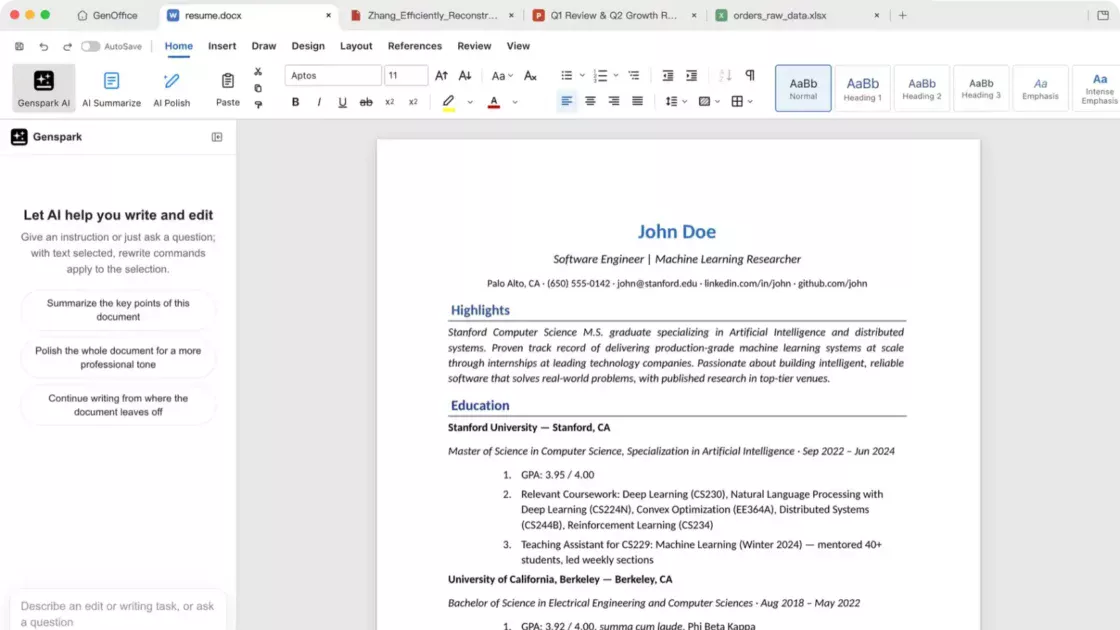
GenOffice positions itself differently. Its developers describe six editors covering documents, spreadsheets, slides, PDF, HTML and Markdown. Native Office files are its preferred targets for editing and saving. The website also highlights agent-controlled operations, a command-line interface and connections to AI providers through existing accounts or user-supplied API keys. The more persuasive distinction is not that the software has an AI chat box: the agent is intended to make editable changes in the underlying file. That could shorten routine work, but it also places additional responsibility on the user to review alterations, formulas and exported layouts.
LibreOffice’s proposition is less theatrical. Writer, Calc and Impress cover familiar office tasks, while Draw, Base and Math handle diagrams, databases and equations. The Document Foundation publishes detailed guides and a release strategy with a newer branch and a more mature one. That does not make every Microsoft file render identically, but it gives buyers concrete documentation for features such as paragraph styles, change tracking, pivots, formulas and publishing. A mature application also has habits, scripts, templates and trained users attached to it. Migration cost includes the routines people already trust, even if the proposed replacement is free.
An honest comparison therefore starts by naming the unit of value. For Euro-Office, it is a shared editing capability embedded within a document management system. For GenOffice, it is a desktop authoring environment with AI and scriptable manipulation of Office files. For LibreOffice, it is a conventional and broad productivity suite that users can operate locally without depending on an AI provider. These descriptions concern product intent and documented features, not a controlled laboratory ranking. No independent benchmark was conducted for this article, and claims about superior rendering, speed or reliability must not be inferred from promotional material.
There is also a tendency to treat ‘open source’ as an outcome rather than a starting condition. Open code permits inspection and adaptation within license terms; it does not automatically provide signed builds, stable long-term interfaces, security operations or a person who will respond when a deployment breaks. Euro-Office distinguishes community builds from the signed Nextcloud Office distribution. GenOffice documents Apache licensing with a separate exception for a reserved enterprise directory. LibreOffice distributes its core under the Mozilla Public License and relies on a wider ecosystem of contributors and professional service providers. The relevant question is which freedoms and guarantees your organization actually needs.
The difference between a feature and a workflow is easy to miss. A word processor may technically open a contract but still fail the workflow if numbered clauses shift after saving. A spreadsheet engine may display formulas while producing a different calculated result in a highly specialized workbook. A slide editor may export PPTX while substituting fonts in the recipient’s environment. An AI model may construct a convincing budget yet misinterpret a currency column. These are not reasons to reject any one product. They are reasons to test documents that resemble the files your organization really sends and receives, including edge cases that matter financially or legally.
This article evaluates the products as of November 6, 2026, with particular attention to official product documentation, repository disclosures and The Document Foundation’s published guides. Time-sensitive statements, especially release availability and product capabilities, should be rechecked before purchase or deployment. The comparisons distinguish vendor assertions from editorial recommendations. A line stating that an editor supports a format means its documentation lists that capability; it does not establish perfect preservation under every possible file structure. Format support is a promise to test, not proof of full interchangeability.
A useful purchase decision begins with a short description of work rather than a brand preference. Name the documents with the highest cost of failure, the number of people who must edit together, the network conditions, the permitted destinations for sensitive data and the available technical support. Identify whether success means attractive new content, dependable revision of existing files or centralized editing controlled by an organization. Those categories may overlap, and a team can reasonably use more than one product. The objective is not to crown a universal winner. It is to avoid turning a fashionable feature into a poor foundation for daily work.
Once those constraints are visible, the choice usually becomes clearer. LibreOffice is the conservative starting point for broad offline editing, particularly when users value open formats and traditional controls. GenOffice deserves a pilot where AI-assisted creation and agent automation are central, provided the organization accepts the model-provider and quality-assurance implications. Euro-Office belongs on the shortlist when browser collaboration is the actual project and a compatible storage platform is already in place or planned. The rest of the comparison tests these preliminary conclusions against real document tasks, deployment responsibilities and failure modes.
The architecture behind the editing experience
Office software carries several responsibilities that users often encounter as a single screen: reading a file, presenting its content, managing document state, preserving revisions, deciding who can edit and storing the result. The three products divide these responsibilities differently. Euro-Office separates editing from file ownership, which is precisely why it can fit into a managed workspace. The platform around it provides the document listing, account permissions and sharing rules, while the editor provides a working surface for the file. That separation can be attractive to organizations that already trust their storage environment, but it increases the number of systems that must communicate correctly.
The Euro-Office documentation calls the service a self-hostable document server and describes installation through containers or operating-system packages. Its Nextcloud application repository specifies connectivity in both directions: the document server needs to reach the file platform, and client devices need to reach the document server. This sounds ordinary until a deployment crosses private networks, reverse proxies, TLS termination, split DNS or firewall rules. A browser may successfully open Nextcloud yet fail to start an editor because the second endpoint is unreachable. The administrator has to map each communication path rather than assuming that a green status indicator on the main website proves that collaborative editing works.
The Nextcloud integration description also explains that co-editing includes change tracking, comments, chat and multiple editing modes. A single edit is therefore more than a browser text box sending a new document every few seconds. There are shared-session semantics, user identities, server-side coordination and decisions about when changes are committed. The storage platform and editor must agree on identity and document state. If an organization tests the system, it should create two or three simultaneous sessions, deliberately disconnect one browser and verify the eventual saved file, instead of assuming cooperation from a successful one-person demonstration.
Euro-Office’s Docker documentation identifies JWT controls and secrets, optional WOPI configuration and several supporting services. A persistent storage volume matters because regenerated secrets can break relationships between components after a container recreation. This is an unusually useful operational detail: it shows how a deployment that looks stateless at first glance can still depend on durable configuration. Backups of user documents remain essential, but backups of configuration and carefully managed secrets are also part of a recoverable installation. The cost of self-hosting includes avoiding accidental loss of trust between services.
GenOffice centers the workflow on files opened on the user’s machine. Its authors emphasize local document operations, including editing, saving and several conversions. There is no requirement to operate a document server merely to write a proposal. That makes the startup model closer to a typical desktop application: obtain a supported installer, open a file and begin. Yet the architecture is not identical to a classic office suite because the product includes a command-line tool, an MCP server and AI interfaces capable of changing document state. A file might be edited by a human in a window or by an automation that never opens the full visual interface.
This distinction matters for auditability. In a manual editor, the usual question is who opened a document and what they saved. In an AI-enabled workflow, a second question appears: which instruction produced the change, what information the agent was allowed to read, which engine executed the operation and whether the output passed validation. GenOffice documents snapshots, diffs and rollback for AI edits, which are useful controls. They are not substitutes for independent review of high-stakes figures. Being able to reverse a bad change is different from detecting that the change was wrong.
The project’s CLI documentation describes headless commands for inspection, conversion, creation and editing. It also details integrations with coding assistants and tools using the Model Context Protocol. This turns a desktop office package into a potential component of a larger content-production pipeline. A developer might generate an initial report from structured data, render a draft for review and return the final file to a client. A marketing team might prepare a first presentation deck from an outline, then adjust the typography by hand. Each automation needs explicit rules about directories, overwriting, credentials and the authority to publish or send files.
LibreOffice employs the familiar local application model, with dedicated interfaces for document types and options for scripted work. The Writer and Calc guides document sophisticated manual features, while the software’s established ecosystem supports templates, macros and command-line conversion patterns. The important distinction is not that LibreOffice lacks automation; it is that AI-directed document work is not the product’s central default experience. Organizations can choose their automation layers separately. That might be an advantage where infrastructure teams prefer stable tools with limited network dependencies or where AI use must be approved through another service.
A useful architecture review therefore asks which components must remain available during normal work. A desktop editor can usually continue opening and saving supported local files when an internet connection fails. GenOffice’s own site says local editing continues offline while online AI requests need network access. LibreOffice can provide its core document-editing functions without a remote account. A browser editing deployment, by contrast, depends on access to its document server and integration platform at the moment users want to collaborate. If a remote branch office has unreliable connectivity, staff might need an explicit offline path even when the organization prefers centralized file governance.
The location of the authoritative copy is another critical difference. A person editing locally can produce multiple versions and email the wrong one. Centralized platforms reduce that particular failure by giving collaborators a common location, but they introduce access-control and availability obligations. A GenOffice user who creates a local draft with an AI agent still needs a delivery and versioning policy. A LibreOffice user working on a network share faces the same governance questions. Document editing and document management are not interchangeable disciplines, and no editor should be credited with an entire organization’s information policy.
Architecture also shapes cost. An individual with one laptop may value an installer that just works. An IT department might accept the initial work of deployment in exchange for centralized controls and consistent user access. A developer may prefer programmatic creation of familiar files. An institution may care about data residency but overlook the geography of external authentication, telemetry or AI calls. Technical design should therefore be documented as a data-flow diagram rather than presented as a slogan such as ‘local’, ‘private’ or ‘sovereign’. Those words can be useful, but only after the flow of content, metadata and credentials is established.
The cleanest division is to treat the products as components at different layers. Euro-Office is especially relevant at the collaboration layer, GenOffice at the AI-assisted authoring and automation layer, and LibreOffice at the established desktop productivity layer. This does not prohibit overlap or future changes in product scope. The Euro-Office project references desktop builds, and GenOffice has features beyond a simple editor. But the primary architectural commitment still determines the operational burden. Decide where files and users are managed first; then decide which editor should touch the documents.
Microsoft Office compatibility is a workflow test
A comparison of office suites usually collapses compatibility into a checkmark beside Word, Excel and PowerPoint. That is particularly misleading in environments where files travel between organizations. A document can open successfully and still change in ways that matter. Paragraph spacing may alter a contract’s pagination, a spreadsheet may recalculate differently, and a presentation may replace a font with one that changes line breaks. The relevant standard is preservation of the work’s meaning and appearance, not merely acceptance of its filename extension. Testing should be based on actual business documents rather than a blank page containing a sentence and a small table.
The leading modern Microsoft Office formats are DOCX, XLSX and PPTX. GenOffice advertises native editing of these formats, while Euro-Office’s Nextcloud integration lists them among its editable formats. LibreOffice’s guides document opening and saving Microsoft formats alongside its own established formats. These are valuable commitments, but the technical surface of an Office file is extensive. It may contain styles, comments, relationships, embedded objects, drawing layers, fields, formulas, conditional formatting or compatibility settings. A single generic claim cannot say how every element will survive every round trip. File compatibility must be tested at feature level.
GenOffice makes a distinctive claim about byte-preserving document updates: parts of a file that were not changed are intended to be copied back without rewriting. This addresses an understandable problem with editors that serialize an entire file after a small modification. It is a promising engineering approach, particularly when a user must touch a limited part of a complex document. It does not, however, prove that a modified element will render identically, that a formula will calculate as expected or that unsupported structures will behave correctly. A buyer should treat byte preservation as one tested property of an editing engine, not a universal compatibility guarantee.
An effective Word test uses documents with meaningful complexity. Include a client contract with numbered clauses, sections, tracked revisions, comments, headers, footers and automated fields. Include a long report with tables, image captions, a generated contents page and cross-references. Include a template with custom fonts and paragraph styles. Open each file, perform a realistic edit, save it in the expected exchange format, then inspect the result in the version of Microsoft Word used by recipients. Compare layout at key pages and verify that the editor did not flatten editable objects into pictures.
The review should not stop at visual appearance. Check whether someone can still accept or reject tracked changes, whether comments retain their context and whether fields remain functional. If a document contains digital signatures, never assume that editing preserves signature validity; modifying signed content normally changes the conditions under which that signature can be verified. The LibreOffice Writer guide covers digital signatures and change tracking as distinct workflows, an appropriate reminder that document integrity has technical meaning beyond looking correct on screen. A professional document is both a visual artifact and a structured record.
Spreadsheet compatibility can be more dangerous because a plausible figure may be wrong without visibly breaking the layout. Build a test set that includes common formulas, named ranges, dates, locale-specific decimal conventions, pivot tables, data validation, charts and links to other sheets. Add any advanced functions your team genuinely uses. Open the workbook in each candidate, modify input cells and record the calculation results. Reopen the saved file in Excel, refresh relevant elements where applicable and compare outputs. If external connectors, macros or data models are involved, include them explicitly rather than assuming ordinary XLSX support covers the entire workflow.
The LibreOffice Calc documentation provides detailed treatment of formulas, database functions, charts, pivot tables and analysis tools. GenOffice describes an in-house spreadsheet engine with charts, pivots and slicers, and emphasizes AI-generated formulas that remain editable. Euro-Office describes spreadsheet editing and collaborative changes within the server model. Each offers a different reason to test it: breadth and maturity for LibreOffice, AI-assisted assembly for GenOffice, and shared editing for Euro-Office. The correct spreadsheet choice is determined by the workbook’s toughest dependency, which may be calculation fidelity, simultaneous editing or repeatable automation.
Presentations require another test design. Use a deck with custom masters, speaker notes, images, grouped shapes, charts and fonts installed on the intended presentation computer. Export a reference PDF before migration, then compare the edited deck slide by slide. Look for text overflow, object movement, missing symbols and changed image crop. GenOffice claims native PPTX editing with masters and layouts, while LibreOffice Impress is a long-standing presentation tool. Euro-Office provides presentation editing through an integrated interface. None should be presumed identical to PowerPoint for every animation, transition or imported asset without a practical comparison.
Fonts are the quiet source of many interchange problems. Documents frequently depend on metrics rather than on the font name alone. Replacing one typeface with another can change line length, table size and page count. GenOffice’s repository identifies bundled alternatives including Liberation, Carlito and Caladea, while LibreOffice supports extensive font handling through the host operating system. In a self-hosted document service, the fonts installed or configured on the server also deserve attention. A cautious test records both the original document’s font dependencies and the rendering environment used in each application. Font consistency is part of document fidelity.
OpenDocument adds an equally important dimension. LibreOffice has deep connections to ODF workflows, and its native approach makes it attractive when an institution chooses open formats as its archival standard. Euro-Office lists ODT, ODS and ODP support in its wider project descriptions. GenOffice’s repository says ODF documents can be imported as editable OOXML copies but are not saved back in the original ODF formats through that pathway. That is a consequential distinction. A team that must edit and return ODT files should not treat import support as equivalent to ODF round-trip editing. The format used at the end matters as much as the one accepted at the start.
Legacy files can be another trap. A company may hold archives of DOC, XLS or PPT documents created decades ago. GenOffice documents conversion of some older formats into contemporary Office copies. Other suites may provide their own import paths. The safest approach is to preserve the untouched archive, convert selected files into a working format, and verify that calculations, embedded objects and document metadata survive sufficiently for the intended purpose. Conversion should not automatically overwrite the original. Archives are not a convenient test case for marketing claims; they are often the only surviving evidence of historical work.
The compatibility evaluation can be run as a small controlled experiment. Select a representative collection of real files with permission to test, remove confidential material where necessary, define expected outputs and assign reviewers who know the documents. Score each application on opening, editing, saving, reopening, rendering, calculation and collaboration if relevant. Note the exact version and operating system. Avoid averaging away a catastrophic failure: a single workbook that calculates a critical tax amount incorrectly may matter more than twenty ordinary documents that open beautifully. A pass rate has meaning only alongside the severity of failures.
This method may produce a less glamorous answer than a vendor ranking. An organization could find that LibreOffice is its best general editor, GenOffice saves time drafting new proposals, and Euro-Office provides the required shared workspace. It may also discover that one specialized workbook must remain in Microsoft Excel or that a client template needs a final check in Word. That is not evidence of a failed migration. It is responsible boundary setting. A good office strategy specifies approved exceptions rather than pretending that file formats have become perfectly interchangeable across all software.
Artificial intelligence changes the editing contract
GenOffice’s most conspicuous departure from a conventional suite is that it asks users to describe a desired change instead of requiring every edit through menus and dialog boxes. The product claims that an agent can draft passages, modify spreadsheet formulas, construct presentation content and work across supported file types. This changes the editing contract from direct manipulation to delegated work. In a traditional interface, the user chooses a command whose immediate effect is relatively bounded. With a language instruction, the system must interpret intent, select operations and decide what counts as completion. The difference can save work, but it also creates ambiguity that would not exist in a precise manual command.
Take a proposal that requires a new paragraph about service-level obligations. The user could select a section and request a rewrite using GenOffice’s document-aware AI controls. The resulting text might be syntactically polished and structurally consistent. It could also introduce an obligation the company has not approved. In that example, the costly error is not a spelling mistake; it is an unauthorized business promise. A good workflow therefore treats generated language as a draft subject to substantive review. AI review must test commitments and facts, not merely grammar. A diff helps identify changed words, but only a responsible reviewer can approve their meaning.
A spreadsheet illustrates a different failure mode. The instruction ‘calculate margin for each customer’ sounds straightforward until the workbook contains refunds, currency differences, shared overhead or missing values. An agent may create plausible formulas based on an incorrect definition of margin. GenOffice emphasizes that formulas remain live and editable rather than becoming a table of pasted outputs. That is a real advantage for inspection, because reviewers can trace a result back to cells and dependencies. It still leaves the definition of the calculation to the business. The best prompt names the numerator, denominator, exclusions, rounding rules and expected examples, then asks the editor to show the inserted formulas for inspection.
The repository describes snapshots and diffs for AI changes, along with rollback. These controls answer important operational questions: where did the agent alter content, and can the user restore the prior state? They are especially useful during experimentation, when users may ask for several variations of a slide or text passage. Yet the presence of rollback should not encourage unlimited autonomous edits. Revision history is evidence of what happened, not a quality standard. If an agent deletes a sensitive clause and the document is immediately emailed, the existence of an earlier snapshot does not reverse the commercial consequences.
One practical distinction is between using AI to produce material and using AI to act on existing confidential material. Brainstorming a generic webinar outline does not carry the same risk as asking a provider to summarize a client contract with personal details. GenOffice supports external AI providers, including user-supplied credentials and compatible local endpoints, according to its documentation. Requests may leave the computer when those capabilities are invoked. Even when the file remains stored locally, relevant text may be transmitted to whichever model service handles the request. Local file storage does not mean every AI operation stays local.
The product also describes a mechanism for hiding a selected document passage or cell range from its in-app AI. Its documentation explicitly limits that protection: CLI, MCP and headless export paths can still read the underlying file. This deserves particular attention in security reviews. A visual concealment feature is not equivalent to removing information from the file or imposing a universal access-control boundary. Users handling protected information should review which operations can reach the original bytes, including integrations with external agents. The right control may be redaction in a copy of the source file, not merely hiding material within an editor interface.
LibreOffice occupies a different place in this discussion. Its core function is not dependent on selecting a cloud model or supplying an API key. An organization can separate document authoring from AI experimentation: users work on approved local files and, where policy permits, transfer carefully chosen excerpts into an independently controlled AI environment. That approach can feel slower than integrated prompting, but it makes the boundary between ordinary document work and external processing more explicit. An AI-free default can be an operational feature, especially for teams that need predictable behavior across many users and cannot centrally approve every new model endpoint.
Euro-Office’s role is different again. The project is presented as a collaborative editing engine, not primarily as a product built around generative agents. Organizations can use it to control shared document workflows through a host platform. If they later add AI functions through other integrations, those functions require a separate review of permissions, data flow and provider commitments. The decision to deploy Euro-Office should not rest on an assumption that it automatically supplies the same AI capabilities GenOffice advertises. Conversely, a lack of prominent generative features is not a deficiency for a team whose actual objective is controlled co-editing of official records.
There is a useful distinction between AI assistance and AI authority. Assistance drafts a response, proposes a formula or suggests a slide layout. Authority permits the system to overwrite the approved workbook, distribute the document or incorporate generated language into a binding contract without human approval. Many organizations will benefit from the first without accepting the second. A pilot can assign risk classes: unrestricted experiments for public material, mandatory review for routine client drafts and no external model processing for specially protected information. The boundary should be enforced by workflow and permissions, not left entirely to individual judgment during a busy workday.
Output verification should be designed for the domain. For text, reviewers compare factual claims with source material and check changes in obligations, names and amounts. For spreadsheets, use independent sample calculations and inspect formulas rather than only final totals. For presentations, render each slide and look for overflow, missing elements and unsupported claims. For PDF conversion, compare the structure and pagination of the result with the original. Each review adds friction, but the point of automation is to reduce total work while preserving acceptable risk. If checking an AI-generated document takes longer than creating it manually, the automation has not achieved its business objective.
Cost is another reason to distinguish the software from the intelligence it calls. GenOffice’s editing applications are advertised as free, while online AI may consume Genspark credits or charges from the selected provider. An organization that purchases no conventional office license can still incur variable usage bills. It should test representative tasks, record model requests and estimate a realistic workload rather than presenting the desktop application’s price as the complete cost. It should also account for human review, incident handling and the management of API credentials. The price of an AI workflow includes verification and governance.
For an individual content creator, GenOffice’s combination of native files and prompting is worth exploring because it may remove repetitive preparation steps. For a finance department, the same features require stricter test cases and approval controls. For a regulated organization, the primary decision may be which information can reach an external model at all. A strong evaluation does not ask whether AI is good or bad in the abstract. It asks which narrow tasks reliably improve, what information each task exposes, how errors are detected and whether the saved files remain usable by the next person in the chain.
Privacy begins with a map of data movement
The word ‘private’ appears frequently in office software marketing, but privacy is not a single switch. A document may reside on a laptop while an application’s telemetry still sends usage events. A file may live on an institution’s own Nextcloud server while the editor is hosted elsewhere. A desktop editor may do all normal work offline but transfer selected text when its AI assistant is invoked. The first privacy question is where each category of data travels, including content, metadata, account credentials, IP addresses, analytics identifiers and rendered previews. Without that map, comparing products by a single adjective is likely to mislead.
GenOffice’s privacy policy is unusually explicit about the difference between document operations and analytics. The project says that opening, editing and saving are local, and that AI requests are sent when the corresponding capabilities are used. The policy also states that official packaged builds enable limited usage analytics by default, including an initial launch event before the onboarding notice. Users can disable this reporting in the application’s general settings. These are vendor statements rather than an independent traffic audit, but they give administrators concrete behavior to verify. An offline editing engine can still have a network-observability footprint.
The published GenOffice analytics description identifies events such as launch, file opening and creation, accompanied by application and platform metadata. It states that document content, filenames, paths, account identity and email addresses are not included in analytics payloads. It also acknowledges that the recipient of an HTTPS connection necessarily sees transport information such as the public IP address. This distinction matters for privacy assessments. A service can refrain from uploading documents while still collecting operational metadata. The appropriate judgment depends on the organization’s policy, jurisdiction, contractual commitments and the accuracy of the implementation relative to its documentation.
For AI requests, the risk profile changes. A prompt that asks the system to revise confidential source material may need to transmit some document context to the chosen model. Using a personally purchased API key does not automatically mean an approved enterprise arrangement exists. A local-compatible endpoint may reduce exposure to an external provider, but a reviewer must confirm where the model actually runs and whether any auxiliary tools perform web search, image generation or telemetry. Bring your own key is a routing option, not a complete privacy program. Key handling, retention terms and permitted content are separate controls.
LibreOffice’s ordinary desktop editing does not require an AI provider account. That supports a relatively simple privacy posture for organizations that keep documents within a managed device or an approved file store. The software’s public documentation and open development make its behavior more inspectable than an opaque proprietary service, although inspectability should not be confused with a completed security audit. The organization remains responsible for operating-system backups, endpoint protection, file permissions, email attachments and any extensions or macros users install. A local editor removes some remote-service dependencies but does not remove ordinary endpoint risk.
Euro-Office can support a self-hosted collaboration model in which the organization controls the document platform and editing service. The project explicitly positions itself within the European digital-sovereignty conversation, and its ability to integrate with a host platform is useful in that context. Sovereignty, however, is a property of a complete deployment. A self-hosted document server connected to an external identity provider, public CDN, third-party monitoring service or unreviewed backup destination may still send data outside the intended boundary. Buyers should inspect the actual connections rather than assuming the software’s origin guarantees a particular legal or geographic outcome.
A practical data-flow inventory separates document content from operational data. First, identify where original files are stored and whether temporary working copies are created. Second, trace preview and rendering processes. Third, record which clients contact which servers and what authentication tokens they exchange. Fourth, identify update, crash reporting, logging and analytics behavior. Fifth, list external AI and search endpoints where applicable. Finally, inspect backups and retention policies. The resulting diagram is useful for all three products, even though the expected paths differ significantly. The most dangerous privacy assumptions are often hidden between components.
The permission model deserves equal attention. A desktop user’s operating-system account may determine who can read local files. A Nextcloud deployment can define users, shared folders and access restrictions through its own application layer. GenOffice’s local search and cross-document AI features may expose information within the scope of files available to the process. None of these models should be reduced to ‘the user can see it, therefore the AI should see it’. An organization may need separate access rules for automation, especially where multiple projects or clients share a workstation or network storage volume.
Retention policies are another area where marketing language is insufficient. Does the document platform preserve revision history, and for how long? Can logs contain filenames, document identifiers or user information? Where are snapshots created by AI operations stored? What does an external model provider retain under the specific account arrangement? The product descriptions reviewed for this article do not answer every deployment-specific question. That uncertainty should be recorded in procurement paperwork rather than replaced by a blanket claim of compliance. Privacy due diligence is partly a process of identifying unanswered questions.
A sensible internal policy distinguishes public, internal, confidential and specially restricted materials, with handling rules suited to the institution. Public blog drafts may be appropriate for experimentation with remote AI. Internal financial projections may require approved providers and review. Protected personal records may require local-only editing or explicit legal and security approvals. For Euro-Office, the focus is secure hosting and identity integration. For GenOffice, both desktop telemetry and model connections deserve inspection. For LibreOffice, local device controls, scripts and file sharing remain primary. Each system offers some useful tools; none can decide the organization’s data-classification rules on its behalf.
The privacy choice can also depend on users’ behavior. A theoretically secure shared platform is of little benefit if employees routinely export documents to personal devices because the editor is unreliable. A local editor that keeps work on the device may be poor for a team that cannot track scattered copies. An integrated AI assistant may prevent employees from pasting entire documents into an unrelated chatbot, but only if the configured AI route is approved and adequately controlled. Security should be evaluated against the workflow people will actually follow, including the shortcuts they take under deadline pressure.
The right conclusion is conditional rather than ideological. For offline control of ordinary files, LibreOffice offers a straightforward baseline. For local editing with optional AI and automation, GenOffice adds capabilities alongside explicit data-flow decisions. For collaborative documents within a self-managed platform, Euro-Office provides a possible architectural component. Privacy performance is determined by configuration, connected services, user permissions and operational discipline. A vendor description can inform that assessment, but it cannot replace the assessment itself.
Privacy evaluations should test default settings, not only documented opt-out controls. Install a fresh official build in a disposable environment, observe the network destinations during first launch, then change the available preferences and observe again. Repeat the test when AI is enabled and when it is disabled. Compare behavior across operating systems if employees use different platforms. This does not replace formal code review, but it can reveal practical differences between the experience users receive by default and the configuration administrators expect. An opt-out feature is useful only when users know it exists and the organization can enforce its preferred state. Record the results without assuming that every observed connection carries document content; network metadata and content transfer are different categories requiring different evidence.
External collaboration introduces another issue: a document may leave the organization’s control through the ordinary sharing workflow even if the editor itself sends no information to an unapproved AI service. A user can invite a partner to a folder, download a copy or forward an attachment. A privacy assessment therefore has to include sharing links, expiration settings, guest access and the handling of local copies. Euro-Office’s integration with a host platform can place sharing decisions in a centrally managed environment, but those controls must be configured and tested. LibreOffice and GenOffice users may rely on separate storage and communications systems. The file’s permitted audience matters as much as the editor’s internal design. A careful policy follows the document through creation, collaboration, publication and deletion.
Real-time collaboration changes the definition of productivity
A shared document can be more productive than a local file even if the editor has fewer menus. When several employees must make revisions to the same text, the cost of coordinating versions can exceed the time spent typing. Attachments labeled final, final-new and final-approved are an organizational symptom: no one is certain which copy is authoritative. Real-time collaboration is valuable because it changes the state-management problem, not because seeing several colored cursors is impressive. The central question is whether people can work on one controlled record and recover confidently from mistakes.
Euro-Office is designed for this category of work. Its Nextcloud connector advertises simultaneous editing, comments, change tracking, chat and editing modes described as Fast and Strict. The documentation also describes shared editing across federated Nextcloud instances linked to one document server. These functions are relevant when employees or partner organizations must review a common file. They require evaluation under the actual network topology, authentication configuration and user roles. The ability to open a document with two browsers does not prove that approvals, restoration and external sharing will behave as required.
A practical trial should begin with a simple but revealing scene. Two users open a shared meeting document, edit different paragraphs and leave comments. A third joins, edits a table and disconnects unexpectedly. The first user changes a heading while the second resolves a comment. After everyone closes the session, an administrator checks the stored version and any available activity history. The exercise should be repeated after a server restart in a planned maintenance window. Collaboration software earns trust through recovery and consistent saved results, not merely through a smooth first impression.
An organization should also distinguish simultaneous editing from approval. A team may want everyone to contribute but only one manager to approve the final document. Comments and track changes assist review, yet the surrounding file platform must enforce who may distribute or finalize a record. Euro-Office’s integration model puts those governance responsibilities with the host application and its configuration. A document editor alone cannot know whether a procurement document has passed the required sign-off process. The workflow therefore needs clear states such as draft, reviewed, approved and archived, even when the interface makes editing easy.
GenOffice can be attractive to a group preparing content, but its primary documented experience remains local authoring with optional AI and agent workflows. It does not follow from its file search, citations across documents or automation tools that it provides the same live collaborative session model as a document server integrated with Nextcloud. A team can certainly use its output in a shared file system and exchange revised files, but that is a different method of cooperation. Cross-document AI intelligence should not be mistaken for synchronous co-editing. Requirements for concurrent authorship need explicit evidence before they are credited to any candidate.
LibreOffice supports review functions and established document workflows. Writer’s guides explain comments, tracked changes and comparison methods, while Calc documentation addresses review and sharing of spreadsheets. These tools matter in many professional environments because not all collaboration needs simultaneous cursors. A lawyer may prefer sequential tracked revisions, where each person’s contribution is considered in a controlled order. An editor may want to compare two independently produced versions of a report. A finance reviewer may want a stable snapshot instead of a live workbook that changes while figures are being approved. Collaboration should match the decision process, not the fashion of the interface.
Network conditions can alter the decision. A browser editor accessed through a central platform may be convenient from multiple devices without installing a full office suite on each workstation. Yet its reliability is connected to the network and server stack. A field worker on an intermittent connection may need to open a local document, collect notes and synchronize later. A hybrid workflow could use LibreOffice for offline preparation and Euro-Office for shared revision, with deliberate conversion and conflict rules. The design is not automatically elegant, but it may be more resilient than forcing every employee into one mode of editing.
Concurrency tests should include permissions, not just content. What happens when the owner revokes a user’s access while a document is open? Does the user retain a cached session? Can a link shared externally permit editing when only viewing was intended? What happens to comments after a file is renamed or moved? Those questions concern the combined application, connector and editor. They cannot be answered solely from the feature list. Access-control changes during an active session are an operational test case, especially for confidential client work and institutions with frequent staff turnover.
The user experience also depends on how interruptions are communicated. A person may believe the file has been saved while the connection is degraded. A system should make failure and recovery sufficiently visible that users do not close a critical document with false confidence. During evaluation, testers should intentionally block network access, close a browser tab and restore connectivity. The goal is not to manufacture a spectacular failure; it is to understand the product’s observable behavior. Record whether users can identify the last successful save and whether an administrator can reconcile conflicting copies.
There are costs to centralized cooperation that deserve recognition. Server maintenance may interrupt editing for everyone, a configuration mistake can affect an entire organization and capacity planning becomes a shared concern. A local installation failure often affects one device; a document-server failure affects a working group. Centralization can simplify backup and policy management, but it concentrates availability risk. The correct mitigation is routine monitoring, tested backup restoration, staged upgrades and a documented fallback for urgent documents. The risk profile moves from many independent desktops toward shared infrastructure.
A team should therefore define collaboration requirements in observable language. Instead of demanding an editor that ‘supports teamwork’, specify that three reviewers must edit one proposal concurrently, that comments must remain attached to the right text, that an approved version must be recoverable and that external guests must be restricted to named documents. State how long an outage can be tolerated and whether work must continue offline. This converts a marketing comparison into acceptance tests. Euro-Office may then be a strong candidate because its architecture matches the need, while other products remain appropriate for preparing the material before shared review.
Real-time editing is not the universal destination of office work. Many documents benefit from one accountable author and a deliberate review chain. Others genuinely require group authorship under deadline. The right tool reflects that distinction. Euro-Office is the natural candidate when the shared session itself is the product requirement. LibreOffice remains useful for controlled individual editing and review, and GenOffice may accelerate preparation of the drafts that enter a collaborative workflow. Productivity improves when the software reduces coordination errors without introducing a more serious class of technical or governance failure.
PDF editing is not one uniform capability
PDF appears beside documents, spreadsheets and presentations in descriptions of all three products, but it deserves its own evaluation. The format is often used because people expect the page to remain visually stable when opened elsewhere. That strength makes editing more complicated than changing text in a word processor. A PDF may consist of selectable text, vector drawing instructions, embedded fonts, form fields or nothing more than scanned page images. The phrase ‘edit PDF’ can describe fundamentally different operations, and a buying decision should identify which operations staff actually perform.
GenOffice advertises direct text and image editing within the PDF page and local conversion into Word, Excel or PowerPoint files. Its website says original fonts can be preserved during certain edits and that scanned-page OCR is supported on macOS and Windows. These are product claims that deserve file-based testing. A user correcting a visible typo in a normal text-based PDF has a different problem from an archivist converting a crooked, low-resolution scan. Even when OCR identifies words correctly, structure such as tables, columns and footnotes may not survive. Text recognition is not the same as faithful document reconstruction.
LibreOffice offers PDF-related work through export functions and the Draw application, which can open and manipulate some PDF content. Writer’s documentation includes PDF publishing and signing workflows. The practical difference is that a PDF opened for object-level editing may be represented through drawing elements rather than through the original word-processing structure. That can be suitable for annotations, small graphical changes or repurposing a simple document, but it may be cumbersome when a user expects to revise many pages as though they were still in a DOCX file. The source document remains preferable whenever it is available and can be lawfully edited.
Euro-Office’s Nextcloud application advertises PDF editing and forms, placing those capabilities in a browser-based document workflow. That is useful when a group needs to access a shared PDF without distributing copies. Yet the same distinctions still apply: editing a form field, annotating a page, modifying existing text and reconstructing a scanned document are different tests. The presence of ‘PDF’ in a supported-format list should not be interpreted as proof that all of these tasks work in the same way. A format label is narrower than a business process.
To compare PDF features, create a small but deliberately varied set of files. Include a simple digitally generated letter with selectable text; a complex brochure containing multiple fonts and images; a fillable form; a report with tables; a scanned agreement with skewed pages; and a document containing a digital signature. Then define a task for each. Correct one word in the letter, update a product description in the brochure, enter data in the form, extract a table from the report and recognize text from the scan. The signed document should be used to test viewing and verification policies rather than casually edited.
The review should measure preservation as well as success. After editing, compare the output with a reference rendering and inspect fonts, spacing, image sharpness and selectable text. If a page is reconstructed as a picture, it may look correct while becoming difficult to search or reuse. If a conversion produces an editable Word file, verify paragraph order, table cell boundaries, headings and page numbering. A visually convincing conversion can hide serious structural damage. For legal, academic and accessibility-sensitive documents, structure may be as consequential as appearance.
OCR adds language-specific risks. Diacritics, unusual fonts, low-contrast paper and marks near page edges can create recognition mistakes. A short document may be feasible to correct manually, while hundreds of pages require a documented verification strategy. One option is to retain the original scan alongside the editable result, flag uncertain words and review high-risk elements such as dates, names, amounts and legal references. Do not presume that an AI system or an OCR engine can determine which ambiguous character was intended. It may produce plausible language rather than faithfully transcribing the original.
Accessibility is another reason to treat PDF quality seriously. A PDF can look excellent while lacking the semantic structure needed for navigation or assistive technology. A source word-processing document with correct headings, table markup and language settings offers a better foundation for accessible export than a visually patched PDF. When selecting an editor, test the published artifact against the organization’s accessibility needs instead of simply checking that the export menu contains a PDF option. This is particularly relevant for public bodies that distribute important forms or information to many users with different access needs.
File size and image handling matter in publishing. A slide or brochure converted to PDF can become large if fonts, images or vector elements are handled inefficiently. Staff may need predictable compression and print output, while an archive may prioritize preservation. A conversion that reduces file size but rasterizes the page may compromise searchability. Another that preserves high-resolution graphics may create a file unsuitable for email distribution. The appropriate settings depend on purpose. PDF export for web delivery is not identical to PDF preparation for print or archival use.
Security should be considered during import as well. PDFs can contain links, annotations, attachments and form behavior, and editors may expose different parts of that structure. A workstation handling untrusted files should be patched and isolated according to ordinary endpoint policy. GenOffice’s repository documents renderer sandboxing and validation measures for untrusted and AI-generated content; these are encouraging disclosures but not a certification that every parser is free of vulnerabilities. Similar caution applies to traditional desktop editors and document servers. Any product that processes external documents participates in an attack surface worth managing.
A useful operational policy specifies permitted PDF edits. Routine correction of an unsigned internal handout may be acceptable. Modification of an externally signed agreement should require returning to the approved source and repeating the authorization process. OCR results should not overwrite evidence scans. Extracted financial tables should be checked against the original. Shared forms should be tested for the persistence of entered values and for permission controls. These rules matter more than a simplistic ranking of which product claims the longest PDF feature list.
For someone whose day is dominated by converting PDFs into editable material, GenOffice deserves a focused pilot because of its explicitly advertised local conversion and direct editing features. For routine document publishing, LibreOffice remains a strong general-purpose option. For teams working on shared PDF forms within an existing platform, Euro-Office may fit the desired architecture. The winner depends on whether the PDF is a finished record, an editable canvas or a source for reconstruction. A trial must use the right category of sample before its result is meaningful.
Spreadsheets reveal the limits of superficial comparisons
Spreadsheets are often the deciding application in an office migration because their complexity grows invisibly. A document with an incorrect margin may look wrong immediately. A workbook with a mistaken formula can remain visually convincing and produce a plausible number for months. Any recommendation therefore needs to separate basic tabulation from financial models, statistical analysis, dashboards and collaborative data collection. A spreadsheet editor should be evaluated as a calculation environment, not only as a grid with colored cells and charts. Compatibility of the visible interface is only the beginning.
LibreOffice Calc has a broad documented feature set. Its 26.2 guide covers formulas and functions, pivot tables, charts, data analysis, linked data, macros, database-like operations and several printing and export workflows. This documentation helps an evaluator identify precise tests and configuration choices. A user who needs scenario analysis or pivot-based reporting can study the relevant tools rather than hoping the software behaves like Excel by analogy. Mature documentation does not eliminate defects, but it does provide a clearer basis for training and repeatable procedures. Documented behavior is a practical asset in operational software.
GenOffice describes an in-house XLSX engine with charting, pivot tables and slicers. The repository also identifies components used for reading and calculation, and it emphasizes prompts that insert real formulas into editable workbooks. That combination could be useful for an analyst who frequently builds new trackers or formats datasets for nontechnical colleagues. A natural-language request might create category totals, a variance column or a basic chart more quickly than a series of manual menu operations. But the agent can misunderstand business definitions, and the engine still needs to be tested against the precise functions and workbook structures used by the organization.
Euro-Office’s spreadsheet value arises from shared access. A budget assembled by multiple departments may benefit from centralized editing and comments. The interaction design can be preferable to exchanging attachments, particularly when teams work in different locations. Yet financial governance often requires protected input areas, controlled approval and reproducible final figures. Those requirements extend beyond the promise of co-editing. A project team should verify how its host platform manages permissions, whether the editor preserves required workbook protections and whether users can distinguish pending collaborative changes from an approved budget snapshot. Shared editing does not automatically create a controlled financial process.
The most revealing tests use formulas that the organization already relies upon. Include lookups, logical functions, date arithmetic, financial functions, array behavior where relevant and calculations affected by regional settings. Record expected outputs in an independent reference. If the workbook imports CSV data, test the delimiter, encoding, decimal separator and date interpretation. LibreOffice’s Calc guide explicitly discusses how imported text can be misinterpreted as numbers under the wrong locale. A value silently converted into a different date or magnitude is a much more consequential problem than a changed cell color.
Financial models frequently hide hard-coded assumptions inside formulas. An AI assistant asked to extend a model may follow the visible pattern but perpetuate an old mistake. A human user can do the same, of course, which is why a disciplined workbook design includes clearly named inputs, calculation sections and protected outputs. The technology should support this structure rather than replacing it with an opaque generated artifact. An editable formula is necessary for audit, but the model also needs a documented rationale. A reviewer should be able to explain the source and meaning of each important assumption.
Pivot tables and slicers require more than appearance checks. A pivot may display a plausible summary even if a newly added source row is not included or a filter state differs from the expected one. Test refreshing the data, changing categories, sorting, adding records and saving the workbook for another application. Chart labels and axes deserve separate inspection because a numerical report can be distorted visually without any underlying data loss. The Calc guide offers dedicated chapters on pivots and charting, while GenOffice advertises corresponding tools. That is enough reason to run a comparison, not enough evidence to declare identical behavior.
Macros introduce another layer of risk. LibreOffice documents macro functionality and customization, but code written for one office environment should not be presumed portable to another. A company’s VBA-heavy workbook may need application-specific handling, conversion or retention in its original environment. GenOffice’s native-file and CLI positioning does not imply that every macro or external Excel automation API is reproduced. Euro-Office’s supported-format list includes macro-enabled extensions in some categories, but accepting a filename does not certify execution of embedded code. Macro compatibility must be assessed separately from format support.
Large datasets raise performance questions that vendor descriptions rarely answer adequately. A workbook with hundreds of thousands of records, formulas across many sheets and numerous charts stresses a different part of the editor from a modest expense tracker. A controlled benchmark should record opening time, recalculation time, memory pressure, scrolling responsiveness, save time and correctness after reopening. Run it on the hardware actually deployed to staff and, for browser collaboration, against the planned server capacity. Do not extrapolate from a fast demo on one workstation. The slowest workflow may determine whether users will adopt a new system.
Spreadsheet security is also about input integrity. A workbook received from an unknown source should be treated cautiously, particularly when it contains external links, macros or complex embedded material. A centralized platform should have appropriate access controls and backup protections. A local AI agent should have restricted access to source folders and should not be authorized to overwrite important financial records during experiments. A robust process retains original inputs and generates new versions until a human reviewer signs off. The goal is to reduce the chance that an unnoticed change becomes an official figure.
The economic value of spreadsheet automation should be measured in completed, verified work. If GenOffice turns a two-hour formatting exercise into a twenty-minute process plus ten minutes of review, the improvement is meaningful. If a complex model takes an hour to audit after each automatic edit, the apparent speed of generation may be misleading. If Euro-Office eliminates version conflicts across five departments, it could save more coordination time than an AI formula generator. If LibreOffice handles a team’s recurring models without surprises, its predictability may be the highest-value feature of all. Time saved in typing is not the only measure of productivity.
A sensible purchasing rule is to identify the five workbooks that staff fear breaking. Test those first. Preserve a reference copy and record every discrepancy, even if it looks minor. Keep specialized Excel workflows where a safe replacement cannot be established. Use GenOffice to explore new analytical drafts when review capacity exists. Consider Euro-Office when the main failure is competing versions of a shared workbook. Use LibreOffice when conventional calculation, offline work and familiar controls are the primary requirements. The spreadsheet that matters most should drive the choice, not the most visually impressive feature on a product landing page.
Documents and publishing demand structural discipline
Word processing appears uncomplicated until a report reaches hundreds of pages, must survive review by several organizations or becomes the template for years of recurring publications. The difficult part is often not typing. It is preserving structure: headings, references, tables, numbered sections, captions, styles, headers, page breaks and a document’s history of approved edits. A reliable word processor supports repeatable structure, allowing authors to revise content without manually rebuilding the appearance of every page. This is where a comparison needs more substance than listing bold, italic and spellcheck functions.
LibreOffice Writer has extensive published documentation on styles, master documents, mail merge, change tracking, tables of contents, fields and forms. That breadth matters for technical manuals, academic reports, administrative correspondence and recurring corporate documents. The guides explain not just the available command but the relationship between features. A paragraph style can govern many paragraphs; a generated table of contents depends on heading structure; cross-references are more reliable when they are maintained as fields. A user trained in these concepts gains a workflow that survives editing better than one built on ad hoc manual formatting.
GenOffice approaches document work with an AI layer as well as conventional editing. Its site advertises section-level rewriting and native DOCX editing, and the repository describes controlled modifications with snapshots. This is attractive for a writer who has an established source document but needs to shorten a passage, change tone or add a first draft of a section. The key question is whether the change respects the document’s structural constraints. An excellent sentence can still be a poor edit if it breaks a heading hierarchy, alters defined terminology or changes a legal condition. Language quality and document correctness are separate review stages.
Euro-Office places document authoring in the context of shared access. Reviewers can work on files through a host platform, comment and track changes. That may be preferable for teams with repeated approval cycles. But the organization should confirm whether its templates, fields and section structures survive the particular browser editor. Collaborative convenience does not eliminate the need for stable styles or file interchange. The team should inspect a complete document after a round of co-editing, not just examine the paragraph modified during the demonstration. A change elsewhere in the layout can create work for the final publisher.
Template migration is one of the best early tests. Choose a letterhead, a proposal template and a long-form report template, preferably including more than one language if the organization works internationally. Inspect margins, section breaks, recurring headers, table styles, logo placement and page numbering. Create a new document from each template, populate realistic text and export to the format clients expect. Compare the result with an established reference. A successful template migration reduces future errors across many documents, while a poorly converted template multiplies small problems each time someone starts new work.
Long documents introduce navigation and maintenance needs. Writers need to rearrange sections, keep numbering consistent and create cross-references that survive changes in pagination. LibreOffice’s master-document and field features may be relevant here, while GenOffice’s AI could assist with reorganization or summarization. But an automated summary of a technical report must be checked for omitted constraints and misrepresented findings. An editor should distinguish between a drafting operation and a verified interpretation of evidence. A neat document produced quickly is not valuable if its synthesis overstates the underlying material.
Mail merge and repeated correspondence create another decision point. LibreOffice documents mail merge through Writer and database integration. That workflow may be central to associations, schools and offices that issue large numbers of customized letters. An AI-first editor is not necessarily a better replacement for such structured automation, even if it can draft beautiful prose. A team should compare how recipients are imported, how fields are mapped, how errors are detected and how the resulting files are delivered. Batch reliability often matters more than sophistication of individual sentences. Thousands of letters magnify one bad template or merge rule.
Review workflows deserve explicit design. A writer may propose changes, an editor may refine language, a legal reviewer may approve terms and a manager may authorize publication. Comments and tracked changes can record parts of this work, but they are not equivalent to organizational approval states. The correct final record might require a frozen PDF, a signed version or a stored editable original. The surrounding system should ensure that publication does not occur merely because the last person closed the editor. Euro-Office’s host-platform integration can support a centralized workflow, while desktop applications may require a separate document management process.
Multilingual publishing adds typographic and editorial complexity. Language-specific dictionaries, diacritics, hyphenation, punctuation and font coverage matter when documents cross borders. LibreOffice has a large localization community and documentation for language tools. GenOffice lists numerous interface languages and multiple AI model options, although the quality of generated writing in a particular language needs testing. Euro-Office’s browser collaboration can be useful for international groups, provided the installed fonts and document settings are consistent. A translated interface is not proof of equivalent language-quality tools. Test documents with the languages actually used by staff and clients.
Accessibility should be treated as a property of authoring, not as a repair step after exporting. Use real heading styles, meaningful link text, clear table headers and descriptive alternatives for important images. Validate the resulting document and PDF with appropriate tools. LibreOffice Writer documents accessibility checking and structured publishing features. Other editors should be tested with the same acceptance criteria. AI-generated reports can be especially deceptive because they may look visually complete while missing semantic structure or descriptive text. The more content is produced automatically, the more valuable an automatic structural check becomes before human publication review.
Publication also involves retaining evidence. A report assembled from external sources should preserve a traceable bibliography and verified quotations. An AI assistant may help organize notes but should not be trusted to invent citations. Organizations should keep a clear separation between the source of a claim and the text generated to explain it. For legal documents, original wording and approved definitions can matter more than stylistic fluency. For marketing copy, the balance may shift toward creativity and speed, but factual assertions still require review. The office suite is part of an editorial process, not a substitute for editorial accountability.
For writers producing long, structured documents, LibreOffice offers well-documented capabilities worth learning. For teams exploring AI-assisted drafting and routine transformations, GenOffice is an interesting candidate when output is reviewed. For organizations prioritizing simultaneous revision of shared records, Euro-Office’s architecture fits the requirement. A mixed environment can be sensible: one application for drafting, another for final layout or collaborative approval. What matters is that the handoff is tested and the final artifact remains structurally correct, readable and maintainable by the next person who inherits it.
Presentations expose creative and technical trade-offs
A presentation deck is simultaneously a document, a design system and a performance aid. Its success depends on the argument, typography, visual hierarchy, charts, images, speaker notes and the environment in which it will be displayed. An office comparison that tests only the creation of five title-and-bullet slides misses most of this complexity. Slides must be judged in the context of delivery, including the projector, client laptop or conference platform that will ultimately display the file. A deck that looks correct in its creator’s application may change when opened in another editor or on a machine with different fonts.
LibreOffice Impress provides a conventional desktop environment for building presentations manually. Its value to an experienced user lies in direct control over layout, objects and recurring design elements. The suite’s documentation and community offer a foundation for training, although compatibility with specialized PowerPoint functions still demands testing. A designer accustomed to precise placement may prefer such an interface over natural-language generation, particularly when the deck follows a fixed brand template. The time cost of manual work can be justified when every pixel of the final layout is part of a client’s identity.
GenOffice puts a different emphasis on first-draft creation. Its developers describe AI-generated editable slides and a command-line workflow that can construct decks from structured instructions. The repository explains that a coding agent can use GenOffice commands to prepare a deck, perform layout checks and render slides for review. This is potentially useful for people who must prepare frequent updates from repeatable information. Automation can make the first version easier to obtain, but the editorial challenge shifts toward confirming the content, checking every visual element and ensuring that generated diagrams accurately represent the underlying data.
A common presentation failure is attractive nonsense. A model given a broad subject may create a clean sequence of slides containing unverified percentages, simplified diagrams or unsupported conclusions. That error is especially damaging because audiences often interpret polished visuals as evidence of careful research. A safe workflow begins with a verified outline and approved data, not a prompt asking for a convincing deck on a topic the author has not studied. The resulting slides should cite actual research in an appropriate way for the publication, and the presenter should understand each claim. Visual polish must never be used to conceal uncertain evidence.
Euro-Office’s presentation editor is more relevant when several colleagues need to revise a shared deck through an existing platform. A product team may adjust technical details while marketing edits titles and leadership comments on priorities. That scenario values synchronized access and review. Still, simultaneous editing raises design consistency questions: can contributors change masters, override brand styles or accidentally shift graphics? The organization should define a template owner and a final quality-control stage. Collaborative editing solves access and version conflicts, but it does not necessarily prevent an inconsistent deck from emerging after many small revisions.
A realistic test deck should include the elements that routinely break in migration. Use a custom slide master, section layouts, charts with editable data, diagrams made from grouped shapes, embedded images, nonstandard fonts, notes and several transitions if those transitions matter. After editing, save in PPTX and open in the recipient’s PowerPoint environment. Render slides to images and inspect for cropping, overflow, shifted alignment and altered charts. Keep a reference PDF to compare appearance. The test must preserve editability as well as the displayed result. A slide flattened to a bitmap may look correct while becoming impractical to revise.
Some presentations are effectively reports. They contain recurring charts and financial data that change each month. For these, the most valuable automation may be a reproducible process that connects approved numbers to a consistent set of slides. GenOffice’s CLI and agent tools suggest possibilities, but the organization should test data lineage, chart generation and slide validation. A conservative alternative may use existing scripts and LibreOffice or another stable renderer. The choice should rest on which workflow produces accurate slides with the least ongoing correction, not whether it uses the newest model interface.
Other presentations are creative proposals where composition matters more than numerical repetition. A brand designer may need a custom grid, strong typography, careful image selection and controlled pacing. An AI-generated first draft could still be useful as raw material, but many slides may need substantial manual correction. The benchmark should measure the time from brief to approved deck, including revisions requested by clients. If AI accelerates the opening hour but creates several hours of cleanup, its apparent advantage disappears. Productivity is measured at approval, not at initial generation.
Media assets introduce copyright and licensing questions. A slide can be technically editable while containing imagery the organization has no right to reuse. A product’s ability to generate or retrieve images should not be confused with permission to publish a specific asset. Teams need consistent records of sources, licenses, consent where appropriate and the provenance of critical graphics. AI-generated images may require separate review for recognizable individuals, brand marks and misleading representations. Office software provides tools for assembling a deck, but it cannot replace the organization’s publication policies.
Speaker notes and handouts are also part of the test. The visual slide may be brief while the presenter relies on detailed notes. Check whether notes remain accessible after migration and whether printing or exporting handouts works in the intended format. If a conference organizer requests PDF, confirm that fonts and diagrams survive export. If colleagues need to edit the deck, do not deliver only a PDF. If the presentation contains confidential strategy, ensure the exported file does not retain unintended hidden slides or internal notes. The distribution format should reflect the audience’s permitted use of the content.
A presentation evaluation can be organized around three deliverables: the editable deck, a rendered reference and a review record. The deck demonstrates that colleagues can continue the work. The rendering demonstrates how the slides appear at a particular point in time. The review record identifies unresolved issues and approved deviations from the template. A team using Euro-Office can connect this process to a shared workspace. A team using GenOffice can use renders and automated checks within an agent workflow. A LibreOffice team can rely on established manual review and export procedures. None is exempt from checking what audiences will actually see.
For recurring data decks, GenOffice’s automation capabilities deserve testing. For precise manual composition, LibreOffice Impress remains a practical starting point. For concurrent edits inside a managed platform, Euro-Office may reduce version chaos. The final choice should include a cost estimate for maintaining templates, reviewing generated content and correcting cross-application formatting. A presentation is only successful when both the message and the file survive their journey from creator to audience.
Installation and maintenance decide the true cost
A free download is not the same as a low-cost deployment. The difference becomes evident when software must be installed across workstations, updated safely, supported by a help desk and restored after failure. Total cost includes operational work that never appears on a license invoice. Desktop packages tend to distribute that effort across devices, while server-based collaboration centralizes more of it. AI integration introduces another layer involving credentials, provider services and usage billing. An organization should estimate all three categories before comparing apparent prices.
LibreOffice is available for major desktop operating systems and has established installation paths. The Document Foundation maintains download information, release notes and documentation, including separate attention to newer and more mature release branches. As of November 6, 2026, its release notes identify 26.8.2 as the newer branch and 26.2.7 as the mature branch intended for enterprise-oriented deployments. These version numbers will change, but the decision principle is durable. Organizations with standardized workstations may prefer a well-tested branch and controlled updates rather than immediate adoption of every new feature.
A LibreOffice rollout still needs inventory and compatibility planning. Administrators should document which versions are installed, what templates and extensions users need, how dictionaries are distributed and whether macros depend on particular configurations. Training should cover save-format choices and common differences from Microsoft Office. A pilot with staff who use complex documents is more informative than an installation test on unused machines. The ability to launch the application proves deployment mechanics, not readiness for business work. Migration requires both software configuration and a change in user habits.
GenOffice publishes installers for Windows, macOS and supported Linux environments. Its repository lists package options including Debian and Ubuntu deb packages, RPM distributions and AppImage, with platform and architecture requirements. The project also provides a CLI that may be installed on the user’s path. This matters to organizations that want to automate document work: updating the graphical application could also change a command-line component used by scripts. A deployment plan should pin versions during evaluation and run regression tests before rolling out a new release. Automated document workflows are software dependencies that require version discipline.
The GenOffice documentation says official macOS and Windows installers are signed, and that Linux packages use the appropriate distribution formats. Those details help with endpoint management, but security teams should still verify download origin, signatures where applicable and update behavior. An organization may need to decide whether users can install their own AI integrations or whether those settings are centrally controlled. If credentials are placed in local settings, device security and account separation become important. The initial download may be free, but ongoing responsibility for endpoint governance remains with the operator.
Euro-Office demands a more infrastructure-focused plan. The project describes a document server and integration with storage platforms such as Nextcloud. Its documentation provides installation paths through containers and operating-system packages. A working deployment involves network routing, TLS, access rules, authentication secrets and supporting services. The cost is not merely the CPU or memory assigned to a container. It is also the time required to patch the application, maintain compatibility with the host platform, monitor errors and recover from failed upgrades. Every extra service introduces a maintenance relationship.
The distinction between Euro-Office community builds and Nextcloud Office production-oriented builds is particularly important. Project documentation presents the community distribution as suitable for testing and contributing, while the signed Nextcloud Office track includes additional quality assurance, integration testing, package repositories and options for professional support. The source is described as shared, but distribution and service guarantees differ. An institution planning a critical deployment should evaluate the production track rather than assuming that an unsigned community build has the same operational assurances. This is not an argument against community software; it is a recognition that packaging and support are meaningful products.
Maintenance planning must include an upgrade procedure. Before changing a production document server, preserve configuration, confirm backup restoration, check release notes and test the integration against a matching staging platform. Euro-Office’s Docker guide highlights persistence of generated configuration and credentials, which can otherwise be lost when recreating containers. A careless update may therefore leave the main file platform operational while document editing fails. The incident can be confusing to users because the storage site still loads. Backups must cover the components needed to restore service, not just document files.
Monitoring should follow user journeys. Checking that a web server returns an HTTP success code is not sufficient. A useful synthetic test might authenticate to a test account, open a permitted document, verify that the editor loads and save a small change. This must be implemented carefully to avoid creating noisy content or violating security policy. Desktop applications need different health signals, such as update compliance, crash reporting and feedback from staff who use the most demanding documents. AI automation may also require monitoring provider errors and the quality of generated outputs. Availability without correctness is only part of service health.
Support arrangements change the risk calculation. The Document Foundation explains that certified professionals offer migration consulting, training and development support; the foundation itself does not provide the commercial help-desk service. Euro-Office’s production distribution can be supported within Nextcloud Enterprise arrangements, according to project documentation. GenOffice has public repository channels and documentation, but a buyer should not assume an enterprise service-level commitment merely because the project accepts issues. Open source access and contractual response times are different things. Mission-critical buyers should know whom they can call and what support they have actually purchased.
Costs can be estimated with a simple worksheet. Include acquisition and subscription charges, staff training, migration work, infrastructure resources, monitoring, backup, incident response, upgrades and any external AI usage. Add the time spent reviewing converted files and investigating incompatibilities. For Euro-Office, model the ongoing server and connector responsibilities. For GenOffice, include provider charges and agent testing. For LibreOffice, include desktop support, training and any professional consultancy needed for migration. The result is likely to be more informative than a comparison of three zero-priced download buttons.
A small organization may conclude that LibreOffice’s established desktop model creates the lowest maintenance burden. A developer-led team may accept GenOffice’s changing automation interfaces in exchange for faster workflows. A larger institution already operating Nextcloud may find Euro-Office a logical extension of infrastructure it knows how to run. These conclusions are dependent on staffing and requirements; they are not universal claims about total cost. A product is affordable when its complete lifecycle fits the organization’s capacity, not merely when its license permits free installation.
Open source and digital sovereignty need precise definitions
All three products make open-source claims, yet their licenses, governance arrangements and operational positions differ. The common language is useful because it indicates that source code is available under recognized terms, but it can obscure significant distinctions. Open source describes rights over software, not automatic control over a service. A user may legally inspect or modify code while still relying on a third-party cloud provider for everyday work. An organization can deploy a fully open-source stack and still misconfigure access permissions. Sovereignty requires both legal freedoms and control over the actual processing environment.
LibreOffice is associated with The Document Foundation and a long-established community development model. The foundation’s licensing page identifies the Mozilla Public License version 2.0 as the principal license for LibreOffice, alongside code with other compatible open-source histories and terms. This matters because organizations may need to redistribute modified versions, audit dependencies or engage outside developers. The project also has documentation, localization efforts and certified service providers. Those institutional structures reduce certain kinds of dependency, although they do not eliminate the need for an organization’s own procurement and security decisions.
GenOffice’s repository describes Apache 2.0 licensing for the principal project and notes an exception for a reserved enterprise directory covered by a separate license. It also states that project and brand names remain trademarks and are not freely granted by the software license. That distinction matters to companies building commercial derivatives. They should inspect the exact repository paths, notices and trademark rules rather than assuming every directory and brand asset is governed identically. A permissive license is not a blanket grant of every intellectual-property right. Technical due diligence should include licensing review when custom distribution is planned.
Euro-Office’s GitHub organization presents its initiative as a response to demand for a transparent and sovereign online editing component. It lists European organizations involved in the ecosystem and emphasizes integration into existing platforms. Its public description references the AGPL version 3 license. Network-oriented copyleft obligations can matter to organizations modifying and providing software through services, so anyone planning a fork or customized deployment should obtain appropriate legal interpretation. The practical value of the project is its ambition to make browser-based editing available without requiring a proprietary external office service. The legal model and deployment model are related but not identical.
The Euro-Office ecosystem also illustrates why governance cannot be reduced to a repository license. The same publicly available source is distributed through different build tracks, with community packages and production-oriented Nextcloud Office builds. Signed distribution, integration testing, professional support and release procedures are operational characteristics. A government agency might welcome open code but still require a contractual support route and a predictable security-update process. Choosing a supported distribution does not negate the value of open source; it turns a community project into a service with clearer accountability for production use.
Sovereignty claims need a concrete definition. For one organization, sovereignty means documents remain on servers under domestic legal control. For another, it means the ability to migrate to another vendor without losing file access. A third may prioritize independent security review or local operation during an external provider outage. These goals overlap but are not interchangeable. LibreOffice’s offline editing can support independence from remote services. Euro-Office can support control of collaborative editing infrastructure. GenOffice’s local file engine and configurable model endpoints can offer choices, but external AI traffic must be considered separately. One product cannot maximize every dimension of independence automatically.
File formats are part of sovereignty. OpenDocument provides a route to documents that are not defined solely by a proprietary vendor’s application. LibreOffice is a particularly natural candidate for organizations committed to ODF as a working or archival format. Euro-Office lists support for ODF within its wider format capabilities. GenOffice’s own repository makes an important qualification: ODF import creates editable Office Open XML copies in the documented workflow rather than saving directly back to the original ODF formats. For an institution whose policy requires editable ODT, ODS or ODP deliverables, that behavior is a central selection criterion, not a minor technical detail.
Portability should also be tested through exit exercises. Imagine the organization must replace the chosen product in two years. Can it export every document into a format another application can read? Are comments, history and embedded objects preserved? Can an administrator retrieve the file collection and relevant permissions? Can AI-generated work be reproduced without access to a specific model account? Can templates be transferred? The ability to leave a platform is a better measure of independence than the comfort of joining it. A migration plan should be documented before the organization accumulates a large dependency.
The answer may be deliberately mixed. An organization can use LibreOffice as a desktop fallback, Euro-Office as the browser collaboration component inside Nextcloud and GenOffice for approved AI-assisted content preparation. That arrangement may prevent overdependence on one interface, although it also creates more training and interoperability work. The value depends on whether the boundaries are clear. A mixed stack without format rules and user guidance can become more confusing than a single well-managed product. Independence is useful only if users can still complete ordinary work predictably.
Open development also changes how issues are handled. A public bug report can reveal limitations, but a public tracker is not a private support channel for sensitive document samples. Security vulnerabilities should follow the project’s published disclosure procedure. GenOffice publishes a security policy describing private vulnerability reporting and technical safeguards around Electron renderer isolation and AI-generated content. That disclosure is positive evidence of documented intent, not independent proof that the implementation is free from flaws. Other components likewise require attention to security advisories and third-party dependencies. Transparency enables examination; it does not replace examination.
Procurement teams should distinguish open-source suitability from ideological loyalty. A product can satisfy legal rights but fail document compatibility requirements. Another may have admirable European governance but impose infrastructure work the organization cannot support. A third may offer attractive AI features while presenting unacceptable data-transfer risks for a particular class of documents. The best selection procedure assigns measurable requirements and evaluates each candidate against them, documenting exceptions. Open source is then an important contractual and strategic criterion among others rather than an excuse to overlook user experience or reliability.
A defensible sovereignty strategy includes control over source formats, data location, credentials, backups, update channels and the right to change suppliers. LibreOffice, Euro-Office and GenOffice contribute to different parts of that strategy. Their projects should be assessed on the exact capabilities they document and on practical tests in the intended environment. The strongest form of independence is the ability to keep working when one component, vendor or connection is unavailable. Designing for that outcome is more substantive than attaching the word ‘sovereign’ to a product shortlist.
Security reviews must examine the actual attack surface
An office suite processes files received from customers, vendors, colleagues and strangers. Many of those files contain complicated structures, embedded objects or links, and some arrive from parties the organization cannot fully trust. The security question is therefore broader than whether an application stores documents in the cloud. Any component that parses untrusted documents becomes part of an attack surface. Desktop editors, browser rendering engines, document servers, preview services, converters and AI extensions all deserve inventory, patching and risk assessment. Selecting open-source software does not remove the possibility of implementation defects or unsafe configuration.
A typical desktop risk starts with opening a malicious or malformed attachment. The file may exploit a defect in an import library, contain a dangerous macro or attempt to induce the user to follow an untrusted link. LibreOffice deployments need ordinary endpoint management, current security patches and a policy for macros and extensions. GenOffice has similar exposure through its supported import formats, while adding an Electron-based interface and automation tools. The existence of a security policy is useful, but safe operation depends on the actual build and the version installed, not solely on published design intentions.
GenOffice’s security documentation describes sandboxed renderer windows, context isolation, disabled Node integration in document renderers and validated IPC boundaries. It also describes controls around AI-generated layout scripts, explaining that constrained operations are interpreted rather than executed as unrestricted source code. These are specific architectural measures worth examining in a review. They do not establish that every parser or component has undergone an independent security audit. A competent assessment should identify the relevant process boundaries, test permissions and follow reported vulnerabilities and updates over time.
The AI layer creates additional concerns. A prompt can request an edit that unintentionally discloses internal information, and untrusted document content may contain instructions designed to influence an agent. A model should not treat instructions found inside a customer attachment as equivalent to the user’s authorized request. Where an agent can call tools or write files, the system should restrict accessible directories and require approval before consequential operations. GenOffice’s repository describes an allowed-roots mechanism for its MCP tooling, a relevant control for teams integrating coding assistants. Tool permissions should be narrower than the broad authority of the interactive user account whenever practical.
The risk is not theoretical merely because an office agent seems focused on documents. A tool that can read a document, search the web and generate output may encounter content designed to redirect its behavior. An organization should test whether the workflow distinguishes trusted instructions from data being processed. It should avoid passing unrestricted access to confidential folders into experimental prompts, and should review actions that create or overwrite files. A human approval step before publication or transmission is particularly important. The aim is not to fear every AI operation but to limit the consequences of a mistaken interpretation or malicious input.
Euro-Office moves some security exposure to the server environment. Its Docker documentation names JWT configuration, optional WOPI support and network-related settings. The Nextcloud integration requires service-to-service communication, and the deployment must be protected by appropriate TLS and access controls. Misconfigured proxies, exposed example applications or weak secret management can undermine an otherwise sensible architecture. A server should not be reachable from arbitrary networks merely because installation instructions demonstrate a publicly accessible test endpoint. Production hardening must replace example convenience with explicit trust boundaries.
An administrative review should start with the complete request path. Which endpoint does the browser contact? Which server obtains the document from storage? Where are tokens validated? Can one document session access a file belonging to another user? Are private network fetches constrained? What does the service log when an editor fails? These questions need configuration review and, where appropriate, testing by qualified personnel. A favorable result means the deployed system enforces the intended boundaries. It should not be inferred simply from the presence of an authentication variable in a sample configuration.
Patch responsibility differs across the three products. With LibreOffice, users or endpoint administrators generally maintain local application versions. With GenOffice, they also need to monitor changes in the app, AI integrations and any command-line workflows that depend on it. With Euro-Office, the server administrator must maintain the editor service and compatible versions of the host platform. A supported Nextcloud Office distribution may provide a clearer operational channel than experimental community builds, but the organization still needs a schedule and a tested change process. Security maintenance is an ongoing activity, not a procurement checkbox.
Backups are another security control because incidents can involve corruption or ransomware, not just service unavailability. A local editor’s output may need managed endpoint backup. A collaborative platform should maintain protected backups of both documents and essential configuration. Immutable or otherwise protected recovery points can be valuable, subject to the organization’s infrastructure. Restore tests should verify that users can actually reopen and edit representative files. Recovering a directory of data is not a complete recovery if the necessary application configuration or access metadata is missing.
Data-loss prevention deserves a realistic design. A policy that prohibits copying sensitive information into external AI services must be supported by training and controls; merely writing it in a handbook is insufficient. Organizations may need approved model endpoints, limited integrations, blocked personal accounts or separate workspaces for public and confidential projects. LibreOffice’s lack of mandatory built-in AI may simplify one part of that policy. GenOffice can potentially support controlled AI routes, but requires scrutiny of model configuration. Euro-Office needs scrutiny of integrated services and sharing permissions. The right security control follows the actual data path.
Incident response should include office software in the dependency inventory. If a parser vulnerability is announced, administrators need to know who uses the affected product, which versions are present and whether untrusted files have been opened. If an AI credential is exposed, they need to know which provider account to rotate and which logs may identify unusual requests. If the document server fails, they need to preserve relevant logs without exposing document content unnecessarily. A deployment plan that omits these questions may work beautifully until the first urgent incident.
A responsible selection does not claim that one of these products is universally the safest. Their architectures distribute risks differently, and available public documentation does not provide a comparable independent security assessment of all three under identical conditions. The practical choice is to define threat scenarios, review the relevant controls and test them on the intended deployment. For a high-risk organization, the cost of that review may be justified regardless of the software’s free license. Security confidence is earned through evidence and maintenance, not through a project name or country of origin.
Small businesses need fewer surprises, not more features
A small business often lacks a dedicated office-software administrator. The person installing an editor may also be the person preparing invoices, editing a website, answering customers and repairing printers. Under those conditions, the cost of learning a new workflow can be more important than a theoretical feature advantage. The best small-business choice is the one that gets recurring work done predictably. That means reliable document exchange, a simple update path, usable templates and enough familiarity that employees do not need technical help for every ordinary task.
Consider a sole consultant who writes proposals, tracks expenses and produces occasional presentations. LibreOffice is an attractive baseline because it offers Writer, Calc and Impress without requiring an AI account or a document server. The consultant can create local files, choose common exchange formats and maintain a modest set of templates. The main caveat is compatibility with clients who use Microsoft Office. A pilot should open the consultant’s own proposal template and representative client workbooks, then test the exported results. If those documents behave acceptably, there may be little reason to complicate the setup.
GenOffice becomes interesting when the same consultant repeatedly creates first drafts. An AI assistant that modifies real DOCX files, constructs simple spreadsheet formulas or creates a presentation outline may reduce preparation time. The business should treat those capabilities as a pilot rather than a blanket replacement. A good trial selects recurring tasks, measures actual time to approved output and records corrections. It also decides whether to use Genspark credits or a separate API provider. The software’s free price does not mean model usage is free, and the expected bill depends on the chosen provider and workload.
A small agency with several employees has a slightly different problem. It may produce many client-facing documents that require consistent branding. LibreOffice can provide established templates and manual controls; GenOffice may accelerate content assembly and revisions. If employees routinely edit the same files, the agency may consider a shared platform and Euro-Office. But a server should not be deployed merely because collaboration looks modern. Someone must maintain accounts, backups, updates and incident recovery. A small team may find that a simpler shared-file process is sufficient until concurrency becomes a measurable source of errors.
For a bookkeeping service or a company with complex recurring spreadsheets, the selection should start with Calc and GenOffice spreadsheet tests rather than word-processing impressions. Validate tax calculations, currency handling, imported CSV files and reporting templates. Avoid making unsupported assumptions about VBA workflows or advanced Excel features. If one business-critical workbook cannot be safely migrated, keep it in the original environment while evaluating other documents separately. An office migration does not have to be an all-or-nothing event. A small exception can be cheaper and safer than forcing every file through an imperfect conversion.
A local shop or nonprofit may value simplicity over advanced automation. Its office work might consist of donation receipts, meeting minutes, volunteer lists and occasional printed flyers. LibreOffice’s existing documentation and broad applications may cover that work well. AI features might help a volunteer draft a newsletter, but the organization should review factual claims and personal information before sending material to a model service. Euro-Office may be useful if many distributed volunteers need to co-edit one document, but the operational burden should be weighed against the frequency and importance of that need.
Small businesses should also plan for staff turnover. A complex workflow that only one technically enthusiastic employee understands is fragile. Document where templates are stored, which file formats are official, how backups work and which model accounts or API keys are used. If GenOffice CLI automation is introduced, store scripts in a controlled repository and test them after updates. If Euro-Office is deployed, maintain a basic runbook for restart, backup restoration and contact with support. A solution is not operationally simple when its success depends on one person’s memory.
Training should focus on the tasks employees actually perform. A receptionist needs to open and print letters, not learn every equation feature in Calc. A salesperson needs to preserve client presentation templates. A finance analyst needs to audit formulas. An AI-heavy workflow requires prompt-writing guidance, but more importantly it requires standards for reviewing generated results. A shared document environment requires instruction on permissions, comments and approved versions. Training is more useful when attached to real work than when organized as a generic tour of every menu.
Support expectations matter because free software does not guarantee immediate assistance. LibreOffice has community documentation and professional consultants. Euro-Office’s production-oriented Nextcloud Office track includes support routes through an enterprise arrangement. GenOffice provides project documentation and public repository channels, but organizations must verify the support commitments available to them. If losing access to a proposal for a day would be serious, the company should have a fallback format or application. Continuity planning can be inexpensive even when formal support is not purchased.
A budget exercise can be refreshingly simple. Calculate the cost of initial setup, migration of templates, staff training and recurring updates. Add the cost of any AI usage and the time spent correcting generated files. For Euro-Office, include hosting and administration. Then estimate the hours saved on actual recurring tasks. The decision is not made by declaring that open source costs nothing; it is made by recognizing where employees spend their time. A product that saves a few minutes each day but creates frequent troubleshooting may be a poor investment.
Some small organizations will choose two tools. LibreOffice can remain the general-purpose editor, while GenOffice handles approved drafting experiments. A shared cloud platform can be introduced later if version conflicts become costly. That gradual adoption preserves a working environment and produces evidence about benefits. The organization can refine its rules before expanding usage. A narrow successful pilot is more useful than a sweeping migration driven by excitement. It provides a concrete answer about files, users and costs that actually matter.
The small-business recommendation is therefore straightforward but conditional. Start with LibreOffice when offline editing and conventional documents dominate. Trial GenOffice when routine content creation or agent automation consumes meaningful staff time. Evaluate Euro-Office only when collaborative file editing inside a managed platform is an explicit requirement and the business can support that environment. Keep an approved exception for specialized Microsoft Office files that fail testing. The goal is to create less administrative work, not a new project whose complexity exceeds the benefit it delivers.
An organization can make the choice less disruptive by preserving standard deliverables. If clients expect DOCX proposals, XLSX price lists and PPTX decks, define those outputs as acceptance criteria even when staff use another editor internally. If internal collaboration is the main pain point, define a common storage and review procedure before introducing a new editing interface. If AI automation is the attraction, select one low-risk recurring task and document its inputs and review rules. These steps create useful evidence without requiring a permanent commitment to any one product. A reversible change is easier to evaluate fairly because employees do not feel pressure to defend a decision that has already displaced their working tools.
Enterprises and public institutions have different priorities
A large organization evaluates office software through a different lens from an individual author. A feature that delights one user may create a governance problem when deployed to thousands. Procurement teams must consider identity management, accessibility, compliance obligations, training, records retention, support contracts and the predictable handling of important documents. The decision unit is the organization, not the individual workstation. This does not mean every institution needs an expensive or centralized product; it means the evaluation must account for policy and operational scale as well as editing features.
Euro-Office is particularly relevant to organizations investigating control over shared digital workspaces. Its integration-oriented architecture can fit a managed platform such as Nextcloud, where the organization already maintains users, document storage and sharing rules. The project positions its browser editing capability within a European digital-sovereignty movement. That orientation may align with institutional strategy, but the exact deployment still needs a legal and technical assessment. Where servers are hosted, which services they contact and how documents are backed up matter more than the nationality of contributors alone.
The difference between Euro-Office community builds and Nextcloud Office production builds is crucial at this scale. The official documentation identifies the production track as the recommended route for supported deployment, with signed packages and additional integration validation. An institution should not treat a testing image and a supported production distribution as interchangeable simply because they share source code. Procurement may require a formal support arrangement, defined response procedures and a staging environment. Operational packaging can be a decisive requirement even when the editor code is open.
LibreOffice offers a different institutional value. Its extensive documentation, local operation, multilingual ecosystem and established feature set make it suitable for serious evaluation as a desktop standard. The Document Foundation points to certified professionals for migrations, training and support. A public body that prioritizes open document formats may also value LibreOffice’s ODF-centered approach. Yet a successful migration needs realistic template testing and specialist review of any documents with complex Microsoft Office dependencies. An institutional policy that declares a new file format without helping staff convert their workflow is unlikely to succeed.
GenOffice may serve specialist teams within an enterprise, particularly those generating documents programmatically or experimenting with approved AI-assisted workflows. Its CLI and agent integrations are relevant to report automation and content operations. But an enterprise rollout needs clear model-provider controls, restrictions on confidential data and a documented process for version changes. The project’s privacy disclosure about default analytics in official builds should be part of that review. An attractive AI interface is not a substitute for procurement-grade governance, even where the application’s core editing features are free.
Accessibility is often a mandatory institutional consideration. Staff and citizens may rely on assistive technologies, keyboard navigation and accessible documents. The Document Foundation publishes accessibility-related resources and Writer guides include accessibility checks. Equivalent testing of Euro-Office and GenOffice should use the same task scenarios and appropriate assistive technologies. A checklist based only on visible appearance may fail to identify inaccessible dialogs or exported files. Organizations should record both application accessibility and the accessibility of documents produced through the tool; they are related but distinct responsibilities.
Records management can matter more than editing speed. An approved public-sector document may need a retention period, immutable evidence of authorization and a stable archival representation. The editor does not necessarily provide those capabilities. A document management platform might enforce storage and permissions, while a separate records system may govern retention and disposal. Euro-Office’s integration architecture can be useful in such a chain, but the host platform must implement the relevant policy. LibreOffice and GenOffice can create working documents without themselves supplying an entire records-management process. Do not confuse file creation with the legal lifecycle of a record.
Procurement should also examine open standards and exit options. If an institution wants ODF as a working format, GenOffice’s documented ODF-to-OOXML import behavior may not satisfy the requirement. LibreOffice is a stronger natural candidate for native ODF authoring, while Euro-Office lists ODF support that should be tested within the intended integration. If Microsoft Office interchange is dominant, the institution should test representative DOCX, XLSX and PPTX files across all candidates. A single policy may need approved formats for internal authoring, external exchange and final archival publication. One format need not serve every lifecycle stage.
Large deployments face change-management risks. Employees build personal templates, spreadsheet habits and shortcuts over many years. The organization should involve representatives from finance, legal, administration, technical publishing and accessibility teams before selecting a standard. A pilot with only enthusiastic technical volunteers will underestimate difficulties. Include users who handle routine but high-volume work and people whose documents are unusually complex. Track failures without blaming users for relying on features the organization has previously approved. This is how a migration plan becomes a realistic measure of readiness rather than an exercise in advocacy.
Supportability should be documented with named responsibilities. Which team packages desktop installers? Who approves AI providers? Who operates the document server? Who owns templates, training, and compatibility testing? Which supplier offers paid incident response? An organization can answer these questions with internal staff, external contractors or a supported distribution. What matters is that responsibilities do not fall into gaps between vendors. A problem involving Nextcloud, a document editor and a reverse proxy can otherwise bounce between teams while users remain unable to work.
A risk-weighted rollout should protect the hardest documents first. Keep a controlled reference set and define acceptable deviations. For low-risk letters, minor font differences may be tolerable. For complex tenders, legal agreements or financial models, the threshold may be far stricter. Run formal acceptance tests before broad migration, and preserve an exception path for functions that cannot safely move. The process may identify different approved tools for different departments. A heterogeneous but governed environment can be safer than a uniform system with known critical failures.
The institutional decision is rarely about choosing the most fashionable suite. Euro-Office may address a strategic need for integrated, self-hosted collaboration. LibreOffice may address local productivity, open formats and controllable desktop deployment. GenOffice may support selected automation use cases where the organization can govern AI and verify output. A sensible architecture can combine these roles, but each integration adds maintenance and training. The procurement objective should be demonstrable continuity, defensible data handling and lower total cost of completing approved work—not the symbolic victory of replacing one familiar logo with another.
A rigorous pilot produces evidence instead of impressions
The strongest comparison is a controlled pilot using the organization’s own documents, systems and people. It does not need an elaborate laboratory or a large procurement budget. It needs a clear question, representative tasks, reference outputs and a record of what happened. The purpose of a pilot is to make failure visible before migration makes it expensive. A carefully chosen sample of difficult files is more useful than a large collection of trivial documents that every editor can open. The pilot should also reflect the deployment architecture: a desktop application is not evaluated in the same way as a document service.
Start by gathering tasks from the people who do the work. Ask a contract reviewer for a document with change tracking and defined numbering. Ask finance for a workbook with formulas, imports and recurring reporting. Ask marketing for a branded slide deck and a demanding PDF. Ask an administrator for a shared document that regularly causes version conflicts. Ask IT for a test environment matching the production operating system and network rules. The sample should contain only material that testers are authorized to use; confidential examples can be copied and sanitized while preserving the technical properties under investigation. Representative difficulty matters more than real names or commercial secrets.
Define acceptance criteria before installing anything. For text documents, record which styles, comments, fields and page breaks must survive. For spreadsheets, define correct values and the operations that trigger recalculation. For presentations, retain a reference rendering and identify objects that must remain editable. For PDF, specify whether the task is annotation, content modification, form completion or conversion. For collaboration, specify the number of simultaneous editors, permission changes and network interruptions to test. This prevents a team from redefining success after encountering an attractive feature that was not part of the original need.
Install the candidates in a controlled environment. Record software version, operating system, device specifications and any relevant font packages. For Euro-Office, document the host platform version, document-server build, reverse-proxy configuration and network paths. For GenOffice, record whether AI features are enabled and which model provider is configured. For LibreOffice, record the selected release branch and any extensions or custom settings. These details allow another tester to reproduce the result. A comparison without an environment record is difficult to trust, especially after software updates.
A two-stage test can reduce work. First, assess ordinary editing without AI or external automation. Open files, perform prescribed edits, save and compare. Second, evaluate each product’s distinctive capabilities: GenOffice’s agent-assisted changes and CLI, Euro-Office’s concurrent editing and recovery, and LibreOffice’s advanced document or calculation workflows relevant to the team. The tests should not force every product into an identical feature script when their designs differ. It is fair to compare a common outcome, such as an approved proposal, while recording the distinct path each product takes to reach it.
Measure time carefully. Include preparation, conversion, review, correction and delivery. A document that appears finished in two minutes but requires thirty minutes of checking has not necessarily beaten an editor that produces an accurate file in twenty minutes. Track whether users understand what changed and whether someone else can continue the work. Ask testers to note unexpected behavior, not simply rate the interface’s attractiveness. Time to verified completion is a more meaningful metric than time to first output. This applies particularly to generated content and document conversions.
For the spreadsheet component, define both normal and edge cases. Enter ordinary values and deliberately problematic ones: missing fields, negative numbers, mixed locale dates, unusual decimals and a category not previously present in a pivot table. Recalculate, save and reopen in the intended recipient application. Compare with a trusted reference calculation. If the workbook contains macros, external links or specialized formulas, report those separately. Do not allow good results on simple formulas to obscure failure on a model central to financial decisions. Severity weighting is essential because the consequences of a wrong number vary greatly.
For collaboration, test behavior under interruption. Open a shared document with several users, create overlapping edits, resolve comments and revoke one user’s permission. Restart a test service during a planned window and check the saved document. Observe whether users can identify failures and whether edits are recovered or clearly rejected. Euro-Office’s integration documentation provides enough architectural detail to make these meaningful scenarios. The result should include both user experience and administrator observations. A shared editor succeeds only when user-visible state and stored state remain understandable.
For AI, give reviewers approved prompts and a fixed input set. Ask GenOffice to draft a standard proposal section, add a defined spreadsheet calculation and generate a short presentation based on verified material. Record the number of attempts, the quality of edits, the types of mistakes and how much source information was transmitted. Disable AI for tasks containing material not authorized for the selected provider. Test the rollback and diff mechanisms, but also ask whether reviewers can detect errors without being shown the original prompt. A dependable workflow must be reviewable by colleagues who did not conduct the AI interaction.
A test scorecard should avoid one overall number that hides critical exceptions. Use categories such as document fidelity, calculation correctness, collaboration, privacy fit, administration, cost, usability and recovery. Assign weights only after stakeholders agree on priorities. An organization that does not need real-time editing should not penalize LibreOffice heavily for lacking Euro-Office’s integrated server model. A team prohibited from sending certain information to an external model should not treat every advertised GenOffice AI feature as available for those tasks. Requirements determine the value of a capability. The same product can be excellent for one environment and unsuitable for another.
Decision criteria for a controlled pilot
| Requirement | Euro-Office | GenOffice | LibreOffice |
|---|---|---|---|
| Primary fit | Integrated shared editing | AI-assisted desktop authoring | Broad conventional desktop suite |
| Local offline authoring | Not the core server model | Supported for ordinary editing | Core workflow |
| Shared live browser editing | Central use case | Not the documented core model | Not the core desktop model |
| AI-oriented file automation | Not primary positioning | CLI, agents and MCP advertised | Separate tooling usually needed |
| ODF working format | Supported formats require testing | Imported as OOXML copies in documented path | Strong native focus |
| Operational responsibility | Host platform and server | Desktop plus optional model services | Desktop and optional extensions |
The table describes product positioning and documented capabilities, not benchmark outcomes. A real decision should add measured results for each required workflow, including failures and unsupported features.
The pilot report should preserve observations rather than just votes. Include a screenshot or rendered reference where a file changed unexpectedly, the exact document feature involved and the severity of the problem. List workarounds and estimate their cost. A workaround that is acceptable once may be burdensome if repeated across hundreds of documents. Where a product behaves differently from its documentation, note the version and conditions and consider reporting a reproducible issue to the project. The record then becomes useful both for internal procurement and for later regression testing.
Participants should be chosen for relevant experience rather than enthusiasm for a particular project. A skilled LibreOffice user may complete a task quickly because of familiarity, while a new GenOffice user explores the interface. To separate training effects from product capability, provide comparable basic orientation and repeat selected tasks after users have practiced. It may also be useful to test one expert per tool alongside ordinary staff. The expert reveals what the application can do; the ordinary staff reveal what deployment will feel like. Usability is partly a property of training and task familiarity.
A pilot must include rollback of the migration itself. Can users return to their previous editor without losing data? Do the approved file formats remain readable? Can scripts and templates be restored? Can a failed document-server installation be removed without damaging the underlying file store? A team that rehearses exit paths before full deployment reduces the risk of being trapped by unexpected incompatibilities. This is especially important when introducing AI pipelines that generate files in bulk. Errors can spread through an archive faster than humans can notice them if there is no checkpoint.
Publish a short decision record after the pilot. State what was tested, what was not tested, the approved use cases, known limitations and the next review date. If the organization chooses different products for different roles, say so plainly. For example, LibreOffice might be approved for general desktop work, GenOffice for reviewed marketing drafts and Euro-Office for shared documents in a managed platform. That result is coherent when supported by evidence. A defensible office strategy is a set of clear operational choices, not necessarily a single winner in every category.
Automation should be narrow, measurable and reversible
Automation is one of the strongest arguments for changing an office workflow, but it is also one of the easiest areas to overpromise. A team may want to generate monthly reports, produce client proposals from standard data or convert a large set of files into PDF. These tasks differ in how much judgment they require. The best first automation is repetitive, well specified and easy to verify. Automating a complex document that nobody understands may simply produce mistakes faster. A sensible program starts with tasks whose input, expected output and failure conditions can be written down before any tool runs.
GenOffice’s command-line interface is a distinctive feature in this comparison. The repository documents commands for inspecting, converting, creating, reading and editing supported files, along with JSON outputs for programmatic use. It also describes agent skills and an MCP server that allow compatible assistants to invoke its document engines. This arrangement can separate planning from execution: an assistant may decide what file to create while GenOffice performs concrete document operations locally. That separation is useful only when the instructions and tool permissions are carefully scoped. The agent’s language understanding does not make every proposed operation correct or authorized.
Consider a recurring marketing report. The organization has approved campaign figures in a CSV export, a standard report structure and a requirement to deliver DOCX and PDF versions. A narrow pipeline could validate the CSV headers and dates, calculate predetermined metrics, populate a template, render a document and compare key outputs with independent calculations. GenOffice could be evaluated as the file-generation component, while an agent helps draft explanatory language from approved data. The pipeline should fail visibly if a required column is missing or the input period differs from the expected one. It should not quietly invent values so that a document can still be produced.
A good automation also records provenance. Which source files were used? Which version of the template? Which calculation rules? Which software version? Was AI involved, and which model route handled the request? Who approved the finished document? Keeping a small machine-readable log makes problems easier to investigate and allows an organization to recreate outputs when necessary. The precise implementation depends on its systems, but the principle is universal. Reproducibility is more valuable than a spectacular one-off demo, especially when reports influence management decisions or external communication.
LibreOffice can participate in automation without making generative AI the centerpiece. Its established document formats, macros and conversion capabilities may support repeatable workflows driven by traditional scripts and templates. Organizations should test the specific commands and integrations they plan to rely on rather than assume every command-line use case works identically on every operating system. For many routine jobs, deterministic processing is preferable to a model that must interpret the task afresh. A script that inserts an approved value into a known field can be easier to audit than a prompt asking an agent to find the right place and make the change.
Euro-Office belongs to automation at a different point in the document lifecycle. Its integration with a managed platform may allow people to receive, review and amend documents generated elsewhere. The automatic creation of a proposal is one task; getting the correct stakeholders to review it is another. A company might use a local generator for the first draft and then store the result in Nextcloud for controlled collaboration through Euro-Office. That workflow can be sensible, but the handoff needs tested format preservation and permission rules. Automation should not undermine the authoritative copy maintained by the collaboration platform.
Agent-driven workflows require special caution with untrusted source material. A customer document could contain text that attempts to redirect the assistant, or a web search result could contain irrelevant instructions. The system should interpret these as data rather than authority to change the task, reveal confidential information or run unrelated tools. Limit the file roots accessible to the agent, separate read-only inspection from writes and require explicit approval for destructive operations. GenOffice’s documented MCP allowed-roots control is relevant here, but it should be evaluated as part of a wider policy for the agent and operating system.
One practical safeguard is a staging directory. The automation reads source data from a controlled location and writes candidate outputs to a separate directory. It never overwrites approved originals during generation. A validation step checks structure, calculations, document metadata and visual rendering where applicable. Only after review are the results moved into the production file store. This approach works whether the document engine is GenOffice, LibreOffice or another tool. A draft should become an official file through a distinct authorization step, not as a side effect of a successful script exit code.
Error handling should be explicit. If an input spreadsheet is malformed, the system should report the issue and preserve the original. If a PDF conversion fails, it should not deliver a blank document with a convincing filename. If an AI model returns an answer without a necessary figure, the workflow should mark the output incomplete rather than fabricate a substitute. If a shared platform is temporarily unavailable, the automation should queue work in a controlled way or fail safely. The correct behavior must be chosen before production use, because the worst automation errors are often silent ones that appear successful.
Version management is equally important. A new GenOffice release might add capabilities or alter an API, and a LibreOffice update might affect rendering or import behavior. A document-server upgrade might change integration requirements. Teams should pin or record software versions, maintain sample documents and rerun regression tests after changes. If the automation uses external AI models, provider-side changes may also affect the output even when local software remains the same. Model behavior is not necessarily stable across time, so important generated content requires ongoing evaluation rather than a one-time sign-off.
A common mistake is treating all conversions as equivalent. Exporting a simple text document to PDF can be largely mechanical. Reconstructing an editable spreadsheet from a scanned financial report requires interpretation of layout and values. Translating a legal document requires specialist review. Generating a board deck from loosely organized emails requires factual synthesis and decisions about relevance. These tasks should be grouped by uncertainty and consequence. Automate the straightforward steps first, build reliable checks and only then consider broadening the agent’s authority. The presence of a CLI does not mean that every problem is an appropriate candidate for automation.
Performance should be measured end to end. Record how many files were processed successfully, how many required corrections, the total reviewer time and the rate of serious errors. Include costs from external providers, compute resources and maintenance. In a publishing environment, measure time to an approved page or deck rather than the number of files an agent can generate in a demonstration. A tool that produces a hundred draft documents is not more productive if most must be rebuilt. Output volume without verified usefulness is a poor automation metric.
There are organizational benefits beyond speed. A well-designed pipeline can enforce consistent terminology, document structure and template versions. It can make approval checkpoints visible and reduce dependence on manually copying figures between files. GenOffice’s AI features may help with language and layout tasks that deterministic scripts struggle to express, while LibreOffice’s conventional tools can support controlled processing. Euro-Office can help people collaborate on the resulting documents. The technologies should be assigned to the stages where their strengths are relevant rather than made to compete for ownership of the entire workflow.
An effective automation program also respects skills. Subject experts should define correct figures, legal wording and publication standards. Developers should define the processing pipeline and error handling. Security teams should approve permissions and external services. Editors or designated reviewers should inspect high-risk content. The agent can help perform tasks within those boundaries, but it should not inherit authority simply because it is technically capable of opening a file. Human accountability does not disappear when an AI system performs the keystrokes. A transparent workflow makes that responsibility easier, not harder, to exercise.
There is little reason to automate a workflow that changes every day unless the implementation can accommodate the variation safely. A structured monthly report might justify a durable pipeline, while an unusual negotiation document may be better handled manually. A middle ground is assisted automation: use prompts to propose edits, show a diff and let the author apply or reject them. GenOffice is designed around aspects of that model. LibreOffice may be sufficient when the user prefers manual control and only occasional scripted conversion. Euro-Office may be the right environment for subsequent team review. Choosing the correct degree of automation is itself a productivity decision.
The practical recommendation is to begin with one measurable use case, document its requirements, run the workflow in staging and calculate the real cost of checking results. Expand only when the evidence shows improved speed or consistency without unacceptable risk. Preserve a manual fallback, version all critical inputs and keep a clear record of approved outputs. The point of an office automation project is not to make documents appear without human contact. It is to free people from predictable clerical steps while keeping them in control of claims, calculations and decisions that matter.
Choosing a solution that will still work next year
The most sensible final recommendation is not a universal ranking. These products are responses to different problems, and the problem should determine the shortlist. Choose LibreOffice first when the central requirement is dependable local office work across documents, spreadsheets and presentations, particularly where ODF, offline operation and conventional editing controls matter. Pilot GenOffice when AI-assisted creation and scriptable Office-file manipulation are central to the workload, and establish review and privacy rules before production use. Evaluate Euro-Office when the actual requirement is shared browser editing inside a managed document platform, with support and infrastructure considered part of the product decision.
This conclusion may disappoint anyone seeking a single score out of ten, but such a score would disguise the main architectural issue. A standalone desktop editor and a document server do not fail or succeed under identical conditions. Nor does an AI-assisted tool automatically replace the wide collection of functions, templates and established procedures associated with an older office suite. The comparison becomes useful when it is tied to a scenario. Ask what the person must produce, where the authoritative file lives, who needs to edit it, and how a mistake would be discovered before the file leaves the organization.
For a writer producing a long technical report alone, LibreOffice Writer is a strong starting point because its documented support for styles, references and structured publishing directly serves the task. GenOffice may assist with revisions or first drafts, but its output needs editorial verification, particularly when technical claims are involved. Euro-Office could become relevant later if several contributors must work on the same document in a shared platform. Choosing Euro-Office solely because it is newer or associated with digital sovereignty would miss the individual author’s immediate need. Product fit is about work, not novelty.
For a marketing consultant preparing frequent client proposals and decks, GenOffice deserves a practical trial. Its advertised AI edits, slide workflows and command-line capabilities may shorten repetitive stages. The consultant should provide approved source facts and brand templates, inspect the resulting DOCX and PPTX files and measure revision time. LibreOffice remains a credible conventional editor or fallback, particularly for manual polishing. If the consultant works with a larger client team, the finished draft could enter a managed collaborative workspace. The best arrangement might involve two applications, but only if the handoff is tested and does not create version confusion.
For a finance analyst, the evaluation should be dominated by spreadsheet correctness. LibreOffice Calc has extensive documented analytical functions and workflows. GenOffice’s formula-generating agent may be useful for constructing new trackers, yet every important calculation must be audited. Euro-Office can be valuable if several departments enter information into one controlled workbook, provided the host platform and workbook protection rules are suitable. A single complex Excel workbook may remain an approved exception if conversion testing finds unacceptable differences. No amount of interface convenience compensates for a financially material calculation error.
For an organization operating Nextcloud, Euro-Office is especially relevant because the project explicitly targets integration with such platforms. The administrator should inspect its deployment requirements, understand the distinction between community and production distribution tracks and establish a recoverable configuration. A staging trial should exercise simultaneous edits, comments, permission changes and network interruption. The decision should include infrastructure support, monitoring and capacity, not merely the apparent software acquisition cost. Desktop tools can remain available for offline and specialized work. Centralization should solve version problems without denying users an appropriate path when the server is temporarily unavailable.
For a privacy-sensitive team, the choice depends on which information must remain local and which forms of collaboration are acceptable. LibreOffice allows conventional document editing without a built-in requirement to use an external AI provider. GenOffice’s ordinary file operations are described as local, but its online AI features and default analytics in official builds warrant careful review. Euro-Office can support self-hosted editing, but the full platform, network routes and backup arrangements determine where information travels. Privacy is a property of the entire workflow, not a single product description. Each organization should document the actual data routes it permits.
For a public institution committed to open formats, LibreOffice’s relationship to ODF is strategically important. Euro-Office’s support for ODF and self-hosted collaboration may be relevant, subject to real document tests and production support. GenOffice’s documented ODF import path produces OOXML copies rather than a round-trip save in the original ODF format, which can be decisive under an ODF-first authoring policy. This is a case where a technical distinction that seems obscure to an occasional user can determine whether a product meets a formal institutional requirement. An editor should be selected for the file formats it can deliver, not merely those it can read.
For developers building repeatable document pipelines, GenOffice’s CLI and MCP interfaces deserve investigation. The tool offers a route from structured instructions and automation into editable Office files, according to its repository. That is relevant to agencies and software teams that already use coding assistants, scripts and validation tools. The evaluation should focus on output correctness, API stability, permissions, versioning and the cost of human review. LibreOffice may still be preferable for deterministic conversion and familiar templates in some workflows. Euro-Office may serve as the review platform after generation. The best engine for constructing a file need not be the best interface for approving it.
These recommendations should be translated into a policy that staff can understand. Specify which application is approved for ordinary documents, which one handles shared collaboration, and whether AI is permitted for each data classification. Define the preferred working format, the exchange format expected by external partners and the final publication format. Identify how a user requests an exception for a problematic workbook or a client-specific template. A short, clear policy can prevent more errors than a long list of product features. The tools should reduce the number of decisions users must improvise under pressure.
Recommended fit by operating scenario
| Operating scenario | Preferred starting point | Main condition to verify |
|---|---|---|
| Solo offline documents and spreadsheets | LibreOffice | Real-file compatibility and templates |
| AI-assisted proposals and editable presentations | GenOffice | Content review and model data flow |
| Nextcloud-based live collaboration | Euro-Office or supported Nextcloud Office build | Server integration, recovery and support |
| ODF-first authoring policy | LibreOffice | Required native formats and archive rules |
| Scripted generation of Office files | GenOffice pilot | CLI stability and output validation |
| Complex inherited Excel models | Test before replacing incumbent | Formula, macro and calculation fidelity |
This is an editorial decision guide, not an independent performance ranking. Its recommendations assume the stated operating scenario and must be adjusted after testing the actual files and environment.
A disciplined migration also needs a plan for success. Identify a small group of users, move their routine work onto the chosen tool and provide a direct way to report failures. Repair templates and documentation before expanding access. Record measurable benefits such as reduced rework, fewer competing document versions or shorter time to an approved report. Do not count an installation as a successful adoption. The software has succeeded when ordinary work becomes safer or easier, not when an administrator can show that every device has a new application icon.
The migration plan should include explicit stop conditions. Suspend wider rollout if a critical financial workbook calculates differently, confidential content reaches an unapproved provider, a shared document loses revisions or users cannot produce accessible output required by policy. These are not embarrassing exceptions to be hidden from management. They are evidence that the acceptance tests are working. Correct the issue, revise the workflow or retain the previous tool for the affected task. An organization that knows how to halt a migration can experiment more responsibly than one committed to replacing everything regardless of the findings.
The same principle applies to AI rollout. An assistant that produces beautiful first drafts may be worth adopting for public marketing content while remaining prohibited from processing confidential customer contracts. A presentation generator may be useful for internal brainstorming but require stronger source validation before external publication. A spreadsheet agent may be allowed to propose formulas but not approve official financial figures. Risk-based restrictions are not signs of technological backwardness. They protect the organization from the difference between an impressive demonstration and a dependable business process.
Long-term maintainability deserves more attention than launch-day excitement. Who will update the templates when the brand changes? Who will troubleshoot a spreadsheet formula after an employee leaves? Who will rotate AI keys? Who will preserve the document-server configuration and recover the system after an outage? Who will check that future office releases still handle the organization’s difficult documents? The chosen software should fit the available skills and support arrangements. A technically attractive product can become expensive if nobody owns its maintenance. This is especially true for organizations with small IT teams.
It is also sensible to maintain a periodic compatibility test. Each major upgrade can be checked against the same reference set of documents, spreadsheets, presentations and PDFs. New features may improve behavior, but changes can also introduce regressions. Keeping the test files and expected results is inexpensive compared with discovering a problem after distributing a large batch of documents. For AI pipelines, include sample prompts and known correct outputs, while recognizing that probabilistic model behavior may require tolerance-based evaluation rather than exact text matching. Testing should evolve with the workflows, not remain frozen at the first installation.
There is no need to discard a familiar tool merely because another project develops rapidly. LibreOffice’s established functionality can coexist with experimentation. GenOffice’s AI features can be evaluated in a narrowly controlled environment without being granted access to every document. Euro-Office can be introduced to groups that genuinely need real-time editing rather than forced on individuals whose work remains offline. Such boundaries reduce migration risk and provide evidence about the strengths of each system. A mixed environment is acceptable when users know which tool owns each step and file transfers are tested.
The reverse is also true: familiarity should not prevent change where an existing workflow clearly wastes time or creates errors. If a team repeatedly loses revisions while emailing attachments, a managed collaborative editor may solve a material problem. If employees manually recreate the same reports every week, an agent-assisted or scripted document pipeline may offer measurable savings. If a paid application is used only for elementary word processing, LibreOffice may satisfy the need without recurring license expense. The business case should be anchored to a specific pain point, not to an abstract desire to modernize.
One final distinction is worth preserving. A product feature is not the same as a guarantee. Euro-Office documents real-time collaboration, but an organization must validate recovery and access control in its deployment. GenOffice documents byte-preserving operations and AI editing, but users must validate output and provider behavior. LibreOffice documents extensive conventional functions, but critical Microsoft Office files still require compatibility tests. Public documentation establishes what the projects say they support. The organization’s own test establishes whether a given implementation meets a particular need. Evidence has layers, and each layer should be described accurately.
Choose the tool that makes the most important work more reliable under the conditions where it will actually be used. If that means LibreOffice on desktops, it is a valid and often sensible decision. If it means GenOffice for reviewed AI-assisted production, the benefit should be measured against verification cost and data exposure. If it means Euro-Office integrated with Nextcloud, the service must be treated as infrastructure with defined ownership. The objective is not to replace an office suite for the sake of replacing it. It is to put the right responsibilities in the right software and give people a workflow they can trust.
Author:
Jan Bielik
CEO & Founder of Webiano Digital & Marketing Agency

This article is an original analysis supported by the sources cited below
GenOffice — Free, Open-Source AI Office Suite
Product overview for the six editors, local file operations, AI options, PDF capabilities and installation requirements.
genspark-ai/genoffice
Source repository documenting file-format behavior, local AI integration, CLI tooling, licensing boundaries and installation.
GenOffice Privacy
Project privacy disclosure for local document handling, AI connections, official-build analytics and opt-out behavior.
Security Policy
Security-design disclosures concerning renderer isolation, trusted interfaces and AI-generated content.
GenOffice CLI
Technical reference for command-line setup, local processing, cloud calls and automation integration.
Euro-Office
Project overview explaining the integration-first architecture, collaboration goals and licensing.
Euro-Office Documentation
Documentation home describing the self-hosted document server and its relationship to storage platforms.
Choose a build
Comparison of community Euro-Office packages and production-oriented Nextcloud Office distribution.
Docker
Container deployment reference covering JWT settings, persistent configuration, updates and service variables.
Euro-Office DocumentServer
Document server repository identifying integration requirements and community distribution.
Euro-Office app for Nextcloud
Nextcloud connector documentation for co-editing, forms, supported file types and service connectivity.
LibreOffice
Official suite overview describing Writer, Calc, Impress, Draw, Base and Math.
Release Notes
Official release information distinguishing the newer LibreOffice branch from the more mature branch.
Licenses
The Document Foundation explanation of LibreOffice licensing and associated code licenses.
Professional Support
The Document Foundation description of certified consultants, developers and trainers.
LibreOffice Bookshelf
Official technical guides for the suite and its applications.
Writer Guide 26.2 – Chapter 1, Introducing Writer
Writer documentation about change tracking, styles, publishing, accessibility and long documents.
Writer Guide 26.2 – Chapter 3, Working with Text: Advanced
Details on language tools, advanced editing, comments and revision handling.
Calc Guide 26.2 – Preface
Official description of Calc analytical features and supported spreadsheet interchange.
LibreOffice Calc Guide 26.2
Reference index covering formulas, pivots, macros, charts, data analysis and review.
Calc Guide 26.2 – Chapter 6, Creating Charts and Graphs
Explains chart creation and editing features relevant to spreadsheet evaluation.
CalcGuide 26.2 – Chapter 9, Using Formulas and Functions
Spreadsheet formula reference supporting calculation-fidelity test scenarios.
Calc Guide 26.2 – Chapter 11, Data Analysis
Describes scenarios, goal seek, solver and statistical analysis in Calc.
Writer Guide 26.2 – Preface
Official guidance on Writer file-format compatibility, publishing and the guide release.
| Citing this article? Brief excerpts are welcome. Please credit Webiano.digital, name the author where stated, and include a link to https://webiano.digital and to this original article. Full or substantial republication requires prior written permission. Read our Copyright and Content Use Policy. |
This article was prepared with the assistance of artificial intelligence tools. The content underwent expert human review, and Webiano Digital & Marketing Agency assumes editorial responsibility for its final version and publication.