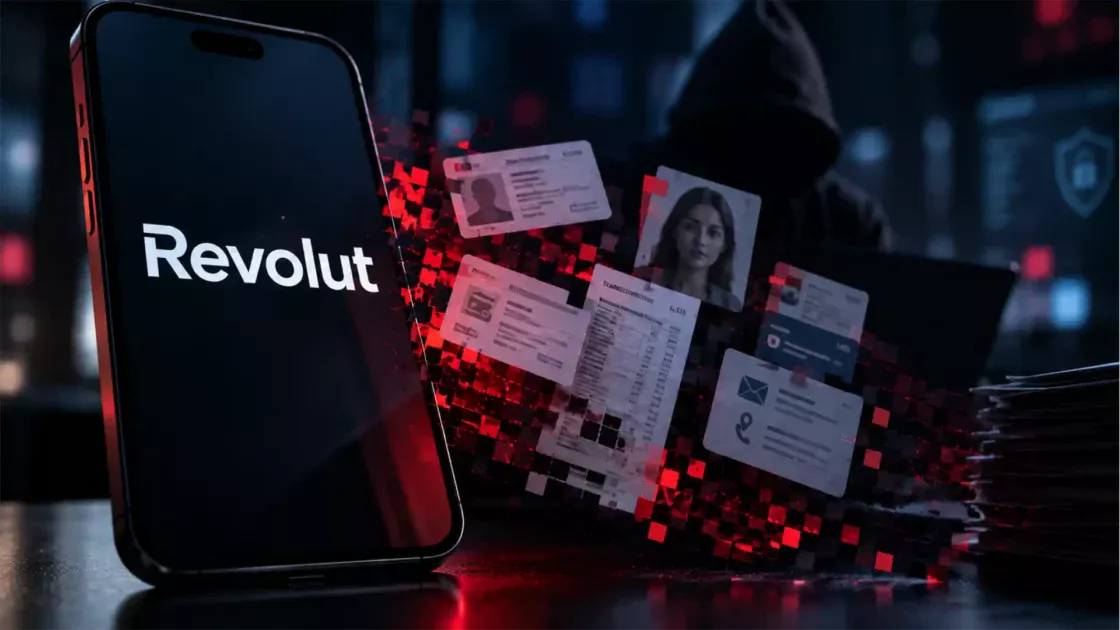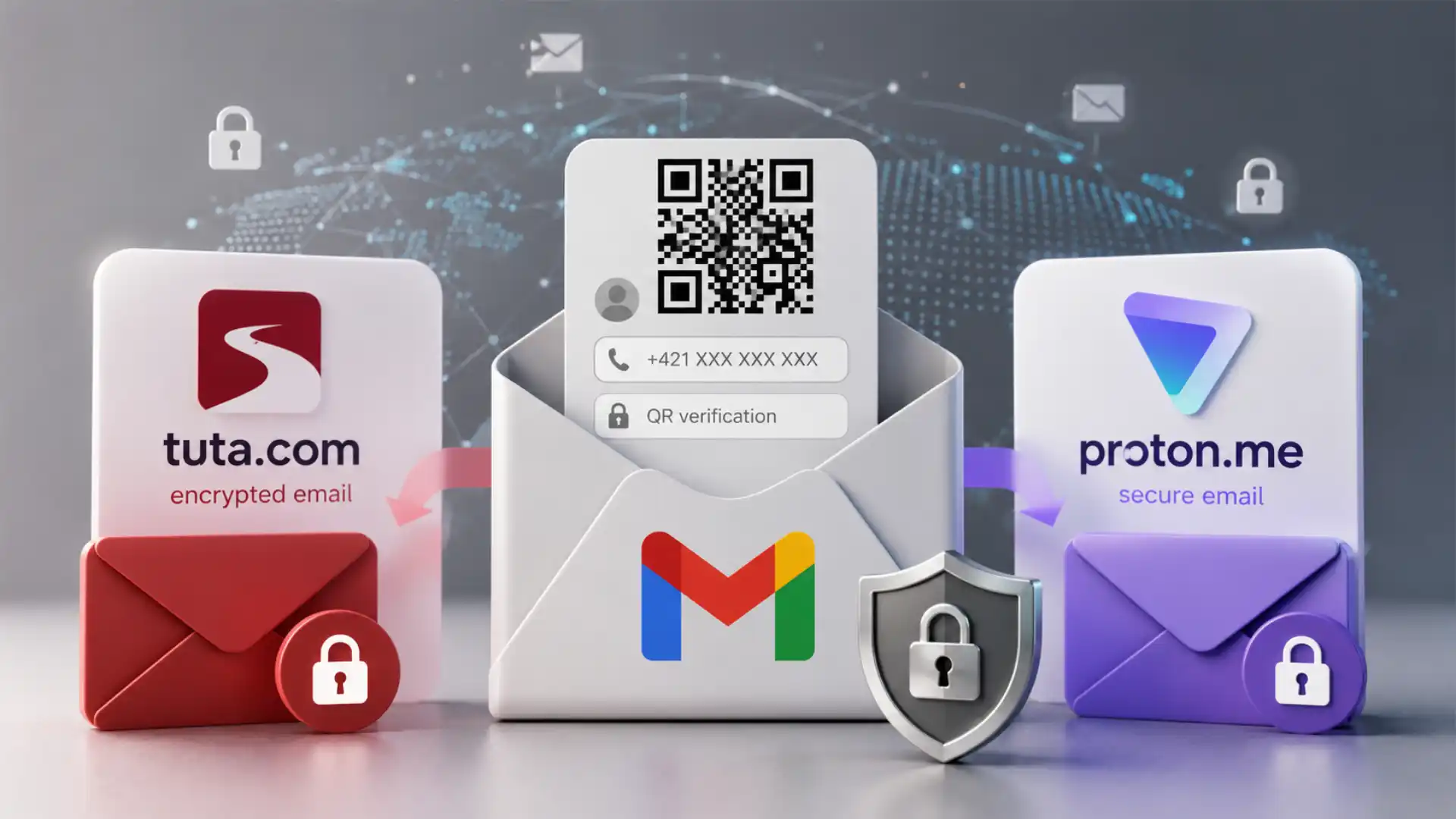
A growing number of people attempting to create a Gmail address are meeting a QR code on a desktop screen, then being directed to use a mobile device and complete phone-based verification. For someone without a smartphone, without a number they are willing to attach to a Google account, or with a number Google rejects, the practical effect is blunt: the account cannot be created through that route.
Table of Contents
It would still be inaccurate to state that Google has announced a universal rule saying every new Gmail account now requires a QR code and one globally unique telephone number. Google’s own account-verification guidance says phone verification is required “sometimes” before account creation or sign-in, and says a mobile device is needed when that verification is requested. Google does not publish a public, stable rule stating that every applicant must provide a number or that a number may be used only once.
That distinction matters, but it does not make the reported experience less real. People do not experience a risk-scoring system as an abstract model. They experience it as a blocked page. A person who lands on a QR prompt with no alternative route is not reassured by the word “sometimes.” They are being told, in effect, that their access to a basic communications address depends on a device and a mobile identity they may not possess or wish to disclose.
The sharper conclusion is this: Gmail sign-up is increasingly a conditional process, not a simple act of choosing an address and password. The condition may be a phone number, a device Google considers trustworthy, a QR flow, an SMS message, a browser state, an IP reputation signal, or a mix of all of them. The combination changes from one applicant to another because the system is designed to judge risk rather than apply one visible rule.
That design is understandable from Google’s position. Gmail is one of the world’s most abused email ecosystems because an email address is useful for much more than correspondence. It can open social-media accounts, trigger password resets, receive one-time codes, create marketplace listings, register cloud services, publish content, and send phishing messages. A free Gmail address is a powerful internet credential. Attackers know that. So do people operating spam farms, fake-review networks, fraud campaigns, automated bot accounts, and account-resale businesses.
The problem starts when anti-abuse controls become indistinguishable from an identity gate. A phone number is not merely a technical challenge. It is often tied to a person’s mobile contract, country, payment relationship, social graph, messaging history, recovery options, and device use. Even where a service does not publicly describe it as identity proof, a phone number has a different social weight from a CAPTCHA checkbox.
A QR code intensifies that feeling. The code moves the action from a browser to a handset. It asks the applicant to bridge two devices and, in many cases, to use a phone that is already a rich source of account signals. A person may be reluctant to scan it not because they are trying to evade security, but because they do not want a new email address to begin life connected to the same device and number used for banking, family, work, travel, and other accounts.
The issue is not that Google is uniquely wrong to fight abuse. Proton also uses human-verification measures, and its own support material says a new account may be asked for a CAPTCHA, email verification, or phone verification. Tuta also has anti-abuse controls. The relevant question is not whether providers verify people. It is which proofs they demand, when they demand them, what they retain, and whether a person has a realistic alternative.
For users who want an email account that is less likely to begin with a telephone-number demand, Tuta and Proton are serious alternatives. They are not magic anonymity machines. They have constraints, pricing tiers, recovery trade-offs, compatibility limits, and anti-abuse systems of their own. Yet their business models and product architecture offer a different answer to the central question: must an ordinary email address start with a phone-linked identity signal?
The QR screen changes the sign-up experience
A QR code is not inherently suspicious. It is a compact way to move a link or challenge from one screen to another. Google uses QR codes in several account-security contexts, including sign-in flows. The ordinary security rationale is simple: a phone may already be associated with a person’s account, may possess a screen lock, and may offer a stronger evidence trail than a browser session alone. Google’s support pages describe QR-based sign-in as a route that can also offer other verification choices in some circumstances.
The concern arises at account creation because the user does not yet have an account relationship to recover or defend. The QR prompt becomes part of admission. A person sees a visual code, scans it, lands on a mobile page, and may be directed to complete a verification step through SMS or another phone-mediated action. The experience feels less like creating a mailbox and more like enrolling into an account system.
That is a meaningful shift in the meaning of a “free email account.” Traditional webmail registration had an almost ceremonial simplicity: select a username, set a password, perhaps answer a recovery question, and begin sending messages. The modern version often includes browser fingerprinting, device reputation, velocity analysis, geolocation checks, CAPTCHA challenges, phone verification, and post-creation monitoring. The free address has become an account object guarded by a risk engine.
Google is not unusual in this respect. Large consumer platforms learned, often painfully, that low-friction sign-up makes abuse cheap. If it takes a fraud operation only seconds to create a batch of accounts, the platform pays later through spam filtering, customer-support costs, compromised reputation, regulatory scrutiny, and user distrust. Adding friction raises the cost of abuse. A phone-linked challenge makes industrial automation harder because acquiring, rotating, and maintaining usable mobile numbers is expensive.
Yet friction is not neutral merely because it targets abuse. It has different effects on different people. A person with a recent smartphone, a standard mobile plan, a stable home network, and a long browser history may barely notice it. A person on a shared computer, an older handset, a pay-as-you-go SIM, a limited data plan, a privacy-oriented browser, a public network, or an accessibility device may face a very different process. The same security control can be nearly invisible for one applicant and absolute for another.
The QR flow also changes the practical definition of a “unique phone number.” A user may try a number that appears legitimate and still be rejected. The reason may be previous verification activity, carrier characteristics, recent number reassignment, fraud patterns, account-creation velocity, geographic signals, or a non-public risk score. Google’s consumer documentation does not expose the full decision logic. That is unsurprising; a detailed map would be valuable to abusers. It also leaves ordinary users unable to distinguish a temporary false positive from a hard policy boundary.
People commonly describe this as being forced to use a “unique” number. It is better understood as a system treating the number as one signal among many and deciding that the signal is not sufficient, not trusted, or not eligible in that moment. The number may be real. It may belong to the person. It may even be unused for Gmail in the ordinary sense. None of those facts guarantees success.
That opacity creates a second problem: users start hunting for workarounds. They may search for disposable SMS services, borrowed numbers, modified browsers, virtual-phone providers, or repeated sign-up attempts. Those tactics carry privacy and security risks. A shared or temporary number may later be used in recovery or may expose the account to someone else. A disposable-SMS website may log messages. Repeated attempts may deepen the risk score rather than solve it.
A blocked Gmail sign-up is not a good reason to weaken account security. It is a reason to choose an email provider whose admission rules better match the user’s needs, or to wait and use official recovery and support channels where available. Tuta and Proton deserve attention because they make different trade-offs, not because they promise a universal escape from every human-verification control.
Gmail is an account system before it is an inbox
The phrase “Gmail account” is often used casually, but the underlying object is a Google Account. That account may unlock Gmail, Drive, Photos, Calendar, YouTube, Maps history, Play Store purchases, Android synchronization, Chrome data, cloud documents, advertising controls, and other services. A new Gmail address is usually not being created as a standalone mailbox. It is being created as a durable entry point into a broad consumer platform.
That scope explains much of Google’s caution. A malicious Gmail account is not only capable of sending spam. It may also be used to create a YouTube channel, access storage, coordinate abuse across services, evade bans, or establish a new identity within a platform that reaches billions of users. Google has a direct incentive to identify suspicious creation patterns early, before the account gains trust and accumulates activity.
A phone number fits this model because it functions as a recovery channel, a sign-in route, a security signal, and, depending on settings, a data point that may be used across Google services. Google’s own support material says an account phone number may be used for sign-in and recovery. It also documents a setting that permits a number to be used across Google services for more relevant advertising, which users may turn off.
This does not mean every phone number submitted in a sign-up challenge is automatically used for ads or permanently attached in the same way. It means the number belongs to an account environment where telephone data has multiple possible roles. For privacy-minded users, that alone is enough to change the decision. They may not want a personal number to be the first anchor in an account that will later touch search history, browser synchronization, mobile operating-system services, cloud files, and advertising preferences.
Google’s privacy policy says users may choose to add a phone number to an account, alongside other personal information. The policy also describes broad categories of information Google collects from use of its services and devices. A policy document is not evidence of wrongdoing; it is a map of the relationship users enter. The privacy question is not whether Google keeps a secret dossier on every individual. It is whether the person wants their email identity to be governed by a large, integrated data ecosystem in the first place.
For many users, the answer remains yes. Gmail is familiar, free at the point of use, deeply integrated with Android, widely accepted by services, strong at spam filtering, and connected to tools people already rely on. A household that uses Google Photos, shared calendars, Drive links, Google Meet, YouTube subscriptions, and Android backups may reasonably value that convenience. The purpose of a privacy alternative is not to deny Gmail’s strengths. It is to make the trade-off visible.
The sign-up challenge makes that trade-off impossible to ignore. The same person who has long treated email as a neutral utility may discover that the address is now part of a device-and-identity stack. Scanning a QR code and proving access to a number is a small act in technical terms. Symbolically, it tells the user what kind of account they are creating: one that expects continuity between browser, handset, network, and identity signals.
This is one reason the debate has become more emotional than a normal CAPTCHA complaint. People are not merely annoyed by an extra step. They are reacting to a perceived loss of separability. They want an email address for a project, a local association, a secondary contact point, a family member, a job search, a newsletter subscription, or a private correspondence channel. They do not necessarily want to fold that address into the same phone-based identity used everywhere else.
The strongest analysis is therefore not “Google is forcing everyone to surrender a phone number” and not “people worried about this are trying to avoid accountability.” Both are too crude. Google is tightening access for some applicants through risk-based mobile verification, while a portion of users are looking for providers that preserve greater distance between email registration and mobile identity. That is the real market opening for Tuta and Proton.
Abuse economics made the old sign-up model obsolete
The old ideal of anonymous or lightly identified email registration collided with the industrialization of online abuse. A single email account can be used to impersonate a business, reset credentials, open a social profile, contact victims, send invoices, distribute malware links, seed fake reviews, or automate registrations elsewhere. When that account is free and easy to obtain, it becomes part of a criminal supply chain.
Spam operations do not need every address to survive. They need enough addresses to survive filtering, suspension, and blacklisting. Fraud campaigns do not need a convincing identity at every stage. They need a way to create accounts faster than defenders can remove them. Bot networks do not care whether one address is lost if they can create ten more in minutes. This is why platforms care about “account creation velocity,” device reuse, network signals, and phone-number patterns.
A verification system is an economic instrument. It does not need to make abuse impossible. It needs to raise the cost of abuse and reduce the speed of abuse enough that large-scale attacks become less profitable. A CAPTCHA adds time. An email verification step requires an existing inbox. A phone challenge requires a mobile channel. A device check may force the attacker to maintain more realistic browsing environments. A QR workflow links two screens and may defeat a simple headless browser script.
The logic is sound, but no control is free. Every added proof excludes some legitimate users and creates an incentive for adversaries to purchase or steal that proof. Phone-number verification has been bypassed through SIM farms, rented numbers, compromised phones, virtual-number services, and social engineering. QR codes can be used safely in legitimate flows, but people have also been trained by attackers to scan codes without inspecting the destination. The technique is not a guarantee of safety; it is one layer in a larger system.
The tension is clearest when the service is both free and central to the internet. A paid specialist service may absorb more manual review or tolerate a smaller user base. Gmail has to defend a vast, global service with minimal per-user friction. That pushes the system toward automated decisions. Automated decisions work through probabilities. Probabilities inevitably produce cases where a legitimate person is treated as suspicious.
A human reviewer might understand that a person is opening an email account for an elderly parent who uses a desktop computer and has no camera-enabled phone. A risk engine sees a new browser state, a low-history environment, a requested account, and a missing mobile signal. A human might understand that a journalist does not want a personal number attached to a source-facing inbox. A risk engine sees a pattern that could resemble someone trying to create an untraceable abuse account. The system is not evil. It is indifferent to context it cannot reliably verify.
The friction is therefore not a bug in the usual sense. It is the price Google has chosen to impose on uncertain cases. The dispute is about who pays that price. Google pays less in abuse exposure. Many ordinary users pay with time, mobile disclosure, device dependence, or loss of access.
This also explains why “just use a different browser” is weak advice. A different browser might produce a different challenge, but it does not address the structural issue. Nor does it create a right to anonymous Gmail access. Google may alter the decision based on signals that users cannot see. Methods that appear to work for one person may fail for another. Advice built around evasion is unstable and may encourage unsafe behavior.
A more durable response begins with the user’s goal. Do they need a Gmail address specifically because a service requires it? Do they need an email account with strong privacy properties? Do they need an address for a small business? Do they need a household inbox, a recovery address, a newsletter address, or an account that works with a custom domain? The answer determines whether switching to Tuta or Proton is a clean solution, a partial solution, or the wrong move.
The phrase unique phone number hides a risk model
People often say a number is “unique” when a provider will not accept it for a new account. That phrase suggests a simple database rule: one number, one Gmail account. Publicly available documentation does not establish such a universal policy. Google may limit how phone numbers are used for verification, but the visible result is shaped by more than count alone.
A number may have a history. Mobile numbers are reassigned. A new subscriber may receive a number that once belonged to another person who used it for several online services. A prepaid number may be associated with a carrier range that has been heavily abused. A virtual number may be technically valid for calls but not treated as suitable for account verification. A family number may have been used for several legitimate accounts, then reach an internal threshold. A number may also be perfectly ordinary but rejected because the surrounding device or network signals appear risky.
Google has reasons not to reveal exact thresholds. If it published a clear quota such as “three accounts per number per year,” abuse operations would treat the rule as an instruction manual. The same secrecy, though, creates a trust problem for ordinary people. They cannot tell whether trying again tomorrow will work, whether the number is permanently ineligible, whether a temporary lock has been applied, or whether the problem lies elsewhere.
This is a classic problem of security opacity. Defenders must conceal some detection rules. Users need enough explanation to correct genuine mistakes. The balance is hard. If the explanation is too vague, legitimate people feel accused without recourse. If the explanation is too precise, attackers adapt. Large platforms usually choose the former because they bear the cost of adversarial learning at scale.
A user who needs a separate communications identity may find that answer unacceptable. The need may be modest: a volunteer role, a local club, a contractor inquiry address, or an inbox for a school project. The user does not see themselves as part of a threat model. Yet the system cannot reliably separate that person from a fraud operator who is also requesting a fresh, lightly connected account.
A phone number has become a reputation token. It is not solely a route for delivering a code. It is a scarce, semi-persistent signal that can be evaluated alongside device and network behavior. The number’s value to a platform comes from its costliness: acquiring and maintaining legitimate mobile numbers at scale is harder than generating passwords or email aliases. The fact that it is tied to real people is precisely what makes it useful against mass abuse.
That usefulness has a civil cost. Phone numbers are not evenly available. Some people share a household phone. Some cannot afford a mobile plan. Some live in areas with uneven coverage. Some are minors whose family controls the number. Some are domestic-abuse survivors who need separation from a known contact channel. Some are activists, researchers, or journalists who want a less linkable identity. Some simply prefer not to disclose a number to a service they do not need to trust with it.
NIST’s current digital-identity guidance recognizes an important practical limitation: people may be unable to use public-switched telephone networks for out-of-band authentication because they lack mobile service or coverage. It says verifiers should make alternative authenticator types available and consider risks such as SIM swaps, number porting, and abnormal behavior before using the phone network to deliver an authentication secret.
NIST’s guidance is not a legal command to Google. It does, however, express a mature security principle: mobile verification is a useful signal, not a universal substitute for accessible authentication. A system that relies heavily on phones should acknowledge the people for whom phones are unavailable, unsafe, unaffordable, or unsuitable.
That principle strengthens the case for a diversified email market. A person should not be forced to treat one provider’s risk model as the only path to a working mailbox. Gmail may remain the correct choice for users who want Google’s ecosystem. Tuta and Proton matter because they offer another admission model and a different relationship between identity, security, and communications.
Phone verification creates an access question, not only a privacy question
Privacy is the headline concern in discussions about phone-linked sign-up, but access is just as important. The QR requirement assumes a camera-enabled device, a functioning mobile browser or app environment, enough battery, usable data or Wi-Fi, visual ability to scan a code, and a person who is comfortable moving between screens. Those assumptions are ordinary for many people and barriers for others.
A desktop-only user may have a basic phone that receives calls and SMS but cannot scan a QR code. An older person may use a shared family computer while keeping a simple handset. A visually impaired user may need screen-reader support that does not translate easily to visual QR flows. A person in a shelter, hospital, library, school, or temporary accommodation may lack a private device. A worker may not be permitted to use a phone during a shift. A child may need an email account for education but not have control over a phone number.
The practical harm is not always permanent exclusion. Some users will borrow a phone, return later, or find an alternative. Yet every workaround has a cost. Borrowing a phone may attach the account to someone else’s device context. Delaying sign-up may interrupt a job application or service registration. Using a shared number may create recovery ambiguity. Asking another person for help may reveal a private reason for needing a separate address.
These cases show why “mobile-first” is not just a design preference. It reshapes who can enter the service without assistance. A product team may see QR verification as a smooth cross-device interaction. A user without the expected hardware sees a locked door.
Google’s own account-verification help page says a mobile device is needed when its anti-spam verification is required. That is a clear statement of operational reality, even if the requirement is not triggered for every applicant. The company may offer alternate options in some flows, but the availability of those options is not something a user can assume or demand at the moment a risk decision is made.
The access problem is made worse by the lack of a predictable appeal path during sign-up. A person can often find help with an existing account, but a person who is blocked before account creation has little identity within the system to use for escalation. They may be directed to generic help pages, community forums, or repeated attempts. That is a difficult position when the account is needed to contact an employer, enroll in a service, or manage a new device.
A privacy-oriented email service does not automatically solve accessibility problems. It may use a CAPTCHA that is hard to complete. It may have a waiting period. It may block some network conditions. It may not offer the same language support, integration, or regional familiarity. Still, the presence of credible alternatives changes the user’s bargaining position. The question shifts from “how do I force Gmail to accept me?” to “which provider gives me an account path I can actually complete?”
This is the practical value of provider choice. It is not merely about ideology or encryption. It is about avoiding a single point of access failure. An email address has become a foundational tool for modern life. It receives contracts, medical reminders, school notices, account resets, travel confirmations, invoices, and legal communications. The more essential email becomes, the stronger the argument for multiple credible paths to obtain it.
For organizations, the lesson is sharper. A school, public agency, employer, or service that assumes every participant can create a Gmail address is embedding Google’s onboarding rules into its own access policy. That may be convenient, but it is not neutral. Providing a non-Gmail contact route is a small administrative decision with real inclusion consequences.
The broader market question is not whether Google must abandon verification. It is whether email providers, public institutions, and service designers recognize that a phone-gated account is not universally available. A security control should protect people without quietly redefining which people count as ordinary users.
Security and identity are not the same thing
A service often asks for a phone number under the banner of security. Sometimes that is entirely justified. A phone can deliver a recovery code, receive suspicious-login alerts, support a push prompt, or provide an out-of-band confirmation channel. Those are security functions. The problem begins when the security function is treated as equivalent to a stable, fair, or minimally intrusive identity proof.
A phone number proves only limited facts. At a given moment, it may show that someone can receive a message or interact with a mobile device. It does not reliably prove legal identity, age, residence, intent, trustworthiness, or long-term account ownership. Numbers are recycled. SIM cards are swapped. Families share devices. Criminals can obtain numbers. Carriers can be tricked. Users change countries and lose access. The number is useful, but it is not a clean identity credential.
Security design improves when systems separate three questions.
The first question is “Is this request likely to be automated or abusive?” That is an anti-bot and anti-spam question. A CAPTCHA, proof-of-work task, browser integrity check, or rate limit may address it.
The second question is “Can this person recover the account later?” That is a recovery-design question. It may be addressed through recovery codes, secondary email, security keys, trusted contacts, authenticated devices, or printed backups.
The third question is “Who is this person in the real world?” That is an identity-proofing question. It may be needed for banks, regulated financial services, employment checks, government access, or age-restricted transactions. Ordinary personal email does not necessarily need to answer it.
When a phone number is used for all three questions at once, users may feel the system has overreached. A provider may say it is fighting spam, but the person sees a durable identifier being requested. A provider may say it is enabling recovery, but the person sees an entry gate. A provider may say it is confirming humanity, but the person sees a link to their mobile contract and physical device.
Tuta and Proton are attractive because they separate these questions more visibly, though neither eliminates them completely. Tuta states that registration does not require personal data such as a phone number. Proton promotes phone-free creation routes, while also explaining that its human-verification process may request CAPTCHA, email, or phone verification depending on circumstances. The difference is not that anti-abuse disappears. The difference is that a personal telephone number is not positioned as the default or inevitable foundation of a new inbox.
This distinction is especially important for people who want privacy without doing anything illicit. A person may need a mailbox for a medical matter, a union issue, a tenancy dispute, a whistleblowing contact, a sensitive family conversation, or an advocacy project. In each case, connecting the address to a primary mobile number may expose patterns the person prefers to compartmentalize. Compartmentalization is not deception. It is an ordinary privacy practice.
The same logic applies to small businesses. A freelancer might want separate addresses for client billing, public contact, vendor accounts, and personal life. Linking every account to one phone can create a brittle recovery structure and a concentrated privacy risk. A custom domain and several role-based addresses may be a better design than spinning up multiple consumer Gmail accounts.
Security is strongest when it gives people choices that fit their circumstances. A person who owns a security key should be able to use it. A person with a reliable secondary email should be able to use it. A person without a smartphone should not be treated as a suspicious outlier by default. A person who does use a phone should understand what role the number plays and what settings control its broader use.
Google offers several recovery and security methods for established accounts, including backup codes, security keys, passkeys, recovery emails, and recovery contacts. Its help material notes that recovery contacts can assist with regaining access after a prior setup period. The problem discussed here is earlier: the first gate can still be phone-centric for some new applicants.
QR codes do not solve the weaknesses of SMS
A QR code may make a verification flow feel more modern, but it does not erase the limits of telephone-based authentication. If the QR process leads to an SMS message, a mobile confirmation page, or a phone-number binding step, the underlying security still depends on the mobile ecosystem.
SMS remains useful because it is broadly available. It works on basic phones, does not require a special app, and reaches people who may not understand security keys or authenticator apps. For account recovery, its convenience is obvious. Yet convenience is not the same as high assurance.
A mobile number can be targeted through SIM-swap fraud, port-out fraud, carrier account compromise, phishing, malware, device theft, and message interception. A phone lock screen may expose incoming codes. Shared devices can reveal notifications. A number might be reassigned after inactivity. A user who changes countries may lose the number that once secured an important account.
NIST warns verifiers to consider signs such as SIM changes and number porting before using the public phone network for out-of-band secrets. It also states that providers should ensure alternative authenticator types are available because people may not have usable mobile service. CISA similarly promotes phishing-resistant authentication, with FIDO and WebAuthn-based approaches standing apart from codes that a user can be tricked into entering on a fraudulent page.
That does not make a QR-driven phone check useless. It may lower the success rate of simple automated sign-up scripts. It may force an attacker to control both a browser and a handset. It may help detect a mismatch between device context and claimed number. These are anti-abuse gains. The point is narrower: a phone-centric sign-up flow should not be sold as a complete answer to account security.
For high-value email accounts, the strongest next step is not merely to retain a phone number. It is to use a unique password, enable multi-factor authentication, store recovery codes offline, add an independent recovery channel, review account sessions, and consider a FIDO2 security key. These practices reduce dependence on a single mobile number.
Proton supports both authenticator-app and physical security-key options for two-factor authentication. Its support guidance says a user may add up to four security keys, which supports a sensible backup strategy. Tuta also documents support for TOTP and U2F-style second factors. The user still needs to manage recovery carefully, but the security model does not require that a phone number be the permanent center of account control.
For Gmail users, phone-free creation is not the only privacy concern. Someone who already has a Google Account can reduce dependence on a phone by creating backup codes, adding a recovery email, using a hardware key or passkey, and reviewing the account’s phone-number usage settings. Google documents backup codes specifically for cases where a person loses a phone, changes a number, or cannot receive text or call codes.
The larger principle is easy to state and harder to implement: the device used to enroll an account should not become the only device that can save it. A good account architecture has redundancy. It uses a password manager, a recovery code stored outside the inbox, two security keys kept apart, a verified secondary address, and documented procedures for loss or theft.
That architecture matters even more for privacy services. People are sometimes drawn to encrypted mail because they want a provider that cannot casually read stored mailbox content. That privacy comes with responsibility. If a user loses their password and recovery material, the provider may be unable to restore access precisely because it does not hold the same keys. Privacy and recoverability must be planned together.
Google’s privacy controls do not remove the sign-up trade-off
A fair analysis should not imply that Google gives users no control. Google lets account holders review, change, or remove phone numbers and manage advertising and privacy settings. Its support page explains that a phone number can be deleted from the account and separately managed as a recovery number, and that “Better ads & Google services” usage can be turned off.
Those controls are relevant. A user who accepts a number for account recovery is not necessarily consenting to every possible use of that number. Settings matter. Deletion and removal pathways matter. Data portability, activity controls, ad preferences, location settings, and account security audits matter. People should use them.
But a settings page after enrollment is not equivalent to a sign-up process that did not require the signal in the first place. The privacy decision has two layers.
The first is collection: did the user need to provide the phone number to enter the service or activate a feature?
The second is use: after the number is present, what may the service do with it, what controls exist, and how easily can the user understand and change those settings?
A person who wants to avoid the first layer cannot be fully satisfied by controls over the second. They may trust Google’s security practices and still prefer not to submit the number at all. That is a legitimate preference, particularly when the email account is intended for a separate role.
There is also a problem of cognitive load. A sophisticated user may navigate account settings, read support documents, distinguish a recovery number from a contact number, check advertising preferences, and periodically audit the account. A casual user may never do this. A system that expects every person to manage a complex set of privacy controls places the burden on those least able to carry it.
European data-protection law is relevant here as a principle, not as an automatic verdict on any specific Google flow. The GDPR includes data-minimisation requirements: personal data should be adequate, relevant, and limited to what is necessary for the stated purpose. The difficult question is necessity. Google may argue that phone verification is necessary in certain high-risk account-creation situations to protect users and the service from abuse. A privacy advocate may argue that less identifying alternatives should be offered more consistently.
The law does not resolve every product-design decision in advance. It does place pressure on providers to explain why data is collected, to use proportionate methods, and to avoid treating the most intrusive verification path as the automatic default. It also encourages users and regulators to ask a better question than “is this legal?” The better question is “is this amount of identity linkage justified for this function?”
A free email provider operates within a business model. Gmail’s core consumer service is part of a much larger advertising, cloud, and platform ecosystem. Google says it does not share personally identifying information such as names or email addresses with advertising partners unless users ask it to do so, while its policies describe many forms of data use across services. Users may accept that model because the service is useful. Others may prefer a provider funded primarily by subscriptions, where privacy promises are tied to the product’s revenue source.
That is the philosophical divide behind the Tuta and Proton comparison. The decision is not “Google bad, encrypted email good.” It is about governance. Which company’s incentives, technical structure, account controls, and data collection choices fit the role the mailbox will play in a person’s life?
Tuta offers a clear answer on phone-free registration
Tuta, formerly known as Tutanota, makes a direct promise that speaks to this concern. Its support material says that during registration users do not need to provide personal data such as a phone number. Its secure-email pages also state that no phone number is required to create an account.
For a person blocked by Gmail’s QR and phone path, that clarity is valuable. It does not mean the registration process is guaranteed to be frictionless in every network condition. Tuta still needs to limit abuse, protect deliverability, and keep bad actors from using its infrastructure. It may apply anti-spam measures and may delay activation in some cases. The claim is more specific: Tuta does not present a phone number as a required personal-data field for account registration.
That makes Tuta a strong option for users whose primary goal is to create a private inbox without tying it to a mobile number. The service is built around privacy and encrypted communications rather than around a broad advertising or cloud-services ecosystem. Tuta describes its approach in terms of all-round encryption, no tracking, and open-source software.
The practical benefits are easy to understand.
A user can create a separate mailbox for a sensitive project without beginning from a phone-linked credential. They can use a Tuta address as a recovery email for selected accounts, though they should not make it the only recovery route until they have tested access and stored recovery information. They can keep personal and role-specific communications more separate. They can avoid adding another address to a large, cross-service data environment.
Tuta is also particularly relevant for users who want a provider with a privacy-first culture but do not want to learn manual PGP workflows. The service handles encryption through its own applications and web interface. This is important because traditional encrypted email often fails at the usability layer. People may understand the theory of public keys and still never use them if setup, key exchange, or compatibility is too cumbersome.
There are trade-offs. Tuta is not a drop-in clone of Gmail. Its ecosystem is smaller. Users who depend on broad third-party mail-client support, deep Google-style integrations, advanced automation, or conventional IMAP access need to check current product capabilities carefully before moving a critical workflow. An encrypted provider’s architecture may place limits on server-side search, external client access, or integration patterns because those features interact with the encryption model.
The same is true of migration. Moving existing Gmail history into a private provider may require a particular import path, a paid plan, a desktop tool, or an export process. Before changing the public email address used for banking, healthcare, tax, work, or family communications, a person should test the new mailbox with non-critical accounts. A private mailbox is useful only if the owner can log in reliably, receive messages promptly, find them later, and recover access after a lost device.
Tuta’s strongest appeal is not that it makes email anonymous in every sense. It is that it gives users a way to start with less personal-data disclosure. Email itself remains a networked system. Recipients may identify you. Websites may track the address you give them. Messages sent to ordinary providers may not remain end-to-end encrypted. Headers and timing may reveal patterns. A provider’s sign-up policy is one part of privacy, not the entire picture.
Still, first-party registration data matters. An address created without a phone number begins with fewer obvious links to a person’s primary mobile identity. For many users, that is enough reason to choose Tuta as a secondary mailbox or a primary personal address.
Proton provides a privacy route with important caveats
Proton is often described as a way to create an email account without a phone number. That statement is broadly useful but needs careful wording. Proton’s own blog explains a phone-free path that uses CAPTCHA or email verification, and says a phone number is optional for recovery.
At the same time, Proton’s current human-verification support page says new accounts may be asked to complete a CAPTCHA challenge or verify a phone number or email address. It says the available methods depend on factors that include account-creation patterns and use of the Tor Browser.
The accurate conclusion is therefore: Proton does not require a phone number in every account-creation flow, but it may request phone verification in some cases. A person choosing Proton specifically to avoid phone disclosure should not assume that every registration attempt will show an email or CAPTCHA option. The exact challenge is risk-based.
This caveat does not weaken Proton’s value. It makes the comparison more honest. Proton is not promising that anyone can create unlimited anonymous accounts without proof. It is trying to protect its email reputation while offering privacy features and, in many cases, non-phone verification options. That is a difficult balance. If a service made account creation effortless for high-risk traffic, its domains could be abused so heavily that legitimate users would find their messages blocked by other providers.
Proton’s business model also differs from Gmail’s. The company promotes paid subscriptions for expanded services and positions its Mail, Drive, VPN, Pass, Calendar, and related products around privacy. Its email documentation says messages and attachments in a Proton Mail inbox are protected with zero-access encryption, and that messages between Proton Mail users are end-to-end encrypted.
For many people, Proton is attractive because it combines a mainstream-feeling interface with stronger privacy defaults than a typical advertising-funded mailbox. It offers mobile apps, web access, aliases, custom-domain support on relevant plans, import and forwarding tools, and an ecosystem that extends beyond email. A user who wants to leave Gmail but still wants a broad set of personal productivity services may find Proton’s product range more familiar than a narrower mail-only provider.
The downsides are equally real. Some features require paid plans. Storage, address counts, custom domains, bridge access, import functions, and other capabilities can vary by plan and change over time. A user should read the current plan details before treating the free tier as a permanent replacement for a complex Gmail workflow. The company’s privacy claims also do not mean every email sent through Proton is end-to-end encrypted. Messages to normal Gmail, Outlook, corporate, or domain-hosted addresses typically use transport encryption in transit, but their contents may be readable by the recipient’s provider once delivered unless a separate end-to-end method is used.
Proton states this directly: messages sent to non-Proton addresses are not end-to-end encrypted by default, although they are protected with TLS in transit and may use password-protected messages or PGP for stronger protections.
The service is therefore best understood as a privacy-centered email provider, not as a switch that makes email universally secret. Its strongest privacy protection applies within the Proton environment and for data stored in the user’s mailbox. Cross-provider email inherits the limits of the open email system.
For someone facing Gmail’s QR gate, Proton is still a practical first alternative because it may offer a phone-free registration route, provides mature account-security options, and has a large enough ecosystem to support daily use. The decision should be based on the user’s needs: privacy from the provider, reduced phone linkage, custom-domain support, apps, migration tools, or a subscription-supported model.
The choice between Tuta and Proton is not ideological
Tuta and Proton are frequently placed in the same category: private, encrypted alternatives to Gmail. That description is fair but incomplete. They share core values while making different product decisions. A useful comparison starts with the work the mailbox must do.
Tuta is often the cleaner fit for a person whose first requirement is “I want an email address without supplying a phone number.” Its public messaging on that point is unusually direct. The service’s design is strongly privacy-centered, and its identity is less entangled with a large suite of consumer cloud products.
Proton is often the cleaner fit for a person whose requirement is “I want a privacy-focused replacement that can expand into a broader set of services.” Proton Mail sits beside Drive, Pass, Calendar, VPN, and other products. It has a wider set of account and integration options, though some are attached to paid plans. Its verification model is more explicit about adapting to abuse risk, which may occasionally mean a phone or email challenge.
Neither choice is automatically superior. A writer who needs a single private inbox for correspondence may prefer Tuta’s simplicity. A family leaving Google’s ecosystem may prefer Proton’s broader platform. A small company that wants a custom domain, multiple addresses, calendar tools, shared workflows, and a known migration process may compare paid business plans rather than free consumer accounts. A person who relies heavily on third-party desktop mail clients may need to investigate compatibility in detail.
The most common mistake is choosing based on a slogan. “Encrypted” is not enough. “No phone number” is not enough. “Open source” is not enough. The right provider is the one whose security and privacy model remains usable after the first week. A mailbox is not a symbolic purchase. It is a long-term archive, recovery route, contact channel, and identity surface.
The decision also changes over time. A user may start with a free Tuta or Proton address for newsletters, public forms, and low-risk contacts. Later, after testing the service, they may migrate selected personal accounts. A freelancer may buy a custom domain and use Proton or Tuta for professional mail. A family may keep Gmail for Android and YouTube while using a private provider for sensitive correspondence. The result does not need to be a dramatic all-or-nothing exit.
A mixed setup often makes more sense. Gmail can remain the address for Google-dependent services, while a privacy provider becomes the address for banks, healthcare portals, legal communication, subscriptions, and personal correspondence. Or the opposite: a privacy address becomes the public identity while Gmail is kept only for services that cannot be decoupled from Google.
The key is separation. A person who uses one mailbox for every purpose gives every account breach, marketing database, data broker, and password reset a single target. Using a few purpose-based addresses reduces that concentration. Aliases and custom domains make the model stronger because the user can create distinct entry points without maintaining dozens of full inboxes.
The comparison becomes clearer when viewed as a set of trade-offs rather than a winner-takes-all contest.
Account creation and first-stage privacy
| Question | Gmail | Proton Mail | Tuta |
|---|---|---|---|
| Is phone verification always required? | No public universal rule, but Google says it may be required in some cases | No, but Proton may request phone, email, or CAPTCHA verification depending on risk | Tuta states no phone number is required for registration |
| Is a QR/mobile flow possible? | Yes, users may encounter phone-oriented QR verification | Verification method varies by risk and flow | Registration is designed without a phone-number requirement |
| Is the provider part of a broad consumer platform? | Yes, Google Account connects many services | Yes, within a privacy-focused suite | More narrowly centered on private communications and related tools |
| Is private storage encryption a core product claim? | Gmail security is strong, but not zero-access inbox encryption by default | Yes, zero-access storage and end-to-end encryption within Proton | Yes, encryption and no-tracking claims are central to the product |
| Should a user expect anti-abuse checks? | Yes | Yes | Yes |
The table shows a practical point rather than a moral ranking. Phone-free registration and low-friction registration are not identical promises. A provider may avoid requiring a phone number while still enforcing checks that protect its service from abuse. Proton’s documentation is especially useful because it openly explains that the available verification options can change with perceived risk.
Encryption protects stored mail differently from ordinary webmail
People often switch to Tuta or Proton because they want “encrypted email.” That phrase needs precision. Most major email providers use encryption in transit through TLS for many connections. TLS protects data while it travels between a browser and a provider, or between mail servers that support the protocol. It is important, but it does not automatically mean the provider cannot access the contents stored in the mailbox.
Zero-access encryption refers to a model in which the provider stores data in a way that is designed to prevent the provider from reading it in ordinary operation. End-to-end encryption goes further for a message exchange: the sender encrypts content so that only the intended recipient can decrypt it, rather than the service provider having the practical ability to read it.
Proton says messages and attachments in a Proton Mail inbox are secured with zero-access encryption. It says that between Proton Mail users, messages in transit are end-to-end encrypted. It also says subject lines and sender/recipient addresses are encrypted in storage but are not end-to-end encrypted in the same way as message bodies and attachments.
Tuta presents its service around all-round encryption, no tracking, and open-source components. Its security material describes encryption as central to its email, calendar, and contacts model.
These features matter because email often contains dense personal archives: health information, financial documents, travel plans, family disputes, employment records, contracts, invoices, legal correspondence, password resets, and identity documents. A provider that cannot readily inspect stored message bodies offers a different privacy posture from a provider that can technically access content under its service architecture.
But users should resist a simplistic story. Encryption does not erase all risk.
If a recipient uses Gmail, Outlook, or a corporate mail server, that recipient’s provider may retain a readable copy. If a person’s computer is compromised, encryption at rest on the provider’s servers does not protect the open mailbox in the browser. If a user sends a message to the wrong address, encryption does not reverse delivery. If a phishing page steals the password and second factor, the attacker may access the mailbox. If the user’s recovery code is lost, a privacy-first provider may not be able to restore access easily.
There is also a usability cost. Search may be architected differently. Calendar invitations and external integrations may behave differently. Some advanced mail-client workflows may require a bridge application or may not be available. Delegated access and shared business inboxes can be more complex in an encrypted environment. These are not defects in the casual sense; they flow from the same architecture that limits provider access.
Privacy has operational consequences. A user choosing Tuta or Proton should be ready to manage a stronger password, recovery code, second factor, and backup plan. They should not treat the account as disposable merely because it was easy to create without a phone. The account may become more important precisely because it is separated from the user’s main identity system.
The right expectation is not “encrypted email means nobody can ever see my messages.” The right expectation is “the provider has a more limited technical ability to read my stored content, especially within its own ecosystem, while ordinary email still exposes information at the edges.” That is a meaningful improvement, but it is not invisibility.
Metadata remains the stubborn part of email privacy
Email privacy is constrained by the way email works. Even when message bodies are encrypted, communication systems often need to know where a message is going, when it was sent, which server processed it, and how it should be routed. Those facts are metadata. Metadata may not reveal the body of a message, but it can reveal relationships, timing, patterns, and organizational context.
The internet’s email standards define message structures with fields such as sender, recipient, date, subject, and routing-related information. RFC 5322 specifies the Internet Message Format used for electronic mail messages. In ordinary mail transport, additional headers and delivery traces may be added as messages move between systems.
A person who sends a sensitive message to a lawyer, doctor, union representative, political group, journalist, or family member may care about the content. They may also care that the relationship itself remains less visible. Encryption improves content confidentiality, but it does not automatically conceal every communication fact from every participant in the chain.
Proton is unusually direct about this limit. Its explanation of mailbox encryption says subject lines and sender and recipient email addresses are encrypted but not end-to-end encrypted. For mail sent to non-Proton recipients, it says the recipient provider may be able to access delivered content unless a separate encrypted method is used.
This does not make private email pointless. It means the user should match the tool to the threat model. A person protecting ordinary personal correspondence from broad provider inspection may be well served by Tuta or Proton. A person trying to conceal the fact that two parties are communicating may need to consider additional practices, such as careful account separation, message timing, recipient choice, and, where appropriate, tools designed for stronger metadata resistance.
The Electronic Frontier Foundation’s security guidance repeatedly emphasizes that privacy requires both technical tools and careful practices. Encryption is powerful, but it works within a wider security plan that includes strong authentication, software updates, threat awareness, and protecting metadata where possible.
For everyday users, the practical lesson is modest. Do not put sensitive details in subject lines. Treat email addresses as identifiers that may be shared or logged. Use separate addresses for different roles. Avoid forwarding sensitive messages through multiple services. Remove unnecessary recipients. Think before sending a document with embedded personal data. Use password-protected messages or PGP where the recipient can manage them.
Proton offers password-protected emails for external recipients, which create a protected message experience accessible through a separate password. The recipient must still receive the password through a different channel, and replies require attention because encryption may not persist automatically across every subsequent exchange.
Tuta provides encrypted communication mechanisms within its ecosystem and offers approaches for protected exchanges with external recipients. The detail matters less than the principle: a private mailbox reduces one layer of exposure, while secure communication often requires agreement and discipline at both ends.
The Gmail QR debate is therefore about more than account creation. It pushes people to ask what their email provider knows, what their phone number connects, and what information survives even after they move to a privacy-focused service. Those questions are worth asking even for users who decide to stay with Gmail.
Gmail’s strengths remain real
A balanced assessment should not reduce Gmail to a privacy concern. Gmail remains popular because it is a competent and deeply embedded service. Its spam filtering is strong. Its interface is familiar. Its search is powerful. It works smoothly with Android, Google Calendar, Drive, Docs, Meet, Photos, Chrome, and a vast number of third-party sign-in systems. Many services accept a Gmail address without hesitation because it signals a stable, commonly used mailbox.
For a person who uses Google Workspace through an employer or school, Gmail may also be part of an organization-managed environment with compliance tools, admin controls, custom domains, archiving policies, and security monitoring. That is a different context from a free consumer Gmail account. A company may need centralized administration, legal hold, collaborative documents, video meetings, and identity management. Tuta or Proton may not replace every part of that stack without a deliberate migration project.
Gmail also benefits from scale. It has mature abuse detection, broad language support, massive infrastructure, and widespread recognition by websites. A user who has ever found a confirmation email in the spam folder of a smaller provider or had a merchant reject an unfamiliar address may value Gmail’s reach. Email deliverability is not only about what a provider sends. It is also about how receiving systems treat the domain and infrastructure.
The problem is not that Gmail lacks value. The problem is that those values come bundled with a Google Account relationship that some users no longer want, especially at the moment of account creation. A person may decide that the convenience is worth the phone-linked check. Another may decide it is not. Both choices can be rational.
The important thing is not to confuse convenience with necessity. Many websites do not require Gmail; they require an email address. A person may have assumed Gmail was the default because it was familiar, not because it was the only technically compatible option. Tuta and Proton addresses work for ordinary correspondence, registrations, password resets, receipts, newsletters, and many consumer services. Problems tend to appear where a platform has discriminatory policies against certain domains, uses Google Sign-In rather than standard email, or relies on specific Google ecosystem features.
People who leave Gmail should therefore avoid burning the bridge immediately. Keep the Gmail account active during a transition. Export important data. Update high-value accounts one by one. Set forwarding where appropriate and safe. Record which services still use the old address. Do not rely on memory. A mailbox is an address book of hidden dependencies.
For users staying with Gmail, the sign-up concern still offers a useful prompt. Review the phone number attached to the account. Check whether it is a recovery number, a contact number, or used across Google services. Turn off uses you do not want. Add recovery codes. Add a recovery email not hosted in the same account. Consider a security key. Use different addresses or aliases for different purposes.
The best outcome is not universal migration. It is informed choice and reduced dependence. Gmail can remain a good service while users build a healthier email structure around it.
A privacy provider should not be treated as a disposable inbox
One reason people struggle with account migration is that they create a new private email address as if it were a throwaway alternative. They use it for a few sign-ups, forget the password, lose the recovery code, and later discover that it was attached to a financial service or an important account. The privacy provider then appears unreliable when the real problem is poor account discipline.
A private inbox should be treated as a durable asset from day one. That means choosing a sensible address, writing down the recovery code, using a password manager, setting up multi-factor authentication, checking the app on more than one trusted device, and testing incoming mail. It means deciding whether the address is public, private, transactional, or reserved for recovery.
The address itself matters. A random string may feel private, but it can be hard to communicate and easy to mistype. An address using a full legal name may be inappropriate for a public-facing role. A sensible middle ground is a neutral but memorable address that can survive job changes, moves, and changes in personal circumstances. If the user owns a custom domain, the address can remain stable even if the provider later changes.
A provider’s recovery model deserves special attention. Google offers recovery mechanisms that may include phone numbers, backup codes, security keys, recovery emails, and trusted contacts. Proton and Tuta emphasize recovery codes and account-security practices because their privacy architecture limits what the provider can do if the user loses credentials. A user who wants maximum privacy but stores no recovery information is choosing fragility.
The plan should include at least two independent routes to recovery. For example, a person might use a password manager with an emergency-access feature, store a printed recovery code in a secure location, keep two security keys, and maintain a secondary recovery email with a different provider. They should avoid putting every recovery route in the same ecosystem. A Gmail account recovered only through a Gmail address and the same phone is weakly diversified. A Proton account recovered only through a phone number tied to a single handset is also weakly diversified.
The recovery plan must be updated. A number that changes, a former partner’s email address, an old employer’s device, or a lost hardware key can turn a reasonable setup into a lockout. This is not glamorous work. It is the part people postpone until after the emergency, when the options are worse.
Phone-free registration does not remove the need for recovery. It makes deliberate recovery more important. A person who avoids attaching a phone number should replace that convenience with other forms of preparedness, not with hope.
For families, a written account inventory is useful. It should not list passwords in plain text, but it can record which provider hosts each essential address, where recovery codes are stored, which devices hold security keys, and what should happen if a person becomes incapacitated. For a small business, the inventory should identify who owns the domain, who controls DNS, who administers the mailbox, and how ownership is transferred if a founder leaves.
The choice of Tuta or Proton should therefore be framed as a commitment. The services are attractive because they offer more privacy and a different account model. That is only beneficial if the user can continue operating the account reliably.
Moving away from Gmail is a migration project, not a button
A common mistake is to create a new address, announce it to friends, and assume the move is complete. The hidden work begins afterward. Email is woven into hundreds of accounts: banks, insurers, government portals, mobile carriers, travel sites, subscription services, retailers, healthcare providers, utilities, job boards, schools, password managers, social platforms, software licenses, and delivery services.
The safest approach is staged migration.
Start with the new mailbox itself. Confirm it receives mail from several providers. Test a password-reset email from a low-risk account. Install the official mobile app if needed. Enable the second factor. Store recovery material. Check spam and notification settings. Send a message to and from another account. Learn where archived, deleted, and filtered messages go.
Next, make an inventory of services tied to the Gmail address. A password manager may already reveal many of them. Search the Gmail inbox for phrases such as “welcome,” “verify,” “receipt,” “security alert,” “password reset,” “statement,” and “subscription.” Review the account-security pages of major services. Create a spreadsheet or note with the service name, the old address, the new address, the date changed, and whether a recovery method was also updated.
Prioritize accounts by harm, not convenience. Start with financial institutions, government services, healthcare portals, mobile carriers, domain registrars, password managers, cloud storage, work platforms, and any account that can reset other accounts. Change the email address and then verify that notifications arrive at the new mailbox. Do not assume the change succeeded because the website displayed a success message.
Then move public and routine accounts: shopping, newsletters, social media, loyalty programs, streaming services, local organizations, and online forums. This is a good moment to decide which accounts deserve a real mailbox and which should receive an alias. A newsletter that has no need to know your core personal address should not necessarily receive it.
A third phase is human communication. Tell close contacts about the new address. Update resumes, invoices, professional profiles, school records, and contact cards where appropriate. Do not announce a sensitive address publicly unless it is intended for public use. Some people retain a public address for general contact and keep a separate private address for important accounts.
Proton’s account-creation material refers to Gmail forwarding during onboarding, and its ecosystem offers migration-related tools. The exact availability and plan terms should be checked at the time of use. Tuta also provides import and account-management paths that vary by product and plan. The important point is not which migration tool is most convenient; it is that forwarding and importing create privacy choices. Forwarding every Gmail message forever to a private mailbox may keep the old identity active and may send sensitive mail through both providers. That may be acceptable during transition, but it should not become an unexamined permanent arrangement.
Exporting mail also has risks. A local archive may contain years of sensitive documents. If it is downloaded onto an unencrypted laptop, the privacy benefit of changing providers can be undermined. Use encrypted storage, consider whether every message needs to be retained, and avoid leaving exports on shared computers or removable drives.
A successful migration is measured by control, not by speed. The user should know which address receives each important category of message and should be able to recover both the old and new account during the transition. A rushed move can create missed invoices, inaccessible logins, and lost records. A staged move creates a cleaner, more private structure.
Deliverability is the part users discover too late
People often judge email providers by privacy, storage, and interface. They think about deliverability only after a message fails to arrive or a recipient says it went to spam. That is a mistake, especially for freelancers, small businesses, local organizations, and people using an unfamiliar domain for important communication.
Deliverability depends on more than the provider’s reputation. It depends on the sender’s domain, authentication records, sending behavior, message content, recipient engagement, complaint rates, IP reputation, and the policies of receiving systems. Gmail, Outlook, Yahoo, corporate filters, and security gateways each apply their own rules. A message from a trusted domain can still be filtered. A message from a new custom domain can be treated cautiously until it develops a good reputation.
A personal Tuta or Proton address normally works well for one-to-one communication. Problems are more likely when a user sends high-volume mail, commercial newsletters, mass invitations, repetitive sales messages, or automated transactional mail through a consumer mailbox. Private email providers are not designed to become low-cost bulk-mail platforms. Their anti-abuse standards are part of the reason their domains remain useful to ordinary users.
This matters because someone blocked by Gmail may be tempted to create a private mailbox for an online business and start sending high volumes of promotional email. That is the wrong fit. Use a proper email-service provider for newsletters and transactional mail, configure domain authentication, follow consent rules, and keep business marketing separate from personal correspondence. A privacy mailbox is ideal for human communication, account management, and sensitive exchanges. It is not a substitute for responsible commercial mailing infrastructure.
Custom domains add flexibility and responsibility. A domain such as name.example lets a person keep their address even if they switch from Gmail to Proton, Tuta, or another provider later. It also makes addresses more professional for a business. Yet it requires domain registration, DNS control, renewal management, and correct configuration of MX, SPF, DKIM, and DMARC records. A mistake can prevent mail delivery or make spoofing easier.
The open email ecosystem uses technical standards to establish message format, routing, and authentication results. RFC 5322 defines core message format, while standards such as SPF, DKIM, DMARC, and Authentication-Results support a receiving system’s ability to assess whether a message is authentic. A user does not need to become an email engineer, but anyone moving a business domain should understand that provider choice is only one part of email reliability.
Privacy and deliverability are compatible, but they require different habits from personal and commercial users. A private provider may give better control over stored mail, while a custom domain and proper authentication give more control over identity and delivery. The strongest setup for a small business is often a paid privacy-focused provider plus a properly managed custom domain, not a collection of free addresses.
For consumers, the practical check is simple. Before moving high-stakes communication, send test messages to Gmail, Outlook, and a work address. Ask recipients to reply. Check that calendar invitations, attachments, password resets, and links behave as expected. Learn whether your bank, insurer, government portal, or employer accepts the new domain. Most will. The few that do not should influence the migration plan.
App support and interoperability decide daily satisfaction
A mailbox can have excellent privacy properties and still frustrate the person who uses it every day. The daily experience depends on web access, mobile apps, notification reliability, offline behavior, search, attachments, calendar handling, contact synchronization, aliases, filters, keyboard shortcuts, and integration with other software.
Gmail benefits from years of integration. Many apps offer “Sign in with Google.” Android devices often treat a Google Account as a default layer for contacts, calendars, app backups, and notifications. Chrome can synchronize passwords, tabs, and settings through the same account. Google Meet and Drive are built into common work and school routines. Leaving Gmail can therefore feel larger than changing an inbox.
Tuta and Proton reduce that shock in different ways. Both provide web and mobile access. Both support core email workflows. Both offer calendars and contacts within their ecosystems. Proton’s broader suite may appeal to users who want to replace several Google-adjacent services, while Tuta may appeal to users who want a focused, privacy-oriented communications environment. The right choice depends on which dependencies matter.
Desktop mail clients are a particularly important question. Some people use Thunderbird, Apple Mail, Outlook, or other clients because they prefer local control, offline archiving, unified inboxes, and established workflows. Encrypted providers may use bridge software or limit direct protocol access in order to preserve their encryption model. Proton documents a Bridge approach for certain desktop-client workflows, while also noting that mail to external accounts is not end-to-end encrypted by default.
This is not a reason to avoid private email. It is a reason to test before migrating a work-critical account. A person who spends eight hours a day in Outlook may not be happy with a web-only habit. A person who uses a phone almost exclusively may not care. A family sharing a computer may value a simple browser interface. A developer may need reliable SMTP or API options. A lawyer may care about attachment handling and local archives. A school may need calendar invitations and shared scheduling.
Interoperability also has a privacy side. The more external software gets access to the mailbox, the more places credentials and message data may exist. A bridge application may be useful, but it adds another component to secure and update. A connected productivity tool may be convenient, but it may change the threat model. A user should understand whether an app uses OAuth, an app-specific password, local decryption, or cached mail.
The provider should fit the user’s actual day, not an imagined ideal day. A person who never opens Gmail on a desktop does not need to prioritize desktop integration. A person who runs a small company may need it more than any encryption marketing language suggests. The best privacy choice is the one the user will continue using correctly.
A mixed arrangement can solve many tensions. Keep a private provider for personal mail, use a work-managed address for organizational communication, and maintain a minimal Google account only for device functions where necessary. Separating roles reduces the pressure to make one provider satisfy every use case.
Aliases turn one mailbox into several identities
The most practical privacy improvement for many people is not a total provider switch. It is a better address structure. Aliases let a user receive mail at multiple addresses without creating separate full accounts. Used well, they reduce exposure, make breaches easier to trace, and keep one public address from becoming a permanent identifier across the web.
A simple example is to use different addresses for financial services, travel, shopping, newsletters, public contact, and personal correspondence. If a retailer leaks the shopping address, the user knows which category was exposed. If a newsletter becomes noisy, the user can disable or filter that alias without changing their banking address. If a public-facing address attracts spam, it does not need to be the same address used for password resets.
Proton supports multiple address types, including additional addresses, hide-my-email aliases, plus aliases, and custom-domain addresses, depending on plan and feature. Its support page explains that paid accounts may have multiple addresses and that hide-my-email aliases can keep the real address private. Tuta also supports alias addresses and custom domains under relevant plans and settings.
Aliases are especially useful for people leaving Gmail because they can make migration gradual. Rather than changing every account to one new Proton or Tuta address, a user might create a new alias for banking, another for professional contacts, and another for newsletter sign-ups. Each category can move on its own timetable. The user gains organization without exposing a single core address everywhere.
There are limits. Some sites reject addresses with plus signs. Some treat aliases as suspicious. Some businesses require a consistent address for account recovery or identity records. Hide-my-email aliases may not be suitable where the user needs to send from the same public address or receive sensitive official correspondence. A user should choose the right type for the task.
A custom domain is the strongest long-term version of this strategy. Instead of depending on @gmail.com, @proton.me, or a provider-specific Tuta domain, the user owns @theirname.example or @theirbusiness.example. They can create aliases freely and move the domain to a new provider later. The domain becomes the stable identity; the mail host becomes a replaceable service.
For a person concerned about Gmail’s phone gate, a custom domain may seem like an unnecessary escalation. It is not necessary for everyone. It does, however, solve the deeper dependency problem. If the user later dislikes a provider’s verification rules, prices, interface, or policy changes, they can move the domain without changing every public address.
An email address is more private when it is less reused. It is more resilient when the user controls the domain behind it. Aliases and custom domains make both goals easier.
The strategy also protects against correlation. A company that sees a unique alias cannot automatically know it is the same person who used another unique alias elsewhere, unless the user reveals that connection. This is not perfect anonymity; payment details, browser fingerprints, shipping addresses, and other signals may still link activity. It is still a meaningful reduction in casual data matching.
Account recovery is where privacy promises meet real life
A private account is only as strong as the user’s recovery plan. This is the point most likely to be ignored during an angry switch away from Gmail. Someone meets a QR code, feels rightly frustrated, creates a Tuta or Proton account, and moves on. Months later, a phone is lost, a password manager is inaccessible, a laptop fails, or a security key is misplaced. The difference between a recoverable account and a permanent lockout becomes painfully clear.
Google’s approach tends to offer many recovery signals. It may look at prior devices, familiar locations, recovery phone numbers, recovery emails, backup codes, security keys, passkeys, and recovery contacts. That can be convenient, though it also means account recovery may depend on a larger web of personal data and behavioral history. Google’s support documentation explains that recovery contacts can assist after a setup and waiting period, while backup codes remain available for users who lose access to phones or normal second factors.
Tuta and Proton work from a different premise. They emphasize user-controlled recovery information because their encryption models limit the provider’s ability to reset or inspect account data in the way a conventional provider might. Proton supports recovery methods, security keys, and recovery codes. Tuta tells users to write down their password and recovery code when creating an account.
The consequence is straightforward: users gain more privacy but must become better custodians of their own access. That is not a flaw. It is the cost of reducing provider power over the mailbox. Still, it is a cost. Anyone who cannot reliably store recovery information, who frequently loses devices, or who needs delegated administration should plan carefully.
A basic recovery plan has five elements.
First, use a unique password generated and stored in a reputable password manager. Do not reuse the Gmail password or any other password.
Second, enable a second factor that is not solely SMS. An authenticator app is better than no second factor. A physical FIDO2 security key is stronger against phishing and should be paired with a backup key. CISA identifies FIDO/WebAuthn authentication as the widely available phishing-resistant option.
Third, store recovery codes offline. A printed copy in a secure place is often safer than an unprotected note on the same phone that holds the authenticator app. A second copy may be appropriate in a separate secure location.
Fourth, maintain an independent recovery channel. This might be a secondary email address with another provider, a trusted family member’s emergency-access arrangement, or another carefully documented method. Do not create circular recovery loops where account A recovers account B and account B recovers account A without another escape route.
Fifth, test the plan. Log out on a spare device and confirm that the password, second factor, and recovery instructions work. Check that the backup security key is registered. Verify that the recovery email remains accessible. Update the inventory after a phone number, address, device, or relationship changes.
The aim is not to eliminate all risk. It is to avoid turning a lost phone into the loss of a digital life. That is as relevant to Gmail users as it is to Tuta and Proton users.
Free accounts are useful, but paid plans change the equation
Free email accounts are attractive because they lower the barrier to privacy. A person blocked by Gmail should be able to create an alternative mailbox without immediately buying a subscription. Both Tuta and Proton offer free tiers, allowing users to test the service before making a long-term commitment.
Free plans are not identical to paid plans. Storage limits, domain options, aliases, import tools, support levels, calendar features, bridge access, VPN features, file storage, and administrative controls may differ. Pricing and feature boundaries change, so users should check current official plan pages rather than rely on an old comparison article or forum comment.
The free tier is best treated as an evaluation environment and a legitimate long-term choice for simple personal use. It is often enough for a private address used for correspondence, account recovery, newsletters, and selected services. It may not be enough for a user with years of mail archives, several domains, a family, a small company, or heavy attachment use.
Paid plans change the relationship in two ways. They offer more capability, and they align the provider’s revenue more directly with the user. A company funded by subscriptions still needs growth and still makes trade-offs, but it is less dependent on advertising-linked behavior than a company built around an advertising ecosystem. That does not automatically make every paid service more private. It does make the incentive structure easier to understand.
For users who care about phone-free sign-up, the paid question also involves identity. Payment methods may create a link between the account and a person even if the original registration did not use a phone number. That may be acceptable. Privacy is not a binary state. A user may be comfortable giving payment data to a provider while preferring not to give a mobile number to Google. Another may choose a payment method with different privacy characteristics. The right choice depends on the person’s threat model and legal obligations.
The more practical issue is value. A custom domain can be worth paying for because it reduces future lock-in. Extra aliases can be worth paying for because they improve organization and breach containment. More storage can be worth paying for because email archives accumulate quickly. Support can be worth paying for when the mailbox becomes business-critical.
A person should avoid choosing a provider purely because its free plan seems generous today. The better question is: would I still be comfortable using this provider if I later need to pay for the features that make the account central to my life? If the answer is no, do not build a critical identity around it.
For a household, a paid plan may support custom domains and shared administration. For a freelancer, it may support a professional sender address and separate aliases. For a privacy-sensitive individual, it may support a stable long-term account with more storage and recovery options. For a casual user, the free tier may be enough.
The decision should be financial as well as technical. A provider that charges a modest monthly fee may cost less than the time and stress created by a fragmented set of free accounts. Privacy tools are not only products; they are maintenance commitments.
Small businesses should separate email hosting from platform dependence
The Gmail QR issue is often framed as a consumer annoyance, but it has a business implication. Many small companies, sole traders, associations, and local groups start with free Gmail addresses because they are quick to create. They later discover that their business identity is tied to an employee’s personal Google Account, a founder’s phone number, or a mailbox with no documented ownership structure.
That is a weak foundation. A business should not depend on a personal @gmail.com address as its central public identity unless there is no realistic alternative. The business should own its domain. It should create role-based addresses such as info@, billing@, support@, and name@. It should document who controls the registrar, DNS, provider administration, recovery keys, and payment method.
A privacy-focused provider such as Proton or Tuta may be a good host for that mail, depending on the company’s size, collaboration needs, regulatory environment, budget, and technical requirements. The provider should be chosen after evaluating shared inboxes, user management, custom domains, calendars, contacts, archive needs, mobile-device policies, support, and migration options.
The business should also distinguish between privacy and compliance. Encrypted email storage may reduce some exposure, but a company may still have retention duties, e-discovery obligations, audit needs, customer-support requirements, and legal requests to handle. A law firm, healthcare practice, financial adviser, school, or public body needs advice appropriate to its jurisdiction and sector. No email provider’s marketing page replaces a records-management policy.
For a small company, the immediate benefit of a custom domain is control. If it changes from Gmail to Proton, Tuta, Microsoft 365, Fastmail, a hosted Exchange service, or another provider later, the public email address remains stable. Customers do not need to learn a new address. The company does not lose years of credibility attached to a free provider domain.
A business email address should be an asset the business owns, not a personal account it borrows. This matters even more when account creation begins to involve personal mobile verification. A founder who uses a private phone to create a Gmail account may unintentionally make themselves the permanent recovery bottleneck.
The business can still use Google tools where they fit. It may use Google Workspace with a custom domain, or it may use another provider. The important step is to avoid treating a free consumer sign-up path as a governance plan. The moment money, customers, contracts, or employees are involved, email deserves formal ownership.
Public institutions should stop assuming a Gmail address is universal
Schools, government services, landlords, employers, healthcare providers, retailers, and social platforms often treat an email address as a neutral form field. In practice, many design choices silently assume Gmail. A registration page may say “enter your Gmail.” A support agent may ask someone to “check your Google email.” A school may distribute materials through Google Drive and expect every family to create a Google Account. A service may offer “Sign in with Google” but no equally simple email-password route.
These assumptions become more problematic when Google’s sign-up process is not universally accessible without a phone or smartphone. A person who lacks a mobile device, wants to avoid phone disclosure, or cannot pass a QR flow may be excluded from the service’s expected path. The institution may not intend that outcome, but intent does not erase the burden.
The remedy is not to ban Google. It is to maintain alternatives. Offer standard email registration. Permit non-Gmail addresses. Provide downloadable documents as well as cloud links. Offer a phone or in-person route for people who cannot complete a digital verification flow. Do not require a particular consumer platform for a public service unless there is a compelling reason.
This is also an equity issue. People with lower incomes, unstable housing, disabilities, language barriers, limited digital skills, or privacy concerns are more likely to be harmed by systems that assume a smartphone and a stable mobile identity. A “simple QR scan” may be simple only for the institution designing it.
The broader internet has benefited from email’s openness. Any standards-compliant mailbox should be able to receive messages. When organizations begin to treat Gmail as the default identity layer, they narrow that openness. Tuta and Proton are useful reminders that email remains a protocol and a category of service, not a synonym for Google.
Provider choice is part of digital inclusion. A person should be able to use a private, independent mailbox for ordinary participation in work, education, commerce, and civic life. Institutions that support only a few platform identities create unnecessary barriers.
A better response than searching for Gmail loopholes
When users encounter a Gmail QR and phone-verification prompt, online discussion often turns quickly to bypass methods. People recommend private browsing, deleting cookies, changing browsers, using a VPN, choosing a different sign-up page, borrowing a number, using a virtual phone service, or repeatedly trying from another device.
Some of these tactics may occasionally change the visible flow. None of them should be treated as a reliable or safe method to obtain a Gmail account without verification. Google’s system is risk-based and changes over time. A method that works in one country, on one browser, or for one person may fail elsewhere. Repeated attempts may create more suspicion. Borrowed or temporary numbers can create recovery risks. Disposable-SMS services may expose verification codes to third parties.
There is also an ethical and practical line. A person trying to create a legitimate email account should not need to behave like someone trying to defeat anti-abuse systems. Workarounds can turn a privacy concern into a security problem. The user may end up with an account linked to a number they do not control, a device they do not own, or a service that logs messages.
The better response is to decide whether Gmail is genuinely required.
If a specific service says it accepts only a Gmail address, verify whether that is really true. It may merely offer Google Sign-In as a convenient option. Look for “sign up with email,” “use another email,” or an account-creation path that accepts any domain. If the service truly rejects non-Gmail addresses, consider whether it is worth using or whether a separate Gmail account, created through official means, is necessary for that limited purpose.
If the user needs a general mailbox, create an account with Tuta or Proton instead. If the user needs a long-term online identity, consider a custom domain. If the user needs a recovery address, test it and document the recovery plan. If the user needs a business inbox, choose a paid hosted-email plan with a domain the business controls.
Switching providers is often cleaner than trying to outsmart a sign-up system. It turns a frustrating gate into a deliberate choice about privacy and account architecture.
A user who still wants Gmail may wait and try again through Google’s official process, using a personal mobile device and number they control. They should not buy a number from an unknown online seller or use a third-party verification service. If Google accepts the account, they should then set up recovery codes, a recovery email, and stronger second factors so the phone is not their only lifeline.
A user who does not want to attach a number should accept that Gmail may not be the right provider for that purpose. This is not defeat. It is a rational decision to use a service whose admission policy matches the user’s privacy boundary.
The practical setup for a new Tuta account
For a user leaning toward Tuta after a blocked Gmail sign-up, the initial setup should be methodical.
Create the account from the official Tuta site or official app. Choose an address that is stable and appropriate for the role it will serve. Do not reuse a password from Gmail, social media, banking, or another provider. Use a password manager to generate a long unique password.
During account setup, record the recovery code immediately. Do not leave it only in the browser history, a screenshot gallery, or an unencrypted notes app. Put it in a secure offline location or in a protected password manager entry. The recovery code is not a minor detail. It is the difference between a difficult login and a permanent loss of access.
Add a second factor if the account will receive important mail. TOTP authenticator apps and hardware-key methods reduce the risk of password-only compromise. Keep a backup route. A single hardware key carried on a keyring is better than no key, but two keys in separate places are better. A single authenticator app on the same phone used for the mailbox is convenient but creates a concentration risk.
Test the mailbox. Send a message from another provider. Send a reply. Check attachments. Verify notifications. Review spam and blocked-sender controls. Add the address to a low-risk account and complete a password reset. Learn the interface before it holds critical correspondence.
Then decide the address’s role. It may be a private correspondence address, a recovery address, a newsletter address, a public contact address, or an address for a specific project. Do not use it for every category by default. Consider aliases or separate addresses where the plan allows.
If the account becomes a primary identity, consider a custom domain. That adds cost and administration but gives the user provider portability. It also allows an address that looks neutral and professional rather than tied to a particular email brand.
The final step is social. Tell only the people and services that need the new address. Do not post it everywhere out of habit. The value of a new private mailbox is highest before it becomes part of every marketing database and data-broker record.
Tuta’s phone-free registration promise is most useful when paired with disciplined account management. The absence of a phone requirement reduces one form of linkage. It does not replace passwords, second factors, recovery codes, or careful separation of roles.
The practical setup for a new Proton account
A Proton account should be set up with the same seriousness, while acknowledging its verification choices may vary.
Begin on Proton’s official account-creation page. Choose a username and domain that will remain suitable if the address becomes long-term. Use a unique password generated through a password manager. Do not rely on a memorable phrase that has appeared in personal messages, social profiles, or public records.
If Proton offers CAPTCHA or email verification, choose the option that fits your privacy boundary and practical needs. If it requests a phone number and no acceptable alternative is available, do not assume that the service has failed or that a workaround is safe. The verification policy is risk-based. You can consider trying later through the official process or choose a provider whose sign-up model better fits your requirement.
Proton’s own guidance says an optional recovery email or phone number may be added after account creation and that the phone is not required in its illustrated phone-free account-creation path. A user should weigh recovery convenience against identity linkage. For some people, adding a recovery email from a different provider is the best compromise. For others, a recovery phone is acceptable. The decision should be intentional.
Enable two-factor authentication. Proton supports authenticator apps and physical security keys. Add a backup key if possible and store recovery codes offline. Do not make the privacy mistake of declining every recovery option and then expecting the provider to reconstruct access after credentials are lost.
Explore the mailbox’s encryption indicators and external-email options. Learn the difference between mail stored in Proton, mail exchanged with another Proton user, mail sent normally to a Gmail recipient, and password-protected messages. This knowledge prevents false confidence. A message to an external provider may travel securely through TLS and then be readable at the recipient’s provider. A password-protected message has a different user experience and should be used when the recipient understands the process.
Set up aliases or additional addresses if the plan supports them. Proton’s support documentation describes primary addresses, additional addresses, hide-my-email aliases, plus aliases, and custom-domain options. Use them to divide financial, personal, public, and subscription roles.
If the user has a Gmail account, consider a staged transition. Import or forward only what is necessary. Leaving permanent forwarding on for every message may undermine the reason for moving. A short transition period is sensible; an endless duplicate-mail arrangement may not be.
Proton is strongest for users who want privacy tools without abandoning a broad personal-services ecosystem. The account is not merely a mailbox. It may later connect to storage, passwords, calendar, and VPN tools. That is useful for some people and unnecessary for others. The setup should reflect the intended scope.
A custom domain is the long-term escape route
A custom domain is not required to solve Gmail’s phone-verification problem. It is, however, the most durable way to reduce dependence on any one provider. When a person owns the domain behind an address, they control the name that friends, businesses, and institutions use to reach them. The mail host can change later.
Consider two users.
The first uses person@gmail.com for fifteen years. Their address is accepted almost everywhere, but if they want to leave Gmail, they must change it at every bank, utility, social platform, airline, work portal, and contact list.
The second uses person@theirname.example. They begin with one host, then later move to another. Their friends and services continue using the same address. The DNS records change behind the scenes. The user’s public identity remains stable.
The second setup costs money and requires care. The user must register the domain, keep it renewed, secure the registrar account, configure DNS correctly, and ensure another trusted person knows how to take control in an emergency. A domain that expires can be lost. A registrar account protected only by a weak password can be compromised. A misconfigured MX record can stop mail delivery. These are real responsibilities.
For a private individual, a custom domain makes most sense when email is central to work, reputation, family administration, or long-term online identity. For a freelancer or small company, it is almost always worth considering. For a person who wants only a private secondary inbox, a provider address may be enough.
The domain also creates a useful alias model. A person can have bank@, travel@, newsletters@, family@, and public@ addresses, all routed into one mailbox or several mailboxes. If one alias is abused or leaked, it can be disabled. The core identity remains protected.
Email hosting providers, including privacy-focused ones, may support custom domains at particular paid tiers. Proton’s documentation covers custom-domain addresses as part of its address and alias system. Tuta supports custom email domains through its relevant account settings and plans.
A custom domain does not make email private by itself. It makes the address portable. Privacy still depends on the host, device security, aliases, sending practices, recipient behavior, and account recovery. Portability is valuable because providers change. Policies tighten. Prices rise. Products are discontinued. A user who owns the domain retains a choice.
The Gmail QR controversy should therefore prompt a longer-term thought: is your email identity owned by you, or is it borrowed from a platform whose account rules may change? Tuta and Proton offer useful answers today. A custom domain gives the user more options tomorrow.
The policy question goes beyond Gmail
Google is entitled to defend its infrastructure against spam, fraud, and automated abuse. Private providers are entitled to do the same. The policy issue is not whether verification exists. It is whether the internet retains credible ways to obtain a basic communications address without surrendering a personal telephone number or smartphone-based identity signal.
A healthy market offers different models. One provider may use device reputation and phone checks aggressively because it operates at enormous scale. Another may accept higher operational costs to offer phone-free registration. Another may use email verification, CAPTCHA, proof-of-work, payment, or manual review. Users should be able to choose among those models.
The danger arises when a handful of large platforms become so central that their onboarding choices function like public infrastructure rules. A person who cannot create a Google Account may have difficulty with Android device setup, YouTube participation, cloud documents, app stores, and services that rely on Google Sign-In. A person who cannot create a Microsoft account may face similar barriers in other environments. An account-verification decision becomes more consequential than access to one inbox.
Regulators and consumer advocates should therefore pay attention to three areas.
First, transparency. Providers do not need to reveal anti-fraud thresholds. They should still explain in plain language when mobile verification may be required, what broad purpose it serves, whether alternate routes exist, and what users without smartphones can do.
Second, accessibility. QR-only or mobile-dependent workflows should have reasonable alternatives where the service is essential. Alternatives may include an accessible CAPTCHA, a delayed verification path, a recovery email route, an in-person process for public services, or an appeal mechanism for false positives.
Third, data minimisation. If a phone number is collected for anti-abuse or recovery, providers should make the purpose distinct from advertising, contact discovery, and other uses. Users should not need legal expertise to understand what will happen to the number.
The GDPR’s data-minimisation principle does not impose a single technical method, but it gives a useful test: collect only what is relevant and necessary for the stated purpose. A provider that can stop abuse with a less identity-linked proof should consider it. A provider that believes phone verification is necessary should explain why and offer meaningful settings after collection.
The policy question also includes interoperability. Services should not require a Gmail address where any standards-compliant email address would work. Public institutions should not equate a Google Account with digital citizenship. Employers should offer alternatives to staff who cannot or do not wish to use personal consumer accounts for work functions.
The future of trustworthy email depends on choice at the gate. A person should be able to enter the digital world without being forced into one company’s identity framework, especially when other providers can deliver the same basic communications function with different privacy trade-offs.
The market is moving from free inboxes to identity ecosystems
The QR code is a small visual object, but it represents a larger change in the email market. Free email used to be primarily a communications service. It is increasingly an identity ecosystem. The account is the passport to storage, video, documents, payments, devices, subscriptions, social features, and AI tools. The value of the account is higher, so providers protect it more aggressively. The cost of abuse is higher, so providers demand stronger signals. The user’s dependence is higher, so the friction feels more personal.
This trend will continue. Passkeys, hardware-backed credentials, device attestation, behavioral signals, risk-based authentication, age estimation, verified wallets, and identity providers are all likely to shape sign-up flows. Some of these tools may improve security and reduce phishing. Some may make access more dependent on a small number of devices and platforms. The outcome will depend on whether users retain choice and portability.
A phone number is only one kind of identity anchor. It may gradually be supplemented or replaced by passkeys tied to device ecosystems, verified identity documents for certain services, or trust scores built from account history. That may reduce some weaknesses of SMS. It may also deepen platform lock-in if the credentials are hard to move.
The best defense against excessive dependence is not to reject every new security technology. It is to build redundancy. Use more than one email provider. Own a custom domain where appropriate. Store recovery material offline. Use open standards where possible. Avoid making one phone, one platform account, or one corporate ecosystem the sole gateway to important parts of life.
Tuta and Proton fit this market shift because they position privacy as a product feature rather than a settings exercise. Their existence creates competitive pressure. Even users who stay with Gmail benefit when alternatives force the market to explain data practices, improve encryption, offer better recovery options, and respect user choice.
Competition in email is competition in identity design. A user choosing a mailbox is also choosing a recovery model, a data model, a business model, a security model, and a level of dependence on a broader platform. The Gmail QR experience makes those choices visible because it places the identity question at the beginning rather than after years of use.
A decision map for personal and work use
The right answer depends on the purpose of the address. A person should not choose a provider solely because it is popular, private, or free. They should choose based on the role the mailbox will play.
Choosing an email structure by use case
| Use case | Strong starting choice | Main reason | Watch for |
| Private personal correspondence | Tuta or Proton | Reduced provider access to stored mail and less dependence on Google | Recovery-code discipline and external-recipient limits |
| A Gmail replacement with broader personal tools | Proton | Mail plus adjacent privacy-oriented services | Verification method may vary; some features are paid |
| A phone-free registration priority | Tuta | Tuta states no phone number is required for registration | Test daily workflow, storage, and integration needs |
| A Google-dependent Android or YouTube user | Keep Gmail, add a private secondary account | Avoids disrupting necessary Google services | Review phone usage, recovery, and privacy settings |
| A freelancer or small business | Custom domain with a suitable paid host | Portability, professional identity, role-based addresses | DNS, renewals, deliverability, administration |
| Newsletter and shopping registrations | Alias service or separate address | Limits tracking and breach spillover | Do not use aliases for every official or legal service |
| High-value account recovery | Independent mailbox with strong recovery setup | Reduces single-provider concentration | Do not create circular recovery dependencies |
The practical conclusion is not that everyone should abandon Gmail. The practical conclusion is that every important role should have an email arrangement that matches its risk, privacy, and recovery needs. Gmail may be appropriate for one role and a poor fit for another. Tuta may be ideal for a private address but not for a particular company workflow. Proton may suit a person who wants a broader suite and stronger encryption defaults, but its verification process is not guaranteed to be phone-free in every scenario.
Email identity deserves an exit route
The most durable lesson from Gmail’s QR and phone-verification friction is not that one company has suddenly made email impossible. Gmail accounts are still created every day. Google’s published policy says phone verification is sometimes required, not universally mandatory. Yet for people who meet the QR gate without a usable alternative, the experience is real: their access to a widely used mailbox has become dependent on a mobile device and a phone-linked verification path.
That should prompt a wider rethink of email identity.
An email address is too important to treat as a casual freebie. It is a recovery channel, archive, contact point, login name, financial notification route, and piece of personal infrastructure. The provider’s sign-up requirements matter because they define the relationship at the moment it begins. A QR code may be a sensible anti-abuse tool. A phone number may be a useful recovery signal. Neither should be assumed to be costless or universally appropriate.
Tuta and Proton give users credible alternatives, but the claim needs to stay precise. Tuta says a phone number is not required for registration. Proton offers phone-free creation paths but may request phone, email, or CAPTCHA verification depending on risk. Neither provider removes the need for account security, recovery planning, or realistic expectations about email encryption.
The strongest move for users is to stop treating one provider as the whole internet. Keep Gmail where it serves a purpose. Add a private provider for sensitive or separate communications. Use aliases to reduce tracking. Use a custom domain when portability matters. Store recovery codes. Use security keys for high-value accounts. Test a migration before relying on it.
A free Gmail address remains convenient. It no longer feels neutral to everyone. The QR gate has made that visible. For users who want a mailbox less tied to a phone number and a giant platform account, Tuta and Proton are not fringe options. They are practical choices in a market where email is becoming an identity decision.
Questions people ask before leaving Gmail
Does Gmail now require a phone number for every new account?
No public Google rule says every new Gmail account requires a phone number. Google says phone verification is required sometimes to protect accounts and prevent spam. Some users still encounter a QR or phone-based verification flow that blocks creation without a mobile device.
Does Google require a unique phone number for Gmail?
Google does not publish a simple public rule saying one phone number can be used for only one account. A number may be rejected because of previous verification use, device signals, network reputation, carrier characteristics, recent activity, or other risk factors.
Why does Gmail show a QR code during sign-up?
The QR code moves a verification step from the computer to a mobile device. Google may use this to confirm device or phone-based signals and make automated account creation harder.
Is scanning the Gmail QR code safe?
It is safer when the QR code appears on an official Google sign-up page and the destination remains within Google’s official domains. Do not scan QR codes from emails, messages, advertisements, or unknown websites that claim to verify a Google account.
Can I create a Gmail account without a smartphone?
Sometimes Google may allow a flow without mobile verification, but users cannot rely on that. Google’s help page says a mobile device is needed when its account-verification challenge is required.
Should I use a temporary SMS number to create Gmail?
No. Temporary or shared SMS numbers can expose verification codes and create account-recovery problems. They may also fail Google’s checks or later be controlled by someone else.
Does Tuta require a phone number to sign up?
Tuta states that registration does not require personal data such as a phone number. Its public materials say users can create an account without adding a phone number.
Does Proton Mail require a phone number to sign up?
Not in every case. Proton offers phone-free creation paths using CAPTCHA or email verification, but its human-verification process may request a phone number, email address, or CAPTCHA depending on risk factors.
Which is better for avoiding phone-number linkage, Tuta or Proton?
Tuta has the clearer stated policy that a phone number is not required for registration. Proton may also allow phone-free sign-up, but it does not promise that a phone challenge will never appear.
Are Proton and Tuta fully anonymous?
No. They reduce certain forms of provider access and may permit registration with less personal data, but email recipients, browser data, payment methods, IP addresses, account use, and message metadata can still create links to a person.
Are emails to Gmail encrypted if I send them from Proton?
They are normally protected with TLS in transit, but they are not end-to-end encrypted by default once delivered to a Gmail recipient. Proton offers password-protected emails and PGP options for stronger protection in appropriate cases.
Can Proton read my email messages?
Proton says mailbox content is protected by zero-access encryption and that messages and attachments stored in the inbox cannot be read by Proton in ordinary operation. External recipients may still have readable copies at their own providers.
Can Tuta read my email messages?
Tuta describes its service as using all-round encryption, no tracking, and an encryption-centered design. Users should still review the provider’s current documentation for the exact protection applied to each type of message and recipient.
Will websites accept a Proton or Tuta email address?
Most websites that accept ordinary email addresses should accept them. A minority may improperly restrict certain domains or push users toward Google Sign-In. Test important services before closing an old Gmail account.
Should I delete my Gmail account after switching?
Usually not immediately. Keep it active during a staged migration, update high-value accounts first, export important data, test the new mailbox, and verify that key services use the new address before considering deletion.
Is a custom domain better than Gmail, Tuta, or Proton addresses?
A custom domain gives the strongest portability because you own the address name and can move hosting providers later. It also adds cost and responsibility for domain renewal, DNS, and security.
How should I secure a new private email account?
Use a unique password, a password manager, multi-factor authentication, backup codes stored offline, an independent recovery route, and at least one tested backup method such as a second security key.
Does a phone number make an email account more secure?
It may improve recovery and deter some automated abuse, but it is not a complete security solution. SMS and phone-based checks have risks such as SIM swaps, number porting, theft, and phishing. Security keys and passkeys offer stronger phishing resistance for high-value accounts.
Can I keep Gmail and still improve my privacy?
Yes. Review the phone number attached to the account, manage its usage settings, add recovery codes and a separate recovery email, use security keys or passkeys, and create a separate provider account for sensitive or role-specific communication.
Author:
Jan Bielik
CEO & Founder of Webiano Digital & Marketing Agency
This article is an original analysis supported by the sources cited below
Google Account Help: Verify your account
Google’s official explanation that phone verification may be required before account creation or sign-in and that a mobile device is needed for that verification.
Google Account Help: Change the phone number on your account and how it is used
Google’s documentation on phone-number uses for sign-in, recovery, and the “Better ads & Google services” setting.
Google Privacy Policy
Google’s public policy describing information users provide to a Google Account and broader data practices.
Google Account Help: Sign in using QR codes
Official guidance for Google’s QR-based sign-in flow and alternate verification choices where available.
Google Account Help: Sign in with backup codes
Google’s instructions for backup codes when users lose access to phones or normal second-factor methods.
Google Account Help: Add, manage and use recovery contacts
Google’s explanation of recovery contacts and waiting periods before they can be used for account recovery.
Google Account Help: Fix common issues with 2-Step Verification
Google’s list of account-recovery options after loss of a primary phone or second factor.
Proton: Human verification
Proton’s description of CAPTCHA, email, and phone verification options, plus the risk factors that may affect which method is offered.
Proton: Create an email account without phone number verification
Proton’s official explanation of a phone-free account-creation path and optional recovery contact details.
Proton: How Proton Mail messages are encrypted
Technical explanation of zero-access storage, end-to-end encryption between Proton users, TLS for external mail, and metadata limits.
Proton: What is encrypted within Proton Mail
Further detail on the distinction between encrypted mailbox content and the limits of external email exchanges.
Proton: Password-protected emails
Official instructions and limitations for sending protected messages to people who do not use Proton Mail.
Proton: Email addresses and aliases
Proton’s description of primary addresses, additional addresses, hide-my-email aliases, plus aliases, and custom-domain addresses.
Proton: Set up two-factor authentication with a security key
Proton’s guidance on FIDO2 and U2F security-key authentication, backups, and recovery considerations.
Proton: Are emails encrypted via Proton Mail Bridge
Proton’s explanation of desktop-client use and the default limits of end-to-end encryption to non-Proton recipients.
Tuta: Security and privacy support
Tuta’s statement that users do not need to provide personal data such as a phone number during registration.
Tuta: Secure encrypted email
Tuta’s account-creation information and statement that no phone number is required for registration.
Tuta: Security at Tuta
Tuta’s public overview of all-round encryption, no tracking, and open-source security design.
Tuta: General support questions
Tuta’s support information on alias addresses, custom domains, and account features.
Tuta: How to use Tuta
Tuta’s guidance on password recovery preparation and the importance of saving recovery information.
NIST SP 800-63B Digital Identity Guidelines
NIST’s current technical guidance on authentication assurance and credential-management principles.
NIST SP 800-63B Authenticators
NIST’s discussion of limitations and risks in public-phone-network out-of-band authentication, including SIM swaps and number porting.
CISA: More than a password
CISA’s guidance on phishing-resistant multi-factor authentication and FIDO/WebAuthn.
Regulation (EU) 2016/679 GDPR
The General Data Protection Regulation, including the principle that personal data should be limited to what is necessary.
IETF RFC 5322 Internet Message Format
The internet standard defining the structure of electronic mail messages and their header fields.
IETF RFC 7001 Authentication-Results
The standard for reporting email-authentication results used by receiving systems and mail filters.
Electronic Frontier Foundation Surveillance Self-Defense
A security and privacy guide covering encryption, metadata, strong passwords, and practical digital self-defense.
| Citing this article? Brief excerpts are welcome. Please credit Webiano.digital, name the author where stated, and include a link to https://webiano.digital and to this original article. Full or substantial republication requires prior written permission. Read our Copyright and Content Use Policy. |
This article was prepared with the assistance of artificial intelligence tools. The content underwent expert human review, and Webiano Digital & Marketing Agency assumes editorial responsibility for its final version and publication.