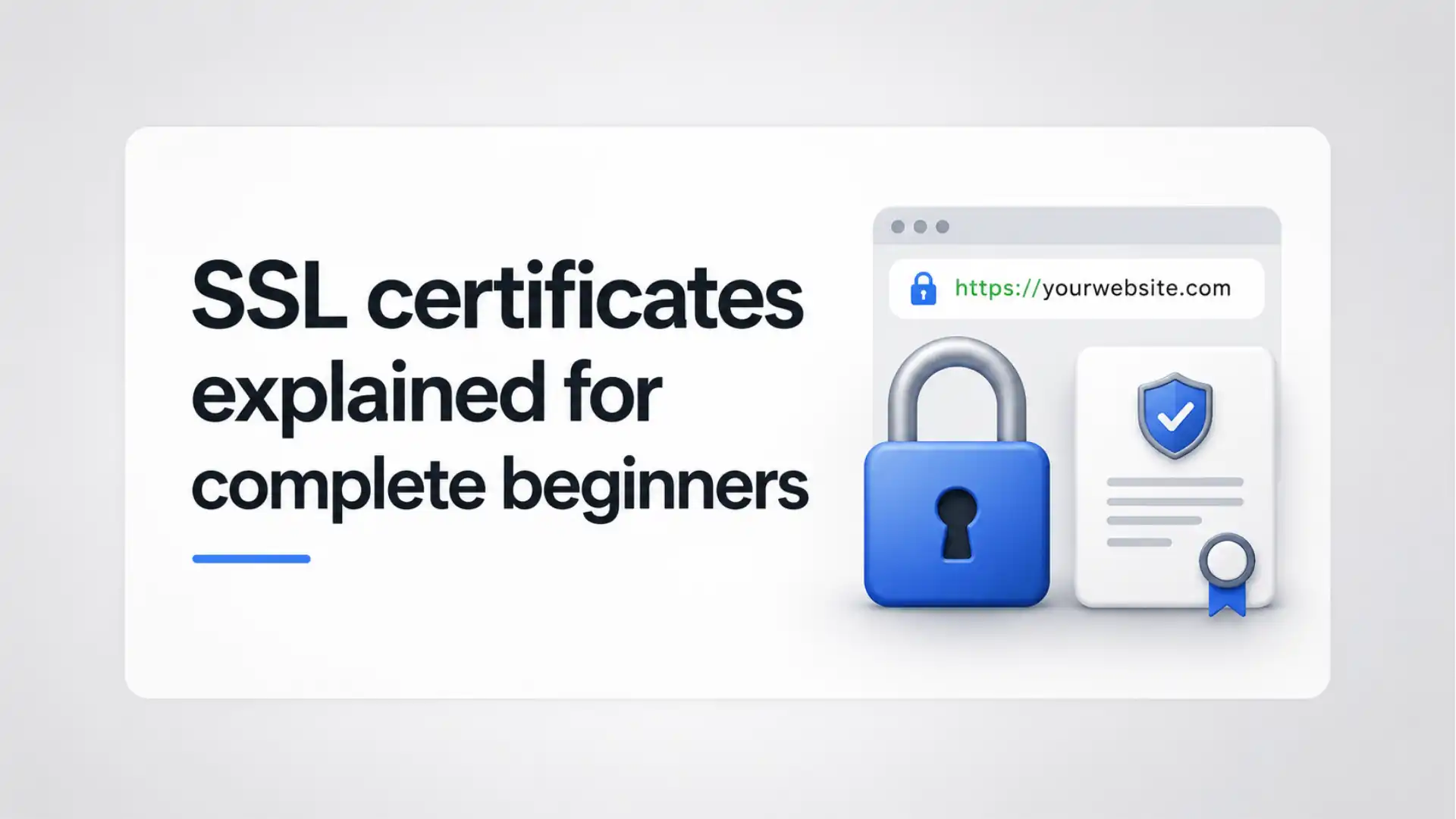
A certificate is best understood as a signed identity card for a website. When a browser reaches https://shop.example, it needs more than a promise from the server on the other end. It needs a way to test whether that server is entitled to use that domain name, and it needs a public cryptographic key with which to begin a protected connection. The certificate supplies both pieces of information. It normally names the site, carries its public key, states when it is valid, identifies the issuer, and contains a digital signature that browsers can verify. A certificate is not the padlock itself. It is evidence used during the process that produces the protected connection.
Table of Contents
The certificate idea behind the padlock
The familiar padlock does not mean that a site is honest, safe to buy from, or free of malicious code. It means the browser completed an HTTPS connection without detecting a certificate or transport problem serious enough to stop it. A fraudulent shop may still obtain a valid certificate for a domain that it controls. A legitimate shop may still mishandle customer information after receiving it. The right beginner’s mental model is narrower and more useful: HTTPS protects the route between your browser and the site, and authenticates the site name under specified checks. It does not judge the seller, the content, or every action performed after the page loads.
That distinction explains a common source of confusion. People call the product an “SSL certificate,” the protocol “SSL,” and the green lock “SSL security.” Modern browsers and servers use TLS rather than the obsolete SSL protocols, but the commercial label survived. The certificate itself follows the X.509 format used across Internet public-key infrastructure; it is a signed data object, not a shield installed around an entire business. The browser verifies a certificate chain and the requested domain name, then TLS uses the associated key material as part of a handshake that establishes protected traffic. The certificate solves an identity problem; TLS solves the connection problem. The two work together, but they are not interchangeable.
A good analogy is a building entrance. The certificate is the credential presented at the door. The TLS handshake is the procedure by which the visitor checks that credential, agrees on protected communication, and proceeds through a private corridor. The web server must keep the corresponding private key secret; publishing its certificate is expected, publishing its private key is a security incident. The browser already holds or can locate the public information needed to test the issuer’s signature. That asymmetry is the point: other people may inspect the certificate, while only the server should possess the private key that proves control of it.
For a site owner, the first practical conclusion is modest. You do not “make a site secure” merely by buying a certificate. You arrange a valid certificate for every public hostname that visitors use, configure the server to present it with the necessary intermediate certificates, enable modern TLS, redirect ordinary HTTP carefully, and renew before expiration. For a visitor, the practical conclusion is equally modest: a normal padlock removes one class of risk but never replaces attention to the domain name, the merchant, account security, or phishing warnings. Treat the padlock as a transport signal, not a character reference.
A certificate viewer is a good place to practise this distinction. You can see a public key, issuer and dates without gaining any ability to impersonate the site, because the private key never appears in the viewer. You can also see that the certificate does not contain the site’s database, source code, payment approval, or customer-reputation record. That small exercise makes the abstractions concrete. It shows why an expired certificate produces a browser warning, why a copied certificate file is not itself a breach, and why a leaked key is. The browser needs public evidence to validate the connection, while the operator needs disciplined secret handling to keep the evidence meaningful. When the visual padlock is explained this way, it becomes a useful indicator rather than a misleading promise.
For visitors, that means checking a warning rather than assuming that a certificate purchase says everything worth knowing. For operators, it means keeping the certificate, the key, and the surrounding TLS settings in their proper roles.
Keep that boundary visible in every decision.
SSL is old terminology and TLS is the current protocol
“SSL certificate” remains convenient shorthand, but the name hides an important historical change. Secure Sockets Layer was the original family of protocols developed for encrypted web connections. Transport Layer Security succeeded it. TLS 1.0 was intentionally named differently even though it followed SSL 3.0 closely; later revisions changed both the protocol and the modern security baseline. Current deployment guidance treats SSL 2.0 and SSL 3.0 as obsolete, and the IETF moved TLS 1.0 and TLS 1.1 to Historic status. A current website should be discussed as TLS-protected, even when its certificate vendor uses the word SSL.
The distinction matters because a certificate does not dictate the protocol version. A server might own a properly issued certificate and still offer outdated TLS settings. Conversely, TLS cannot authenticate a public website in the usual browser sense without a usable certificate chain and a matching name. Think of the label “SSL certificate” as a market term for a certificate intended for HTTPS. It describes the credential category, not proof that the installed configuration follows present security guidance. The encryption algorithms, handshake behavior, and protocol options come from the TLS software and its configuration, while the certificate contributes identity and public-key information.
TLS 1.2 and TLS 1.3 are the versions beginners will encounter in ordinary modern operations. TLS 1.3 was specified to protect against eavesdropping, tampering, and message forgery, and it streamlined parts of the handshake while removing older cryptographic choices from the protocol. TLS 1.2 remains widely relevant for compatibility, especially where older clients or infrastructure remain in scope. The safer operational aim is not to chase a fashionable label but to allow modern versions and disable known-obsolete ones. Exact settings should follow the server software, client audience, and current vendor guidance.
A beginner can also separate the three labels seen in dashboards. “HTTPS” means HTTP carried over TLS. “TLS certificate” means the identity credential presented to the client. “SSL certificate” usually means the same commercial object, using a legacy name. Vendors may advertise a certificate as “TLS/SSL,” hosting panels may call a toggle “Enable SSL,” and browser developer tools will label the protocol TLS. None of those labels change the essential work: ensure that the site name is covered, the private key is protected, the chain is complete, the certificate is current, and the negotiated protocol is accepted by modern clients.
The word “encryption” can create a false expectation too. TLS protects data while it travels between endpoints. It does not automatically encrypt information in the site’s database, prevent an administrator from reading a support ticket, or make a browser extension trustworthy. It does provide a critical foundation for passwords, payment pages, API calls, and session cookies because it stops passive network observers and helps clients detect active modification. Calling it “SSL” is harmless only when the underlying TLS deployment is modern. The legacy label should never be used to excuse legacy protocol settings.
Older terminology also produces bad support advice. A person may be told to “enable SSL” when the actual repair is to install an intermediate certificate, correct an SNI rule, renew an expired TLS certificate, or disable TLS 1.0. Those are different jobs. When speaking with a host or vendor, ask for the precise protocol versions, exact hostname, certificate chain, and renewal status. Precise language gets precise evidence. It also prevents a supplier from treating “SSL” as a vague add-on rather than a live part of the public service. The historical label can stay in a page title for search familiarity, but operational documents should name TLS versions and certificate details. Clear terminology is not pedantry; it is a way to reduce mistakes during a real outage.
This distinction also helps when reading configuration screens. A field called “SSL protocol” may enable versions that current policy rejects, while a separate certificate field controls only the credential. Name the protocol and the certificate task separately before changing either one. Accurate tickets and clear runbooks prevent an old label from hiding an old configuration.
That precision prevents configuration errors later.
Three promises HTTPS attempts to deliver
A useful beginner’s explanation of HTTPS starts with three distinct promises: privacy, integrity, and server authentication. Privacy means a network observer should not be able to read the protected application data in transit. Integrity means an attacker on the route should not be able to alter that data without detection. Authentication means the client checks evidence that the server it reached is authorized for the domain name it requested. TLS was designed to protect client-server communications against eavesdropping, tampering, and message forgery; the certificate is central to the authentication part of that arrangement. These are separate protections, and a failure in one is not repaired by the others.
Privacy is the promise most people picture first. On an unprotected HTTP connection, a person operating a local network, a hotspot, a compromised router, or another position on the path may be able to read requests and responses. With correctly configured TLS, the readable payload is replaced by encrypted records. Observers can still learn some metadata, such as the IP address contacted and often the timing and volume of traffic. They do not receive a magic black box that conceals every fact about a visit. HTTPS hides the message content from the network path; it does not hide the entire existence or shape of the connection.
Integrity is just as important for ordinary browsing. A page that appears harmless at the server can be changed on an unprotected route: a script can be inserted, a download can be replaced, a redirect can be altered, or an account form can be modified before it reaches the user. TLS includes authentication mechanisms that let the recipient detect changes to protected records. That is why HTTPS is required for more than checkout pages. A manipulated newsletter page, product page, or login form can become a vehicle for deception even when the user never types a card number. The effect is not limited to secrecy.
Server authentication is narrower than many marketing descriptions imply. The browser checks whether the certificate identifies the hostname it asked for and whether the chain reaches a trusted anchor under its rules. It does not confirm that the operator deserves your trust in every business sense. A certificate for example-store.test is evidence about control of that name at issuance and the associated key, not a consumer-protection certification. A browser authenticates a domain-bound service identity, not the moral quality of the organisation behind a page. The standards for service identity are deliberate about matching the expected domain-based identity against the certificate’s identifiers.
The three promises also explain apparent contradictions. A website can show a valid certificate and still be a phishing site because it has correctly authenticated a deceptive domain. A legitimate website can have a privacy failure because its page loads an insecure image or script over HTTP. A well-encrypted connection can still expose data at either endpoint after delivery. A customer using a secure Wi-Fi connection may still enter credentials into a fake site if they misspelled the domain. The padlock is an important boundary control, not a complete security verdict.
For a site owner, the plain-language test is practical. Visitors should reach the intended hostname, receive a certificate whose names include it, negotiate a modern TLS connection, and avoid sending application content back to HTTP. For a visitor, read the actual domain before typing sensitive information, heed certificate warnings rather than clicking through them, and remember that a secure connection does not prove a page is reputable. That combination is more accurate than either blind trust in a padlock or cynical dismissal of certificates as meaningless.
These limits matter during troubleshooting. A customer who reports that “the padlock is there but the page is suspicious” may be describing a phishing domain that HTTPS correctly authenticated. A developer who says “we have HTTPS, so cookies are safe” may still need Secure attributes, session expiration, and application protections. A security review that finds database exposure cannot be answered by showing an expensive certificate. Each risk belongs to its own layer. Good explanations tell users which promise held, which promise did not apply, and which control has to be fixed. That approach prevents a narrow transport control from being either overpraised or blamed for failures outside its scope.
It also makes communication with users more honest. HTTPS is a necessary condition for a trustworthy service, but trust also rests on the people, systems, and decisions at the endpoints.
It also makes communication with users more honest. HTTPS is a necessary condition for a trustworthy service, but trust also rests on the people, systems, and decisions at the endpoints.
The actors in a browser connection
An HTTPS visit involves more participants than the browser and the website owner. The browser or application is the client: it starts the connection and evaluates the certificate. The web server, load balancer, content delivery network, or platform endpoint is the server: it presents the certificate and proves possession of the private key. A certificate authority, often called a CA, issues the public certificate after performing the relevant validation. Root-store operators and operating-system vendors decide which roots are trusted by default, while standards bodies and industry forums shape the rules. Trust is distributed across software, certificate issuers, and policy programmes rather than granted by one global internet office.
The domain owner controls the name through a registrar, DNS provider, web host, or some combination of those services. That control becomes important when obtaining a certificate. A CA must validate control of the requested identifier under its applicable rules. For common domain-validated certificates, the proof may involve a DNS record, a temporary HTTP resource, or another permitted method. The issuance system is therefore connecting two facts: a request for a certificate and evidence that the requester controls the name. It is not normally proving every fact about the business that uses the domain. Domain control is the central fact behind a typical public website certificate.
A root store is the list of trust anchors that a browser or platform is prepared to use. Mozilla’s policy describes how default certificates and trust bits are maintained for Mozilla software; Chrome runs a root programme with minimum requirements for roots trusted in its default installation. Those policies influence which publicly issued certificates work without a warning. They also change over time. A certificate that chains to an issuer trusted by one environment may not behave identically in another, especially for managed devices, older systems, or specialised software.
The CA is not simply “selling a lock.” It signs a statement under a set of operational and policy requirements. Publicly trusted CAs must meet the baseline rules adopted by the CA/Browser Forum and the additional expectations of relying root programmes. They maintain issuance systems, validation methods, revocation services, audit processes, and records. Those structures reduce risk but do not erase it. The web PKI is a system of managed trust; browsers retain the ability to limit or remove trust when a CA fails policy or security expectations. A browser’s trust decision is conditional and policy-governed, not permanent.
The final participant is the person who deploys the site. A hosting provider may issue a certificate automatically, but the site owner still needs to understand what name is covered, where renewal happens, who controls the DNS account, and who receives expiry alerts. Certificates fail in practice less often because the mathematics was wrong than because a hostname changed, a proxy served an old chain, a renewal job lost access to DNS, or a private key was copied into an unsafe place. Good ownership means knowing which party is responsible for each boundary.
This wider map prevents a poor buying decision. Before comparing vendors, locate your domain-control point, the system terminating TLS, the automatic renewal mechanism, and the users who must trust the result. A one-page hobby site, a cloud application behind a CDN, and an internal corporate dashboard all use certificates, but their participants and trust models differ. The correct certificate choice begins with the trust boundary, not a price list.
The same map helps during incidents. A browser warning might be fixed by a developer changing a server setting, but it might instead require a DNS administrator to restore a validation record, a hosting team to reload a proxy, or a vendor to correct an edge certificate. A site owner should not assume the CA can repair a wrong load-balancer route, or that a registrar can repair a missing intermediate certificate. Write ownership beside each component before there is trouble. A contact list and a short architecture diagram make the trust model usable under time pressure. This is particularly important when agencies, cloud providers, and internal teams share one public domain.
Treat the domain account and its recovery options as production assets. If control of the domain is lost, certificate control and visitor routing may be lost with it.
That map should include the recovery contacts for each account, not only the people who use it day to day. Ownership changes are common; sudden loss of access is avoidable.
Public and private keys without mystique
Public-key cryptography becomes less mysterious once the two keys are treated as different tools rather than as a secret code split in half. A TLS server has a public key and a private key. The public key is included in the certificate and is intended to be distributed. The private key must remain under the server operator’s control. Mathematical relationships between the keys permit cryptographic operations that outsiders can verify using public information while reserving the sensitive capability to the holder of the private material. The public key may be copied freely; the private key must be protected as a high-value secret.
During an ordinary modern TLS handshake, the server uses its certificate to present a public identity, and it proves control of the corresponding private key. The parties then establish symmetric traffic keys for the connection. Symmetric encryption is suited to the ongoing exchange of records because it is efficient; public-key operations handle the identity and key-establishment parts. That is why saying “the certificate encrypts every byte” is imprecise. The certificate carries a public key and a signed binding to a name, while the protocol derives fresh secrets used to protect the session. TLS 1.3 specifies the handshake and record protections designed for this client-server communication.
A private key leak is serious because an attacker who obtains it may be able to impersonate the server until the certificate is replaced and relying clients stop accepting it. The exact impact depends on the protocol, cipher choices, key handling, and timing, but the operational response should be urgent: identify the exposed key, revoke or replace the related certificate as appropriate, generate a new key pair, deploy it, and investigate the route of exposure. Replacing only the certificate without replacing an exposed private key leaves the core problem untouched. The certificate is public; the key material is the asset that requires access control.
Key format often causes beginner confusion. A file marked .key frequently contains a private key. A .csr is a certificate signing request: it contains a public key and requested subject information, signed with the corresponding private key to demonstrate proof of possession. A .crt, .cer, or .pem may contain a certificate, while a bundle or fullchain file may contain the site certificate plus intermediate certificates. File extensions are conventions, not a trustworthy security model. Read the deployment documentation of the server or platform rather than relying only on the suffix.
Storage deserves practical attention. Do not place private keys in a public web directory, copy them into tickets, send them by ordinary chat, or commit them to a source repository. Limit who and what process can read them. Managed cloud platforms may handle keys in their own infrastructure; that moves responsibility but does not eliminate the need to understand access roles and export options. Backup procedures must protect keys too. A password on a local key file may be useful in some workflows, but it is not a substitute for controlling access to the host and the account that runs the service.
Public keys are supposed to be visible, so secrecy is not the purpose of a certificate. Authentication is. A browser checks that the signed certificate’s public key belongs with the requested domain name and that the server can use the matching private key during the handshake. The private key proves continuity between the published certificate and the live server. That division lets billions of clients verify a site without needing a pre-arranged secret with each site owner.
Key rotation is a healthy habit because it limits the duration of reliance on a particular secret. It should not become an excuse to generate keys carelessly. Use a reputable tool or platform, keep an audit trail of which service uses each key, and remove obsolete copies after replacement. A password manager is useful for account credentials, but it is not automatically the right store for a production server’s private key; follow the platform’s documented secret-management design. When a key is generated by a managed certificate service, confirm whether staff can export it and what that means for incident response. Private-key handling should be intentional from creation through retirement.
Where hardware-backed or managed key storage is available, use it according to the platform’s documented access model. The useful question is always who or what can use the key, and under what control.
Documented key custody reduces guesswork at renewal, migration, and incident time. It also makes it easier to remove access when a role changes.
The digital signature that binds a name to a key
A digital signature on a certificate is a tamper-evident endorsement, not a decorative seal. The issuer creates a signature over the certificate’s contents using its private signing key. A browser or other client can use the issuer’s public key to verify that signature. If someone changes the listed public key, the names, the validity dates, or another signed field, the signature check no longer matches. The signature is what stops an attacker from casually editing a certificate file and claiming a new identity.
The certificate’s public key is not useful by itself unless the client knows whose key it is. The signature creates a binding: this issuer attests that this public key belongs with these identifiers for this stated period, subject to the certificate’s extensions and the issuer’s policies. RFC 5280 describes X.509 certificates as data structures that bind public-key values to subjects and notes that a trusted CA digitally signs each certificate. The client does not have to trust the site’s own assertion. It follows a chain of signatures to a trust anchor it already recognizes.
Signatures answer a different question from encryption. Encryption protects confidentiality of a message. A signature permits verification of the signer’s endorsement and detection of later changes. In a certificate hierarchy, a root CA signs an intermediate CA certificate, and an intermediate often signs the website certificate. The browser validates signatures upward, applying constraints along the way. A certificate may carry fields that limit what it is allowed to do, such as key-usage and extended-key-usage indications. A valid signature alone is not enough; the certificate must also be acceptable for the purpose and name in question.
The time field is part of the signed statement. Certificates have a “not before” and “not after” period. A browser will reject a certificate outside its validity interval even if the signature is mathematically correct. The browser also checks whether the name it connected to appears in the appropriate identifier field and whether the issuer chain is trusted. Some checks concern revocation status or certificate transparency policy. This layered process explains why “the certificate is not expired” is only one small part of a correct installation. A signature, name, time, chain, and policy context all matter.
For beginners, it is helpful to avoid imagining a CA as a person reading every request by hand. The CA’s signing system follows validation and policy processes, many of which are automated for ordinary domain certificates. The signature is still a serious assertion because browser trust programmes rely on the issuer to operate those systems responsibly. That reliance is why public CAs face audit and disclosure expectations, and why browser programmes can constrain or distrust an issuer when failures occur. The ecosystem is built around accountable issuers, not blind faith in a file.
The practical lesson is clear. Never edit an issued certificate to “fix” a spelling mistake, add a hostname, or extend a date. Any change invalidates its signature. Request or issue a new certificate through the proper system, prove control of the required names, install the resulting certificate and chain, then test the live endpoint. A certificate is a signed statement with a fixed scope, not a configuration document you can amend in place.
The issuer’s name is therefore not a decoration. It identifies the entity whose signature the client will verify, but it does not create trust by text recognition alone. The browser obtains the issuer’s public key from the chain and checks the mathematical relationship. A malicious site can type a famous CA name into an unrelated web page; it cannot make a valid certificate issued by that CA without the corresponding cryptographic evidence. This is why certificate inspection is more reliable than visual branding in a site footer. The trust decision is based on verifiable data and a client trust anchor.
The same principle applies to certificate records: they are meant to be copied, inspected, and transmitted. Their security comes from the verification process, not from obscurity.
This verification model permits clients to make a decision locally from the certificate chain and their own trust configuration. No password needs to be shared with the website merely to prove the site’s identity.
A certificate file can be public precisely because validation checks the issuer’s signature rather than trusting the file’s delivery path.
Document it clearly.
The anatomy of an X.509 certificate
An X.509 certificate contains more detail than a browser’s padlock panel shows. The data is structured so software can answer specific questions without guessing. Key fields include the version, serial number, signature algorithm, issuer, validity period, subject, and subject public-key information. Extensions carry many of the practical rules. The format standard also describes subject alternative names, key usage, extended key usage, basic constraints, and revocation-distribution information. A certificate is machine-readable policy as well as a public key and a name.
The issuer is the CA that signed the certificate. The subject field historically held identity information, but public web certificates rely heavily on the Subject Alternative Name, usually abbreviated SAN, for the domain names a browser should match. A certificate may list one name or multiple names. The site operator should inspect the SAN list rather than assuming the common name alone will determine browser behavior. Service-identity guidance gives the presented identifiers a central role in matching the expected domain. For a public website, the SAN list is the real coverage list to read.
Validity dates explain many outages. “Not before” establishes the start of the usable period; “not after” is the expiry deadline. A certificate can be properly issued, correctly installed, and still fail because the server’s clock or the client’s clock is wrong. Serial numbers identify individual certificates and are useful when checking issuance logs or revocation status. The issuer signature ties the whole signed portion together. If the public key or a listed DNS name were altered after issuance, the browser would detect the invalid signature.
Extensions describe capability and constraints. Basic Constraints distinguishes CAs from ordinary end-entity certificates. Key Usage and Extended Key Usage express intended cryptographic and application roles. Authority Key Identifier and Subject Key Identifier help connect certificates in a chain. Authority Information Access can point clients toward issuer or status information, while CRL Distribution Points can identify certificate-revocation-list locations. These fields are not a beginner’s daily configuration surface, but their presence explains why a certificate viewer looks dense. The apparent clutter is evidence used by validation software, not decorative metadata.
The public key algorithm is also visible. Common public certificates use RSA or elliptic-curve keys, and the compatibility implications depend on the server, TLS version, client base, and issuer offering. A beginner does not need to select an algorithm by intuition. The default issued by a reputable platform may be suitable, but operators with unusual devices, compliance obligations, or custom infrastructure should follow the current guidance for their environment. The certificate’s signature algorithm and its subject public-key algorithm are related but not identical concepts; one tells the client how the issuer signed the certificate, and the other describes the key presented by the subject.
A certificate viewer in a browser or command-line tool is a useful diagnostic surface. Check the exact hostname, all SAN entries, issuer, validity dates, serial number, public-key details, and certificate path. Do not treat a pretty company name as the primary test. The browser accepts a certificate through validation rules, not through a visually impressive label. When a deployment fails, those raw fields often reveal the issue faster than a billing portal does.
Use certificate viewers for diagnosis, not for speculation. A browser may hide low-level fields behind an advanced panel, while server tools can show the PEM or DER details directly. When you compare certificates, look for the serial number and fingerprint as precise identifiers. Do not compare only the displayed subject name because two certificates can share a name but differ in dates, public keys, or issuer paths. In a renewal incident, recording the serial number of the unexpected certificate makes conversations with a CA, CDN, or host much clearer. It is a compact way to establish exactly which object a client received.
If a field is unfamiliar, do not change it by hand. Learn whether it is informational, a constraint, or a locator used by validation software before deciding it is relevant to the outage.
Keep screenshots or exported certificate details only where they are needed for a ticket or record. They are not secret, but reducing clutter makes later comparisons easier and avoids confusing old certificates with the live deployment.
The trust chain from site to root
A browser normally does not trust a website certificate merely because a familiar CA name appears on it. It builds a chain of signatures. The website certificate, sometimes called a leaf or end-entity certificate, is signed by an intermediate CA. That intermediate is signed by a root CA or connects through another intermediate to a root. The root certificate is already trusted by the browser or operating system’s trust store. Trust travels from a pre-installed anchor through verified signatures to the certificate presented by the site. RFC 5280 defines certification-path validation procedures for this kind of Internet PKI arrangement.
The server normally sends its own certificate and the needed intermediate certificates during the TLS handshake. It does not normally need to send the root certificate because the client already has the trusted root locally. Sending only the leaf certificate is a common error. A browser may succeed if it cached a missing intermediate or fetches it in a particular environment, while another client fails. That inconsistency is not proof that the setup is healthy. A correct deployment serves the complete chain required to reach a trusted root, without treating client caching as a repair strategy. Let’s Encrypt publishes chain information and describes how clients use intermediate steps to confirm a chain to a recognized root.
The table below separates the roles. It is deliberately simplified: a real path may vary by issuer, cross-signing arrangement, client trust store, and time. The useful beginner insight is that the web server’s certificate is not a standalone object. Its credibility rests on the chain and on the client’s list of trust anchors.
The certificate roles in a typical public chain
| Layer | Usual role | What a browser needs |
|---|---|---|
| Website certificate | Names the site and carries its public key | A matching name, valid dates, and a valid issuer signature |
| Intermediate CA | Signs website certificates on behalf of a CA hierarchy | A valid path upward, with permitted CA constraints |
| Root CA | Trust anchor stored by the client | Presence in the relevant root store and policy acceptance |
The server supplies the first two layers, while the client supplies the trusted root.
The server configuration must match the software’s expectation for file order. Some products want a fullchain file containing the leaf followed by intermediates. Others accept separate certificate and chain directives. Copying a root into the chain is often unnecessary and may create confusion; omitting the intermediate is the more common harmful mistake. Test from a clean external environment, not only from the same workstation that recently visited the issuer’s site.
A chain is not eternal. CAs rotate intermediates, root programmes update trust stores, and older devices may lack newer roots. A chain that works for modern desktop browsers can be troublesome for obsolete systems. This is a compatibility question, not a reason to preserve a weak configuration indefinitely. The operator needs to decide whether supporting a legacy client population is a real business need, then use issuer documentation and testing to select an appropriate chain. Compatibility is a product decision with security consequences, not a checkbox inherited from the past.
A useful troubleshooting sequence is straightforward. First, inspect the leaf: does its SAN include the host? Second, inspect dates: is it currently valid? Third, inspect the sent chain: is the correct intermediate present? Fourth, inspect the client environment: does it trust the expected root and have a correct clock? Fifth, check the TLS termination point: a CDN or load balancer may be presenting a different chain from the one installed on the origin. Most “certificate problems” become understandable once the chain is treated as a set of linked assertions rather than one file.
A chain failure can also arise after a perfectly normal CA change. A site owner may receive a new certificate from a new intermediate and keep serving an older chain file from a prior renewal. The leaf looks current, which makes the incident confusing, but the next certificate in the path no longer signs it. Compare the issuer shown on the leaf with the subject of the intermediate delivered by the server. They must line up. Then check that the intermediate’s issuer connects to a root trusted by target clients. This is a precise, repeatable check rather than a matter of choosing a brand that “usually works.”
Servers that host multiple sites need this verification for every virtual host. One good chain on the default hostname does not repair a missing chain on a second name.
A chain should be checked after every renewal because an issuer may change the intermediate used for a new certificate. Keep the issued chain together with deployment records, but verify the public response independently. This matters when certificate automation and web-server configuration are owned by different systems. A current leaf plus a stale intermediate remains a broken deployment for clients that cannot build the intended path.
Document it.
Browser trust stores and their limits
A root store is the starting list of certificate authorities that client software trusts under defined purposes. Your browser does not interrogate a single worldwide registry each time it opens a website. It uses trust anchors supplied by its own programme, its operating system, or enterprise management. Mozilla describes its root-store policy as governing the default set of certificates and associated trust bits in its products. Chrome’s root programme establishes requirements for CA certificates trusted in a default Chrome installation. The trusted-root list is software policy expressed as cryptographic configuration.
That trust is not a claim that every CA is equally good at every moment. It is a decision that the CA’s certificates may be accepted under the programme’s rules, subject to ongoing review, constraints, and possible removal. Root-programme operators examine documentation, audits, incidents, and technical compliance. Chrome’s policy notes that CA failures can lead to removal, limitations, or other technical restrictions. This governance is necessary because a publicly trusted CA can issue certificates that many users’ browsers will accept. A trust anchor is powerful precisely because it is accepted before a user visits a particular site.
Different client environments can make a practical difference. A current browser on a maintained operating system will have a more current trust configuration than a phone that has not received updates for years. Corporate devices may install an internal root CA, letting the organisation issue certificates for its private services or inspect traffic under its own policies. That may be appropriate in a managed environment, but it changes the device’s trust boundary. A certificate warning on a personal device and a warning on a managed office device can therefore have different causes and implications.
For a public site, trust-store variation means that “it works on my laptop” is insufficient testing. Test current desktop and mobile clients that matter to your audience. If customers use embedded devices, point-of-sale equipment, or older operating systems, ask the manufacturer what trust anchors and TLS versions they support. A site may need a compatibility plan, but the plan should be explicit. Keeping an old TLS version enabled for a vague hope of compatibility expands exposure without proving that anyone needs it. Name the actual clients that justify a compatibility exception.
This model also explains self-signed warnings. A self-signed certificate can be cryptographically valid in the limited sense that its signature verifies using its own public key. The browser does not automatically trust it because the self-signature does not connect to a root anchor the browser recognizes. It is useful in controlled testing or private environments where administrators intentionally distribute the trust anchor. It is not a substitute for a public certificate when strangers’ browsers need to identify a public website. The missing element is not encryption strength; it is shared trust.
A beginner should avoid the phrase “the browser trusts the certificate” without context. The browser trusts a certificate only after a set of checks: a chain to an allowed trust anchor, a matching server identity, current dates, suitable usage, and other policy conditions. Trust is a validation result, not a permanent adjective attached to a certificate file. Understanding that result prepares you to diagnose almost every ordinary certificate warning.
Trust stores also explain why manually adding a root certificate is a high-impact act. It tells the device to accept certificates that chain to that root for the purposes configured. On a personal device, adding an unfamiliar root to get past a warning can allow an attacker or unwanted administrator to impersonate many services. On managed devices, root distribution should use controlled configuration and be reviewed as a security change. Remove roots that are no longer required. The right response to a public certificate warning is almost never to install a root certificate supplied by the site.
When testing, note the operating system, browser, and device management state. Those details explain many apparently inconsistent trust results without resorting to guesswork.
It also helps to keep a small supported-client list beside the service inventory. That list tells responders which compatibility reports require action and which involve unsupported software or unmanaged trust changes.
Make that support policy explicit.
Document it.
Domain validation and certificate types
Public certificates are often described through three validation labels: domain validation, organisation validation, and extended validation. The most important technical fact is easy to miss: browsers use the same fundamental TLS and certificate-validation process for the encrypted connection. The differences concern the identity information and validation procedures associated with issuance, not a separate grade of encryption. A domain-validated certificate is not “weak encryption”; it is a certificate whose issuance primarily proves control of a domain name. The CA/Browser Forum’s baseline rules govern issuance and management of publicly trusted TLS server certificates, including validation requirements.
Domain validation, often abbreviated DV, fits ordinary sites, applications, blogs, and small businesses. The applicant demonstrates control of the requested domain through an approved method. Automated certificate systems commonly use this approach. The browser needs the certificate to match the domain and chain to a trusted root; it does not need an elaborate company identity to create a secure HTTPS connection. For visitors, the sensible habit is to inspect the domain they reached and the business signals relevant to the transaction rather than assume a certificate type proves commercial legitimacy.
Organisation validation, commonly called OV, includes verified organisation information under the CA’s process. Extended validation, or EV, historically involved additional identity checks and had distinctive browser UI in some eras. Browser interfaces have changed, and the visible assurance signal is not consistent across products. Neither OV nor EV makes a website invulnerable to malware, account takeover, insecure code, or deceptive design. Validation labels describe an issuance profile, not a guarantee of safety, service quality, or legal reliability. A business should never purchase a certificate solely because a sales page suggests that the browser will make it look universally “more secure.”
The decision should start from operational need. Do you need HTTPS for a single public domain? DV is usually the functional requirement. Do procurement rules, partner contracts, or a documented identity process require an organisation-validated certificate? Then evaluate an OV offering and the time needed to complete validation. Do you use a hosted platform that issues certificates automatically? Its managed DV certificate may be the sensible choice. The value lies in correct automation, monitoring, key handling, and reliable coverage, not in a badge no customer understands.
Public certificates also vary by the names they cover. A single-name certificate might cover www.example.com; a multi-domain certificate may include several SAN entries; a wildcard can cover first-level subdomains under a base domain. Those are scope choices, not validation grades. A certificate can be DV and still cover many names. A certificate can be OV and still expire or be misconfigured. Scope and validation type answer different questions: which names are covered, and what did the issuer verify?
The validation record affects issuance speed and renewal design. Automated DV works well when domain control is stable and automation credentials are guarded. Manual business validation can create a renewal dependency on people responding to calls or documents. A startup with frequent deployments may value automatic short-lived certificates; a regulated organisation may need formal approval paths around keys and issuance. The correct answer is specific to the risk, operations, and trust model, not a universal “premium certificate” rule.
Begin with the visitor experience you need to support and the facts you truly need an issuer to validate. Then choose the smallest appropriate certificate scope, automate renewal where possible, protect the private key, and test the live endpoint. The certificate’s practical quality is measured by correct identity coverage and dependable operation, not by a marketing tier.
The terminology can confuse procurement teams because a provider may package warranty language, malware scanning, seals, support, or insurance with a certificate. Those services may have independent value, but they are not properties that the browser reads from the certificate to decide whether encryption works. Separate the need for HTTPS from the need for vendor support or a broader security service. Put each requirement into the contract or technical specification explicitly. That makes comparison honest and avoids paying for a supposed browser signal that modern browser interfaces may not present in the expected way.
For routine sites, spend attention on hostname inventory, key handling, automatic renewal, and external testing. Those practices produce a stronger real-world outcome than an unnecessary validation upgrade.
Procurement can then compare support, automation, response time, and contract terms on their actual merits. The technical deployment remains the same discipline: valid names, protected keys, complete chains, and modern TLS.
The certificate request and private key
Before a CA issues a certificate, the applicant usually creates a key pair and a certificate signing request, or CSR. The private key stays with the applicant or its platform. The CSR contains the matching public key and requested identifiers, and it is signed with the private key to demonstrate possession. The CA uses the CSR as input; it does not need the private key to issue the certificate. A CSR is a request containing public information, not a container for the secret key. RFC 2986 defines the certification-request syntax, while the X.509 profile defines the certificate structure the CA ultimately signs.
The simple lifecycle is: generate the key pair; create the CSR or use the platform’s managed key process; prove domain control; receive the certificate; install the certificate and intermediate chain; test; renew or replace before expiry. Hosted services can hide several of those steps. That convenience is useful, but it can obscure the line between the private key, the certificate, and the account that controls the domain. When changing providers, identify whether the existing certificate and private key can move safely or whether the safer option is to create a new key pair and certificate at the new termination point.
A CSR may request a common name and SAN entries, but the CA determines what it will issue after validation and policy checks. Do not add names to a CSR casually. Every name expands the set of DNS and deployment relationships tied to a certificate. A naming mistake can lead to a certificate that covers the wrong host, exposes an internal naming pattern in public records, or forces a new issuance at the worst time. Request only names that the application actively serves and that your team can renew reliably.
Private-key generation is where an irreversible secret is born. Choose a method that fits the environment: an operating-system tool, a hosting platform, a hardware-backed service, or a controlled certificate-management product. Avoid generating a production private key on a personal computer and emailing it to a server. Avoid placing it in a repository or a shared folder. If an automation agent generates the key on the server or cloud secret store that will use it, that often reduces copying, provided the system’s access controls and backups are understood.
The CSR is signed before it is sent, but that signature does not make it a public certificate. It shows that the requester has the private key corresponding to the public key in the request. The CA still performs validation and signs the certificate it issues. A CSR can be regenerated; a certificate can be reissued; a private key should be replaced if there is any reason to believe it was exposed. The key pair is the durable cryptographic identity; the certificate is the time-limited public attestation attached to it.
When troubleshooting, compare three artifacts rather than guessing. Confirm that the installed certificate’s public key matches the intended private key; confirm the certificate’s SAN list includes the live hostname; confirm the server is serving the certificate from the expected endpoint. A common failure arises when the right certificate is uploaded to an admin panel but an older load balancer, container image, or CDN configuration still terminates the connection. The request was fine; the traffic path was not.
For a fully managed platform, the correct action may be simply to connect the domain and permit the platform’s validation process. In that scenario, do not create a manual CSR unless the platform specifically needs one. The safest workflow is usually the one that keeps the private key closest to the service that must prove possession of it.
A disciplined request process records the key algorithm, creation location, requested names, request date, responsible owner, and deployment target. That record is not a substitute for the certificate itself, but it prevents a later mystery about who created a key or why a name was requested. If a third party generates the CSR, confirm where the private key resides before authorising issuance. The wrong answer can create an avoidable dependency on a contractor or vendor. Keep the relationship between the key and the service clear from the first request.
At renewal, repeat the same discipline. A new request should be traceable to the system that will deploy the result, with no unexplained copies of the key introduced along the way.
Treat every CSR as a controlled change, reviewing names and ownership as you would for a DNS update.
ACME and automatic issuance
ACME, the Automatic Certificate Management Environment, changed public certificate operations by standardising the conversation between an account and a CA. Instead of logging into a web portal to request each certificate, software can create orders, complete validation challenges, download issued certificates, and repeat the process before expiry. RFC 8555 specifies this protocol. It is a major reason that short-lived, publicly trusted certificates and routine renewals are practical for small sites as well as large fleets. ACME turns certificate issuance from a calendar task into a controlled software workflow.
The automation client might run on the web server, in a deployment pipeline, at a DNS provider, or inside a hosting platform. The client creates an ACME account key, requests a certificate for identifiers, and proves control through a challenge. Once the CA accepts the proof, it issues the certificate. The client installs it or passes it to the platform that will terminate TLS. The same system checks validity and renews before the deadline. Automation does not mean “set it once and forget it”; it means the routine action is performed consistently and can be monitored.
The most common ACME challenges are HTTP-01 and DNS-01. HTTP-01 asks the requester to publish a specific token under a defined path on the requested hostname. DNS-01 asks the requester to publish a specified TXT record under the domain. The choice affects what names you can cover and what systems need access. A wildcard certificate requires DNS-based validation because the CA needs proof at the base domain rather than at a hypothetical wildcard host. The challenge method is a domain-control design choice, not merely a button in a certificate tool.
Automation credentials deserve the same care as private keys. An ACME client with broad DNS API permission may be able to create the records needed to validate many domains. Limit scopes, use dedicated accounts or tokens, keep them out of repositories, and record who can replace them. An HTTP challenge may depend on routing rules, redirects, CDNs, or a temporary maintenance configuration. Treat the validation path as production infrastructure. A renewal failure is often an access or routing failure, not a cryptography failure.
ACME also supports certificate revocation requests, but the ordinary operational story is issuance and renewal. A well-run system tests renewal early, sends alerts when a renewal has not completed, and provides a manual emergency path. Do not wait for the first production expiry to discover that a firewall blocks the challenge endpoint or that a DNS API token was removed during a provider migration. A successful initial issuance proves a setup; a tested renewal proves an operating process.
Let’s Encrypt’s documentation lists ACME among its core technical materials and provides client-facing guidance around issuance and certificates. Other public CAs and commercial platforms also implement ACME. The protocol does not force you to use one issuer or one software client. That interoperability is useful, but configuration details vary. Read the documentation for your chosen DNS provider, web server, CDN, or hosting platform before granting credentials or selecting a challenge type.
The beginner goal is not to handcraft every protocol request. It is to understand the control loop: your automation proves you control the domain, receives a certificate, deploys it where traffic terminates, and repeats the cycle before expiration. When that loop is visible, certificates stop being a mysterious purchase and become an observable service dependency.
Staging environments are especially helpful. Many ACME services provide a test endpoint or a way to exercise renewal without consuming production issuance capacity. A staging certificate will not be trusted by ordinary browsers, which is expected. Its purpose is to prove that DNS permissions, HTTP routing, account credentials, and deployment scripts work. Use it before a large migration or a new wildcard setup. Testing against a staging flow protects the real public certificate lifecycle from experimental configuration changes.
Keep client logs, but do not log private keys or broad DNS secrets. Logs should explain the order and challenge outcome without turning diagnostic records into another credential store.
Rotate or remove ACME credentials when their owner, DNS provider, or automation environment changes. A renewal mechanism should have no invisible dependency on an abandoned account.
Review that dependency during every platform change.
Retest it.
DNS and HTTP validation challenges
Domain validation looks simple from the outside: a CA needs evidence that the requester controls the domain in the certificate request. In practice, the validation method is a security boundary. If someone can place the required DNS record or serve the required HTTP token for your hostname, they may be able to complete a domain-control challenge. That is exactly why the systems that control DNS, routing, and web content deserve strong account security. Certificate issuance depends on control of the name, so protect the systems that prove that control.
HTTP-01 validation uses a defined resource path under /.well-known/acme-challenge/. The CA retrieves the token over HTTP from the requested host. This is appealing because the web server already serves the site. It can become awkward when a CDN intercepts traffic, a reverse proxy rewrites paths, a hosting platform does not expose the file system, or an application redirects every request in a way that breaks the challenge. The right response is to understand the route the CA will take, not to disable HTTPS or security controls blindly. ACME specifies the challenge framework and validation interactions.
DNS-01 validation uses a TXT record under _acme-challenge for the domain. It works even when no web server is reachable and supports wildcard certificates. It can be especially suitable for infrastructure where TLS ends at multiple locations or where the requested names are not publicly served over ordinary HTTP. The trade-off is authority: the automation process needs the ability to update DNS or someone must add the record manually. Granting an all-domains DNS token to a small web application is a poor bargain. DNS automation should use the narrowest practical permission and a clear ownership record.
A third option in some systems is TLS-ALPN-01, which proves control through a special TLS response on port 443. The exact availability depends on the CA and client. Beginners do not need every method; they need a sensible fit. Use HTTP-01 when a single web service can reliably answer the challenge. Use DNS-01 when wildcards or non-web services make DNS proof more natural. Use a platform-managed flow when the platform owns the edge and provides an integrated certificate service. Never pick a method solely because a tutorial made it look shorter.
CAA records add a useful DNS-level control. The CAA DNS record can declare which certificate authorities are authorised to issue for a domain. RFC 8659 defines CAA for this purpose. It does not replace account security or validation, and a wrong record can block your own renewal. It does create an explicit policy signal that CAs are expected to check before issuing. CAA narrows authorised issuers; it does not grant a CA the ability to issue without validation.
Plan for change. A domain may move from one DNS provider to another, a web app may move behind a CDN, or a team may consolidate accounts. Each move can disrupt challenges. Maintain an inventory showing the CA, ACME account, renewal client, challenge type, DNS provider, relevant API credential owner, and emergency contact. This is not bureaucratic overhead. It is the map needed when a renewal fails on a Friday evening and the person who set it up has left the company.
For a beginner, the decisive question is: which system can truthfully prove control of this name every time the certificate needs renewal? Choose the validation method that matches your stable control point, then test it before the expiry window becomes a crisis.
Manual DNS validation is possible, but it creates a timing and handoff problem. A person must receive the exact TXT value, publish it in the authoritative zone, wait for propagation, and avoid deleting it before the CA validates. Automation reduces repetition but must be controlled. In either case, record the DNS zone and access method. A domain often has a registrar account and a separate authoritative DNS provider, and confusing the two wastes time. The CA checks the authoritative DNS answer, not the billing portal where the domain was purchased.
After a DNS provider migration, verify the challenge record at the authoritative servers before relying on the first automated renewal. This catches delegation mistakes while there is time to correct them.
For shared domains, agree in advance which team is allowed to publish challenge records. That avoids a security control becoming an unreviewed operational shortcut.
Use a test record or staging certificate when possible after changing permissions. A controlled failure is cheaper than discovering a broken renewal near expiry.
Names, SANs, wildcards, and IP addresses
A certificate must cover the exact server name that the client expects. Browsers use the requested hostname and compare it with identifiers in the certificate, chiefly the Subject Alternative Name extension. example.com and www.example.com are different DNS names. A certificate that covers one does not automatically cover the other. api.example.com, shop.example.com, and cdn.example.com are different again. Hostname coverage is literal, so list the names visitors and software really use. Service-identity guidance addresses the representation and verification of domain-based identities presented by servers.
A SAN certificate can contain several precise names. This works well when one service truly operates a small, stable set of domains or hostnames. It also creates coupling: renewals, reissues, and private-key exposure affect the whole set. Do not use one huge SAN certificate as an inventory dump just because it reduces the number of files. Separate services with separate security ownership, deployment schedules, or incident boundaries often deserve separate certificates. The management cost is real, but uncontrolled shared scope is a risk too.
A wildcard name such as *.example.com normally matches one leftmost label, such as app.example.com or mail.example.com. It does not normally match the bare example.com, and it does not extend through multiple labels such as deep.app.example.com. The base domain must be included separately when needed. Wildcards reduce issuance repetition for a fleet of first-level subdomains, but they increase the value of the private key. Every system that receives the wildcard key becomes capable of representing every covered first-level hostname. A wildcard is an operational convenience with a wider blast radius.
IP addresses require separate thought. A certificate can contain IP address identifiers, but public issuance and validation rules differ from ordinary DNS-name issuance. For common public web services, use a stable DNS name and cover that name. Do not assume an IP address typed into a browser will validate against a certificate for a domain. If an integration connects by IP, redesign it to use a verified DNS name where feasible or consult the specific platform and CA rules for IP address certificates.
Internationalised domain names add another edge case. Human-readable Unicode domains are represented through standardised forms in DNS and certificate processing. Avoid assuming that a visually similar Unicode hostname is equivalent to the ASCII domain you intended. The browser’s address bar and certificate viewer will show specific forms, and the certificate rules compare structured identifiers rather than visual appearance. This is both a compatibility and phishing-awareness issue. Read the exact domain string, not only its visual resemblance to a familiar brand.
The Server Name Indication extension, usually called SNI, allows a client to indicate the server name during the TLS handshake. That lets one IP address and one server endpoint host multiple certificates for different names. It is a normal part of modern shared hosting and reverse-proxy operation. Older clients with no SNI support can create compatibility complications, but the answer is not to use a mismatched certificate. It is to determine whether those clients remain in scope and choose an infrastructure approach accordingly.
Before issuing, make a table of public hostnames: root domain, www, applications, APIs, mail endpoints where applicable, and any alternate domains. Mark who controls each DNS record and where TLS terminates. The most reliable certificate scope comes from an explicit hostname inventory, not from memory or a sales form.
Certificate coverage should be reviewed after product changes. New marketing redirects, regional domains, preview environments, mobile API endpoints, and acquired brands can all create hostnames that users reach. The reverse issue matters too: remove names that are no longer needed from future certificate requests, particularly when they reveal retired systems. Scope reduction limits accidental disclosure in public certificate records and reduces the number of systems tied to the same private key. Hostname inventory is a living record, not a one-time issuance form.
The same discipline helps with redirects. A name that redirects visitors still needs a valid certificate if the browser connects to it over HTTPS before following the redirect.
Review name scope during normal release planning, not only during certificate expiry. That timing lets teams correct routing and DNS decisions before customers encounter a mismatch.
This is especially important for alternate spellings and regional domains. If users can reach it by HTTPS, the name belongs in the certificate and routing plan.
The TLS handshake at a human pace
The TLS handshake is the opening conversation that occurs before a browser sends normal HTTPS application data. It lets the client and server choose compatible protocol parameters, authenticate the server through its certificate, and establish shared secrets for protecting later traffic. The details differ between TLS 1.2 and TLS 1.3, but the beginner-level sequence is stable: the client says what it supports and which name it wants; the server replies with selected settings and a certificate; the client validates the certificate; both sides derive connection secrets; encrypted HTTP begins. The handshake turns a public certificate into a live, authenticated protected channel.
The ClientHello message begins the process. It includes supported TLS versions and cryptographic options, random values, and usually the SNI hostname. The server chooses mutually supported settings and sends a ServerHello. In TLS 1.3, the protocol reduces legacy negotiation complexity and includes key-share information to make the exchange more efficient. The server sends its certificate chain and proof related to the certificate’s private key. The client checks the domain name, dates, chain, and policy rules before treating the server as authenticated.
Certificate validation happens before the client sends sensitive application data under the assumption that it has reached the intended site. A browser that sees an expired certificate, a name mismatch, an unknown issuer, or a broken chain should warn the user because it cannot establish the expected identity safely. Clicking through such a warning trains the user to ignore precisely the signal intended to catch interception or configuration errors. A certificate warning is not a cosmetic inconvenience; it is the client reporting an identity-validation failure.
After authentication and key establishment, the traffic uses symmetric keys derived for the connection. Those keys protect HTTP requests, response headers, cookies, bodies, and other application data transmitted inside TLS. TLS does not decide whether a login is authorised or whether a payment is legitimate. The web application still handles sessions, access control, input validation, and storage. The handshake’s job is narrower: establish the secure transport state that lets those application messages travel with confidentiality and integrity between the endpoints.
Session resumption can make later connections faster. It allows clients and servers to reuse selected cryptographic state under rules set by the protocol, reducing some handshake work. TLS 1.3 also defines a 0-RTT early-data feature for certain resumed sessions. Early data has replay considerations, so applications must use it carefully and should not treat it as suitable for actions that must never be repeated. Beginners often hear “faster TLS” and assume no trade-off exists. Performance features still require an application-level decision about safe use.
A connection test in browser developer tools or a command-line client can show the negotiated TLS version, cipher suite, certificate chain, and protocol details. That information is valuable because it describes what traffic actually reached, not what you believe the server configuration should serve. With CDNs, proxies, and load balancers, the visible handshake endpoint may be different from the origin host. Test the public hostname from outside the network.
The mental model to retain is simple but accurate: a certificate is delivered during the handshake; the browser validates it; the server proves it controls the relevant private key; fresh shared secrets protect the rest of the conversation. The padlock appears after this validation-and-key-establishment process succeeds, not because a certificate file merely exists on a server.
The handshake also explains why HTTPS performance has improved without removing the need for verification. Cryptographic work happens before the application response, so poor configuration, long certificate chains, or repeated full handshakes can add cost. Modern protocol design and session resumption address some of that cost, while caching and edge infrastructure address other parts. Do not remove validation checks to chase speed. A fast connection to an unverified endpoint defeats the reason TLS exists. Measure latency on the actual service and improve the correct bottleneck.
When diagnosing, capture a handshake trace only through approved tools and protect any sensitive application data it may contain. The certificate details themselves are public, but requests and cookies are not.
A clear view of the handshake gives operators a reliable way to distinguish certificate errors from application errors. The two appear near the same browser window but occur at different layers.
Then identify the responsible endpoint.
Use that evidence first.
Cipher suites and forward secrecy
A cipher suite is a named package of cryptographic choices used by a TLS connection. In older TLS versions, the suite name exposed more of the selection: key exchange, authentication, encryption, and integrity algorithms. TLS 1.3 simplified that structure, separating certificate authentication and key exchange choices from the ciphersuite naming more clearly. Beginners do not need to memorise suite names. They do need to avoid the belief that any long, technical-looking cipher list is automatically secure. The server and client must negotiate algorithms that are both supported and still considered appropriate.
Symmetric encryption protects the bulk traffic after the handshake. Modern TLS configurations commonly use authenticated encryption modes that combine confidentiality and integrity protection. The protocol also uses cryptographic hashes and signature algorithms. The relevant algorithms are not selected independently by a human at page load; the client and server negotiate from what each offers and the server permits. That is why leaving obsolete options enabled can matter even when a modern browser normally chooses a better option. An attacker may try to force or exploit weaker negotiation where software permits it.
Forward secrecy is a valuable concept. With ephemeral key exchange, the session secrets are derived from temporary key material rather than being recoverable merely from a long-term server private key. If an attacker records encrypted traffic today and later acquires the server’s long-term private key, forward secrecy is intended to prevent that later key exposure from automatically decrypting previously recorded sessions. It does not prevent compromise during a live attack, and it does not repair an exposed endpoint. Forward secrecy limits the retrospective damage of a later long-term key compromise.
The settings that make sense depend on the server and the clients. Current guidance from the IETF on secure TLS use exists because historical TLS deployments accumulated unsafe algorithms, modes, and protocol features. Use vendor-maintained secure defaults where possible, keep the TLS implementation patched, and review settings after major infrastructure changes. Copying a cipher list from an old blog post is not a security strategy. It may contain deprecated choices, be incompatible with TLS 1.3, or solve a problem from an era your environment no longer has.
Certificates interact with this choice through key and signature algorithms. A certificate might carry an RSA or elliptic-curve public key, and clients must support relevant signature algorithms. This is one reason a broad client-compatibility requirement needs testing, not guesswork. A configuration can be secure but unusable for a required device; it can also be compatible but keep risky options alive. Define the client population, then test it against a current baseline. Compatibility is measured against real client behavior, not assumed from a certificate brand.
For a novice administrator, the safest operational rule is usually to enable TLS 1.3 and TLS 1.2 where the platform supports them, disable SSL and obsolete TLS versions, choose maintained software, and start from current documentation or a managed platform’s defaults. This is guidance, not a substitute for a formal policy in a regulated or high-risk environment. NIST’s TLS publication provides selection and configuration guidance for federal use, while the IETF document offers current general deployment recommendations.
Do not frame cipher selection as a certificate purchase decision. The issuer issues identity credentials; your server, proxy, or cloud edge governs the TLS configuration. A correctly issued certificate with weak protocol settings is still a weak HTTPS deployment.
Cryptographic names change, and security guidance changes with them. A configuration that looked acceptable five years ago can be risky or unsupported after new attacks, library updates, or browser policy changes. This is why managed services and current server distributions are often safer for beginners than custom lists copied from forums. They receive maintained defaults and documented upgrade paths. For specialised needs, get expert review rather than treating a cipher suite string as a badge of expertise. The point is defensible protection, not an impressive-looking configuration file.
Keep the decision documented: which TLS versions and server defaults are enabled, what client population they serve, and when the setting was last reviewed. That record is more useful than a pasted cipher list.
Retest after software upgrades because defaults can change, often for good reasons. A documented baseline lets you recognise an intended improvement versus an accidental regression.
Keep it current.
TLS 1.2 and TLS 1.3 in a modern deployment
TLS 1.2 and TLS 1.3 are the practical protocol choices for a modern public HTTPS service. TLS 1.3 is the newer standard and removes several older cryptographic mechanisms from the protocol. TLS 1.2 remains relevant because many client ecosystems, enterprise products, and embedded devices still use it. The IETF formally deprecated TLS 1.0 and TLS 1.1, moving them to Historic status because they lack support for current recommended mechanisms and are prohibited by many modern profiles. Use TLS 1.2 as the compatibility floor where needed and TLS 1.3 as the preferred modern option.
This is not an instruction to cut off every unfamiliar client without review. A manufacturer may have equipment that cannot be upgraded quickly. A business-to-business integration may use a legacy library. An internal application might run on an operating system held back by another dependency. The proper process is to identify those exceptions, set a retirement plan, and isolate them if they cannot be upgraded. Leaving obsolete versions available to every internet client because “someone might need them” gives an attacker an old negotiation path with no corresponding evidence of need.
TLS 1.3 changed the handshake to reduce round trips in common cases and to use a more constrained set of modern cryptographic choices. It is not merely TLS 1.2 with a higher number. A server using TLS 1.3 will still need a valid certificate and clients that support it. The certificate lifetime, SAN coverage, issuer chain, and private-key protection remain separate concerns. Changing a protocol version does not renew a certificate or correct an incorrect hostname.
A public compatibility policy should be written in business language as well as technical language. For example: “The public website supports current versions of Chrome, Firefox, Safari, and Edge on vendor-supported operating systems; a separate portal supports designated devices until their replacement date.” That statement gives engineers a test target and gives leaders a visible trade-off. “Support everything” is neither testable nor secure. Browser analytics, support records, device inventory, and contract obligations can inform the decision.
Security scanners may flag an old version, a weak cipher, or an obsolete feature. Treat the result as evidence to investigate, not an instruction to toggle settings blindly. Confirm which endpoint was tested, which name it used, whether a CDN terminates TLS, and whether a policy exception exists. Then use current platform guidance to make the smallest change that removes risk without breaking documented requirements. Configuration changes should follow a known traffic path and a tested rollback plan.
The certificate does not advertise a licence to use every TLS version. It participates in the authentication stage that each supported TLS version performs differently. A certificate type or price does not make TLS 1.0 safe. The protocol version and cryptographic policy are configured separately from the CA relationship. This distinction matters during renewal: a certificate may be replaced automatically while obsolete TLS settings quietly persist for years.
For most new public deployments, use managed TLS where the provider keeps protocol support current, or adopt a current server baseline that enables TLS 1.3 and TLS 1.2 with maintained defaults. Test actual public endpoints after each change. The best beginner configuration is one that is current, monitored, and simple enough for the team to maintain.
Protocol support must be checked from the client side because server configuration syntax can be deceptive. An application may set a TLS minimum version in one component while a reverse proxy or CDN exposes another policy publicly. Audit the hostname, port, and edge route that customers use. Keep records of approved exceptions and revisit them. Old clients that remain important today should have an explicit end date, owner, and migration plan. Without those, an exception quietly becomes permanent technical debt and a permanent attack surface.
Test older integrations in a controlled environment before removing an exception. Evidence from a real test is better than a permanent assumption about a legacy device.
Use metrics and compatibility tests to confirm whether the exception has real traffic. Then remove it promptly once the dependency has moved or been replaced.
This is a security decision, not an archival preference.
Review it against current client evidence, then remove it as soon as its justified purpose disappears.
Certificate lifetimes and renewal discipline
Certificates expire by design. Their validity window limits how long a particular public-key and name binding remains acceptable before a replacement is required. Shorter lifetimes reduce the time during which a stale certificate or old validation state remains usable, but they also make reliable automation more important. Publicly trusted TLS server certificates have a maximum validity period of 398 days under current ecosystem rules described by Chrome’s certificate-automation discussion, and many automated issuers use much shorter periods. Expiration is a security and operations control, not a vendor trick to force repeat purchases.
The most dangerous expiry incident is not a certificate that expires because nobody knew the date. It is one that expires despite a renewal system existing, because no one monitored the system’s failure state. Common causes include a deleted DNS API token, an HTTP challenge path blocked by a new redirect rule, an expired cloud credential, a server that renewed a local file but did not reload the web service, and a certificate installed at the origin while a CDN still serves the old edge certificate. Renewal must include issuance, deployment, and confirmation at the public endpoint.
Set alerts with enough lead time to fix a problem. The exact lead time depends on the environment, but it should account for weekend coverage, vendor support, DNS change windows, approval processes, and the possibility that the first repair attempt fails. If automation normally renews days or weeks before expiry, alert when it has not produced a fresh certificate as expected rather than only when the remaining validity is critically low. Keep a human-readable inventory of certificate names, owners, issuance method, termination point, and emergency recovery access.
Renewal and rekeying are related but different. Renewal obtains a new certificate before the prior one expires. Rekeying means creating a new key pair and receiving a certificate for the new public key. A routine automated cycle may create a new key depending on the client and provider configuration. A suspected private-key exposure requires a clear decision to stop using the compromised key and deploy a new one, not merely a calendar renewal. A new expiry date is not evidence that an old compromised private key has been retired.
Test the renewal path before the certificate approaches expiry. Trigger a staging workflow where supported, inspect logs, confirm that the challenge succeeds, and verify that the live endpoint serves the intended replacement. Watch for configuration-management tools that overwrite a renewed file with an old image or secret. In containerised systems, determine whether the process reloads certificates without a restart and how the update reaches every replica. In edge-managed systems, confirm the provider’s deployment status rather than trusting only an issuance event.
Short-lived certificates reward automation, but automated systems add credentials, software dependencies, and monitoring requirements. That is not a contradiction. Manual processes fail through memory and handoffs; automation fails through permissions and integration drift. Each must have ownership. A small business using a hosting platform may sensibly rely on the platform’s managed certificate feature, then monitor the public hostname. A larger organisation may use central certificate management and policy controls. The right renewal design is the one that can be observed, tested, and repaired by the people on call.
The beginner rule is straightforward: never set an expiry reminder and assume the task is complete. Make renewal automatic where possible, confirm it works after initial setup, alert on failure early, and retain a documented emergency route. A certificate that renews silently is useful; a certificate service that reports when it cannot renew is dependable.
Certificate expiry has a user-experience cost because browsers rightly make the failure obvious. Customers may abandon checkout, API integrations may reject requests, and mobile apps may fail without a clear message. Treat expiry monitoring as availability monitoring. Include certificate checks in service-level reviews and incident dashboards. A short validity period does not create this responsibility; it exposes whether the organisation can reliably maintain an internet-facing dependency. The solution is measured automation and ownership, not a return to longer-lived credentials.
Record who receives alerts after staff or supplier changes. An alert addressed to an unmonitored mailbox is no better than no alert at all.
For critical services, test the emergency issuance path too. A platform account, DNS token, or approval process that works only during normal hours is a hidden availability dependency.
Keep the test result with the certificate record so the next responder knows the renewal path worked under current credentials and routing.
Revocation, OCSP, CRLs, and stapling
Revocation is the mechanism for signalling that a certificate should no longer be accepted before its normal expiry date. Reasons can include private-key compromise, incorrect issuance, a change of affiliation, or another condition that makes the earlier assertion unsafe. Revocation is complicated because clients need timely status information without making every secure connection slow or fragile. The X.509 profile describes certificate revocation lists, and the Online Certificate Status Protocol provides a request-response method for checking certificate status. Expiry limits time automatically; revocation is the emergency stop for a certificate that should end sooner.
A certificate revocation list, or CRL, is a signed list published by an issuer that identifies revoked certificates. A client can obtain and process it, though CRLs can become large and may not be ideal for every connection. OCSP lets a client ask an authorised responder about the status of a particular certificate. Both approaches carry design questions about availability, freshness, privacy, and browser behavior. The exact result of a status-check failure can differ by client policy; do not assume every browser handles every network condition identically. Revocation status is part of a wider validation ecosystem, not a single universal on-off switch.
OCSP stapling changes who retrieves the status response. Instead of requiring each browser to contact the CA’s responder, the server obtains a signed OCSP response and “staples” it to the TLS handshake. This can reduce client latency and improve privacy because the client need not separately reveal its destination to the responder for each visit. It also makes the server responsible for maintaining a current stapled response. TLS extensions include a certificate-status request mechanism commonly known as OCSP stapling.
Revocation mechanisms at a glance
| Mechanism | Main delivery pattern | Practical limitation |
| Certificate expiry | Client checks the certificate dates locally | Does not react immediately to compromise |
| CRL | Client obtains issuer-signed revocation list | Lists may be large or stale |
| OCSP | Client queries a status responder for one certificate | Adds network and privacy considerations |
| OCSP stapling | Server includes a recent signed status response | Server must refresh and serve the response |
The four mechanisms solve different timing and delivery problems; none eliminates the need to replace an exposed key.
A site operator should not wait for a revocation event to discover where responsibility lies. Document which CA or platform can revoke, who has account access, what proof is required, and whether the certificate is managed by a CDN or hosting provider. If a private key may have leaked, treat it as an incident: stop its use, create and deploy a fresh key pair and certificate, use revocation where applicable, inspect logs and access paths, and notify affected parties under the organisation’s incident process. Reissuing a certificate can restore service, but it does not by itself communicate that the old certificate should stop being accepted.
Revocation is not a replacement for renewal. A certificate can be unexpired and revoked; it can be expired and never have been revoked. Modern browsers and root programmes use several methods and policies around certificate status, so an operator should follow the issuer and platform guidance rather than depend on a simplistic claim that “browsers always check OCSP.” Plan to remove a compromised credential through replacement and revocation, while accepting that status handling has real-world complexity.
For an ordinary beginner site, the immediate operational focus is still key protection and automatic renewal. Revocation becomes urgent when a key is exposed or a certificate was issued or deployed incorrectly. The table is a map, not a command to build your own status infrastructure. Managed providers often handle the technical details, but the site owner remains responsible for knowing how to open an emergency request. A revocation plan is part of key-compromise readiness, not an optional feature for large companies only.
Do not confuse a server’s ability to serve an old certificate with a client’s acceptance of it. After a compromise, cached sessions, distributed edge nodes, client policies, and status information can make the transition uneven. That is another reason to replace the key promptly and verify every public termination point. Keep incident records with the old serial number and the new serial number. They make it possible to prove that the replacement has reached the intended locations and to answer later questions from customers, auditors, or vendors.
During recovery, verify the replacement from the same networks and hostnames customers use. A successful administrative test is not proof that every edge is serving the fresh credential.
The incident record preserves context if a customer reports an old browser warning after repair. That helps separate cached state from an active deployment defect.
Status mechanisms also have operational dependencies. A server using stapling must refresh responses before they age out, and a monitoring system should notice when the expected status behavior disappears. Do not promise users a particular browser revocation outcome unless you have tested the relevant client policy. The prudent operator replaces the affected key and certificate promptly, then verifies the public result.
Certificate Transparency and public logs
Certificate Transparency, or CT, is a public logging system for publicly trusted TLS certificates. Its purpose is to make certificate issuance more visible and auditable. RFC 9162 describes CT as a protocol for publicly logging the existence of TLS server certificates so that people can audit CA activity, notice suspect issuance, and audit the logs themselves. CT does not stop every bad certificate before issuance; it makes public issuance easier to discover and investigate.
When a CA submits a certificate or precertificate to a CT log, the log returns a signed certificate timestamp, often abbreviated SCT. Browsers can use SCT evidence as part of their Certificate Transparency policy for publicly trusted certificates. The exact policy requirements and acceptable log operators are maintained by browser ecosystems and can change. A site operator normally sees CT indirectly: a certificate is issued, and public monitoring services can reveal its names and issuer. The important implication is that a newly issued public certificate is not a private event.
This visibility brings a security benefit and a privacy consideration. A domain owner can monitor CT logs for unexpected certificates, which may reveal an attacker’s attempt to obtain a certificate or an internal process that issued one without approval. At the same time, placing an obscure hostname on a publicly trusted certificate can expose that hostname in public logs. Do not put confidential internal labels or speculative project names into a public certificate merely for convenience. Public certificate names should be treated as publicly observable infrastructure data.
CT supports accountability because the logs are append-only structures designed for public review. The system does not ask a visitor to decide whether every CA is honest at connection time. It gives domain owners, browser vendors, researchers, and monitors a way to see what certificates were issued. Browser policy and CA rules still matter, as does rapid response when an unexpected certificate appears. A monitoring alert is evidence to investigate, not proof of compromise by itself. It might reflect a legitimate renewal, a new vendor, a developer’s test, or a configuration error.
A practical monitoring process checks the domains you own and routes alerts to a group that can distinguish approved issuance from unexplained issuance. Keep an inventory of CAs, ACME accounts, managed platforms, and expected wildcard or SAN certificates. When a surprise entry appears, compare its serial number, issuer, names, issue time, and deployment context. If it cannot be explained promptly, assess whether DNS, CA accounts, or validation channels were exposed. CT monitoring is useful only when alerts reach someone able to validate the business context.
CT is sometimes misunderstood as a replacement for browser trust. It is not. A certificate can appear in a CT log and still fail name validation, be expired, be revoked, or chain to an untrusted root. Conversely, browser acceptance depends on the full validation process and relevant policy, of which CT may be one condition. The log proves that something was submitted, not that every connection using that certificate is acceptable.
For a beginner, use CT as a visibility tool. Know that the public certificate names you request are observable; monitor your important domains; and treat unexpected issuance as a prompt for a careful, documented review. Transparency reduces silent issuance risk, but fast ownership and investigation turn that visibility into protection.
A domain-monitoring alert should include enough context to act: the observed name, issuer, serial number, validity dates, log source, and time. Compare it with deployment records before escalating. Beware of incomplete conclusions: CT can reveal a legitimately requested certificate before a new launch is announced, and one certificate may include a SAN that your team did not expect. The investigation should establish whether the issuance was approved, whether the CA account and DNS controls remain secure, and whether any certificate needs to be revoked or replaced. Visibility becomes useful through disciplined interpretation.
Monitor the certificate names you actually own, including major alternate domains and wildcards. Start with alerts that a team can triage, then expand coverage as the inventory becomes reliable.
Avoid treating public logs as a substitute for asset management. A complete hostname and issuance inventory makes a CT alert far easier to recognise and investigate.
Give that work a named owner.
HTTPS alone is not website security
HTTPS is necessary for a modern web service, but it is not the whole of website security. TLS protects the connection between a client and the endpoint it reaches. It does not decide whether the application has an injection flaw, whether the administrator reused a password, whether backups are exposed, whether users have appropriate access rights, or whether a browser extension steals session data after the page loads. OWASP’s current cryptographic-failures guidance includes proper certificate and trust-chain validation among the questions teams should ask, but it sits beside many other security controls. A valid certificate closes a transport gap; it does not certify the application behind it.
This is a relief, not a reason to dismiss HTTPS. Transport security is foundational. Passwords, cookies, API keys, personal data, and application sessions should not cross public networks in clear text. A secure REST service, for example, should expose HTTPS endpoints because that protects credentials in transit and lets clients authenticate the service and check integrity. The same principle applies to web pages, APIs, admin panels, and machine-to-machine traffic. You cannot compensate for unprotected transport with a strong database password or a polished privacy policy.
Yet the end points matter. If a phishing site uses a valid certificate for its own lookalike domain, TLS faithfully protects the victim’s connection to the phishing site. If a legitimate application stores passwords incorrectly, TLS protects the trip but not the database failure. If a server is compromised, the attacker may serve harmful content over a perfectly valid HTTPS connection. The browser is doing its job: it authenticated the domain and protected the route. The business needs other controls to prevent and detect the endpoint compromise.
Site owners should pair HTTPS with secure session-cookie settings, modern authentication, least-privilege access, vulnerability management, secure software development, logging, backups, content security controls where applicable, and a response process. The exact mix depends on the service. A static brochure site has a different risk profile from a healthcare portal or payment API, but neither gets to treat the certificate as the final security task. Security is a set of boundaries; TLS is one boundary with a clearly defined job.
Do not confuse browser warnings with a complete risk scanner either. A browser may warn when the certificate is invalid because it can inspect the handshake. It cannot reliably tell a visitor whether the site owner will ship a product, honour a refund, or erase data on request. The browser cannot inspect the server’s database permissions from across the network. That is why online trust requires signals beyond HTTPS: correct spelling of the domain, recognised accounts, payment protections, transparent policies, and the user’s own caution.
For developers, “HTTPS everywhere” means more than enabling port 443. Redirect HTTP carefully, ensure all public hosts use a matching certificate, prevent mixed content, mark cookies with Secure where appropriate, and test API clients that may be stricter or less forgiving than browsers. For consumers, it means expecting HTTPS by default but refusing to treat a padlock as a seal of commercial approval. The right question is not whether HTTPS is enough; it is whether every relevant security layer has an owner.
A certificate’s narrowness is a strength. It creates a checkable, automated claim: this endpoint is authorised for this name under a certificate chain and can establish a protected TLS session. Do not overload that claim with promises it does not make. A clear understanding of what HTTPS does prevents both dangerous overconfidence and pointless scepticism.
This separation has a practical benefit for risk communication. When a vulnerability is found, ask whether it affects transport, the server, the application, an account, or a third-party dependency. Then repair the control that owns the risk. Reissuing a certificate after an application bug is rarely meaningful unless the certificate key or issuance path was also involved. Similarly, patching the application does not repair a broken certificate chain. Clear boundaries make incident work faster and prevent cosmetic fixes that leave the actual cause in place.
Security reviews become more useful when they identify the failed control and its owner instead of using “SSL issue” as a catch-all description for unrelated weaknesses.
That discipline protects engineering time as well as users. Teams can prioritise the right repair instead of repeatedly changing certificates to address an unrelated application or account problem.
Mixed content, redirects, and HSTS
A website that offers HTTPS but still loads part of a page over ordinary HTTP creates a mixed-content problem. An insecure image may have lower impact than an insecure script, but any active resource loaded over HTTP can be changed on the network path before it reaches the browser. A page’s certificate protects the HTTPS connection to the main document; it does not retroactively protect a separate request sent over HTTP. Every security-sensitive resource must travel through HTTPS for the page to keep its transport guarantees.
Redirecting HTTP to HTTPS is the usual first step. A visitor who types http://example.com should be sent to the HTTPS version, and links, canonical URLs, sitemaps, application settings, and APIs should point to HTTPS directly. The redirect itself occurs before the browser has established the protected connection, so it is not the whole answer against first-visit downgrade attacks. HTTP Strict Transport Security, or HSTS, lets a site tell supporting browsers to use HTTPS for future connections to the domain. RFC 6797 specifies HSTS, and OWASP describes it as an opt-in security enhancement that causes supported browsers to avoid HTTP communication for the covered host.
HSTS needs preparation. A browser that has stored a long HSTS policy will refuse to use HTTP for that host. That is useful when HTTPS is consistently available. It can also make a certificate outage more visible because the user cannot click through to an HTTP fallback. OWASP warns that a misconfigured HSTS header or certificate problem can leave legitimate users unable to access the site until the policy duration expires. HSTS strengthens the HTTPS-only promise, so deploy it only after every covered hostname is ready.
The includeSubDomains directive extends the policy to subdomains. Do not enable it merely because a configuration example includes it. Inventory subdomains first. A forgotten development host, a mail-related hostname, or a third-party service under the domain may not be prepared for HTTPS. Similarly, HSTS preload programmes involve separate criteria and long-lived effects; understand their current requirements before asking to be included. A site should have a stable HTTPS posture before making a browser remember it aggressively.
Mixed content often appears after a migration. Hard-coded http:// links live in CSS, JavaScript, templates, old database entries, emails, or third-party widgets. Browser developer tools can reveal blocked or upgraded resources. Fix the source reference rather than suppressing a warning. Protocol-relative URLs were once used to avoid choosing a scheme, but explicit https:// links are clearer for resources that must be secure. A clean HTTPS page is built from secure origins, not from a secure homepage alone.
Cookies deserve attention because they carry session state. The Secure cookie attribute instructs browsers to send the cookie only over HTTPS. It does not replace TLS, but it aligns the application’s session behavior with its transport policy. Review cookie configuration, redirects, canonical hostnames, API endpoints, and third-party assets together. A certificate deployment project that ignores them can leave users with a confusing mixture of secure and insecure behavior.
The complete goal is predictable: every intended public hostname reaches HTTPS with a valid certificate, all important assets and requests remain on HTTPS, and a careful HSTS policy makes future browser connections stay there. HTTPS must be a property of the entire user journey, not a single successful test of the home page.
Testing should include direct visits to the HTTP URL, the HTTPS URL, and representative deep links. Check that redirects preserve the intended hostname and path, that no secure page calls insecure scripts or stylesheets, and that form posts or API requests do not fall back to HTTP. Verify browser developer tools after a release because a single old template or third-party integration can reintroduce mixed content. HSTS is most useful after these checks have become routine rather than as a way to force an unfinished migration.
Third-party content deserves the same review. A secure page can be weakened by an insecure dependency, and a redirect cannot protect a request that is already sent to the wrong scheme.
Include mobile paths and embedded web views in the test set where they matter, since their resource handling and cached state can reveal issues a desktop test missed.
Record the result in the release evidence.
Errors visitors see and what they usually mean
Certificate errors often look alarming because the browser is intentionally stopping before it trusts an uncertain identity. The wording varies by browser, but the common causes are familiar: the certificate has expired; the device clock is wrong; the certificate does not name the requested hostname; the chain to a trusted root cannot be built; the server presents an old certificate; or the certificate is not trusted by that client environment. The error message is a clue about failed validation, not a diagnosis of the whole infrastructure.
An expiry error is the easiest case to understand. Check the certificate’s “not after” date on the live endpoint, then check the server, load balancer, CDN, and client clocks. A renewed certificate may exist on disk while the service still serves an old copy. A CDN may manage the public edge certificate separately from the origin. A certificate can even appear valid in an admin dashboard while a different hostname resolves to another endpoint. Test the public domain from an independent network and inspect the exact certificate received.
A name-mismatch error means the host in the address bar is not covered by the certificate’s valid names. www.example.com versus example.com is the classic case. Others include a redirect to an unlisted hostname, a typo in DNS, a test environment reached by production users, or a load balancer’s default certificate appearing for an unknown SNI name. The remedy is to identify the exact hostname that clients request, add it to a new certificate if it is legitimate, and configure the proper virtual host or edge route. Never solve a mismatch by telling users to ignore it.
An “unknown issuer” or “untrusted certificate” message can mean a self-signed certificate, a private CA not installed on the device, a missing intermediate, an old client root store, or an interception product inserting a managed certificate. Start with the chain sent by the server. Then test a current client and an affected client. If the certificate is intended only for internal devices, distribute the private root through a managed process and document it; do not expect random public browsers to trust it. Public sites should use a chain accepted by their intended clients.
A revocation-related error is more urgent because it may indicate that the certificate should no longer be relied upon. Confirm the serial number, issuer, and exact affected certificate before acting. The operator should investigate why it was revoked, replace the key and certificate if needed, and follow CA or platform incident instructions. Do not treat a revocation notice as a routine renewal reminder. A revoked certificate can be a sign of key compromise or erroneous issuance and deserves immediate ownership.
Clients can also fail because of their own time, proxy, or software state. A phone with a wildly incorrect date may reject otherwise valid certificates. A corporate network may intentionally install a root certificate for managed inspection, and a personal unmanaged device may not have that root. Antivirus products, captive portals, and hotel Wi-Fi login pages can interfere with connections. The correct response depends on the context; the constant rule is that a warning means identity validation did not complete as expected.
For site operators, collect the hostname, browser and version, device type, time of the error, network context, certificate details, and a reproduction result from an external test. Specific evidence turns “SSL is broken” into a bounded problem you can repair.
An error page should never become a social-engineering opportunity. Support staff should not ask users to accept a warning, install a certificate from email, or enter credentials on an alternate unverified page. Give users a clear official status channel and fix the server-side problem. For internal applications, provide documented instructions through trusted support channels only after confirming the device is managed and the private root is intended. The goal is to preserve the meaning of warnings, not teach people to bypass them.
Keep a brief incident note after repair: the cause, the affected hostname, the certificate serial number, the corrective action, and the monitoring change that should prevent recurrence.
Users should be able to verify support contacts from a previously trusted channel, not from a link presented on an error or interception page. That preserves confidence during a confusing incident.
It also keeps support guidance consistent.
Common deployment failures
Most certificate outages come from ordinary deployment mistakes rather than an exotic cryptographic failure. The first is incomplete coverage: the certificate lists example.com but visitors use www.example.com, or an API host is missing after a product launch. The second is incomplete chain delivery: the leaf certificate is installed but the intermediate certificate is absent. The third is stale configuration: a new certificate exists, but the service, proxy, CDN, or container still serves the old one. Correct issuance is only the beginning; production traffic must reach the correct live configuration.
A common path error occurs when a server has several TLS termination layers. A cloud load balancer may terminate the public connection and send HTTP or a separate TLS connection to the origin. A CDN may have one certificate at the edge and another between the CDN and origin. An ingress controller may mount a secret while the application container holds unrelated files. The person renewing the certificate might update the wrong layer. Draw the real request path and mark where clients see the certificate. That one diagram often resolves days of confusion.
Another failure is copying files without understanding their role. A server may need a private-key file, a leaf certificate, and a full chain in a specific order. Uploading a .crt without the intermediate chain can pass a local test yet fail on devices that do not fetch or cache the issuer certificate. Uploading a fullchain file where a private key is expected will fail differently. Do not rename files until nobody knows what they contain; inspect them and follow the server’s documentation. File names are hints, while certificate contents and server directives are the facts.
Permissions cause quieter failures. The renewal client may write a certificate that the web server cannot read, or it may update a file that configuration management replaces on the next deployment. A private key locked down too tightly can stop the service; a key readable by every local user is an exposure. Define the service account, file ownership, reload behavior, and backup path. Test a renewal in the same manner as a production update. A certificate pipeline has both security permissions and runtime permissions, and they must be deliberately different.
Redirect loops and port confusion can block validation. An HTTP-01 challenge needs the CA to reach the correct resource. A forced redirect to an unrelated host, a firewall rule, an application router that catches /.well-known, or a DNS record pointing elsewhere can prevent renewal. Do not open broad inbound access merely to make a test pass. Trace the intended validation request and make a small, documented exception if needed. Validation traffic is part of your service surface and needs the same change discipline as customer traffic.
Human handoffs are another frequent cause. Marketing owns the domain registrar, engineering owns the server, a contractor owns the CA account, and nobody owns the expiry alert. When the certificate fails, each party sees only part of the system. An inventory and named owner prevent that. Store emergency access in an approved password-management or identity-governance system, not in one former employee’s mailbox.
A good deployment test asks: does the live public hostname show the expected names, dates, issuer, and chain; does it negotiate acceptable TLS; does the application still work; do HTTP redirects and HSTS behave as planned; and does monitoring recognise the new expiry date? A certificate change is complete only after public verification, not when an upload dialog reports success.
A routine post-deployment check can be automated. It should resolve the hostname, open the TLS connection with SNI, record the certificate serial number and dates, verify the expected hostname is present, and alert if the chain or expiry changes unexpectedly. Keep the check independent from the system that performs renewal where possible. Independence helps catch a shared error: a renewal agent and its dashboard may both believe an update succeeded even though the public listener was never reloaded. External truth is worth the extra probe.
Repeat this check after DNS, CDN, or server changes. Certificate deployment is tightly coupled to routing, so a routing change can surface as a certificate failure.
Keep the monitoring result with the deployment record. It supplies a simple before-and-after proof that the public service now presents the intended certificate and chain.
Make the result visible to the service owner so certificate health remains part of routine availability awareness.
Selecting an issuer and validation approach
Choosing a certificate issuer is less about buying a luxury product and more about choosing a workable operating model. A public certificate must chain to roots trusted by the clients you need to support and must be issued under the relevant policies. For a normal public website, many reputable CAs and hosting platforms can meet that need. The useful differentiators are automation support, integration with your DNS or hosting stack, availability of the required names and validation method, support process, account controls, and the ability to monitor and recover. The best issuer is the one that fits your trust requirements and can be operated reliably.
Free publicly trusted certificates and paid certificates can both establish standard browser-trusted HTTPS when correctly issued and deployed. Price does not change the basic TLS encryption strength simply by itself. A paid service may bundle support, management tools, warranties, organisation-validation options, or contractual features. Those may matter to a particular business, but they should be evaluated as operational or commercial features, not as a mysterious encryption upgrade. A certificate’s price is not a cryptographic measurement.
Check the issuer’s documentation for ACME support and for expected renewal processes. Automation is especially valuable under short validity periods. A CA that works cleanly with your hosting platform, DNS provider, or deployment tool can reduce errors. Conversely, a manually managed certificate may be sensible where a policy requires human approval or the domain is managed in a tightly controlled way. Even then, calendar-only renewal should be treated as a risk that needs alerts and a documented process.
Name scope matters too. Decide whether you need a single exact hostname, several SAN entries, a wildcard, or a combination. Avoid purchasing a wildcard because it sounds comprehensive if individual certificates or platform-managed certificates would contain a breach more effectively. Consider who will hold the private key, where it will be installed, and what happens if it leaks. Scope should follow system ownership and the real hostname inventory, not a seller’s most convenient bundle.
Validation type should follow a real requirement. DV supports secure browser connections for ordinary public domains. Choose OV or other validated identity products when a contract, policy, procurement process, or particular business objective makes their additional issuer verification relevant. Do not expect a validation label to make customers ignore a suspicious domain or to shield the site from software flaws. The CA/Browser Forum’s baseline requirements cover public TLS certificate issuance, while browser programmes impose additional policy conditions on trusted roots and CAs.
Consider exit and incident paths. Can you replace an exposed key quickly? Who controls the CA account? Are DNS credentials held by a team account? Does the provider expose logs or issuance history? Can you issue from a secondary system if the primary automation fails? A certificate service that is easy to buy but impossible to recover from under pressure is not a mature choice. Ask these questions before the first certificate is deployed.
For beginners, a reputable hosting platform or established ACME-enabled CA with automatic renewal is often a better outcome than a complicated manual purchase. Read the exact terms and technical documentation, use MFA for the related accounts, and keep an independent record of expiration and ownership. Choose reliability, clear responsibility, and verified live deployment over marketing language about “premium SSL.”
The issuer relationship also affects change planning. Some providers integrate tightly with a particular CDN, cloud account, or DNS service. That can be convenient, yet it can create an exit dependency. Record how certificates would be replaced if you changed host or provider. An interoperable ACME workflow and control of your DNS reduce lock-in. The goal is not to avoid managed services; it is to avoid discovering during an outage that only a departed contractor can issue or deploy the certificate.
A small pilot on a non-critical hostname can expose integration problems before the main domain depends on the new provider or automation client.
Ask who will respond if an automated renewal fails and who can access the DNS control path. Those practical answers matter more than a long list of marketing features.
Prefer decisions that leave your team able to renew, replace, and audit the certificate without depending on an undocumented personal account or opaque provider handoff.
Make those recovery steps part of the provider decision.
Test this before production dependence begins.
Multi-site and cloud deployment decisions
A certificate deployment becomes more interesting when a site has multiple servers, multiple cloud regions, a content delivery network, or a mix of managed and self-hosted services. The central question remains simple: where does the public TLS connection terminate? The answer determines where the certificate and private key must be available and which system is responsible for presenting the full chain. Install and renew the certificate at the endpoint the client actually reaches, not automatically at every server behind it.
A CDN often terminates TLS at its edge. The visitor’s browser validates the CDN-presented certificate for the public hostname. The CDN may then connect to the origin using HTTPS with a different certificate or using an internal trust arrangement. The two legs have different names, certificates, and risks. Do not assume that a secure browser-to-edge connection proves that the CDN-to-origin connection is configured the way you intend. Document both and enforce the origin policy separately.
Load balancers and reverse proxies centralise certificate handling. This can reduce private-key distribution because application servers do not each need the public certificate key. It also concentrates responsibility: a misconfigured load balancer affects every backend it fronts. In a high-availability design, ensure the certificate update reaches every active listener and that rollback does not reintroduce an expired file. A rolling configuration deployment needs the same care as a code release. High availability does not excuse certificate-management inconsistency.
Multi-domain hosting creates SNI and routing dependencies. The edge needs to select the right certificate based on the client’s requested hostname. A default certificate may appear when DNS points a name to the edge but the host rule is absent. Test each hostname individually, including redirects and alternate domains. A scanner that reports one healthy name does not prove the neighboring name on the same IP has a correct certificate or application route.
Cloud secret managers and certificate managers can reduce manual file handling. They may generate or store keys, renew certificates, attach them to load balancers, and apply access policies. This is beneficial only if the team understands the service boundary. Find out whether the platform supports export, how renewal events are reported, how permissions are audited, and what happens during account or region changes. Managed certificates move work into a service; they do not remove the need for ownership, monitoring, and recovery planning.
Private-key sharing deserves special caution in distributed systems. Copying the same key to dozens of nodes makes rollout easy but enlarges the exposure surface. A central terminator, hardware-backed key service, or managed certificate service may reduce that exposure. The right architecture balances operational reliability, latency, client compatibility, and security. There is no universal number of servers at which one pattern becomes mandatory, but the risk grows as more machines and people can read the key.
For a small business, the simplest sound design is frequently a managed edge or hosting platform that handles certificates for the public domain, paired with monitoring from outside the platform. For a larger system, maintain a diagram of public hostnames, DNS, edge providers, TLS termination points, certificate owners, and origin connections. The operational map is the real certificate inventory in a distributed service.
For origin connections, decide whether the origin is reachable only through the CDN or directly from the public internet. Restricting origin access can prevent bypass of edge policies, but it must not create an unmonitored certificate path. The origin certificate may use a different name from the public certificate, and the edge needs to validate it according to configured rules. Treat each TLS leg as a real connection with its own identity check. A secure edge does not make an unverified origin safe by association.
Use separate service identities where the traffic paths are separate. That makes certificates, logs, and incident boundaries easier to understand under pressure.
Document whether each attachment is automated or manual, and include the reload or propagation time in the release plan. Those details determine whether a replacement reaches users before an incident expands.
Use deployment automation to propagate certificates deliberately, then verify from outside each region or edge where clients may land. A single successful test does not prove global consistency.
It also provides a reliable rollback reference.
Test those propagation paths before they are needed in an incident.
External checks should cover every active path, including the failover route.
Repeat these checks after any provider change.
Private PKI, self-signed certificates, and internal networks
Publicly trusted certificates are for services that must be recognised by ordinary browsers and devices without prior preparation. Private PKI serves a different purpose: an organisation creates or operates its own certificate authority and installs that trust anchor on managed devices. This lets internal services use TLS with names that may not be publicly reachable or appropriate for a public CA. A self-signed certificate is the simplest private case: it signs itself and is trusted only where an administrator intentionally adds it. Private trust is valid for controlled environments, but it is not the same as public browser trust.
A self-signed certificate can encrypt traffic. The browser warning appears because the client cannot link the certificate to a trusted root it already recognises, not because the encryption mathematics is automatically weak. For a local development environment, a lab, or a single device, deliberately trusting a development root may be acceptable. For a public customer site, asking visitors to install or bypass a self-signed certificate destroys the identity signal HTTPS is meant to provide. The users cannot reliably distinguish your exception from an attacker’s interception attempt.
A private CA introduces responsibilities. It needs secure root-key storage, issuance controls, certificate profiles, revocation or replacement processes, expiry monitoring, audit records appropriate to the organisation, and a managed way to distribute trust to devices. If the private root is compromised, every device that trusts it may be affected. The operator must be able to remove or replace the trust anchor. Creating a private CA is creating a high-impact security service, not merely clicking a “self-signed” button.
Internal names need careful design. Modern systems often use DNS names under domains the organisation controls rather than relying on invented suffixes. Public CA rules and browser expectations differ for internal names and reserved addresses. The CA/Browser Forum publishes guidance around changes to CA support for internal server names and reserved IP addresses. For new internal services, use a deliberate internal DNS namespace and an appropriate private PKI or public DNS validation model, rather than copying a legacy naming scheme.
Enterprise network inspection is a related but separate case. An organisation may deploy a trusted internal root on managed devices and use it for proxy certificates. That changes the user’s trust boundary and has privacy, legal, security, and operational implications. It must be transparent within the organisation’s policy and limited to managed environments. Never suggest that a public visitor should install an unknown root certificate to “fix” an error. That action grants broad power to whoever controls the root.
Mutual TLS, or mTLS, adds client certificates so the server can authenticate a client certificate as well as the client authenticating the server. It is useful for selected APIs, service-to-service systems, and high-privilege environments. It adds lifecycle complexity: clients need keys, certificates, revocation or rotation plans, and access mapping. It is not a substitute for ordinary user authentication in every consumer application. mTLS is an identity architecture decision, not an automatic upgrade for every HTTPS site.
Use public certificates for public names and unmanaged visitors; use private trust only when you control both the services and the client trust configuration. Document the boundary. The question is not “public or self-signed?” but “who will trust this certificate, and who manages that trust?”
Private PKI needs retirement planning too. Devices change, mergers add networks, and old roots become unnecessary. Track which endpoints trust each root and which certificates it issued. A private root that remains on devices after its purpose ends is an avoidable long-term trust grant. For development, use tools and procedures that clearly separate test roots from production roots. A developer should never accidentally ship a build that trusts a local test CA in a customer environment. Environment separation protects both users and future incident response.
Managed device trust can be appropriate, but it must be reversible, documented, and limited. Public users should never be asked to join that private trust model.
Private certificates should also have clear names, lifetimes, owners, and replacement processes. Internal use does not remove the need for disciplined key protection or timely renewal.
The same review should confirm that trust distribution still reaches every intended managed client and no unmanaged population has been pulled into the private model.
Remove obsolete trust promptly after transition.
That keeps the private boundary narrow and understandable.
Use it only where that boundary is real.
Maintenance, monitoring, and incident response
Certificate maintenance is an operational practice, not an annual purchase. The basic monitoring target is the public endpoint: check that the intended hostname serves a certificate with the expected names, valid dates, chain, and protocol support. A dashboard that says “renewed” is useful, but it may describe a certificate stored in a control plane rather than the one visitors receive. External monitoring closes that gap. Monitor the connection your users make, not only the object your automation created.
Set alerts for several signals. Alert on approaching expiration, but also on failed or missed renewal attempts, unexpected certificate changes, public certificate names discovered through Certificate Transparency, handshake failures, and changes to TLS protocol support. Route alerts to a team mailbox or on-call system with named escalation paths. A lone administrator’s personal inbox is not a certificate-management strategy. Renewal systems should log enough detail to show which domain, challenge, account, and deployment target failed.
A key-compromise playbook should be written before it is needed. It should identify the system owner, CA or platform account, DNS owner, service-reload method, monitoring contacts, and communication procedure. The technical sequence may include generating a new key pair, obtaining and deploying a replacement certificate, revoking the old certificate where appropriate, invalidating copies of the old key, investigating access logs and secrets, and documenting the incident. Speed matters, but a rehearsed path reduces the chance of replacing the wrong certificate or leaving the old key active.
Change management matters even for simple sites. A DNS migration, CDN adoption, redirect change, web-server upgrade, or container image release can alter the validation or deployment path. Add a certificate check to release and migration plans. When moving a domain, test HTTP and DNS validation in the new location before turning off the old one. When changing a CDN, confirm which platform owns the public certificate and whether it must be provisioned before traffic moves. Certificates are dependencies of availability as well as security.
Logs and inventory make review possible. Keep the hostname, certificate serial number, issuer, validity dates, key-storage location, issuance method, renewal owner, chain or platform, and exceptions. Do not store private keys in the inventory. The record should tell a responder where the keys are managed, not reproduce them. Review unused names and certificates during application retirement. An abandoned subdomain with an unknown certificate path is a future outage or takeover investigation waiting to happen.
Vendor and standards change can affect your baseline. Root stores update policy, CAs rotate intermediates, browsers adjust Certificate Transparency requirements, and server software removes or adds TLS features. Follow change notices from the providers that terminate TLS for you and test relevant client populations after major updates. NIST has announced an intention to revise its TLS guidance to align with recent TLS 1.3 drafts, which is a reminder that implementation guidance evolves even when the basic certificate model remains familiar.
The operating goal is quiet reliability: automated renewal, external verification, clear ownership, controlled secrets, and a tested response path. Certificates become routine only when the organisation can detect and repair the routine’s failure modes.
Periodic reviews should ask whether each certificate is still needed, whether each hostname is still live, and whether the related private key remains in an approved location. Remove obsolete DNS validation tokens and CA account access when a project ends. Review shared wildcard keys carefully because their scope may outlast the application that originally needed them. Tie certificate review to service ownership reviews, not only to an expiry calendar. The most damaging surprises often come from forgotten infrastructure rather than the active systems everyone watches.
Review ownership as carefully as expiry. A certificate with no current owner is a latent service outage, even if its date still looks comfortably far away.
Review after mergers, platform migrations, and major staffing changes. Those events frequently leave credentials, trust anchors, and DNS permissions associated with systems nobody actively maintains. A compact quarterly review can uncover that drift before it causes a failed renewal or a more serious security issue. The review should produce actions with owners and due dates, not merely an inventory export. Maintenance becomes reliable when a discovered gap has a named path to closure.
Bring the results to a regular service review so ownership changes do not remain hidden inside a security spreadsheet.
Assign each action to a current service owner.
Track completion, not merely discovery.
Close the loop with evidence.
A practical beginner deployment checklist
A beginner does not need to become a cryptographer to deploy HTTPS responsibly. Start with a concrete inventory: list every public hostname users will visit, identify where each name’s DNS is controlled, and identify the service that terminates TLS. Decide whether a managed hosting or CDN platform can issue and renew the certificate for you. For many small sites, that is the least error-prone path. The first security task is knowing the public names and the real edge that serves them.
Choose a certificate scope based on that inventory. Include the root domain and www if both are used. Add API or application names only when they are real public endpoints. Use separate certificates for separate systems when different teams, deployment paths, or incident boundaries make a shared key undesirable. Select a wildcard only when the first-level subdomain pattern and key-sharing risk justify it. Do not buy a certificate tier because it promises “better SSL”; select the validation and operational model that matches the service.
Use a reputable CA or platform trusted by your intended clients. Prefer ACME or provider-managed automation for routine renewal. Choose HTTP-based validation if the web endpoint can consistently serve the challenge; choose DNS validation for wildcard needs or when DNS is the stable control point. Protect CA, DNS, and hosting accounts with MFA and least-privilege access. Keep the private key out of code repositories, unapproved chat, and ordinary email. A certificate is only as dependable as the accounts that control issuance and the key that proves possession.
Deploy the full chain as required by your server or platform. Configure modern TLS, normally retaining TLS 1.2 for compatibility and enabling TLS 1.3 where supported, while disabling obsolete SSL and TLS versions. Redirect HTTP to HTTPS, fix mixed content, and apply HSTS only after checking every covered hostname. Set Secure on session cookies when appropriate. These tasks connect the certificate to the wider user journey; without them, a valid certificate may protect one address while the rest of the experience stays inconsistent.
Test externally. Visit every hostname, inspect the certificate’s SAN names and dates, check the sent chain, and confirm that the browser negotiates expected TLS. Test on the devices that actually matter to the service, not only on the administrator’s current laptop. Review redirects and API clients. Use monitoring that alerts before expiry and after failed renewals. Check Certificate Transparency logs for important domains. A live test verifies the public service, while a control-panel screen verifies only one part of the system.
Prepare for failure. Write down who owns the DNS account, CA or platform account, renewal automation, key storage, and service reload. Keep emergency access under a team-controlled identity process. Rehearse a renewal and, where appropriate, a replacement-key deployment. When a certificate warning appears, gather the exact hostname, error, time, and certificate details; do not ask users to bypass the warning as a routine workaround. Most fixes follow from those facts.
The final standard is deliberately practical: a visitor reaches the correct HTTPS hostname; the certificate matches it and chains to trust; the server proves control of the private key; modern TLS protects the traffic; every critical asset stays on HTTPS; and renewal occurs before expiry. That is what a well-run certificate deployment looks like, even for a complete beginner.
Keep the first implementation small. A single domain, a managed certificate, automatic renewal, and an external check teach the full lifecycle without unnecessary complexity. Add wildcards, private PKI, multiple clouds, or custom TLS policy only when an actual system requirement calls for them. Each additional choice adds names, permissions, keys, or trust relationships to maintain. Simplicity is not a shortcut around security; it is a way to keep the important controls visible and testable as the site grows.
As the service grows, retain the inventory and monitoring habits established at the start. They scale better than memory, informal ownership, and last-minute renewal work.
This makes later expansion less risky because each new hostname, edge, or renewal job enters an existing control process.
Use the same checklist after a provider migration or major redesign. Certificates are easy to overlook because pages may appear normal until a particular hostname, device, or expiry date exposes the gap. A small external test suite and a current ownership record turn that hidden dependency into an ordinary part of service operation.
Keep it current.
Questions beginners ask about SSL certificates
It protects data in transit between the client and the HTTPS endpoint. It does not automatically secure your database, source code, staff accounts, or the content served by a compromised application.
People still say “SSL certificate,” but modern secure web connections use TLS. SSL itself is obsolete terminology for this purpose.
Not by virtue of price. A correctly issued, browser-trusted free certificate and a correctly issued paid certificate can both support standard HTTPS; differences may lie in validation, support, tooling, or contract terms.
No. The padlock reports a protected connection and successful certificate validation for the domain. A fraudulent site can use HTTPS for a deceptive domain it controls.
Yes, unless the same certificate’s SAN list covers both names. They are distinct hostnames and both need valid coverage if users visit both over HTTPS.
Usually no. *.example.com commonly covers one level of subdomains such as app.example.com, not the bare example.com; include the base domain separately when needed.
Usually no. A first-level wildcard does not normally cover names such as api.eu.example.com.
You can technically use one, but ordinary visitors’ browsers will not trust it by default. Public sites should use a publicly trusted certificate chain.
It is the secret part of the key pair that lets the server prove possession of the public key named in its certificate. It must not be shared casually or committed to source control.
A certificate signing request contains the public key and requested identifiers and is signed to show possession of the corresponding private key. It is not the private key itself.
It is the linked path from the website certificate through intermediate CA certificates to a root certificate trusted by the client.
Usually no. The client already has the trusted root; the server normally supplies the leaf certificate and necessary intermediates. Follow the server or platform documentation for the required chain format.
Browsers and many clients will reject the connection or show a prominent warning. The service may become unavailable for visitors, APIs, or mobile applications.
Yes. A reliable system renews before expiry, deploys the replacement, reloads the relevant service if needed, and verifies the public endpoint.
ACME is a standard protocol for automating certificate orders, domain-control challenges, issuance, and renewal.
Use a method that matches your stable control point: HTTP validation for a reliably reachable web endpoint, DNS validation for wildcard needs or DNS-centred infrastructure, or a managed platform’s integrated flow where appropriate.
CAA is a DNS record through which a domain holder can state which certificate authorities are authorised to issue for the domain. It adds control but does not replace domain validation.
It is a public logging system for publicly trusted TLS certificates. Monitor your domains so unexpected issuance reaches someone who can investigate it.
It protects the connection to the site you reached. It does not prove that the site is the brand or person you intended to visit, so check the exact domain.
Test every public hostname externally, verify names, dates, and chain delivery, confirm redirects and mixed-content behavior, monitor renewal, and record who owns the related accounts and keys.
Author:
Jan Bielik
CEO & Founder of Webiano Digital & Marketing Agency
This article is an original analysis supported by the sources cited below
The Transport Layer Security (TLS) Protocol Version 1.3
The IETF specification for TLS 1.3, including the protocol’s stated goals and handshake design.
Recommendations for secure use of Transport Layer Security and Datagram Transport Layer Security
IETF deployment recommendations for securely configuring TLS and DTLS.
Internet X.509 Public Key Infrastructure Certificate and Certificate Revocation List Profile
The core Internet profile for X.509 certificates, certification paths, extensions, and CRLs.
Representation and verification of domain-based application service identity within Internet PKI using X.509 certificates in the context of TLS
IETF guidance on representing and verifying the domain identity presented by a TLS service.
Automatic Certificate Management Environment
The IETF standard defining ACME certificate automation and challenge workflows.
DNS Certification Authority Authorization resource record
The IETF specification for CAA records and their use in authorising certificate issuers.
X.509 Internet Public Key Infrastructure Online Certificate Status Protocol
The IETF standard for OCSP certificate-status queries.
HTTP Strict Transport Security
The IETF specification for the HSTS response-header mechanism.
Certificate Transparency Version 2.0
The IETF protocol specification for public logging of TLS certificates.
Transport Layer Security extensions
The IETF specification that documents TLS extensions including server name indication and certificate-status requests.
PKCS #10 Certification Request Syntax Specification version 1.7
The published syntax reference for certificate signing requests.
Latest Baseline Requirements
The CA/Browser Forum requirements for issuing and managing publicly trusted TLS server certificates.
Mozilla Root Store Policy
Mozilla’s policy for maintaining root certificates and associated trust bits in its products.
Chrome Root Program Policy
Chrome’s published requirements for roots trusted by default in Chrome.
Transport Layer Security Cheat Sheet
OWASP implementation guidance for TLS protection in web applications.
HTTP Strict Transport Security Cheat Sheet
OWASP deployment guidance and cautions for HSTS.
Guidelines for the selection, configuration, and use of Transport Layer Security implementations
NIST guidance for selecting and configuring TLS implementations.
Let’s Encrypt documentation
Official operational documentation covering issuance, ACME, chains, revocation, and CAA.
Chains of Trust
Let’s Encrypt’s current information on root and intermediate certificate chains.
Certificate Transparency documentation
Chromium’s technical documentation about Certificate Transparency and public trust.
Unlocking the power of TLS certificate automation for a more secure web
Chrome’s discussion of certificate automation and the 398-day maximum validity limit for public TLS certificates.
REST Security Cheat Sheet
OWASP guidance explaining the role of HTTPS in protecting API credentials and integrity in transit.
A04 Cryptographic Failures
OWASP’s current category guidance covering certificate, trust-chain, protocol, and key-management questions.
TLS comment on SP 800-52 Revision 2
NIST’s 2026 notice about planned TLS-guidance revision work and its alignment with recent TLS 1.3 drafts.
| Citing this article? Brief excerpts are welcome. Please credit Webiano.digital, name the author where stated, and include a link to https://webiano.digital and to this original article. Full or substantial republication requires prior written permission. Read our Copyright and Content Use Policy. |
This article was prepared with the assistance of artificial intelligence tools. The content underwent expert human review, and Webiano Digital & Marketing Agency assumes editorial responsibility for its final version and publication.