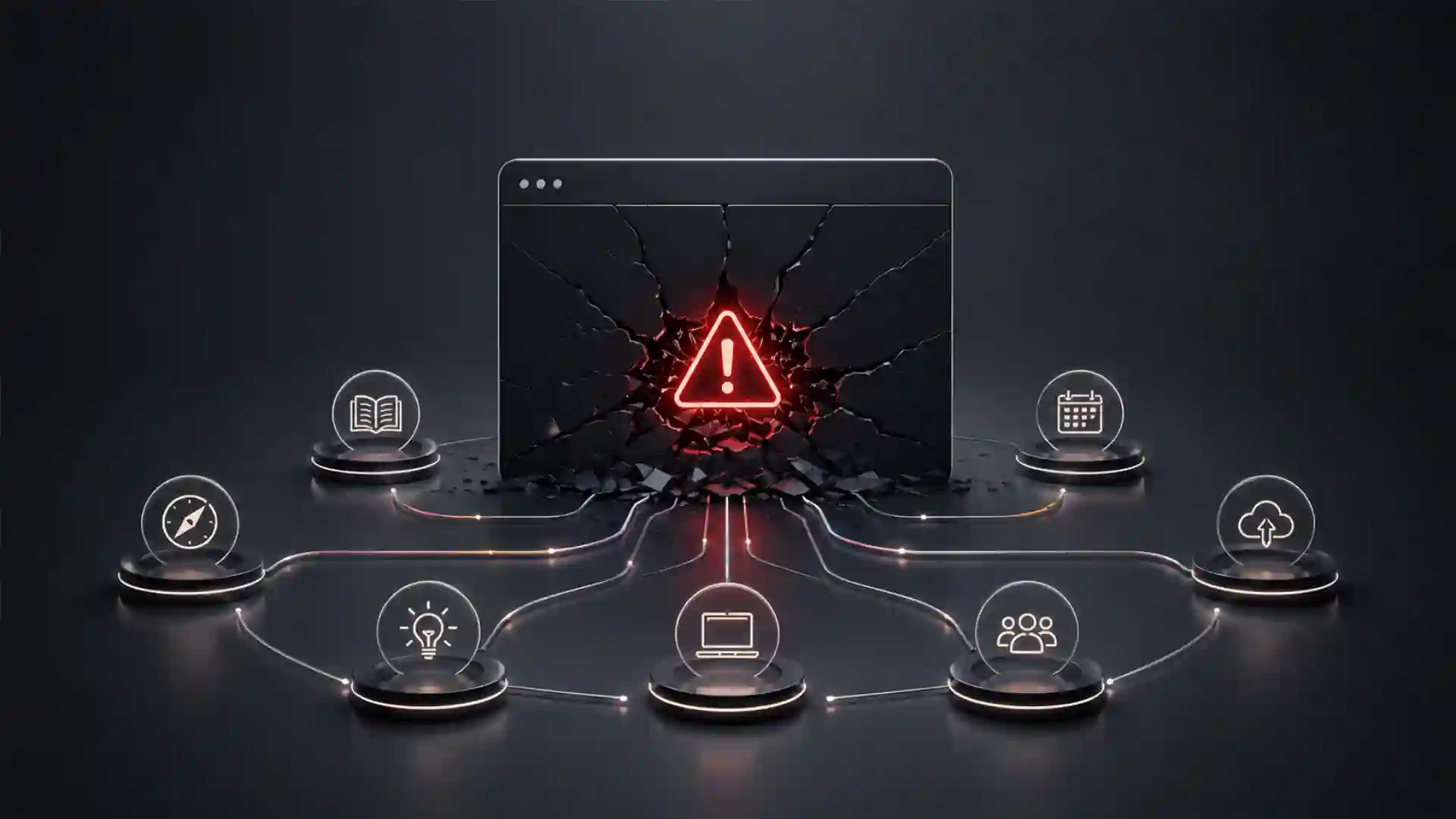
Sora.com looks like an outage because that is how most people encounter it. A creator opens a tab, a marketer checks a draft, a developer tests an endpoint, and the service does not behave the way it did before. The natural first move is to search for “sora.com down,” check a status page, refresh the browser, clear cookies, or blame a regional network issue.
Table of Contents
The outage story is the wrong story
That instinct is understandable, but it misses the larger change. The Sora web and app experiences were discontinued on April 26, 2026, according to OpenAI’s own Help Center. The API has a later deadline: September 24, 2026. OpenAI’s status page may still show its broader systems as operational, which matters because a discontinued product and a live-service outage are not the same event. One is a failure to serve traffic. The other is a product ending by design.
That distinction changes the next move. A normal outage calls for patience, incident updates, and a retry window. A discontinued service calls for preservation, migration, and a rewrite of the workflow that depended on it. The right question is no longer “When will Sora.com come back?” The right question is which assets, prompts, user habits, approvals, API calls, and production assumptions now need to be moved somewhere safer.
For casual users, the answer is fairly direct. Export what is still exportable. Save final files, draft prompts, reference images, captions, project notes, and anything tied to client or campaign work. Do not assume a cloud library will remain accessible because it used to be there last week. Sora’s own older help material treated the library, downloads, folders, drafts, storyboards, and generated MP4 files as part of the user workflow, which is precisely why the loss of the app experience creates a practical storage problem for anyone who used Sora as more than a toy.
For teams, the work is broader. Sora was not just a generator. It was a place where ideas, visual experiments, prompts, AI-generated assets, watermarked exports, provenance metadata, approval comments, and brand experiments collected over time. When a creative AI product disappears, the hidden dependency is often not the model. It is the habit of using the product as an archive, editor, prompt notebook, test lab, and informal production system.
The lesson is not that AI video is dead. It is not. Google’s Veo, Adobe Firefly, Runway, Luma, Amazon Nova Reel, Synthesia, Pika, and other systems are still pushing AI video in different directions. The lesson is sharper than that: AI video work now needs a multi-tool workflow instead of blind faith in one spectacular interface.
Sora’s shutdown exposes the weakest part of AI creative stacks
The weakest part of many AI video workflows was never visual quality. It was dependence. Sora made video generation feel like a destination: log in, prompt, iterate, remix, download, publish. That felt simple, and for short-form ideation it was. Yet simplicity can hide fragility. Once a product becomes the place where a team stores experiments and decisions, the product becomes infrastructure, even if nobody formally approved it as infrastructure.
OpenAI’s API documentation shows how broad Sora’s developer-facing capabilities had become: creating videos from prompts, using image references, reusing character assets, extending completed clips, editing existing videos, downloading finished assets, and submitting large render queues through the Batch API. That is not a small feature set. It is enough for studios, agencies, startups, and internal content teams to build repeatable work around it.
The issue is that creative teams often treat AI tools as disposable until they are not. A strategist may think of Sora as a place to test ideas. A designer may think of it as a visual sketchpad. A paid media team may think of it as a way to generate variations. A founder may think of it as a cheap replacement for early motion design. A developer may wrap the API into a content tool. Each use looks lightweight in isolation. Together they become a dependency map.
The real risk is not losing one AI video model. The real risk is losing the memory of how the team made decisions. Which prompts worked? Which references produced usable motion? Which clips were approved? Which exports were sent to clients? Which generated shots were rejected because they introduced likeness, brand, copyright, or misinformation risk? If that context lives only inside a closed app, a shutdown turns creative history into a scavenger hunt.
Sora’s older app guidance also points to a second vulnerability. The product included editing, trimming, stitching, remixing, reprompting, extending, captioning, downloading, visible watermarks, and C2PA provenance in certain exports. Those functions shaped how users understood the status of their media. A downloaded MP4 was not just a file; it carried assumptions about source, authorship, watermarking, and allowed use.
A safer AI creative stack separates those layers. The model generates footage. A project folder stores final files and working exports. A prompt log records instructions and references. A rights log records source images, likeness permissions, character restrictions, and brand approvals. An editor handles assembly. A governance process decides what can leave the building. The model should never be the only place where the work exists.
Sora’s shutdown makes that point painfully visible. Any team that used Sora seriously now has to reconstruct what should have existed all along: a durable workflow around a non-durable tool.
The immediate checklist for anyone who still has Sora assets
The first job is preservation. Not evaluation. Not vendor selection. Not a long debate about which AI video model is best. If your Sora work still exists in any accessible export path, save it now and sort it later.
OpenAI’s Sora 1 sunset FAQ says exports may include account details and content, and that export data can include Sora 1, Sora 2, and ChatGPT data. The same help article says data export remains available only for a limited time after removal in some circumstances, and that content will no longer be available through data export after that period.
That makes the first rule simple: download before you decide what matters. A messy archive is better than a clean archive that never happened. Put everything into dated folders. Keep source exports separate from edited versions. Store prompts and captions in plain text, not only inside project-management comments or chat histories. Keep reference images alongside the generated clips they influenced.
The second rule is to preserve context. A generated clip without its prompt may still be useful as footage, but it is less useful as a reusable creative asset. A prompt without the reference image may be hard to reproduce. A final MP4 without notes on watermarking, licensing assumptions, or client approval can become a compliance risk later. AI video files need production metadata, not just storage.
A compact recovery structure works well:
Sora asset rescue map
| Asset type | Save first |
|---|---|
| Final clips | MP4 exports, watermarked versions, unwatermarked versions if legitimately available, thumbnails, captions |
| Working context | Prompts, reference images, storyboard notes, remix instructions, approval comments, client brief links |
This table is intentionally small because the first rescue pass should not become a documentation project. Save the material that preserves creative value and decision history. Once the files are secure, sort them by campaign, client, internal project, usage rights, and publish status.
The third rule is to separate experiments from publishable assets. Many Sora clips were probably made quickly, without a full rights review. Some may depict people, public figures, characters, logos, products, locations, or styles that are not safe for commercial use. Sora’s own help material warned users not to upload images or videos of other individuals without express written consent, and it also described watermark rules around public figures and characters.
That matters during migration. A team under pressure may be tempted to dump everything into a new generator and keep going. Bad move. Migration is the perfect time to mark what is safe, what is uncertain, and what should be deleted. Treat the shutdown as a forced audit. It is annoying, but it can prevent a worse problem later.
The fourth rule is to capture failed prompts. Creative teams often save only winners. With AI video, failed prompts are valuable because they show where a model misread motion, anatomy, camera direction, pacing, lighting, or brand tone. When switching tools, those failures help prompt engineers and editors avoid repeating the same tests.
The fifth rule is to avoid one-folder chaos. Use project names, dates, and source labels in filenames. “final_video_3.mp4” becomes useless in a month. “2026-04_sora_clientname_launch-broll_prompt-07_watermarked.mp4” is not pretty, but it is searchable and legible.
API users have a different clock
The web app has already crossed its shutdown date. Developers have a separate deadline. OpenAI’s API deprecation page says developers using the Videos API and Sora 2 model aliases and snapshots were notified on March 24, 2026, with removal from the API scheduled for September 24, 2026. Listed affected items include the Videos API, sora-2, sora-2-pro, and several dated Sora model snapshots.
That date creates a migration window, not a comfort zone. API users have more time than app users, but the work is heavier. A developer cannot simply swap “Sora” for another model name and expect the same behavior. Video APIs vary in prompt structure, input limits, reference image handling, aspect ratios, duration limits, queue behavior, output storage, moderation rules, watermarking, provenance, retries, cost model, and latency.
The first API move is inventory. Search codebases, workflow automations, no-code tools, scheduled jobs, internal dashboards, and client portals for Sora endpoints, model names, and video-generation assumptions. Look for hard-coded values: duration, aspect ratio, resolution, output format, retry delay, maximum queue size, and expected callback timing. Model shutdowns hurt most when the dependency is scattered across scripts nobody remembers owning.
The second move is to freeze new Sora-dependent features. Existing production flows may need support until the deadline, but new work should not deepen the dependency. Any new AI video build should target an abstraction layer: one internal function or service that describes the job in business terms, then sends it to a vendor-specific backend. For example, an internal request might say “generate six seconds of 16:9 product-adjacent b-roll from this prompt and reference image.” The adapter decides whether that request goes to Veo, Runway, Firefly, Luma, Amazon Nova Reel, or another system.
The third move is to collect benchmark prompts. Do not test replacement tools with random demos. Use your own production prompts: the awkward ones, the precise ones, the ones with camera movement, branded mood, product-like surfaces, human motion, negative constraints, and scene continuity. A model that looks beautiful in a public demo may fail on the exact material your team needs every week.
The fourth move is to measure operational details. AI video outputs are judged visually, but production tools survive through boring mechanics: error rates, queue times, quota limits, API response format, storage requirements, support availability, content filtering, and cost per usable clip. Amazon’s Nova Reel documentation, for instance, describes asynchronous generation and S3 output behavior, which is a very different operational pattern from a consumer app download button.
The fifth move is to decide whether you need an API at all. Some teams built API workflows because Sora made that path attractive. Their real need may be campaign ideation, social variations, or internal training clips. A managed creative platform may be better than another raw model endpoint. The shutdown is a chance to stop using developer infrastructure for work that belongs in an editorial process.
A practical migration map for creators and marketing teams
Creators do not need a perfect replacement for Sora. They need a working chain that takes an idea from brief to usable video without losing control. That chain usually has five parts: planning, generation, editing, review, and storage. Sora compressed several of those steps into one environment. The next workflow should split them apart.
Start with the brief. Before opening any generator, write the shot as if a human cinematographer or motion designer had to execute it. Subject, setting, camera movement, lens feel, lighting, duration, motion, mood, negative constraints, and intended channel should be clear. This is not about making prompts longer for their own sake. It is about making the creative intent portable across tools.
Then choose the generator by job type. No single AI video tool is best for every kind of work. Google Veo is strong for cinematic prompt-to-video and native audio workflows. Adobe Firefly fits brand-sensitive teams already inside Adobe’s creative environment. Runway is attractive for visual consistency, references, and filmmaker-style iteration. Luma is strong where video-to-video, keyframes, HDR, and visual modification matter. Amazon Nova Reel fits developer and enterprise workflows that need cloud integration and longer generated sequences. Synthesia fits presenter-led business video, localization, training, and internal communication.
That segmentation is more useful than arguing about a generic “best Sora alternative.” The best replacement depends on whether you were using Sora as a toy, concept tool, marketing engine, API backend, B-roll generator, character continuity system, or social clip lab.
After generation, move into a real editor. Do not expect the generator to finish the job. Even strong AI video clips need trimming, timing, sound design, color adjustment, captions, legal review, compression, and channel formatting. Sora’s old editor included trim, stitch, extend, remix, reprompt, and reorder functions. Losing those functions inside Sora does not mean losing editing. It means moving editing back into tools designed for finishing.
Review should become stricter after migration, not looser. Sora’s shutdown may push teams to test many tools quickly. That rush creates risk. Each new system has its own rules around commercial use, training data, user content, content filters, likeness, public figures, copyrighted characters, and output watermarking. Adobe, for example, positions Firefly’s own video model around commercial safety and states that its Firefly Video Model is trained on licensed content and public domain content, while also warning that partner models may have different terms.
The final step is storage. Every generated clip should land in a controlled folder or asset-management system with prompt, tool, date, user, source images, rights notes, and final usage. A generated file without a source trail is a liability wearing the costume of a creative asset.
Sora alternatives should be chosen by workflow, not hype
The AI video market is noisy because every tool wants to be judged by its best demo. That is the wrong test. A real Sora replacement should be judged by repeatability under your conditions.
Google’s Veo line is one of the most obvious places to look. Google DeepMind describes Veo as a video generation model with greater control, consistency, native audio, and expanded creative controls in newer versions. Google’s Gemini API documentation says Veo 3.1 can generate high-fidelity eight-second clips at 720p, 1080p, or 4K with natively generated audio, and Google Cloud documents Veo availability through Vertex AI Media Studio and API access.
That makes Veo a serious candidate for teams that need API access, high visual fidelity, native audio, and a path into enterprise cloud workflows. It may be especially relevant for developers who were using Sora programmatically and now need a model with a clear developer surface.
Adobe Firefly is a different type of replacement. It is not only a model conversation; it is an ecosystem conversation. Adobe presents Firefly’s AI video generator as a tool for text-to-video, image-to-video, B-roll, visual effects, product-shot animation, and creative assets inside the Adobe environment. Its strongest appeal is not merely output quality. It is fit for teams already using Photoshop, Premiere Pro, After Effects, Illustrator, Adobe Stock, and Creative Cloud review habits.
Runway is attractive where control and continuity matter. Its Gen-4 material emphasizes consistent characters, locations, objects, style, mood, and cinematographic elements across scenes. Its help center describes Gen-4 clips in five or ten second durations based on image and text input, with Turbo options for faster iteration.
Luma’s Ray family speaks to a more production-minded creator. Luma describes Ray3 as a video model built with creatives from entertainment, advertising, and gaming, with character reference, keyframes, Draft Mode, HDR, consistency, and video-to-video work. Ray3.14 adds native 1080p across core Dream Machine workflows, faster generation, lower cost versus Ray3 at 720p, and improved prompt adherence according to Luma’s own release notes.
Amazon Nova Reel belongs in a different bucket. It is less about a consumer creator interface and more about AWS-integrated production. Amazon documents text-to-video and text-and-image-to-video generation, six-second increments up to two minutes, 1280×720 output, 24 fps, content provenance checks, and asynchronous processing through Amazon Bedrock and S3.
Synthesia should not be treated as a direct cinematic Sora clone. It is closer to a business video platform with avatars, voiceovers, templates, translation, brand kits, analytics, training workflows, and internal communication use cases. It becomes relevant when the old Sora need was “we need video content quickly,” not “we need cinematic generative footage.”
Pika remains part of the creator-side conversation, especially for expressive, fast, playful video formats, though its public site currently gives less technical detail without signing in than some competitors. That matters during procurement: if a tool hides too much before account creation, teams need stronger internal testing before committing.
The model comparison that matters for real work
A model comparison should not start with beauty. Beauty is the easiest thing for AI video demos to fake because the best outputs are selected, edited, and presented without the failed attempts around them. Real comparison starts with the jobs you repeat.
AI video replacement fit by use case
| Use case | Better first candidates |
|---|---|
| Cinematic short clips, native audio, API access | Google Veo, Runway, Luma, Adobe Firefly |
| Business video, training, localization, cloud automation | Synthesia, Adobe Firefly, Amazon Nova Reel, Google Vertex AI |
The table is not a ranking. It is a filter. A social creator, an enterprise developer, a learning-and-development team, and a film previsualization artist should not choose from the same shortlist in the same order.
For creators, the strongest question is “Can I get usable motion quickly without destroying the idea?” A tool that gives ten beautiful but uncontrollable clips may be worse than a tool that gives less dramatic output but accepts references, keyframes, and edits consistently. For campaign work, the best model is often the one that fails predictably. Predictable failure lets teams plan around limits.
For marketers, the strongest question is “Can I publish this without creating brand or legal mess?” That pushes Adobe Firefly, Synthesia, and enterprise cloud options higher in the shortlist because rights posture, review process, brand controls, and team access matter more than demo spectacle. Adobe’s commercial-safety language around Firefly’s own model is relevant here, although teams still need to check the terms for partner models and each actual use case.
For developers, the strongest question is “Can I replace the Sora API without rewriting the entire product?” That puts Vertex AI, Gemini API, Amazon Bedrock, and other structured APIs in focus. The model’s output quality matters, but so do authentication, regions, asynchronous handling, output storage, rate limits, billing, logging, SDK support, and incident visibility.
For agencies, the strongest question is “Can we explain the workflow to clients?” Clients do not only care whether a generated shot looks good. They care whether the agency can prove where the asset came from, what tool made it, whether it uses a person’s likeness, whether it carries provenance, whether it can be revised, and whether it can be used in paid media.
For internal teams, the strongest question is “Can non-specialists use this safely?” A tool that works only for one AI enthusiast is not a workflow. It is a person-shaped bottleneck. Sora’s disappearance should push teams toward repeatable patterns: approved prompt templates, shared asset libraries, usage policies, review gates, and storage rules.
The legal and rights review cannot wait until after migration
AI video sits close to risk because video feels real. A still image may be read as synthetic more easily. A moving clip with faces, voices, logos, environments, camera shake, dialogue, and ambient sound can cross into persuasion before a viewer has time to question it. That raises the stakes for copyright, likeness, privacy, public figures, brand safety, and misleading claims.
The U.S. Copyright Office has been examining copyright and artificial intelligence through a multi-part report covering digital replicas, copyrightability of generative AI outputs, and training-related issues. Its public AI page states that the work includes the scope of copyright in AI-generated works and the use of copyrighted materials in AI training.
For teams leaving Sora, the practical lesson is simple: do not treat AI-generated video as legally clean just because it came from a famous vendor. The vendor’s terms, the model’s training posture, the user’s input material, and the final output all matter. A generated clip can still create problems if it imitates a living person, borrows a protected character, recreates a brand style too closely, uses restricted source material, or misleads viewers.
Likeness deserves special care. Sora’s help materials warned against uploading images or videos of individuals without express written consent. This is the right standard to carry forward. Consent should be written, specific, and stored with the project. It should say what the person allowed, where the resulting media may be used, whether modification is allowed, and how long the permission lasts.
Copyright needs a separate review. A model may accept a prompt asking for a known character, a branded universe, a famous director’s style, a celebrity-like performer, or a logo-like object. Acceptance is not permission. The tool’s output does not grant rights that the user did not have. If a team would hesitate to ask a human animator to copy something, it should hesitate before asking a model.
The FTC’s warning to AI companies about privacy and confidentiality commitments also points to a broader issue: companies can face legal risk when their data practices, omissions, or claims mislead users. For businesses using AI vendors, this means vendor promises should be read carefully, especially around training, retention, confidentiality, and data use.
The safest migration includes a rights register. It can be simple: project name, tool, prompt, input assets, source owner, consent status, intended use, review owner, publish status, and expiry or renewal notes. Rights documentation is not paperwork for its own sake. It is memory protection for teams that move fast.
Provenance and watermarking are now production requirements
Sora’s older help guidance said exports at launch included a moving visible watermark and C2PA provenance, with different watermark rules depending on subscription status, text-only generation, public figures, characters, and related features. That tells us something useful about the direction of AI video: provenance is moving from optional trust signal to production requirement.
C2PA is the technical standard behind many content provenance efforts. The Content Credentials site describes the pin as a signal that content contains provenance information and can reveal method of creation and edit history. The C2PA specification also covers ways provenance data can be associated with AI and machine-learning assets.
For publishers, agencies, educators, brands, and platforms, this matters because AI video will increasingly need a chain of custody. A finished clip should not float around as an unexplained MP4. It should carry or be accompanied by a record of origin: tool, version if known, date, prompt, source assets, edits, user, and approval. Even when metadata is removed by social platforms, the internal record should remain.
Watermarking deserves a sober view. A watermark helps viewers and reviewers, but it is not a full governance system. It can be cropped, compressed, removed, obscured, or separated from the context in which the clip was approved. Provenance metadata can also be lost in some workflows. That does not make watermarking useless. It means teams need both file-level signals and process-level records.
A brand team should answer four questions before publishing AI video. Was any part of the clip generated? Which tool created it? Was any person, character, logo, location, or restricted asset involved? What disclosure is appropriate for the audience and platform? The right answer varies by channel, jurisdiction, and use case. A playful internal concept clip does not carry the same disclosure burden as a political ad, medical explainer, financial promotion, or news-like video.
The bigger the trust relationship with the viewer, the stronger the provenance discipline should be. A company that teaches, advises, sells, reports, hires, trains, or makes claims through video needs a higher bar than a meme account.
Sora’s end gives teams a chance to design that bar before the next tool becomes habit.
Prompt libraries are now business assets
Many teams underestimate the value of prompts because prompts look like text scraps. In AI video, a strong prompt is more than a sentence. It is a compressed creative brief, a camera instruction, a style guide, a motion plan, and sometimes a risk boundary. When Sora disappeared from the web/app layer, any prompt history trapped inside the product became harder to use.
A migration should treat prompts as assets. Export them where possible. Copy them from project notes. Rebuild them from captions and file names. Ask creators to submit their strongest and most repeatable prompts into a shared library. Sort them by outcome: product b-roll, cinematic establishing shot, social hook, transition, animated object, abstract background, training visual, app demo, lifestyle scene, explainer cutaway.
Each prompt entry should include more than the prompt. Add the tool used, date, aspect ratio, duration, reference image, result rating, known problems, and notes on rights or safety. This turns a private trick into an organizational memory. A prompt library is not about making everyone write the same way. It is about preventing teams from paying repeatedly for the same experiments.
Prompt portability also matters. A Sora prompt may not work cleanly in Veo, Runway, Firefly, Luma, or Nova Reel. Each model responds differently to camera terms, negative instructions, timing language, style references, image inputs, and scene complexity. Preserve the original prompt, then create tool-specific versions. Do not overwrite the old one.
Strong video prompts usually name motion directly. “A product on a table” is weak. “A slow push-in toward a matte black device on a stone table, morning side light, shallow depth of field, dust visible in the beam, no hands, no logos, six seconds” is more useful. The model may still fail, but the intent is clearer.
Prompt libraries should include “do not use” notes. Some words produce clichés. Some camera moves create artifacts. Some scene types cause flickering, broken limbs, warped text, or unstable logos. A failure note such as “avoid visible text on packaging” can save hours.
The library should also include prompts that produce safe generic footage. Teams often need background motion, abstract textures, weather, rooms, screens, landscapes, or object-free transitions. These assets are less glamorous than character-driven clips, but they are easier to reuse and safer to publish.
Editorial workflows need to absorb AI video instead of orbiting around it
Sora’s rise encouraged a generator-first habit: make the clip, then decide what to do with it. That works for experimentation. It is weak for publishing. A better editorial workflow starts with the message, channel, audience, claim, and risk profile before generation begins.
For example, a brand launching a software feature may need four types of video: teaser footage for social, a clear product walkthrough, sales enablement snippets, and internal training. AI-generated cinematic b-roll may support the teaser. It probably should not replace the actual product walkthrough. A presenter-led platform may work for training. A human editor may still need to assemble the final story.
AI video is strongest when it fills a defined gap. It is weakest when it is asked to become the strategy. The tool can generate a mood, a transition, a metaphor, a visual sketch, a placeholder, a background, a rough cut, or a variation. It cannot decide whether the claim is true, whether the audience understands the offer, whether the clip fits the brand, or whether the legal team will approve it.
Editorial teams should place AI video at specific points in the production chain. During ideation, it can test visual territories quickly. During storyboarding, it can convert written beats into motion references. During production, it can create B-roll that would be expensive or impractical to shoot. During localization, it can support region-specific variants. During post-production, it can fill gaps, extend shots, create abstract backgrounds, or explore transitions.
Review should mirror the same chain. A creative director reviews visual fit. A subject-matter expert reviews truth. A legal or compliance reviewer checks claims, likeness, and rights. A brand owner checks identity. A channel owner checks format and platform expectations. This sounds heavier than typing a prompt, but it is lighter than cleaning up a public mistake.
The old Sora workflow made generation feel immediate. The new workflow should make approval visible. That means version names, review comments, stored exports, and a clear final owner. A clip should not move from experiment to ad account because someone liked it in a Slack thread.
The editorial gain is real. Once AI video is absorbed into a disciplined workflow, it stops being a novelty and becomes a controlled production input. That is where lasting value sits.
Developers should build around replaceable video engines
The Sora API deprecation is a warning against direct vendor entanglement. Developers who call one model directly from multiple parts of an application inherit the vendor’s roadmap as their own risk. When that model changes, slows, raises prices, tightens policy, loses availability, or disappears, the product suffers.
The stronger pattern is a replaceable video engine. The application sends a normalized internal request. The engine maps that request to one or more providers. The provider adapter handles the vendor-specific details: authentication, prompt formatting, duration mapping, aspect ratio, reference inputs, queue submission, polling, errors, output storage, moderation response, and cost logging.
The internal request should describe business intent. For example: generate a six-second 16:9 lifestyle background clip for a product landing page, no people, no logos, soft daylight, safe for commercial marketing, output MP4, priority low. A Sora adapter would have translated that request one way. A Veo adapter or Nova Reel adapter translates it another way. The application should not need to care.
The goal is not vendor neutrality as ideology. The goal is lower switching cost when the next model changes. In generative AI, switching cost is not theoretical. Models deprecate, APIs evolve, terms change, and product strategy can shift quickly.
Testing should also live above the provider layer. Keep a benchmark suite of prompts and reference assets. Run the same jobs across candidate providers. Score outputs for visual quality, prompt adherence, motion stability, artifact frequency, safety behavior, latency, cost, and human approval rate. A model that wins on one cinematic prompt may lose badly across the benchmark set.
Logging is non-negotiable. Store provider, model name, request parameters, prompt, input asset IDs, output URL, generation time, user ID, moderation flags, error messages, and cost. This protects debugging and auditability. It also lets teams calculate the metric that matters: cost per approved second, not cost per generated second.
Storage should be owned by the application or company, not left entirely inside the provider’s interface. Amazon’s Nova Reel pattern of writing generated files to S3 is a reminder that cloud-native workflows can be designed around owned storage from the start.
A replaceable engine takes longer to build than a direct call. It pays for itself the first time a provider changes direction.
Procurement should ask harder questions after Sora
The Sora shutdown should change how teams buy AI creative tools. The old buying question was often “Does the output look impressive?” The new buying question is “Can this vendor survive inside our workflow without creating hidden fragility?”
Start with availability and roadmap. Ask whether the vendor publishes deprecation policies, status pages, incident history, model versioning, and migration guidance. OpenAI’s deprecation page is useful precisely because it gives developers dates and affected model names. A vendor that cannot explain how it handles model retirement is asking customers to absorb surprise.
Then ask about export. Can users download originals? Are exports watermarked? Is metadata preserved? Can teams export project history, prompts, captions, source files, and generated variants? What happens after account cancellation? What happens after product retirement? Are exports available through API? How long are files retained?
Ask about rights. What training data claims does the vendor make? What commercial-use terms apply? Are partner models covered by the same terms? Adobe’s Firefly page draws a distinction between Firefly’s own model and partner models, which is the kind of distinction buyers need to notice.
Ask about data. Will user prompts, uploads, and outputs train future models? Does that differ by plan? OpenAI’s privacy materials describe data controls and user choices around training and export, while its security page says business data is not trained on by default for organizations. Those details matter when comparing consumer, team, enterprise, and API offerings.
Ask about governance. Does the vendor support team roles, audit logs, approval workflows, brand controls, content moderation, provenance, and compliance documentation? Synthesia, for example, emphasizes business use cases, brand kits, analytics, localization, and governance-related claims. That may matter more for corporate communication than raw generative-video flexibility.
Ask about exit. This is the question many teams skipped with Sora. If the product shuts down, what do we keep? What do we lose? How much notice do we get? What format are exports in? How do we retrieve assets at scale? A vendor without an exit story is not a platform. It is a rental booth with better lighting.
Cost should be measured per approved asset
AI video pricing can mislead teams because generation is not the same as production. A tool may charge by second, credit, token, job, subscription tier, fast queue, resolution, or seat. That number matters, but it does not tell you what a usable clip costs.
The better metric is cost per approved asset. If a team generates forty clips to get four usable ones, the apparent per-generation price is only a fraction of the real cost. Human review time, editing time, failed outputs, duplicated attempts, rights review, subscription seats, and storage all belong in the calculation.
Sora made this easy to ignore because the creative high of generation overshadowed the waste around it. Migration is a good moment to count honestly. Track how many generations produce usable results. Track how many need edits. Track how many are rejected for artifacts, brand mismatch, legal uncertainty, or factual risk. Track how long each tool takes from prompt to approved output.
Different tools will win different cost races. A raw cinematic model may be cheap for visual exploration but expensive for final brand-safe assets. A business video platform may cost more per subscription but reduce production time for training and localization. A cloud API may be better for automated volume but worse for creative teams that need hands-on iteration.
Latency also has a cost. Amazon documents approximate generation times for Nova Reel that range from about 90 seconds for a six-second video to far longer for two-minute generation. That may be acceptable for batch production, but frustrating for live creative iteration.
Resolution and duration add another layer. A model that generates eight-second clips with native audio has a different cost profile from one that creates five-second silent B-roll, ten-second image-guided clips, or two-minute multi-shot videos. Do not compare them as if one generation equals another.
The serious budget question is not “Which tool is cheapest?” It is “Which tool produces the highest rate of approved assets for the work we actually publish?” That shifts the conversation away from hype and toward production economics.
Small creators need a lighter plan
A solo creator does not need an enterprise migration framework. They need a clean way to keep making without losing old work or burning money on tools that do not fit their channel.
First, save old Sora clips. Put them in a folder with dates and short descriptions. Keep the best prompts in a note app. Mark which clips were published, which were drafts, and which are unsafe or uncertain. Delete anything that could create rights or likeness trouble later.
Second, choose one primary replacement and one backup. Do not subscribe to five tools at once unless your work demands it. A YouTube creator may test Veo or Runway for cinematic clips, Firefly for Adobe-friendly edits, and Synthesia only if presenter-led content matters. A TikTok creator may value speed, format flexibility, and expressive effects more than enterprise governance. A designer may care most about image-to-video control and integration with editing tools.
Third, build reusable prompt templates. One template for establishing shots, one for product-like b-roll, one for transitions, one for abstract backgrounds, one for social hooks. Keep the structure stable: subject, setting, motion, camera, lighting, style, duration, format, exclusions. Reuse the template, not the exact words.
Fourth, avoid chasing every model launch. New models are tempting because they promise better motion, better realism, better audio, better prompt adherence, or lower cost. Some deliver. Some do not matter for your channel. A creator who switches tools every week never builds taste inside one workflow.
Fifth, keep editing outside the generator. Use a normal editor for pacing, captions, sound, color, and platform versions. The generator is only one input. The final video is still made in the edit.
Sixth, disclose wisely. If an AI-generated clip could mislead viewers about reality, be clear. If it is stylized background motion, disclosure may be less urgent, but platform rules and audience expectations still matter. Do not hide AI use where trust is part of the content.
Small creators win by staying nimble without becoming careless. Sora’s end is disruptive, but it may also push creators into better habits: saved prompts, owned files, cleaner edits, and less dependence on one feed-driven app.
Agencies and studios need a client-facing answer
Agencies cannot respond to Sora’s shutdown with “we are testing alternatives” and leave it there. Clients need to know whether current work is safe, whether timelines change, whether rights are affected, whether assets are preserved, and what workflow replaces the old one.
The first client-facing move is an audit note. List affected projects, asset status, export status, replacement plan, risk level, and next action. Keep it calm. Clients do not need drama. They need proof that someone is in control.
The second move is a replacement matrix. For each client need, name the likely tool path. Concept visuals may go to Runway, Luma, Veo, or Firefly. Enterprise explainers may go to Synthesia. Cloud-driven batch generation may go to Vertex AI or Amazon Bedrock. Adobe-native campaign assets may stay inside Firefly and Premiere workflows. The matrix should be practical, not promotional.
The third move is a rights statement. Explain that AI-generated footage still requires input-rights checks, likeness consent, brand review, and commercial-use validation. This protects the agency and educates the client. It also prevents clients from assuming that a tool subscription magically solves rights.
The fourth move is a disclosure policy. Some clients will want AI use disclosed. Some will not. Some industries may require stricter review. Agencies should not invent disclosure standards project by project under deadline pressure. A simple policy with channel-specific guidance is better.
The fifth move is to protect prompt knowledge. Agency prompts are creative labor. Store them in a shared but access-controlled library. Tie them to client categories, not only individual employees. When a strategist or AI artist leaves, the agency should not lose its entire generative-video craft memory.
The sixth move is to update contracts. Statements of work should define whether AI tools may be used, who approves them, what rights warranties apply, who owns outputs, how source materials are handled, whether prompts are deliverables, and what happens if a vendor changes terms or shuts down.
The agency that turns Sora’s shutdown into a clear governance upgrade will look more professional than the agency that merely swaps tools. Clients notice the difference when risk appears.
Enterprise teams should treat this as vendor concentration risk
For enterprise teams, Sora’s disappearance belongs in the same category as any SaaS dependency event. It affects continuity, data retention, procurement, security, compliance, cost, and user behavior. The fact that the tool generates video does not make it less infrastructural.
Enterprise AI teams should start with a dependency register. Which departments used Sora? Marketing, comms, training, product, design, HR, sales, customer support, research, or innovation labs? Did anyone connect the API to internal systems? Did any vendors or agencies use Sora on the company’s behalf? Are Sora-generated assets stored in official DAM systems or only inside personal accounts?
Then review data exposure. What was uploaded? Reference images, product mockups, unreleased designs, employee faces, customer footage, confidential locations, scripts, campaign plans, unreleased brand work? OpenAI’s privacy policy and security pages describe data controls, export, deletion, training choices, and business-data protections, but enterprises still need to know what their own users actually did.
Then review approvals. Were AI-generated videos published externally? Were they used in training? Did any include people, voices, logos, product claims, regulated topics, or public figures? Where are those approvals stored?
NIST’s Generative AI Profile for the AI Risk Management Framework is useful here because it frames generative AI as a lifecycle risk-management problem, not merely a tool-selection problem. It is voluntary, cross-sectoral, and meant to support organizations in evaluating trustworthiness, risk, and governance across AI systems.
Enterprise replacement should avoid single-vendor recreation of the same risk. A large company may need several approved AI video paths: one for high-security internal work, one for public marketing, one for training and localization, one for developer automation, and one for experimental creative work. Each path should have terms, access controls, data rules, retention rules, and review requirements.
Procurement should also require exit rights. The company should be able to export assets, metadata, prompts, and audit logs in usable formats. If the vendor cannot support that, the tool should not become a system of record.
For enterprise teams, the answer after Sora is not “pick another model.” The answer is “approve a video-generation architecture that can survive model churn.”
AI video strategy after Sora should be multi-model by design
The old mental model was one killer app. The better model is a portfolio. Different AI video systems specialize in different parts of the production chain, and the market is moving too quickly for one tool to remain best across all uses.
A multi-model strategy does not mean chaos. It means assigning roles. One model for fast cinematic ideation. One platform for business communications. One cloud API for automated generation. One editor for finishing. One asset system for storage. One governance layer for approval. Each tool has a job and a boundary.
This approach also reduces creative sameness. When every brand uses the same model in the same way, the outputs begin to share a visual accent. Multi-model workflows let teams mix generated footage with human-shot content, stock, animation, screen capture, motion graphics, typography, and audio design. The result feels less like “AI video” and more like intentional media.
There is also a resilience argument. If one model changes policy, pricing, performance, or availability, the team can shift some jobs elsewhere. That does not eliminate migration work, but it prevents a total stop.
The hard part is governance. More tools mean more terms, more interfaces, more data flows, and more training needs. That is why the portfolio should be curated. Do not let every team expense random tools with no shared rules. Create approved lanes. Give each lane a clear purpose. Review the list quarterly.
A practical stack might look like this: Veo or Runway for high-end visual ideation, Firefly for Adobe-native brand assets, Luma for video-to-video and keyframe-driven creative control, Synthesia for training and internal communications, Amazon Nova Reel or Vertex AI for developer workflows, Premiere Pro or DaVinci Resolve for finishing, a DAM for storage, and a rights register for governance.
That stack will not fit every organization. The principle will. AI video should be modular enough to change tools without changing the whole production culture.
The next move for Sora users
The next move depends on who you are.
If you are a casual user, stop refreshing Sora.com and focus on your files. Export, download, save prompts, and move your best work into storage you control. Then test one or two replacements based on what you actually make.
If you are a creator, rebuild your workflow around owned assets and reusable prompt templates. Pick a primary tool, learn its limits deeply, and keep editing separate from generation.
If you are a marketer, classify your video needs before choosing tools. B-roll, paid social, product visuals, explainers, internal comms, and training do not need the same platform. Build review into the workflow from the start.
If you are an agency, communicate clearly with clients. Preserve affected assets, explain tool changes, update rights language, and turn prompt craft into shared agency knowledge.
If you are a developer, use the API window wisely. Inventory dependencies, freeze new Sora-specific features, build a provider abstraction layer, benchmark alternatives, and move storage under your own control before September 24, 2026.
If you are an enterprise leader, treat Sora as a case study in AI vendor concentration. Update procurement, retention, approval, and exit standards. Do not let the next exciting model become an ungoverned system of record.
The wider market is not slowing down. Google is expanding Veo through Gemini and Vertex AI. Adobe is tying Firefly video to a broader creative environment. Runway, Luma, Amazon, Synthesia, Pika, and others are pushing different interpretations of AI video. That competition is useful, but it also means teams need judgment.
The strongest post-Sora workflow will not be the one with the flashiest demo. It will be the one that preserves files, protects rights, records prompts, supports review, survives vendor change, and still lets creative people move fast.
The end of one interface is not the end of AI video
Sora.com going dark feels like a dramatic moment because Sora carried symbolic weight. It represented the promise that text could become convincing motion, that creative teams could sketch in video, that short films, ads, explainers, and visual concepts could be generated faster than before. Losing the app experience is frustrating for users who built habits around it.
Yet the bigger shift is healthy. AI video is moving from wonder to workflow. Wonder is exciting, but workflow is where work survives. The teams that come out stronger will be the ones that stop treating AI generators as magic boxes and start treating them as replaceable production components.
The new AI video discipline is less glamorous than the first Sora demos. It includes folder structures, export checks, prompt libraries, consent logs, provenance, procurement questions, cost tracking, API abstraction, and editorial review. None of that fits neatly into a viral demo. All of it matters when clients, audiences, regulators, teams, and future-you need to understand what happened.
Sora’s shutdown does not mean AI video failed. It means the first phase of casual dependence failed. The next phase belongs to people and companies that build durable creative systems around unstable tools.
That is the real answer to “Sora.com is down.” Do not wait for the old tab to return. Save what you can. Rebuild the workflow. Choose tools by job, not hype. Keep the model replaceable. Keep the archive yours. Keep the human review visible.
Questions people are asking after Sora.com stopped working
Sora.com may look down to users, but the larger issue is that OpenAI says the Sora web and app experiences were discontinued on April 26, 2026. The API has a separate shutdown date of September 24, 2026.
Based on OpenAI’s published Help Center notice, users should not plan around the return of the Sora web and app experiences. The safer assumption is that the app layer is gone and work should move elsewhere.
OpenAI’s deprecation page says the Videos API and Sora 2 model aliases and snapshots are scheduled for removal from the API on September 24, 2026. Developers should use that window for migration, not new dependency-building.
Save your assets. Download final clips, drafts, prompts, reference images, captions, thumbnails, and project notes while any export path remains available. Sorting can happen later.
Yes, once you have reviewed them. Keep a secure archive long enough to understand what exists, then delete clips that create likeness, copyright, brand, privacy, or misinformation risk and have no valid use.
There is no single best alternative. Veo, Firefly, Runway, Luma, Amazon Nova Reel, Synthesia, and Pika serve different needs. Pick based on workflow: cinematic clips, API access, business video, brand-safe assets, localization, or cloud automation.
Veo is a strong candidate for cinematic video generation, native audio, and developer access through Gemini API or Vertex AI. It is especially relevant for teams that need a serious model with cloud and API paths.
Adobe positions Firefly’s own video model around commercial safety and says it is trained on licensed and public domain content, while warning that partner models may have different terms. Teams still need project-level rights review.
Runway is a strong candidate when consistency, references, controllable visuals, and filmmaker-style iteration matter. Its Gen-4 materials emphasize consistent characters, objects, locations, and style across scenes.
Luma is relevant for creators and production teams that care about video-to-video work, keyframes, character reference, HDR, draft exploration, and motion consistency.
Not for most casual creators. Amazon Nova Reel fits cloud and enterprise workflows better, especially teams already using AWS, Bedrock, and S3-based processing.
Synthesia is not mainly a cinematic Sora clone. It is better understood as a business video platform for avatars, training, localization, internal communications, brand kits, and presenter-led content.
Only for maintaining existing systems while migration happens. New features should be built around a replaceable provider layer instead of deeper Sora-specific integration.
A migration plan should include asset export, prompt preservation, rights review, replacement testing, cost measurement, storage changes, approval workflow, and an exit plan for the next vendor.
Copy prompts into a shared document or prompt library with tool name, date, reference image, aspect ratio, duration, result notes, and usage status. Keep failed prompts too because they prevent repeated testing.
Only after reviewing the tool terms, input rights, likeness permissions, watermark status, client requirements, and applicable law. A generated file is not automatically safe for commercial use.
Some workflows require or strongly benefit from visible watermarks, C2PA provenance, or other disclosure signals. Even when a watermark is absent, teams should keep internal records of tool, prompt, source assets, and edits.
C2PA is a technical standard for attaching provenance information to digital media. Content Credentials uses this kind of provenance signal to show creation method and edit history where supported.
Agencies should explain which assets are affected, what has been exported, what replacement tools are being tested, how rights will be reviewed, and whether timelines or deliverables change.
The lesson is not to avoid AI video. The lesson is to avoid making one AI tool your archive, editor, prompt library, production system, and approval workflow at the same time.
Author:
Jan Bielik
CEO & Founder of Webiano Digital & Marketing Agency
This article is an original analysis supported by the sources cited below
What to know about the Sora discontinuation
OpenAI Help Center notice stating that Sora web and app experiences were discontinued on April 26, 2026, and that the Sora API is scheduled for discontinuation on September 24, 2026.
OpenAI Status
Official OpenAI service status page used to distinguish broader operational status from the separate discontinuation of the Sora product experience.
Deprecations
OpenAI API deprecation documentation listing the Videos API and Sora 2 model removals scheduled for September 24, 2026.
Sora 1 Sunset FAQ
OpenAI Help Center article explaining Sora 1 removal, data export behavior, and the limited availability of export windows after deprecation.
Video generation with Sora
OpenAI developer guide describing Sora video-generation API capabilities such as prompt-based creation, reference images, extensions, edits, downloads, and batch jobs.
Sora 2 Model
OpenAI API model page describing Sora 2 as a legacy media generation model with text and image inputs and video and audio outputs.
Sora
OpenAI Help Center collection listing Sora support topics, including creation, privacy, supported countries, release notes, and billing.
Creating videos with Sora
OpenAI Help Center article describing Sora creation, editing, stitching, duration settings, downloads, watermarking, and provenance behavior.
Generating videos on Sora
OpenAI Help Center guide explaining Sora video generation, storyboard use, download behavior, and upload-rights requirements.
Data Controls and Privacy on the Sora app
OpenAI Help Center article describing Sora data controls and privacy-related information.
Sora Data Controls FAQ
OpenAI Help Center FAQ focused on Sora-specific data-control questions.
Privacy policy
OpenAI privacy policy describing data controls, export options, deletion rights, retention considerations, and user choices.
Security and privacy at OpenAI
OpenAI security and privacy page describing user data choices, encryption, enterprise data handling, and business data protections.
Sora Creating video from text
OpenAI’s original Sora page explaining the model’s text-to-video purpose and early framing around physical-world simulation.
Veo
Google DeepMind page describing Veo, Veo 3.1, native audio, creative controls, prompt adherence, and video-generation capabilities.
Generate videos with Veo on Vertex AI
Google Cloud documentation explaining Veo access through Vertex AI Media Studio and the Vertex AI video generation API.
Generate videos with Veo 3.1 in Gemini API
Google AI for Developers documentation describing Veo 3.1 programmatic access, supported resolutions, clip length, and native audio generation.
Free AI Video Generator Text to Video online
Adobe Firefly page describing text-to-video, image-to-video, B-roll generation, commercial-safety claims, and Adobe ecosystem integrations.
Introducing Runway Gen-4
Runway research announcement describing Gen-4 capabilities around consistent characters, objects, locations, style, mood, and controlled media generation.
Creating with Gen-4 Video
Runway help article describing Gen-4 video creation, clip durations, image and text inputs, and credit behavior.
AI Video Generation with Ray3 and Dream Machine
Luma page describing Ray3, character reference, keyframes, Draft Mode, HDR pipeline, video-to-video workflows, and production-oriented controls.
Ray3.14 is here
Luma release note describing Ray3.14 updates including native 1080p workflows, faster generation, lower cost, and improved consistency.
Pika
Pika’s official site, used as a current reference for its creator-facing AI video positioning and Pikaformance availability.
Generating videos with Amazon Nova Reel
AWS documentation explaining Amazon Nova Reel text-to-video and image-to-video generation, supported duration, resolution, frame rate, and provenance notes.
Video generation access and usage
AWS documentation describing Nova Reel asynchronous generation, expected processing times, and S3 output behavior.
Synthesia
Synthesia’s official platform page describing AI avatars, voiceovers, business video use cases, analytics, governance, and localization claims.
Free AI Video Generator
Synthesia feature page describing prompt, script, document, and URL-based video generation, brand kits, translation, and business workflow use cases.
Artificial Intelligence Risk Management Framework Generative Artificial Intelligence Profile
NIST publication page describing the Generative AI Profile as a cross-sectoral companion to the AI Risk Management Framework.
Content Credentials
Content Credentials site explaining provenance signals, edit-history visibility, C2PA backing, and adoption by major media and technology organizations.
Content Credentials C2PA Technical Specification
C2PA technical specification used for provenance and authenticity context around AI and machine-learning assets.
Copyright and Artificial Intelligence
U.S. Copyright Office page summarizing its multi-part AI and copyright initiative covering digital replicas, copyrightability, and generative AI training.
AI Companies Uphold Your Privacy and Confidentiality Commitments
FTC guidance on AI-related privacy, confidentiality, material omissions, data-use claims, and consumer protection risk.
| Citing this article? Brief excerpts are welcome. Please credit Webiano.digital, name the author where stated, and include a link to https://webiano.digital and to this original article. Full or substantial republication requires prior written permission. Read our Copyright and Content Use Policy. |