

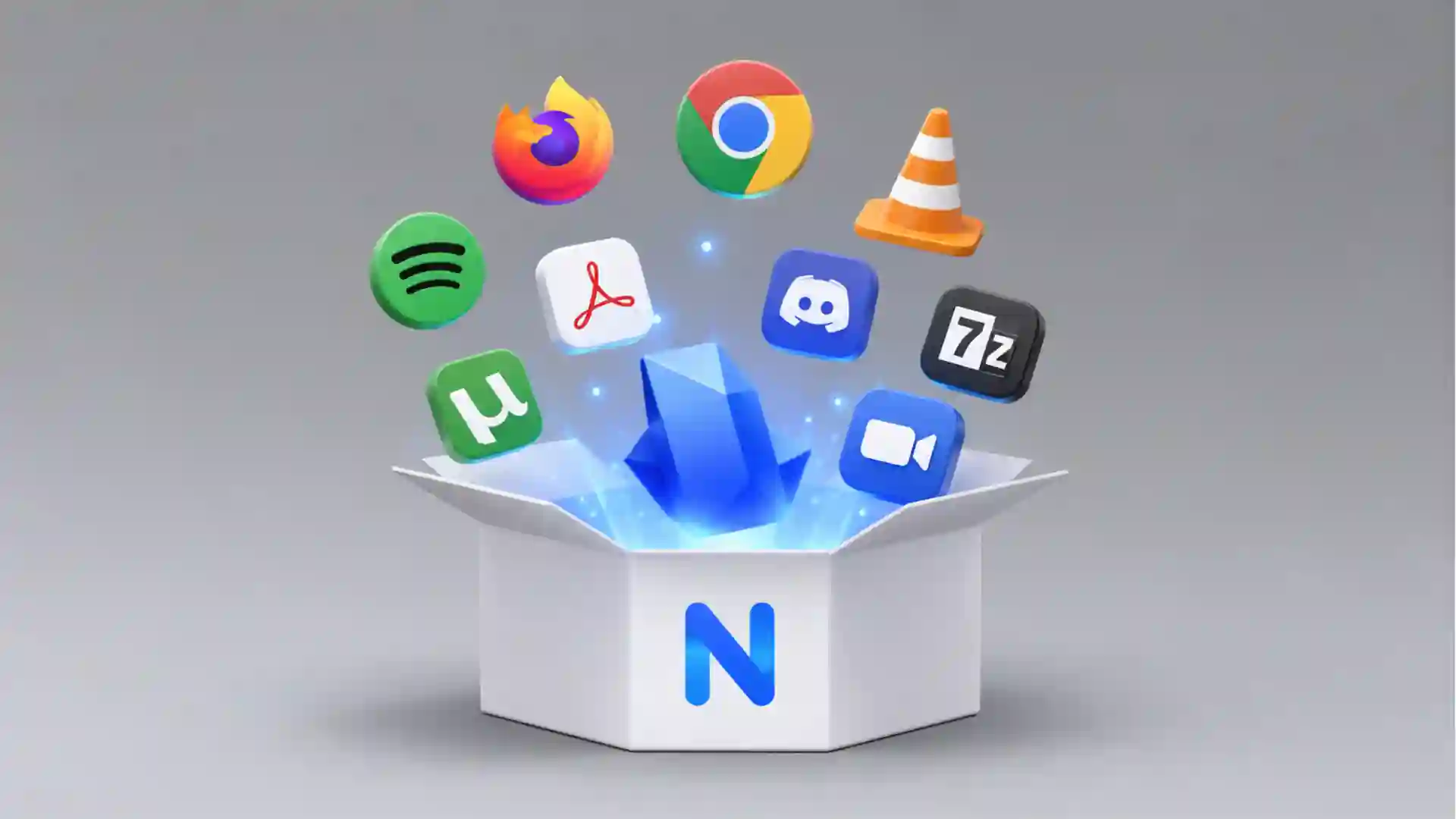
Ninite is built around one of the least glamorous but most satisfying promises on the web: choose the Windows apps you want, download one custom installer, run it, and stop babysitting setup wizards. The homepage still says it with almost comic bluntness: “No toolbars. No clicking next. Just pick your apps and go.” That line works because everyone who has ever rebuilt a Windows machine knows the pain hidden behind it. A new browser here, VLC there, 7-Zip, Zoom, Discord, LibreOffice, Dropbox, Notepad++, Git, Python, Steam, KeePass, SumatraPDF, maybe a few runtimes you forgot you needed. The work is small, but the repetition is absurd. Ninite takes that dull pile of chores and turns it into a checkbox ritual.
Table of Contents
The strange thing about Ninite is how little it tries to look like a modern software product. There is no breathless hero section, no animated onboarding tour, no attempt to convince you that app installation is a lifestyle category. The page is mostly a list. Web browsers, messaging apps, media tools, runtimes, imaging apps, documents, security tools, storage apps, utilities, compression software, developer tools. You check boxes, click the button, and get an installer made for that exact set of choices. The design feels almost stubbornly old-web, but that is part of the charm. It behaves like a tool, not a pitch deck.
The best feature is not that Ninite installs many apps at once; it is that it removes the worst moments from each installer. It does not ask where you want each app installed. It does not stop at every setup screen. It does not push through bundled junk. It does not install an outdated copy just because that is what was current when you downloaded the installer. Ninite’s own help page says a generated installer is stamped with an ID, asks Ninite’s servers for the latest configuration when it runs, skips apps that are already current, and upgrades apps that are old. That means the same little executable is not just a one-time setup file. It is a reusable updater for the apps you selected.
That single detail makes Ninite feel less like a downloader and more like a quiet repair kit. Save the installer to a USB stick, a cloud drive, or a “new PC” folder, and it becomes a familiar reset button. Run it after a clean Windows install. Run it on a relative’s laptop after removing junk. Run it when you suspect half your desktop apps have drifted behind. It will skip what is current and touch what needs work. There is a calmness in that. Windows has gained the Microsoft Store, package managers, cloud sync, and device restore features, yet the basic act of getting a sane set of everyday desktop apps onto a machine still often feels messier than it should. Ninite’s appeal lives in that gap.
A plain page with unusually good judgment
Ninite’s app list is the product’s editorial surface. The company says it only adds popular user-requested apps, and the current catalog reflects that bias toward familiar, broadly useful Windows software rather than every possible niche package. You will find browsers such as Chrome, Firefox, Edge, Brave, Opera, and Vivaldi; chat and meeting tools such as Zoom, Discord, Teams, Pidgin, Thunderbird, and Trillian; media staples such as VLC, Audacity, Spotify, foobar2000, Winamp, HandBrake, and K-Lite Codecs; imaging apps such as GIMP, Krita, Blender, Paint.NET, IrfanView, Inkscape, Greenshot, and ShareX; document tools such as Foxit Reader, LibreOffice, SumatraPDF, CutePDF, and OpenOffice; utilities such as AnyDesk, TeamViewer, WinDirStat, WizTree, Open-Shell, Revo, and TeraCopy; plus developer picks such as Python, Git, FileZilla, Notepad++, WinSCP, PuTTY, WinMerge, Eclipse, Visual Studio Code, and Cursor.
That list reveals Ninite’s taste more than its technology. It is not trying to be the universal app universe. It is closer to a curated tray of Windows defaults that Microsoft never quite standardized. The categories have the feeling of a technician’s muscle memory. Browser. Compression tool. PDF reader. Remote access app. Local search utility. Screenshot tool. Password manager. Code editor. Runtime. Video player. The point is not novelty. The point is getting a machine from “fresh but useless” to “ready to live on” without spending half an evening visiting vendor pages and dodging installer traps.
The site’s behavior is also unusually legible. Ninite says it installs apps in their default locations, uses 64-bit apps on 64-bit machines, chooses the machine’s language unless you select another, works in the background, installs the latest stable version, skips apps that are already current, avoids reboot requests from installers, downloads from publisher sites, and verifies digital signatures or hashes before running anything. That is a lot of practical product thinking packed into one plain list. It reads less like marketing and more like the checklist you would want a careful friend to follow while setting up your computer.
There is one line in Ninite’s own explanation that captures the whole personality of the service: it tries to behave like “a technical friend” asked to install a few apps. The metaphor is unusually accurate. A good technical friend would not ask you twelve questions about installation directories. They would not let an installer sneak in a toolbar. They would notice whether your machine is 32-bit or 64-bit. They would choose the current installer, not whatever stale file happened to be sitting in a downloads folder. They would skip software you already updated. Ninite turns that social trust pattern into a repeatable web service.
The visible page is only half the trick. When you generate a Ninite installer, the executable records your app choices through an installer ID. When it runs, it asks Ninite’s servers for current configuration details connected to that ID. The installer then checks which selected apps are already installed, skips current ones, downloads what is needed, validates those downloads, and handles installation. That runtime decision-making explains why old Ninite installers stay useful. They are not frozen bundles of old app versions. They are more like small keys that tell Ninite which set of current apps you want.
What Ninite quietly removes
| Pain point | What Ninite does instead |
|---|---|
| Visiting many vendor pages | One custom installer from one app checklist |
| Clicking through setup dialogs | Background installs with no repeated setup ritual |
| Bundled toolbars and junk offers | Automatic refusals during install |
| Mixed 32-bit and 64-bit choices | Runtime selection for the machine |
| Stale installers saved months ago | Current app configuration when the installer runs |
| Updating apps one by one | Rerun the same installer to skip current apps and update old ones |
The table makes Ninite’s value clearer than any grand pitch: it wins by deleting tiny moments of friction. The product does not ask you to learn a new software management philosophy. It lets you keep the familiar Windows desktop app world, then makes that world less irritating.
The trust trick under the checkbox list
Any service that installs software deserves suspicion before praise. Ninite asks you to run an executable that downloads and launches other executables. That is powerful behavior, and powerful behavior on Windows has a long history of abuse. The reason Ninite earns a closer look is not just that it is convenient. It is that the service publishes a fairly direct account of how it handles verification and bundled offers. Its security page says Ninite executables are signed, talk to ninite.com over TLS for current app configuration, download programs from publisher mirrors, and check downloads against a SHA-256 hash delivered over TLS or a valid publisher file signature before running anything.
The refusal path matters as much as the happy path. Ninite says that if validation fails, the app update fails. It does not present a tempting “continue anyway” option. That is exactly the kind of choice most people should not be asked to make during an install. If a hash or signature check fails, the useful behavior is not a vague warning box. The useful behavior is stopping. Ninite also says it verifies downloads from origin sites and runs a virus scan when adding new versions to its catalog. None of this makes software installation magical or risk-free, but it shows that the product has been designed around the risk it creates.
The bundled-junk handling is the emotional core of Ninite. The official security page says Ninite declines toolbar offers and bundled junkware, and warns that some security tools may complain about the presence of junk offers inside original installers even though Ninite opts out of them. This is a small but revealing distinction. Ninite is not pretending that third-party installers are pure. It is acknowledging that some installers carry unwanted offers, then automating the defensive clicking that a knowledgeable person would do manually.
Privacy is treated in the same plain style. Ninite’s privacy page says it does not spam or sell email addresses, that its directory is made of user-requested useful apps rather than malware or shady software, and that the free version and Ninite Pro Classic do not leave Ninite installed after use. It also says non-identifying diagnostic details such as operating system version, language, machine architecture, and installer failure status are reported back after installs to improve reliability. That is the kind of disclosure a normal person can actually parse.
The affiliate note is worth noticing too. Ninite says some apps are tagged with a Ninite affiliate key, meaning the company may receive a commission when users upgrade those apps. That does not automatically make the catalog untrustworthy, but it is part of the business model and belongs in the reader’s mental picture. The more reassuring part is that Ninite’s homepage states the website is free for home use and free of ads and junkware because Pro users keep it running. In other words, the consumer-facing magic is subsidized by IT teams paying for management features.
That trade is one reason Ninite still feels clean. The free homepage does not beg for an account. It does not wrap the download button in ads. It does not install an updater service for the free version. It does not convert the simple home-user flow into a funnel full of fake urgency. The Pro product is visible, and the homepage clearly points organizations toward Ninite Pro, but the free flow remains pleasantly intact. For a utility site that could have become much worse with age, that restraint is part of the discovery.
Where it still fits in 2026
Ninite’s best use case is still the fresh Windows machine. The site currently says Ninite works on Windows 11, 10, 8.x, 7, and equivalent Server versions, while noting that support for Windows XP and Vista ended in 2019. That compatibility spread is practical rather than fashionable. It means Ninite is useful not only for shiny laptops but also for older office machines, family computers, lab devices, and those weird PCs that only get attention when something breaks.
The second great use case is the “I maintain computers for people who do not care about computers” role. Many readers know this job even if it is not their job title. You are the sibling, friend, parent, office helper, freelancer, or agency person who gets asked why the laptop is slow, why the PDF will not open, why the browser is strange, or why Zoom is missing. Ninite is perfect for that social niche. It gives you one harmless-looking page where you can rebuild the basics quickly, without turning the session into a lecture about package managers.
The third use case is the repeatable setup pack. Pick the same apps you use on every machine, download the installer, and keep it somewhere obvious. A personal pack might include Chrome or Firefox, 7-Zip, VLC, Spotify, Discord, Zoom, Dropbox or Google Drive, KeePass, Everything, ShareX, SumatraPDF, LibreOffice, and Notepad++. A developer pack might add Git, Python, Visual Studio Code, WinSCP, PuTTY, WinMerge, FileZilla, and the relevant .NET or Java runtimes. A lightweight office pack might stick to browsers, Teams, Zoom, LibreOffice, PDF tools, compression, and remote access. Ninite’s catalog is current enough to support these normal profiles without turning setup into research.
The fourth use case is boring app hygiene. Many people think of Ninite as an installer, but rerunning the same executable as an updater is where it becomes a habit. Ninite’s explanation says the installer checks for installed versions, skips current apps, and upgrades outdated ones. That means the same workflow handles both “new PC” and “this machine has not been touched in six months.” There is no dashboard to maintain for free users. There is no background service to configure. You run the file when you care.
For IT teams, Ninite becomes a different product without losing the same idea. Ninite Pro lets organizations manage Windows PCs through a live web interface after installing a lightweight agent. The Pro page describes each machine as a row and each app as a column, with cells that can be selected for install, update, or uninstall actions; it also supports bulk actions, real-time agent feedback, download caching, auto-update policies, tagging, overview status, MSI deployment, and command-line use through Pro Classic.
The Pro pricing model is unusually readable. Ninite says Pro pricing is per machine per month and tiered: the first 20 machines at $1.00 per machine per month, the next 400 at $0.50, and additional machines at $0.25. It also says annual payment is available at twelve times the monthly price and points new users toward a 14-day free trial. That is not the center of the consumer story, but it explains how the plain free site survives without turning itself into an ad farm.
Nintune shows where the company is stretching the idea now. It connects Ninite’s app logic to Microsoft Intune, includes Ninite’s catalog plus 12,780 WinGet apps as listed on the Nintune page, supports multitenant work for MSPs, app assignment modes, custom scripts, update-only assignments, uninstall mode, ARM64 behavior when available, and GCC High support by request. That is far beyond the “pick apps and go” simplicity of the public homepage, but it is built on the same product instinct: hide the miserable parts of software deployment behind a cleaner interface.
The limits are part of the design
Ninite is not the right answer for every app. Its free public catalog is intentionally selective, and the company says it only adds popular user-requested apps. That is why the site feels usable. It is also why you may not find a niche utility, internal tool, paid creative suite, obscure driver panel, or regional business app. People who want every possible Windows package may prefer winget, Chocolatey, Scoop, vendor portals, Intune, or a full endpoint management stack. Ninite is not competing on breadth. It is competing on not making ordinary people think about breadth.
The free version also depends on an internet connection. Ninite’s help page says a generated installer asks Ninite’s servers for current configuration information when it runs. That is why old installers stay current, but it also means the normal free flow is not an offline archive. Ninite Pro has options such as a freeze switch and offline mode, but the everyday home-user version is best understood as a live installer/updater, not a portable vault of app installers.
Ninite also leaves most app settings alone. It installs apps in their default location and generally uses default settings. That is exactly what most people want during a fast rebuild, but it is not a deep configuration system. It will not tune every app to your preferences, sign you into accounts, restore plugins, choose theme settings, rebuild browser profiles, or decide which apps belong in your startup list. It takes care of installation and updating. Your actual working environment still has to be shaped afterward.
Some users will also prefer command-line package managers because they are easier to script and version-control. That preference makes sense for developers, admins, and people who enjoy declarative setups. Ninite’s free homepage is the opposite mood. It is visual, short, and checkbox-based. You do not need to remember package IDs or command syntax. You do not need to know which repository a package comes from. You do not need to explain a terminal window to a family member. That simplicity is the product’s boundary.
There is a small philosophical cost to Ninite’s convenience. You hand some judgment to the service: which apps are listed, which installers are current, which version is considered stable, how bundled offers are refused, and how installation quirks are handled. For the target user, that is the whole appeal. For the control-heavy user, it may feel too opaque. The nice part is that Ninite does not pretend otherwise. Its help pages explain the rough mechanics, its security page explains validation, and the tool either fits your trust model or it does not.
The bigger limitation is cultural rather than technical. Ninite solves a Windows problem that probably should have been solved more elegantly by the platform itself. Modern operating systems are full of account sync, app stores, automated patches, and setup assistants, yet many Windows users still keep a mental list of desktop apps they have to go fetch from the web. Ninite exists because that ritual remains real. It is a workaround, but a beautifully focused one.
The old-web feeling is the point
Opening Ninite today feels like finding a workshop drawer that has not been redesigned into uselessness. The homepage lists apps and gets out of the way. The copy is short. The buttons are obvious. The app names are familiar. The product does not need a lifestyle photograph of a smiling person holding a laptop. It does not need fake urgency. It does not need to tell you that software installation is being reimagined. The site’s quiet confidence comes from doing one narrow job well enough that the page can stay plain.
That old-web feeling is easy to underestimate. Many useful websites disappear behind subscriptions, platform shifts, abandoned maintenance, acquisition rot, or SEO sludge. Ninite has the rare feel of a tool whose shape has remained close to its reason for existing. It still looks like the internet’s utility shelf. It still gives you an immediate artifact. It still solves a problem in one sitting. The web has become full of products that want to become your operating system. Ninite is happier being a wrench.
The service also has a kind of anti-engagement ethic. A normal growth team might want more user accounts, more reminders, more dashboards, more upsells, more notifications, more reasons to return. Ninite’s home flow gives you less. Pick apps, download, run, leave. For free users, that restraint is refreshing. It treats attention as something to preserve, not harvest. A website that saves you from clicking “Next” ten times is already useful; a website that also does not make you click through its own nonsense is rarer.
The “technical friend” metaphor lands because Ninite is full of quiet defaults. It chooses architecture at runtime. It chooses language based on the machine. It skips current apps. It refuses junk. It hides installer windows and automates the proper clicks. It verifies downloads before use. These are not flashy interface features. They are decisions made on behalf of someone who just wants the computer ready. Good utilities often feel like that. They do not dazzle; they remove the parts that make you mutter.
There is also a small delight in how physical the workflow feels. You build a tiny installer that represents your preferred software kit. It is almost like packing a travel bag for Windows: browser, compression tool, media player, PDF reader, notes, storage, utilities, developer tools. The executable becomes a token of your setup taste. That is more memorable than a store page or a terminal command. It is the kind of practical internet object that people pass around in families, offices, forums, and repair benches.
The site has earned that word-of-mouth quality. Ninite’s press page says people around the world use it to install about a million apps each day, and the homepage repeats that it installs and updates about a million apps daily across home users and Pro subscribers. Scale does not automatically prove quality, but for a tool like this it suggests something important: the boring work is constant, and Ninite remains one of the cleanest ways to handle it.
Questions before opening it
Yes. Ninite’s homepage says the website is free for home use and free of ads and junkware because Pro users keep the service running. That distinction matters: the free version is for ordinary personal use, while Ninite Pro is the paid product for organizations managing machines.
For the free version and Ninite Pro Classic, Ninite says that not even Ninite is installed after use. The executable does its job, installs or updates the chosen apps, and does not leave a separate Ninite app sitting on the machine in the free flow.
Yes. Ninite’s help page says the installer checks installed versions, skips apps that are current, and upgrades apps that are old. That makes rerunning your saved installer a simple update habit.
Ninite says downloads come from the publishers’ sites or official mirrors, then get checked before use. Its security page says an official mirror may be replaced by Ninite’s own mirror if the official one is unreliable, but validation still happens before anything runs.
The current public homepage states support for Windows 11, 10, 8.x, 7, and equivalent Server versions. The same page says Windows XP and Vista support ended on February 14, 2019.
Ninite’s about page says the company was founded by Patrick Swieskowski and Sascha Kuzins, with investors including Y Combinator and a small group of angels. The site footer names Secure by Design Inc.
Not everyone. People who want total package breadth, fully scripted machine definitions, custom internal app deployment, or deep configuration control may prefer other tools. Ninite is best when you want the common Windows app setup ritual handled cleanly, safely, and quickly, without turning it into a project.
Why it is worth a click
Ninite is worth opening because it makes a familiar annoyance feel almost solved. It is not a futuristic product. It is not trying to become a platform for everything. It does not flatter the user with complexity. It takes the Windows software setup routine, removes the repeated clicks, refuses the junk, checks the downloads, chooses the right versions, and lets you rerun the same installer later. That is enough.
The web is full of ambitious tools that make simple jobs feel bigger. Ninite does the opposite. It makes a tedious job smaller. That is why it belongs in a Web Radar format. It is a site many people have heard of once, used years ago, or forgotten after switching machines, yet it still feels fresh the moment you need it. A good hidden internet gem is not always obscure. Sometimes it is a plain utility that quietly outlived a decade of noisier ideas.
The best recommendation is practical: open Ninite before the next clean Windows install, before helping someone with a messy laptop, or before rebuilding your own app stack after a reset. Check only what you actually want. Download the installer. Keep it. Run it again later. The moment you watch it skip current apps and update old ones without asking you to approve every tiny step, the whole thing clicks. Ninite is not exciting in the usual software-launch sense. It is better than that. It is boring in exactly the right way.
Author:
Jan Bielik
CEO & Founder of Webiano Digital & Marketing Agency
This article is an original analysis supported by the sources cited below
Ninite
The official Ninite homepage, used for the service description, supported Windows versions, app catalog examples, free home-use positioning, and current product claims.
How Ninite works
Ninite’s official help page explaining how generated installers use installer IDs, fetch current configuration, skip current apps, upgrade old apps, download app installers, and validate files before use.
Ninite security details
Ninite’s official security page describing signed executables, TLS communication, publisher downloads, hash and signature checks, failed validation behavior, bundled-junk refusal, and catalog update precautions.
Ninite Pro
The official Ninite Pro page, used for Pro interface details, agent-based machine management, bulk app actions, caching, auto-update policies, command-line support, trial information, and tiered pricing.
Nintune
The official Nintune page, used for the Intune integration details, WinGet app count, assignment modes, multitenant support, update-only behavior, uninstall mode, permissions model, and Pro inclusion.
Ninite privacy policy
Ninite’s official privacy page, used for statements about email handling, non-identifying diagnostics, affiliate keys, junkware policy, and the fact that the free version and Pro Classic do not leave Ninite installed.
About Ninite
Ninite’s official about page, used for founder names, investor note, company simplicity statement, and Secure By Design Inc. company information.
| Citing this article? Brief excerpts are welcome. Please credit Webiano.digital, name the author where stated, and include a link to https://webiano.digital and to this original article. Full or substantial republication requires prior written permission. Read our Copyright and Content Use Policy. |
This article was prepared with the assistance of artificial intelligence tools. The content underwent expert human review, and Webiano Digital & Marketing Agency assumes editorial responsibility for its final version and publication.














