

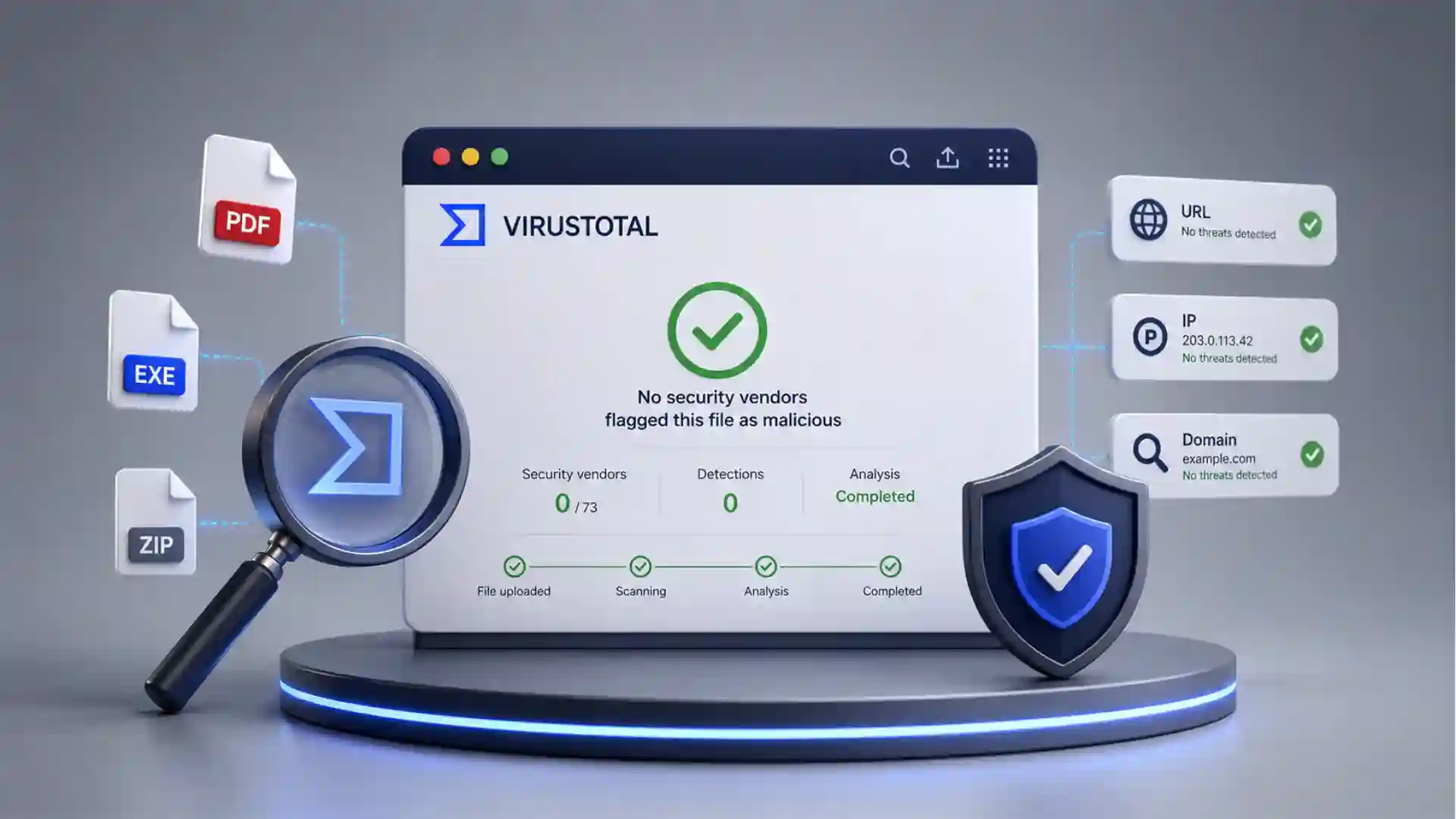
The useful trick is brutally plain: VirusTotal gives you somewhere to put the file you do not trust before you let it touch the rest of your day. The writing brief for this Web Radar format asks for concrete observations instead of filler, which suits VirusTotal well, because its whole appeal is a clean pause before a risky click.
Table of Contents
The nervous moment before the click
Most security tools live in the background. VirusTotal is different because you visit it when your instincts start making noise: a strange invoice, a zipped attachment, a download from an old forum, a link in a message that feels close enough to normal to be dangerous. On its public homepage, VirusTotal presents itself as a place to analyze suspicious files, domains, IPs, and URLs, then share findings with the security community.
That makes the site feel less like software and more like a checkpoint. You drag in a file, paste a URL, or search for a hash, then wait for the panel of security engines to vote. The official docs describe VirusTotal as using more than 70 antivirus scanners and URL or domain blocklisting services, with extra tools that extract signals from the submitted content.
The magic is not that VirusTotal replaces your antivirus. It does not. The interesting part is that it collects many opinions in one place. A single local antivirus result often feels too thin when the file came from a weird sender or an unknown download mirror. VirusTotal turns that doubt into a public, readable report.
The site is also oddly democratic. A normal person can use the same public web form that security people have been relying on for years. A suspicious PDF from an email does not need a full forensic lab before you get a rough answer. You can upload it, read the result, and decide whether to delete, quarantine, or escalate it.
There is a catch, and it matters. Public VirusTotal submissions are not private storage. The homepage warns users not to submit personal information and notes that sample submissions are shared with the security community. That one sentence changes how you should use the site.
So the best use is careful, not casual. Scan suspicious executables, installers, archives, scripts, strange PDFs, unknown downloads, and email attachments that do not contain sensitive personal or company material. Do not upload private contracts, passports, confidential client documents, internal spreadsheets, medical files, or anything you would not want copied into a security research corpus.
VirusTotal earns its place because it solves a tiny but frequent problem. People receive files they do not fully trust. Most of the time, they either open them anyway or delete them without knowing. VirusTotal gives the web a middle action: check first, then decide.
Why it feels different from ordinary antivirus
An ordinary antivirus product usually gives you one verdict. VirusTotal gives you a room full of verdicts. Its reports show how many security vendors flag an item as malicious, then list individual detection names and labels where available. That format is simple enough for a non-expert and rich enough for someone who wants to investigate.
The result is not just “safe” or “bad.” It is a pattern. Zero detections might calm you down, though it should not make you reckless. One obscure detection might be a false positive, or it might be an early warning. Twenty detections from known vendors usually tell a different story. The report invites judgment instead of blind trust.
This is why VirusTotal is so sticky. It does not bury the user in a fake sense of certainty. It shows disagreement. It lets you see names, timestamps, hashes, file type signals, relations, community notes, and vendor results. For suspicious files, that texture is often more useful than a giant red or green button.
The official API docs also reveal the deeper machinery. VirusTotal can upload files for scanning, retrieve reports by hash, scan URLs, retrieve URL analysis reports, and return domain or IP address reports. The same API overview says file uploads are analyzed with more than 70 antivirus products, more than 10 dynamic analysis sandboxes, and other security tools.
That hash lookup is quietly powerful. If someone sends you a file and you can calculate its SHA-256, MD5, or SHA-1 hash, you may not need to upload the file again. You can search the hash and see whether VirusTotal already knows it. The docs describe file reports by hash and treat a file object’s ID as its SHA-256 hash.
For email attachments, this distinction is handy. A suspicious attachment might already be known. If it is a common malware sample, the hash may surface an existing report. If it is a private document or a targeted file, uploading it publicly may be a bad move. The hash route gives you a lower-exposure first step.
VirusTotal also understands that threats are not only files. Phishing often arrives as a link, not an attachment. A URL pasted into the site can be checked against scanners and blocklists, while domains and IP addresses can be examined for reputation and relationships. That matters because modern suspicion often starts with a browser tab, not a downloaded EXE.
The browser extension makes that behavior feel natural. VirusTotal’s documentation describes VT4Browsers for Chrome, Firefox, and Edge, with right-click link scanning and the ability to analyze files or surface reputation context while browsing. For people who get phishing attempts in webmail, that is probably more useful than remembering to copy and paste every URL manually.
The strongest product idea here is restraint. VirusTotal does not ask ordinary users to become malware analysts. It puts the first layer of investigation within reach. You see who detected the file, who did not, what it resembles, where it has appeared, and whether the same thing is already known.
The report is the product
The real interface is the report page. The upload form is just the door. Once the scan finishes, the report becomes a compact investigation object: vendor detections, file metadata, behavior where available, community context, and relationships to URLs, domains, or other files. VirusTotal’s report docs explain separate summary and detail areas for URLs, files, domains, and IP addresses.
The famous number at the top does most of the first work. If the report says 0 out of many vendors flagged a file, you still need caution, but you probably feel different than if 38 vendors flagged it. That fraction gives a quick social signal from the security industry. It is not proof. It is a strong prompt for the next decision.
Detection names are messier but richer. One vendor may call a sample a Trojan, another may label it a downloader, another may use a family name, another may stay silent. VirusTotal’s own “how it works” page says the platform shows each engine’s detection label where available. That disagreement is part of the value.
The file details are where suspicion becomes concrete. Names can lie, but hashes do not behave like marketing copy. A file called “invoice.pdf.exe” is suspicious because of its extension trick. A file with a known malicious hash is suspicious because it matches prior evidence. A file with strange behavior is suspicious because it acts like something trying to persist, beacon, or unpack.
The site also accepts many file types. VirusTotal’s file-type documentation says it can scan binary content such as Windows executables, Android APKs, PDFs, images, JavaScript code, and more. That breadth matters because dangerous attachments are not limited to old-school executable files.
The report’s strength is that it respects uncertainty. A clean result does not guarantee safety, and a single detection does not guarantee malware. Security tools make mistakes. Attackers test against scanners. New files may not be known yet. VirusTotal is a second opinion, not a final court.
The site becomes more interesting when you treat it as a pattern reader. The first question is not only “is this file bad?” It is also “has anyone seen this before?”, “what does the security community call it?”, “does it connect to suspicious infrastructure?”, and “does the sender’s story match what the file appears to be?”
That is where the Web Radar angle sits. VirusTotal is not obscure in security circles, but it remains underused by normal people who receive suspicious attachments. It is one of those web tools that feels obvious once you know it exists. Before that, you either trust your inbox or panic quietly.
What the first report tells you
| Signal | What to notice | Why it matters |
|---|---|---|
| Detection ratio | How many vendors flagged it | Fast sense of risk |
| File hash | SHA-256 or related identifiers | Checks known history |
| File type | Real format behind the name | Catches disguise tricks |
| Detection labels | Vendor naming patterns | Hints at malware family |
| Relations | Connected URLs or domains | Shows surrounding activity |
| Community notes | Analyst or user comments | Adds human context |
The table is compact because the report itself is compact. The best first read is not every field; it is the combination of detection ratio, file identity, true file type, and surrounding context. If those four pieces look wrong, the attachment deserves suspicion.
The public bargain behind the scan
VirusTotal is free because the scan is part of a larger exchange. You submit suspicious material, and the broader security community gains visibility into possible threats. The official docs say basic results are shared with the submitter and examining partners, who use the results to improve their own systems.
That bargain is sensible for malware samples. If you find a malicious attachment, sharing it helps vendors detect it for other people. A phishing payload caught by one person can become a detection rule that protects thousands. VirusTotal’s public model is built around that communal benefit.
The same bargain is risky for sensitive files. A confidential attachment may be suspicious and private at the same time. Uploading it publicly may expose the contents to vendors, researchers, or premium-access contexts depending on the service rules and product area. The homepage’s warning not to submit personal information should be treated as a serious design signal, not a legal decoration.
The site’s own documentation acknowledges accidental uploads. VirusTotal has a page for users who accidentally uploaded confidential or sensitive information, directing them to use its contact form and read the privacy policy and terms. The existence of that page tells you exactly what the common mistake is.
For personal use, the rule should be blunt. Do not upload anything private. Scan a suspicious installer from a download site. Scan a strange archive that claims to be a driver update. Scan a PDF that looks like a generic phishing lure. Do not scan your tax return, client proposal, legal letter, passport scan, HR file, private family document, or internal company attachment.
For work use, the rule is stricter. Ask your security team before uploading corporate attachments to the public site. Many companies forbid public sample sharing because the attachment itself may contain customer data, internal names, financial records, source code, or legal material. A tool that helps security can still create a data leak if used without care.
VirusTotal does offer private scanning, but not as the default public flow. Its private scanning documentation says private submissions are not shared beyond the organization, stay only briefly, and produce ephemeral analyses visible to the group. That is a different product posture from the public upload box.
That split is one of the clearest signs of mature product thinking. Public scanning feeds a shared threat corpus. Private scanning exists for cases where sharing is not acceptable. The interface may look similar from a distance, but the data consequences are not the same.
A good VirusTotal habit has two stages. First, ask whether the item is safe to share. Second, scan or search it. Most people reverse that order because the upload form is so tempting. The smarter move is to pause before the pause.
Where it fits in daily suspicion
The most common use case is the suspicious email attachment. Someone sends an invoice, delivery note, resume, bank notice, shared document, legal warning, or scanned image. The message looks rushed, slightly wrong, or strangely urgent. You do not open the attachment. You save it carefully, avoid running it, and use VirusTotal to check whether it is already known or detected.
For links inside email, the workflow is different. You do not download a file. You copy the link address without visiting it, paste it into VirusTotal’s URL scanner, and read the reputation context. VirusTotal’s docs describe URL submission through the webpage, browser extensions, and API.
For downloads, VirusTotal works as a sanity check. Maybe the file came from a mirror site, a GitHub release page, a small vendor, a modding forum, or a random support thread. The safest route is still to download software from official sources, verify signatures where available, and keep your system protected. VirusTotal adds a quick independent check when something feels off.
For PDFs and office-like documents, caution still matters. A PDF can be harmless, malicious, or a lure to a fake login page. VirusTotal can scan PDFs and other file types, but a clean result is not a license to ignore the sender, the message context, or the destination link inside the document.
For archives, the details matter. A ZIP full of files is harder to reason about than a single attachment. VirusTotal’s private scanning docs recommend unbundling compressed files and scanning items individually for a more thorough analysis, while noting special handling for small password-protected archives in the web interface.
For developers, hashes are often cleaner than uploads. If a release page provides a SHA-256 hash, you can compare it locally. If you have a suspicious binary, you can search its hash in VirusTotal and see existing reputation without exposing a new sample. If the hash is unknown, you still have to decide whether public upload is acceptable.
For families, VirusTotal is a teachable habit. A parent can show a child or older relative that “do not click” is not the only lesson. There is a middle step. Suspicious attachment? Check it. Strange link? Scan it. Urgent message from a bank? Slow down. The ritual matters because panic and curiosity are both bad security advisors.
For small businesses, the tool is useful but not enough. A receptionist who receives invoices all day should not become the company’s malware analyst. VirusTotal can reduce uncertainty, but phishing training, endpoint protection, email filtering, backups, password managers, and clear reporting channels still matter. VirusTotal belongs in the workflow, not at the center of the whole defense.
The site’s best everyday role is to interrupt momentum. Attackers rely on speed: urgent invoice, overdue payment, account closure, missed delivery, shared document, expiring password. VirusTotal gives you a reason to slow the scene down. That alone is underrated.
The professional layer beneath the public tool
VirusTotal’s public face is simple, but the professional side is deep. The API lets teams automate file and URL submissions, retrieve reports, and work with threat context without using the website manually. That matters because security teams do not investigate one suspicious file at a time forever.
The platform also sits inside a larger security ecosystem. Google’s own security pages describe VirusTotal joining Google in 2012 and later being part of Google Threat Intelligence alongside Mandiant threat insights. For enterprise teams, that turns VirusTotal from a web scanner into part of a wider investigation fabric.
VirusTotal Graph is a good example of that professional shift. Google Cloud documentation describes it as a visualization tool built on the VirusTotal dataset, showing relationships among files, URLs, domains, IP addresses, and other observed items. That is where a single suspicious attachment becomes a map of infrastructure.
The dataset is the hidden asset. A scan result is useful today, but the accumulated history of scans is useful for research, hunting, and incident response. VirusTotal’s file documentation says its dataset includes more than 2 billion analyzed files. That number is not just scale for scale’s sake; it explains why old hashes and known samples often return context fast.
Security teams also care about automation. A helpdesk could forward suspicious artifacts into a pipeline. A SOC could enrich alerts with VirusTotal context. A threat hunter could pivot from a hash to related domains. The public user sees the top of the iceberg; the professional user queries the mass underneath.
Livehunt and Retrohunt show the same idea from another angle. VirusTotal’s docs describe Livehunt as a way to apply YARA rules to the stream of files analyzed by VirusTotal, while Retrohunt scans historical submissions over defined periods depending on the plan. For a normal user, that is not needed. For a malware researcher, it is the point.
This is why the public website has such unusual gravity. It is not a toy version of a scanner. It is a public doorway into a serious threat-intelligence system, with the limits and exposure risks that come with that. The upload box looks innocent; the network behind it is very real.
The design challenge is unusually sharp. VirusTotal must serve scared individuals, hobbyist troubleshooters, malware analysts, enterprise responders, browser-extension users, and API clients. It has to be readable enough for one suspicious attachment and deep enough for a week-long investigation. Few websites sit across that gap so plainly.
The public report succeeds because it does not pretend every user is the same. A casual user reads the detection ratio. A technical user checks hashes, imports, behavior, sections, signatures, relations, comments, and vendor labels. A professional user pivots outward. One page supports all three without turning into a whitepaper.
A few doubts before using it
A clean VirusTotal result does not mean the file is safe. It means the file was not detected by the engines and tools that examined it at that time, under those conditions. New malware, targeted documents, password-protected payloads, and evasive samples can slip past scanners. Treat a clean report as reassurance, not permission.
A single detection does not always mean the file is malware. False positives happen. Some tools flag packers, admin utilities, scripts, or unusual installers aggressively. The useful move is to look at which vendors flagged it, what names they used, whether other reputable engines agree, and whether the file’s origin makes sense.
Confidential attachments should not go into the public upload flow. This is the mistake worth repeating because VirusTotal’s public value comes from sharing submissions with the security community. If the attachment contains private information, use internal security channels, a private scanning product, or a local analysis process instead.
An email attachment should be handled without opening it. Save it safely, avoid enabling macros, avoid running anything, and do not click links inside it. If the file is shareable, upload it to VirusTotal. If it is not shareable, compute a hash or ask a security team. The safest scan is the one that does not accidentally execute the threat.
A suspicious link should be copied, not visited. Right-click and copy the link address, then paste it into the URL tab or use the browser extension flow. VirusTotal’s extension docs explicitly frame the right-click scan as a way to check suspicious links from a webmail-style phishing scenario.
VirusTotal is not a replacement for backups or endpoint security. It is a second opinion at a specific moment. You still need patched software, browser protections, spam filtering, cautious permissions, good passwords, multi-factor authentication, and recoverable backups. VirusTotal is the checkpoint, not the entire border.
The site is best when paired with human suspicion. Does the sender normally send attachments? Is the language off? Is the file extension strange? Is the message pushing urgency? Does the link domain match the brand? VirusTotal adds evidence, but the first alarm often comes from context.
That is why VirusTotal remains worth bookmarking. Not because it makes danger disappear, and not because every result is final. It is worth opening because it gives ordinary people and serious analysts the same first move: take the suspicious thing out of the flow of impulse and put it under scrutiny.
Questions readers may ask before uploading
You can scan many suspicious attachments, but not every attachment belongs there. Public VirusTotal submissions may be shared with the security community, so private documents, contracts, IDs, client files, HR files, legal papers, medical records, and internal company material should not be uploaded through the public flow.
No. A clean result only means the engines used by VirusTotal did not flag it at that moment. New malware, targeted files, evasive samples, and unusual phishing documents may still pass without detection.
Treat one detection as a warning, not a final verdict. It may be a false positive, but it may also be an early signal. Look at the file source, the detection name, the vendor, the file type, and whether more detections appear later.
Yes, when you can do it. Searching a SHA-256 hash checks whether VirusTotal already knows the file without uploading the content again. This is especially useful when the file may contain sensitive information.
No. VirusTotal is a second opinion, not protection running on your device. It is best used before opening a suspicious file or link, while your normal security tools, updates, backups, and safe browsing habits still do the everyday work.
Author:
Jan Bielik
CEO & Founder of Webiano Digital & Marketing Agency
This article is an original analysis supported by the sources cited below
VirusTotal homepage
The public VirusTotal entry point for scanning files, URLs, domains, and IP addresses, including its warning about sample sharing and personal information.
How VirusTotal works
Official documentation explaining VirusTotal’s multi-engine scanning model, submission methods, partner sharing, and detection-label behavior.
VirusTotal reports
Official guide to reading URL, file, domain, and IP address reports inside VirusTotal.
VirusTotal API v3 overview
Official API reference overview covering file uploads, hash reports, URL scans, domain reports, IP reports, antivirus products, sandboxes, and threat context.
What kind of files VirusTotal will scan
Official file-type guidance listing examples such as executables, APKs, PDFs, images, JavaScript, and other binary content.
VirusTotal browser extensions
Official documentation for VT4Browsers, including right-click scanning for suspicious links, files, and indicators in Chrome, Firefox, and Edge.
VirusTotal private scanning
Official explanation of private scanning for files and URLs that should not be shared through the public VirusTotal corpus.
Accidental upload of confidential or sensitive information
Official VirusTotal guidance for users who uploaded confidential or sensitive material by mistake.
| Citing this article? Brief excerpts are welcome. Please credit Webiano.digital, name the author where stated, and include a link to https://webiano.digital and to this original article. Full or substantial republication requires prior written permission. Read our Copyright and Content Use Policy. |
This article was prepared with the assistance of artificial intelligence tools. The content underwent expert human review, and Webiano Digital & Marketing Agency assumes editorial responsibility for its final version and publication.














