

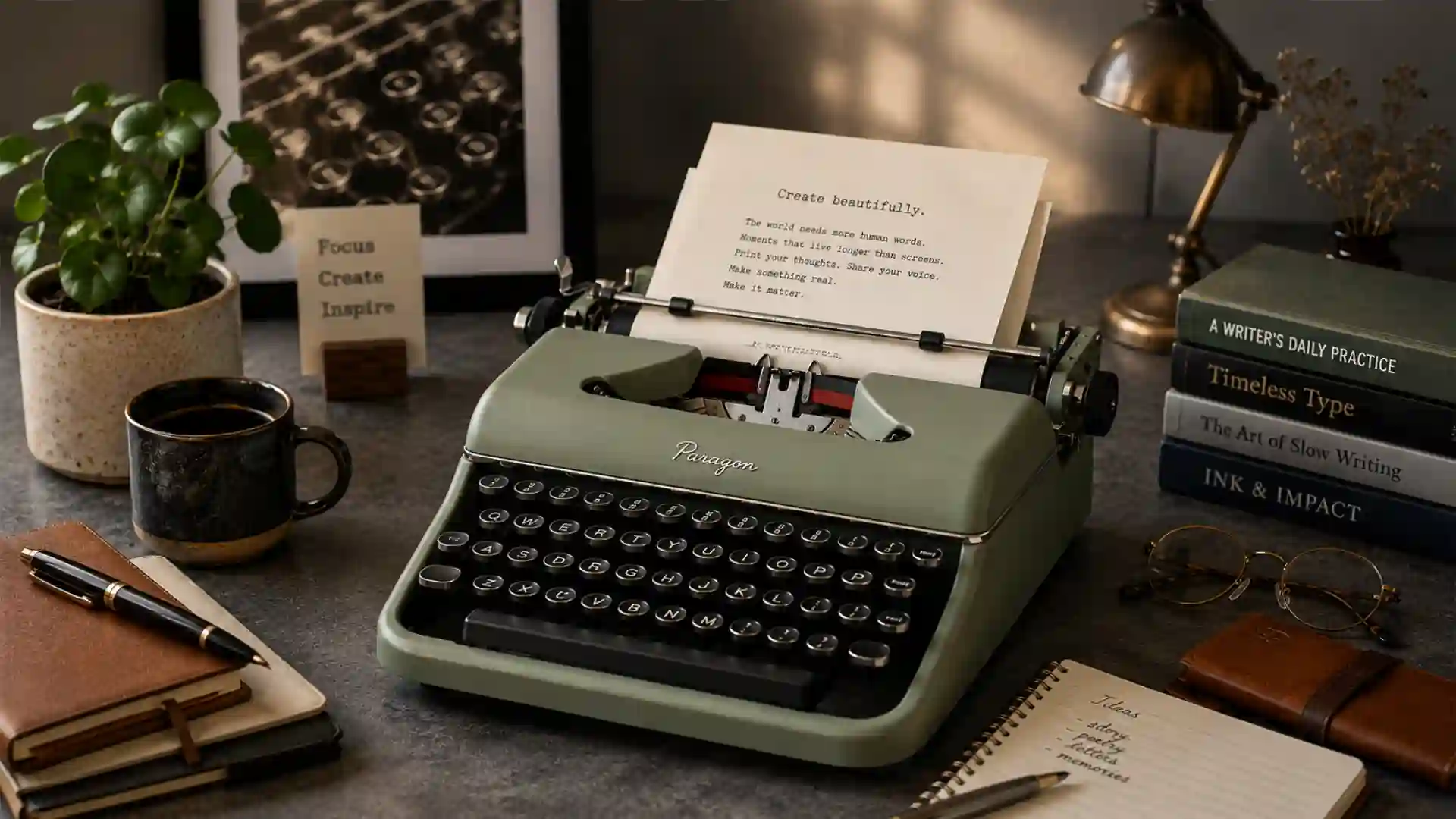
Search interest in tactile writing tools is no longer only about vintage collectors, gamer keyboards, or desk aesthetics. The current signal is sharper: people are looking for tools that make writing feel physical again while keeping enough digital convenience to fit into a modern workflow. The supplied trend brief points to a strong month for terms such as “digital typewriter,” a breakout for “digital typewriter with screen,” rising interest in “smart typewriter,” and new social curiosity around “typewriter club.” The common thread is not nostalgia by itself. It is a demand for writing machines that reduce friction in the mind while preserving enough utility to move text into the cloud, a laptop, or a publishing system.
Table of Contents
Search demand is pointing toward a different kind of writing device
That distinction matters because the market is not simply reviving the typewriter as an antique. It is recombining three different habits: the mechanical-keyboard habit of caring about switch feel, the digital-detox habit of seeking fewer screens, and the writerly habit of separating drafting from editing. Google Trends itself should be read carefully. Its public interface uses relative search interest, not absolute query volume; Google’s own training material explains that the interest-over-time chart is normalized on a 0-to-100 scale rather than reporting raw search counts. A “breakout” related query means the term grew by more than 5,000% in the chosen period, often from a small base.
The best reading of the signal is therefore qualitative rather than literal. Searches for “smart typewriter” and “digital typewriter with screen” do not prove that millions of people are buying dedicated writing devices this week. They do show that a once-niche product description has become intelligible to a broader audience. A decade ago, “digital typewriter” sounded like a contradiction. In 2026, it sounds like a category: a keyboard, a small display, no social feeds, no browser tabs, and a clean path to export.
The same pattern is visible around “mechanical keyboard,” which has moved far beyond the hobbyist forums that once defined the category. Mechanical keyboards are now sold as gaming gear, office tools, ergonomic upgrades, sound objects, desk accessories, and personal-expression devices. Market researchers now describe the mechanical keyboard category as a multibillion-dollar global market, with Mordor Intelligence estimating it at $2.66 billion in 2026 and projecting $3.43 billion by 2031. That market scale gives tactile typing a hardware base that older typewriter nostalgia never had.
The new point of contact is the writer who does not want a pure antique. A manual typewriter offers total focus, but it also creates paper handling, ribbon maintenance, no easy backups, no cloud sync, and a hard divide from digital editing. A laptop offers universal capability, but it also contains every interruption the writer is trying to avoid. Smart typewriters and writer-focused mechanical keyboards sit between those poles. They make the first draft harder to interrupt and easier to export.
This explains the rise of a phrase such as “digital typewriter with screen.” The screen is not the enemy by itself. The problem is the screen as a portal to everything else. A small E Ink or LCD display changes the job of the screen. It becomes a window for text rather than a marketplace for attention. That is why the demand signal around “screen” does not contradict the demand for less distraction. People are not asking to remove displays from writing. They are asking to narrow the display’s purpose.
The social layer is just as revealing. “Typewriter club” breaking out suggests that tactile typing is not only a private productivity hack. It is becoming a way to gather around a slower, visible, shared practice. That matches older type-in culture, where people bring machines, exchange maintenance advice, write letters, or type poems in public. It also matches the rise of screen-free social formats more broadly. Global Day of Unplugging, for example, frames its annual March event as a 24-hour digital pause centered on real-world connection.
The deeper news, then, is not that typewriters are “back.” The more useful story is that the writing interface is being renegotiated. For decades, the keyboard was treated as an invisible input layer attached to the “real” computer. Tactile typing reverses that hierarchy. The keyboard becomes the main event again. The screen is reduced. The operating system is hidden. The writing session becomes a physical encounter with keys, timing, resistance, sound, and limits.
The old-school feel is being rebuilt, not merely remembered
The typewriter’s return makes little sense if it is framed only as retro taste. A typewriter is not comfortable in the same way a modern laptop is comfortable. It is loud, unforgiving, heavy, and mechanically idiosyncratic. It demands supplies. It produces errors that cannot be erased with a keystroke. Those limits would be hard to defend if the goal were convenience. The point is that the limits are part of the attraction. They make writing feel less like manipulating an infinite document and more like committing marks to a surface.
Modern tactile devices borrow that psychology without copying every inconvenience. Freewrite’s Smart Typewriter, for example, is sold as a dedicated drafting device with a full-size mechanical keyboard, Kailh Box Brown switches, PBT keycaps, an E Ink display, and cloud export. The product page describes the device as a tool for separating drafting from editing, with drafts syncing wirelessly for export into the writer’s software of choice. The claim is not that the machine replaces a laptop forever. The claim is that it changes the part of the process where words first appear.
That is the most interesting design move in the category. Traditional productivity software tries to combine drafting, editing, formatting, research, collaboration, comments, analytics, publishing, and communication inside one device or app. Smart typewriters reject that stack for the first draft. They assume that the mind works differently when it is generating raw material than when it is shaping, fact-checking, formatting, or publishing it. The device is designed around a stage of work, not around total computing power.
This stage-based approach is familiar to writers even when they do not use special hardware. Many writers draft by hand, edit on screen, print pages for revision, use index cards for structure, or change rooms between outlining and line editing. Smart typewriters formalize that behavior in hardware. They say: the first draft deserves a machine of its own. That machine can still be digital, but it should not behave like a browser.
The category also borrows the emotional force of older machines. A typewriter makes writing audible. Each keypress has a tiny event structure: press, actuation, impact, return. The typist feels pace in the fingers rather than watching a cursor blink inside a glass rectangle. Mechanical keyboards cannot recreate the full violence of typebars striking ribbon and paper, but they can restore texture. A tactile switch gives a bump. A clicky switch gives sound. A heavier spring changes rhythm. Keycap material alters pitch. Desk mats, plates, foams, cases, and stabilizers all change the feel.
Mechanical keyboard culture turned those details into a language. People talk about “thock,” “clack,” travel, actuation force, spring weight, case resonance, gasket mounts, hot-swappable sockets, and keycap profiles. Some of that language can sound absurd from outside the hobby. Yet it reveals a serious shift: users have stopped treating keyboards as disposable plastic slabs. They now treat them as instruments. Once that idea enters mainstream office and writing culture, the door opens for typewriter-like devices that sell not only a feature list but a working feel.
The “old-school” part is also visual. A dedicated writing device changes the desk. A laptop asks the writer to face a general-purpose command center. A smart typewriter or typewriter-style keyboard creates a narrower scene: keys, text, maybe a word counter, maybe paper nearby. That matters because writing is often derailed before the first sentence. The environment tells the writer what kind of session is about to happen.
The caveat is that no object can write for its owner. A beautiful keyboard can become desk jewelry. A smart typewriter can become another purchased promise of discipline. The strongest products in this space will not be the ones that romanticize writerly identity the hardest. They will be the ones that earn a place in a repeatable routine: open device, draft, sync, edit elsewhere, archive, return.
The mechanical keyboard boom made tactile writing mainstream
Mechanical keyboards laid the groundwork for the smart typewriter moment. Without the keyboard boom, the current rise in tactile writing tools would look like a tiny nostalgia pocket. Instead, the market now contains a large group of buyers who already understand that typing feel is worth paying for. The smart typewriter is riding a cultural shift that mechanical keyboards made legible.
The numbers explain part of it. Mordor Intelligence estimates the mechanical keyboard market at $2.66 billion in 2026, with growth projected through 2031, and identifies hybrid work, esports, switch miniaturization, compact layouts, and ergonomic upgrades as forces moving the category beyond a narrow gaming niche. Even if different research firms produce different totals, the direction is not in doubt: mechanical keyboards are now a recognized consumer electronics category rather than a hobbyist side street.
The technical range has widened as well. CHERRY’s current switch materials describe MX Standard switches in linear, tactile, and clicky variants, with models such as MX Red, Brown, and Blue positioned for gamers, typists, and programmers, and with durability claims up to 100 million keystrokes. That vocabulary has trained buyers to connect a keyboard’s inner mechanism with a personal preference. People who once bought whatever keyboard came in the box now ask whether they prefer a tactile bump, a smooth linear travel, or a click.
This matters for writers because typing is not a small part of the job. For anyone drafting thousands of words per week, the keyboard is a daily tool of bodily repetition. Poor key feel can create fatigue, but bland key feel can also create distance. The writer’s hand learns the keyboard the way a musician’s hand learns an instrument. When a keyboard feels responsive, the writing session can feel more continuous. When a keyboard feels mushy, cramped, delayed, or unstable, the device becomes a subtle source of irritation.
Mechanical keyboard culture also normalized customization. QMK, the open-source keyboard firmware community, describes itself as a project for developing computer input devices, including keyboards, mice, and MIDI devices. That kind of firmware culture supports remapping, layers, macros, and layout experimentation. Once users learn that the input layer can be shaped, they become less satisfied with one-size-fits-all typing tools.
The most advanced current keyboards are not trying to be typewriters. They are high-performance computing peripherals. Keychron’s Q Ultra 8K series, for instance, promotes ZMK firmware, browser remapping, wireless efficiency, and up to 660 hours of wireless use on a charge. Yet even that performance push feeds the tactile typing story. The more sophisticated keyboards become, the more users ask whether the laptop’s built-in keyboard is good enough for serious writing.
A strange convergence follows. Gaming pushed switch speed and polling rates. Office workers pushed wireless reliability and compact layouts. Enthusiasts pushed sound and feel. Writers pushed focus. The smart typewriter category absorbs pieces from all of them: mechanical switches from enthusiast keyboards, low-distraction software from writing apps, E Ink from e-readers, and cloud sync from modern productivity tools.
Mechanical keyboards also made the desk personal again. A laptop flattened the workstation into a portable screen. Mechanical keyboards reintroduced objects with weight, profile, cable choices, keycap sets, and audible presence. This helps explain why “typewriter keyboards” can break out as a search term even among people who do not plan to buy an actual typewriter. They want the look and feel of an older writing machine, but they may still need Bluetooth, USB-C, macOS shortcuts, Windows compatibility, and a clean desk setup.
The smart typewriter market should not be confused with the whole keyboard market. It is much smaller and more demanding. A mechanical keyboard is an accessory that works with existing devices. A smart typewriter asks buyers to accept a narrower workflow. Yet the keyboard boom reduces the psychological barrier. A buyer who already owns a $150 mechanical keyboard is more likely to understand why a $349 or $699 writing device exists, even if they decide not to buy it.
Smart typewriters are selling focus as hardware
A smart typewriter is best understood as a writing appliance. It does not try to be a weak laptop. It tries to be a strong drafting machine. The distinction is central. When a device removes features on purpose, its value comes from restraint rather than power. That is a hard product story to tell in consumer tech, where progress is usually marketed through bigger screens, faster chips, more apps, and broader compatibility.
Freewrite has become the most visible brand in this space because it has kept the proposition narrow. Its Smart Typewriter page describes a dedicated drafting device with a mechanical keyboard and E Ink display, built to avoid browsers, email, and notifications, with drafts syncing later to the cloud. The Alpha uses a cheaper and lighter approach: an anti-glare FSTN LCD display with backlight, two to four lines of text, a full-size mechanical keyboard using Kailh Choc V2 low-profile tactile switches, USB-C, Wi-Fi cloud syncing, and projected 100-hour battery life.
Those specifications reveal the category’s core compromise. The device must be digital enough to store, sync, and export text. It must be limited enough to prevent the writing session from collapsing into email, research, or social media. It must be pleasant enough to justify choosing it over the laptop already on the desk. The product is not competing only against other writing devices. It is competing against the default habit of opening a laptop.
Pomera, a long-running Japanese digital memo device family now offered in a U.S. version, frames the DM250US directly as a digital typewriter for distraction-free writing. BYOK takes another path: the device supplies the focused writing screen and software, while users bring their own keyboard. Its product page says the device pairs with a favorite keyboard, removes apps and notifications, and syncs drafts to a companion app. That approach recognizes that many keyboard enthusiasts already own the tactile part they like. They need the focused screen and writing environment, not another built-in keyboard.
Device approaches in the modern typewriter category
| Approach | Typical hardware choice | Main promise | Main trade-off |
|---|---|---|---|
| All-in-one smart typewriter | Built-in keyboard plus E Ink or LCD | A complete drafting machine | Higher price and less flexibility |
| Portable digital memo device | Compact folding or laptop-like body | Writing anywhere without a full computer | Smaller keyboard or screen |
| Bring-your-own-keyboard device | Separate screen unit plus external keyboard | Focused writing with preferred switches | More pieces to carry |
| Typewriter-style mechanical keyboard | Keyboard only, often Bluetooth | Tactile feel while keeping normal apps | Distraction remains on the host device |
This comparison shows why the category is not one product shape. The buyer who wants maximum focus may accept a closed drafting device. The buyer who cares about switch feel may prefer BYOK or a separate mechanical keyboard. The buyer who wants a retro desk may choose a typewriter-style Bluetooth keyboard and keep using their laptop. The same search interest can therefore feed multiple hardware paths.
The strongest smart typewriter use case is the first-draft session. That session has a different psychology from revision. Drafting often needs momentum, low self-monitoring, and a willingness to produce imperfect text. Editing needs precision, comparison, references, style rules, comments, and often collaboration. A general-purpose computer handles editing better. A smart typewriter may handle drafting better by making premature editing less available.
This is why a small display can help. A four-line or paragraph-sized screen prevents the writer from constantly reworking distant sections. It narrows attention to the sentence being made. For some writers, that is liberating. For others, it is maddening. The product category will always divide users because writers differ in process. Journalists who write against fast-moving sources may need quick research and copy-paste. Novelists, essayists, poets, diarists, and long-form thinkers may gain more from separation.
The price point also matters. A dedicated drafting machine must defend itself against the obvious reply: a cheap laptop can do more. WIRED’s review of the Freewrite Alpha made that exact tension clear, noting that the $349 Alpha is a stripped-back writing tool with a mechanical keyboard and four-line LCD, useful for some writing sessions but not a general replacement for a computer. The category’s future depends on buyers accepting “does less” as a feature rather than a flaw.
The screen is shrinking because the browser became the problem
The modern screen did not fail writers because pixels are bad. It failed because the screen became a universal gateway. The same rectangle contains the draft, the inbox, the calendar, the analytics dashboard, the news feed, the messaging app, the shopping tab, the AI assistant, the CMS, the music player, and the endless stack of unfinished errands. For many writers, the enemy is not technology. The enemy is undifferentiated access.
Smart typewriters respond by narrowing the screen’s job. The display shows text. It may show status, word count, battery, file name, or sync state. It does not invite browsing. That makes the device less powerful in a computing sense and more powerful in a behavioral sense. A small screen changes what the writer expects from the session. It says: make words first; judge them later.
E Ink strengthens that message because it is visually associated with reading rather than computing. E Ink explains that its displays are reflective, using ambient light instead of projecting backlight toward the eyes, and that this paper-like behavior supports long battery life. On a smart typewriter, that is not only a display choice. It is a statement about pace. E Ink does not feel like a gaming monitor or a phone. It feels slower, more static, and less hungry for interaction.
Yet E Ink has limits. Refresh behavior can lag behind fast typing if the device is not well tuned. Freewrite’s Smart Typewriter page now promotes a firmware update that makes typing on E Ink faster, which hints at a real issue: if letters appear too slowly, the focus machine becomes irritating. This is why some devices use LCD screens instead. The Freewrite Alpha’s anti-glare FSTN LCD gives up the literary aura of E Ink but offers a practical small display with backlight and projected long battery life.
The design question is not E Ink versus LCD in the abstract. It is whether the screen supports the intended writing state. A small LCD can be excellent if it stays quiet and legible. An E Ink display can be poor if latency breaks rhythm. A phone screen can be useful if it is locked into a single writing mode, though phones carry too much behavioral baggage for many writers. The category will mature when buyers stop asking only whether a device is “screen-free” and start asking what kind of screen behavior the writing process needs.
Shrinking the screen also changes editing. In a word processor, the writer can scroll, format, rearrange, search, comment, and polish at any moment. On a drafting device, those actions are harder. That friction is intentional. It delays judgment. It makes the text move forward. It also creates risk. A writer who needs structure may produce rambling drafts. A writer who relies on immediate correction may create more typos. A writer who needs citations or data may be forced into clumsy workarounds.
The best use is therefore not ideological. A smart typewriter is not morally superior to a laptop. It is a tool for a specific part of the writing chain. The browser remains indispensable for reporting, research, fact-checking, collaboration, and publishing. The question is whether the browser should be present during raw drafting. For many people, the answer is increasingly no.
This is the hidden meaning of search interest in “digital typewriter with screen.” Searchers are not asking for a return to blank paper alone. They are asking for a different screen contract. They still want saved files, battery life, portability, syncing, readable text, and perhaps backlight. They do not want the screen to behave like a casino of possible interruptions.
Typewriter clubs show that tactile writing has become social
The breakout interest around “typewriter club” adds a social dimension to a trend that might otherwise look solitary. Writing tools often live in private rooms, but typewriters have always had a public side. Their sound fills a space. Their mechanisms invite explanation. Their pages can be handed around. A typewriter on a table is a conversation starter in a way that a laptop rarely is. The object turns writing from a hidden screen activity into a visible event.
There is evidence that this social layer is active rather than imagined. Type Pals lists recurring events, including Type Pals Monthly dates in 2026 and a 2025 Typewriter Club LIVE reunion, along with a long archive of earlier online typewriter gatherings. The ATL Typewriter Club maintains event and past-event pages with public activities around typewriter culture. Milwaukee’s QWERTYFEST MKE has grown into a multi-day typewriter festival; OnMilwaukee described its third annual edition in 2025 as a three-day October event.
The story becomes clearer in schools. People reported in April 2025 on a Lincoln Park Performing Arts Charter School analog writing class where students used typewriters, wrote letters to Tom Hanks, and received replies. The teacher described the typewriters as a vehicle for helping students pay attention and focus deeply. That anecdote has the shape of the broader trend: old machines become a way to create attention, memory, and connection in an environment saturated by screens.
Typewriter clubs work because the machines create shared scarcity. Someone brings a working Olympia, Smith-Corona, Royal, Underwood, Hermes, Adler, or IBM. Someone else brings ribbon knowledge. Another person knows how to clean type slugs. A newcomer learns how to set margins, unjam typebars, replace ribbon, or accept mistakes. The gathering creates a small culture around maintenance, patience, and material skill.
This is quite different from mechanical keyboard meetups, though the cultures overlap. Keyboard meetups often focus on builds, switches, keycaps, acoustics, layouts, and custom boards. Typewriter clubs focus more on machines with long histories, repair, letter-writing, poetry, public typing, and analog charm. The smart typewriter sits between them. It has the tactile seriousness of keyboard culture and the focused writing ritual of typewriter culture, but it lacks the deep repairability and historical individuality of old machines.
The social appeal also answers a loneliness problem in writing. Writers often need solitude to draft, but too much isolation can weaken motivation. Typewriter clubs offer a low-pressure way to be around others while writing. The machine gives the gathering a purpose that is neither networking nor performance. People can type beside one another, compare pages, and talk about machines without reducing the event to professional productivity.
That matters for brands because a community can sustain a niche hardware category that mass advertising cannot. Typewriter clubs create new users, teach maintenance, generate social proof, and produce content that spreads visually. A person who sees a type-in at a library, bookstore, school, or café may not buy a vintage machine immediately. They may later search “typewriter ribbon near me,” “digital typewriter,” or “Bluetooth typewriter.” Search demand often starts as curiosity after a real-world encounter.
The club signal also suggests that tactile typing is not only about escaping people online. It can be about meeting people offline. That is an important correction to the digital-detox narrative. The goal is not withdrawal. The goal is a different kind of attention. A typewriter club replaces algorithmic sociality with object-centered sociality. People gather around a shared tool, not a feed.
The ribbon search matters because maintenance makes the trend real
A breakout in “typewriter ribbon near me” is a small but revealing signal. People do not search for ribbons only to admire typewriters online. They search because a machine on a desk needs ink. Consumable demand is often a stronger sign of use than aesthetic demand. A vintage typewriter can be bought as décor; a ribbon is bought because someone wants marks on paper.
The ribbon supply chain also shows why the analog side of the trend has practical limits. Typewriters are durable, but they are not magic. They need ribbons, cleaning, platen care, alignment, drawband repairs, feet, spools, correction supplies for some electric models, and knowledgeable repair when something goes wrong. Typewriters.com sells GRC Universal Typewriter Ribbons and notes that GRC was established in 1928 and continues to carry common and hard-to-find ribbons. That kind of supplier becomes part of the ecosystem supporting the revival.
Ribbons create a useful distinction between vintage typewriters and smart typewriters. A vintage machine has physical output by default. It produces a page immediately, but every page is also a consumable event: ribbon ink, paper, correction, storage. A smart typewriter produces digital text by default. It has battery and sync needs rather than ink needs. The choice is not simply analog versus digital. It is a choice between different maintenance worlds.
Maintenance can deepen attachment. People often bond with objects they care for. Replacing a ribbon, cleaning type slugs, or learning the quirks of a carriage return can make a machine feel personal. The writer becomes partly responsible for keeping the tool alive. That is missing from most laptops and cloud apps, which hide their workings and age badly once software support ends.
Maintenance can also exclude. Not every writer wants to diagnose an escapement problem or hunt for a ribbon spool. Not every city has a repair shop. Not every old typewriter bought online arrives in usable condition. The “typewriter ribbon near me” search could reflect enthusiasm, but it could also reflect confusion. New users often underestimate the gap between buying a beautiful machine and using it reliably every week.
Smart typewriters reduce that barrier. They use modern batteries, USB-C, cloud accounts, firmware, and contemporary keyboards. Yet they introduce different dependencies. A cloud-sync drafting device depends on servers, account systems, supported integrations, and firmware updates. A vintage manual typewriter can function for decades with ribbon and care. A smart typewriter can become awkward if its cloud layer declines or its battery is not serviceable. The old machine asks for mechanical maintenance; the new machine asks for platform trust.
That trade-off should shape buying decisions. A person who wants letters, journaling, poetry sheets, and a physical record may enjoy a vintage machine despite its quirks. A person who wants to draft essays, fiction, reports, newsletters, or scripts for later digital editing may prefer a smart typewriter. A person who wants tactile feel but not a separate workflow may be better served by a good mechanical keyboard and a distraction-blocking writing app.
The ribbon signal also matters for local businesses. Repair shops, stationery stores, vintage sellers, libraries, creative-writing programs, and coworking spaces can all benefit if tactile typing demand becomes more than a passing search bump. Ribbons, paper, maintenance classes, type-ins, refurbished machines, and writing events are lower-risk entry points than launching new hardware. The most durable business opportunities may be local and service-based rather than venture-scale consumer electronics.
The typewriter has always been a technology of work, not only romance
The cultural memory of the typewriter is often literary: novelists at desks, journalists in smoke-filled rooms, poets with portable machines, love letters, manuscripts, and hotel rooms. The historical typewriter was also an office technology that changed labor. The Smithsonian’s National Museum of American History says the typewriter changed the physical appearance of the office, the composition of the workforce, and the organization of work, opening white-collar clerical jobs for women while also confining many women to lower-level roles.
That history is useful because it prevents the current trend from becoming too sentimental. The typewriter was not born as an anti-digital wellness object. It was a productivity machine. It standardized business communication, increased document speed, reorganized clerical labor, and helped create the modern office. National Museums Scotland describes the introduction of the typewriter to 19th-century workplaces as a force that changed women’s work and created new business opportunities for women as employers and employees.
The QWERTY keyboard itself comes from this commercial history. Smithsonian Magazine notes that the Sholes and Glidden typewriter came to market in 1874 through E. Remington & Sons as the Remington No. 1, becoming the first commercially successful typewriter and influencing later designs. That layout survived because it was embedded in training, machines, offices, and later computers. The keyboard under a smart typewriter is therefore not a retro costume. It is a 150-year continuity in knowledge work.
The IBM Selectric shows another layer. IBM describes the Selectric, introduced in 1961, as the most successful electric typewriter in history, using a spherical type element that replaced individual typebars and improved typist productivity and document appearance. The Selectric was not a retreat from technology. It was advanced office machinery. It paved a path toward word processors and personal computers.
This matters because today’s smart typewriter is often marketed as a break from the laptop, but it still belongs to the same lineage: machines built to turn thought into standardized text. The current twist is that general-purpose computing became too general for some stages of writing. The smart typewriter is less a rejection of progress than a correction to excess.
The historical office typewriter also warns against romanticizing discipline. Typewriters enforced speed, accuracy, and hierarchy. Many typists had little creative freedom. The machine’s tactile feel existed inside strict labor systems. Modern buyers experience the typewriter differently because they choose it as a personal tool. Yet the same physical discipline remains. Keys demand force. Errors cost. Pages accumulate. The machine resists infinite revision.
That resistance is what many writers now seek. Word processors made revision effortless, but they also made revision premature. A sentence can be polished before the thought behind it is complete. A paragraph can be rearranged endlessly before the argument exists. A typewriter-like device restores sequence: draft first, revise later. That sequence is historically old, but it feels new in a software environment where every stage of work is available at once.
The typewriter’s past also gives smart-device makers a design responsibility. They are not inventing the desire to write with a focused machine. They are borrowing from a century and a half of text-making hardware. The strongest products will respect that lineage in function, not just in styling. Rounded shells, retro colors, and clicky keys are not enough. The product must handle drafts reliably, feel good for long sessions, and respect the writer’s ownership of text.
Digital fatigue is making single-purpose tools credible again
The wider cultural backdrop is digital fatigue. People are not abandoning screens, but many are questioning whether every activity should run through the same always-connected device. Pew Research Center reported in 2025 that 45% of U.S. teens said they spend too much time on social media, up from 36% in 2022, and that 44% said they had cut back on both smartphone and social media use. That does not directly measure adult writers shopping for smart typewriters, but it shows a broader unease with constant connectivity.
The same unease appears in home design and wellness culture. People reported in January 2026 that “analog rooms” were rising as screen-free spaces for mindful relaxation and face-to-face connection, a trend positioned against the always-on smart home. Global Day of Unplugging continues to frame a yearly 24-hour digital pause around real-world connection. The typewriter fits neatly into this environment because it gives people a physical activity that feels productive rather than merely decorative.
Single-purpose devices become credible when general-purpose devices feel too costly in attention. This is why people still buy e-readers when phones can display books, cameras when phones can take photos, record players when streaming is easier, notebooks when apps can store notes, and kitchen timers when phones have timers. The separate object creates a behavioral boundary. It tells the body and mind which activity is happening.
For writing, that boundary is unusually valuable. Drafting requires a long chain of decisions under uncertainty. The writer must hold an idea, find language, manage doubt, and keep going despite imperfections. A device full of escape hatches weakens that chain. The problem is not only notifications. Even without notifications, the presence of a browser tab can change the mind’s posture. Research a fact, check a message, look up a synonym, watch a video, compare a claim, open analytics, adjust formatting. Each action may feel justified. The draft stalls.
Psychological research gives that experience a name. Sophie Leroy’s 2009 paper on attention residue found that when people switch between tasks, part of their attention can remain with the prior task, harming performance on the next one. The American Psychological Association’s public material on multitasking also summarizes the costs of switching between complex tasks. A smart typewriter does not eliminate attention residue by itself, but it reduces the number of available task switches during drafting.
This is why the word “focus” appears so often in the category. It is not only marketing fluff, though it can become that. Focus is the product’s main job. The user pays for a machine that makes certain tempting actions harder. In ordinary tech marketing, friction is bad. In focus hardware, friction is the feature. The difficulty is calibrating it. Too little friction and the device is just a weak computer. Too much friction and it becomes unusable.
The single-purpose trend also reflects distrust of software abundance. Many apps promise better writing, better planning, better notes, better habits, better AI assistance, and better organization. The result can be tool fatigue: users spend more time choosing and configuring systems than doing the work. A writing appliance makes a simpler promise. Press keys. Save text. Export later. That promise is attractive because it is finite.
The best smart typewriter is a workflow, not an object
A dedicated writing device succeeds only when it fits into a workflow. The object can be beautiful and still fail if the writer does not know where it belongs. The right question is not “does this device make me a better writer?” but “which part of my writing process does this device protect?” For most users, the protected part is rough drafting.
A useful workflow often looks like this: collect research elsewhere, outline lightly, draft on the focused device, sync or export the text, edit on a full computer, fact-check, format, publish, and archive. The focused device is not present for every step. It does one job repeatedly. That is why the best smart typewriter buyers are often people with an existing writing practice. They already know they need a cleaner drafting lane.
New writers can still benefit, but they face a risk. Hardware can become a substitute for a habit. Buying a drafting machine is easier than drafting daily. The device may create an initial ritual, but the practice must outlast novelty. A cheap notebook, a library desk, or a plain text editor may reveal the same truth at lower cost. Smart typewriters are most defensible when the buyer can name a recurring problem the device solves: too much tab-switching, too much premature editing, too much phone checking, too little separation between research and drafting, too much visual clutter.
The workflow also has to handle editing honestly. A smart typewriter draft will usually need more cleanup. Autocorrect may be absent. Formatting may be minimal. Copy-paste may be limited. Long-document navigation may be harder. That is not a defect if the device is used as intended, but it becomes a problem if buyers expect a polished manuscript to emerge. The first draft is raw material.
Cloud sync is central here. Freewrite emphasizes wireless sync for exporting drafts into other software. Alpha supports third-party apps such as Google Drive, OneDrive, Dropbox, and Evernote. BYOK also promises draft sync to its companion app. These connections turn the device from a novelty into a tool. Without export reliability, a smart typewriter becomes a charming trap.
A strong workflow also includes backup discipline. Writers should know whether drafts are stored locally, how they sync, what happens offline, how to export plain text, what file formats are supported, and whether the device needs an active account. The romance of the writing machine should not obscure text ownership. A typewritten page is physically yours. A cloud draft sits inside a platform relationship.
Portability changes the workflow too. A 4-pound smart typewriter may be excellent on a desk but poor for daily travel. A 1.6-pound device may fit into a bag but have a smaller screen or flatter keyboard feel. A BYOK-style setup can be flexible but requires carrying a keyboard. The best device depends on where writing actually happens: desk, café, library, train, classroom, hotel, couch, garden, coworking space, or retreat.
The workflow lens also clarifies why a normal mechanical keyboard remains enough for many users. If a writer already has strong self-control, a clean full-screen editor, good blocking software, and a favorite keyboard, a smart typewriter may add little. If the laptop itself is the trigger for distraction, a separate device may help. The tool should answer a lived pattern, not an identity fantasy.
Bluetooth typewriters reveal a softer version of the same demand
“Bluetooth typewriter” as a top trending type of typewriter is especially telling because it points toward hybrid behavior. Many people want the typewriter feel or image, but they do not necessarily want a stand-alone drafting system. A Bluetooth typewriter-style keyboard lets them keep the iPad, laptop, phone, or desktop while changing the physical input. This is tactile typing with fewer workflow consequences.
That softer version has real appeal. A Bluetooth keyboard with round keycaps, a raised body, a return-lever-like control, or retro coloring can make a desk feel more like a writing space. It can pair with a tablet for a lighter setup. It can deliver mechanical switches while preserving access to familiar software. For students, remote workers, bloggers, and casual writers, that may be enough.
The trade-off is distraction. If the Bluetooth keyboard connects to a laptop with open tabs, the writer still faces the same attention environment. The keyboard may improve feel, but it does not narrow the screen. This is why typewriter-style keyboards and smart typewriters should not be treated as identical. One changes the body’s experience of typing. The other changes the computing environment around typing.
The search term still matters because it shows that typewriter aesthetics have entered mainstream peripheral shopping. People are no longer asking only for “wireless keyboard” or “mechanical keyboard.” They are asking for a historically coded writing object. That gives accessory makers a path into the trend without building a full writing appliance. It also gives smart typewriter brands a broader awareness pool. A person searching for a Bluetooth typewriter keyboard may later discover dedicated drafting devices.
The risk is superficiality. Retro keyboards can become costume design: round keys, chrome accents, plastic levers, and little else. If the typing feel is poor, the product damages the category. Serious buyers will separate style from mechanism. They will ask about switch type, layout, stabilizers, keycap shape, Bluetooth reliability, battery life, operating-system support, and noise. Typewriter styling may attract attention, but daily use depends on fundamentals.
For workplaces, Bluetooth typewriter keyboards are easier to adopt than smart typewriters. Employees can use them with standard systems, password managers, document software, and IT policies. Dedicated devices may face security questions, cloud-sync approvals, and procurement skepticism. In regulated environments, a separate writing device can be more complicated than it looks. A keyboard-only product avoids most of that.
For education, the Bluetooth path can also be practical. A school may not buy dedicated smart typewriters, but it can run a writing workshop with mechanical keyboards, tablets, offline writing apps, and simple rules. A typewriter club may blend vintage machines, Bluetooth keyboards, and dedicated devices. The category is not cleanly divided in real use. People mix tools.
The softer demand could even outgrow the dedicated-device market. More people will buy keyboards than smart typewriters. Yet the dedicated-device market may have higher intensity and stronger loyalty. The keyboard buyer wants feel. The smart typewriter buyer wants a writing boundary. Both belong to tactile typing, but they solve different problems.
The E Ink promise is focus, battery, and a calmer visual field
E Ink has become one of the most powerful signals in low-distraction hardware. It carries associations from e-readers: long battery life, outdoor readability, paper-like contrast, and a slower pace. E Ink itself describes its displays as reflective rather than emissive, using ambient light rather than a backlight, with the paper-like behavior reducing eye fatigue for many long reading sessions and improving battery life compared with LCD. For writing devices, those traits support both function and symbolism.
The functional benefit is battery and readability. A writing device should be ready when the writer is ready. Battery anxiety weakens the ritual. E Ink’s low-power behavior helps devices stay usable for long stretches, especially when the screen is mostly static text. A display that remains readable in ambient light also supports writing outdoors, near windows, or in quiet rooms without the glare of a bright laptop.
The symbolic benefit may be even stronger. An E Ink screen does not look like a portal to entertainment. It looks like text. That visual simplicity changes expectation. The writer is less likely to feel they are inside the same environment as streaming video, social feeds, or dashboards. The screen itself communicates restraint.
Yet E Ink is not automatically better for writing than LCD. Reading is mostly passive; writing is interactive. If the display refreshes too slowly, the typist can feel separated from the words. Some writers look at the keyboard while drafting and may not notice. Others watch the line closely and will find lag intolerable. That is why product tuning matters. Hardware, firmware, display controller behavior, font rendering, and refresh modes all shape whether E Ink feels calm or sluggish.
There is also a cost issue. E Ink screens, especially frontlit or larger panels, can raise device prices. A four-line LCD may be cheaper, faster, and sufficient for focused drafting. The Freewrite Alpha’s LCD choice makes sense in that context. It sacrifices some e-paper aura to hit a lower price and responsive writing experience. For some writers, that is a better compromise.
The E Ink promise can be abused if brands treat the display as a wellness badge without solving the actual workflow. A calm screen attached to poor export, cramped keys, weak firmware, or unreliable sync will not help. A focused writing device must be judged as a whole system: keyboard feel, display behavior, file handling, battery, portability, durability, and support.
E Ink’s future in writing devices may get stronger as refresh rates improve and color e-paper matures, but text devices do not need much color. The best smart typewriters may remain monochrome by choice. Color invites interface complexity. The point is to keep the machine closer to paper than to tablet computing. The device should not ask the writer to manage palettes, icons, widgets, or visual systems during a draft.
For buyers, the practical test is simple: can you type at your natural pace without noticing the screen? If yes, E Ink can deliver a calm field for long drafting. If no, the screen becomes the very distraction it was meant to remove.
The AI era is making human-paced tools feel newly useful
The rise of generative AI has changed the meaning of writing tools. When software can produce clean paragraphs instantly, the value of human writing shifts toward judgment, voice, lived experience, taste, reporting, structure, and trust. In that environment, a slower tactile drafting device may seem oddly relevant. A smart typewriter is not an anti-AI tool by default; it is a tool that protects the human stage before automation, editing, or research systems enter the process.
Writers now face a new kind of temptation. It is not only the temptation to check social media. It is the temptation to ask software to begin the thought. That can be useful in some contexts, but it can also weaken original thinking. If every blank page is immediately filled by a model, the writer may skip the hard but necessary act of forming a first position. A tactile drafting device creates a space where the writer’s own language arrives first.
This does not mean AI-assisted writing and smart typewriters are enemies. A serious workflow might use a smart typewriter for raw drafting, then use AI later for summarizing notes, finding structural gaps, checking style consistency, or generating revision questions. The sequence matters. Human first, machine later is different from machine first, human cleanup later. The first sequence preserves authorship at the point of origin.
Typewriter culture has long carried a “human-made” identity. Richard Polt’s Typewriter Revolution site frames typewriters as a field guide to the 21st-century typewritten world and positions the movement against an all-digital mindset. That language takes on sharper meaning when digital text can be produced at industrial speed. The typewriter becomes a visible guarantee of human pace. A page typed on a manual machine carries its process on its face: pressure, alignment, mistakes, ink density, and rhythm.
Smart typewriters are more ambiguous. Their output is clean digital text, easy to mix with AI-generated text later. They do not prove human authorship. Their value is private rather than evidentiary: they help the writer create a human-origin draft. That is still meaningful. The first draft is where many writers discover what they think. If that stage is outsourced too early, the final work may be fluent but hollow.
The AI era may also increase demand for craft signals. Readers, teachers, editors, and brands are becoming more sensitive to generic text. Writers who develop a distinctive process may have an advantage. A tactile drafting ritual is not a substitute for reporting or expertise, but it can help protect the conditions under which specific thinking emerges. The machine slows the writer enough to notice.
There is a business angle here. Brands and publishers worried about low-quality AI content need workflows that produce original observation. A dedicated drafting device will not solve editorial quality by itself, but it can support a discipline: notes first, human draft, documented sources, revision, fact-checking, publication. In a content market flooded with synthetic fluency, process becomes part of trust.
The danger is fetishizing slowness. Slow tools can produce bad writing too. A manual typewriter can generate clichés just as fast as an AI tool can. The point is not that tactile tools are morally pure. The point is that they create a different starting condition. They make it harder to outsource the blank page and easier to hear one’s own cadence before the screen fills with suggestions.
Writers are separating drafting from editing again
The most practical idea behind tactile typing is the separation of drafting and editing. It is old advice, but modern software made it harder to follow. In a word processor, every sentence can be revised the instant it appears. The cursor invites correction. Spellcheck underlines. Grammar tools interrupt. Formatting options wait in the toolbar. Comments, suggestions, and AI completions hover nearby. The draft is never just a draft.
Dedicated writing devices restore a rough boundary. Freewrite states this directly by describing the Smart Typewriter as a device that separates drafting from editing before syncing drafts for export. That is a stronger claim than “write without distractions.” It defines a method. Draft here. Edit elsewhere.
This method suits writing because drafting and editing use different mental muscles. Drafting benefits from momentum, association, and tolerance for imperfect language. Editing benefits from scrutiny, compression, structure, and skepticism. When both modes compete in the same moment, the writer can freeze. The sentence is judged before the paragraph exists. The paragraph is rearranged before the section has a purpose. The result can be a polished fragment rather than a finished draft.
A smart typewriter does not force perfect separation, but it nudges the writer. A small screen discourages endless backtracking. Limited editing tools reduce fussing. Mechanical keys reward continued motion. Export later makes revision a second session. This can be especially useful for long-form work, where the first challenge is not line polish but volume and structure.
The method also has risks. Some writers think by revising. They need to see a full page, move sentences, and adjust structure as ideas form. For them, a narrow drafting device may feel claustrophobic. Others work with sources and quotations that require constant checking. A focused device can slow them down. This is why the category should avoid universal claims. It is not the right tool for every writer or every assignment.
The best use may be modular. Use the device for scenes, essay sections, journal entries, speeches, newsletters, first-person essays, memoir fragments, poems, arguments, or exploratory drafts. Return to the computer for structure, sources, edits, and publication. The device becomes a draft engine rather than a full writing studio.
Writers can test this method without buying hardware. Turn off Wi-Fi. Use a plain text editor. Hide toolbars. Draft in full-screen mode. Use a separate keyboard. Set a timer. Print the draft before editing. If those habits work but are hard to maintain on a laptop, a dedicated device may make sense. If they do not work at all, hardware may not fix the deeper issue.
The separation also fits team workflows. A strategist, founder, researcher, or subject expert can draft raw thinking on a focused device, then hand the text to an editor or content team. The roughness may be useful because it preserves original voice. In an age when polished generic text is cheap, raw expert language has new value.
The new tactile market is split between writers, hobbyists, and workers
Tactile typing demand is not one audience. It contains at least three overlapping groups: writers seeking focus, hobbyists seeking objects, and workers seeking better daily tools. The category grows because the same hardware can speak to all three, but each group judges value differently.
Writers care about focus, flow, export, battery life, portability, and the feeling of sustained composition. They may tolerate fewer features if the device protects drafting. They may also care about the symbolic weight of the machine. A device that feels like “where the writing happens” can help build ritual.
Hobbyists care about switches, sound, build quality, rarity, repairability, layout, keycaps, historical lineage, and community. For them, typing tools are objects of attention in themselves. A vintage typewriter is not just a way to produce text; it is a machine with a story. A mechanical keyboard is not just an input device; it is a build, a sound, and a personal configuration. Hobbyists can make or break product credibility because they notice shortcuts.
Workers care about comfort, reliability, noise, compatibility, desk space, IT approval, and whether the tool helps them get through long typing days. They may not identify as writers. They may write emails, reports, briefs, code, notes, proposals, documentation, or lesson plans. For them, a high-quality keyboard may be far more practical than a smart typewriter. The tactile trend reaches them through mainstream mechanical keyboards.
These groups overlap in unpredictable ways. A novelist may be a keyboard hobbyist. A programmer may write essays on a Freewrite. A student may join a typewriter club and then buy a Bluetooth keyboard. A marketer may use a smart typewriter for first drafts and a laptop for CMS work. The market is messy, which is why search terms vary from “typewriter ribbon near me” to “digital typewriter with screen.”
Product makers need to choose a primary audience. A device built for every buyer will likely disappoint all of them. Writers need workflow simplicity. Hobbyists need build integrity. Workers need reliability and broad compatibility. The best products may serve a primary group deeply while giving secondary groups enough reason to care.
Pricing also changes by audience. A hobbyist may pay for materials and feel. A writer may pay if the device helps produce work. A worker may compare the price with office equipment budgets or ergonomic needs. A $699 smart typewriter may be rational for a novelist who drafts daily and irrational for a casual journal keeper. A $199 BYOK-style device may be attractive to someone who already owns a beloved keyboard. A $120 mechanical keyboard may be enough for a remote worker.
Marketing language should match these differences. “Distraction-free” speaks to writers. “Hot-swappable,” “gasket mount,” and “QMK/VIA” speak to keyboard people. “Ergonomic,” “quiet,” and “wireless reliability” speak to workers. The broad tactile typing trend does not erase segmentation. It makes segmentation more important.
The social spaces around the market also differ. Writers gather in workshops, newsletters, book communities, classrooms, and retreats. Keyboard hobbyists gather on forums, Discord servers, YouTube channels, subreddits, and meetups. Typewriter people gather at clubs, repair shops, festivals, libraries, and collector groups. Brands that understand these spaces will build more trust than brands that treat the trend as a single aesthetic.
The business opportunity is bigger than devices
The tactile typing trend will sell hardware, but the wider opportunity includes services, supplies, events, education, publishing workflows, and local experiences. The strongest businesses may not be the companies selling the most expensive device. They may be the ones that make tactile writing easier to start and easier to sustain.
Vintage typewriter repair and ribbon supply are obvious examples. Search interest in “typewriter ribbon near me” suggests people need consumables and guidance. Suppliers such as Typewriters.com already sell ribbons and parts, including universal ribbons and hard-to-find supplies. Local repair shops can offer tune-ups, buying advice, maintenance classes, and refurbished machines. The challenge is capacity: skilled repair is scarce, and many technicians are aging out of the trade.
Events are another path. Typewriter clubs, library type-ins, school workshops, and festivals can create community demand. QWERTYFEST MKE’s multi-day format shows that typewriter culture can become local cultural programming rather than a private hobby. A bookstore could host letter-writing nights. A library could run analog writing hours. A school could use typewriters to teach attention and revision. A coworking space could offer a screen-light writing room with mechanical keyboards and dedicated devices.
Education may be especially fertile. The People story about a school analog writing class shows how typewriters can be used as attention tools rather than museum pieces. Teachers are looking for ways to slow students down, make writing tangible, and reduce screen competition. A typewriter is not practical for every classroom, but a short workshop can make revision, error, and material text more vivid.
Software can participate too. The rise of dedicated devices does not mean writing software is dead. It means software must respect modes. Apps that support offline drafting, plain-text export, distraction control, version history, and clean import from devices can benefit. The best companion software will not try to turn the device back into a laptop. It will preserve the boundary between drafting and editing while making transfer painless.
Publishers and agencies can also use the trend. For editorial teams, a focused drafting workflow can become part of quality control. Subject experts can create raw drafts without being pulled into formatting or CMS distractions. Editors can shape the text later. For agencies, tactile writing rooms or drafting retreats could become part of premium content production. The risk is gimmickry. The process must produce better thinking, not just better photos.
Retailers can bundle intelligently. A beginner typewriter kit might include a serviced machine, ribbon, paper, cleaning brush, instruction sheet, and access to a local class. A smart typewriter bundle might include device, case, workflow guide, cloud-export setup, and writing prompts. A mechanical writing kit might include a quiet tactile keyboard, wrist rest, plain text app recommendations, and focus settings.
The market also has a resale layer. Vintage typewriters already move through eBay, Etsy, local shops, estate sales, and collectors. Smart typewriters and premium keyboards have secondary markets too. Resale supports adoption because buyers know they can recover some value if the tool does not fit. Brands that build durable devices and support repair will do better in that environment.
The opportunity is not infinite. This will not replace laptops. It may not become a mass household category. Yet it does not need to. A durable niche with passionate users, supplies, events, and creator workflows can be commercially healthy. The typewriter never fully disappeared. The new development is that digital tools are being designed to borrow its best constraints.
The productivity claim needs discipline and evidence
Tactile typing products often imply productivity gains. The promise is appealing: remove distractions, enjoy the keys, write more. Some users will experience exactly that. Others will not. The device can improve conditions for writing, but it cannot supply intention, knowledge, structure, or stamina.
The strongest evidence for the category is indirect. Attention research shows that task switching has costs. Leroy’s attention residue work found that people need to stop thinking about one task to transition well to another, and unfinished prior tasks can impair performance. APA’s public multitasking summary also warns that switching between complex tasks reduces efficiency. A device that removes many switching paths can plausibly support deeper drafting.
But plausible is not the same as proven. There is little large-scale independent research showing that smart typewriter users produce more published work than laptop users. Many claims come from product marketing, reviews, anecdotes, and personal experience. That does not make them worthless, but it calls for careful language. A smart typewriter may help a writer who is already motivated and distracted. It may not help a writer who lacks a project, deadline, or routine.
Product reviews show the mixed reality. WIRED’s Freewrite Alpha review praised the typing feel and noted that the device changed the reviewer’s process by adding friction and forcing more structure before drafting, while also pointing out limitations, typos, and the fact that a capable laptop can be bought for similar money. That is exactly the right tension. The device can be useful and overpriced for the wrong user at the same time.
The productivity claim also depends on what kind of writing counts. A novelist may measure daily words. A journalist may measure publishable copy under deadline. An academic may measure argument clarity. A student may measure focus during a 30-minute exercise. A content team may measure drafts delivered for editing. The same device can improve one metric and hurt another. For example, it may increase raw words but slow fact-checking.
There is also an editing debt. A distraction-free device may produce more rough text, but rough text still needs revision. If the writer never returns to edit, the device has only increased unfinished material. A healthy workflow must include scheduled editing sessions. Drafting and editing can be separated, but they cannot be divorced.
The best claim is modest: tactile, low-distraction tools can reduce certain kinds of interruption and make drafting feel more embodied. That may increase output for some writers. It may improve enjoyment, which can indirectly support consistency. It may create a ritual that makes starting easier. Those are real benefits without exaggerated certainty.
Brands that overpromise will create backlash. Writers are sensitive to tools that sell identity without solving craft. The category should avoid implying that buying a device is the same as building a writing life. The more honest promise is stronger: this machine will remove some noise and make the act of typing feel deliberate. The words remain your job.
Compact keyboards and small screens fit shrinking workspaces
The tactile typing trend is also a spatial trend. Many people no longer write at a fixed office desk with a full-size computer setup. They write at kitchen tables, shared apartments, cafés, libraries, trains, coworking spaces, dorm rooms, and small home offices. Mechanical keyboard market analysis notes demand for compact layouts, including 65% formats, as hybrid work and smaller workspaces reshape keyboard choices. Smart typewriters and portable writing devices fit the same pressure.
A full manual typewriter is spatially assertive. It claims a table. It makes noise. It does not disappear into a backpack. Portable manuals are smaller but still heavy compared with tablets. A smart typewriter can mimic the dedicated feel while reducing bulk, though some models remain desk-oriented. The Freewrite Smart Typewriter weighs about 4 pounds, while Alpha is listed at 1.6 pounds. That difference changes who uses it and where.
Small screens also suit mobile drafting because they reduce the need for a laptop posture. A laptop creates a hinge relationship: screen up, body facing forward, trackpad centered, multitasking possible. A compact writing device can be used more like a notebook. The screen exists, but it does not dominate the room. That can make writing feel less exposed in public and less like work in private.
The compact trend has limits. Small screens can make navigation harder. Small keyboards can strain hands. Ultra-portable devices can sacrifice stability. Writers who type for hours often need full-size spacing, good wrist position, and a readable display. A device that is perfect for café notes may be poor for a four-hour book chapter.
This is why product categories are splitting. Some devices optimize desk focus. Some optimize travel. Some let the user bring a preferred keyboard. Some focus on aesthetics. The market is learning that “writer” is not a single ergonomic profile. A poet drafting 20 lines in a park, a novelist drafting 2,000 words at a desk, and a founder drafting a memo on a flight need different shapes.
Workspaces also affect sound. Clicky keyboards and manual typewriters can be satisfying to the user and intolerable to others. Shared homes, offices, libraries, and cafés create noise constraints. The Verge’s coverage of Astrohaus’s Wordrunner notes sound-dampening layers intended to keep a mechanical writing keyboard from becoming a distraction to others. That detail shows how tactile products are adapting to social space.
The best modern typing tools will treat portability, sound, and desk footprint as core features, not secondary ones. Old typewriters were shaped by office furniture and paper workflows. New writing devices are shaped by hybrid work, small apartments, air travel, and shared spaces. The romance of the heavy machine remains, but the growth market may favor devices that deliver ritual without demanding a permanent desk.
Tactile feedback changes the emotional rhythm of drafting
Typing is not only input. It is rhythm. The writer’s fingers, ears, eyes, and attention form a loop. A tactile keyboard can make that loop more satisfying because each keystroke provides feedback before the character appears. For long drafting, pleasure in the loop is not cosmetic. It can be the difference between staying with the session and drifting away.
Mechanical switches offer varied feedback. A tactile switch gives resistance and a bump near actuation. A clicky switch adds audible confirmation. A linear switch removes the bump for smooth travel. CHERRY’s switch materials show how these categories have become mainstream product language. Writers may not care about switch names at first, but they often care once they feel the difference.
Typewriters intensify feedback. The keypress moves a mechanism. The typebar or type element strikes. The page receives ink. The carriage advances. The machine answers the body with sound and motion. That creates a sense of consequence. The page is not a frictionless field. It is being made.
Digital smart typewriters try to borrow that consequence without the mess. A mechanical keyboard gives the fingers feedback. A small screen reduces visual noise. A word counter can make progress concrete. The Freewrite Wordrunner keyboard, covered by The Verge, pushes this idea further with an electromechanical Wordometer and a sprint timer built into a standalone mechanical keyboard for writers. That product does not remove the host computer, but it makes writing progress physical.
The emotional rhythm matters because writing often involves resistance. The first minutes can feel awkward. The draft may feel bad. The writer may want to escape. A satisfying keyboard does not solve the intellectual problem, but it makes staying at the task less unpleasant. It rewards movement. The sound of typing can create evidence that work is happening.
There is a danger here too. Tactile pleasure can become a substitute for quality. A writer may enjoy the sound of producing weak sentences. A keyboard enthusiast may spend more time tuning switches than finishing pages. A typewriter collector may acquire machines faster than they write. Every tool culture has this trap. The object can become easier than the work.
The healthy version uses tactile feedback as a support, not an identity. The machine helps the writer start, continue, and separate modes. The work still has to be read, revised, and judged. A good keyboard makes drafting more inviting. It does not make the argument sound, the scene alive, or the reporting accurate.
For many users, tactile feedback is also about memory. A distinct writing device creates sensory cues. The feel of the keys, the sound, the display, and the location become associated with drafting. Over time, those cues reduce startup friction. The writer does not need to negotiate with every app on a laptop. The body recognizes the ritual.
The analog revival is not anti-technology
It is tempting to frame tactile typing as rebellion against technology. That is too simple. Smart typewriters use firmware, batteries, displays, cloud services, USB-C, Wi-Fi, Bluetooth, and modern supply chains. Mechanical keyboards use advanced manufacturing, open-source firmware, wireless protocols, and enthusiast software. Even vintage typewriter culture often lives online through repair videos, forums, marketplaces, and event listings. The trend is not anti-technology. It is anti-undisciplined technology.
The difference matters because it explains why hybrid products are gaining interest. Searchers want “digital typewriter,” not only “manual typewriter.” They want “Bluetooth typewriter,” not only “Underwood repair.” They want “digital typewriter with screen,” not a pure rejection of displays. The demand is selective. People are trying to keep the parts of technology that serve writing and remove the parts that consume attention.
This selective attitude is common across analog-adjacent trends. People use streaming and still buy vinyl. They use phone cameras and still buy film cameras or compact digital cameras. They use calendar apps and still buy paper planners. These choices are not always rational in a narrow efficiency sense. They are attempts to assign different activities to different objects.
For writing, this assignment can be especially helpful because the laptop became overloaded. It is a workplace, library, cinema, post office, bank, shopping mall, studio, newspaper, and social venue. Asking the same object to become a quiet writing room on command is possible but difficult. A separate device externalizes the boundary.
The trend also challenges the idea that progress always means convergence. For twenty years, consumer tech pushed more functions into fewer devices. The smartphone won because it absorbed cameras, music players, maps, messaging, browsers, games, payment cards, and more. Yet convergence has a cost. When everything happens on one device, every activity inherits the distractions of every other activity. Dedicated tools are a response to that cost.
This does not mean single-purpose hardware will replace converged devices. The smartphone remains central. The laptop remains central. The question is where people are willing to pay for separation. Writing appears to be one of those places because the cost of distraction is felt directly. The blank page exposes attention quality.
The analog revival can also coexist with cloud publishing. A writer might draft on a smart typewriter, sync to Dropbox, edit in Google Docs, check sources online, publish in WordPress, promote on social media, and archive in a digital knowledge base. The tactile tool occupies one stage. The rest of the chain remains digital. That is not contradiction; it is workflow design.
Brands should avoid moralizing the trend. People do not need to feel guilty for using laptops or AI tools. They need better boundaries. The best products and practices will help users choose the right level of connection for each task. Drafting may need less connection. Research may need more. Collaboration needs more. Rest may need none.
The search terms reveal intent at different depths
The supplied trend terms sit at different levels of intent. “Mechanical keyboard” is a broad category term. “Typewriter keyboards” is aesthetic and accessory-driven. “Bluetooth typewriter” suggests a modern connectivity need with retro form. “Smart typewriter” suggests awareness of a dedicated device category. “Digital typewriter with screen” suggests a buyer trying to define the product shape. “Typewriter ribbon near me” suggests active use or repair. “Typewriter club” suggests community seeking.
Reading them together gives a fuller picture than any single term. The demand funnel runs from feel, to device curiosity, to practical upkeep, to social identity. That is why the trend looks stronger than a nostalgia spike. People are not only searching for images of old machines. They are searching for ways to type, maintain, connect, and gather.
Search language also reveals uncertainty. “Digital typewriter” and “smart typewriter” are not fully standardized category names. Some products use “dedicated drafting device,” some use “word processor,” some use “digital typewriter,” some use “writerDeck,” and some avoid typewriter language entirely. Searchers use the phrase that makes sense to them. This creates an SEO opportunity but also a category education challenge.
Brands should not assume users know the difference between a smart typewriter, an e-ink writing device, a mechanical keyboard, a Bluetooth typewriter keyboard, a Pomera-style memo device, and a vintage electric typewriter. Content that compares these clearly will capture demand better than product pages that only repeat brand language. The table earlier in this article is the kind of structure searchers need.
The “near me” modifier around ribbons is especially useful. It means local intent. A searcher may want a store, repair shop, or immediate replacement. Local businesses can rank for that demand with pages that answer practical questions: which ribbon fits which machine, whether universal ribbons work, how to install them, when to reuse original spools, and when to seek repair. A generic e-commerce page may not satisfy a confused owner standing beside a half-working typewriter.
“Typewriter club” has a different intent. It may indicate someone looking for events, meetups, classes, or online groups. Event pages should be current, indexed, and clear about dates, locations, beginner friendliness, and whether machines are provided. Type Pals’ event archive and QWERTYFEST coverage show how visible schedules create a searchable social layer.
“Smart typewriter” and “digital typewriter with screen” are likely comparison terms. Searchers want product options, price ranges, reviews, and workflow explanations. They may be deciding between Freewrite, Pomera, BYOK, an iPad with keyboard, or a laptop setup. Content that acknowledges trade-offs will earn more trust than content that treats every focused device as perfect.
The keyword map therefore points to an editorial strategy. Answer the category question first. Compare device types. Explain limitations. Provide maintenance guidance. Cover clubs and events. Connect the trend to digital fatigue and mechanical keyboard culture. The brands and publishers that do this well will own the semantic space around tactile typing.
The market has a price problem and a trust problem
Dedicated writing devices face two hard questions: why does this cost so much, and can I trust it with my words? The first is obvious when a smart typewriter costs as much as a budget laptop. The second is deeper. A writing device is not just hardware. It holds unfinished thoughts, drafts, journals, manuscripts, client work, and sometimes private material. The buyer needs confidence in durability, export, privacy, and long-term access.
Price is difficult because the category lacks laptop-scale volume. Mechanical keyboards benefit from a large and competitive market. Smart typewriters are niche devices with smaller production runs, custom software, support needs, and specialized displays. That raises costs. Yet buyers still compare them to laptops because the object has a keyboard and screen. The comparison is unfair in one sense but unavoidable in another.
WIRED’s review of the Freewrite Alpha captured the tension by noting that the Alpha is a $349 writing tool while a capable laptop can be bought for that price, even though the Alpha’s focused design offers a different experience. At $699, Freewrite’s Smart Typewriter must make an even stronger case. For heavy users, the price may be justified. For casual users, it may feel indulgent.
Trust is not only about product quality. It is about the file path. Where is the draft stored? Can it be exported without a subscription? Does the device work offline? Are backups automatic? What happens if the company changes its cloud service? Can the battery be replaced? Will firmware updates improve the product or break habits? These questions become more serious for long-form writers.
Vintage typewriters have a different trust profile. They can break, but their output is direct. The page exists. No server stands between the typist and the text. A manual machine from the 1950s can still work if maintained. That kind of durability is hard for connected devices to match. Smart typewriter makers should respond by making export plain, backups redundant, and text ownership clear.
Privacy also deserves attention. Journals and drafts can be sensitive. If a device syncs to cloud services, users need to know what data is stored, where, and under what policies. Writers working with confidential sources, legal material, corporate strategy, therapy notes, or unpublished manuscripts should read privacy terms before adopting any connected writing machine. The focus promise should not distract from data governance.
Noise and build quality affect trust too. A device that feels flimsy will not inspire daily writing. A keyboard with poor stabilizers, rattling keys, or unreliable Bluetooth will become annoying. A beautiful shell cannot compensate for a bad typing experience. Enthusiast keyboard culture has raised expectations; smart typewriter brands now compete with very good keyboards.
The companies that win trust will be explicit about limitations. They will say what the device does not do. They will support plain-text export. They will maintain firmware. They will avoid locking core functionality behind confusing plans. They will publish clear repair or battery guidance. In a market built on focus, trust is part of the product.
Noise is both a pleasure and a barrier
Typewriter sound is central to the appeal. The clack, bell, carriage return, and page movement make writing feel alive. Mechanical keyboards have their own sound culture, from sharp clicks to soft thock. Yet sound is also one of the main barriers to adoption. The same noise that motivates one writer can drive a roommate, coworker, librarian, or café neighbor mad.
Vintage manuals are usually too loud for shared quiet spaces. Even electric typewriters can be intrusive. Clicky mechanical switches are often unwelcome in open offices. Tactile switches can be quieter, but case resonance, keycaps, stabilizers, and desk surfaces still matter. The sound problem becomes more urgent as tactile typing moves from private hobby rooms into public and hybrid work environments.
Modern keyboard makers have responded with dampening foam, gasket mounts, silicone pads, lubricated stabilizers, and quieter switch options. The Verge’s coverage of Freewrite Wordrunner notes that the keyboard includes sound-dampening layers so it can be used in shared spaces without distracting others. That kind of design is not a minor detail. It determines whether tactile writing tools can be used beyond solitary rooms.
Writers should think about sound before buying. A clicky keyboard may feel wonderful in a home office and become unusable in a shared apartment after 10 p.m. A manual typewriter may be perfect for weekend letters and poor for daily early-morning drafting. A low-profile tactile keyboard may be the best compromise for long sessions near other people. The right sound is contextual.
Sound also has a psychological role. Some writers use typing noise as feedback and momentum. It creates a sense of progress. In a group setting, the sound of multiple typewriters can become communal energy. A type-in is partly a sound event. The machine announces that people are making text together.
At home, that sound can become ritual. The writer hears the start of the session. The household may recognize it too. This can help create boundaries: when the machine is on, the writer is working. Yet ritual should not become entitlement. Tactile tools need social courtesy. Quiet switches, desk mats, room choice, and time of day all matter.
The future of tactile writing hardware may depend on balancing sound and feel better. Silent keyboards often feel less satisfying. Loud keyboards are less usable. The sweet spot is a keyboard that gives the typist enough feedback without imposing the whole experience on everyone nearby. That is a design challenge, not only a preference.
The typewriter club is a local SEO opportunity
The search breakout for “typewriter club” should catch the attention of libraries, bookstores, vintage shops, museums, schools, repair businesses, coworking spaces, and local media. This is a rare kind of query: it signals both interest and willingness to show up. A person searching for a typewriter club may be looking for an event, a teacher, a machine, or a community.
Local pages can capture this demand with very direct information. Where does the group meet? Are beginners welcome? Are machines provided? Is there a fee? Can people bring broken machines? Is it quiet writing, repair help, letter-writing, poetry, or show-and-tell? Are children allowed? Are ribbons available? Can attendees buy paper or supplies? Clear answers will outperform vague charm.
The ATL Typewriter Club’s site shows the usefulness of maintaining event and past-event pages. Type Pals shows how a recurring event archive builds discoverability. QWERTYFEST MKE shows how a local typewriter event can become a media story with a schedule and cultural identity. The SEO lesson is straightforward: events need indexable pages, not only social posts.
Libraries have a natural advantage. They already serve readers, writers, students, retirees, hobbyists, and local history audiences. A typewriter club can connect creative writing, digital wellness, repair culture, and archival history. It can also support intergenerational programming: older attendees may know machines from work or family, while younger attendees may arrive through analog curiosity.
Bookstores can turn typewriter events into writing nights. Vintage shops can use clubs to teach buyers how to care for machines. Museums can connect typewriters to labor history and communication technology. Schools can use typewriters to teach drafting, revision, and attention. Coworking spaces can offer analog writing sessions as a counterweight to screen-heavy work.
Local businesses should also build pages around supplies. “Typewriter ribbon near me” is likely to convert if the page lists brands, ribbon types, installation help, and store pickup. A repair shop can publish fitment guides and short videos. A bookstore that stocks ribbons can mention it clearly. Searchers should not have to call six places to learn whether anyone carries a universal black ribbon.
The social trend also lends itself to earned media. Local news outlets like stories with visual objects, intergenerational appeal, and a hook. A typewriter club has all three. The People story about students writing to Tom Hanks worked because it combined analog writing, celebrity connection, school creativity, and emotional payoff. Not every club will have that story, but every club can show people doing something visibly different from staring at phones.
The category needs better language
The tactile typing space suffers from naming confusion. “Smart typewriter,” “digital typewriter,” “distraction-free writing device,” “dedicated drafting device,” “writerDeck,” “portable word processor,” “digital memo,” “Bluetooth typewriter,” and “typewriter keyboard” all overlap without meaning the same thing. Search demand is rising faster than category language is stabilizing.
This creates friction for buyers. Someone searching “digital typewriter with screen” may want a Freewrite, Pomera, BYOK, reMarkable with keyboard, an old AlphaSmart, or a Bluetooth keyboard that looks like a typewriter. Without clear explainers, buyers may land on products that do not fit their needs. Confusion can drive returns and disappointment.
The term “smart typewriter” is useful but imperfect. It suggests a typewriter with intelligence, but many devices do not print, use ribbon, or behave mechanically like typewriters. “Dedicated drafting device” is more accurate but less searchable and less emotional. “Digital typewriter” is understandable but broad. “WriterDeck,” used in some enthusiast communities, is precise within the niche but obscure to mainstream buyers.
The best editorial approach is to define terms early. A smart typewriter is a dedicated digital writing device with a keyboard, limited display, local storage, and export or sync. A typewriter keyboard is a keyboard accessory styled or tuned to evoke typewriters, usually used with another device. A digital memo device is a portable text-entry machine for notes and drafts. A vintage typewriter is a mechanical or electric machine that marks paper through ribbon or print mechanism. A writerDeck is a DIY or niche focused writing computer, often built by enthusiasts.
Clear language matters for search engines and answer engines. AI summaries need extractable definitions. Product comparison pages need schema-friendly clarity. Local pages need unambiguous services. A user should be able to tell within seconds whether a page covers devices, keyboards, vintage machines, supplies, or clubs.
Brands may resist generic category language because they want to own proprietary terms. That is shortsighted. A young category grows when users know how to describe it. Mechanical keyboards became mainstream partly because their vocabulary spread: switch type, layout percentage, hot-swappable, keycap profile, polling rate, wireless modes. Smart typewriters need similar clarity around display type, export, offline use, editing limits, keyboard feel, battery, and file ownership.
Reviewers have a role here too. A good review should not only say whether the device is enjoyable. It should identify the workflow fit. Does it suit fiction drafting? Journalism? Academic notes? Travel? Journaling? Screen-free classroom exercises? Does it support plain text? How fast does it wake? Does it lag? Is the keyboard replaceable? How hard is export? How private is sync?
Better language will also prevent hype. If the category is described precisely, users can choose rationally. If it is described only through nostalgia and focus promises, buyers may expect a personality change from a device. That expectation will not survive daily use.
Tactile typing is reshaping desk identity
The desk has become a stage for identity. Mechanical keyboards, desk mats, monitor arms, lamps, notebooks, speakers, plants, cameras, and writing devices all signal how a person works and who they want to be while working. Tactile typing sits inside that visual culture. A keyboard is now both a tool and a self-portrait.
This may sound shallow, but desk identity affects habits. A desk arranged around a focused writing device invites a different session than a desk arranged around multiple monitors and communication apps. The objects cue behavior. A typewriter on a desk says write. A mechanical keyboard with a blank editor says write. A laptop with 18 tabs says decide what to do next.
The rise of “analog rooms” shows that people are extending this logic beyond desks. People’s 2026 piece describes analog rooms as screen-free spaces for mindful relaxation and face-to-face connection. A writing corner with a typewriter, e-reader, notebooks, and paper can serve the same purpose: a room within a room, defined by slower tools.
Tactile devices are visually strong. A Freewrite Smart Typewriter looks like a dedicated machine. A vintage portable in a case carries history. A custom mechanical keyboard with distinctive keycaps becomes a centerpiece. A small E Ink device suggests calm. These objects photograph well, which helps trends spread through social platforms. The irony is obvious: analog and low-distraction tools often grow through highly visual digital media.
Desk identity can support commitment, but it can also slide into consumption. A person can keep buying tools that symbolize writing instead of writing. This is not unique to tactile typing. Every creative field has gear traps. Cameras, notebooks, pens, guitars, microphones, software, and desks can all become substitutes for practice. The cure is not to reject objects but to tie them to routines and output.
For brands, the desk identity angle is powerful but risky. Premium grey backgrounds, retro colors, and lifestyle imagery can attract buyers, but serious users will ask whether the device survives daily use. A tool that looks good but feels poor will be exposed quickly in enthusiast communities. A tool that feels good but looks plain may still build loyalty. The best products do both without becoming props.
Desk identity also intersects with remote work. Many people now build workspaces at home that must support both employment and personal creative work. A separate writing device can help mark the transition from job tasks to personal writing. Close the work laptop, open the drafting machine. The physical switch matters.
The trend’s visual side will likely keep growing. Expect more typewriter-inspired keyboards, muted editorial colorways, metal bodies, word counters, e-paper displays, and desk setups built around “slow productivity.” Some will be useful. Some will be decorative. The market will sort them through repeat use.
Two kinds of nostalgia are colliding
The tactile typing trend contains two nostalgias. One looks back to manual and electric typewriters. The other looks back to early digital writing tools: word processors, AlphaSmart devices, portable memo machines, monochrome screens, and pre-social internet computers. Smart typewriters succeed because they combine both memories: the physical seriousness of the typewriter and the file convenience of early digital text.
Manual typewriter nostalgia is about mechanics, paper, sound, and permanence. It appeals to people who want to see the machine work. The visible mechanism gives the tool honesty. Press a key and something moves. The page bears the result. Mistakes remain part of the artifact.
Early digital nostalgia is about simplicity. Old word processors and school typing devices could store text without inviting the whole internet into the session. They had small screens, limited fonts, long battery life, and few temptations. Many writers remember that constraint fondly because it was digital without being all-consuming.
Modern smart typewriters borrow from both. They may use mechanical switches to evoke bodily feedback. They may use E Ink or simple LCD screens to evoke quiet text. They store and sync files like modern devices. They remove apps like older devices. The result is not a faithful reconstruction of any one machine. It is a curated memory of better boundaries.
This curated memory can become dishonest if it ignores the frustrations of older tools. Manual typewriters jam. Correction is messy. Early word processors had tiny displays and awkward file transfer. Old keyboards could be cramped or unpleasant. The past was not uniformly better. What people want back is not the whole past. They want particular constraints that helped attention.
The same is true of office nostalgia. The IBM Selectric was a marvel of its time, but it belonged to a world of clerical hierarchies and paper bureaucracy. The modern writer does not want that entire world. They want the machine’s focus and tactility without the old workplace limits.
Nostalgia becomes productive when it is selective and honest. It asks: which old constraints solved problems we still have? Which should be discarded? A carriage return may be charming but unnecessary for digital export. A word counter may be useful. A small screen may help. Lack of copy-paste may help during drafting and hurt during editing. No spellcheck may preserve flow and create cleanup work.
The best devices are not retro for retro’s sake. They are historically informed tools for a current attention problem. They understand that the past offers design patterns, not a full blueprint.
Schools and writing programs are natural testing grounds
Education is a natural place to test tactile writing because attention, revision, and process are teachable. A typewriter changes the classroom instantly. Students cannot hide behind tabs. They hear each other working. Mistakes become visible. The page becomes an object. For short exercises, that can make writing less abstract and more memorable.
The People story about Lincoln Park Performing Arts Charter School shows this clearly. The analog writing class used typewriters as a vehicle for focus, and the Tom Hanks letter exchange turned the exercise into a social memory. The most useful part of the story is not the celebrity reply. It is the teacher’s framing: the class was not only about typewriters; it was about paying attention.
Typewriters can teach drafting because they reduce the urge to erase every mistake. Students learn that a first draft is not a finished product. They can see revision as a second act, not a constant twitch. They can compare a typed page with a revised digital version. That sequence makes process visible.
Mechanical keyboards and smart typewriters can play a similar role with fewer maintenance issues. A classroom set of vintage typewriters is charming but hard to maintain. A set of simple writing devices or keyboards may be easier. Schools could also run temporary workshops using borrowed machines from local clubs. The point is not to replace laptops. It is to create focused writing sessions where the tool changes the behavior.
There are accessibility considerations. Not every student can comfortably use a manual typewriter. Some need assistive technology, speech-to-text, ergonomic accommodations, or digital editing tools. Tactile writing exercises should be flexible rather than mandatory in a way that excludes. Smart devices may help some students and hinder others.
Writing programs outside schools can also use tactile tools. Retreats, libraries, community centers, and adult education programs can run drafting hours. A room with mechanical keyboards, paper, and no phones can be enough. The object creates a shared rule without moralizing. Participants are not being told that technology is bad; they are being given a different writing environment for a defined period.
For educators, the strongest lesson may be metacognitive. Students can compare how they write on phone, laptop, paper, typewriter, and focused device. Which produces more words? Which produces better sentences? Which feels easier to start? Which creates more revision work? That comparison teaches process awareness. The device becomes a lens, not a gimmick.
The repair culture gives the movement depth
Typewriter culture has a repair ethic that many modern devices lack. Owners learn to clean, oil sparingly, replace ribbons, adjust margins, diagnose sticking keys, and respect old mechanisms. That repair layer gives the movement depth beyond aesthetic consumption. A working typewriter is often the result of care, not just purchase.
Richard Polt’s Typewriter Revolution site connects typewriter enthusiasm with manuals, repair shops, fonts, history, and the wider 21st-century typewritten world. That kind of resource matters because typewriter users need knowledge. A new user who buys a dirty machine online may give up unless they find guidance. Clubs, repair shops, and online archives turn frustration into learning.
Repair culture also changes how people value objects. A laptop with a failing keyboard often becomes e-waste or a repair-ticket problem. A typewriter invites mechanical curiosity. Its parts are visible enough to understand, though not always easy to fix. The owner can learn names: platen, carriage, escapement, typebar, ribbon vibrator, segment, drawband. Knowledge creates attachment.
Smart typewriters face a tougher path. They are modern electronics with batteries, boards, displays, firmware, and cloud dependencies. They are harder for users to repair. If the category wants the trust and affection that typewriters receive, it should take repairability seriously. Replaceable batteries, available parts, clear warranty policies, long software support, and plain export all matter.
The mechanical keyboard world offers a bridge. Many keyboards are built around hot-swappable switches, replaceable keycaps, open firmware, and modding. This gives users some control. Not every keyboard is repairable, but the enthusiast ideal values customization and maintenance. Smart typewriter makers can learn from that: users who love tactile devices often want to understand and care for them.
Repair culture also supports sustainability claims, though those claims should be made carefully. A vintage typewriter reused for decades has an obvious anti-disposable appeal. A new electronic device must justify its materials and batteries through long service life. If a smart typewriter becomes obsolete after a few years because of software abandonment, its focus promise will look wasteful.
Local repair businesses can become cultural hubs. They sell machines, teach care, host events, and connect newcomers with clubs. A search for “typewriter ribbon near me” may lead to a repair shop, which may lead to a club, which may lead to regular writing. That is how a niche becomes an ecosystem.
The category will be shaped by women, students, and younger hobbyists
Typewriter history is inseparable from gender and office work. The typewriter opened clerical roles to women while also reinforcing narrow labor expectations. The current revival is different, but gender and age still matter. Tactile writing tools are spreading through students, hobbyists, designers, writers, teachers, and creators who may not fit the old collector stereotype.
The People school story is notable because teenagers embraced an analog writing class and some were inspired to get their own typewriters. That kind of adoption matters. If typewriters were only a nostalgia object for people who used them decades ago, the market would shrink. Younger users approach them differently: as focus tools, aesthetic objects, craft machines, and social media-worthy artifacts.
Mechanical keyboard culture has also broadened. It includes gamers, programmers, designers, students, office workers, and desk-setup creators. Many younger users encounter tactile typing through YouTube, TikTok, Reddit, Discord, or Instagram before they encounter actual typewriters. They may care about sound tests and keycaps first, then discover writing devices later.
Women are central to modern analog and stationery cultures: journaling, planners, fountain pens, scrapbooking, reading communities, cozy desk setups, and creative writing groups. Tactile typing can intersect with these spaces. The typewriter’s historical connection to women’s labor gives the trend extra complexity. A tool once tied to clerical work can be reclaimed as creative, personal, and public.
Students may become a key audience for lower-cost focused devices. A $699 smart typewriter is difficult for many students. A $199 focused screen that works with an existing keyboard, a used AlphaSmart, a refurbished Pomera, or a mechanical keyboard plus offline app may be more realistic. The search demand for “digital typewriter with screen” suggests users are exploring forms, not only premium brands.
The trend also fits neurodiverse users in varied ways. Some people with attention differences may benefit from fewer distractions and tactile feedback. Others may need more flexible digital tools, assistive features, or visual organization than a small screen provides. Product makers should avoid making broad claims about attention conditions without evidence. They should instead offer clear features and let users decide fit.
Younger hobbyists will also push for transparency. They read reviews, watch teardown videos, compare specs, and discuss flaws publicly. A product that hides limitations will be criticized. A product that is honest about its niche can build respect even if it is not for everyone.
Search engines and AI answers will reward practical comparisons
The rise of “smart typewriter,” “digital typewriter,” and “typewriter keyboards” creates a search opportunity, but generic trend articles will not hold it. Search and answer systems increasingly reward pages that define entities clearly, answer comparison intent, cite sources, and explain trade-offs. The winning content will help readers choose, not merely announce that typewriters are back.
A strong tactile typing article should answer core questions directly. What is a smart typewriter? Who should buy one? How does it differ from a mechanical keyboard? Does it print? Does it work offline? Does it sync to Google Drive or Dropbox? Is E Ink better than LCD? Are vintage ribbons still available? What is a typewriter club? Which device is best for travel? Which is best for long drafting? These are extractable answer points for AI summaries and search snippets.
Google’s own Trends materials also need careful handling. Since Trends data is relative, not absolute, publishers should avoid claiming exact demand unless they have separate search-volume data. Google’s training material says the public chart is normalized and does not represent absolute search volume. Responsible trend coverage should explain this instead of treating a breakout as a sales forecast.
Product content should include structured comparisons. The category is confusing, so tables and clear definitions help. But tables cannot replace experience. Reviews should describe typing feel, lag, export, battery, and real writing sessions. A device that looks good in specifications may fail in rhythm. A device with modest specs may be excellent for a particular routine.
Local SEO matters too. “Typewriter club” and “typewriter ribbon near me” should be addressed by local pages with current details. Event schema, location pages, FAQs, and updated dates can help. Clubs relying only on Instagram posts may be invisible to searchers who are ready to attend.
For brands, the semantic field should include adjacent entities: mechanical keyboards, E Ink, LCD, Bluetooth, USB-C, QMK, ZMK, Cherry MX, Kailh, Pomera, Freewrite, AlphaSmart, typewriter ribbon, type-in, digital detox, attention residue, writing workflow, cloud sync, plain text, and drafting. That breadth helps answer engines understand the topic.
The content tone matters as well. Readers are skeptical of hype. They need clear limits. Saying “a smart typewriter can help some writers protect drafting time” is more credible than saying “this device will change writing forever.” The trend is interesting enough without exaggeration.
Retailers should sell the first week, not just the device
The first week determines whether a tactile writing device becomes a habit or a novelty. Retailers and brands often focus on purchase conversion, but post-purchase guidance may be more important in this category. A buyer needs a first-session plan, an export path, and a maintenance or setup routine.
For a smart typewriter, the first week should include account setup, Wi-Fi sync, test export, folder organization, firmware check, and a first drafting session with a clear goal. The buyer should know how to get text off the device before trusting it with serious work. Nothing kills confidence faster than writing a meaningful draft and then struggling to export it.
For a vintage typewriter, the first week should include ribbon check, paper choice, basic cleaning, margin setting, typing test, and instructions for avoiding damage. New users need to know that universal ribbons may work for many machines but old spools may need to be reused. They need to know when not to force a stuck mechanism. They need a repair contact.
For a mechanical keyboard, the first week is about comfort and setup: layout, key mapping, operating-system shortcuts, sound control, desk surface, wrist position, and switch preference. Users moving from laptop keyboards may need time to adjust to travel and height. A keyboard that feels odd on day one may feel excellent after a week, or vice versa.
Retailers can reduce returns with honest onboarding. A product page should say who should not buy the device. A smart typewriter is not ideal for heavy formatting, constant research, spreadsheet work, or collaborative editing. A clicky keyboard is not ideal for shared quiet rooms. A vintage manual typewriter is not ideal for someone unwilling to maintain it. Clear warnings build trust.
Bundles can support the first week. A smart typewriter bundle could include a case and a short workflow guide. A vintage typewriter bundle could include ribbons, paper, and cleaning tools. A keyboard bundle could include a desk mat and keycap puller. These are not only upsells. They reduce friction.
The first week should also create a success moment. Write 500 words. Draft one letter. Finish one journal entry. Type one poem. Export one draft. Attend one club session. The device needs to be associated with completion quickly. Otherwise it risks becoming a symbolic object.
Content after purchase can reinforce habit. Email sequences should be practical, not motivational fluff: how to start a draft, how to revise after export, how to store ribbons, how to reduce keyboard noise, how to run a 25-minute writing session, how to back up plain text. In this category, support is part of the product experience.
Vintage machines and smart devices will coexist
The rise of smart typewriters does not mean vintage typewriters will disappear into pure decoration. The two categories serve different needs. Vintage machines offer material output and historical character; smart devices offer focused drafting with digital continuity. Many users will own both, or move between them.
A manual typewriter is excellent for letters, poems, journaling, labels, art, public events, and learning the physical history of writing. It produces an artifact. It makes mistakes visible. It has no account system. It can be repaired, displayed, and passed along. Its limitations are severe but honest.
A smart typewriter is better for long drafts that need to become digital documents. It saves work without retyping. It can sync to cloud services. It can travel more easily in some forms. It supports modern publishing workflows. Its limitations are designed rather than historical: small screen, fewer apps, less editing, controlled export.
The emotional difference is also strong. A vintage machine feels like a relationship with a specific object. A 1950s Smith-Corona, an Olympia SM series, a Hermes 3000, or an IBM Selectric carries design, manufacturing, and use history. A smart typewriter feels like a contemporary tool for a contemporary problem. It may become beloved, but it does not begin with the same historical aura.
The coexistence is visible in communities. Typewriter clubs may welcome smart devices, but old machines remain the center of gravity. Mechanical keyboard meetups may admire smart typewriters but focus on boards. Writer groups may care less about object history and more about output. The boundaries will stay porous.
The resale and repair ecosystems will differ. Vintage typewriters depend on parts, technicians, donor machines, and user knowledge. Smart devices depend on manufacturer support and component availability. Mechanical keyboards depend on standardized switches, keycaps, firmware, and community mods. Users should choose based on which ecosystem they want to enter.
Coexistence also prevents purity tests. A writer can draft a letter on a manual typewriter, draft an essay on a Freewrite, edit on a MacBook, and publish online. That is not hypocrisy. It is tool pluralism. The best writing workflows have always used multiple surfaces.
The phrase “modern typewriter” will likely keep expanding. It may include dedicated e-paper devices, minimalist word processors, keyboards with counters, DIY Raspberry Pi writerDecks, typewriter-style Bluetooth keyboards, and refurbished vintage machines. The market’s richness comes from that variety.
The next product wave will focus on modularity
The next wave of tactile writing products is likely to become more modular. BYOK already points in that direction by separating the focused writing device from the keyboard, letting users pair their preferred input hardware. Mechanical keyboard culture makes modularity natural: users want to choose switches, keycaps, layouts, and firmware. Smart typewriters that ignore that expectation may look rigid.
Modularity can solve several problems. It lets a writer use a quiet keyboard at night and a louder tactile keyboard alone. It lets users replace a broken keyboard without replacing the screen and storage device. It lets brands sell focused displays to people who already own premium keyboards. It also supports accessibility, since users can choose ergonomic keyboards, split boards, larger keys, or layouts that fit their bodies.
The challenge is simplicity. The more modular a system becomes, the less appliance-like it feels. A Freewrite-style all-in-one device wins because it is self-contained. Open it, type, sync. A modular setup may involve pairing, cables, stands, keyboard power, cases, and more desk decisions. The buyer who wants fewer choices may prefer all-in-one. The enthusiast may prefer modular.
There is room for both. A mature category will likely include premium all-in-one drafting machines, portable digital memo devices, BYOK screens, keyboard-only writing tools, and DIY kits. The DIY writerDeck community may remain small, but it will influence design ideas. Enthusiasts often prototype what mainstream products later simplify.
Modularity also applies to software. Writers may want to choose export targets, file formats, folder structures, and sync methods. Plain text should be treated as a baseline. Markdown support may matter for technical writers and bloggers. Offline USB export matters for privacy-conscious users. Cloud-only workflows may feel convenient but fragile.
The physical form could also shift. Foldable displays, e-paper panels, detachable keyboards, eink monitors, and phone-sized writing companions could all enter the category. Some will fail because they are too complex. The winners will preserve the core promise: fewer distractions, good typing, reliable text.
The danger is feature creep. Once brands add modular options, they may be tempted to add apps, browsers, AI tools, formatting, collaboration, and media. At that point the device becomes a small laptop. The category’s discipline lies in saying no. Modularity should expand fit without collapsing focus.
The trend is a warning to laptop makers
Laptop makers should pay attention. The rise of tactile typing tools signals dissatisfaction with built-in keyboards, distraction-heavy operating systems, and undifferentiated work environments. Users are buying separate objects to solve problems that laptops could address more thoughtfully.
Laptop keyboards have improved in some lines and worsened in others. Thinness often wins over travel, repairability, and feel. Many laptop keyboards are adequate but uninspiring. For heavy typists, the difference between adequate and excellent matters. Mechanical keyboards became popular partly because laptops flattened typing into a compromise. If laptop makers want to keep writers inside their ecosystem, keyboard quality cannot be an afterthought.
Operating systems also need better modes. Focus settings often manage notifications, but they do not fully change the environment. A true writing mode would hide apps, block chosen sites, simplify the display, protect full-screen drafting, and make returning to normal mode deliberate. Some third-party apps do this, but system-level support could be stronger.
Hardware makers could also experiment with secondary e-paper displays, detachable writing keyboards, or low-distraction shells. Yet they must avoid gimmicks. Writers do not need another screen unless it changes behavior. They need a trustworthy drafting environment.
The trend also warns software companies. Word processors have become powerful, but power can crowd the page. Toolbars, comments, AI suggestions, templates, formatting, collaboration badges, and cloud status indicators all compete for attention. Some users love that. Others need a cleaner drafting mode. Software that respects drafting as a separate state may win back users who are drifting to dedicated hardware.
Laptop makers may assume the tactile typing niche is too small to matter. That would miss the signal. The market for smart typewriters may remain niche, but the underlying frustration is broad: people want devices that respect attention. Mechanical keyboard growth already shows that users will pay for better input. Digital detox trends show that always-on design has cultural costs. The laptop is safe as a general tool, but not as the unquestioned best writing environment.
The best response is not to copy typewriters superficially. It is to learn from their constraints: clear purpose, good keys, fewer interruptions, durable text, and a sense of session. A laptop cannot become a typewriter without losing its value. It can give users stronger ways to become unavailable to the rest of the machine.
The strongest buyers are not rejecting convenience
The most serious tactile typing buyers are often not luddites. They use cloud storage, AI tools, modern publishing systems, digital calendars, and online communities. Their purchase is not a rejection of convenience. It is a reordering of convenience. They want convenience after the draft, not during every second of making it.
This is a subtle but crucial point. A laptop is convenient because everything is available. During drafting, that convenience can become interference. A smart typewriter is inconvenient in the moment because many actions are unavailable. After drafting, cloud sync restores convenience by moving text into the normal workflow. The device shifts convenience later.
Vintage typewriters shift convenience even further away. The typed page may need to be retyped, scanned, or photographed if it must become digital. For some uses, that is fine. A letter does not need cloud sync. A poem typed for an event is already finished as an object. A journal page may be private precisely because it is not online. For professional writing, though, full analog often adds too much work.
The hybrid device therefore matches the modern writer’s split desire. Be unreachable while composing; be connected when exporting. Use tactile keys; keep digital files. Avoid the browser; sync to Dropbox. Feel old-school; meet deadlines. This is why the phrase “retro-modern hybrid” captures the category well.
Convenience also has emotional timing. Instant editing feels convenient, but it can increase anxiety. A small screen that hides earlier paragraphs may feel inconvenient, but it can reduce self-criticism. Auto-correct feels convenient, but it can interfere with voice or make rough drafting too polished. A later edit pass feels slower, but it may produce better judgment.
The buyer’s task is to decide which conveniences belong in which stage. Research convenience belongs before drafting and during fact-checking. Typing comfort belongs during drafting. Formatting convenience belongs during editing. Publishing convenience belongs at the end. Social convenience may belong outside the writing session entirely.
This stage-based view can improve ordinary laptop workflows too. Even without special hardware, writers can separate tasks: research in one session, draft offline in another, edit later, publish last. The smart typewriter simply makes the separation harder to violate.
The cultural signal is stronger than the sales signal
Search trends are early indicators, not final market proof. A surge in “digital typewriter” does not automatically translate into broad adoption. Many people search out of curiosity. Some will balk at prices. Some will buy and stop using the device. Some will choose a normal mechanical keyboard instead. The cultural signal is stronger than the immediate sales signal.
That cultural signal still matters. Search interest shows that people are naming a problem. They want writing to feel more tactile, bounded, and intentional. They are exploring old tools, new tools, clubs, ribbons, and keyboard styles. Even if only a fraction buy smart typewriters, the broader dissatisfaction with screen-heavy writing is real.
The category may follow a pattern seen in other analog revivals. A small number of dedicated users buy specialized tools. A larger group adopts lighter versions: typewriter-style keyboards, notebooks, mechanical keyboards, analog rooms, screen-free hours, clubs, and workshops. The niche hardware becomes the visible tip of a broader behavioral shift.
Sales may also be uneven because products are expensive and use-case specific. A smart typewriter is not an impulse buy for most people. The decision often requires reading reviews, watching videos, comparing devices, and imagining a workflow. Search spikes may precede purchases by weeks or months. Seasonal moments such as NaNoWriMo-style writing challenges, school terms, gift periods, and New Year habit-setting may shape demand.
The social signal may be more durable. Clubs, festivals, and school programs create repeated exposure. They turn tactile typing into an activity rather than a product. If “typewriter club” interest continues, the trend can sustain itself even without massive device sales. Communities generate stories, maintenance knowledge, and new buyers.
The cultural signal also has editorial value. It reflects a broader reassessment of attention in the AI and smartphone age. People are not only asking which device is fastest. They are asking which device helps them remain with a thought. That question will outlast any single product.
The safest forecast is moderate: tactile typing will not become mainstream computing, but it will grow as a durable niche across keyboards, focused writing devices, events, supplies, and creative workflows. The winners will be products and communities that solve real writing problems, not those that merely decorate the desk with nostalgia.
Practical buying guidance for tactile typing
The right tactile writing tool depends on the problem. A buyer who wants fewer distractions should not start with the prettiest object. They should start with the failure point in their current writing routine. The device should remove a known obstacle, not create a new fantasy identity.
Best-fit choices by writing problem
| Writing problem | Better first choice | Reason | Watch-out |
|---|---|---|---|
| Laptop tabs interrupt drafting | Smart typewriter or focused writing device | Removes browser and app switching | Check export and offline behavior |
| Keyboard feels bad but focus is fine | Mechanical keyboard | Improves daily typing without changing workflow | Noise and desk height matter |
| Wants paper letters or art | Vintage manual typewriter | Produces physical pages immediately | Needs ribbon and maintenance |
| Loves a custom keyboard already | BYOK-style device | Keeps preferred switches while narrowing screen | Carrying two pieces may annoy |
| Needs school or group activity | Typewriter club or workshop | Makes writing social and visible | Machines need supervision and care |
This table is a starting point, not a ranking. The best tool is the one that fits the recurring session. A daily novelist, a student, a poet, a remote worker, and a collector may all choose differently for good reasons.
Budget should be honest. Before spending hundreds on a smart typewriter, test the behavior cheaply. Try drafting offline for a week. Use a plain text app. Put the phone in another room. Borrow a mechanical keyboard. Attend a typewriter club. Write one page on a vintage machine. If the change improves writing, hardware may be worth it. If not, the problem may be project clarity rather than tool choice.
Keyboard feel should be tested when possible. Switch preferences are personal. Tactile switches suit many writers, but some prefer linear smoothness or clicky sound. Low-profile switches feel different from full-height switches. A beautiful device can be wrong for your hands.
Export matters more than aesthetics. If the draft cannot move easily into your editing system, the device will become frustrating. Check whether it supports the services you use, whether plain text export exists, whether USB transfer works, and whether files are easy to organize. A writing machine should not trap writing.
Noise should be treated as a real constraint. If you share space, avoid loud clicky switches or manual machines for long sessions unless others consent. Look for quieter tactile switches, dampened boards, or separate writing times. A tool that creates conflict will not support habit.
For vintage machines, buy serviced when possible. A cheap untested typewriter can become expensive if it needs repair. Ask for typing samples, carriage movement, ribbon condition, platen condition, and return function. For beginners, a clean mid-century portable in working order is better than a rare project machine.
For smart devices, read recent reviews and support policies. Firmware, cloud sync, and battery behavior can change. A review from three years ago may not reflect the current product. Look for comments about lag, export reliability, and long-session comfort.
The future of writing hardware is narrower and more intentional
The tactile typing trend points toward a future where writing hardware becomes narrower, not broader. The general-purpose computer will remain central, but more writers will build side channels for specific stages: a mechanical keyboard for daily work, an E Ink device for reading notes, a smart typewriter for drafting, a notebook for thinking, a laptop for editing and publishing. The future is not one perfect machine. It is a better division of labor among tools.
This future favors intentional constraints. A device that cannot do everything may be exactly right if it protects the hardest part of the work. For writing, the hardest part is often not formatting, storage, or publishing. It is staying with the thought long enough to make a draft. Tactile typing tools attack that problem from the body outward: keys, sound, screen, posture, ritual.
The market will probably become more crowded. Expect cheaper devices, premium devices, DIY kits, typewriter-style keyboards, e-paper writing companions, and software modes designed to mimic single-purpose hardware. Some products will be gimmicks. Some will become beloved. The difference will be daily reliability.
The old typewriter will keep its place because no digital product can fully copy paper impact. The mechanical keyboard will keep expanding because it improves the main input layer for many kinds of work. The smart typewriter will occupy the middle: digital enough for modern workflows, limited enough to feel like a machine for words.
The social layer may be the surprise. Typewriter clubs, type-ins, school workshops, and festivals turn a private writing tool into public culture. They make attention visible. In a period when much knowledge work happens silently inside screens, that visibility has power. A room of people typing on machines says that writing is not only content production. It is an activity with sound, pace, and presence.
The strongest interpretation of the trend is therefore not nostalgia, productivity, or design alone. It is a search for boundaries. People are looking for tools that say: this is writing time; this is the surface; these are the keys; the rest can wait. That boundary is old, but it feels newly necessary.
The typewriter never promised infinite possibility. It promised a page. Modern writing tools promised infinity and delivered overload. Tactile typing is the correction. It does not ask us to abandon modern technology. It asks us to make technology behave more like a tool again.
Questions readers are asking about tactile typing
Tactile typing is writing with tools that give strong physical feedback, such as mechanical keyboards, manual typewriters, electric typewriters, or smart typewriters with responsive keys. The term usually points to a writing experience where feel, sound, resistance, and rhythm matter as much as the screen.
A smart typewriter is a dedicated digital writing device with a keyboard, a small display, local storage, and a way to export or sync drafts. It is built mainly for drafting rather than browsing, formatting, or full computer work.
People are searching for digital typewriters because they want the focus and tactile feel of older writing machines without giving up digital storage, export, and cloud workflows. The search signal reflects demand for fewer distractions during drafting.
Usually no. Most modern digital typewriters create digital text files rather than printed pages. Vintage typewriters and some electric typewriters print directly on paper through ribbon or print mechanisms.
A mechanical keyboard is an input device used with a computer, tablet, or phone. A smart typewriter is a stand-alone writing device that usually includes its own display, storage, and export system. The keyboard improves feel; the smart typewriter also changes the writing environment.
E Ink is calmer, paper-like, and power-efficient, but it can have refresh limitations. LCD can be faster and cheaper while still staying distraction-light if the screen is small and focused. The better choice depends on typing speed, budget, and display preference.
Small screens reduce the urge to scroll, edit, format, and rearrange too early. They keep attention near the current sentence or paragraph, which can help rough drafting. Some writers find this freeing; others find it restrictive.
They can help some writers by removing browsers, notifications, and app switching from the drafting session. They do not create discipline by themselves. They work best for people who already know they lose writing time to digital interruptions.
Typewriters are not returning as mainstream office machines. They are gaining renewed interest as creative tools, social objects, educational aids, and symbols of slower writing. Smart typewriters and mechanical keyboards are the modern growth areas around the same tactile impulse.
Typewriter clubs make writing social and physical. People gather to type, learn machine care, exchange supplies, write letters, and enjoy a screen-light activity together. They also help beginners find working machines and maintenance advice.
In Google Trends, “breakout” means a related search term grew by more than 5,000% during the selected time frame. It usually signals new or previously low-volume interest rather than raw search volume.
That search often means people have a working or newly purchased typewriter and need supplies. Ribbon searches are a practical use signal because ribbons are bought to type, not just to decorate a desk.
Yes, many common ribbons are still available, including universal ribbons for many manual machines. Some vintage machines need specific spools or cartridge formats, so buyers should check model compatibility before purchasing.
For most people, no. A smart typewriter is best for drafting. A laptop is still better for research, editing, formatting, collaboration, publishing, spreadsheets, and general work.
A smart typewriter suits writers who draft regularly, struggle with laptop distractions, and are comfortable editing later on another device. It is less useful for people who need constant research, heavy formatting, or real-time collaboration while writing.
A mechanical keyboard is the better first choice for someone who likes their current software but wants a better typing feel. It is also more practical for office workers, programmers, students, and anyone who does not need a separate drafting machine.
They are worth it for some heavy writers who gain consistent drafting time from a separate device. They are not worth it if the buyer only wants a retro look or expects hardware to create a writing habit from nothing.
They improve the physical feel and can change the mood of a workspace, but they do not remove distractions from the connected device. If the laptop or tablet still has open apps and notifications, the focus problem remains.
Beginners should check whether the machine types evenly, advances properly, returns smoothly, has a usable ribbon path, accepts available ribbons, and has no major stuck mechanisms. Buying a serviced machine is safer than buying a cheap untested one.
The future is likely hybrid. Vintage typewriters, mechanical keyboards, smart typewriters, BYOK-style screens, and focus software will coexist. The shared demand is for writing tools that feel physical and protect attention without cutting writers off from digital workflows.
Author:
Jan Bielik
CEO & Founder of Webiano Digital & Marketing Agency
This article is an original analysis supported by the sources cited below
Google Trends: Understanding the data
Google News Initiative training explaining normalized Trends data, rising queries, and the meaning of breakout searches.
Find related searches in Google Trends
Google Trends Help documentation defining rising searches and breakout search terms.
Introducing the Google Trends API alpha
Google Search Central announcement explaining the Trends API alpha and the difference between search interest and absolute volume.
Freewrite Smart Typewriter
Official product page for Freewrite’s E Ink drafting device with mechanical keyboard and cloud export.
Freewrite Alpha
Official product specifications for Freewrite Alpha, including LCD display, mechanical keyboard, battery, Wi-Fi, and supported cloud services.
Pomera DM250US
Official U.S. site for Pomera’s digital typewriter-style writing device.
BYOK focused writing device
Official product page for the BYOK bring-your-own-keyboard focused writing device.
E Ink technology benefits
E Ink’s official explanation of reflective display behavior, paper-like readability, and power characteristics.
CHERRY switches
Official CHERRY page describing mechanical switch types and durability claims.
QMK Firmware documentation
Official documentation for the open-source keyboard firmware community.
Keychron Q Ultra 8K series
Official Keychron page for its ZMK-powered wireless mechanical keyboard series.
Mechanical keyboard market size and share
Mordor Intelligence market report on the 2026 mechanical keyboard market and projected growth.
Freewrite Wordrunner mechanical keyboard coverage
The Verge report on Astrohaus’s writer-focused mechanical keyboard with electromechanical counters.
Freewrite Alpha review
WIRED review assessing Freewrite Alpha’s drafting workflow, typing feel, price, and limitations.
Sholes and Glidden Type Writer
Smithsonian National Museum of American History entry on the typewriter’s role in office work and social change.
The IBM Selectric
IBM history page on the Selectric electric typewriter and its role in office productivity.
Where did the QWERTY keyboard come from
Smithsonian Magazine article on the origins of QWERTY and the commercial success of the Remington No. 1.
Typewriters, women, and the advancement of workplace equality
National Museums Scotland article on typewriters, women’s work, and changes in office labor.
Type Pals events
Event archive showing recurring typewriter community gatherings.
ATL Typewriter Club upcoming events
ATL Typewriter Club event and past-event page.
QWERTYFEST MKE schedule coverage
OnMilwaukee coverage of the 2025 QWERTYFEST MKE typewriter festival.
School typewriter club writes to Tom Hanks
People article on a student analog writing class, typewriters, focus, and letter writing.
Global Day of Unplugging
Official site for the annual digital pause focused on offline connection.
Americans’ social media use 2025
Pew Research Center survey methodology and platform-use context for U.S. adults.
Teens, social media and mental health
Pew Research Center report on teen screen-time concerns and efforts to cut back.
Why is it so hard to do my work
ScienceDirect abstract for Sophie Leroy’s attention residue study on task switching.
Multitasking: Switching costs
American Psychological Association overview of research on multitasking and switching costs.
Handwriting but not typewriting leads to widespread brain connectivity
Frontiers in Psychology study comparing handwriting and typewriting using high-density EEG.
GRC Universal Typewriter Ribbons
Typewriters.com supply page for universal and hard-to-find typewriter ribbons.
The Typewriter Revolution
Richard Polt’s long-running typewriter culture site covering manuals, repair, history, and the 21st-century typewritten world.
| Citing this article? Brief excerpts are welcome. Please credit Webiano.digital, name the author where stated, and include a link to https://webiano.digital and to this original article. Full or substantial republication requires prior written permission. Read our Copyright and Content Use Policy. |
This article was prepared with the assistance of artificial intelligence tools. The content underwent expert human review, and Webiano Digital & Marketing Agency assumes editorial responsibility for its final version and publication.














