

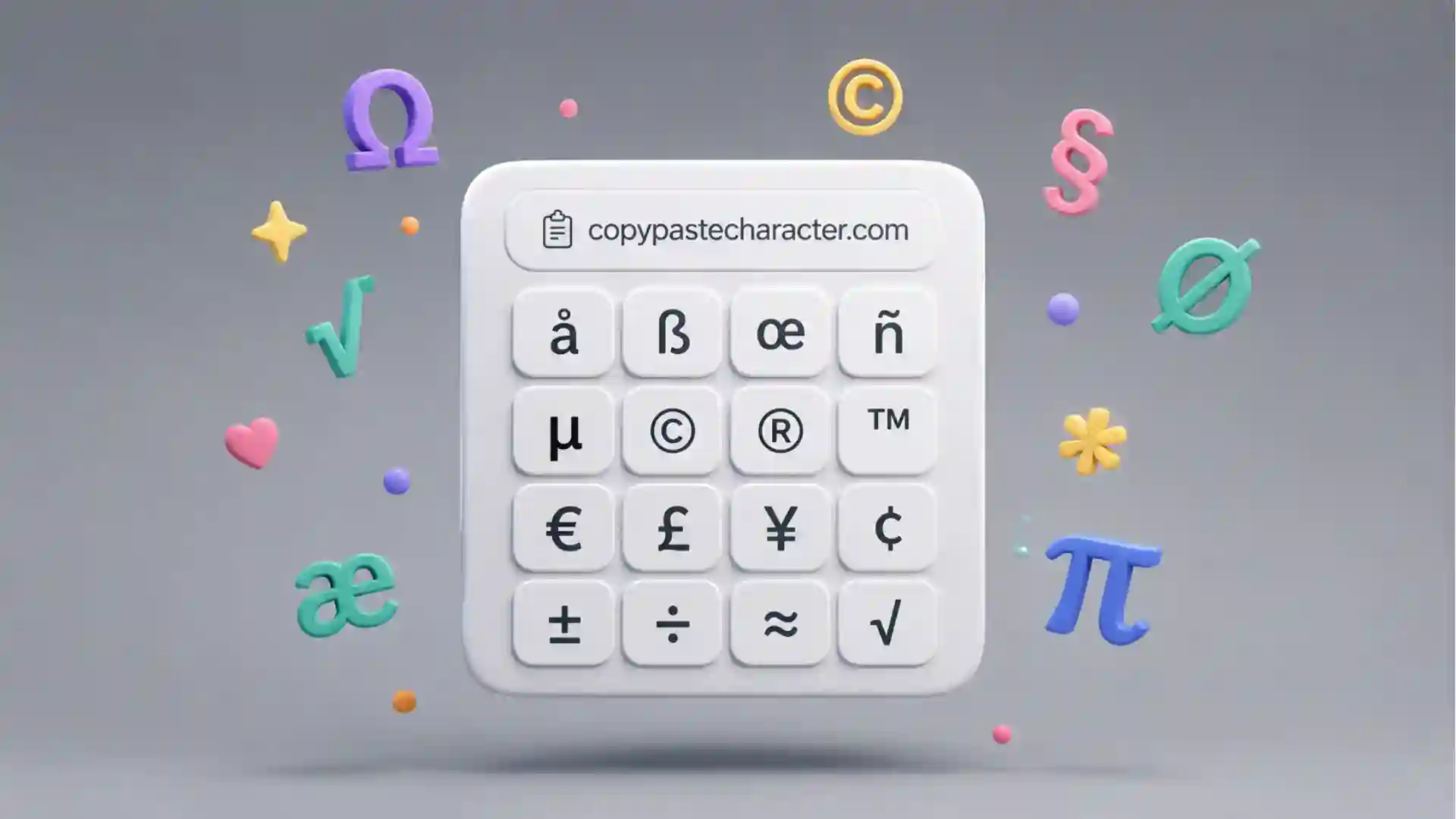
The best thing about Copy Paste Character is that it treats special characters as things you should be able to touch, not as trivia buried inside a system menu. The site is almost comically direct: open a page, see the symbol, click the symbol, paste it somewhere else. No plugin, no keyboard chart taped to your monitor, no memory test involving Alt codes, Unicode numbers, or strange menu paths you only remember when you do not need them. Its own About page describes it as a website for copying the “hidden” characters that come with a computer’s typefaces, ready to paste into emails, tweets, text documents, forums, and whatever else needs an extra ♔, ฿, or ❒.
Table of Contents
That sounds minor until you need the right mark. A proper em dash. A multiplication sign that is not a lowercase x. A pilcrow. A yen symbol. A sad face from an older internet age. The moment you need one of these characters, the keyboard suddenly feels much smaller than the computer it belongs to. Copy Paste Character sits exactly in that gap. It does not try to teach Unicode from the ground up. It does not act like a design system. It behaves like a tidy drawer of objects you half-remember owning.
The site has been around long enough to feel like a small piece of web sediment. The Verge wrote in 2011 that Copy Paste Character had been making obscure symbols easier to type since 2008, and that a revamp had taken it from roughly 100 symbols to almost 4,000. The same piece described the core action with perfect bluntness: click a character on the website and it is copied to the clipboard. That one-click promise still explains the whole appeal. Plenty of web tools become less pleasant as they mature. This one has stayed attached to its original job.
Copy Paste Character also has a specific kind of taste. It is not just a giant Unicode dump pretending that volume equals usefulness. The homepage opens with “Our favorite set,” a hand-picked mix of characters such as ✿, ☺, ☂, ⌘, ✍, ✔, ♺, ✉, ♥, ∞, §, ¶, ‽, ※, ±, ≈, π, €, £, ©, ™, °, …, and •. The selection feels more like a typographic junk shop than a reference database. Some characters are practical. Some are decorative. Some look like they wandered in from a printer’s drawer, an old Mac manual, a math notebook, or a forum signature from 2006.
That taste matters because Unicode itself is too large and too strange to browse casually. The official Unicode charts group characters into scripts, symbols, punctuation, and code ranges, which is exactly what a standard should do. Copy Paste Character does something softer: it turns a technical inventory into a surface for quick choosing. You do not need to know the name of the symbol before you see it. You can arrive with a feeling. Something pointy. Something formal. Something cheerful. Something that says “yes” without typing the word yes.
A tiny utility with better taste than most big apps
Copy Paste Character understands a boring truth that many newer tools avoid: small problems deserve small interfaces. The site is not trying to become your writing suite, your brand kit, your emoji keyboard, or your AI assistant. It gives you a grid. It gives you search. It gives you presets. It gives you characters and their HTML codes. That restraint is the product.
The preset navigation is plain and useful. The site offers sets such as All characters, Alphabetical order, Arrows, Classic, Currency, Emojis, Graphic shapes, Mathematical, Numerals, Our favorite set, Punctuation, and Symbols. Those categories match the messy way people hunt for characters. Someone writing a price list probably wants currency. Someone marking up copy wants punctuation. Someone making a rough interface sketch wants arrows. Someone making a newsletter a little warmer wants a heart, star, flower, hand, check, or music note.
The “Classic” set is where the site’s editorial judgment becomes clearer. It contains typographic and formal characters such as ⌘, «, », ‹, ›, curly quotes, dashes, §, ¶, ¡, ¿, ‽, ※, ±, ×, ≈, ÷, ≠, π, †, ‡, ¥, €, £, ß, ©, ®, ™, °, ‰, …, ·, and bullets. This is not novelty punctuation for people bored at work. It is a practical shelf of marks that make writing, editing, design, legal notes, pricing, and interface copy feel less hacked together.
The site’s magic is also partly linguistic. It makes characters feel like characters again. A symbol on Copy Paste Character is not only a code point, not only an entity, not only a glyph in a font. It is a small usable object with a shape, a mood, and a destination. You see ♠ and immediately know whether you need it. You see ‽ and either smile or decide not to be that person today. You see ¶ and remember that document structure has its own iconography.
This is where the tool’s age works in its favor. A newer product might wrap the same function in cards, accounts, onboarding screens, upgrade prompts, saved workspaces, brand palettes, and “smart” suggestions. Copy Paste Character does have sign-in and custom sets, but the main surface stays close to the old web’s better habits. It assumes you came to do one thing and lets you do it. The fact that the site still has a direct About page, a direct Help page, and old-fashioned social share links only adds to that feeling.
A tool like this also exposes how oddly incomplete our everyday input systems still feel. Most keyboards are not built for the full expressive range of digital text. They are built for speed, legacy, language defaults, and physical habits. The keyboard gives you the common road, not the city. Copy Paste Character is a side entrance into the city: arrows, accents, dingbats, fractions, chess pieces, currency signs, paragraph marks, mathematical operators, box-drawing fragments, and decorative oddities that already live in the typographic layer of the computer.
The best comparison is not a character map app, even though that is the nearest system-level cousin. Character maps are usually reference tools. Copy Paste Character feels more like a clipboard-first utility for people who are already writing. That distinction is small but sharp. When you are in the middle of an email, a slide, a CMS field, a Figma comment, a tweet, a Notion page, or a quick design mockup, you do not want a lesson. You want the mark.
The web still needs small doors into hidden text
The phrase “hidden characters” is a perfect description because these marks are not truly missing. They are present but inconvenient. They are in fonts, standards, operating systems, browsers, and documents. The trouble is access. Most people know the characters exist only when they see someone else use them. Then comes the familiar little theft: select, copy, paste, save somewhere, forget where it came from.
Copy Paste Character formalizes that tiny theft and makes it acceptable. It gives people a clean place to borrow a glyph without pretending they are typographers. Need an arrow in a status update? Take one. Need a copyright sign for a footer draft? Click it. Need a multiplication sign for a recipe, a size chart, or a product spec? Grab × instead of typing x and hoping nobody notices. The site lowers the friction just enough that better text becomes easier than sloppy text.
The official “All characters” page is enormous compared with the homepage. It claims to show every single character and all symbols available on Copy Paste Character, and the page runs through thousands of entries with characters beside HTML entity numbers or names. That page is messy in the correct way. It reminds you that the polished little homepage is only the storefront. Behind it is a warehouse full of numerals, arrows, diacritics, odd phonetic marks, technical symbols, fractions, shapes, and signs that only certain people need on certain afternoons.
There is a quiet cultural story here too. The web used to be full of people bending text into decoration because images were heavier, design tools were scarcer, and profiles, forums, away messages, usernames, and signatures rewarded small hacks. A symbol could become style before “personal branding” ate the room. Stars, hearts, crosses, arrows, musical notes, and tiny faces let people mark tone in places where plain text felt too bare.
That older text culture never disappeared. It moved into usernames, bios, newsletters, captions, livestream chats, changelogs, product labels, interface states, documentation callouts, pitch decks, spreadsheets, and tiny acts of emphasis. Symbols survive because they are compact mood machines. A check mark can make a list feel done. A warning sign can add urgency. A dagger can mark a footnote. A hand can point. A section sign can make legal or policy text easier to scan. A heart can soften an otherwise flat line.
Copy Paste Character works because it does not shame that behavior. It does not insist that every mark justify itself through strict typographic discipline. It leaves room for practical use and tiny mischief. The same page can serve a designer looking for a proper arrow, a developer hunting for a copyright sign, a teacher adding math symbols to a worksheet, a writer fixing quotes, and someone making a chat message look a little less dead.
The site also sits at a useful distance from emoji culture. Emoji keyboards are built around illustrated symbols with platform-specific style and social meaning. Copy Paste Character leans toward text characters that behave like text. They inherit font treatment, sit inside a line, copy cleanly, and often carry an older typographic or mathematical life. A heart character and a heart emoji may feel close in conversation, but they are not the same object. One belongs to text’s typographic fabric. The other belongs to a richer image-like layer of digital expression.
That difference matters in publishing and design. A text symbol is often easier to place, resize, recolor, and align than an emoji. It can look crisp in a button, a label, a headline, a footnote, or a tiny badge. It may fit a serious layout without tipping into cartoon tone. Copy Paste Character’s best symbols are not replacements for icons. They are shortcuts to marks that already know how to sit in a sentence.
The site’s oldness also reveals something current about software. We keep building richer interfaces while still failing to expose simple underlying capabilities. Computers can represent a stunning amount of text, but people still search the web for a decent arrow. That is absurd, but it is also the reason Copy Paste Character remains useful. A feature can be technically solved and still not be socially solved. If ordinary users cannot reach it at the moment they need it, the web will produce a door.
The charm is in the preset choices
The strongest editorial move on Copy Paste Character is the “favorite set.” It does not begin with completeness. It begins with taste. A pure Unicode directory would be more correct, but also less inviting. The favorite set says: these are the characters someone thinks you may actually enjoy using. That small act of curation changes the mood of the site from utility shelf to recommendation.
The mix is odd in a pleasing way. You get ☺ and ☻, then ☂ and ☃, then ⌨ and ✆, then command and option symbols, then religious and political marks, arrows, pointing hands, writing hands, peace signs, checks, stars, recycling, flags, envelopes, scissors, suits, hearts, musical notes, gender signs, shape fragments, infinity, quotation marks, dashes, section marks, inverted punctuation, interrobang, reference marks, operators, currency, copyright, trademark, degrees, ellipsis, bullets, and dots. It is a strange little museum of things people once needed, still need, or might need just because the mark looks good.
That variety is not random in the way a full character table is random. It has a designer’s eye behind it. It includes symbols that are legible at small sizes, marks that carry strong meanings, marks that look decorative without collapsing into novelty, and marks that solve annoying writing problems. The set favors characters with social life. These are symbols that can plausibly appear in a subject line, a poster draft, a footer, a note, a profile, a slide, a list, or a quick mockup.
The creator background helps explain that feel. Konst & Teknik, the Stockholm digital design studio connected with Copy Paste Character, describes itself as working across on- and offline projects and designing books, visual identities, typefaces, websites, digital products, and services. It’s Nice That also credited the project to graphic designers Konst and Teknik in collaboration with Martin Ström, framing it as the result of a search for little-used typographic characters. The site feels like it was made by people who noticed the shape of the web, not only its functions.
That design-world origin matters because Copy Paste Character is not the most technically dense Unicode resource, and it does not need to be. Its value is editorial, spatial, and tactile. It gives hidden marks a browsable front end. It turns a technical standard into a small act of visual selection. It makes obscure characters feel close enough to try.
The preset names are also plain enough that they do not get in the way. “Arrows” is arrows. “Currency” is currency. “Mathematical” is mathematical. “Punctuation” is punctuation. The site does not bury common needs under clever labels. That sounds obvious, but many utility sites fail exactly there. They add a cute layer between the user and the object. Copy Paste Character stays close to the object.
The custom set feature adds another layer without taking over. The sign-up page says users can create their own sets, with fields for email, username, password, and password confirmation. That is a genuinely sensible account feature. People who frequently use the same handful of marks do not need the entire universe every time. A copy editor may want quotation marks, dashes, section marks, ellipses, bullets, and proofing symbols. A designer may want arrows, stars, hearts, hands, and geometric marks. A developer writing docs may want ticks, crosses, arrows, math signs, and keyboard symbols.
The fact that the site lets people make sets also suggests a nice idea about symbols: everyone has a private keyboard that the physical keyboard does not show. Your recurring characters say something about your work. A legal writer’s set differs from a game designer’s set. A math teacher’s set differs from a social media editor’s set. A poet’s set differs from a product manager’s set. Copy Paste Character lets that private keyboard become a small collection instead of a scattered mess in old notes.
The site’s older sharing model is part of the charm too. The Verge noted in 2011 that custom sets could be shared through social networks and custom URLs. That is a very web-native way to treat a character collection. A set of glyphs becomes a link. A link becomes a tiny public object. It is not a feed, not a platform, not a community in the heavy sense. It is just enough social structure to pass a useful drawer to someone else.
Where it earns a tab
| Feature | Why it stands out |
|---|---|
| One-click copying | The site treats each character as an action, not a research item. |
| Preset sets | The categories match real hunting habits, from arrows to punctuation. |
| Visible HTML codes | Designers and editors get a useful bridge between character and markup. |
| Custom sets | Frequent users can build a private shelf of recurring marks. |
| Curated favorites | The homepage has taste instead of dumping everything at once. |
The table explains why Copy Paste Character still feels worth opening: it is not only the character list, but the way the list is shaped around quick human decisions. The site wins when you know roughly what you want but do not want to perform a system-level search to get it.
The small UX lesson hiding inside the grid
Copy Paste Character is a reminder that a good utility does not need to feel large. The interface succeeds because the objects are the interface. A character grid is not decoration wrapped around a feature. The grid is the feature. Every symbol is both a preview and a button. That directness makes the page instantly understandable, even for someone who has never seen it before.
Many digital tools separate discovery from action. You search, open a result, read a panel, choose an option, confirm a copy action, maybe deal with a toast notification, then return to the thing you were doing. Copy Paste Character collapses that flow. Seeing and taking happen in the same gesture. This matters because special characters are rarely a primary task. They are interruptions inside another task. The best tool for an interruption is one that does not become a second project.
The visible HTML entities are a clever second layer. The homepage shows characters with codes such as ✿, ←, ©, €, and ™ beside them. That makes the page useful to people who move between writing and markup. A casual user can click the symbol and ignore the code. Someone editing HTML can use the entity. The page serves both without splitting into two modes.
There is also a mild pleasure in seeing the code beside the mark. It reminds you that digital text is a surface with machinery underneath. The flower is also ✿. The arrow is also ←. The copyright symbol is also ©. Copy Paste Character lets that machinery peek through without forcing the user to care. It gives just enough technical context to be useful and not enough to become a manual.
Search is the other obvious need, though the browsing experience may be more memorable. Search is for the character you can name. Browsing is for the character you can only recognize. If you know you need “yen,” “copyright,” or “arrow,” search is fine. If you need something that feels like a pointer but less boring, or a decorative divider that is not too loud, browsing is better. Copy Paste Character supports both behaviors.
The preset menu also reduces the anxiety of abundance. A giant symbol table can feel like staring into static. A category gives your eye a job. In “Currency,” you look for money signs. In “Mathematical,” you look for operators. In “Graphic shapes,” you look for form rather than language. That light structure turns a potentially exhausting list into a short visual errand.
The page’s age means parts of the experience feel less polished than newer tools. The privacy page mentions third-party ads and cookies, and the footer includes consent and privacy links. That may be a small annoyance for anyone who wants a perfectly clean utility page. Still, the core remains fast enough in spirit: a user arrives, scans, clicks, leaves.
It is worth saying that clipboard behavior can vary by browser, device, permission, and context. The idea is simple, but the web platform is not always equally simple underneath. If a click-to-copy action does not behave as expected, the fallback is usually old-fashioned selection and copy. The site’s strength is not that it defeats every edge case; it is that it keeps the intended action obvious.
There is a larger design lesson here for anyone making small tools. Do not over-explain the thing people came to touch. Copy Paste Character could have hidden its grid under instructional panels, onboarding, examples, testimonials, templates, and “popular workflows.” It does not. The page opens on characters. You learn the tool by using the tool.
That confidence feels rarer than it should. Many utility pages today are padded with content around the utility, partly for search, partly for monetization, partly because product teams feel insecure about simple surfaces. Copy Paste Character’s best page is closer to a tray than an article. It trusts that the user came with intent.
The tray metaphor is useful because trays do not ask you to admire the tray. They let you pick something up. A good symbol picker should disappear at the moment of paste. You are not supposed to spend an afternoon inside Copy Paste Character. You are supposed to return to your document with a better mark than the one your keyboard offered.
Tiny marks, real internet behavior
Special characters carry more social meaning than their size suggests. A single mark can shift tone, authority, rhythm, and visual hierarchy. Compare “Price – 20 EUR” with “Price — 20 €.” Compare “x” with “×.” Compare “Section 4” with “§ 4.” Compare “(c)” with “©.” The difference is not huge, but text often lives in small differences.
This is why tools like Copy Paste Character are not merely decorative. They give ordinary users access to typographic precision. Not professional precision in the strictest sense, but enough to avoid the dull compromises that happen when the right character is hard to reach. A keyboard hyphen becomes a dash because the dash is nearby. A straight quote becomes a better quote. A word becomes a symbol when a symbol is clearer.
The web is full of these compromises. People type “EUR” because the euro sign is annoying to find. They type “->” because an arrow takes effort. They type “…” because the ellipsis is hidden. They type “x” because multiplication signs are not on their layout. Copy Paste Character removes just enough effort to make better defaults possible. It does not fix typography everywhere. It gives people a fighting chance.
There is also a pleasure in choosing a symbol by sight. Text input is usually muscle memory, but symbols invite the eye. You may not know the name of ※, but you can feel its use as a reference mark or decorative divider. You may not know whether a certain arrow has a formal name, but you can tell whether it points with the right weight. This kind of visual choosing is closer to picking a sticker, a stamp, or a printer’s ornament than typing a word.
That is why Copy Paste Character is especially appealing for people who work in the border zone between writing and design. Writers care about rhythm; designers care about shape; editors care about correctness; product people care about clarity. A good symbol can serve all four. It can shorten a label, improve a list, soften a headline, mark a status, or make a plain block of text easier to scan.
The site is also useful because symbols are context-sensitive. A check mark can look professional in one place and tacky in another. A heart can feel warm in a message and unserious in a policy document. A dagger can be precise in notes and melodramatic in a product description. Copy Paste Character gives you the options without pretending to choose for you. Taste still belongs to the person pasting.
That is a healthy relationship between tool and user. The site does not say every symbol is appropriate. It simply makes them reachable. The judgment happens at the destination. A writer pasting ¶ into a newsletter knows whether it works. A designer pasting ★ into a badge knows whether it is too loud. A teacher pasting ÷ into a worksheet knows exactly why it belongs.
The hidden risk is overuse. Because characters are fun, they can quickly become clutter. A page full of stars, arrows, hearts, and hands can look like a teenager’s notebook or an overexcited landing page. The best use of Copy Paste Character is selective. One mark in the right place feels intentional. Ten marks in a paragraph feel like the text is wearing costume jewelry.
The site’s own favorite set tempts you with this danger. It contains enough charming symbols that you may want to sprinkle them everywhere. The better move is to treat the page like a spice rack. A little check mark may sharpen a list. A single arrow may guide the eye. A section mark may carry authority. A music note may change the tone of a title. Too much and the page becomes garnish.
There is a security-adjacent angle too, although it is not the site’s focus. Unicode includes characters that look similar across scripts, and look-alike characters can confuse readers or systems when used badly. A public GitHub gist on Unicode look-alikes, for example, lists Latin letters beside similar-looking characters from other scripts. That does not make symbol pickers suspicious, but it does remind us that characters are powerful. A glyph is not always as innocent as it looks.
For ordinary use, the main caution is simpler: paste what you understand. Decorative symbols travel differently across fonts, apps, platforms, and screen readers. Some marks may display as tofu boxes in weak font environments. Some may be read awkwardly by assistive technology. Some may not match the tone of the channel. Copy Paste Character gives access; responsible use still requires a little care.
Even with those cautions, the site feels generous. It enlarges the practical alphabet of everyday users. It says: your keyboard is not the boundary of your text. There are more marks here, already built into the digital world, waiting for a click.
The parts that feel dated
Copy Paste Character is charming partly because it has not chased every newer interface habit, but some of its age shows. The site includes ads and privacy language around third-party cookies. Its pages feel sparse in a way that is sometimes elegant and sometimes slightly abandoned. The Help page is almost shockingly short, mainly offering password reset guidance and an email contact.
That sparseness is not necessarily a flaw. A tool this simple should not need a help center. If a user needs long documentation for a character-copying site, something has already gone wrong. Still, a few small clarifications could improve trust: how click-to-copy works across browsers, what happens on mobile, whether custom sets are public by default, and what to do when a character does not paste as expected.
The ads and consent layer may also clash with the purity of the core idea. A site built for a one-second errand feels best when nothing competes with the errand. This is the usual tension of old free utilities. They survive, but survival adds furniture. Privacy links, ad scripts, consent prompts, and account systems are all understandable, yet they add weight to a tool whose emotional appeal is lightness.
The visual design also sits in an odd place. It is not ugly, but it is not trying to be a polished modern app. The plainness is part of the identity. A redesign could make it smoother and worse. Too much whitespace, too much animation, too many cards, too much branding, and suddenly the site would lose the feeling of a direct drawer. The right update would be careful: better mobile behavior, cleaner copying feedback, improved search, maybe stronger accessibility notes, not a full personality transplant.
The “All characters” page is both impressive and overwhelming. Its long list proves that the site contains far more than the homepage suggests, but browsing thousands of symbols in a raw stream can become tiring fast. The presets solve this for common needs. Search helps if you know the term. The middle ground—discovery without overload—is harder. A good future version might group dense results more visibly, show recently copied marks, or let users pin favorites without requiring too much commitment.
The custom set feature is sensible, but account creation may be more than casual users want. For many people, a character picker is not worth a login. A browser-local favorite shelf would match the tool’s low-friction spirit. Accounts make sense for sharing and persistence across devices, yet the site’s best interaction is anonymous and quick. The more it asks from users, the less it feels like a drawer.
Mobile is another interesting pressure point. Phones already have emoji keyboards, long-press accents, symbol panes, and predictive text. Still, many typographic marks remain annoying to reach, especially if you want the exact text character rather than an emoji or a platform-styled icon. Copy Paste Character remains relevant on mobile only if copying is faster than hunting through the keyboard. That is a high bar, but for obscure marks it can still clear it.
The dated parts do not ruin the site because the core action is so strong. A beautiful modern clone would still have to beat the memory of this domain. Copy Paste Character has the advantage of being exactly named. You can forget the URL for years and then reconstruct it from the task: copy paste character. That kind of name is rare and powerful. It is not poetic. It is findable by thought.
There is also something refreshing about a tool that does not demand emotional loyalty. You do not need to “join” Copy Paste Character to appreciate it. You can use it once a year and still be glad it exists. You can bookmark it, forget it, rediscover it, and use it again. The site fits a class of web objects that are better as utilities than as products: calculators, converters, color pickers, regex testers, timestamp tools, favicon generators, and symbol drawers.
These tools matter because they keep the web useful at human scale. Not every good website needs a growth loop. Some just need to be there when a small annoyance appears. Copy Paste Character is one of those sites. It solves a minor problem with enough charm that the solution becomes memorable.
Small doubts before you copy
No. Designers may enjoy it more because they notice the shapes, but the site is for anyone who writes in places where the normal keyboard feels too narrow. Editors, students, developers, teachers, marketers, newsletter writers, product managers, translators, forum users, and spreadsheet people all run into missing characters.
No. The official Unicode charts are still the right source when you need standard-level reference, code ranges, script coverage, or formal character data. Copy Paste Character is a front door for copying and choosing. It is a practical browsing layer, not the standard itself.
Not entirely. A system character map can be better for font-specific exploration, advanced character details, or offline work. Copy Paste Character wins when you want speed from a browser tab. Its advantage is not depth; it is reachability.
Mostly, but not universally. Some apps, fonts, databases, or old systems may handle unusual characters badly. Screen readers may announce certain symbols in awkward ways. Similar-looking Unicode characters can also confuse readers when used carelessly. The best habit is to paste, preview, and keep only the marks that serve the text.
Emoji are great when you want emoji. They are not always right for typography, interface copy, documentation, formal writing, math, legal notes, or subtle decoration. A text character can feel calmer, sharper, and easier to align than a colorful emoji.
Yes, because the need is irregular but persistent. You may not need a pilcrow, interrobang, proper arrow, currency sign, or mathematical operator every day. When you do need one, the site saves you from breaking your writing flow.
People with tiny recurring frustrations. The person who always wants a proper em dash. The person who hates typing “(c)” in drafts. The person who wants arrows in changelogs. The person making quick labels in a deck. The person who wants their text to look a little more considered without opening a design app. Copy Paste Character is for people who care about small marks.
It proves that the web’s best utilities often sit between capability and access. Unicode already exists. Fonts already contain marks. Browsers already display them. Clipboards already move them. The missing piece is a friendly surface. Copy Paste Character is that surface.
A small drawer worth keeping open
Copy Paste Character is not grand software. That is the compliment. It is a small, memorable answer to a small, recurring problem. The domain says what it does. The page does what the domain says. The characters are visible. The click is the action. The paste happens elsewhere. The tool does not need a manifesto because the workflow is already a sentence.
The site also has a rare kind of durability. It was useful when social posts, forums, and early design blogs loved odd glyphs. It is still useful in a web full of polished apps because the underlying annoyance has not vanished. People still need characters that are not on their keyboards. They still forget where to find them. They still prefer a one-click drawer to a technical detour.
What makes Copy Paste Character worth recommending is not only convenience. It is the way it restores a little texture to digital writing. The web becomes more expressive when obscure marks are easier to reach. A text field is not limited to letters, numbers, and the punctuation printed on a keyboard. It can hold arrows, ornaments, operators, reference marks, symbols, signs, and tiny pieces of typographic history.
There is a lovely humility in that. Copy Paste Character does not invent new expression. It helps people notice expression that was already hiding in plain text. The site says: look, your computer had this all along. You just needed a better drawer.
Author:
Jan Bielik
CEO & Founder of Webiano Digital & Marketing Agency
This article is an original analysis supported by the sources cited below
Copy Paste Character
Official homepage of the featured website, used to verify the current interface, preset categories, favorite character set, visible HTML codes, and copy-focused structure.
About Copy Paste Character
Official About page describing the site as a place to copy hidden characters from computer typefaces for use in emails, tweets, text documents, forums, and other writing contexts.
All characters on Copy Paste Character
Official full character listing used to verify that the site offers a much larger inventory beyond the curated homepage presets.
Copy Paste Character sign up page
Official sign-up page used to confirm the custom set feature and the account flow for users who want to create their own character collections.
Konst & Teknik
Official website of the Stockholm digital design studio connected with Copy Paste Character, used to understand the project’s design background and studio context.
Copy Paste Character on It’s Nice That
Editorial coverage from 2012 crediting Konst and Teknik with Martin Ström and framing the project as a search for little-used typographic characters.
Copy Paste Character updates website with thousands of new symbols on The Verge
The Verge article from 2011 used for historical context on the site’s growth, early launch period, larger symbol set, custom sets, and one-click copying behavior.
Unicode 17.0 character code charts
Official Unicode charts used as background for the article’s discussion of Unicode as the underlying standard behind the many scripts, symbols, and punctuation marks surfaced by tools like Copy Paste Character.
| Citing this article? Brief excerpts are welcome. Please credit Webiano.digital, name the author where stated, and include a link to https://webiano.digital and to this original article. Full or substantial republication requires prior written permission. Read our Copyright and Content Use Policy. |
This article was prepared with the assistance of artificial intelligence tools. The content underwent expert human review, and Webiano Digital & Marketing Agency assumes editorial responsibility for its final version and publication.














