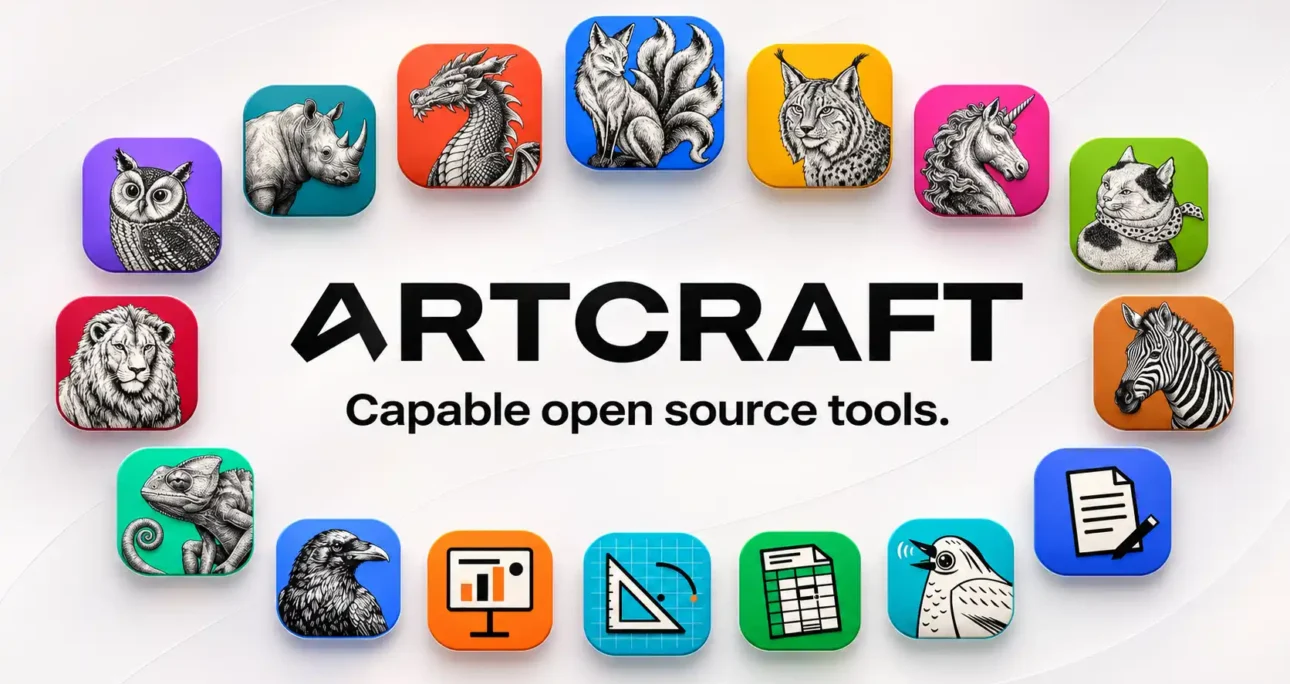
ArtCraft publishes sixteen open-source Crafting Apps in its official catalogue, from PhotoCraft and FilmCraft to WordCraft and GridCraft. The list includes a texture painter, a procedural material designer and a software exploration tool alongside the more obvious Adobe and Microsoft counterparts. ArtCraft Studio, the AI image and video application, sits separately. So does the ArtCraft Launcher. The distinction matters when comparing availability, pricing and maturity. The desktop editors and the studio’s generation service answer different questions, even when they share a name and appear on the same website.
Table of Contents
The project behind the download pages
The November 6, 2026 review uses the official ArtCraft site and the storytold GitHub organisation to identify projects and releases. CraftSuite, the download directory that prompted this guide, describes itself as unofficial in its supplied introduction. The official catalogue adds tools such as TextureCraft, MaterialCraft and Craft Anything to the familiar set of desktop alternatives. Its count describes the Crafting Apps themselves, with the AI studio and the launcher given their own places. Start at the official app page and follow its repository when choosing an installer or checking the current scope of a project.
The catalogue’s comparison with major products is easiest to understand as a map of the jobs ArtCraft wants to cover. PhotoCraft addresses layered image editing, WordCraft addresses word processing, and CADCraft addresses computer-aided drafting. Each choice of reference product tells a reader where to look for the corresponding workflow. It provides much less evidence about how a particular document will behave once opened and edited. A layered PSD may contain an effect, font or external source that matters more than any other part of the file. In a spreadsheet, an invisible dependency can matter more than every visible cell combined.
ArtCraft describes the Crafting Apps as native software built from scratch in Rust. Its catalogue also lists browser builds for many of the applications. That combination creates two separate routes for trying the software. A browser build offers a fast look at interaction and sample files. A native release is the relevant artefact when the job involves the local file picker, device access, command-line integration or the exact performance of a workstation. Similar interfaces give teams a useful point of orientation. Build targets and operating system facilities still determine which parts of a real workflow can be exercised.
The project also presents the editors as independently installable applications. A photographer can evaluate LightCraft without installing the word processor or AI studio. That separation is particularly attractive in an agency where one workstation assembles client presentations while another works with camera originals or video. The practical value is selective adoption. The responsibility that comes with it is deciding which release of each app to put on which machine and which combinations to support. A colleague’s success with a recent PhotoCraft build says little about an older version of GridCraft running elsewhere.
The official descriptions are unusually useful when they distinguish visible features from depth. PhotoCraft’s README calls it early alpha and names gaps in professional use, typography, plug-ins and generative capabilities. That statement sits beside descriptions of layers, adjustments, masking and PSD handling. Both statements can be true. An engineer can make a feature demonstrable before every editor action works exactly as a professional expects, and before failure modes are well enough understood to put the feature on a production deadline. The project’s own qualifications deserve the same weight as its screenshots.
A serious comparison has three separate units of evidence. The first is the capability claimed in a maintainer’s documentation. The second is a feature or fix associated with a published build. The third is a task your team has reproduced with a real file and observed all the way through delivery. The findings come from documentation and release records. The trial procedures below offer ways to gather hands-on evidence for a particular workflow. Use your own source material to test whether a plausible replacement can meet the requirements of an approved workflow.
Start by naming the deliverable someone actually buys. A client may commission an editable layer stack for future campaigns, a repeatable financial model, a file for a specific print shop, or a video package that an outside editor will finish. The words “graphics”, “spreadsheets”, “publishing” and “video” conceal those obligations. An agency can change the tool that produces a finished WebP for an article while keeping the tool used to hand a compositing project to another studio. A switch is easiest to justify when the new tool’s boundary coincides with the boundary of the work.
That reasoning applies to the incumbent too. Adobe Creative Cloud Pro includes multiple desktop products and connected services, while Microsoft sells both subscription and perpetual office options and offers free web editing. Paying for either supplier can make sense for different reasons on different desks. The person producing illustrations may value editable files and shared assets. The person renewing Microsoft licences may be buying an organisation’s identity, storage and collaboration alongside Word. Counting approximate equivalents on a catalogue page treats these as the same purchasing decision. Their costs and failure modes are entirely different.
Licensing warrants its own line in an inventory. Many Craft repositories list MIT and Apache 2.0 licence files, including the three Office counterparts and PhotoCraft. The relevant source is the repository and the particular tag or distribution you are considering. Review third-party notices, bundled fonts, example assets and dependencies separately when redistributing or incorporating the software. ArtCraft Studio’s pricing page also offers credit-based plans and credit packs for generation. Someone asking whether the software is free may be asking about the cost of launching an editor, using a hosted model, or distributing a modified build. Those are distinct decisions with different evidence.
The potential advantages of a smaller deployment are worth taking seriously. A Linux workstation can be a viable editing seat where the relevant Craft app and release provide a supported build. A local document can fit a workflow where shared cloud editing has no role. A visible repository gives technical teams a place to inspect changes, understand the document model or submit a reproducible bug. Those are concrete reasons to evaluate ArtCraft, even for someone fully satisfied with Adobe or Microsoft. The useful question is which advantage you gain for a specific job and what evidence the job requires before you count it as delivered.
The opposite end of the spectrum is a handoff with obligations attached. A signed agreement, packaged print job or recurring calculation cannot be accepted on the basis of an encouraging demonstration. The consequence of an unnoticed change may be greater than the annual cost of the incumbent. That warrants a tight acceptance test and a recoverable original. For low-risk work, a manual inspection may be sufficient. In either case the choice of editor should follow the work’s exposure, who receives the output and who has to repair it when it comes back.
The official download route and the launcher
Open the official Crafting Apps catalogue and choose an app by job. Its page points to the publisher’s release route, and the GitHub organisation helps verify the owner. A repository’s default branch and its Downloads section serve different readers. Someone building from source wants code and instructions. Someone installing an application wants a packaged binary for the right processor and operating system. The automatically offered source archive is a snapshot of the repository. Select the named desktop asset when the objective is to install the published application.
Check the tag and release notes before choosing an asset. The pages reviewed for this guide exposed PhotoCraft v0.20.2, FilmCraft v0.17.1, WordCraft v0.15.2, GridCraft v0.16.1, DeckCraft v0.15.1 and the Launcher v0.14.1 via GitHub’s Latest route. Those are dated observations for tracing this review. The project may publish a later build after you read it. A Latest label identifies what GitHub or the maintainer currently directs readers towards. The publisher’s alpha and development descriptions are a separate signal about suitability for everyday work.
On Windows, read the project’s asset names and installation notes together. The launcher documents packages such as MSI, and individual repositories may list more than one Windows package or an executable for command-line use. Match the asset’s architecture and your team’s installation policy. A personal workstation may allow a user install, while a managed image may require administrator approval or packaging by IT. Record the source tag and package name even when installation is manual. The same information saves time if another machine reproduces a failure or an update changes the default file association.
On macOS, the launcher documentation describes a universal DMG for both Apple silicon and Intel and describes its app as signed and notarized. PhotoCraft and several other repository download sections give similar details for their listed universal builds. Read those assertions at app level. Verify trust information individually for command-line ZIPs, development builds, older releases and any alternative distribution channel you use. For a managed rollout, a practical check is to record what macOS reports for the exact app before making a package available to colleagues.
On Linux, the package choice is part of the deployment. ArtCraft publishes a Linux page describing Flatpak, DEB, RPM and Arch routes. Individual projects can offer additional release assets, including an AppImage in some cases. A distribution repository introduces its own update path. A package downloaded from a tagged release is easier to tie to a specific trial, while a repository may fit machines already updated through central package management. Check which applications and architectures the particular channel actually carries. The quickest personal install and the easiest fleet install can be different routes even on the same distribution.
For a machine that already has comparable editors installed, begin with a neutral sample file and an empty working directory. Open the sample explicitly from inside the new app. This keeps the trial distinct from changing file associations for existing client assets. Record where the app stores projects and exports, and which location the open dialog starts in. Close and reopen the result before using it in the next tool. The small discipline distinguishes a successful on-screen edit from a file that survived persistence and can be handed to a second person.
The ArtCraft Launcher gives users a central place to discover, install and update apps. Its README describes selecting assets by platform and processor and checking downloads against SHA-256 values published with releases. That is the maintainer’s account of how the launcher is designed. Use the publisher’s instructions to check the exact binary chosen for the trial. As an editorial matter, a matching hash is evidence about the relationship between an asset and the expected digest. The identity and trustworthiness of the party publishing both are a separate question.
GitHub’s documentation describes verification for immutable releases through the GitHub CLI, including a way to check a downloaded asset against an applicable release attestation. Treat that as an additional option where the release actually supports it. It is independent of an app repository’s use of GitHub Releases and independent of the launcher’s checksum process. A security-conscious rollout can retain the exact installer along with the tag, the publisher’s digest or signature evidence if available, and the date and result of the checks. Review release ownership and the OS trust prompt at the time of installation.
Managed environments may want a pilot group and an approval interval even if the launcher makes updates easy. Updating an editor can change how it interprets an existing project, which is an important distinction from simply changing the interface. Keep a known-good copy of representative files and rerun a short export test before the build reaches machines that deliver to clients. If an earlier executable can still be installed, remember that it may be unable to reopen a file saved by a newer build. A rollback procedure should restore both a workable program and the appropriate generation of the project files.
Trying a browser build is worthwhile for inspecting menus and testing an isolated task where the official project provides one. Use a duplicate or public sample for the first look. A browser run proves behaviour in that browser and build. It cannot establish a native release’s performance with local files, the availability of a hardware codec or the way a workstation exposes plug-ins and fonts. Browser delivery also deserves the same scrutiny you would give a website that processes business data. Review the deployment and specific data paths before loading a confidential file.
Developers who want to compile from source should start from the same release tag being evaluated if the objective is reproduction. A successful build of the default branch may include features added since the installer was published. Project READMEs document their own toolchains and examples, and individual packages have their own dependencies. Keep a note of the build command and operating system. For bug reporting, explain whether the problem is present in an official binary or only in your source build. A minimal sample and a clear reproduction path will tell a maintainer more than the fact that a large project once opened slowly.
The most informative trial ends with a short installation record another person can follow. Write down the exact release page used, what the installer was called, which machine it went onto and which sample survived save and reopen. Include the change that would require repeating the check, such as a new tag, a different distribution channel or an additional CPU architecture. This gives the guide a life beyond the initial download. It also prevents a common ambiguity when the same app name is attached to a browser preview, a launcher-installed copy and a separately downloaded desktop build.
One desktop install from start to finish
The launcher’s download documentation gives a concrete route for Windows 10 and 11. For a typical 64-bit Intel or AMD machine, choose the Windows x64 MSI from the official release assets. The documentation separately lists ARM64 and x86 packages and a portable ZIP for each architecture. Its x64 MSI description specifies a current-user install. On a managed computer, check the organisation’s deployment policy regardless of whether that installation scope needs elevation. After opening the launcher, choose the first editor you plan to test and note both the launcher’s version and the editor’s own version.
For macOS 11 or later, the launcher lists a universal DMG and directs the user to place the launcher in Applications. The universal package covers the two Mac CPU families the documentation names. A trial can begin with that installer and one editor, followed by a test file kept in a separate working folder. Check the OS trust information for the actual package and compare it with the publisher’s description. The editor may have its own download options, so a direct install remains available when there is no reason to manage the entire catalogue.
On a Debian or Ubuntu workstation, the launcher documentation lists a DEB and shows installation through the package manager with the local downloaded file. Choose x86_64 or aarch64 as appropriate and check the published system requirements, including the stated glibc baseline for those builds. A user who prefers the AppImage route can choose the matching AppImage and grant execute permission before launching it. Fedora and other RPM-based environments have a separately documented RPM route. In each case, confirm what will provide updates so the first release recorded for the pilot is easy to recover.
The same documentation also describes the launcher’s Flatpak packaging and its relationship to host installations. The project recommends its AppImage, DEB and RPM launcher builds on Linux. This is a point to examine when using the launcher on a managed workstation where the packaging format was chosen for isolation or central updates. One application’s installation path can differ from the mechanism it uses to install the other apps. Install a single editor and check where it and its settings land before standardising the route across multiple seats.
The reviewed launcher release includes concrete examples of how the asset names encode the target. The Windows x64 MSI, the macOS universal DMG and the Linux x86_64 DEB each identify both the release version and their intended platform in the filename. On Windows on Arm, choose the ARM64 MSI if that is the intended installation target. On a 64-bit Arm Linux machine, look for aarch64 among the corresponding Linux assets. This is a practical way to distinguish processor names that describe similar families across operating systems while still choosing from the assets the publisher actually shipped.
Use the release checksum file for the asset you chose when following the launcher publisher’s checksum procedure. Look up the digest by the exact name of the downloaded installer, including the extension. Recheck the selected tag if a digest does not match, and obtain a fresh copy through the publisher’s release page if needed. On a fleet, store the observed result with the approved installer record. That gives a later operator a concrete way to tell whether a package kept in the deployment folder is the one originally checked.
For a direct installation, repeat the process from the individual application’s project page. This is the leaner route for someone trying only WordCraft or PhotoCraft, and it avoids making assumptions about what the launcher chooses on a specific system. Review the editor’s own release notes, select its desktop asset and open a sample. Save a local result, reopen it, and export the type of file the job requires. A successful install and a successful application trial are two milestones. Record them separately to help diagnose whether a failure occurs at launch, during editing or during export.
If the launcher opens but an editor installation fails, collect the selected platform, version, asset and installer result before retrying. Its README describes a local log and rotation of earlier runs. Preserve the relevant record before multiple attempts replace it. The direct-download route provides another way to isolate whether the issue belongs to asset selection, installation or the app itself. Keep troubleshooting within the same tagged versions when comparing the routes. Switching both the installation mechanism and the editor version makes it much harder to identify what fixed the problem.
The creative apps and the Adobe comparison
Adobe’s Creative Cloud Pro documentation puts Photoshop, Illustrator, Premiere, After Effects, InDesign and Acrobat in one plan and describes additional services including storage and Adobe Fonts. Lightroom sits in Adobe’s photography offering. Adobe’s Substance tools are a separate comparison for the Craft texture and material apps and deserve their own procurement check. From ArtCraft’s side, these are product roles filled by separately developed editors. From Adobe’s side, some of the appeal is the relationship between applications and services. A suite-level comparison needs both perspectives to say anything useful about a particular studio.
Creative workflows and their corresponding tools
| Job | Craft app | Adobe reference | Acceptance test |
|---|---|---|---|
| Layered image editing | PhotoCraft | Photoshop | Reopen and revise a layered master in Photoshop |
| Vector illustration | VectorCraft | Illustrator | Edit paths, type and appearances after handoff |
| Video cutting | FilmCraft | Premiere | Export, reopen and revise a real sequence |
| Motion graphics and compositing | EffectCraft | After Effects | Reproduce a timed shot and its revision cycle |
| Raw development and photo library | LightCraft | Lightroom Classic | Rebuild a representative shoot through delivery |
| Page layout and publishing | DesignCraft | InDesign | Produce a print proof and an editable handoff |
| PDF assembly and inspection | PdfCraft | Acrobat Pro | Validate the exact PDF operation independently |
| Texture painting and material graphs | TextureCraft and MaterialCraft | Substance 3D Painter and Designer | Validate maps and material behaviour in the receiving renderer |
These are workflow pairings drawn from the projects’ descriptions and Adobe’s documentation. The last column identifies the kind of evidence that would justify a production switch. FigCraft, SoundCraft and CADCraft have primary counterparts outside Adobe’s product line and appear in their own sections.
An Adobe workflow may contain an editable dependency across applications. Adobe documents linked and embedded Smart Objects for placing Illustrator or PDF artwork into Photoshop. It also documents Dynamic Link between Premiere and After Effects, including matching major versions for the applications involved. A finished graphic and a rendered shot can cross a wider range of software. The things that can be changed after delivery differ between those transfers. That is the part of the comparison that disappears when every corresponding icon on an Adobe menu gets one tick beside it.
Consider a hypothetical agency producing a campaign across print, web and short video. The final digital ads can be published from raster exports. The design team also maintains a vector logo, a layered hero graphic and a motion template. If the client asks for a new colour, the team has to know which artefact carries the editable colour definition. If the print partner needs a package, it has to know where the linked images and licensed fonts are accounted for. Evaluate each artefact on its own and then run one realistic campaign change across the chain. That exercise measures whether the new tools fit together where the agency earns its margin.
Adobe’s catalogue and an open-source project’s repository describe different types of ownership and support. Adobe documents what its plan includes and supports customers within that commercial offering. ArtCraft makes source and issue trackers available and explains what it intends to cover. For a studio that can reproduce a bug, reading the issue history may be quicker than describing the problem in a vendor ticket. For a buyer with support commitments to a customer, the path to an accountable response is itself part of the purchase. Verify what support is actually offered for the app and plan you are buying.
The cost distinction is subscription spend versus a workflow’s operating cost. Retiring a licence can be financially sound after a replacement produces dependable results. During a pilot there may be parallel spend, and even afterwards there may be a specialist desk that still needs the incumbent. Staff time spent correcting exports, converting projects, recreating templates and teaching collaborators a new handoff belongs in the calculation. A simple model uses current seat spend and actual recorded labour from a pilot. It should leave subscription prices local to your plan, market and renewal terms instead of treating a US storefront as a universal invoice.
A first pilot is strongest when it starts and finishes inside a single workflow. The design desk could create and publish article illustrations using PhotoCraft or VectorCraft while Adobe remains available for client PSD and AI work. A video editor could cut a self-contained interview and deliver a file under the same technical specification used for other projects. A photo desk could develop a new non-critical shoot in LightCraft without moving a catalogue that contains years of history. Each exercise produces an outcome you can review and a boundary at which someone can stop the trial without remaking work.
A comparison of render quality needs a consistent reference. For a vector export, compare a PDF and a web preview under the same size and intended colour treatment. For a layered image, use the same source and compare the composites and the layer structures separately. For video, check the delivered file on the player and platform that matter to the client. Similar appearance under one screen or colour setting answers a narrow visual question. Use the printing or publication environment to answer whether the exported file meets the job’s specification.
Artwork and font licences require separate review during a migration. Adobe Fonts and purchased libraries can affect whether two tools appear to agree on the same file. Before converting a template, identify which fonts and assets are available on the receiving workstation and under what terms you can package or distribute them. A changed line break may reflect a missing font, and a design that otherwise transfers well can still depend on a subscription component. Substitute a portable asset deliberately and document the change so the next designer can tell a migration choice from a rendering defect.
There is also an archive cost that a software demo rarely captures. A final PDF, JPEG or MP4 serves many publication and inspection needs. An archive of editable source serves revisions, translations and later campaigns. Some projects call for both. Converting an old archive to save space or simplify the folder structure can remove the last path back to an object with editable text, an effect graph or an external link. A studio can adopt a new editor for newly created assets and preserve old files with their original readers. The old and new parts of the archive can have separate retention policies.
The practical limit of a creative comparison is the depth of a future revision. A cover image may need a different crop and a text change. An editable brochure may need additional pages in a different language. A composited shot may need a new plate and a changed timing cue. Test a revision that the client is likely to request, with someone other than the original pilot editor making it. That tells you whether the files and procedure are legible to a second pair of hands. The rest of the creative comparison goes app by app, beginning with the assets most agencies already exchange.
PhotoCraft and Photoshop in the layered image workflow
PhotoCraft’s README documents layers, masks, live adjustments, editable type and PSD support. A useful first project is an image whose value rests on revisions that you can inspect easily. Build a two-size article cover from a photograph, a headline, a vector accent and a masked adjustment. Keep an original layer intact. Save the working document, close it, reopen it, and change the headline. This exercises more of the job than a one-time JPEG export. Photoshop users evaluating a move should also open the saved PSD in Photoshop and attempt the same change there.
The developer reports render matches for 307 of 309 PSD files in one psd-tools test corpus after opening and saving. The wording matters. It describes the project’s own comparison against a named set, and measures the rendered result. It is evidence of work on interoperability. Editability and performance on a client’s own files require a separate trial. A new buyer should ask which parts of the file can still be modified, which information survives in both editors, and which visible changes emerge only after an edit.
A composite preview can preserve the current appearance of an unsupported object even where editing that object behaves differently. In a logo system, a stored preview might remain visually convincing until someone replaces a source file or scales a vector layer. Adobe’s documentation on placing Illustrator files or PDFs in Photoshop shows why linked and embedded Smart Objects deserve a separate trial. If your project relies on that behaviour, test a change to the source asset, a scale operation, and a second revision after reopening. Check whether links still point to the right folder after moving the package to a colleague’s machine.
For a retouching desk, test reversibility of the adjustment stack. A tone change that can be disabled next week has different commercial value from pixels permanently changed during conversion. Use a client-style sample with curves, blend modes, masks, group opacity and text, then set three expected revisions before opening it. A sample with clean typography and a single background will miss mistakes in clipping and layer order. Separately test how the application represents text with the production fonts installed. A difference in font availability can masquerade as a failure in the editor’s font engine.
A publication desk should distinguish the editable master from delivery derivatives. A JPG or WebP sent to a content management system has an intended pixel size, crop, colour space and compression budget. The master must survive a later editorial change. In a pilot, save both, then ask a second editor to reproduce the publication export from the master without using the first editor’s session. Check edge transparency, the profile used by the destination and readability at the published size. A crop for a social feed and a full-width illustration can expose different problems in the same source.
PhotoCraft’s README names plug-in compatibility, deeper professional workflows, typography and generative work among the gaps. Inventory what actually runs in Photoshop before judging how disruptive those gaps are. A one-person blog may rarely use more than type, masks and adjustments. A studio might rely on colour correction presets, automation supplied by a vendor, or a particular action used on every image in an archive. Take one day’s work and mark the dependencies by frequency and consequence. A tool you use rarely can still be mandatory if its output is required by every external handoff.
Use a feature-level pass condition for the migration. For example, an agency may approve native PhotoCraft work for images whose final artefact is a raster export and whose editable source stays within the agency. It can keep Photoshop for projects contractually delivered as reusable PSDs with features the pilot has yet to verify. That is more specific than granting PhotoCraft a blanket pass or dismissing it because an unrelated filter is absent. It also lets the editor improve the trial over time without asking purchasing staff to revisit all Adobe seats on every release.
For high-bit-depth photographs and print work, define the required interchange format before editing. PhotoCraft documents different bit depths for different flat formats and describes export warnings where conversion reduces depth. Read the format notes for your chosen build. Inspect the exported file in a reader independent of the editor and check the consequences of reopening it. A master intended for further grading may need more precision than a social image. Match the format to the precision required at each stage of the job.
A desktop trial may expose machine-specific bottlenecks that a sample on another computer misses. The PhotoCraft repository describes a GPU compositor using wgpu. To judge suitability, try the size and layer count of actual work on the device that will deliver it. Include a large file reopened after a fresh launch, a zoomed inspection, and an export while the machine carries its normal background workload. Record whether the cost is load time, interactive delay, save time or an occasional failure. The slowest part of the test is where staffing and equipment assumptions deserve review.
File recovery is a useful separate exercise. Deliberately work from a disposable copy, make several edits, and confirm the procedure for getting back to the last known good master. Compare what your backup captured with what the application can open. A backup of a flat deliverable may be enough to restore a web page and still leave the art team unable to produce a new version of the campaign. Recovery is a reason to keep the client-supplied master and a verified derivative in separate locations with meaningful names.
For an agency creating original web graphics, PhotoCraft is a credible candidate for a bounded pilot on the evidence reviewed here. Its own maturity statement sets a much higher bar for wholesale replacement. If the Photoshop seat is needed mainly for advanced retouching, reusable client files or existing plug-ins, start with an original project that avoids those dependencies. If the tool serves both a raster-export desk and a PSD exchange desk, evaluate those responsibilities independently. A tool can earn a place in production without replacing every use of its best-known competitor.
VectorCraft and the editable life of a logo
VectorCraft’s maintainers describe a Rust-based illustrator with path drawing, shape operations, gradients, appearance controls and typography. The repository also documents formats including SVG, PDF and variants of Illustrator interchange. A small brand asset is an appropriate first job because its editable structure can be described with precision. Choose a mark with a compound path, a version containing live text and a spot where two shapes overlap. Create a separate delivery export and verify its appearance in the environment that will render it. Then prove that the working file still contains the objects needed for the next design change.
The README draws attention to the treatment of Illustrator files. It describes PDF-compatible Illustrator handling and some legacy Illustrator export that can preserve object information. It also names reliable exchange of modern AI files and proprietary editing data among the gaps. The practical concern is what the recipient expects to get. An Illustrator file can include a representation useful for viewing and printing alongside editing information that matters to an Illustrator operator. A converted graphic may be perfectly useful on a website and still be a poor replacement for an agency’s brand master.
Prefer explicit acceptance criteria for SVG when the asset is destined for a browser. A sample can use a clipped area, graduated fill, inherited colour or live text so the inspection goes beyond the outline. Review the rendered asset on the page where it will appear. If a developer needs to change colour or animate a component, examine how the file exposes its objects and IDs. A version that relies on local fonts or unexpectedly includes an embedded raster image may fail the publishing requirement even when the visual snapshot looks right.
Typography has two legitimate outcomes. Live text preserves editorial control, while a deliberate outline conversion can preserve the shape of a fixed mark when the recipient lacks the font. Keep the source used for typesetting and document which artefact contains curves. If the assignment includes different languages or right-to-left text, include real strings, punctuation and numbers in the test. The VectorCraft README describes bidirectional typography and flags additional composition work, including depth in vertical typography. Include local language and font requirements before the design is approved.
Brand teams should test colour as a contract between people. The client might send numeric brand colours, a print operator might ask for a particular profile or separation, and web developers might use colour values in a stylesheet. Request the specifications for the intended output before choosing formats. The presence of a PDF export command provides an avenue to test; it gives no independent verdict about overprint, spot handling or the receiving shop’s preflight. A neutral proof with known tolerances serves better than a screenshot when a logo will appear on large or expensive physical material.
Adobe’s documented Smart Object workflow gives Illustrator users a specific reason to care about the links from the vector master into Photoshop. If your brand artwork has that relationship, run a campaign revision in which the logo changes once and appears in several files. The effort to re-export and reconnect assets belongs in the comparison. A one-off design can move easily while a client’s existing templates retain a dependency on Illustrator. Keep the trial anchored to what the studio actually has to update, including files already handed to another department.
The maintainer’s progress estimates are internal scope indicators. They report a project’s judgment about features and depth across its tracked surface. A team that mostly needs clean SVG and a team that depends on a stack of live Illustrator effects will extract different value from those estimates. Use the README’s named gaps to select trial files and ask the maintainers about a reproducible limitation if necessary. A broad progress percentage cannot tell you how much time a specific agency will spend revising a spot-colour identity at the end of a print run.
There is a particularly useful test for a one-way vector handoff. Send the receiving party a PDF or SVG plus a written request for one revision they would reasonably make. Ask them to describe how they made it and whether they used the file you sent or reconstructed part of the design. The same visual outcome can hide very different labour. Some clients only need a usable vector outline. Others specifically buy source with live text, symbols and naming conventions intact. Have that conversation before describing an exported file as equivalent to the current Illustrator deliverable.
A template migration adds artboard and packaging requirements. Rebuild one template with several sizes, reusable colours and existing alignment guides. Export each variant in the order the production desk uses, then have a colleague locate and edit the correct board from the saved file. Document which fonts and linked assets are distributed with the template and which are expected on the system. Some apparently small migration losses, such as artboard names or clipping rules, can force users to inspect every export manually. Their cost appears during recurring work, where minutes accumulate across many similar outputs.
A version of the logo created in a new tool is worth archiving with the master plus the release exports. A portable SVG for the web team and a legacy archive can follow separate policies. Keep the existing AI artwork for inherited jobs and use VectorCraft for selected new projects once its output meets the agreed requirements. The editorial case for adopting it is strongest when the main artefacts are based on editable paths and portable exports. Illustrator remains easier to justify on a desk whose obligations revolve around modern AI editing state or an existing Adobe asset chain.
LightCraft and the photographer’s archive
LightCraft addresses the library and raw-development stages that Adobe Lightroom Classic combines. Its documentation describes a local library, raw processing and non-destructive editing. The project also describes reading and writing XMP sidecars and reading Lightroom-style develop settings. Lightroom Classic’s catalog documentation explains how the catalogue tracks photographs and information even when source files are unavailable to the machine. The practical migration problem includes both the originals and the accumulated decisions about them. Moving a directory of raw files answers only the first half.
A first pilot should use a new or duplicated shoot with familiar camera files. Include an underexposed frame, a high-contrast scene, a portrait and a file with a non-default lens correction. Give the editor an output specification and compare what reaches the delivery folder. In the course of the trial, mark favourites, reject obvious misses and search for a frame by information the photographer actually uses. This makes the library part of the test. A developer that handles one raw frame pleasantly can still be a costly fit for someone who must review hundreds under a deadline.
Treat XMP as one transfer channel. A sidecar can carry metadata or editing instructions that another app reads. The recipient still interprets those instructions through its own rendering pipeline. Select a file with meaningful changes in exposure, crop, local adjustments and colour. Export a trusted reference in the old tool, read the sidecar in the new one, and compare the edited rendering and the individual settings. Check that changing a value in the new tool leaves you able to recover the earlier intent. Judge the deliverable by the rendered result after the settings have been applied.
A catalogue audit should also ask where organisational history lives. Shoot names, collections, virtual variants, flags, keywords, ratings and faces are useful in different combinations depending on the photographer. Some information may be embedded, some in a sidecar and some in a catalogue. LightCraft’s documentation describes XMP face names and optional models for automatic detection and recognition. That offers a specific area to test with permitted material. Choose a sample where naming and retrieval matter, and compare searches before and after transfer. A library can look well organised by folder while losing the exact query that a photographer used for paid follow-up work.
The difference between the exported image and the editable recipe comes up even for a simple portrait commission. A finished JPEG allows the buyer to publish today. A raw original and editable adjustments let the photographer change the crop or output profile next year. Preserve a current export of irreplaceable work, the raw files and the catalogue or sidecars needed for later development. Record the tool and version associated with the recipe. When a deadline forces a switch in application, knowing which part of the archive can be reconstructed is more useful than knowing that an old folder contains thousands of images.
Raw support should be tested by camera, camera mode and output requirement. The model name alone may hide variations in compression or resolution used for different shoots. Include your normal lens metadata and one challenging white balance, then deliver in the format requested by the client. If a particular rendering is part of the photographer’s style, develop a reference and compare the practical effort required to reach it. Identical slider numbers have little meaning when the underlying process treats the image differently. A fair evaluation allows the editor to adjust the new tool and records what it takes.
Exports offer a separate view of the cost. A sample for a real estate agency might call for web-sized images and high-resolution deliverables of the same edits. An event assignment might require a predictable naming sequence and proofing folder. Reproduce the work with both tools and count manual steps such as renaming, reselecting or returning to fix one file. Check what happened to metadata that the recipient needs, and what the brief requires you to exclude. Run the same export again after closing and reopening the project so you can tell whether the configuration was saved.
Think through the archive when a drive is disconnected. Lightroom Classic explicitly uses previews and its catalogue to give users access to information about originals that may be unavailable. A photographer with archived shoots on external storage should evaluate the equivalent practical procedure in LightCraft. Try locating an old image with the disk absent, reconnect the expected volume, and see what must be done before the image can be developed or exported. This is a practical test of library resilience. It may reveal a need to retain the old catalogue as a reference even after all new shoots use another tool.
Local processing raises the value of a clear backup boundary. Determine what the app treats as original, what it treats as a cache and where the editable instructions are written. A copy of the originals plus previews may look complete while omitting the latest edits. Conversely, an enormous preview cache can consume time and storage without contributing to recoverability. In a pilot, restore one shoot to a clean working location and produce a new export from the restored files. Ask a second person to perform the restoration using your written record.
The case for LightCraft begins with new work that can stand on its own. The maintainers publish an ambitious feature inventory, and the comparison with Lightroom Classic gives photographers clear work to reproduce. Long-lived catalogues call for a larger evidence base because the library encodes past editorial decisions. Keep a successful new shoot and an archive migration as separate verdicts. When they eventually agree, you have a much stronger basis for changing the photography desk’s default than a raw development comparison alone.
FilmCraft and the Premiere editing desk
FilmCraft documents a nonlinear editor with trimming, multicam, colour, effects, titles, captions, audio mixing and export. Its maintainers describe it as alpha and distinguish feature breadth from readiness for complete productions. They also state a decisive compatibility limit. FilmCraft does not open Premiere’s native PRPROJ files in the reviewed documentation. Its suggested exchange routes include Final Cut Pro 7 XML, AAF and OpenTimelineIO. For a Premiere editor, that puts the first experiment in a new FilmCraft project or an explicitly exported interchange file. A folder full of existing Premiere projects is a different proposition.
An interchange file transfers a description of a sequence. The job is to identify the decisions it carries and the decisions a receiving application must reconstruct or approximate. A cut with straightforward clip boundaries is easier to check than a clip with speed changes, nested effects, an external graphics dependency and adjusted audio. FilmCraft describes its own XML, AAF and OpenTimelineIO handling, including FilmCraft-specific metadata in its OpenTimelineIO route. That metadata can be useful to a round trip involving FilmCraft. It should be tested separately from the question of whether another editor interprets every proprietary detail.
Start a trial with a real but replaceable source package. Choose footage from the camera, phone or recorder normally used, and add the production sound you would sync on a paid job. Include a reference caption and a version with a few deliberate trims. Deliver the format the editor normally sends to the receiving service. Compare the finished duration, frame rate, lip sync, caption position and the way the clip begins and ends. Confirm that the saved project still opens after moving the source folder and relinking it. A project that survives a folder move is a better team handoff than a cut left open on one machine.
The decode, edit and encode paths deserve separate tests. An app can import a clip and still struggle to play it while an effect is applied. It can cut that clip smoothly with a proxy yet fail the requested final encoding mode on the same workstation. FilmCraft’s README describes different hardware support by platform and codec, plus portions of the grading and export pipeline that use the CPU. Read the exact release’s notes for the planned format, graphics hardware and operating system. Treat a successful edit on a different machine as evidence for that setup alone.
An editor delivering a short social video may need fast H.264 output with correct speech levels and burnt-in captions. A broadcaster or post house can specify additional frame rates, colour metadata, masters, audio channels and revision files. Use the written job specification for the acceptance criteria. In an informal pilot, output can be inspected in a second player and uploaded to a controlled account if the destination changes the result through its own transcode. Professional delivery may need a dedicated quality-control step and an operator with authority to approve it.
A trial of variable timing and sync exposes problems that a single camera preview can conceal. Include a second source with a different recording configuration or a separate recorder. Place a reference transient near the start and near the end. Export a revision after trimming the middle of the sequence. Inspect where the audio and picture align after export and after reopening the project. This exercise tests the assumptions on which your own media depends before a missed sync cue reaches the customer.
Premiere retains a practical advantage where the purchase includes an Adobe handoff pipeline. Adobe documents Dynamic Link for sharing assets between Premiere and After Effects, and warns that matching major versions are required. An editor who uses that relationship should try a shot replacement or text revision and count which actions are automatic in the existing workflow. A rendered intermediate can be the right boundary for a hybrid FilmCraft workflow. It changes who has the editable composition and adds a new step when the source or timing changes. Include that step in the time estimate.
FilmCraft’s README names plug-in hosting and native project import among its gaps and describes limits on delivery codecs. Make an inventory of the third-party tools already active in the Premiere workflow. A commonly used audio plug-in, a template supplied by a marketing team or an effects package can be a job requirement even if the editor thinks of it as a preset. For any proposed substitute, compare the work of creating a new result with the work of opening a client project built around the old tool. Those tasks have different criteria and may require different retained seats.
Interchange with a sound mixer illustrates the meaning of a delivery package. An AAF exported for another editor may be accompanied by source media, handles, a reference video and instructions about timecode. FilmCraft’s documentation describes AAF handling that includes tracks, transitions and other timeline information. Test the file in the actual destination. Ask the mixer to find a dialogue edit, extend a clip into its handle and compare it against the reference picture. A project that opens without warnings can still cost money if edits are hard to locate or their source has been rendered with an effect the mixer expected to control.
There is also a role for FilmCraft inside an existing production stack. A marketing team might take responsibility for interviews and product clips whose agreement specifies only a finished deliverable. A video specialist can retain Premiere or another incumbent for collaborative projects and incoming native source. Separate the short video’s production and backup procedure from the client handoff of editing timelines. If the first team’s pilot passes, the business can approve a workflow without inheriting the risks of a studio-wide timeline migration.
Version records are especially useful for hardware and media bug reports. A helpful record identifies the OS, app release, relevant processor or graphics configuration and the smallest authorised sample that reproduces the issue. Include the intended timeline and export settings so maintainers can reproduce the visible symptom. If work must remain confidential, build a short test with equivalent technical properties and no client content. The project’s maintainers specifically ask for reproducible issues with real footage. A well-chosen sample brings the test closer to the media the editor will encounter next time.
The purchase decision for the editing desk can be divided by contract and format. FilmCraft’s documentation supports a serious evaluation of original cuts and interchange-based trials. Premiere is easier to retain where a client sends PRPROJ files, uses Adobe integration or requires an unverified delivery format. Attach the distinction to actual projects. When a client asks for the timeline months later, the archive should tell you which editor, release and media package can reproduce it.
EffectCraft and the compositing handoff
EffectCraft’s maintainers describe motion graphics and visual effects in a native editor with animation, effects, compositing and export. The repository states that the project saves a versioned JSON format with the ECProj extension. It explicitly excludes proprietary project formats and After Effects SDK plug-ins from the supported surface it describes. It also calls the software alpha and advises against relying on it for production client work at this stage. That makes an internal shot or a proof of concept a better starting point than the only editable copy of an After Effects production.
A useful project begins with a shot whose parts can be verified separately. For example, build a lower third from editable type, a shape, a short reveal and a transparent background. Mark the intended entry, hold and exit frames before building it. Export a reference and inspect the same frames in the receiving video timeline. Revise the text length and timing, then repeat the export. A good template lets the next editor make those changes without remaking the animation. If the output is a reusable asset, the deliverable includes documentation of which elements are meant to be edited.
An animation can appear correct at its start and end while the interpolation between them produces a different motion. Compare a few intermediate frames and watch at the intended cadence. This matters for a graphic keyed to speech and for a comp intended to align with a cut. Place a deliberately demanding test in the sample, such as a fast movement past a mask edge or an animated element whose pivot is off centre. The purpose is to make distinctions visible with a manageable file. A short sequence is easier to inspect and rerender across app versions.
A transparent deliverable also exposes edge handling in the receiving application. Use dark and light backgrounds to look for halos, then review the file with the editor or motion team that will ingest it. Record the format and how the alpha is interpreted. For an image sequence, confirm naming and start frame, and verify that the entire range arrived. A composited view exported over a single background can conceal fringe pixels that become obvious against a different scene. The same lesson applies when the video desk eventually replaces the plate behind a graphic.
EffectCraft documents optional model-assisted tools, including options for rotoscoping and face tracking. The maintainers describe the models as undergoing evaluation and tuning. For a shot where those tools matter, define what a finished matte means before judging automation. Inspect motion blur, fine edges, occlusion and any change in the shot’s scale. Count how much correction is required and whether it can be made without losing work already done. A convincing automatic matte on a still frame says little about the cost of repairing a moving edge after a picture edit.
The comparison with After Effects also involves expressions, plug-ins and project portability. An existing production may contain expressions someone wrote, presets a client licensed and media linked from a shared storage volume. The EffectCraft repository’s native-format statement is the starting constraint. Identify which parts can be rebuilt as editable objects, which can be rendered, and which are obligations you must keep in the Adobe environment. A compositing team may accept a baked element delivered to an edit while still being required to deliver an editable After Effects file at the close of the project.
Dynamic Link is a workflow feature spanning two Adobe products. Adobe’s documentation explains how the Premiere and After Effects relationship can avoid an export before importing a change to the other application. Compare the timing of a real revision in that workflow with an explicit render and replace. The latter may be easier to archive and transfer between vendors. It can also demand more discipline over naming and range selection and more render time per correction. Each consideration becomes material when several people are making changes against the same deadline.
A project file written as readable versioned JSON offers potential for inspection and automation. Portability also depends on linked footage, fonts and settings that can live outside the file. Create an archive of a small comp and restore it in an empty workspace. Check that a different machine can find the source plate, display the same type and render the requested frame range. If some assets must live on the destination machine for licensing reasons, record their identities and how the artist can obtain authorised copies.
EffectCraft’s project status says macOS is the most tested platform. That matters to a team planning to place the same comp on several operating systems. Choose the weakest or least familiar workstation in the proposed rollout and try one representative render. Keep the composition, image inputs and output settings fixed when comparing observed differences. Measure enough of the work to distinguish a slow initial load from a render that will miss a delivery window. If the failure appears only after a sequence of edits, describe those steps explicitly when filing a report.
An internal trial can also evaluate the visibility of cause and effect in the composition. Ask an operator who did not build the shot to locate the source, change the timing of one layer and reverse that edit. An application with broad feature coverage can still cost time if the next artist has difficulty understanding which property drives the change. The evaluation is partly of your naming and template conventions. Establishing simple conventions in a small test is easier than retrofitting them after an inherited job has already moved through several hands.
Use EffectCraft in a deliberate research or development lane while the maintainer’s production caution applies. Its architecture and documented feature coverage make it a serious project to watch. Keep After Effects available for work whose value includes an editable proprietary project, existing plug-ins or live links into Premiere. If a new motion asset can be safely evaluated as a rendered intermediate, that narrower boundary gives a team evidence without exposing a client’s only source.
DesignCraft and the print production chain
DesignCraft documents spreads, parent pages, threaded text, style systems and layout export. Its repository also describes IDML import and export, INDD import through an additional project, and PDF/X-4, PDF/A-2b, EPUB and editable PowerPoint output. For an InDesign user, the important distinction is the direction of each route. A published INDD importer and a published IDML exporter offer different ways into and out of the application. Confirm what the receiving operator actually needs. A client who expects to keep editing a native InDesign file has an obligation different from a printer who expects a PDF prepared to a specified standard.
Start with a short publication that resembles paid work. A brochure or magazine sample should contain threaded text, two paragraph styles that differ visibly, a linked image and an element repeated through a parent page. Choose a second language or a longer heading if localization is part of the job. Export a proof and ask an editor to replace an image or adjust the heading after reopening. Pages that look composed at the moment of import can reveal a font, overset or text-wrap problem only after a correction moves a paragraph through its frames.
The layout engine governs where one line ends and the next begins. DesignCraft’s repository describes its composer, justification and hyphenation. A matching page count is a weak comparison when a changed line can affect image alignment or cause overset text at the end of an article. Review the first and last lines in representative frames and compare the alignment of captions, running heads and table cells. For documents sent to multiple markets, select real language and script combinations. The same typeface or style name does not ensure the same text shaping or composition.
Adobe’s InDesign documentation describes preflight and packaging for output, including the handling of project assets and options such as including a print-ready PDF. Evaluate a Craft workflow against the handoff the print partner asks for. Ask which images, font references, proof and source are expected. An editor can use a portable asset structure and keep a manual inventory if that suits the job. The cost is the time and responsibility that were previously handled by an established package routine. Remove a sample link deliberately to check how the application and the person preparing the package detect it.
There are several separate questions behind a PDF/X export option. The export interface can offer a named target. A validator can report whether the generated file satisfies the rules it checks. The print supplier can decide whether the file fits the actual job, including bleed, output intent and handling of colours. Use the printer’s specification and test an independent preflight. Preserve the report and sample file so the next revision can be checked in the same way. That is more useful than declaring that two applications offer equivalent print production because both have a familiar export label.
Objects inside a correctly sized page can still cause problems at output. A brand brochure may contain spot colours, transparent objects, fine black type and photographs prepared in different profiles. A simple publication may contain small text over a tinted image, where a change in colour or ink behaviour is easy to miss in a desktop preview. Include one example of each dependency that matters to your printer. A digital distribution copy can have different acceptance checks, including legibility, file size and how links behave in the intended reader.
IDML is worth testing as a structured interchange route. Export a representative InDesign job in the agreed exchange form, work on a duplicate in DesignCraft and return the result. Ask the InDesign operator to inspect the style definitions, linked image state, layered objects and editable type. Then request a revision that spans more than one page. A converted layout can retain enough appearance for a proof while making subsequent editing much more labour-intensive. Measure that additional handoff work separately in the compatibility verdict.
There is a separate production path for documents intended to be read on a screen. If the deliverable is a PDF designed for digital reading, check text extraction, reading order where required, links and visual legibility on the intended displays. If the deliverable is an EPUB, inspect it in the reader that matters to the publisher and review how the source was translated into that format. DesignCraft’s export list is the relevant starting point. Compliance with a customer’s exact accessibility or distribution requirement still needs a dedicated check of the artefact and its content.
For an editor choosing between DesignCraft and InDesign for new templates, test the smallest recurring publication the agency can sustain without a specialist. Record where the styles live, how users swap images and how they produce a standard output. Give the template to someone who has never seen it and compare the time needed to deliver an updated version. A template may bring value even while a larger legacy publication remains in InDesign. The boundary should reflect who owns the source and how often it returns for changes.
The strongest pilot includes the downstream person with authority to accept the file. A print operator can report which preflight items are blockers. A client editor can identify which styles or source objects must survive exchange. Their judgment makes the difference between a visually pleasing proof and a usable production package. DesignCraft offers enough documented depth to justify a trial. The specialist acceptance gate should stay attached to each deliverable until the full chain has been reproduced.
PdfCraft and the work an Acrobat seat actually does
PdfCraft’s repository describes reading, search, page organisation, combining and splitting, comments, forms and protection tools. It also documents OCR, redaction and sanitising, accessibility checks and basic signatures, with explicit limitations around existing-text editing, non-Latin OCR, long-term signature validation and professional preflight. The range is important because Adobe Acrobat Pro covers jobs of very different consequence. A seat used to assemble a proposal does different work from a seat used for confidential disclosure, regulated signatures or a print workflow.
For a first pilot, take a set of public or synthetic sample documents with different page sizes, bookmarks, links and a mix of selectable text and scanned pages. Produce the arrangement someone actually needs, then open the result in a second reader. Check page ordering, orientation, links, search and whether important bookmarks remain usable. A tool may be satisfactory for arranging handouts even if the office retains Acrobat for workflows involving forms, sensitive content or validation. The evidence from this exercise is specific to page assembly.
PdfCraft’s documentation treats OCR as a workflow with verification. It describes recognition and a review interface for correcting uncertain words before applying changes. Use a scan that reflects your own paper, camera and language. Check names, dates, diacritics, identifiers and numbers separately because a transcription error there can change the meaning of the document. Search for several known strings after export. Inspect what was copied from the text layer as well as what appears visually. A clean image and a poor text layer can coexist in a perfectly readable-looking PDF.
The review is particularly relevant for multilingual documents and scripts outside Latin. The maintainer flags OCR beyond Latin and existing-text editing for complex scripts among thinner areas. A Slovak office should still check Slovak names, accents and punctuation on real scans. An office exchanging Arabic or Hebrew material should build its own sample around reading order, character handling and the receiving system. The aim is to validate the output the office depends on. A recognition result for English cannot establish how a different script behaves.
Adobe’s guidance distinguishes redaction and sanitisation as operations for removing sensitive content before sharing. A visual black rectangle, an annotation and an operation that actually removes underlying content have different consequences. Even where the Craft tool documents redaction, verify the exact output and procedure before adopting it for real disclosure. Use a harmless fixture with known phrases, metadata and attachments. After applying the intended operations, inspect the resulting document in another tool. Ask the person who owns the release process what independent verification the organisation requires.
Existing PDFs may also contain forms, calculations and scripts. PdfCraft documents authoring and filling forms and describes sandboxed JavaScript in its current capability assessment. A pilot should open and complete the exact class of form the office uses, test computed fields and try the downstream submission process on an authorised sample. After saving, verify the result in the recipient’s accepted reader. A visible value can differ from the data another system extracts, and a form that accepts typing can still fail its intended validation. Keep this verdict separate from simple annotation and signing tests.
Signing needs an acceptance decision from the receiving organisation. The publisher distinguishes basic digital signatures from gaps around signature tokens and online long-term validation. A workflow can depend on who signed, how a certificate chain is validated, when the file was signed, and what happens to signatures when pages change. Use the actual signing and validation policy for the job and test the downstream reader. Retain the signed original and work on copies when evaluating editing operations. Confirm acceptance of the resulting signature evidence with the recipient.
An accessibility checker can be useful while leaving human review of the reading experience as a separate responsibility. Test reading order, meaningful alternate descriptions and navigation where the publication depends on them. Check what happens to tags or bookmarks after merging documents. PdfCraft’s roadmap names gaps around professional workflows and accessibility tagging. If a procurement or publication contract specifies a standard, make independent verification part of that job. A feature in the editor and a validated output belong on separate lines in the record.
For prepress, the evaluation should test the output as a production artefact. A printing partner may depend on a particular preflight report, colour management setting or standard. The PdfCraft README names professional preflight and PDF/X and PDF/UA among thin or missing areas. That warrants retaining a known validation route where a formal decision is required. At the same time, the same office may find that reading, rearranging or combining low-risk internal documents fits a Craft deployment. One Acrobat workflow can move before another without creating a contradiction.
The user also needs to know which original to preserve. For routine page assembly, a project folder might retain the incoming documents and a final combined version. For signature and disclosure workflows, retain the original and the approved final under the process governing the file. For an OCR conversion, preserve the source scan alongside the searchable copy so a person can resolve mistakes against the image. The editor should document the role of each artefact. An unlabeled output that looks like an original can create confusion long after a pilot ends.
Acrobat’s comparison with PdfCraft is therefore strongest at the level of the task. Page organisation and searchable copies are candidates for controlled testing. Complex form intake, sensitive redaction, accessibility conformance, professional preflight and digital signature validation need the evidence specified by their recipients. That is an editorial judgment about the cost of undetected failure. It leaves room for PdfCraft to earn more responsibilities as its capabilities and your evidence improve.
WordCraft, Microsoft Word and the office behind the document
WordCraft’s repository describes DOCX reading and writing, styles, tables, references, comments, tracked changes and CSV mail merge. Microsoft’s own comparison separates the free web versions, Microsoft 365 subscriptions, business plans and the one-time Office 2024 desktop purchase. The first decision is therefore whether you are comparing two editors or looking to replace an office environment. WordCraft can be evaluated on document work. The documented Craft office apps address word processing, spreadsheets and presentations, while Microsoft business plans may include services such as hosted mail, cloud storage, central administration and collaboration, depending on the plan.
Office applications and the migration evidence they need
| Job | Craft app | Microsoft reference | Evidence to collect |
|---|---|---|---|
| Drafting and document review | WordCraft | Word | Preserve pagination, styles, comments and revision history through a returned DOCX |
| Spreadsheet modelling | GridCraft | Excel | Recalculate known results, change assumptions and test data refresh and automation |
| Presentation production | DeckCraft | PowerPoint | Reopen a returned PPTX and present it on the actual venue hardware |
| Shared files and co-authoring | Evaluate separately from the Craft editors | Microsoft 365 with OneDrive or SharePoint | Prove concurrent editing, permissions, version recovery and external sharing |
| Desktop licensing without recurring updates to features | Free Craft desktop apps | Office 2024 | Compare deployment, support and the life of the templates you depend on |
The three Craft editors cover familiar office roles. The services and licensing rows describe separate buying decisions. An organisation can change how it creates some files and still use its Microsoft storage or collaboration environment.
Microsoft Support describes co-authoring through Microsoft 365 and OneDrive or SharePoint on supported modern Office formats. This includes a storage location and supported editing applications as well as a file extension. WordCraft’s ability to open a DOCX says little about whether it participates in that same editing session or preserves permissions and history. Draw a picture of where the team currently opens files, who authorises sharing and where a previous version is restored. A mixed workflow may work with review copies and clear ownership. A team that relies on simultaneous changes should prove that part explicitly.
The Office comparison should retain the distinction between a desktop entitlement and a shared service when an office changes its purchasing mix. Start with the people who already work in a browser and compare their required operations with Microsoft’s published web and desktop breakdown. The same exercise can identify people who use desktop-only capabilities on a shared file. A company with one person maintaining advanced workbooks and several colleagues reading reports has different requirements for those groups. Its alternatives include a smaller licensed footprint, a mixed editing policy and continued use of the current arrangement. The deciding evidence is the activity that would lose a required capability under each option.
A shared storage account also has a life beyond the Office document. A folder can hold contracts, photographs or exports made in different applications. Changing the default editor for new files may be simple while moving that folder would require a separate plan for permissions, access from outside the organisation and retention. Keep those proposals separate for budgeting and for accountability. Someone should be able to read an approval for WordCraft and determine whether it authorises opening local copies, returning a converted file or changing how the whole team collaborates. Those choices require different levels of proof.
The WordCraft maintainer’s roadmap acknowledges the need for more testing against real-world DOCX, preservation of charts and SmartArt through a round trip, closer pagination fidelity, stability and native printing. The documentation puts many familiar commands on offer while identifying the depth still required. For a business document, evaluate the complete review cycle. Import a copy, make and reject a tracked change, reply to a comment, save it and send it back to someone in Word. Compare the visible text and the review state they can see. Repeating the opening test after the file comes back is where exchange failures become visible.
Review templates by the fields and controls that do the work. A contract can include a cross-reference and heading numbering. A research report can contain captions, links, footnotes and a table of contents. An agency brief can have protected areas, branding and an approval page. Select a real specimen and add content where it will force a change to pagination. Refresh the derived information using the intended application and check the document again after returning it. A simple letter may pass while a more demanding template needs its current editor.
The risk from a page break depends on the job. A note circulated among colleagues can tolerate a line wrapping earlier. A bid with a specified page limit, an agreed print layout or a reference to a physical page deserves a dedicated comparison. Use production fonts and the same page dimensions. Look at table headers, widows, orphaned headings and text pushed past a figure. Export a reading copy for approval and compare it with the edit source after the customer changes a paragraph. The PDF is evidence of how the document was laid out at that stage.
Mail merge is a concrete test of the boundary between a document and its data. WordCraft documents CSV as a data source and describes merge fields, rules, previews and finishing to a document. A pilot can use invented records with realistic accents, blank fields, leading zeroes and unusually long addresses. Compare the output with your established sample and check how a row with missing information behaves. Run the complete job if the business prints labels or envelopes, including whatever printer and paper it normally uses. Preparing a document and reproducing the physical mailing are distinct results.
Language support should be checked against the work’s actual languages. The reviewed WordCraft README describes spelling and grammar suggestions for English and Polish. That is a distinct issue from typing and displaying documents in other languages. For a Slovak or Czech office, verify proofing, hyphenation, quotes, diacritics, keyboard behaviour and names. Include a document that changes language between paragraphs. The value of a word processor for a multilingual editorial desk may be limited by how much correction a reviewer has to perform elsewhere, even if the file itself displays.
A reviewer often needs meaningful document changes preserved across versions. In a trial, compare inserted text, deleted text, formatting changes and comments associated with an edited passage. Ask a second reviewer to distinguish which changes are pending and which were already accepted. When the business has a retention process, check where the final accepted document goes and which copy preserves the decision history. The team’s archive should give a future reader enough context to resolve a dispute or trace an editorial decision.
Microsoft’s product descriptions also prevent a false choice between an expensive subscription and free desktop software. A buyer can compare the feature scope of the free web editors, an Office 2024 purchase, different Microsoft 365 plans and a Craft deployment. Some subscriptions include desktop applications and others focus on web services. For an organisation primarily paying for email and shared files, changing its text editor may affect only a fraction of the account relationship. In a small office that simply needs a desktop editor for independent drafts, the comparison can be much narrower.
The office policy for external exchange should say who edits which file. A team can approve WordCraft for first drafts, use a reviewed DOCX handoff when a client works in Word, and deliver a fixed reading copy alongside the editable source where the contract allows it. That path is especially plausible for ordinary documents created from controlled templates. If another organisation repeatedly revises the same complex document with tracked history, retaining Word may cost less than managing differences at every exchange.
Keep a template register during the pilot. One line should explain what each template is for, who owns it and how a test was approved. Include the exact version of the app that produced the sample and whether the saved file was opened in Word. When a document returns with a problem, you can identify the closest specimen and rerun the relevant part of the trial. The register gives managers an honest way to expand a narrow approval without assuming that successful drafting settles every use of Word.
GridCraft and the Excel workbook as a small application
GridCraft’s repository describes worksheets, formulas, charts, pivot tables and XLSX handling, with CSV and TSV support. The project calls it alpha and names fidelity on real XLSX files and work with very large files among the areas it is pursuing. This is sufficient to justify trying a simple worksheet. It also suggests a disciplined separation between opening a workbook, recalculating it and reproducing its data and automation pipeline. Excel is often used as an application platform inside an office. Its value can extend far beyond the grid a user sees.
A first test should use known inputs and approved expected outputs. Duplicate a modest workbook and establish several expected results in the current Excel environment. Include rows with blanks, error values, numbers stored as text and dates around a reporting boundary. Change a business assumption and recalculate in GridCraft. Compare actual results at the appropriate precision. A useful trial saves and reopens the workbook before running the change again. Otherwise a cached result from the source may be mistaken for proof that the receiving app produced it.
Formula coverage needs to be examined by dependency and meaning. A workbook may use many ordinary functions plus a single dynamic formula that controls an entire report. A published count of supported functions gives no weighting to that dependency. Find the formulas that affect a payment, forecast or public claim and trace what they read. Include named ranges, cross-sheet references and array behaviour when the current model uses them. If a formula returns the right value under current inputs, deliberately change the values that would expose a difference in how it handles empty cells or errors.
Excel users should identify VBA as a separate runtime requirement. Microsoft documents that Excel for the web opens and edits workbooks containing VBA but cannot create, run or edit the macros. That example is instructive even when comparing two Microsoft products. Reading a familiar workbook and executing its automation are different capabilities. A GridCraft evaluation involving VBA needs a separate plan for reproducing the workbook’s automation. Check which buttons, events, custom functions and forms are used and which component would take responsibility for them if the office moved.
A macro may be easy to miss because the user action has become routine. Ask the person who runs the report to record every step from a blank working copy to the file submitted to management. A button might refresh a source, write a PDF, check a rule or generate a set of files. The written template rarely describes those details. When a process depends on them, retaining Excel can be the lowest-cost option. If the business rewrites the automation, evaluate that as a separate engineering task with its own tests and maintenance owner.
The same logic applies to Power Query, external connections and data models. Microsoft Learn describes differences between Excel for the web and desktop for advanced analysis, external data connections and other features, with product-specific caveats. Use the exact Excel platform and configuration as the reference. For a GridCraft pilot, trace the location of each feed and prove it can be refreshed in the intended workflow. Check column types, date conversions, duplicate handling and how the report behaves when an upstream file is missing. Verify the upstream feed and the ability to rebuild the model even when the existing pivot table displays correctly.
Pivot tables provide an excellent mutation test. Add a new category to the data, remove a record and correct an existing amount. Recalculate or refresh as appropriate and inspect totals, filters, grouping and any linked chart. Save the result and open it in Excel if someone there must continue editing. Then ask whether the receiving analyst can inspect and modify the pivot definition. A static report may need only the corrected totals. A reusable workbook must allow the next period’s refresh and the next analyst’s changes.
For charts, check the decisions encoded by visual defaults. A series can change order, a date axis can lose its time grouping or a scale can give the appearance of a stronger trend. Use a chart with an agreed definition of what it should show and compare the resulting export as well as the underlying data. If the chart is published in a board pack, inspect font size and labelling in the final layout. If it travels as an editable part of XLSX, ask the recipient to add a point or change a label after opening it.
CSV is a useful interchange route when the actual deliverable is tabular data without workbook behaviour. Specify separators, encoding, headers, date formats and decimal conventions before exchanging files. Test names with accents and identifiers such as postal codes or account references that contain leading zeroes. If a partner opens the data in a spreadsheet, check the imported types and values. The same line of source text can be interpreted differently under different locale settings. A successful transfer is a result the receiving process can consume consistently.
Large files deserve a timing and recovery exercise. Use a duplicate close to the real model’s size, open it on the weakest expected workstation and measure a normal sequence of edits. Run an ordinary save and a save after recalculation. Record how long the editor blocks, which actions take the most time and whether a second application can still open the result. If one department updates the workbook while others use a read-only result, test those responsibilities separately. A model that is expensive to edit can still produce a useful portable report.
One recurrent trap is a visually correct export with a broken next step. A sales tracker may display last month’s correct figures even if a named range no longer includes the new rows. An inventory workbook may show a finished dashboard while filtering or conditional formatting no longer behaves as expected. Set explicit scenarios that change the data and make the expected behaviour observable. Have someone compare workbook outputs to an authoritative source after changing the underlying data.
GridCraft’s early adoption case is controlled models and exports where the formulas and data are understood. Excel is easier to retain for high-consequence or interconnected workbooks until a complete refresh, recalculate and return cycle passes. Put the decision in terms of workbook families. A plain content calendar and a macro-driven finance model need separate approvals. The most important line in the pilot record is the one that tells the next operator what to do after the inputs change.
The GridCraft maintainers make an unusually precise qualification about their inventory of 513 worksheet functions. They describe it as a parity inventory and explicitly distinguish it from a count of working implementations. That distinction should govern procurement and reporting. An office cannot subtract the advertised inventory from Excel’s formula list and infer the number of incompatible formulas in its workbooks. It can instead take the recurring formulas from a few approved models, record their expected outputs and test the exact cases that govern actual calculations. An inventory tells a team what the project is tracking and helps it find documentation for the next test.
Older workbooks deserve their own line in the inventory. GridCraft names legacy XLS import among upcoming work in the reviewed roadmap, while its current description centres on XLSX and text formats. A business with old binary spreadsheets can use its existing approved application to prepare a controlled copy for evaluation and retain the original. Check formulas, printing, worksheets and any automation after the conversion. There are two handoffs in this case, from the older format into the new one and from the current editor into GridCraft. Test each stage separately so a problem introduced by the first conversion is not attributed to the second.
A mixed office should define the locale for recurring data interchange. A workbook received from a partner may display a date or number the way the author expects while an import from plain text applies a different convention. Prepare a test with ambiguous day and month order, decimal fractions, currency values and one identifier that must remain text. Have the receiving colleague open the final file on the machine they normally use and verify it against the reference. This is useful even if the internal workbook test passed, because the receiving import is its own part of the job.
DeckCraft and the PowerPoint presentation chain
DeckCraft’s repository describes PPTX interchange, masters and layouts, themes, slides, animations and presenter view. It also calls the project early and identifies further work in its roadmap. The first presentation to try is one where the content can be checked on the equipment that will be used. Importing an existing deck is different from building one in a new editor, and presenting it is different again from exporting a PDF. A decision about PowerPoint should distinguish these jobs because their most expensive failures happen at different points.
A controlled trial can start with one representative slide deck from a recurring meeting. Choose a title slide, a dense slide, an image-heavy slide and one containing a chart or table. Add speaker notes, a transition and any media normally used. Use the template fonts that will be available on the receiving machine. Open and edit a copy in DeckCraft, save it, and inspect it in the software expected at the venue. For a remote meeting, run a rehearsal in the actual conferencing setup. The audience sees what the presenter can share, which may be different from what a file thumbnail promises.
A reusable deck depends on its slide masters and inheritance. Add a slide from the intended layout after the conversion. Change a master-level property that should update multiple slides and inspect where the change appears. Then check whether the next editor can select the right layout and understand the result. An import can draw a convincing slide by preserving individual shapes while changing how edits propagate. That difference is minor for a finished one-time presentation and costly for a template an entire sales organisation uses each week.
Presentations are frequently shared through fixed proofs and editable source. A PDF is a practical way to review pagination, placement and text when animation and audio are irrelevant. A PPTX is the appropriate target when the recipient expects to edit, run slide show or inspect notes. Define which artefact is the reference for each responsibility. A slide with video, a build sequence or an interactive link needs a test in show mode. A fixed proof can verify the frames visible on the page while leaving the intended performance untested.
DeckCraft lists Morph, motion paths and other animation tools among its capabilities. To assess an incoming PowerPoint deck, select a slide whose meaning depends on sequence. A visual may reveal the next step of a process in response to a key press, or an animation may be timed to what the speaker says. Watch it on the target equipment from start to finish. After saving in the Craft app, reopen it in PowerPoint and replay it. The test should establish that the order, duration and trigger the presenter relies on are still there.
Check linked media and embedded media as different cases. A presentation file may travel to a venue separately from a video stored on a workstation. A project that plays in the author’s office may fail after a move because a path has changed or the receiving environment handles the media differently. Copy the complete delivery package to a clean location and open it there. Use the normal audio output, test notes and controls, and confirm the presenter’s view can be distinguished from the public display before the event.
An investor presentation or business review may depend on a live chart or a data provenance trail. Verify whether the chart is still editable, whether its data is where the next analyst expects it and whether fonts and colours survive export. Ask the analyst to update a number after the file comes back. If the next step is publication, also check contrast, labels and any information a screen-reader workflow requires. The acceptance test should reflect who uses the deck after the meeting and what changes they need to make.
PowerPoint teams often pay for collaboration as well as presentation features. Microsoft’s co-authoring documentation describes shared editing in its storage environment for supported formats and applications. A team that works by exchanging a single approved deck may be able to insert DeckCraft into a controlled part of the process. A team that edits concurrently up to a meeting needs to preserve the shared source and its coordination mechanism. Choose an owner for the authoritative copy and check what happens when two people contribute changes at the same time.
Check the presentation controls the speaker actually uses. A note-heavy speaker may rely on a private monitor. Another operator may jump between sections, use a remote or receive prompts from someone off stage. Put those actions in a brief rehearsal script. Let the operator unfamiliar with DeckCraft run the show once. Keep the reference PowerPoint deck available for the trial, and compare how quickly both setups recover from reopening or reconnecting a display. Reliability in the live room is a different buying criterion from authoring speed in an office.
The archive should contain a version that can be revised and a version that can be read. Record the fonts and media used and preserve what the licence allows the organisation to keep. If a customer supplies a complex PowerPoint template, keep a source copy from before conversion and confirm the expected return format. A change in branding or language is a good test of whether the file was stored with enough structure for the next person. The smaller the cost of recreating the deck, the more freedom the team has to pilot an early editor.
DeckCraft can be judged on the actual presentation cycle. New static decks and controlled internal work are reasonable starting points. Complex imported animations, collaborative last-minute edits and external venue presentations benefit from a dedicated rehearsal and a known recovery path. PowerPoint remains easier to justify where the incumbent template, client process or venue is the main constraint. The correct outcome can be two different rules for the same team, one for producing its own slides and one for delivering a client’s editable deck.
FigCraft, CADCraft and SoundCraft beyond the two suites
FigCraft, CADCraft and SoundCraft deserve distinct comparisons because Figma, AutoCAD and Pro Tools define their intended jobs more directly than anything in Microsoft’s office line or Adobe’s core creative plan. Each is independently interesting. The proof for each is also different. An interface designer needs confidence in components and who can reach a shared file. A drafter needs confidence in units and which entities survive exchange. A sound editor needs confidence in session recovery and the exact way an audio interface behaves.
FigCraft and the design system
The FigCraft repository documents frames, auto layout, component variants, styles, variables and prototyping. It uses a native FigCraft document and describes opening Figma FIG files on a best-effort basis. The maintainers call the project alpha and say it has yet to be checked against real design documents. The natural starting point is a small new interface that your own team can revise and inspect. An agency’s established Figma library with shared dependencies is a separate case. Figma’s own help describes its branching workflow and Dev Mode, both of which affect people who may never make a drawing themselves.
Test the system beneath a screen. Use a component with two variants, a nested layout, a style and a colour variable with multiple modes. Change the parent component and inspect its instances. Make the frame narrower and check what reflows. Switch modes and look for unexpected colours in nested objects. Then have a second designer add an instance without referring to the first designer’s open session. These exercises expose whether the file retained the design decisions people will use as the product grows. A static image may hide each of those distinctions.
A design handoff adds measurements, assets and responsibility for revisions. Figma documents Dev Mode as a place for development work around design files. FigCraft’s README demonstrates its own development-oriented interface, annotations and inspection examples. Ask the developer to locate a changed component, export an icon and identify the dimensions or token the design intends. Then ask the designer to publish a revision to the developer. The file and its delivery mechanism are both part of the test. A measurement is only useful if the developer knows which version it refers to.
FigCraft’s README includes an unusually concrete account of its optional sharing preview. It says the online option uploads the file to a server, describes a public default and the possibility of configuring another server, and explains that the public sharing path does not use end-to-end encryption. It also describes access by link or code, plus a direct local network mode with its own limitations. A person who edits local files and a person who starts an online session are using different data paths. Read the exact build’s sharing notes and organisational policy before using either route for unreleased designs.
To compare collaboration, rehearse an ordinary design review with two people. Decide who should be able to view and who should edit. Use a harmless sample to test opening, making concurrent changes, revoking a share and recovering a copy. Figma’s branching guide describes keeping experimental changes separate from a main file. A draft that relies on such a process should test how an equivalent decision is recorded in any proposed replacement. Some teams need little more than a shared screen and comments. Others need repeatable library publication, access control and change review.
FigCraft’s best initial case is self-contained design work that benefits from a local master. A small team can try new components, export assets and decide whether its developers have enough information. A consultancy entrusted with a client’s established Figma organisation should keep its client’s approved environment for that work until the full handoff has been demonstrated. The distinction follows who owns the design system and what it means for another team to continue using it.
CADCraft and the geometry in a delivered drawing
CADCraft’s README documents command-driven drafting and support for DXF and DWG, alongside layers, dimensions, blocks and other drawing tools. It lists particular read and write versions and says entities it does not yet model are lost on re-save. That last detail sets the terms of an evaluation. An AutoCAD drawing may contain information beyond the geometry currently displayed. If the recipient expects a complete editable drawing, opening the file successfully is only the start. Autodesk’s AutoCAD overview describes a broader product with capabilities across design and drafting. Compare it against the use you actually intend.
The documented file directions matter. CADCraft lists DXF reads from R12 through 2018 and R2000 writes for DXF and DWG in its feature table. A receiving partner may ask for a specific format version because its equipment or software has been tested against it. Put that requested version in the brief and check the saved file before sending it. If an intermediate conversion is part of the process, ask the recipient to verify the actual file that will reach its production system. Distinguish a version mismatch from an unsupported object. Both can block acceptance, and they point to different decisions about which tool should prepare the deliverable.
Build a test around known geometry and units. Mark a few dimensions, a drawing origin, a block with attributes and an entity whose details matter to the receiving operator. Open a copy and compare those details before making an edit. Change a dimension or block instance, then save to the required exchange format and check it in the recipient’s software. Include any references or layouts that matter to the real job. Use a printed or exported plot as a separate comparison of what someone will read on paper.
A useful inspection also checks which information goes missing without a visible error. CADCraft’s CLI documentation describes warnings and notes when it skips entities in some operations. It even discusses cases where the exit code remains zero. If you automate a conversion, treat the report as evidence to inspect, with a separate rule for unacceptable skips. The batch should be able to keep the original and mark a conversion incomplete. An automated success signal should reflect the recipient’s requirements, particularly when the file affects geometry or dimensions that someone else will rely on.
Compare the plotting route on a drawing with several line weights, labels and layouts. Ask the recipient which paper scale, boundary and style it expects. Measure the printed or exported output against the reference instead of relying on a viewer’s fit-to-page setting. For a work order or fabrication file, confirm the accepting party’s preferred exchange version and written checks. A CAD preview is an illustration of geometry. Its adequacy as an instruction depends on the correctness and completeness the downstream operator can verify.
A restrained adoption case is new, bounded drafting work with a verified recipient. A team can keep AutoCAD or its current approved CAD environment for legacy drawings with unsupported entities or requirements beyond the new editor’s validated scope. For training, an original sample can expose the command and object model without putting a contractual drawing at risk. Maintain separate records for which types of drawings can be authored and which types can be safely converted. Native DWG handling and a universal DWG handoff policy are different propositions.
SoundCraft and the studio session
SoundCraft’s maintainers describe recording, editing, mixing, bouncing, MIDI editing and plug-in hosting. The project labels itself pre-alpha. Its status section names missing choice of audio interface and buffer size, controller MIDI recording and AAF or OMF session interchange. Avid describes Pro Tools as a recording, editing and mixing DAW with a mature product offering for different users. The comparison should begin with the device, audio source and delivery package the job requires. A dialogue edit that starts with existing WAV files and a band recording under time pressure place different demands on the program.
For a first trial, open a short multitrack session built from copies of familiar recordings. Make one cut with a crossfade, adjust one level, automate a move if that is part of the intended work, and bounce a finished file. Reopen the session and produce it again. Compare the result by listening and, where the brief calls for it, by measuring sample rate, duration, channels and loudness. A recording trial should include the actual device, monitoring arrangement and input count. The artist and operator will notice a limitation in device control long before they judge a feature list.
Plug-in support should be established for a specific plug-in and preset. A project may advertise several hosting formats while a studio relies on a particular effect, instrument or licence on one operating system. Try reopening the mix on another authorised workstation. If the recipient needs editable tracks, test the reconstruction with the correct versions and access to the original media. A dry export and processed stems can preserve choices for later use. Establish which artefacts the receiving mixer needs and which are only emergency options.
Use an explicit start point for stems if a production moves across editors. A small trial can include a track whose first sound occurs late, plus one with a tail after the last spoken word. Align the files in the destination and listen against the reference. This is a useful way to work where the parties agree on rendered tracks. Rendered stems carry audio. Editable session structure requires its own exchange route. For a broadcaster or external mixer requiring AAF or OMF, SoundCraft’s roadmap makes the current gap clear enough to rule out assuming that handoff.
The most realistic initial job is an isolated edit or mix whose deliverables you control. Preserve the original recordings and write down the export settings. Pro Tools remains easier to justify when existing sessions, external partners, hardware configuration or an established plug-in chain determine whether the work can be delivered. A small studio can evaluate SoundCraft on one show or one kind of internal asset while keeping the approved DAW available for recording sessions it cannot repeat.
The source of the risk changes with the profession across the three specialist applications. FigCraft’s optional sharing has implications for permissions and where work is stored. CADCraft’s export can affect information whose absence is hard to spot by looking at a drawing. SoundCraft’s state affects decisions about hardware and collaboration between studios. An A-to-Z evaluation should retain all three verdicts independently. Their common origins are useful for finding documentation, while the people accepting each deliverable should decide what passes.
TextureCraft and MaterialCraft against Adobe Substance 3D
Adobe presents Substance 3D Painter for texture painting and Substance 3D Designer for authoring materials. ArtCraft’s newer catalogue puts TextureCraft and MaterialCraft into those roles. TextureCraft’s README describes mesh import, texture sets, layers and masks, baking and physically based rendering workflows. MaterialCraft describes a node graph for constructing procedural materials and exports for common texture channels. These are two halves of an asset pipeline. Judge the output at the place where a game, renderer or visualisation system uses it.
Adobe advertises Designer through its Substance 3D Collection plan on the reviewed product page. Treat that as a specific procurement line when comparing the material tools. A production team might keep that plan because another member of the pipeline relies on an included tool or library, even if a pilot transfers one texturing responsibility. Conversely, a studio that only needs to create and export its own maps may have a narrower cost decision. Request the actual plan details and check which tools a proposed cancellation affects. Comparing an editor with a whole Adobe plan can give the wrong amount for the money at stake.
Begin the TextureCraft comparison with a mesh the receiving pipeline already accepts. Use a small asset with a clear UV seam and a visible change in roughness or paint. Include a baked input if the workflow relies on one. Paint the asset, export the texture maps and apply them in the intended renderer. Rotate it under more than one light. Look at edges, seams and areas where a normal map affects the appearance. A pleasant preview in a painter can conceal an import setting or orientation difference in the final application.
A texture set has an explicit channel contract. The recipient may expect base colour, roughness, metallic and normal data in separate files, or combine channels for a particular engine. Specify naming, precision, resolution and packing in the trial. Validate maps independently where possible. A preview may make a roughness inversion visible, but subtle differences can require a known patch or a specific lighting setup. An artist who hand-edits a map after every export should record that extra work. A supported export is more valuable when the result can be reproduced without reconstruction.
TextureCraft documents support for UDIM tiles and multiple texture sets and names limitations including pen behaviour on certain platforms. A desktop artist should evaluate the tablet on the operating system where it will be used. Test pressure, precision and the control used for repeated strokes, alongside output resolution and export timing. A team accustomed to a mouse and simple prop assets may never hit the same limits as a character artist with a tablet and many tiles. That difference belongs in the verdict instead of being averaged across disciplines.
MaterialCraft is best evaluated through a material that must produce variations. Build a simple procedural surface with a repeatable pattern and a controlled worn version. Expose the parameters the next artist needs, then export at two intended resolutions. Inspect whether the pattern tiles and whether the normal and height channels still describe the same surface. Compare results after changing one upstream input and after reopening the saved graph. A finished tile proves the export. A graph that produces predictable variations proves the reusable work the studio expects to retain.
The developer documents SBS project files and its own MCraft format. It also lists gaps in the node library and rendering capabilities in its development status. Read these together when testing an existing Adobe Designer project. A graph may open while a missing node or renderer difference changes a critical output. Inventory external dependencies and trace one parameter through to the delivered texture maps. A team intending to hand the graph back should ask a Designer user to change and recalculate it. Where the contract concerns only texture maps, the graph exchange requirement may be narrower.
TextureCraft and MaterialCraft provide an example of native interoperability within the Craft family. The maintainers describe sending a material as a portable MCMat and retaining exposed controls in TextureCraft, with re-evaluation against the mesh’s baked inputs. Try a graph with one named control and one mesh-dependent result. Change the control in the paint application and compare it with the expected change in the exported maps. Move the project to a clean workstation and verify what must be copied. The test establishes whether the pairing is useful to the real pipeline, independent of similarity to Adobe’s menus.
A serious review must keep visual equivalence and production throughput distinct. A close match between two rendered samples might require repeated manual repair. A stylistically different result can be acceptable if the product team specifies its own visual target. Agree the tolerance before comparing. Then record time spent baking, reviewing, changing and exporting after the artist knows the new interface. The cost of a tool appears in repeated revisions and deliveries as well as in its ability to produce one appealing image.
For a team with an asset library, ask who owns the source projects and licensed inputs. A material assembled from a licensed library element may require a specific permission or supplier tool to redistribute the source. A new application can change the way the team exports the result without changing those conditions. Preserve the link between the delivered texture, the editable source and the licence record. If a partner must edit the graph, specify what the partner may receive and which parts it needs to reconstruct locally.
Map hardware and support commitments to the jobs. TextureCraft’s project notes list areas still missing in rendering and input. MaterialCraft’s status identifies missing rendering features and release-signing work as of its cited snapshot. The team should verify what is true of the build it wants to install and where it needs formal software approval. Where Adobe subscriptions are under review, compare the relevant Substance offering directly. Counting the Craft pair against a Creative Cloud total can obscure the licence that the studio would actually retire.
An appropriate pilot covers one asset from mesh to approved renderer and one material from graph to revision. Use repeatable inputs and a small enough scope to identify individual differences. Keep Adobe’s Painter or Designer available for source-dependent client jobs until the file and output checks pass. For new assets whose contract is a set of maps and whose graph stays inside the studio, the Craft tools can be judged directly on the work they produce. Their strongest comparison is with the artist’s actual pipeline, which reaches beyond either vendor’s application window.
ArtCraft Studio and Craft Anything use different kinds of AI
ArtCraft Studio is the project’s AI image and video application, with separate official overview, source repository and pricing pages. Its materials describe spatial and visual controls for constructing scenes, alongside prompting and access to generation models. A trial of that product should ask how much control the artist gains over composition and iteration, what generation path is used and what it costs. A trial of PhotoCraft or FilmCraft asks whether an editor opens and transforms files as required. The two evaluations belong to different budgets and data policies.
ArtCraft advertises credit-based plans and one-time credit packs and says the Studio can be used without a subscription by bringing compute and third-party subscriptions. The project’s repository distinguishes models and providers and marks some as disabled or restricted. Check the path and model you intend to use before relying on an advertised example. The availability of a model, the ability to call it from a given build and the price of a finished job can vary independently. Inference costs and local execution depend on the chosen provider, model and configuration.
Measure the accepted output per brief and use the generation count to calculate its cost. A marketing test can specify a camera angle, subject placement, continuity across shots and the dimensions the publication requires. Track which generations the editor accepts and which require revision, post-production or regeneration. Record time spent preparing inputs and repairing the results. Do the same for the current process where possible. This turns a credit estimate into the cost of getting a publishable image or a usable shot under the team’s quality criteria.
Adobe’s creative plans include different combinations of creative tools and services. Its current plan documentation describes AI offerings and plan differences in that commercial environment. ArtCraft Studio can be compared with an Adobe generation workflow for a specific brief and model path. ArtCraft Studio’s result might then be retouched in PhotoCraft or edited in FilmCraft, while an Adobe user might finish inside Photoshop or Premiere. Evaluate who owns the intermediate, how it is approved and whether the next person can revise it. A generation tool’s place in the pipeline is usually upstream of a separate set of editorial and delivery decisions.
Local project editing and remote model calls need distinct handling in an agency. Confirm whether the exact operation sends an input image, a reference or a prompt to a service and identify which party processes it. Read the applicable provider terms for the planned use. Use approved assets for the initial trial, especially if the project involves a client likeness or unreleased product. Save the prompt, relevant settings and output where policy allows. A reproducibility record is useful even when the same inputs cannot guarantee a matching generation later.
A second trial should test art direction through a requested change. Ask the operator to move an object while keeping the subject’s position and lighting consistent, or change a background without altering a product label. Compare the rendered outputs at the size in which they will be published. Count which corrections are more efficient in a layered editor than in another generation. If the project will be animated, check continuity across the proposed shots. The comparison becomes concrete once the same brief passes through the actual editing and approval process.
Craft Anything is a different product in the official sixteen-app catalogue. Its README presents a workbench for studying software and building a new version with a coding agent. The described sequence moves from studying a target to building, checking and refining an output. It has a simpler project view and a more technical workbench. The maintainers call it early alpha. This is relevant to an agency experimenting with a prototype or internal tool. Evaluate it as a software development and analysis tool.
The repository describes Clean room and Deep modes. It says Clean room draws on observable aspects of a target and refuses its own operations that would inspect internals, while Deep mode uses additional inspection facilities. The maintainers describe Clean room as an application rule and point to the coding agent’s own permissions for what it can access. For an editorial comparison, distinguish this mode label from a legal determination about a particular project. A team should have authority to use the source material and evaluate third-party rights with its own appropriate process before an output goes to production.
Craft Anything’s repository identifies the external coding agent as part of the workflow. It describes Claude Code as the first supported builder and documents different degrees of integration and verification for other agents. Plan a trial around an approved agent and workspace. A useful example is an interface the agency owns and can define in terms of observable requirements. Specify what source and credentials the agent can access, and record the exact version and configuration. Review the output for copied assets, dependencies, accessibility and expected behaviour before calling it a finished project.
The product’s reported workflow suggests a natural evaluation of the evidence behind a claimed match. Give the trial three behaviours to check at different screen widths, plus one state that is hard to see in a static screenshot. Review the differences the tool reports and reproduce them yourself. Include a human test of keyboard interaction or form submission if relevant. A new implementation may resemble an older site in layout and still differ in focus, error handling or data flow. Useful automation identifies those gaps early enough to fix them.
Studio and Craft Anything introduce different forms of recurring cost. The studio can consume model credits, external services and editorial time. The software workbench can consume coding-agent capacity, engineering time and test effort. A manager should decide where those costs belong and who can authorise them. The ability to download the software free of charge explains the entry point. The cost of a completed, reviewed output comes from the actual workflow. This makes these apps a separate decision even in a studio that intends to try several of the Craft editors.
Keep a clear record of what is experimental. Studio-generated output can be reviewed against a specific commission and adopted once the publishing process accepts it. A prototype created in Craft Anything may need an engineering handoff, dependency review and operating owner before anyone relies on it. The documents reviewed here support trials of both products. Their success criteria are different from the editable-source and compatibility tests that decide whether a team can retire an Adobe or Microsoft seat.
Automation, browser builds and control of the working files
ArtCraft’s official catalogue describes command-line interfaces, a JSON control channel and Model Context Protocol servers as ways to drive the Craft editors. Individual repositories publish their own examples and interface details. The strongest case for this capability starts with an existing repetitive task and a clear description of its output. A publishing desk might produce image variants at approved sizes, a design team might render previews, and a document team might assemble proofs from a folder of permitted inputs. The engineering question is which commands and results the app makes available in the specific version you deploy.
A small job with an observable result
Begin by separating an editor action from a business decision. An action might render the current document, add a layer or export a file. A business decision determines which document to edit, what file the recipient is allowed to see and whether a version can be published. The automation should receive explicit inputs for the decisions it does not own. For a marketing cover, that might be a file chosen by the editor, an approved crop rule and a set of named outputs. Someone should still review the result when the crop could remove the subject or when the file goes to a live publication.
A well-defined test can use one input and two predictable exports. Choose a sample image you can reproduce at will. Record the crop, pixel dimensions, file type and intended target directory. Run the task through the graphical interface, then reproduce it through the documented automation surface. Compare the resulting files and check whether the automation reports the relevant warnings. After a save, inspect the editable master as well as the public output. If the automation changes the master, it should do so only when the workflow explicitly calls for it.
The design of the failure path matters as much as the successful render. Arrange a test where an expected input is absent and another where an output already exists. Inspect the app’s return status and any structured warning. Decide when a job should stop, when it should continue for other files, and how a colleague should see what needs attention. CADCraft’s own documentation about skipped entities illustrates the general issue. An exporter may finish and produce a file while reporting information that makes the file unacceptable for a particular job.
For a file inspection, establish what the comparison is allowed to ignore. Two image exports might differ in an incidental field while looking and behaving the same to a publication system. Two spreadsheets might appear identical while using different calculations, and that difference would matter after an input changes. Select the comparison for the nature of the result. A byte comparison works when the bytes are the requirement. A visual inspection, structural check or recalculation may be necessary when meaningful output can be represented in more than one way. Write down the tolerance so a teammate knows which differences need attention.
Keep the success criteria outside the agent’s interpretation when possible. Compare the expected image dimensions, document count or file names programmatically. For a word-processing job, check that specific text or structural properties survive. For a spreadsheet, compare known recalculated totals against a reference. An agent can coordinate these actions, but a defined check should decide whether the result meets a measurable requirement. For subjective work, add a human reviewer and make the version presented for approval explicit. The reviewer should be able to return a specific artefact to the operator.
A useful automation trial includes a second run on the same inputs. The team needs to know whether a repeat writes a duplicate, updates a known draft, fails on an existing output or produces a new version by design. Write outputs to a separate location during the trial and keep the inputs untouched. Inspect what happens if the app closes partway through a batch. The appropriate recovery may be a repeat from the beginning or resuming from a recorded checkpoint. The job owner should be able to reconstruct which files were delivered after a failed run without guessing from timestamps alone.
For maintenance, pin the app version and command surface used by the workflow. Verify the command in the exact version and build target where the job will run. If the organisation chooses to update automatically on personal workstations, run the approved batch against the separately chosen production build. Keep at least one fixture that exposed an earlier problem. When the team changes a version, compare both results and warnings with the previously accepted build and record any intentional difference.
The boundaries around browser and agent access
The browser edition is useful for teaching and low-friction review, and the catalogue describes WebAssembly builds for many apps. Assess browser support by the work the user needs to complete. An app can compile for the browser yet use a different file access model or lack a workstation capability relevant to the job. Test opening and saving in the exact browser and deployment you plan to use. Include a close and reopen, a larger file and a transfer to the desktop edition if that is how the next colleague will continue. The web build is part of the evidence for that workflow only.
An agency can separate local editing, browser delivery, online collaboration and remote inference into four data paths. Identify which path is used for each task. The FigCraft README explicitly distinguishes local use and optional online sharing. ArtCraft Studio’s pricing and model documentation describe an environment in which hosted or external generation services may matter. The catalogue’s local-file language applies most directly to the local editors and the functions they document. Read the separate documentation for operations that send data beyond the desktop.
Model Context Protocol’s published security guidance treats access boundaries and trust as parts of deployment. For an internal Craft workflow, inventory the tools an agent can call, where the underlying process reads and writes and which credentials it can use. Start in a controlled directory with public or approved inputs. A command interface that can edit documents is more useful when permissions make clear which documents it can reach. Give the person approving the output a way to verify changes from the original, and keep publication or distribution under the relevant approval process.
If an automation tool reads documents supplied by another party, treat the contents as material to process. A note in a document or image metadata can be relevant to the task without carrying authority to change files or send them elsewhere. Define the scope in the job itself and handle unexpected requests as exceptions. A managed agent may need a restricted working directory and a smaller set of tools than a designer running the same editor interactively. Evaluate the agent and the editor together because the most permissive component can define the practical boundary.
There is also a difference between application control and an organisation’s workflow platform. An MCP server for a single editor can expose useful operations on that editor’s files. Identity management, retention, scheduling, conflict resolution and monitoring belong to the wider workflow platform. When comparing with Adobe or Microsoft, identify which of those responsibilities your current service or internal tooling already carries. If the Craft app provides the editing step, another component may still be responsible for deciding when that step runs and where its results are recorded.
Local processing may be especially attractive when the workstation already holds the originals and staff only need to publish a derivative. It can reduce the number of services involved in a particular routine. That benefit is easiest to substantiate by documenting the actual route from source to output and checking the settings that change it. A tool’s source and network documentation are useful for review. An organisation with stronger controls may need its own configuration and observations for the approved build before it handles sensitive material.
The operational record should name the human owner of each automated job. That person can say what the command is meant to produce, when a changed output requires review and where to find the original if something fails. Put a release note or version in the job record, and preserve the minimal input that makes a problem reproducible. A collection of scripts without owners can outlast the people who understand their assumptions. Start with a job someone can explain in a few sentences and keep the record near the work.
Interoperability that can be inspected
Ecma International publishes ECMA-376 for Office Open XML file formats. A documented file format gives implementers a shared target and gives evaluators something more precise than a filename to discuss. Each implementation still has to demonstrate how it treats a particular file. A packaging rule, a spreadsheet formula’s behaviour and the appearance of a presentation involve different layers. Keep the example document and the expected result together so each application’s interpretation can be compared where it matters to the business.
OpenTimelineIO’s documentation provides an interchange model for editorial timing and related information. FilmCraft describes its implementation and its use of extra metadata to round-trip details of its own. For a toolchain, that difference is central. A format shared by two apps can preserve the portion both understand while application-specific metadata serves one side of the handoff. The pilot should name the fields or behaviours the receiving team expects. Consider a straight cut and a nested or retimed clip separately, then inspect both in the actual receiving editor.
A future-friendly archive can combine a portable representation with the original master. Exporting a vector asset, a PDF or a timeline interchange file provides an additional way to inspect or reuse part of the work. The master preserves information that the alternate form may omit. Record which is authoritative for each purpose. An editor may read the PDF to approve a layout, while a designer uses a native file to correct it. Keeping both is cheap compared with reassembling a large project from a derivative whose purpose was narrower.
For conversions run by a script, make the report a first-class deliverable inside the process. The report can list the input, output and transformations, note when a linked file was absent, and point to the exact version of the editor. A person reviewing ten converted jobs can use it to prioritise the one with a warning. Over time, a stable record makes it possible to identify which revision introduced a change. That is important even for free software because investigating failures takes time from the people doing paid work.
An automation capability has commercial value when it shortens a recurring job without changing what the client receives. Estimate time only after the output is accepted and the recovery path is exercised. A script that can render a queue saves effort if the subsequent inspection is manageable. A script that turns each unknown file into an investigation may add more work than it removes. The ArtCraft documentation gives technical teams ways to test the proposition. The useful result is an audited process on a defined set of files, with a human decision where the output can affect a customer.
A migration plan that protects the next deadline
The most defensible way to adopt ArtCraft is to approve named workflows on named releases. A whole agency rarely needs a yes-or-no answer for every app. It needs to know whether the article desk can publish a layered cover and revise it later, whether the office can return a marked-up contract and whether the video desk can deliver its approved master. The same app can pass a modest internal job and fail an externally constrained one. Starting with separate decisions allows the business to make progress while preserving a clear route to finish existing commitments.
Define the work before choosing an installer
Start with a list of the artefacts people exchange. Record what comes in, where it is edited, what leaves and who next changes it. Include background jobs such as a weekly data refresh or the export of several branded image sizes. Add the actual application and release where someone knows it. If the team uses plugins, shared templates, cloud links, rights-managed assets or linked media, record them beside the job that depends on them. This produces a working inventory tied to the files and services people rely on.
Give every workflow an accountable recipient. For a brochure it may be the print operator who approves the proof. For a workbook it may be the finance colleague who checks totals and refreshes the inputs. For an editable deck it may be the team that runs the venue. Ask each person what they need to receive and what would force them to reject it. A list of requirements sourced from the people accepting the work is more precise than a migration score assembled from menus. It also prevents a pilot editor from accidentally becoming the only person who knows whether an export is acceptable.
Classify jobs by the cost and detectability of errors. A wrong thumbnail can often be corrected quickly by publishing a replacement. A silent formula change, a stripped drawing entity or an incomplete redaction can be much harder to detect and can travel much further. Pick the order of adoption accordingly. Put low-risk work with observable output first. Allocate more time and independent checking to files whose failure is costly or hard to see. A small, clear risk model helps explain why two desks using the same software may receive different permissions.
Next, assemble a reference set small enough to repeat. Choose one plain specimen, one typical job and one troublesome example whose behaviour is already understood. Use duplicates or synthetic material where access restrictions apply. Retain the expected output from the existing process and document the reason a particular feature matters. In a template-based workflow, include a revision that changes length or content. In an export-based workflow, include the actual receiving application or service. A reference set that is easy to rerun is more valuable than a large collection no one has time to inspect after an update.
Put the app version, operating system and asset name in the pilot record before starting. This keeps the installation and compatibility evidence together. The relevant comparison is a specific Craft build against the version of the incumbent the business actually uses. Where several teams use different software versions or processors, start with the configuration most likely to be affected. Keep the tested installer or a reliable route back to its tagged release. If the setup changes, record what changed and repeat the checks that depend on it.
Exercise the handoff and the recovery
Run the job from first open to return from the recipient. Opening gives information about reading. Editing exposes the representation behind the preview. Saving tells you whether changes persisted. Reopening in the original or receiving app tells you what survived the exchange. A revision in the receiving tool demonstrates how much control the next person retains. End-to-end evidence comes from putting those steps together, while the individual observations tell you where a failure belongs. For an export-only job, the target viewer and publication step can stand in for a return edit.
Record the differences someone can act on. Include an image where an effect changes, the cell or input that produces a different value, the timestamp of a bad video transition or the missing entity in a drawing. Explain the impact in a sentence. If the result is acceptable, say under what conditions. A one-line verdict such as “opens the file” leaves a future operator with no way to judge a related project. Keep the facts and the business decision separate so the same technical observation can inform a different customer’s threshold.
A recovery exercise should prove which state you can restore. Save the incoming source, a known-good editable copy and any approved derivative according to the job’s retention needs. Deliberately restore a sample on a clean machine or profile. Check the availability of fonts, dependencies and external media. A support person who was absent during the pilot should be able to use the written instructions. This makes recovery a team capability. The pilot is less useful if it merely demonstrates that the original operator can remember where everything was stored.
Decide what happens when the pilot needs the incumbent halfway through. It might be enough to reopen the original and apply a short list of changes, or there may be an agreed neutral intermediate that preserves the parts needed. Establish the cutoff before someone is on a deadline. A rollback can be entirely routine if the client-facing output and the authoritative source are clear. It becomes expensive when colleagues made parallel changes to different copies with no record of what should be merged.
Record the approval as a statement about a bounded class of work. An example might approve original social graphics exported as WebP on a particular build and defer Photoshop master handoffs. Another might approve GridCraft for a content inventory and reserve a macro-driven budget workbook for desktop Excel. The record should say what input files and outputs were verified, where the master lives and what change calls for another check. An approval attached to a named workflow is easier to expand than a blanket rule about the whole suite.
Price the change at the level of a team
Build the cost comparison from the current invoice and the work that would move. Adobe’s and Microsoft’s storefronts describe different products and billing arrangements, and Microsoft Support explicitly notes that features, prices and availability vary by plan and market. Use the company’s actual seat costs and renewal conditions. Include any account or platform service you still need after the editors move. A desktop word processor may reduce demand for one category of Microsoft seat while leaving the organisation’s collaboration subscription necessary. A move in the Adobe stack can leave a specialist design or motion seat economically justified.
Measure conversion and review labour during the pilot. Record how long people spend making a file usable, how many rounds a recipient requests and how much time the team spends on exports and repairs. Separate one-time training from recurring work. A new keyboard shortcut may cost attention for a few days. A missing interchange feature can require the same manual repair with every delivery. Both matter to the budget, and they should be placed in different columns in the underlying calculation even if the public decision is a short sentence.
Allow for parallel availability during the trial and first live cycle. An overlap period can be planned around the next renewal and the completion of active contracts. Give the team an exit condition for each retained licence. A studio might retire one seat once a defined class of new work no longer requires it, while keeping a smaller number for legacy sources. Procurement should see the reduction supported by evidence from operations. The test is whether the licence that would be cancelled serves work the new process already covers.
A team comparing hosted generation should also count successful outputs against purchased capacity. The studio’s credits and an external provider’s terms belong with the job’s other production costs. Training, retries and review can be larger line items than a single generation. If Adobe or Microsoft bundles an AI capability into a plan already used by the team, record that existing arrangement before attributing an incremental saving or cost. Avoid aggregating unrelated subscriptions under a single migration headline. Name the product and activity behind each amount.
A small business should also count the cost of being its own first line of support. Free source gives staff the option of investigating, filing an issue or contributing a correction. Some teams have the time and experience for that, and some depend on a commercial supplier or outside support provider. Choose an owner who can reproduce problems and decide when to escalate them. The owner should know how to remove a faulty build from the workflow and where the reference files live. An attractive software cost can be offset by a process nobody has time to maintain.
The editorial verdict for different kinds of buyers
For an individual creator who controls source and delivery, ArtCraft offers credible reasons to experiment. PhotoCraft, VectorCraft or LightCraft may address jobs that start from local originals and end in formats the creator can validate. FilmCraft may fit a bounded original edit when the media and deliverable are supported. The effort to run a trial is modest when the creator has a known fallback and no customer depends on an existing project format. Choose the app that addresses the work you repeat. The rest of the catalogue can remain outside the first installation.
For an agency exchanging editable files with clients, the valuable outcome is selective adoption. Put independent work, internal drafts and portable exports through the Craft apps first. Keep the relevant incumbent available for files where external editing, proprietary structures, protected templates or plug-ins are contractual parts of the job. Document what the account team promises in each handoff. A client should be able to use the delivered source in the intended tool and make the revisions for which they bought it. The customer’s ability to continue work is a concrete acceptance criterion.
For an office that depends on Microsoft 365 as a shared service, separate desktop editing from its document and account environment. WordCraft, GridCraft and DeckCraft can each earn a place through a documented test. Keep mail, storage, collaboration and administration on their own procurement lines. An office interested mainly in individual authoring can compare with the appropriate desktop or web purchase model. An office built around shared editing and complex workbooks should count continuity of that service before drawing conclusions from the first desktop trial.
For a studio bound to established specialist pipelines, the decision rests on the complete handoff. A print job needs the provider’s acceptance. A motion job may require editable Adobe project files. A design system needs an agreed collaboration and publication model. A CAD job needs intact geometry and approved entities. An audio session needs the device and interchange route already specified by the work. The Craft projects document enough to plan meaningful trials. Their own maturity statements help identify the places where a specialist workflow deserves a longer evaluation.
Finally, make the choice visible in the project record where the next person will need it. Write down the app and release, the authoritative source, the approved delivery form and the latest test someone reproduced. If a new Craft release fixes the blocker, repeat that test and update the approval. If the client changes the required handoff, reopen the decision. ArtCraft can replace more work as these individual decisions pass. The moment a particular Adobe or Microsoft seat becomes redundant is the moment the business can finish, deliver and revise its assigned work through another proven route.
Author:
Jan Bielik
CEO & Founder of Webiano Digital & Marketing Agency
This article is an original analysis supported by the sources cited below
Crafting Apps: open-source creative tools – ArtCraft
ArtCraft’s official catalogue identifies the sixteen Crafting Apps, their stated development stages, the launcher route and documented desktop, browser and automation options.
ArtCraft
The GitHub organisation ties the public application repositories to the official project.
ArtCraft Launcher
The publisher’s repository documents platform packages, installation scopes, log locations and its checksum-based download process.
Release ArtCraft Launcher v0.14.1
The tagged launcher release observed through the publisher’s GitHub release route.
Linux Package Repositories – Flatpak, DEB, RPM & Arch – ArtCraft
ArtCraft’s installation page describes the project’s Linux package channels.
Verifying the integrity of a release
GitHub’s documentation explains its immutable-release and release asset verification procedures.
PhotoCraft
The repository describes layered editing, PSD round-trip tests, format and bit-depth handling, the compositor and the maintainer’s alpha limitations.
Release PhotoCraft v0.20.2
The tagged PhotoCraft release observed during the review.
VectorCraft
The README covers illustration and typography tools, vector interchange routes and caveats around modern Illustrator files.
LightCraft
The project documents its local photo library, raw development, XMP handling and optional face models.
FilmCraft
The developer documents nonlinear editing, codecs, timeline exchange and current gaps, including native Premiere project import.
Release FilmCraft v0.17.1
The tagged FilmCraft release observed during the review.
EffectCraft
The repository documents animation and compositing, its native project format, optional models and limitations affecting After Effects workflows.
DesignCraft
The repository describes page composition, InDesign interchange routes and export options for print and digital work.
PdfCraft
The repository documents PDF organisation, OCR, forms and protection workflows and identifies gaps in advanced editing and validation.
WordCraft
The repository documents word-processing and DOCX features, proofing, mail merge and remaining work on complex document fidelity.
Release WordCraft v0.15.2
The tagged WordCraft release observed during the review.
GridCraft
The repository describes spreadsheet features, supported exchange formats, the function inventory and its development roadmap.
Release GridCraft v0.16.1
The tagged GridCraft release observed during the review.
DeckCraft
The repository documents presentation editing, PPTX exchange, slide show features and the project’s maturity assessment.
Release DeckCraft v0.15.1
The tagged DeckCraft release observed during the review.
FigCraft
The README describes interface design, best-effort FIG import and the distinct data and access paths for local and online use.
CADCraft
The repository describes drafting commands, DWG and DXF handling and the warnings associated with unsupported entities.
SoundCraft
The repository documents its recording and mixing workflow, plug-in support and pre-alpha gaps in device setup and interchange.
TextureCraft
The project describes the texture painting and baking workflow, mesh and tile handling, and platform-specific limitations.
MaterialCraft
The README covers procedural graphs, project formats, map export and the MaterialCraft to TextureCraft handoff.
ArtCraft Studio – Capable tools for artists
The official overview describes the studio’s visual controls and AI image and video workflow.
ArtCraft
The Studio repository describes the app’s capabilities, model and provider availability, source licence and download routes.
Pricing – ArtCraft
ArtCraft lists hosted credit subscriptions, credit packs and an option to bring external compute or subscriptions.
Craft Anything
The repository documents its study and build workflow, agent integrations, Clean room and Deep modes, and their limits.
Get to know the Adobe Creative Cloud Pro plan
Adobe describes the apps and additional services available under its Creative Cloud Pro offering.
Adobe Creative Cloud Plans, Pricing, and Membership
Adobe’s plan page distinguishes individual applications, Creative Cloud plans and associated AI offerings.
Place Illustrator and PDF files in Photoshop
Adobe documents linked and embedded Smart Objects for artwork placed in Photoshop.
How Lightroom Classic catalogs work
Adobe explains how its catalogue relates to source images, metadata and previews.
Share assets between After Effects and Premiere
Adobe documents Dynamic Link and its application version requirement.
Package InDesign files for output
Adobe explains the preflight and packaging steps for a publishing handoff.
Redact and sanitize PDFs in Acrobat Pro
Adobe describes operations for removing visible and hidden sensitive content before sharing PDFs.
3D painting software for texturing – Adobe Substance 3D
Adobe’s Painter page describes texturing and painting on 3D assets.
3D design software for authoring – Adobe Substance 3D
Adobe’s Designer page describes procedural material authoring with nodes.
Compare Microsoft 365 and Office plans
Microsoft distinguishes free web editing, subscriptions, business services and Office 2024.
Microsoft 365 Pricing for Business: Plans & Features
Microsoft’s business plan page compares desktop and web availability with organisational services.
Document collaboration and co-authoring
Microsoft identifies the applications, modern formats and shared storage associated with co-authoring.
Work with VBA macros in Excel for the web
Microsoft distinguishes opening a VBA-enabled workbook from creating, running or editing its macros.
Office for the web service description
Microsoft Learn documents web and desktop feature distinctions, including caveats around data connections and advanced Excel features.
Guide to Dev Mode in Figma
Figma documents the developer-facing mode used in design handoff.
Guide to branching
Figma describes separate branches for changes to designs, prototypes and libraries.
Autodesk AutoCAD 2027 | Download & Buy Official AutoCAD Software
Autodesk describes its commercial drafting and design application and the scope of its offerings.
Pro Tools | Professional DAW for Recording, Editing, and Mixing
Avid’s product overview describes the audio production workflow and editions of Pro Tools.
ECMA-376
Ecma International publishes the Office Open XML file format standard.
Welcome to OpenTimelineIO’s documentation!
The project documents its editorial interchange model and the information it represents.
Security Best Practices
The protocol documentation describes trust boundaries and security considerations for deployments using MCP.
| Citing this article? Brief excerpts are welcome. Please credit Webiano.digital, name the author where stated, and include a link to https://webiano.digital and to this original article. Full or substantial republication requires prior written permission. Read our Copyright and Content Use Policy. |
This article was prepared with the assistance of artificial intelligence tools. The content underwent expert human review, and Webiano Digital & Marketing Agency assumes editorial responsibility for its final version and publication.