Velotic Studios is pitching FlowOS to people whose computers still work but fall outside the official Windows 11 requirements. The company describes FlowOS as a Linux-based desktop operating system in its Terms of Service. It pairs translucent panels and nature photography with familiar controls. There is a Start menu, and Ctrl + Shift + Esc opens Task Manager. The company also shows an installer with an option to install alongside Windows, so users can choose which system to start.
Table of Contents
A familiar desktop for older PCs
The November 5, 2026 announcement puts a striking number on that pitch. Velotic Studios says FlowOS can run with 128 MB of RAM and does not require TPM 2.0, Secure Boot, SSE4.2 or POPCNT. Microsoft lists 4 GB of RAM, a compatible 64-bit processor, TPM 2.0 and UEFI firmware capable of Secure Boot among the official Windows 11 requirements. The Windows figure describes Microsoft’s installation baseline. The FlowOS figure comes from a demonstration with a specific virtual machine configuration.
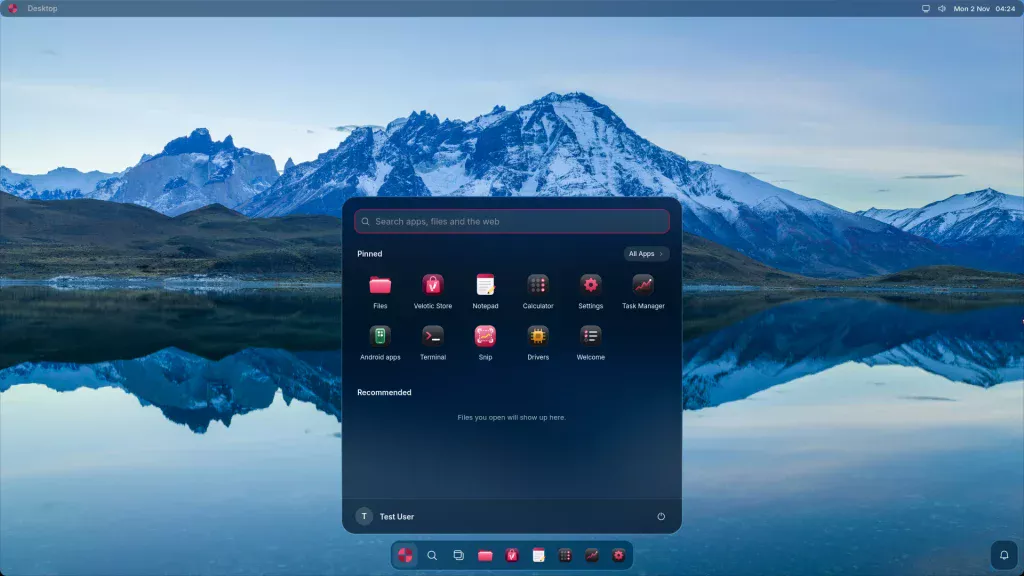
The liquid glass desktop and familiar controls
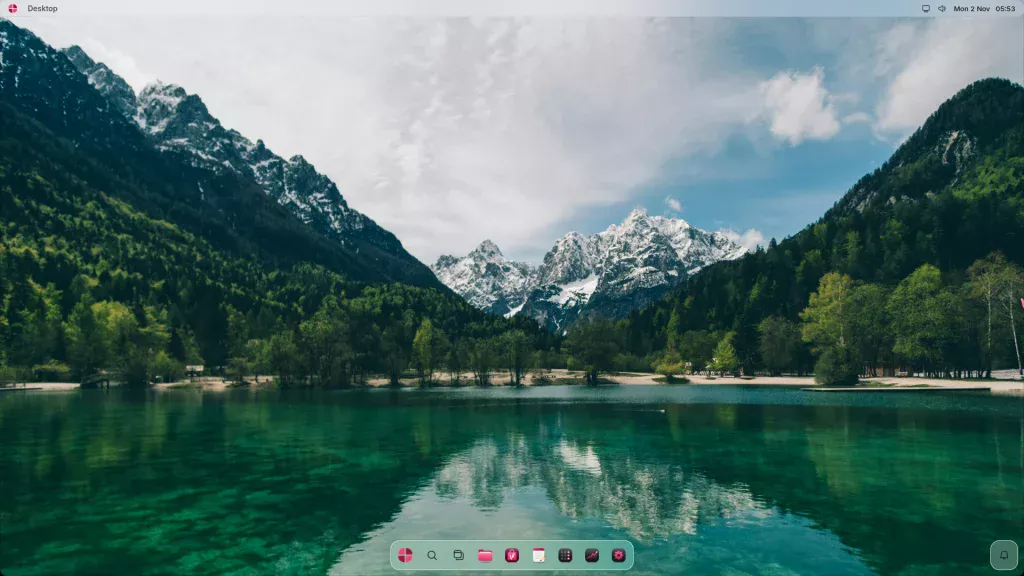
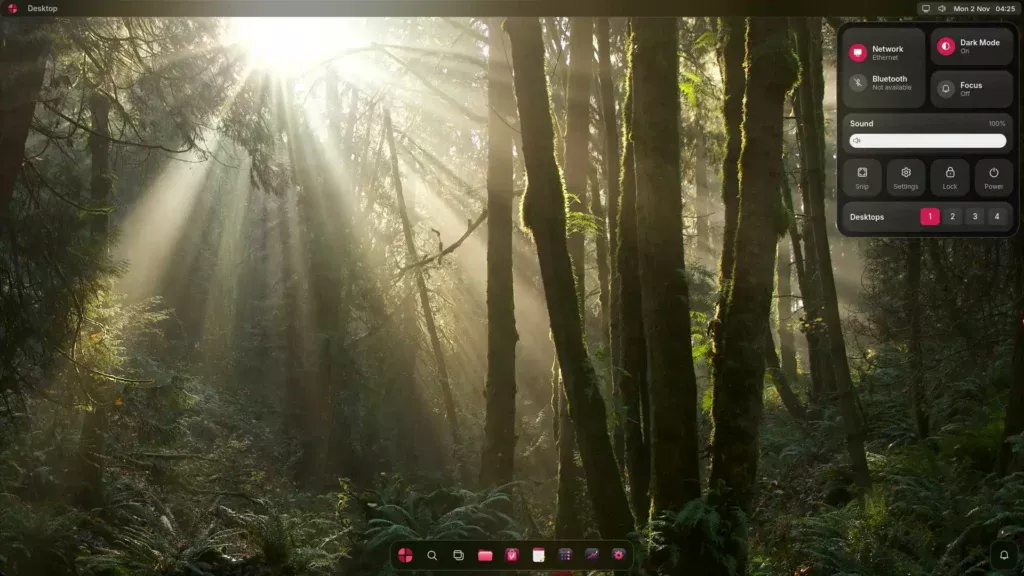
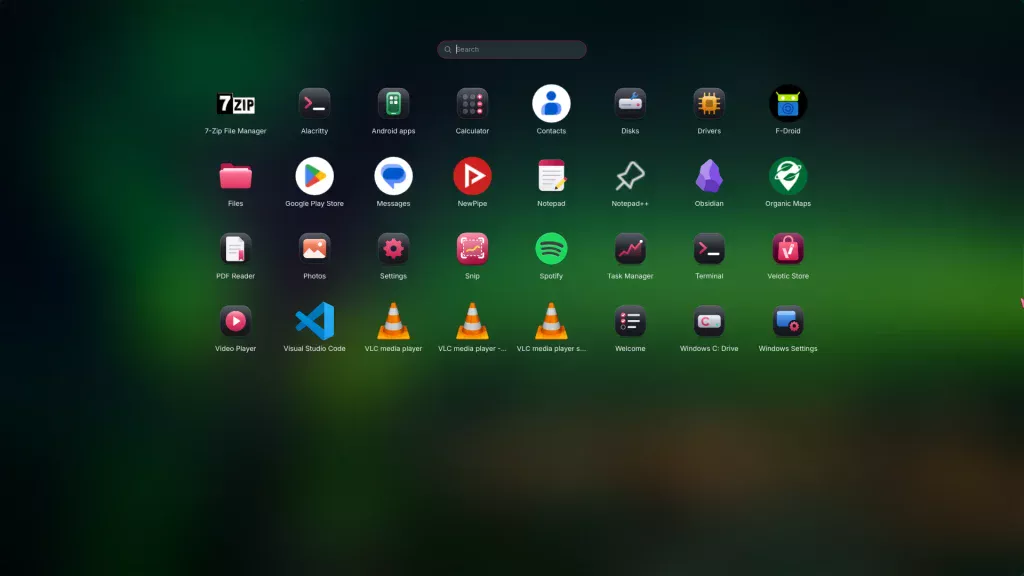
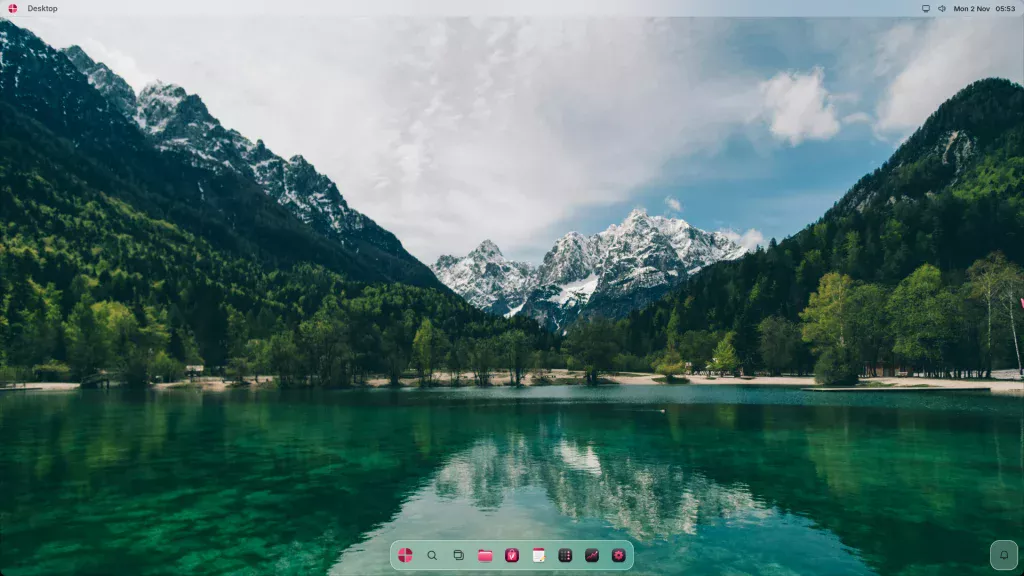
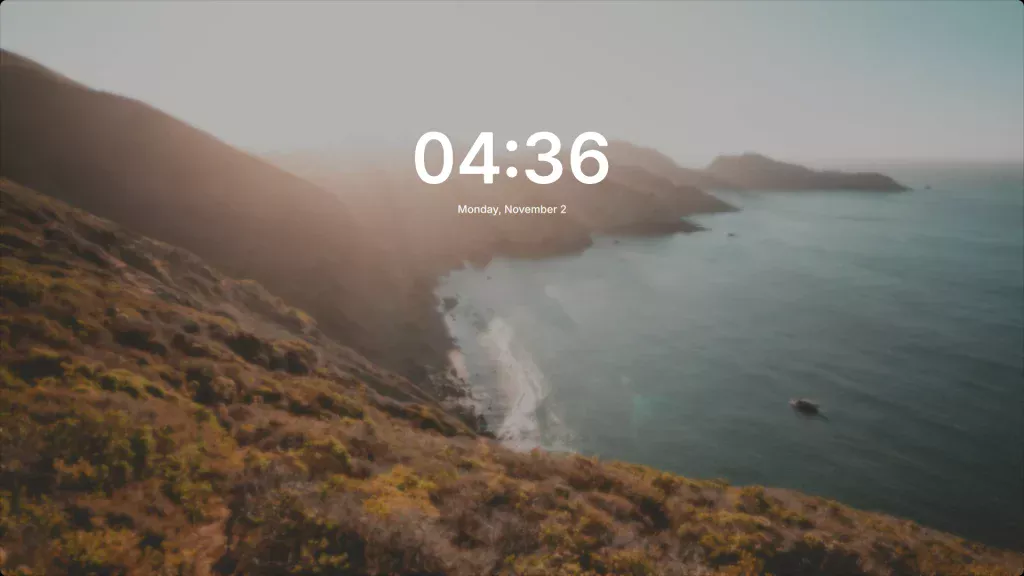
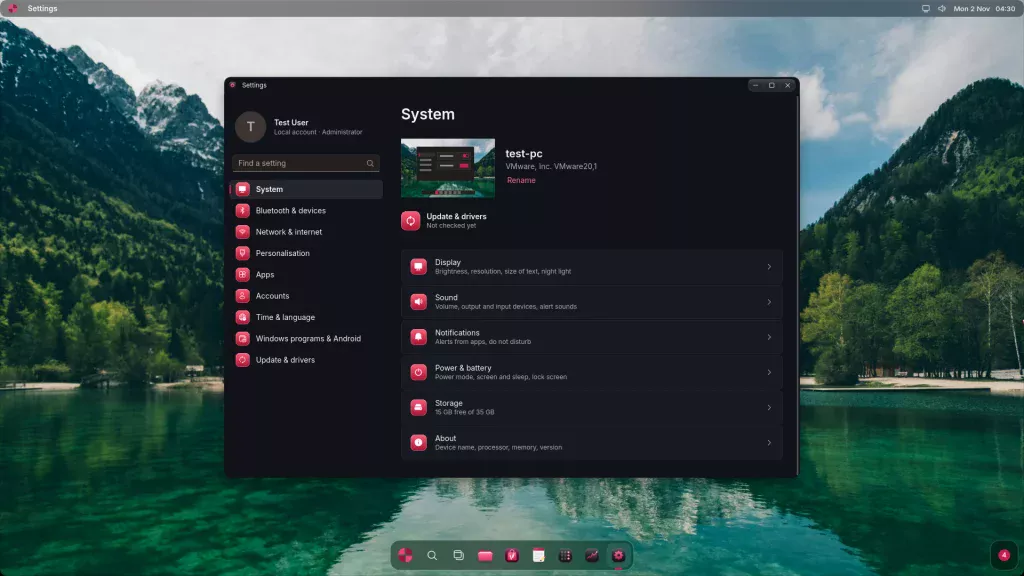
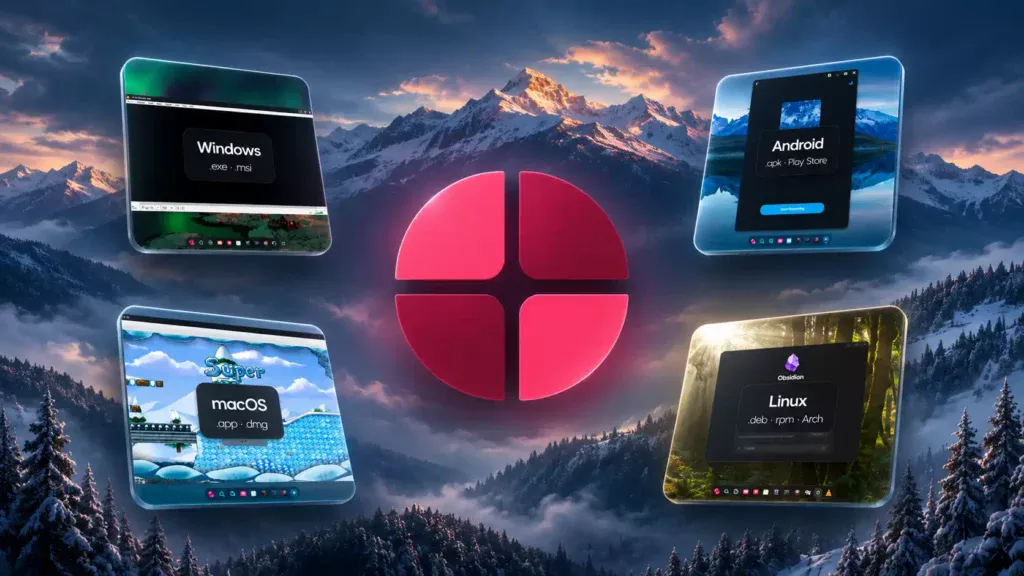
Velotic calls the visual style Liquid Glass. The product page shows translucent surfaces over nature photography, including an aurora wallpaper. Velotic says the desktop screenshots were captured from FlowOS running in a virtual machine. The controls on display include a system-wide light mode and a Launchpad that brings installed apps from the different platforms into one place.
| Interface | What Velotic shows |
|---|---|
| Desktop | App windows over nature photography, including an aurora wallpaper |
| Start | Search, pinned apps and recently opened files |
| Control Center | Wi-Fi, Bluetooth, sound and brightness controls |
| Launchpad | A single view of apps across platforms |
| Lock screen | Translucent styling before sign-in |
| Light mode | A one-click switch for the system appearance |
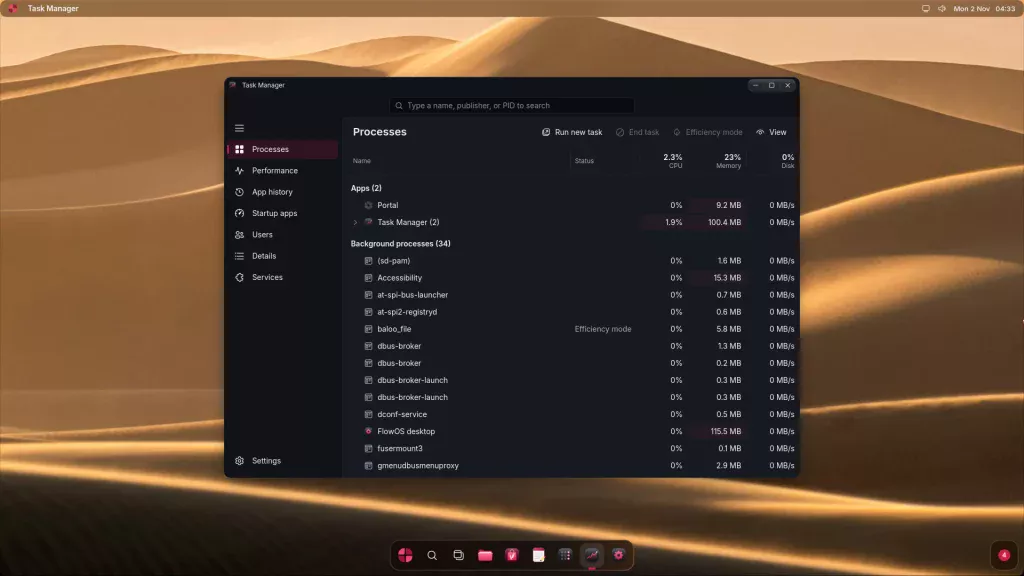
| Task Manager | Processes, performance and startup apps, accessible with Ctrl + Shift + Esc |
| Settings | System, network, personalization, accounts and updates |
| Files | Shortcuts for Home, Documents, Downloads and Pictures |
These screens show the interface and the controls Velotic chose to highlight. Wi-Fi, Bluetooth and display controls still depend on the hardware support available on the installed system.
FlowOS screenshots
Four app ecosystems on one desktop
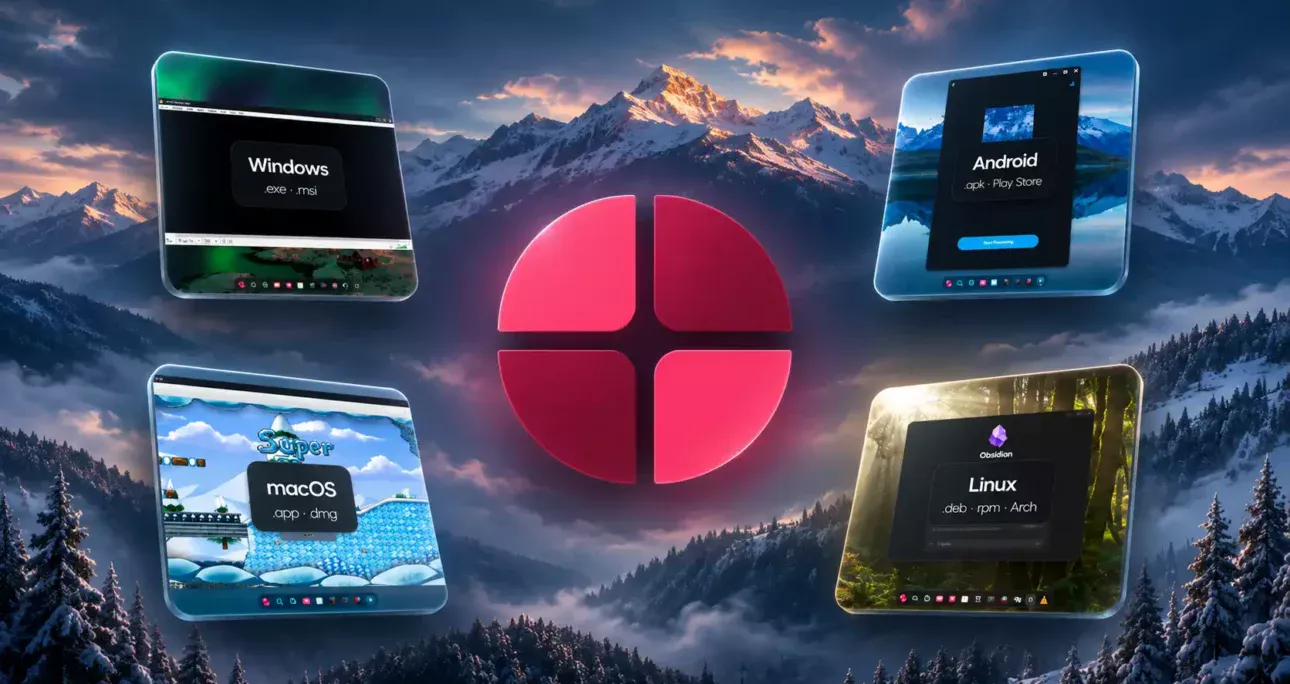
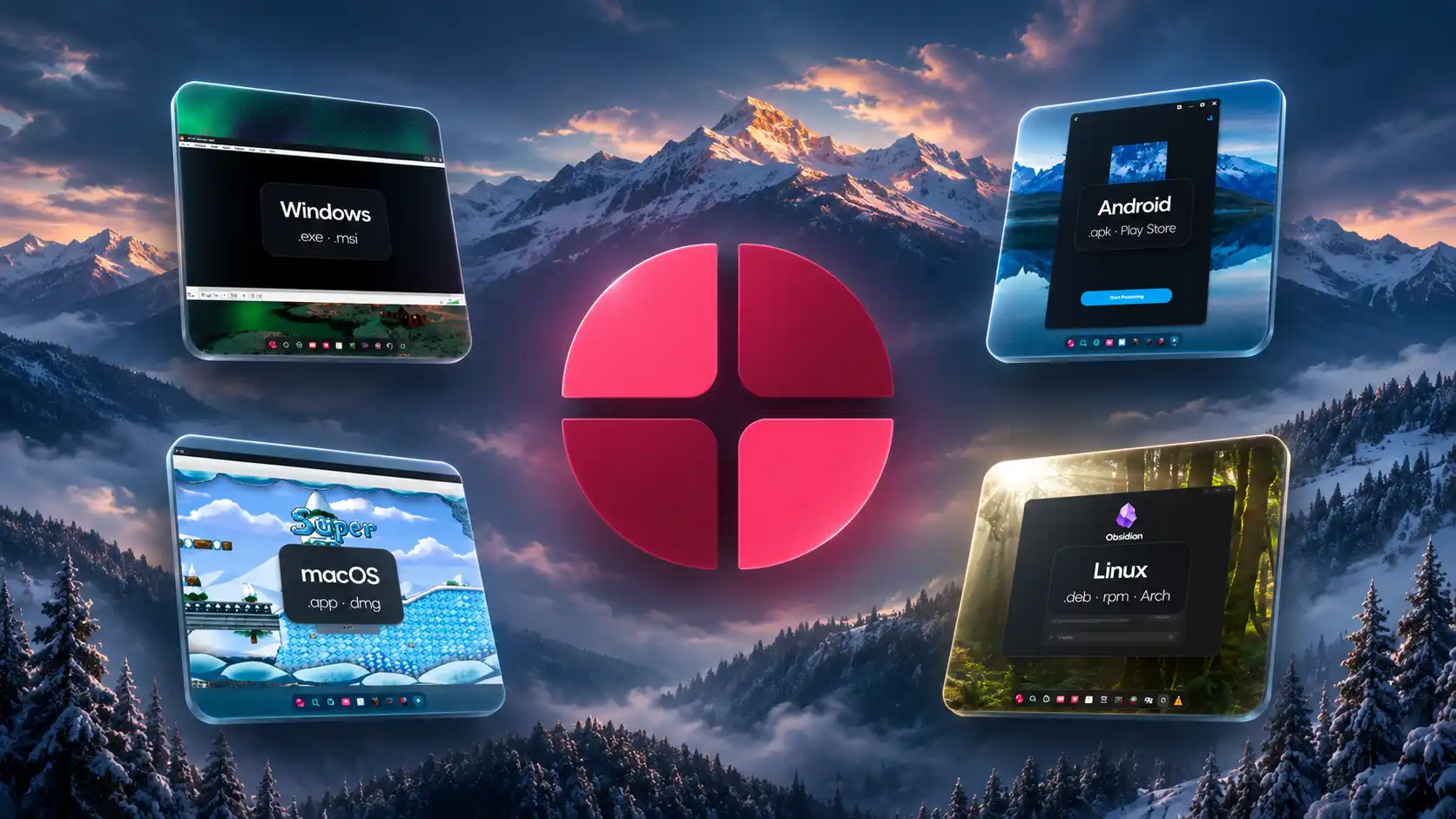
The product page shows VLC for Windows, Telegram for Android, SuperTux for macOS and Obsidian for Linux. Another screenshot puts the Windows version of Notepad++, the Linux version of GIMP and the Android version of Organic Maps side by side. Velotic also shows Platypus, a macOS developer utility, and the Windows edition of 7-Zip browsing a folder. Its proposed workflow is to double-click an app and have it open in its own window beside apps built for other platforms.
The Velotic Store is the project’s unified installer. Velotic cites Spotify as a one-click installation example and pitches the store as a common place to get apps built for different platforms.
Velotic’s published app test results
Velotic says a Works rating means the app opened and ran on its own FlowOS test machines. The table follows the platform and status listed by Velotic. The company has not published a full test protocol or identified the hardware and app builds for each entry. The results leave open how individual features, updates and sustained use will behave.
| Platform and advertised formats | Status | Apps and vendor notes |
|---|---|---|
| Windows (.exe, .msi) | Works | 7-Zip, VLC, Firefox, Discord, Telegram, Spotify, GIMP, OBS Studio, Audacity, LibreOffice, Notepad++, VS Code, WinRAR, Everything, KeePassXC, PuTTY, Git, Python, Epic Games Launcher, Minecraft Launcher, REAPER, LMMS, Surge XT |
| Windows (.exe, .msi) | Works with tweaks | Steam, using the Linux client installed by FlowOS and Proton for Windows games. FL Studio, which Velotic says needs the next FlowOS update. |
| Windows (.exe, .msi) | Testing | Zoom, TeamViewer, Microsoft Office, GTA V (story mode), Cyberpunk 2077, Forza Horizon, DaVinci Resolve, Affinity, Bitwig Studio |
| Android (.apk, Play Store) | Works | Telegram, VLC, Organic Maps, Canva, VN Video Editor, Termux, F-Droid, NewPipe, Fennec (Firefox) |
| Android (.apk, Play Store) | Testing | |
| macOS (.app, .dmg, experimental) | Works | SuperTux, Platypus |
| macOS (.app, .dmg, experimental) | Testing | VLC, Google Chrome |
| Linux (.deb, .rpm, Arch packages) | Works | Google Chrome, Discord, Obsidian, VS Code, 1Password, Zoom, GIMP |
| Linux (.deb, .rpm, Arch packages) | Testing | TeamViewer |
The platform labels matter. Velotic says the Windows build of Chrome currently fails to load pages, while the Linux build works in its tests. Zoom is still being tested for Windows and is listed as working for Linux. Velotic describes support for recent Adobe Creative Cloud apps as limited and lists kernel anti-cheat games such as Valorant, GTA Online and Fortnite as unsupported.
An Epic Games Launcher or Minecraft Launcher entry establishes only the launcher result under Velotic’s test definition. The same distinction applies to Steam and individual games. GTA V story mode remains in testing, while GTA Online is listed as unsupported. Velotic invites readers to request unlisted apps on its early-access form or Discord and says it prioritizes frequently requested apps.
The terms reveal a Linux base and named compatibility layers
Sections 2 and 7 of the FlowOS Terms of Service, effective November 5, 2026, provide the clearest public description of its architecture. Velotic Studios identifies Linux as the base and lists the Linux kernel, Arch Linux packages, Wine, Proton and Darling among the components. The terms distinguish those components from the desktop, apps, tools and other work created by Velotic Studios. They also say compatibility varies by app and give no guarantee that a specific app, game or device will work.
This also distinguishes FlowOS from Velotic Studios’ Tiny OS product. TinyOS Builder applies a customization profile to an official Windows ISO and the resulting installation uses a Windows licence. FlowOS is described in its own terms as Linux-based and does not bundle licences for the other platforms or apps it supports.
The disclosure identifies the software behind the project at the component level. Velotic Studios has yet to document the exact versions, local patches, or which component handled each app shown in the demo. The sources reviewed for this article provide no support for the proposed custom hybrid kernel, a separate native Win32 host bridge, a Skia-based compositor or an AI assistant called Flow Neural Context. Skia’s documentation identifies it as a 2D graphics library. The appearance of the desktop cannot identify its renderer.
API compatibility and processor compatibility
Wine offers a documented example of a Windows compatibility layer. Its project describes a loader for Windows binaries and a library that implements Windows APIs using equivalents on the host. An application can call an API to create a window while the compatibility layer handles the request using the host’s facilities. API compatibility and CPU instruction compatibility are separate. A compatible processor can execute an app’s machine instructions directly, provided it supports the instructions the binary uses. The system still needs a compatible loader, libraries and APIs. Direct execution also leaves room for overhead in API calls and graphics.
Valve describes Proton as a Wine-based tool for running Windows games through Steam on Linux. Its inclusion tells readers more about the intended approach to game compatibility than a list of supported file extensions. The FlowOS terms do not give game-by-game results or identify which Wine or Proton build the shipping system will use.
Darling and macOS applications
Darling describes itself as a macOS translation layer for Linux. The upstream project calls its support for simple graphical apps experimental. That makes FlowOS’s SuperTux and Platypus screenshots worth reporting as examples, with the distinction that Velotic has not identified the runtime used for those captures. A file opening or an app reaching its first window gives limited evidence about saving, playback, graphics or any other feature that depends on a particular macOS framework.
Android runtimes and native libraries
Android’s ART runtime executes DEX bytecode. An APK can also contain native libraries built for particular processor architectures. Google’s Android NDK documentation lists SSE4.2 and POPCNT in its x86-64 ABI. That makes an important distinction for older PCs. A system that boots without those instructions could still encounter a native app library that uses them. If the processor lacks the instructions a library actually executes, the app needs a compatible build, a fallback or instruction translation. The published FlowOS examples leave open how it handles those cases and which Android runtime it uses. The product page also lists Google Play Store support. Google says Play Protect certification is required for a device to be eligible to include its apps, including the Play Store. The FlowOS materials reviewed here do not establish the certification status of its Android environment or what the Play Store listing means in practice.
A full guest OS and an application process
QEMU documents both whole-system emulation and user-mode emulation. The former provides a virtual machine for a guest operating system and can use hardware-assisted virtualization. The latter can run a process built for a different processor without booting a complete guest. An API layer or app runtime may avoid the memory cost of a full guest OS, while its own libraries and services still consume memory. The FlowOS virtual-machine footage identifies the environment used to film the demo. It does not reveal whether any of the apps used an API bridge, a runtime or a guest system inside FlowOS, or which mechanism accounts for the low memory figure.
The 128 MB demo has a narrow scope
Velotic Studios says it recorded the demonstrations in virtual machines. Its product page describes the low-memory sequence as footage played at twice normal speed and reports 93 of 98 MB in use on a machine configured with 128 MB. The company presents its cross-platform app examples separately and does not specify that they ran in that session. Velotic’s 32-to-1 comparison divides the 4,096 MB it uses for Windows 11’s published 4 GB minimum by the demo configuration of 128 MB. The ratio compares an installation requirement with a demo configuration. The same workload would need to run on both to compare actual memory use.
Velotic markets FlowOS as suitable for any PC and says TPM 2.0, Secure Boot, SSE4.2 and POPCNT are not required. Those claims describe the vendor’s stated prerequisites. Its own terms qualify hardware compatibility, and the public demo leaves open which processors, firmware and peripherals the release will support.
The clip leaves the measurement boundary open. It does not explain the gap between the 128 MB configuration and the 98 MB reported in Task Manager, or say whether swap was in use. A reproducible test would identify the CPU and GPU, report guest-visible memory and swap activity, and show the same browser and cross-platform app workload at 128 MB in real time. A separate test on physical hardware would show whether the installer, graphics, sound and networking work on the older computers the project targets. No public ISO or independent hands-on test surfaced in the sources reviewed as of November 6, 2026.
Dual boot and updates matter on a working PC
Velotic Studios shows a four-step dual-boot setup.
- Start the FlowOS installer.
- Choose Install next to Windows.
- Let the installer copy FlowOS.
- Restart and choose Windows or FlowOS from the boot menu.
Velotic presents this option as a way to retain the Windows installation and its files. Its terms also acknowledge that installing an OS can erase data. The useful test is whether the installer can preserve an existing Windows installation and boot it again, including on systems that use BitLocker. Microsoft documents boot-manager changes among the events that can trigger BitLocker recovery. The marketing claim that FlowOS can start without Secure Boot leaves another question for dual-boot users. The material reviewed did not establish whether the shipped installer can work with Secure Boot left enabled.
Velotic’s privacy policy says FlowOS has no operating-system telemetry and contacts the company’s server for updates. It separately describes records for waitlist sign-ups and download activity, and says third-party app sources receive normal connection information when users fetch software. Those are the company’s published descriptions. They leave the duration and cadence of security updates open.
For owners of an older Windows 10 PC, there is also a timing point. Microsoft says standard support ended in October 2025 and that eligible consumer devices enrolled in Extended Security Updates can receive coverage through October 12, 2027. That gives some users a supported transition period while they wait for installable builds and independent tests.
Early access is planned for December
Velotic Studios plans early access for December 2026 and advertises a one-time price of $20 for early access and $25 after release, with no subscription. The product page says joining the waitlist reserves the $20 price without a charge at sign-up. The form asks for an email address and lets readers optionally name an app they want supported. Velotic says waitlist emails concern FlowOS and include a one-click unsubscribe link. The terms also describe a separate paid booking in which the customer pays up front and receives the download link and licence key by email when access opens. The terms name Lemon Squeezy as the merchant of record and say the number of licence activations may be limited and disclosed at checkout.
Under Velotic’s published refund policy, a paid booking can be cancelled for a full refund before release. The company describes a 14-day refund window after delivery for early-access customers who have yet to download the ISO and says downloading normally ends eligibility under its policy. The policy separately preserves applicable rights for faulty or misdescribed software. The announcement gives no date for the full release.
FlowOS has a clear audience. A Windows 11 compatibility check can rule out a machine that its owner still finds useful. The next milestone is to show which of those PCs FlowOS can put back to work, with the apps and hardware their owners already use.
Author:
Jan Bielik
CEO & Founder of Webiano Digital & Marketing Agency
This article is an original analysis supported by the sources cited below
Microsoft Said Your PC Is Too Old, So We Built Our Own OS
The November 5 announcement by HT and Apidus describes the virtual machine footage, app demonstrations and early access offer.
FlowOS · Windows, Android, Mac and Linux apps, on any PC
The official product page documents the desktop interface, the Velotic Store, the vendor’s app test list, the 128 MB demo, the dual-boot installer and the early-access offer.
Špecifikácie a systémové požiadavky pre Windows 11
Microsoft’s official Windows 11 specifications list memory, processor, firmware and TPM requirements.
Wine project source mirror
The project’s README describes its Windows binary loader and implementation of Windows APIs through host equivalents.
Android runtime and Dalvik
The Android Open Source Project documents ART and the DEX bytecode it executes.
Android ABIs
The Android NDK guide documents native application binary interfaces and lists SSE4.2 and POPCNT in the Android x86-64 ABI.
About QEMU
QEMU documents the distinction between whole-system and user-mode emulation and explains where hardware-assisted virtualization fits.
Skia
The project’s homepage identifies Skia as a cross-platform two-dimensional graphics library.
Terms of Service
Sections 2 and 7 identify the Linux base and name the components. Other sections describe compatibility limits, early access bookings and licensing.
Privacy Policy
Velotic Studios describes operating-system update connections, third-party downloads and the information collected for sign-ups and purchases.
Refund Policy
Velotic Studios explains cancellation before release, the conditions that apply once the ISO is delivered, and its treatment of faulty software.
ValveSoftware/Proton
Valve’s project describes Proton as a Wine-based tool for running Windows games on Linux through Steam.
Darling
The upstream project describes the macOS translation layer and the experimental status of support for simple graphical apps.
Check & fix Play Protect certification status
Google describes the relationship between certification and eligibility to include the Play Store.
BitLocker recovery overview
Microsoft lists boot-manager changes among the events that can trigger BitLocker recovery.
Windows 10 support has ended on October 14, 2025
Microsoft distinguishes the end of standard Windows 10 support from the deadline for consumer Extended Security Updates.
Tiny OS
Velotic Studios describes how TinyOS Builder customizes Microsoft’s Windows installation media, a separate product from FlowOS.
| Citing this article? Brief excerpts are welcome. Please credit Webiano.digital, name the author where stated, and include a link to https://webiano.digital and to this original article. Full or substantial republication requires prior written permission. Read our Copyright and Content Use Policy. |
This article was prepared with the assistance of artificial intelligence tools. The content underwent expert human review, and Webiano Digital & Marketing Agency assumes editorial responsibility for its final version and publication.