AI tools now compete for the same promise: faster work, sharper thinking, cheaper production and less friction between idea and output. The problem is that too many of them make the same promise in almost the same words. For a founder, marketer, developer, consultant, lawyer, student or enterprise buyer, the real question is no longer “Which AI tool is best?” The better question is narrower and more demanding: Which AI tool should be trusted with this exact job, this exact data, this exact budget and this exact level of risk?
Table of Contents
The market is crowded because adoption is real. Stanford’s 2025 AI Index reported that 78% of organizations used AI in 2024, up from 55% the year before, while global private investment in generative AI reached $33.9 billion in 2024. McKinsey’s 2025 global survey later found that 88% of respondents said their organizations used AI regularly in at least one business function. Those figures explain the flood of products, plug-ins, agents, copilots, wrappers and vertical apps. They do not solve the buyer’s problem.
The market is noisy because the buyer is changing
The first wave of generative AI buying was led by curiosity. People tried ChatGPT, Claude, Gemini, Copilot, Midjourney, Perplexity, Runway, Cursor, NotebookLM and dozens of smaller tools because the cost of testing was low and the reward felt immediate. A social post could be drafted faster. A spreadsheet could be explained. A meeting could be summarized. A landing page could be rewritten. A developer could ask a coding assistant to inspect a file instead of searching documentation.
That phase created a false sense of simplicity. A tool that impresses in a demo is not automatically a tool that belongs inside a workflow. The demo usually uses clean inputs, a friendly task and no real consequences. Work is messier. Data is incomplete. Instructions conflict. Teams need audit trails. Managers need costs they can forecast. Legal teams need contract terms. Security teams need answers about retention, access control, identity, data residency and third-party processors. A solo creator may tolerate a weak answer. A bank, clinic, law firm or public agency cannot make that the norm.
The buyer is also less patient now. Early AI tools were judged on surprise. Current AI tools are judged on repeatability. A writing assistant must keep a brand voice across dozens of documents. A research tool must cite sources and separate evidence from inference. A sales agent must update the CRM without creating bad records. A coding assistant must reduce review time rather than create hidden defects. An internal knowledge bot must answer from approved files, not from memory dressed up as confidence.
That shift changes the buying process. The right question is not whether a tool has a chat box, a long context window, a browser extension, a model selector, an agent mode, a voice mode or a library of templates. The question is whether the product can survive the conditions of real use. A serious AI selection process starts with the work, not the tool.
The noise also comes from category blur. A single product may call itself an AI workspace, agent platform, research assistant, automation layer, copilot, search engine, content engine and productivity app. The language makes every product sound bigger than it is. In practice, most AI tools do one or two things well, several things passably and a surprising number of things badly. The buyer’s job is to find the overlap between a tool’s genuine strengths and the work that matters.
The best tool is not universal
The phrase “best AI tool” is a trap. A tool can be the strongest option for coding and a weak option for legal review. It can be strong at drafting and poor at fact-checking. It can generate attractive images but struggle with brand consistency. It can summarize meetings well but fail when asked to update a project system. It can be cheap for short prompts but expensive for long documents. It can have excellent model quality and poor enterprise administration.
Benchmarks make this easier to see. Artificial Analysis compares more than 100 large language models across factors such as intelligence, price, speed, latency and context window. Stanford’s HELM project was built around a similar insight: language models should not be evaluated by a single score because accuracy, bias, toxicity, calibration, reasoning, fairness, multilingual ability and cost pull in different directions.
That is why a ranking list is a weak way to buy AI. A ranking gives comfort, but comfort is not proof. It usually favors tools that are popular, well-funded, search-visible or recently hyped. It rarely knows your data, your constraints, your team’s skill level, your compliance duties, your stack or your tolerance for error. It also ages quickly. Model capabilities change. Pricing changes. Usage limits change. Privacy terms change. Integrations appear and disappear. A tool that looks unbeatable in January can become merely average by June.
The better approach is to build a decision around tasks. A company choosing an AI writing assistant should test it on real briefs, old campaigns, rejected drafts and compliance-sensitive copy. A developer choosing a coding assistant should test it on the repository, not on a generic coding puzzle. A lawyer should test citation behavior and jurisdiction-specific caution. A marketer should test brand voice, factual accuracy, approval flow and reuse of source assets. A school should test age safeguards, teacher control, plagiarism risk and accessibility. A tool earns its place by passing the work it will actually do.
There is also a personal version of this rule. A freelancer, consultant or small business owner does not need the entire AI market. They need a small stack that covers research, drafting, analysis, creation and administration without scattering data across ten weak accounts. One strong general assistant, one specialized tool for the highest-value craft, one safe document or knowledge tool and one automation layer often beats a folder of 40 accounts.
AI tool sprawl has become a management problem
Tool sprawl used to be a software procurement issue. In AI, it becomes a risk issue. Every AI account may hold prompts, uploaded files, customer data, strategy notes, code snippets, contracts, transcripts, campaign plans, employee records or product ideas. If the organization does not know which tools people use, it cannot know where sensitive material is going.
European research from ISACA shows the gap clearly. In June 2025, ISACA reported that 83% of European IT and business professionals believed employees in their organization were using AI, while only 31% said their organization had a formal, comprehensive AI policy. Cisco’s 2026 Data and Privacy Benchmark Study found that AI had expanded the scope of privacy programs for 90% of organizations surveyed, while only 12% described existing governance committees as mature and proactive.
This does not mean every AI experiment needs a committee. It means unmanaged AI use has a cost. A person may paste a client contract into a consumer chatbot because it saves time. A manager may upload a spreadsheet with salaries to summarize trends. A developer may ask a coding assistant to inspect proprietary code through a personal account. A salesperson may use an AI meeting recorder without checking consent rules. None of these actions looks dramatic at the moment it happens. Together, they create a map of invisible exposure.
The answer is not to ban AI. That rarely works. People return to personal tools when approved tools are slow, clumsy or unavailable. The better answer is to offer a small set of approved tools that solve real tasks well, then explain where the boundaries are. People follow AI rules when the safe path is also the usable path.
Tool sprawl also weakens learning. If every person experiments with a different app, the organization never builds shared standards. Prompts are not reused. Good tests are not shared. Failure patterns stay hidden. Costs are hard to compare. Vendor negotiations lose power. Training becomes scattered. A team with three well-chosen tools and strong habits often outperforms a team with dozens of subscriptions and no method.
Personal use and enterprise use are different decisions
A student choosing an AI assistant for studying has different needs from a hospital choosing an AI system for clinical documentation. A small agency creating social posts has different risks from a financial institution building a customer-support agent. The same tool may be fine in one setting and unacceptable in another.
Personal use usually centers on speed, price, quality and comfort. Does the tool answer well? Does it work on mobile? Does it handle files? Does it remember useful context? Does it produce output in the language and style the user needs? Does the free or low-cost plan provide enough value? For many individuals, these questions are enough as long as they avoid uploading sensitive personal or client data.
Business use adds more layers. A company needs contract terms, not only a feature page. It needs to know whether prompts and outputs are used for model training. It needs identity controls, user management, access logs, retention settings, data export, admin oversight, payment controls and support. It needs to know what happens when an employee leaves. It needs to know whether a tool connects to email, files, calendars, CRM systems or code repositories. It needs to know which data the tool can see once connected.
The major enterprise vendors now publish clearer statements on business data use. OpenAI states that it does not train on ChatGPT Enterprise, ChatGPT Business, ChatGPT Edu, ChatGPT for Healthcare, ChatGPT for Teachers or API business data by default. Anthropic says it does not use inputs or outputs from Claude for Work, Anthropic API and other commercial products to train models by default. Google says chats and uploaded files in Gemini for Workspace are not used to train generative AI models without permission under the relevant Workspace terms. Microsoft says prompts, responses and data accessed through Microsoft Graph are not used to train foundation models used by Microsoft 365 Copilot.
Those commitments matter, but they are not the end of review. Buyers still need to check retention, human review, abuse monitoring, sub-processors, region, audit logs, connectors, admin controls, data deletion and plan-specific differences. A privacy promise on one plan may not apply to another plan. Consumer, pro, team, enterprise, education, API and developer products often have different terms.
A useful AI tool has to beat the old workflow
AI adoption fails when teams compare a tool only against other AI tools. The real competitor is the current workflow. A transcript tool competes with a human note-taker, a manual meeting recap and the memory of the people in the room. A research tool competes with Google Search, expert databases, analyst reports and internal documents. A design tool competes with a designer using existing brand systems. A coding assistant competes with a developer plus documentation plus review. A support bot competes with support agents, help-center search and ticket-routing rules.
That comparison changes the test. If the current workflow is slow but accurate, the AI tool must prove it does not reduce trust. If the current workflow is expensive but controlled, the AI tool must prove it does not create hidden liability. If the current workflow is chaotic, the AI tool must prove it brings structure rather than another interface.
IBM’s 2025 CEO study shows the gap between ambition and return. It reported that only 25% of AI initiatives had delivered expected ROI over the previous few years, and only 16% had scaled enterprise-wide. Deloitte’s 2026 enterprise AI report found that productivity and work-speed gains are common, but deeper business redesign is less evenly distributed. Deloitte reported that two-thirds of surveyed organizations had achieved productivity and efficiency gains from enterprise AI, while only 20% reported revenue gains from AI initiatives so far.
Those numbers do not mean AI is failing. They mean vague adoption is failing. Buying a tool because competitors use AI is not a strategy. Buying a tool because it passed a specific workflow test is different. The test should measure what changes after the tool enters the work.
For a writing workflow, measure draft time, revision cycles, factual error rate, approval time and brand corrections. For a sales workflow, measure CRM hygiene, follow-up speed, meeting recap accuracy and pipeline movement. For coding, measure pull-request quality, review time, defect rate and developer satisfaction. For customer support, measure containment rate, escalation quality, answer accuracy and customer frustration. For finance, measure reconciliation errors, exception handling and audit readiness.
The right AI tool is not the one that creates the most output. It is the one that reduces the most friction without adding more risk than the organization is prepared to carry.
The selection process should begin with a job map
A job map is a plain description of the work before any tool is discussed. It names the task, the input, the output, the human owner, the risk level, the review step and the system where the output will live. It turns a vague desire like “we need AI for marketing” into a testable statement: “We need to turn approved product notes into first-draft LinkedIn posts in our brand voice, with source links, compliance flags and a human approval step before publishing.”
That level of detail prevents bad buying. It reveals that a general chatbot may be enough for ideation but not enough for regulated copy. It shows that a social media scheduling tool with AI features may be better than a standalone text generator if approval flow matters. It shows that a knowledge assistant connected to internal documents may be better than a powerful general model if the work depends on company-specific facts.
A job map should include five elements. The first is the task. Describe it as work, not as a tool category. The second is the data. Name the documents, systems, customer records, transcripts, images, code or databases the tool would touch. The third is the output. Define whether the tool produces a draft, recommendation, decision, action, code change, image, video, report or database update. The fourth is the risk. Decide whether errors are annoying, costly, reputational, legal, safety-related or irreversible. The fifth is the human control point. Decide who checks the output and what proof they need.
This method is especially useful because AI tools often expand beyond their original use. A team buys a meeting summarizer, then uses it to create performance notes. A marketing team buys a copy tool, then uses it to analyze customer data. A developer buys a code assistant, then lets it make larger changes. A consultant buys a research tool, then uses it for client-sensitive strategy. The job map shows where casual use becomes higher-risk use.
The more sensitive the task, the more the buyer should favor tools with stronger controls, clearer logs and narrower permissions. A tool that only drafts text from public information does not need the same review as an agent that reads internal files and updates business systems.
A good selection test uses real work, not demo prompts
Demo prompts reward polish. Real work reveals fit. Any serious AI tool test should use examples from the buyer’s own archive: past briefs, real datasets, old support tickets, approved proposals, rejected drafts, known research questions, difficult customer scenarios, messy meeting transcripts and code that has already been reviewed. The goal is not to trick the tool. The goal is to see how it behaves when the work stops being clean.
A strong test includes easy, normal and difficult cases. Easy cases show whether the tool handles routine work without friction. Normal cases show likely daily performance. Difficult cases show the failure mode. The failure mode matters more than the best answer. A tool that fails cautiously, cites uncertainty and asks for missing context may be safer than a tool that produces confident nonsense with fluent wording.
The test should also include a known-answer set. For research, use questions where the team already knows the correct source. For coding, use bugs already fixed. For support, use tickets with approved resolutions. For finance, use reconciliations already checked. For legal or compliance, use documents reviewed by qualified people. Known-answer tests protect the buyer from being impressed by style.
A useful pilot should record five things: the prompt or input, the output, the human correction, the time saved or lost, and the reason for acceptance or rejection. Without that record, AI evaluation becomes a meeting full of opinions. One person liked the tone. Another thought the answer looked smart. Another disliked the interface. That is not a selection process. It is preference sampling.
A buyer should also test the product when the user gives poor instructions. Real users will. They will paste half a brief. They will ask broad questions. They will skip context. They will forget constraints. Tools that require expert prompting for ordinary results may still be useful for specialists, but they should not be rolled out as general productivity software without training.
A tool that works only for the most advanced user is not ready for a broad team rollout. It may belong in a specialist workflow, but not as a default assistant for everyone.
Model quality matters, but workflow fit matters more
The model behind an AI tool matters. A stronger model may reason better, write better, code better, follow instructions better or handle longer context. But most buyers do not buy models directly. They buy products built around models. The product layer can improve or damage the experience.
A tool with a slightly weaker model may outperform a stronger model if it has better document handling, cleaner citations, safer permissions, tighter workflow integration and clearer review steps. A tool with a frontier model may still fail if it buries files, loses context, lacks admin controls or cannot connect to the systems where work happens. The model is the engine, but the product is the vehicle. Buyers drive the vehicle.
This matters in categories such as research, customer support and internal knowledge. A general model may produce a plausible answer from memory. A product with retrieval, source grounding and citation controls may produce a less elegant answer but one that can be checked. For a business, the checkable answer is often worth more.
The same rule applies to coding. A model may solve a coding benchmark, but developers need repository context, diff review, test awareness, security scanning, branch discipline and integration with the IDE. A coding assistant that understands the repo and keeps changes reviewable may beat a stronger general assistant pasted into a browser tab.
For marketing and content, the product layer includes brand voice memory, approval workflows, asset libraries, team comments, channel formatting, rights management and analytics. For design, it includes editable outputs, style consistency, image rights, collaboration and export formats. For sales, it includes CRM writeback, call transcription, task creation and permission logic. For finance, it includes audit trails, spreadsheet reliability and data lineage.
That is why evaluation should include the whole workflow. Ask where the input comes from, where the output goes and who reviews it. If the AI tool creates an answer that must be copied manually into another system, the savings may disappear. If it connects deeply to business systems but cannot be controlled, the risk may rise. The best tool is often the one that fits the workflow with the least drama.
Data policy is a buying criterion, not a legal afterthought
AI tools invite users to share context. Context often means data. The more useful the tool becomes, the more tempting it is to upload sensitive material. That makes data policy central to selection.
A buyer should know whether the tool uses prompts, uploads and outputs for training. They should know whether settings differ by plan. They should know whether the vendor retains data and for how long. They should know whether humans may review content for support, abuse monitoring or quality. They should know whether data is encrypted at rest and in transit. They should know whether the vendor supports single sign-on, role-based access, audit logs, retention controls and deletion. They should know whether connectors send data to third-party services. They should know whether the tool stores embeddings, metadata or summaries after files are removed.
Cisco’s 2025 privacy research found that 64% of respondents worried about inadvertently sharing sensitive information publicly or with competitors, while nearly half admitted inputting employee or non-public data into generative AI tools. That is not a small edge case. It is a normal behavior pattern created by tools that reward more context.
The buyer should separate three kinds of data. Public data is already approved for external use. Internal data belongs to the organization but may not be sensitive. Restricted data includes personal information, customer data, contracts, legal advice, medical information, financial data, source code, credentials, trade secrets and unreleased strategy. Each class needs different rules.
For public data, a consumer-grade tool may be fine. For internal data, the tool should have business terms and clear data-use commitments. For restricted data, the buyer should demand stronger controls or avoid external tools unless a proper legal, security and technical review has been completed. No productivity gain justifies putting restricted data into a tool whose terms the buyer has not read.
Small businesses often skip this review because they lack procurement teams. They should still do a lightweight version: check the plan type, training settings, retention policy, deletion controls, export options and whether client data is allowed under their contracts. A two-person agency can create a data leak as easily as a large company.
Security risk is now part of product quality
AI quality is not only about fluent answers. It includes resistance to misuse, safe handling of inputs, safe handling of outputs and sensible limits on tool actions. The security community has spent the past two years turning AI-specific risks into practical lists. OWASP’s Top 10 for Large Language Model Applications includes prompt injection, insecure output handling, training data poisoning, model denial of service and supply-chain vulnerabilities. MLCommons’ AILuminate benchmark suite evaluates safety and security conditions, including safety prompts, jailbreaks and agentic reliability work.
Prompt injection deserves special attention because it is not an exotic lab issue. It happens when malicious or conflicting instructions are hidden in content that the AI reads. A support bot may read a user message. A research assistant may read a web page. An email agent may read incoming mail. A document assistant may read a shared file. If the tool treats all text as instruction, an attacker may influence behavior.
The risk grows when AI systems gain tools. A chatbot that only writes text can produce a bad answer. An agent that reads email, opens files, calls APIs, updates systems or sends messages can cause direct damage. That does not mean agents should be avoided. It means agency should be granted carefully. Read-only tools belong in a different risk class from tools that can change records, spend money, message customers or delete data.
Security review should ask practical questions. Can the tool separate system instructions from user content? Does it validate outputs before sending them to downstream systems? Does it limit permissions? Does it log actions? Does it require approval before high-risk actions? Can admins restrict connectors? Can users accidentally expose private files through broad permissions? Does the vendor publish security documentation? Does it support enterprise identity? Does it offer incident response commitments?
A secure AI tool should fail in ways that are contained. If it misunderstands a document, the result should be a wrong draft, not a silent update to a live customer record. If it reads a malicious prompt, it should not gain access to data the user could not otherwise access. If it produces code, that code should pass the same review as human code.
Price is more complicated than subscription cost
AI tools look cheap when judged by the monthly fee. That is often misleading. Real cost includes user seats, usage limits, credits, overage charges, API calls, model tiers, storage, connectors, admin plans, training time, review time, migration time and the cost of errors.
A $20 subscription may be enough for an individual. A team plan may become expensive when every employee receives a seat but only a fraction use it. An API product may look cheap until long context, retries, tool calls and agent loops increase token usage. An image or video product may burn credits quickly. A coding assistant may justify its price for senior developers but waste money when pushed to roles that rarely use it.
Costs also hide in duplicate tools. A team may pay for a general chatbot, a writing app, a meeting assistant, a research assistant, a design tool, a coding tool, an automation platform and AI features inside existing software. Some overlap is healthy. Too much overlap creates waste and confusion. The buyer should map which tool owns which job.
The cost test should include three numbers. The first is direct cost per user or workflow. The second is usage-adjusted cost: what the tool costs when used at real volume. The third is net cost after human review. A tool that saves one hour of drafting but adds forty minutes of correction does not save as much as it claims. A tool that creates fewer drafts but cleaner drafts may produce better economics.
The opposite mistake is judging only on price. Cheap tools are not cheap if they mishandle data, produce unusable output or lack support. Expensive tools are not wasteful if they remove high-cost friction in a core process. A legal team paying for a trusted document review tool may see stronger return than a marketing team paying for a flashy content generator that produces copy no one approves.
Cost should also be compared with vendor survival. A tiny AI app may offer a low lifetime deal, then disappear, change terms, limit usage or stop maintaining integrations. The buyer should decide whether the task is disposable or mission-critical. For disposable tasks, a small tool may be fine. For core work, vendor stability matters.
Integration decides whether the tool becomes habit
People do not adopt tools because procurement bought them. They adopt tools that sit close to the work. A meeting tool that joins calls automatically is easier to use than one requiring manual uploads. A writing assistant inside the document editor is easier than a separate app. A coding assistant inside the IDE is easier than a chatbot on another screen. A CRM assistant that writes into the correct field is more useful than a generic summary that must be copied manually.
Microsoft’s Work Trend Index frames the enterprise shift around human-agent teams and work redesign, not just individual prompting. Its 2026 WorkLab report says Microsoft analyzed trillions of anonymized Microsoft 365 productivity signals and surveyed 20,000 workers using AI across 10 countries to examine how agents and human agency are changing organizations. The practical point is clear: AI becomes more consequential when it moves from a side window into the systems where work happens.
Integration, though, is double-edged. A disconnected chatbot may be safer but less useful. A deeply connected agent may be useful but riskier. The buyer needs a permission model that matches the job. Read access may be enough for summarization. Draft access may be enough for email and documents. Write access should be narrow. Send, delete, approve, pay, publish and deploy actions should require special care.
Integration should be tested for data quality too. An AI assistant connected to a messy knowledge base will produce messy answers. A copilot connected to chaotic SharePoint permissions may surface information to users who technically have access but should not see it in practice. A CRM agent connected to inconsistent fields will automate inconsistency. AI does not fix broken information architecture by magic. It often exposes it.
A buyer should inspect the systems around the tool: file permissions, naming conventions, documentation freshness, CRM hygiene, ticket tags, code tests, brand assets, approval rules and knowledge ownership. A tool connected to clean systems feels smart. A tool connected to neglected systems feels unreliable.
The interface is part of the intelligence
AI buyers often focus on the model and ignore the interface. That is a mistake. The interface shapes user behavior. It decides whether people upload files safely, choose the right mode, cite sources, review outputs, save prompts, compare versions, use approved templates or accidentally treat drafts as final.
A good AI interface makes the safe action obvious. It labels when a response uses uploaded files, web sources or model memory. It shows citations where needed. It makes uncertainty visible. It separates draft, final and published states. It warns before sensitive actions. It helps users select the correct data source. It allows admins to set defaults.
A poor interface encourages risky shortcuts. It hides data settings. It pushes users toward broad connectors without explaining access. It makes every answer look equally confident. It provides no trace of which source was used. It mixes personal and work contexts. It lacks version history. It makes deletion unclear. It produces polished output that looks final before review.
The interface also determines whether non-experts get value. Many AI tools still assume the user knows how to write strong instructions. That limits adoption. A better product may guide the user with structured fields: audience, source, goal, tone, format, constraints, examples and approval requirements. The structure reduces prompt burden and improves consistency.
This is one reason vertical AI tools survive despite strong general assistants. A legal research product, SEO platform, customer-support assistant, BI copilot or code editor can wrap AI in a domain-specific interface. It can ask for the right inputs and show the right controls. A general assistant may be more flexible, but flexibility can become work.
The best interface does not make AI feel magical. It makes AI behavior inspectable. Users should understand what the tool saw, what it did, what it did not know and what remains for a human to verify.
Vendor trust needs evidence
AI vendors often speak in similar claims: secure, private, accurate, enterprise-ready, compliant, trusted, fast. Those words mean little unless backed by evidence. A buyer should ask for documents, controls, proof points and references that match the intended use.
Evidence includes security certifications, privacy documentation, data processing terms, sub-processor lists, model cards, system cards, evaluation reports, uptime history, support commitments, retention controls, admin features and customer references from similar industries. For higher-risk use, buyers may ask about red teaming, incident response, audit logs, access reviews and contractual liability.
ISO/IEC 42001 gives buyers a useful lens because it specifies requirements for an AI management system and was designed for organizations providing or using AI-based products and services. NIST’s AI Risk Management Framework and its Generative AI Profile give another practical lens for mapping, measuring and managing AI risks. These frameworks do not choose a vendor for you, but they make the questions less random.
Trust also includes business stability. Is the vendor funded? Is it profitable? Does it rely on one third-party model provider? What happens if that provider changes price or access? Does the product have export options? Can the buyer leave without losing work? Does the vendor have a roadmap that fits the buyer’s needs? Does the vendor support the region and language required?
A small vendor is not automatically risky. Many specialist AI products are excellent because they focus on one workflow. But a small vendor should be matched to the risk level. It may be sensible to use a small tool for public-content ideation. It is less sensible to place regulated customer data or mission-critical operations into a tool without strong contractual and technical review.
The buyer should also watch for fake depth. Some products are thin wrappers around a public model with a prompt template and a landing page. That can still be useful if the price is low and the job is simple. It should not be mistaken for an enterprise platform. A wrapper is acceptable when the buyer knows it is a wrapper. It becomes dangerous when marketed as governed infrastructure.
A practical AI tool selection scorecard
| Criterion | Test question | Strong signal | Rejection signal |
|---|---|---|---|
| Task fit | Does it solve the exact job? | Passes real workflow samples | Only shines in demos |
| Data safety | What data does it touch? | Clear plan-specific terms | Vague training or retention language |
| Output quality | Does it reduce review work? | Fewer corrections over time | Fluent but unreliable drafts |
| Integration | Does it sit near the work? | Fits existing systems and permissions | Requires manual copying everywhere |
| Control | Can humans inspect and stop it? | Logs, approvals and admin settings | Broad actions with weak oversight |
| Cost | Does usage scale predictably? | Transparent seat and usage economics | Hidden credits, overages or lock-in |
| Vendor proof | Can claims be verified? | Security, privacy and evaluation evidence | Marketing claims without documents |
This scorecard works because it forces the buyer to compare tools against the same job, not against hype. A tool does not need to score perfectly. It needs to score well enough for the risk level of the work. A low-risk brainstorming tool can tolerate weaker controls. A tool connected to customer data cannot.
The first filter is whether the tool is general, vertical or embedded
Most AI tools fall into three buying families. General assistants handle many tasks through chat, files, images, voice and code. Vertical tools focus on a domain such as legal, marketing, design, customer support, finance, recruiting, healthcare, education or software development. Embedded AI appears inside software a team already uses, such as Microsoft 365, Google Workspace, Adobe, Salesforce, HubSpot, Notion, Atlassian, Slack or an IDE.
General assistants are useful when tasks vary. They are strong for thinking, drafting, translating, explaining, comparing, summarizing and coding support. They are often the first AI tool a person should learn because they teach the basic interaction pattern. But they can become messy when a team needs repeatable workflow, governance or domain-specific output.
Vertical tools are useful when domain structure matters. A legal AI tool may know how to handle citations, clauses and jurisdictional caution. A support AI tool may understand ticket history, macros, escalation rules and help-center articles. A marketing AI platform may understand campaign assets, SEO fields, channel formats and approvals. Vertical tools are less flexible, but they may reduce operational friction.
Embedded AI is useful when the work already lives inside a suite. Microsoft 365 Copilot, Gemini for Workspace and similar products matter because they connect AI to email, files, meetings, calendars and documents under enterprise administration. The advantage is proximity. The risk is that messy permissions and poor internal data hygiene become AI problems.
The first buying decision is therefore not brand. It is category. Use a general assistant for flexible thinking, a vertical tool for repeatable specialist work and embedded AI when the task lives inside an existing work suite. Many organizations need all three, but not for the same people and not at the same maturity level.
A sensible stack starts small. Give broad users one approved general assistant or embedded assistant. Give specialists a vertical tool only after a workflow test. Give automation access only to teams that can define approvals, logs and rollback.
The second filter is whether the output is draft, decision or action
AI outputs sit on a risk ladder. Drafts are the lowest level. Decisions are higher. Actions are higher still.
A draft is something a human edits before use: an email, article outline, report summary, code suggestion, image concept or meeting recap. Errors still matter, but the review step catches them. Most organizations should begin here because draft workflows are easier to control.
A decision is a recommendation that shapes what a person does: which lead to prioritize, which applicant to interview, which transaction to flag, which customer to retain, which treatment option to examine, which risk to escalate. Decision support requires stronger evaluation because bias, missing context and false confidence can affect people and money.
An action is when the AI changes the world: sends an email, updates a CRM, issues a refund, places an order, changes code, posts content, approves access, schedules a worker, modifies a contract or triggers a workflow. Agentic AI lives here. This is where buyers need the most caution.
Deloitte’s enterprise AI report points to rising interest in agentic AI across customer support, supply chain, research and development, knowledge management and cybersecurity. The attraction is obvious: an agent promises not just to answer, but to do. The governance challenge is equally obvious: doing requires permission, and permission requires control.
A tool that only produces drafts may be tested with quality metrics and review time. A tool that supports decisions needs fairness checks, source clarity and escalation. A tool that takes action needs approval gates, logs, permissions, monitoring and rollback. The buyer should never evaluate an action-taking agent with the same casual process used for a writing assistant.
This filter keeps teams from overbuying. Many teams say they need agents when they actually need better drafts, better search or better templates. Agentic workflows make sense only when the task is repeatable, bounded, observable and reversible, or when the approval step is clear enough to contain risk.
The third filter is whether the tool needs your private context
Some AI tasks use little private context. A public blog outline, a generic explanation, a brainstorming list or a translation of public material can be done with low sensitivity. Other tasks become useful only when the tool has private context: company documents, customer history, brand guidelines, codebase details, product roadmaps, contracts, policies, meeting transcripts or financial records.
Private context increases both value and risk. Without it, the tool may be generic. With it, the tool may become useful enough to justify adoption. The buyer should decide which private context is truly required.
For example, a marketing team does not need to upload every client file to generate a first draft. It may only need approved brand guidelines, product descriptions and campaign goals. A support team does not need an AI tool to read all customer data if it only needs help-center articles and ticket categories. A finance team may not need raw personal data for trend analysis. A developer may not need to expose secrets or credentials to get code review.
Data minimization is not bureaucracy. It is a design principle. Give the AI tool the smallest context that still lets it do the job. This reduces exposure, improves relevance and makes review easier.
Private context also requires freshness. An internal knowledge bot is only as good as the documents it reads. If policies are outdated, it will answer from outdated policies. If product pages conflict, it will reflect conflict. If access permissions are sloppy, it may surface material too widely. Before buying a knowledge assistant, many organizations need to clean the knowledge base.
The most reliable AI deployments often look less glamorous than the demos. They use curated document sets, approved sources, narrow permissions and clear fallback messages. They do not ask the model to know everything. They ask it to answer from what the organization has chosen to trust.
The fourth filter is whether the tool can show its work
For many tasks, the answer is not enough. The user needs proof. Research, compliance, medicine, finance, law, journalism, policy, procurement, technical support and executive decision-making all require traceability.
A tool can show its work through citations, source snippets, document references, version history, reasoning summaries, audit logs, confidence indicators, change tracking or test results. Not every use case needs all of these. But higher-risk tasks need more than a polished paragraph.
Search and research tools deserve special scrutiny. A generated answer with a citation is not automatically correct. The citation may support only part of the claim. It may be outdated. It may point to a weak source. It may reflect a source but misread it. The user still needs source judgment. AI can reduce search friction, but it should not remove verification from serious work.
For business use, citation quality matters more than citation quantity. A research assistant that cites five weak blog posts is worse than one that cites one official document and admits the rest is unclear. A tool that quotes from uploaded documents should make it easy to open the source passage. A legal tool should connect claims to authorities. A financial tool should preserve data lineage. A coding tool should show diffs.
A tool that cannot show its work should be limited to low-risk drafting and brainstorming. It may still be useful. It should not be trusted for final facts, regulated claims, customer advice or decisions that affect rights, money or safety.
This filter is also useful for SEO and editorial work. Generative AI can produce fluent content at scale, but search systems, readers and editors reward trust. A content tool that cannot preserve sources, author expertise, product specifics and factual checks may produce pages that look complete but weaken brand authority.
The fifth filter is whether the tool supports human judgment
AI buying often fails when leaders treat the tool as a replacement for judgment rather than a support for judgment. The strongest deployments keep humans in the loop where judgment matters and remove human effort where repetition dominates.
Human judgment is needed for goals, constraints, ethics, source selection, final approval, edge cases, customer empathy, legal interpretation, brand taste, technical architecture and trade-offs. AI is useful for drafting, comparing, summarizing, extracting, classifying, generating variants, finding anomalies, preparing options and checking consistency. The line varies by task, but the buyer should draw it before rollout.
A good tool respects that line. It lets humans edit, approve, reject, comment and correct. It learns from approved examples where appropriate. It provides controls for tone, source, format and risk. It does not pressure users to publish or send before review. It does not hide uncertainty under smooth language.
The organizational habit matters as much as the tool. Teams should define which outputs require review and who owns that review. They should mark AI-generated drafts. They should keep records for regulated tasks. They should train users to challenge answers, not admire them. They should reward useful corrections because corrections reveal where the system needs better prompts, better data or better boundaries.
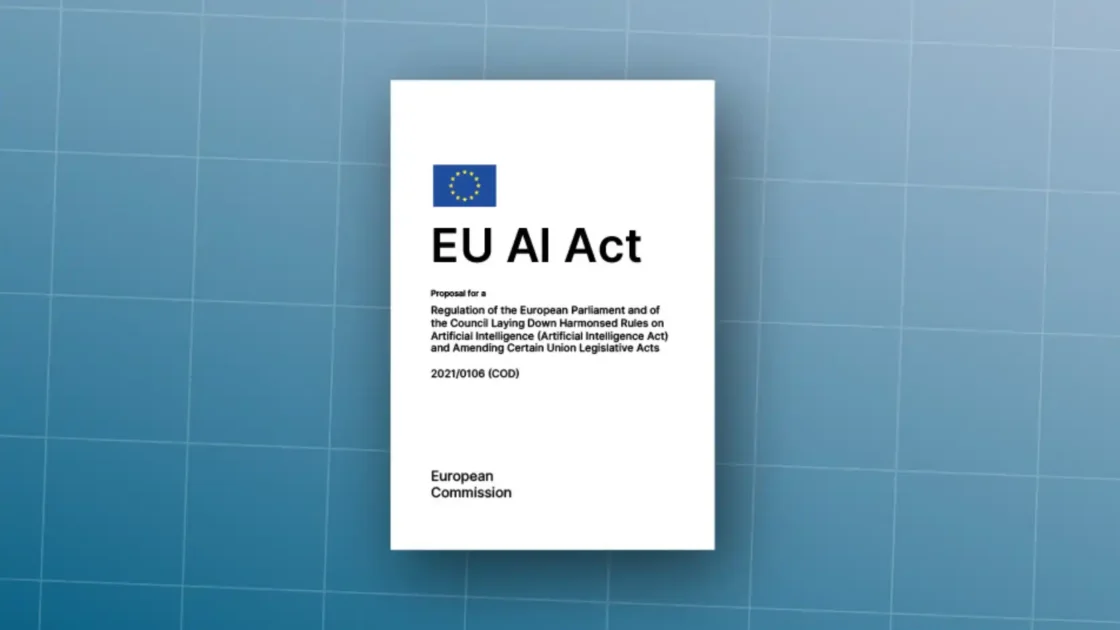
AI literacy is becoming a workplace requirement in Europe under the AI Act’s phased application. The European Commission says AI literacy obligations entered into application from 2 February 2025, with broader AI Act application milestones continuing through 2026, 2027 and 2028 depending on system type.
The buyer should choose tools that make human review easier, not tools that make review feel unnecessary. Removing friction from review is safer than pretending review can disappear.
The sixth filter is whether the tool fits the law and sector rules
AI regulation is no longer theoretical. The EU AI Act entered into force on 1 August 2024 and follows a phased timeline, with rules for prohibited practices and AI literacy applying from 2 February 2025, governance rules and obligations for general-purpose AI models from 2 August 2025, and broader application from 2 August 2026 with later timelines for some high-risk systems.
For buyers in Slovakia, the Czech Republic and the wider EU, this matters even when buying from a US vendor. The relevant question is not only where the vendor is based. It is whether the AI system is placed on the EU market or used in contexts covered by EU rules. Employment, education, access to services, biometric systems, critical infrastructure, law enforcement, migration and product safety can carry higher obligations.
Sector rules matter too. Healthcare has patient data and clinical safety. Finance has model risk, records, conduct and consumer protection. Legal services have confidentiality and professional duties. Education has child protection, assessment integrity and accessibility. Media has defamation, copyright and trust. Public agencies have transparency, procurement and fairness duties. HR has discrimination risk and employee rights.
A general AI assistant used for drafting internal emails is not the same as an AI system used to screen job applicants. A meeting summarizer is not the same as a tool scoring employee performance. A chatbot answering generic product questions is not the same as a bot advising on medical symptoms. The same technology can fall into different risk categories depending on use.
The buyer should ask whether the vendor provides documentation for regulated use. Does it support audit records? Does it allow human oversight? Can outputs be explained? Can the system be tested for bias or error? Does the vendor restrict certain high-risk uses? Does the contract assign responsibilities clearly? Does the tool allow deletion and data-subject rights processes when personal data is involved?
Small teams should not ignore this. A small recruitment agency using AI to rank candidates still faces fairness and data protection issues. A small health startup using AI to summarize patient information still handles sensitive data. Regulation follows the use case, not the size of the buyer.
AI evaluation should include language and market context
English dominates AI evaluation, but many buyers work in Slovak, Czech, German, Hungarian, Polish, French, Spanish or mixed-language environments. A tool that performs well in English may be weaker in smaller languages, local legal terminology, regional idioms, customer tone or multilingual documents.
A Slovak business choosing an AI tool should test Slovak prompts, Slovak customer messages, Slovak product pages, Slovak legal language and mixed Slovak-English workflows. The same applies to any non-English market. The tool should handle diacritics, formal and informal address, local terms, currency, date formats and culturally natural phrasing. It should not translate everything into bland international English unless the task requires it.
This matters for customer-facing work. A support bot that sounds unnatural damages trust. A marketing tool that produces Slovak text with Czech interference, English structure or fake local phrasing creates more editing work. A legal or HR tool that mishandles local terms may create risk. A research tool that searches mostly English sources may miss local regulation, local competitors or local news.
Microsoft’s AI Economy Institute reported that global generative AI adoption reached 16.3% of the world’s population in the second half of 2025, but adoption differed sharply by region and economy. The same unevenness appears in language quality and product support.
Language fit is not a cosmetic feature. It is part of accuracy, trust and adoption. Buyers should test the tool in the language of the work, not only in English prompts copied from online examples.
For European teams, data location and support hours may also matter. A tool with strong English documentation but weak European support may be fine for individuals and risky for enterprise use. A product with local partners, clear EU terms and admin documentation in relevant languages may reduce adoption friction.
The right stack is usually smaller than people expect
The AI market encourages collection. Users sign up for tools because each one promises a new advantage. After a few months, the result is often clutter: overlapping subscriptions, forgotten trials, scattered prompts, inconsistent outputs and unclear data exposure.
A more durable stack is smaller. For many individuals, the core stack has four parts: one general assistant for thinking and drafting, one research or source-grounded tool, one specialist tool for the user’s craft and one automation or note tool if the work justifies it. A designer may add an image or video tool. A developer may add an IDE assistant. A consultant may add a document analysis tool. But the principle stays the same: each tool needs a job.
For teams, the stack should be role-based. Not everyone needs the same tools. A sales team may need meeting intelligence, CRM assistance and proposal drafting. A marketing team may need content planning, asset generation, SEO research and approval workflows. Developers need coding support and documentation search. Leadership may need research synthesis and board-material drafting. HR may need policy drafting but should be careful with employee evaluation. Finance may need analysis support but stronger controls.
The smaller the stack, the easier it is to train people, govern data and measure value. A sprawling stack makes every AI decision harder: which tool should I use, where did I upload that file, which version is final, which answer is approved, who owns the subscription, what happens if the vendor changes terms?
A small stack also improves negotiation. Vendors respond differently when a company can say exactly which workflows and user groups matter. A buyer who knows usage patterns can buy fewer seats, select better plans and avoid paying for features nobody uses.
The goal is not minimalism for its own sake. The goal is clean ownership. Each tool should have a reason to exist, a data boundary, a user group, a success metric and an exit path.
The wrong tool often fails quietly
Some AI failures are dramatic: hallucinated legal citations, leaked data, offensive output, wrong medical advice, broken code. Many failures are quieter. The tool produces average drafts that still need heavy editing. Employees use it for shallow work because they were told to use AI. Managers count usage as success. A team spends time prompting instead of thinking. A knowledge bot answers from outdated documents. A meeting summarizer creates tasks no one trusts. A content tool produces pages that look filled but say little.
Quiet failures are dangerous because they look like adoption. Dashboards show logins. Employees say they tried it. Leaders mention AI in strategy decks. Costs continue. Real work barely changes.
The buyer should watch for signs. Review time does not drop. Output volume rises but approval rates fall. Users return to old workflows. People copy AI text into documents without editing. Errors become harder to spot because the language is polished. Teams debate prompts more than outcomes. Security sees new tools it did not approve. Finance sees subscriptions with no owner.
This is where ROI needs discipline. IBM’s CEO study and Deloitte’s enterprise findings point to the same pressure: AI investment is widespread, but scaling value depends on process redesign, metrics and clear use cases rather than tool excitement alone.
The buyer should measure behavior change, not AI enthusiasm. Did the support team close tickets faster with the same or better quality? Did developers spend less time on repetitive code? Did marketers reduce revision cycles? Did analysts produce more checkable work? Did managers make decisions with better evidence? If not, the tool may be entertaining rather than useful.
Quiet failure also appears when teams skip training. AI tools do not remove the need for skill. They shift the skill. Users need to frame tasks, provide context, verify answers, spot weak reasoning, protect data and choose when not to use AI.
A pilot should be short, strict and honest
A pilot should not be a vague month of experimentation. It should be a controlled test with defined users, tasks, data boundaries, success metrics, review criteria and a decision date. The aim is to decide whether to adopt, reject, limit or retest.
A strong pilot begins with a small group that represents real users. It uses real work but avoids the highest-risk data unless the tool has already passed security review. It defines acceptable use. It records outputs and corrections. It compares against the old workflow. It includes both supporters and skeptics. It includes a person responsible for security or data policy if private information is involved.
The pilot should answer practical questions. Did the tool save time after review? Did quality improve? Did users keep using it after the novelty wore off? Did the tool fit the workflow? Did it create new work? Did it produce errors that humans missed? Did it require too much prompting skill? Did it expose data risk? Did it integrate cleanly? Did the vendor respond well to questions? Did costs match expectations?
A pilot should also test refusal and edge behavior. What happens when a user asks for something disallowed? What happens when data is missing? What happens when sources conflict? What happens when the tool is asked to act outside scope? What happens when a user uploads sensitive data by mistake? What happens when a connector has broad access?
A good pilot does not try to prove the buyer was right. It tries to find out where the tool breaks. If the tool still looks useful after that, adoption is safer.
The decision after a pilot should be specific. Adopt for these users and these tasks. Reject for these tasks. Allow only with public data. Allow only under business plan terms. Require training before rollout. Require security review before connectors. Require human approval before output leaves the company. This creates clarity and avoids the vague status of “approved AI,” which people interpret too broadly.
The human skill gap is a hidden selection factor
A tool that fits a skilled user may fail with a novice. A team with strong editors can use AI drafting safely. A team with weak editing may publish errors. A developer who understands architecture can use a coding assistant with judgment. A junior developer may accept weak suggestions. A lawyer can use AI to accelerate review but should not outsource legal judgment. A student can use AI to study, but may also skip learning if the tool does the thinking.
This does not mean AI should be reserved for experts. It means rollout needs training matched to the risk of the work. Users should learn what the tool is good at, where it fails, which data is allowed, how to ask for sources, how to verify claims, how to correct outputs and when to stop using it.
Training should be grounded in examples from the organization. Generic prompt courses age quickly. A better training session uses real tasks: rewrite this client email without changing facts, summarize this policy with citations, compare these two contracts for business terms, draft a support answer from approved help articles, generate a test plan for this code change, turn this meeting transcript into decisions and next actions.
Training should also include failure examples. Show a plausible wrong answer. Show a fake citation. Show a prompt injection. Show a privacy mistake. Show an output that sounds fluent but misses the brief. People trust AI more wisely after they have seen it fail.
The selection process should therefore ask: Who will use this tool? How skilled are they? What review support do they have? What training will they receive? Is the interface good enough for their level? Does the tool provide templates, guardrails and examples? Does it allow experts to create approved workflows for non-experts?
AI adoption is often described as a technology shift, but in daily work it feels like a skill shift. The buyer is choosing not only software, but a new way people will think, draft, check and decide.
Matching AI tool categories to business needs
| Need | Better-fit category | Watch closely |
|---|---|---|
| Flexible thinking, drafting and analysis | General AI assistant | Data settings and source verification |
| Company document Q&A | Knowledge assistant or embedded suite AI | File permissions and document freshness |
| Software development | IDE coding assistant | Test coverage, code review and secrets |
| Customer support | Support AI platform | Escalation quality and approved answers |
| Marketing production | Content and brand workflow tool | Factual claims, brand voice and approvals |
| Meetings and operations | Transcription and workflow assistant | Consent, retention and task accuracy |
| Regulated review | Specialist vertical AI | Audit trails, liability and expert oversight |
| Repetitive system actions | Agent or automation platform | Permissions, logs, approvals and rollback |
This table is not a ranking. It is a routing device. Many bad AI purchases happen because a team uses a general assistant where a workflow tool is needed, or buys a heavy platform when a general assistant would have solved the task. Category fit should come before vendor preference.
The choice between one platform and many tools
There is a real strategic choice between consolidation and specialization. A company can standardize on one large platform, or it can build a stack of specialist tools. Neither path is always right.
A single platform brings simpler administration, stronger procurement control, unified identity, common training, fewer contracts and cleaner governance. It may work well when the organization already lives in Microsoft 365, Google Workspace or another suite. Embedded AI can sit near documents, meetings, email and calendars, which reduces friction.
The downside is that one platform may be average for specialist work. A general enterprise assistant may not match a strong coding tool, legal tool, design tool, SEO tool, data-analysis product or support platform. Users may then return to unapproved tools because the approved one does not meet their needs.
A specialist stack brings better fit for high-value workflows. It lets developers use developer-grade tools, marketers use brand workflows, support teams use ticket-aware AI and analysts use source-grounded research. The downside is more contracts, more data review, more training and more integration work.
The best approach is often layered. Standardize a safe general assistant for broad use. Add specialist tools only where the workflow value is proven. Restrict high-risk connectors to reviewed products. Keep a registry of approved tools. Review usage quarterly. Remove tools that do not earn their cost.
Consolidation should govern the baseline. Specialization should earn exceptions through measurable work. This prevents both extremes: a single tool forced onto every task, or a chaotic marketplace inside the company.
Individuals can use the same logic. Choose a primary assistant and learn it deeply. Add specialist tools only when they produce output the primary assistant cannot match. Cancel tools that duplicate work. The best personal AI stack is the one you actually understand.
Open-source and local AI change the calculation
Open-source and local models are becoming more relevant for buyers who care about cost, control, customization and data boundaries. They are not always easier. They require technical skill, infrastructure choices, maintenance and evaluation. But they offer a different path from sending every task to a closed cloud service.
Open-weight models may be useful when data cannot leave an environment, when costs at high volume are too large, when customization matters, or when a company wants more control over deployment. They can be run locally, hosted privately or used through managed providers. The buyer can choose the level of control and burden.
The trade-offs are real. Closed commercial tools often provide stronger interfaces, support, safety layers, uptime, multimodal features and admin controls. Open models may provide flexibility and data control, but the buyer may become responsible for security, monitoring, updates, evaluation and user experience. A local model with a poor interface may not beat a cloud product for ordinary users.
Open-source also raises licensing and supply-chain questions. OWASP includes supply-chain vulnerabilities among AI application risks, and the risk applies to models, datasets, packages, plug-ins and deployment code. Buyers need to know whether model licenses allow commercial use, whether outputs carry restrictions, whether fine-tuning data is safe and whether dependencies are maintained.
Open-source AI is not automatically safer. It is safer only when the buyer has the skill to operate it safely. For some organizations, that skill exists. For others, a governed commercial product is the safer route.
The choice should follow the task. A local model for internal document classification may be sensible. A frontier cloud model for complex reasoning may still be better. A hybrid stack may use small local models for routine tasks and stronger external models for high-value work under controlled terms.
AI agents need a different approval model
Agents are different from assistants because they pursue goals through steps. They may plan, call tools, read files, search, write, update systems, trigger workflows and ask other agents for help. That makes them attractive for operations and risky when poorly scoped.
The agent question is not “Does it work?” The question is “What is it allowed to do when it is wrong?” A drafting assistant can be wrong on the page. An agent can be wrong inside a system. It may send a message, overwrite a field, misclassify a ticket, grant access, order inventory, change code or execute a workflow.
Agent approval should be based on autonomy and access. A read-only agent that gathers information is lower risk. An agent that recommends actions is higher. An agent that acts with approval is higher still. A fully autonomous agent with system write access requires the strongest controls.
A buyer should require clear logs for agent actions. It should be possible to see what the agent saw, what it decided, which tool it called, what changed and which human approved it. There should be permission limits and rollback plans. The agent should operate in a narrow scope at first. It should not receive broad access “just in case.”
The task should also be suitable. Good agent tasks are repetitive, bounded, rule-aware, observable and recoverable. Poor agent tasks are ambiguous, political, high-empathy, legally complex, safety-critical or irreversible. A travel rebooking agent with human confirmation may be suitable. An autonomous HR termination recommendation is a different matter.
Agent adoption should move from observe, to advise, to act with approval, to limited autonomy. Skipping steps turns a productivity experiment into a control problem.
Content tools need extra scrutiny because output is public
Content is one of the easiest AI use cases to start and one of the easiest to misuse. AI can draft articles, ads, emails, landing pages, scripts, product descriptions, social posts, newsletters and images. That does not mean publishing more content is a good strategy.
The risk is sameness. Many AI content tools produce polished but generic text. It reads smoothly, avoids strong judgment, repeats common phrasing and lacks real experience. Search engines, readers and AI answer systems increasingly favor content that demonstrates first-hand knowledge, expertise, clear sourcing and usefulness. A business that floods its website with generic AI pages may dilute its authority instead of building it.
A content AI tool should therefore be tested on specificity. Does it preserve product facts? Does it capture the brand’s real point of view? Does it avoid invented claims? Does it cite sources where needed? Does it understand local language? Does it create outlines that reflect search intent rather than keyword stuffing? Does it support editorial workflow? Does it help experts write better, or does it replace expert input with bland text?
For marketing teams, the best AI tool is often not the one that writes the fastest. It is the one that helps the team turn expertise, customer insight, product knowledge and source material into publishable work. That may mean stronger brief generation, better clustering of search intent, improved repurposing, cleaner first drafts or QA against brand rules.
Image and video tools add rights and brand risks. Buyers should check commercial-use terms, training-data controversy, likeness policies, watermarking, asset control, style consistency and review. They should avoid generating faces, logos or product visuals in ways that create confusion unless rights are clear.
For public content, AI should raise editorial standards, not lower them. If the tool increases volume while reducing originality, it is the wrong tool or the wrong process.
Research tools must be judged by source discipline
Research is a dangerous use case because AI can sound authoritative even when it is wrong. The more fluent the answer, the easier it is to miss weak sourcing. A research tool should be judged less by speed and more by source discipline.
A good research tool identifies sources, distinguishes primary from secondary evidence, dates claims, shows uncertainty, avoids overclaiming and lets the user inspect the material. It should not treat a blog post, regulatory document, academic paper, vendor page and forum comment as equal. It should not hide gaps. It should not present a single source as consensus.
Search behavior is changing as generative systems answer directly. That raises the standard for research literacy. Users need to ask whether the answer is grounded, whether the source is current, whether the claim is within the source’s scope and whether there are conflicting sources. AI can speed this work, but the user still owns judgment.
For business research, the best test is a known research task. Ask the tool to analyze a market, competitor, regulation or technology using sources the team already trusts. Then inspect whether it found the right documents, missed obvious ones, misread data or mixed dates. Test it again on a niche local topic. Many tools perform well on global English-language topics but weaken on regional or specialized questions.
Research tools also need export quality. Can the user save sources, quotes, summaries, notes and citations? Can the work be shared with a team? Can the user return to the same research path later? Can the tool separate notes from generated prose? Can it avoid fabricating references?
A research tool that saves two hours but introduces one false claim into a board memo is not a good research tool. The value is not speed alone. It is faster evidence with fewer blind spots.
Coding tools should be evaluated inside the repository
Coding assistants are among the most mature AI categories because developers can test outputs against compilers, tests, linters and code review. That does not make selection easy. A tool may be excellent for small functions and weak for architecture. It may suggest plausible code that ignores security, performance, style or maintainability. It may help seniors more than juniors. It may speed implementation while increasing review burden.
The only serious test is inside the repository. Ask the tool to explain existing code, write tests, fix known bugs, refactor small modules, generate documentation and review pull requests. Compare outputs with past human fixes. Track how often suggestions are accepted, edited or rejected. Track whether bugs appear later. Track whether review time falls.
A coding assistant should respect secrets. It should not require users to paste credentials, private keys or production data. It should integrate with existing workflows and make changes reviewable. It should support branch discipline and not encourage large opaque changes. It should be clear which files it reads and what context leaves the environment.
There is also a skill issue. Senior developers may use AI to move faster through routine work and explore alternatives. Junior developers may learn from explanations, but they may also accept code they do not understand. Training should teach users to ask for tests, edge cases, security implications and reasoning. It should also teach them when to ignore the model.
Product selection should include support for the languages, frameworks and architecture the team actually uses. A tool strong in Python and JavaScript may be less useful for legacy systems. A tool that handles one-file tasks may struggle with monorepos. A tool with a strong chat assistant but weak IDE integration may not become habit.
The right coding tool reduces toil without reducing code ownership. Developers still own the code. AI suggestions are inputs to engineering judgment, not replacements for it.
Meeting tools need consent, memory and accuracy checks
Meeting assistants are popular because they solve a visible pain: people dislike writing notes. They can transcribe calls, summarize decisions, extract tasks, draft follow-ups and feed CRM or project systems. But meetings often contain sensitive information. They may include customer data, employee issues, negotiations, legal strategy, pricing, health details or confidential product plans.
A meeting AI tool should be reviewed for consent, retention, access and sharing. Does it announce itself? Does it comply with local recording laws and company policy? Who can see transcripts? How long are recordings kept? Are transcripts used for training? Can admins delete recordings? Can users prevent the tool from joining certain meetings? Does it separate internal and external calls? Does it integrate with calendars in a way that respects privacy?
Accuracy is another issue. Meeting summaries often sound reasonable even when they miss nuance. A tool may turn a tentative idea into a decision. It may assign an action to the wrong person. It may miss sarcasm, disagreement or unresolved tension. It may fail with accents, background noise or multilingual meetings. For Slovak or mixed-language teams, this testing is especially relevant.
The best meeting tools make review easy. They link summary points to transcript segments. They distinguish decisions from discussion. They allow people to edit action items. They avoid sending automatic follow-ups without approval. They respect meeting categories.
A meeting assistant should not become an unreviewed corporate memory. If the transcript is wrong and later treated as fact, the tool has created a record problem. Meeting AI is useful when it supports human alignment, not when it replaces agreement.
For sales teams, CRM writeback adds another layer. A summary drafted for a salesperson is one thing. Automatic updates to deal stage, next steps or customer sentiment should be checked carefully. Bad CRM data spreads quickly.
Customer-facing tools must be tested against frustration
Customer-facing AI raises the stakes because errors leave the company. A chatbot, voice agent, support assistant or recommendation tool does not just affect internal productivity. It affects trust, satisfaction, retention, refunds, complaints and legal exposure.
A customer-facing tool should be tested on the worst questions, not only common ones. Use angry customers, refund requests, edge policies, ambiguous product issues, warranty questions, safety concerns, delivery failures, account access problems and regulated claims. The tool should know when to escalate. It should not trap customers in loops. It should not invent policy. It should not overpromise. It should not hide the path to a human when the issue requires one.
The support knowledge base must be clean. AI cannot reliably answer from outdated, duplicated or conflicting help articles. Before buying a support AI product, the company may need to consolidate policies, update articles, tag content and define escalation rules. This is work, but it is also the foundation of better support.
Metrics should go beyond containment rate. A high containment rate can be bad if customers give up. Measure resolution, recontact, escalation quality, refund errors, customer sentiment, complaint rate and agent feedback. Review conversations where customers were frustrated. Look at whether the AI reduced effort or merely deflected it.
Customer-facing AI also needs brand tone. A luxury brand, SaaS company, bank, clinic, school and public agency should not sound the same. The tool should match tone while staying clear and truthful. It should handle local languages naturally.
The safest customer AI knows its limits and exits gracefully. A bot that escalates early on sensitive issues may be better than one that tries to answer everything.
AI for strategy should challenge assumptions, not write slogans
Executives often use AI for strategy decks, market scans, SWOT analyses, scenario planning and board materials. This is useful when the tool is treated as a thinking partner. It is weak when the tool produces generic strategy language that nobody challenges.
Strategic AI use should be grounded in real constraints: customer data, financials, competitor behavior, regulatory shifts, product capability, team capacity and market timing. A general assistant can help generate options, pressure-test assumptions, compare scenarios, identify blind spots and draft narratives. But it does not know what leaders know unless they provide context, and it may overgeneralize from public patterns.
A strong strategy prompt is specific. It names the market, business model, target segment, constraints, time horizon, decision, evidence and desired output. It asks for trade-offs, objections and missing data. It asks the model to separate facts from assumptions. It asks for what would change the recommendation.
A weak strategy prompt asks for “a growth strategy for our company” and receives a polished list of familiar actions. That output may be useful as a brainstorming warm-up, but it is not strategy.
AI tools for strategy also need confidentiality review. Strategy work often includes non-public plans, M&A ideas, pricing, hiring, layoffs, investor material or product roadmaps. Use business-grade tools and avoid personal accounts for sensitive inputs.
The value of AI in strategy is not that it has better judgment than leadership. It is that it can make leadership’s assumptions visible faster. The tool can draft the memo, create counterarguments, map risks and compare options. Humans still choose.
Procurement should ask sharper vendor questions
AI procurement needs better questions than “Do you use encryption?” and “Are you GDPR compliant?” Those are starting points, not proof of fit. The vendor should answer questions tied to the use case.
For data, ask which content is stored, for how long, where, and under which plan terms. Ask whether prompts, uploads, outputs, embeddings, logs and feedback are used for model training. Ask whether humans may review content. Ask how deletion works. Ask whether data can be exported. Ask whether the vendor supports data residency needs.
For security, ask about single sign-on, SCIM, role-based access, audit logs, admin controls, connector permissions, incident response, penetration testing, vulnerability management and sub-processors. Ask whether the tool has different controls for read and write actions. Ask how it handles prompt injection and unsafe outputs.
For model behavior, ask whether the vendor publishes evaluations, red-team findings, safety documentation or benchmark results. Ask how often models change and whether customers receive notice. Ask whether outputs can change after a model update. Ask whether customers can choose model versions or disable certain features.
For operations, ask about uptime, support, service-level commitments, roadmap, onboarding, training and account management. Ask how the vendor prices heavy usage. Ask what happens if the buyer cancels. Ask whether workflows, prompts, files and logs can be migrated.
The vendor’s willingness to answer is itself a signal. A vendor selling into serious business use should expect serious questions.
Small buyers can adapt the same list. They may not receive custom contracts, but they can still read plan terms, inspect settings and choose tools with transparent policies.
A decision matrix beats a top-ten list
Top-ten lists are useful for discovery, not selection. They show what exists. They do not know what fits. A decision matrix converts the buyer’s needs into weighted criteria.
For a low-risk writing tool, quality, ease of use, price and language support may carry the most weight. For an enterprise knowledge assistant, data controls, permission handling, source grounding, integration and admin features matter more. For an agentic workflow, logs, approvals, rollback and least-privilege permissions should dominate. For a coding assistant, repository fit, reviewability, language support and test integration matter.
The buyer should weight criteria before comparing vendors. Otherwise, the most impressive demo may shift priorities. A team may say privacy matters, then pick the tool with the flashiest interface. A matrix keeps the decision honest.
A simple weighting might include task fit at 25%, output quality at 20%, data and security at 20%, integration at 15%, cost at 10%, vendor evidence at 10%. For higher-risk uses, data and security may rise to 35% or more. For low-risk creative work, output quality and workflow speed may dominate.
The decision should also include disqualifiers. For example: no business terms, no admin controls, no data-use clarity, no export, no source citations for research, no audit logs for system actions, no human approval for publishing, no acceptable language performance. Disqualifiers prevent a charming product from slipping through despite a fatal flaw.
A tool with one disqualifying weakness should not be rescued by ten nice features. In AI, the worst weakness often defines the risk.
The best time to reject a tool is before rollout
Rejection is part of good selection. Buyers should expect most tools to fail the test. That is not wasted effort. It saves the cost of adoption, training, migration and cleanup.
Reject a tool when it cannot pass real workflow samples. Reject it when privacy terms are unclear for the intended data. Reject it when users need too much correction. Reject it when it duplicates an approved tool without a clear advantage. Reject it when the vendor cannot answer basic security questions. Reject it when the product pushes broad access without controls. Reject it when pricing is unpredictable for the expected workload. Reject it when the tool’s failure mode is unsafe.
Limit a tool when it is useful but risky. It may be approved only for public data, only for drafts, only for certain roles, only without connectors, only under a business plan, only after training or only with human approval before external use.
Adopt a tool when it passes the workflow, fits data rules, earns user trust, integrates cleanly and has measurable value. Adoption should still begin with a controlled rollout. Give users examples, templates, data rules and review expectations. Name an owner. Set a review date.
Removal matters too. AI tools should not live forever because someone once liked them. Review usage, value, cost and risk quarterly or twice a year. Cancel tools that are not used. Replace tools that no longer perform. Consolidate overlapping subscriptions. Update rules when vendor terms change.
AI procurement should be reversible by design. The buyer should know how to leave before deciding to enter.
The personal decision can be simpler
For an individual overwhelmed by thousands of tools, the practical route is simple. Start with the work you repeat weekly. Choose one strong general assistant. Learn it well. Use it for drafting, explaining, summarizing, comparing and planning. Do not upload sensitive data unless you understand the plan terms and settings. Add one specialist tool only when the general assistant repeatedly falls short.
A personal stack should answer four questions. What do I create? What do I research? What do I manage? What do I need to protect? A writer may need a general assistant, source-grounded research, grammar or editorial support and a content planning tool. A developer may need a general assistant, IDE assistant, documentation search and testing support. A consultant may need document analysis, research, slide drafting and meeting notes. A founder may need strategy support, sales writing, financial analysis and operations automation.
The individual should avoid collecting accounts. Every account adds another privacy policy, another inbox, another subscription and another place where work may be stored. Use trials with a clear test. Cancel quickly. Keep a note of which tools have seen which data.
A personal tool should feel like it improves judgment, not replaces it. If it makes you publish faster but think less, use it differently. If it produces generic work, feed it better source material or change tools. If it becomes a distraction, reduce the stack.
The right personal AI tool is the one you return to for real work after the novelty is gone.
The enterprise decision needs ownership
In an organization, AI selection needs an owner. Not one person who approves everything, but a clear structure. IT, security, legal, procurement, data protection, business teams and end users all see different risks. If no one owns the process, employees will choose tools alone.
Ownership should include an AI tool registry. The registry should list approved tools, allowed data types, approved user groups, plan type, vendor owner, renewal date, risk level, connected systems and review date. This does not need to be heavy at first. A spreadsheet is better than silence.
The organization should also define AI use tiers. Tier one might allow public-data brainstorming tools. Tier two might allow business tools with internal data under approved terms. Tier three might cover tools connected to internal systems. Tier four might cover high-risk or regulated uses needing formal review. This lets low-risk adoption move quickly while sensitive uses receive scrutiny.
Procurement should not be the only gate. Users need a path to request tools. If the process is slow or hostile, shadow AI grows. A good request form asks what task the tool solves, what data it touches, which users need it, what current workflow it replaces and what value is expected. This creates useful information for approval and later review.
AI governance should feel like a paved road, not a locked gate. People should know where to go, what is allowed and how to get help.
For small companies, the same idea can be lightweight: one approved list, one data policy, one person responsible for subscriptions and one quarterly review. AI chaos does not become safer because a company is small.
The buyer should expect the market to keep moving
AI tool selection is not a one-time decision because the market changes too fast. Models improve, costs shift, products merge, vendors fail, suites absorb features and regulations mature. A tool chosen today should be reviewed later.
This argues against long lock-in unless the tool is core and proven. Avoid multi-year contracts before workflow evidence is strong. Negotiate exit terms where possible. Prefer tools with export options. Keep prompts, workflows and source data in formats the organization controls. Avoid building critical processes around features that cannot be replaced.
It also argues against chasing every launch. Product Hunt and similar discovery platforms show a constant stream of AI-related launches, from meeting assistants to analytics connectors to developer tools. The pace is useful for scouting, but harmful if treated as a buying agenda.
A mature buyer separates scanning from adoption. Scanning watches new tools, model changes and pricing. Adoption requires workflow tests, data review and ownership. The team may keep a backlog of tools to test, but only a few should enter pilots at once.
The market will not become calm. The buyer has to become disciplined. A stable selection method matters more than any current list of winners.
This also means training should be principle-based. Teach people how to evaluate AI outputs, protect data and choose tools by task. Do not train them only on one interface. Interfaces change. Judgment travels.
A step-by-step method for choosing the right AI tool
The most reliable selection method is direct.
Start with the task. Write down the recurring job, the current workflow and the pain. Do not mention tools yet.
Classify the data. Decide whether the task uses public, internal or restricted data. If restricted data is involved, review terms before testing.
Define the output. Decide whether the AI produces a draft, recommendation or action. Actions require stronger controls than drafts.
Select the category. Choose whether the job needs a general assistant, vertical tool, embedded suite AI, coding assistant, research tool, content platform, meeting assistant or agent.
Pick three candidates. Use market discovery, peer recommendations and vendor evidence. Do not test twenty at once.
Build a real test set. Use past work, known answers and difficult cases. Include language and local context where relevant.
Score consistently. Measure quality, review time, data fit, integration, controls, cost and vendor proof. Use the same criteria for each tool.
Inspect failure modes. Look at what the tool does when sources conflict, data is missing, instructions are malicious or the task is out of scope.
Run a limited pilot. Give the tool to real users under clear rules. Record outputs, corrections, time and user feedback.
Decide precisely. Adopt, reject, limit or retest. Name allowed tasks, data boundaries, users, owner and review date.
This method is slower than buying the tool with the loudest launch. It is faster than cleaning up a bad rollout.
The right AI tool is the one that passes a real task, with allowed data, under human review, at a cost that makes sense. That sentence is a better buying guide than most rankings.
The answer to “which AI tool should I choose?”
Choose the tool that fits the job’s risk. For low-risk brainstorming, choose the assistant that gives you the clearest thinking and best language support. For document-heavy work, choose the tool that answers from trusted sources and shows references. For coding, choose the assistant that works inside your repository and keeps changes reviewable. For marketing, choose the tool that preserves brand facts and approval flow. For meetings, choose the tool with clear consent, retention and sharing controls. For customer support, choose the tool that escalates well and answers only from approved knowledge. For agents, choose the platform with narrow permissions, logs, approvals and rollback.
Do not choose only by popularity. Do not choose only by benchmark rank. Do not choose only by price. Do not choose only by a demo. Do not choose only because the tool is bundled into software you already pay for. Each of those signals may matter, but none is enough.
The thousands of AI tools are less intimidating when they are forced through a task filter. Most will not fit. That is good. The goal is not to know the whole market. The goal is to know your work well enough to reject most of it.
The winning AI stack will usually be boring from the outside: a few trusted tools, clear data rules, trained users, measured workflows and regular review. That may not sound like the future promised in product launches. It is what useful AI adoption looks like after the hype leaves the room.
Questions people ask before choosing an AI tool
For most people, the best first AI tool is a strong general assistant that handles writing, analysis, file review, translation, brainstorming and explanation. It should have clear data controls, good language performance and a comfortable interface. After that, add specialist tools only for work the general assistant cannot do well.
Choose based on your work environment and tests. ChatGPT, Claude, Gemini and Copilot all have strengths, but the right choice depends on tasks, data terms, integrations, language, price and whether you work inside Microsoft 365, Google Workspace or separate tools.
Not automatically. Paid plans often provide better privacy, admin and usage terms, but plan details matter. Always check whether the specific plan uses prompts or uploads for training, how long data is retained and whether business controls are included.
Most people should start with one primary assistant and add one or two specialist tools for recurring work. Too many accounts create cost, distraction and data risk.
A company should approve enough tools to cover real workflows, but not so many that governance becomes impossible. A useful pattern is one broad assistant, selected embedded suite AI and specialist tools for teams with proven needs.
The biggest mistake is choosing from a demo instead of testing real work. Demo prompts show polish. Real files, real customers, real code and real constraints show whether the tool belongs in the workflow.
No. Start with the task, data, output and risk. Features matter only after the buyer knows what the tool must do.
They are useful as one input, especially for comparing model capability, speed and cost. They should not decide the purchase alone because workflow fit, privacy, integrations and controls often matter more.
Test real tasks, known-answer examples, difficult edge cases, source handling, review time, user adoption, data boundaries, integrations, cost and failure behavior.
Use caution. For client work, check contracts, confidentiality duties and tool terms. Business-grade plans with clear data protections are safer than personal accounts for sensitive client material.
Do not paste personal data, customer records, contracts, confidential strategy, source code, credentials, medical information, financial records or unreleased business material into an unreviewed tool.
They can be safe when narrowly scoped, logged, permissioned and supervised. Agents that can change systems, send messages, spend money or update records need approval gates and rollback plans.
Embedded AI is often better when work already lives inside the suite. Standalone specialist tools may be better for coding, legal review, customer support, design, research or marketing workflows.
Yes. Small businesses handle client data, employee data, contracts and strategy too. A simple approved-tool list and data policy is often enough to reduce risk.
Use real work samples. Check whether the output is useful after review, whether the data terms are clear, whether the tool fits your workflow and whether costs are predictable.
Language support is a core selection factor. Test the tool in the language of the work, especially for Slovak, Czech or mixed-language tasks. Poor local language handling creates editing work and customer trust issues.
Not if the task matters. Cheap tools can be useful for low-risk work, but data protection, reliability, review time and support may matter more than the subscription price.
Review AI tools at least quarterly or twice a year, and sooner when vendor terms, pricing, models, integrations or regulations change.
Choose the tool that passes your real task with allowed data, clear human review, manageable risk and a cost you can justify.
Author:
Jan Bielik
CEO & Founder of Webiano Digital & Marketing Agency
This article is an original analysis supported by the sources cited below
The 2025 AI Index Report
Stanford HAI’s annual report provides evidence on AI investment, adoption, model development, policy and societal impact.
The State of AI: Global Survey 2025
McKinsey’s global survey gives current data on organizational AI adoption, scaling and workforce expectations.
The State of AI in the Enterprise
Deloitte’s enterprise AI research supports analysis of productivity gains, revenue gaps, process redesign and agentic AI use cases.
IBM Study: CEOs Double Down on AI While Navigating Enterprise Hurdles
IBM’s CEO study supplies evidence on AI ROI, enterprise scaling and executive investment pressure.
Microsoft 2025 annual Work Trend Index
Microsoft’s annual report provides context on AI skilling, digital labor and human-agent work patterns.
Agents, human agency, and the opportunity for organizations
Microsoft WorkLab’s 2026 report supports the discussion of agents, work redesign and organizational AI adoption.
Global AI Adoption in 2025
Microsoft AI Economy Institute’s report provides global generative AI adoption data and regional comparison.
AI Act
The European Commission’s AI Act page provides the legal timeline, governance structure and phased application dates for the EU AI Act.
AI Act enters into force
The European Commission’s official announcement confirms the AI Act’s entry into force on 1 August 2024.
AI Risk Management Framework
NIST’s AI RMF page provides a risk-management lens for organizations evaluating AI systems.
Artificial Intelligence Risk Management Framework: Generative Artificial Intelligence Profile
NIST’s generative AI profile supports the article’s treatment of AI-specific risk mapping and governance.
OWASP Top 10 for Large Language Model Applications
OWASP’s LLM risk list supports analysis of prompt injection, insecure output handling, model denial of service and supply-chain risk.
AILuminate
MLCommons’ benchmark suite supports the article’s discussion of safety, jailbreak and agentic reliability testing.
Holistic Evaluation of Language Models
Stanford CRFM’s HELM project supports the argument that AI tools and models need multi-dimensional evaluation rather than one score.
LLM Leaderboard
Artificial Analysis provides a model comparison source covering quality, price, speed, latency and context-window dimensions.
ISO/IEC 42001:2023
ISO’s AI management system standard supports the governance and vendor-evidence sections.
Business data privacy, security, and compliance
OpenAI’s business data page supports the article’s discussion of enterprise data-use commitments.
Enterprise privacy at OpenAI
OpenAI’s enterprise privacy information supports the article’s treatment of plan-specific data and retention controls.
Is my data used for model training?
Anthropic’s privacy center page supports the comparison of commercial AI data-training commitments.
Generative AI in Google Workspace Privacy Hub
Google Workspace documentation supports the discussion of Gemini data protections for work and school accounts.
Data, privacy, and security for Microsoft 365 Copilot
Microsoft Learn documentation supports the discussion of Microsoft 365 Copilot data handling, Microsoft Graph access and foundation-model training commitments.
AI Use is Outpacing Policy and Governance, ISACA Finds
ISACA’s European AI pulse research supports the article’s discussion of AI policy gaps, workplace use and training needs.
Cisco 2026 Data and Privacy Benchmark Study
Cisco’s privacy benchmark supports the article’s treatment of AI governance, privacy program expansion and governance maturity.
Cisco’s 2025 Data Privacy Benchmark Study
Cisco’s 2025 study announcement supports the analysis of sensitive data sharing, privacy concerns and AI readiness.
Artificial Intelligence
Product Hunt’s AI topic page supports the article’s discussion of discovery platforms, AI launch velocity and category sprawl.
| Citing this article? Brief excerpts are welcome. Please credit Webiano.digital, name the author where stated, and include a link to https://webiano.digital and to this original article. Full or substantial republication requires prior written permission. Read our Copyright and Content Use Policy. |
This article was prepared with the assistance of artificial intelligence tools. The content underwent expert human review, and Webiano Digital & Marketing Agency assumes editorial responsibility for its final version and publication.