Codex is no longer only a place to ask for code, review a diff, or delegate a cloud task. OpenAI’s latest update makes the coding agent a remote operator for Windows development machines, with control available from the ChatGPT mobile app on iOS and Android and from Codex on Mac. A developer can start work on a Windows PC, leave the desk, then use a phone to check progress, answer prompts, approve next steps, and steer the thread while the Windows computer keeps the files, shell, app server, credentials, and local project context.
Table of Contents
That turns a familiar developer problem into a product bet. Long coding tasks rarely fail because the model cannot type another line. They stall because the human is away when the agent needs judgment. The new Codex release is built around that gap: the agent works on the host machine, but the human stays close enough to keep it moving.
The Windows update changes Codex from coding assistant to computer operator
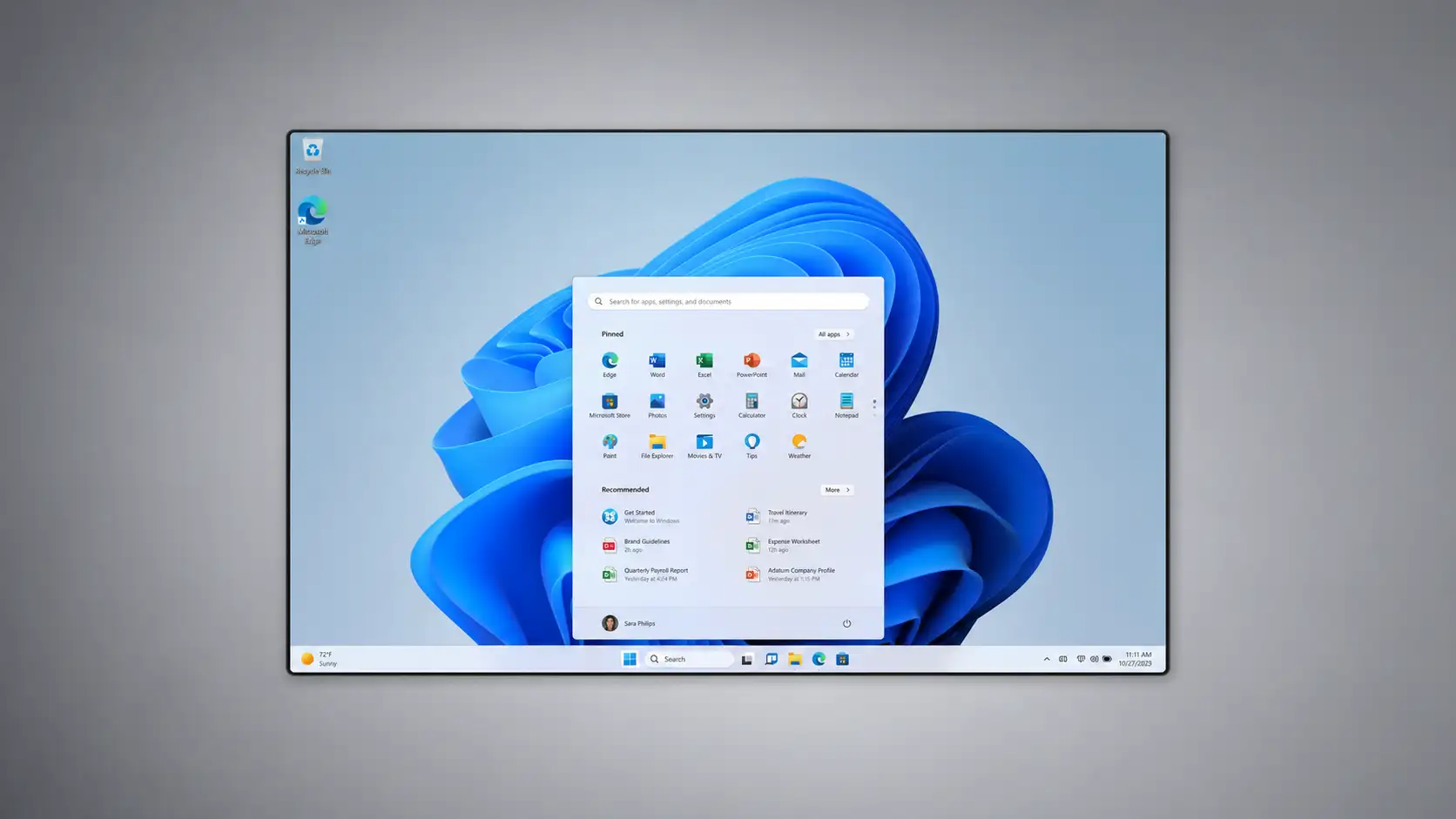
The most direct change is OpenAI’s addition of Computer Use on Windows in the Codex app. The company’s release notes say eligible users can ask Codex to “see, click, and type” in Windows applications while testing, debugging, and refining software. The same release notes say users can begin work on a Windows machine and use ChatGPT on iOS or Android, or Codex on Mac, to check progress, continue the thread, respond to prompts, and steer work away from the desk.
That distinction matters. Earlier generations of coding assistants worked mostly inside a text loop. They suggested code, edited files, explained repositories, or ran commands with approval. Computer Use gives Codex a visual and interactive surface. It can inspect an app window, interact with menus, take screenshots, use keyboard input, and work with clipboard state inside the approved target app. OpenAI’s developer guidance frames it plainly: Codex can view screen content and interact with windows, menus, keyboard input, and clipboard state in the target app.
For Windows developers, the shift is practical. Many bugs are not visible in a stack trace. They appear as a broken onboarding screen, a misaligned checkout button, a missing browser permission, a desktop app that fails after a login redirect, or a local test harness that only reproduces inside a configured machine. A coding agent that can run code but cannot inspect the running interface is blind at the last mile. The Windows update gives Codex a path into that last mile.
OpenAI’s wording also shows the boundary. The Windows machine remains the host for project files, shell, app server, and local context. The phone is not replacing the development environment. It is acting as a remote control and oversight surface.
That architecture keeps the work tied to the environment where it can actually run. A React app still runs against the local Node version. A .NET service still uses its local dependencies. A Windows desktop project still has access to the native runtime and test setup. The mobile app sees the state of the Codex session, not a shallow summary detached from the machine.
ChatGPT mobile becomes the human-in-the-loop surface
OpenAI announced Codex in the ChatGPT mobile app on May 14, 2026, describing it as a way to stay connected while Codex works across laptops, devboxes, and remote environments. The announcement said Codex in mobile loads the live state from the machine where Codex is running, including active threads, approvals, plugins, and project context. It also said files, credentials, permissions, and local setup stay on the machine, while screenshots, terminal output, diffs, test results, and approvals flow back to the phone in real time.
That is the central product idea. Mobile Codex is not meant to make a phone into a full IDE. It makes the phone into a decision console. A developer can approve a command, reject a risky edit, review a failing test, ask the agent to change direction, or start a new investigation while the real work stays on the host.
This is a useful design because coding agents are asynchronous by nature. They often need several minutes to inspect files, run tests, reproduce a bug, generate a patch, rerun checks, and prepare a diff. The developer does not need to stare at the terminal for every minute of that cycle. The developer does need to be reachable at the moments when the agent asks for permission, needs clarification, or produces something worth reviewing.
Reuters described the earlier mobile rollout as a step that let users review outputs, approve changes, and start new tasks after connecting to machines where Codex was running. At the time of that May 14 report, Reuters noted Windows support was expected later. OpenAI’s May 28 release notes now show that Windows support for this remote flow has arrived for eligible users.
The timing tells a larger story. OpenAI first made the mobile loop visible around macOS, then widened it to Windows control within the same month. For a coding product, Windows is not an edge platform. It is the main workstation for many enterprise developers, game developers, .NET teams, hardware-adjacent engineers, data analysts, IT automation teams, and students. Remote control only becomes a mainstream developer workflow when it reaches the machines developers actually use.
A coding task can now follow the developer instead of the laptop
Remote Codex changes the rhythm of work less by adding raw model capability than by reducing dead time. A developer might start a bug investigation on a Windows PC, ask Codex to reproduce the issue in a browser or desktop app, then leave for a meeting. If Codex needs permission to run a test suite, the developer can approve it from ChatGPT mobile. If the first hypothesis fails, the developer can redirect the thread. If the agent produces a diff, the developer can review the high-level shape before returning to the desk.
This does not remove review. It changes when review happens. The developer’s attention can be applied at checkpoints instead of being trapped beside the machine. That is the difference between automation as a batch job and automation as an ongoing collaboration loop.
OpenAI’s mobile announcement used examples such as investigating a bug while away from the desk, following screenshots and terminal output, and reviewing the resulting diff before getting back to the computer. It also said Codex had more than 4 million weekly users at that time, a figure that gives the mobile release more weight than a niche experiment.
The Windows update gives those examples a broader base. On Windows, the local state can include PowerShell, WSL2, Visual Studio, VS Code, local browsers, desktop apps, internal tools, private package feeds, VPN-dependent services, and enterprise authentication flows. Some of those are exactly the environments that cloud agents struggle to mirror cleanly.
A pure cloud coding agent is strong when the repo, dependencies, credentials, and CI path are already cleanly available in a managed environment. A local remote-controlled agent is stronger when the task depends on the developer’s machine: a fragile UI test, a proprietary Windows tool, a local emulator, a private service reachable only through company networking, or a machine-specific setup that nobody wants to rebuild in the cloud.
Windows support closes a credibility gap for local agentic coding
OpenAI introduced the Codex app for macOS in February 2026 and later updated the launch page to say the app was available on Windows from March 4, 2026. The Codex app was positioned as a desktop surface for working with multiple agents, long-running tasks, worktrees, diffs, and Git workflows.
The Windows app itself now gives developers one interface for projects, parallel agent threads, and results review. OpenAI’s Windows documentation says the app supports worktrees, automations, Git functionality, the in-app browser, artifact previews, plugins, and skills. It can run natively on Windows using PowerShell and a Windows sandbox, or it can use Windows Subsystem for Linux 2.
That matters because Windows support for developer tooling is often more complex than a simple packaging step. Local shells differ. File permissions differ. Process isolation differs. GUI automation differs. Enterprise deployment differs. A coding agent that works well on macOS but treats Windows as second-class loses many real-world teams before adoption starts.
OpenAI’s own Windows sandbox engineering post explains one reason the Windows port was nontrivial. The company said Codex needs operating-system-enforced isolation to implement a useful sandbox, but Windows did not provide the same kind of built-in utility that macOS and Linux offered through tools such as Seatbelt, seccomp, or bubblewrap. OpenAI said it needed to implement its own sandbox for Windows.
That engineering detail deserves attention. Agentic coding on Windows is not only about letting a model edit files. It is about deciding which files it can read, which commands it can run, which network access it can use, which windows it can touch, which apps it can operate, and which actions require a human approval. Without containment, remote computer control becomes a security liability before it becomes a productivity feature.
The host machine remains the source of truth
OpenAI’s remote connection documentation states that mobile setup supports Codex App hosts on macOS and Windows. Users can control a Windows host from ChatGPT on iOS or Android, or from a Mac running Codex. The same documentation says Windows cannot currently control another computer from the Codex app.
That asymmetry is useful to understand. A Windows PC can be a controlled host. A phone or Mac can control it. A Windows device cannot yet be the controller for another host. This is not a general remote desktop product with every possible direction of control. It is a Codex-specific remote workflow.
The setup also starts on the host. OpenAI’s remote connection guidance says mobile setup begins in the Codex App on the host machine, where remote access is enabled and a QR code is shown. The user scans it from the phone, confirms the same ChatGPT account and workspace, completes required authentication such as MFA, SSO, or passkeys, and then the host appears in Codex on mobile.
That flow places trust establishment on the machine being controlled. It avoids the more dangerous pattern of letting a phone blindly reach into any signed-in machine without a deliberate pairing step. It also matches enterprise expectations: if a developer is connecting a corporate Windows workstation, the workspace, identity, and remote-control permission need to be part of the setup.
OpenAI’s help article adds an administrative layer. It says Codex follows workspace controls across local and cloud surfaces, and that admins or owners may need to enable Remote Control or grant a Remote Control permission through role-based access control before members can connect to and control their local app environment from another Codex client.
For companies, this is one of the most relevant details in the release. Remote coding control is not just a developer preference; it is an access-control policy. Admins will need to decide who can enable it, which devices qualify, whether it is allowed on managed machines, and how approval logs fit into internal governance.
Computer Use on Windows is foreground control, not invisible automation
Computer Use on Windows has a sharp operating constraint: the target app must be visible on the active desktop while the task runs. OpenAI’s developer guidance says that, on Windows, users should keep the target app visible on the active desktop. It also warns that Codex takes over foreground input while it works, and suggests using a secondary device, a virtual machine, or stopping the task before using that desktop yourself.
That means Codex is not quietly manipulating hidden windows while the developer keeps using the same screen. It is acting in the foreground. It sees and operates the app window as a visual target. This is closer to an agent using the computer in front of it than to a background API automation.
The trade-off is clear. Foreground control is more transparent because the user can see what the agent is touching. It is also more intrusive because the desktop is occupied. For many workflows, the right answer will be a spare Windows machine, a virtual machine, a cloud-hosted Windows devbox, or a secondary desktop session dedicated to Codex tasks.
The constraint also changes the risk profile. If the wrong window is visible, an agent might interact with the wrong app. OpenAI’s safety guidance tells users to cancel the task if Codex starts interacting with the wrong window and to keep sensitive apps closed unless required for the task.
For teams, this means training matters. A developer using Computer Use on Windows should not treat it like a silent compiler. It is a tool that can move the pointer, type into fields, inspect screens, and use the clipboard. The safe operating pattern is narrow task, visible target, limited app approval, and human review at every sensitive step.
The security model now has to cover screen state, not just source code
Earlier code assistants raised questions about repository access, prompt data, generated code quality, licensing, and secrets. Computer Use adds a different class of exposure: the agent may process what is visible on the screen. OpenAI’s Computer Use guidance says visible app content, browser pages, screenshots, and files opened in the target app should be treated as context Codex may process while the task runs.
That line is more than a warning. It defines the new data boundary. If a browser tab shows customer information, an internal dashboard, a private email, an API key, a payment setting, or an admin console, that content can become part of the agent’s operating context. The same is true for screenshots and clipboard state.
This is why OpenAI’s guidance tells users to keep tasks narrow, stay present for sensitive flows, close sensitive apps unless required, avoid tasks that require secrets unless the user is present and can approve each step, and review permission prompts before letting Codex use an app.
For enterprise security teams, this widens the review scope. The question is not only “Can Codex access this repository?” It is also “What might be visible on the machine while Codex is working?” A developer workstation often contains far more sensitive context than a repo: browser sessions, cloud consoles, test credentials, local databases, chat windows, support tickets, design tools, and logs.
Remote Windows control makes screen hygiene a development security practice. Teams that already enforce secret scanning and least-privilege repository access will need similar discipline around visible sessions, app approval lists, browser profiles, and dedicated agent workspaces.
The sandbox story is central to Windows adoption
OpenAI’s Windows documentation says the Codex app supports a native Windows sandbox when the agent runs in PowerShell and Linux sandboxing when it runs in WSL2. It instructs users to set sandbox permissions to Default permissions in the Composer before sending messages to Codex if they want sandbox protections in either mode.
The technical point is simple: local agents need local containment. A coding agent may need to run package managers, tests, scripts, build tools, formatters, linters, and app servers. Those commands can touch files, spawn processes, reach networks, and invoke code from third-party dependencies. Without containment, a mistake or malicious instruction can damage a developer’s machine or leak data.
Microsoft’s own Windows Sandbox documentation describes Windows Sandbox as a lightweight isolated desktop environment for running applications, using hypervisor-based virtualization and a disposable virtual machine model. Applications installed within the sandbox remain isolated from the host machine.
OpenAI’s Codex Windows sandbox post shows why this was not a trivial port. The company wanted OS-enforced isolation comparable to what it used on other platforms, but Windows lacked the same ready-made sandboxing mechanism for Codex’s needs, so the team built its own approach.
This is where Codex’s Windows release becomes a test of trust, not only capability. The safer a local agent is, the more work developers will delegate to it. The inverse is also true: if teams fear that a local agent can wander across the filesystem or run broad commands without guardrails, they will restrict it to toy tasks.
WSL2 gives Windows teams a second execution path
OpenAI’s Windows docs say Codex can run natively on Windows with PowerShell and the Windows sandbox, or it can be configured to run in Windows Subsystem for Linux 2. Microsoft describes WSL as a way for developers to run a GNU/Linux environment, including most command-line tools, utilities, and applications, directly on Windows without a traditional virtual machine or dual-boot setup.
That option matters for modern development. Many Windows developers already use WSL2 for Node, Python, Rust, Go, Ruby, Linux-targeted services, Docker-adjacent workflows, and shell-heavy build systems. For those teams, Codex running through WSL2 may fit the project better than native PowerShell.
The choice between PowerShell and WSL2 is not cosmetic. It affects path handling, shell commands, permissions, package managers, test runners, environment variables, and how closely the local setup matches production. A .NET desktop app may belong in native Windows. A Linux-deployed web service may belong in WSL2. A repo with mixed frontend and backend tooling may need clear team guidance.
Codex on Windows is strongest when the execution environment matches the project, not the developer’s habit. Teams should document whether a repo expects native PowerShell, WSL2, containerized execution, or a remote SSH host before allowing long-running agent tasks.
Worktrees make parallel agents less chaotic
OpenAI’s Windows app documentation says the Codex app supports worktrees, and the broader Codex app documentation describes built-in worktree support for parallel threads.
Git worktrees are not glamorous, but they are well matched to agentic coding. A worktree lets a repository have more than one working tree attached to it, so separate branches can be checked out in separate directories while sharing the same repository history. The Git documentation describes git worktree as a command for managing multiple working trees attached to the same repository.
For human developers, worktrees are useful when switching between branches without stashing half-finished changes. For coding agents, they are a guardrail. If Codex is investigating a flaky test in one thread and refactoring a component in another, isolated worktrees reduce the risk of edits colliding in the same directory.
Parallelism is one of the attractions of coding agents. It is also one of the easiest ways to make a repo messy. Two agents editing the same files, running incompatible migrations, or changing shared configuration can create conflicts that cost more time than the automation saved. Worktree isolation is the difference between useful parallel work and uncontrolled local churn.
The Windows app’s support for reviewable diffs adds the second half of the pattern. The agent can work separately, then the human reviews a diff before merging, discarding, or turning changes into a pull request. That review boundary keeps the repository’s main line from absorbing every experimental path.
Codex Windows remote workflow at a glance
| Area | Current Windows remote behavior | Practical meaning |
|---|---|---|
| Host machine | Windows PC running the Codex app | Files, shell, app server, and context stay on the PC |
| Controller | ChatGPT on iOS or Android, or Codex on Mac | The user can monitor and steer away from the desk |
| Computer Use | Codex can see, click, and type in approved Windows apps | Visual testing and GUI debugging become possible |
| Setup | Pairing starts from the host app and uses a QR flow | Remote access is deliberate, not automatic |
| Control limit | Windows cannot currently control another computer | Windows is a host, not a controller, in this release |
| Launch limit | Unavailable in the EEA, UK, and Switzerland at launch | Regulated-market rollout is narrower at first |
This table captures the release as a workflow rather than a feature list. The core model is local execution, mobile oversight, visible app control, and reviewable output; that is the combination developers and admins need to evaluate.
The release is partly about approvals
Approvals are not a side feature in remote Codex. They are the product’s control point. OpenAI’s mobile announcement says users can review outputs, approve commands, change models, start new work, and work across threads from a phone. It also says the mobile app receives diffs, test results, terminal output, screenshots, and approvals in real time.
The reason approvals matter is that coding agents operate across uneven risk. Reading a public file is low risk. Running a formatter is usually low risk. Installing a package can be medium risk. Running a migration against a local database may be high risk. Opening a browser session with credentials is high risk. Changing account settings or payment settings is higher.
A good agent workflow does not treat all actions as equal. It lets routine work proceed under policy while stopping for human judgment at risk boundaries. Remote mobile control becomes useful because those boundaries often appear while the developer is away from the keyboard.
OpenAI’s Computer Use guidance says app approvals are separate from system permissions and that Codex asks for permission before it can use an app on the computer. It also says Codex may ask for permission before sensitive or disruptive actions.
This is the difference between “an AI is using my computer” and “an agent is operating inside a permissioned task.” The former sounds reckless. The latter can be managed. The quality of the approval system will shape whether developers trust remote Codex for real repositories.
Windows remote control gives Codex a stronger enterprise story
Enterprise software teams often have more Windows than Silicon Macs. They also have more managed devices, stricter identity policy, more local security tools, more network constraints, and more legacy systems than consumer-facing demos suggest. A Codex workflow that works only on macOS cannot cover much of that estate.
OpenAI’s Enterprise and Edu release notes said the Codex app became available on Windows for workspaces that include Codex, with support for multiple parallel agents, isolated worktrees, and reviewable diffs that remain interoperable with Codex in the CLI and IDE. OpenAI’s main ChatGPT release notes then added Windows Computer Use and remote Windows control for eligible users.
That sequencing matters. First, Windows gets the desktop surface. Then Windows gets remote control and Computer Use. The result is a clearer enterprise adoption path: start with local app use, add workspace policy, use worktrees and diffs, then permit remote control for selected users and machines.
The admin controls are not a footnote. OpenAI’s plan guidance says workspace controls apply across Codex local, Codex cloud, and remote control, and that admins may need to enable Remote Control or grant permission through RBAC.
For a business, this means the Codex update will be evaluated by at least three groups. Developers will ask whether it saves time. Platform teams will ask whether it fits repo and CI workflows. Security and IT teams will ask how remote access, device posture, audit logging, app approvals, and secrets are controlled.
Local context is the advantage over cloud-only agents
Cloud coding agents have a clean value proposition: give the agent a repo and a task, let it work in a managed environment, then review a branch or pull request. GitHub’s Copilot cloud agent, for example, works in a GitHub Actions-powered environment and can research a repository, plan, make code changes on a branch, and optionally open a pull request. GitHub distinguishes this from IDE agent mode, which makes autonomous edits directly in the local development environment.
Codex’s Windows remote control leans into the other side of the trade-off. The local machine has messy reality: an open app, a private browser session, a tuned local environment, a project-specific shell, a test database, a debugger, a device emulator, and the exact files the developer was already using. That context can be hard to reproduce in a cloud sandbox.
Neither model wins every task. Cloud agents are attractive for clean repo-bound work, documentation changes, straightforward bug fixes, and pull requests that can be verified by CI. Local remote agents are attractive for tasks tied to an active environment: reproducing a Windows UI bug, testing a desktop flow, checking a locally running server, or using a tool that depends on installed software.
The market is splitting between repo-native autonomy and workstation-native autonomy. Codex on Windows sits in the second category, while still connecting to Git workflows and pull request review.
Competition is pushing coding agents toward more autonomy
Reuters framed the Codex mobile rollout as part of intensifying competition in AI code-generation tools, naming Anthropic’s Claude Code as one rival that had gained traction among developers. The competitive field now includes terminal-native agents, IDE agents, browser-based coding agents, cloud pull request agents, and product-specific assistants.
Anthropic describes Claude Code as an agentic coding tool that works directly in a developer’s codebase through the terminal, IDE, Slack, or the web. Its product page says Claude Code can edit files and run commands, and that it asks permission before making file changes or running commands.
Google’s Jules describes itself as an experimental coding agent that integrates with GitHub, understands a codebase, and works autonomously on tasks such as fixing bugs, adding documentation, and building features. GitHub’s Copilot cloud agent works through GitHub issues or Copilot Chat prompts and can open pull requests after working in a GitHub Actions-powered environment.
Codex’s distinctive move here is not simply “AI writes code.” That premise is now common. The move is AI operates the developer’s Windows computer, while the developer supervises from ChatGPT mobile. This places OpenAI’s coding agent closer to a remote workstation operator than a text-only code generator.
That is a higher-risk, higher-value product direction. If it works well, it handles tasks that cannot be solved by patch generation alone. If it works poorly, it creates errors that are more visible and more sensitive than a bad autocomplete.
The agentic coding market is becoming workflow infrastructure
The term “coding assistant” no longer describes the full category. A modern agent may read a repo, create a plan, run commands, open a browser, inspect UI output, edit files, create branches, manage diffs, call plugins, use skills, schedule automations, and wait for human approvals. OpenAI’s Codex app documentation calls the app a command center for working on Codex threads in parallel, with worktree support, automations, and Git functionality.
That is workflow infrastructure. It touches planning, execution, review, identity, permissions, testing, UI inspection, and audit. The model is one piece. The surrounding system decides whether the agent can safely do useful work.
Academic research has started to treat coding agents as a distinct software engineering phenomenon. A 2026 arXiv study on GitHub adoption estimated coding-agent adoption across a large sample of projects and argued that agents differ from traditional code completion because they can generate complete pull requests from task descriptions. Another 2026 dataset paper, AIDev, described hundreds of thousands of agentic pull requests across repositories and named OpenAI Codex, Devin, GitHub Copilot, Cursor, and Claude Code among the agents studied.
Research is not the same as product proof, but it shows the category is now visible in software artifacts. Agents leave commits, branches, pull requests, comments, and review traces. That means agentic coding can be measured, audited, and compared more concretely than earlier autocomplete tools.
Codex’s Windows control adds another measurement problem: actions on a local machine are less visible to hosted code platforms unless the tool records them. The usefulness of remote Codex for enterprises will depend partly on whether local actions produce enough logs, diffs, screenshots, approvals, and command history for review.
The release turns mobile into a serious developer surface
For years, mobile coding experiences were awkward. Phones were fine for checking a build, approving a deployment, reading a pull request, or responding to a chat message. They were poor places to write and test serious software. Codex does not change the ergonomics of typing code on glass. It changes the role of the phone.
A phone is a strong approval device. It is always nearby, tied to identity, and good for short judgments: yes, continue; no, stop; try the failing test again; use the smaller patch; do not touch that file; open a pull request; summarize what changed. These are exactly the decisions that can unblock a coding agent.
OpenAI’s mobile announcement emphasized that users can answer questions, review what Codex found, change direction, approve what comes next, or add a new idea from the phone. That is not mobile coding in the old sense. It is mobile supervision of a machine agent.
The Windows addition makes that supervision more concrete because the phone can now connect to a Windows host, not only a Mac host. OpenAI’s remote connection docs state that a Windows host can be controlled from ChatGPT on iOS or Android.
The phone becomes useful because the hard work is not happening on the phone. It happens on the host PC. The mobile app keeps the developer in the loop at the moments that matter.
Remote work and asynchronous development are the natural use cases
Remote Codex fits teams that already work asynchronously. A developer in one time zone can start a task before stepping away. Codex can run checks and prepare a diff. The developer can approve or redirect from a phone. A teammate can review the branch later. The workflow does not require everyone to sit in the same office or watch the same terminal output.
This is not limited to remote companies. It also fits any developer day full of interruptions: meetings, commuting, school pickups, support escalations, design reviews, lunch breaks, and context switches. The agent can continue executing bounded work while the human handles the parts that require judgment.
There is a risk here. Asynchronous tools can make people feel permanently on call. A phone-based coding agent could turn every spare minute into another approval loop. Teams should set norms around when remote approvals are expected and when agents should simply wait. The goal should be less idle machine time, not a developer who approves shell commands during dinner.
The healthy version of remote Codex gives developers more control over timing. The unhealthy version lets work colonize every gap in the day. Product design cannot solve that alone; team culture will matter.
The Windows app’s broader feature set matters more after remote control
Remote control would be thin if the Windows app only supported a chat box. It matters because the app already has local agent features: projects, parallel threads, worktrees, Git support, an in-app browser, artifact previews, plugins, skills, automations, and sandbox modes.
Skills and plugins are especially relevant. OpenAI describes skills as the authoring format for reusable workflows, while plugins are the installable distribution unit for reusable skills and apps in Codex. Skills are available across the CLI, IDE extension, and Codex app.
For teams, this is how local agent work becomes repeatable. Instead of prompting from scratch each time, a team can package a workflow: reproduce a bug using a specific test harness, update a changelog, check telemetry errors, create a release note draft, run a compatibility test, or inspect a design regression. The more repeatable the workflow, the safer it is to allow remote approvals.
Automations push the same idea further. OpenAI says Codex automations can use plugins and skills, and that teams can use skills to define the action and provide tools and context. That creates the possibility of scheduled or triggered agent work on a Windows host, with human approvals delivered through mobile when needed.
This is where governance must be strict. A one-off task is easier to supervise than a recurring automation. If an automation can run commands, inspect apps, or touch local files, its permission scope and logs need careful review. Reusable agent workflows should be treated like internal software, not casual prompts.
Goal mode points toward longer tasks
OpenAI’s Codex cookbook says a Goal is useful when a task has a clear finish line but the path is uncertain, such as flaky test investigations, dependency migrations, bug hunts, multi-step refactors, benchmark tuning, and research tasks that require a final artifact.
This matters for Windows remote control because the longer the task, the more likely the developer will be away from the desk when the agent needs input. Goal-oriented work is not a single edit. It is a search process: try a hypothesis, run a test, inspect a failure, adjust, rerun, compare, and report. That is exactly the loop where mobile oversight helps.
A Windows example might be a UI test that fails only in a local desktop app. Codex could use Computer Use to reproduce the flow, inspect the visible failure, edit the code, rebuild, rerun, and ask for permission before sensitive actions. The developer could check progress from a phone and decide whether to continue or narrow the target.
Long-running agent work needs a strong stop condition. A vague “make this better” prompt is dangerous because the agent can wander. A good goal has a measurable finish line: make this test pass, reduce this benchmark below a threshold, reproduce this bug and produce the smallest fix, migrate this dependency without changing public API behavior, or generate a report with commands and evidence.
Computer Use is most valuable for visual bugs and integration seams
Many coding tasks are text-first. A type error, failing unit test, missing import, broken API call, or lint failure can be diagnosed from files and terminal output. Computer Use is less necessary there. Its value appears when the problem lives in the interaction between code and running software.
Frontend work is the obvious case. Codex can inspect a browser or app surface, click through a flow, verify a checkout page, confirm whether a modal appears, or compare visible behavior after a change. OpenAI’s Computer Use guidance gives examples such as using Chrome to verify a checkout page after changes.
Desktop software is another case. Windows developers often build apps where state, UI controls, window focus, file dialogs, local permissions, and external tools affect behavior. A text-only agent cannot see those states. Computer Use gives it a route into them.
Integration work is a third case. Many bugs happen where one system hands off to another: browser to desktop app, CLI to GUI, login page to callback, local server to web UI, installer to config screen, test runner to generated report. Agents that can inspect both code and runtime behavior are better suited to integration seams than agents that only edit files.
The danger is overuse. If an API or structured plugin exists, OpenAI’s guidance says to prefer that structured integration for data access and repeatable operations, and to choose Computer Use when Codex needs to inspect or operate an app visually. That is the right hierarchy. Visual control is flexible, but structured interfaces are easier to test, log, and constrain.
The launch limitation in Europe is a signal
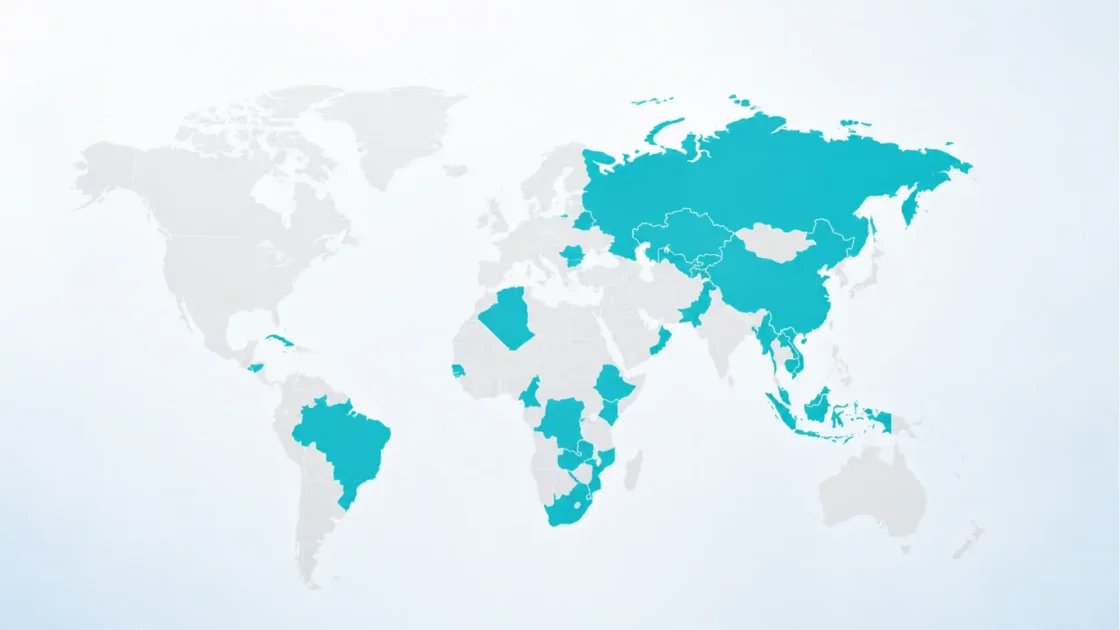
OpenAI’s ChatGPT release notes say Computer Use on Windows is unavailable in the European Economic Area, the United Kingdom, and Switzerland at launch. The company does not explain the reason in the release note excerpt, so any interpretation should stay cautious.
Even without assuming a specific legal cause, the limitation is notable. Computer control touches privacy, data processing, enterprise security, remote access, and user consent. European and UK rollouts often require extra review when products process screen content, interact with local apps, or affect workplace systems. The absence of Windows Computer Use in those regions at launch shows that agentic desktop control is not being treated as a simple feature toggle.
For global companies, this creates a practical issue. A U.S. developer may be able to use Windows Computer Use while a UK teammate cannot. A multinational enterprise may need region-specific policy, documentation, training, and fallback workflows. Teams should not assume that a Codex workflow available in one office is available everywhere.
The same applies to support and security documentation. A company writing internal guidance for Codex should include regional availability, workspace settings, approved host types, and escalation paths for blocked features.
Remote Windows control is not remote desktop
The phrase “computer control” can be misleading if it suggests a full remote desktop session. Codex remote control is narrower. It connects to a Codex App host, loads Codex session state, and lets the user work across threads, approvals, screenshots, terminal output, diffs, test results, plugins, and project context. OpenAI says the trusted machines stay reachable through a secure relay layer without being exposed directly to the public internet.
That is not the same as a user manually driving every pixel through a remote desktop protocol. The agent is doing the work. The user is supervising and steering. The distinction matters for both usability and risk.
Remote desktop tools put the human directly in control of the remote session. Codex remote control puts the agent in control under human oversight. That makes it more powerful for long tasks, but less predictable than manual remote access. The human may not see every intermediate action unless the logs and screenshots are reviewed.
A remote coding agent should be judged by its audit trail, not only by its final diff. Developers need to know what commands ran, which apps were approved, which windows were used, which files changed, which tests passed, and which assumptions the agent made. Without that record, remote control becomes hard to trust.
The update raises the bar for prompt discipline
Prompt quality matters more when an agent can act. A vague request to “fix the app” may lead Codex through too many files, too many commands, or the wrong UI flow. A better request names the target app, the window or flow, the expected behavior, the failing behavior, the tests to run, and the point where the agent should stop.
OpenAI’s Computer Use guidance tells users to mention @Computer or an app name in the prompt and describe the exact app, window, or flow Codex should operate. That instruction is a compact operating principle. The agent needs a narrow frame because the desktop contains too many possible targets.
Good prompts for Windows Computer Use should include:
- the app or browser window Codex is allowed to use;
- the exact flow to reproduce;
- the expected outcome;
- the smallest acceptable code path to change;
- the commands or tests that must verify the fix;
- the actions that require approval;
- the stopping condition.
Bullets are useful here because this is operational guidance, not prose. The more authority Codex has over the machine, the more explicit the task boundary should be.
Teams may eventually create prompt templates for common Windows tasks: “reproduce desktop UI bug,” “verify installer flow,” “run WSL2 test suite,” “check browser regression,” “compare artifact preview,” or “triage telemetry error.” Templates reduce improvisation and make logs easier to interpret.
Developer trust will depend on reversibility
Agentic coding feels safe when mistakes are easy to undo. Worktrees, diffs, branch isolation, command logs, and human approvals all support reversibility. Computer Use complicates it because not every action is a file edit. Clicking through an app can change local state, browser sessions, settings, accounts, or external systems.
OpenAI’s safety guidance tells users to stay present for account, security, privacy, network, payment, or credential-related settings. It also tells users to avoid tasks that require secrets unless they are present and can approve each step.
This is the right place to draw a hard line. Codex should be allowed to reproduce a checkout UI bug in a local test environment. It should not be casually allowed to change live billing settings, rotate production secrets, approve vendor payments, or modify security policy through a browser console.
The safest Codex workflows are reversible by design. They change code in an isolated worktree, run tests against non-production resources, and produce reviewable diffs. The riskiest workflows touch state outside version control.
For Windows teams, this suggests a practical rule: keep Codex inside dev and test contexts unless the task has a formal approval path. Use mock accounts, local fixtures, staging environments, disposable browser profiles, and non-production credentials. If the task cannot be reversed or reviewed, it does not belong in an autonomous agent loop.
A stronger Windows story helps OpenAI challenge Claude Code
Claude Code has become a reference point for agentic coding because it works close to the developer’s real environment: terminal, files, commands, project context, and permission prompts. Anthropic’s product page says Claude Code runs locally in the terminal and talks directly to model APIs without requiring a backend server or remote code index, and asks permission before making changes or running commands.
OpenAI’s Codex Windows update answers from a different angle. Codex is not only local terminal work. It now combines a desktop app, Windows sandboxing, GUI Computer Use, mobile remote control, worktrees, diffs, plugins, skills, automations, and app-level approvals.
That does not automatically make Codex better. Developers will judge speed, code quality, context handling, cost, reliability, editor fit, permission design, and how often the agent needs rescue. But the Windows update gives OpenAI a clearer claim: Codex is not just a coding agent inside ChatGPT; it is a multi-surface development operator.
The competition will likely move toward three areas. First, agents will get better at long tasks. Second, they will get more direct access to apps and environments. Third, they will add stronger permission, logging, and team governance because enterprise buyers will demand it. The winner will not be the agent that can act the most freely. It will be the one teams can trust with the most real work.
GitHub Copilot’s cloud agent offers the opposite control model
GitHub’s Copilot cloud agent is useful as a contrast because it works in a GitHub Actions-powered environment rather than the user’s local Windows desktop. GitHub says it can be assigned tasks through GitHub issues or Copilot Chat prompts, research a repository, create a plan, make code changes on a branch, and optionally open a pull request.
That model is cleaner for organizations that already manage work through GitHub. The agent’s output lands in the same branch and pull request process that humans use. CI can run. Secret scanning can apply. Code review can happen in one place. The local machine is not involved.
Codex’s remote Windows model is messier but more flexible. It can use local apps, local shells, and a visible desktop. It can handle tasks tied to the workstation. It can operate beyond a repo if the user permits it. That is exactly why its controls need more care.
Local remote agents and cloud coding agents compared
| Dimension | Codex on Windows with remote control | GitHub Copilot cloud agent style |
|---|---|---|
| Execution location | User’s Windows host or configured local environment | Managed cloud environment tied to GitHub Actions |
| Best fit | UI testing, local repros, desktop apps, private setups | Repo tasks, issue-driven changes, CI-backed pull requests |
| Human role | Mobile supervision, approvals, steering, review | Issue assignment, PR review, CI review |
| Main risk | Local screen state, app control, machine permissions | Cloud environment scope, repo permissions, CI trust |
| Main strength | Uses the real workstation context | Fits existing GitHub branch and PR process |
The comparison shows why the category will not collapse into one workflow. Cloud agents and local remote agents solve different bottlenecks, and many engineering teams will use both.
Google Jules shows the autonomous task queue direction
Google’s Jules is another useful reference point. Its documentation describes it as an experimental coding agent that integrates with GitHub, understands a codebase, and works autonomously on bugs, documentation, and features. Its product page frames the workflow around choosing a GitHub repository and branch, then giving Jules a task.
That is the task queue version of agentic coding: assign work, let the agent run, review the result. It is attractive for backlog items, maintenance, documentation, simple bugs, dependency updates, and test fixes.
Codex’s Windows update moves in a related but distinct direction: keep the task queue, but connect it to the developer’s active computer and mobile oversight. The task is not only “edit this repo.” It can be “operate this Windows app, reproduce the bug, patch the code, rerun the flow, and show me the diff.”
That added scope can produce better results on integration-heavy work, but it also creates more ways to fail. The moment an agent uses an app, the task boundary shifts from code generation to operational control.
Security agencies are warning about agentic access
The Codex update lands while cybersecurity agencies are becoming more explicit about agentic AI risk. A joint guidance document from ASD’s Australian Cyber Security Centre, CISA, NSA, the Canadian Centre for Cyber Security, New Zealand’s NCSC, and the UK NCSC says agentic AI systems operate across tools, data, and environments, and that organizations should never grant them broad or unrestricted access, especially to sensitive data or critical systems. It also recommends using agentic AI only for low-risk and non-sensitive tasks until controls mature.
The same guidance defines LLM-based agentic systems as systems that include the model alongside external tools, external data sources, memory, and planning workflows, allowing them to perceive an environment and take action toward goals. That definition maps directly to coding agents. Codex can use tools, inspect files, run commands, and now operate Windows apps under user permission.
The agencies identify privilege risks, design and configuration risks, behavior risks, structural risks, and accountability risks. These are not abstract when an agent can control a desktop. Privilege risk appears when Codex can reach too many files or apps. Configuration risk appears when approvals are too broad. Behavior risk appears when a model chooses an unexpected path. Structural risk appears when plugins, tools, packages, or browser content shape agent behavior. Accountability risk appears when nobody can reconstruct what happened.
The safest reading of the Windows Codex update is not “the agent can now do anything.” It is “the agent can now do more, so permission design matters more.”
OWASP’s agentic AI risks fit the Codex use case
OWASP’s Top 10 for Agentic Applications 2026 identifies risks facing autonomous and agentic AI systems, with guidance for agents that plan, act, and make decisions across workflows. OWASP’s LLM Top 10 also continues to foreground risks such as prompt injection, insecure output handling, supply chain vulnerabilities, sensitive information disclosure, and excessive agency.
For Codex on Windows, prompt injection is not limited to a user prompt. It could arrive through a web page the agent reads, a README, an issue description, a test fixture, a log file, a browser page, or a tool response. If Codex can operate an app or browser, indirect instructions in visible content become part of the threat surface.
Excessive agency is also relevant. If an agent has permission to click, type, run shell commands, edit files, and use authenticated browser sessions, its agency is broad. The question becomes whether each capability is scoped to the task.
Supply chain risk is familiar to developers but sharper with agents. Package installation, plugin use, scripts in repositories, browser extensions, generated commands, and third-party tools can all become part of an agent’s path. The joint agency guidance on agentic AI warns that external data sources, tools, memory, and third-party components widen the attack surface and can create cascading risk.
Agentic coding security is software supply chain security plus identity control plus prompt security plus desktop hygiene. Treating it as only one of those will miss the actual failure modes.
NIST’s AI risk framing applies to developer agents
NIST’s AI Risk Management Framework is intended to improve how organizations incorporate trustworthiness considerations into the design, development, use, and evaluation of AI systems. For a coding agent, trustworthiness is not a philosophical label. It has concrete parts: reliability, security, privacy, transparency, accountability, and recoverability.
Codex on Windows makes those parts testable. Does the agent reliably stay inside the chosen worktree? Does it ask before disruptive commands? Does it expose enough logs? Does it handle secrets safely? Can a user stop it? Can a team reconstruct the task? Can a bad diff be discarded? Can local state be restored?
NIST’s framework is voluntary, but the discipline it encourages is useful. Agentic coding tools should be mapped to actual workflows and risks, not adopted as a blanket productivity upgrade. A team might approve Codex for test generation and documentation, pilot it for UI bug reproduction, and prohibit it from production admin consoles. That is risk management, not resistance.
The right question for an engineering leader is not “Do we allow Codex?” It is “Which Codex workflows are allowed under which controls?”
The role of secure-by-design principles becomes more visible
CISA’s Secure by Design guidance urges technology manufacturers to build products in ways that reduce the burden on customers and reasonably protect against malicious actors. That principle has a direct bearing on agentic coding tools. Users should not need to become security architects just to prevent an agent from damaging a workstation.
OpenAI’s own guidance shows several secure-by-design patterns: app approvals, sandbox settings, remote pairing from the host, workspace controls, RBAC for remote control, warnings around sensitive flows, and visible foreground operation on Windows.
Those controls do not eliminate risk. They make risk more explicit. The user can see what app is being approved. The admin can decide whether remote control is allowed. The machine remains the host for local context. Sensitive actions can require confirmation. The target app must be visible on Windows.
The remaining question is operational maturity. Are the defaults conservative enough? Are logs detailed enough? Are approvals too easy to make permanent through “Always allow”? Are workspace admins given enough policy granularity? Can companies enforce dedicated browser profiles? Can security teams export audit trails? These are the questions that will decide enterprise trust.
The developer experience depends on latency and state sync
Remote supervision only works if state moves quickly enough to be useful. OpenAI’s mobile announcement says updates flow back to the phone in real time, including screenshots, terminal output, diffs, test results, and approvals. It also says Codex uses a secure relay layer to keep trusted machines reachable across devices without exposing them directly to the public internet.
The relay layer is crucial because many developer machines sit behind NAT, corporate networks, VPNs, or managed device policies. A direct inbound connection model would be hard to deploy and risky to secure. A relay model can keep connectivity manageable, though it also becomes an important trust component.
State sync is not only a networking detail. It shapes the user’s confidence. If a developer approves a command from a phone, they need to see whether it ran, what it produced, and whether the agent changed direction. If screenshots lag or terminal output arrives late, mobile control becomes guesswork.
The more autonomous the task, the more the interface must show what the agent knows and what it plans next. A remote Codex session should not feel like sending instructions into a black box.
The Windows desktop creates a harder interface problem than the terminal
Terminals are relatively structured. A command runs. Output appears. Exit codes exist. Logs can be captured. Files change. Desktop apps are less tidy. They have focus, pop-ups, modal dialogs, hidden states, hover effects, drag operations, file pickers, notifications, and timing issues.
Computer Use on Windows asks Codex to operate in that messy space. It must identify the right window, read visible content, decide where to click, type accurately, handle errors, and recover when the UI differs from expectation. That is a harder interface problem than editing a file.
OpenAI’s guidance partially handles this by making the target app visible and requiring app permission. But product quality will come down to how well Codex handles ordinary UI friction: a dialog appears in the wrong place, the app is minimized, Windows focus changes, a browser session expires, a test page loads slowly, or the desktop resolution changes.
This is where developers should keep expectations grounded. Computer Use is not a magic UI oracle. It is a visual operation layer. It will be better for some workflows than others, and it will need careful prompting. The best early use cases will be narrow, repeatable flows with clear success signals.
Practical early use cases for Windows teams
The strongest early Codex-on-Windows workflows are the ones where local execution and remote approval both matter. A few examples stand out.
A frontend developer can ask Codex to run a local app, use Chrome to reproduce a UI regression, make the smallest code change, rerun the flow, and present the diff. The developer can approve commands from a phone while the Windows host keeps the server and browser running.
A .NET team can ask Codex to inspect a failing test, run a targeted test suite in PowerShell, patch the relevant files, and prepare a reviewable diff. If the fix requires a package update or migration, the agent can stop for approval.
A desktop app team can ask Codex to open the app with Computer Use, reproduce an onboarding bug, inspect logs, patch the code, rebuild, and rerun the same flow. The visible app surface matters because the bug may not be clear from code alone.
A platform team can use Codex skills and automations for recurring maintenance: checking telemetry-linked errors, drafting reports on recent codebase changes, or preparing dependency update branches. OpenAI’s features and automations docs describe these patterns in the Codex app context.
The common thread is narrow scope. Codex is best assigned work with a clear finish line and a safe verification path.
Poor use cases are easier to define than good ones
The riskiest Codex Windows workflows involve broad authority, sensitive state, or unclear objectives. “Clean up my whole repo,” “fix whatever is wrong,” “log into the admin console and change settings,” “handle production credentials,” or “use my browser to resolve this billing issue” are not good agent tasks.
OpenAI’s safety guidance calls out account, security, privacy, network, payment, and credential settings as flows where the user should stay present. That advice should be treated as a boundary, not a suggestion.
A second poor use case is any task where the agent cannot verify its work. If Codex can make a change but cannot run tests, inspect the app, or produce evidence, the human review burden rises. Agents are most useful when they can close the loop: change, run, observe, report.
A third poor use case is agent work inside a cluttered desktop session. If multiple sensitive apps are open, browser tabs contain private data, and the visible target is ambiguous, Computer Use becomes unnecessarily risky. A dedicated browser profile or VM is safer.
The safest early policy is to approve fewer task types than the tool can technically perform. Teams can widen later after seeing logs, failures, and benefits.
Governance must include device posture
Remote control of a Windows host only makes sense if the host itself is trusted. OpenAI’s remote setup guidance says the host should be awake, online, signed in to the same account and workspace, and using the latest Codex app. For enterprises, that should be the beginning of the checklist, not the end.
A managed Windows host should have disk encryption, endpoint protection, patch compliance, least-privilege local accounts, controlled browser profiles, approved development tools, and clear separation between production and development credentials. If Codex is allowed to operate apps on that machine, the machine’s baseline security becomes part of the agent’s security.
Device posture also affects remote pairing. Companies may want to allow Codex remote control only on managed devices, only for certain workspaces, only outside restricted projects, or only when the device meets compliance checks. OpenAI’s workspace controls and RBAC hooks make this governance direction plausible, though each organization will need to verify the available admin granularity in its plan.
A remote coding agent inherits the hygiene of the machine it controls. A poorly managed host cannot become safe because the agent has a polished interface.
Audit logs become part of code review
Traditional code review examines the diff. Agentic code review needs more context. Reviewers may need to know the prompt, plan, commands run, tests executed, files inspected, screenshots observed, apps approved, and errors encountered. The final diff may be correct, but the path can reveal hidden risk.
OpenAI’s mobile and remote descriptions include terminal output, screenshots, diffs, test results, approvals, active threads, and project context as part of the synced state. That is valuable, but teams need to decide how much of that state is retained, who can see it, and whether it maps to pull requests or internal audit systems.
For regulated or security-sensitive development, “Codex fixed it” is not an acceptable review note. A better note says which issue was addressed, which commands ran, which tests passed, which files changed, which manual checks were performed, and which approvals were granted.
The joint agency guidance on agentic AI warns that accountability can be difficult because long reasoning chains and large contextual data can make logging hard, and because autonomous systems may create reproducibility challenges.
Agentic code review should be evidence-based. If the agent cannot provide evidence, the human must recreate it.
The business impact is measured in cycle time, not magic productivity
The business case for Codex remote Windows control is not that every developer writes twice as much code. That claim would be too broad and hard to prove. The more credible case is cycle-time reduction around tasks that already suffer from waiting: bug triage, test reruns, UI verification, dependency updates, codebase Q&A, small fixes, and pull request preparation.
A coding task often sits idle between steps. The test suite needs approval. A browser check needs to run. A diff needs review. A failure needs a new hypothesis. The developer is in a meeting. The laptop is at the desk. Remote Codex attacks that idle time.
The impact will vary by team. A mature team with strong tests and clean repos may gain from cloud agents and CI-backed automation. A Windows-heavy team with local UI workflows may gain more from Computer Use. A team with poor tests may see less value because the agent cannot reliably verify changes. A team with weak security controls may need to delay adoption.
The real business metric is not lines of code generated. It is time from task selection to reviewed, tested, merge-ready change. Codex’s Windows update helps only if it improves that path.
The feature may reshape junior and senior developer roles differently
Junior developers may benefit from Codex as a guided executor and codebase explainer, but remote control can also hide learning if used carelessly. If the agent reproduces bugs, edits code, and runs tests while the developer only approves steps, the developer may miss the reasoning behind the fix.
Senior developers may use Codex to offload bounded execution while preserving architectural judgment. They can assign a flaky test investigation, ask for evidence, review the minimal patch, and redirect when the agent reaches a bad assumption. The phone becomes a way to keep several threads moving without micromanaging each command.
The skill shift is real. Developers will need to become better at task framing, risk scoping, verification design, and review. These are not lesser skills than typing code. In agentic workflows, they become central.
Codex does not remove the need for engineering judgment. It punishes vague judgment faster. A weak task description can send an agent down the wrong path. A strong one can turn a multi-hour chore into a supervised loop.
Teams need an adoption playbook before broad rollout
A sensible Codex Windows rollout should start with a written playbook. The playbook does not need to be long, but it should cover approved task types, prohibited task types, host requirements, workspace settings, app approvals, browser profiles, sandbox settings, logging, review expectations, and incident response.
Approved early tasks might include codebase Q&A, documentation updates, local test failure triage, non-production UI bug reproduction, dependency update branches, and small refactors with tests. Prohibited tasks might include production admin actions, payment or account settings, credential handling, broad filesystem cleanup, and unsupervised use of sensitive browser sessions.
The playbook should define how to write a task: target app, project, branch, expected behavior, failing behavior, allowed commands, verification steps, stopping condition, and approval boundary. It should also require that agent-generated changes go through the same review path as human changes.
OpenAI’s best practices guide says Codex results improve through prompting, planning, validation, MCP, skills, and automations. That aligns with the playbook approach: repeatable instructions and validation matter more than one-off enthusiasm.
Organizations that skip policy will learn through preventable mistakes. Organizations that start too restrictive can widen safely.
Dedicated environments will beat shared desktops
Because Windows Computer Use operates in the foreground, a dedicated environment is often better than a personal desktop. A spare workstation, VM, cloud Windows devbox, or secondary user profile reduces accidental exposure and lets Codex work without interrupting the developer’s main session.
OpenAI itself suggests using a secondary device or VM if Windows foreground input would conflict with the user’s work. That is a strong hint for serious teams. If Codex is going to run long UI tasks, give it a workspace designed for that purpose.
A dedicated environment can have only the required apps open, only test credentials installed, only approved repos mounted, and only safe browser profiles signed in. It can also be reset if something goes wrong. This mirrors the logic behind disposable CI environments and dev containers, but with a GUI surface.
The future of local agents may look less like “AI uses my laptop” and more like “AI uses a controlled workstation I supervise.” Windows support makes that model practical for many companies.
Cost and plan access will shape adoption
OpenAI’s Codex app page says ChatGPT Plus, Pro, Business, Edu, and Enterprise plans include Codex. The mobile announcement said Codex in the ChatGPT mobile app was rolling out in preview on iOS and Android across all plans, including Free and Go, in supported regions, though the earlier mobile host support was macOS at that point.
The Windows Computer Use release note says the feature is for eligible users. That eligibility wording matters because availability can depend on plan, region, workspace settings, rollout phase, and administrative permissions.
For businesses, the pricing question is only part of adoption. The larger question is whether the work saved is worth the governance overhead. A small startup may enable the feature quickly for trusted developers. A large enterprise may need security review, legal review, procurement, device management alignment, and pilot metrics.
The market will not adopt all agentic coding tools equally. Teams will pay for tools that fit their environment and reduce verified cycle time. Codex’s Windows update improves fit for Windows-heavy teams, but the value still depends on workflows and controls.
The release could make coding agents more visible to non-developers
A mobile app that shows Codex progress, screenshots, diffs, and approvals could make coding work more legible to product managers, founders, support engineers, and technical leads who are not actively editing files. That visibility has benefits and risks.
The benefit is coordination. A support engineer could ask a developer to start a Codex investigation, then watch for evidence. A product lead could see that a UI bug is reproduced. A founder could approve a low-risk documentation change. A technical manager could monitor whether agent tasks are stuck.
The risk is pressure. Non-developers may start to think coding tasks are now push-button work. They are not. Agentic coding still needs testable scope, code review, and engineering ownership. A mobile interface can make progress look simple while hiding the complexity of validation.
Codex should not turn software work into remote button pressing for people who cannot review the outcome. Approval authority should match technical accountability.
Windows app distribution brings IT into the loop
OpenAI’s Windows documentation says users download the Codex app from the Microsoft Store and that enterprises can deploy it with Microsoft Store app distribution through enterprise management tools.
That detail is small but relevant. Store-based distribution gives IT teams a familiar path for managed deployment and updates. It also raises the normal enterprise questions: version control, update cadence, allowlists, endpoint policies, telemetry, support, and rollback.
The Windows docs also say users update the app through the Microsoft Store downloads flow. For individual developers, that is simple. For enterprises, update timing may need coordination because agent capabilities can change quickly. A new Computer Use behavior, browser feature, plugin option, or remote-control setting may affect policy.
Agentic development tools should be managed like development infrastructure, not like casual desktop utilities. Their update notes belong in the same review process as CI tools, IDE extensions, and security-sensitive developer software.
Browser access is powerful and sensitive
The Codex Chrome extension lets Codex use Chrome for browser tasks that need signed-in browser state, such as internal tools, Salesforce, Gmail, or LinkedIn, while managing browser permissions, website approvals, and browsing data.
For coding tasks, browser access is often useful. A bug may require a logged-in test account. A local app may rely on browser state. An internal error dashboard may show stack traces. A design system may be visible in a web tool. A CI page may contain failed logs.
Browser access also carries some of the highest risk. Signed-in state can expose customer data, internal documents, email, admin controls, analytics, and secrets. A browser is a bridge between the local machine and the organization’s cloud systems.
OpenAI’s Computer Use guidance says users should keep sensitive apps closed unless required, stay present for sensitive flows, and review app permission prompts. For browser workflows, a dedicated test profile is better than a personal or production profile.
If Codex needs a browser, give it the least privileged browser identity that can complete the task. That rule will prevent many avoidable incidents.
The clipboard is a small feature with large implications
OpenAI’s Computer Use guidance says Codex can interact with clipboard state in the target app. The clipboard is easy to overlook, but it often contains sensitive data: API keys, passwords, customer IDs, internal URLs, snippets from private documents, or production commands.
A human user may copy a secret for a legitimate reason and forget it remains in clipboard history. If an agent can read or write clipboard state during a task, that state becomes part of the operational boundary.
Windows itself can maintain clipboard history if enabled, and many productivity tools sync clipboard content across devices. That is outside Codex’s product claim, but it matters for risk. A coding agent operating on a desktop should not be given a messy clipboard environment.
The practical answer is simple: clear clipboard state before sensitive Computer Use sessions, use dedicated environments, avoid copying secrets into the same desktop session, and disable unnecessary clipboard sync for agent workstations.
Tiny desktop conveniences become security surfaces when an agent can operate the machine.
The model is only as useful as the verification loop
Coding agents often look strongest in demos because the task ends with a successful patch. Real development asks a harder question: what proves the patch is correct? For Codex on Windows, proof may include unit tests, integration tests, UI reproduction, screenshots, logs, benchmark output, type checks, linting, manual inspection, and reviewable diffs.
OpenAI’s mobile release emphasizes that test results, diffs, terminal output, and screenshots can flow back to the phone. That evidence is the bridge between remote supervision and real confidence.
A task should not end with “I changed the code.” It should end with a statement like: changed these files, reproduced this failure, ran this command, saw this failing result, made this minimal patch, reran the command, verified the UI flow, and prepared this diff for review. That form is useful for humans and for audit.
Agentic coding without verification is accelerated guesswork. Codex’s Windows control is most useful when it can run the same app or test path that proved the bug in the first place.
The update will expose weak test cultures
Teams with strong tests can delegate more safely. The agent can run the suite, observe failures, patch code, rerun checks, and present evidence. Teams with weak tests will see more ambiguous outcomes. The agent may make plausible changes that look right but break hidden behavior.
Windows UI work often suffers from fragile or incomplete tests. Computer Use can help by visually checking a flow, but visual confirmation is not a substitute for test coverage. It is a supplement. A human still needs to decide whether the observed flow covers the relevant edge cases.
Codex may push teams to improve tests because agents need executable feedback. A repo with clear scripts, reliable local setup, deterministic tests, and documented fixtures is easier for both humans and agents. A repo with tribal knowledge and flaky checks wastes agent time.
Agent readiness and engineering maturity are linked. The better the project’s verification culture, the more value it can extract from remote coding agents.
Human oversight becomes a product workflow, not a slogan
Many AI product releases mention human oversight. Codex’s Windows update makes oversight concrete. The human can receive approvals on a phone, see screenshots, inspect diffs, respond to prompts, and stop or redirect work.
The challenge is designing oversight that is neither too loose nor too noisy. If Codex asks for approval every few seconds, developers will either abandon it or click through prompts without thinking. If it asks too rarely, it may take actions beyond user intent. The right balance depends on task, repo, machine, app, and workspace policy.
The “Always allow” option for app use can reduce friction, but it should be used carefully. OpenAI’s guidance tells users to use it only for apps they trust Codex to use automatically in future tasks and notes that allowed apps can be removed in settings.
Human oversight works only when the approval prompt contains enough context for a real decision. “Allow Codex to use this app?” is weaker than “Allow Codex to use Chrome for the local checkout test page in this thread?” Product details like that will influence safety in practice.
The release is a step toward ambient software maintenance
Remote Codex on Windows hints at a future where software maintenance tasks run around the edges of a developer’s day. The agent investigates flaky tests, checks dependency bumps, verifies a UI path, prepares a refactor, or drafts a release note while the developer handles design and review.
OpenAI’s features documentation already connects skills and automations to routine tasks such as evaluating telemetry errors, submitting fixes, or creating reports on recent codebase changes. The Windows remote update adds a way to supervise those tasks from mobile and use a Windows host when local context is required.
This is not full autonomy. It is ambient maintenance under oversight. The distinction matters. Software systems are too context-heavy and risk-laden to hand over broadly. But many maintenance tasks have enough structure to delegate safely with good guardrails.
The likely near-term future is not AI replacing the developer. It is AI occupying the waiting periods, repetitive checks, and narrow investigations that slow developers down.
The social contract inside teams will change
When agents can work in parallel, teams need to decide how to assign credit, responsibility, and review. If Codex produces a patch under Alice’s account, Alice owns the review burden. If Bob approves a remote command that causes damage, responsibility cannot be pushed onto the tool. If a manager pressures developers to accept agent diffs faster than they can review them, quality will suffer.
Coding agents also affect team communication. A developer might say, “I have Codex investigating the Windows repro while I review the API change.” That is a normal sentence in an agentic team. The rest of the team needs to know whether that agent task creates a branch, touches shared files, or consumes shared test resources.
OpenAI’s Codex Profiles feature, mentioned in the May 28 release notes, gives eligible users profile details, usage stats, and token activity. Usage visibility may become part of team operations: who delegates what, which tasks succeed, which tasks waste time, and where agents need better instructions.
Agent use should be visible enough to coordinate but not gamified into meaningless productivity metrics. Counting token activity or agent tasks is easier than measuring useful, reviewed, tested changes.
The safest teams will separate experimentation from production
A good Codex rollout should divide work into zones. Experimentation can happen in sandboxed repos, disposable branches, test accounts, and VMs. Production-adjacent tasks require stricter approvals and human presence. Production operations should remain outside agent control unless a mature, audited, formally approved process exists.
The joint agency guidance on agentic AI recommends incremental deployment, low-risk tasks, continuous assessment, resilience, reversibility, and risk containment until security practices and standards mature. That advice fits Codex exactly.
The temptation will be to expand quickly after a few successful tasks. Teams should resist broad permissions until they have seen failures. Agent failures are useful data. They show where prompts are vague, tests are weak, app approvals are too broad, logs are insufficient, or environments are unsafe.
A pilot that finds problems is a success. A pilot that only celebrates demos has not tested the tool.
The product’s open questions are as important as the shipped features
OpenAI has documented the core pieces: Windows Computer Use, remote control from mobile and Mac, host pairing, sandboxing, app approvals, foreground operation, workspace controls, and launch-region limits. Several questions remain for serious adoption.
How granular are enterprise policies for app approvals? Can admins restrict Computer Use to specific apps? How long are screenshots, terminal outputs, and approval records retained? Can logs be exported to SIEM tools? Can companies enforce dedicated browser profiles? Can Remote Control be allowed for some host types and blocked for others? How does Codex behave when a Windows session locks? What recovery options exist after an interrupted task? How are plugin and skill permissions audited?
Some of these answers may already exist in plan-specific admin surfaces or future docs. The point is that the Windows release opens a broader governance conversation. The feature is no longer just about whether Codex can code. It is about whether Codex can be safely placed inside the operating environment of real developers.
The strategic direction is clear
OpenAI is moving Codex toward a multi-surface agent system: desktop app, CLI, IDE extension, cloud workflows, mobile supervision, plugins, skills, automations, and now Windows Computer Use. The Windows update connects several of those pieces into one story. A developer can run Codex on a Windows PC, let it operate local apps, supervise from ChatGPT mobile, and review the result through diffs and test evidence.
That is a strategic move because it reaches beyond code generation into software work execution. The model writes and reasons. The app manages threads and worktrees. The sandbox contains risk. Computer Use interacts with runtime surfaces. Mobile keeps the human available. Workspace controls bring admins into the loop.
The risk is equally clear. The closer an agent gets to the real computer, the less forgiving mistakes become. Bad suggestions are easy to ignore. Bad file edits can be reverted. Bad desktop actions can change external state. That is why the release’s approval, sandbox, and workspace-control details deserve as much attention as the headline.
Codex on Windows is not just a new convenience for developers. It is a test case for how far AI coding agents can move from suggestion to supervised action without breaking trust.
The near-term verdict
Codex’s Windows computer control through the ChatGPT app is a meaningful update because it joins three things developers actually need: local machine context, remote supervision, and visual app operation. The Windows PC remains the working host. ChatGPT mobile becomes the control surface. Codex can now interact with approved Windows apps in the foreground while testing and debugging.
The feature will be most useful for developers who run real projects on Windows, especially where bugs depend on local apps, browsers, PowerShell, WSL2, GUI flows, or machine-specific context. It will be less useful for tasks that are already cleanly handled by cloud agents and CI.
The safe adoption path is narrow and practical: start with low-risk tasks, use dedicated environments where possible, keep sensitive apps closed, require reviewable diffs, preserve logs, enforce workspace permissions, and treat app approvals as security decisions. The update is powerful precisely because it touches the real machine. That is also why it must be governed like real machine access.
Reader questions about Codex on Windows and ChatGPT mobile
Yes. OpenAI’s current release notes say users can start work on a Windows machine and use ChatGPT on iOS or Android to check progress, continue the thread, respond to prompts, and steer the work while the Windows machine remains the host.
It means Codex can see, click, and type in approved Windows applications while working on tasks such as testing, debugging, and refining software.
No. The Windows machine remains the host for project files, shell, app server, credentials, permissions, and local context. The phone is used for supervision and control.
Not in the same way as a hidden automation process. OpenAI says that on Windows, the target app should remain visible on the active desktop and Codex works through foreground input.
Yes. OpenAI’s remote connection docs say a Windows host can be controlled from ChatGPT on iOS or Android.
Not currently. OpenAI says Windows can be controlled as a host, but Windows cannot currently control another computer from the Codex app.
Yes. Setup starts from the Codex app on the host machine and uses a QR code that is scanned from the phone, with account and workspace confirmation.
OpenAI’s help documentation says workspace admins or owners may need to enable Remote Control or grant the permission through RBAC, depending on the workspace setup.
No. OpenAI’s release notes say Computer Use on Windows is unavailable in the EEA, the UK, and Switzerland at launch.
Good early tasks include local bug reproduction, UI testing, desktop app debugging, PowerShell or WSL2 test runs, small fixes with clear tests, and reviewable code changes.
Avoid production admin actions, payment settings, credential handling, broad filesystem changes, sensitive account settings, and anything that cannot be reviewed or reversed.
No. The tools fit different workflows. Codex on Windows is stronger for local workstation context and GUI operation, while cloud agents are often cleaner for issue-driven pull requests and CI-backed repo work.
Claude Code is known for local terminal and codebase workflows. Codex’s Windows update adds a desktop app, Windows Computer Use, mobile remote control, worktrees, plugins, skills, and automations.
Yes, local agent work needs containment. OpenAI says the Codex Windows app supports a native Windows sandbox for PowerShell workflows and Linux sandboxing through WSL2.
It can process visible app content, screenshots, browser pages, files opened in the target app, and clipboard state while Computer Use runs. Sensitive apps should be closed unless required for the task.
For serious use, that is often safer. A dedicated VM, devbox, or secondary device limits exposure and prevents Codex from occupying the developer’s main desktop.
No. Agent-generated changes should go through the same or stricter review path as human changes, with attention to prompts, commands, tests, screenshots, and approvals.
The strongest value is reducing idle time in coding workflows. Codex can continue bounded work on the Windows host while the developer supervises from mobile at approval and review points.
The main risk is overbroad agent authority over a real desktop environment. App permissions, sandboxing, logging, least privilege, and human oversight are necessary controls.
Author:
Jan Bielik
CEO & Founder of Webiano Digital & Marketing Agency
This article is an original analysis supported by the sources cited below
Work with Codex from anywhere
OpenAI’s announcement describing Codex in the ChatGPT mobile app, live session state, approvals, screenshots, terminal output, diffs, and real-time mobile supervision.
ChatGPT release notes
OpenAI’s release notes covering Windows Computer Use in Codex, remote steering from ChatGPT mobile, launch-region limits, and related Codex updates.
Remote connections for Codex
OpenAI developer documentation explaining mobile setup, Windows host support, QR pairing, controller limitations, and remote access requirements.
Computer Use in the Codex app
OpenAI developer documentation explaining how Codex sees, clicks, types, requests permissions, handles app approvals, and operates target apps.
Windows in the Codex app
OpenAI developer documentation for the Codex Windows app, including PowerShell, WSL2, Windows sandboxing, worktrees, Git support, plugins, skills, and Microsoft Store deployment.
Building a safe, effective sandbox to enable Codex on Windows
OpenAI’s engineering post explaining why Windows sandboxing required dedicated implementation work for Codex.
Introducing the Codex app
OpenAI’s Codex app launch page, including the February macOS launch and later Windows availability update.
Codex app
OpenAI developer overview of the Codex desktop app as a command center for parallel threads, worktrees, automations, and Git workflows.
Codex app features
OpenAI documentation covering Codex app capabilities such as skills support, automations, browser workflows, and team workflows.
Codex automations
OpenAI documentation describing how automations can use plugins and skills for repeatable Codex workflows.
Agent Skills for Codex
OpenAI documentation explaining skills as reusable workflow formats and plugins as installable distribution units for Codex.
Using Goals in Codex
OpenAI Cookbook guidance on Goal mode for tasks with clear finish lines and uncertain execution paths.
Best practices for Codex
OpenAI guidance on prompting, planning, validation, skills, MCP, automations, and stronger Codex workflows.
Using Codex with your ChatGPT plan
OpenAI Help Center information on Codex availability, workspace controls, Codex Local, Codex Cloud, Remote Control, and RBAC.
OpenAI brings Codex coding tool to ChatGPT mobile app
Reuters coverage of OpenAI’s Codex mobile rollout, competitive context, and earlier note that Windows support was expected after initial macOS support.
About GitHub Copilot cloud agent
GitHub documentation explaining Copilot cloud agent, its GitHub Actions-powered environment, planning, branch changes, and pull request workflow.
Claude Code by Anthropic
Anthropic’s product page describing Claude Code as an agentic coding tool for terminal, IDE, Slack, web, file edits, command execution, and permission prompts.
Getting started with Jules
Google documentation for Jules, described as an experimental coding agent that integrates with GitHub and works on bugs, documentation, and features.
Jules
Google’s product page for Jules, presenting the autonomous coding agent workflow around GitHub repositories, branches, and assigned tasks.
Windows Sandbox
Microsoft documentation describing Windows Sandbox as an isolated, disposable desktop environment using hypervisor-based virtualization.
Windows Subsystem for Linux documentation
Microsoft documentation explaining WSL as a way to run GNU/Linux environments and development tools directly on Windows.
Git worktree documentation
Official Git documentation for managing multiple working trees attached to one repository, a key concept for parallel agent threads.
AI Risk Management Framework
NIST’s official AI risk framework page, used for the article’s governance framing around trustworthy AI systems.
AI Risk Management Framework resources
NIST AI Resource Center material describing the AI RMF as a voluntary framework for incorporating trustworthiness considerations.
Secure by Design
CISA guidance on secure-by-design principles, used to frame expectations for agentic development tools and vendor responsibility.
Careful adoption of agentic AI services
Joint guidance from ASD’s ACSC, CISA, NSA, the Canadian Centre for Cyber Security, New Zealand’s NCSC, and the UK NCSC on agentic AI risks and controls.
OWASP Top 10 for Large Language Model Applications
OWASP project page identifying major LLM application risks such as prompt injection, insecure output handling, supply chain vulnerabilities, and excessive agency.
OWASP Top 10 for LLM Applications 2025
OWASP GenAI resource describing the 2025 LLM risk list and the evolution of security concerns around deployed LLM applications.
OWASP Top 10 for Agentic Applications for 2026
OWASP Agentic Security Initiative resource focused on the top risks for agentic systems that plan, act, and make decisions across workflows.
| Citing this article? Brief excerpts are welcome. Please credit Webiano.digital, name the author where stated, and include a link to https://webiano.digital and to this original article. Full or substantial republication requires prior written permission. Read our Copyright and Content Use Policy. |
This article was prepared with the assistance of artificial intelligence tools. The content underwent expert human review, and Webiano Digital & Marketing Agency assumes editorial responsibility for its final version and publication.