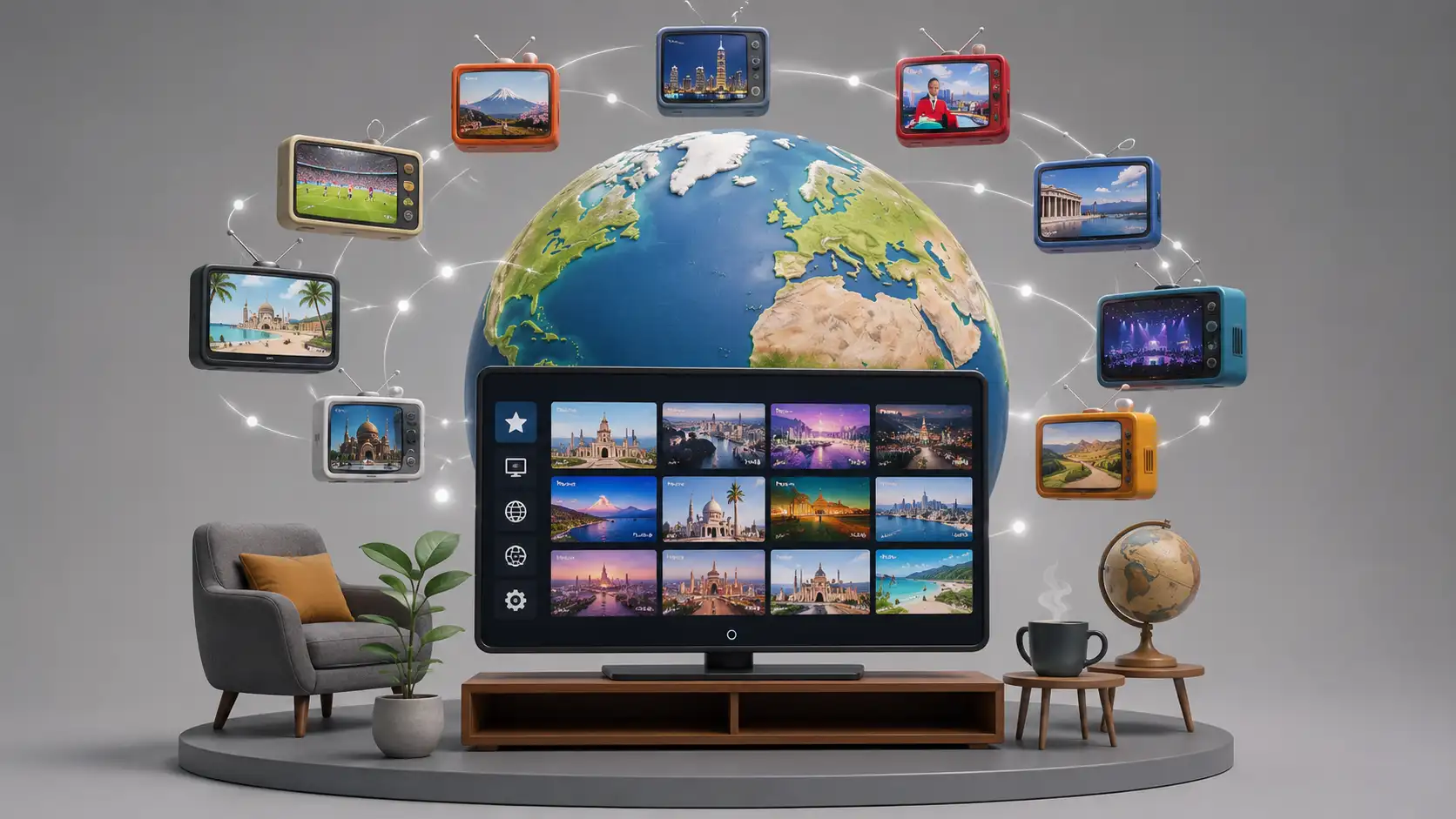
TV Explorer does something the paid streaming giants have mostly forgotten how to do: it lets you wander. Not search, not subscribe, not build a watchlist, not surrender to a recommendation feed. Wander. Open it and the browser turns into a global television dial, with free channels from different countries sitting inside one player, waiting to be tried, abandoned, saved, compared, or left running in the background like a window you did not expect to find.
Table of Contents
The site introduces itself as “TV Explorer — 10,000 Free TV Channels” and invites people to explore free channels from around the world. That claim is big enough to sound like a throwaway internet boast, but the interesting part is not the number. The interesting part is the feeling: television as geography, not just content.
Most streaming products now treat the viewer as a profile to be managed. TV Explorer treats the viewer as a curious person with a remote. That difference matters. Netflix wants you to choose something efficiently. YouTube wants you to keep clicking. TikTok wants to dissolve the idea of a program entirely. TV Explorer does not feel like those places. It feels closer to turning on a hotel TV in another country, except the hotel is the browser and the remote reaches far past the building.
The project came through Hacker News as a Show HN post, where its creator described building it after frustration with existing ways to view IPTV online. Thousands of global channels already broadcast streams, but finding, filtering, saving, and sharing them has been the awkward part. That is the hole TV Explorer is trying to fill.
The writing standard for this Web Radar piece follows the provided human-style instructions, especially the rule to keep the text natural, concrete, and specific rather than generic or inflated.
The web still has doors like this
TV Explorer is interesting because it feels like a door, not a platform. A platform usually wants to own the room. It wants accounts, habits, identity, payment, settings, memory, friction. A door only asks whether you want to step through. You click, a channel starts, and suddenly you are watching a music video from a country you were not thinking about ten seconds earlier.
That is the rare part. The modern web has many libraries and few lobbies. We have endless catalogs of films, podcasts, newsletters, tutorials, clips, essays, courses, and feeds. What we have less of is the old sensation of arriving somewhere and not knowing what is on. TV Explorer brings back that accidental layer. It does not ask, “What are you in the mood for?” It quietly says, “Here is the world’s TV noise. Pick a signal.”
The site sits in a curious gap between utility and mood. It is useful enough to keep open, but odd enough to remember. A language learner can use it to hear ordinary speech in another country. A news watcher can compare how different channels frame the same event. A musician can leave global music television running while working. A designer can study lower-budget broadcast graphics from regional stations. A bored person can press through channels until something sticks.
The creator’s Hacker News comment gives the best clue to the project’s shape. He said comparative news became the leading use case after the app launched during the war, while language learning followed closely behind, tied to his own memory of using TV as an exchange student in Spain. That personal origin is why TV Explorer feels less like a content scraper and more like a tool made by someone with a real habit.
The charm is not nostalgia alone. Old channel surfing was limited by geography, cable packages, satellite dishes, hotel wiring, and whatever your tuner could catch. TV Explorer borrows the gesture but removes much of the local ceiling. The result is familiar and strange at the same time. You recognize the act, but not the map.
Open a random paid streaming app and you usually see the same visual grammar: hero banners, trending shelves, algorithmic rows, franchise tiles, actor faces, subscription nudges. Open TV Explorer and the grammar is closer to a control panel. The channel is the subject, not the thumbnail. The table matters. Filters matter. The experience is less glossy, but more explorable.
This is why the site belongs in Web Radar. It is not just “free TV in a browser.” That version sounds disposable. The stronger description is that TV Explorer gives a better interface to an existing layer of the open internet: publicly reachable live streams, messy channel data, uneven availability, regional quirks, and the weird pleasure of broadcast as ambient culture.
TV Explorer also reminds us that the web’s most interesting projects are often not made by inventing new content. They are made by giving old content a better surface. The streams existed. The lists existed. The interest existed. What was missing was a browser-native experience that made the pile feel less like a technical file and more like a remote control.
That is a classic internet move. Someone finds an ugly, useful, half-hidden resource and builds a nicer handle for it. The handle becomes the thing people share. Nobody wants to explain M3U playlists to a friend who just wants to watch Turkish news, French music TV, Korean local channels, or a strange wildlife feed. A good interface saves the explanation.
TV Explorer is not polished in the way a venture-backed entertainment product is polished. It has the more interesting polish of a personal tool that has crossed into public use. Some parts feel ready. Some parts show their edges. Hacker News users already pointed out caption issues, small-screen browsing friction, dead-channel filtering, and device support requests. Those complaints do not ruin the project. They tell you people tried it long enough to care.
That matters because a project like this lives or dies by friction. If the first channel fails, the next click has to feel easy. If the table is crowded, filtering has to earn trust. If a stream is blocked by region or dead, the app has to make failure feel like normal channel surfing rather than a broken product. TV Explorer’s biggest task is not only playing video. It is making unreliable global material feel worth browsing.
A better face for an old internet habit
IPTV playlists have been around for years, but they usually feel like plumbing. A playlist link is not an experience. It is a string you paste into a player, a text file full of channels, or a GitHub repository maintained by people who care enough to sort stream URLs. That culture is powerful, but it has never been especially welcoming to ordinary curiosity.
The iptv-org repository describes itself as a collection of publicly available IPTV channels from around the world, with playlists, database links, an API, EPG resources, contribution guidance, and legal notes. It is the kind of public infrastructure that many viewers never see directly, because the raw format is more useful to developers and hobbyists than to someone sitting on a sofa.
TV Explorer’s move is to take that hidden layer and make it visible in a friendlier form. The project is basically an interface argument. It says the hard part is not that free global channels do not exist. The hard part is that they are scattered, inconsistent, sometimes dead, sometimes geo-blocked, sometimes poorly labeled, and often buried in formats that normal people do not want to touch.
That interface problem is not small. The distance between “available” and “usable” is where most of the web’s forgotten magic gets lost. A public dataset, open playlist, or community repo can be technically accessible while still being socially invisible. TV Explorer narrows that distance. It turns a list into an activity.
The creator also clarified in the Hacker News thread that the app itself does not add or remove channels; the channels come from a public GitHub repository. That is a useful distinction because TV Explorer is not presenting itself as a broadcaster. It is a player and explorer layered on top of public channel data.
The iptv-org legal section says the repository stores no video files and contains user-submitted links to publicly available video stream URLs, while also explaining that rights holders can request removal of links. That wording matters because this area of the internet is full of shady IPTV spam, paid pirate bundles, suspicious APKs, and “10,000 channel” promises that deserve skepticism. TV Explorer is more interesting when understood through the open playlist world rather than the gray-market IPTV sales world.
Still, the user should keep a realistic eye. “Free” does not mean every stream will work everywhere, forever, or with the same rights status in every jurisdiction. Some channels disappear. Some feeds block regions. Some URLs rot. Some sources change. This is live web material, not a locked catalog with customer support and studio contracts.
That fragility is also part of the texture. TV Explorer feels alive because the channel universe is unstable. You may find a channel that works perfectly, a channel that buffers, a channel that loops, a channel that does nothing, a channel that surprises you, and a channel that looks like it should not have traveled so far. Good exploration tools do not pretend the world is cleaner than it is. They give you ways to move through the mess.
The Free-TV IPTV repository takes a stricter editorial line, describing its playlist as free TV channels around the world and spelling out rules such as no paid channels, officially free sources, and quality over quantity. That philosophy shows the tension inside free IPTV culture: scale is seductive, but reliability and legitimacy are what make people return.
TV Explorer leans into the big-map side of the experience. It is less a curated boutique and more a working dashboard for accidental discovery. That makes it less tidy, but also more fun. You are not only browsing “good” channels. You are browsing the public broadcast internet as a living shelf.
The interface has to absorb a contradiction. People want abundance and they hate abundance. A 10,000-channel promise is thrilling for the first minute and exhausting by the fifth unless the app gives you filters, search, health signals, saved channels, and quick ways to recover from dead ends. TV Explorer’s promise depends on making abundance behave like a toy instead of a chore.
The best version of the product is not a competitor to Netflix. It is closer to a shortwave radio for video. You are not there for prestige drama. You are there for signals. Weather reports, music blocks, religious services, local debates, wildlife loops, parliamentary sessions, cartoons, cooking shows, regional ads, news desks, city names in lower thirds, voices you only partly understand.
That makes TV Explorer strangely hard to summarize. Its content is whatever the world is broadcasting through the available feeds at the moment you look. That is different from a catalog. A catalog promises stable objects. A live stream promises presence. Sometimes that presence is dull. Sometimes it is exactly what you wanted. Sometimes it is valuable because it is dull in a local way.
The dullness is underrated. Ordinary television teaches culture by accident. A channel ident, a weather map, a commercial break, a host’s cadence, a studio layout, the rhythm of sports coverage, the way a local channel handles an election, the way music TV cuts between songs and presenters: all of that says something. TV Explorer makes those signals easier to sample.
Armchair travel with a remote control
The phrase “armchair travel” often gets used for glossy videos of famous places. TV Explorer is a rougher and better version of it. Instead of seeing the postcard face of a place, you get whatever the place is broadcasting. That might be a regional news desk, a devotional channel, a shopping program, a music block, a weather segment, a children’s show, or a local sports recap.
That difference matters. A travel documentary is designed to make a place legible to outsiders. Local TV is usually not. It speaks to people already inside the culture. It assumes names, habits, politics, jokes, accents, holidays, anxieties, celebrities, roads, teams, neighborhoods, and weather patterns. Watching it from outside feels like peeking into a room without asking the room to explain itself.
TV Explorer’s best sessions happen when you stop trying to find “good content” and start noticing surfaces. What counts as normal television in Mongolia, Albania, South Korea, Brazil, France, India, or Morocco? What graphics do stations use? How formal are the presenters? Which channels feel state-backed, commercial, religious, local, youth-driven, municipal, chaotic, polished, sleepy?
A Hacker News commenter captured that feeling while watching music videos from Mongolia, saying it felt like being a kid in the 90s scanning cable channels, with early-internet energy but modern presentation. That comment gets close to the emotional center of the site. TV Explorer is strongest when it turns idle clicking into a small cultural encounter.
The site is not trying to package the world into a travel brand. There are no perfect itineraries, no “top ten channels to visit,” no guided narration. That absence is refreshing. You are left with raw channel behavior. The point is not to become an expert in a country after three minutes of TV. The point is to feel the difference between looking something up and stumbling into it.
The comparison to radio is useful again. People who love scanning radio bands know the pleasure of partial reception. The signal does not have to be perfect. You hear a phrase, a song, a call sign, a cadence. You know there is a place behind it. TV Explorer gives video that same distant-near quality, except the reception is mediated through public streams rather than airwaves.
For travelers, the site is good before and after a trip. Before a trip, local TV gives a softer preview than travel influencers. You hear the language at normal speed. You see ads and public information. You notice what local channels repeat. After a trip, the same channels can keep a place from flattening into memory. A city feels less like a photo album when its local broadcasters are still talking.
For people who cannot travel easily, it has another value. It gives the world some motion without demanding a ticket. Not the polished, aspirational motion of tourism marketing. More like background life: a pastor preaching, a mayor speaking, a presenter laughing too loudly, a football panel arguing, a music channel playing an unexpected regional hit.
There is also a weird peace in not understanding everything. TV Explorer lets you watch without the constant pressure of comprehension. If you are tired of your own media environment, a foreign channel can become texture. The meaning is there, but not fully yours. You catch tone, pace, faces, maps, colors, music, symbols. That partial access is not a flaw; it is part of the escape.
The tool also rewards people with specific obsessions. Architecture fans can watch real estate shows abroad. Designers can study broadcast motion graphics. Musicians can chase regional pop channels. Journalists can compare news framing. Language learners can listen for accents. Religious studies readers can sample sermons and worship formats. Political watchers can see how national narratives appear on screen.
The important point is that none of those uses require the site to become formal education software. TV Explorer works because it remains a player. It does not explain too much. It does not turn every channel into a lesson. It gives you access, then stays mostly out of the way.
Best uses at a glance
| Use | What TV Explorer gives you | Best habit |
|---|---|---|
| Armchair travel | Local atmosphere without travel packaging | Browse by country and leave surprises open |
| Language learning | Real speech, captions when available, repetition through live TV | Save channels with clear audio and familiar formats |
| Comparative news | Different national frames around the same events | Check several regions during the same news cycle |
| Music discovery | Regional music TV, performance blocks, unexpected genres | Use it as a background radio with video |
| Religious study | Live sermons, rituals, devotional programming | Compare style, pacing, setting, and audience |
| Design research | Broadcast graphics, studio sets, lower thirds, ads | Screenshot patterns and note local conventions |
The table matters because TV Explorer is not one product for one use case. It is a browser surface for many small habits. The best user is not necessarily a “TV watcher,” but someone curious enough to treat television as a live cultural dataset with sound.
Language learning without the classroom smell
Language apps often sand language down until it becomes a sequence of polite phrases. TV does the opposite. It throws speech at you in full speed, with accents, interruptions, music beds, laughter, bad microphones, repeated slogans, weather terms, sports clichés, ads, anchors, callers, and the ordinary noise that textbooks avoid.
TV Explorer is useful here because it makes passive contact easy. A learner does not always want a lesson. Sometimes they want the target language in the room while cooking, working, cleaning, exercising, or answering email. The point is not to decode every sentence. The point is to make the language less foreign to the ear.
Hacker News users noticed this immediately. One person called out the rewind option as good for language learning, while another said they had wanted a nice way to put on TV shows for practice without wading through spammy IPTV search results. That reaction is telling because the language-learning use case is not bolted on; it appears naturally from the format.
The best channels for learners are not always the most entertaining. News, children’s programming, shopping channels, cooking shows, weather reports, and religious broadcasts often repeat structures. Repetition is gold. A dramatic film gives you emotion and vocabulary, but a weather segment gives you predictable phrasing every day. A shopping host repeats numbers, colors, sizes, offers, verbs, and adjectives with theatrical clarity.
Music TV has a different role. Songs train rhythm and pronunciation, while presenter segments train casual speech. Even if you understand almost nothing at first, you start hearing boundaries: where words start, how presenters greet callers, how commercials compress language, how younger hosts differ from older anchors.
The creator mentioned using TV as a kid during an exchange year in Spain. That detail makes sense because foreign television is one of the oldest language immersion hacks. Before apps, before podcasts, before subtitles everywhere, people learned by leaving the TV on, absorbing patterns through repetition and embarrassment. TV Explorer revives that trick without needing a satellite dish or local cable package.
Captions are the weak spot to watch. Users in the Hacker News thread reported issues with closed captions on Firefox and awkward controls on Chrome, and the creator acknowledged that captions need more attention. For serious learners, captions matter. Not every channel will have them. Not every browser will behave the same. The experience may be good enough for listening, but not yet dependable as a caption-first study tool.
That limitation is worth saying plainly because the site should not be mistaken for a polished language course. It will not grade you, sequence vocabulary, slow speech on command across every stream, or guarantee subtitles. Its strength is exposure. It gives you the messy, living audio layer that structured tools often lack.
A good learner’s setup would be simple. Pick three channels in the target language: one news channel, one entertainment channel, and one slow or repetitive channel. Save them. Check them daily for ten minutes. Do not chase novelty every time. TV Explorer’s abundance is useful for discovery, but language gains come from repeated contact.
For intermediate learners, comparative viewing is strong. Watch the same story on channels from two countries that share a language. Spanish from Spain, Mexico, Argentina, Chile, and Colombia does not sound the same. French from France, Belgium, Switzerland, Quebec, and parts of Africa does not carry the same media rhythm. Arabic varies dramatically across regions. TV Explorer lets those differences become audible.
For beginners, the best use is emotional rather than analytical. Let the language become less intimidating. Watch a cooking show and identify foods. Watch weather and identify numbers. Watch children’s TV and catch repeated phrases. Watch music and notice pronunciation. The site lowers the cost of contact. That is enough.
News looks different when the channel changes
Comparative news is where TV Explorer becomes more than a toy. Live television still carries national mood better than most translated articles. The words matter, but so do the set design, guest selection, urgency, silence, repetition, and what the channel chooses not to treat as urgent.
The creator said that after launch during the war, comparing news broadcasts from different countries and viewpoints became the top use case. That makes perfect sense for a global TV dial. News is not just information; it is framing performed in real time.
A viewer can use TV Explorer to build a quick media map during a major event. Open channels from countries directly involved, neighboring countries, global English-language broadcasters, regional public broadcasters, and local stations far from the story. Even without perfect language understanding, the hierarchy of attention becomes visible. Some channels stay with the event. Some mention it and move on. Some treat a different story as more urgent.
This is not a replacement for serious reporting. It is a way to notice the media weather. You still need trusted journalism, translation, verification, and care. Live channels can mislead, propagandize, omit, exaggerate, or simply get things wrong. TV Explorer does not solve that. It gives you a way to see more of the broadcast surface.
That surface is powerful. News channels tell viewers what kind of day they are having. A red breaking-news banner, a calm studio, a military analyst, a street reporter, a government press conference, a sports interruption, a prayer service, a market ticker: all of it creates a national emotional script. Seeing several scripts side by side changes how you read the event.
For media professionals, TV Explorer is a shortcut into comparative format study. How do broadcasters structure political panels? How many guests fill the screen? How aggressive are lower thirds? How often do they cut to social media? How much space does weather receive? How does public TV differ from commercial TV? These are not abstract questions when you can click between examples.
For ordinary viewers, the use is more personal. It can break the sealed-room feeling of domestic news. Every country’s media environment has blind spots and rituals. Watching another country’s channel does not make you automatically wiser, but it reminds you that your own news format is also a format. It has habits. It has preferred drama. It has defaults.
TV Explorer also exposes the viewer to regional news that rarely travels through global platforms. Local floods, strikes, festivals, municipal debates, transport problems, school announcements, religious holidays, and provincial sports can appear with real urgency. That is one of the best parts of live TV. It cares deeply about things the global internet ignores.
The risk is that users may mistake access for understanding. Seeing a foreign broadcast does not mean you understand its politics, ownership, editorial pressure, or historical baggage. The site gives signals, not expertise. A careful viewer treats those signals as invitations to learn more, not final evidence.
That caution does not make the tool less interesting. It makes the tool more adult. TV Explorer is best when used with curiosity and humility. Click around. Compare. Notice. Then verify elsewhere. The experience is strongest when it sharpens questions rather than pretending to answer everything.
The pleasure of imperfect abundance
The strange joy of TV Explorer is that not everything works. That sounds like an insult, but it is partly the point. A perfect entertainment product hides failure. A discovery product has to metabolize it. Dead channels, blocked streams, looping segments, buffering, missing captions, odd metadata, and inconsistent quality are the price of browsing a living, decentralized pile.
Hacker News users asked for better health filtering because dead channels can clutter browsing. That is exactly the kind of small feature that matters more here than another glossy landing page. When abundance is messy, the interface has to respect the user’s patience.
The creator seems aware of this. In the launch discussion, he talked about filtering, saving, and sharing as central problems, and users immediately pushed for random discovery, health sorting, better browsing, Apple TV, AirPlay, and Roku support. That feedback map shows where the product wants to go: not into original content, but into better control over exploration.
The “I feel lucky” idea from the thread is especially right for this project. Randomness fits TV Explorer better than recommendation. Recommendation tries to know you. Randomness admits it does not. In a global channel browser, that honesty is pleasant. Give me a working channel from somewhere. Let me roll again. Let the world be odd.
The challenge is that random only works if failure is fast. A random button that lands on dead streams becomes a punishment. A good roll would need health signals, category filters, country filters, maybe language filters, maybe “surprise me but avoid known dead channels.” The magic is in making chance feel generous.
Saved channels are the opposite habit. Once you find a stream that fits your life, you want it back. A French news channel for morning listening. A Korean music channel for breaks. A Brazilian local station for football nights. A religious channel for research. A wildlife or nature stream for background. TV Explorer becomes more useful when discovery turns into a small personal shelf.
Sharing is another strong feature because channels are social objects. Sending someone a link to a specific live channel is different from sending a clip. A clip says, “Watch this moment.” A channel says, “Enter this place for a while.” The Hacker News discussion mentions deep linking as part of the product’s sharing behavior, which suits the tool’s exploratory nature.
The product also carries a device question. A browser is the easiest place to start, but TV belongs on the big screen. Users asked about Apple TV, AirPlay, Roku, and cheap TV boxes. The creator replied that Roku is on the list but needs a workaround because he cannot run a full web app on that box. That is the right kind of road map pressure: people are not only sampling the site; they want it in the living room.
The living-room angle changes the stakes. On a laptop, TV Explorer is a curiosity. On a television, it becomes an actual remote. The creator even described the concept as a kind of expensive remote in the search result snippet from the Hacker News post, acting like a search and channel changer for the living room set.
That is where the project could become a daily utility. A living-room version would need big-button browsing, simple country and language filters, fast failure recovery, favorites, parental caution, and a calmer layout. The current web version can be a little dense because it is doing browser work. A TV-first version would need fewer tiny controls and more confidence from across the room.
Still, the browser is the right origin. The web version lowers the commitment to almost nothing. No app store. No account. No hardware. No side-loaded APK from a suspicious forum. Click the link and try. That matters because the IPTV search world is polluted with junk. A clean browser door builds trust faster than another install prompt.
A small table of strengths and limits
What stands out and what still needs work
| Area | Strength | Limit |
|---|---|---|
| Discovery | Global channel browsing feels immediate and playful | The channel list can feel heavy without better sorting |
| Reliability | Health awareness makes failures less mysterious | Dead or blocked streams are part of the terrain |
| Learning | Real live speech is useful for language exposure | Captions are not yet dependable across browsers |
| News comparison | Multiple national frames are easy to sample | Access does not equal verification or media literacy |
| Living-room use | The concept fits TV screens naturally | Native TV-device support still appears unfinished |
| Trust | Public playlist sources are more transparent than IPTV spam | Rights, regions, and stream status still need user caution |
The table shows why TV Explorer is worth opening now, not only after it becomes smoother. Its rough edges are real, but the central experience already works: a large, messy, searchable global TV dial inside the browser.
The best internet discoveries are not always flawless. Sometimes they are useful because their shape is obvious before the polish arrives. TV Explorer has that quality. You can see the product’s future just by using it for a few minutes: better filters, better favorites, better random mode, better living-room controls, better captions, cleaner dead-channel handling, and maybe curated starter packs for learning or news.
A weaker version of the idea would overexplain itself. It would turn every country into a category page, every channel into a recommendation card, every use case into a marketing block. TV Explorer is better when it keeps the broadcast-first feel. The player should remain the center. Everything else should make the channel easier to find, test, save, and share.
The legal and editorial layer will matter more if the site grows. Public stream repositories already include legal notes, contribution rules, and removal paths, but a viewer-facing app needs its own clarity. Users should know where channel data comes from, why some streams fail, what “free” means, how removal works, and what the app does or does not control. The iptv-org repository is clear that it links to publicly available stream URLs and does not store video files; surfacing that distinction in the product experience is good hygiene.
There is also the question of adult, political, religious, and state-backed material. A global TV browser can stumble into content that surprises or bothers people. The Free-TV repository’s own philosophy excludes adult channels, party channels, and certain state-funded cross-border channels, which shows how quickly curation becomes a values problem. TV Explorer’s channel universe, depending on its source, will need thoughtful filters if it wants broader household use.
For a Web Radar recommendation, though, the core test is simpler. Does the site make the web feel larger? TV Explorer does. It opens a layer of internet television that many people either did not know existed or avoided because the surrounding search results looked sketchy. It makes that layer feel browsable enough to try.
It also makes television feel less dead. Traditional TV has been declared obsolete so often that people forget how strange and resilient the format is. A live channel is still a powerful unit. It has continuity. It has mood. It has schedule, even when you do not know the schedule. It has a shared present, even when the audience is invisible.
Streaming made watching cleaner but also more solitary. TV Explorer brings back some of the dirt. Not dirt as in danger, but dirt as in texture: local ads, public-service announcements, awkward talk shows, dated graphics, regional music, weather loops, obscure sports, slow moments, odd pacing. The stuff recommendation engines often bury because it does not fit the metrics of prestige or virality.
That is why the site feels oddly generous. It does not promise that every click will be great. It promises that every click might take you somewhere else. For discovery, that is enough.
Useful doubts before pressing play
The site presents itself as a way to explore free TV channels, and the public playlist ecosystem it draws from is built around freely available streams. The smarter framing is “free to access through the player,” not “every channel works like a licensed subscription service in every region.” Some feeds may be blocked, dead, changed, or unavailable when you try them.
It should not be lumped in with the spammy paid IPTV bundles that flood search results. TV Explorer appears to sit closer to public IPTV playlist culture, where repositories collect publicly available stream URLs and describe takedown paths for rights holders. That said, any global stream aggregator lives in a complicated rights environment, so transparency and caution matter.
The obvious users are language learners, news comparers, cord-cutters, TV hobbyists, media researchers, designers, music fans, diaspora viewers, religious studies readers, and people who like strange web doors. The hidden audience is anyone tired of algorithmic entertainment and curious about live media as a cultural object.
Pick a country you know almost nothing about, choose a working channel, and leave it running for ten minutes. Do not rush to judge whether the program is “good.” Watch the graphics, presenters, pacing, ads, music, and local assumptions. The point is to notice the room you have entered.
During a major news event, compare channels from several countries and regions while checking trusted reporting elsewhere. TV Explorer is useful for seeing broadcast framing, not for replacing verification. Treat it as a media observation tool, not a truth machine.
Health filtering, random discovery, better caption behavior, cleaner small-screen browsing, big-screen controls, favorites, language filters, and better device support would all make the product stronger. The highest-impact improvements are the boring ones that reduce dead-end clicks.
The web needs more projects with this kind of curiosity
TV Explorer is not trying to become the next entertainment empire, and that is part of its appeal. It feels like a clever layer over the public web, not a new walled garden. You do not need to admire the business model. You do not need to join a fandom. You do not need to become loyal. You can just open it and see what is broadcasting.
That gives it an older internet energy. The site feels closer to a directory, a tuner, a map, a side project, and a tiny research instrument than to a media app. It is not anti-modern; it runs in a modern browser and depends on modern streaming plumbing. But its spirit is pre-feed. It invites browsing without constantly turning browsing into behavioral capture.
The best thing about TV Explorer is the way it changes the user’s posture. You arrive as a viewer and become a scout. You are not only choosing entertainment. You are checking signals. Which countries have lots of working channels? Which categories feel active? Which stations look local? Which feeds are just loops? Which channels carry ads? Which ones feel like public broadcasters? Which ones feel like someone’s forgotten stream?
That scouting mode is underrated. A great discovery tool gives you a reason to pay attention before it gives you an answer. TV Explorer does that. Even when the content is ordinary, the act of finding it can be good. A random regional music channel can beat a polished recommendation because it arrives with the thrill of having been found.
The project also reveals how much culture is hidden by interface neglect. A stream URL in a repository is not culturally alive to most people until a usable surface puts it within reach. TV Explorer’s value is not only playback. It is translation from infrastructure to experience.
That is a lesson for builders. There are many public resources waiting for better handles. Open datasets, archives, webcams, radio streams, satellite feeds, public-domain media, local government video, museum collections, old directories, civic APIs, independent catalogs. The web is full of material that is technically available but emotionally invisible. Good interfaces make it feel visitable.
TV Explorer’s taste is still forming. The product now needs to decide how much curation to add without killing the exploratory mess. Too little curation and users drown in dead channels. Too much curation and the site becomes another sanitized guide. The sweet spot is probably strong controls with a light editorial touch: filters, health, favorites, country packs, language packs, maybe “good first channels,” but no heavy-handed ranking that makes the world feel smaller.
The launch discussion shows that people understand the magic. They are asking for better browsing, not a different product. That is a good sign. Users do not want TV Explorer to become Netflix. They want it to become a better TV Explorer.
For readers who like hidden internet gems, the recommendation is easy. Open it when you have ten spare minutes and no specific goal. Search for a country. Try a language you are learning. Compare news channels during a live event. Put on music from somewhere far away. Use it as background. Use it as a cultural scanner. Use it as proof that the web still contains doors.
The site’s deepest appeal is modest but rare. It restores the feeling that clicking can still lead somewhere unplanned. That feeling used to be common online. Now it is buried under feeds that predict, sort, and trap. TV Explorer does not abolish those systems. It just gives you a different remote for a while.
Author:
Jan Bielik
CEO & Founder of Webiano Digital & Marketing Agency
This article is an original analysis supported by the sources cited below
TV Explorer
Official website of TV Explorer, used to verify the project’s public positioning as a browser-based player for exploring free TV channels from around the world.
Show HN: TV Explorer. Adding advanced UI to free online TV
Hacker News launch discussion with comments from the creator and early users, used for product context, use cases, limitations, and feature requests.
iptv-org/iptv
Public GitHub repository describing a collection of publicly available IPTV channels from around the world, including playlist structure, data sources, contribution paths, and legal notes.
Free-TV/IPTV
Public GitHub repository for free TV channel playlists, used as supporting context for how community IPTV lists define free channels, quality rules, and playlist philosophy.
| Citing this article? Brief excerpts are welcome. Please credit Webiano.digital, name the author where stated, and include a link to https://webiano.digital and to this original article. Full or substantial republication requires prior written permission. Read our Copyright and Content Use Policy. |
This article was prepared with the assistance of artificial intelligence tools. The content underwent expert human review, and Webiano Digital & Marketing Agency assumes editorial responsibility for its final version and publication.