Every January, somewhere on the internet, a person declares that this will be the year of the Linux desktop. The line has been a joke for so long that the joke itself is older than most of the people now switching operating systems. For roughly three decades the prediction failed, and the failure became the punchline. Linux ran the servers, the cloud, the routers, the supercomputers, the phones through Android, and almost everything that mattered to the plumbing of computing, while the ordinary desktop stayed locked to Windows and macOS. The pattern was so reliable that skepticism became the only sensible position.
Table of Contents
The desktop question that refuses to die
Something changed in 2025 and 2026, and it is worth being precise about what. Linux did not suddenly become easy in a way it was not before. Windows did not collapse. Apple did not stumble. What happened instead was a stack of separate, unrelated pressures arriving at roughly the same time, each one small on its own, together large enough to move numbers that had not moved in years. The end of Windows 10 support, the maturation of Linux gaming through Valve’s work, a wave of European governments treating software independence as a security question, and desktop environments that finally stopped feeling like science projects all landed inside an eighteen-month window.
The result is measurable rather than rhetorical. StatCounter, the most cited tracker of desktop operating system share, has logged Linux moving through the 3 to 4 percent band globally and crossing 5 percent in the United States for the first time. Those figures look tiny next to Windows at roughly two-thirds of the market, and they are. But the relevant comparison is not Linux against Windows. It is Linux in 2026 against Linux in 2015, when the same tracker showed it stuck near 1 percent and going nowhere. A market share that nearly tripled in a decade, with most of the climb concentrated in the last three years, is not noise.
This article looks hard at that shift without joining either of the two tribes that usually dominate the conversation. One tribe insists the breakthrough is permanent and imminent. The other insists nothing has changed and never will. Both are wrong in instructive ways. The honest position is more interesting and more useful: the Linux desktop is having a real moment, the moment is built on causes that mostly have nothing to do with Linux advocacy, and whether the moment becomes a structural shift depends on questions that are still open as of mid-2026.
The phrase in the headline of every breathless post, the future of the desktop is Linux, is worth taking seriously precisely because it is probably half wrong. The future of the desktop is almost certainly not a single operating system replacing another. It is more likely a desktop where the monopoly weakens, where alternatives become normal rather than exotic, and where Linux holds a respectable double-digit share in some regions and verticals while remaining a minority everywhere. That is a smaller claim than the slogan, and a far more defensible one. It also happens to be the version that matters for anyone making real decisions about hardware, procurement, or a personal machine in the next three years.
What follows is an attempt to map the whole picture: the data and how reliable it is, the specific events driving the change, the technical reasons the desktop finally works for ordinary tasks, the places where it still breaks, the economics, the government story, the gaming story, and the realistic scenarios. The goal is not to convince anyone to switch. It is to explain, accurately, why the oldest joke in technology stopped being quite so funny.
The numbers behind the 2026 surge
Any claim about the Linux desktop has to start with the uncomfortable fact that nobody knows the real number. There is no central registry of operating systems. Every figure quoted in every article is an estimate derived from a proxy, and the proxies disagree with each other by wide margins. Understanding why they disagree is the first step to reading the trend honestly.
The three sources cited most often each measure something different. StatCounter infers operating system share from the browsers hitting a large network of websites, which means it captures web-browsing behavior rather than installed machines, and it undercounts users who block tracking or browse less. Valve’s Steam Hardware Survey measures the operating systems of people who play games on Steam, a population skewed young, technical, and male, which inflates Linux relative to the general public. The Stack Overflow Developer Survey measures developers, the single most Linux-friendly group on earth, which inflates it further. None of them measures what the slogan implies, which is the operating system on the average person’s computer.
Read with those limits in mind, the readings still point the same direction. StatCounter’s figures through early 2026 put global Linux desktop share in the region of 3 to 3.2 percent in monthly snapshots, with a widely repeated April 2026 reading near 2.99 percent against Windows at roughly 66.6 percent and macOS near 7.3 percent. The monthly numbers bounce around, and some annualized estimates place the figure closer to 4.7 percent for 2025, with the gap between the two reflecting methodology and regional weighting rather than a real contradiction. The United States crossed 5 percent for the first time in mid-2025, and India sits far higher, around 16 percent by some 2024 readings, which says something important about where Linux adoption is actually concentrated.
The gaming figures tell the most dramatic version of the story. Valve’s survey recorded Linux at 5.33 percent of Steam users in March 2026, the highest gaming share ever measured on the platform, before pulling back to around 4.52 percent the following month. The monthly volatility is normal for the survey, which samples a rotating subset of users, but the trajectory over several years is unmistakable. A platform that sat near 1 percent for Linux a few years ago now routinely posts numbers four to five times higher, and the Steam Deck is the single biggest reason.
Linux desktop share across the main measurement sources in 2026
| Source | What it measures | Linux reading | Note |
|---|---|---|---|
| StatCounter (global) | Web-browsing share | ~3.0% (April 2026 snapshot) | Monthly figures vary; some annual estimates near 4.7% |
| StatCounter (United States) | Web-browsing share | Above 5% (since mid-2025) | First time the US crossed the threshold |
| StatCounter (India) | Web-browsing share | ~16% (2024 reading) | Far above the global average |
| Steam Hardware Survey | Gamers on Steam | 5.33% peak (March 2026) | Skews technical; pulled back to ~4.5% in April |
These figures are not interchangeable, and quoting one as if it were the others is the most common mistake in coverage of this topic. Treat StatCounter as the closest proxy for general users, Steam as a leading indicator for enthusiasts, and the spread between them as a reminder that the true desktop number lives somewhere in the low single digits globally with sharp regional variation.
The trend matters more than any single reading. Across every source, the direction is up, the slope steepened after 2023, and the steepening lines up in time with the events the rest of this article examines. Correlation is not proof, but when four independent proxies that measure different populations all bend upward in the same period, the burden of explanation shifts to anyone arguing nothing happened.
Windows 10 and the deadline that changed the math
The largest single force behind the 2026 numbers has almost nothing to do with Linux. It is a date on Microsoft’s calendar. On October 14, 2025, Microsoft ended free mainstream support for Windows 10, stopping routine security patches, quality fixes, and standard technical assistance for the consumer editions that had run a large share of the world’s PCs for a decade. Windows 10 did not stop working that day. But an operating system without security updates becomes a steadily growing liability, and for connected machines the shift from patched to unpatched is a hard line, not a gradient.
What made the deadline consequential was the upgrade path, or rather the lack of one for millions of machines. Windows 11 enforces hardware requirements, notably a TPM 2.0 security chip, Secure Boot, and a relatively recent CPU, that a large portion of the existing Windows 10 installed base cannot meet. A perfectly functional laptop from 2017 or 2018 can be fast enough for everyday work and still fail Microsoft’s compatibility check. That left the owners of those machines with a narrow set of options, none of them comfortable.
The first option was to pay. Microsoft offered consumers an Extended Security Updates program, a time-limited bridge of security-only patches priced around thirty dollars for an additional year, with the explicit understanding that it postpones the decision rather than resolving it. For businesses the ESU pricing climbs over successive years, deliberately structured to push organizations toward migration. The second option was to buy a new PC, a real expense for households and a fleet-scale capital cost for organizations, and one with an environmental dimension that became part of the public argument. Estimates of the affected base varied, but reporting before the cutoff suggested a sizeable share of Windows machines, on the order of a third or more in some counts, still ran Windows 10, which translates into hundreds of millions of devices globally.
The third option was to change operating systems, and this is where Linux entered the mainstream conversation in a way it never had before. For a household with a five-year-old laptop that fails the Windows 11 check, a free operating system that runs well on that exact hardware and keeps receiving security updates is not an ideological choice, it is the cheapest functional one. Community campaigns built directly on this logic. The End of 10 campaign, which several Linux projects and the EU OS effort supported, framed the switch around two arguments at once: avoiding premature hardware replacement to reduce electronic waste, and escaping a cycle of forced upgrades.
The effect showed up in download data within days. Zorin OS, a distribution built specifically to feel familiar to Windows users, launched its version 18 on the same day Windows 10 support ended and reported 100,000 downloads in a little over two days, with roughly 72 percent of them coming from Windows machines, a strong signal that these were migrants rather than existing Linux users. The momentum continued, with Zorin reporting around a million downloads in five weeks. Bazzite, a gaming-focused distribution, reported serving over a petabyte of installation images in a single month, which outlets estimated at roughly 140,000 to 150,000 downloads.
These numbers deserve the same skepticism as the market-share figures, and for a sharper reason. A download is an expression of curiosity, not a permanent migration. Many of those images were written to USB sticks, booted once, looked at, and abandoned. The gap between trying Linux and living on it is the central uncertainty in the whole story, and a later section treats it directly. But even discounted heavily, the spike was real, it was time-locked to the Windows 10 deadline, and it pushed a much larger group of ordinary people to consider an option they would never have considered otherwise.
Untangling the kernel, the distribution, and the desktop
Part of why the Linux desktop conversation stays muddled is that the word Linux describes three different things, and people use it for all three interchangeably. Getting the distinction straight is not pedantry. It explains why there is no single Linux experience to evaluate, why fragmentation is both the strength and the weakness, and why the slogan about the future is harder to assess than it sounds.
Linux itself is a kernel, the core layer of software that talks to the hardware and manages memory, processes, and devices. It is not something an ordinary user ever interacts with directly. The kernel was started by Linus Torvalds in 1991 and is now developed by thousands of contributors, including paid engineers from most large technology companies, because so much of the world’s infrastructure depends on it. On its own, the kernel does nothing a person would recognize as an operating system. It needs a great deal of additional software stacked on top.
That stack is what a distribution assembles. A distribution, or distro, bundles the kernel with system utilities, a package manager, drivers, default applications, and a desktop environment, then ships the whole thing as something installable. Ubuntu, Fedora, Debian, Linux Mint, Zorin OS, and openSUSE are distributions. They make different choices about defaults, release cadence, included software, and target audience, which is why moving between them can feel like moving between related but distinct operating systems. When someone says they use Linux, what they almost always mean is that they use a particular distribution, and the differences between distributions are large enough that a positive or negative experience with one says little about the others.
On top of the distribution sits the desktop environment, the part the user actually sees and touches: the panels, the application launcher, the window behavior, the settings, the file manager, the visual style. KDE Plasma, GNOME, Cinnamon, and COSMIC are desktop environments, and the same distribution can often be installed with different ones. This is the layer that determines whether the system feels like Windows, like macOS, or like something of its own. A user who finds GNOME alien might find Cinnamon immediately comfortable, on the identical underlying distribution.
This three-layer structure is the root of both the famous fragmentation and the famous flexibility. No single company controls the combination of kernel, distribution, and desktop the way Apple controls macOS or Microsoft controls Windows. That means no one organization guarantees that every layer is polished and that all the pieces fit together perfectly, which is the substance of the polish complaint that has dogged Linux for years. It also means a user can assemble a system that fits their needs precisely, with no vendor able to remove a feature, insert an advertisement, or force a redesign. The same property that frustrates a newcomer is the property that attracts a power user fleeing exactly those impositions.
For the purposes of this article, the practical takeaway is that the Linux desktop is not one product with one quality level. It is a family of products with a shared foundation and widely varying surfaces. When the data shows Linux desktop share rising, it is the whole family rising together, even though most of those new users are concentrated on a small number of beginner-friendly distributions. And when skeptics point to a confusing or broken experience, they are usually describing a specific layer or combination, not a property of every Linux system in existence.
The distributions built for switchers
For most of Linux history, the distributions that dominated mindshare were built by and for people who already knew Unix-like systems. The defaults assumed comfort with a terminal, the documentation assumed prior knowledge, and the rough edges were tolerated because the audience could file them down themselves. That worked for the audience it served and excluded everyone else. The change that matters for mainstream adoption is the rise of distributions whose entire design goal is to be unremarkable to a Windows refugee.
Zorin OS is the clearest example of this category, and its surge around the Windows 10 deadline was not an accident. Built on Ubuntu, it ships a desktop that deliberately resembles Windows, with a familiar taskbar and start-style menu, and it includes tooling to run some Windows applications through the Wine compatibility layer out of the box. The pitch is explicit: make the computer feel new rather than foreign. When Zorin reported that roughly 72 percent of its launch-week downloads came from Windows machines, it was seeing its target market arrive exactly as designed. The distribution sells the experience well because it understood that the barrier for ordinary switchers is psychological as much as technical. People do not want to learn a new paradigm. They want their machine to keep working and stop nagging them.
Linux Mint occupies the same territory from a different angle. Its Cinnamon desktop has spent years refining a traditional, Windows-like layout that asks nothing unusual of a new user, and it has built a reputation as the safe recommendation for someone leaving Windows who wants stability over novelty. Mint’s appeal is its lack of drama. It does not chase radical redesigns, it does not push unfamiliar workflows, and it runs comfortably on modest hardware, which makes it a natural destination for the exact machines that Windows 11 rejected.
Bazzite represents a newer and more technically interesting branch aimed at gamers. It is built on Fedora’s atomic, image-based foundation, which means the core operating system is treated as an immutable image that updates as a whole and can be rolled back instantly if something breaks, a model borrowed from how servers and containers are managed. On that base it bundles the gaming stack, including the pieces that make Steam and Proton work well, and it offers both a console-style interface for handhelds and a conventional desktop. Its petabyte-of-downloads month reflected a specific audience: players who wanted the Steam Deck experience on their own hardware without buying a Deck, and without the maintenance anxieties of a traditional Linux install.
The common thread across these distributions is a shift in philosophy. The newer beginner-focused distros tune for the first hour and the first week, the period where most switchers either stay or give up, rather than for the preferences of experienced administrators. They make sensible default choices, hide the complexity that newcomers do not need, and resemble what people already know. This is a genuine departure from the historical Linux attitude, which treated the difficulty of the early experience as a filter rather than a problem to solve. The download spikes of late 2025 are partly a story about Windows 10, but they are also a story about distributions that were finally built to catch the people the deadline pushed out the door.
Whether those people stay is the open question. Familiarity gets a user through installation and the first session. It does not, by itself, solve a missing application, an unsupported printer, or a game blocked by anti-cheat. The distributions built for switchers have lowered the entry barrier dramatically. They have not removed the harder barriers that appear later, and honest coverage has to hold both facts at once.
Gaming was the change nobody planned for
If one factor deserves the most credit for making the Linux desktop plausible for ordinary people, it is gaming, and the irony is that almost no one predicted it. For decades, games were the single most cited reason a person could not switch to Linux. The titles people wanted were built for Windows, ran only on Windows, and treated Linux as a rounding error not worth the engineering. That reality held for a long time, and then a company with a strong commercial motive decided to change it.
Valve, the company behind Steam, the dominant PC game store, spent years and considerable money building a compatibility layer called Proton that lets Windows games run on Linux without the developer doing anything. Proton, first released in 2018, is built on Wine, a long-running open-source project that translates Windows system calls into their Linux equivalents, with Valve adding the graphics translation and game-specific fixes that make modern titles work. The strategic logic was straightforward. Valve’s business depends on Steam, Steam depends on Windows, and Windows is controlled by Microsoft, which has its own game store and its own incentives. Reducing that dependence by making Linux a viable gaming platform protects Valve from a future where Microsoft tightens its grip on the PC.
The vehicle that turned this engineering into a cultural shift was the Steam Deck, Valve’s handheld gaming PC released in 2022, which runs SteamOS, a Linux distribution based on Arch, and uses Proton to run a large catalog of Windows games. The Deck mattered far beyond its own sales. It forced game developers and the broader ecosystem to treat Linux gaming as a real platform with real customers, because the Deck was visibly popular and visibly ran on Linux. A developer who would never bother testing on desktop Linux had a concrete reason to make sure their game ran on the Deck, and a game that runs on the Deck runs on desktop Linux too. The handheld became a Trojan horse for the desktop.
The compatibility results are now strong enough that the old assumption is simply outdated. A large share of the most-played games on Steam run on Linux through Proton with no special effort, often with performance comparable to Windows, and community-maintained databases track the verified status of thousands of titles. For a great many players, the practical question is no longer whether their games run on Linux, but whether the specific handful they care about have a kernel-level anti-cheat problem, which is a narrower and more answerable concern than the blanket impossibility of a decade ago.
The Steam Hardware Survey reflects the shift. Linux moving through 4 to 5 percent of Steam users, peaking above 5 percent in early 2026, is a population that was a fraction of that size before the Deck existed. Some of those users are on Decks, some are on desktops, and the line between them is exactly the point: Valve built a continuum where the handheld experience and the desktop experience share the same operating system and the same compatibility layer, so progress on one carries to the other.
There is a deeper consequence that the raw numbers understate. Gaming changed who considers Linux at all. The historical Linux desktop user was a developer, a system administrator, or a hobbyist, populations already comfortable with the system’s demands. The gamer arriving through the Steam Deck or through Bazzite is a different kind of person, often with no prior Unix experience and no ideological attachment to open source, who tried Linux because it ran their games and stayed because it turned out to be fine for everything else. That is a fundamentally larger and more mainstream audience than Linux ever reached before, and it arrived because a game store wanted to protect its margins, not because anyone won the argument about software freedom.
The limits are real and worth stating plainly. Multiplayer games that rely on kernel-level anti-cheat remain the hardest holdouts, because some publishers refuse to enable Linux support for their anti-cheat software even when the technical capability exists. Certain competitive titles simply do not run, and for a player whose entire gaming life is one of those titles, Linux is a non-starter. This is a business decision by specific publishers rather than a technical wall, which means it could change as Linux gaming grows, but it has not changed yet, and pretending otherwise misleads the exact players most likely to be burned by it.
SteamOS leaves the handheld
For most of its life, SteamOS was in practice the Steam Deck’s operating system and little else. That is changing, and the change is one of the more concrete signals that Valve sees a future beyond the handheld. Beginning in 2025, Valve expanded official SteamOS support to third-party devices under a SteamOS Compatible designation, covering handhelds from other manufacturers such as certain Asus ROG Ally and Lenovo Legion Go models, and it can be installed on ordinary PCs without official support. SteamOS stopped being a single-device curiosity and started becoming a platform other hardware could adopt.
The more ambitious move is hardware Valve is building itself. The company announced a trio of devices, originally targeted for early 2026 and now expected in the summer: a Steam Machine, a compact living-room gaming PC; a Steam Frame, a standalone virtual-reality headset; and a redesigned Steam Controller. All three run SteamOS. The Steam Machine is Valve’s second attempt at a living-room PC, after a failed 2015 experiment that relied on third-party manufacturers shipping inconsistent hardware. This time Valve is designing and building the device itself, a small cube roughly six inches per side, which gives it control over the whole experience in the way a console maker has.
The Steam Machine’s launch slipped, and the reason is itself a sign of the times. Valve cited the global shortage of memory and storage, driven by the enormous demand for components from AI data-center construction, as the reason it had to revisit both pricing and schedule. AMD’s leadership had publicly expected shipments to begin earlier in the year before the delay. The AI build-out is reshaping component supply across the entire industry, and a gaming device aimed at the living room is not immune.
The Steam Frame is the more technically revealing product. A standalone VR headset cannot use a power-hungry desktop x86 processor because of heat, weight, and battery constraints, so it runs on a mobile ARM chip. Making SteamOS and Proton work on ARM, rather than the x86 architecture all PC games are built for, requires translating not just the operating system calls but the processor instructions themselves, a much harder problem handled by a translation layer called FEX. Valve has been shipping experimental Proton builds for ARM and integrating FEX, and it has opened the Frame to sideloading Android applications. The Frame can run non-VR games natively through SteamOS, functioning, as one description put it, like a Steam Deck strapped to the face, with the full SteamVR library available by streaming from a PC.
The strategic shape is clear even though the products are not yet on shelves. Valve is assembling a family of devices, all running the same Linux-based operating system, spanning handheld, living room, and VR, with a compatibility stack that increasingly works across both x86 and ARM. That is not a hobby. It is an attempt to build a hardware ecosystem that does not depend on Windows at any point, owned end to end by a company with the resources and the motive to sustain it. For the Linux desktop, the spillover is the same as with the Deck: every improvement Valve makes to SteamOS, Proton, and the surrounding tooling flows into the broader Linux gaming ecosystem, because it is all built on shared open-source components.
None of this makes SteamOS a general-purpose desktop. It is tuned for gaming, it boots into a console-style interface, and it is not what a person would install to run an office. But it has done something no Linux marketing campaign ever managed. It has put a Linux operating system into living rooms and onto store shelves as a normal consumer product, sold not as Linux but as a games machine, which is exactly why it works. The future-of-the-desktop argument rarely accounts for the fact that for a growing number of households, the most-used computer in the home is already running Linux and nobody in the house knows or cares.
Inside the Proton compatibility stack
The reason a Windows game runs on Linux at all is worth understanding, because the mechanism explains both how far the technology has come and where it still strains. The short version is that Proton sits between a Windows game and a Linux system, intercepting the game’s requests and translating them on the fly into something Linux can satisfy. The longer version reveals an engineering effort that has quietly solved problems people assumed were unsolvable.
At the base is Wine, which has existed since 1993 and translates Windows API calls into Linux equivalents. When a Windows program asks the operating system to open a file, draw a window, or play a sound, it uses functions specific to Windows. Wine provides Linux implementations of those functions, so the program runs as if Windows were answering. Wine is not emulation in the slow sense; it does not pretend to be a whole second computer. It translates calls directly, which is why the performance overhead can be small. Proton is Valve’s packaged and game-tuned version of Wine plus additional components.
The graphics layer is where modern gaming lives, and it is the part Valve invested in heavily. Windows games are written against Microsoft’s DirectX graphics interface. Translation layers convert DirectX calls into Vulkan, the modern cross-platform graphics standard that Linux supports natively, and the conversion has become good enough that many games run at frame rates close to or matching Windows. This was the achievement that turned Linux gaming from a theoretical possibility into a practical one. A graphics translation that loses thirty percent of performance is a curiosity. One that loses a few percent, or occasionally runs faster, is a real platform.
The subtler problems are the ones that quietly broke games for years, and recent work has chipped away at them. Windows games rely on the operating system’s synchronization primitives, the low-level mechanisms that coordinate the many parallel threads a modern game runs. Linux historically had no native equivalent, so Proton had to translate them through workarounds that imposed a performance cost. A kernel feature called NTSYNC, now merged into the mainline Linux kernel, gives Linux a native way to expose Windows-style synchronization, and early Proton work building on it has shown large performance gains in specific scenarios. This is the kind of deep, unglamorous infrastructure that does not make headlines but determines whether demanding games feel right.
The newest frontier is architecture translation. Everything described so far assumes the game and the hardware share the x86 instruction set, which all desktop PCs and the Steam Deck use. The Steam Frame and a likely generation of low-power ARM-based devices do not. Running an x86 Windows game on an ARM processor means translating the processor instructions themselves, a task handled by FEX, on top of translating the operating system calls, handled by Proton. Two translation layers stacked together is a genuinely hard engineering problem, and the ARM Proton builds remain experimental and unstable as of mid-2026. But the direction signals that Valve intends to make both Windows and x86 optional in its future hardware, rather than permanent assumptions.
For a person evaluating Linux today, the practical state of the stack is this. On ordinary x86 hardware, compatibility is no longer the main obstacle for most single-player and many multiplayer games; the remaining obstacles are kernel-level anti-cheat, certain digital rights management schemes, and platform-specific services, not the graphics or the API translation. The plumbing works. What blocks a game now is usually a deliberate choice by a publisher, not a limitation Valve has failed to overcome. That is a different world from the one where the answer to “does it run on Linux” was reliably no.
The desktop environments grew up
The surface a user touches is the desktop environment, and the maturation of the two leading ones is a large part of why the modern Linux desktop no longer feels like a compromise. For years the honest assessment was that Linux desktops were powerful but rough, full of small inconsistencies and missing conveniences that wore a user down. That assessment has not been fully true for a while, and as of 2026 it is mostly outdated.
KDE Plasma reached version 6.7 in June 2026, and its recent releases reflect a deliberate strategy of turning the Linux desktop into a coherent workstation one release at a time rather than chasing a single dramatic feature. Plasma 6.7 added per-screen virtual desktops, a feature that matters enormously to anyone working across multiple monitors, alongside a long list of refinements to multi-monitor handling, printing, and remote support. Plasma is the most customizable major desktop on any platform, capable of resembling Windows, macOS, or something entirely its own, which makes it the natural home for users who switched precisely to escape interfaces they could not change. Its breadth is a strength and a maintenance challenge, since keeping visual and behavioral consistency across the sprawl of KDE applications, Qt programs, and sandboxed software is genuinely difficult, and KDE’s new Union theming engine is an attempt to address exactly that seam.
GNOME, the other major desktop and the default on Ubuntu and Fedora, took the opposite philosophical approach and reached version 50 in 2026. Where KDE offers near-infinite configuration, GNOME offers a deliberately opinionated, pared-down workflow with fewer options and more enforced consistency, an approach closer in spirit to macOS. GNOME’s application framework, built on GTK and its libadwaita library, hardcodes much of the styling to guarantee that applications look and behave consistently, which frustrates users who want deep visual customization and reassures those who want everything to match. The two desktops serve genuinely different temperaments, and the existence of both is part of why Linux can fit such different users.
A third entrant deserves mention because it represents a new investment rather than a continuation. COSMIC, built by the hardware company System76 in the Rust programming language, is a desktop environment written from scratch and designed around the modern Wayland display system from its first line. It shipped in stable form during this period after a long development. A hardware vendor building its own desktop environment from nothing is a signal of how much value some companies now place on controlling the full Linux experience, and it adds a polished, opinionated option to a field that used to be a two-horse race.
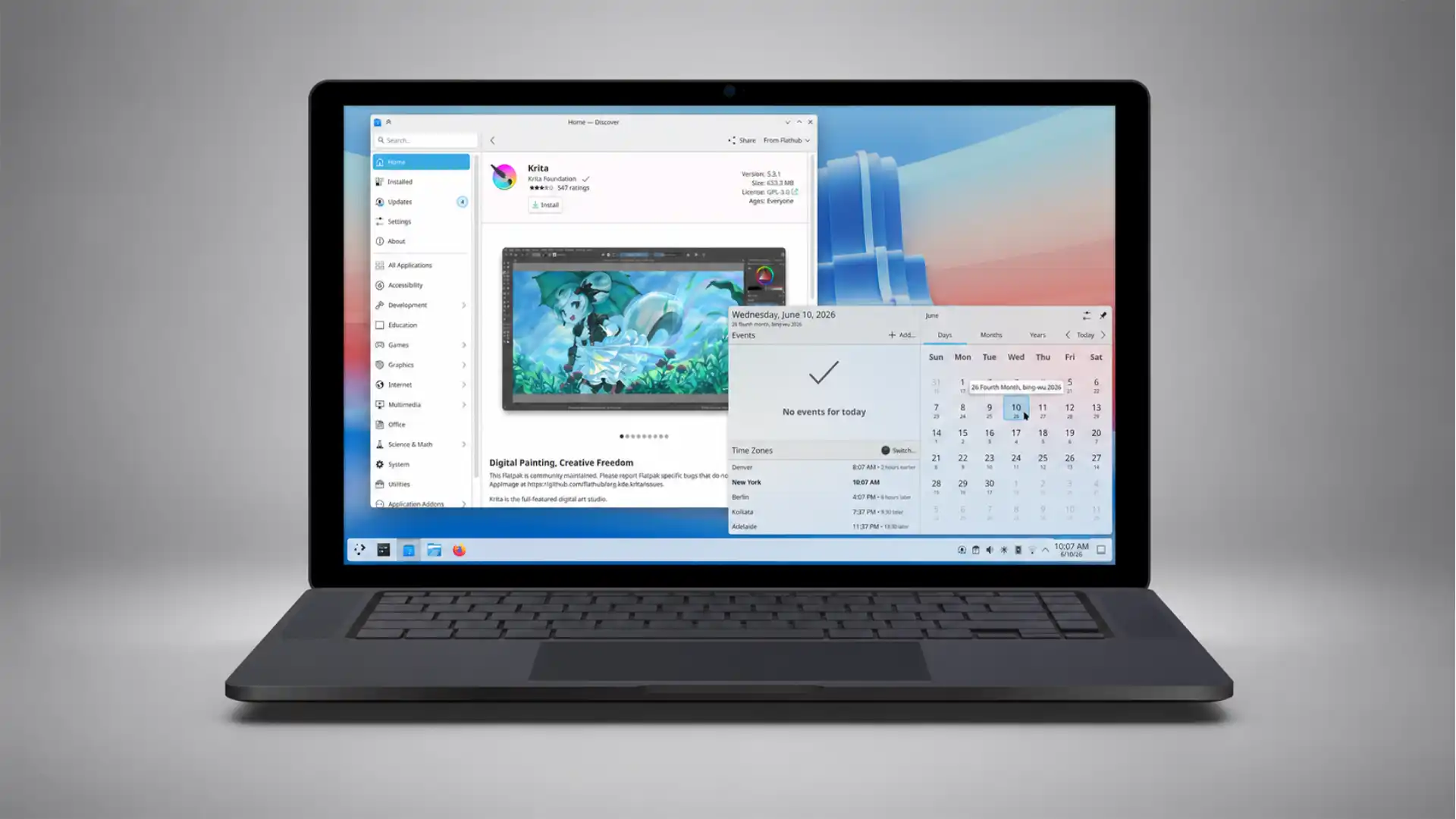
The relevant point for adoption is that the desktop environments are no longer the weak link. A new user landing on Plasma, GNOME, or Cinnamon in 2026 finds a system that handles the everyday tasks, multiple monitors, fractional display scaling, light and dark themes, sensible settings, and a working application store, without the rough edges that defined the experience a decade ago. There are still inconsistencies, and the sheer variety means quality is uneven across less-maintained options, but the leading desktops have closed most of the gap that mattered. The complaint that Linux is too rough for ordinary use was accurate once. Applied to a current Plasma or GNOME system, it mostly is not.
This maturation interacts with the government and gaming stories in a way that compounds. A polished desktop environment is what makes the Steam Deck refugee comfortable on a desktop, what makes a government employee able to do their job after migration, and what turns a Windows 10 deadline trial into a permanent switch. The infrastructure underneath always worked. The surface is what kept ordinary people away, and the surface finally caught up.
Wayland finally wins the protocol war
Underneath the desktop environment sits the display server, the software that actually puts pixels on the screen and routes input from the mouse and keyboard. For decades that job belonged to the X Window System, usually called X11, a design dating to the 1980s that carried assumptions no longer suited to modern hardware. Replacing it has been one of the longest and most contentious projects in Linux history, and as of 2026 the replacement has all but won.
Wayland is the modern display protocol built to replace X11, and 2026 is the year the transition stopped being a debate and became a fact. GNOME dropped its X11 session support entirely some releases ago, running Wayland only. KDE made Wayland its default and published a roadmap in which Plasma 6.7 is the last release to ship an X11 session at all, with Plasma 6.8 later in 2026 removing the X11 code completely. COSMIC was born on Wayland and never supported X11. With the last major holdout committing to drop it, X11 enters maintenance-only status across the Linux desktop by the end of 2026, and developer attention, driver work, and new features now target Wayland exclusively.
This matters because the practical problems Wayland solves were exactly the ones that made Linux feel second-rate on modern hardware. Three long-standing pain points, mixed display refresh rates, complicated multi-monitor layouts, and fractional scaling on high-resolution screens, were difficult or broken under X11 and work properly under Wayland. A user with a high-density laptop screen next to a standard external monitor, each needing different scaling, had a miserable time on X11 for years. Wayland handles it. Anyone who has fought with display scaling on Linux understands how much that single improvement changes the daily experience.
The features that arrived with Wayland maturity read like a checklist of things Windows users took for granted. High Dynamic Range support, which lets capable displays show a wider range of brightness and color, was Windows-only in practice for a long time and is now working on Wayland desktops, with KDE’s implementation regarded as the most mature. Variable refresh rate support, which matters for smooth gaming, improved frame pacing, and per-display scaling all came together in this period. These are not exotic features. They are the baseline expectations of someone with modern hardware, and their absence was a real reason to stay on Windows.
The transition was not painless, and the friction is worth being honest about. The single biggest sore point was NVIDIA graphics hardware, where the proprietary drivers that most NVIDIA users run had a difficult relationship with Wayland for years, producing flickering and synchronization glitches that made the combination frustrating. Recent driver releases, combined with kernel-level synchronization improvements, have largely resolved those issues, and both GNOME and KDE now run acceptably on current NVIDIA drivers. But the rough years left a reputation, and users with older NVIDIA cards or specific configurations can still encounter problems.
The protocol war’s resolution carries a quieter benefit that compounds over time. As long as the ecosystem maintained two display systems, developer effort was split, and every feature had to be considered against the constraint of supporting an aging design. With X11 moving to maintenance and Wayland as the single target, that fork closes. Compositor developers can implement a feature once and trust that game developers and application authors can rely on it universally, rather than gambling on per-environment support. The example often cited is pointer constraints, the mechanism that locks the mouse to a window for first-person games, which each desktop had to implement separately and which now works across all of them. Consolidation frees attention for refinement, and the desktop benefits from the undivided focus.
The packaging problem and its partial truce
If display servers were Linux’s longest war, software installation was its most persistent everyday annoyance, and the situation in 2026 is genuinely better while remaining genuinely messy. Understanding the packaging story matters because it is where the fragmentation that helps power users most directly hurts newcomers.
The historical problem was simple to state and hard to live with. Each distribution family had its own packaging system and its own software repositories, so a program packaged for one distribution would not install on another, and software not in the official repositories required hunting down instructions that assumed technical knowledge. A user on Ubuntu used one set of commands, a user on Fedora used another, and neither could easily install something built for the other. Worse, the same program might be available in several formats with different versions and behaviors, leaving a newcomer to wonder which one to choose and why it mattered.
The partial solution that emerged is a set of distribution-independent packaging formats, the most important being Flatpak, with Snap and AppImage as alternatives. A Flatpak application bundles its own dependencies and runs in a sandbox, so it installs and runs the same way on any distribution that supports Flatpak, which now means nearly all the mainstream ones. Flathub, the main Flatpak application store, has become the practical answer to “where do I get software,” offering popular applications, Spotify, Slack, Discord, the major browsers, and thousands more, as one-click installs that work regardless of the underlying distribution. For the everyday applications most people use, the fragmentation has been smoothed over.
The remaining mess is real and worth naming honestly. The existence of multiple competing formats, traditional distribution packages, Snap, Flatpak, and AppImage, means the same application can exist in four versions with different update mechanisms, different sandboxing, and occasionally different behavior. A power user appreciates the choice. A newcomer who just wants to install a program and does not understand why there are four buttons experiences it as confusion, not flexibility. Some of this is the product of corporate competition, notably the tension between Canonical’s Snap format and the more community-driven Flatpak, which has produced friction that serves nobody’s interests but the companies’.
There is also a real technical cost to the sandboxed model. Bundling dependencies means each Flatpak carries its own copies of shared libraries, so disk usage grows and updates can be larger than the traditional approach where libraries are shared system-wide. The sandboxing that improves security can also complicate applications that need deep access to the system, requiring permission grants that confuse users and occasionally break functionality. These are reasonable engineering tradeoffs, but they are tradeoffs, not pure wins, and pretending the packaging problem is fully solved overstates the case.
The accurate summary is a truce rather than a victory. For mainstream applications, installation in 2026 is close to as easy as an app store on any platform, which removes one of the oldest barriers to ordinary adoption. For anything outside the mainstream, or for users who care about the differences between formats, the old complexity persists. The newcomer following the gaming or government path will mostly meet the easy case. The person who wanders off the beaten track still meets the hard one, and the difference between those two experiences is large.
Government as the unexpected anchor customer
The most consequential Linux desktop story of the past two years did not happen on anyone’s home machine. It happened in government offices, and it represents a category of adoption fundamentally different from the gamer or the Windows 10 refugee. When a government migrates tens of thousands of employees to Linux, it is not a trial that might be abandoned next week; it is a procurement decision backed by budget, policy, and political commitment, and it creates a durable institutional user base that pulls vendors, support contracts, and software compatibility along with it.
The clearest case is the German state of Schleswig-Holstein, which has become the reference example for what serious public-sector migration looks like. The state announced a plan to move roughly 30,000 government PCs away from Microsoft software, replacing Microsoft Office with LibreOffice, Outlook and Exchange with Thunderbird and Open-Xchange, and SharePoint with Nextcloud, while testing desktop Linux to replace Windows itself. This was not a vague aspiration. By late 2025 the state reported migrating around 40,000 email accounts and over 100 million messages and calendar entries off Microsoft Exchange, and roughly 80 percent of workplaces outside tax administration had moved to LibreOffice as the standard office suite.
The financial case the state makes is specific and worth quoting accurately. Schleswig-Holstein expects to save more than 15 million euros each year on software licensing once the migration completes, against a one-time investment of around 9 million euros to cover the final workplace changes and further development of open tools, which implies a payback period close to a single year. The Linux desktop pilot, testing full Windows replacement, runs with around 150 users including the state’s digital minister, a deliberate choice that puts leadership on the same system it is asking employees to adopt.
What makes Schleswig-Holstein instructive is not just the scale but the stated motivation, which marks a shift from earlier government Linux efforts. The driving argument is no longer primarily cost savings, although those are real; it is digital sovereignty, the principle that a government should control its own digital infrastructure rather than depending on a single foreign company’s roadmap, pricing decisions, and data practices. The state’s leadership has framed this explicitly as ensuring sensitive citizen data does not fall under the control of third countries, and as reducing dependence on a vendor whose decisions the government cannot influence. This reframing matters because cost savings can be undercut by a vendor discount, while sovereignty cannot. A government worried about dependence is not won back by a cheaper license.
The sovereignty argument gained legal weight from a specific ruling. A 2024 decision by the European Data Protection Supervisor found that the European Commission’s own use of Microsoft 365 violated European data protection rules, a finding that handed every public-sector body in Europe a concrete reason to question its reliance on the same software. When the body responsible for protecting Europe’s data tells the European Commission that its mainstream office software breaks the rules, the conversation about alternatives stops being theoretical.
History counsels caution here, and the Linux community knows it. The most famous government Linux migration before this wave was Munich’s LiMux project, which moved the city to Linux over years and then reversed course, switching back toward Microsoft, in a saga that became the cautionary tale skeptics cite whenever public-sector Linux comes up. The reversal had many causes, including political changes, integration difficulties, and the gravitational pull of a Microsoft presence in the city. Anyone claiming the current wave is permanent has to reckon with the fact that the last big wave receded.
The case that this time differs rests on several changes. The technology is markedly more mature than during the LiMux era, with LibreOffice, the desktop environments, and document compatibility all substantially improved; the motivation has shifted from cost to sovereignty, which is more durable; and the political commitment in cases like Schleswig-Holstein has survived electoral changes, suggesting it is not a single administration’s hobby. These are real differences. They are not guarantees. A migration can still founder on a critical application that only runs on Windows, on employee resistance, or on the slow accumulation of friction that makes leadership quietly decide the fight is not worth it. The government story is the strongest evidence that the Linux desktop has a serious future, and it is also the story with the most prominent example of how such efforts can collapse.
Europe’s sovereignty turn
Schleswig-Holstein is not alone, and the broader pattern across Europe is what raises the government story from an interesting anecdote to a structural force. A cluster of European governments and institutions began treating dependence on a small number of American technology companies as a strategic vulnerability rather than a routine procurement choice, and software migration became one expression of that shift.
Denmark’s Ministry of Digital Affairs announced it would move from Microsoft to LibreOffice and Linux, with the Danish digital minister framing the decision around not wanting the country so dependent on so few suppliers that it could no longer act freely. Major Danish cities, including Copenhagen and Aarhus, moved in the same direction. The language is striking because it is the language of national security and autonomy, not of IT budgets, and it reflects a European mood that hardened considerably as geopolitical tensions made dependence on foreign technology feel riskier.
France brings the longest track record. The French national gendarmerie has run Linux on a large scale since the mid-2000s, building a custom Ubuntu-based distribution called GendBuntu and deploying it across more than 100,000 machines, one of the largest and most durable government Linux deployments in the world. France has also seen LibreOffice deployed across hundreds of thousands of workstations in various ministries, and French government bodies have supported open-source initiatives including hackathons aimed at the digital workplace. The gendarmerie example matters precisely because it is old: it demonstrates that a large public organization can run on Linux for nearly two decades without reversing course, the counterexample to Munich.
Italy’s Ministry of Defence standardized on LibreOffice and the open document format across a large fleet of machines, and other European public bodies have made comparable moves. The accumulation is the point. No single migration proves a trend, but a dozen governments moving in the same direction within a few years, citing the same sovereignty rationale, is a pattern that reshapes the market vendors plan around.
Selected European public-sector open-source migrations
| Government body | Scope | Stated driver |
|---|---|---|
| Schleswig-Holstein (Germany) | ~30,000 PCs, ~15M euro/year projected savings | Digital sovereignty, data protection |
| Denmark, Ministry of Digital Affairs | Ministry plus major cities | Reducing dependence on few foreign suppliers |
| France, national gendarmerie | 100,000+ machines on GendBuntu since mid-2000s | Cost and control, sustained for nearly two decades |
| Italy, Ministry of Defence | Large fleet on LibreOffice and ODF | Standardization on open formats |
These efforts vary in maturity and in how much they touch the desktop versus only the office software, but they share a direction and a rationale. The table understates the breadth, since it omits numerous regional and municipal projects across the continent.
The institutional expression of this mood is the EU OS project, a community-led proof of concept for a standardized Linux desktop aimed at European public-sector organizations. Spearheaded by Robert Riemann, who works at the European Data Protection Supervisor, EU OS is built on Fedora’s immutable KDE Plasma variant and uses modern container and management technology to make large-scale deployment and later distribution-switching easier. EU OS is explicitly not an official European Union project, a point its own materials stress, though its stated ambition is to become one, and its purpose is less to be the final answer than to confront public administrations with a half-built working example proving that migration is practical in years rather than decades. The project’s choice of an American-controlled base in Fedora drew criticism from people who saw irony in a sovereignty effort built on Red Hat and IBM software, and the project openly acknowledges it has little funding and few contributors. EU OS is a signal of intent more than a finished product, but the intent itself, a shared European public-sector Linux desktop, would have sounded fanciful a few years ago and now has institutional people working on it.
The hardware finally meets Linux halfway
A persistent obstacle to Linux adoption had nothing to do with software quality. It was that almost no one could walk into a store and buy a computer with Linux already installed and guaranteed to work. The default was a Windows machine, and the user had to wipe it, install Linux, and hope every component, the wireless card, the fingerprint reader, the special function keys, cooperated. That gamble deterred exactly the mainstream users who would never tolerate it. The hardware situation in 2026 is markedly different, on two fronts.
The first front is a set of companies that build computers specifically for Linux. System76, Framework, Tuxedo, Star Labs, and Purism design and sell machines with Linux preinstalled and hardware chosen to work with it, removing the compatibility gamble entirely. System76 ships its own Pop!_OS distribution with its COSMIC desktop and tunes power management and firmware for its hardware, selling laptops, desktops, and workstations with the explicit promise that everything works out of the box. Framework built its reputation on a different value, repairability and upgradeability, designing laptops whose parts the owner can replace and upgrade, a direct rebuke to the sealed, disposable design of most modern machines, and Framework hardware is popular among Linux users for its open approach. Tuxedo, a German company, builds Linux laptops including gaming-capable models. These vendors are not mass-market in volume, but they prove the concept and serve the users who want a machine where Linux is the point rather than an afterthought.
The second front matters more for mainstream reach: the large, conventional manufacturers have warmed to Linux as the desktop share crossed thresholds that made it worth their attention. Dell and Lenovo now offer Ubuntu and Fedora as factory installation options on parts of their lineups, with Lenovo’s ThinkPad line in particular enjoying a long reputation for strong Linux compatibility. A business buyer can order ThinkPads with Linux certified and supported, which changes the calculation for an organization that wants Linux but needs vendor backing rather than a self-built solution. When Dell puts Ubuntu on a flagship laptop and Lenovo certifies its business machines for Linux, the gamble that deterred ordinary buyers shrinks toward zero for the supported configurations.
The underlying hardware also improved in Linux’s favor for reasons unrelated to Linux. Recent processor generations from both AMD and Intel arrived with strong mainline Linux kernel support, meaning the drivers ship with the kernel itself and a current distribution recognizes the hardware immediately. AMD in particular built a reputation for open and well-supported graphics drivers, which is why AMD hardware is the path of least resistance for Linux gaming and why gaming-focused distributions tune for it. The friction points that remain cluster in predictable places: very new hardware can outrun kernel support for a few months until drivers catch up, certain wireless and fingerprint components remain finicky, NVIDIA’s proprietary drivers carry the history discussed earlier, and ARM-based Windows laptops have Linux support that is improving but not yet dependable.
There is a structural reason to expect this to keep improving rather than reverse. Hardware support follows market share, because manufacturers and component makers invest in driver quality when enough customers run the operating system to justify it. For years Linux was caught in a loop where low share meant low manufacturer investment, which meant rough hardware support, which kept share low. The desktop share crossing 5 percent in the United States and the visible success of the Steam Deck broke part of that loop, giving component makers a concrete reason to care. A gaming handheld selling in real volume forces graphics and chipset support that flows to every Linux user.
The honest limit is that buying a Linux machine is still not the frictionless default for an ordinary consumer walking into a typical electronics store, where the shelves remain full of Windows and Mac hardware and a Linux option requires seeking out a specialist vendor or a specific configuration from a large manufacturer’s website. The situation improved from impossible to available-if-you-look, which is real progress, but it is not yet the effortless availability that would let Linux reach people who do not already know they want it. The hardware met Linux halfway. The other half, Linux machines sitting next to Windows machines on the same store shelf as a normal choice, has not arrived.
ChromeOS and the other Linux on the desktop
Any honest accounting of Linux on the desktop has to confront a population that already runs a Linux kernel by the hundreds of millions and is almost never counted in the figures: ChromeOS users. ChromeOS, the operating system on Chromebooks, is built on the Linux kernel, which means that in a strict technical sense an enormous installed base of desktop and laptop computers already runs Linux, even though almost no one thinks of it that way. The reason it is excluded from the Linux desktop conversation is that it is a tightly controlled Google product that hides the Linux underneath behind a browser-centric interface, and it is not what people mean by the Linux desktop. But the exclusion is a choice of definition, not a technical fact, and it complicates the slogan in a useful way.
ChromeOS matters for the desktop’s future for concrete reasons beyond the definitional curiosity. In education, particularly in the United States, Chromebooks captured a large share of the market because they were cheap, easy to manage at scale, and resistant to the malware and maintenance burdens that plagued school Windows fleets. A generation of students learned computing on a Linux-kernel device with a browser-first model, and while ChromeOS is not the open, configurable Linux desktop enthusiasts champion, its success demonstrated that a Linux-based system could win a major market segment when it was packaged for a specific audience’s needs and sold as a solution rather than as Linux.
The most direct link to the Windows 10 story is ChromeOS Flex, a version of ChromeOS that Google offers for installation on ordinary PCs and Macs, turning aging hardware into a Chromebook-like device with automatic updates and minimal maintenance. For the same household with a Windows 11-ineligible laptop, ChromeOS Flex is a competing answer to desktop Linux: lighter to maintain, simpler to use, and backed by Google rather than a community, at the cost of being far more limited and far more tied to Google’s ecosystem and online services. For a web-centric user who lives in a browser, ChromeOS Flex can be a lower-maintenance choice than a full Linux distribution, and it competes for exactly the users the Windows 10 deadline displaced.
The comparison sharpens what the open Linux desktop actually offers. ChromeOS and ChromeOS Flex prove that Linux-based systems can be mainstream and easy, but they achieve it by being closed, controlled, and limited in the way the open Linux desktop deliberately is not. A Chromebook is easy because Google removed the choices and the complexity, which is precisely the tradeoff the open Linux desktop refuses to make. The open desktop’s bet is that ordinary users can have ease without surrendering control, that a Zorin or a Mint can be simple enough for a newcomer while remaining a real, open, configurable computer underneath. ChromeOS represents the alternative bet, that ease requires control, and its commercial success is the strongest evidence for that alternative view. The future of the desktop, read honestly, includes both bets running at once, and ChromeOS’s quiet ubiquity is a reminder that Linux on the desktop has, in one constrained form, already happened at enormous scale.
The privacy and telemetry backlash
A force pushing people toward Linux is not anything Linux did, but a growing irritation with the direction Windows and macOS have taken. The frustration is specific and worth separating from vague complaints, because it explains a particular kind of switcher: not the person whose hardware failed the Windows 11 check, but the person whose hardware passed and who left anyway, out of resentment.
The grievances cluster around control and intrusion. Windows has steadily added advertising and promotional content into the operating system itself, from suggestions in the Start menu to prompts pushing Microsoft services, in places users consider their own workspace rather than a billboard. A person who paid for a computer and a Windows license experiences an advertisement in the Start menu as a small insult, and the accumulation of these insults across updates wears down goodwill. Each individual nag is minor. The pattern communicates that the operating system serves the vendor’s business interests as much as the user’s, and some users reach a point where they refuse to accept it.
Telemetry is the deeper concern. Modern Windows collects substantial data about how the system is used and sends it to Microsoft, with controls that users often find incomplete, confusing, or impossible to fully disable, and for privacy-conscious users this is a fundamental objection rather than a preference. The introduction of features that capture and analyze user activity, most controversially the Recall feature that periodically captured screenshots of user activity to enable search, crystallized the fear that the operating system had become a surveillance layer the user could not switch off. Whether any specific feature is as invasive as critics claim is debatable, but the perception hardened, and perception drives behavior.
Linux answers these specific grievances directly, which is why this category of switcher tends to stick. A mainstream Linux distribution shows no advertisements in the interface, collects little or no telemetry by default, and gives the user genuine control over what the system does, because there is no vendor with a business model that depends on the user’s data or attention. This is not a marketing claim layered on top of the same underlying incentives; it is a structural consequence of how the software is made and funded. Community distributions have no advertising revenue to chase and no data to monetize. Even commercially backed distributions operate under licenses that let users inspect and modify the system, which constrains how far any vendor can push intrusion before users simply fork the code or move on.
The control argument extends beyond privacy into the basic question of who decides how the computer behaves. On Windows and macOS, the vendor controls the roadmap, can force updates on its own schedule, can redesign the interface or remove features users depend on, and can change the terms of the relationship at will. A user who liked an old workflow has no recourse when it is removed. On Linux, the user can decline updates, choose a desktop that does not change underneath them, pin software versions, and in the extreme case maintain or fork anything that goes in a direction they dislike. Most users will never exercise these options. The knowledge that they exist, that the computer answers to its owner rather than to a distant company, is itself the appeal for a certain temperament.
There is a counterargument worth stating, because the privacy advantage can be overstated. Linux is not automatically private or secure; a misconfigured system, a careless user, or a malicious package can compromise privacy on any platform, and the open desktop’s privacy benefit comes from defaults and incentives rather than from magic. Browsers, online services, and applications collect data regardless of the operating system underneath them, so a Linux user who lives in the same web services as a Windows user shares much of the same exposure. The Linux advantage is real but bounded: the operating system itself is not working against the user, which removes one layer of concern, but it does not remove the layers that live in the applications and services above it. The switcher fleeing Windows telemetry escapes the operating system’s data collection and keeps every other source of it. That is a real improvement and not a wholesale change.
The economics of staying versus switching
Underneath the philosophical and technical arguments sits a calculation in money, and for both individuals and organizations the economics shifted in Linux’s favor during this period, though not uniformly and not without hidden costs. Laying out the real numbers, rather than the slogans, clarifies who actually benefits from switching and who does not.
For an individual with hardware that fails the Windows 11 check, the calculation is the starkest it has ever been. The Windows path costs money: either a new PC, a real expense, or the Extended Security Updates fee to keep an unsupported machine patched for a limited time, a fee explicitly designed to escalate and expire. The Linux path costs nothing in licensing, runs on the existing hardware, and keeps receiving security updates indefinitely. For a household weighing a few hundred dollars for a new laptop against a free operating system that revives the one they own, the financial logic points one way, and the Windows 10 download spikes show people responding to exactly that logic. The cost of switching is time and the risk of hitting an incompatible application, not money.
For organizations the picture is larger and more nuanced. The headline savings can be substantial, as Schleswig-Holstein’s projected 15 million euros a year against a 9 million euro investment illustrates, but those figures include not just license fees avoided but the broader cost of dependence, and the up-front migration cost is real and often underestimated. Licensing is the visible cost. Migration carries less visible ones: retraining staff, rebuilding workflows, ensuring document compatibility, supporting users through the transition, and handling the specialized applications that resist migration. A migration that ignores these costs fails, and the cautionary history of reversed migrations is largely a history of organizations that underestimated the human and integration side while focusing on the license savings.
The total cost of ownership argument cuts in more than one direction, and honesty requires acknowledging both. In Linux’s favor: no license fees, longer hardware lifecycles since Linux runs well on older machines, strong security reducing certain support costs, and freedom from forced upgrade cycles that obsolete working hardware. Against it: the cost of migration itself, the cost of retraining, the cost of supporting an environment with less commercial tooling and fewer administrators who already know it, and the cost of maintaining compatibility with a world built around Microsoft formats and Windows-only applications. For an organization whose work fits Linux well, the math favors switching over a multi-year horizon. For one deeply dependent on Windows-specific software, the migration cost can exceed the savings indefinitely.
The environmental dimension entered the economic argument in a way it had not before. Linux’s ability to run well on older hardware means a working machine that Windows 11 would render obsolete can keep functioning for years, which converts a forced hardware purchase and its associated electronic waste into a free software switch. Campaigns built explicitly on this point, framing premature hardware replacement as both a financial waste and an environmental harm, and positioning Linux as the way to extend a device’s useful life. For organizations under pressure to reduce their environmental footprint, and for individuals who object to throwing away functional hardware, this reframes the switch as responsible rather than merely thrifty. The argument resonates because it is largely true: a five-year-old laptop that fails the Windows 11 check is not broken, and the only thing forcing its replacement is a software policy.
The clean economic summary is that switching to Linux is close to a pure financial win for individuals with capable older hardware, a genuine but conditional win for organizations whose software needs fit, and a likely loss for organizations chained to Windows-specific applications, with the up-front migration cost being the variable that most often determines the outcome. The economics improved across the board, but they did not become universally favorable, and the cases where they remain unfavorable are exactly the cases the enthusiasts tend to skip over.
Where the switch lands across five sectors
The Linux desktop’s prospects look completely different depending on the kind of work being done, and lumping all users together obscures more than it reveals. The switch is nearly painless in some sectors and close to impossible in others, and the difference comes down to the specific applications each kind of work depends on. Treating the main sectors separately gives a far more accurate picture than any single verdict.
Software development is the sector where Linux already wins decisively, and it has for years. Developers were the original Linux desktop population because the tools of the trade, the programming languages, the version control systems, the containers, the command-line utilities, were built for Unix-like systems and run most naturally on Linux. A developer on Linux works in the same environment their code will run on in production, which eliminates a class of bugs and friction. Surveys of developers consistently show Linux usage far above the general population, and the rise of containerized, cloud-native development has only deepened the fit. For this sector, the question was never whether Linux works; it was whether the surrounding office software and corporate mandates allowed it, and even those constraints have loosened. A sizable share of developers fleeing Apple’s hardware and software direction land on Linux rather than Windows.
Public administration, examined at length earlier, is the sector making the most visible institutional commitment, and its work fits Linux better than most assume. A large share of government desktop work is document creation, email, web access, and line-of-business applications increasingly delivered through a browser. LibreOffice handles the documents, Thunderbird the email, and the browser the rest, which covers the daily work of most public employees. The hard cases are the specialized applications, the niche systems for tax, benefits, or specific administrative functions, that were built for Windows and resist migration, which is why migrations like Schleswig-Holstein’s leave a Windows remnant in exactly those areas. The sector’s fit is good for the bulk of users and poor for the specialists, and the migrations reflect that split.
Education, particularly below the university level, is a sector where Linux-based systems already dominate in the ChromeOS form and where the open Linux desktop has a real but smaller foothold. Schools value low cost, easy management, and resistance to malware, all of which Linux-based systems deliver, and the Windows 10 deadline hit school fleets hard given their typically older hardware and tight budgets. The barrier in education is rarely the operating system’s capability and usually the specific educational software, testing platforms, and administrative systems that schools are required to use, some of which assume Windows. Where those dependencies are light, education migrates easily; where they are heavy, it does not.
The creative sector is where Linux struggles most visibly, and the reason is concentrated in a small number of dominant applications. Professional creative work runs largely on Adobe’s software, Photoshop, Premiere, After Effects, Illustrator, and these do not run on Linux, with no fully equivalent native alternatives for the workflows built around them. A graphic designer, video editor, or photographer whose career depends on Adobe’s tools cannot simply switch, and the open-source alternatives, capable as some are, do not match the specific features, file compatibility, and industry workflows that professional creative work demands. This is the single sector where the enthusiast claim that Linux is ready for everyone is most clearly false, and pretending otherwise does a disservice to the professionals it would strand.
General office and business work outside specialized roles is the swing sector, the one whose verdict most determines the desktop’s broad future. This is the accountant, the manager, the administrator, the salesperson, whose computing day is documents, spreadsheets, email, meetings, and a handful of business applications. For the document and communication work, Linux with LibreOffice or web-based office suites is capable, and the browser handles the growing share of business software delivered as web applications. The friction concentrates in two places: deep compatibility with Microsoft Office formats, where complex documents, intricate spreadsheets, and shared files with embedded macros can behave imperfectly in LibreOffice, and the specific Windows-only business applications a given company depends on. Whether general office work can move to Linux comes down to how married the organization is to Microsoft Office’s exact behavior and to Windows-specific software, and for many organizations that marriage remains strong enough to block the switch regardless of Linux’s capabilities.
The cross-sector pattern is consistent and important. Linux’s fit for a sector depends almost entirely on whether that sector’s core applications run on it, and the operating system’s own quality is rarely the deciding factor. Development fits because its tools are native. Public administration and general office work fit for the common tasks and break on the specialized ones. Education fits where its required software allows. The creative sector breaks because its core tools are absent. The desktop’s future across these sectors is therefore less a story about Linux improving and more a story about which applications become available, which workflows move to the browser, and which dependencies on Windows-specific software finally loosen.
The professional and creative reality check
The surest way to mislead someone about the Linux desktop is to describe what works and stay quiet about what does not. The technology has come far enough that the honest account is genuinely positive, which makes the omissions more tempting and more damaging. A reality check on the applications that block professional adoption is owed to anyone considering the switch on the strength of the optimistic coverage.
Adobe’s Creative Cloud is the largest single wall, and there is no way around it that satisfies a professional. Photoshop, Illustrator, Premiere Pro, After Effects, Lightroom, and InDesign run on Windows and macOS and not on Linux, and Adobe has shown no interest in changing that. The open-source alternatives are real and some are excellent for their purposes, GIMP and Krita for image work, Inkscape for vector graphics, DaVinci Resolve, which does run on Linux, for video, Darktable for photo processing, but they are not drop-in replacements. They have different feature sets, different workflows, and imperfect compatibility with the file formats and project structures that professional collaboration assumes. A professional whose work involves exchanging files with other Adobe users, or who depends on a specific Adobe feature or workflow, cannot switch without disrupting their livelihood, and no amount of enthusiasm changes that. Attempts to run Adobe software through compatibility layers exist but are unreliable and unsupported, not a basis for professional work.
Microsoft Office is the second wall, lower than Adobe’s but still real for many. The web versions of Office run in any browser, and LibreOffice handles most documents well, so for a great many users the Office dependency is surmountable. The difficulty appears in the demanding cases: complex documents with intricate formatting that does not survive the round trip between Office and LibreOffice perfectly, advanced spreadsheets with macros and specific functions, and collaborative workflows where a document passes through many hands and any formatting drift compounds. For an organization standardized on Office where documents are shared constantly and formatting fidelity matters, the imperfect compatibility is a genuine obstacle, not a minor annoyance, even though it blocks far fewer users than Adobe does.
The list of professional blockers extends into specialized fields. Engineering and architecture depend heavily on specific computer-aided design software, much of which is Windows-only, and the alternatives do not match the industry-standard tools. Certain scientific, financial, and industry-specific applications assume Windows. Hardware-dependent workflows, such as those requiring specific peripherals with Windows-only drivers or configuration software, hit walls. These are not edge cases for the people in those fields; they are the center of the work, and they make Linux a non-option regardless of its general quality.
The fair way to hold all of this is to separate the user populations clearly. For a user whose work is web browsing, email, documents that do not demand perfect Office fidelity, media consumption, and increasingly gaming, Linux in 2026 is fully capable and the switch carries little risk. For a user whose work depends on Adobe, on advanced Office features, on Windows-only professional software, or on specific hardware with Windows-only support, Linux is not ready, and telling them otherwise sets them up to fail and to blame themselves or the system. The Linux desktop’s future is bright for the first population and largely closed to the second until the specific applications they depend on either come to Linux or move to the browser. That division, rather than any blanket verdict, is the accurate state of professional Linux as of mid-2026.
Anti-cheat, DRM, and the games that still refuse
Gaming carried the Linux desktop further than anything else, and gaming also contains its sharpest unresolved limit. For all the progress in compatibility, a specific category of games remains broken on Linux, and the breakage is concentrated in exactly the titles that draw the largest, most engaged audiences. Understanding why these games refuse matters because the reason is not technical inability but a business decision, which means it could change and also means it has not.
The culprit is kernel-level anti-cheat, software that competitive multiplayer games use to detect and block cheating. Ordinary anti-cheat runs as a normal program. Kernel-level anti-cheat runs at the deepest level of the operating system, with the same privileged access as the system’s own core, so it can detect cheats that hide from less privileged software. This deep access is what makes it work against cheaters, and it is also what makes it incompatible with the way Linux runs Windows games through a translation layer. A game’s Windows kernel-level anti-cheat cannot simply run inside Proton, because Proton translates the game’s behavior rather than running a real Windows kernel underneath it, so the anti-cheat either has to be designed to support Linux explicitly or it blocks the game.
The key fact is that the major anti-cheat systems can support Linux. The companies behind the most widely used kernel-level anti-cheat solutions built Linux support into their software, allowing it to work with Proton when enabled. The technical capability exists; what is missing is the willingness of specific game publishers to switch it on, because enabling Linux support means accepting some additional risk and overhead for a player base that publishers still consider too small to justify it. This is the crux. The barrier is motivation, not capability. A publisher that flips the switch sees its anti-cheat work on Linux. A publisher that does not flip it leaves Linux players locked out, and several of the largest competitive games have chosen not to flip it.
The consequence falls unevenly and lands hardest on a particular kind of player. A player whose gaming life centers on a major competitive title that blocks Linux, and there are several prominent ones, cannot switch, full stop, regardless of how well everything else works. For this player the entire Linux gaming story is irrelevant, because the one game that matters does not run. Meanwhile a player whose interests are single-player games, or multiplayer games whose publishers enabled Linux support, has a nearly complete experience. The same operating system is fully ready for one player and completely useless for another, and the difference is which specific games they care about.
Digital rights management adds a smaller but related complication. Some DRM schemes, the technologies that protect games against piracy, interact poorly with the translation layer, and certain platform-specific services and launchers add friction beyond the core compatibility question. These are usually surmountable or affect fewer games than anti-cheat, but they contribute to the general truth that the remaining obstacles in Linux gaming are about protection and platform control rather than about whether the game’s code can run.
The trajectory is the genuinely uncertain part. Whether the holdout publishers eventually enable Linux support depends on whether the Linux gaming population grows large enough to change their calculation, which makes this a chicken-and-egg problem: some players will not switch until their game works, and the publisher will not make it work until enough players have switched. Valve’s continued investment, the rising Steam Hardware Survey numbers, and the Steam Machine’s potential to grow the living-room Linux gaming base all push toward the threshold where publishers reconsider. But the threshold has not been crossed for the biggest holdouts, and a player evaluating Linux today must check their specific games rather than trust that the problem is solved. The accurate statement is that Linux gaming is excellent except for a specific and important category, and that the category’s resolution is a market question with no guaranteed answer.
The fragmentation argument, honestly
The most durable criticism of the Linux desktop is fragmentation, the idea that the proliferation of distributions, desktop environments, and packaging formats produces confusion and prevents the polish a single controlled platform achieves. This argument is partly right, partly a misunderstanding, and partly a value judgment dressed as a technical claim. Sorting those apart is necessary because fragmentation is the criticism most likely to be either overstated by detractors or dismissed too quickly by advocates.
The legitimate core of the argument is real. No single organization controls the Linux desktop end to end, which means no one guarantees that every layer is polished, that all the pieces fit together, and that a feature works identically everywhere, in the way Apple guarantees for macOS and Microsoft for Windows. A user can assemble or encounter a combination of distribution, desktop, and software that the various pieces’ developers never tested together, and the result can be rough in ways a vertically controlled platform avoids. The packaging confusion discussed earlier, where the same application exists in multiple formats, is a direct expression of this. For a newcomer who wants one obvious way to do everything, the abundance of choices reads as a failure to provide a clear path, and that reading is understandable.
The part of the argument that is a misunderstanding concerns what the choice actually costs a typical user. In practice, a newcomer does not confront the full sprawl of Linux’s options; they pick one beginner-friendly distribution, encounter one desktop environment, and use one main software source, and within that choice the experience is coherent. The fragmentation is visible to someone surveying the whole ecosystem and largely invisible to someone using a single sensible distribution. The Steam Deck user never chooses a distribution or a desktop; Valve chose for them. The Zorin user gets one coherent experience. The fragmentation that critics describe is real at the level of the ecosystem and mostly theoretical at the level of an individual who made one reasonable initial choice and stuck with it.
The part that is a value judgment is the deepest and the least often acknowledged. Fragmentation and choice are the same property viewed from opposite sides, and whether it is a flaw or a feature depends on what the user values rather than on any objective measure. The same diversity that prevents top-down polish is what lets Linux fit radically different users, survive the failure or corruption of any single project, and resist the impositions that drive people away from controlled platforms. A user who wants the vendor to make every decision experiences choice as burden. A user who left Windows specifically because the vendor made too many decisions experiences the same choice as the entire point. Calling fragmentation a flaw assumes the first user’s values are correct and the second’s do not count, which is a preference, not a fact.
There is also a counterintuitive reading of the trend that the strongest critics miss. The fragmentation that was once Linux’s clearest weakness has, in the specific area that matters for mainstream adoption, partially resolved itself through the emergence of opinionated, curated options. The Steam Deck, the beginner distributions, the controlled experiences like ChromeOS, and the vendor-integrated systems from companies like System76 all represent the ecosystem producing the focused, polished, decided experiences that newcomers need, without eliminating the choice that advanced users want. The market is delivering both, which means the diversity persists for those who want it while curated paths exist for those who do not. The honest verdict is that fragmentation is a real limitation on top-down polish, a largely theoretical problem for users who make one good choice, a genuine strength for the users Linux is built to serve, and a weakness that the ecosystem has been quietly addressing where it actually bites.
The conversion gap between trial and daily use
The entire optimistic case for the Linux desktop rests on a number nobody has measured: how many of the people who tried Linux actually stayed. The download spikes are real, the curiosity is real, and the trend in market share is real, but the gap between trying an operating system and living on it is the single largest uncertainty in the whole story, and it is the place where honest analysis has to admit it is working with incomplete information.
The problem is structural. A download counts an expression of interest, not a migration; an image written to a USB stick, booted once, and abandoned counts exactly the same as one that became someone’s daily system. When Zorin reports a million downloads or Bazzite reports a petabyte of images served, those numbers measure intent and curiosity at a moment of disruption, the Windows 10 deadline, when an unusually large group had reason to look. They do not measure how many of those people are still running Linux months later. The honest distributions and the careful coverage acknowledge this directly, treating download figures as leading indicators rather than adoption counts.
The reasons people abandon a trial are predictable and map onto the obstacles described throughout this article. A trial fails when the user hits a missing application they cannot replace, a game blocked by anti-cheat, a peripheral that does not work, a workflow that broke, or simply the accumulated friction of learning a new system when the old one, whatever its faults, was familiar. The Windows 10 deadline pushed people to try Linux who had no prior interest, which is exactly the population most likely to hit one of these walls and retreat, because they lack the investment and the patience that carried earlier Linux users through rough patches. Curiosity gets a person to install. Only an absence of dealbreakers keeps them.
The market-share data offers the only real evidence on conversion, and it is genuinely encouraging while remaining ambiguous. The fact that StatCounter’s desktop share rose over years rather than spiking and collapsing suggests that a sizable fraction of trials did convert to durable use, because abandoned trials would not show up as sustained browsing share month after month. If everyone who downloaded Linux around the Windows 10 deadline had abandoned it within weeks, the desktop share would have spiked and fallen back. Instead the trend climbed and held, which implies real retention, even though the data cannot say precisely how much. The browsing share that the trackers measure reflects machines actually in use, not images downloaded, which makes it a better proxy for conversion than the download counts that grab headlines.
There is a difference between the populations that matters for conversion. The gamer who switched because the Steam Deck made Linux comfortable, and the government employee who was migrated as part of an institutional decision, are far more likely to stay than the Windows 10 refugee who tried Linux on a whim, because the first two have either a positive pull or an organizational commitment holding them, while the third has only the absence of a better option. Institutional migrations do not depend on individual conversion at all; the employee uses what the organization deploys. Gaming conversions ride on a genuinely good experience for the games that work. The deadline-driven individual conversions are the most fragile, and they are also the ones the headline download numbers most overstate.
The fair conclusion is an admission and a lean. The conversion rate from trial to daily use is unknown, the download numbers overstate durable adoption, and the optimistic case depends on a retention figure no one has measured directly; but the sustained rise in browsing share, the durability of institutional migrations, and the genuine quality of the gaming experience for supported titles all suggest that conversion is real and material rather than negligible. The desktop’s future depends heavily on this gap, and the most accurate thing that can be said is that the indirect evidence points toward real retention while the direct evidence does not yet exist. Anyone claiming precise adoption gains is guessing, and anyone dismissing the trend as pure trial-and-abandonment is ignoring the sustained share that abandonment would not produce.
Reasons the breakthrough keeps not arriving
Before accepting any version of the optimistic case, it is worth taking the skeptics seriously, because they have been right for thirty years and the burden of proof sits with anyone claiming this time is different. The reasons the Linux desktop breakthrough kept not arriving are not stupid, and several of them remain in force in 2026. A clear-eyed account has to grant the skeptics their strongest points rather than caricaturing them.
The most fundamental skeptical insight is about human behavior, not technology. Most people do not care about operating systems, do not want to learn a new one, and will tolerate considerable frustration with what they know rather than face the unknown, which means technical merit has never been the deciding factor in desktop adoption. Linux could be better than Windows on every measure and most people would still not switch, because switching requires effort and the default requires none. This is why preinstallation matters so much and why the absence of Linux from store shelves is such a deep obstacle: people use what comes on the machine they bought, and almost no machines come with Linux. The skeptic correctly notes that winning on merit is not enough when inertia favors the incumbent.
The second skeptical point is the lock-in of applications, examined earlier but worth restating as the skeptics frame it. The desktop is not won by the operating system; it is won by the applications, and as long as the applications people and businesses depend on are Windows-only, the operating system underneath them cannot change regardless of its quality. Adobe, advanced Office, industry-specific software, and Windows-only games hold users on Windows more firmly than any feature of Windows itself. The skeptic argues that Linux advocates focus on the operating system because that is where Linux is strong, while the actual battle is over applications, where Linux is weak, and this critique is largely correct.
The third point is the historical record, and it is the one advocates most want to forget. The last serious wave of desktop Linux optimism, around government migrations and netbooks, receded, with Munich’s reversal as the emblem, and the pattern of enthusiasm followed by retreat has repeated often enough that skepticism is the rational default. Every year someone declares the year of the Linux desktop, and every year they have been wrong. A person betting against the breakthrough has won that bet for three decades. The skeptic is not being cynical; they are extrapolating from an unbroken record, and the burden is genuinely on the optimist to explain why the record breaks now.
The skeptics also correctly identify that the current numbers, encouraging as they are, remain small. Linux at 3 to 5 percent of desktops, even rising, is still a niche, and a trend that has to multiply several times over to reach even ten percent has a long way to go before it threatens the incumbents in any general sense. The gaming and government gains are real but concentrated in specific populations, and concentration in niches is exactly what a niche looks like. The skeptic warns against mistaking growth within enthusiast and institutional segments for a broad mainstream shift, and the warning is sound.
Granting all of this, the case that something genuinely changed does not collapse, but it narrows to a defensible shape. The skeptics are right that operating-system merit does not drive adoption, that applications hold users on Windows, that the historical record favors disappointment, and that the current share is still small; what they have to contend with is that the specific forces of this period, a hard Windows deadline removing the default for millions, gaming providing a positive pull for the first time, and governments creating institutional demand for sovereignty reasons, are different in kind from the forces behind previous waves. Previous optimism rested largely on the claim that Linux had gotten good enough, which was true and insufficient. The current rise rests on external pressures that do not depend on winning the merit argument. That is the strongest reason to think this time differs, and it is a reason the skeptics’ historical extrapolation does not fully account for, because the historical waves lacked these particular external drivers arriving together.
Linux already won everywhere except the desktop
A peculiar feature of the Linux desktop debate is that it treats Linux as a perennial underdog when Linux is, in almost every domain except the desktop, the dominant operating system on the planet. Understanding why Linux conquered everything else and stalled on the desktop clarifies both what the desktop’s obstacles really are and why its eventual progress, if it comes, would complete a near-total victory rather than starting a new one.
The scale of Linux’s dominance elsewhere is easy to understate because it is invisible to ordinary users. Linux runs the majority of the world’s servers, powers nearly all of the cloud infrastructure that the modern internet depends on, runs every one of the world’s fastest supercomputers, and underlies Android, which means the most common personal computing device on earth, the smartphone, runs a Linux kernel. It is embedded in routers, smart televisions, cars, industrial equipment, and the vast machinery of the internet’s back end. By any measure of total deployment, Linux is not a niche operating system; it is the most widely deployed operating system in history, present in more devices than any competitor. The desktop is the conspicuous exception to an otherwise comprehensive victory.
The reasons for the victory everywhere else illuminate the desktop’s resistance. In servers, the cloud, and supercomputing, the decision-makers are technical experts choosing on merit, cost, and control, the exact criteria where Linux excels, and there is no inertia of preinstalled defaults or application lock-in working against it. A company building cloud infrastructure chooses Linux because it is the best technical and economic choice, and no Windows-only application or consumer habit stands in the way. The server world is the clean experiment where Linux competes on its strengths without the desktop’s handicaps, and it wins overwhelmingly. The same is true of supercomputing and embedded systems: technical decision-makers, merit-based choices, no inertia, total Linux dominance.
Android is the most instructive case because it is consumer computing where Linux won. Android demonstrates that a Linux-based system can dominate a consumer market, and it won precisely by hiding the Linux underneath, controlling the experience tightly, ensuring application availability through a single store, and arriving preinstalled on devices people bought for other reasons. Android did everything the open desktop does not: it removed choice, controlled the platform, guaranteed applications, and came preinstalled. It is the proof that Linux can win consumers and the proof that winning them required abandoning the open desktop’s principles. ChromeOS makes the same point on the desktop form factor. Where Linux-based systems adopted the controlled, curated, preinstalled model, they won consumer markets; where the open desktop kept its principles, it stayed niche.
The desktop’s resistance, set against this backdrop, comes into focus as the product of three things absent everywhere Linux won. The desktop has consumer decision-makers who do not choose on merit, application lock-in that holds users to Windows, and an inertia of preinstalled Windows that Linux cannot easily overcome, none of which afflict the servers, the cloud, the supercomputers, or even Android and ChromeOS in their controlled forms. The open desktop faces the one combination of conditions that defeats Linux’s strengths: a market decided by habit and applications rather than by technical merit, where Linux’s advantages do not count and its disadvantages do.
This framing reframes the desktop’s future. If the open Linux desktop ever does break through, it will not be because Linux finally became good enough, since it has been good enough for years and won everywhere that merit decides; it will be because the external conditions, the application lock-in, the consumer inertia, the preinstallation monopoly, finally weakened enough for Linux’s existing strengths to matter. That is exactly what the forces of this period are doing. The Windows deadline weakens the preinstallation inertia by making the default machine unusable for millions. Gaming and the browser weaken application lock-in by moving more of what people do onto cross-platform foundations. Government procurement weakens consumer inertia by making institutional decisions on sovereignty grounds. The desktop is the last domain Linux has not won, and the reason is not Linux’s weakness but the desktop’s peculiar conditions, which are precisely the conditions now under pressure.
The AI workstation angle
A newer force entered the Linux desktop equation that did not exist during previous waves of optimism, and it pulls a specific and influential population toward Linux: the rise of artificial intelligence work as a mainstream computing activity. The connection is not obvious from the consumer side, but for the people building, running, and experimenting with AI tools, Linux is the natural home, and that population’s preferences ripple outward.
The foundation of the connection is that the entire machine-learning ecosystem, the frameworks, the libraries, the tooling, the deployment targets, was built on Linux and runs most naturally there, the same way the broader development ecosystem did. A researcher or engineer working with AI models works in an environment that assumes Linux, deploys to infrastructure running Linux, and uses tools whose documentation and community assume Linux. Doing this work on Windows means fighting the current; doing it on Linux means going with it. As AI work spread from a specialized research activity to something a large and growing share of developers and technical professionals engage in, it pulled more of them toward Linux as their daily desktop, not just their server.
The hardware dimension reinforces this. Running AI models locally, rather than only through online services, demands capable graphics hardware, and the tooling for local model work is most mature on Linux, where the relationship between the graphics drivers, the compute libraries, and the frameworks is well established. NVIDIA’s compute platform, which dominates AI work, has deep Linux support because the servers and workstations doing serious AI run Linux. A professional assembling a workstation to run or fine-tune models locally finds that Linux gives the most direct path to the hardware’s full capability, with fewer layers between the tools and the silicon. The desktop that doubles as a local AI workstation is increasingly a Linux desktop.
This matters for the broader desktop future for the same reason the developer population always mattered. Technical professionals are the people who influence what others adopt, who set up the systems their colleagues and families use, and who shape the defaults of the organizations they work in, so pulling more of them onto Linux through AI work extends Linux’s reach beyond that population over time. The developer who runs Linux for AI work is the same person who recommends a distribution to a relative replacing a Windows 10 machine, who advocates for Linux options in their workplace, and who builds tools that assume a Linux environment. The AI surge deepens Linux’s hold on the most influential computing population at exactly the moment the other forces are widening its consumer base.
There is a counterweight worth noting so the point is not overstated. Much AI work happens through online services that run in any browser, which is platform-neutral and does nothing to favor Linux, and the local-model workstation remains a minority of how people use AI even among technical users. The AI angle is a genuine pull on a specific and influential population, not a mass-market driver. It strengthens Linux’s position among the people who already leaned toward it and who shape wider adoption, rather than directly moving the general desktop numbers. Its importance is indirect and real: it reinforces the technical core that has always been Linux’s strength and its bridge to wider use, and it arrived as a new reason for that core to deepen its commitment at a pivotal moment.
A practical migration path for individuals
For an individual persuaded that Linux might fit, the gap between curiosity and a working system is smaller than the reputation suggests, but it rewards a deliberate approach over an impulsive one. A sensible migration path reduces the risk of hitting a wall and retreating, which is the failure mode the conversion-gap discussion identified. The steps below describe how a careful person actually moves, rather than the idealized version.
The work starts with identifying the dealbreakers before installing anything. Make a list of the applications and games that the daily routine genuinely depends on, then check honestly whether each one runs on Linux, has an acceptable alternative, or works through a compatibility layer, because the migration succeeds or fails on this list more than on anything else. A person whose list is a browser, an office suite, email, media, and games that Proton supports has a clear path. A person whose list includes Adobe software, a specific Windows-only professional tool, or a competitive game with kernel-level anti-cheat has found their dealbreaker and should know it now rather than after switching. This single honest audit prevents most failed migrations.
The second step is to try before committing, which Linux makes uniquely easy. Most distributions can run from a USB stick without installing anything, booting into a fully working system that touches nothing on the existing drive, which lets a person test their actual hardware and try the interface for an afternoon at zero risk. Writing a distribution’s image to a USB stick and booting from it reveals immediately whether the wireless works, whether the display behaves, whether the trackpad feels right, and whether the desktop is comfortable. If something is broken in the live session, that is useful information gained without commitment. If everything works, confidence is earned honestly.
The third step, for the cautious, is to keep both systems during the transition. Dual-booting, installing Linux alongside the existing Windows system and choosing between them at startup, lets a person move to Linux for daily work while keeping Windows available for the specific tasks or applications that still require it, removing the all-or-nothing pressure that makes switching frightening. This is the safest path for someone with one or two Windows dependencies they are not ready to abandon. It also allows a gradual shift, where more of the daily routine moves to Linux as the person grows comfortable, rather than a single jarring cutover. The transition can take weeks at the user’s own pace.
The practical specifics matter and are worth stating plainly. Back up everything important before making any changes to the drive, choose a beginner-focused distribution like Mint or Zorin rather than a complex one, get the installation image only from the distribution’s official website, and accept that the first week involves learning where things are. The backup is non-negotiable because partitioning a drive carries risk, however small. The choice of a friendly distribution determines whether the early experience is smooth or rough. The official download source avoids tampered images. And the expectation that the first week requires learning, finding the settings, installing the software, adjusting to the differences, prevents the early friction from being mistaken for failure. A person who expects to learn handles the learning; a person who expects everything to be instantly familiar quits when it is not.
The honest framing for an individual is encouraging within its limits. For someone whose dealbreaker audit comes back clean, the path from Windows to a working Linux desktop is a weekend of careful effort followed by a week of adjustment, with dual-booting available as a safety net, and the result is a system that revives their hardware and stops working against them. For someone whose audit reveals a real dealbreaker, the right move is to keep Windows for now and revisit when the blocking application changes, rather than switching and suffering. The migration is genuinely accessible to the first person and genuinely premature for the second, and knowing which one you are is the whole game.
A practical migration path for organizations
An organization moving to Linux faces a different problem than an individual, because the cost of getting it wrong is multiplied across every employee and the failure modes are organizational rather than technical. The European government migrations succeeded or struggled based less on Linux’s capabilities than on how the transition was managed, and their experience maps a path that organizations can follow or ignore at their peril.
The first principle is to treat the document and application audit as the foundation, at organizational scale. Before any migration, an organization has to catalog the applications its work depends on, identify which run on Linux or have acceptable alternatives and which are Windows-only, and confront the document-compatibility question directly, because the specialized Windows-only applications and the demand for perfect Microsoft Office fidelity are what stall public-sector migrations. Schleswig-Holstein’s remaining Windows footprint sits precisely in tax administration and specialized functions where Windows-only software resisted migration. An organization that audits honestly knows in advance which parts of its operation can move and which must stay, and plans accordingly rather than discovering the obstacles mid-migration.
The second principle is phased rollout over wholesale replacement. Successful migrations move in stages, starting with pilot groups, expanding to non-critical functions, and approaching the hardest cases last, rather than switching everyone at once, because a phased approach contains the disruption, surfaces problems while they are small, and builds internal expertise before the difficult migrations. The pilot reveals the real friction that planning missed. The non-critical functions prove the approach at scale without risking core operations. And by the time the organization reaches its hardest cases, it has staff who understand the new environment and can support the transition. The migrations that reversed often tried to move too much too fast and were overwhelmed by the accumulated friction.
The third principle, and the one organizations most underestimate, is the human side. The largest hidden cost of organizational migration is retraining and user support, because employees comfortable with Windows and Office need time, training, and help to become productive on new tools, and a migration that neglects this produces frustrated employees, lost productivity, and the political pressure that kills the effort. The technology can work perfectly and the migration still fail if employees revolt against the disruption. The successful European migrations invested in training modules, internal support, and gradual transitions that respected the learning curve. Schleswig-Holstein’s choice to put its own digital minister on the Linux pilot was partly about exactly this, demonstrating leadership commitment to a change it was asking employees to accept.
The fourth principle is to address the document-format question with both technical and policy measures. Document compatibility improves when an organization standardizes on open formats internally and manages the boundary with the outside world deliberately, rather than expecting LibreOffice to perfectly reproduce every Microsoft Office document, because the compatibility friction concentrates at the edges where documents cross between systems. An organization that adopts the open document format internally controls its own documents fully and limits the compatibility problem to documents exchanged with external Microsoft Office users. This is why the European migrations pair Linux and LibreOffice adoption with a commitment to open formats, treating format independence as part of the sovereignty goal rather than an afterthought.
The realistic organizational verdict mirrors the individual one at scale. For an organization whose work is documents, communication, web-based applications, and software that runs on or has alternatives for Linux, a carefully phased migration with serious investment in training and a deliberate approach to document formats can succeed and deliver substantial savings, as the European cases demonstrate. For an organization deeply dependent on Windows-only specialized software with no alternative, migration of those functions is not viable until the software changes, though the rest of the organization may still move. The difference between a migration that delivers Schleswig-Holstein’s savings and one that becomes another Munich is overwhelmingly about management, sequencing, and the human transition rather than about whether Linux works, and organizations that learn this from the successful cases improve their odds dramatically.
The distributions worth knowing in 2026
For anyone moving from curiosity to action, the abundance of distributions is the first obstacle, and a short, honest map of the ones that matter cuts through it. The list below is not exhaustive, since hundreds of distributions exist, but it covers the ones a person in 2026 is most likely to be well served by, organized by the kind of user each suits.
For the Windows refugee who wants familiarity, Zorin OS and Linux Mint are the standard recommendations. Zorin builds a deliberately Windows-like experience with tooling to ease the transition and was the distribution that captured the largest share of Windows 10 migrants, while Mint offers a stable, traditional, Windows-like desktop through its Cinnamon environment and a reputation as the safe choice for someone who wants reliability over novelty. Either gets a former Windows user to a comfortable, working system with minimal adjustment, and both run well on the older hardware that Windows 11 rejected. For most ordinary switchers, the right answer is one of these two.
For the general user who wants the mainstream default, Ubuntu and Fedora are the major reference points. Ubuntu is the most widely known distribution, the one most software targets first, and the basis for many others including Zorin and Mint, making it a safe and well-supported choice with extensive documentation and community. Fedora tracks newer technology more closely, adopting it early and serving as a reference for where Linux is heading, with strong KDE and GNOME editions. Ubuntu suits the user who wants the most common and best-supported option; Fedora suits the user who wants current technology and does not mind a slightly faster pace of change.
For the gamer, Bazzite is the distribution built for the job, with the broader options sitting behind it. Bazzite bundles the gaming stack on an atomic, rollback-capable foundation and offers both a desktop and a console-style mode, making it the closest thing to a Steam Deck experience on ordinary hardware, and its surge among Windows 10 gaming refugees reflected that fit. A gamer who wants gaming to work with minimal configuration is well served by it, while gamers comfortable with more setup can game well on Ubuntu, Fedora, or others with the gaming components added.
For specific temperaments, several others deserve mention. openSUSE offers a polished, well-engineered experience with strong administration tools and a reputation for stability. Pop!_OS, from the hardware vendor System76, provides a refined experience with the new COSMIC desktop and tight hardware integration, especially on System76’s own machines. Debian, the venerable foundation beneath Ubuntu and much else, suits users who prioritize stability and software freedom over the newest features and are comfortable with a more hands-on approach. Each of these serves a clear audience, and none is a wrong choice for the user it fits.
The practical advice cuts through the abundance. A newcomer should not agonize over the choice; picking Mint or Zorin for familiarity, Ubuntu or Fedora for the mainstream, or Bazzite for gaming covers the overwhelming majority of needs, and any of these can be tried risk-free from a USB stick before committing. The fear of choosing wrong is itself a barrier the fragmentation creates, and the antidote is to recognize that the leading beginner distributions are all genuinely good, that the choice is reversible, and that the differences between them matter far less to a newcomer than simply starting. The person who picks one reasonable option and begins learns more in a weekend than the person who reads comparisons for a month, and the live-USB trial means a poor fit costs nothing to discover.
The realistic scenarios for the next three years
Forecasting the desktop is treacherous, given the thirty-year record of confident predictions that failed, so the useful approach is not a single forecast but a set of scenarios with honest probabilities attached. The question is not whether Linux replaces Windows, which it will not in any near-term horizon, but how much the monopoly weakens and where. Three scenarios bracket the realistic range.
The conservative scenario is continued slow growth without a breakthrough. In this version, Linux desktop share keeps climbing gradually, reaching perhaps the high single digits globally and low double digits in favorable regions and segments over the next few years, driven by the same forces operating now, but never approaching the incumbents and never becoming a mainstream default. Gaming continues to pull enthusiasts, governments continue selective migrations, and the Windows-displaced continue trickling in, but application lock-in and consumer inertia hold the broad market on Windows and Mac. This is the scenario most consistent with the historical pattern, where Linux gains in niches without general breakthrough, and it is probably the most likely. It would still represent the strongest desktop position Linux has ever held.
The optimistic scenario is a genuine inflection in specific markets. In this version, the gaming momentum compounds as the Steam Machine establishes Linux in living rooms and more publishers enable anti-cheat support, the European sovereignty migrations spread and deepen into a structural public-sector shift, and Linux reaches solid double-digit share in gaming, in European public administration, and in regions like India where it is already strong, becoming a normal rather than exotic choice in those domains. This does not require Linux to win the general desktop; it requires Linux to consolidate the segments where it already has momentum into durable, double-digit positions. This is plausible if the current forces sustain, the conversions stick, and the holdout obstacles erode, and it would change the desktop from a near-monopoly to a market with a real, if minority, alternative.
The pessimistic scenario is a partial retreat. In this version, the Windows 10 migration spike proves to be mostly trial without conversion, the gaming gains plateau as the hardest games stay blocked, a prominent government migration reverses in a repeat of Munich and dampens institutional enthusiasm, and Linux desktop share settles back toward where it was, having gained less durably than the 2025 and 2026 numbers suggested. This is the scenario the skeptics expect, and the conversion-gap uncertainty means it cannot be ruled out. It would not erase the period’s gains entirely, since the gaming and government footholds are real, but it would confirm that the breakthrough remained out of reach once again.
The honest assessment weighs these without pretending to certainty. The conservative scenario of continued slow growth is the most likely, the optimistic scenario of consolidation in specific segments is plausible and supported by the current trajectory, and the pessimistic scenario of partial retreat is possible but works against the sustained share trend that abandonment alone would not produce. What all three share is that none involves Linux replacing Windows on the general desktop in this horizon. The realistic range runs from modest durable gains to a genuine minority position in specific markets, and the slogan about the future being Linux describes, at most, the optimistic end of that range, and even there describes plurality rather than replacement. The desktop’s most probable future is one where Linux matters more than it ever has and still represents a minority of machines, which is a real change from a near-total monopoly and a long way from the slogan’s implication.
The questions the evidence cannot yet settle
Honest analysis has to mark the boundaries of what the available evidence can support, and several questions central to the desktop’s future sit beyond those boundaries as of mid-2026. Naming them is not a failure of analysis but its completion, since the most misleading coverage is the kind that projects confidence past the point where the data runs out.
The largest open question is conversion, examined earlier and unresolved. No one knows what fraction of the people who tried Linux around the Windows 10 deadline are still using it, and the answer determines whether the period’s numbers represent a durable shift or a spike that will partly recede, yet the direct measurement does not exist and the indirect evidence only suggests rather than confirms real retention. Everything optimistic about the individual-adoption story depends on this unknown, and anyone who claims to know the conversion rate is guessing. The sustained browsing share points toward real retention, but how much is genuinely uncertain.
The second open question is whether the gaming obstacles erode. Whether the major publishers holding out on Linux anti-cheat support eventually enable it depends on a market calculation that could break either way, and the resolution would either complete Linux’s gaming viability or leave a permanent gap in exactly the most popular competitive titles. The chicken-and-egg problem means the outcome is genuinely indeterminate, contingent on whether the Linux gaming population crosses a threshold no one can identify in advance. The Steam Machine’s reception will be an early signal, but the question stays open until publishers actually decide.
The third open question concerns the durability of the government wave. Whether the European sovereignty migrations spread and deepen into a structural shift, or whether some prominent example reverses and dampens the movement as Munich did, will shape the institutional half of the desktop’s future, and the political and integration risks that sank earlier migrations have not vanished. A high-profile reversal would not only lose those users but would chill other governments considering the move, while sustained success would compound into a genuine public-sector market. The sovereignty motivation is more durable than the cost motivation that earlier migrations leaned on, which favors persistence, but the integration challenges remain real.
The fourth open question is whether the hardware availability problem genuinely closes. Whether the large manufacturers expand Linux preinstallation toward the point where a Linux machine sits next to Windows machines as a normal retail choice, rather than remaining a special-order or specialist-vendor option, will determine whether Linux can reach the people who use whatever comes on the machine they buy. This is the deepest structural obstacle, the preinstallation inertia, and its resolution depends on manufacturer decisions that follow market share in a loop that is only partly broken. Without it, Linux remains limited to people who actively seek it out.
The proper stance toward these questions is patience rather than prediction. The desktop’s future turns on conversion rates no one has measured, publisher decisions not yet made, government migrations not yet completed, and manufacturer commitments not yet made, which means the honest answer to whether the future of the desktop is Linux is that the evidence points to a stronger Linux position than ever before while leaving the magnitude genuinely undetermined. Confidence in either direction outruns the data. What can be said is that the conditions that always blocked Linux are under more pressure than at any previous point, and that the next three years will resolve questions that thirty years of speculation could not, because for the first time the forces acting on the desktop are external and measurable rather than dependent on winning an argument about merit.
Reading the future of the desktop without the hype
The slogan that titles a thousand forum posts, that the future of the desktop is Linux, is worth returning to with everything this analysis has established, because the slogan is both more and less true than it sounds, and the gap between its two readings is where the real understanding lives.
The slogan is false in its literal, maximal reading. Linux is not going to replace Windows on the general desktop in any near-term horizon; the application lock-in, the consumer inertia, the preinstallation monopoly, and thirty years of failed predictions all weigh against it, and the current share, encouraging as its trend is, remains a small minority of machines. Anyone selling the literal version, that Linux is about to take over the desktop, is repeating the error that made the phrase a joke, and the skeptics are right to wave them off. The maximal claim has been wrong every year for three decades and is wrong now.
The slogan is true in a smaller, more interesting reading. The future of the desktop is plural rather than monopolized, and Linux is the alternative most likely to hold a real, durable, minority position in that plural future, having moved during 2025 and 2026 from a perennial joke to a serious option backed by gaming momentum, government commitment, matured technology, and a hard Windows deadline that removed the default for millions. In this reading, the future is not Linux replacing Windows but Linux becoming normal, a choice people actually make, a system that arrives on real hardware and runs real workloads and serves real institutions, holding double digits in some segments and a respectable minority elsewhere. That future is plausible, supported by the current trajectory, and genuinely different from the past.
The deeper truth the slogan obscures is that the desktop’s future was never going to be decided by Linux’s quality. Linux has been good enough for years, which is why it won every domain where merit decides, and the desktop resisted not because Linux was weak but because the desktop is decided by applications, habits, and what comes preinstalled, the three things Linux could not control. What changed in this period is not that Linux finally became good but that those three external conditions came under real pressure at the same time. The deadline cracked the preinstallation inertia. Gaming and the browser eroded the application lock-in. Government procurement bypassed consumer habit. The forces moving the desktop are external to Linux, which is exactly why this moment differs from the previous waves that rested on the insufficient claim that Linux had gotten good.
The right way to hold the future, then, is with calibrated rather than tribal expectations. Expect Linux to keep gaining, to consolidate its position in gaming and European public administration and developer workstations, to become a normal choice rather than an exotic one, and to remain a minority on the general desktop while mattering far more than it ever has. Do not expect it to replace Windows, and do not dismiss its gains as nothing. The person making decisions about hardware, procurement, or their own machine in the next three years should treat Linux as a real option to evaluate on its merits for their specific needs, neither the inevitable future the enthusiasts promise nor the perpetual joke the skeptics remember. The future of the desktop is not Linux, and it is not not-Linux. It is a desktop where Linux finally counts, and after thirty years of the joke, that is the genuinely surprising development worth taking seriously.
Practical questions about the Linux desktop in 2026
Around 3 percent of desktop computers worldwide run Linux according to StatCounter, with the United States above 5 percent since mid-2025 and some countries such as India reaching roughly 16 percent. The figure excludes ChromeOS, which is Linux-based and counted separately. The number is small in absolute terms but has roughly doubled from the long-standing 1.5 to 2 percent range, and the rate of increase is what makes the moment notable rather than the raw share.
It removed the default that kept many people on Windows. Windows 10 stopped receiving free security updates on 14 October 2025, and Windows 11 requires TPM 2.0 and other hardware many older but working machines lack. Microsoft offered a paid Extended Security Updates bridge of about 30 dollars a year for consumers, but for people unwilling to pay or buy new hardware, reinstalling Linux on the existing machine became a real option for the first time, and download spikes for beginner-friendly distributions on the exact day of the deadline confirm the effect.
Most of them, and far more than a few years ago. Valve’s Proton compatibility layer runs a large share of the Windows Steam library on Linux without modification, and many titles now perform within a few percent of their Windows frame rates. The exceptions are specific competitive multiplayer games whose anti-cheat systems are not enabled for Linux. If your library is single-player and mainstream multiplayer titles, the path is clear; if it centers on a handful of kernel-level anti-cheat shooters, that is the part to check before switching.
Proton is a compatibility layer Valve built on top of Wine, combined with translation layers that turn Windows graphics calls into ones Linux understands. It lets a Windows game think it is running on Windows while it actually runs on Linux. Valve introduced it in 2018 to make its Steam Deck handheld viable, and the years of investment since have turned Linux gaming from a hobbyist effort into something that works for most of the catalog with a single click.
For someone coming from Windows who wants familiarity, Zorin OS, Linux Mint, and Kubuntu present a layout close to what they already know. For gaming on a dedicated machine, Bazzite is built around the experience and updates safely. For a mainstream default, Ubuntu and Fedora are the major reference points. The realistic advice is to try two or three from a USB stick without installing, since the live-session feature lets you test hardware and feel before committing.
LibreOffice opens and edits Word, Excel, and PowerPoint files, and for ordinary documents the results are reliable. Complex files with heavy formatting, macros, or tracked changes shared back and forth with Office users can show layout differences, which is the friction point in office environments. For people who live inside Microsoft 365, the browser versions of Word and Excel run on Linux through any browser, which sidesteps the compatibility question entirely for many workflows.
Not in a supported way. Adobe does not release its Creative Cloud applications for Linux, and while some versions can be coaxed to run through compatibility layers, this is fragile and unsupported. For professionals whose work depends on specific Adobe tools, this remains a genuine dealbreaker. Alternatives such as GIMP, Krita, and DaVinci Resolve exist and are strong in their own right, but they are not drop-in replacements for an Adobe-centered workflow.
Anti-cheat software. Several popular competitive titles use kernel-level anti-cheat that the publisher must explicitly enable for Linux, and some major publishers have chosen not to. The technical capability exists, since Proton supports the main anti-cheat frameworks when the publisher turns them on, so the obstacle is a business decision rather than a missing feature. This is why a specific game can be unplayable on Linux even though the underlying technology would support it.
SteamOS is Valve’s own Linux distribution, based on Arch, built to boot straight into a console-like gaming interface. It is regular Linux underneath, but tuned and packaged for gaming hardware with an immutable design that makes updates safe and hard to break. Valve has extended it beyond its handheld to a SteamOS Compatible program for third-party devices, signaling an intent to make it a platform rather than a single product.
Valve’s new Steam Machine, a small desktop gaming computer running SteamOS, is expected in 2026, alongside a new controller and a VR headset called the Steam Frame. Reporting has linked timing pressure to an industry-wide memory shortage driven by AI demand, which affects pricing and availability for any hardware shipping in this window. The launch matters beyond the device itself because it puts SteamOS on a living-room machine and tests whether a Linux gaming platform can reach mainstream buyers.
The driver is digital sovereignty rather than cost alone. European public bodies have grown uneasy about depending on United States cloud providers for critical infrastructure, a concern sharpened by a 2024 ruling that the European Commission’s use of Microsoft 365 breached data-protection rules. Open-source software running on government-controlled servers keeps sensitive data inside jurisdictions and under public control, and the savings on licensing are a secondary benefit rather than the main driver.
It is underway. The German state is moving roughly 30,000 public-sector computers from Microsoft software to Linux and open-source alternatives, has migrated tens of thousands of email accounts, and reports that the majority of staff have moved to LibreOffice. The state projects ongoing annual savings against a smaller one-time transition cost, and the digital minister has used a Linux desktop personally. It is the most concrete current example of a public administration committing to the switch at scale.
Munich ran a large municipal Linux project called LiMux for over a decade, then reversed it and returned to Windows, a decision critics linked partly to Microsoft moving its German headquarters to the city. The reversal became the standard cautionary tale cited against public-sector Linux. What makes the current wave different is the sovereignty motive and the legal pressure around data protection, which did not weigh as heavily during the Munich years.
For most users, yes. Wayland is the modern display system that replaced the decades-old X11, and during this period it gained the features that were previously missing, including HDR, variable refresh rate, and proper fractional scaling for high-resolution screens. The major desktops now default to it, and upcoming versions are dropping X11 support entirely. A small number of specialized tools still expect X11, but for ordinary desktop work the transition has largely completed.
Much better than their old reputation suggests. NVIDIA’s Linux drivers were long a source of trouble, especially on Wayland, but the company has improved its driver and Wayland support to the point where the previous showstoppers are largely resolved. Setup can still involve more steps than on Windows depending on the distribution, and the experience is smoother on hardware where the distribution handles drivers automatically, but NVIDIA is no longer the automatic reason to avoid Linux it once was.
Yes, from several vendors. System76, Framework, Tuxedo, Star Labs, and Purism sell machines with Linux preinstalled and tuned for the hardware, and mainstream makers including Dell and Lenovo offer Linux configurations on parts of their range. Buying preinstalled removes the hardware-compatibility gamble, since the vendor has verified that everything works, which is the single biggest source of friction for people installing Linux themselves on a random machine.
Yes. ChromeOS is built on the Linux kernel, which means Linux already powers a large share of laptops in education and other markets where Chromebooks are common, even though StatCounter counts ChromeOS separately from desktop Linux. Google also offers ChromeOS Flex, a version that installs on older PCs and Macs to extend their life, which overlaps with the same audience of people looking to keep aging hardware useful after Windows support ends.
The software is free to download and use, with no licensing fee. The real cost is time and learning rather than money: the hours spent choosing a distribution, testing hardware, learning a new interface, and finding replacements for any Windows-only tools you depend on. For a straightforward user whose needs are a browser, office work, and mainstream tasks, that cost is low. For someone tied to specialized professional software, the cost can be high enough to make switching impractical, which is the honest tradeoff to weigh.
Not in the near term, and the maximal version of the slogan has been wrong for thirty years. The more accurate expectation is that Linux becomes a normal minority choice rather than the dominant one, holding strong positions in gaming, European public administration, and developer machines while remaining a small share of general desktops. The interesting development is not Linux taking over but Linux finally mattering as a real option people choose, which is a different and more plausible claim than replacement.
Author:
Jan Bielik
CEO & Founder of Webiano Digital & Marketing Agency
This article is an original analysis supported by the sources cited below
StatCounter Global Stats: Desktop Operating System Market Share Worldwide The primary public dataset for desktop operating system share, showing Linux moving above the long-standing two percent range and the regional variation behind the global figure.
Steam Hardware and Software Survey Valve’s monthly survey of its user base, the most-cited measure of Linux’s share among PC gamers and the source for the Steam Deck and SteamOS gaming numbers.
Microsoft: Windows 10 end of support The official notice that free Windows 10 security updates ended on 14 October 2025, the deadline that pushed many owners of older hardware to consider alternatives.
Zorin OS The beginner-focused distribution built to resemble Windows, which recorded a sharp download spike from Windows users around the support deadline.
Bazzite The Fedora-based, image-mode gaming distribution that drew heavy download volume from gamers wanting a Steam Deck-style experience on their own hardware.
ProtonDB The community database tracking how well individual Windows games run on Linux through Valve’s Proton compatibility layer.
SteamOS on Steam Valve’s own Arch-based Linux distribution, built to boot into a console-style gaming interface and now extended toward third-party hardware.
Tom’s Hardware: Valve confirms Steam Machine and Steam Frame shipping this summer Coverage of Valve’s confirmation of a summer 2026 release window for its SteamOS desktop and VR hardware, including the memory-shortage pressure on pricing.
Wikipedia: SteamOS Background reference on the history of SteamOS, from its Debian-based origin to the Arch-based version powering the Steam Deck.
KDE: Plasma 6.7 announcement The official release notes for Plasma 6.7, including per-screen virtual desktops and the new Union theming engine.
Phoronix: KDE Plasma 6.7 Released Technical coverage of the Plasma 6.7 release and its Wayland progress ahead of the planned X11 removal in Plasma 6.8.
9to5Linux: KDE Plasma 6.7 is coming on June 16th A detailed preview of the Plasma 6.7 feature set and release schedule.
GNOME The project page for the other major Linux desktop, which has likewise moved its display stack fully to Wayland.
System76: COSMIC desktop The Rust-based, Wayland-native desktop environment developed by the Linux hardware maker behind Pop!_OS.
Framework The repairable-laptop maker whose hardware is widely used with Linux and sold with Linux configurations.
Tuxedo Computers A European vendor selling laptops and desktops with Linux preinstalled and tuned for the hardware.
The Register: German state ditches Windows and Microsoft Office for Linux and LibreOffice Reporting on Schleswig-Holstein’s decision to move roughly 30,000 public-sector PCs to Linux and open-source software, framed around digital sovereignty.
The Document Foundation: German state moving 30,000 PCs to LibreOffice The primary announcement of the Schleswig-Holstein migration from the organization behind LibreOffice.
The Document Foundation: Updates on Schleswig-Holstein moving to LibreOffice A follow-up on the migration’s progress, the public-money-public-code rationale, and its role as a procurement signal to other administrations.
LibreOffice The open-source office suite at the center of the European public-sector migrations and the main alternative to Microsoft Office on Linux.
EU OS The official site of the community proof-of-concept for a Fedora-based, KDE Plasma public-sector Linux base, explicitly not an official European Union project.
The New Stack: EU OS, a European proposal for a public sector Linux desktop Analysis of the EU OS concept, its layered customization model, and how it differs from earlier government Linux efforts.
Linux Journal: EU OS, a bold step toward digital sovereignty for Europe Context on the sovereignty motivation behind EU OS and the lessons drawn from GendBuntu and Munich’s LiMux.
ChromeOS Google’s Linux-kernel-based operating system, which already runs on a large share of education laptops and underlies ChromeOS Flex for older machines.
| Citing this article? Brief excerpts are welcome. Please credit Webiano.digital, name the author where stated, and include a link to https://webiano.digital and to this original article. Full or substantial republication requires prior written permission. Read our Copyright and Content Use Policy. |
This article was prepared with the assistance of artificial intelligence tools. The content underwent expert human review, and Webiano Digital & Marketing Agency assumes editorial responsibility for its final version and publication.