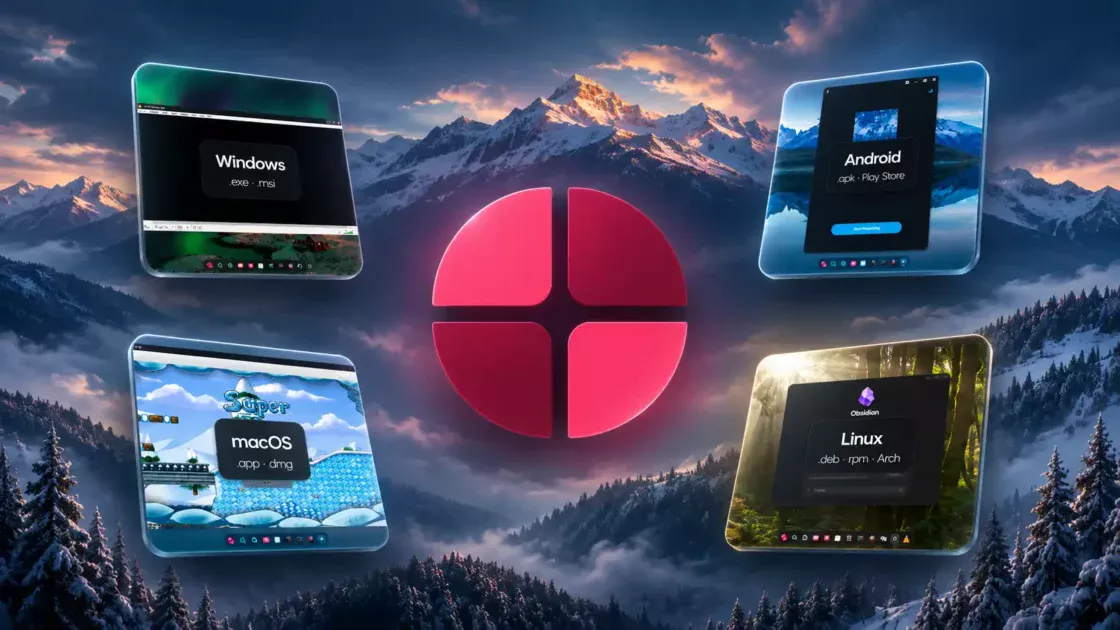

FlowOS offers a Linux desktop that brings Windows, Android, Mac and Linux apps together, with early access planned for December 2026. Its $20 booking price looks modest. The bigger commitment is accepting unverified compatibility, a separate Windows license for Office and Photoshop, and a refund policy that changes as soon as you download the installer.
Table of Contents
A cheap Windows alternative becomes expensive when the software you depend on fails halfway through a job. FlowOS is taking $20 early access bookings as of 23 November 2026, ahead of its planned December release. Buyers are funding access to a beta whose most attractive app claims still rest on the developer’s tests. The purchase precedes independent testing, and its price excludes licenses for the software you want to run.
That distinction drives Overprivileged’s video, published on 22 November, “FlowOS Explained: Who Makes It and What Your $20 Really Gets You.” Its description explicitly presents a check of published documents rather than a hands-on review. That is a useful boundary: the available material supports an assessment of the offer, its requirements and its gaps. It cannot establish that FlowOS will replace a working Windows PC reliably.
A paid desktop built on other people’s work
Velotic Studios LLC identifies itself in its published terms as a Wyoming company. Its component disclosure describes an Arch Linux base with KDE Plasma and KWin, plus Wine, Proton, Waydroid and Darling. Velotic keeps its own desktop, installer, apps and Windows Engine closed source. Linux underneath does not mean open source throughout.
The proposed combination has a credible technical basis. Valve describes Proton as a Wine-based route for running Windows games on Linux through Steam. Waydroid’s documentation describes a full Android system inside a Linux container. These projects establish that cross-platform application support is possible; their existence does not validate Velotic’s particular build.
Charging for packaging and integration can make sense. A buyer pays for the installation experience, updates and support that hold the parts together. The missing evidence is whether FlowOS delivers that service consistently across ordinary PCs and application updates. Naming capable components answers the architecture question. It leaves the maintenance question open.
The 128 MB claim describes a narrow starting point
The current FlowOS homepage separates three configurations: tiny mode boots with 128 MB on older BIOS machines, a light desktop starts from 256 MB, and 2 GB is recommended for the full desktop. Those are materially different experiences. 128 MB is a tiny-mode boot claim, not a promise that a modern creative workload fits in that memory.
The site also labels its tiny-mode demonstration as a virtual machine played at twice normal speed, with memory swapped to disk. Swap can help a system start under tight memory limits; the demonstration supplies no measured basis for judging interactive performance. Velotic says it has not yet published benchmarks.
Microsoft specifies at least 4 GB for Windows 11, alongside supported hardware, TPM 2.0 and Secure Boot-capable firmware. Comparing that requirement with FlowOS’s smallest boot configuration is useful for attracting attention. It cannot tell a buyer which desktop will handle a browser session or a project file faster.
Office brings Windows back into the bill
The decisive qualification appears in the Windows Engine requirements. Velotic lists hardware virtualization and 40 GB of free disk space during setup, recommends at least 8 GB of RAM, and requires your own Windows 11 Pro license. Microsoft Office and Photoshop sit in this separate December-release category.
The video’s description gets that distinction right. Running some Windows programs through Wine or Proton does not establish that Office and Adobe applications use the same route, have the same requirements, or come with the necessary licenses. Buyers must price the actual workflow they need. A PC that can boot the smallest FlowOS desktop does not thereby meet Windows Engine’s requirements.
For a small agency, the relevant cost includes application subscriptions, any suitable Windows license it lacks, and time spent checking existing documents and client projects. FlowOS’s booking price establishes none of those costs. A convincing demonstration would show a complete working session, including activation, file handling and repeated launches, on identified hardware.
An app reaching sign-in has passed a limited test
Velotic defines a working app as one that installed, opened and reached its main screen or sign-in screen. Some marked entries stopped at authentication because testers did not sign in. A sign-in screen is not a completed workflow. Outlook and Canva are examples where the list makes that limit explicit.
The same list says Premiere Pro and After Effects do not yet run in Windows Engine. Mac support is a preview, disabled by default, with SuperTux and Platypus listed as working. That small result fits Darling’s own description of experimental support for simple graphical applications. It does not establish general support for commercial Mac software.
A design team should therefore test the exact app version and the operations that earn its revenue: opening a real project, saving it, exporting the deliverable and using required plug-ins. An installed-app count answers a much smaller question. Even a correct count becomes misleading if readers interpret every entry as an end-to-end compatibility result.
Installation and daily checks create separate dependencies
The video flags the requirement to turn off Secure Boot for installation. That deserves attention from anyone keeping Windows beside FlowOS. Microsoft lists boot-manager changes among events that can trigger BitLocker recovery. A recoverable Windows installation matters more than a quick install: keep the recovery information and a usable backup before changing the boot setup.
Privacy introduces another distinction. Velotic’s published privacy policy says there is no usage telemetry, analytics or advertising, while describing update connections and daily license checks. It specifies hashed hardware identifiers and other activation information. A hash is still information sent to a server; the claim does not mean the system works without contacting Velotic.
That policy version says it takes effect on 1 December 2026. It is evidence of the company’s stated design, not a network audit of a released build. The material here does not establish whether extended offline use or a licensing-server outage would interrupt access to Windows Engine.
The refund cutoff arrives before a proper trial
The advertised booking costs $20 until 30 November at 23:59 UTC, then $25, for one PC. The refund policy offers cancellation before release and, after release, a refund within 14 days only if the installer has not been downloaded. Downloading ends the ordinary refund option, before a buyer can install it and discover whether a required app works.
The policy separately preserves consumer rights for faulty or misdescribed software. Its download cutoff should therefore be described as Velotic’s ordinary refund rule, rather than a claim that every legal remedy disappears. For a cautious buyer, however, it still leaves no vendor-promised download-and-test return period.
There is also a timing inconsistency. The new terms label 1 December as the early access release day, while their booking section and the homepage describe a December plan. They say the previous terms apply to existing bookings until then. Buyers need the terms actually accepted at checkout and a confirmed delivery date; the broader roadmap should remain a plan.
The useful release test starts with real work
External coverage offers context without settling performance. Techworthy’s report explicitly labels itself researched rather than hands-on tested. The stani blog relays the maker’s explanation of separate application layers and a later Windows Engine release. These are additional accounts of the project, not independent demonstrations that its compatibility promises work.
That leaves a defensible reason to buy early: an enthusiast wants to examine the beta and accepts the possibility of troubleshooting. It leaves a weaker case for moving a business workstation before independent tests. A spare-PC experiment is the credible first use. Treating pre-release compatibility labels as production approval would transfer the developer’s unfinished testing to the buyer’s working day.
The evidence that would change this assessment is specific: a downloadable release, reproducible tests on named hardware, authenticated app sessions, and successful exports from real projects. FlowOS’s possible value lies in making existing compatibility tools easier to use and maintain. The $20 offer has yet to prove that last part.
Author:
Jan Bielik
CEO & Founder of Webiano Digital & Marketing Agency
This article is an original analysis supported by the sources cited below
FlowOS Explained: Who Makes It and What Your $20 Really Gets You
The video’s description and publication metadata establish its document-based scope and the claims examined here; no transcript was available.
FlowOS · Windows, Android, Mac and Linux apps on one desktop
The product page states the planned release, desktop memory modes, installation requirements and absence of published benchmarks.
Terms of Service
The published terms identify the seller, license scope, price schedule and a release-date inconsistency within the document.
Apps we’ve tested on FlowOS.
The app list defines the limited test threshold and discloses Windows Engine requirements and unsupported creative applications.
Open-source components
The disclosure names the upstream projects and distinguishes their licenses from Velotic’s closed-source contribution.
Privacy Policy
The policy describes update traffic, daily license checks, transmitted activation information and its future effective date.
Refund Policy
The policy makes downloading the installer the ordinary refund cutoff while preserving rights for faulty or misdescribed software.
Windows 11 requirements
Microsoft establishes the Windows memory, firmware and TPM requirements used to assess the hardware comparison.
BitLocker recovery overview
Microsoft identifies boot-manager and partition changes among the events that can trigger recovery of an encrypted Windows drive.
GitHub – ValveSoftware/Proton: Compatibility tool for Steam Play based on Wine and additional components
Valve explains Proton’s Wine-based role in running Windows games through Steam on Linux.
Waydroid
The upstream documentation explains that Waydroid runs a full Android system inside a Linux container.
Darling
Darling describes its macOS translation approach and limits graphical support to experimental support for simple applications.
FlowOS: The 128 MB OS for Windows, Android, Mac and Linux Apps
This external report explicitly distinguishes its research from hands-on testing and illustrates the limits of pre-release coverage.
FlowOS
This Czech blog relays the maker’s account of application layers and planned Windows Engine development without providing benchmark validation.
FlowOS runs on any PC with as little as 128 MB of RAM and supports Windows, macOS, Linux and Android apps
The earlier article provides context on the launch claims, compatibility layers and limits of the 128 MB demonstration as assessed on 6 November 2026.
| Citing this article? Brief excerpts are welcome. Please credit Webiano.digital, name the author where stated, and include a link to https://webiano.digital and to this original article. Full or substantial republication requires prior written permission. Read our Copyright and Content Use Policy. |
This article was prepared with the assistance of artificial intelligence tools. The content underwent expert human review, and Webiano Digital & Marketing Agency assumes editorial responsibility for its final version and publication.