

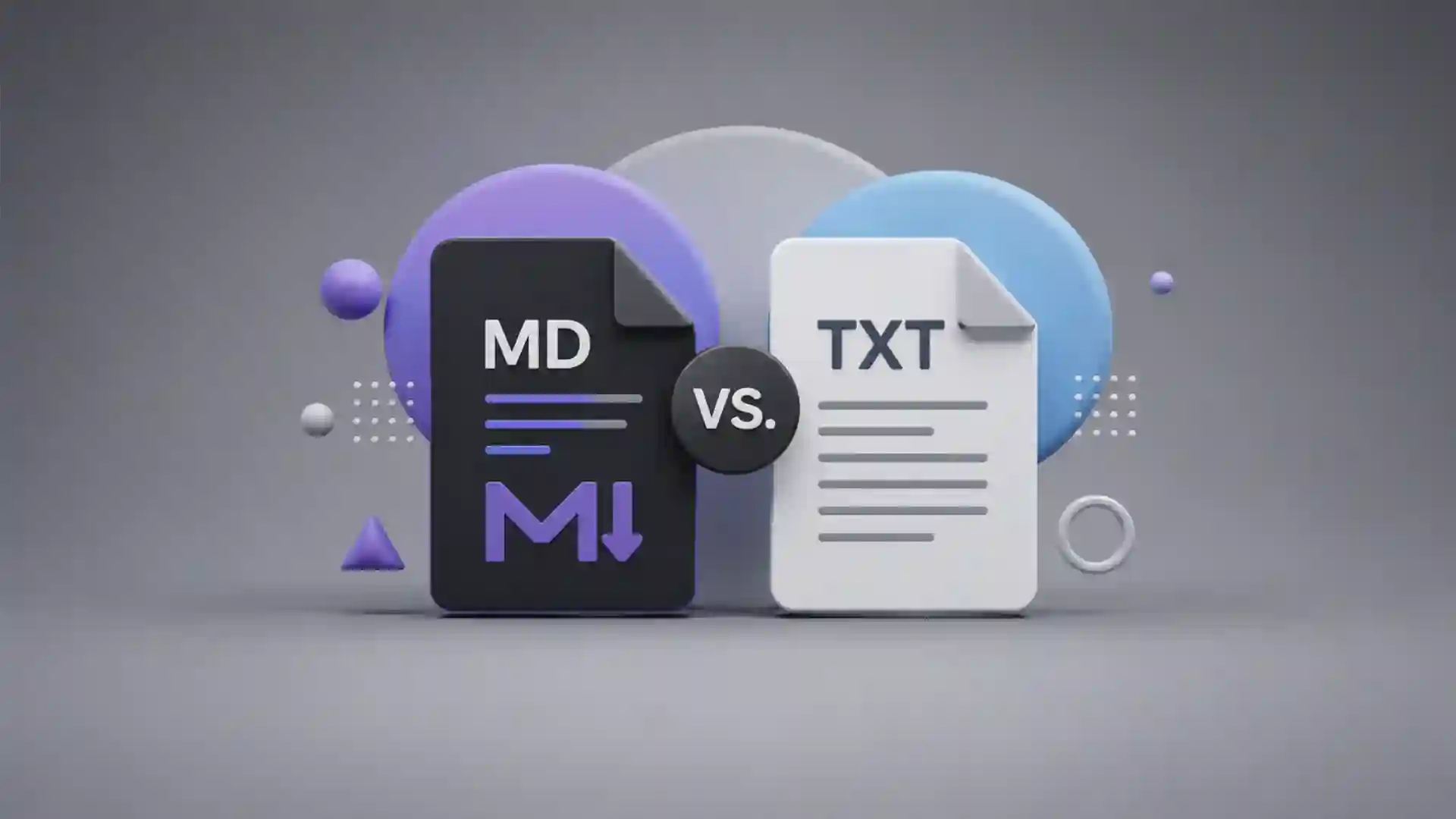
Markdown looks like a file extension argument until you notice the real choice: do you want text that merely survives, or text that keeps enough structure to travel? That is the useful tension behind .txt and .md. One is almost stubbornly neutral. The other is still plain text, still readable in the dullest editor on the machine, but it carries a small set of hints: this is a heading, this is a link, this line belongs to a list, this sentence deserves emphasis. For a format built out of punctuation, Markdown has become one of the web’s better quiet bargains.
Table of Contents
The editorial standard for this article comes from the supplied human-writing brief, which asks for specific, grounded writing and rejects padded, template-shaped prose. That matters here because Markdown itself is a format built against padding. Its appeal is not that it looks impressive. Its appeal is that it lets writers stay close to the words while giving machines just enough information to render, index, publish, convert, or share the piece cleanly. TXT is the file that refuses to pretend. Markdown is the file that says, lightly, “I know what this text wants to become.”
The original Markdown page describes it as both a plain text formatting syntax and a Perl tool that converts that syntax to HTML, with the larger goal of making web writing readable before and after publishing. That dual nature is the whole story. Markdown is not only a way to type. It is a way to keep the source document humane while accepting that most text now moves through renderers, websites, repositories, note apps, chat systems, static site generators, documentation portals, and conversion tools. TXT has purity. Markdown has direction.
That direction is why the comparison is more interesting than “which file type is better.” TXT is better when text should remain completely uninterpreted. A shopping list, a log dump, a scratch note, a raw transcript, a one-line command, a simple export, a legal-safe plain message, a recovery note left on a server: these are places where nothing should become a heading by accident. Markdown is better when the reader will benefit from structure, or when the document will be shown somewhere other than the editor where it was born.
The tiny trick is that Markdown does not ask writers to leave text. It asks them to use punctuation the way people already half-used punctuation in email. A blank line separates paragraphs. Dashes become lists. Asterisks become emphasis. Greater-than signs become block quotes. Backticks fence off code. Square brackets and parentheses make links. None of this feels like dragging a document through a word processor. It feels like putting road markings on a plain road.
That is why Markdown keeps sneaking into places where people do not think they are “using a format.” A README file on GitHub, a note in Obsidian, a static blog post, a product changelog, a documentation page, a Git commit template, a project proposal in a repository, even a message drafted for a team chat can all carry Markdown’s habits. TXT still sits underneath, solid and boring in the best sense. Markdown sits one layer above, offering enough structure to make the text behave in public.
The strongest argument for Markdown is not beauty. It is recoverability with intent. Open a Markdown file in a basic text editor and the content still makes sense. Open the same file in a renderer and the hierarchy appears. Convert it through a tool and the document may become HTML, PDF, DOCX, slide notes, an ebook chapter, or a documentation page. The same source remains inspectable. That is rare. Most formatted documents make you trust the container. Markdown lets you read the container.
The strongest argument for TXT is not nostalgia. It is refusal. Refusal to style. Refusal to interpret. Refusal to guess. Refusal to embed hidden formatting, metadata, layout rules, tracked changes, invisible fields, or a set of app-specific expectations. That refusal keeps TXT useful in the least glamorous corners of computing. You can send it, diff it, grep it, archive it, pipe it, paste it, repair it, compress it, and read it after software fashion has moved on.
The small file format that quietly changes the document
Markdown’s most interesting quality is how little it changes the document while changing the document’s future. A .txt file usually describes a state; a .md file hints at a destination. The words may be almost identical, but Markdown adds a thin layer of intention. A line starting with # is not just a louder line. It is probably the title. A line starting with - is not only a dash followed by text. It is probably part of a list. [Open this](...) is not merely punctuation around words. It is a link waiting to be rendered.
John Gruber’s syntax documentation makes the design taste explicit: Markdown uses punctuation characters chosen to look like what they mean, so asterisks resemble emphasis, lists resemble lists, and block quotes resemble quoted passages. That sentence explains why Markdown works on the eye before it works on the parser. The source file does not look like code unless the subject is code. It looks like a careful text note written by someone who wanted the next reader to understand the shape.
TXT has shape too, but it is social rather than formal. A plain text file can have all-caps section labels, blank lines, indentation, decorative dividers, hand-made bullet marks, and careful spacing. People have done this forever. The difference is that a machine has no stable promise to treat those marks as structure. The reader understands them. The software may not. Markdown formalizes a small subset of those old habits without making the source ugly.
This is why Markdown feels strangely natural to people who hate formatting menus. It turns document design into typing. You do not select a line and click “Heading 2.” You type two hash marks. You do not open a link dialog. You write the link beside its label. You do not ask a toolbar to make a list. You start lines with dashes. The result is not as visually rich as a full design tool, but it is fast, portable, and legible at the moment of writing.
The original Markdown page says the syntax was designed so a Markdown-formatted document should be publishable as plain text without looking as if it were marked up with tags or formatting instructions. That is a sharper idea than it first appears. The source document is not meant to be a hidden backstage object. It is meant to be a readable document in its own right. TXT does this by having no markup. Markdown does it by making the markup low-friction enough that it reads like writing.
The trade is obvious when you compare a paragraph with a link. TXT can show the URL, but it cannot make a phrase become the link without inventing a convention. You write “See https://example.com” and the reader gets the address. Markdown lets you write a readable phrase linked to an address. In source, the link is still visible. In rendered form, the phrase becomes a clean hyperlink. That small improvement matters when a document contains more than one link, or when the links are long enough to ruin the flow.
A heading shows the same difference. TXT can shout; Markdown can name hierarchy. In a plain text file, you might write NOTES, then underline it with dashes, then hope every reader and tool understands your intention. In Markdown, ## Notes tells both humans and renderers that this is a second-level heading. It is still readable as text. It is also structural enough for a table of contents, a static site generator, a documentation system, or a preview pane.
Markdown’s basic syntax is small enough that many people learn it through exposure rather than instruction. You see a README once and the pattern sticks. Hash marks for headings, blank lines for paragraphs, dashes for lists, asterisks for emphasis, backticks for code, brackets for links. The Markdown Guide notes that nearly all Markdown applications support the original basic syntax, while minor variations remain between processors. The format spread partly because the first layer is memorable.
TXT stays powerful because it asks nothing. It is the format of last resort and first contact. When you do not know what software the reader has, send plain text. When you do not know what system will parse the output, start with plain text. When you need raw content that should not be reinterpreted, keep it plain. Markdown asks only a little more, but that little more is still a choice. Asterisks, brackets, pipes, and backticks are harmless until a renderer begins treating them as signals.
The surprising part is that Markdown’s weakness often becomes part of its charm. It is not a full layout language, and that restraint saves it from becoming another heavy document format. It does not care about page margins. It does not position images with fine control. It does not give you typography like InDesign or page logic like Word. When people try to make it do all of that, they usually end up fighting the format. Markdown is best when it stays close to prose, notes, code, documentation, and web-native publishing.
Txt wins when nothing should happen
TXT is the better format whenever interpretation is a liability. A plain text file should display as-is. RFC 2046 describes text/plain as plain text without formatting commands or directives, intended to be shown without interpreting embedded formatting commands, font attributes, processing instructions, interpretation directives, or content markup. That sounds dry, but it is exactly the point. TXT says the characters are the document. No renderer is invited to improve them.
That makes TXT ideal for brittle material. Configuration snippets, raw logs, command output, error traces, machine exports, serial numbers, legal notices, recovery codes, and one-purpose notes often deserve zero decoration. If a line begins with a hash, maybe it is a comment in a config file. If a line begins with an asterisk, maybe it is data. If underscores appear inside a name, they should remain underscores. Plain text does not guess that any of this is emphasis or hierarchy.
A .txt file also has emotional honesty. It looks unfinished because it refuses to fake polish. That can be good. A field note, a raw interview transcript, a list of names, a meeting scratchpad, a poem draft, a set of passwords you should not store there, a quick server message, a “read this first” note on a USB stick: plain text tells the reader not to expect a designed document. It is content without costume. Sometimes that is the cleanest possible user experience.
The web likes Markdown because the web likes links and headings. Systems work likes TXT because systems work likes predictability. When you pipe output from one command to another, you want bytes and lines. When you archive a note for the unknown future, you want a format that looks the same in a weak editor. When you paste into a place that mangles rich content, plain text saves you from invisible formatting. TXT is not elegant. It is durable.
The durability is not only technical. Plain text lowers the social stakes of writing. There is no template to obey, no style ribbon, no font choice, no layout anxiety. You write. That can make TXT faster than Markdown for throwaway notes. If the note is “milk, eggs, battery, call Lucia,” Markdown adds nothing. A list marker is optional. A heading is overkill. A file name may be enough structure. TXT wins by staying out of the room.
TXT also resists the subtle problem of false structure. Markdown can make a draft feel more organized than it really is. A clean heading does not mean the idea belongs there. A list does not mean the thinking is complete. A table does not mean the comparison is fair. Plain text exposes the mess. Writers sometimes need that exposure. The lack of formatting keeps attention on sequence, wording, and gaps rather than on the satisfaction of a neat preview.
The plainness helps when copying between hostile environments. TXT travels through email clients, ticket systems, old admin panels, terminal windows, paste fields, forms, and strange corporate tools with fewer surprises. Markdown may render in one place, remain raw in another, and break in a third. Asterisks may become emphasis. Backticks may disappear. Tables may collapse. TXT is less ambitious, which means it has fewer chances to embarrass itself on arrival.
This matters in long-term archives. A .txt file is one of the easiest digital artifacts to understand decades later. Character encoding can still cause pain, line endings can still vary, and old systems can still be strange, but the conceptual burden is low. A sequence of characters is a sequence of characters. Markdown is also durable because it is plain text underneath, but the meaning of its extra signals depends on conventions and parsers. TXT has less meaning to preserve, so less meaning can drift.
There is another reason TXT survives: it is democratic in the least fashionable way. Every operating system knows what to do with it. Every programming language can read it. Every storage service can carry it. Every editor, good or bad, can open it. It is not a product category. It is not a platform. It is barely even a “format” in the way people use the word at work. It is the floor.
The floor matters because most writing tools eventually become habits, then dependencies. TXT is hard to trap. It does not lure you into a note system with proprietary blocks. It does not need a sync engine. It does not assume a particular renderer. It does not bury the words in a database. You can put a plain text folder anywhere and still know what you have. That kind of freedom is dull until the day a beloved app shuts down, changes pricing, or exports your work badly.
TXT’s weakness is visible the moment the document needs structure. A long plain text note becomes a hallway with no signs. You can fake signs, and people do. You can write section headers manually, indent lists, paste naked URLs, and separate parts with rows of equals signs. The file remains readable. But each convention is yours until someone else agrees with it. That is fine for private notes. It becomes costly when the document joins a team, a website, a repository, or a publishing flow.
The point is not that TXT is primitive. The point is that TXT is exact about its promise. It stores characters. It displays characters. It does not claim to know what a heading is. It does not claim to know what a citation is. It does not claim to know what a task list is. In a culture where software constantly tries to infer intention, plain text feels almost radical. It refuses to autocomplete the meaning of your work.
Markdown wins when the text has a job after writing
Markdown becomes interesting the moment a text has an afterlife. If a document will be read, revised, rendered, linked, converted, versioned, or published, Markdown gives it a better skeleton. That skeleton stays visible in the source. A writer can revise it without opening a design tool. A developer can review it in a diff. A documentation site can render it. A static site generator can turn it into pages. A note app can preview it. A converter can move it into another format.
This is why Markdown fits README files so well. A README is rarely just a note; it is a front door. It needs a title, sections, code snippets, links, installation steps, warnings, examples, and sometimes a table. TXT can hold all of that, but Markdown lets the repository display it as a readable web page while keeping the source easy to edit. That is the exact sweet spot: the file remains simple for contributors and polished enough for visitors.
GitHub’s own documentation shows how Markdown is used in the GitHub web interface, including comments, issues, pull requests, and wikis, and it documents table syntax with pipes and hyphens. That made Markdown feel less like a writer’s niche and more like shared infrastructure for software work. Developers did not need a new document editor to explain code. They needed a readable source format that repositories could render without drama.
Markdown also works because code and prose often live together. Backticks are a tiny gift to anyone who writes technical explanations. A command can sit inline without being mistaken for a normal word. A block of code can keep its spacing. A file name can look like a file name. Plain text can do this through indentation and convention, but Markdown gives the convention a common shape. In technical writing, that small consistency prevents a surprising amount of friction.
The same logic applies beyond software. Recipes, class notes, research notes, personal knowledge bases, product specs, publishing drafts, changelogs, grant notes, newsletters, and workshop materials all benefit from lightweight structure. Markdown is not perfect for all of them, but it keeps the author in a writing mode while making the result easier to repurpose. A heading becomes a heading somewhere else. A list remains a list. A link remains a link. That is the bargain.
Conversion is one of Markdown’s great party tricks. A Markdown file can become more than one kind of document without becoming unreadable at the source. Pandoc, for example, describes itself as able to convert between markup and word-processing formats including Markdown, HTML, LaTeX, and Word DOCX, and it can also produce PDF output. Once a text is structured cleanly, the same source can feed different destinations. TXT can be converted too, but it gives converters less to understand.
Markdown is especially good for version control. A .md file produces readable diffs. If someone changes a sentence, you see the sentence. If someone moves a section, you see the movement. If someone updates a link, the source shows the link. Compare that with many binary or rich document formats, where a small edit can create a noisy file-level change. This is why Markdown feels at home near Git. It respects line-based review.
There is a cultural layer here too. Markdown lets non-designers publish without surrendering to ugly raw text or heavy rich text. A good Markdown document has enough hierarchy to be pleasant on a web page but not so much formatting that the author becomes a layout technician. Writers who want to focus on the piece appreciate that. Developers who want documentation without a CMS appreciate that. Teams that want shared editing with clean version history appreciate that.
The format also rewards restraint. A Markdown file with three heading levels, clean links, short lists, and a few code blocks feels calm. It does not beg for colors. It does not demand layout decisions. It does not encourage visual tinkering as a substitute for thought. The preview gives enough satisfaction to keep writing, but the source keeps you honest. You can still see every word and every structural mark.
Markdown’s link syntax is a small miracle of compactness. The visible phrase and destination live together without wrecking the sentence. This matters for essays, documentation, and notes that refer outward. In TXT, repeated naked URLs quickly turn a document into a cable nest. In Markdown, the source is still more cluttered than the rendered result, but the clutter has a readable pattern. Once learned, it disappears into muscle memory.
Images expose both Markdown’s usefulness and its limits. You can reference an image with a short syntax, but you cannot truly design around it. That is fine for documentation screenshots, diagrams, and blog illustrations. It is weak for magazines, catalogs, decks, or anything where placement and visual rhythm carry meaning. Markdown says: here is an image, here is its alt text, here is the source. It does not pretend to be a layout studio.
Tables reveal the same balance. Markdown tables are good for compact comparisons and bad for complex spreadsheets. GitHub-style tables are readable enough when small, painful when wide, and silly when asked to carry serious data logic. The format invites disciplined use. A table with four rows and three columns can clarify. A table with twenty columns becomes punishment. TXT would be worse; a spreadsheet would be better. Markdown sits in the middle.
This middle position is the reason Markdown has lasted. It is not trying to defeat TXT, HTML, Word, Notion, Google Docs, LaTeX, or PDF. It occupies the useful strip between raw text and finished presentation. It is source, not spectacle. It lets the author say enough about the document’s structure without locking the document into one tool’s idea of presentation. For web-native writing, that is often the exact amount of control needed.
The web adopted Markdown because it behaves like a social contract
Markdown did not spread only because the syntax is easy. It spread because it made a social promise that many tools could honor. Writers would add a small amount of visible structure. Tools would render that structure into something readable. Viewers could still inspect the source. Nobody had to agree on a full document model to get useful results. That is a very web-shaped deal: loose agreement, visible source, graceful degradation.
The phrase “graceful degradation” sounds too polished for what actually happens. If Markdown fails to render, the source is still mostly readable. A failed Word document is a problem. A failed web layout may be a mess. A failed Markdown render is often just a text file with punctuation. That makes Markdown safe enough for casual publishing and serious enough for documentation. The damage from failure is limited.
CommonMark exists because the social contract needed firmer edges. Original Markdown left room for interpretation, and different parsers made different choices. CommonMark describes itself as a standard, unambiguous syntax specification for Markdown with a test suite for validating implementations. The existence of CommonMark is a reminder that “plain and readable” does not automatically mean “predictable everywhere.” Human-friendly formats still need boring agreements underneath.
The IETF’s text/markdown registration makes the same point from another angle. Markdown is not one single behavior but a family of related formats. RFC 7763 registers the text/markdown media type, names .md and .markdown as file extensions, and discusses variants because Markdown derivatives may handle syntax differently. That is not a flaw to ignore. It is the price of a format that grew through use rather than through a single central authority.
This is where TXT looks cleaner. A plain text file does not need a Markdown variant. It may still wrestle with character encoding, line endings, and display assumptions, but it does not ask whether a table extension is supported. Markdown does. A GitHub-flavored table, a footnote extension, a task list, a wiki link, a front matter block, or a math expression may work beautifully in one environment and fall flat in another. The source remains readable, but the rendered meaning can drift.
GitHub Flavored Markdown is a good example of successful drift. It extends Markdown for the habits of a large software community. Task lists, tables, autolinks, strikethrough, and other features make sense inside issues, pull requests, documentation, and project communication. The GitHub Flavored Markdown spec builds on CommonMark while defining GitHub’s own extensions. That does not make it universal Markdown. It makes it Markdown shaped for a place where developers actually write.
This is where the web’s messy genius shows. Markdown survives because it is loose enough to adapt and simple enough to recognize. A Markdown file from one tool may not render perfectly in another, but the author’s intention often remains visible. A table may degrade into pipes. A task list may degrade into brackets. A footnote may become an odd label. The failure mode is usually ugly rather than catastrophic. That is a practical kind of resilience, even if purists dislike it.
The social contract also affects writing behavior. Markdown makes authors think in blocks. Title, section, paragraph, list, quote, code, link, image. That mental model fits the web better than page-based thinking. Web pages scroll. Documentation pages anchor. Repositories render sections. Search engines and internal search tools care about headings. Accessibility tools benefit from real structure when the Markdown becomes HTML. TXT can be read by anyone, but it does not carry those signals unless something else infers them.
Markdown also changed what “source” means for non-programmers. A blog post source file can look almost like the final post. A documentation page source can sit beside code. A project note can be reviewed like code. A newsletter draft can be written in a text editor and pasted into a publishing tool. The source is no longer a scary layer below the interface. It is a friendly, inspectable document with a few marks.
That friendliness is easy to underrate. Most digital writing tools hide structure behind buttons and menus. That works until you move the text. Then the hidden structure leaks: pasted formatting, strange spacing, broken headings, incompatible styles, invisible spans, bad exports. Markdown puts the structure in front of you. If a heading is wrong, you see the extra hash mark. If a link is broken, you see the URL. If a list nests badly, the indentation is right there.
The catch is that visible structure asks for discipline. Bad Markdown is still bad writing plus punctuation. Writers can over-nest lists, abuse bold text, build fragile tables, paste giant URLs, invent private conventions, or mix incompatible extensions. A renderer cannot save a chaotic source file. TXT has the same problem without the syntax. Markdown simply makes the mess look more official when previewed.
The web adopted Markdown because it matches a very specific temperament: people who want their words to be portable, readable, and publishable without surrendering them to a heavy interface. That group includes developers, technical writers, bloggers, researchers, teachers, product managers, open-source maintainers, note-takers, and people who just dislike losing work inside apps. They do not all use Markdown the same way. They share a suspicion that the source should remain theirs.
TXT shares that suspicion, but it stops earlier. TXT protects the words; Markdown protects the words and their intended shape. That is the cleanest distinction. The first is archival and raw. The second is archival enough, but ready for presentation. The first says, “Keep this text.” The second says, “Keep this text, and remember how it should read.”
Where Markdown gets messy
Markdown’s messiness starts with the fact that it looks more universal than it is. People say “Markdown” as if every tool means the same thing. They do not. Some tools support tables. Some do not. Some treat a single line break as a line break. Some require two spaces, a backslash, or a blank line. Some support footnotes, diagrams, math, callouts, highlights, wiki links, metadata blocks, or embedded HTML. Some reject those features. The surface looks shared; the edges are local.
The Markdown Guide’s basic syntax page openly notes minor variations and discrepancies between Markdown processors. That warning should be printed on the box. Markdown is wonderfully portable when you stay near the core. It becomes less portable as you adopt tool-specific features. A private Obsidian note with wiki links may not behave like a GitHub README. A GitHub issue table may not behave like a static site post. A math-heavy Markdown document may need a specialized renderer.
TXT avoids that category of mess because it does not promise rendering. Plain text cannot fail to become a table if it never claimed to be one. Markdown can fail by half-succeeding. The source looks table-like; the preview in one place renders it; the destination in another place shows pipes and dashes. That gap between expectation and output is where frustration lives. The more a document depends on extensions, the more it depends on the right tool.
Line breaks are a classic trap. Writers expect a new line in the editor to become a new line in the output. Markdown often treats adjacent lines as the same paragraph unless the author uses the right line break convention or a blank line. This is logical once learned and annoying before learned. TXT does not make that distinction. What you type line by line stays line by line, unless the viewer wraps it. Markdown asks you to understand paragraphs as structural blocks.
Tables are another trap. They look simple until the content gets real. A short table comparing TXT and Markdown is perfect. A table with long sentences, links, code, wrapped cells, and multiple columns becomes hard to edit. Alignment in the source may break. Pipes inside code may need escaping. The rendered version may look fine while the source becomes hostile. Markdown tables are best treated as small clarity devices, not data structures.
HTML inside Markdown is both escape hatch and warning sign. The moment you need much raw HTML, the document may be outgrowing Markdown. The original syntax documentation says Markdown is not a replacement for HTML and that HTML is a publishing format while Markdown is a writing format. That distinction keeps the format honest. Markdown can carry bits of HTML when needed, but if the page depends on HTML for its real structure, Markdown is no longer doing the main job.
The same goes for design-heavy work. Markdown is bad at exact presentation because it is supposed to be bad at exact presentation. That is not an insult. It is the boundary that keeps it useful. A brochure, pitch deck, product catalog, invoice template, magazine spread, complex report, or academic layout with strict formatting rules may need tools that understand pages, styles, floats, captions, references, indexes, and typography. Markdown can feed such tools, but it should not be mistaken for them.
Markdown can also hide work under the comfort of preview. A rendered preview makes rough structure feel finished. Nice headings, lists, and code blocks create a sense of order. The writer may stop too early. The thinking may still be thin. TXT rarely flatters. Markdown flatters just enough. That is pleasant for drafting, dangerous for judgment. A clean preview is not a clean argument.
There is a teamwork problem too. Markdown only works well when the group shares conventions. Do headings use sentence case? Are line lengths wrapped manually? Are tables allowed? Which renderer is the target? Are images stored locally or referenced remotely? Is front matter required? Are HTML blocks allowed? Are task lists accepted in documentation or only in issues? None of these choices is hard alone. Together, they become house style.
House style is where .md can become more complicated than .txt. A plain text note can be casual because nobody expects it to render. A Markdown document often belongs to a workflow. Workflows create rules. Rules create friction. That does not make Markdown bad. It means the benefit should justify the ceremony. A five-line private note should not need a style guide. A public documentation folder probably should.
There is also a security angle whenever Markdown becomes HTML. The danger is not the Markdown source by itself but what a processor allows into the output. RFC 7763 notes that because Markdown can contain islands of formal markup and have different interpretations depending on tool and environment, it is better to analyze and sanitize or block the output markup than to analyze the Markdown alone. A format that feels friendly can still sit in a serious publishing chain.
The AI era has made Markdown feel even more present, but also more slippery. Many chat systems, model responses, developer tools, and content pipelines use Markdown-like formatting because it is readable to humans and easy for interfaces to render. That makes the format more familiar, but it also trains people to expect every asterisk and code fence to behave the same everywhere. They will not. Markdown-like is not always Markdown. That difference matters when a document must be portable.
This is the quiet lesson: Markdown is excellent when treated as a small contract, not a magic universal document format. Stay near the core and it travels well. Depend on local extensions and it becomes local. Use it for prose with structure and it feels elegant. Use it for layout and it fights back. Use it for tiny notes and it may be extra. Use it for publishable text and it earns its keep.
The quiet decision guide
Choosing between Markdown and TXT should start with the document’s future, not the writer’s taste. Ask where the text will go after it leaves your editor. If it will sit in a folder as a scratch note, TXT is enough. If it will be read as a web page, reviewed in Git, converted into another format, or shared with people who expect headings and links, Markdown makes sense. The better format is the one that creates less work later.
A useful rule is this: use TXT when structure would be fake, use Markdown when structure would be reused. A raw list of ideas may not need headings. A messy interview dump may not need emphasis. A script output may not need links. But a tutorial, a project README, a knowledge base note, a meeting summary, a documentation draft, or a publishing source file will likely reuse its structure. Markdown turns that structure into part of the file rather than an afterthought.
A compact choice map
| Need | Better fit | Why it fits |
|---|---|---|
| Raw notes, logs, exports | TXT | No interpretation means fewer surprises |
| Documentation, READMEs, tutorials | Markdown | Headings, links, lists, and code blocks survive publishing |
| Long-term archive of simple content | TXT | The file carries fewer assumptions |
| Web publishing source | Markdown | The source stays readable and converts cleanly |
| Complex layout or formal design | Neither alone | Use a document or publishing tool and export carefully |
The table is deliberately small because the choice is usually simple until a workflow complicates it. TXT is safest when you want the file to do almost nothing. Markdown is strongest when the text has to become something readable elsewhere without losing its source-level clarity.
For private notes, the decision often comes down to retrieval. Markdown headings make a folder of notes easier to skim. A note titled with # and divided by ## sections is easier to preview, search, and turn into a linked knowledge base later. TXT notes can be searched just as well by raw text, but they do not expose hierarchy to tools in the same way. If your notes are growing into a personal archive, Markdown may save you from reorganizing later.
For legal, compliance, or operational records, TXT may be safer. A record that should not be beautified should probably not be Markdown. If every character matters and no character should be treated as markup, plain text is cleaner. Of course, real legal and compliance environments often use PDFs, databases, signed records, or document management systems. But among lightweight files, TXT has the advantage of not pretending to know presentation.
For writing drafts, Markdown offers a satisfying middle. It lets the writer see the structure without styling the prose to death. A draft with headings and links can grow into a publishable piece. It can be pasted into a CMS with fewer repairs. It can be converted. It can be versioned. It can be read raw. That makes Markdown especially good for people who write for the web but dislike writing inside web forms.
For team work, choose based on the weakest link in the chain. A format is only portable if the people and tools around it understand the same signals. A team living in GitHub will understand .md quickly. A team that works through email attachments and shared drives may prefer .txt, .docx, or Google Docs depending on review habits. Markdown is not automatically simpler for people who have never seen it. Its simplicity is learned, even if learning it is quick.
For code-adjacent work, Markdown is usually the better default. The backtick alone justifies it. Commands, variables, filenames, errors, and snippets need to stand apart from prose. Markdown handles that cleanly. TXT can show code, but Markdown gives the reader and renderer a shared clue. In a README, changelog, API note, or install guide, that clue improves comprehension immediately.
For pure writing, the answer is more personal. Some writers think better in TXT because the blankness removes performance. Others think better in Markdown because structure appears as they draft. Neither instinct is wrong. The danger is turning a preference into a doctrine. A novel chapter may be fine in TXT, Markdown, DOCX, Scrivener, or a notebook. A blog post bound for a static site probably belongs in Markdown. The destination matters.
For data, neither format should be abused. A CSV file, JSON file, spreadsheet, database, or notebook may be the honest tool. Markdown tables tempt writers to flatten data into a visual block, but that block is not a data model. TXT logs may contain data, but plain text is not automatically structured data. When sorting, filtering, validating, calculating, or joining matter, choose a format built for that work.
For teaching, Markdown is often lovely. Students see both the source and the result. They learn that a heading is not merely bigger text; it is structure. They learn that a link has a label and a destination. They learn that code needs a boundary. They learn that documents can be readable before they are rendered. TXT teaches a different lesson: content can exist without interface ceremony. Both lessons are worth knowing.
For publishing, Markdown should be judged by the target pipeline. Static site generators, documentation platforms, repository previews, and many content systems treat Markdown as a first-class source. In those places it shines. A random CMS with inconsistent Markdown support may turn it into extra work. A newsletter tool may accept it, partially accept it, or strip it. A social platform may use Markdown-like shortcuts but not real Markdown. Test the destination before trusting the workflow.
For archiving, Markdown’s advantage is that it remains plain text while carrying visible structure. That makes it a strong archive format for essays, documentation, notes, and knowledge bases. TXT is still better for raw material. Markdown is better for authored material. The distinction is useful: raw material should stay raw; authored material often deserves structure that future readers can recover.
The decision gets easier when you stop treating .md and .txt as rivals. TXT is the base layer; Markdown is a disciplined layer on top. Every Markdown file is, in the everyday sense, a plain text file with conventions. Not every plain text file should become Markdown. The question is not “which is superior?” The question is “does this text need remembered structure?” When yes, Markdown earns the extension. When no, TXT stays wonderfully enough.
Small doubts before choosing a file
Yes, but the symbols are the point. Markdown is plain text that uses visible punctuation as structural markup. A raw editor shows the symbols. A Markdown renderer interprets them. That dual readability is why the format feels lightweight. TXT contains characters only. Markdown contains characters plus a shared set of hints about how those characters should become headings, lists, links, code, quotes, and emphasis.
Usually, yes. A Markdown file is readable in normal text editors because the source is text. The file extension tells tools what kind of interpretation might be useful, but it does not lock the words away. If you rename a simple .md file to .txt, the content is still there. You lose the hint to Markdown-aware tools. You do not lose the text itself.
No. Tiny notes often do better without syntax. A reminder, a short list, a raw dump, a copied error, a one-off idea, or a temporary scratch file may not need headings, links, or preview. Markdown becomes useful when the note grows, connects to other notes, needs sections, includes code, or may be published. If a note will die tomorrow, TXT is often cleaner.
No. Markdown is a writing format, not a full publishing language. The original syntax documentation says Markdown is not a replacement for HTML and frames HTML as a publishing format while Markdown is a writing format. That distinction matters. Markdown is great for drafting structured web text. HTML is still the language of the rendered web page when precise elements, attributes, and layout hooks matter.
Use them when the work needs rich collaboration, comments, tracked changes, page layout, or people who expect that environment. Markdown is better when source control, portability, clean text, web publishing, or developer-friendly review matters more. Word and Google Docs are social writing rooms. Markdown is a source format. They overlap, but they do not solve the same problem with the same values.
Because Markdown has a core syntax and many variants or extensions. CommonMark, GitHub Flavored Markdown, original Markdown, Pandoc Markdown, and app-specific flavors do not all behave the same. The more you rely on advanced features, the more you depend on one renderer’s rules. If portability matters, keep the syntax boring: headings, paragraphs, lists, links, emphasis, block quotes, and fenced code.
In everyday use, not much. Both are common extensions associated with Markdown files. RFC 7763 lists .md and .markdown as Markdown file extensions in the text/markdown registration. .md is shorter and common in repositories. .markdown is more explicit. The content matters more than the extension, but tools often use the extension to decide whether to show a preview.
For raw display, yes. TXT reduces interpretation. If the text must not become formatted output, plain text is safer. Markdown is still safe as a readable source file, but it becomes part of a rendering pipeline when processed. That pipeline may allow HTML, extensions, or transformations depending on the tool. For normal notes this is not dramatic. For untrusted input or public publishing, output sanitization matters.
Yes, within limits. Markdown can reference images and, in common extensions such as GitHub Flavored Markdown, build tables. It is good for documentation screenshots, compact comparisons, and simple diagrams by reference. It is poor for complex layouts, large data grids, and precise visual design. When the visual arrangement carries the message, Markdown should feed a better publishing layer rather than pretend to be one.
Use TXT for scratch, raw, temporary, or uninterpreted text. Use Markdown for structured notes, documentation, README files, publishable drafts, linked writing, and code-adjacent explanations. That rule is not glamorous, but it holds. TXT keeps the words plain. Markdown keeps the words plain while giving them a path into the web.
The format choice says how you think about ownership
The Markdown versus TXT choice is really a small ownership test. Do you want your words to belong to a tool, or do you want the tool to remain replaceable? Both formats lean toward replaceability. TXT does it completely. Markdown does it with just enough structure to remain useful in richer environments. That is why people who care about digital independence often end up with folders of text files, some plain, some Markdown, all readable without ceremony.
Heavy document tools are not evil. They solve real problems that text files should not solve. Comments, suggestions, access control, layout, spreadsheets, forms, signatures, page design, live embeds, and collaborative editing all matter. The problem begins when every piece of writing is forced into a heavy container before it deserves one. A paragraph should not need a platform. A note should not need an export strategy. A draft should not vanish into a proprietary maze.
TXT and Markdown both resist that maze. TXT resists by being nearly structureless. Markdown resists by making structure visible and portable. Neither is glamorous. Neither has the seduction of a polished app interface. Yet they survive because they respect the oldest useful property of digital writing: a text file should still be a text file when the current tool is gone.
Markdown adds one extra belief: readable source and readable output do not have to be enemies. This belief has shaped documentation culture, static publishing, open-source projects, note-taking systems, and many writing workflows that sit close to the web. The author does not have to write raw HTML. The reader does not have to stare at raw text. The file does not have to disappear into a binary blob. Everyone gives a little, and the document travels.
TXT carries a more severe belief: sometimes the best format is the one that refuses to interpret you. That refusal is not a lack of imagination. It is a defense against accidental meaning. A plain text file is useful because it does not try to become a nicer version of itself. It remains available to any tool that can read characters. In a software culture addicted to layers, TXT is the clean layer.
The best personal systems often use both. TXT for capture, Markdown for shaping. A raw note starts as plain text because speed matters. A piece worth keeping becomes Markdown because structure matters. A log stays TXT because interpretation would be noise. A README starts in Markdown because public reading is part of its purpose. This split avoids ideology. It treats formats as working materials.
The same split works for teams. Raw inputs stay raw; shared explanations become Markdown. Meeting fragments, exports, logs, and temporary scratch files can remain .txt. Project documentation, onboarding guides, technical notes, changelogs, and public-facing repository files can become .md. The team does not need to debate format philosophy every week. The future use of the text decides.
What makes Markdown especially Web Radar-worthy is that it hides in plain sight. It is one of the internet’s quiet utility inventions: small, readable, imperfect, adopted everywhere, and still strangely humane. It does not feel like a platform. It feels like a habit that became infrastructure. The first time you notice how many public projects, docs, notes, issues, comments, and generated pages rely on it, the file extension starts to look less minor.
TXT remains the older magic. It is the format you appreciate when everything else becomes too much. When sync breaks, when apps change, when exports fail, when styles corrupt, when a system is old, when a file must be read in a terminal, when the content matters more than presentation, plain text is still there. It has almost no personality. That is its personality.
Markdown wins the comparison only when the comparison is about web-bound, structured writing. TXT wins whenever the text should remain bare. The smart move is not to crown one. The smart move is to keep both close. Use TXT when the document should not perform. Use Markdown when the document should be ready to perform without becoming trapped by the stage.
The final useful distinction is this: TXT is a container for words; Markdown is a container for words plus intent. That intent is light, visible, and editable. It is enough to make a document travel through the web with dignity. It is not enough to replace real layout tools, data formats, or rich collaboration systems. Markdown’s restraint is its taste. TXT’s restraint is its strength. Between them sits a surprisingly good answer to a question modern software keeps making too complicated: how much format does this text actually need?
Author:
Jan Bielik
CEO & Founder of Webiano Digital & Marketing Agency
This article is an original analysis supported by the sources cited below
Daring Fireball Markdown
The original Markdown project page, used for the format’s founding purpose, its text-to-HTML framing, and its plain-text readability goal.
Daring Fireball Markdown syntax documentation
The original syntax reference, used for Markdown’s punctuation-based design logic and the distinction between Markdown as a writing format and HTML as a publishing format.
CommonMark
The CommonMark project page, used for the need for an unambiguous Markdown specification and a test suite for compatible implementations.
RFC 7763 The text/markdown media type
The IETF registration for text/markdown, used for Markdown media type details, file extensions, variants, and interoperability concerns.
RFC 2046 Multipurpose Internet Mail Extensions part two
The IETF media type document, used for the definition of text/plain as text without formatting commands or directives.
Markdown Guide basic syntax
A practical Markdown syntax reference, used for common Markdown basics and compatibility notes across Markdown applications.
GitHub Docs organizing information with tables
GitHub’s documentation for Markdown tables, used for real-world Markdown use inside GitHub comments, issues, pull requests, and wikis.
Pandoc user’s guide
Pandoc’s documentation, used for Markdown conversion into formats such as HTML, LaTeX, DOCX, and PDF.
| Citing this article? Brief excerpts are welcome. Please credit Webiano.digital, name the author where stated, and include a link to https://webiano.digital and to this original article. Full or substantial republication requires prior written permission. Read our Copyright and Content Use Policy. |
This article was prepared with the assistance of artificial intelligence tools. The content underwent expert human review, and Webiano Digital & Marketing Agency assumes editorial responsibility for its final version and publication.














