

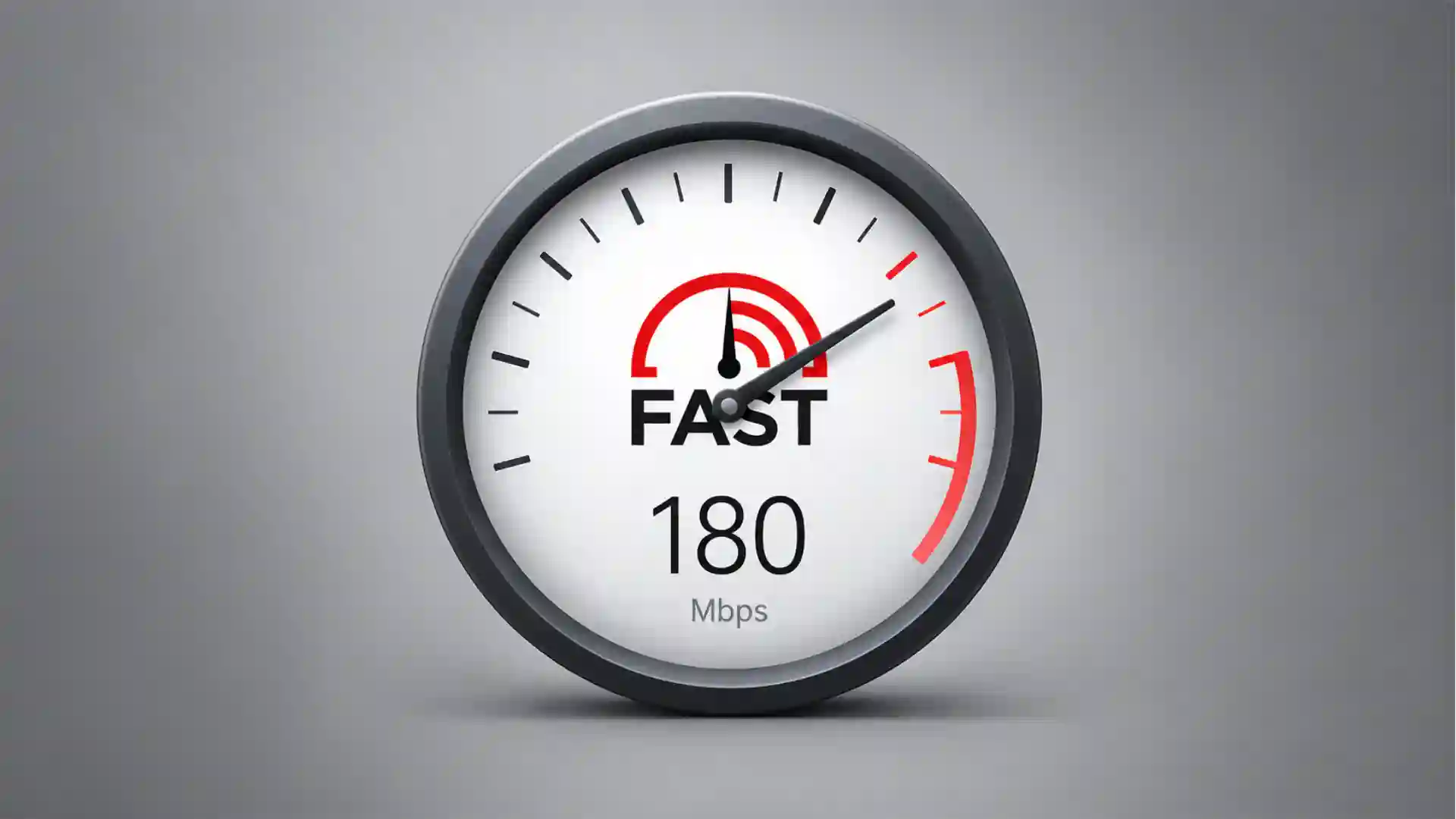
Fast.com opens like a dare. No dashboard. No animated map. No fake sense of control. You type the address, the test starts, and one large number appears where most websites would place a sign-up prompt, a hero claim, a cookie banner, a grid of features, or an ad pretending to be a button. The whole thing feels almost rude in its directness. It refuses to perform “internet speed test” as a category. It just does the test.
Table of Contents
That directness is the product. Fast.com is owned by Netflix, and the official page says it gives an estimate of current internet speed, focuses first on download speed, and uses downloads and uploads to Netflix servers to calculate the maximum speed the connection can provide. The same page says “Show more info” reveals upload speed and latency, including unloaded and loaded latency, with the difference described as bufferbloat.
The clever part is not that Fast.com measures bandwidth. Plenty of sites do that. The clever part is that it understands the emotional state of the person who opens it. People do not usually visit a speed test because they are curious in a calm, neutral way. They visit because a film is buffering, a video call is melting, a game is lagging, a file is crawling, or the internet package they pay for feels suspiciously theoretical. Fast.com answers that mood with one number.
It is a rare utility site that behaves like a switch. Most diagnostic tools ask you to become a temporary technician. Fast.com assumes you are annoyed and gives you the fastest possible first read. It does not ask which server you prefer. It does not ask you to click “go.” It does not sell you a VPN before showing you the result. The experience is almost primitive, but in a useful way: load page, get number, decide what to do next.
Fast.com also has an unusual tension built into it. It is a consumer speed test from a company that depends on fast consumer internet. Netflix has every reason to care about home bandwidth, ISP performance, streaming quality, and user blame. When your show buffers, you may blame Netflix. Fast.com quietly moves part of that conversation onto the network itself. It gives ordinary users a quick way to ask: is the problem the service, the router, the ISP, the Wi-Fi, or the connection at this moment?
That makes the site feel small, but not minor. Fast.com belongs to a class of web projects that look almost too plain until you notice the amount of product thinking hidden under the plainness. It is not a branding microsite. It is not a content hub. It is not a campaign page dressed as a tool. It is a little instrument, and the instrument is memorable because it does not waste the user’s patience.
A supplied editorial standard for this piece asks for direct sentences, concrete wording, and no generic filler; Fast.com is interesting because the site itself seems to obey the same instinct. It does not decorate the thing that matters. It puts the answer first and lets the details sit one click deeper.
A website with almost no ceremony
The first strange pleasure of Fast.com is how little it wants from you. Many modern websites treat every visit as a conversion opportunity. They want an email, a consent decision, a notification permission, a product tour, a preference, a region choice, a “continue” click, or some tiny proof that you are willing to participate in their funnel. Fast.com behaves as if the best funnel is no funnel. The test begins by itself.
That one decision changes the feeling of the whole site. A button would make the user perform readiness. Fast.com skips that ceremony and treats the act of opening the page as consent to measure. In product terms, it removes the one action everyone already intended to take. In emotional terms, it says: yes, this is why you came here.
The design is almost aggressively bare. A large speed readout sits at the center. The surrounding interface is quiet. The name is the URL. The brand is mostly implied by the Netflix infrastructure and the small link at the bottom. The visual language is closer to a digital appliance than a media company property. You do not feel as if Netflix is pitching itself. You feel as if Netflix left a meter on the counter.
That restraint is easy to underestimate. Large companies are rarely good at leaving space alone. A corporation with a recognizable brand usually wants the brand to be seen, explained, repeated, protected, animated, and extended. Fast.com does the opposite. It borrows Netflix’s authority without turning the page into Netflix advertising. The tool is stronger because the brand steps back.
The official Fast.com text explains the restraint plainly. Netflix says it wants members to have a quick, ad-free way to estimate the internet speed their ISP is providing. The same page says Fast.com works globally on phones, laptops, and smart TVs with browsers. That is a narrow promise, and the site is disciplined because the promise is narrow.
The word “estimate” matters. Fast.com is not pretending to be a lab-grade network audit. It is giving the user a working number, fast enough to act on. The official page even says the service is made for general use by individual internet users, not for third-party certification or enterprise service certification. That boundary keeps the product honest. It is not a network engineer’s full workbench. It is the thing you open before calling your ISP, restarting the router, or deciding the hotel Wi-Fi is hopeless.
The site’s simplicity also changes who can use it. A complicated test flatters technical users and loses everyone else. Fast.com does not require vocabulary. You do not need to know what jitter means. You do not need to know what server selection means. You do not need to know why your ISP speed claim and your actual evening speed feel like different realities. You need only recognize whether the number on the screen looks high enough for what you are trying to do.
That is why Fast.com remains sticky years after launch. It has the rare quality of being explainable in one sentence without sounding trivial: go there and it tests your internet speed. That sentence is not clever. It is better than clever. It is usable.
Most speed tests feel like small dashboards. Fast.com feels like a public utility sign. That distinction gives the site its character. A dashboard invites analysis. A sign gives a reading. When you are angry at your connection, the reading is often enough.
There is also a quiet form of trust in the lack of clutter. Ads on diagnostic pages always feel slightly suspicious because they compete with the thing being diagnosed. A speed test covered in commercial noise asks the user to trust a measurement while the page itself is busy serving another agenda. Fast.com’s absence of ads makes the experience feel cleaner, even before the technical details matter.
The product decision is sharp because it respects the time scale of frustration. A person with a broken video call does not want a feature tour. A parent trying to get a movie working for a child does not want to compare protocols. A remote worker watching a file upload stall does not want to become a broadband analyst. Fast.com gives them a first answer before the irritation has time to harden.
The site has a tiny reveal built in. At first, it looks like a one-number page. Then “Show more info” opens the deeper layer: latency, upload, loaded latency, client, servers, settings. That layering is good product judgment. The default view is for the person who needs a quick read. The expanded view is for the person who now wants to investigate. Fast.com does not force either person into the other person’s interface.
That is harder than it looks. Many tools fail because they confuse power with visibility. They put every control on the surface, then call the result transparent. Fast.com keeps the first surface almost empty, then makes the extra readings available without making them mandatory. The result feels respectful: the site lets curiosity grow after the first answer, not before it.
There is also a cultural reason Fast.com works. The internet has trained people to distrust interfaces that look too busy. When a page contains too many buttons, too many badges, too many “recommended” panels, the user starts looking for the trick. Fast.com has almost nowhere to hide a trick. Its plainness becomes part of its credibility.
The site is not beautiful in the usual portfolio sense. It is not an expressive design object. It is not a playground for motion, typography, or visual metaphor. Its beauty is operational. It does the thing, in the place you expect, faster than your impatience can object.
Netflix turned a support problem into a public instrument
Fast.com makes more sense when you see it as a Netflix support move disguised as a public web utility. Streaming quality depends on a chain of systems the viewer does not see: home Wi-Fi, routers, device performance, ISP routing, congestion, CDN delivery, video encoding, and service-side decisions. The user experiences that chain as one blunt feeling: Netflix is working, or Netflix is not working.
That is a brutal position for a streaming service. If the broadband connection is bad, Netflix may still get blamed. If evening congestion hits an ISP, Netflix may still get blamed. If the router is placed in a terrible corner behind a wall and a microwave, Netflix may still get blamed. Fast.com gives Netflix a way to put a quick measurement inside that conversation without making the user read a troubleshooting manual.
The Netflix Help Center still connects the tool directly to viewing quality. It recommends 3 Mbps or higher for HD at 720p, 5 Mbps or higher for Full HD at 1080p, and 15 Mbps or higher for Ultra HD at 4K. The same page tells users to open Fast.com on a phone, tablet, or computer to check internet speed. The tool is not floating in the abstract. It is tied to the question people actually ask: will my stream hold up?
That link between measurement and viewing is what makes Fast.com different from a neutral benchmark. A generic speed test asks how fast your connection is. Fast.com implicitly asks whether your connection is ready for the kind of internet Netflix cares about: large media flowing toward a viewer with as little drama as possible. That bias is not hidden. It is the point.
Netflix’s own launch framing made the consumer angle clear. The company described Fast.com as a quick way for any internet user to test current internet speed, whether or not they were a Netflix member. WIRED reported in 2016 that Fast.com worked globally, was free for Netflix members and non-subscribers, and differed from Netflix’s ISP Speed Index, which measured prime-time Netflix performance on ISPs rather than a personal connection at a given moment.
That distinction is useful. The ISP Speed Index is about providers and aggregated Netflix performance. Fast.com is about the connection under your hand right now. One is a public pressure mechanism aimed at networks. The other is a personal instrument aimed at users. Together, they show how Netflix thinks about infrastructure as part of the product, not as a boring layer beneath it.
Fast.com is also clever because it turns support into distribution. A help article is usually found after a problem. A utility can be shared before, during, and after the problem. Someone can send Fast.com to a parent, a client, a hotel guest, a coworker, or a friend without explaining much. The URL itself is the instruction. That is rare naming discipline.
The domain is doing enormous work. “Fast.com” sounds almost absurdly generic, but that is exactly why it sticks. It feels less like a branded property than a command. It is short enough to say over the phone. It is easy to remember when the internet is failing. It has the bluntness of a road sign. Many startups would spend months trying to name a speed product and end up with something less useful.
The name also makes the tool feel older than it is. It has the aura of a web primitive, as if it might have existed since the early broadband era. That is part of its charm. The best utility domains feel inevitable after you encounter them. Fast.com has that feeling: of course the internet speed test should live there.
There is a subtle power move in Netflix owning such a direct public measurement tool. A streaming company is not a regulator, an ISP, or a neutral standards body. Yet by offering a clean speed test, Netflix inserts itself into the everyday language of broadband quality. The user may not think about transit, peering, CDNs, or network congestion. The user thinks: Fast.com says I’m getting this number.
That kind of public-facing measurement can shape blame. If Fast.com shows a low number while a user is paying for a high-speed plan, the conversation shifts. The user may call the ISP. The user may test at different times. The user may compare Wi-Fi and wired connections. The tool does not need to accuse anyone. The number does the social work.
Netflix is careful not to overclaim the result. Fast.com says the speed is an estimate and warns that actual network performance may vary when the network is unstable. That wording matters because a speed test is always a snapshot. It captures a moment, not the soul of a connection. The site is more credible because it does not pretend otherwise.
The support logic is also visible in the recommended-speed table. Netflix does not need most users to understand network theory. It needs them to understand that 3 Mbps, 5 Mbps, and 15 Mbps mean different viewing ceilings. Fast.com gives the number; the Help Center gives the interpretation. Together, they form a quiet user education system.
This is the kind of web product that feels almost too modest for a giant company, which is why it works. Netflix did not need to turn Fast.com into a portal. It did not need accounts, badges, streaks, personal history charts, or a broadband marketplace. It made the thing that reduces one category of user confusion. Then it let the URL travel.
The public response suggests the restraint paid off. Netflix said in 2017 that tests on Fast.com had grown by about 10 percent each month since launch and had reached a quarter billion speed tests worldwide. The company also said use was split evenly between desktop and mobile, with tests coming from countries including the United States, Brazil, India, Japan, Canada, Mexico, the Philippines, Italy, Great Britain, and Egypt.
Those numbers matter less as bragging rights than as proof of repeat usefulness. A speed test is not usually a destination you browse for pleasure. People return because the tool answers a recurring uncertainty. Every apartment, airport, café, hotel room, office, router change, ISP plan, and buffering night gives the site another reason to exist.
The most interesting thing is that Netflix did not wall it off. Fast.com is not only for subscribers. It does not require a login. It does not ask whether you watch Netflix. That openness turns the tool into a small piece of public internet infrastructure, even though it is owned by a private entertainment company. The generosity is not pure charity, but it is still useful.
The one-number interface is more opinionated than it looks
Fast.com’s default one-number interface makes a strong editorial decision. It says download speed is the first thing most people care about. The official page says download speed is most relevant for people consuming content online, which is why Fast.com focuses on it first. That sounds obvious until you compare it with tools that present download, upload, ping, jitter, packet loss, server location, provider name, and rating prompts all at once.
A one-number interface is not neutral. It hides complexity to serve the most common use. That tradeoff is the whole product. Fast.com chooses the impatient media consumer over the network hobbyist in the first screen. Then it gives the hobbyist a door marked “Show more info.” That order says everything about who the site is for.
The decision also reflects Netflix’s worldview. For streaming video, download throughput is usually the star. Upload matters for creators, backups, video calls, cloud work, gaming streams, and remote collaboration. Latency matters for calls, gaming, and responsiveness. But Netflix’s original consumer pain point was watching, not broadcasting. Fast.com’s first surface carries that bias, and the bias makes the tool clearer.
The later addition of upload and latency made the tool more rounded without ruining its character. Netflix announced in 2018 that Fast.com was adding connection latency and upload speed, with latency measured on unloaded and loaded connections. The current Fast.com page now exposes upload, unloaded latency, loaded latency, and settings behind “Show more info.” The first screen stayed calm.
Loaded latency is the hidden gem. Many people have experienced a connection that looks fast but feels bad. A download number may look fine, yet a video call becomes choppy when someone else starts uploading photos or a console begins downloading a game. Loaded latency gives a clue about how the connection behaves under pressure. That is often closer to lived internet quality than raw speed.
The word bufferbloat may sound like a niche diagnosis, but the feeling is familiar. It is the lag that appears when the network is busy. It is the moment the page still loads, but clicks feel sticky. It is the video call that collapses while a file sync runs. Fast.com does not push the term onto the first screen, but it gives curious users a way to notice the difference between idle and stressed performance.
That is where Fast.com becomes more than a “how fast am I” toy. It can expose the gap between headline speed and usable connection quality. An ISP plan may promise a big download number, but the home experience depends on the router, Wi-Fi conditions, congestion, upload limits, and latency behavior. Fast.com cannot diagnose all of that, but it can make the first crack visible.
The settings panel also reveals a more technical layer. Users can adjust parallel connections, test duration, loaded latency measurement during upload, and whether all metrics should always be shown. That is a smart compromise. The main page stays approachable, while the settings let repeat testers tune the test. A tool with only the big number would feel too shallow. A tool with only the settings would lose casual users.
Fast.com’s restraint also reduces the performance theater common in speed testing. Some tools make testing feel like a race event, with gauges sweeping and numbers climbing dramatically. Fast.com still has motion as the number updates, but the mood is less arcade-like. The site does not make the user feel as if they are winning or losing a game. It makes the connection feel measurable.
That tone matters because broadband speed is already emotionally loaded. People pay for plans described in large numbers, then live with daily experiences described in small irritations. A speed test can easily become a stage for anger. Fast.com’s plain interface gives the anger a number without adding spectacle.
The one-number design is also memorable because it creates a screenshot-friendly result. A big number on a clean background is easy to share, easy to send to support, and easy to compare. Netflix’s 2017 milestone post mentioned a sharing feature for Fast.com speed results after the service reached a quarter billion tests. Again, the product logic is social: the result is not only for the person testing; it is also for the conversation that follows.
There is a small danger in that simplicity, of course. People may treat one test as final truth. They may forget that speed varies by time, device, Wi-Fi strength, server path, and network congestion. Fast.com tries to guard against that by calling the result an estimate and by offering more information. Still, the whole appeal of the site is that it makes a messy condition feel briefly legible.
That tension is part of every good consumer diagnostic. Too much detail and the tool becomes work. Too little detail and the tool becomes misleading. Fast.com lives near the sweet spot because it starts with the consumer question and then opens the diagnostic layer only for users who need it.
It also shows that minimalism is strongest when it is backed by real decisions. A bare interface without judgment is just emptiness. Fast.com is bare because it has chosen what belongs on the first screen and what does not. The design is not decorative minimalism. It is prioritization made visible.
What Fast.com puts on the surface
| Layer | What the user sees | Why it matters |
|---|---|---|
| First screen | Download speed | The fastest answer for streaming and browsing frustration |
| Expanded view | Upload and latency | A better read on calls, cloud work, lag, and pressure on the network |
| Loaded latency | Delay under traffic | A clue that raw speed is not the whole story |
| Settings | Connections and duration | Control for people who repeat tests or want a steadier reading |
| Limits | General consumer use | A reminder that it is not an enterprise certification tool |
The table shows the real product trick: Fast.com is not empty; it is layered. The first layer is built for a distracted person with a problem. The deeper layers are there for the person who wants to understand why the number feels wrong, unstable, or incomplete.
Why it feels better than most speed tests
Fast.com feels better than most speed tests because it refuses to behave like a marketplace. Many speed test pages sit near ads, app banners, broadband offers, VPN prompts, or security upsells. Even when the measurement is sound, the environment can feel polluted. Fast.com avoids that atmosphere. The result feels like the page has one job.
That one-job feeling is rare on the commercial web. Pages that begin as tools often grow extra limbs. A calculator gains newsletter capture. A checker gains “recommended providers.” A diagnostic gains a premium plan. A utility gains content blocks explaining why the sponsor’s product matters. Fast.com has mostly resisted that gravitational pull, and the restraint is the reason people remember it.
The absence of a start button is especially nice. A start button is not a huge burden, but it is still a piece of theater. It turns the user into a participant in a test sequence. Fast.com begins immediately, which makes the site feel less like software and more like a sensor. The page opens and the measurement starts because that is the only reasonable thing it should do.
The URL itself also contributes to the feeling of speed. Fast.com is not just a name; it is a tiny instruction and a tiny promise. It has no hyphen, no modifier, no product suffix, no “get,” no “try,” no “app.” It is almost comically clean. In a web full of invented names, Fast.com benefits from sounding like a dictionary word someone managed to turn into infrastructure.
The design reduces doubt at the exact moment doubt is high. When your internet feels slow, every extra page element becomes suspect. Is the page slow because the connection is slow, or because the site is bloated? Is the test measuring the network, or is the page itself part of the problem? Fast.com’s clean interface lowers that anxiety. It feels light enough to trust.
There is also an accessibility of expectation. People who are not technical still understand the social meaning of Mbps, at least roughly. They know higher is better. They know a tiny number is bad. They know a number that looks much lower than the plan they bought is worth questioning. Fast.com does not require perfect literacy to create useful suspicion.
That suspicion is a civic function in miniature. Broadband is sold through promises most users cannot independently verify. A clean speed test gives users a way to challenge the story, even imperfectly. It does not solve ISP accountability. It does not explain every bottleneck. But it gives ordinary people a repeatable check.
Netflix’s role makes that civic function complicated but interesting. The company is not a neutral public agency. It benefits when users have fast, stable connections. It benefits when users distinguish Netflix performance from ISP performance. It benefits when broadband quality becomes a public issue. Yet the tool still gives users something they can use outside Netflix. That mixed motive is not a flaw. It is the normal bargain of the useful web.
Fast.com also benefits from being boring in the right places. It does not try to make speed testing fun. It does not turn results into achievements. It does not ask the user to rate their provider or create a profile. The product has enough confidence to remain dull. That dullness is part of its dignity.
There is a lesson here for many digital products. The most memorable experience is not always the most expressive one. Sometimes the memorable thing is the site that removes every step the user did not come for. Fast.com is not a maximal idea. It is a subtraction exercise.
The site also has a strong sense of timing. The result appears quickly, then refines as the test continues. That creates an immediate sense of response. Even before the final number settles, the user knows the tool is working. Fast.com does not leave people staring at a loading spinner with no feedback. The measurement itself becomes the feedback.
The animated changing number creates a tiny narrative. The connection starts somewhere, climbs, settles, and becomes a claim. It is not flashy, but it gives the user a feeling that something real is happening. A static final result would be cleaner, but less reassuring. Fast.com shows the measurement taking shape.
The expanded metrics make repeat visits more useful. The first time you open Fast.com, you may only care about download speed. After a few frustrating calls, you may start looking at loaded latency. After a few cloud backups, you may care about upload. After testing Wi-Fi spots around a home, you may look at stability. The tool grows with the user’s curiosity without changing its first impression.
That is a strong pattern for utility design. Do not force education before action. Let the user act, then let the experience create questions. Fast.com gives the answer first and teaches only when the user asks for more. This is why the site feels lighter than many “educational” tools that bury the actual result under explanation.
The site’s global usefulness also matters. Netflix says Fast.com works globally on any device with a browser, including phone, laptop, and smart TV. That device range suits the way internet frustration happens. The bad connection may be on a phone in a hotel, a laptop in an office, or a TV in a living room. Fast.com’s job is to be reachable from whatever screen is failing.
The TV angle is especially interesting. Many web tools are built for laptop users and later squeezed onto mobile. Fast.com’s giant number and minimal interaction make sense on a television as well. That matters because streaming problems often happen on the TV, not on the device where someone usually runs diagnostics. Netflix’s Help Center also describes checking network speed inside the Netflix app on TV-connected devices.
Fast.com is not perfect, and that imperfection is part of its proper use. It measures a path to Netflix servers, not every possible path to every possible service. It gives a snapshot, not a full-day record. It cannot tell you whether your neighbor’s Wi-Fi interference, a bad cable, a weak router, or an ISP congestion pattern is the root cause. But it does give a fast first clue, and a fast first clue is often what people need.
The strongest criticism is also the source of its identity. Because Fast.com uses Netflix servers, the result has a Netflix-shaped perspective. For streaming Netflix-like traffic, that is useful. For a full network audit, it is incomplete. The site does not hide this. The official page says it uses Netflix servers and is not an enterprise certification tool. The user just needs to understand what kind of truth the number represents.
That makes Fast.com a good reminder that every measurement has a point of view. A speed test is not a pure revelation of “the internet.” It is a measurement between a client, a method, a server set, a time, and a network path. Fast.com’s advantage is that its point of view is clear and useful for a common problem.
The hidden internet politics inside a clean page
Fast.com looks apolitical, but broadband measurement is never fully neutral. When a company like Netflix gives consumers a clean way to test their connection, it enters the long argument over who is responsible when the internet feels bad. Is it the app? The ISP? The home network? The device? The local network load? The answer is often messy, but Fast.com gives the user a starting number that can be taken into that argument.
Streaming companies have lived inside this blame problem for a long time. A viewer does not care which part of the delivery chain failed. The viewer cares that the show stopped. The streaming service may see evidence that the local connection is the bottleneck, but the viewer sees the Netflix logo on the screen. Fast.com turns that invisible chain into something a non-technical person can test.
That is why the site’s smallness is deceptive. It is not only a convenience. It is a tiny piece of leverage. When a user sends a Fast.com result to an ISP, a landlord, a coworking space, a hotel, or a family member, the number becomes evidence. It may not be complete evidence, but it changes the conversation from “it feels slow” to “this is what I measured.”
The web has always needed tools like that. Not everything useful needs to be a platform. Some of the best websites are small public instruments: a converter, a checker, a timer, a calculator, a map, a status page, a pastebin, a test page. They survive because they reduce ambiguity quickly. Fast.com sits in that tradition, but with the backing of a company whose business depends on the result.
The ISP angle is visible in Netflix’s own wording. Fast.com says it estimates the internet speed an ISP is providing, and suggests asking the ISP about results if Fast.com and other speed tests often show less speed than the user pays for. The page does not shout. It does not accuse. It gives the user a polite route to escalation.
That polite route is powerful because it is repeatable. One bad test can be dismissed. Repeated tests at peak hours, across devices, near the router, and on wired connections become harder to ignore. Fast.com is not a monitoring system, but it is easy enough to repeat that users naturally turn it into a small ritual when something feels wrong.
The site also exposes the strange gap between advertised speed and lived speed. Broadband marketing often sells maximums under ideal conditions. People experience internet as a series of moments: Tuesday night, kitchen table, three devices active, upstairs bedroom, rainstorm, hotel lobby, airport lounge. Fast.com measures one of those moments. That local snapshot may matter more to the user than the plan headline.
This is where the site’s simplicity becomes a political design choice. A complicated test might produce richer data, but fewer people would use it. A plain test spreads. The more easily a measurement spreads, the more it becomes part of ordinary language. Fast.com made broadband checking feel less like a technical act and more like opening a clock.
The 2017 milestone post shows how widely that habit traveled. Netflix said Fast.com had reached a quarter billion speed tests from around the world, with use split between desktop and mobile and visible evening bumps during streaming prime time. That pattern sounds exactly like a tool used in moments of suspicion: when people sit down to watch, the network gets tested.
The app launch widened that habit further. WIRED reported that Netflix turned Fast.com into iOS and Android apps in 2016, with the same free global access for subscribers and non-subscribers. Apps matter less now that the website is so easy to open, but the move showed Netflix wanted the test close to the user’s hand, not buried in a support article.
Fast.com also sits beside a bigger Netflix infrastructure story. Netflix has spent years building delivery systems, encoding methods, ISP relationships, and user-facing controls because streaming quality depends on the whole chain. Fast.com is the public, pocket-sized expression of that obsession. It is the part ordinary users can touch.
There is something almost funny about that. A company famous for films, series, recommendations, thumbnails, and binge culture also runs one of the cleanest broadband test pages on the web. Fast.com is not entertainment. It is the plumbing showing through. The site is interesting because it reveals the infrastructure anxiety behind smooth media.
The best streaming experience is supposed to make infrastructure disappear. You press play and the video runs. No one thinks about bitrate ladders, codecs, CDNs, routing, packet queues, home Wi-Fi, or congestion unless something breaks. Fast.com appears at the moment the illusion fails. It is a little tool for seeing the machinery when the magic stops.
That gives the site a different emotional texture from most Netflix properties. Netflix the service is about choosing what to watch. Fast.com is about why watching is not working. One sells escape. The other measures friction. The fact that both belong to the same company says a lot about modern digital products: the experience is only as good as the invisible systems beneath it.
Fast.com is also a subtle act of brand repair. When a user is frustrated, a clean tool from the service they blame can defuse anger. Not always, but sometimes. It gives the company a helpful posture: we are giving you a way to check. That posture is much better than telling users vaguely to restart their router.
The tool’s restraint keeps that posture from feeling manipulative. If Fast.com opened with Netflix branding, subscription prompts, or defensive messaging, users would smell the agenda. Because it opens with a measurement, the agenda feels secondary. The number comes before the company voice.
That order is why Fast.com deserves attention as a web object. It is not just a speed test. It is a public-facing answer to a support burden, a network politics problem, a brand trust issue, and a product design challenge. Its achievement is that none of that complexity is visible when the page loads.
A small tool with strong product taste
Fast.com has taste because it knows what not to become. This is a rarer quality than it should be. A product can be technically useful and still have poor taste if it nags, clutters, flatters itself, or treats the user’s attention as free. Fast.com has the taste of a tool that understands the user’s patience is already damaged.
The best thing about the site is its refusal to explain before serving. Explanation has its place, and Fast.com includes it lower on the page. But the result comes first. That order respects the reason for the visit. A lesser version of the site would open with “Measure your internet speed with Netflix,” then explain the benefits, then ask the user to begin. Fast.com skips the brochure.
The second-best thing is that it keeps the brand almost silent. Netflix has one of the strongest entertainment brands in the world, but Fast.com does not lean on it heavily. That makes the tool feel more public. The Netflix connection still matters because it explains the server infrastructure and the streaming-first point of view, but the interface does not behave like an ad.
The third-best thing is that the deeper metrics are not hidden in a hostile way. “Show more info” is plain language. It does not say “advanced diagnostics,” “technical dashboard,” or “professional mode.” It just says there is more to see. That phrasing invites curiosity without making non-technical users feel excluded.
The settings are also refreshingly practical. Parallel connections and test duration are not glamorous controls, but they let people influence the measurement. The option to always show all metrics is especially good for repeat users. It lets the tool become more technical for those who need it without changing the default experience for everyone else.
Fast.com also benefits from being fast enough to become a reflex. The real competition is not only other speed tests. It is giving up. It is saying “the internet is bad” and moving on. Because Fast.com is so easy to remember and run, it becomes the thing people do before giving up. That is a powerful position for a tiny website.
The tool is also portable across social situations. You can say “try Fast.com” to someone who is not technical and expect them to succeed. That matters. Many useful tools fail the phone-call test. They are too hard to spell, too cluttered, too full of prompts, or too dependent on context. Fast.com passes because the name, action, and result are all obvious.
There is a product lesson in that portability. A tool that can be recommended in three words has a distribution advantage no campaign can fake. “Open Fast.com” is the whole onboarding flow. The user does not need a walkthrough. The name contains the task.
Fast.com also shows that consumer trust often comes from reducing ambition. The site is not trying to be the homepage for broadband life. It is not trying to store your history, score your ISP, recommend your next plan, or build a community around connection quality. Those could be products. They are not this product. Fast.com stays memorable because it does less.
Doing less is not the same as being underbuilt. The underlying system still needs server infrastructure, measurement logic, interface clarity, global availability, and enough reliability to withstand bursts of traffic when networks fail. The minimal page is the visible end of a deeper system. That is the old iceberg pattern of good software: little on the surface, much beneath.
The tool’s staying power also comes from the timelessness of the problem. Broadband gets faster, but frustration does not disappear. Higher speeds create higher expectations. Homes gain more devices. Work moves onto video. Backups run silently. Games, TVs, cameras, phones, speakers, tablets, and laptops compete for the same connection. A speed test remains relevant because the home network is never finished.
The shift from pure download concerns to upload and latency concerns makes Fast.com more useful now than at launch. Remote work, video calls, cloud storage, creator workflows, live streaming, and online gaming make upload and latency feel less secondary than they once did. Fast.com still leads with download, but the expanded metrics give the tool a better fit for today’s network frustrations.
Even so, the site does not pretend every internet problem is a speed problem. That is a quiet strength. A high download number does not guarantee a good video call. A low number does not always identify the guilty device. Latency, packet loss, Wi-Fi interference, router quality, and server-side issues all matter. Fast.com gives clues, not a verdict.
The page is also a useful antidote to broadband marketing language. Providers sell speed as an identity: faster plan, premium tier, fiber future, gigabit promise. Fast.com reduces that language to a number in the moment. It does not care what the package is called. It cares what the connection is doing right now.
That moment-based truth is why people keep speed tests in their mental toolbox. They are not perfect, but they are grounding. When the internet feels haunted, a test gives the haunting a shape. Fast.com gives it one of the cleanest shapes available.
The site’s plainness also makes it feel unusually durable. Trendy interfaces age quickly. Heavy brand systems age quickly. Web effects age quickly. A large number on a plain page ages slowly. Fast.com could look almost the same for years and still feel current because its usefulness does not depend on visual novelty.
There is a strong editorial analogy here. Good editing often removes the sentence that explains too much, the headline that tries too hard, the paragraph that exists only to sound complete. Fast.com feels edited in that sense. It has cut the parts of a speed test that do not need to be there at first contact.
The result is a site that makes many larger digital products look insecure. It does not introduce itself loudly. It does not justify its existence. It does not ask to be admired. It performs. That confidence is more persuasive than a page full of claims about simplicity.
Small questions before you open it
Is Fast.com only for Netflix users? No. Netflix has presented Fast.com as free and globally available, including for people who are not Netflix subscribers. WIRED reported the same point when Netflix launched the app version in 2016. The tool has Netflix’s point of view, but it is not locked behind Netflix membership.
Does Fast.com measure only download speed? The first screen focuses on download speed because that is the clearest first answer for content consumption. The expanded view shows upload speed and latency, including unloaded and loaded latency. That makes the tool more useful than its first impression suggests.
Does Fast.com use Netflix servers? Yes. The official Fast.com page says the test performs downloads from and uploads to Netflix servers, then calculates the maximum speed the internet connection can provide. That is why the result is especially relevant to Netflix-like delivery, but it should still be understood as one measurement path rather than a complete map of the internet.
Is Fast.com enough to prove an ISP is underdelivering? Not by itself. Fast.com says it is made for general individual use, not third-party service certification or enterprise certification. A careful user would test repeatedly, compare with other tests, try wired and Wi-Fi connections, and check different times of day before making a strong claim.
Why does the site feel so much cleaner than other speed tests? The cleanness is not an accident. Netflix says Fast.com is meant to be quick and ad-free, and the interface follows that promise. The site does not feel like a funnel because the measurement is allowed to be the main event.
What should a Netflix viewer do with the number? Netflix’s own Help Center gives a practical frame: 3 Mbps or higher for HD, 5 Mbps or higher for Full HD, and 15 Mbps or higher for 4K UHD. Those numbers are not a full diagnosis, but they give the Fast.com result an immediate streaming context.
Why is Fast.com worth opening even if you already know Speedtest? Fast.com is worth opening because it has a different personality and a different measurement perspective. It is faster to explain, less cluttered to use, and tied to Netflix’s delivery infrastructure. That does not make it the only test anyone should use. It makes it one of the cleanest first checks on the web.
The best reason to remember Fast.com is not technical superiority. It is the rare internet utility that understands the user’s impatience better than the category around it. When the connection feels wrong, the site gives you a number before anything else. That is the whole magic.
Fast.com is a reminder that the web still has room for tiny, durable tools. Not every good digital product needs a feed, a login, a growth loop, a creator economy, or a personalization engine. Some sites earn their place by being the fastest route from a common annoyance to a usable answer.
That is why Fast.com belongs in Web Radar. It is familiar enough that many readers have seen it, but strange enough, once inspected, to feel newly interesting. A Netflix-owned speed test with almost no interface, a public support role, a hidden network politics angle, and a URL that behaves like a command is exactly the kind of small web artifact worth noticing.
Author:
Jan Bielik
CEO & Founder of Webiano Digital & Marketing Agency
This article is an original analysis supported by the sources cited below
Fast.com internet speed test
Official Fast.com page, used for details on what the service measures, why it focuses first on download speed, how upload and latency appear in the expanded view, how the results are calculated through Netflix servers, where the test works, and the stated limits of consumer use.
Netflix-recommended internet speeds
Official Netflix Help Center page, used for the recommended speeds for HD, Full HD, and 4K UHD streaming, plus Netflix’s own guidance that users can check their connection through Fast.com.
Building Fast.com
Netflix Technology Blog post on the thinking behind Fast.com, used for the launch-era framing of the tool as a quick way for any internet user to test current internet speed.
Fast.com now measures latency and upload speed
Official Netflix announcement used for the 2018 update that added upload speed and connection latency, including unloaded and loaded latency.
Fast.com reaches a milestone
Official Netflix milestone post used for the growth figures, global usage notes, desktop and mobile split, and the context around sharing Fast.com speed results.
Netflix launches Fast app to reveal if your ISP is throttling you
WIRED report used for the 2016 app launch context, the distinction between Fast.com and Netflix’s ISP Speed Index, and the note that Fast.com was free for Netflix members and non-subscribers.
| Citing this article? Brief excerpts are welcome. Please credit Webiano.digital, name the author where stated, and include a link to https://webiano.digital and to this original article. Full or substantial republication requires prior written permission. Read our Copyright and Content Use Policy. |
This article was prepared with the assistance of artificial intelligence tools. The content underwent expert human review, and Webiano Digital & Marketing Agency assumes editorial responsibility for its final version and publication.














