

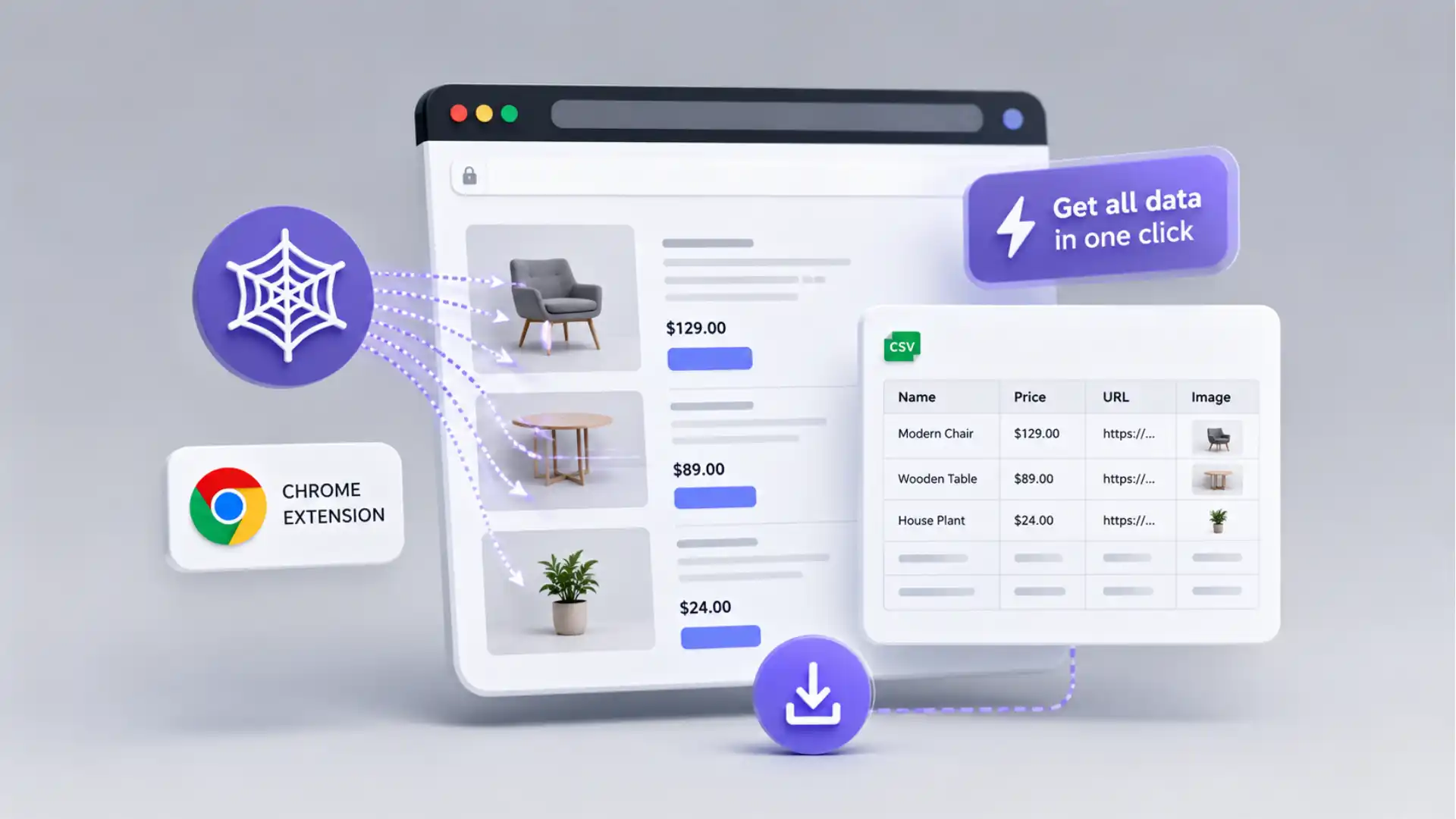
The button appears where the work already hurts
Most web scraping tools sound useful after you already know you need a scraper. Ultimate Web Scraper is more interesting because it catches the problem earlier, at the exact moment a normal person is staring at a page and thinking, “I should not have to copy this by hand.” The product is a Chrome extension that promises to extract website data into a spreadsheet without code, using point-and-click capture for lists, tables, emails, and images. That is the whole hook: the website is open, the data is visible, and the export button was missing until now.
Table of Contents
That is a sharper idea than it first sounds. A lot of useful web data is not hidden in a database from the user’s perspective. It is right there, spread across product cards, local listings, review blocks, search results, directory entries, tables, galleries, and contact pages. The problem is not always access. The problem is shape. The page looks organized to the eye but collapses into junk the second it is copied into a spreadsheet. Ultimate Web Scraper lives in that gap between visible order and workable data.
The old answer to that gap was either patience or code. Patience means copying names, prices, links, emails, ratings, dates, descriptions, and image URLs one field at a time until the spreadsheet looks usable. Code means opening the developer tools, inspecting HTML, writing selectors, dealing with pagination, handling scroll behavior, fixing broken rows, and rerunning the job when the page changes. Both answers have their place. Neither feels right when the task is small, urgent, and sitting in a browser tab.
Ultimate Web Scraper’s editorial appeal is that it treats scraping as a browser habit, not a programming event. The Chrome Web Store listing is blunt about the rhythm: install the scraper, go to the target site, click to scrape, export the data. It also names the messy stuff people actually grab: reviews, ratings, comments, tables, lists, search results, directories, listings, emails, contact information, images, and page text.
The product does not need a grand story to be worth opening. It needs one familiar annoyance. A marketer needs public business listings from a directory. A founder wants competitor prices from product pages. A recruiter wants job titles from a visible list. A researcher wants review text and ratings. An editor wants clean text from a page that is wrapped in layout junk. A sales person wants emails from a set of company pages. These are not glamorous jobs, but they are exactly the jobs where browser extensions become sticky.
The name is almost too direct, but directness works here. Ultimate Web Scraper used to be PandaExtract. The rename page says PandaExtract began as a simple Chrome extension for scraping data without code, and the new name was chosen to make the product’s purpose clearer to people and search engines. That kind of naming would feel heavy-handed for a social app. For a scraping tool, it is almost a relief. Nobody opens a data extractor hoping for mystery.
The product’s public footprint also makes it feel less like a random one-page internet gadget. The Chrome Web Store listing shows Ultimate Web Scraper as a featured extension from Happy Panda Tech FZ-LLC, with a 4.6 rating from 210 ratings, 90,000 users, and an update date of May 19, 2026. The listing also says the publisher has a good record with no history of violations and follows recommended practices for Chrome extensions. Those details do not prove the tool is perfect, but they matter when the tool asks to sit inside your browser.
The best way to read the product is not as a magic scraper for the whole internet. It is a fast conversion layer for pages that already look like data. The difference matters. Magic scraper language creates bad expectations. A conversion layer is easier to trust: it looks at repeated visible structures, pulls out fields, shows a preview, and lets the user export. That is a narrow promise, but it is powerful because so many web pages are basically spreadsheets wearing costumes.
This is also why the product feels like a Web Radar find rather than just another SaaS page. Web Radar is not only about obscure websites. It is about tools that reveal a small, useful truth about how people use the internet. Ultimate Web Scraper reveals one of those truths: the web is full of structured information that refuses to behave like structured information. A browser scraper is a way of saying, “The page already has the pattern. Let me use it.”
There is a practical tension baked into that idea. A scraper that feels too easy can make users careless. A scraper that feels too technical scares away the people who need it most. Ultimate Web Scraper sits between those poles. It lowers the barrier, but it does not remove the need for judgment. The user still needs to know what they are collecting, whether the source allows it, whether the data is complete, and whether the final spreadsheet makes sense.
That tension is part of what makes the product worth writing about. A simple Chrome extension can expose a serious workflow change. Work that used to require a developer, a script, or a long afternoon of copying can now begin with a click. Not end with a click, necessarily. Begin. The preview still matters. Cleanup still matters. Permission still matters. But the first move becomes small enough that people will actually try it.
The site’s own copy understands the smallness of that first move. It does not bury the product under a giant data-platform narrative on the homepage. It says the extension extracts data into spreadsheets without code, and it names lists, tables, emails, and images as the things people capture. The Chrome Web Store listing stretches the pitch into lead generation, image download, bulk page scraping, AI-assisted extraction, and export to CSV, Excel, or Google Sheets. The center remains the same: visible web data becomes a file.
That center is strong enough. Many internet tools fail because they talk as if the user wants a new system. Often, the user wants one stupid step removed. Ultimate Web Scraper removes the step where a human becomes a bridge between a website and a spreadsheet. The human still checks the result. The human still owns the decision. But the human does not need to spend the afternoon acting like a very bored data-entry machine.
The browser is the point
Ultimate Web Scraper makes sense because it stays inside the browser. That sounds obvious for a Chrome extension, but it changes the whole relationship with the task. The user is not starting in a dashboard, feeding a tool a URL, building a crawl, and hoping the platform sees the same page. The user is already on the page. The browser has already rendered the content. The layout, scroll behavior, login state, images, and page quirks are all visible in the same place where the user decides what matters.
That closeness is the product’s real interface advantage. A web page is often easiest to understand visually before it is easy to extract technically. You can see that every product card contains a name, price, image, rating, and link. You can see that every directory entry has a company name, address, phone number, and category. You can see that every review has a star rating, date, author, and text. Ultimate Web Scraper tries to turn that visual recognition into a data extraction step without making the user translate the page into code first.
The Chrome Web Store listing leans hard into that right-here workflow. It says the extension can grab text, images, emails, and links from websites with a single click, handle lists, tables, directories, pagination, and infinite scroll, and export to CSV, Excel, or Google Sheets. It also says the extension runs in the browser and works on login-protected pages and complex layouts. Those claims are exactly why a browser extension is a sensible shape for the product.
The local browser mode is not just a convenience point. The pricing page says the unlocked browser extension runs on the user’s computer, with data staying in the browser and not being sent to a server. It also lists unlimited local exports to CSV, Excel, JSON, or clipboard, along with image downloads and multi-tab extraction. For people scraping ordinary public pages, this may sound like a small detail. For anyone touching sensitive pages, it is one of the first details worth checking.
The product also has a cloud path, and that changes the rhythm. The pricing page separates the browser extension from the Cloud Platform, which adds cloud browsers, scheduled runs, integrations, team workspace features, and monthly cloud credits. Local extraction is the fast, nearby version. Cloud extraction is the repeatable version. That split is useful because many scraping jobs begin as one-time annoyances and later become recurring chores.
The ladder from local to cloud is a smart product move. A user might first install the extension because one directory needs to become a spreadsheet today. Later, the same person may need that directory checked weekly. A competitor price page might need to be watched every Monday. A review page might need to feed a reporting sheet. A job board might need repeat pulls. The product gives those users a way to stay in the same family of tools rather than rebuilding the workflow somewhere else.
The cloud-credit model is also clear enough to understand without a sales call. The terms say one cloud credit equals one page scraped in the cloud, subscription credits reset at the start of each billing cycle, and top-up credit packs last 12 months from purchase. The pricing page says paid plans include monthly cloud credit allowances, while local extension use does not consume cloud credits. That distinction is easy to miss if someone only reads the word “unlimited,” so it deserves attention.
The browser-first shape also gives users faster feedback when pages behave badly. Scraping fails at the edges: content loads after scrolling, cards have inconsistent fields, popups interrupt the page, hidden elements appear in exports, pagination changes, scripts delay content, and sites change layout. A tool inside the browser does not make those problems disappear, but it lets the user see them. The user can tell whether the page actually loaded, whether the list is complete, and whether the preview matches the visible structure.
That visible feedback is one reason no-code scraping works best as a loop, not a spell. Select, preview, inspect, adjust, export. A tool that skips the preview step would feel faster, but less trustworthy. Ultimate Web Scraper’s extension page names visual preview before export, with formatting and validation, as a feature. That is not a decorative step. It is the moment when the user catches broken fields before they become broken decisions.
A browser extension also lowers the emotional cost of trying. This is an underrated part of the product. A full scraping platform can make the user feel as if they are starting a project. A Chrome extension makes the user feel as if they are testing a page. That difference matters because many small data tasks die before they begin. They look too annoying to copy and too minor to automate. Ultimate Web Scraper makes the first attempt feel small enough to be worth doing.
The Chrome extension category has its own trust baggage, though. Browser extensions sit close to browsing activity, and that closeness is exactly why users should look at permissions, privacy claims, store status, update history, and developer signals. In this case, the Chrome Web Store listing says the extension handles authentication information and website content, while the developer declares that data is not sold to third parties, not used or transferred for unrelated purposes, and not used for creditworthiness or lending purposes.
That does not mean every user should install first and read later. It means the trust surface is visible enough to inspect. A scraping extension is powerful because it is close to the page. That same closeness means users should be more careful than they would be with a simple note-taking tool. Ultimate Web Scraper gives enough public material to review: store listing, privacy policy, terms, pricing page, changelog, support links, and the PandaExtract rename page.
The browser is also where the product’s promise stays honest. It cannot fully pretend websites are clean. The user sees the weirdness. The extension has to deal with the same page the user sees. That is why the product’s best pitch is not that it conquers every site. It is that it gives non-technical users a practical first move on many pages that would otherwise trap them in copy-paste work.
The five extractors tell the real story
The strongest clue to Ultimate Web Scraper’s product thinking is the way it names its core tools. The extension page lists five of them: Email Extractor, List Extractor, Image Downloader, Text Extractor, and Web Page Extractor. These names are plain in the best possible way. They do not ask the user to learn a platform vocabulary before starting. They name the job the user already has.
The List Extractor is probably the heart of the product. Lists are the native material of the commercial web. Search results are lists. Product grids are lists. Directories are lists. Rankings are lists. Review pages are lists. Event calendars are lists. Job boards are lists. Even pages that do not call themselves lists often behave like lists: repeated blocks with fields inside. A scraper that understands lists can turn many visually structured pages into rows.
The reason list scraping feels so satisfying is that it corrects a small insult. The website clearly knows the repeated pattern. It just refuses to give you the pattern as a file. Product name here, price there, image above, rating below, link wrapped around the card. A human understands it instantly. The extension’s job is to make the browser understand it well enough to export. When it works, the result feels less like automation and more like the page finally admitting what it already was.
The Web Page Extractor seems aimed at the less tidy cases. A list extractor is useful when repeated blocks are obvious. A page extractor matters when the user needs to click a specific part of a page and capture similar data across one or more pages. The extension page describes it as a tool for clicking any element to extract similar data from multiple pages. That is the bridge between pure one-click scraping and a more deliberate no-code setup.
The Email Extractor is the most commercially tempting tool and the one that deserves the most caution. The homepage says the tool can discover and extract visible and hidden email addresses from webpages, including across multiple pages. The Chrome Web Store listing also describes email extraction for one page or thousands. For sales, recruiting, lead generation, and outreach, the appeal is obvious. For privacy and consent, the risk is just as obvious.
Email extraction is where convenience can turn into bad behavior fastest. The fact that an email address is visible on a page does not mean it should be dumped into a campaign without thought. That is not a special criticism of this tool. It is the normal ethical problem around contact scraping. Ultimate Web Scraper makes the collection step easier, so the user has to be more deliberate about permission, purpose, local law, site terms, and the difference between legitimate research and spammy harvesting.
The Image Downloader widens the tool beyond spreadsheet rows. The extension page lists bulk image downloading for product images, galleries, and media files with metadata. The changelog shows image download arriving as a feature in August 2024 and image extraction again in November 2024. That matters because many data tasks are visual: product audits, catalog checks, ecommerce research, gallery archiving, creative research, and media review all need images as much as text.
The Text Extractor is quieter, but it may be the most editor-friendly part of the set. A lot of webpages wrap useful writing inside navigation, ads, sidebars, cookie banners, author boxes, related links, comments, and layout noise. The extension page describes clean text extraction that removes formatting, ads, and noise to get pure content. That is a different kind of scraping. It is less about collecting thousands of rows and more about turning a messy page into readable material.
Together, the five tools show the product is not only chasing one audience. Email extraction points to sales and outreach. List extraction points to researchers, marketers, analysts, and operators. Image downloading points to ecommerce, content, and design research. Text extraction points to editors, analysts, and people working with source material. Web Page Extractor points to custom one-off jobs. The product’s value is not one killer feature. It is the fact that many everyday extraction tasks live under one browser button.
The Chrome Web Store listing makes that mix even more explicit. It names sales and marketing teams, recruiters, ecommerce workers, researchers and data scientists, content and SEO teams, brand teams, and BI teams as potential users. That list is broad, but believable. These are all groups that touch webpages as source material and then need to move information somewhere else.
The export formats complete the story. Ultimate Web Scraper is not just extracting for extraction’s sake. The extension page lists export to CSV, Excel, JSON, Google Sheets, and other cloud platforms, while the pricing page lists CSV, Excel, JSON, and clipboard exports for the unlocked extension. That matters because the destination defines the work. CSV means a spreadsheet. Excel means a report. Google Sheets means sharing. JSON means a more technical handoff.
A good no-code scraper succeeds when the user does not have to name the underlying technique. They should not need to think about DOM selectors, XPath, request headers, rate behavior, parsing, lazy loading, or whether the page is a client-rendered app. They should be able to point at the repeated thing, preview the result, and export. Ultimate Web Scraper’s five-tool structure gets close to that mental model because it starts with the visible job, not the technical category.
There is still a limit to how far that simplicity should be trusted. A page may produce clean-looking but incomplete output. A repeated card may hide a field until hover. A price may include tax in one region and not another. A directory may show different data depending on login state. A page may lazy-load results that were never fully loaded before export. A scraper can shorten the path to a dataset, but it cannot guarantee the dataset tells the truth.
That is why the preview and sample checks matter more than the “one click” phrase. One click is a nice promise for starting. It is a risky promise for finishing. The better working pattern is one click, then inspection. Open the export. Compare a few rows to the original page. Check missing fields. Look for duplicated entries. Confirm that image URLs, contact fields, and links point where they should. Ultimate Web Scraper is useful because it gets you to that inspection stage quickly.
The product’s changelog suggests the team has had to face normal scraping mess over time. Entries mention pagination fixes, Google Maps scrolling, absolute URL export, page detail extraction, text extraction improvements, image downloads, email extraction, large dataset performance, and UI feedback during extraction. That list reads like the scars of a real scraping tool. The work is not only adding shiny features. It is dealing with the annoying cases users actually hit.
That public changelog is quietly important. Many Chrome extensions look alive on the store and dead everywhere else. A visible release history gives readers a sense of the product’s direction: first extraction, then pagination, then details, then media, then email, then performance and interface work. A changelog is not proof of long-term support, but it is a useful signal that the extension has been shaped by repeated use rather than only by a launch page.
The middle ground between copy paste and code
The product’s best market is the boring middle. At one end sits manual copying. It is flexible because a person can handle messy pages, but it is slow and error-prone. At the other end sits custom code. It is powerful, repeatable, and precise when done well, but it requires time, skill, maintenance, and a clear enough task to justify the setup. Between those ends is a massive pile of work that is too repetitive for manual copying and too small or uncertain for code.
Ultimate Web Scraper is built for that pile. A founder comparing pricing pages may need data today, not a maintained scraper. A local agency may need public business details from a directory before a campaign. A researcher may need a quick sample of reviews to decide whether a larger study is worth doing. An ecommerce manager may need product names, ratings, prices, and images from a competitor category page. These jobs are serious enough to matter and small enough to be annoying.
The browser extension model lowers the threshold for these jobs. A normal user does not need to create an account somewhere, plan a crawl, read documentation, or explain the task to a developer before learning whether the data is extractable. They open the page and test. That test may succeed, fail, or produce a messy file. Either way, the user learns faster than they would by trying to plan the perfect approach before touching the page.
That speed of learning is underrated. Sometimes the goal is not to build a permanent data collection system. Sometimes the goal is to find out whether the source is worth using at all. A quick scrape can reveal that a directory is outdated, a review page lacks the fields you hoped for, a product grid hides important data, or a page structure is too inconsistent to trust. A failed scrape can save time when it fails early.
The product also reflects a bigger change in everyday work. Many people who do not think of themselves as data workers are now expected to gather, clean, compare, and report data. Marketers build lead lists. Recruiters inspect job and profile pages. Founders track competitors. Content teams audit search results. Researchers gather public examples. Operators build spreadsheets from tools that do not export. Ultimate Web Scraper gives those people a way to act without waiting for a technical handoff.
This is not the same as saying no-code tools replace technical judgment. They move technical work closer to the person with the question. That is useful, but it changes the mistakes too. A developer might write a bad selector. A no-code user might select the wrong repeated pattern, miss hidden pagination, scrape data they should not collect, or trust an export that only captured the visible subset. The tool lowers one barrier and raises the need for better checking.
The safest editorial praise for Ultimate Web Scraper is that it makes the first mile shorter. The first mile is the distance between “there is useful data on this page” and “I have a structured sample I can inspect.” That distance used to be large enough to kill many small ideas. A Chrome extension can shrink it to a few minutes. The later miles still exist: cleaning, validation, permissions, storage, update frequency, and responsible use.
The pricing page shows how the product tries to follow users beyond the first mile. The Light plan is listed at $9 per month when billed yearly and includes the full extension, unlimited local exports, 3,000 cloud credits per month, one cloud browser, and integrations. Starter, Pro, and Max add larger cloud credit allowances, more cloud browsers, and team seats on higher plans. Pricing changes, but the structure shows how local scraping and cloud scraping are treated as connected but different modes.
That difference matters because not every user needs cloud scraping. A person who wants occasional local exports may care mainly about the unlocked extension. A team that needs scheduled monitoring may care about cloud browsers, credits, integrations, and shared workspaces. The product does not force those needs into the same shape. It lets the first use case stay small while giving repeat work a path upward.
The cloud automation pitch is easy to understand. The pricing page describes scheduled extractions that can run daily, weekly, or on a custom cadence, with results sent to Google Sheets, webhooks, Zapier, Make, n8n, CSV, JSON, or Excel. That is not just a larger version of one-click scraping. It is a different use case: recurring data collection without keeping a browser open.
That path is useful, but it also changes responsibility. A one-off local scrape gives a user immediate context: they are looking at the page, they know what they clicked, and they see the preview. A scheduled cloud scrape may run later, when the page has changed or when the user is not watching. The more automatic a scraping workflow becomes, the more careful the setup and review need to be. Convenience scales both work and mistakes.
The product’s own terms make this boundary clear. They say users may use Ultimate Web Scraper only for lawful purposes, may not scrape websites in violation of those websites’ terms or applicable laws, and are solely responsible for ensuring their use complies with the law and the terms of the websites they scrape. That is not decorative legal copy. It is the central rule for a tool that makes extraction easier.
A browser scraper is not a permission slip. It is an instrument. A page being visible does not mean all collection and reuse is fair. That is especially true around personal data, emails, profiles, reviews, images, and logged-in content. Ultimate Web Scraper makes those tasks easier, so responsible use becomes more important, not less. The ethical test should happen before the export, not after the spreadsheet is full.
The comparison with older scraping tools is useful here. Web Scraper, a long-running browser scraper project, says on its own site that none of the universal web scraping tools can scrape every site and that users have to try a specific site themselves. That sentence is worth keeping in mind while reading any “any website” promise in the category. It is not a knock on Ultimate Web Scraper. It is a reality check for universal scraping claims.
The better promise is not “any website.” The better promise is “many pages that look like structured information but do not give you an export.” That promise is still strong. It covers a huge amount of the modern web. It also leaves room for reality: blocked sites, fragile layouts, protected pages, changing markup, missing fields, and places where an official API or approved export route is the cleaner choice.
This is where Ultimate Web Scraper feels most useful: not as a replacement for every data workflow, but as a wedge. It wedges open the moment between curiosity and usable data. It lets a person test whether a source has enough structure to be worth the next step. For many teams, that is the difference between never collecting the data and making a small but informed decision.
A compact read before installing
Ultimate Web Scraper is easiest to judge when its promise is separated from the discipline needed to use it well. The product is direct, fast to understand, and clearly aimed at people who live in spreadsheets and browser tabs. The risk is that ease can blur the line between extraction and accuracy, or between visibility and permission. A compact view helps keep the recommendation honest.
What stands out at a glance
| Area | What stands out | Best fit | Keep in mind |
|---|---|---|---|
| Browser workflow | Scrape from the page already open | One-off data pulls | Preview before trusting |
| Core tools | Lists, pages, text, images, emails | Mixed web research tasks | Not every page will behave |
| Exports | CSV, Excel, JSON, Google Sheets | Spreadsheet and reporting work | Cleanup may still be needed |
| Local mode | Runs on the user’s computer | Privacy-aware extraction | Check permissions first |
| Cloud mode | Scheduling, credits, integrations | Repeat monitoring jobs | Credits and review matter |
| Ethics | Terms put compliance on users | Public, allowed collection | Site rules still apply |
The table shows why the product is worth opening without pretending it removes all judgment. Ultimate Web Scraper’s strength is speed at the edge of annoyance. Its weakness is the same weakness every scraper has: websites are inconsistent, and the export is only as trustworthy as the setup, source, permission, and review behind it.
The first thing that stands out is the low ceremony. The Chrome Web Store listing’s setup path is almost comically short: install, go to the target site, click to scrape, export. That is the right amount of ceremony for the first test. The user does not need to plan a workflow before discovering whether the page is even extractable.
The second thing that stands out is the mix of extraction modes. List extraction, custom page extraction, clean text extraction, image download, and email extraction cover many small jobs that would otherwise require separate tools or manual handling. A person may arrive for product listings and later use the same extension for images, contact fields, or text cleanup. That breadth makes the extension more memorable than a single-purpose scraper.
The third thing that stands out is the export pragmatism. CSV, Excel, Google Sheets, JSON, and clipboard outputs are not flashy. They are the formats people actually use after scraping. The product understands that extracted data only matters once it lands somewhere a person or another tool can work with it. A scraper that stops at a pretty preview is not enough. Ultimate Web Scraper keeps the destination visible.
The fourth thing that stands out is the privacy split between local and cloud work. The privacy policy says the browser extension collects an email address for license delivery and anonymous usage analytics, and does not collect or store scraped data from the extension. It says the Cloud Platform processes scraped data on company servers and stores it in the user’s workspace. That difference is clear, important, and worth reading before using the tool on sensitive pages.
The fifth thing that stands out is the public release history. The changelog includes pagination improvements, Google Maps scroll fixes, absolute URL export, page detail extraction, text extraction improvements, image downloading, email extraction, and performance changes for large datasets. These are not abstract roadmap items. They sound like issues real users would hit while scraping real pages.
The sixth thing that stands out is the rebrand trail. PandaExtract becoming Ultimate Web Scraper could have been confusing, especially if older videos, posts, or support references still circulate. The rename page says the product, team, codebase, saved projects, billing, configurations, selectors, and exports stayed intact. That kind of public explanation reduces confusion for people who find the product through older references.
There are rough edges too, and they are worth naming. The official materials do not always feel perfectly aligned. The Chrome extension page says 15,000+ users, the pricing page says 81,246+ professionals and Chrome Store users, and the Chrome Web Store listing shows 90,000 users. Public counts often lag across pages, but mismatches still matter for a product that asks for browser trust.
The store listing also still shows a support email using the older visualwebscraper.com domain. That may be harmless legacy infrastructure, but it is the kind of detail a cautious user notices. When a tool has been renamed from PandaExtract and now operates as Ultimate Web Scraper, old domains and old names should be explained clearly. Small trust gaps matter more for browser extensions than for ordinary websites.
The broadest claim deserves the most skepticism. The Chrome Web Store listing says it can grab data from any website, while the official homepage says “almost any site” in its FAQ. The more careful phrase is the better one. Scraping tools run into site rules, technical barriers, dynamic loading, blocked content, changing layouts, bot protections, inconsistent fields, and login conditions. “Almost any” leaves room for the web being the web.
A user should also separate extraction from cleaning. Ultimate Web Scraper may get the rows out, but the spreadsheet may still need repair. Names may include extra whitespace. Links may need normalization. Ratings may arrive as text. Images may be missing from some rows. Pagination may duplicate entries. Hidden content may appear unexpectedly. A fast scraper reduces manual collection, not manual responsibility.
The best first test is small and boring. Pick a public page with obvious repetition and low sensitivity. A simple directory, product category, public resource list, image gallery, or review page is a better first test than a private dashboard or a site with unclear rules. Extract a small sample. Compare the rows to the page. Check whether the fields line up. If the first sample is messy, a larger scrape will usually magnify the mess.
That test-first approach fits the product’s strongest use case. Ultimate Web Scraper is not at its best when the user treats it as an invisible data pipeline from the first minute. It is at its best when it acts as a quick lens on a page: is there structure here, can I capture it, and is the result good enough to inspect further? A browser extension is perfect for that kind of fast judgment.
Questions before opening it
People who already spend time moving information from websites into spreadsheets are the obvious audience. That includes marketers building lead lists, founders checking competitors, recruiters reviewing job and profile pages, ecommerce teams monitoring products and prices, researchers collecting public examples, analysts gathering source material, and editors cleaning page text. The Chrome Web Store listing names many of these groups directly.
Anyone working with personal data, private dashboards, logged-in pages, paid databases, copyrighted material, contact details, user profiles, reviews, or images should slow down before scraping. The tool makes extraction easier, but it does not decide what should be collected or reused. The terms place compliance responsibility on the user, including respect for site terms and applicable law.
Not for complex, long-running, high-stakes scraping work. Developers still matter when a job needs precise logic, source monitoring, error handling, API comparison, storage design, compliance review, or reliable repeated runs. Ultimate Web Scraper is more compelling before that stage: when a user needs to test a page, gather a sample, or complete a small extraction without turning it into an engineering task.
No. If a source offers a clean export, data feed, or approved API, that route is usually better. Official access often gives clearer permission, cleaner fields, more stable structure, and fewer surprises. Ultimate Web Scraper is most interesting when the page has visible structure but no export path, or when the user is still exploring whether a source is worth deeper work.
No tool in this category should be trusted with that promise. Ultimate Web Scraper claims support for complex layouts, login-protected pages, pagination, infinite scroll, AI-assisted extraction, and browser-based scraping. Those features are useful, but the web is too inconsistent for universal certainty. Even Web Scraper, a mature browser scraping tool, says none of the universal tools can scrape every site.
The company’s privacy policy says the browser extension does not collect or store data scraped using the extension, while the pricing page says the browser extension runs on the user’s computer and data stays in the browser. That is a strong claim for local use, but users should still review permissions, the Chrome Web Store disclosure, and the difference between extension mode and cloud mode before handling sensitive pages.
No. The privacy policy says scraped data from the Cloud Platform is processed on company servers and stored in the user’s workspace. That may be acceptable for many public scraping jobs, especially scheduled monitoring, but it is not the same as local browser extraction. If the data is sensitive, private, regulated, or contractually restricted, the local-cloud distinction is not a detail. It is the decision.
The pricing page says every paid plan unlocks the full Pro browser extension with unlimited local extractions and exports, while cloud features use monthly credit allowances. Plans also add cloud browsers, scheduling, integrations, and team workspaces on higher tiers. That means the product is not one flat “scrape everything” subscription. Local extraction and cloud extraction are priced and governed differently.
The scraper may need adjustment, and the output may break. That is normal for scraping. Websites are living interfaces, not stable data contracts. A layout change, lazy-loaded field, new popup, altered pagination, or blocked request can damage results. The changelog shows Ultimate Web Scraper has worked on pagination, scrolling, large datasets, and extraction behavior, but no extension can remove the need to recheck recurring jobs.
Start with a public page that has repeated visible information and no obvious export button. Use the smallest useful sample. Preview the data. Export. Compare the file against the page. Check for missing fields, duplicates, broken links, and weird formatting. Treat the first result as a draft, not evidence. If the draft looks good, then expand.
The worst use is blind bulk extraction from pages the user has not checked, with data the user has no right to collect, into a workflow nobody reviews. That turns a useful tool into a liability. Ultimate Web Scraper’s speed is the attraction, but speed is only an asset when the user slows down at the right moments: before scraping, before exporting, and before using the data.
It understands that not every data task deserves a data project. Some tasks deserve a browser button. That smallness is the point. The extension does not ask the user to become a scraper expert before finding out whether a page is worth scraping. It gives them a working first move.
The trust layer matters
Trust is not a side issue for a scraper that lives in Chrome. The same placement that makes Ultimate Web Scraper convenient also makes it sensitive. A browser extension is near website content, login states, workflows, and pages the user may not think of as data sources. That does not make it unsafe by default. It means the trust layer should be part of the review, not something skipped because the tool looks useful.
The Chrome Web Store listing gives users several signals to inspect. It identifies Happy Panda Tech FZ-LLC as the developer, says the publisher has a good record with no history of violations, says the extension follows Chrome extension recommended practices, and lists the product as featured. It also shows the extension handles authentication information and website content. That combination should make users both more confident and more attentive.
The privacy policy is direct about the difference between extension and cloud use. For the browser extension, it says the company collects an email address for license delivery and anonymous usage analytics, does not collect financial information, does not collect or store scraped data from the extension, and does not sell or share user data with third parties. For the Cloud Platform, it says account information, scraped data, and product analytics are collected, with scraped data processed on company servers and stored in the workspace.
That split is one of the most important facts in the whole review. A local browser scrape and a cloud scheduled scrape may feel similar from the user’s perspective, but they are not the same data flow. Local mode keeps the job close to the machine. Cloud mode sends the job into the service. Both may be useful. They should not be treated as interchangeable when the source is sensitive.
The terms also draw a clear boundary around user responsibility. Users may not misuse the software, scrape websites in violation of site terms or applicable laws, use the service for illegal or harmful activity, or bypass usage limits, security measures, or access controls. The terms also say users are solely responsible for ensuring their use complies with laws and the terms of the sites they scrape.
That language may feel obvious, but it matters because scraping tools make bad decisions easier too. The tool does not know your intent. It does not know whether a contact list will become respectful outreach or spam. It does not know whether an image collection is research or misuse. It does not know whether a logged-in page allows automated extraction. The user has to bring that judgment.
The refund and subscription details are also part of trust. The terms say browser extension licenses have a seven-day money-back guarantee, while Cloud Platform refund requests are evaluated within seven days of purchase and depend on whether credits or cloud resources have been consumed. The terms also say subscription credits reset at the start of each billing cycle and do not roll over. Those are plain boundaries a buyer should understand before paying.
Support expectations should be read with the same care. The terms state that Pro browser extension customers and paid cloud subscribers receive access to support. Public support pages and community links are useful, but users should not assume a support team will solve every target-site-specific scraping puzzle. A scraper is always partly dependent on the structure and rules of the page being scraped. The more unusual the target, the more the user should expect to test.
There is one trust issue the company could improve quickly: consistency across public pages. User counts differ across the official extension page, pricing page, and Chrome Web Store listing. The product has old naming history through PandaExtract, and the Chrome Web Store listing still shows an older support email domain. None of that makes the product unusable. It does make the public story feel a little less tidy than the tool’s promise.
For a Web Radar recommendation, that kind of imperfection does not disqualify the find. It just shapes the recommendation. Ultimate Web Scraper is not being presented here as a polished enterprise procurement choice or a guaranteed universal extractor. It is a sharp, useful browser tool with real public traction, clear everyday use cases, and a trust surface that readers should inspect before installing.
The best trust posture is simple: start local, start small, and read before scaling. Use local extraction for low-risk public pages first. Read the store permissions and privacy policy. Keep sensitive data out of cloud workflows unless the data flow is acceptable. Respect site terms. Check the export. Save evidence of the source page when accuracy matters. These are boring habits, but scraping rewards boring habits.
A product like this becomes more powerful when used with restraint. The temptation is to scrape more because the tool makes it easy. The smarter move is to scrape only what is needed, only where it is allowed, and only after checking that the output is useful. Ultimate Web Scraper’s speed is good. The user’s discipline is what keeps that speed from becoming a mess.
The reason to bookmark it
Ultimate Web Scraper belongs on Web Radar because it makes a common internet frustration visible. The web is full of pages that are structured enough to read but not structured enough to reuse. They look like data, behave like design, and punish anyone who tries to move them into a spreadsheet. This extension exists for the moment when that punishment becomes silly.
The tool also captures a wider shift in software. More useful products are appearing exactly where the work happens, not in a separate place the user has to visit later. Password managers live in the browser because passwords happen there. Grammar tools live in text fields because writing happens there. Screenshot tools live near the screen because capture happens there. Ultimate Web Scraper belongs in the browser because visible web data happens there.
That placement gives the product its small thrill. You open a page that looks tedious. You click. A table appears. The page, which was pretending to be only a website, suddenly looks like something you can sort, filter, compare, clean, and share. That is not a world-changing act. It is better than that for the right user. It is a stupid task removed.
The product is especially good at exposing fake scarcity. Many websites show repeated information but withhold export because the product was built for reading, browsing, ranking, shopping, or searching, not for reuse. Sometimes that is intentional. Sometimes nobody cared. Sometimes the export button exists only for paying customers. Sometimes there is no API because the page was never treated as a data product. A browser scraper does not solve all of that, but it gives the user a way to test the visible structure.
The recommendation stays strongest when framed narrowly. Use Ultimate Web Scraper when the page in front of you looks like a list, table, gallery, directory, review feed, search result, contact page, or product grid, and you need a workable export faster than you need a custom system. Use it when the data is allowed to be collected, the source is visible, and the job is small enough that a browser-first test makes sense.
Do not use it as an excuse to ignore better routes. If the source offers an API, official export, partner feed, data license, or documented integration, start there. If the data is sensitive, regulated, private, or tied to people, slow down. If the site forbids scraping, respect that. If the result needs to support a serious claim, audit it carefully. A scraper is a starting point, not a guarantee.
The most interesting thing about Ultimate Web Scraper is that it makes scraping feel casual without making it meaningless. That is a delicate balance. It lowers the first barrier enough for non-technical users to act, but the good version of the workflow still includes preview, checking, cleanup, and restraint. The product’s own materials point in both directions: fast browser extraction on one side, privacy and terms on the other. The reader should hold both.
There is also something pleasing about its lack of mystery. The product does what the name says. It scrapes web data. It sits in Chrome. It has tools for lists, pages, emails, text, and images. It exports to formats people use. It has a local mode and a cloud path. It used to be PandaExtract and now says that history plainly. Not every useful internet tool needs to be elegant. Some should just be obvious.
The rough public details even make it feel more like a living web product than a polished brochure. The rebrand trail, the mismatched user counts, the older support email domain, the evolving changelog, the cloud plans, the Chrome Store listing, and the very blunt product copy all point to something being actively shaped. That is part of the Web Radar charm. You are not just finding a tool. You are finding a tool mid-evolution.
The best reader for this article probably already has a page in mind. A directory they avoided. A product category they keep checking manually. A review page they wish they could sort. A list of public resources trapped in cards. A gallery that refuses bulk download. A contact page that needs inspection. That is the test. If a specific page came to mind while reading, Ultimate Web Scraper is worth opening.
The final recommendation is practical: use it as a fast first pass for web data that is visible, repeated, allowed, and annoying to copy. Start with a small sample. Keep the preview honest. Treat exports as drafts. Read the privacy policy before cloud use. Respect source rules. When used that way, Ultimate Web Scraper is exactly the kind of internet utility that deserves a bookmark: not because it makes the web perfect, but because it makes one stubborn piece of the web less irritating.
The web will keep producing pages that look organized and behave badly. That is the opening Ultimate Web Scraper walks through. It does not clean up the whole internet. It gives people a browser-level way to pull order out of the parts they are already staring at. For anyone who has ever copied a list by hand and then spent another hour fixing the paste, that is enough reason to try it.
Author:
Jan Bielik
CEO & Founder of Webiano Digital & Marketing Agency
This article is an original analysis supported by the sources cited below
Ultimate Web Scraper official website
Official homepage for Ultimate Web Scraper, used for the core product description, no-code positioning, supported data types, browser availability, and PandaExtract references.
Ultimate Web Scraper Chrome Web Store listing
Official Chrome Web Store listing, used for user count, rating, update date, developer details, privacy disclosures, listed use cases, and extension feature claims.
Chrome Web Scraper extension page
Official product page describing the five core extractor tools, AI-assisted detection, bulk processing, export formats, visual preview, and stated safe extraction practices.
Ultimate Web Scraper pricing
Official pricing page, used for paid plan structure, local extension behavior, unlimited local exports, cloud credits, cloud browsers, scheduling, integrations, and team features.
PandaExtract is now Ultimate Web Scraper
Official rename page explaining the move from PandaExtract to Ultimate Web Scraper and the continuity of the product, team, codebase, saved projects, billing, selectors, and exports.
Ultimate Web Scraper privacy policy
Official privacy policy, used for the distinction between browser extension data handling and Cloud Platform data processing.
Ultimate Web Scraper terms of service
Official terms page, used for lawful-use requirements, scraping compliance responsibility, cloud credit rules, refund rules, subscription behavior, support access, and termination conditions.
Ultimate Web Scraper changelog
Official changelog, used for product release history, pagination fixes, Google Maps scroll work, text extraction improvements, image downloading, email extraction, and performance updates.
Web Scraper official website
Official website for the long-running Web Scraper browser extension, used as supporting context for the category reality that universal scraping tools cannot reliably scrape every site.
| Citing this article? Brief excerpts are welcome. Please credit Webiano.digital, name the author where stated, and include a link to https://webiano.digital and to this original article. Full or substantial republication requires prior written permission. Read our Copyright and Content Use Policy. |
This article was prepared with the assistance of artificial intelligence tools. The content underwent expert human review, and Webiano Digital & Marketing Agency assumes editorial responsibility for its final version and publication.














