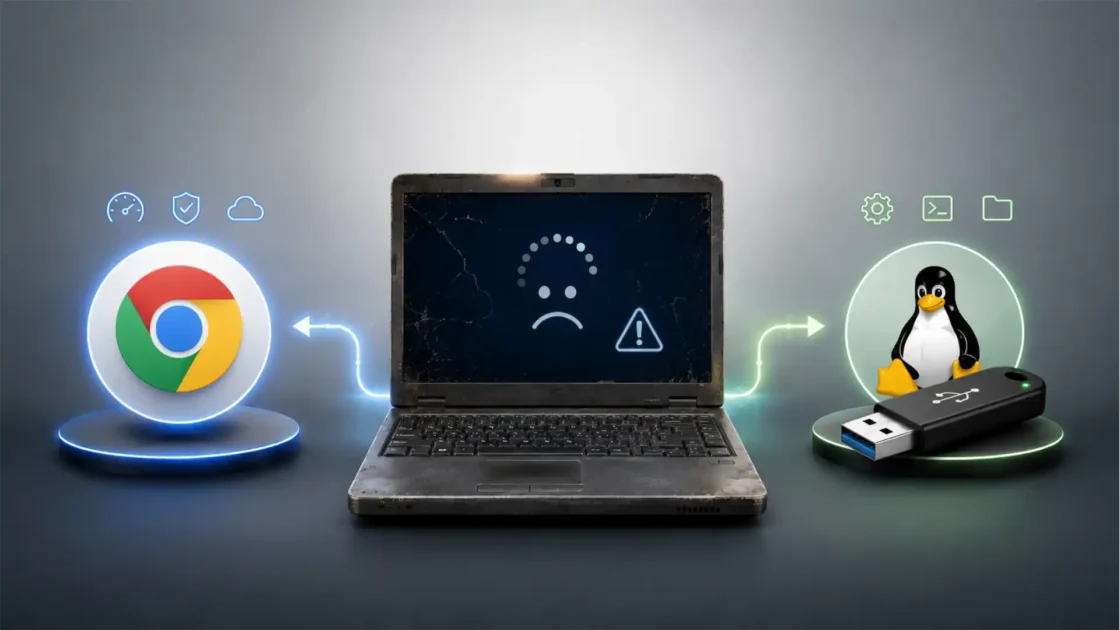
Linux no longer fails because ordinary desktop users cannot open a browser, write documents, watch video, install apps or play many games. Those barriers have shrunk. The tougher problem sits lower in the stack: drivers, firmware, hardware certification, vendor support and the uneven quality of out-of-the-box compatibility. A user who installs Linux on the right laptop may see a polished, quiet, stable computer. A user who installs it on the wrong laptop may fight Wi-Fi, sleep, fingerprint readers, hybrid graphics, battery drain, docks, webcams or firmware updates before the first working day is over.
Table of Contents
Linux has won infrastructure but not the default personal computer
Linux is already a mass-market operating system when the market is counted honestly. Android uses the Linux kernel. Linux dominates cloud servers, containers, routers, developer infrastructure, embedded devices and much of modern computing’s invisible machinery. The weakness is narrower and more stubborn: the general-purpose consumer and office desktop, especially the laptop bought from a mainstream retailer with Windows preinstalled.
That distinction matters. People often talk about “Linux adoption” as if one number could explain the whole operating system. It cannot. Linux is strong where the hardware, software stack and support channel are engineered as one product. Android phones work because the phone vendor ships the operating system with the device. Chromebooks work because Google and hardware partners certify the hardware, update the firmware path and define the support model. Steam Deck works because Valve chose the hardware, controls SteamOS, funds Proton, tests games and labels compatibility.
The traditional Linux desktop lacks that default position. It often arrives after purchase, after the Windows image, after the manufacturer’s driver assumptions, after the device firmware was validated against another platform. The Linux desktop is still too often a second operating system on hardware designed, tested and marketed for the first one. That is the difference between an operating system that feels native and one that feels tolerated.
StatCounter’s April 2026 desktop operating system data shows the scale of the gap. Windows stood at 63.66 percent worldwide desktop share, while Linux was listed at 2.99 percent and Chrome OS at 1.51 percent. StatCounter’s methodology is web-traffic based, so it is not a complete census of installed machines, but it is a useful signal of how small the traditional desktop Linux base remains beside Windows.
The gap persists despite real progress. Ubuntu, Fedora, Linux Mint, Debian, openSUSE, Arch-based gaming systems and immutable desktops have all improved the daily experience. GNOME and KDE Plasma are mature. Flatpak has simplified app distribution. PipeWire cleaned up much of the old audio pain. Wayland has moved from experiment to default on many distributions. Proton made a large part of the Windows game catalog run on Linux. None of that removes the hardware layer as the point where mass adoption most often breaks.
Hardware support is not one problem
“Linux hardware support” sounds like a single issue. It is really a chain of smaller dependencies. A laptop must boot. The installer must see the storage device. Wi-Fi must work before a user can fetch updates. The GPU must accelerate the desktop. The touchpad must handle gestures. Audio must route correctly between speakers, microphone, Bluetooth and HDMI. Suspend and resume must preserve state without draining the battery. External monitors must negotiate refresh rates through USB-C docks. Fingerprint readers, webcams, card readers, sensors, keyboards, special function keys, fan curves and firmware updates all need cooperation between kernel drivers, user-space services, firmware blobs, distribution packaging and vendor testing.
A failure in any one of those layers can make the whole operating system look unready. The average buyer does not separate a missing fingerprint driver from Linux as a brand. The buyer sees a laptop feature that worked under Windows and does not work after installing Linux. That is enough to end the trial.
The mass market does not judge Linux by what works on well-chosen hardware. It judges Linux by what fails on whatever hardware the user already owns. That is a brutal standard, but Windows benefits from it because Windows is the default target for PC vendors. macOS avoids it because Apple controls the machine. Linux must survive the messiest case: post-sale installation across thousands of devices with different firmware versions, component substitutions and vendor-specific utilities.
Driver quality also varies by category. Intel integrated graphics and many AMD GPUs work well because much of their driver stack is open and upstreamed. Many Wi-Fi chips work out of the box, but some still depend on firmware packages, kernel versions or vendor cooperation. Printers and scanners are far better than they once were, but the long tail remains uneven. Nvidia’s Linux position has improved, yet proprietary pieces, kernel integration, Secure Boot signing and older GPU support still complicate the user experience. ARM laptops bring a different set of issues because each device may need board-specific enablement rather than the more standardized x86 PC path.
The Linux community often says that Linux supports more hardware than any other operating system. That is true in a broad technical sense. The kernel contains drivers for huge classes of hardware, from servers to embedded boards to storage controllers to network devices. The desktop adoption problem is not raw breadth. It is predictable support for the exact consumer hardware configuration in front of a non-technical user.
The driver model gives Linux strength and pain
Linux usually works best when drivers are developed in the open and merged upstream into the kernel or the surrounding graphics and device stack. That model has a major advantage: once a driver is upstream, distributions can ship it, fix it, review it and carry it across kernel releases. Users do not need to hunt for a vendor executable on a support website. The driver becomes part of the operating system’s shared maintenance path.
The same model creates friction for hardware vendors accustomed to the Windows driver world. Windows has a formal hardware compatibility program, driver signing, submission dashboards and a predictable commercial route for vendors that want their products certified and distributed. Microsoft describes its Windows Hardware Compatibility Program as a way for companies to deliver compatible systems, software and hardware products and to get guidance for developing, testing and distributing drivers.
Linux has certification paths through distributions and vendors, but there is no single desktop Linux driver authority equivalent to Microsoft’s default role in the PC supply chain. A hardware maker may need to work with upstream kernel maintainers, Mesa, firmware repositories, distribution teams, Canonical, Red Hat, SUSE, Fedora, Debian, Arch maintainers, LVFS and device-specific user-space projects. For a company that sells millions of Windows machines and only a small Linux share, that coordination can look like cost without enough immediate revenue.
The Linux kernel’s internal interfaces also change. This is often misunderstood. Linux keeps a stable user-space ABI, which protects applications. It does not promise a stable in-kernel driver ABI for proprietary out-of-tree modules. That policy pushes vendors toward upstreaming drivers, where maintainers can adapt code as the kernel changes. The trade-off is clear: Linux rewards open, upstream driver development and punishes closed, abandoned, out-of-tree drivers over time.
That trade-off is good for long-term maintainability, security review and distribution integration. It is harder for hardware makers that want to ship a binary driver once and forget it. It is also hard for users when a vendor chooses the binary path anyway. Kernel updates can break modules. Secure Boot can block unsigned modules. DKMS rebuilds can fail. A rolling distribution can move faster than the proprietary driver’s tested matrix. The end user experiences that as Linux being fragile, even when the deeper cause is the mismatch between the Linux development model and a vendor’s support model.
Academic work on kernel-driver co-evolution captures the technical burden. A 2025 paper on automating Linux driver updates notes that kernel evolution breaks drivers through API and ABI changes, semantic shifts and security-hardening updates; its benchmark covers cases from Linux 5.10 to 6.10. The paper is not a consumer adoption study, but it describes the maintenance reality beneath the desktop complaint: drivers are not finished when they first boot. They must keep moving with the kernel.
Firmware is the hidden layer most users only notice when it fails
Drivers get the blame, but firmware often decides whether Linux feels smooth. Modern hardware is full of firmware: Wi-Fi chips, Bluetooth controllers, GPUs, touchpads, storage devices, docks, webcams, fingerprint sensors, audio DSPs, Thunderbolt controllers, USB controllers and system firmware. Some firmware is redistributed through Linux packages. Some is updated through vendor tools. Some is missing. Some has redistribution restrictions. Some exists but arrives too late for a distribution’s release cycle.
The kernel’s own firmware guidelines state that users switching to a newer kernel should not have to install newer firmware files just to keep hardware working, and that updated firmware files must not regress older kernel releases. That principle is sensible. It also shows the coordination burden. Kernel drivers and firmware files move separately, yet the user expects one working computer.
Debian’s handling of non-free firmware shows how practical desktop support can force policy change. In 2022, Debian voted to include non-free firmware packages from a dedicated archive section on official installer and live images, enabled by default when required, while preserving ways to disable it where possible. Debian had strong free-software reasons for its old stance. The shift acknowledged a desktop reality: a free installer that cannot bring up Wi-Fi on common hardware is not a good first experience for many users.
The Linux Vendor Firmware Service is one of the most important improvements in this area. LVFS provides a portal where hardware vendors can upload firmware updates, and the service is used by major Linux distributions to provide metadata to clients such as fwupdmgr and GNOME Software. Its significance is bigger than convenience. It gives Linux users a vendor-backed path for firmware updates without booting Windows or downloading opaque tools from scattered support pages.
LVFS does not solve every firmware problem. Vendors must participate. Devices must be designed or packaged for the update mechanism. Firmware quality still depends on manufacturers. Yet the direction is exactly right: Linux needs hardware support that reaches beyond the kernel into firmware lifecycle management. For laptops, docks and peripherals, that is no longer optional.
Graphics drivers carry an outsized share of user frustration
Graphics has always shaped the emotional reputation of desktop Linux. A machine can be technically usable with a weak graphics stack, but it will feel broken. Desktop animation stutters. External monitors misbehave. Games fail. Video acceleration falls back to the CPU. Screen sharing breaks. Fractional scaling becomes uneven. Battery life suffers. Suspend resumes to a black screen. A graphics problem is visible every second.
The situation is far better than the old Linux desktop folklore suggests. Mesa, the kernel DRM subsystem, Wayland compositors, Vulkan drivers and open AMD and Intel work have changed what Linux can do. Mesa’s own project documentation describes support for OpenGL, OpenGL ES, Vulkan, EGL, OpenCL and VA-API, with hardware drivers across Intel and other platforms. Mesa’s home page identifies Intel’s ANV Vulkan driver as officially supported by Intel and the official Vulkan driver for Linux on supported Intel hardware.
AMD’s Linux stack has also become a strong point for many desktop users. AMD’s 2025 Linux GPU driver release notes state that AMD Linux GPU drivers are open source and integrated into popular Linux distributions, and that AMD recommends using distribution-provided AMD GPU Linux drivers for many use cases. That sentence describes the ideal Linux desktop driver path: the hardware vendor cooperates with the open stack, distributions package the result, and users avoid manual driver downloads.
Nvidia remains more complicated. Nvidia has made major changes. In 2022 it released open GPU kernel modules for Linux under dual GPL and MIT licensing for supported GPUs, and in 2024 it announced a transition toward those open kernel modules. Nvidia’s driver download notes for the 560 series also said the installer would select open GPU kernel modules by default on systems with GPUs that support both proprietary and open kernel modules. That is real progress.
Yet progress is not the same as simplicity. The Nvidia stack still involves proprietary user-space components, packaging differences, distro-specific repositories, Secure Boot signing concerns, and distinctions between newer supported GPUs and older cards. Fedora’s own documentation says Nvidia driver installation requires enabling an external repository, unless third-party software was enabled at installation. Ubuntu provides tools to install Nvidia drivers, but the presence of a tool does not erase the support gap between an integrated open driver and a proprietary stack that must track kernel, compositor, CUDA, power-management and packaging changes.
For mass adoption, the decisive point is not whether experts can make Nvidia work. They usually can. The decisive point is whether a person buying a gaming laptop, plugging in two monitors and joining a video call can forget the driver exists. Linux has moved closer to that point, but it is not there across the market.
Wi-Fi and Bluetooth still decide the first impression
No hardware failure damages a Linux install faster than missing networking. A system can survive without fingerprint login or perfect power tuning on day one. It cannot easily survive without Wi-Fi if the user needs to download updates, firmware or drivers.
Linux Wi-Fi support has improved because many chipsets have upstream drivers and firmware packages. Intel Wi-Fi hardware is often a safe choice. Some MediaTek and Qualcomm Atheros devices work well depending on generation and kernel version. Realtek remains mixed across specific chips, with some devices supported well and others dependent on out-of-tree modules, newer kernels or community packaging. Bluetooth adds its own problems because controllers, codecs, power states and firmware loading all interact with desktop services.
The challenge is the component lottery. Laptop buyers often do not know which Wi-Fi card is inside the model they bought. Manufacturers may swap components during a product’s life while keeping the same retail name. A review of “Laptop X works great on Linux” may be true for one batch and false for another. Windows absorbs that through vendor images and driver downloads tied to the model. Linux absorbs it through kernel support, firmware packages and community reports.
For the ordinary user, hardware compatibility must be knowable before purchase, not discovered after installation. Certification databases help, but they rarely match the way people buy consumer laptops. Retail listings seldom say “Intel AX211 Wi-Fi, supported in kernel X with firmware Y.” They say the laptop has Wi-Fi 6E. That is enough for Windows because the vendor has already assumed Windows support. It is not enough for Linux.
Bluetooth shows a similar pattern. A laptop may pair headphones but fail to handle microphone profiles cleanly. A controller may work after a cold boot but fail after suspend. A firmware update may fix the issue, but the update route may depend on LVFS participation or a Windows-only utility. None of those failures is conceptually central to Linux as an operating system. Each one still damages the desktop experience.
Laptops expose the hardest Linux support problem
Desktop towers are relatively forgiving. Users can choose known-good GPUs, network cards and peripherals. They can replace a problematic component. Laptops compress everything into a single vendor-controlled device. The keyboard, display panel, touchpad, webcam, speakers, microphones, fingerprint reader, lid sensor, battery, charger, thermal system, sleep states, GPU switching and firmware update path are all tied to that model.
This is why laptop support is the real test. A Linux laptop must do more than boot. It must sleep reliably. It must wake instantly enough. It must avoid battery drain in a bag. It must handle USB-C charging and docks. It must control fans without sounding broken. It must deliver sensible battery life. It must switch between internal display, external displays and projectors. It must make the webcam and microphone work in the apps people use. It must survive kernel updates without losing a basic device.
Windows machines get vendor utilities for many of these functions. Some are annoying, bloated or privacy-invasive, but they exist. Linux often replaces them through kernel drivers, desktop power profiles, fwupd, community projects and distribution defaults. That can produce a cleaner system when everything is supported. It can also leave gaps when a vendor-specific ACPI method, embedded controller behavior or sensor path is undocumented.
Apple avoids this problem for macOS by making the hardware and software a single product. Microsoft reduces it through OEM agreements and the Windows hardware ecosystem. Linux needs either upstream-friendly hardware or a vendor that sells the machine as a Linux product. The worst case is a premium Windows laptop installed with Linux after purchase, especially if it uses unusual components, aggressive power management or vendor-specific firmware tools.
The best Linux laptops prove the operating system is not inherently the problem. Ubuntu certified hardware, Lenovo’s Linux-certified ThinkPad and workstation programs, Dell’s Ubuntu Developer Edition history, Framework’s Linux work and System76’s Linux-first systems all show what happens when vendors test the stack. Canonical says Ubuntu certified devices are tested for reliability and performance to provide out-of-the-box Ubuntu experiences. Lenovo states that Linux certification is part of its commitment to provide customers with information needed to use Linux. Fedora’s Lenovo page says Lenovo tests, certifies and supports Linux on several platforms, including ThinkPad, ThinkStation and ThinkCentre portfolios.
That is the model Linux needs at scale. The gap is availability, price, regional distribution, marketing and buyer awareness. A developer can search for a certified machine. A mainstream buyer usually buys what is on sale.
Preinstalled Linux changes the whole adoption equation
Linux is easiest when the buyer does not have to become an integrator. A Linux-preinstalled machine moves responsibility from the user to the vendor. The vendor chooses compatible components, tests firmware, picks a distribution, validates suspend, ships updates and accepts support calls. That is the same basic pattern that made Windows and macOS viable consumer products.
Dell’s Ubuntu Developer Edition program has been an example for years. Dell and Canonical announced the XPS 13 Plus Developer Edition with Ubuntu 22.04 LTS certification and preinstallation for selected markets in 2022. Dell later said new XPS 13 Plus Developer Edition systems would ship with Ubuntu 22.04 LTS preloaded from the factory. Lenovo has also expanded Linux certification in parts of its workstation portfolio, including Red Hat Enterprise Linux and Ubuntu LTS certification for ThinkStation and ThinkPad P Series workstations.
System76 takes a more Linux-native route by selling Linux computers with Pop!_OS and Ubuntu options, and by publishing open firmware work for supported systems. System76 describes its open firmware as using coreboot, EDK2 and System76 firmware applications. That approach appeals to a smaller market, but it shows what Linux support looks like when hardware selection, firmware and OS assumptions align.
Framework is relevant because it treats Linux compatibility as part of product design rather than an afterthought. The company has worked with Linux distributions, uses LVFS for firmware support on supported models, and now offers Ubuntu-certified options in parts of its portfolio. That matters because modular, repairable hardware and Linux share an audience that cares about control and longevity. Yet the broader lesson is not ideology. It is product management. A Linux laptop should be sold as a supported configuration, not as a puzzle.
Preinstallation also solves the psychological problem. A user who buys a Linux laptop expects Linux. A user who replaces Windows with Linux expects risk. The same bug feels different depending on who owns the support promise. If a laptop shipped with Linux and the fingerprint reader never worked, the vendor owns that failure. If the user installed Linux manually, the user is often told to check forums.
Mass adoption requires the former relationship. Operating systems become mainstream when users can hold sellers accountable.
Certification helps, but it remains too fragmented
Certification is one of the strongest tools for reducing Linux uncertainty. Ubuntu Certified, Red Hat certification, SUSE certification, Lenovo’s Linux pages, Fedora Ready materials and vendor-specific support lists all help buyers identify safer machines. Yet certification still has limits.
First, certification is often distribution-specific. A laptop certified for Ubuntu LTS may work well on Fedora, Debian or Arch, but that is not guaranteed. Kernel versions, firmware packages, Secure Boot defaults, Mesa versions, power-management tools and proprietary driver packaging may differ. For experts, those differences are manageable. For buyers, they create confusion.
Second, certification may apply to a specific configuration. The same laptop family may have multiple Wi-Fi cards, display panels, GPUs or fingerprint sensors. A certified configuration might not match the cheaper retail variant. The buyer needs a precise model and often a precise SKU.
Third, certification databases are not retail experiences. A buyer in a store or on an e-commerce site sees processor, RAM, SSD and screen size. Linux support is rarely a first-class filter. Even when a manufacturer certifies hardware, retailers may hide or ignore the certification.
Fourth, certification does not always mean every feature works equally. Some tests are blocking; some are non-blocking. Canonical’s desktop certification coverage documents distinguish blocking and non-blocking tests, where failure of a blocking test fails certification. That is a rational certification structure, but buyers may assume “certified” means every feature is perfect. The gap between engineering language and consumer expectation can create disappointment.
The Linux market needs compatibility information that is both technically precise and consumer-readable. “Works on Linux” is too vague. “Certified for Ubuntu 24.04 LTS, kernel X, firmware Y, with working suspend, Wi-Fi, Bluetooth, webcam, audio, touchpad, function keys, firmware updates and external display over USB-C” is closer to what serious buyers need. The challenge is presenting that without turning the product page into a kernel mailing list.
The Windows driver ecosystem remains Linux’s benchmark problem
Windows is not magically better at hardware support. It has bad drivers, vendor bloat, broken updates, telemetry, old control panels, confusing device manager errors and its own compatibility failures. The reason Windows dominates PC hardware support is structural: hardware vendors treat Windows support as a commercial requirement.
The Windows driver path is familiar to manufacturers. Microsoft’s driver signing documentation says driver signing associates a digital signature with a driver package, verifies package integrity and vendor identity, and requires signed kernel-mode drivers on 64-bit Windows versions from Vista onward. Microsoft’s hardware program provides testing and submission channels. OEMs preload Windows images with the needed drivers and utilities. Retail support scripts assume Windows. Peripheral vendors release Windows software first because that is where the buyers are.
Linux often gets support when one of three conditions holds: the component vendor upstreams drivers, a distribution or hardware partner does enablement work, or the community reverse-engineers enough to make the device usable. That is impressive. It is not a reliable mass-market support contract.
The irony is that Linux’s best driver model may be better than Windows when it works. Upstream drivers can be cleaner, less invasive and easier to update through the distribution. There is no need for ten vendor tray utilities. Old hardware may receive support long after a Windows vendor utility disappears. A clean Linux install often avoids the preinstalled software clutter common on consumer Windows laptops.
But the best model is not the average retail experience. Windows wins because the ordinary buyer can assume the machine was built for it. Linux loses because too many users must research whether the machine will respect it.
Windows 10 end of support creates an opening, but hardware decides its size
Microsoft ended Windows 10 support on October 14, 2025. Microsoft’s support page says only Windows 10 PCs running version 22H2 and meeting Windows 11 minimum hardware specifications are eligible for the free Windows 11 upgrade. Microsoft’s Windows 11 specifications require, among other items, UEFI Secure Boot capability, TPM 2.0 and a DirectX 12 compatible graphics card.
That created a natural opening for Linux. Many PCs that cannot officially move to Windows 11 can still run a modern Linux distribution. For privacy-conscious users, repair advocates, schools, nonprofits and households with older but functional machines, Linux offers a way to keep hardware useful without paying for a new PC.
Yet the same hardware layer limits the opportunity. An older desktop with Intel graphics and Ethernet may be an easy Linux conversion. A laptop with a problematic Wi-Fi chip, weak battery, unsupported fingerprint reader and vendor-specific power quirks may be a poor candidate. The end of Windows 10 support can push people to consider Linux, but a bad first install can push them away just as fast.
The market opening is also uneven by user type. Developers, hobbyists and technical users can tolerate compatibility research. Offices need predictable fleet support. Schools need remote management, accessibility, printers, webcams and support staff. Families need the browser, video calls, homework apps and peripherals to work without a forum search. A recycled PC program needs a known hardware list.
The Windows 10 transition helps Linux only where Linux can deliver a boring, dependable hardware experience. If the conversion requires command-line driver fixes, the opportunity narrows to enthusiasts.
Gaming proves Linux can grow when someone owns the compatibility layer
Gaming used to be one of the simplest arguments against desktop Linux. Native game support was limited, graphics drivers were uneven, and publishers targeted Windows. Valve changed that equation by funding Proton, improving Mesa and Vulkan paths, shipping Steam Deck and creating compatibility labels that users can understand.
Valve’s Proton repository describes Proton as a tool used with the Steam client that allows games exclusive to Windows to run on Linux, using Wine and other components. Valve’s Steam Deck Verified system reviews games and categorizes them by compatibility, so users can see how games play before buying or installing them. That combination matters because it converts an uncertain Linux compatibility problem into a product experience.
Steam’s April 2026 Hardware & Software Survey shows SteamOS Holo as the largest single Linux distribution among Linux Steam users, with 23.05 percent in the Linux-only distribution breakdown. The broader Steam survey is volatile and not a census, but gaming is one of the few desktop areas where Linux has shown visible consumer momentum. Phoronix reported Steam on Linux at 3.19 percent in December 2025, up from 2.29 percent a year earlier.
The lesson is not just “games now work.” The lesson is that Valve reduced user uncertainty at three layers. It selected hardware. It funded the compatibility layer. It labeled the results. That is close to the model Linux needs beyond gaming.
Anti-cheat remains a warning. Valve’s Steamworks documentation recommends user-space anti-cheat components for Proton because kernel-space solutions are not currently supported and are not recommended. BattlEye’s Proton integration reached a point where developers could request enablement, according to Valve’s Steam News update. Yet some major multiplayer publishers still block or remove Linux/Steam Deck support because they do not trust the platform for their anti-cheat model. The Verge reported in 2024 that Apex Legends was ending Steam Deck and Linux support over cheating concerns.
Gaming now shows both sides of the hardware-driver story. When a platform owner invests, Linux can feel consumer-ready. When a publisher or anti-cheat vendor declines support, the user has no practical workaround.
The Nvidia question is less ideological than operational
Linux users often turn Nvidia into a culture-war topic. That misses the practical issue. The average user does not care whether a driver is ideologically pure. They care whether graphics work after updates, whether games run, whether CUDA works if needed, whether external monitors behave, whether Secure Boot causes problems, whether battery life is sane on hybrid graphics and whether the laptop resumes correctly.
Nvidia’s Linux support is much better than it was. The company’s open kernel module work is a real shift. Data center Linux support has long been serious because Nvidia’s business depends on Linux in AI and high-performance computing. CUDA on Linux is central to modern compute. The desktop problem is the mix of gaming, hybrid laptops, Wayland, proprietary user-space components, kernel updates and distribution packaging.
Nvidia’s own open GPU kernel module repository says the modules support the same range of Linux kernel versions supported by the proprietary Nvidia kernel modules, currently Linux kernel 4.15 or newer. That is useful, but it does not mean every distribution and device path is effortless. A user still has to get the right package, avoid mismatched kernel headers, handle Secure Boot if enabled, and understand when the open module applies to their GPU.
The desktop Linux ecosystem has responded with better packaging. Ubuntu’s driver tools, Fedora’s third-party repository path, RPM Fusion, Arch packaging, openSUSE repositories and vendor-specific guides reduce the pain. But each distro path is still different. Windows users usually install a GeForce driver from Nvidia or get an OEM-provided driver. Linux users may need to understand distribution policy.
Nvidia is not the only Linux driver problem, but it is one of the most visible because GPUs define gaming, creative work, multi-monitor setups and laptop power behavior. As long as a large share of consumer and gaming PCs use Nvidia graphics, Linux adoption will be tied to how boring Nvidia support becomes.
AMD and Intel show the value of upstream work
AMD and Intel are not perfect. Users can still hit bugs with new hardware, display features, media codecs, power management and distribution versions. Yet their Linux graphics paths show why upstreaming matters.
When the driver stack is open and integrated into the kernel, Mesa and distribution packages, the user usually does not think about drivers. The distribution ships the needed stack. Kernel and Mesa updates bring improvements. Bugs can be reported in public trackers. Developers from vendors, distributions and the wider community can inspect and fix code. Support for older hardware can outlive a vendor’s commercial focus when community maintainers still care.
AMD’s recommendation to use distribution-provided drivers for many Linux use cases is especially relevant. It aligns with Linux’s strengths rather than fighting them. Intel’s graphics documentation also describes upstream and out-of-tree options for Linux kernel-level support of Intel GPU products. The presence of out-of-tree options does not erase the advantage of upstream support, but it shows the vendor recognizes multiple deployment needs.
Open graphics stacks also helped gaming. Valve’s investments in Mesa, RADV, DXVK, VKD3D-Proton and SteamOS benefit from AMD hardware in the Steam Deck and from upstream Linux collaboration. The Steam Deck did not need to ask every user to install a GPU driver. That is the point. The driver stack was part of the product.
The market implication is direct. Hardware vendors that upstream drivers reduce Linux support cost for everyone downstream: distributions, retailers, IT teams and users. Vendors that keep Linux support closed, late or fragmented shift that cost to the user.
ARM laptops show Linux’s next hardware risk
Linux runs on ARM everywhere: phones, servers, routers, embedded devices, development boards and Apple Silicon through community work. That does not mean ARM laptops are easy. The PC’s x86 ecosystem has decades of standardization around boot, ACPI, PCI, USB, graphics and peripherals. ARM laptops often require board-specific enablement. The SoC, firmware, boot chain, GPU, neural processor, audio, camera, sleep states and device tree or ACPI descriptions may all need targeted work.
This matters because the PC market is moving toward more ARM and AI-focused hardware. Qualcomm’s Snapdragon X series, Windows on Arm, Apple Silicon and future low-power laptop designs all point toward a less x86-only world. If Linux does not get strong vendor cooperation early, it risks repeating the old laptop problem in a new architecture generation.
A Linux laptop maker’s cancellation of a Snapdragon X Elite project in 2025 was a warning sign. Tom’s Hardware reported that Tuxedo Computers cancelled a planned Snapdragon X1 Elite Linux laptop after more than 18 months of development, citing compatibility issues around battery life, BIOS updates, fan control, KVM virtualization, USB4 transfer speeds and video decoding. That is not proof that ARM Linux laptops cannot work. It proves that working Linux on ARM laptops requires cooperation deep in the platform.
The danger is strategic. Windows OEMs may ship ARM laptops with vendor-specific Windows drivers, firmware utilities and AI features while Linux support arrives through slow reverse engineering or partial enablement. That would put Linux back in the same position it has on too many x86 laptops, but with less standardization to fall back on.
For Linux to benefit from ARM laptops, hardware vendors must upstream support early, document power and firmware interfaces, support firmware updates through LVFS or equivalent channels, and work with distributions before launch. Waiting until after the Windows launch is too late for mainstream trust.
Printers, scanners and peripherals still shape office adoption
Desktop operating systems live or die by boring peripherals. Printers, scanners, label makers, smart-card readers, drawing tablets, USB audio interfaces, webcams, docks and conference-room hardware matter more in offices than kernel elegance. A system that runs beautifully until someone needs to print a shipping label is not ready for that business.
Printing has improved a lot. Driverless IPP printing, AirPrint-compatible devices and CUPS have reduced the old pain. Many network printers now work without vendor packages. Scanning is better than it was, especially with network devices and supported backends. Yet the long tail remains painful. Cheap consumer printers may rely on proprietary utilities. Some all-in-one devices print but do not scan. Label printers may need special drivers. Enterprise print accounting systems may assume Windows or macOS clients. Creative hardware vendors may ignore Linux entirely.
Peripherals expose the difference between “Linux can support it” and “the vendor supports it.” A community driver may be enough for a hobbyist. A school, clinic or law office needs accountability. If the printer vendor’s support page offers Windows and macOS installers but no Linux package, Linux becomes the unsupported platform even when open protocols work.
Docks and conference-room hardware have become especially relevant because hybrid work made USB-C hubs, external monitors, webcams and audio devices part of daily computing. A Linux laptop that handles internal devices well can still struggle with a dock’s firmware, DisplayPort Multi-Stream Transport, power delivery, Ethernet adapter, audio device or monitor wake behavior. Each piece may use a standard interface, but the combination behaves like a system.
Mass adoption depends on peripheral ecosystems, not just laptop internals. Linux needs more vendors to test against real office workflows: docking, video calls, scanning, printing, smart cards, projectors and sleep-resume cycles across a working week.
Secure Boot solves one problem and creates another
Secure Boot is a security feature, not a Linux conspiracy. It helps ensure that the boot chain has not been tampered with. Windows 11 requires UEFI firmware with Secure Boot capability as part of its minimum specifications. For mainstream computing, a trusted boot path is a normal expectation.
Linux supports Secure Boot on major distributions, but proprietary or out-of-tree drivers complicate it. If a kernel module is not signed with a trusted key, the system may refuse to load it when Secure Boot is enabled. Users can disable Secure Boot, enroll a Machine Owner Key, sign modules, use distribution-packaged drivers, or choose hardware with upstream drivers. Each option is understandable to an expert. None is ideal for a mainstream user who only wanted graphics acceleration or Wi-Fi.
The issue returns to driver integration. Upstream drivers avoid much of the pain because they are part of the signed kernel path. Distribution-packaged proprietary drivers can handle signing more gracefully, but the path differs by distribution. Vendor .run installers are riskier because they bypass distribution integration. DKMS modules add another moving part.
Secure Boot also matters for anti-cheat, enterprise compliance and managed fleets. Some organizations want Linux desktops but cannot accept instructions that begin with disabling security features. They need supported drivers, signed modules and predictable update behavior.
A Linux driver that works only after weakening the boot security posture is not mass-market ready. It may be acceptable for hobbyists, but not for offices, schools, regulated sectors or ordinary buyers who should not be asked to make that trade.
Distribution fragmentation is less about choice than support paths
Linux desktop fragmentation is often overstated. Most users interact with a desktop environment, app store and browser, not with the philosophical differences between distributions. The real fragmentation problem for hardware support is support path divergence.
A device may work on Fedora because Fedora ships a newer kernel. It may work on Ubuntu LTS only with the Hardware Enablement stack. It may work on Arch because the latest firmware arrived quickly. It may fail on Debian stable until a backport is installed. Nvidia packages differ. Secure Boot behavior differs. Firmware packaging differs. Mesa versions differ. Kernel configuration differs. Immutable systems add their own driver handling. For experts, that is choice. For vendors, it is a testing matrix. For users, it is confusion.
Ubuntu’s Hardware Enablement stack exists because stable LTS releases need newer kernel and X display support for newer hardware. Canonical describes the HWE stack as providing newer kernel and X11 display support for existing Ubuntu LTS releases, with manual or pre-enabled installation paths. That is a practical answer to a real tension: users want stable releases, but new hardware needs new drivers.
Fedora often moves faster, which helps newer hardware but can expose users to fast-changing driver stacks. Debian prioritizes stability, which helps predictability but may lag brand-new devices. Arch gives speed and control, but the user owns more risk. Linux Mint offers an accessible desktop, but its hardware support depends heavily on Ubuntu bases, kernels and user choices.
The issue is not that one model is right. The issue is that hardware vendors rarely state which Linux support path they validate. A laptop page might say “Ubuntu supported,” while community reports say Fedora works better on day one because of a newer kernel. Another user may prefer Ubuntu LTS because vendor certification targets it. Both can be correct.
Mass adoption needs clearer mapping between hardware and distribution support. Linux does not need fewer distributions to grow. It needs vendors to declare and support the distributions they test.
Updates are where trust is won or lost
A Linux installation can work perfectly on day one and fail after an update. That possibility exists on Windows and macOS too, but Linux’s driver model makes it especially visible when proprietary or out-of-tree modules are involved.
Kernel updates are security and stability necessities. They also change the environment for drivers. Open upstream drivers move with the kernel. Out-of-tree modules must rebuild or ship matching versions. Firmware updates can fix bugs or introduce regressions. Mesa updates can improve performance or expose compositor issues. Nvidia driver updates can fix Wayland behavior and break an older setup. Distribution maintainers must decide when to push changes, when to hold back and how to handle regression reports.
Research on Linux kernel regression bugs found that device drivers are the most regression-prone subsystem in the studied data, while many regressions between 2021 and 2024 were fixed in less than a month on average. That is a useful sign of kernel project responsiveness. It also shows why the hardware layer dominates user pain: drivers are where regressions concentrate.
The average user does not care whether a regression is fixed upstream in three weeks. They care whether their laptop wakes tomorrow morning. A business does not care whether a workaround exists in a bug tracker. It cares whether an update can be deployed to 500 machines without breaking docks or Wi-Fi.
This is where Linux distributions and hardware vendors must meet. Stable update channels, hardware certification, phased rollouts, regression testing on certified models and firmware coordination matter. Ubuntu’s stable release update process, enterprise Linux vendor QA, Fedora’s testing practices and vendor certification labs all contribute. But the mass desktop market needs that discipline attached to consumer devices, not only enterprise workstations.
Trust is not earned by a successful install. It is earned by two years of updates that do not make hardware mysterious again.
The long tail of old hardware is both Linux’s strength and burden
Linux is often praised for keeping old hardware useful. That praise is deserved. A lightweight Linux distribution can make an older desktop or laptop usable for browsing, writing, coding, education or local tasks. The end of Windows 10 support made this value more visible. Many machines that fail Windows 11’s official requirements can still run Linux well.
Yet the old-hardware story is complicated. Old devices may have better Linux support because their drivers have matured. They may also have weak firmware, failing batteries, unsupported GPUs, abandoned Wi-Fi chips, old Nvidia cards, BIOS bugs, broken sleep states or missing firmware update paths. A fifteen-year-old desktop with Intel graphics may be easier than a five-year-old ultrabook with odd power management.
The kernel community also cannot maintain everything forever. Old drivers impose review, security and maintenance costs. Recent reporting has described kernel developers removing or considering removal of ancient CPU and network driver support because the maintenance burden outweighs the real user base. That is a normal engineering process. No operating system can carry infinite legacy code safely.
The adoption message must be honest. Linux can extend hardware life, but it cannot guarantee a modern, secure, fully supported experience on every old PC. The best candidates are machines with mainstream components, enough RAM, SSD storage and hardware still covered by active kernel and firmware support. Recycling programs should maintain hardware compatibility lists rather than promising that any old laptop will become new with Linux.
This honesty helps Linux. Overselling old-hardware revival creates disappointment. A targeted approach creates success stories: refurbish known-good models, install a stable distribution, test Wi-Fi, video calls, sleep, printing and updates, then hand the machine to users who need reliability rather than a hobby project.
Corporate desktops need procurement support, not forum heroics
Linux adoption in offices is not blocked only by Microsoft Office, line-of-business applications or user training. Hardware support is a procurement issue. IT teams need to buy machines that arrive with supported firmware, driver stacks, management tools and warranty coverage. They need predictable images, docking support, smart-card readers, VPN compatibility, printers, conferencing gear and accessibility devices.
A company cannot base desktop support on scattered community posts. It needs vendor documents, certification, service-level expectations and a route for escalations. This is why Linux has had stronger desktop success in developer workstations, engineering teams, call centers with web apps, government deployments with strict control, and organizations that standardize hardware. When the hardware list is controlled, Linux becomes far easier.
The uncontrolled bring-your-own-device pattern is harder. Employees may bring consumer laptops with unsupported fingerprint readers, Realtek Wi-Fi variants, Nvidia hybrid graphics, privacy-camera switches, custom hotkeys and vendor utilities. IT cannot test every model. Windows and macOS have clearer vendor support expectations in that environment.
For Linux to gain office share, vendors must sell Linux-supported business configurations openly. That includes mainstream laptops, not only mobile workstations. The support page should state the distribution, kernel stream, firmware update path, dock compatibility and support boundaries. If a vendor says “Linux supported” but only for one enterprise distribution and not the preinstalled Windows SKU the customer actually bought, the value is limited.
The business desktop does not need Linux to support every device. It needs Linux-supported devices to be easy to procure. That is a smaller, more achievable goal than universal compatibility.
Schools and public institutions need boring hardware
Schools, libraries and public institutions are natural Linux candidates on paper. They need low cost, long hardware life, privacy, web access, document editing, learning tools and centralized management. In practice, hardware decides whether Linux reduces cost or creates support work.
A school laptop fleet needs Wi-Fi stability across crowded classrooms, predictable suspend, durable updates, webcam and microphone support, accessibility hardware, printers, projectors, interactive displays and content-filtering compatibility. A teacher cannot debug a driver before a lesson. A student cannot lose Wi-Fi during an online exam. A technician cannot rebuild kernels across hundreds of mixed donated laptops.
Chromebooks solved much of this by making Linux-based computing a managed appliance. The operating system is not presented as a general Linux desktop. It is a supported hardware-software platform. That is why Chrome OS can succeed where generic desktop Linux struggles. Hardware compatibility is hidden behind procurement and certification.
Linux distributions can serve education well when paired with controlled hardware. The problem is the common low-budget route: donated or mixed devices with unknown components. Linux may still be the best option, but only after triage. A public program that wants to deploy Linux at scale should choose a small set of tested models, standardize firmware versions, avoid unsupported peripherals and document recovery steps.
Linux in education is not a distro-selection problem first. It is a fleet-design problem. The wrong hardware turns free software into unpaid labor.
The user experience penalty starts before installation
Desktop Linux often loses before the installer boots because users do not know whether their machine is safe. Search results lead to forum threads, hardware databases, Reddit posts, ArchWiki pages, vendor fragments and old bug reports. Some are excellent. Some are outdated. Some refer to a different SKU. Some assume kernel knowledge.
A Windows user rarely searches “does my laptop support Windows?” A Mac buyer never asks whether macOS supports the built-in camera. A Linux user often searches before installing, and the search itself signals risk.
The installer experience has improved. Ubuntu, Fedora, Linux Mint and other major distributions are far friendlier than old stereotypes suggest. But the installer cannot fully solve unknown hardware. It can warn about proprietary drivers, offer third-party software, detect firmware needs, set up Secure Boot paths and install updates. It cannot make an unsupported fingerprint reader supported. It cannot fix a vendor BIOS bug alone. It cannot guarantee a USB-C dock firmware update if the vendor never joined LVFS.
The first-boot experience matters too. If Wi-Fi works, display scaling is correct, the touchpad feels right, audio works and updates complete, Linux gets a fair chance. If the user must open a terminal to identify a chip, add a repository, sign a kernel module or install a newer kernel, the trial becomes a test.
Mass adoption requires Linux to feel prevalidated, not merely installable. A successful installer is the floor. A supported hardware profile is the product.
Community support is powerful but cannot replace vendor accountability
The Linux community is one of the platform’s greatest assets. Hardware wikis, distribution forums, bug trackers, IRC and Matrix rooms, Reddit posts, GitLab issues, kernel mailing lists and personal blogs solve countless problems. Community testers identify regressions, write patches, package drivers, create compatibility databases and rescue devices vendors ignore.
That strength can hide a weakness. Community support is not the same as vendor accountability. A volunteer can explain why a fingerprint sensor lacks a driver. The user still lacks fingerprint login. A maintainer can patch a Wi-Fi regression. The user still lost a working machine after an update. A wiki can list compatible laptops. The retailer still sold a different internal component under the same model name.
Community work also shifts cost. When a hardware vendor does not support Linux, unpaid maintainers and users absorb the work. That may be acceptable for niche devices and hobby projects. It is not a mass-market model for the primary computer of ordinary users.
The healthiest pattern is vendor-community cooperation. Vendors upstream drivers. Distributions package and test them. Community users report real-world issues. Vendors fix firmware and hardware quirks. LVFS delivers updates. Certification pages reflect reality. That model respects the open-source ecosystem without exploiting it.
Linux adoption grows when community knowledge becomes product support. It stalls when product support is replaced by community heroics.
Two paths now compete for the Linux desktop
The Linux desktop has two plausible growth paths.
The first path is the classic general-purpose distribution installed on existing PCs. This path is broad, flexible and aligned with Linux’s culture. It benefits from Windows 10 end-of-support pressure, privacy concerns, repair movements and user dissatisfaction with Windows. It will continue to grow among technical users, refurbishers and people with compatible hardware.
The second path is the integrated Linux device. Steam Deck is the clearest example. So are Linux-preinstalled laptops from System76, Dell, Lenovo, Tuxedo, Slimbook, Star Labs and Framework’s Linux-oriented configurations. This path is narrower but more product-like. The user buys hardware where Linux is expected.
The second path is more important for mass adoption because it changes the support relationship. The user does not ask whether Linux works. The vendor says it works. Compatibility testing happens before purchase. Firmware updates have a channel. The device has a known stack.
The first path still matters. It keeps Linux open, flexible and useful across old and new machines. It prevents lock-in. It lets users reclaim hardware. It supports experimentation. But the mass market does not usually adopt operating systems by replacing the one that came with the machine. It adopts them by buying devices where the operating system is already part of the value.
Linux’s future desktop growth may look less like one sudden “year of Linux” and more like several supported device categories: gaming handhelds, developer laptops, privacy-focused laptops, repairable laptops, education fleets, government desktops and refurbished Windows 10-era PCs. Hardware support will decide which categories scale.
The role of retailers is underestimated
Retailers shape operating system adoption more than Linux advocates often admit. A buyer usually encounters computers through online stores, carrier bundles, enterprise procurement portals, school purchasing systems and retail shelves. If Linux is absent there, it remains a post-purchase project.
Even when Linux-supported hardware exists, it is often hard to find. Filters include brand, CPU, RAM, SSD size, GPU, screen size and price. They rarely include “Linux certified,” “Ubuntu preinstalled,” “Fedora supported,” “LVFS firmware updates” or “no Windows license.” Search terms may surface a few niche vendors rather than mainstream options.
This affects perception. If Linux laptops are hard to buy, users assume Linux is marginal. If Linux options are expensive or hidden in developer sections, users assume Linux is only for specialists. If a mainstream vendor sells one Linux configuration but not in the buyer’s country, the market barely sees it.
Retail visibility also affects vendor incentives. Hardware makers support platforms that retailers can sell. Retailers promote products with clear demand and low return risk. Linux hardware has a return-risk problem if buyers do not understand app compatibility or if devices are marketed poorly. Better certification and clearer product pages reduce that risk.
Linux needs a retail language for compatibility. Not kernel jargon. Not ideological claims. Clear labels: Linux preinstalled, certified distribution, tested hardware features, firmware update support, support term, known limits. A buyer should know what they are buying in thirty seconds.
Hardware vendors need a clearer business case
Hardware vendors do not ignore Linux only because of hostility. Many ignore it because the business case is unclear. Supporting an operating system costs money. Engineers must upstream or package drivers, test firmware, handle support tickets, train staff, maintain documentation and coordinate updates. If expected sales are small, Linux becomes a low-priority request.
The counterargument is that Linux support can reduce long-term support costs when done upstream. A vendor that gets drivers into the kernel and firmware into LVFS avoids maintaining separate binary packages for years. It also gains credibility with developers, researchers, governments, privacy-focused buyers, repair advocates and technical enterprises. For some categories, Linux support is a differentiator.
The developer market matters. Developers influence procurement, cloud infrastructure, AI workstations and tool ecosystems. A laptop that works well with Linux can become the default recommendation inside technical teams. That does not equal consumer mass adoption, but it creates a base with high influence.
The public-sector and education markets also matter. Governments and schools care about cost, sovereignty, privacy and device longevity. Linux-compatible hardware can fit those goals if support is formal. Repairability movements and right-to-repair policy may increase interest in machines that remain useful beyond a Windows support cycle.
The strongest business case may come from avoiding dependence on one platform. Vendors that support Linux gain resilience against Windows licensing shifts, hardware requirement controversy, AI-feature backlash and regional policy demands. Linux support gives buyers choice. Choice can be marketable when Windows decisions become unpopular.
A realistic Linux hardware standard would change the market
Linux does not need every vendor to become Linux-first. It needs a clearer baseline for hardware that wants to be Linux-ready.
A credible Linux-ready PC should meet a practical standard:
- The device boots and installs on at least one current mainstream distribution without manual kernel parameters.
- Wi-Fi, Bluetooth, audio, webcam, touchpad, keyboard functions and external display work after installation.
- Suspend, resume and battery drain are tested.
- Firmware updates are available through LVFS or an equally Linux-accessible channel.
- Graphics acceleration works through upstream or distribution-packaged drivers.
- Secure Boot support is documented.
- Docks and common USB-C display paths are tested.
- Unsupported features are disclosed before purchase.
- The vendor provides a support page with distribution and kernel version details.
Practical Linux-ready hardware checklist
| Area | Mass-market expectation | Linux support requirement |
|---|---|---|
| Networking | Wi-Fi works during setup | Supported chipset and packaged firmware |
| Graphics | Smooth desktop, monitors, video | Kernel, Mesa or packaged vendor driver alignment |
| Power | Sleep, resume and battery life | Tested firmware, ACPI, power profiles and suspend states |
| Firmware updates | Safe updates without Windows | LVFS/fwupd or vendor Linux updater |
| Security | Secure Boot remains usable | Signed kernel and driver path |
| Peripherals | Docks, webcams and printers work | Tested USB-C, audio, camera and printing paths |
This checklist is not exotic. It describes what buyers already expect from Windows and macOS machines. The difference is that Linux support must be stated and tested rather than assumed.
A standard like this would help buyers, vendors and distributions. Buyers could choose safer machines. Vendors could market support clearly. Distributions could focus testing. Retailers could reduce returns. Community databases could move from anecdotal reports to structured verification.
The two tables of Linux adoption tell different stories
Linux adoption looks weak on generic desktop market share and stronger in controlled categories. That contrast explains the whole issue. When Linux is a supported platform on chosen hardware, it works. When Linux arrives as an aftermarket install on unknown hardware, its reputation depends on luck.
Linux adoption paths by hardware control
| Adoption path | Hardware control | Driver risk | Growth potential |
|---|---|---|---|
| User installs Linux on random Windows PC | Low | High | Moderate among enthusiasts |
| Refurbisher installs Linux on tested models | Medium | Medium | Strong in budget and education programs |
| Vendor sells Linux-certified laptop | High | Low to medium | Strong in developer and business niches |
| Integrated device like Steam Deck | Very high | Low | Strong where product experience is complete |
| Enterprise workstation certification | High | Low | Strong where procurement is structured |
The pattern is blunt: the more control Linux has over the hardware path, the less Linux feels like a compromise. That does not mean Linux must become closed or vertically integrated. It means the market rewards tested configurations.
Open firmware could become a strategic advantage
Firmware has become a trust issue. Users worry about security, repairability, opaque vendor utilities and abandoned devices. Linux vendors that invest in open firmware, LVFS updates and documented hardware can turn a historical weakness into a selling point.
System76’s open firmware work is one example. It is not mainstream in volume, but it points toward a better relationship between operating system and machine. Coreboot-based systems, open embedded controller work and transparent firmware update tools appeal to buyers who want control and auditability.
Open firmware is hard. Hardware initialization can involve silicon vendor code, memory training, power sequencing, regulatory constraints and proprietary blobs. Fully open firmware is not realistic for every consumer device in the near term. But more open pieces, documented interfaces and Linux-native update mechanisms are realistic.
LVFS is the practical middle ground. It does not require every firmware component to be open. It requires vendors to deliver updates through a Linux-accessible, distribution-integrated channel. That alone changes the user experience. A dock firmware fix arrives through the same software center rather than through a Windows-only executable.
Linux hardware support improves fastest when firmware updates become boring. Boring is the goal. Users should not need to know whether a USB-C controller firmware update fixed their monitor wake issue. They should simply receive the fix.
AI PCs could repeat the same mistake
The PC industry is now selling “AI PCs” with neural processing units, new power profiles, camera effects, local models and vendor-specific software. This creates a fresh risk for Linux. If NPUs, camera pipelines, power management and vendor AI features are exposed only through Windows-first drivers and SDKs, Linux users will again receive incomplete hardware.
The danger is not that every user needs an NPU today. The danger is that hardware features become part of baseline laptop value while Linux support lags. Webcam background blur, noise suppression, battery tuning, local transcription, security features and developer acceleration could become expected. If Linux cannot access the hardware cleanly, reviewers and buyers may see it as missing functionality.
This is a familiar cycle. Hardware launches. Windows drivers ship. Linux support arrives later if users demand it, vendors cooperate or developers reverse engineer it. By then the consumer narrative is set.
Linux needs early engagement with AI PC hardware vendors. Kernel drivers, user-space runtimes, firmware loading, security boundaries and application APIs should be discussed before devices ship. The industry should avoid a new generation of unsupported co-processors hidden behind vendor utilities.
The Linux desktop cannot afford to treat NPUs as optional forever if laptop vendors make them part of everyday features. Support does not need hype. It needs documented, upstreamable interfaces.
Privacy and control are not enough without compatibility
Linux has strong arguments around privacy, control, transparency, customization and independence from forced account systems. Windows 11’s requirements and online-account pressure have made some users more receptive to alternatives. Microsoft’s Windows 11 specifications state that Windows 11 Pro for personal use and Windows 11 Home require internet connectivity and a Microsoft account during initial setup.
Those arguments bring people to the door. Hardware compatibility decides whether they stay. A privacy-conscious user may dislike Windows telemetry, but if Linux breaks the webcam needed for work, Windows returns. A repair advocate may want to avoid replacing a Windows 10-era laptop, but if Wi-Fi is unreliable, the campaign fails for that user. A developer may want a clean system, but if suspend drains the battery overnight, the laptop is not trusted.
Linux advocates sometimes underestimate how quickly practical failure overrides philosophical agreement. Most users choose tools to complete tasks. Principles matter more when the tool already works.
This does not weaken Linux’s values. It clarifies the adoption sequence. Freedom becomes persuasive after reliability. A reliable Linux laptop can then compete on privacy, openness, cost and longevity. An unreliable one turns those values into consolation prizes.
The strongest Linux argument is hardware that ages well
One of Linux’s best desktop arguments is not novelty. It is continuity. Windows hardware support is tied to Microsoft’s lifecycle, vendor driver updates and official requirements. Linux can support machines outside that commercial cycle when the components are well supported. That matters for cost, waste and user autonomy.
The Windows 11 hardware requirement debate made this argument concrete. Machines that still perform daily tasks can be excluded from official upgrades because they lack TPM 2.0, a supported CPU generation or another required feature. Linux can often run securely on those machines with current updates.
But aging well requires driver maintainability. Open drivers age better because maintainers can keep them aligned with kernel changes. Firmware availability matters because bugs may need fixes long after sale. Documentation matters because future maintainers need to understand the device. Vendor participation matters because some hardware cannot be supported cleanly from the outside.
The sustainability argument therefore supports open drivers and LVFS. It is not only about keeping old PCs out of landfill. It is about designing support paths that do not collapse when the original Windows image is abandoned.
A Linux-friendly PC is not only a PC that runs Linux today. It is a PC whose hardware can remain supportable after the vendor’s first commercial cycle ends.
The myth of the single missing app distracts from the hardware floor
Application gaps still matter. Adobe Creative Cloud, Microsoft Office desktop workflows, some CAD tools, some accounting programs, some music production tools, some professional plugins and some games remain barriers. But the app problem is no longer the whole Linux desktop story. Many users spend most of their time in browsers, web apps, code editors, chat tools, terminals, office suites, design tools, cloud dashboards and Steam.
For those users, hardware support is often the deciding factor. A writer may be fine with LibreOffice or Google Docs but not with broken sleep. A developer may prefer Linux but not with poor battery life. A student may live in a browser but need reliable Wi-Fi and video calls. A gamer may accept Proton but not anti-cheat blocks or GPU driver instability. A small office may use web apps but still need printers and scanners.
The old “Linux needs more apps” argument remains valid for some categories. Yet a large potential user base could already work on Linux if hardware were predictable. That is why hardware support is the main brake on mass expansion: it affects every user segment, including those whose software needs are already met.
Apps decide whether Linux is possible for a user. Hardware decides whether Linux is trusted by that user.
The next growth phase will be local, not universal
Linux desktop growth is unlikely to arrive as a single global wave. It will arrive in places where hardware and use case line up.
Developers will keep adopting Linux on certified laptops and workstations because the workflow is strong. Gamers will adopt Linux through SteamOS devices, handhelds and gaming distributions where Proton works. Privacy-focused users will choose Linux-first vendors. Schools and nonprofits may use tested refurbished fleets. Governments may deploy Linux where sovereignty and cost matter. Repair communities will target Windows 10-era machines with known-good components. Some businesses will use Linux desktops for web-first roles.
Each pocket needs hardware discipline. The developer laptop needs suspend and docks. The gaming device needs GPU and controller integration. The school fleet needs Wi-Fi and management. The refurbishing project needs model lists. The government desktop needs smart-card and printer support.
This is healthier than chasing a vague “Linux for everyone” message. Linux does not need to convince every Photoshop power user, every competitive shooter player and every corporate Office macro user at once. It needs to make supported hardware categories excellent.
The strategic question is where vendors can make money. Gaming handhelds already proved one answer. Developer laptops are another. Repairable Linux-friendly laptops may be a third. Public-sector fleets could be a fourth. The common denominator is the same: Linux adoption grows where the hardware promise is narrow enough to keep.
The Linux community should stop normalizing avoidable pain
Linux users have a habit of treating troubleshooting as culture. For enthusiasts, that is part of the appeal. For mass adoption, it is poison. A user should not be mocked for expecting sleep to work. They should not be told they bought the wrong Wi-Fi chip after the fact. They should not be expected to know the difference between a kernel module, firmware blob, Mesa driver, compositor protocol and DKMS rebuild.
The community can be honest without being defensive. Linux does many things better than Windows. Hardware support is still uneven. Both statements can be true. Pretending the hardware problem is solved alienates users who hit it. Blaming users for not researching every component before installation confirms that Linux is not ready for them.
A better culture would separate supported paths from experimental paths. If a user wants a reliable Linux laptop, recommend certified or well-tested models. If a user wants to install Linux on a random gaming laptop, explain the risks. If a feature is unsupported, say so plainly. If a vendor is responsible, name the vendor rather than blaming Linux in the abstract. If a workaround weakens security, disclose the trade-off.
Mainstream users do not need Linux to be effortless on every machine. They need the Linux ecosystem to stop pretending every machine is equally reasonable.
Hardware makers hold the largest unlocked lever
The Linux desktop’s future depends less on another theme redesign or distro debate than on vendor behavior. Hardware makers can change the adoption curve by upstreaming drivers, using well-supported components, publishing Linux support matrices, shipping firmware through LVFS, offering preinstalled configurations, training support teams and making certification visible at retail.
Distributions can help by improving installers, hardware detection, firmware handling, driver packaging, rollback, regression testing and certification programs. The kernel community can keep improving driver infrastructure and regression tracking. Desktop projects can smooth the user experience. Valve can keep pushing gaming compatibility. But none of those can fully compensate for a vendor that ships hardware as a Windows-only product.
The encouraging part is that the model already exists. Certified Ubuntu laptops exist. Lenovo supports Linux on selected platforms. Dell has shipped Ubuntu developer machines. System76 builds Linux-first systems. Framework works with Linux distributions. LVFS gives vendors a firmware path. Nvidia has moved toward open kernel modules. AMD and Intel show the value of open graphics stacks. Valve proved that consumer Linux can feel coherent when hardware and software are integrated.
The barrier is not mystery. It is scale.
Linux will not reach the mass desktop by asking millions of users to become driver testers. It will reach more users when more PCs are sold as Linux-supported products. The operating system is mature enough for many daily workloads. The hardware channel is not.
The adoption brake is real, but it is not permanent
Hardware support and drivers remain the main brake on massive Linux desktop expansion because they sit beneath every other experience. They affect installation, updates, performance, battery life, gaming, peripherals, security and support. They decide whether Linux feels like a polished operating system or a weekend project.
The brake is not permanent. It has already weakened. Firmware updates are better because of LVFS. Graphics are better because of Mesa, AMD, Intel, Nvidia’s open kernel module shift and Valve’s investments. Gaming is better because of Proton and Steam Deck. Certification is better because Canonical, Lenovo, Dell, Fedora, Framework and Linux-first vendors have shown workable models. Debian’s firmware decision shows distributions are willing to adapt when user reality demands it.
The remaining work is commercial and logistical as much as technical. Linux needs more machines where support is promised before purchase. It needs hardware compatibility expressed in retail language. It needs vendors to own firmware updates. It needs upstream drivers rather than abandoned binary packages. It needs honest limits for unsupported features. It needs fewer heroic forum fixes and more boring product support.
The desktop Linux story is not that the system is too hard for ordinary computing. The story is that ordinary computing depends on hardware promises Linux often does not control. When those promises are made and kept, Linux can be calm, fast, private and durable. When they are missing, even the best distribution inherits the blame.
Practical questions about Linux hardware support
For many potential users, yes. App availability, gaming, workplace habits and preinstalled Windows still matter, but hardware support is the first trust test. If Wi-Fi, suspend, graphics, docks, webcam or firmware updates fail, users often abandon Linux before judging anything else.
Not in raw technical breadth. Linux supports huge amounts of hardware across servers, embedded systems and PCs. The desktop issue is predictable support for the exact laptop or peripheral a user owns, especially when the vendor designed and tested it for Windows first.
Many are. The best Linux experience usually comes from drivers merged upstream into the kernel or into shared projects such as Mesa. Problems arise when hardware depends on proprietary, out-of-tree or poorly maintained drivers.
Nvidia support has improved, especially with open GPU kernel modules for newer supported hardware. It can still be more complex than AMD or Intel graphics because of proprietary user-space pieces, packaging differences, Secure Boot issues and older GPU support.
For many desktop users, AMD GPUs are a strong Linux choice because the main driver path is open and integrated into distributions. That does not guarantee zero bugs, but it reduces manual driver management.
Intel integrated graphics are often among the safest Linux options because Intel has long supported open Linux graphics drivers. Very new hardware can still require newer kernels, Mesa versions and firmware.
It can work very well on the right laptop. Certified or widely tested models from Lenovo, Dell, Framework, System76 and other Linux-aware vendors can provide strong experiences. Random Windows-first laptops remain more unpredictable.
Yes, especially for users who want fewer surprises. Certification means the hardware was tested against Ubuntu criteria, though buyers should still check the exact model, configuration and supported Ubuntu version.
No. Certification and support are usually distribution-specific. A machine tested for Fedora may work with Ubuntu or Debian, but the exact kernel, firmware and driver versions can differ.
Many modern devices require firmware, and some firmware is not open source. Debian’s decision to include non-free firmware on official installer media reflects the practical need to make common hardware work during installation.
Yes, major distributions support Secure Boot. Problems often appear with third-party kernel modules, especially proprietary or out-of-tree drivers that need signing or special handling.
Often, yes. Linux can keep many older PCs secure and useful after Windows support ends. The best candidates have well-supported graphics, Wi-Fi and firmware. Some old laptops still have hardware quirks that make them poor candidates.
It creates an opening, but not an automatic migration. Users with Windows 10 PCs may consider Linux, yet adoption depends on whether their hardware works reliably with a modern distribution.
Some Wi-Fi chips require firmware, newer kernels or drivers not included by default. Component substitutions inside the same laptop model can also create surprises.
Suspend depends on firmware, ACPI behavior, device drivers, power states and distribution configuration. Vendor-specific laptop design can make sleep harder to support without manufacturer cooperation.
Many single-player and Steam games now work well through Proton, especially on Steam Deck and AMD-based systems. Anti-cheat remains a major blocker for some competitive multiplayer titles.
Many modern network printers work well through driverless printing, but some printers, scanners and label devices still depend on vendor software that may not support Linux.
They should check the exact laptop model, Wi-Fi chip, GPU, fingerprint reader, suspend behavior, webcam, dock support and whether the vendor or distribution lists the machine as certified.
More Linux-preinstalled and Linux-certified hardware sold through normal retail channels, with firmware updates through LVFS, upstream drivers and clear support pages.
Author:
Jan Bielik
CEO & Founder of Webiano Digital & Marketing Agency

This article is an original analysis supported by the sources cited below
Desktop operating system market share worldwide
StatCounter’s desktop operating system share page, used for current worldwide desktop share context.
NVIDIA transitions fully towards open-source GPU kernel modules
Nvidia’s official explanation of its move toward open GPU kernel modules for supported Linux systems.
Linux x64 display driver 560.28.03
Nvidia driver release page noting default selection of open GPU kernel modules on supported systems.
NVIDIA open GPU kernel modules
Official Nvidia GitHub repository for open GPU kernel modules and supported kernel information.
Firmware guidelines
Linux kernel documentation explaining firmware expectations and compatibility guidance.
Linux Vendor Firmware Service
Official LVFS site describing the firmware update service used by major Linux distributions.
fwupd project
Official fwupd repository explaining the client-side firmware update daemon and LVFS integration.
General resolution on non-free firmware
Debian’s 2022 vote to include non-free firmware packages on official installer and live images where required.
Ubuntu certified hardware
Canonical’s certified hardware program page for Ubuntu-compatible devices.
Ubuntu certified laptops
Canonical’s catalog page for Ubuntu-certified laptop models.
Lenovo Linux certification
Lenovo support page explaining what Linux certification means for customers.
Lenovo brings Linux certification to ThinkPad and ThinkStation workstation portfolio
Lenovo announcement on expanded Linux certification for selected workstation lines.
Lenovo Fedora Ready page
Fedora documentation describing Lenovo testing, certification and support for Linux on several platforms.
Dell XPS 13 Plus Developer Edition certified with Ubuntu 22.04 LTS
Canonical announcement about Dell’s Ubuntu-certified XPS 13 Plus Developer Edition.
Dell XPS 13 Plus Developer Edition with Ubuntu 22.04 LTS preinstalled
Dell Technologies post on factory preinstallation of Ubuntu for the XPS 13 Plus Developer Edition.
System76 open firmware models
System76 support documentation describing its open firmware approach using coreboot, EDK2 and System76 firmware apps.
Ubuntu kernel lifecycle and enablement stack
Canonical documentation explaining Ubuntu’s Hardware Enablement stack for newer kernel and display support.
Fedora Nvidia driver installation documentation
Fedora documentation describing Nvidia driver installation and third-party repository requirements.
AMD Radeon Linux drivers
AMD’s official Linux Radeon driver download page.
Radeon software for Linux 25.30.1 release notes
AMD release notes describing Linux GPU driver guidance and distribution-integrated open-source drivers.
Intel kernel driver types
Intel documentation describing upstream and out-of-tree Linux kernel driver options for Intel GPU products.
Mesa 3D Graphics Library
Mesa project page describing Linux graphics drivers, including officially supported Intel Vulkan and OpenGL drivers.
Mesa platforms and drivers
Mesa documentation describing supported graphics APIs and hardware driver categories.
Valve Proton
Valve’s Proton repository describing the compatibility tool that runs many Windows games on Linux.
Steam Deck verified
Valve’s public Steam Deck compatibility page explaining verified categories.
Steam Deck and Proton documentation
Steamworks documentation covering Proton behavior and anti-cheat guidance for developers.
Steam Deck compatibility review process
Valve’s developer documentation for Steam Deck compatibility review.
BattlEye Proton support update
Valve Steam News post describing BattlEye Proton integration for developers.
Steam Hardware and Software Survey
Valve’s Steam survey page, used for Linux gaming and SteamOS distribution context.
Windows 10 support has ended
Microsoft support page confirming Windows 10 end of support and Windows 11 upgrade requirements.
Windows 11 specifications
Microsoft page listing Windows 11 hardware requirements, including TPM 2.0 and Secure Boot capability.
Windows Hardware Compatibility Program
Microsoft documentation for the Windows hardware compatibility and driver testing program.
Driver signing
Microsoft documentation explaining driver signing and kernel-mode driver requirements on Windows.
Fast fixes and faulty drivers
Academic paper examining Linux kernel regression fixing times and the role of device drivers.
LLM-driven kernel evolution
Academic paper on Linux kernel-driver co-evolution and the maintenance burden created by kernel changes.
| Citing this article? Brief excerpts are welcome. Please credit Webiano.digital, name the author where stated, and include a link to https://webiano.digital and to this original article. Full or substantial republication requires prior written permission. Read our Copyright and Content Use Policy. |
This article was prepared with the assistance of artificial intelligence tools. The content underwent expert human review, and Webiano Digital & Marketing Agency assumes editorial responsibility for its final version and publication.