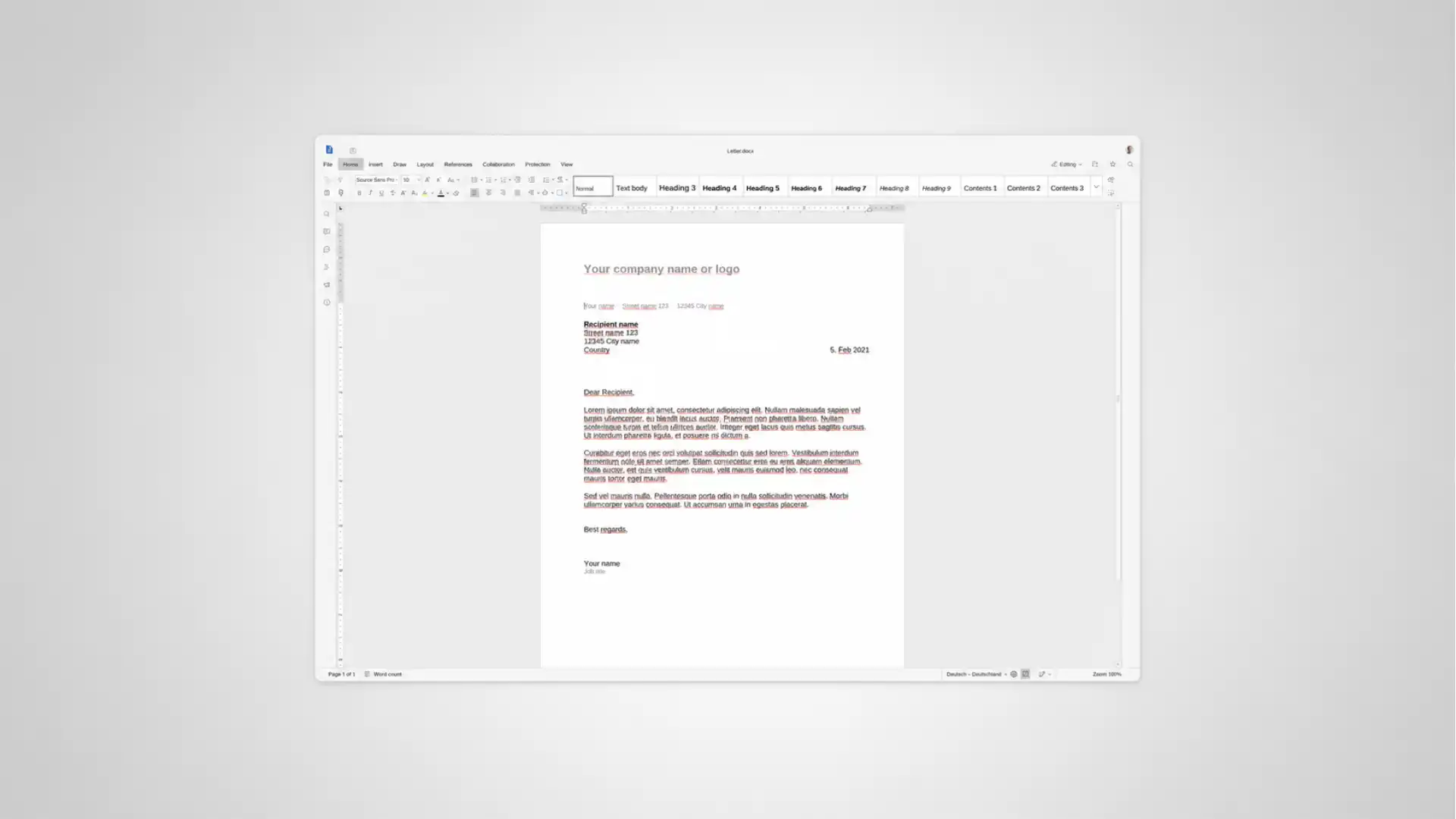
Euro-Office is now public, but the word “download” means something different here than it does with LibreOffice, Microsoft Office or a normal desktop app. The safest way to understand Euro-Office in June 2026 is as a self-hostable document server and web editor that plugs into platforms such as Nextcloud, not as a simple standalone office suite for casual desktop installation. The project’s own documentation says it is “not a standalone application” and needs a compatible storage backend for the user interface and file storage.
Table of Contents
Euro-Office has reached the point where download now means deployment
Euro-Office moved from announcement to general availability quickly. The project was introduced publicly in March 2026 by a coalition led around European open-source infrastructure companies, and Nextcloud said the first release would become available to all users on June 9. The DocumentServer repository now shows a June 9, 2026 latest release tag, v9.3.1, which marks the point at which the software stopped being only a preview for curious testers and became something administrators could reasonably begin evaluating in working systems.
The release matters because office software is not just another app category. Word processors, spreadsheets and presentations sit at the center of public administration, education, law, finance, procurement, project management and internal reporting. When an organization says it wants to replace Microsoft Office, Google Docs or another cloud office editor, the question is not only whether a button exists for bold text. The question is whether documents open correctly, collaboration works without losing edits, permissions map to the storage platform, exports preserve enough fidelity, logs can be audited, backups work, and administrators can patch the system without breaking users’ daily work.
Euro-Office enters that field with a specific claim. It is positioned as a European, open-source and sovereignty-focused document editing stack. Its own GitHub overview says it is built for collaborative document editing and is designed to integrate into another product that handles documents, such as file sharing, a wiki or a project management platform. That framing matters for anyone searching “Euro-Office download” because the correct next step depends on who you are.
A regular end user may not need to download Euro-Office directly at all. If their organization runs Nextcloud Hub 26 Spring, or a service provider adds Euro-Office to a hosted workspace, the user may simply see it as an office option when opening a document. A system administrator, by contrast, may need to run the Euro-Office Document Server, configure a Nextcloud integration app, set a JWT secret, expose the service behind HTTPS, and connect it to storage. A developer may clone repositories, build from source, test WOPI or custom document-management integrations, and inspect the AGPL-licensed code.
That is why a simple “click here, install, open” guide would mislead readers. Euro-Office is a server-first office system. The download is the start of an infrastructure decision, not the end of an installer flow.
The name creates confusion before the first command is typed
Search results for “EuroOffice” and “Euro-Office” can point to different things. The current 2026 initiative uses the hyphenated name Euro-Office and publishes code under the Euro-Office GitHub organization. Older software and extensions using “EuroOffice” without the hyphen have existed for years, including legacy OpenOffice-related projects. That history explains why download sites, app mirrors and outdated pages can appear beside the new project when a user searches quickly.
The practical rule is plain: use the official Euro-Office GitHub organization, the official documentation site, a trusted Nextcloud app source, or a provider already integrating the project. Avoid old “EuroOffice” mirrors, third-party Android packages, generic freeware portals, and pages that cannot clearly show the current Euro-Office organization, DocumentServer release or project documentation.
This is not only about branding. Office suites are high-risk software because documents can contain private content, business records, legal text, health information, invoices, payroll data and public-sector correspondence. A fake office editor or repackaged server image can sit directly in the path of sensitive files. Even an honest third-party mirror can lag behind a security update. When a project has just shipped its first stable public release, the gap between the official release and whatever appears on mirror sites can be wide.
The name confusion also affects expectations. Some people will arrive looking for a Windows desktop program. Euro-Office’s GitHub overview says the project can view, edit and collaborate on documents, spreadsheets, presentations and PDFs, while also saying mobile and desktop apps are being worked on. The documentation overview describes a broader office suite including document server, web editors and desktop editors. Those two public descriptions are close but not identical in emphasis. The safe editorial reading is that production evaluation in June 2026 should focus on the web-based Document Server and its integrations, while treating desktop and mobile claims as part of a developing suite rather than the default route for most users.
This is the first fork in the road. If the user wants to write a document on a laptop without running server software, LibreOffice or another local suite remains the cleaner path. If the user wants collaborative editing inside a self-hosted or provider-hosted collaboration platform, Euro-Office is relevant.
The project is web-based even when the editing feels like a desktop suite
Euro-Office’s design goal is not to recreate the old desktop-office model one installer at a time. The project documentation describes Euro-Office as a self-hostable office suite that combines a real-time collaborative document server, web editors for documents, spreadsheets, presentations and PDFs, and desktop editors for Windows, macOS and Linux. Its home documentation page is even more explicit for deployment: it calls Euro-Office a self-hostable document server designed to integrate with a platform such as Nextcloud, and says it needs a compatible storage backend for user interface and file storage.
That architecture changes the user experience. The browser becomes the editing surface, while the document server handles editing sessions, conversion, collaboration state and file-processing tasks. The storage platform, such as Nextcloud, remains the place where users browse files, manage sharing, enforce access control and save documents.
For a user, the experience can feel simple: open a .docx, edit it in a browser tab, collaborate with colleagues, close the editor, and see the file saved back in the file list. For an administrator, it is a chain of services. The document server must be reachable from the user’s browser and from the storage backend. The storage backend must be reachable from the document server. Token configuration must match. Reverse proxies must preserve the right headers. TLS certificates must validate. Background checks must not disable the editor after a network change.
That is why “download Euro-Office” is closer to downloading a server component than downloading a word processor. The official Docker documentation calls the Docker image the quickest way to run Euro-Office Document Server and lists Docker Engine 20.10 or later, 5 GB disk space and 4 GB RAM as baseline requirements. The Ubuntu and Debian package guides raise the disk expectation to 10 GB and still require 4 GB RAM, which fits the same picture: this is not a lightweight text editor.
The benefit of the design is collaboration. The cost is that administrators need to treat it like live infrastructure. A document server that edits shared files belongs behind the same operational discipline as a database-backed web application.
The fastest safe download route is Docker
For early testing, Docker is the cleanest path because it gives administrators a contained way to pull the current Document Server image, start it, check the health endpoint and decide whether it fits their environment before touching a production Nextcloud instance. The project publishes its image under ghcr.io/euro-office/documentserver, and the official Docker guide shows both a production-style quick start and an example-app mode for browser testing.
A minimal test run looks like this:
docker run -d \
  --name euro-office \
  --restart=unless-stopped \
  -p 8080:80 \
  -e JWT_ENABLED=true \
  -e JWT_SECRET=replace-with-a-long-random-secret \
  -e EXAMPLE_ENABLED=true \
  ghcr.io/euro-office/documentserver:latest
Then check the service:
curl http://localhost:8080/healthcheckThe expected answer is:
trueOpen the example app at:
http://localhost:8080/example/That path is suitable for a local proof of concept, not for public access. The Docker guide warns that the built-in example app has no access control and should be disabled in production. This is not a minor warning. The example app exists so administrators can confirm that the editor loads and can open documents end to end. It is not meant to become a live document portal.
For production, the Docker guide recommends setting a JWT secret and mounting persistent volumes so configuration, logs and data survive container removal. That matters because a document server without persistent configuration is easy to rebuild accidentally in a way that breaks integrations. A changed JWT secret can make Nextcloud stop trusting the editor. Missing logs can make file-save failures hard to diagnose. Missing mounted configuration can erase changes that took hours to tune.
The word “latest” also deserves caution. Euro-Office documentation lists latest as the most recent release and says it is for production, while also showing version pinning with ghcr.io/euro-office/documentserver:9.3.1. In a test lab, latest is convenient. In a production platform, pinning to a known version usually gives administrators more control over change windows, rollback planning and incident analysis.
For most administrators, the best first download is the Docker image in a private test environment, followed by a pinned version only after validation.
Linux package downloads are available but demand more system work
Euro-Office also provides package-based installation paths for Ubuntu, Debian and Fedora. These are better suited to administrators who want the document server installed directly on a virtual machine or bare-metal host rather than inside a container. They also expose more of the underlying service stack.
The Ubuntu guide covers Ubuntu 24.04 LTS on arm64 or amd64, with 10 GB disk space and 4 GB RAM as the stated minimum. It requires PostgreSQL, Redis, RabbitMQ, Nginx and Supervisor before installing the .deb package. The Debian guide targets Debian 12 Bookworm and requires enabling the contrib component because one required font package lives there. It uses the same service family: PostgreSQL, Redis, RabbitMQ, Nginx and Supervisor. Fedora support is more hands-on. The Fedora guide says Fedora 41 or later is required, notes testing on Fedora 44, uses Valkey instead of Redis, and includes extra steps for PostgreSQL authentication, Nginx configuration, OpenSSL and JWT setup.
Package installs make sense when an organization wants tighter OS-level control, systemd service management and closer integration with existing monitoring. They are less forgiving than Docker. The administrator must create the database, seed installer answers, install prerequisites, verify services and handle updates. That is not unusual for a document server, but it is far removed from a consumer download.
The package guides also show how new the operational story still is. Fedora requires manual database schema work and a workaround for missing Microsoft core fonts in the default repositories; the documentation says Rocky Linux 9 is not supported because of a glibc incompatibility and recommends Fedora 41+ or Docker instead. These are normal early-release edges, but they matter in planning. A government department or school district should not assume that every Linux distribution supported by its IT team will be a good Euro-Office host on day one.
The package route is strongest when administrators already run Linux servers well. For others, Docker is simpler. For ordinary users, neither route is the point. Their best route is through a platform that already integrates Euro-Office.
Euro-Office download paths in June 2026
| User type | Best route | Main requirement | Main caution |
|---|---|---|---|
| Individual user | Use a provider or organization that offers Euro-Office | Account on an integrated platform | Avoid random third-party installers |
| Nextcloud admin | Install the Euro-Office integration app and connect a Document Server | Nextcloud 34+, reachable server, JWT secret | Browser, Nextcloud and Document Server must all reach each other |
| Server admin testing | Run the official Docker image | Docker 20.10+, RAM, disk space | Do not expose the example app publicly |
| Linux admin | Install DEB or RPM package | Supported OS and service stack | More manual setup and update work |
| Developer | Clone repositories and build | Source checkout, submodules, build tools | Expect a large multi-component codebase |
The download path should match the job. Euro-Office is easiest for end users when somebody else has already done the server work correctly.
Nextcloud is the main practical entry point for ordinary teams
Nextcloud is central to the first usable Euro-Office story. Nextcloud’s release material for Hub 26 Spring says Euro-Office is available as a second default office suite option in Nextcloud Office, alongside the Collabora-based option. The Euro-Office integration documentation says the dedicated Nextcloud app connects a running Euro-Office document server to Nextcloud and requires Nextcloud 34 or later, a reachable document server and the configured JWT secret.
For a Nextcloud administrator, the current documented flow is straightforward in outline:
Go to Apps → Office & text → Euro-Office integration.
Click Download and enable.
Go to Settings → Administration → Euro-Office.
Enter the URL of the Euro-Office Document Server, including protocol and port.
Enter the same JWT secret configured on the document server.
Click Save.
That is the visible part. The hidden part is network reachability. The Nextcloud app repository says the Document Server must be resolvable and connectable both from Nextcloud and from end clients, and that the Document Server must also be able to POST directly to Nextcloud. If those routes fail, the editor may load but not save, save but not callback, or fail during co-editing.
This is the most common early-adopter trap. Administrators may test from inside the server and see localhost working, then discover that users’ browsers cannot reach the document server URL, or that the document server cannot reach the public Nextcloud URL from inside the network. The official example app guide makes the same point in a different context: using localhost inside containers, VMs or remote servers can produce malformed callback URLs; the server’s actual IP address or hostname is required.
The principle is simple. Every participant in the editing loop needs the right address for the other participants. The browser loads the editor. Nextcloud hands the editor configuration to the browser. The Document Server fetches the document. The Document Server posts status back to Nextcloud. Nextcloud writes the saved version back to storage. A reverse proxy, firewall, internal DNS split, self-signed certificate or mismatched secret can break that loop.
That is why the Nextcloud route is easy for users but not automatic for administrators. The end-user button hides a real distributed editing system.
The first user action after setup is opening a file, not launching an app
Once Euro-Office is integrated, a user does not usually launch “Euro-Office” as a separate application. The user opens a file from the storage platform. In Nextcloud, that means browsing files, creating a document from the file interface, or choosing an “Open in Euro-Office” action for an existing file. The integration app’s README describes that flow: Nextcloud prepares a JSON object with document URL, callback URL, Document Server URL and document key, then the browser loads the editor and the Document Server downloads the document from Nextcloud.
That model is familiar to users of Google Docs, Microsoft 365 for the web, Collabora Online or ONLYOFFICE Docs, but it is different from a local editor. The file remains governed by the storage platform. Sharing still depends on the platform’s permissions. Version history depends on platform and integration behavior. The user’s access rights are not invented by the editor; they are passed into the editing session.
The integration app supports creating and editing text documents, spreadsheets and presentations. It also lists PDF form creation and editing, diagram viewing, sharing, watermarks, co-editing modes, track changes, comments and built-in chat. Those features make Euro-Office more than a document viewer. They also create more state to manage: comments, tracked changes, co-authoring sessions, converted formats and saved versions all need to map back into the file workflow.
For users, the best practice is to treat Euro-Office like a shared editor, not like a private scratchpad. Use clear filenames. Keep sensitive documents in controlled folders. Check sharing settings before inviting co-editors. Confirm that long documents save before closing the browser. Keep a local export for critical one-off work until the organization has confidence in the deployment.
For administrators, the best practice is to test the ordinary user actions before announcing launch. Create a .docx, an .xlsx, a .pptx, an .odt, an .ods, an .odp and a PDF. Open each as a normal user, as a shared recipient, as a group member and as an external link recipient where policy allows. Edit, close, reopen, export and compare. Test comments and track changes. Break a session deliberately by closing the tab, then confirm saving behavior. Test with a mobile browser or Nextcloud mobile path if that is part of the deployment.
A download guide that stops at installation is incomplete. Euro-Office becomes real only when ordinary files survive ordinary collaboration.
File-format support is broad, but editing support is narrower than viewing
Euro-Office markets broad compatibility, and the project’s GitHub overview lists DOCX, PPTX, XLSX, PDF, ODT, ODS, ODP, TXT and many other formats. The Nextcloud integration README gives a more detailed split: many formats are listed for viewing, while editing is focused on Microsoft-format families and PDF. It lists editing support for DOCM, DOCX, DOTM, DOTX; XLSB, XLSM, XLSX, XLTM, XLTX; POTM, POTX, PPSM, PPSX, PPTM, PPTX; and PDF.
This distinction matters for adoption. People often ask whether an office suite “supports ODT” or “supports XLSX,” but support can mean several things: open for viewing, convert for editing, edit natively, save back in place, export with formatting preserved, or round-trip without structural loss. A suite can score well in one category and poorly in another.
Nextcloud’s own Hub 26 Spring release material positions the trade-off bluntly. It lists Euro-Office as having “best Microsoft compatibility” but “limited ODF compatibility,” while the Collabora-based option is described as having “best ODF compatibility” and “best support for legacy files.” That is a crucial signal for administrators. Euro-Office may be attractive for organizations whose document reality is still dominated by .docx, .xlsx and .pptx. It may be less attractive as the default editor for organizations that have standardized on ODF and care about native ODF fidelity.
This is also where the sovereignty debate becomes practical rather than ideological. If an organization says it wants digital sovereignty but continues to create most documents in Microsoft-format defaults, the editor is only one layer of the dependency. The document format itself remains part of the operating environment. The OpenDocument Format, maintained through OASIS and standardized through ISO/IEC 26300, was designed for editable office documents across text, spreadsheets, presentations, drawings and similar productivity files. Office Open XML is also standardized, with ISO/IEC 29500 defining XML vocabularies for word-processing documents, spreadsheets and presentations based on Microsoft Office applications.
The choice is not abstract. If incoming suppliers, ministries, courts, auditors or clients exchange .docx every day, high Microsoft-format compatibility has value. If a public-sector body has a policy goal to preserve documents in open formats, Euro-Office’s early ODF limitations become a deployment constraint. Format policy should be decided before the default editor is switched, not after users start creating thousands of files.
The ODF argument is the sharpest criticism of Euro-Office’s launch
The Document Foundation, the organization behind LibreOffice, published an open letter just before Euro-Office’s release and challenged two parts of the project’s public positioning: the claim around European open-source office history and the reliance on Microsoft’s OOXML format. Its criticism is not a small community dispute. It goes to the heart of what “sovereign office suite” means.
The argument is this: if document sovereignty means long-term control over public and private knowledge, the native document format matters as much as the editor’s hosting location. A browser editor hosted on European infrastructure may reduce dependence on U.S. cloud services, but if the organization keeps its files in formats optimized around Microsoft Office compatibility, it still inherits part of Microsoft’s gravitational pull. LibreOffice advocates argue that ODF should be the native destination for a European open-source office strategy.
Euro-Office’s backers have not ignored the point. Nextcloud’s May release announcement said support for open standards such as ODF would be “on top of the agenda” for the next release. Nextcloud Hub 26 Spring’s comparison of office options also acknowledges “limited ODF compatibility” for Euro-Office and stronger ODF compatibility in the Collabora path. That admission is useful because it gives administrators a clear basis for choosing. If the priority is Microsoft-format work today, Euro-Office may deserve testing. If the priority is ODF-native workflows today, Collabora or LibreOffice remains the stronger fit.
The historical criticism also matters. LibreOffice and OpenOffice.org have deep European roots, and LibreOffice has long been a flagship open-source office suite. Treating Euro-Office as though it invented European open-source office work would erase that history. Treating it as a new server-first fork aimed at collaborative editing inside sovereign cloud platforms is more accurate.
A fair reading is that Euro-Office is not the beginning of European office software. It is a new attempt to solve a narrower modern problem: browser-based collaborative editing with strong Microsoft-format compatibility inside European open-source collaboration stacks. That is a real niche. It is not the whole sovereignty story.
The ONLYOFFICE fork makes the license debate part of the download decision
Euro-Office is based on ONLYOFFICE Document Server. The project’s documentation says that directly, and its GitHub overview says the fork is meant to review, clean and open up the AGPL codebase. That lineage gives Euro-Office much of its immediate editing capability. It also triggered a public license dispute.
ONLYOFFICE accused the Euro-Office project of using technology derived from ONLYOFFICE editors in violation of licensing terms and international intellectual property law. ONLYOFFICE said its AGPLv3 distribution included extra requirements such as preserving ONLYOFFICE branding, providing attribution and complying with open-source distribution obligations. Nextcloud responded with a detailed license-compliance argument, saying Euro-Office reviewed the added terms, retained valid warranty disclaimers, removed a logo-retention condition it considered an invalid further restriction, and relied on AGPLv3 Section 7 as the legal basis.
The Free Software Foundation later wrote about the broader issue, stating that an obligation to retain the original product logo was not an AGPL-compliant additional term under Section 7(b) and was therefore a further restriction that licensees may remove. Software Freedom Conservancy’s Bradley M. Kühn also wrote that AGPLv3 Section 7 paragraph 4 was designed to let users remove further restrictions that undermine software freedom. ONLYOFFICE, for its part, maintained in an open letter that the AGPLv3 text remains the primary legal source and that later FSF interpretation is not an amendment to the license text.
This dispute does not prevent a user from pulling the Euro-Office Docker image. It does affect risk analysis for organizations that need a clean legal procurement record. A school may simply test the software. A ministry, bank or listed company will need counsel to review the license position, attribution obligations and any downstream redistribution plans. AGPLv3 itself is a network-oriented copyleft license designed so that modified server software made available over a network also offers corresponding source code to users.
The practical advice is not to panic, and not to ignore it. Euro-Office’s public code and legal rationale are visible. ONLYOFFICE’s objections are visible. The FSF and Software Freedom Conservancy commentary is visible. A serious deployment should record that review before Euro-Office becomes a production dependency.
A safe installation starts with a test plan, not a terminal command
The most common software mistake is to treat installation as proof. A container that starts is not a working office deployment. A health endpoint that returns true is not proof that a 40-page procurement document will save cleanly after five people edit it. A Nextcloud app that enables successfully is not proof that mobile users, external collaborators and reverse-proxy paths are correct.
A safe Euro-Office rollout starts with a test plan. The plan should include four file categories: Microsoft Office files, ODF files, PDFs and legacy files. It should include four user categories: owner, internal collaborator, group-shared user and external recipient if external sharing is allowed. It should include three environments: desktop browser, mobile browser or app path, and a low-bandwidth or unstable connection scenario. It should include three operations: create, edit and export.
Use documents that reflect the organization’s real work. A blank two-page .docx is not enough. Test a document with headers, footers, footnotes, comments, tables, embedded images and tracked changes. Test a spreadsheet with formulas, merged cells, filters, charts and protected sheets. Test a presentation with custom fonts, speaker notes and embedded media. Test a PDF form if PDF editing is part of the reason for adoption.
Nextcloud’s integration README explains that after users finish editing and close the window, Euro-Office sends a POST to the callback URL and Nextcloud downloads the new version to replace the old one. That callback moment should be tested deliberately. Open a document, make edits, close the tab, wait, reopen, then inspect file history. Repeat with two users. Repeat with a user who loses connection. Repeat with one user leaving comments and another accepting tracked changes.
Administrators should also test failure recovery. Restart the document server during a non-critical edit. Rotate a test JWT secret and confirm the expected failure is clear. Break DNS in a controlled environment. Expire a self-signed certificate and confirm the error path. Read the logs and make sure support staff can understand where failures appear.
Euro-Office is not hard to start. It is harder to prove safe for daily document work. The difference between those two states is the rollout plan.
Security settings are not optional because the editor touches live documents
Euro-Office sits in a privileged position. It reads documents from storage, serves editor code to browsers, processes file conversions, receives co-editing events and posts save callbacks. That position requires security choices before production use.
JWT authentication is the first baseline. The Docker guide enables JWT and requires a JWT_SECRET; the Nextcloud integration documentation says the same secret must be entered in the app settings. Use a long random secret generated by a password manager or secret-management system. Do not reuse a database password. Do not paste examples from documentation into production. Do not put a short secret into a public compose file.
TLS is the second baseline. The documentation examples use local HTTP for testing, but production document editing should be behind HTTPS. The Nextcloud integration README warns that self-signed certificates can prevent Nextcloud from validating connections and describes a setting to disable certificate verification, while also saying that this is a temporary insecure workaround and recommending replacement with a certificate issued by a certificate authority. That advice should be taken literally. Disabling certificate verification may get a lab working; it should not become a quiet production norm.
The built-in example app is the third baseline. The Docker guide says EXAMPLE_ENABLED activates a browser test app and warns that it has no access control. Disable it outside test environments. If you used it to verify an installation, remove the container and recreate it without the example app or set the appropriate configuration so the route is not exposed.
Network scope is the fourth baseline. The Docker documentation lists ALLOW_PRIVATE_IP_ADDRESS as an environment variable and defaults it to false. Be careful before changing settings that allow the document server to fetch from private IPs, because document fetchers can become SSRF risk points if exposed poorly. In a hardened design, only trusted storage endpoints should be reachable, and reverse proxies should restrict unnecessary routes.
Monitoring is the fifth baseline. The architecture documentation describes services such as DocService, FileConverter, AdminPanel and Metrics, plus dependencies such as Redis, RabbitMQ, SQL database and optional object storage. A failure in one of those dependencies can become a user-facing document problem. Monitor service health, disk space, queue behavior, logs, certificate expiry and callback errors.
Security is not a later phase. In a collaborative office stack, bad configuration can become document loss, document exposure or silent save failure.
Persistence and backups determine whether the deployment can survive updates
A test container can be disposable. A production editor cannot. The Docker guide warns that, by default, documents and configuration are lost when the container is removed, and shows volume mounts for data, logs and configuration. In a real deployment, those mounts are the difference between an editor that can survive maintenance and one that is rebuilt from scratch every time someone updates an image.
Administrators need to decide which state belongs where. Nextcloud or another storage backend remains the source of document files. Euro-Office stores configuration, logs, caches and runtime data needed by the document server. Its dependencies may include a SQL database, Redis or Valkey, RabbitMQ, local filesystem storage or object storage depending on deployment mode. The architecture guide shows the document service speaking with Redis, RabbitMQ, SQL database, converter services and storage.
Backups need to cover the storage platform and the document server configuration. They should also capture enough integration settings to rebuild cleanly: Document Server URL, internal URL where used, storage URL, JWT settings, reverse-proxy configuration, certificates, mounted volumes and service versions. A backup that saves files but loses the editor configuration may still force users into downtime. A backup that saves editor configuration but not the storage platform is worse.
Updates should be staged. The Docker guide shows a simple update flow: pull the latest image, stop and remove the container, then rerun with the same command. That is acceptable for a lab but too loose for a larger organization unless wrapped in a change process. Pin the current version. Test the new version against a copy of production-like files. Read release notes. Snapshot configuration. Confirm rollback. Run a small pilot before enabling everyone.
Package-based installs have their own update paths. The Ubuntu and Debian guides show downloading a new .deb release package and reinstalling it. The Fedora guide shows downloading a new RPM, upgrading with rpm -Uvh --nodeps, then flushing document server caches. These steps are not hard, but they should be rehearsed before a production patch window.
Document editing is memory work for an organization. Backups and update discipline are what keep that memory from depending on a single container command.
The browser experience depends on fonts, layout and file round-tripping
Office-suite migration often fails in small visual places. A contract opens, but page breaks move. A spreadsheet calculates, but a chart shifts. A presentation opens, but fonts substitute poorly. A document exports, but comments look different. Users notice these details because office documents often carry authority through formatting.
Euro-Office’s compatibility pitch is strongest around Microsoft formats. Nextcloud’s Hub 26 Spring material says Euro-Office offers maximum compatibility with Microsoft Office files and lists “best Microsoft compatibility” in its comparison. That claim is central to the project’s appeal. It means administrators should test compatibility with the documents users actually exchange, not with synthetic examples.
Fonts deserve special attention. Debian’s guide notes that a required Microsoft core fonts package lives in Debian’s contrib component. Fedora’s guide has a font-related workaround because msttcore-fonts is not available in Fedora repositories and says administrators should install with --nodeps to skip that dependency. These details sound mundane, but they affect layout. If your organization uses documents with Calibri, Arial, Times New Roman or other common office fonts, missing fonts can change pagination, table widths and slide layout.
Round-tripping is the second compatibility test. Open a .docx, edit it in Euro-Office, save it, then open it in Microsoft Word, LibreOffice and the browser editor again. Do the same with spreadsheets and presentations. Compare not only visual layout but also comments, formulas, tracked changes, metadata, embedded objects and export behavior. If the organization exchanges files with outside parties, test with external partners before switching default editors.
ODF round-tripping needs its own test because early Euro-Office ODF support is limited according to Nextcloud’s comparison. If ODF is policy, test .odt, .ods and .odp files with content that reflects the work. Do not assume that “opens” means “safe as a default editor.”
Browser behavior is the third test. Euro-Office uses web editors served to the browser. The architecture documentation says the frontend uses vanilla JavaScript with RequireJS modules built per document type and served as static assets. Browser compatibility, caching, proxies and content-security policies can affect user experience. Test the browsers your organization supports. Test restricted workstations. Test locked-down public-sector endpoints where scripts, fonts or cross-origin requests may be filtered.
The user will judge Euro-Office by the document that opens in front of them, not by the architecture diagram.
Real-time collaboration is the feature that justifies the server work
If an organization only needs local editing, Euro-Office is not the easiest download. LibreOffice, Microsoft Office, SoftMaker Office or another desktop suite will be simpler. Euro-Office becomes interesting when multiple people need to edit documents through a controlled platform, with permissions, browser access and shared storage.
The integration app README lists co-editing in real time, two co-editing modes, track changes, comments and built-in chat. It also says co-editing can work across several federated Nextcloud instances connected to one Document Server. Nextcloud’s Hub 26 Spring release says Euro-Office features collaboration and separate undo/redo and track-changes behavior during multi-user editing sessions.
Those features matter because collaborative office work is not just simultaneous typing. A policy team may need comments and tracked changes. A finance team may need to know who changed a cell. A project team may need to edit a deck while leaving speaker notes intact. A school may need teachers and administrators to edit plans from different locations. A municipality may need committee members to comment without emailing separate attachments.
The server model also reduces the chaos of file copies. Without collaborative editing, users often send final.docx, final2.docx, final-reviewed.docx, final-final.docx and several inbox copies. Shared editing collapses those copies into one file history. That gain is only real if the editor saves reliably and the storage platform preserves versions. Testing file history is not optional.
Collaboration also creates social and governance issues. Who may share externally? Can guests edit or only view? Are comments discoverable under record-retention rules? Does version history preserve enough evidence for audit? Can users download documents if the folder policy says they should not? The Nextcloud integration settings list a disable_download option in configuration, among many other controls. Policy teams should review these controls before launch.
The reason to accept Euro-Office’s deployment complexity is shared editing under your own platform rules. If that is not the goal, the download may not be worth the work.
PDF support changes the suite’s role but raises expectations
Euro-Office is not only a document, spreadsheet and presentation editor. The project’s GitHub overview says users can work with PDF files, and the Nextcloud integration README lists creating and editing PDF forms plus editing PDF files. That broadens the suite’s appeal because PDFs sit at the end of many administrative workflows.
PDF editing is also hard to get right. A PDF can be a generated invoice, scanned paperwork, a fillable form, a digitally signed contract, a layout-heavy report or an archival record. “Edit PDF” can mean typing into form fields, adding annotations, modifying text, rearranging pages or exporting a document as a PDF. These are different jobs with different risk.
Organizations should treat PDF workflows as a separate test track. If users need to fill forms, test forms. If users need to annotate PDFs, test annotations. If users need to edit existing text in a PDF, test whether the output remains acceptable. If users need legally significant signatures, do not assume Euro-Office handles the signature workflow just because it opens the file. Validate with the organization’s legal and records teams.
PDF also intersects with archival policy. Some organizations rely on PDF/A for long-term preservation, or on digitally signed PDFs for legal proof. A browser editor that changes a PDF may invalidate signatures or alter metadata. That may be correct for editing, but wrong for record preservation. Users need clear rules: edit source documents where possible, export final PDFs when needed, and avoid modifying signed final records unless policy allows it.
The broader point is that Euro-Office’s feature set may tempt organizations to route many document tasks through one web editor. That can reduce tool sprawl. It can also concentrate risk. If PDF editing is enabled, make the supported use cases explicit. A PDF form workflow and a signed-record workflow should not be treated as the same thing.
Office EU and hosted routes may become the easier consumer path
Not every user wants to run a document server. Office EU presents itself as a European cloud-based office suite with documents, spreadsheets, presentations, file storage, email, calendars and video meetings, and says it is European-owned and runs on European infrastructure. Nextcloud’s May release note said Office.eu, based in the Netherlands, would roll out Euro-Office.
Hosted services matter because Euro-Office’s direct download path is administrator-heavy. A provider can absorb installation, updates, TLS, backups, support, scaling and integration. For small organizations, that may be the only realistic way to use Euro-Office without hiring new infrastructure staff. For individuals, a hosted route is likely to be more natural than cloning repositories or running Docker.
The hosted route has a different due-diligence burden. Instead of asking whether the Docker command works, the buyer asks where data is stored, who operates the platform, which sub-processors are involved, what support contract exists, how exports work, how administrators can leave, and whether Euro-Office is the editor behind the document module or only one component among many. Office EU claims European ownership, European infrastructure, open-source core, GDPR-by-design positioning and no foreign jurisdiction exposure. Those claims need contract-level review, not only website reading.
A hosted route can also mask version differences. One provider may run the latest Euro-Office release quickly. Another may lag to preserve stability. One may expose Euro-Office as the default editor. Another may offer it beside Collabora. One may support external sharing and mobile editing. Another may restrict those features for compliance. Users should ask which Euro-Office version is deployed, how patches are handled and how files can be exported.
For non-technical users, “download Euro-Office” may soon mean choosing a provider that includes it rather than installing Euro-Office directly. That is not a weakness. It is how server-based office software normally reaches ordinary users.
Nextcloud AIO and managed Nextcloud change the amount of admin work
Nextcloud’s Hub 26 Spring release says users running Nextcloud AIO can switch between the two office options in the AIO web interface. Its May release announcement also said IONOS Managed Nextcloud customers would be able to install Euro Office after launch, with a rollout to IONOS’ broader Nextcloud Workspace offering planned later in the summer.
That distinction matters. A fully manual deployment requires a Document Server, a Nextcloud app, network configuration and secrets. Nextcloud AIO and managed Nextcloud paths can reduce that work by packaging choices into a supported admin interface. They do not remove the need to test documents, but they can remove some of the infrastructure friction.
AIO is particularly relevant for smaller self-hosters. If the interface manages office-suite switching, an administrator can test Euro-Office without building every component from scratch. Yet AIO should still be treated as infrastructure. Switching the default editor can affect every user who opens documents. The right sequence is still: test instance, representative files, pilot users, support notes, then wider rollout.
Managed Nextcloud shifts responsibility further. The provider may manage updates, availability and integration. The customer still owns policy. Which users get Euro-Office? Which file types open by default? Is Collabora kept as an option? What happens to ODF documents? Can users choose an editor per file type? Who handles support tickets when a document looks wrong?
For public authorities and schools, managed routes can be attractive because they avoid running complex editing servers internally. They also create procurement dependencies. A provider’s contract, service-level agreement, data-processing terms and exit plan become part of the office-suite decision.
Euro-Office’s first release is not one distribution path. It is a set of paths: official container, Linux packages, Nextcloud integration, AIO switching and provider rollouts. The more packaged the route, the less technical the first setup becomes, but the more carefully the buyer must inspect the provider terms.
Developers need to understand the multi-repository codebase
Euro-Office is not a small application. The components documentation says the suite is composed of independent repositories, with the top-level DocumentServer repository tying them together through Git submodules. It lists backend services, browser editors, JavaScript document model logic, C++ rendering and conversion, fonts, desktop editors, Docker build layers, DEB/RPM packaging and acceptance tests.
That shape matters for developers because a bug can live in more than one layer. A save issue may involve the Nextcloud connector, the document server callback flow, the browser editor, the converter or the storage backend. A format issue may involve the JavaScript document model, the C++ core, fonts or export logic. A packaging issue may involve the top-level repository, submodule versions or distribution scripts.
The GitHub DocumentServer repository currently shows hundreds of commits and multiple releases, with v9.3.1 marked as latest on June 9, 2026. Developers who want to build from source should read the architecture and component documentation before filing issues. The project’s own README directs users to build documentation and development steps.
Contributors also need to understand the governance picture. The GitHub organization says Euro-Office is open source, developed publicly by individuals and organizations, and lists current contributors and supporters including Abilian, BTactic, EuroStack, IONOS, Nextcloud, Office.EU, Open-Xchange, OpenProject, Proton, Soverin, Tuta and XWiki. It also says the project is in the process of setting up a transparent governance structure and will follow an open-source “who codes, decides” model in the meantime.
That interim governance is common in fast-moving open-source projects, but enterprise adopters should watch it. Who can merge security patches? Who handles release signing? Who triages vulnerabilities? Who decides defaults such as ODF support? Who funds long-term maintenance? The value of open code increases when governance becomes predictable.
For developers, the download is not only a binary or container. It is a codebase with history, upstream lineage, legal context and live governance. A contributor should read the license, the submodule structure and the issue tracker before assuming Euro-Office behaves like a typical single-repository web app.
WOPI explains why storage and editor are separate pieces
Euro-Office’s integration model makes more sense when seen through the broader pattern of web office software. The Web Application Open Platform Interface, or WOPI, defines operations that let a client access and change files stored by a server. Microsoft’s protocol documentation describes WOPI as a way for clients to access and change files stored by a server, while Microsoft’s WOPI reference calls it a REST-based protocol with endpoints and operations used by Microsoft 365 web applications to view and edit cloud-stored files.
Euro-Office is not Microsoft 365, but the same architectural problem exists. A storage service owns files and permissions. An editor needs temporary access to open, edit and save those files. The two systems need a protocol boundary so the editor does not become the whole storage platform and the storage platform does not need to implement every editing feature itself.
The Euro-Office Nextcloud integration README describes this boundary in concrete steps. Nextcloud constructs editor configuration, including file URL and callback URL. The browser loads editor JavaScript from the Document Server. The Document Server downloads the document from Nextcloud and sends status updates through callbacks. After editing ends, Nextcloud downloads the updated document and replaces the old version.
This separation gives organizations flexibility. A document server can integrate with different platforms. A file platform can support different editors. Nextcloud Hub 26 Spring makes that visible by offering Euro-Office beside Collabora-based editing. A custom document-management system could integrate with a document server if it implements the required protocol and security flows.
The same separation creates failure modes. If the editor cannot fetch the file, the user sees an error. If the callback URL is wrong, saves may fail. If JWT validation fails, the systems distrust each other. If the browser cannot reach the editor’s public URL, the editing surface never loads. If the storage URL is internal-only but the document server expects a public address, conversion may stall.
Understanding this split helps non-technical leaders ask better questions. The right question is not only “Did we download Euro-Office?” It is: Which system stores files, which system edits them, which URLs connect them, and which security token proves they trust each other?
Format strategy should be a board-level choice for public bodies
For private companies, document format is often treated as a convenience issue. For public bodies, it is closer to infrastructure policy. Files must remain readable across administrations, suppliers, archive systems and decades. The ODF-versus-OOXML debate around Euro-Office is therefore not only a fight between office-suite communities.
OASIS describes OpenDocument as an XML schema and package family for office documents, including text documents, spreadsheets, charts, drawings and presentations. The Library of Congress describes the ODF family as XML-based, application-independent and platform-independent formats for editable documents, with a role in authoring, editing, viewing, exchange and archiving. Those properties explain why ODF advocates tie it to sovereignty and long-term public control.
OOXML has its own standardization history and market dominance. ISO/IEC 29500 defines XML vocabularies for word-processing documents, spreadsheets and presentations based on Microsoft Office applications. For many organizations, .docx, .xlsx and .pptx remain the practical language of external exchange. A migration that breaks those files will fail quickly, no matter how principled the format policy is.
Euro-Office sits in the middle of that tension. It promises strong Microsoft-format compatibility and positions itself as a sovereign office solution. Its critics argue that sovereignty cannot be built on a Microsoft-centered default format. Nextcloud acknowledges that ODF support should improve in the next release.
The right answer may be phased. An organization might use Euro-Office for high-fidelity Microsoft-format collaboration while keeping Collabora or LibreOffice for ODF-native workflows. It might set policy so new internal documents use ODF where possible, while external incoming .docx files open in Euro-Office. It might restrict default editor switching until ODF support reaches a defined threshold.
What would be reckless is leaving this to happen accidentally. Document format is a retention, procurement and sovereignty decision. It should not be hidden inside an app-store toggle.
Procurement teams need more than a feature checklist
Euro-Office’s public release arrives at a moment when European organizations are actively questioning dependence on large U.S. cloud platforms. Nextcloud’s launch announcement framed Euro-Office around public administrations, enterprises and educational institutions reassessing reliance on non-European productivity platforms. That framing makes the software attractive to buyers under pressure to show progress on digital sovereignty.
Procurement, though, has to separate political fit from operational fit. A feature checklist may say documents, spreadsheets, presentations, PDFs, collaboration, Microsoft compatibility and open-source licensing. That is only the first page. The deeper questions are about lifecycle.
Who supplies support? The Euro-Office GitHub overview says support subscriptions are not available at the moment, though contributing companies may offer them in the future. That is fine for testing; it may be a blocker for production unless a provider or integrator offers a contract. Public-sector procurement often needs named support obligations, incident response, patch windows and escalation routes.
Who owns risk for compatibility defects? If a document opens incorrectly and a deadline is missed, is that internal IT, the provider, the integrator or the project community? Who handles a security advisory? Who signs the data-processing agreement if a hosted path is used? Who verifies that source code access satisfies internal open-source policy? Who checks whether AGPL obligations apply to modifications?
What is the exit plan? A sovereignty project without exit discipline can become a new lock-in. Buyers should confirm export paths, file formats, user data access, configuration portability and migration options. Office EU’s public page says users can export data anytime and avoid vendor lock-in. A procurement team should ask how that works in contract terms and in a tested offboarding exercise.
What is the default editor policy? If Nextcloud offers both Collabora and Euro-Office, procurement should not assume the technical team will choose the politically safest option. The default should match policy: Microsoft-format compatibility, ODF-native editing, security isolation, provider support or user familiarity.
Euro-Office may fit a procurement strategy, but only if the strategy covers support, legal review, file formats, hosting, exit and user training.
Training should focus on differences from Microsoft Office, not basic editing
Euro-Office’s interface is designed to feel familiar to Microsoft Office users, and Nextcloud’s announcement emphasized compatibility and a familiar user experience as migration goals. That helps adoption. Still, training is needed because the environment is not Microsoft Office running locally.
Users should learn where files live. In a Nextcloud integration, files live in Nextcloud. Euro-Office opens them for editing. Saving happens through the integration workflow. Users should understand that closing the tab, waiting for save completion and checking file history are part of collaborative editing hygiene.
Users should learn sharing rules. In many organizations, Microsoft Office habits come from email attachments. Euro-Office inside Nextcloud favors shared files and permissions. That is better for version control but different for workers used to sending separate copies. Training should show how to share a folder, how to share a single document, how to revoke access and how to avoid public links for sensitive files.
Users should learn comments and tracked changes behavior. If Euro-Office is used for policy, contracts or reports, comments and tracked changes will be central. Users should test whether accepted changes, resolved comments and exported files look as expected in the formats they send externally.
Users should learn when not to use Euro-Office. If a file is an archival PDF, a signed record, a complex macro spreadsheet or an ODF master document, the organization may set rules for another tool. Training that says “use Euro-Office for everything” will create mistakes. Training that says “use Euro-Office for these workflows, use another tool for these exceptions” will be easier to govern.
Users should learn to report compatibility issues with evidence. A support ticket saying “the file is broken” is hard to fix. A better report includes original file type, source application, screenshot, expected result, browser, time of edit and whether other users were editing. Early deployments need that evidence to improve defaults and decide whether a bug is user training, integration, server configuration or upstream code.
Because Euro-Office looks familiar, the training risk is overconfidence. The user needs to know which parts are familiar and which parts are new.
Troubleshooting usually begins with reachability and secrets
When Euro-Office fails, administrators should not start by assuming the editor itself is broken. The first suspects are reachability, URL configuration, TLS and JWT secrets. The official Nextcloud integration documentation requires a running Document Server reachable from Nextcloud, the JWT secret configured in the Document Server and Nextcloud 34 or later. The integration README adds that both Nextcloud and end clients must be able to connect to the Document Server, and the Document Server must be able to POST to Nextcloud.
A practical troubleshooting order looks like this:
Check the document server health endpoint.
Confirm the browser can reach the public Document Server URL.
Confirm the Nextcloud server can reach the Document Server URL.
Confirm the Document Server can reach the Nextcloud callback/storage URL.
Confirm the JWT secret is identical on both sides.
Confirm TLS certificates validate without disabling verification.
Confirm reverse proxy headers and ports are correct.
Check the Nextcloud admin page for Euro-Office connection status.
Run the documented connection check where available.
The integration README documents an occ eurooffice:documentserver --check command to check the connection to Euro-Office Document Server and return either success information or the cause of the error. That command should be in the administrator’s runbook.
Self-signed certificates are another recurring cause. The README says Nextcloud will not validate a self-signed Document Server certificate unless certificate verification is disabled, but it explicitly describes that as a temporary insecure solution and recommends replacing it with a CA-issued certificate. The correct production fix is certificate trust, not permanent verification bypass.
Port conflicts also appear in single-server tests. The Nextcloud app README notes that Document Server and Nextcloud can run on different computers or the same machine, but if they share one machine, a custom port is needed because both default to port 80. The Docker guide’s example uses -p 8080:80 for the example app, which avoids that conflict in testing.
Most first-week Euro-Office problems are likely to be integration problems. Solve the network path before blaming the editor.
Performance should be measured with real concurrent editing
Nextcloud’s Hub 26 Spring release praises Euro-Office’s browser performance and lower server load, tied to its architectural approach. Those claims are promising, but every organization should measure performance under its own conditions. A document server’s behavior depends on file size, number of users, network latency, browser hardware, conversion workload, queue configuration, database performance and storage latency.
A performance test should include concurrency. Ten users opening ten separate documents is not the same as ten users co-editing one document. A spreadsheet with formulas is not the same as a short memo. A presentation with images is not the same as a plain .pptx. A PDF conversion burst is not the same as a steady editing session.
Measure open time, save time, CPU, memory, queue depth, database load, network traffic and user-perceived latency. Monitor the Document Server and its dependencies. The architecture documentation lists Redis, RabbitMQ, SQL database and optional object storage in the typical deployment. If users complain about slow editing, the bottleneck may not be the editor process itself. It may be storage, queueing, conversion, font generation, proxy buffering or database response.
Pay special attention to first-open costs after updates. Some office servers generate caches, fonts or static assets on startup or package install. The Ubuntu and Debian guides mention generating fonts, WOPI keys and JavaScript caches during package installation. Fedora’s guide says cache generation requires OpenSSL and that missing the step can make the editor fail to load with a path error. These details can affect perceived performance and reliability after maintenance.
Performance testing should also include remote users. A public authority may have workers across offices, home networks and VPNs. A school may have many students opening files at once. A law office may have remote collaborators. Browser-based office editing is sensitive to latency in ways that local editing is not.
The right benchmark is not a marketing claim or a single admin opening a blank file. The right benchmark is the organization’s hardest common document opened by the people who will edit it together.
Euro-Office is not a drop-in replacement for every office suite
Euro-Office can replace certain office-suite workflows, but not all of them. The strongest use case is collaborative editing of Microsoft-format documents inside a platform such as Nextcloud. That is the space its first release appears built to address. The weaker use cases are offline-only personal editing, ODF-native public-sector workflows, heavy macro spreadsheets, complex archival document handling and environments that need mature vendor support from day one.
Macros are worth calling out. Many companies still run business processes through Excel macros, templates and add-ins. Euro-Office’s public quick-start materials emphasize document, spreadsheet, presentation and PDF editing, but a migration plan should not assume parity with desktop Microsoft Office automation. Any macro-heavy spreadsheet should be treated as a special case and tested separately.
Offline editing is another limit. A local desktop suite works without a server. Euro-Office’s current practical route depends on a web editing stack. Nextcloud Text may have offline-related improvements in Hub 26 Spring, but that is not the same as making Euro-Office a full offline desktop replacement. Workers who spend long periods without reliable connectivity may still need local tools.
Support maturity is a third limit. The project is young in its current form. Its GitHub overview says paid support or subscriptions are not available at the moment, though contributors may offer such services in the future. That may change quickly because companies such as Nextcloud, IONOS and others are involved, but procurement should use the current state, not an assumption.
Legal and community debate is a fourth limit. The ONLYOFFICE dispute and LibreOffice criticism do not make Euro-Office unusable, but they do mean organizations should read before adopting. A fast-moving public controversy can affect perception, legal review and executive confidence.
The best migration pattern is selective. Use Euro-Office where it clearly helps: browser collaboration, Microsoft-format files, Nextcloud workflows and server-controlled editing. Keep other tools where they remain stronger: ODF-native authoring, offline editing, macros, complex legacy files or legal archive work.
A good Euro-Office deployment does not need to replace everything. It needs to replace the workflows where its architecture is the right fit.
The migration path should run beside existing tools first
Nextcloud’s release material says organizations can choose between office suite options in Nextcloud Office, including Euro-Office and the Collabora-based suite. That choice is useful because it allows a staged migration. A hard cutover is rarely needed on day one.
A staged migration might begin with a technical pilot. IT installs Euro-Office in a test environment, opens representative files, checks saving and documents known limits. Then a small group of users tests real work on non-critical documents. Then a department with Microsoft-format collaboration needs tries Euro-Office as its default editor. ODF-heavy departments keep Collabora or LibreOffice. The organization collects compatibility issues before deciding whether to widen the rollout.
A side-by-side plan lowers risk because users can fall back. If a file does not render correctly in Euro-Office, an administrator can open it with another editor. If a department relies on ODF, it does not have to wait for future Euro-Office improvements. If the Document Server has an incident, a second editor path can keep critical documents moving.
Migration should include file inventory. Scan the storage platform for file types. Count .docx, .xlsx, .pptx, .odt, .ods, .odp, legacy .doc, .xls, .ppt, PDFs and templates. Identify macro files. Identify departments with unusual formats. This inventory tells leaders whether Euro-Office’s strengths match the organization’s files.
Migration should include policy inventory too. Which documents must be archived? Which must stay internal? Which require signatures? Which are shared externally? Which are part of public records? Office-suite migration can accidentally change the control surface around these files. The editor change should not weaken retention, classification or access rules.
The low-risk way to use Euro-Office is not to declare victory after installation. It is to run it beside current tools until the organization knows where it wins.
The user interface is familiar by design, but that is politically complicated
Euro-Office’s familiar interface is part of the product strategy. Nextcloud’s March launch release said Euro-Office aims to combine Microsoft format compatibility, familiar user experience and European stewardship. That is a practical adoption move. Users resist office migrations when every menu, shortcut and workflow changes at once. A familiar editor lowers training cost.
The same familiarity draws criticism. LibreOffice advocates argue that copying Microsoft-style workflows while defaulting to Microsoft formats risks reinforcing Microsoft’s control over document habits. The critique is not simply aesthetic. Interface familiarity shapes behavior. If users keep thinking in Word, Excel and PowerPoint terms, they may also keep creating Word, Excel and PowerPoint files. A sovereign platform can still reproduce the dominant vendor’s habits.
For administrators, the answer is to separate short-term adoption from long-term policy. Familiarity may be necessary to get users away from Microsoft 365 or Google Workspace quickly. It does not have to be the final destination for file formats, templates, retention and document exchange. An organization can use a familiar editor while setting rules for ODF in new internal documents, or while training users on platform-based sharing rather than attachments.
The political complication also affects messaging. If Euro-Office is presented as “Microsoft Office without Microsoft,” users will measure it as a Microsoft clone and complain where it differs. If it is presented as “a collaborative editor inside our controlled document platform,” users may judge it more fairly. Messaging should be honest: strong Microsoft-format compatibility, web-based collaboration, open-source code, European ecosystem, but not exact parity with every Microsoft desktop feature.
A familiar interface helps users start. It does not define the strategic value of Euro-Office. The strategic value is control over where editing runs, how documents are stored and which formats the organization chooses over time.
Governance will decide whether Euro-Office becomes infrastructure or a moment
Open-source office suites do not succeed only because code is public. They succeed when governance, funding, testing, documentation, security response and community trust become stable. Euro-Office’s GitHub overview says a transparent governance structure with a steering committee is being set up and that the project will follow “who codes, decides” in the meantime.
That is an early-stage governance model. It can move fast because contributors who do the work make decisions. It can also leave enterprise adopters with questions. What happens when contributors disagree about ODF priorities? Who approves security releases? Which companies fund long-term maintenance? How are trademarks managed? How are release branches supported? What is the vulnerability disclosure process? How are downstream providers kept in sync?
The contributor list gives the project weight. Nextcloud, IONOS, OpenProject, XWiki, Proton, Tuta, Open-Xchange and others bring credibility in European open-source and privacy-focused software. But credibility is not the same as institutional maturity. Euro-Office will be judged by whether those backers keep contributing after the first launch cycle, not by the launch announcement alone.
Documentation is part of governance. Euro-Office’s documentation has improved enough to cover Docker, package installs, example app testing, architecture and Nextcloud integration. That is a good start. The licensing page still says some topics are “coming soon,” including commercial licensing options, contributor license agreement questions, third-party attributions and binary-file audit details. Those gaps matter for larger adopters.
A mature project also needs visible security practice. The document server handles sensitive files. Security advisories, signed releases, vulnerability reporting and supply-chain scanning will become part of trust. The GitHub repository’s public stars and forks show interest, but infrastructure buyers need more than popularity.
Euro-Office’s first release proves that the project can ship. The next test is whether it can govern, patch and document like infrastructure.
Sovereignty is more than European hosting
Euro-Office’s launch language is tied to digital sovereignty, and that framing is understandable. European organizations are worried about foreign jurisdiction, cloud concentration, public-sector dependence and the cost of switching away from dominant productivity platforms. Nextcloud’s launch announcement spoke directly to public administrations, enterprises and educational institutions reassessing reliance on non-European productivity platforms. Office EU markets itself around European ownership, European infrastructure and GDPR-focused operation.
Sovereignty, though, has layers. Hosting location is one layer. Source-code access is another. Governance is another. File formats are another. Procurement exit is another. Skills inside the organization are another. Legal ability to run, modify and redistribute software is another. A European-hosted platform using closed formats, weak export paths and outsourced support may be less sovereign than it sounds. A self-hosted platform with open code but no internal skills may also be fragile.
Euro-Office strengthens some layers. It is open source under AGPL-3.0 according to the project repository and documentation. It can run on an organization’s own infrastructure. It integrates with Nextcloud, a self-hostable collaboration platform. It is backed by European companies. It exposes code for inspection and contribution.
It is still early on other layers. ODF support is not yet where ODF advocates want it. Governance is still formalizing. Support subscriptions are not yet a standard project offering. The license dispute has not disappeared from public debate. The desktop/mobile story is not the main production path for most users.
This layered view prevents both hype and dismissal. Euro-Office is not a magic sovereignty switch. It is a tool that may support a sovereignty strategy if paired with open format policy, provider due diligence, internal capability and exit planning. It can reduce reliance on Microsoft 365 or Google Docs for collaborative editing, but it does not by itself solve document retention, identity, email, device management, procurement lock-in or user habits.
Sovereignty is not downloaded. It is designed, tested, governed and maintained. Euro-Office can be one piece of that design.
The safest recommendation depends on who is asking
For an individual reader asking “How do I download Euro-Office?”, the direct answer is: you probably should not start with a direct download unless you are comfortable running server software. Use a trusted platform or provider that has integrated it. If you run Nextcloud, ask your administrator whether Euro-Office is enabled.
For a home-lab or small-server user, Docker is the best first step. Pull the official image, run it on a non-public test port with a long JWT secret, enable the example app only for testing, check the health endpoint, open the example, then destroy the test setup and rebuild securely if you want to keep going. Do not expose the example app.
For a Nextcloud administrator, start with a test Nextcloud 34+ instance, run a reachable Document Server, install the Euro-Office integration app from the documented path, configure the Document Server URL and JWT secret, and test representative files. Use the connection-check command if things fail. Keep Collabora or another editor available until Euro-Office’s behavior is proven for your file mix.
For a Linux administrator, use the package guides only if you want OS-level installs and are comfortable managing PostgreSQL, Redis or Valkey, RabbitMQ, Nginx, Supervisor, fonts, JWT and systemd services. Ubuntu 24.04 LTS and Debian 12 have clearer paths than Fedora, which has more manual steps.
For a public-sector buyer, do not make the download itself the center of the decision. Create a document-format policy, run legal review of AGPL and the ONLYOFFICE dispute, require support terms from an integrator or provider, test ODF and Microsoft formats, and define an exit route. For a school or small business, ask whether a hosted Nextcloud or Office EU route gives you enough control without forcing internal server maintenance.
The answer is not one download button. The answer is a deployment route that fits the user’s role and risk.
A practical Docker setup for a private test
A private Docker test can be done in minutes if Docker is already installed. The goal is not to build production. The goal is to confirm that the editor starts and that the administrator understands the moving parts.
Generate a long secret first:
openssl rand -hex 32Use that value in the container command:
docker run -d \
  --name euro-office \
  --restart=unless-stopped \
  -p 8080:80 \
  -e JWT_ENABLED=true \
  -e JWT_SECRET=your-generated-secret-here \
  -e EXAMPLE_ENABLED=true \
  ghcr.io/euro-office/documentserver:latest
Check health:
curl http://localhost:8080/healthcheckOpen:
http://localhost:8080/example/Create a document, edit a few lines, close it, reopen it and confirm it saves. Then inspect logs:
docker logs euro-office --tail=100Stop the test when finished:
docker stop euro-office
docker rm euro-office
The official Docker guide shows the same core pattern and identifies EXAMPLE_ENABLED, JWT_ENABLED and JWT_SECRET among the configuration variables. It also shows how to mount persistent paths for /var/lib/euro-office/documentserver, /var/log/euro-office/documentserver and /etc/euro-office/documentserver in a more durable setup.
For a production-like container, change four things. Do not enable the example app. Use persistent volumes. Put Euro-Office behind HTTPS through a reverse proxy. Pin a specific version after testing. Then connect it to a storage platform such as Nextcloud rather than using the example route.
A safer production-style skeleton would look more like this:
docker run -d \
  --name euro-office \
  --restart=unless-stopped \
  -p 127.0.0.1:8080:80 \
  -e JWT_ENABLED=true \
  -e JWT_SECRET=your-generated-secret-here \
  -v /srv/euro-office/data:/var/lib/euro-office/documentserver \
  -v /srv/euro-office/logs:/var/log/euro-office/documentserver \
  -v /srv/euro-office/config:/etc/euro-office/documentserver \
  ghcr.io/euro-office/documentserver:9.3.1
That example binds to localhost so a reverse proxy can expose it safely. The exact proxy, TLS and header configuration will depend on the environment. The point is the pattern: internal service, HTTPS edge, persistent state, fixed version, shared secret, no public example app.
The test command proves the editor can run. The production command must prove the editor can be trusted.
A practical Nextcloud setup for teams
For a team that already uses Nextcloud, the Euro-Office setup should be handled by an administrator, not by each user. The administrator needs a running Document Server first. That Document Server may be Docker, DEB/RPM package or a managed component. It must be reachable by the Nextcloud server and by users’ browsers.
The official Euro-Office Nextcloud documentation lists three prerequisites: a running Euro-Office document server reachable from Nextcloud, the JWT secret configured in that document server, and Nextcloud 34 or later. Once those exist, the app path is documented as Apps → Office & text → Euro-Office integration → Download and enable, then Settings → Administration → Euro-Office to enter the server URL and JWT secret.
Use a test group first. Create a Nextcloud group called euro-office-pilot. Configure access so only that group uses the editor if your setup allows group restrictions. The integration README lists settings for allowing groups to access the editors. Add a small set of users who represent real work: an admin, a heavy document editor, a spreadsheet user, a presentation user and someone who shares files externally.
Test these workflows:
Create a new document from Nextcloud.
Open an existing .docx.
Open an existing .xlsx.
Open an existing .pptx.
Open ODF files and record behavior.
Edit a PDF form if needed.
Co-edit with two users.
Add comments and tracked changes.
Share a file and edit as the recipient.
Close the browser and confirm saving.
Download and export the edited file.
Open the edited file in Microsoft Office and LibreOffice.
Run the connection check command after setup and after any proxy changes:
php occ eurooffice:documentserver --checkThe app README says this command returns either successful connection information or the cause of the error. Put the command in the support runbook, along with the Document Server URL, internal URL choices, JWT secret storage location and proxy configuration.
After the pilot, decide whether Euro-Office becomes default for Microsoft-format files, remains optional, or waits for ODF improvements. Do not silently switch all users. Announce the change, list known limits, and keep a fallback path during the first weeks.
A good Nextcloud setup is not only app enablement. It is controlled exposure to real document work.
Linux package installation suits administrators who want systemd control
Ubuntu and Debian installs follow a familiar pattern: install prerequisites, create a PostgreSQL user and database, pre-seed installer answers, download the release package from GitHub, install it and verify services. Ubuntu targets 24.04 LTS; Debian targets 12 Bookworm. These paths are clean enough for administrators who prefer system packages to containers.
The basic operational map is:
PostgreSQL stores document server data.
Redis handles session state and coordination.
RabbitMQ handles messaging.
Nginx serves the web entry point.
Supervisor helps manage processes.
Euro-Office services such as ds-docservice, ds-converter and ds-metrics must be active.
The guides use systemctl is-active ds-docservice ds-converter ds-metrics nginx and curl http://localhost/healthcheck as verification steps. That is the minimum. Production monitoring should go further: service restarts, queue failures, database availability, disk usage, conversion errors and callback errors.
Fedora is more demanding. The Fedora guide requires Fedora 41 or later, says Fedora 44 is tested, uses Valkey, requires PostgreSQL authentication changes, manual schema initialization, Nginx configuration changes, OpenSSL installation, cache generation and manual JWT configuration. This does not mean Fedora is a bad choice. It means Fedora is better for administrators who can follow and maintain each step. Rocky Linux 9 is explicitly not supported due to a glibc mismatch that can leave the editor broken.
Package installs also make OS patching part of the editor story. PostgreSQL, Nginx, RabbitMQ, Redis or Valkey, Supervisor and the base OS all need updates. Firewall rules, SELinux where applicable, systemd hardening and backup scripts become local responsibilities. A container may isolate some of that complexity; package installs expose it.
Choose package installation when your team wants direct OS control and accepts the operational burden. Choose Docker when you want a simpler first deployment boundary.
The source build route is for contributors, not normal adopters
Euro-Office’s source code is public, but public source does not mean every adopter should build it. The components page lists many moving parts: backend Node.js services, browser editors, a JavaScript SDK, C++ core, fonts, desktop editors, Docker layers, packaging templates and acceptance tests. Building that stack is a contributor task.
Developers should build from source when they need to fix bugs, audit code, package for an unsupported environment, verify supply-chain assumptions or contribute features. Administrators who only want an office editor should start with the official image or package. A hand-built production Document Server increases the support burden unless the organization has the expertise to own it.
Source access is still useful for non-builders. Security teams can inspect dependency structure. Legal teams can review license files and attributions. Integrators can read the connector logic. Public-sector buyers can verify that the project is not merely a closed binary wrapped in European branding. The AGPL license also means that source-code availability is tied to user rights, especially for networked software.
The licensing page says Euro-Office is licensed under AGPL-3.0 inherited from its ONLYOFFICE Document Server lineage and links to the full license in the repository. It also says more detail is coming on commercial licensing options, contributor license agreement questions, third-party component attributions and binary-file audits. Developers and compliance teams should watch that page because it may change the practical review process.
Contributing also means entering a live debate. The project has stated reasons for forking ONLYOFFICE, including claims about contribution barriers, transparency and codebase cleanup. ONLYOFFICE disputes the license position. LibreOffice disputes parts of the sovereignty framing. Contributors will not be working in a quiet technical vacuum.
For most people, source code is evidence of openness. For contributors, it is an invitation. For production users, it is not a reason to skip official builds.
The first stable release should be treated as production-capable but young
Nextcloud’s May announcement said the first stable version was set for broad adoption and would be integrated into partner solutions, including Nextcloud Hub 26 Spring. The GitHub repository lists v9.3.1 as latest on June 9, 2026. That supports calling Euro-Office available, not vaporware.
Available does not mean mature in every use case. The documentation is still filling in licensing details. ODF compatibility is acknowledged as limited in Nextcloud’s comparison. Package guides include early operational caveats. Governance is still being formalized. Support subscriptions are not yet a standard project offering. Public debate around licensing and document formats remains active.
This is normal for a first stable release, but it should shape deployment. A first stable release can be used in production after testing. It should not be rolled out to thousands of users without a fallback plan. It can solve real problems in a controlled scope. It should not be sold internally as a risk-free replacement for every office use case.
The strongest early deployments will likely be those with clear boundaries: Nextcloud-based collaboration, Microsoft-format files, controlled user groups, strong admin skills and willingness to report bugs. The riskiest deployments will be broad political migrations that switch defaults without checking document inventory, legal obligations or user workflows.
A young production-capable tool deserves neither blind trust nor automatic rejection. It deserves a pilot with real documents.
Euro-Office versus Collabora, LibreOffice, Microsoft 365 and Google Docs
Euro-Office is entering a crowded field. Its most direct open-source neighbor inside Nextcloud is Collabora Online, which is based on LibreOffice technology. Nextcloud Hub 26 Spring positions the choice plainly: Euro-Office for stronger Microsoft compatibility and performance, Collabora for stronger Nextcloud integration, ODF compatibility, security posture and legacy-file support.
LibreOffice remains the stronger desktop and ODF-native reference point. It is mature, local-first, widely packaged and deeply tied to ODF. It is not the same product category as Euro-Office’s server-first collaborative editor, even if both are office suites. A user wanting a local desktop download should still look to LibreOffice or other desktop suites before Euro-Office.
Microsoft 365 and Google Docs remain stronger in ecosystem polish, enterprise support, integrations and user familiarity at large scale. Their weakness for some European buyers is jurisdiction, data control, vendor dependence and strategic lock-in. Euro-Office exists because a segment of buyers wants to reduce those dependencies without sacrificing browser-based collaboration.
ONLYOFFICE remains the upstream lineage and a competing product family. Euro-Office’s strength is European governance ambition and integration into a European open-source stack. ONLYOFFICE’s strength is a more established product around the codebase Euro-Office forked. The license dispute makes the comparison sensitive, but buyers will compare them anyway.
The right competitor depends on the question. For “I need a free local writer, spreadsheet and presentation app,” Euro-Office is not the cleanest answer. For “I need collaborative document editing inside Nextcloud and care about Microsoft-format compatibility,” Euro-Office becomes a serious candidate. For “I need ODF-first public-sector documents,” Collabora and LibreOffice remain central. For “I need the full productivity ecosystem with support and no self-hosting,” Microsoft 365, Google Workspace or a hosted European suite may still dominate.
Office-suite choices by practical fit
| Need | Euro-Office fit | Better-known alternative |
|---|---|---|
| Collaborative editing in Nextcloud | Strong candidate | Collabora Online |
| Local offline desktop editing | Weak as first choice today | LibreOffice, Microsoft Office |
| ODF-native public-sector authoring | Limited early fit | LibreOffice, Collabora Online |
| Microsoft-format browser collaboration | Strong candidate | Microsoft 365, ONLYOFFICE Docs |
| Hosted European workspace | Depends on provider rollout | Office EU, managed Nextcloud |
| Macro-heavy Excel workflows | Needs careful testing | Microsoft Excel |
The comparison should not be turned into a tribal choice. The best office stack is the one that matches file formats, governance, support, user habits and risk tolerance.
Searchers should avoid unsafe download habits
People searching for new software often click the first download button they see. With Euro-Office, that habit is risky. The official routes are clear enough: Euro-Office GitHub organization, DocumentServer repository and releases, official documentation, Nextcloud app path, and trusted hosted providers.
Avoid generic “free download” pages that package old EuroOffice software, Android apps with similar names, or pages that do not clearly distinguish the 2026 Euro-Office initiative from older projects. Avoid installers that promise a standalone Windows version unless they can be tied to the current project’s official release material. Avoid Docker images under unofficial namespaces unless you are deliberately testing a fork and understand the risk.
Check the name. The current project is Euro-Office, not every historical “EuroOffice” result. Check the repository owner. It should be Euro-Office on GitHub for the official project. Check the image path. The documentation uses ghcr.io/euro-office/documentserver. Check the documentation domain. The official docs are hosted at euro-office.github.io/documentation/.
Check the version. As of the first stable release, the DocumentServer repository shows v9.3.1 as latest on June 9, 2026. Future releases may supersede it, so use the repository releases page rather than relying on an article’s static version.
For organizations, download discipline should be policy. Administrators should pull images through approved registries, scan them, pin versions, store configuration as code where appropriate, and document the source. Users should not be allowed to install random office-suite packages on workstations because they want to “try Euro-Office.”
A new open-source project is easiest to impersonate when public interest is high and users are searching for simple installers. Download from the source, or use a trusted integrated platform.
The shortest safe answer for each operating environment
For Docker: pull the official image, set a strong JWT secret, test with the example app only on a private port, verify /healthcheck, remove EXAMPLE_ENABLED for production, mount persistent volumes and use HTTPS behind a reverse proxy.
For Ubuntu: use Ubuntu 24.04 LTS, install PostgreSQL, Redis, RabbitMQ, Nginx and Supervisor, create the PostgreSQL user and database, pre-seed the installer answers, download the .deb package from GitHub releases, install it and verify services plus healthcheck.
For Debian: use Debian 12 Bookworm, enable contrib, install prerequisites, create the database, pre-seed installer answers, download the .deb, install and verify.
For Fedora: use Fedora 41 or later, preferably the tested Fedora 44 path, follow the longer RPM guide carefully, configure PostgreSQL authentication, initialize schema, fix Nginx, generate caches and configure JWT manually. Avoid Rocky Linux 9 for now because the official guide says it is not supported.
For Nextcloud: use Nextcloud 34 or later, make sure the Document Server is reachable from Nextcloud and user browsers, install the Euro-Office integration app, enter the Document Server URL and JWT secret, then run connection checks and user workflow tests.
For ordinary users: ask whether your organization or provider has enabled Euro-Office. Open files from the platform. Do not search for unofficial installers. Keep a fallback for critical files until your team has tested its workflows.
For public-sector teams: do a document-format decision first. If ODF is a formal requirement, test carefully and consider keeping Collabora or LibreOffice as the ODF-first path until Euro-Office’s ODF work matures.
This is the safe download map. The right route is role-based: user, admin, developer, buyer or provider.
The first week of Euro-Office use should produce evidence
A pilot should not end with opinions. It should produce evidence: document samples, screenshots, performance notes, error logs, support tickets, user feedback, compatibility results and a decision record. The point of early use is to learn which workflows Euro-Office handles well and which should remain elsewhere.
Create a pilot spreadsheet. Track file type, source application, test action, result, severity, workaround and owner. Record whether the document opened, saved, exported, round-tripped and preserved layout. Track whether issues are repeatable. Add links to logs where allowed. This lightweight evidence prevents the rollout debate from becoming anecdotal.
Ask users specific questions. Did the file open at the expected speed? Did formatting change? Did comments work? Did co-editing feel safe? Did saving behave as expected? Did the browser tab explain errors clearly? Did the edited file open correctly for external recipients? Did users understand where the file was stored?
Ask administrators specific questions. Were logs enough? Were errors clear? Did the connection check help? Did the reverse proxy need unusual settings? Did CPU or memory spike? Did package or container updates preserve configuration? Was the JWT secret easy to manage securely? Did monitoring catch failures?
Ask compliance teams specific questions. Are AGPL obligations understood? Is the ONLYOFFICE dispute reviewed? Are source and attribution records captured? Does the provider contract, if any, support data-processing requirements? Does document-format policy match actual defaults?
At the end of the pilot, make one of three decisions. Adopt Euro-Office for a defined set of workflows. Continue testing with a narrower issue list. Pause deployment until a future release addresses blockers such as ODF compatibility, support contracts or specific file-format defects.
A pilot without evidence is just enthusiasm. Euro-Office deserves a measured pilot because it is promising and young at the same time.
Euro-Office’s next releases will matter more than its launch week
Launch week proves attention. The following releases prove durability. Nextcloud’s May announcement said that work on desktop and mobile apps and integration features would follow, and that full support for open standards such as ODF would be high on the next-release agenda. Those are not side issues. They are central to whether Euro-Office becomes a long-term office platform rather than a temporary sovereignty headline.
ODF support will be watched most closely by public-sector and open-standard advocates. If Euro-Office improves ODF enough to satisfy real workflows, it can reduce the tension between Microsoft-format compatibility and sovereignty claims. If it remains Microsoft-format-first for too long, criticism from the LibreOffice community will keep landing.
Mobile and desktop work will affect ordinary user expectations. A browser editor inside Nextcloud is useful, but users live across phones, tablets, laptops, offline travel and locked-down enterprise desktops. Nextcloud says Euro-Office lets users edit Nextcloud documents in the browser and on the go within the Nextcloud app on iOS and Android. The wider app story should become clearer as the project matures.
Packaging will also matter. Docker is enough for early adopters. Larger deployments often want stable repositories, signed packages, documented upgrade paths, security advisories and long-term support branches. The package guides are a start, but enterprises will look for predictable maintenance.
Governance will matter most. A steering committee, security policy, release cadence, contributor rules, support ecosystem and clear attribution/licensing documentation will do more for confidence than any single feature. The project has major backers, but sustained maintenance is the real test.
Euro-Office’s launch answers the question of availability. Its next releases must answer the question of trust.
A careful verdict for anyone deciding today
Euro-Office is worth testing if you need a European open-source, server-based editor for collaborative documents, especially inside Nextcloud and especially for Microsoft-format files. It is not the simplest route for a person who wants a desktop office app. It is not yet the obvious default for ODF-first public-sector authoring. It is not mature enough to roll out blindly across a large organization without pilots, legal review and fallback plans.
The safest download path is official and role-based. Administrators should use the official Docker image or supported Linux package guides. Nextcloud admins should use the documented integration app path. End users should access Euro-Office through their organization or provider. Developers should work from the public repositories and understand the multi-component structure. Buyers should evaluate hosting, support, exit, file formats and license posture.
Euro-Office’s strengths are clear: open code, European backers, self-hostable deployment, strong Nextcloud relevance, real-time collaboration and Microsoft-format focus. Its risks are equally clear: young governance, public license debate, limited early ODF compatibility, operational complexity and the risk that “sovereign” branding outruns technical reality.
For the right team, Euro-Office can reduce dependence on Microsoft 365 or Google Docs without giving up browser-based collaboration. For the wrong team, it can become a complicated server project that users did not need. The difference is not the download. The difference is whether the organization understands what it is downloading.
Euro-Office download and setup questions
Yes. The Euro-Office DocumentServer repository shows a latest release, v9.3.1, dated June 9, 2026, and the official documentation provides Docker and Linux package installation paths.
Not as the main practical route today. Euro-Office is best understood as a self-hostable document server and web editor that integrates with a storage platform such as Nextcloud.
Use the official Euro-Office GitHub organization, the official Euro-Office documentation, the official DocumentServer repository, the documented Nextcloud app route, or a trusted provider that integrates Euro-Office.
Yes. The official Docker guide uses the image ghcr.io/euro-office/documentserver:latest, with JWT settings and a health check endpoint.
The Docker guide lists Docker Engine 20.10 or later, 5 GB disk space and 4 GB RAM minimum.
Yes. The official Ubuntu guide targets Ubuntu 24.04 LTS on arm64 or amd64, with 10 GB disk space and 4 GB RAM minimum.
Yes. The Debian guide targets Debian 12 Bookworm and requires enabling the contrib component for a font package.
Yes, but the setup is more manual. The Fedora guide targets Fedora 41 or later and says the steps were tested on Fedora 44.
Yes. Euro-Office has a dedicated Nextcloud integration app and requires Nextcloud 34 or later, a reachable Euro-Office Document Server and the configured JWT secret.
Usually no. If Euro-Office is integrated into Nextcloud or a hosted platform, users open documents from the platform and edit in the browser.
The project lists support for DOCX, PPTX, XLSX, PDF, ODT, ODS, ODP, TXT and other formats, but viewing and editing support are not identical. The Nextcloud app README lists narrower editing support than viewing support.
It can work with ODF formats, but Nextcloud’s own Hub 26 Spring comparison says Euro-Office has limited ODF compatibility, while Collabora has stronger ODF compatibility.
Yes. The project’s documentation says Euro-Office is licensed under AGPL-3.0, inherited from its ONLYOFFICE Document Server lineage.
Yes. ONLYOFFICE has alleged license violations, while Nextcloud and Euro-Office backers argue their AGPL interpretation is compliant. The FSF has also commented on the wider AGPL issue.
No. The Docker guide says the example app is for browser testing and warns that it has no access control.
The JWT secret is a shared secret used to secure communication between Euro-Office Document Server and the integrating platform such as Nextcloud. The same secret must be configured on both sides.
It can replace some Microsoft Office and Microsoft 365 web-editing workflows, especially collaborative document editing in controlled platforms. It does not automatically replace every desktop Office feature, macro workflow or legacy document process.
Not directly. LibreOffice remains a mature desktop suite and strong ODF-native tool. Euro-Office is more focused on server-based collaborative editing and Microsoft-format compatibility.
They should test it, but broad adoption should wait for document-format review, legal review, support planning, accessibility testing, ODF testing and a fallback strategy.
Do not hunt for random installers. Use Euro-Office through your organization’s Nextcloud, a trusted hosted provider or another officially integrated platform.
Author:
Jan Bielik
CEO & Founder of Webiano Digital & Marketing Agency
This article is an original analysis supported by the sources cited below
Euro-Office GitHub organization
Official Euro-Office project organization with overview, project positioning, contributor list and repository links.
Euro-Office DocumentServer repository
Main public repository for Euro-Office Document Server, including release information, license notice and basic Docker test command.
Euro-Office documentation
Official documentation hub covering the project’s architecture, installation paths, integrations and development notes.
Euro-Office Docker installation guide
Official Docker setup guide with image path, prerequisites, environment variables, health check, persistence and update notes.
Euro-Office Ubuntu installation guide
Official Ubuntu 24.04 LTS installation guide for the Euro-Office Document Server package path.
Euro-Office Debian installation guide
Official Debian 12 Bookworm installation guide, including package prerequisites and verification commands.
Euro-Office Fedora installation guide
Official Fedora installation guide with supported versions, manual service setup, JWT configuration and known issues.
Euro-Office example app guide
Official guide for verifying a Euro-Office installation with the built-in browser example app.
Euro-Office Nextcloud integration documentation
Official documentation for installing and configuring the Euro-Office integration app in Nextcloud.
Euro-Office app for Nextcloud repository
Public repository for the Euro-Office Nextcloud connector, including supported formats, setup steps and connection details.
Euro-Office launch press release by Nextcloud
Nextcloud’s March 2026 announcement of the European industry initiative behind Euro-Office.
Euro-Office general availability press release by Nextcloud
Nextcloud’s May 2026 release announcement describing Euro-Office’s June 9 availability and integration plans.
Nextcloud Hub 26 Spring release article
Nextcloud’s release article describing Euro-Office as a second default office option beside Collabora in Nextcloud Office.
Office EU official site
Public site for Office EU, a hosted European productivity suite that presents Euro-Office-related services in a broader cloud workspace context.
Nextcloud license compliance article on Euro-Office
Nextcloud’s detailed explanation of its AGPL compliance position in the Euro-Office and ONLYOFFICE licensing dispute.
ONLYOFFICE statement on Euro-Office licensing
ONLYOFFICE’s public statement alleging licensing violations in the Euro-Office project.
ONLYOFFICE open letter to the Euro-Office team
ONLYOFFICE’s later open letter discussing AGPLv3 interpretation and the Euro-Office dispute.
Free Software Foundation article on AGPL restrictions
FSF licensing article addressing AGPLv3 additional terms and further restrictions in the context of the ONLYOFFICE and Euro-Office debate.
GNU Affero General Public License version 3
Official GNU AGPLv3 license text from the GNU Project and Free Software Foundation.
Software Freedom Conservancy article on AGPLv3 section 7
Bradley M. Kühn’s analysis of AGPLv3 Section 7 and further restrictions in relation to badgeware and the Euro-Office debate.
The Document Foundation open letter on Euro-Office
LibreOffice community blog post challenging Euro-Office’s sovereignty and format claims around the launch.
OASIS OpenDocument Format version 1.2 standard page
OASIS standard page describing OpenDocument Format components and its ISO/IEC approvals.
Library of Congress OpenDocument Format family overview
Library of Congress format description explaining ODF as an XML-based, application-independent and platform-independent family of editable document formats.
ISO/IEC 29500-1 Office Open XML standard page
ISO page for Office Open XML fundamentals and markup language reference, describing the standard’s scope for office documents.
Microsoft WOPI protocol specification
Microsoft’s specification page for the Web Application Open Platform Interface protocol used by web office integrations.
| Citing this article? Brief excerpts are welcome. Please credit Webiano.digital, name the author where stated, and include a link to https://webiano.digital and to this original article. Full or substantial republication requires prior written permission. Read our Copyright and Content Use Policy. |
This article was prepared with the assistance of artificial intelligence tools. The content underwent expert human review, and Webiano Digital & Marketing Agency assumes editorial responsibility for its final version and publication.