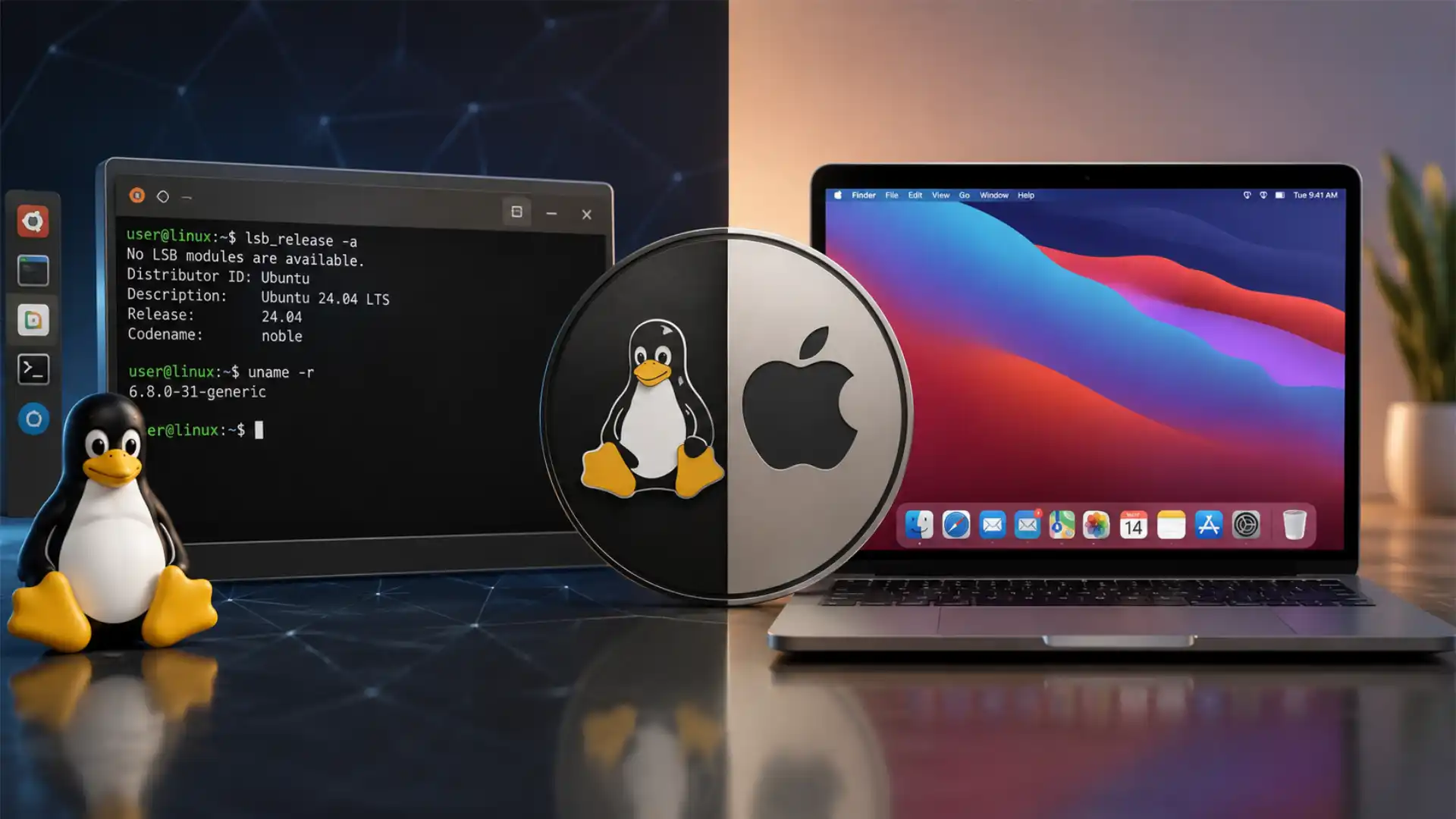
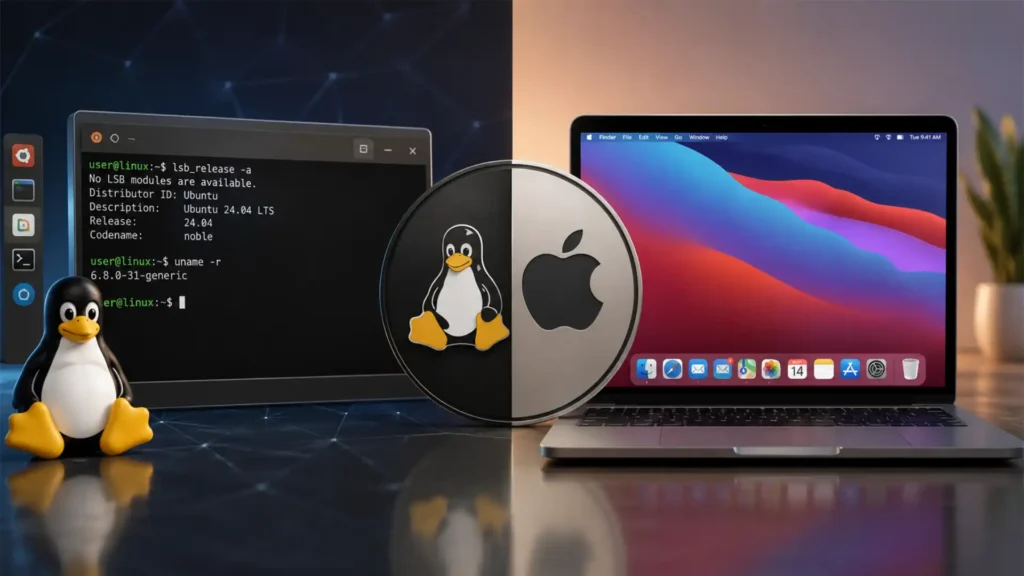
Linux and macOS are often compared as if they are two versions of the same Unix-style idea. That comparison is only partly true. Both systems have command-line roots, both can run developer tools, both support familiar Unix-like workflows, and both can be used for serious technical work. The deeper difference is sharper: Linux is an open, modular operating system family built around user and distributor control, while macOS is Apple’s integrated, proprietary operating system for Apple hardware. The same person can admire both. They solve different problems.
Table of Contents
Linux is a family, macOS is a product
The first mistake in the Linux versus macOS debate is treating both names as equivalent categories. macOS is a single Apple operating system. Linux is not one desktop operating system in the same sense. Linux is the kernel at the center of many operating systems, and the word is also used casually for full Linux distributions such as Ubuntu, Debian, Fedora, Arch Linux, Linux Mint, openSUSE, Pop!_OS and others. The Linux Foundation describes Linux as an operating system platform, while the official kernel documentation states that the Linux kernel is licensed under GPL-2.0-only. That licensing position shapes the whole Linux ecosystem.
macOS, by contrast, is Apple’s finished operating system for Mac computers. Apple controls the release schedule, supported hardware, default interface, security model, developer rules, system frameworks, bundled applications and integration with other Apple devices. As of May 27, 2026, Apple’s current Mac operating-system generation is macOS Tahoe 26, with Apple’s support pages listing Tahoe 26 updates and compatibility details.
That category mismatch matters because many arguments about Linux are really arguments about specific Linux distributions. A person who tries Ubuntu with GNOME, Fedora KDE Plasma Desktop, Arch Linux, Debian Stable and Linux Mint Cinnamon may have five noticeably different experiences. The kernel is shared, many tools overlap, and the open-source culture is recognizable, but the default desktop, update rhythm, package choices, documentation style and target audience vary. A person who tries macOS Tahoe on a MacBook Air and macOS Tahoe on a Mac Studio is using the same Apple-designed system at different performance levels.
That difference explains why macOS feels more coherent out of the box. The design language, trackpad behavior, display scaling, system settings, menu bar, app permissions, bundled apps, iCloud account flow and hardware power management are all part of one vendor’s plan. Linux can feel more flexible and sometimes less uniform because there is no single vendor plan. A distribution chooses a desktop environment, package format, installer, kernel cadence, boot configuration, security defaults and software repositories, then users can replace almost any part.
The practical difference is not that one system is “easy” and the other is “hard.” The practical difference is that macOS hides most system decisions behind Apple defaults, while Linux exposes more of those decisions to distributions, administrators and users. That exposure is power for some people and friction for others.
The cleanest definition of the difference
A clean comparison starts with ownership of decisions.
Linux gives more control to the user, the distribution maintainer, the system administrator, the hardware vendor and the open-source community. macOS gives more control to Apple. That is not a moral verdict. It is a design and governance fact. Linux is built to be copied, modified, rebuilt, redistributed and adapted. macOS is built to deliver a controlled Apple computing experience.
The Linux kernel’s GPL licensing means source availability and redistribution rights are not decoration. They are part of the technical and legal foundation. The GNU GPL version 2 was written to protect the freedom to share and change software, and the Linux kernel documentation identifies GPL-2.0-only as the kernel’s governing license.
macOS contains open-source components, including Darwin-related source releases, but macOS as a finished desktop operating system is proprietary. Apple publishes open-source code for operating systems and developer tools through its open-source release portal, and Apple’s legacy XNU mirror describes XNU as part of Darwin and as a hybrid kernel combining Mach, FreeBSD components and IOKit. That does not make macOS itself open in the way Debian, Fedora or Arch Linux are open.
This is the heart of the comparison. Linux asks, “What should this machine become?” macOS asks, “What should a Mac be?” Linux can be a cloud server, router, phone base through Android, embedded controller, desktop workstation, container host, scientific cluster node, gaming handheld operating system or minimal rescue system. macOS is designed for Macs. It can do many professional jobs, but the system’s identity is tied to Apple hardware and Apple services.
The result is visible in daily use. A Linux user can choose a distribution, desktop environment, package manager, init system in some cases, kernel variant, filesystem, update policy and telemetry posture. A Mac user can change many preferences, install many tools, run Unix-style commands, use Homebrew, virtualize Linux and build software, but the base system remains Apple’s.
Shared Unix roots do not make the systems the same
Linux and macOS both belong to the broad Unix-like world, but they came from different branches. Linux began as a Unix-like kernel and grew through the GNU tools, free-software culture, distribution maintainers and commercial open-source support. macOS descends from NeXTSTEP, BSD and Darwin, with Apple’s own frameworks and interface layers on top.
The Open Group’s UNIX certification makes the comparison more interesting. macOS Tahoe 26.0 is listed by The Open Group as a UNIX 03 registered product on Apple silicon-based Mac computers, and The Open Group states that only compliant and certified systems may use the UNIX trademark.
Linux distributions, despite being Unix-like and widely used for Unix-style work, are typically not certified as UNIX products. Certification is a formal trademark and standards process, not a full measure of how Unix-like a system feels in daily work. A Linux shell user, a macOS Terminal user and a FreeBSD user may all use ssh, grep, sed, awk, make, clang or gcc, POSIX-style paths and shell scripts. The compatibility layer is real. The governance model is different.
The phrase “macOS is UNIX and Linux is Unix-like” is technically useful but strategically incomplete. It tells you something about standards and heritage. It tells you less about software installation, driver availability, hardware support, security policy, customization, cost, repairability, enterprise management and long-term control.
macOS can feel familiar to Linux and BSD users because Terminal provides a Unix-style environment. Linux can feel familiar to macOS users because many developer tools and open-source packages are shared. Yet the graphical desktop and system policy diverge fast. On macOS, Apple’s GUI, frameworks and service model are central. On Linux, GNOME, KDE Plasma, Xfce, Cinnamon, Sway and other desktops or window managers can define the experience.
The Unix family resemblance is the beginning of the story, not the end.
Kernel architecture shapes the operating-system personality
The Linux kernel and Apple’s XNU kernel both sit below user applications, but they reflect different design histories. Linux uses a monolithic kernel model with loadable modules. XNU is a hybrid kernel combining Mach, BSD-derived components and IOKit. Apple’s XNU description says the kernel combines the Mach kernel, FreeBSD components and a C++ driver API called IOKit.
For most users, this does not show up as a visible feature. A person editing photos, browsing the web or writing code may never care whether the kernel is monolithic or hybrid. The difference matters more in driver models, system extension policy, kernel development culture, hardware support and low-level debugging.
Linux kernel development is public by default. Patches are discussed on mailing lists, merged through subsystem maintainers and released on a regular cadence. Hardware vendors, cloud providers, chip companies, volunteers, distribution maintainers and research institutions all contribute. That public development model is one reason Linux adapts across many architectures. The kernel documentation lists CPU architecture areas including x86, ARM, ARM64, LoongArch and others.
Apple’s kernel and driver model is tied to Apple’s platform strategy. Apple controls which Macs run current macOS releases, which hardware features are exposed, which security policies are enforced and which extension models developers may use. This gives Apple tight integration between hardware, firmware, operating system and applications. It also means the user cannot turn a random PC into a fully supported macOS machine.
The kernel difference also affects failure modes. Linux may run on old, unusual or self-built hardware, but support depends on drivers, firmware, distribution choices and vendor cooperation. macOS runs on a much narrower set of hardware, so Apple can test and tune far more tightly. When macOS drops support for a Mac model, the decision is blunt. When a Linux distribution drops support for a component, another distribution or community build may keep it alive.
Licensing is the deepest dividing line
Linux’s open-source licensing is not just a developer preference. It changes the economics and power structure of the system. Anyone can inspect the Linux kernel source, build it, patch it, redistribute it under the license terms and create a new operating system around it. That is why Linux appears in places where a proprietary desktop OS would make little sense: routers, appliances, phones, car systems, cloud servers, supercomputers, research boards and small embedded devices.
The GPL does not mean every Linux-based system is fully open to the user. Android, ChromeOS devices, vendor firmware, proprietary drivers and locked bootloaders complicate the picture. Still, the kernel’s source availability and license obligations give Linux a public technical base that cannot be withdrawn by one vendor in the same way a proprietary OS can be.
macOS uses a mixed model. Darwin and other components have open-source releases, but the complete macOS experience includes proprietary Apple frameworks, apps, services, design assets, security systems and distribution terms. Users receive a license to use macOS on Apple hardware; they do not receive the freedom to fork macOS as a complete product.
This difference reaches into business decisions. A company building a hardware appliance can use Linux as a base, create a custom interface, remove unneeded components, control update channels and avoid negotiating with a single OS vendor. A developer making Mac software benefits from a stable, affluent user base and Apple’s development tools, but must accept Apple’s platform rules for App Store distribution, signing, notarization and compatibility.
The licensing split also affects trust. Linux trust is often built through openness, reproducible packaging, community audit, distribution maintainers and public vulnerability handling. macOS trust is built through Apple’s brand, platform security work, hardware control, app review, notarization, update delivery and customer support. Both trust models can fail. They fail in different ways.
Hardware support works in opposite directions
Linux tries to support as much hardware as possible. macOS supports the hardware Apple chooses. That sentence captures years of practical difference.
Apple’s current Tahoe compatibility list shows a controlled Mac universe: Apple silicon MacBook Air and MacBook Pro models from 2020 onward, selected Intel MacBook Pro models, iMac models from 2020 onward, Mac mini from 2020 onward, Mac Studio from 2022 onward and newer Mac Pro systems. Apple’s public compatibility page lists exactly which Mac families can install macOS Tahoe 26.
Linux runs across far more hardware categories. The official kernel documentation has sections for many CPU architectures and large driver areas, including networking device drivers. That breadth is one of Linux’s strengths, especially for servers, embedded systems and unusual hardware.
The tradeoff is unevenness. Linux can run on a huge range of laptops, but not every laptop feature works equally well. Wi-Fi chips, fingerprint readers, sleep states, high-DPI scaling, hybrid graphics, webcams, audio firmware and vendor-specific function keys can vary by model. Linux compatibility has improved greatly, especially on hardware sold with Linux or popular among Linux users, but the burden is spread across kernel developers, distributions, vendors and users.
macOS avoids much of that mess by narrowing the target. Apple can tune battery life, trackpads, displays, sleep behavior, speakers, microphones, webcams, graphics pipelines and thermal management around known hardware. The cost is lock-in. A Mac user cannot legally and normally install macOS on a Framework laptop, ThinkPad, self-built workstation or old office PC. A Linux user can often try.
Linux is better when hardware independence matters. macOS is better when the user wants the operating system and hardware to behave like one purchased object.
Apple silicon made the comparison less symmetrical
The move from Intel Macs to Apple silicon changed the Linux versus macOS comparison. During the Intel Mac era, Macs and mainstream PCs shared the same broad CPU architecture. Running Linux on a Mac, virtualizing x86 operating systems and comparing performance between macOS and Linux felt more direct. Apple silicon made Mac hardware more Apple-specific.
Apple silicon gave macOS tight control over performance, battery life, media engines, memory architecture, neural processing and security features. It also reduced the symmetry with standard PC hardware. Linux can run on ARM64, and projects such as Asahi Linux have worked to support Apple silicon Macs, but Apple does not design those machines as open Linux laptops. The effort depends on reverse engineering, community work and changing hardware behavior.
For buyers, this means a Mac is no longer just a premium Unix-like laptop that happens to run Apple’s operating system. It is a vertically integrated Apple computer built around Apple chips. macOS benefits from that integration. Linux benefits less unless the hardware is sold with Linux support or the community has caught up.
Apple’s own macOS Tahoe compatibility path shows where the platform is heading. Tahoe 26 still supports selected Intel Macs, but the current Mac platform center of gravity is Apple silicon. Apple’s compatibility page puts Apple silicon Macs at the center of the Tahoe support list, while only some late Intel models remain.
Linux has the opposite center of gravity. It spans x86 servers, ARM cloud instances, embedded boards, RISC-V development boards, desktops, laptops and high-performance computing systems. That variety makes Linux less polished on some consumer machines but far more adaptable as a platform.
The desktop experience is fixed on macOS and plural on Linux
macOS has one main desktop experience. Linux has many.
A Mac user can move the Dock, change some visual settings, install menu bar tools, use Stage Manager, set hot corners, choose widgets, change keyboard shortcuts and add third-party window managers. Still, the core macOS interface remains the macOS interface. The menu bar, Finder, Dock, Spotlight, Mission Control, Launchpad, System Settings and Apple Human Interface Guidelines create one recognizable system.
Linux desktops vary by distribution and choice. GNOME is used as the default experience across distributions including Red Hat Enterprise Linux, Ubuntu, Debian and Fedora Workstation, according to GNOME’s own site. KDE describes Plasma as its flagship desktop and emphasizes customization. Wayland positions itself as a replacement for the X11 window system protocol and architecture.
This plurality is one of Linux’s strengths and one of its barriers. A user who dislikes GNOME may love KDE Plasma. A user who finds KDE too configurable may prefer GNOME. A user who wants a light desktop may choose Xfce or LXQt. A keyboard-driven user may choose Sway, i3 or Hyprland. None of these choices requires abandoning Linux.
On macOS, a user who dislikes Apple’s interface can modify around the edges but cannot replace the desktop shell in the same deep way. That is good for consistency and support. It is bad for users who want to reshape the desktop around a personal workflow.
This is also why arguments about “Linux usability” are often messy. Which Linux? Which desktop? Which distribution? Which hardware? Which display server? Which package format? Which user goal? macOS avoids those questions by being one branded system. Linux asks the questions up front.
Package management exposes the philosophical split
Installing software reveals the operating-system philosophy faster than almost anything else.
On Linux, software usually flows through distribution repositories and package managers. Ubuntu documentation describes APT as the recommended way to install Debian packages on Ubuntu Server and notes that apt can install packages, upgrade packages, update package indexes and upgrade the system. Fedora documents DNF as the package manager that installs, updates and removes packages on Fedora. Arch’s pacman documentation describes pacman as a tool for managing packages from official repositories or user builds.
That repository model has major benefits. Security updates can arrive through one channel. Dependencies are handled by the distribution. System libraries and applications are coordinated. Administrators can mirror, pin, audit or freeze packages. The downside is that application versions depend on the distribution’s policy unless the user adds extra repositories, Flatpak, Snap, AppImage, vendor packages or source builds.
macOS uses a different mix. Apple provides the Mac App Store, developers distribute signed and notarized apps directly, and many technical users install command-line tools through Homebrew. Homebrew describes itself as the missing package manager for macOS or Linux and installs packages into its own directory before symlinking them into locations such as /opt/homebrew on Apple silicon.
The Mac App Store gives users a familiar, Apple-reviewed channel, but it is not the whole Mac software world. Many professional Mac apps are sold directly. Developer tools often arrive through Homebrew, language-specific managers, Xcode, vendor installers or containers. macOS is therefore less locked down than iOS, but more governed than a typical Linux distribution.
Linux treats package management as part of the operating system’s public infrastructure. macOS treats software distribution as a mix of Apple-controlled channels, developer signing, notarization and third-party tooling.
Core differences between Linux and macOS
| Area | Linux | macOS |
|---|---|---|
| Platform identity | Kernel plus many distributions | One Apple operating system for Macs |
| Source model | Open-source kernel and mostly open distributions | Proprietary system with open-source components |
| Hardware target | Broad hardware support across many vendors | Apple-approved Mac models |
| Software installation | Distribution repositories, package managers and extra formats | App Store, direct apps, notarization and Homebrew |
| Desktop model | Many desktop environments and window managers | One Apple-designed desktop experience |
| Control point | User, distribution and community share control | Apple keeps platform control |
This table compresses the real difference into one view: Linux is a system family shaped by choice and distribution policy, while macOS is a finished platform shaped by Apple’s product decisions.
Updates and support feel different because authority is different
macOS updates come from Apple. Linux updates come from the distribution, upstream projects and sometimes third-party repositories. That difference changes predictability, speed and accountability.
Apple can release macOS updates to supported Macs through Software Update, publish security notes, change system frameworks and move the whole Mac platform at once. Users do not choose the kernel line, display server or package base. They can delay updates, but not redesign the update model. Apple’s Tahoe update page shows the Apple-controlled cadence for fixes and feature updates in the current macOS line.
Linux update policy depends on the distribution. Debian Stable moves cautiously. Fedora moves faster. Arch uses rolling releases. Ubuntu has interim releases and long-term-support releases. Enterprise distributions such as Red Hat Enterprise Linux, SUSE Linux Enterprise and Ubuntu Pro focus on long maintenance windows, certifications and predictable change. The kernel may be new, backported, patched or held depending on distribution policy.
That makes Linux harder to summarize. A Linux desktop can be more conservative than macOS or more aggressive than macOS. A Debian Stable workstation may keep older versions for reliability. An Arch system may get new kernels, Mesa graphics drivers and desktop components quickly. Fedora sits closer to the leading edge while still packaging a complete distribution.
The user’s control is higher, but the user must know which update philosophy they selected. macOS removes that burden. Apple decides.
For businesses, the distinction is large. Mac fleets can be managed through mobile device management, Apple Business Manager and vendor tools. Linux fleets are often managed through configuration management, package repositories, container images, golden images, immutable desktop systems or enterprise vendor subscriptions. Both can be professional. The administrative culture is different.
Security is not a simple winner-takes-all question
Security comparisons often collapse into slogans: Macs are safer, Linux is safer, open source is safer, Apple is safer. None of those slogans is enough.
macOS has a layered security model built around Apple’s control of hardware, system software and developer identity. Apple’s platform security documentation describes Apple silicon as a basis for secure boot, biometric authentication and Data Protection. Apple’s Gatekeeper documentation says Gatekeeper checks downloaded software from outside the App Store for an identified developer, Apple notarization, known malicious content and tampering. Apple also documents System Integrity Protection as a technology that restricts the root user and helps prevent malicious modification of protected files and folders.
Linux security is less centralized. It depends on kernel security work, distribution hardening, package signing, repository policy, sandboxing technologies, Mandatory Access Control systems such as SELinux or AppArmor, timely updates, user permissions, filesystem choices, secure boot configuration, container isolation and administrative practice. Some Linux systems are hardened to a level beyond a normal Mac. Some hobbyist Linux desktops are not.
The open-source model means vulnerabilities can be studied and fixed in public. It also means the quality of maintenance varies by package and project. Apple’s model means strong platform-level controls can be enforced across Macs, but users and independent researchers must trust Apple’s closed components more than they would trust fully open code.
Security also depends on threat model. A journalist worried about targeted spyware, a developer downloading command-line tools, a school managing student laptops, a bank running servers, a gamer installing mods and a home user opening email attachments do not face the same risks.
macOS security is strongest when Apple’s defaults match the threat. Linux security is strongest when the system is chosen, configured and maintained for the threat.
Privacy differs between transparency and integration
Privacy also splits along the control line. Linux distributions can be built with little or no account integration, no advertising ID, no required cloud login and minimal background network activity. A user can inspect many components, remove packages and choose privacy-focused distributions. Some distributions collect optional telemetry or crash reports, but the user can usually see and change more.
macOS ties the computer into Apple services more naturally. iCloud, Find My, Apple ID, Continuity, iMessage, FaceTime, Photos, Safari syncing, Passwords and device backup features create a polished ecosystem. That integration is useful. It is also a data relationship with Apple.
Apple’s privacy posture is stronger than many advertising-driven platforms, and the company has invested heavily in privacy messaging and technical protections. Still, macOS is not a minimal operating system. It is a modern commercial platform with cloud features. Linux can be made far more minimal, especially in server or technical desktop setups.
For many users, Apple’s integrated privacy model is more practical than manually building a private Linux system. A well-updated Mac with FileVault, Gatekeeper, SIP and sensible browser choices may protect a non-technical user better than a neglected Linux install. For users who want to remove vendor accounts, audit software paths and reduce platform dependency, Linux offers more room.
Privacy is not only about source code. It is also about defaults, incentives, account design, update habits, browser choice, app permissions, cloud reliance and user skill.
Cost is more complicated than the price tag
Linux is usually free to download. macOS is included with a Mac. The real cost comparison is not zero versus paid; it is total platform cost.
A Linux user can install a distribution on an old laptop, a low-cost desktop, a refurbished workstation, a server, a single-board computer or a high-end custom machine. There is no macOS license fee. Many applications are free and open source. The cost is time, hardware compatibility research, occasional troubleshooting and the possibility that a needed commercial app is missing.
A Mac user pays for Apple hardware. The operating system updates are included for supported machines. The value comes from hardware quality, resale value, display and trackpad quality, battery life, bundled apps, Apple Store support, predictable integration and access to Mac-only creative software. The cost is a higher entry price and less freedom to choose hardware.
For businesses, Linux can reduce licensing cost in server environments, cloud workloads and specialized systems. On desktops, savings depend on support skill and application needs. A company that already runs Linux servers may manage Linux workstations well. A company built around Microsoft 365, Adobe, device-management tools and non-technical staff may find Macs cheaper to support despite higher hardware prices.
For individuals, cost has a human part. A student with an old ThinkPad and time to learn may get more from Linux than from buying a Mac. A freelance designer billing clients every week may prefer macOS because the machine, display, applications and support path are predictable.
Linux often lowers financial cost. macOS often lowers decision cost.
Developer workflows overlap but do not match
Developers are the group most likely to use both systems well. Linux and macOS both provide strong command-line environments, package managers, Git, SSH, language runtimes, editors, compilers and containers. Yet the workflows differ.
Linux is the natural home for many server-side workloads because production servers often run Linux. A developer building services for Linux containers, Kubernetes clusters, cloud VMs, embedded Linux devices or high-performance computing systems benefits from developing on Linux. The local system and production environment can be closer.
macOS is strong for developers who need Unix-like tools plus commercial desktop apps, polished hardware, iOS development, macOS app development or cross-platform web work. Xcode and Apple SDKs require macOS. A developer building iPhone, iPad, Mac, Apple Watch, Apple TV or Vision Pro apps needs a Mac. Apple’s developer pages describe the Apple Developer Program as the route for app distribution across Apple platforms and list a $99 annual membership.
Homebrew narrows the command-line gap. A Mac developer can install many tools with brew, run Docker or virtual machines, connect to Linux servers and write code in the same editors used on Linux. Yet macOS is not Linux. System libraries, filesystem behavior, case sensitivity defaults, container internals, GNU versus BSD command differences and kernel behavior can still diverge.
Linux narrows the desktop gap with modern GNOME, KDE Plasma, Flatpak, Wayland and better hardware support. A Linux developer can use JetBrains IDEs, VS Code, Neovim, Docker, Podman, Git, Python, Rust, Go, Node.js and databases locally. But Adobe Creative Cloud, Xcode, some Microsoft software, some commercial audio tools and certain corporate VPN or security agents may be missing or weaker.
For developers, the right choice is often determined by target platform. Build for Apple platforms on macOS. Build for Linux production on Linux if local fidelity matters. Build web apps on either, but check team tooling and deployment environment.
Creative professionals face a different decision than developers
The Mac’s reputation in design, video, music and photography did not appear by accident. macOS has long benefited from strong commercial creative software, predictable color and display behavior, low-latency audio workflows, polished hardware and strong vendor support. Adobe, Apple’s own Pro Apps, many music-production tools and high-end creative peripherals have treated the Mac as a first-class platform.
Linux has capable creative tools: Blender, Krita, Inkscape, GIMP, Kdenlive, DaVinci Resolve on supported configurations, Ardour and many specialist programs. It is especially strong in open 3D workflows, VFX pipelines, rendering farms and technical media systems. But the Linux desktop still struggles for users who depend on the full Adobe stack, certain audio plugins, commercial font workflows, camera utilities or client-standard file exchange.
This is not a question of whether Linux software is “good enough” in a general sense. The issue is workflow risk. Creative work is often deadline-driven and collaboration-driven. If a client sends a file that expects Photoshop behavior, a print house expects a specific PDF workflow, a studio uses Logic Pro, or a video team relies on a plugin chain, the operating system must match the pipeline.
macOS wins many creative desktop decisions because the toolchain is already there. Linux wins when the workflow is open-source-native, 3D-heavy, automation-heavy, render-farm-heavy, budget-constrained or technically controlled by the user.
For creative work, application availability often matters more than operating-system philosophy.
Gaming has changed, but the Mac and Linux still differ
Gaming used to be a weak point for both macOS and desktop Linux compared with Windows. The situation is now more interesting.
Linux gaming improved because of Steam, Proton, Vulkan, Mesa drivers, the Steam Deck and community work. Valve’s Steam Hardware & Software Survey is optional and anonymous, but it gives a useful signal for Steam’s own user base. The April 2026 survey page states that Valve uses the survey to understand customer hardware and software. Recent reporting around the March 2026 survey noted a Linux jump among Steam users, while macOS remained a smaller share of Steam gaming systems.
Linux still has friction. Some multiplayer games with anti-cheat systems do not support Linux. New GPU hardware can need recent kernels and drivers. Distribution choice matters. Users may need ProtonDB research, launch options or driver updates. Yet for many Steam games, Linux is now workable in a way that would have surprised users a decade ago.
macOS gaming has different constraints. Apple silicon is powerful, and Apple has invested in Metal and game-porting tools, but the Mac game library remains smaller than Windows and less community-driven than Linux’s Proton ecosystem. Mac gaming depends heavily on developers shipping native Mac versions, Apple’s graphics stack, App Store or direct distribution choices and translation layers.
The real split is not that Linux is universally better for gaming than macOS. The split is that Linux gaming momentum comes from compatibility engineering and community pressure around PC games, while Mac gaming depends more on Apple’s platform strategy and publisher interest.
For a gamer choosing one machine, Windows remains the broadest PC gaming platform. Between Linux and macOS, Linux now has a stronger story for Steam compatibility on PC hardware, especially for users willing to tune. macOS has a better story when the games the user wants are already native, Apple-optimized or casual.
Enterprise use separates desktop comfort from infrastructure power
macOS is a strong enterprise desktop for certain organizations. Linux is a dominant enterprise infrastructure platform. Those are not the same claim.
Linux is deeply entrenched in servers, cloud computing, containers, networking, supercomputing and embedded systems. W3Techs reports Linux as the operating system for a large share of websites whose operating system is known, and TOP500’s operating-system family statistics show Linux as the operating-system family for the top supercomputer list category.
macOS has a different enterprise role. It is a managed endpoint for employees, developers, designers, executives, media teams and Apple-platform builders. A Mac fleet can be integrated with identity providers, MDM, endpoint protection, compliance tools and cloud storage. The Mac is not usually the server OS at the center of the data center. It is a user endpoint.
This split matters for career skills. Learning Linux gives direct access to server administration, DevOps, cloud operations, cybersecurity labs, container platforms, embedded systems and infrastructure automation. Learning macOS gives direct access to Apple endpoint management, iOS/macOS development, creative production and professional desktop workflows.
In businesses, Linux often disappears into the background. It runs services that users never see. macOS is visible because employees touch it. A CTO comparing Linux and macOS must ask whether the comparison is about endpoints, servers, developer machines, compliance, support cost or application access.
Linux is the stronger infrastructure operating system. macOS is the stronger Apple-integrated professional desktop.
Market share numbers show different kinds of success
Desktop market share does not tell the whole story, but it corrects some myths. StatCounter’s worldwide desktop operating-system data for April 2026 listed Windows first, with OS X and macOS categories ahead of Linux as measured by its web analytics data. The same table listed Linux at 2.99% for that month, while OS X and macOS were separate categories in the displayed breakdown.
Those numbers should be read carefully. Web analytics categories can split Apple desktop versions in confusing ways, “Unknown” can be large, and methodology differs between sources. Still, the broad pattern is stable: macOS has a much larger mainstream desktop presence than desktop Linux, while Linux dominates many non-desktop categories.
On servers and websites, Linux is far stronger. W3Techs reported Linux as used by 61.3% of websites whose operating system it could identify in the result captured for this research.
In supercomputing, Linux is the norm. TOP500 statistics identify Linux as the operating-system family category for the list.
This is why “Linux failed on the desktop” and “macOS is less important than Linux” can both be misleading. Linux is not a desktop-only project. macOS is not trying to run the world’s routers, cloud servers and supercomputers. macOS is more successful as a consumer and professional desktop. Linux is more successful as a general computing substrate.
Different measures produce different winners because the systems play different games.
The command line is similar enough to invite confusion
A macOS Terminal window and a Linux terminal can look close. Both can run shells, SSH into servers, use Git, execute scripts, manage files through commands and support many programming languages. That similarity is real and useful.
The trap is assuming command-line similarity means system equivalence. macOS uses BSD userland tools in many areas, while Linux distributions often use GNU core utilities. Command options can differ. Filesystem layout differs. System service management differs. Package management differs. Kernel interfaces differ. Container behavior differs. Some scripts written for Linux fail on macOS without GNU tools. Some scripts written on macOS assume Apple paths or BSD behavior.
A developer moving between the two can solve most of this. Homebrew can install GNU tools on macOS. Linux can install zsh, fish, Homebrew on Linux, BSD tools or compatibility packages. Cross-platform scripts can be written carefully. But careful is the word.
The command line also reveals a deeper contrast. On Linux, the terminal is often the main path to system administration. On macOS, Terminal is powerful but not the primary system interface for most users. Apple expects many system tasks to go through System Settings, Finder, app bundles, profiles, MDM or Apple tools. Linux distributions vary: some are terminal-first, some are GUI-first, and many are both.
The terminal makes macOS and Linux cousins. The rest of the system makes them different households.
Filesystems, paths and system layout change daily work
Linux and macOS use Unix-style paths, but their filesystem cultures are not identical. Linux distributions tend to follow the Filesystem Hierarchy Standard more closely, with familiar directories such as /etc, /usr, /var, /home, /bin, /sbin and /opt depending on distribution layout. macOS has Unix-style directories too, but users also interact with /Applications, app bundles, /System, /Library, ~/Library and Apple-specific system volumes.
This matters for troubleshooting. On Linux, configuration often lives in text files under /etc, user dotfiles under the home directory, system logs under journal or /var/log, services under systemd units and packages under distribution-managed paths. On macOS, many settings live in property lists, app containers, system databases, configuration profiles and Apple-managed locations. Users can still edit many files, but the system is less oriented around manual text configuration.
System Integrity Protection and the sealed system volume model also affect macOS expectations. Apple documents SIP as restricting root and protecting parts of the operating system. Linux has its own protections, but a root user on a typical Linux system has more direct authority over the operating system unless extra hardening is applied.
For power users, Linux feels more transparent. For users who want guardrails, macOS feels safer. For administrators, the right model depends on whether they prefer explicit text-based control or Apple-managed policy layers.
App ecosystems reveal the real audience
macOS has a commercial desktop app ecosystem. Linux has a free-software and infrastructure ecosystem with a growing desktop app layer.
Mac users get polished commercial software in many categories: creative tools, writing apps, productivity tools, development tools, design software, music production, video editing and utilities. Many paid Mac apps are carefully designed for Apple conventions. The Mac App Store and direct developer sales coexist. Apple states that it reviews apps submitted through App Store Connect and provides App Review Guidelines for the process.
Linux users get massive repositories of open-source software, strong developer tools, server packages, command-line utilities and increasingly good desktop apps through distribution repositories, Flatpak and other formats. The app culture is different. Some Linux apps are excellent and community-maintained. Some are rough. Commercial vendors often support Linux first on servers and later, if at all, on desktops.
This affects switching. A Mac user moving to Linux may miss specific commercial apps. A Linux user moving to macOS may miss distribution repositories, window-manager freedom, deep system control and the feeling that most components can be replaced.
The app question is often more decisive than the OS question. A person who needs Xcode needs macOS. A person who needs Linux kernel development fidelity benefits from Linux. A person who needs Adobe apps will likely prefer macOS over Linux. A person who lives in browser apps, VS Code, Git, Slack, Zoom and terminals may use either.
Vendor accountability is different from community accountability
When macOS breaks, Apple is the responsible vendor. When Linux breaks, responsibility depends on where the break lives.
If a macOS update causes a bug, users blame Apple. Apple owns the OS, hardware support and update channel. That clarity is useful. It creates one throat to choke, at least in theory. Apple may not fix every issue quickly, but the chain of responsibility is obvious.
If a Linux system has a problem, the cause may be upstream kernel code, distribution packaging, a third-party repository, a desktop environment bug, firmware, a proprietary driver, a user configuration, a hardware quirk or an application issue. The community may solve it quickly, or the user may need to investigate. Enterprise Linux vendors reduce that uncertainty through paid support, certified hardware and controlled package sets.
This is why Linux is both empowering and demanding. The user is not trapped behind one vendor, but the user may need to understand more layers. macOS reduces layers by making Apple the platform owner.
Apple accountability is centralized. Linux accountability is distributed. Centralized accountability feels better when the vendor acts. Distributed accountability feels better when the community can fix, fork or route around a problem.
Customization is not the same as personalization
macOS offers personalization. Linux offers customization at a deeper level.
On macOS, users can adjust wallpaper, widgets, Dock behavior, accent colors, menu bar items, shortcuts, focus modes, trackpad gestures and app preferences. They can add tools such as Raycast, Alfred, Rectangle, BetterTouchTool, iTerm2, Homebrew and third-party menu bar utilities. A power user can make a Mac feel highly personal.
Linux lets users change the desktop environment, display server, window manager, login manager, shell, service configuration, kernel, theme engine, compositor, filesystem, bootloader and package sources. A user can build a tiling-window-manager setup that bears little resemblance to GNOME or KDE. A distribution can ship an immutable desktop, a gaming system, a privacy OS, a rescue OS or an enterprise workstation from the same Linux base.
This is not always an advantage. Deep customization can create fragile systems. A user who changes too much may make upgrades harder. Themes can break. Extensions can lag behind desktop releases. Forum advice may not match the user’s setup. macOS avoids much of this by limiting what can change.
The difference is best framed this way: macOS lets users decorate and extend Apple’s house. Linux lets users move walls, change wiring and sometimes build a different house.
Learning curve depends on what the user wants to learn
macOS is usually easier for a non-technical user who buys a Mac and wants the computer to work without system design decisions. Linux can be easy too, especially through polished distributions, but the user must still choose a distribution and may face hardware or app questions.
For technical learning, Linux is often better. It exposes operating-system concepts more openly: packages, permissions, services, logs, kernels, modules, filesystems, bootloaders, containers, networking and shells. A student learning cybersecurity, cloud computing, DevOps, embedded systems or server administration benefits from Linux because the same concepts appear in professional environments.
macOS teaches different lessons: Apple platform behavior, developer signing, app bundles, property lists, launch agents, MDM profiles, Apple security controls, Swift and Xcode workflows, creative production and Unix-style work inside a commercial desktop. Those are real skills.
The phrase “Linux is harder” is too blunt. Linux is harder when the user wants an appliance and chooses a distribution or hardware combination that needs decisions. Linux is easier when the user wants to understand and control the system instead of fighting hidden platform policy. macOS is easier when Apple’s design matches the user. macOS becomes harder when the user wants to do something Apple discourages.
Learning curve is therefore goal-specific. The easiest system is the one aligned with the job.
Repair, longevity and reuse favor Linux in many cases
Linux often extends the useful life of hardware. An older PC that struggles with a heavy commercial OS can run a lighter Linux distribution. A laptop abandoned by its original vendor may still receive current Linux security updates if hardware support remains. A desktop can be upgraded piece by piece and kept alive.
macOS longevity depends on Apple’s support list. Apple supports Macs for years, but when a model falls off the list, normal major upgrades stop. Security updates may continue for a time, but the direction is fixed. Apple’s Tahoe compatibility list is precise because Apple decides which Macs qualify.
This is a major difference for schools, nonprofits, repair shops, hobbyists and environmentally minded users. Linux can turn discarded hardware into usable machines for web browsing, writing, coding, media playback, local servers or lab systems. Not every old device works perfectly, and old hardware has battery and security limits, but Linux gives more options.
Macs can also last long because the hardware is often good and resale value is strong. Apple silicon Macs in particular can offer long battery life and strong performance. Yet the user remains tied to Apple’s support decisions. When the OS stops, unofficial patchers or Linux may be the escape route, not Apple.
Linux is better for hardware reuse. macOS is better for supported-life polish.
The role of community differs sharply
Linux communities are not one community. Debian, Arch, Fedora, Ubuntu, Gentoo, NixOS, KDE, GNOME, kernel developers, distro forums, IRC/Matrix rooms, mailing lists, Reddit groups and enterprise vendor communities all have their own norms. Some are beginner-friendly. Some expect research. Some value stability. Some value minimalism. Some value software freedom above convenience. Some value fast updates.
macOS has communities too: MacRumors, Apple developer forums, Stack Exchange, Jamf Nation, scripting groups, creative professional forums and app-specific communities. But Apple remains the center. Community knowledge often explains Apple’s system rather than co-governing it.
In Linux, community can become part of production. A bug report, patch, package build or documentation fix can flow into the system. In macOS, outside developers can file feedback, build tools and influence Apple indirectly, but they do not govern the platform.
This distinction affects user psychology. Linux users often feel like participants in an ecosystem. Mac users often feel like customers of a polished product. Many people prefer being customers. Many prefer being participants.
Neither model is pure. Linux has corporate influence from large vendors. macOS has passionate independent developers. The center of gravity still differs.
Distribution choice is the Linux decision inside the Linux decision
Choosing Linux is only the first choice. The real choice is which Linux distribution.
Ubuntu is common for beginners, servers and documentation availability. Fedora is attractive for users who want current open-source technology and strong GNOME integration. Debian is known for stability and community governance. Arch is favored by users who want rolling releases and fine-grained control. Linux Mint targets a comfortable desktop experience for users moving from Windows-like workflows. NixOS appeals to users who want declarative system configuration. openSUSE offers both stable and rolling models. Pop!_OS targets desktop and developer users, especially around System76 hardware.
Each distribution changes the answer to “Linux or macOS?” A user who hates maintaining Arch may be happy on Fedora. A user who finds Ubuntu too opinionated may like Debian. A user who wants minimal change may prefer Linux Mint or Debian Stable. A user who wants fresh graphics drivers may choose Fedora, Arch or openSUSE Tumbleweed. A user who wants commercial support may choose Ubuntu Pro, Red Hat Enterprise Linux, SUSE or a vendor-supported workstation.
macOS avoids this fork. There is one current macOS line, one upgrade path for supported Macs and one Apple source of truth. That is simpler. It is also less flexible.
A fair Linux comparison must name the distribution. Otherwise the word Linux carries too much.
macOS integration is a real advantage, not just lock-in
Apple ecosystem integration is often dismissed by open-platform advocates as lock-in. It is lock-in. It is also useful.
A Mac works closely with iPhone, iPad, Apple Watch, AirPods, iCloud, Messages, FaceTime, Photos, Notes, Reminders, Calendar, Passwords, Find My and Apple Pay. Continuity features let users move tasks across devices. AirDrop remains a common reason people stay in Apple’s world. A person who already uses Apple devices may find macOS far more convenient than Linux because the computer becomes part of the same personal system.
Linux can connect to phones, cloud services and messaging platforms, but the integration is less unified. Android integration through KDE Connect or GSConnect can be good. Cloud sync can be built with Nextcloud, Syncthing, rclone and browser-based services. Password managers work across platforms. Yet Linux does not have one consumer ecosystem with Apple’s level of hardware-software-service coordination.
The cost is dependency. The more a user relies on Apple’s integrated features, the harder it becomes to leave. Linux requires more assembly but reduces dependence on one vendor. macOS reduces assembly but increases dependence.
For users inside Apple’s ecosystem, macOS saves daily friction. For users trying to avoid ecosystem dependence, Linux is the cleaner exit.
Open source does not automatically mean better ethics or better software
Linux’s open-source model carries ethical and practical appeal. Users can study code, share software, modify systems and avoid one vendor’s control. Debian’s Social Contract commits Debian to remain free software and to give back to the free-software community.
Yet open source is not magic. Some open-source projects are underfunded. Some are maintained by tired volunteers. Some have poor documentation. Some have security bugs. Some communities are unwelcoming. Some hardware needs proprietary firmware. Some Linux distributions include non-free repositories because users need working Wi-Fi, GPUs or media codecs.
macOS’s proprietary model also does not automatically mean worse software or worse ethics. Apple’s control can produce strong accessibility features, security protections, polished design, long battery life and a support path for ordinary users. Apple’s choices can also restrict repair, customization, sideloading paths, hardware independence and user agency.
The ethical comparison depends on values. A free-software advocate may reject macOS because the user cannot fully control it. A working parent may value a Mac because it protects family photos and requires less maintenance. A business may value Linux because it avoids vendor dependency. An artist may value macOS because it runs the tools that pay the bills.
The honest comparison is not open equals good and closed equals bad. The honest comparison is control versus integration, with real gains and losses on both sides.
Performance depends on workload, hardware and drivers
Performance debates are often noisy because people compare mismatched machines. Linux on a high-end desktop is not the same as macOS on a fanless MacBook Air. macOS on Apple silicon is not the same as Linux on an old laptop. A tuned Linux server is not the same as a Mac running creative software.
Linux can be extremely fast and lean. It can run without a heavy desktop, use minimal services, scale across servers and clusters, and expose low-level tuning. It is widely used where performance per watt, performance per dollar and control matter. TOP500 and server use are proof that Linux is not a hobby platform.
macOS can be extremely fast on Apple silicon because Apple controls the chip, memory architecture, media engines, operating system and developer frameworks. Video encoding, photo processing, audio work, battery performance and sleep/wake behavior can be excellent because the whole stack is coordinated.
Linux performance on laptops depends heavily on kernel support, firmware, graphics drivers and power management. It may beat the original OS on old machines or struggle with a new device whose vendor has not supported Linux well. macOS performance is more predictable because supported hardware is narrower.
For servers, Linux usually wins by relevance and ecosystem. For Mac-native creative workflows, macOS often wins because software and hardware acceleration are aligned. For gaming, Linux can be strong through Proton and modern drivers, but compatibility varies. For battery life on Apple laptops, macOS has the home-field advantage.
Performance is not one metric. It is workload meeting hardware meeting software support.
The software freedom story has business consequences
Linux’s freedom to modify and redistribute affects business models. Cloud providers can run massive Linux fleets. Hardware makers can build Linux-based appliances. Security companies can create hardened distributions. Governments can commission sovereign systems. Universities can teach operating-system internals. Startups can launch products without licensing a proprietary OS. Vendors can sell support, not permission.
The Linux Foundation describes itself as a neutral hub for open-technology projects and reports large participation across projects and organizations. That ecosystem gives Linux strategic weight beyond desktop share.
macOS’s business consequence is different. Apple sells hardware, services and a premium platform. Developers can sell polished Mac apps to users who often pay for software. Businesses can standardize on Macs for employee satisfaction, creative work, engineering teams or Apple-platform development. Apple maintains platform quality by limiting hardware and controlling distribution mechanisms.
Both models produce commercial value. Linux creates value by being a shared base. macOS creates value by being a controlled product. One is closer to public infrastructure. The other is closer to a premium appliance platform.
This is why the systems rarely replace each other completely. A company may run Linux in production, give developers MacBooks, use iPhones for staff, deploy Linux containers, manage Macs with MDM and use Windows for finance software. The real world mixes platforms because each one solves a different layer.
The strongest case for Linux
The strongest case for Linux is control with reach. Linux gives users, organizations and builders the power to choose hardware, inspect code, change components, automate deeply, run servers, build appliances, learn real infrastructure and avoid dependence on one desktop vendor.
A Linux user can start with a friendly distribution and later move deeper. They can run the same system family on a laptop, server, Raspberry Pi, VPS, container host or lab machine. They can study how services start, how packages are built, how kernels are configured and how logs are stored. They can replace the desktop, write scripts, build containers and learn skills that transfer directly to cloud and infrastructure work.
Linux is also the better answer for many old machines, custom PCs, privacy-focused users, open-source advocates, system learners, server administrators, DevOps engineers, cybersecurity students and organizations wanting independence.
The weaknesses are real. Desktop app gaps remain. Hardware can be uneven. Users may face choice fatigue. Documentation can vary. Commercial support depends on distribution and vendor. Some workflows require proprietary tools that do not exist on Linux or run poorly through compatibility layers.
Linux is best when the user values control, transparency, adaptability and technical learning more than a single polished commercial desktop.
The strongest case for macOS
The strongest case for macOS is integration with taste. macOS gives users a polished desktop, strong hardware-software coordination, excellent trackpads, strong battery life on Apple silicon, polished creative software, Apple ecosystem features, professional commercial apps and a Unix-style development environment in one machine.
A Mac user does not need to choose a desktop environment, package base, display server, kernel channel or laptop compatibility list beyond Apple’s supported models. The system is coherent. The hardware is known. Support is centralized. The experience is designed.
macOS is especially strong for users who build Apple-platform apps, work in creative industries, value Apple device integration, want a polished laptop, need commercial desktop software, prefer strong defaults or want Unix-like tools without managing Linux.
The weaknesses are also real. Hardware choice is narrow. The OS is proprietary. Deep customization is limited. Apple can drop support for hardware. App distribution rules and notarization add friction for developers. Repair and upgrade options are narrower than on many PCs. Users are pulled toward Apple services.
macOS is best when the user values integration, commercial app support, hardware polish and low decision overhead more than deep system control.
The decision table for real users
Best fit by user need
| User need | Better fit | Reason |
|---|---|---|
| Learning servers, cloud, containers or cybersecurity | Linux | Matches much of production infrastructure |
| Building iPhone, iPad or Mac apps | macOS | Xcode and Apple SDKs require Mac |
| Reviving old PC hardware | Linux | Works across many machines and lighter desktops |
| Adobe-heavy creative workflow | macOS | Better commercial creative app support |
| Maximum desktop customization | Linux | Replace desktop, window manager and system layers |
| Apple ecosystem convenience | macOS | iPhone, iCloud, AirDrop and Continuity integration |
This table is not a universal ranking. The right operating system is the one whose constraints match the job. A developer may use macOS on a laptop and Linux on servers. A designer may use macOS for client work and Linux for a home lab. A privacy-focused writer may use Linux for daily work and keep a Mac for specific apps.
Linux and macOS are increasingly connected rather than isolated
The old idea of choosing one operating system forever is less accurate now. Many users mix systems. A Mac user may run Linux in a virtual machine, use Docker containers, deploy to Linux servers and install Homebrew packages. A Linux user may keep a Mac mini for Xcode, use iCloud through the web, SSH into Linux servers and run cross-platform apps.
Virtualization, containers, remote development, browser apps and cloud services blur desktop boundaries. A software engineer can write code on macOS and deploy to Linux. A Linux user can remote into a Mac build machine for Apple app signing. A Mac user can use VS Code Remote SSH into a Linux workstation. A Linux user can run Windows games through Proton and handle documents through web apps.
This does not make the OS choice irrelevant. The local system still controls hardware, battery, display behavior, app availability, security policy, privacy posture, keyboard shortcuts, file paths and maintenance. But the choice is less absolute. For many professionals, macOS is the client machine and Linux is the deployment target.
That mixed reality is one reason the comparison persists. The systems compete on desktops but cooperate in workflows.
The biggest misconception is that Linux is just a free macOS alternative
Linux is not a free clone of macOS. A user who approaches Linux expecting macOS without Apple will be disappointed. Linux has its own culture, strengths, rough edges and logic. It rewards curiosity. It gives choices that macOS intentionally removes. It has desktop environments that can resemble macOS visually, but the system underneath behaves differently.
The reverse misconception is that macOS is just locked-down Linux with prettier graphics. macOS is not Linux. It has a different kernel, different frameworks, different system tools, different security architecture, different app model and different hardware relationship. Its Unix layer is useful, but the Mac experience is built on Apple technologies, not GNU/Linux distribution design.
The better comparison is architectural and cultural. Linux is an open computing base. macOS is an integrated personal-computing product. Both can run serious tools. Both can be secure. Both can serve professionals. Both can annoy power users. They differ in who gets to decide.
The main difference between Linux and macOS is not appearance, command-line access or popularity. The main difference is control. Linux distributes control. macOS concentrates it inside Apple’s platform.
Practical advice for switchers from macOS to Linux
A Mac user moving to Linux should start by choosing hardware carefully. Linux is best on machines known to work well with the chosen distribution. ThinkPads, Framework laptops, System76 machines, many Dell and Lenovo business laptops, AMD desktops and Linux-preinstalled systems tend to be safer than random consumer laptops with unusual chips.
The second step is choosing a distribution based on temperament. Users who want a polished start often try Ubuntu, Linux Mint or Fedora. Users who want more control may try Arch after learning the basics. Users who want stability may prefer Debian Stable. Users who want KDE Plasma out of the box can try Fedora KDE, Kubuntu, KDE neon or openSUSE.
The third step is checking application replacements before switching. Browser, email, office documents, photo editing, music production, video editing, VPNs, password managers, backup tools and cloud sync need answers. Some will be easy. Some may decide the whole switch.
The fourth step is accepting that Linux is not macOS. Use Linux’s strengths: package managers, open-source apps, window managers, scripting, containers, SSH, customization and old-hardware reuse. Do not spend all your energy recreating every Mac behavior.
A sensible transition path is dual-booting on a spare PC, using Linux in a VM, or running Linux on a second machine. People who switch under deadline pressure often blame Linux for problems caused by rushed migration.
Practical advice for switchers from Linux to macOS
A Linux user moving to macOS should respect the differences instead of fighting them from day one. Install Homebrew for command-line packages, learn the macOS filesystem layout, understand app bundles, learn launch agents and daemons, and check the BSD versus GNU command differences before assuming scripts will work unchanged.
The second step is learning Apple’s security model. Gatekeeper, notarization, System Integrity Protection, privacy permissions, app sandboxing and FileVault are not random obstacles. They are part of macOS’s platform design. Apple’s Gatekeeper and SIP documentation explain why downloaded apps and protected system paths behave differently from a typical Linux workstation.
The third step is deciding which Linux habits to keep. Dotfiles, shell workflows, SSH, Git, Neovim, Emacs, tmux and language runtimes transfer well. Kernel tuning, replacing the desktop shell, package-level system surgery and unusual filesystems do not transfer cleanly.
The fourth step is using the Mac’s strengths. Trackpad gestures, battery life, display quality, sleep behavior, Apple device integration, commercial apps and Xcode are reasons to use macOS instead of turning it into an awkward Linux imitation.
A Linux user may still keep Linux servers or VMs. That is normal. macOS works well as a polished local workstation connected to Linux infrastructure.
The answer for ordinary users
For an ordinary user who mainly browses the web, writes documents, watches video, manages photos, uses messaging apps and wants a computer to behave predictably, macOS is usually the safer recommendation if the budget allows and the user likes Apple devices. The Mac gives a coherent system and a clear support path.
Linux is a strong recommendation for ordinary users when the hardware is already available, the budget is tight, the user wants privacy and simplicity through a distribution such as Linux Mint, or the user has someone nearby who can help. A stable Linux desktop can be perfectly comfortable for web, writing, media and basic productivity. The risk is not that Linux cannot do the job. The risk is app or hardware mismatch.
For families, schools and small offices, the decision often depends on support. Who fixes the machine when something breaks? If the answer is Apple, macOS wins. If the answer is an in-house Linux-capable person or vendor, Linux can be excellent.
The myth that Linux is only for experts is outdated. The myth that macOS is only for non-technical users is also wrong. Plenty of experts use Macs. Plenty of non-experts use Linux happily. The better question is whether the user wants to make system choices or pay Apple to make most of them.
The answer for power users
Power users should choose based on the kind of power they want.
If power means replacing the desktop, scripting the system, controlling updates, building custom kernels, running containers natively, choosing filesystems, using tiling window managers, controlling privacy, reviving hardware and learning infrastructure skills, Linux is the stronger platform.
If power means running polished commercial applications, using a strong laptop with excellent battery life, building Apple apps, working across iPhone and iPad, using professional creative tools, having a Unix shell and avoiding hardware troubleshooting, macOS is the stronger platform.
Some power users choose macOS because they want their workstation to stay out of the way while they work on remote Linux systems. Some choose Linux because the workstation itself is part of the work. That distinction is useful. macOS is often a better command center. Linux is often a better workshop.
The answer for businesses
Businesses should not ask which operating system is better in the abstract. They should ask which operating system reduces risk for the specific role.
For servers, cloud infrastructure, containers, DevOps platforms, internal appliances, cybersecurity labs and high-scale services, Linux is usually the default. The skills market, tooling and deployment models support it. W3Techs and TOP500 data illustrate Linux’s strength outside the consumer desktop.
For employee laptops, design teams, mobile-app developers, executives and mixed creative/technical roles, macOS can be the better managed endpoint. The hardware is consistent, employee demand is often high, and Apple’s ecosystem works well for many knowledge workers.
For regulated environments, the answer depends on compliance tools, logging, endpoint security, device management, encryption, patch SLAs, audit needs and vendor support. Both Linux and macOS can be used professionally. Neither should be chosen on ideology alone.
A business may use both: Linux in production, macOS for developers and designers, Windows for specific enterprise apps. That mixed setup is not indecision. It is platform realism.
The answer for students
Students should think about field and budget.
Computer science, cybersecurity, cloud, robotics, data engineering and embedded students benefit from Linux exposure. It teaches operating-system concepts and mirrors many professional environments. A used laptop with Linux can be a low-cost learning machine.
Design, film, music, iOS development and media students may benefit more from macOS because of app availability and industry workflows. A Mac also supports Unix-style tools, so it can serve programming needs while keeping access to creative software.
Students with limited money should not feel that a Mac is required for general programming unless their program specifically needs Xcode or Mac-only software. Linux on affordable hardware can carry a student far. Students with a Mac should not feel that they are missing “real computing” if they learn the terminal, Git, SSH, containers and remote Linux systems.
The best student setup may be a Mac or Windows laptop plus Linux in a VM, or a Linux laptop plus access to a Mac lab for Apple development. The goal is learning transferable concepts, not pledging loyalty to a logo.
The future points to more specialization
Linux and macOS are not converging into one model. They are becoming more specialized.
Linux keeps expanding as infrastructure: cloud, containers, AI systems, embedded devices, routers, developer environments, gaming handhelds and open desktops. Its desktop story is improving through Wayland, PipeWire, Flatpak, better firmware support, KDE Plasma, GNOME, gaming work and hardware vendors that ship Linux. It remains fragmented, but that fragmentation is also experimentation.
macOS keeps deepening Apple integration. Apple silicon, security hardware, Continuity, Apple Intelligence features, iCloud services, Xcode, Metal, privacy controls and device-to-device workflows tie the Mac more tightly to Apple’s broader platform. The Mac remains a personal computer, but it is increasingly a node in Apple’s device system.
Regulation may affect both. App-store rules, sideloading debates, right-to-repair pressure, public-sector digital sovereignty and open-source security funding all shape platform choices. Linux benefits when institutions want independence and auditability. Apple benefits when users want polished integration and trusted hardware.
The future comparison will not be “which one replaces the other?” It will be “which layer of computing does each own?” Linux owns much of the invisible infrastructure. macOS owns a premium slice of visible personal computing. Both positions can remain strong.
The clearest final distinction
The main difference between Linux and macOS is where control lives.
Linux puts control in the open: kernel developers, distribution maintainers, package repositories, administrators, users, hardware vendors and communities all shape the system. This creates freedom, variety, reuse and technical depth. It also creates complexity, unevenness and responsibility.
macOS puts control inside Apple’s platform: hardware, operating system, interface, security policy, app distribution rules, ecosystem services and support are designed as one product. This creates polish, consistency, strong integration and a clearer support path. It also creates lock-in, narrower hardware choice and less deep customization.
Neither model is universally better. A user who wants a stable creative workstation, Apple device integration and commercial desktop software may be happier on macOS. A user who wants open-source control, Linux server skills, custom hardware, system transparency and deep customization may be happier on Linux.
Linux gives you the machine. macOS gives you the Mac. That is the difference that explains nearly every other difference.
Reader questions about Linux and macOS
Linux is better for control, servers, open-source workflows, old hardware, deep customization and learning infrastructure. macOS is better for Apple integration, commercial creative apps, polished laptop behavior and Apple-platform development.
No. macOS is not based on Linux. It uses Apple’s XNU kernel and Darwin-related foundations with BSD and Mach heritage. Linux uses the Linux kernel.
Yes, current macOS releases have UNIX certification through The Open Group for listed configurations. macOS Tahoe 26.0 is registered as UNIX 03 on Apple silicon-based Mac computers.
Linux is Unix-like, not usually UNIX-certified. It follows many Unix concepts and supports Unix-style tools, but UNIX is a trademark tied to certification.
Neither is automatically safer in every setting. macOS has strong Apple-controlled security layers such as Gatekeeper, SIP and FileVault. Linux can be hardened deeply, but security depends heavily on distribution, configuration and maintenance.
Linux is better when the target is Linux servers, containers, cloud systems or embedded Linux. macOS is better when the target is Apple platforms or when the developer wants Unix tools plus Mac-only commercial software.
Many developers use both. macOS is common for web, mobile and cross-platform development laptops. Linux is common for servers, DevOps, backend systems, containers, AI infrastructure and low-level systems work.
Not normally. Some open-source Mac tools have Linux versions, but native macOS apps rely on Apple frameworks. Compatibility layers are limited compared with the Windows-to-Linux gaming work around Proton.
Some command-line Linux tools can be built or installed on macOS through Homebrew or source builds. Graphical Linux apps and Linux-specific software may need containers, virtual machines or ports.
Most Linux distributions are free to download and use. Paid enterprise support exists for distributions such as Red Hat Enterprise Linux, SUSE Linux Enterprise and Ubuntu support plans.
macOS updates are included for supported Mac hardware. The cost is tied to buying and using Apple hardware rather than paying a separate consumer OS license.
Linux has improved greatly for Steam gaming through Proton and the Steam Deck ecosystem. macOS has some strong native games and Apple silicon performance, but the Mac game library is narrower than Windows and often less flexible than Linux’s Proton path.
Linux is usually better for old laptops because lightweight distributions can extend hardware life. macOS support depends on Apple’s compatibility list.
Linux offers more transparency and can be configured with minimal vendor dependence. macOS offers Apple’s privacy protections but is tied to Apple services and a proprietary platform.
macOS is usually easier for beginners who buy a Mac and want strong defaults. Linux can be easy with distributions such as Linux Mint, Ubuntu or Fedora, but hardware and app compatibility should be checked first.
macOS is often better for businesses that want managed premium laptops, Apple-platform development or creative software. Linux is better for technical teams that need control, open-source tooling or close alignment with Linux infrastructure.
Linux is the clear choice for most servers, cloud workloads, containers and infrastructure. macOS is not a common server platform.
Some Macs can run Linux, but support varies. Intel Macs are easier in many cases. Apple silicon Macs need specialized community support, and not every feature may work like it does under macOS.
Switch if you want more control, open-source software, older hardware reuse or Linux infrastructure skills, and your required apps work on Linux. Stay with macOS if Apple integration, Mac apps, Xcode or polished hardware behavior matter more.
Author:
Jan Bielik
CEO & Founder of Webiano Digital & Marketing Agency
This article is an original analysis supported by the sources cited below
Linux kernel licensing rules
Official Linux kernel documentation explaining the kernel’s GPL-2.0-only licensing rules and license annotation practices.
GNU General Public License version 2
Free Software Foundation text of the GPLv2, the license family central to the Linux kernel’s legal structure.
What is Linux
Linux.com explainer on Linux as an operating system platform and its role across computing.
Apple Open Source releases
Apple’s official portal for open-source code releases covering operating systems and developer tools.
Apple Darwin XNU mirror
Apple’s legacy GitHub mirror describing XNU as part of Darwin and explaining its Mach, FreeBSD and IOKit components.
macOS Tahoe 26 updates
Apple Support page listing updates for macOS Tahoe 26.
macOS Tahoe compatibility
Apple Support page listing Mac models compatible with macOS Tahoe 26.
macOS Tahoe overview
Apple’s official macOS page describing the current macOS Tahoe generation and supported Mac families.
The Open Group UNIX certified products register
Official Open Group register explaining UNIX certification and listing certified products.
UNIX 03 registration for macOS Tahoe
The Open Group product registration page for macOS version 26.0 Tahoe on Apple silicon-based Mac computers.
Apple Platform Security
Apple’s official platform security guide covering encryption, Data Protection and device security concepts.
Gatekeeper and runtime protection in macOS
Apple documentation explaining Gatekeeper, notarization checks and runtime protections for downloaded Mac software.
About System Integrity Protection on your Mac
Apple Support page explaining System Integrity Protection and its limits on root-level modification of protected macOS areas.
Protect data on your Mac with FileVault
Apple Support documentation explaining FileVault and data protection on Mac computers.
Ubuntu package management documentation
Ubuntu Server documentation describing APT package installation, upgrades and package index updates.
Fedora DNF documentation
Fedora documentation describing DNF as Fedora’s tool for installing, updating and removing packages.
Arch Linux pacman documentation
ArchWiki documentation explaining pacman and package management on Arch Linux.
Debian Social Contract
Debian’s official statement of commitments to free software and the wider free-software community.
Homebrew
Official Homebrew site describing the package manager for macOS and Linux and its installation approach.
Apple Developer Program
Apple’s official Developer Program page covering membership, tools and distribution across Apple platforms.
Apple App Review
Apple Developer page explaining App Review for submissions through App Store Connect.
Desktop operating system market share worldwide
StatCounter Global Stats desktop operating-system market share page used for current desktop-share context.
W3Techs Linux usage statistics for websites
W3Techs page reporting Linux usage among websites whose operating system is known.
TOP500 Linux operating-system family statistics
TOP500 statistics page for Linux as an operating-system family in supercomputing.
Linux kernel CPU architectures documentation
Official Linux kernel documentation listing architecture-specific areas supported by the kernel project.
Linux kernel hardware device drivers documentation
Official Linux kernel documentation showing networking hardware driver areas and the breadth of driver documentation.
GNOME official site
GNOME project site describing GNOME and its use as the default experience across major Linux distributions.
KDE Plasma desktop
KDE project page for Plasma desktop, one of the major Linux desktop environments.
Wayland
Official Wayland project page describing Wayland as a replacement for the X11 window system protocol and architecture.
X.Org
X.Org project page describing its open-source implementation of the X Window System.
| Citing this article? Brief excerpts are welcome. Please credit Webiano.digital, name the author where stated, and include a link to https://webiano.digital and to this original article. Full or substantial republication requires prior written permission. Read our Copyright and Content Use Policy. |
This article was prepared with the assistance of artificial intelligence tools. The content underwent expert human review, and Webiano Digital & Marketing Agency assumes editorial responsibility for its final version and publication.