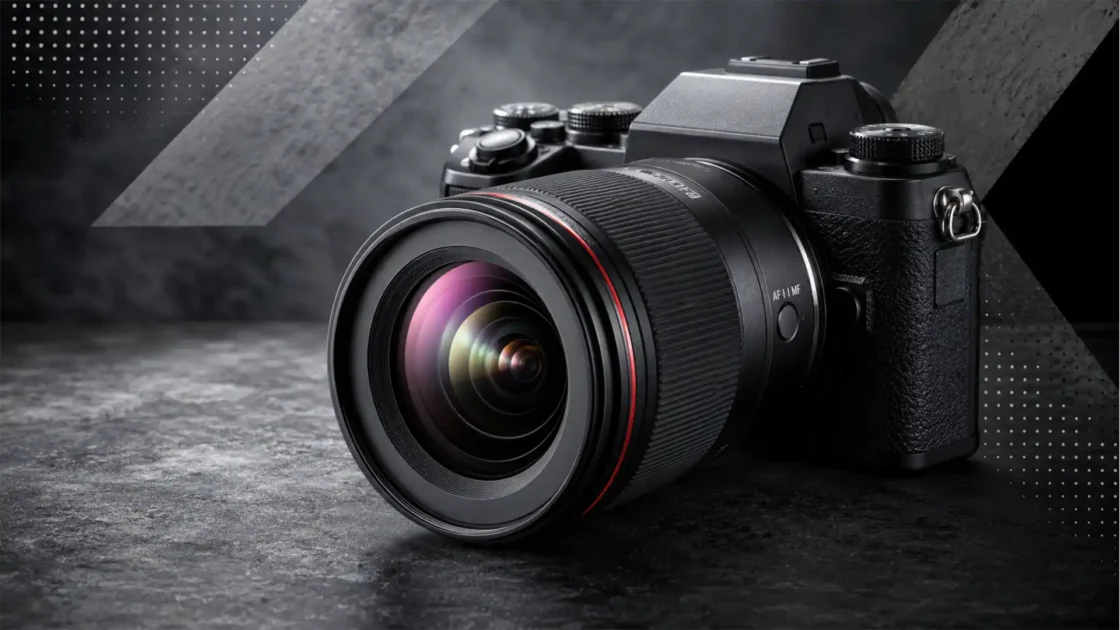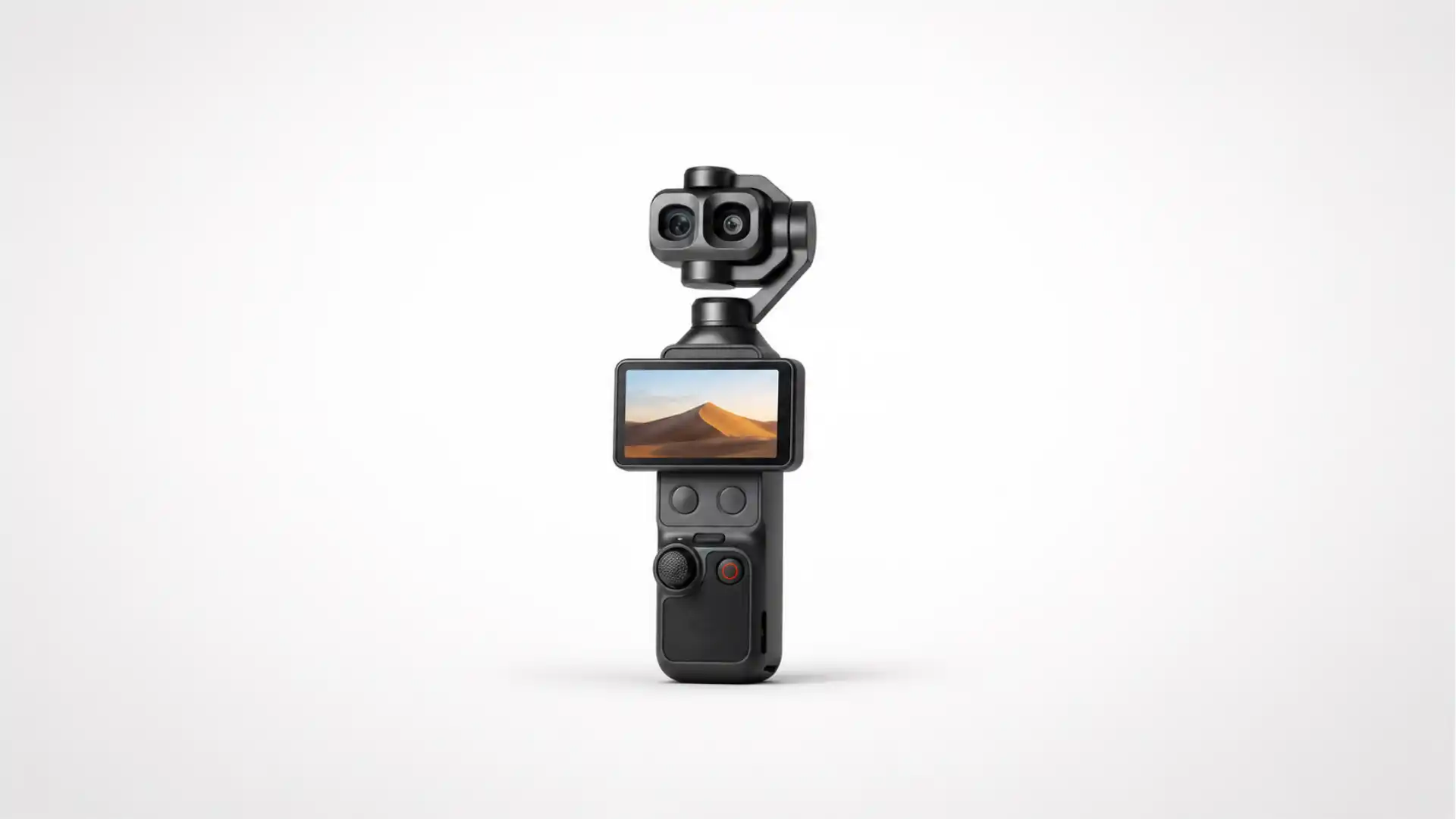
DJI’s Osmo Pocket 4P is not the usual annual bump to a compact creator camera. It takes the single-camera, three-axis-gimbal formula that made the Pocket line popular and gives it two focal lengths: a 20 mm-equivalent wide camera built around a 1-inch sensor, and a 60 mm-equivalent f/1.8 telephoto camera. The second lens matters more than the letter “P” suggests. It changes the kind of scenes the device can cover, the distance from which a presenter can be filmed, the way an interview looks, and the degree to which a solo creator can separate a subject from a busy background without fitting a larger camera rig.
Table of Contents
The Pocket 4P turns a familiar camera into a different proposition
The Osmo Pocket 4P is DJI’s first Pocket-series model built around a genuine wide-and-telephoto pairing rather than a single lens with a crop-based zoom. DJI announced the product on June 29, 2026, after first showing it at the Cannes Film Festival in May. The company lists a 1-inch wide-angle camera, 17 stops of claimed dynamic range, 10-bit D-Log 2, a 60 mm f/1.8 second camera, 4K recording up to 240 frames per second, and 103 GB of built-in storage.
That specification list places the Pocket 4P in an awkwardly interesting position. It is more capable than a phone in the areas where a small mechanical gimbal and a dedicated telephoto perspective matter most. It is far smaller and faster to deploy than an interchangeable-lens camera, even one mounted on a compact gimbal. Yet it cannot escape the limits of a 230 g integrated device: the lenses are fixed, the body is not a weatherproof production rig, and the advertised performance figures are only the beginning of the story. Image quality depends on codec, exposure, autofocus behavior, rolling shutter, heat management, lens rendering, audio, and the discipline of the person holding it.
The name also needs a small correction. “DJI Osmo Pocket 4P” is the actual product name, not a typo for “Pocket 4 Pro.” DJI has used the shorter 4P branding in its launch materials and store listings. Search results, leaks, and early reporting frequently used “Pro” before the final launch, which is understandable but no longer precise. That distinction matters because it separates the announced product from the rumour cycle that preceded it.
The useful way to read the launch is not as a verdict that compact cameras have beaten phones or mirrorless cameras. They have not. It is a bet on a narrower proposition: a pocket gimbal camera can be an intentional storytelling tool when its lens choices, color controls, stabilization, and sound workflow fit the job. The Pocket 4P’s ambition is to make that proposition credible for travel shooters, presenters, documentary crews, property and event work, social-video teams, and small businesses that want movement in their footage without treating every shoot as a full production.
The release arrived in two stages
DJI’s public rollout created understandable confusion because the 4P appeared first as a cinematic preview rather than a normal product launch. The company presented the camera at Cannes in May 2026, emphasizing professional framing, low-light work, portrait rendering, zoom, and D-Log 2 without initially publishing every commercial detail. A later formal launch on June 29 supplied the product identity and regional retail information now visible through DJI channels.
That staged approach resembles a film-industry reveal more than the standard consumer-electronics routine. The location helped DJI place the 4P beside small documentary and narrative workflows rather than beside action cameras. It also gave the company an early opportunity to shape expectations around color and dynamic range. The risk is that a claims-led preview can run ahead of independent testing. A stated 17-stop dynamic-range figure is not the same thing as 17 stops of clean, gradable latitude in practical scenes. Until test charts and controlled comparisons are widely published, the number should be treated as DJI’s measurement claim, not as a completed independent verdict.
The timing is also revealing. DJI introduced the single-lens Osmo Pocket 4 on April 16, 2026. That model already pushed the Pocket formula forward with a 1-inch sensor, 4K/240 fps slow motion, 14 stops of claimed dynamic range, 10-bit D-Log, 107 GB of internal storage, a 2-inch rotating OLED display, and ActiveTrack 7.0. The 4P followed just over two months later with a more substantial imaging distinction: a dedicated 60 mm-equivalent camera and a new D-Log 2 profile.
For buyers, the close spacing creates a simple problem. The Pocket 4 is not obsolete; it remains lighter, cheaper in markets where it is sold, and easier to recommend for wide-angle, walk-and-talk video. But the 4P’s second lens exposes the fixed limitation that all single-camera pocket gimbals share. A wide lens is excellent when the operator is close to the subject and needs environmental context. It is poor when a presenter wants a more natural perspective, a cleaner background, or a shot from the edge of a small room. A telephoto camera does not merely make distant objects bigger. It gives the editor a different visual grammar.
DJI has therefore split the product line by creative use rather than only by processor speed or megapixels. The Pocket 4 is the mainstream compact gimbal camera. The 4P is the version for buyers who understand the cost of being trapped at one focal length. That is a more defensible premium than a cosmetic “Pro” badge, although its value will depend on pricing and regional access.
The two-lens system is the core of the story
The Pocket 4P’s main camera combines a 1-inch sensor, a 20 mm-equivalent lens, and an f/2.0 aperture. DJI positions it as the wide, low-light, high-dynamic-range camera in the pair. The second camera uses a smaller 1/1.28-inch sensor with a 60 mm-equivalent f/1.8 lens. DJI and independent launch coverage describe it as providing 3× optical reach, with further crop-based and digital zoom modes available beyond that point.
On a conventional camera, a 20 mm lens and a 60 mm lens would be familiar tools with obvious differences. In a pocket gimbal, the relationship is more consequential because the operator cannot swap lenses, attach a long zoom, or rebuild the rig during a walk. The 20 mm camera handles a hand-held presenter, a city street, a group at a table, a hotel room, a car interior, or a large architectural view. The 60 mm camera is for the alternative: a face framed without pressing the lens into someone’s personal space, a detail across a market stall, a guest on a small stage, a short interview from a sensible distance, or an establishing shot that lets the background fall away.
The 60 mm-equivalent lens is not a replacement for a 24–70 mm zoom. It is a second point of view. That difference should temper buying decisions. Creators who want to change framing continuously during an event will still prefer a phone with a flexible multi-camera system, a bridge camera, or an interchangeable-lens body. The Pocket 4P’s lens pair is closer to a filmmaker’s deliberate choice: wide for proximity and energy, telephoto for compression and selection.
The smaller sensor behind the telephoto lens introduces a predictable trade-off. Its f/1.8 aperture is bright on paper, but sensor size remains a major factor in low-light performance, noise, highlight handling, and depth-of-field rendering. It would be careless to assume that the telephoto camera will match the wide camera in every lighting condition merely because both are branded as part of the same device. DJI’s marketing places the 17-stop figure around the wide 1-inch system; launch reporting identifies a 14-stop claim for the telephoto camera.
That asymmetry is normal. Many multi-camera systems pair a stronger main sensor with a smaller telephoto sensor because physical space and optical design become harder as focal length increases. What matters is whether the two cameras cut together convincingly in daylight, mixed interiors, and low-contrast dusk scenes. White balance, color response, sharpness, exposure steps, and autofocus behavior all affect whether a change of lens feels intentional or distracting. DJI’s D-Log 2 profile could help editors normalize the two views, but a log profile cannot create highlight information that a smaller sensor never captured.
A second practical point is minimum shooting distance. A 60 mm-equivalent lens can make a modest room feel more compressed and can turn ordinary backgrounds into usable texture. It also demands more room between camera and subject. That makes it strong for interviews, travel portraits, cooking demonstrations shot across a counter, or speeches from a few rows back. It is less useful for the classic creator use case of holding the camera at arm’s length. In that situation, 20 mm remains the natural lens, and the 4P’s appeal rests on whether a creator regularly moves beyond that one familiar composition.
The central differences between the two current Pocket 4 models
| Feature | Osmo Pocket 4P | Osmo Pocket 4 |
|---|---|---|
| Main camera | 1-inch, 20 mm-equivalent, f/2.0 | 1-inch, 20 mm-equivalent, f/2.0 |
| Second camera | 60 mm-equivalent, f/1.8, 1/1.28-inch sensor | None |
| Claimed dynamic range | 17 stops on the main camera | 14 stops |
| Log profile | 10-bit D-Log 2 | 10-bit D-Log |
| Slow motion | Up to 4K/240 fps | Up to 4K/240 fps |
| Built-in storage | 103 GB, expandable by microSD | 107 GB, expandable by microSD |
| Weight | 230 g | 190.5 g |
| Subject tracking | Smart Follow / ActiveTrack generation 8 | ActiveTrack 7.0 |
The comparison makes the product split plain. The Pocket 4P is not a resolution upgrade over the Pocket 4; it is an upgrade in lens choice, claimed tonal latitude, and the scope of a one-person shooting workflow. The Pocket 4 remains a lighter single-lens option with almost the same wide-camera frame-rate headline.
Seventeen stops is a claim that needs careful reading
Dynamic range is one of the most abused terms in camera marketing because the headline number is easy to repeat and difficult to interpret without knowing the measurement method. In the simple sense, it describes the span between the darkest and brightest parts of a scene that a camera can record with usable detail. More stops can mean more room to preserve a bright sky while retaining information in faces under shade, more flexibility to lift a shadow during color grading, or a smoother result when a scene shifts rapidly between high and low contrast.
DJI says the Pocket 4P’s 1-inch wide camera reaches 17 stops of dynamic range and pairs that claim with a new 10-bit D-Log 2 profile. The Pocket 4, by comparison, is marketed at 14 stops with D-Log. The progression is substantial on paper, particularly for a device this small.
But no buyer should convert that difference directly into a promise that every sunset, nightclub, or window-lit interview will look like a cinema-camera production. Dynamic-range claims may be measured at a very low signal-to-noise threshold, at a particular ISO, using a particular noise-reduction approach, or through a high-dynamic-range capture process that has trade-offs in motion. Each method can be legitimate, but the result can look very different in real footage. The tests that matter are not only charts. They are scenes with moving people, changing exposure, color-critical skin tones, neon signs, white shirts under sunlight, and shadows that need lifting without dissolving into chroma noise.
The strongest early interpretation is that the 4P may give editors more protection at the wide end, not that it removes the need to expose carefully. The wide camera’s 1-inch sensor, f/2.0 aperture, and mechanical stabilization offer a favorable starting point for a small device. A professional operator will still set exposure with highlight preservation in mind, choose an ND filter when a cinematic shutter speed is needed in daylight, and avoid treating log recording as a cure for a badly exposed shot.
The 17-stop claim is nevertheless strategically important. It tells prospective buyers that DJI is pursuing a different audience from the person who only wants quick, bright, stabilized clips. D-Log 2, by design, is a workflow decision. It asks the user to accept flatter-looking footage in exchange for more tonal information and greater control during conversion and grading. It also asks for proper monitoring, sensible white balance, enough storage, and an editing system that can handle 10-bit HEVC files without turning the process into a chore.
A creator who exports directly to short-form platforms may prefer a normal color profile and a reliable exposure result. A wedding shooter, documentary team, brand producer, or travel filmmaker working toward a controlled edit may value the log option far more. The Pocket 4P is trying to cover both users, and that creates an unavoidable tension. A device that is easy enough for a casual operator must not hide the settings that a serious operator needs. The quality of the user interface, presets, and color transforms will determine whether that balance holds.
Independent coverage has already flagged the need for testing rather than accepting the 17-stop comparison at face value. Engadget noted that the number would need verification after release, particularly because it places the product in a class usually associated with much more expensive cinema cameras. That is the correct level of caution. A high dynamic-range claim is useful evidence of engineering intent; it is not evidence of equal performance until verified with repeatable tests.
D-Log 2 changes the post-production question
D-Log 2 is the Pocket 4P feature that may matter most to editors and least to people who shoot only for immediate posting. A log curve records an image in a deliberately flat form so that more tonal information can fit into the recording. The trade-off is simple: the footage looks washed out before it is transformed and graded. The benefit is that the operator has more latitude to shape contrast, saturation, highlight roll-off, and color balance later.
DJI describes D-Log 2 as a new 10-bit profile intended to support professional color-grading workflows. The 4P announcement connects it directly to the 17-stop dynamic-range claim, which suggests that the camera’s image pipeline and profile were developed as a single system rather than as a cosmetic menu option.
The word “professional” should not obscure the practical workload. Recording log is only sensible when the person handling the files knows where the final image is going. A project destined for Rec.709 video needs a conversion step. A project destined for HDR needs a different color-management plan. A team mixing footage from a Pocket 4P, a phone, a mirrorless body, and an existing archive needs consistent transforms, white-balance decisions, and exposure discipline. A single LUT applied blindly at the end is rarely enough.
There is a more basic issue. Log profiles generally work best when footage is exposed with care and when the codec provides enough precision to survive adjustment. The 4P’s 10-bit recording is therefore more important than the word “log” alone. Ten-bit files carry more tonal gradations than 8-bit files and reduce the risk of obvious banding during a moderate grade, especially in skies, walls, and smooth out-of-focus backgrounds. They do not eliminate banding caused by harsh compression or heavy manipulation, but they make the workflow less fragile.
For a creator who does not grade, D-Log 2 is not automatically better footage. It is an option that rewards a different process. DJI’s challenge is to provide a pleasing standard profile, a credible log-to-display conversion, and documentation clear enough that buyers understand which setting matches their deadline. The best small cameras do not punish simple shooting; they allow more control when the job needs it.
That point also shapes the significance of the 4P’s dual-camera design. A wide/telephoto device is useful only if its images match. A good log profile could make it easier to cut between a broad establishing shot and a tighter portrait without an abrupt color or contrast jump. A poor match would make the second lens feel like a technical feature rather than a usable storytelling tool. Early hands-on impressions are encouraging but not definitive; the camera reached reviewers very recently, and published final reviews remain limited.
The telephoto lens changes composition before it changes reach
Marketing language tends to treat zoom as a way of getting closer to far-away things. That is true, but it misses why a 60 mm-equivalent camera is useful to a videographer. Lens choice determines perspective relationships in a frame. A wide lens used close to a person exaggerates near features and stretches the apparent distance between foreground and background. A medium telephoto lens used from farther away compresses the scene, brings background elements visually closer, and often produces a calmer, more selective image.
For a presenter filming in a city, that means the 20 mm lens can put the audience inside the environment: pavement, crowd, storefront, skyline, movement. The 60 mm lens can isolate the presenter against the same street and make the location feel denser. For an interview, the wide camera can establish the room and body language; the telephoto can deliver a tighter, more flattering speaking shot. For product detail, food, travel, or crafts, it can let the operator step back and still create a stronger frame.
The 4P’s value is less about seeing farther than about giving a small crew the option to vary its visual rhythm. A one-person shoot becomes less monotonous when it can alternate between wide context and medium detail without pulling out a second camera. Editors use that change of perspective to hide cuts, introduce a new point, separate chapters, or make a spoken sequence feel more deliberate.
The constraint remains important. A 60 mm-equivalent lens is neither a sports lens nor a wildlife lens. The 3× optical change from 20 mm to 60 mm will be meaningful for portraits, architecture, travel details, and modest stage distance. It will not turn the Pocket 4P into a long-lens camera for field sports or distant animals. DJI’s published zoom ladder includes optical reach, crop-based lossless enlargement, and digital extension, but the cleanest image will come from the native camera and the limits of its sensor.
A separate concern is stabilization. Telephoto footage magnifies small movements. The mechanical gimbal has more work to do at 60 mm than at 20 mm, and a walking shot that looks graceful on the wide camera may become more obviously unstable on the tighter lens. Good operators will adjust their movement: slower steps, shorter pans, more static holds, and an awareness that the gimbal cannot correct every kind of motion. The 4P’s three-axis system provides a real advantage over purely electronic stabilization, but it does not repeal the physics of a hand-held telephoto shot.
There is also a focus question. A tighter lens gives autofocus less room for error when the subject moves toward or away from the camera. DJI’s latest tracking system is intended to recognize and follow a subject, but automated tracking is not identical to a trained focus puller. The more cinematic the framing becomes, the more obvious a focus miss becomes. Buyers attracted by the portrait lens should test it in the situations they actually shoot: walking presentations, dim interiors, faces turned in profile, glasses, bright backlight, and busy foreground objects.
Four-kilopixel slow motion is a flexible tool, not a default mode
Both the Pocket 4P and the standard Pocket 4 advertise 4K video up to 240 fps. That number is immediately attractive because it implies dramatic slow motion without dropping to a lower recording resolution. DJI says the 4P’s main camera supports the mode, and the Pocket 4’s original launch likewise presented 4K/240 fps as a headline capability.
A high frame rate is useful in more grounded ways than the familiar slow-motion montage. It can turn an unstable movement into something calmer in post, make a short cutaway more usable, let water, fabric, smoke, sport, or traffic carry a scene, and give an editor a way to cover a jump in an interview. At a 24 fps timeline, 240 fps footage can play back at one-tenth speed. At 30 fps, the slow-down is eightfold. That is visually powerful, but it also changes the production conditions.
High frame rates need more light because each frame receives less exposure time. They also demand a faster shutter speed, which can reduce motion blur and create a crisp or staccato look if the footage is played at normal speed. A creator who selects 240 fps in a dim restaurant or at sunset may discover that the camera raises ISO, applies noise reduction, or produces a darker result than expected. Slow motion is usually a daylight or well-lit tool, not a substitute for a fast lens in darkness.
The other practical question is whether every mode is available on every lens and with every imaging feature. The launch material makes the 4K/240 fps claim around the primary camera, while third-party reporting emphasizes that the wide main camera is the high-frame-rate component. Buyers should inspect DJI’s current regional specification page and manual before building a workflow around a particular combination of frame rate, tracking, crop, log profile, and lens. Product pages change as firmware develops, and narrow capability combinations are where assumptions become expensive.
For most narrative, travel, business, or presentation work, 24, 25, or 30 fps will remain the normal capture rate. The quality of the ordinary frame rates matters more than an occasional 240 fps flourish. A good Pocket 4P workflow would reserve the high-speed setting for material with visible movement and a clear editorial purpose. Recording everything at 240 fps wastes storage, reduces available light, and gives the edit a false sense of drama.
A mechanical gimbal still solves a different problem from software stabilization
The Pocket line exists because its camera is suspended on a three-axis mechanical gimbal. The physical motors counter small rotations and keep the lens orientation steady as a person walks, pans, or turns. Phones and action cameras increasingly use excellent electronic stabilization, but they solve the problem differently. Electronic systems crop into the image and use motion data to stabilize the result in software. A mechanical gimbal moves the camera itself.
A three-axis gimbal does not make every shot cinematic. It makes certain moving shots possible without rebuilding the camera setup. Walking alongside a speaker, revealing a room through a doorway, following a child at eye level, gliding around a table, or delivering a controlled push-in becomes more repeatable when the lens remains level and the horizon does not bounce with each step.
DJI’s Pocket 4 materials describe several gimbal modes and emphasize ActiveTrack 7.0, while the 4P is presented with later Smart Follow / ActiveTrack generation 8 tracking. This is a continuing part of the Pocket proposition: the gimbal and subject-recognition system work together so that a single operator can hold a frame while moving.
The limitation is that a gimbal can create a different kind of awkwardness. Quick direction changes may produce a delayed response. Fast pans can look artificial. An operator who walks with poor technique can still introduce vertical bounce that a small gimbal cannot fully hide. The compact form also leaves little room for the counterweight and inertia that make a larger handheld gimbal feel smooth. The operator must learn the device: bend knees slightly, move from the hips, plan the start and end of a move, and let the camera settle before a critical take.
The gimbal is also a mechanical component exposed at the top of a small device. It needs a protective cover during transport. It can be knocked out of alignment by rough handling. It has to be treated differently from a sealed action camera that can be thrown into a bag or mounted outside in rain. DJI’s product family is built around portability, not indestructibility. A person deciding between a Pocket 4P and an action camera should start with the shooting environment, not with which specification list looks longer.
For travel creators, the distinction is straightforward. An action camera is for water, impact, mounting, and wide-angle immediacy. The Pocket 4P is for hand-held movement, controlled framing, and a more camera-like image. A phone is for speed, connection, and multi-purpose convenience. A mirrorless camera is for lens choice, larger sensors, deeper manual control, and a more complex kit. The 4P sits between them, and it succeeds only when that middle ground is the actual job.
The body remains small, but the workflow is larger
At 230 g, the Pocket 4P remains extraordinarily light compared with a dedicated camera plus gimbal. The standard Pocket 4 is listed at 190.5 g, so the 4P adds roughly 39.5 g for its second camera and accompanying changes. The difference is small in a backpack and noticeable only in the narrowest sense of pocketability.
Weight is not the whole portability equation. The Pocket 4P still needs storage, a cable, a protective case, and, for a serious shoot, power and sound. DJI’s retail bundles make that explicit. In Singapore, the standard combo was listed at US$609 at the time checked, while a Vlog Combo added items including a DJI Mic Mini 2 transmitter, Osmo FrameTap remote touchscreen, mini tripod, and carrying bag. Prices, stock, tax treatment, and bundle names vary by territory, so no buyer should treat one regional store page as a global price card.
That bundle logic reveals the intended user. The bare camera is enough for travel clips and quick walk-and-talk shots. The broader kit turns it into a small production system. A wireless microphone helps more than most image upgrades when recording an interview, a presentation, or a social-video piece. A mini tripod allows a static second angle or a self-shot. A remote viewing screen lets the operator place the camera farther away without losing control of framing. ND filters help hold shutter speed in bright conditions. A battery handle extends practical shooting time.
The real purchase decision is not “camera only” versus “camera with extras.” It is whether the owner can make sound, power, support, and exposure part of the kit from day one. A $600 compact camera with poor sound and no stable support will often produce less publishable work than a cheaper camera paired with a good microphone and a plan.
The body design also imposes habits. A pocket device encourages spontaneous shooting, which is valuable. It can also encourage careless shooting: vertical clips with accidental horizon changes, files spread across internal and external storage, no backups during travel, and no check of audio levels before a one-time interview. The Pocket 4P may shorten the distance between idea and recorded image, but it does not shorten the distance between an unplanned shoot and a reliable deliverable. That gap is still covered by preparation.
Internal storage solves one problem and creates another
DJI lists 103 GB of built-in storage for the Pocket 4P and says it can be expanded with a microSD card. The standard Pocket 4 is listed with 107 GB and microSD expansion. The figures are close enough that the difference is not a buying factor; the significant point is that DJI now treats internal storage as a central part of the Pocket workflow rather than as a token convenience.
Internal storage is valuable on a small camera because it prevents the most mundane failure in creator video: arriving at a location with no card, a slow card, a damaged card, or a card full of old footage. It also makes the product feel more like a ready-to-use device. DJI estimates that the Pocket 4P can hold more than 200 minutes of 4K/60 fps footage at a standard bitrate on its internal memory, although actual capacity depends on mode and bitrate.
The downside is less obvious until a larger shoot. Internal storage is not as easy to hand to an editor, duplicate in a field, or rotate through a multi-day trip as removable media. It makes fast transfers important. It makes a disciplined backup routine necessary. It can create a false sense that the camera holds “enough” video, until a creator selects a demanding high-frame-rate or log mode and fills space faster than expected.
Built-in storage is insurance, not a media-management strategy. The sensible approach is to treat it as a safety net and use a vetted microSD card for planned work. At the end of the day, copy footage to two locations where possible: a laptop or SSD and a separate backup. Check that the files open before formatting anything. A pocket camera is small enough to be carried everywhere; that makes it more likely to capture material worth keeping and more likely to accumulate material before the owner has organized it.
Transfer speed matters too. DJI promotes fast transfer for the Pocket 4 family, but the real user experience will depend on the cable, host device, file format, and the amount of footage. A short 4K sequence is easy. A day of 10-bit log video is not. Buyers should budget for a reliable USB-C SSD and the time to move files, not only for the camera itself. This sounds prosaic, but media handling is where many otherwise good compact-camera workflows fail.
Tracking promises less solo-camera anxiety
A solo creator usually needs the camera to do several things at once: keep the horizon level, maintain focus, follow the intended subject, avoid reframing at the wrong moment, and record usable sound. No automated tracking system manages all of that perfectly, yet each improvement reduces the number of shots that need a second operator.
The Pocket 4 established DJI’s ActiveTrack 7.0 with subject-lock functions, registered-subject priority, dynamic framing, spotlight-style tracking, and gesture controls. DJI says its newer Pocket 4P system provides Smart Follow / ActiveTrack generation 8 functionality. Launch coverage describes tracking that can reframe and zoom to keep a person or group in view.
There are two ways to assess such features. The first is as a convenience layer. For a presenter talking to camera while walking through a market, a simple subject lock can prevent a rushed take from becoming unusable because the frame drifts. For a parent filming a child, it can reduce the need to stare at the screen. For a business owner recording a demonstration alone, gesture controls can start a clip without walking back to the device.
The second is as a risk layer. Any system that identifies and follows a subject may choose the wrong face, lose the person behind an obstacle, hunt between a foreground object and background, or respond too late during quick movement. The more the operator relies on it, the more important it is to test the failure modes. Automated tracking should be treated as an assistant, not as a guarantee of framing or focus.
The Pocket 4P’s telephoto lens raises the stakes. At 60 mm, small reframing errors are more visible. A subject near the edge of the frame can leave it quickly. The camera may need more time to recover if focus changes. A careful solo operator will use the tracking tools, but will also build in margin: wider framing when movement is unpredictable, multiple takes, and a second static angle when an event cannot be repeated.
The strongest use case is controlled movement rather than chaos. A walking interview on a sidewalk, a travel host moving through a location, a workshop demonstration, or a presenter speaking in a small space gives the system a subject and a predictable path. A crowded dance floor, a fast sport, a dark concert, or a rapidly changing scene asks more than any pocket camera can consistently deliver. The distinction is not a criticism. It is an honest boundary on what a 230 g camera can automate.
Audio is still the line between casual video and publishable work
The Pocket 4P is an imaging story, but video viewers forgive a slightly imperfect image more readily than muffled, distant, echoing, or distorted speech. DJI’s Pocket 4 materials point to multi-channel OsmoAudio support, and the 4P’s Vlog Combo includes a DJI Mic Mini 2 transmitter. That pairing is not an incidental accessory upsell. It acknowledges that serious use will often require a microphone close to the person speaking.
The built-in microphones remain useful for ambient sound, quick clips, reference audio, and situations where attaching a wireless mic is impractical. They should not be expected to overcome wind, traffic, a large reverberant room, or a subject several feet away. A small camera placed on a mini tripod across a table will record the room, not the interview. The telephoto lens may make the image look intimate from a distance; it does nothing to make distant sound intimate.
The best first accessory for a Pocket 4P owner who records people speaking is likely a microphone, not a filter. That is particularly true for reporters, educators, business owners, travel hosts, and property presenters. A modest wireless mic can create a larger improvement in perceived production quality than a small change in color profile. It can also make editing faster because the voice is clearer and more consistent.
Sound workflow has a technical side as well. Check levels before the take. Monitor where the setup permits it. Record a few seconds of room tone. Watch for clothing noise, wind, interference, and handling noise. Back up critical audio where possible. These are old production habits, but compact cameras make them easier to forget because the device feels like a phone. The Pocket 4P’s size is an advantage only when it does not make the operator careless.
The regional availability problem is real, but it needs precise language
The Pocket 4P’s availability is uneven. DJI store listings available on June 30 showed a standard combo at US$609 in Singapore and HK$4,699 in Hong Kong, while China pricing had previously been listed at ¥3,799 for the standard package. DJI’s global commercial rollout remains region-specific, and stock status changes quickly.
For United States readers, early reporting has repeatedly said that the Pocket 4 and 4P are not sold through official U.S. retail channels. The backdrop is a complicated FCC equipment-authorization environment and rules involving the Covered List. It is easy to turn that into a slogan such as “DJI is banned,” but that phrase is too blunt to be useful. The FCC’s Covered List framework concerns equipment deemed to pose unacceptable national-security risk, and the 2025–26 UAS actions specifically address foreign-made uncrewed aircraft systems and UAS critical components.
A pocket gimbal camera is not an uncrewed aircraft system. Its U.S. commercial path can still be affected by radio-equipment authorization and DJI’s broader regulatory position, but the device should not be casually described as a drone. Media reports have used “FCC ban” as shorthand for the 4P’s lack of official U.S. availability. A more accurate phrasing is that official U.S. availability is constrained and not established for the Pocket 4P as of June 30, 2026; buyers should not assume that an imported unit has the same warranty, radio compliance, after-sales service, or support path as a locally sold product.
That distinction matters for more than legal nicety. Imports can involve a different power adapter, language setup, warranty policy, return process, repair eligibility, firmware timing, tax treatment, and carrier or radio behavior. A buyer who uses the camera commercially also needs to consider insurance and client expectations. Saving money on an unofficial import can become expensive if a damaged gimbal has no straightforward repair channel.
The availability question also changes the market narrative. In regions where DJI sells the 4P normally, it competes on its own merits against phones, action cameras, compact cameras, and the new two-lens offerings from Insta360. In the United States, product choice is shaped as much by what is purchasable and supportable as by sensor size or color science. That is not a footnote; it is part of the product.
Price makes the 4P an argument, not an impulse buy
A listed price of US$609 for the Singapore standard combo and ¥3,799 in China places the Pocket 4P well above a casual accessory purchase, though below the cost of many mirrorless camera and gimbal combinations. It also sits in a direct competitive conversation with the Insta360 Luna Ultra, which The Verge reported at US$769.99 in the U.S. for its base configuration. Regional taxes and pricing mean the numbers are not directly comparable, but the gap shows DJI’s likely intention: deliver a dedicated dual-camera gimbal system without crossing into high-end interchangeable-lens territory.
The question is not whether US$609 is cheap. It is whether the buyer would otherwise carry a phone, a small camera, a gimbal, a microphone, batteries, and possibly a second lens. For a creator who already owns a strong phone and rarely films people or movement, the case is weak. For someone who often records a presenter, walks through locations, shoots travel material, or needs a wide and medium-telephoto angle in a tiny kit, the price begins to make more sense.
The 4P’s economics also depend on the bundle. A bare device may look affordable until the owner adds a microphone, ND filters, a support handle, a small tripod, a case, storage, backup drive, and coverage. The Vlog Combo is closer to a ready-to-work package, but it may contain accessories an individual owner already has. Buyers should price a complete shooting system, not a headline device.
A professional buyer should add the cost of time. Does the 4P reduce setup time enough to create more usable footage? Does it avoid the need for a second camera? Does it create shots that a phone cannot deliver at the same speed? Does it fit into a location where a larger rig would be intrusive? Those are business questions, not specification questions. The Pocket 4P’s strongest financial case is likely to come from frequency of use, not from a single standout feature.
The first comparison should be with the Pocket 4, not with a cinema camera
The Pocket 4P’s nearest rival is the Pocket 4. Both share the basic vertical pocket-gimbal design, a 1-inch wide camera, 4K/240 fps slow motion, a rotating 2-inch touchscreen, mechanical stabilization, internal storage, and a creator-focused support ecosystem. The 4P adds a telephoto camera, more mass, 103 GB rather than 107 GB of internal storage, a 17-stop claim for its wide camera instead of 14, and D-Log 2.
That makes the decision clearer than the marketing might suggest. Choose the standard Pocket 4 when the majority of footage is wide-angle, fast, informal, and made for a single-camera workflow. Its lighter 190.5 g body is easier to carry daily. Its 20 mm-equivalent field of view is still the right lens for hand-held speaking, groups, rooms, and travel context. The 4P is not inherently “better” in every shot. It is more capable in a narrower set of shots.
Choose the 4P when medium-telephoto framing is already part of the plan. That includes interviews, travel portraits, small events, hospitality content, food and craft details, school or business presentations, and documentary sequences where a shot from across the room improves the scene. The second lens also makes the device more credible as a B-camera beside a larger main camera because it can provide a different angle without resorting to a severe digital crop.
The price difference matters, but the more durable distinction is composition. A buyer who does not care about 60 mm will not suddenly become a better storyteller because the lens exists. A buyer who repeatedly wishes their Pocket footage looked less wide will notice the difference on the first serious shoot. That is the dividing line.
The comparison with phones is more complex than it looks
A high-end phone is already a formidable video tool. It has multiple cameras, computational photography, an always-connected editing and publishing workflow, a bright screen, and no extra device to pack. Many phones include a wide, ultrawide, and telephoto camera. They can record respectable video, capture quick social clips, and switch between lenses faster than a dedicated camera can be unpacked. Any Pocket 4P assessment that ignores phones is incomplete.
The Pocket 4P’s answer is not “more megapixels.” It is a physical three-axis gimbal, a dedicated 1-inch main sensor, a 60 mm-equivalent f/1.8 camera, a purpose-built camera interface, a rotatable display, direct integration with DJI’s audio system, and a body designed to be held as a camera rather than as a communications device. In sustained movement, those differences can be obvious. A phone can stabilize well, but it often crops in and can produce a different feel from a mechanically stabilized lens. A phone telephoto can be excellent, but may switch sensors or alter processing in ways that complicate consistency.
The Pocket 4P is strongest where a phone’s convenience begins to collide with a need for intentional movement and controlled framing. It is weakest where speed of sharing, wide app access, and zero extra gear matter more than image control. A journalist filing a quick update may prefer the phone. A creator recording a polished walk-and-talk may prefer the 4P. A small brand making a short campaign may use both: phone for immediacy, Pocket for motion and cutaways.
The phone comparison also exposes an uncomfortable point for dedicated cameras: the user now expects a frictionless workflow. If file transfers are slow, log conversion is confusing, tracking requires too much setup, or app activation becomes a barrier, the phone wins by default. DJI must make the Pocket 4P feel like a camera when that is useful and like a simple creator tool when speed matters. Its hardware is only half the product.
The comparison with the Insta360 Luna Ultra defines the new category
Insta360’s Luna Ultra is the most direct external comparison because it also uses a two-camera pocket-gimbal concept. The Verge reported that the Luna Ultra combines a 1-inch 8K main camera with a secondary telephoto camera, a detachable touchscreen-and-control unit, 47 GB of built-in storage, 8K/30 fps and 4K/120 fps recording, and a US$769.99 starting price. The Pocket 4P counters with 4K/240 fps on its main camera, 103 GB of built-in storage, a 20 mm f/2.0 wide lens, a 60 mm f/1.8 telephoto lens, and a 230 g body.
Pocket 4P and Luna Ultra in the trade-offs that matter
| Decision point | DJI Osmo Pocket 4P | Insta360 Luna Ultra |
|---|---|---|
| Main resolution emphasis | 4K with high-frame-rate slow motion | 8K capture at up to 30 fps |
| Main-camera dynamic-range claim | 17 stops | 14 stops |
| High-frame-rate option | 4K/240 fps | 4K/120 fps |
| Built-in storage | 103 GB | 47 GB |
| Control approach | Integrated screen with optional FrameTap remote | Detachable touchscreen/controller |
| Starting price reported at launch | ¥3,799 in China; regional price varies | US$769.99 in the U.S. |
| Lens strategy | 20 mm wide plus 60 mm telephoto | 20 mm wide plus telephoto |
The raw comparison should not be reduced to “8K versus 4K.” Resolution has real value for reframing, stabilization in post, and delivery formats that may demand larger files. Yet frame rate, color, stabilization, storage, lens rendering, workflow, and price can matter more to the finished film. The Pocket 4P appears to favor dynamic range, slow motion, and an established vertical-gimbal form; the Luna Ultra makes the stronger pitch to buyers who value 8K capture and a detachable control screen.
The more interesting market development is the category itself. DJI and Insta360 are treating the pocket gimbal not as a side product for vloggers, but as a serious small-camera form. That shift has consequences. Buyers will ask tougher questions about log color, heat, audio, remote operation, storage, and lens matching. They will compare them not just with phones but with compact cinema rigs. The Pocket 4P is part of that move, and its dual-lens system is DJI’s statement that a one-lens gimbal camera is no longer enough at the high end.
A short list of buyers who should resist the launch excitement
The Pocket 4P will attract people who like cameras. Not all of them need it. The easiest way to avoid a poor purchase is to identify the situations where its advantages do not solve the real problem.
A person who films almost everything at arm’s length does not need the 60 mm lens often enough to justify a premium. A person who needs waterproofing, helmet mounting, skiing footage, or rough outdoor use should start with an action camera. A person who needs interchangeable lenses, a large sensor in every focal length, long recording durations, timecode-dependent multi-camera production, or strong manual controls will still need a more conventional camera. A person who only publishes immediately from a phone may find the transfer and editing step counterproductive.
The 4P is not a universal replacement for a phone, an action camera, or a mirrorless camera. It is a compact answer to a very specific set of shooting frustrations: too-wide footage, shaky movement, slow setup, and no second perspective. Buyers who do not feel those frustrations should not pay to solve them.
There is a subtler reason to wait. The 4P is newly launched, and early independent testing is limited. A person whose work depends on exact autofocus behavior, low-light image quality, heat performance, or color matching should wait for longer-form reviews and sample files. The release is notable, but the camera’s professional claim will be established in use, not in a launch announcement.
Independent testing will decide whether the headline claims hold up
The launch material gives the Pocket 4P a dramatic list of credentials, but professional users should separate the manufacturer’s claims from measured performance. That is not a cynical response to a new camera. It is the normal discipline of choosing a tool that may sit inside paid work. A one-inch sensor, a bright telephoto lens, 10-bit D-Log 2, high-frame-rate 4K, and a compact mechanical gimbal form a persuasive package. None of those items alone answers the questions that decide whether footage will survive a demanding edit: how much usable shadow detail remains after a grade, whether the telephoto lens resolves fine texture cleanly, whether autofocus holds a face in backlight, whether colors match across the two cameras, and whether the body can sustain its best modes without heat interruptions.
The first wave of reviews often concentrates on first impressions because time with a launch unit is short. That is useful for assessing handling, menus, size, and obvious image character. It is not enough to settle long-run questions about reliability. A thorough test needs repeated recording in warm rooms and direct sun, a controlled chart test, mixed-color lighting, moving subjects, audio checks, file-transfer checks, and comparison material against the Pocket 4, a current phone, and a small mirrorless system. It should include the frame rates buyers are most likely to use rather than only the most impressive mode on the box.
The decisive question is not whether the Pocket 4P produces attractive clips on a bright launch day. It is whether it produces predictable clips under pressure. Predictability is what turns a compact camera into working equipment. A travel creator needs to know whether the battery and storage will last through a long day away from power. A real-estate shooter needs to know whether a bright window will blow out behind an interior. A reporter needs to know whether a tracked interview remains sharp when a subject moves toward the lens. A wedding operator needs to know whether the 60 mm camera can hold focus in a dim reception room without a distracting hunt.
Early buyers should therefore treat the first weeks as a period of discovery rather than permanent judgment. Firmware can improve tracking, stabilization behavior, codec reliability, and app workflow. Firmware can also introduce problems or change the characteristics users liked in the first release. Keeping a record of camera version, settings, and observed behavior makes it easier to distinguish a setup issue from a product limitation. It also makes discussion more useful than a vague claim that a camera is “good” or “bad.”
There is a commercial reason to wait for evidence. The 4P asks buyers to pay for a specialist capability: a dual-lens pocket gimbal. The useful comparison is not only its image against a larger camera under ideal light. It is the ratio of quality to friction. If the 4P can be carried all day, switched on instantly, framed reliably, and edited without color surprises, it may produce more finished work than a technically superior body left at home. If it adds a new category of media-management and support problems, the size advantage starts to erode.
Low-light scenes will expose the split between the two cameras
The 1-inch wide camera is likely to be the Pocket 4P’s dependable low-light tool. Its sensor is physically larger than the telephoto sensor, and the 20 mm-equivalent f/2.0 lens allows a wide view that is forgiving of small hand-held motion. The mechanical gimbal further helps with deliberate, slow movements. That combination should make the wide lens useful in restaurants, city streets after sunset, hotel interiors, museums, and homes where a phone may raise processing aggressively or a larger camera may be too conspicuous.
The 60 mm camera poses a different problem. The f/1.8 aperture is bright, but the narrower field of view magnifies motion and reduces the margin for stabilization. The smaller 1/1.28-inch sensor also has less light-gathering area than the main camera. This does not make the telephoto camera a weak feature. It makes it a camera that will ask for more considered use. In moderate light, it may provide the most visually distinctive footage in the device. In very dim scenes, a creator may need to accept more noise, a slower movement, a brighter practical light, or a switch back to the wide camera.
A dual-camera device does not create equal low-light performance at every focal length. It creates choices, and the stronger choice will change with the light. That is a normal property of multi-camera systems. A careful operator will not insist on the telephoto lens merely because it produces a flattering frame in daylight. They will look at the exposure, test the result on a larger screen, and decide whether the tighter shot remains worth the image-quality trade-off.
Noise reduction will be a critical part of the story. Small cameras often look clean at first glance because their internal processing smooths noise aggressively. The price can be waxy skin, reduced fine detail, unstable texture in foliage or hair, and motion that looks strangely processed. Log footage may provide more control, but it will not restore detail removed by noise reduction. Independent tests should examine both normal color profiles and D-Log 2 at several ISO settings, then compare the results after a restrained grade rather than after a dramatic social-media look.
White balance is equally important in low light. Restaurants, shops, concerts, and street scenes often mix daylight, tungsten-like practical lamps, LEDs, signage, and colored light. Automatic white balance can change during a take, which makes grading harder and can make a cut between the wide and telephoto cameras more obvious. Manual white balance, or at least locking a chosen value before an important take, remains a simple professional habit. The Pocket 4P’s compact form does not make that habit less relevant.
The best way to test a compact camera in the dark is to film ordinary scenes, not only a dramatic night skyline. Record a person sitting near a window after sunset. Pan across a room with warm lamps and a cool television screen. Film a walking subject under streetlights. Watch the footage at normal speed and slow speed. Look for color shifts, focus pulsing, smearing in dark areas, and highlight clipping from signs and lamps. These are the scenes that determine whether a low-light camera is a creative asset or a marketing line.
Color matching will determine whether the second lens feels professional
A second lens improves a shoot only when it can be cut into the same sequence without pulling attention away from the story. Editors notice mismatched cameras quickly. One angle might render a face slightly magenta, another slightly green. One may carry stronger contrast, another may have softer shadows. One may sharpen edges aggressively, while another has a gentler look. A viewer may not describe the fault in those terms, but will often feel that the edit has become less coherent.
DJI’s move to D-Log 2 is therefore relevant beyond the main camera’s dynamic-range claim. A common log workflow gives the editing team a starting point for normalizing contrast and color. It does not guarantee that the two sensors will behave identically, but it may reduce the distance between them. The most useful test footage will include a color chart, skin tones, foliage, white objects, blue sky, and artificial light, recorded from both cameras under the same exposure conditions. Editors should then try a straightforward color-managed conversion before using complicated secondary corrections.
Color consistency is the hidden requirement behind every dual-camera product. A device can have impressive individual lenses yet remain frustrating if the user must spend too long repairing the transition between them. For fast-turnaround social work, the problem is even sharper. A creator may not have time to build custom grades for each project. The camera needs a normal profile that makes the wide and telephoto images feel related straight from the card.
Skin tone deserves separate attention because the 60 mm lens will be used often for people. Its purpose is partly aesthetic: a tighter perspective can make a presenter or interview subject look more natural than a close wide shot. If the telephoto camera handles skin poorly under mixed light, the feature loses much of its value. Strong color is not only about saturation. It means stable hue, believable warmth, smooth tonal transitions around the face, and a response that does not turn a minor exposure change into a major color correction.
Creators mixing the Pocket 4P with larger DJI cameras or with non-DJI systems face a second matching challenge. D-Log 2 may make the 4P easier to place in a DJI-oriented workflow, but it will not make every camera identical. Proper color management, a common white-balance approach, and a reference frame remain necessary. For small teams, the best practice is to make a short test before the main shoot: film the same subject with every camera, bring the clips into the edit, and establish the grade before the unrepeatable material arrives.
The Pocket 4P may have a useful role as a B-camera precisely because it is small enough to place in a tight corner or carry during a moving shot. That role becomes credible only if its color can hold up beside the A-camera. The more polished the main production, the less tolerance there is for an obvious mismatch. In this respect, the 4P will be judged by post-production as much as by its launch video.
Autofocus needs to be judged by failure rather than by success
Modern autofocus demonstrations tend to show a subject walking in clear light against a clean background. That is a legitimate baseline, but it is not the situation that causes lost footage. Focus systems reveal their character when the subject turns sideways, passes behind an object, wears glasses, enters a darker area, moves toward the camera, or appears beside another face. A compact gimbal camera has no dedicated focus puller. Its autofocus must carry more of the job.
The Pocket 4P’s tracking and subject-recognition features aim to reduce that burden. On the wide camera, the combination of a broad field of view and deep depth of field will likely make autofocus look reassuring in many normal situations. The 60 mm camera is more demanding. A tighter frame and a wider aperture can create a stronger separation between subject and background, but they also make focus errors easier to see. If the system hesitates or jumps to the background, the attractive portrait shot becomes unusable.
Reliable autofocus is not an all-or-nothing score. It is the camera’s ability to fail gracefully when a scene becomes difficult. A good system may slow its adjustment rather than pulse wildly. It may retain a registered face briefly when another person crosses the frame. It may avoid snapping to a bright object behind the subject. It may let the operator override the decision quickly through the touchscreen or a remote control. Those details are more valuable than a headline claim that the camera “tracks subjects.”
A useful field test should include a person walking toward the camera from a bright exterior into a dim interior, then turning to speak to someone else. It should include a subject with a hat, a subject with glasses, a fast hand gesture near the face, and a busy background. It should include the telephoto lens on a moving presenter. The test should be reviewed not only on the camera screen but also at full size in an editing application. Many focus issues that look acceptable on a small display become obvious on a monitor.
Manual focus controls matter as an escape route. A good compact camera does not require the user to abandon automation; it gives them a usable way to take control when automation becomes unsure. The speed, accuracy, and ergonomics of manual adjustment are therefore part of the professional assessment. A remote controller may help for static interviews and product demonstrations. For a walking shot, an operator may need to rely on subject lock and framing discipline instead.
Focus also interacts with composition. A user who shoots the 60 mm camera extremely tight leaves little allowance for a tracking wobble. A slightly looser frame, then a modest crop in post, can be safer when the moment cannot be repeated. That is not a retreat from the telephoto lens. It is a practical way to use it under real shooting conditions.
Exposure control separates a deliberate image from a bright automatic clip
The Pocket 4P’s compact design makes it tempting to leave exposure on automatic and trust the camera. That is sensible for a quick moment where capturing something matters more than refining it. It is less sensible when the footage will be part of a planned edit. Automatic exposure can change mid-take as a person moves past a window, turns toward a bright wall, or walks from shade into sunlight. The adjustment may be technically reasonable but aesthetically disruptive.
A controlled workflow starts with a clear delivery frame rate and shutter-speed choice. A common cinematic convention is to use a shutter speed around twice the frame rate, such as 1/50 second for 25 fps or 1/60 second for 30 fps. That creates a familiar amount of motion blur. In bright daylight, holding that shutter speed often requires reducing incoming light with neutral-density filters. DJI’s broader Pocket accessories ecosystem includes ND options, and the 4P’s practical value for serious video will depend partly on whether proper filters are easy to fit and secure.
Neutral-density filters are not decorative accessories. They are exposure tools that keep motion rendering consistent when sunlight is strong. Without them, the camera may use a very fast shutter speed to avoid overexposure. The result can look overly sharp or choppy, especially in walking footage and pans. Some creators prefer that look for social content; others do not. The point is that the operator should choose it rather than let bright conditions choose it.
The dual-lens layout complicates exposure in a useful way. The wide and telephoto cameras have different apertures and sensor characteristics. Switching between them may alter exposure, depth of field, and the way highlights respond. If a project needs clean cuts between the two, it is wise to test whether automatic exposure produces a noticeable jump. Manual exposure, locked white balance, and a consistent picture profile can make the transition calmer, but they require attention before recording.
The camera’s display and any external remote screen should support exposure tools that serious users expect: zebras, histograms, highlight warnings, and possibly waveform-style information if available. A bright OLED screen is useful, but a screen is not a reliable exposure judge in every outdoor condition. The more latitude the 1-inch sensor and D-Log 2 profile offer, the more important it becomes to protect highlights rather than simply chase a bright preview image.
There is also a judgment call about underexposure. Digital cameras often perform badly when very dark footage is lifted too far later. The strongest approach is not to make every frame as dark as possible to save highlights. It is to expose the scene so that the subject is healthy, the highlights are not needlessly clipped, and the final grade needs modest adjustment. The Pocket 4P’s dynamic-range claim may provide more room for recovery, but it does not replace exposure judgment.
The rotating screen matters because a camera must be usable at awkward angles
The Pocket 4 family uses a 2-inch rotating OLED touchscreen. That feature sounds minor compared with a second lens or a 17-stop claim, yet it addresses one of the awkward realities of small gimbal cameras: the operator often holds them below eye level, above a crowd, beside a subject, or at the end of an extension. A screen that can change orientation quickly makes the camera less dependent on a phone connection.
For vertical video, the screen is an immediate practical benefit. Short-form platforms have trained creators to think in portrait framing, but vertical shooting is not only a social-media format. It is useful for building interiors, people standing at a podium, fashion, certain travel scenes, and mobile-first advertising. A dedicated physical rotation is faster and more reliable than mentally reframing a landscape display or diving into a menu. It also signals that DJI expects the camera to live in both horizontal and vertical workflows.
A screen is part of the shooting interface, not merely a place to confirm that recording has started. Its brightness, touch response, menu clarity, delay, and accessibility decide whether the camera feels immediate or fiddly. This becomes especially important while moving. A complicated menu may be tolerable on a tripod in a studio. It is a serious flaw when an operator is standing in a street, trying not to miss a moment, and needs to change tracking, lens, frame rate, or exposure.
The screen cannot replace a larger monitor for color-critical work. It can, however, reduce the need to use a phone for routine framing. That gives the Pocket 4P a cleaner field workflow: less cable clutter, less distraction from notifications, and fewer reasons to drain a phone battery while filming. A remote monitor may still be worthwhile for static self-shooting or for placing the camera in a difficult position, but the integrated screen should cover most spontaneous uses.
Ergonomics deserve attention too. Small cameras can be tiring if their controls force the user to pinch, tap, and twist in awkward ways. The Pocket 4P’s added weight remains modest, but its lens arrangement and gimbal head may affect how it balances in the hand. Testers should pay attention to whether the grip remains comfortable after a longer walking sequence, whether the gimbal head is easy to protect in a bag, and whether the touchscreen is usable with cold fingers or in bright sunlight. These are not glamorous questions. They decide whether a camera gets used.
Remote control makes the Pocket 4P more than a hand-held device
The integrated screen suits spontaneous shooting. A remote screen or controller opens a different set of uses. DJI’s Vlog Combo includes the Osmo FrameTap remote touchscreen, which can allow an operator to control framing without standing directly behind the camera. That matters for solo presentations, interviews, tabletop demonstrations, low-angle shots, and footage where the camera is mounted or placed at a distance.
A remote changes the Pocket 4P from a hand-held tool into a tiny camera system. Place it on a mini tripod at one end of a room and control it while speaking from the other. Put it at table height for a product demonstration while monitoring from a more comfortable position. Use it as a small B-camera during an interview without leaning over it to check the frame. The telephoto lens gains relevance here because the operator can set a tighter shot without needing to stand next to the device.
Remote operation does not remove the need for a second person, but it can remove the need for a second camera operator in controlled scenes. That is valuable for small businesses, educators, freelancers, and independent creators who need a reliable visual setup but do not have a crew. The limitation is latency and connection reliability. A remote display must respond quickly enough that framing decisions are useful, and its connection must remain stable in the location. Wireless control can also be affected by walls, crowded radio environments, and distance.
The most sensible remote workflows are static or slowly changing. A speaker at a desk, a chef at a counter, an artist at a workbench, or a presenter in a room can be managed with a remote because the camera’s position and subject path are known. A moving outdoor subject in a busy public space is less predictable. In that setting, the remote may become another device to monitor rather than a genuine reduction in workload.
A remote screen also invites a question about camera placement. The Pocket 4P’s small body makes it easy to position where a larger camera would feel obtrusive: inside a car, near a table setting, at floor level, or in a narrow doorway. That can yield angles that make a small production feel less repetitive. The operator should still consider safety, consent, and stability. A camera placed low in a public area is easy to kick or steal. A camera placed near food, water, or heat needs protection. Small size creates creative freedom, but it also creates new ways to lose equipment.
Battery life and heat will shape the limits of a working day
Battery specification alone does not tell an owner how long a camera will work in practice. Runtime changes with frame rate, screen brightness, stabilization load, tracking, temperature, wireless connections, recording codec, and the use of accessories. A compact gimbal camera adds another draw on power because it is not only recording video; it is constantly driving motors to stabilize the camera head.
The Pocket 4P’s Vlog Combo and accessory system point toward extended-use options, but prospective buyers should not assume that a small body will cover a full shooting day without planning. An external battery handle or power bank may be more useful than a spare bag accessory for anyone recording events, travel sequences, or repeated takes. The USB-C charging path should make field power manageable, but charging while shooting, cable position, and balance may affect the way the device is used.
A compact camera is portable because it is light, not because it is free from power management. The Pocket 4P will reward users who begin the day with a charged camera, charged microphone transmitter, charged remote, formatted cards, and a plan for mid-day backup. That sounds basic, but compact systems encourage the casual belief that everything is always ready. A missed interview because a wireless mic is flat or an important last shot lost to a full card is not a problem solved by a better sensor.
Heat requires similar realism. High-resolution, high-frame-rate, and 10-bit recording generate processing load. The 4P’s small metal-and-plastic body has limited space to dissipate heat. A brief high-frame-rate burst may be easy. A long recording in direct sun, with the screen bright and tracking active, is a different test. Independent reviewers should document ambient temperature, recording mode, and time to any warning or shutdown. Without that context, reports about “overheating” or “no problem” are difficult to interpret.
A professional buyer should define the longest critical take before buying. A 20-minute lecture, a 45-minute interview, a ceremony, or a continuous live-style presentation may require a different camera or a backup plan. The Pocket 4P is likely most comfortable as a sequence camera: clips, cutaways, moving shots, short interviews, and dynamic segments. It may still record longer takes well, but the product’s design does not make it the obvious first choice for every continuous-recording job.
The real workflow begins after recording stops
A compact camera is judged partly by the footage it captures and partly by the speed with which that footage turns into a finished video. The Pocket 4P’s 10-bit files, log profile, high-frame-rate modes, internal storage, and optional microSD recording create a capable production format. They also create decisions. Which files go to a phone? Which go to a laptop? Which clips are backed up? Which profile is used for a same-day social post? Which project deserves a proper grade?
For a quick social edit, a standard color profile and a direct transfer path may be enough. The operator records, trims, adds captions or music, and posts. For a client project, the footage may go to a desktop system where the editor can apply a color transform, sync external audio, stabilize or crop selectively, and export several versions. The camera needs to serve both paths without making either unpleasant.
The more professional the recording settings become, the less suitable a purely phone-based edit may feel. A 10-bit D-Log 2 file can be manageable on a modern mobile device, but grading it accurately, organizing many clips, and preserving media through a longer project is easier on a computer. This does not make the mobile workflow wrong. It means buyers should choose recording settings that match their actual edit system rather than the most advanced option available in the menu.
Naming and backup are the unglamorous parts of this process. A simple date-and-project folder structure prevents the common disaster of footage that cannot be identified a month later. Copying material before formatting internal storage protects against a single device failure. Maintaining two copies of important footage is not excessive for paid work. It is the difference between a recoverable problem and an unrecoverable one.
The Pocket 4P’s role in a multi-camera edit deserves planning too. Set the same frame rate and shutter convention across cameras where possible. Record a sync point for interviews. Use a reference clip for color. Note which lens was used when a scene may be confusing later. These habits take little time during a shoot and save substantial time in the edit. They also allow the 4P’s wide and telephoto options to become part of a deliberate shot plan rather than a collection of attractive but disconnected clips.
The mobile app is useful only if it stays out of the way
A pocket gimbal camera now sits in a strange relationship with the phone. The phone is both its competitor and, often, the device that completes its workflow. It may provide a larger control surface, a quick route to sharing, firmware updates, cloud-linked features, and a place to trim a clip before posting. Yet a user who buys a dedicated camera does not want every normal action to require pairing, permissions, an account check, or a wireless connection that fails in a crowded place.
The Pocket 4P therefore needs a sensible division of labor. The camera itself should handle framing, recording, lens changes, basic exposure, and basic review without help. A phone or dedicated remote should extend that capability for remote shooting, faster transfer, more detailed control, or editing. The distinction sounds obvious, but it is where many compact-camera systems become irritating. A great lens loses some of its value when the operator cannot change a basic setting quickly because the camera expects an app.
The best companion app is invisible during a good shoot and useful before or after it. That means reliable connection when remote monitoring is genuinely needed, but no dependency for ordinary hand-held work. It means a transfer process that respects original files rather than quietly reducing quality. It means firmware notes clear enough for working users to understand whether an update changes autofocus, color, compatibility, or recording behavior. It also means a clear explanation of what data, if any, moves from the camera to the phone or cloud service.
Privacy is not an abstract issue for a device that may record homes, workplaces, events, children, or customer conversations. Operators remain responsible for consent and local recording rules, but manufacturers also shape trust through defaults. A location tag may be helpful on a travel clip and inappropriate on a sensitive assignment. Automatic cloud backup can protect media but may be unsuitable for confidential work. Bluetooth and Wi-Fi are convenient, yet some organizations will want a workflow where the camera can be used, copied, and archived without any compulsory online step.
DJI’s broader product ecosystem has also drawn regulatory and privacy scrutiny in several countries, especially around drones and government procurement. Those debates should not be casually imported wholesale into every hand-held camera transaction, but buyers in sensitive industries should ask direct questions about device activation, app permissions, firmware delivery, data storage, and internal policy. A compact camera is still a networked device once it is paired to a phone, and professional users should treat it with the same basic care they give any connected recording tool.
For independent creators, the practical issue is usually simpler. Keep the camera firmware current once an update has been tested by others, use a stable transfer method, avoid relying on hotel or public Wi-Fi for important uploads, and preserve original files before editing copies for social platforms. The phone can make the Pocket 4P faster to use. It should not become the only reason the camera can function.
Regional rules shape the purchase long after launch day
The Pocket 4P’s uneven availability illustrates a broader truth about camera buying in 2026: technical specifications no longer decide the whole transaction. A device can be announced globally, discussed globally, and sold only through selected regional channels. Warranty coverage may be limited to the country of purchase. A firmware feature may reach different markets at different times. Accessory stock, power adapters, language support, consumer rights, and repair routes can differ even where the hardware is identical.
For European buyers, official regional sales channels and strong consumer-protection rules may make the decision relatively straightforward once stock is established. For buyers outside those channels, parallel imports can look tempting. The apparent bargain often excludes the cost of return shipping, import duty, delayed replacement, uncertain repair, and a seller whose definition of “international warranty” is narrower than the buyer expected. A small gimbal camera has moving parts, and moving parts make after-sales support more important than it is for a simple memory card or fixed-lens accessory.
The cheapest available Pocket 4P is not automatically the least expensive way to own a Pocket 4P. The reliable purchase price includes the path for a repair, replacement, firmware issue, and accessory failure. That principle matters particularly for commercial users who cannot leave a project waiting while a camera travels across borders.
The United States remains the most complicated case in the current story. DJI’s sales environment there has been affected by FCC-related restrictions and wider political scrutiny of Chinese technology companies. The precise legal position changes with agency actions, product categories, and equipment authorization questions, so broad claims about a blanket “DJI ban” are usually too crude. The practical point for a Pocket 4P buyer is more immediate: official availability, support, and compliance must be checked at the time of purchase rather than assumed from a global announcement. The FCC’s equipment-authorization rules and Covered List framework are public, but their application should be read alongside current DJI and retailer information.
This is also a case where the user’s intended work matters. A hobbyist may accept a parallel import after understanding the risk. A production company, school, public body, or client-facing agency may need documented local purchase, a clear warranty, and an approved vendor. Insurance policies and procurement rules can make that distinction more consequential than a small price difference.
Availability can alter competition, too. Insta360’s Luna Ultra is on sale in the United States through several established channels, according to launch reporting, while DJI’s compact-camera access in that market is less straightforward. A product that is technically comparable but difficult to buy, repair, or approve has a weaker business proposition.
For buyers in any country, the sensible checklist is short: confirm the seller is authorized, read the exact warranty terms, verify the return window, check the plug and charger, confirm that the desired accessories are sold locally, and look at the current support page before opening the box. None of that is exciting. It is the work that makes an expensive pocket device a usable tool rather than a cross-border gamble.
Patent disputes add noise but not a buying shortcut
The pocket-gimbal segment has become competitive enough to attract legal conflict. In June 2026, reporting said DJI filed patent lawsuits in the Eastern District of Texas against Insta360 over the Luna camera line, and that Insta360 responded with its own patent claims involving DJI’s gimbal-camera products. The cases are fresh, contested, and far from a final resolution. They should not be treated as proof that either company will disappear from the market or that one product is illegitimate.
Patent litigation is often hard for consumers to interpret because a complaint is an accusation, not a judgment. The public filings may describe technical design, industrial design, mechanical arrangements, interfaces, or broader portfolio disputes. The companies involved usually argue that their work is independently developed and protected. Courts, settlements, licensing arrangements, or administrative actions determine what happens next, and those processes can take time.
A lawsuit is not a specification sheet, a reliability test, or a recommendation. Buyers should not use it as a shortcut for deciding which camera produces better footage. The relevant questions remain practical: Which device is available where the buyer lives? Which has the lens and color workflow required for the work? Which one has usable support? Which feels more reliable in actual shooting?
The litigation does, however, explain why the dual-lens pocket-gimbal category is becoming strategically important. DJI’s original Pocket concept helped define the format. Insta360 has entered with an aggressively specified competitor built around an 8K main camera, Leica-branded optics, a detachable screen, and a different software emphasis. The two companies are now fighting not only for retail sales but for the public understanding of what a premium pocket camera should be.
That competition can benefit buyers. It puts pressure on both firms to improve stabilization, lens choice, image pipelines, audio integration, tracking, accessories, and app workflow. It can also create uncertainty when legal claims make headlines. A careful buyer should resist the urge to predict outcomes. Most product decisions will be made and completed long before a patent case reaches a meaningful resolution.
There is a more immediate competitive effect. New product launches force a re-evaluation of older models. The Pocket 4P makes the single-lens Pocket 4 look more limited in focal-length flexibility, but it may also push the standard model into a better value position. The Luna Ultra’s 8K claim makes the DJI specification sheet look conservative in pure resolution, but DJI’s 4K/240 fps and dynamic-range emphasis may better suit a buyer who cares more about slow motion and tonal control than reframing. The market is becoming less predictable, which is usually good for anyone willing to compare work rather than slogans.
Accessories decide whether the camera stays in a drawer
Compact camera buyers often make one of two mistakes. They either buy every accessory available before discovering how they shoot, or they buy only the camera and learn too late that it cannot cover an important job without support. The Pocket 4P should be approached with a tighter priority list.
The first priority for spoken work is audio. A compatible wireless transmitter and a basic wind solution will usually do more for a professional result than an extra grip. The second priority is physical support. A small tripod, mini stand, or secure mounting option creates a stable interview angle, a time-lapse position, or a self-shot setup. The third is media and backup: a reliable microSD card if the intended mode uses it, a card reader or cable, and a compact SSD for copying material. The fourth is power: a battery handle or approved USB-C power solution for longer days.
Accessories should solve a recurring problem, not decorate the camera. A creator who never works in bright sun does not need filters first. A travel shooter who rarely records dialogue does not need a wireless microphone before a compact tripod. An event shooter who needs predictable recording duration may need power before either. The correct bundle is shaped by the job.
ND filters deserve a more specific mention. In bright conditions, they allow an operator to use a preferred shutter speed and aperture without overexposing the frame. They are especially relevant to users who want natural motion blur in 24, 25, or 30 fps video. They also need to be optically clean, properly fitted, and easy to remove. Cheap filters with poor coatings can add flare, color casts, or reduced contrast, undermining the advantage of the camera’s sensor.
A protective case is another unglamorous requirement. The gimbal head is exposed by design. It needs to be protected from dust, keys, loose cables, and pressure in a bag. The camera should be powered down before transport and stored in a way that does not force the gimbal against an obstruction. A small hard or semi-rigid case can prevent a repair claim far more effectively than a premium filter set.
Remote controls and extension accessories should be added only after a creator sees the need. The FrameTap remote makes sense for self-shooting, static demonstrations, and mounted positions. It is less important for a person filming hand-held street sequences. An extension rod can create higher or lower angles but also adds leverage and makes the small device more vulnerable to a fall. Every accessory expands capability and adds a piece that must be charged, packed, paired, and tracked.
The best Pocket 4P kit is likely not the biggest one. It is a camera, a case, a microphone for speech, a small support, a storage-and-backup plan, and power adequate for the actual shooting day. Everything else should earn its place after real work exposes a gap.
Travel filming is the Pocket 4P’s most natural test case
Travel video is where the Pocket concept has always made immediate sense. A large camera rig can discourage filming at all. It requires a bag, attracts attention, takes time to set up, and may be inconvenient in airports, museums, restaurants, markets, and public transport. A pocket gimbal camera can be kept close, activated quickly, and used for short moving sequences without turning every stop into a production.
The Pocket 4P expands that use case because travel scenes are rarely only wide. The 20 mm lens is useful for an arrival shot, an interior, a street, a landscape, a room reveal, or a presenter speaking at arm’s length. The 60 mm lens is useful for a face across a café table, an architectural detail, a sign high on a building, food being prepared, a performer at modest distance, or a portrait against a visually busy background. The pair can turn a short travel sequence into something with a clearer visual rhythm.
The travel advantage is not that the camera makes every destination cinematic. It is that it lowers the effort needed to capture enough varied material for a coherent edit. A few seconds of wide context, a tight detail, a walking transition, clean ambient sound, and a short spoken explanation can be more useful than ten minutes of unplanned continuous recording.
The camera’s small size also requires judgment. Filming in crowded public places can be intrusive even when the device is unobtrusive. Rules vary inside museums, religious buildings, airports, shops, transport hubs, and private venues. A visible gimbal camera may be treated differently from a phone. Consent matters when a person becomes the subject rather than incidental background. Local law and venue rules should be checked rather than inferred from what other tourists appear to be doing.
Weather is another boundary. A small mechanical gimbal is not an action camera. Rain, sand, salt spray, and dust are risks that need a case, cover, or a decision not to shoot. A travel creator may carry both a pocket gimbal and an action camera because their jobs differ. The gimbal handles controlled movement and lens choice; the action camera handles exposure to water, mounting, and rough conditions.
Storage discipline becomes more important on the road. Use one card or internal storage destination at a time, transfer material each evening, make a duplicate if the footage matters, and do not keep every day’s work only on the camera. A lost bag, damaged device, or theft should not erase an entire trip. The Pocket 4P’s internal storage helps capture a moment when a card is unavailable, but it should not become the sole archive.
Interviews, reporting, and documentary work reward its discretion
The Pocket 4P is not a replacement for a full documentary camera package. It lacks interchangeable lenses, larger sensors at every focal length, extensive external connections, and the physical presence that can signal a formal production. It may nevertheless be unusually useful for documentary work because its size changes the social dynamics of filming.
A large rig can make an ordinary conversation feel staged. A small hand-held camera can be less intimidating, easier to move through a location with, and quicker to deploy when an unplanned moment appears. The wide camera can establish a place. The telephoto camera can take a more selective portrait without forcing the operator to stand very close to the subject. The gimbal can follow a person through a doorway or down a street with less equipment and less interruption.
Discretion is not invisibility, and it is not an excuse to record people without consent. It is a way to reduce the physical burden of legitimate, agreed filming. Journalists and documentary makers still need to follow law, editorial standards, safeguarding rules, and their own organization’s policies. The camera’s size may help access; it does not change ethical responsibilities.
Audio remains the primary limitation for this use case. A documentary image can be flexible in framing and exposure. An interview with poor sound is often unusable. A wireless microphone, a backup recorder, or a clear plan for placing the camera close enough to the subject is more important than the difference between the two lenses. The 60 mm lens may make an image look intimate from distance, but the sound must still be captured intentionally.
The 4P could work well as a second camera in a small reporting kit. A primary camera may cover the formal interview. The Pocket can record movement, location material, reactions, transitions, and quick stand-ups. Its small footprint may be particularly helpful in restricted spaces where a larger gimbal would be difficult. It can also be placed as a locked-off wide angle while a main operator works closer with another camera.
There are limits to relying on it as the only device. Long interviews call for careful power and heat planning. Breaking news may call for immediate mobile transmission that a phone handles better. Night scenes may push the telephoto camera beyond its strongest conditions. Legal and organizational policies may require visible identification, a larger microphone setup, or approved equipment. The Pocket 4P is best viewed as a compact addition to a reporting workflow, not as a universal newsroom replacement.
Small businesses will benefit only from a clear shooting plan
The Pocket 4P will appeal to small businesses because it promises polished movement without the cost or complexity of a full camera crew. A restaurant can film a dish being finished, a hotel can show a room reveal, a gym can follow a trainer through a session, a retailer can record a product demonstration, and a service business can make a short introduction to its people and premises. These are legitimate uses. They are also easy to make badly if the camera becomes a substitute for planning.
The first question for a business should be what a customer needs to understand after watching. A restaurant may need to communicate atmosphere, food detail, location, and booking information. A property agent may need to show flow between rooms, light, space, and key features. A tradesperson may need to show process, safety, before-and-after evidence, and a clear call to action. The 4P can record those visuals; it cannot supply the message.
Good business video begins with a shot list, not a new camera. A simple list of six to ten deliberate clips will often produce a stronger one-minute video than a long unstructured walk through a location. Use the wide lens to establish the place. Use the telephoto lens for faces, hands, details, and visual separation. Record clear speech with a microphone. Leave enough quiet room tone for the edit. Film each key action from more than one angle if time permits.
For property work, the gimbal can create smooth movement through entrances, hallways, kitchens, and living spaces. The wide lens should be used carefully because very wide perspectives can distort rooms and create unrealistic expectations. The telephoto lens can provide details—materials, views, fixtures, or architectural features—without the exaggerated perspective of a close wide shot. Honest representation matters. A good property video makes a space understandable, not deceptively large.
For social campaigns, vertical framing is useful but should not dominate automatically. A business may need versions for a website, YouTube, Instagram Reels, TikTok, paid placement, and email. Recording key shots with enough margin for different crops can save a reshoot. The rotating screen makes vertical operation easier, but the shoot should still account for text overlays, captions, logos added in post, and platform-specific safe areas.
A business owner should also identify who will edit the footage. A camera produces files, not a campaign. If there is no person who can select clips, manage sound, correct basic color, add captions, and export formats, the 4P may become an expensive source of unused footage. The strongest small-business purchase case is one where the organization already has a content rhythm and needs a faster, more capable way to gather visual material.
Education and training may be a stronger market than vlogging
The Pocket 4P is often described as a creator camera, but education and training may be one of its more practical homes. A teacher can use it for a short science demonstration, an art instructor can record a process from a low angle, a technician can show a repair step, and an internal training team can create compact walkthroughs of equipment or procedures. The device is light enough to move around a workspace and stable enough to make a hand-held explanation less distracting.
The wide lens works for showing a work area and a person’s relationship to it. The telephoto lens works for details: a control panel, a hand movement, a small component, a food-preparation step, or a feature on a machine. The ability to shift between those perspectives without changing hardware can make an instructional sequence easier to follow. Viewers often need both context and detail, and a single wide camera frequently fails to provide the latter.
Training video succeeds when the learner can see the relevant action and hear the explanation at the same time. That makes lighting and audio more important than cinematic effects. A clear desk, a controlled background, a microphone close to the instructor, and a stable camera position are usually better than a dramatic gimbal move. The Pocket 4P’s portability is useful because it can create a quick second angle or a moving introduction; it should not turn every procedure into a visual performance.
Organizations should also consider accessibility. Captions are useful for nearly every training video and may be required in some contexts. On-screen labels, simple pacing, and a clear explanation of safety-critical steps matter more than resolution. A good workflow records clean audio, keeps the subject well lit, avoids rapid pans, and leaves time for editing captions and diagrams. The camera’s compact nature can make this easier, but it does not replace instructional design.
Privacy and workplace policy are especially relevant. A training recording may show screens, confidential documents, staff faces, access controls, or customer information. The operator should review the frame before recording, not after the video has been shared internally. A telephoto lens can help avoid moving close to a process, but it can also capture details that should not be shown. Clear approval and review remain part of the workflow.
Image stabilization has a style, and operators need to control it
Mechanical stabilization is often praised as though it automatically produces a premium image. It does not. A gimbal changes the way a camera moves, and every movement carries a stylistic choice. Slow forward movement can feel observant. A side-follow shot can create energy. A low reveal can make a location feel larger. A fast orbit around a subject can feel theatrical or dated depending on context. The Pocket 4P gives an operator access to those moves in a small form; it does not decide which moves belong in the piece.
The main risk is overuse. A new gimbal owner may turn every shot into a floating movement because the camera makes it possible. Editors then face a sequence with no stable rests, no clean cutaways, and no visual hierarchy. Static shots remain valuable. They give the viewer time to look, provide a reliable edit point, and prevent motion from becoming visual noise. The Pocket 4P can sit on a small tripod as well as it can walk through a scene.
Stabilization works best when movement has a reason. Follow a person because their movement tells the story. Move into a detail because the detail matters. Reveal a space because the viewer needs to understand it. Hold still when the words or action deserve attention. This is a basic filming principle, but pocket gimbals make it easier to ignore because they reduce the physical effort of moving the camera.
The 60 mm lens sharpens the need for restraint. At a tighter field of view, a small gimbal correction is more visible. The operator should favor slower, cleaner motion, and be prepared to use the telephoto lens as a locked or gently reframed camera rather than a walking camera. A wide moving shot followed by a static telephoto detail can be more compelling than attempting to make both lenses perform the same kind of move.
Gimbal settings influence this character. Follow speed, smoothness, deadband, and tilt response can change whether the camera reacts quickly or drifts gently. A creator should build a few preferred settings for recurring work: one for natural walking, one for responsive tracking, one for static or deliberate cinematic moves. Changing settings at random during a shoot produces inconsistent footage. Testing them in a local park or room before a real job is a better use of time than learning during an event.
The purchase decision should begin with footage, not specifications
The Pocket 4P’s specification list is unusually persuasive because it combines many things buyers have asked for: a larger main sensor, a dedicated telephoto lens, high frame rates, log color, internal storage, physical stabilization, tracking, and a compact body. The risk is that a buyer imagines all those features being used constantly. In practice, each job has a narrower need.
A travel creator may use the wide lens most of the day and the telephoto lens for only a few essential shots. A presenter may care most about tracking and audio. A business owner may need vertical framing and quick transfer. A documentary shooter may value discretion and a second angle. A hobbyist may mainly want a camera that is more pleasant to hold than a phone. Those are different purchases even when the product is the same.
Before buying, a user should gather a few examples of their own existing footage and identify the recurring failure. Is it shaky movement? Overly wide faces? Weak low-light images? Slow setup? Poor sound? Lack of detail shots? No ability to place a camera remotely? The 4P should be considered only where it addresses the real weakness. A camera that solves a problem is easier to justify and more likely to be used.
The 60 mm lens is the feature that most clearly separates the Pocket 4P from its predecessors, but it should not dominate the decision if the buyer’s work does not need it. The standard Pocket 4 may remain the more rational tool for wide-angle, hand-held, everyday shooting. A phone may remain the more rational tool for instant publishing. A mirrorless system may remain the rational tool for paid jobs that demand lenses, monitoring, long records, and full manual control.
The strongest case for the 4P is a user who already understands the pocket-gimbal format and has outgrown a single wide lens. They want a second perspective without bringing a second camera. They want deliberate motion but do not want to balance a larger gimbal. They are willing to manage audio, storage, exposure, and post-production rather than assuming the device will make those decisions for them. For that buyer, the Pocket 4P may be one of the most practical compact-camera launches of 2026. For everyone else, it is an impressive product that may still be more capability than the work requires.
A first-week operating plan prevents most early disappointments
The Pocket 4P should not be judged from the first ten minutes after unboxing. Small gimbal cameras are unusually sensitive to setup. A lens protector left on, a partly charged battery, an unsuitable card, a default automatic exposure choice, or a wireless microphone that has not been paired properly can create results that look like a camera flaw. The first useful task is to update the firmware from an official source, charge the body and any accessories fully, format the recording destination in the camera, then make a short test in the actual delivery formats the owner expects to use.
The test should include a normal-color clip, a D-Log 2 clip, wide and telephoto footage, a walking sequence, a static sequence, a person speaking, and a high-contrast scene with a window or sky behind the subject. Transfer those clips to the intended editing system and inspect them there. A camera screen is fine for checking framing and basic exposure; it is not the place to decide whether the telephoto lens matches the wide camera or whether noise reduction has damaged fine detail. The 4P has a 2-inch, 1000-nit display, three built-in microphones, and a 230 g body, according to DJI’s published specifications, but the screen’s usefulness does not turn it into a grading monitor.
The first objective is not to make a beautiful test film. It is to learn the points where the camera changes behavior. Observe how long it takes to start recording, how quickly the gimbal settles, how the tracking reacts to a second person entering frame, whether the lens switch alters color or exposure, and how the 60 mm view responds to a subject walking toward the camera. Those answers become far more useful than a single flattering clip.
A straightforward first-day setup can reduce later friction. Set the preferred frame-rate menu so that the project’s standard delivery rate is easy to reach. Choose a normal color profile for work that needs a rapid turnaround, and reserve D-Log 2 for footage that will genuinely be graded. Set the date and time correctly. Turn off any feature that creates distracting sounds or screen behavior during recording. Review the choices for location information and wireless connections. Build a small “ready to shoot” kit: camera, case, short cable, microphone where speech matters, small tripod, storage card, and power.
The owner should also set a personal rule about internal storage. It is easy to record a few clips to internal memory, a few to a microSD card, then forget where a particular take lives. That is manageable for a weekend outing and dangerous for a client job. Pick one primary destination for each shoot and back up the other after use. DJI’s 4P specification page identifies 103 GB of internal storage and microSD support, while the standard Pocket 4 has 107 GB; both figures are enough for a useful safety margin but not for careless archiving.
A brief recording log can be worth keeping during the first week. It does not need to be elaborate: date, firmware version, frame rate, lens, color profile, lighting conditions, and any issue noticed. When a user later sees a strange focus shift or an unexpected color result, the log makes it possible to reproduce the setup. This is particularly useful in the early firmware period, when owners may be trying to distinguish a one-off setting error from behavior that should be reported to DJI support.
The camera’s physical preparation matters as well. Check that the gimbal has room to move freely before powering on. Do not place it on a surface where the head is constrained. Use the protective cover in a bag. Keep sand, dust, and loose fabric away from the gimbal area. A small camera invites casual handling, but its moving head remains the part most likely to dislike pressure and debris. The right habit is simple: treat the device as a compact stabilized camera, not as a sealed action camera or a phone.
The same discipline applies to lens cleaning. A smear on a small lens can turn bright highlights into soft halos and make an otherwise sharp shot look defective. Use a clean microfiber cloth, avoid aggressive solvents, and inspect both lenses in direct light. The telephoto lens may reveal a fingerprint more clearly than a broad wide shot does. A cleaning routine takes seconds and often saves a clip that cannot be recreated.
A practical setup sequence for the first serious shoot
A simple sequence is more useful than an elaborate menu tour:
- Charge the camera, microphone, remote, and power bank.
- Update firmware only when there is time to test after the update.
- Format the selected recording destination after confirming backups.
- Set frame rate, shutter approach, color profile, and white balance for the location.
- Record a ten-second sound check and review it with headphones where possible.
- Test wide and telephoto focus before the main action begins.
- Record a short safety clip on a second device when the moment cannot be repeated.
- Back up footage before clearing either internal storage or a card.
This sequence is deliberately ordinary. Reliable footage comes from repetition of simple checks, not from memorizing every feature in a manual. The Pocket 4P’s appeal is speed; a fast setup only helps when the essentials have already been decided.
Exposure should be set before the subject starts moving. In a controlled interview, lock white balance, choose a sensible exposure, and make a short test clip. In a quick street sequence, automatic exposure may be the right choice, but the operator should watch for dramatic changes as the framing shifts from shade to sunlight. The wide camera’s claimed 17 stops of dynamic range and D-Log 2 profile may give room to manage difficult scenes, but a camera cannot make a bright window and a dim face look balanced without a sensible exposure strategy. DJI presents the 17-stop claim as part of the wide camera’s imaging system, while the manufacturer’s public page specifies the 60 mm f/1.8 telephoto alongside it.
Use the native lenses first. A new owner may be tempted to test every digital zoom setting immediately because the device advertises up to 12× zoom. That is useful for understanding the range, but the clearest starting point is the native wide view and the native 60 mm view. Those are the perspectives for which the optics and sensors were designed. Extra crop may serve a quick news clip, a distant sign, or a reference shot. It should not become the default choice for material intended for a careful grade.
A first-week plan should also include a deliberate “failure test.” Put the camera in a low-light room. Film a person near a window. Pan past a bright lamp. Walk with the device at the telephoto setting. Record a person wearing glasses while another person crosses the foreground. Put a wireless mic under a shirt and listen for fabric noise. This is not pessimism. It is the fastest way to learn which jobs need a wider frame, a manual setting, better light, or a second recording device.
The time to discover that a microphone is picking up a shirt collar is not in the middle of a client explanation. The time to learn that a particular tracking mode loses a subject against a busy background is not during a once-only event. These small tests turn a feature list into operating knowledge. They also prevent a common trap in camera reviews: judging a device from its best case while ignoring the situations that recur in real projects.
A useful benchmark is whether the Pocket 4P makes the operator more confident. Confidence here does not mean assuming the camera will repair every mistake. It means knowing exactly what it can do quickly, where it needs help, and which settings produce the intended result. A device that is understood is more likely to leave the case when a story appears. That is the real advantage of a small camera.
Still photography is a secondary strength, but not an irrelevant one
The Pocket family is built around motion. Its three-axis stabilization, rotating screen, tracking, and creator accessories all point toward video. Still photography remains part of the package, yet it should be understood on its own terms rather than measured against a dedicated compact stills camera or a current phone with extensive computational processing.
A pocket gimbal can make stills in situations where framing at an odd angle or holding the device steady is useful. A low shot of a street scene, a self-portrait placed on a small support, a travel detail, a group image, or a carefully framed interior can all benefit from the form factor. The wide camera’s 1-inch sensor provides a credible basis for photographs in good and moderate light. The telephoto lens should be useful for portraits and details where its 60 mm-equivalent perspective creates a cleaner composition than the wide lens.
The problem is not that the Pocket 4P cannot take stills. The problem is expectation. A dedicated stills camera provides more physical controls, broader lens choice, and, in many cases, better ergonomics for composing a single image. A modern phone provides immediate editing, computational HDR, rapid sharing, and a screen that is already in the user’s hand. The Pocket 4P’s photographic value lies in using its stabilized, compact camera form to make a still that a phone or larger camera would not have made as easily.
For travel, that could mean a quiet image of a building at dusk with careful framing. For a creator, it could mean a thumbnail or promotional image captured from the same scene as a video. For an educator, it could mean documenting a setup or result before moving on. For a small business, it could mean producing simple supporting images while filming a short sequence. Those are real uses, but they do not require pretending that the 4P is a replacement for every other camera.
The strongest stills workflow is likely to be selective. Record video when movement, sound, and sequence matter. Switch to a still when one image is genuinely the better format. Do not extract every still from video merely because the camera was already rolling; a dedicated frame can be composed, timed, and exposed with more care. At the same time, a good 4K video frame can be sufficient for web use, social thumbnails, or documentation when the moment cannot be repeated. The distinction is editorial, not technical.
Photographs also provide a useful test of lens character. A telephoto portrait can reveal whether the camera handles skin tone, fine hair, contrast, and background rendering naturally. A wide interior can reveal corner sharpness, distortion correction, and the way bright windows behave. A still image gives more time to inspect those details than a moving clip does. Early owners should use that opportunity, especially before relying on the camera for paid work.
The Pocket 4P should not be bought for its stills alone. Its purpose is mixed-media production: moving video, audio, short-form content, and occasional photographs that fit the same visual project. Buyers who want a compact photographic camera first should compare it directly with dedicated stills models and current phones. Buyers who need a video camera that can also capture a competent image when the scene asks for one will see the feature more clearly.
Firmware support will matter more than a launch-day feature list
The first version of any camera is only the starting point. Firmware can refine autofocus behavior, change tracking response, improve lens matching, add recording options, correct file-transfer problems, and address compatibility with microphones or accessories. It can also alter a workflow that users have already learned. That makes the update process a real part of ownership rather than a background technical detail.
A new Pocket 4P owner should avoid two extremes. The first is never updating, then missing stability fixes and compatibility improvements. The second is installing every update immediately before an important shoot, then discovering a changed menu, a new bug, or a reset setting at the worst possible time. The sensible approach is to update after reading the release notes, back up critical work, confirm settings afterward, and run a short test before the next paid assignment.
Firmware should be treated like a camera setting that changes the system, not like a minor phone notification. This is especially true for a device that combines optical behavior, gimbal control, subject recognition, audio links, wireless functions, and file management. A small change to one part can affect another. An autofocus update may alter the way a subject is acquired. A color update may change the default rendering. An accessory update may require a new pairing step.
Owners should record firmware version alongside important work when practical. That practice matters only when something goes wrong, but then it matters a great deal. If a client reports an issue with a batch of footage or a creator sees strange behavior after an update, the version number provides a starting point for support and troubleshooting. It also helps separate a software problem from a shooting choice such as a changed shutter speed or picture profile.
There is a longer strategic point here. DJI is not merely selling an object with a fixed capability. It is maintaining a small production platform. The 4P’s quality over the next year will depend on whether DJI responds to reports about tracking, telephoto focus, color matching, lens switching, app performance, and support. Buyers should watch not only launch reviews but also owner forums, firmware notes, and follow-up testing after several months of use.
That does not mean every owner needs to become a technical investigator. It means a camera that relies on advanced software needs a realistic support horizon. A buyer who wants the most stable experience may wait through one or two firmware cycles. A buyer who needs the camera for an immediate project may test it more aggressively and keep a backup device. A hobbyist can accept more experimentation. A commercial operator should price risk into the job.
The Pocket 4P’s competition makes this support question sharper. Insta360’s Luna Ultra also uses a dual-lens gimbal-camera structure, an 8K main camera, a telephoto camera, and a detachable touchscreen. Both companies will be judged over time on software maturity as much as hardware design. A feature race is easy to advertise. A stable workflow is harder to establish and more valuable to the owner.
The Pocket line’s history explains the 4P’s unusually ambitious design
DJI introduced the first Osmo Pocket in 2018. It was a tiny stabilized camera that sat between phones, action cameras, and larger video equipment. The core appeal was never a single benchmark score. It was the ability to carry a mechanical gimbal and a dedicated camera in a genuinely small form. The original device recorded up to 4K/60 fps, used a 1/2.3-inch sensor, and supported microSD storage.
The Pocket 3 moved the line closer to serious creator video with a 1-inch sensor, a 2-inch rotating screen, improved audio features, and a more credible low-light proposition. DJI’s official specifications list the Pocket 3 at 179 g and confirm its three microphones and 2-inch screen. The Pocket 4 built on that with a 1-inch main camera, 4K/240 fps, 14-stop claimed dynamic range, 10-bit D-Log, 107 GB of internal storage, and a 190.5 g body.
The 4P is therefore not a random detour. It extends the line’s existing premise. First, the Pocket became good enough to replace a phone for selected video jobs. Then it became capable enough to be a credible B-camera or primary creator camera. The 4P now asks whether the same body can provide two meaningful focal lengths without becoming too large to carry. DJI’s answer is a 230 g body with a 20 mm-equivalent wide camera and a 60 mm f/1.8 telephoto camera.
The evolution from a single tiny camera to a two-lens gimbal is a shift in creative scope, not a mere incremental upgrade. It acknowledges that creators eventually tire of recording everything from the same wide perspective. The Pocket’s original simplicity remains valuable, but it becomes restrictive once the user begins to build sequences rather than isolated clips.
The trade-off is visible in the body. The 4P is heavier and longer than the standard Pocket 4. It has more imaging hardware and more capability, but it also asks the owner to make more choices. Which lens? Which profile? Which tracking mode? Is the shot better as a wide movement or a telephoto static detail? That complexity is worthwhile only when the user wants it.
This lineage helps explain why the Pocket 4P should not be seen as the automatic successor for every Pocket 3 owner. Someone who values the Pocket 3 because it is quick, familiar, and good enough for a wide-angle vlog may be better served by the standard Pocket 4 or even by keeping the older camera. A creator who has begun carrying a second camera for tighter shots may find the 4P’s proposition much stronger. The purchase is less about age of equipment than about a change in shooting style.
The 4P also marks a broader maturation of compact gimbal cameras. For years, the category was treated as an accessory—something for vloggers, travel clips, and occasional smooth footage. The dual-lens designs from DJI and Insta360 suggest that manufacturers now see it as a small-camera category with room for serious optical choices, log profiles, advanced tracking, audio systems, and remote controls. That does not make the devices cinema cameras. It does make them more worthy of being judged as production tools.
The two-lens pocket gimbal category will become harder to define
DJI’s 4P and Insta360’s Luna Ultra are close enough to create a visible product category and different enough to show that the category is not settled. DJI emphasizes a 1-inch wide camera, 17-stop dynamic range, D-Log 2, a 60 mm f/1.8 lens, 4K/240 fps, and a compact integrated body. Insta360 emphasizes an 8K 1-inch main camera, a telephoto system, a detachable touchscreen, and lens coverage described as five focal lengths through native and crop modes.
Both approaches have a logic. DJI’s design aims for a pocket camera that remains physically coherent: one body, integrated screen, and a simple transition between lenses. Insta360’s detachable control approach creates more flexibility for remote shooting and unusual placement. Its 8K mode may appeal to editors who need room to crop or deliver high-resolution footage. DJI’s 4K/240 fps mode may appeal to creators whose work benefits from very slow motion. Neither headline makes the other product irrelevant.
The next competition will be fought over consistency, not only specification scale. Buyers will ask whether a device can switch focal lengths without a distracting image shift, whether its tracking behaves reliably, whether it stays comfortable and cool, how quickly footage moves into an edit, and whether the company supports the product after launch. These questions sound less dramatic than 8K or 17 stops, but they decide whether the camera becomes part of a routine.
There is also a chance that the category becomes too complicated. A pocket device wins because it is easy to bring and easy to use. Every added lens, control mode, remote function, artificial-intelligence feature, codec option, and accessory can weaken that advantage if the interface becomes cluttered. DJI needs to keep the 4P usable for a person who wants a good shot in ten seconds while still making it configurable enough for an operator who wants a controlled grade and a planned sequence.
The products may also force phone makers to respond in software and accessories rather than hardware. A phone can already offer several focal lengths and powerful processing, but it lacks a built-in mechanical gimbal. External gimbals exist, yet they make a phone system larger and slower. Pocket gimbals exploit that gap. The question is whether the image and workflow gap remains clear enough as phones improve their stabilization, telephoto sensors, and video processing.
For now, the category has a credible reason to exist. It gives a user a physical camera movement, a dedicated lens system, and a small body that can be carried without a bag full of equipment. The 4P’s dual lenses make the concept more complete. The price and regional availability determine how many people can actually act on that logic.
A disciplined shooting method makes the 4P more useful than a feature hunt
A creator can own every available setting and still make repetitive footage. The Pocket 4P will deliver more value when its features are placed inside a repeatable shooting method. The simplest method is to gather a sequence rather than chase a single “hero” shot.
Begin with a broad shot that establishes the location. Use the wide lens for an entrance, a room, a street, or a view that tells the audience where they are. Then record a medium or close detail. The 60 mm lens is useful here because it changes perspective and removes visual clutter. Record an action from a stable position. Capture a movement that connects two places. Take a short piece of clean ambient sound. Record a few seconds more than the edit seems to need. This approach creates options without filling storage with endless unstructured footage.
The Pocket 4P works best as a tool for coverage. Its two lenses create a small but useful range of visual information. A one-person operator can return from a location with context, detail, movement, and sound rather than ten versions of the same wide clip. This is not a cinematic rule. It is a way of making editing easier.
The operator should also vary camera height. A wide shot at chest height and a telephoto detail from the same height can become monotonous. The compact form makes it possible to put the 4P low near a table, high beside a doorframe, or steady on a mini tripod. These changes should serve the subject. A low angle suits a process on a workbench. A higher angle may make a table setting legible. A static telephoto shot may give a viewer a pause after a moving wide sequence.
People require more care than objects. Wide lenses invite close camera placement, which can feel energetic but intrusive. Telephoto framing creates more distance, but it may look detached if the scene needs intimacy. Ask whether the viewer should feel inside the situation or watching from outside it. The Pocket 4P’s second lens makes that choice available; it does not make it automatically correct.
For spoken pieces, record a short wide take for context, then use the telephoto angle to create a more focused portrait where space allows. Maintain eye line and background continuity. Leave headroom for captions or lower-thirds if they will be added in post. Keep the microphone close. A stronger image cannot rescue unclear words.
For action, think about the end of the shot before recording the beginning. A movement that starts and stops cleanly is easier to edit. Give the gimbal time to settle. Avoid cutting off a person’s movement at the first interesting moment. Hold two or three seconds after the action ends. This modest patience creates a large editorial advantage later.
The Pocket 4P’s high frame-rate mode can fit inside this method, but it should be used with purpose. A slow-motion detail of steam, a door opening, food finishing, fabric moving, or an athlete’s action can add texture. Recording a whole scene at 240 fps just because it is available produces more files, more light demands, and less natural sound. Use normal frame rates for the story; use high frame rates for a specific visual beat.
The strongest case for the Pocket 4P is editorial freedom under physical constraints
A camera’s importance is often overstated at launch because specifications are easy to compare and footage is emotional. The Pocket 4P deserves a more grounded assessment. Its significance is not that it makes larger cameras unnecessary. It does not. It is not that it makes every creator a cinematographer. It cannot. It is that it packs two meaningful focal lengths, mechanical stabilization, serious color options, high-frame-rate capture, internal storage, tracking, and a compact control interface into a 230 g device. DJI confirms the body weight, 20 mm wide camera, 60 mm telephoto, 17-stop claim, D-Log 2, and 12× zoom range on its product pages.
That combination expands a small operator’s choices. A creator can move through a scene with the wide lens, then take a stable tighter detail without changing kit. A reporter can carry a capable second camera without a bag full of gimbal equipment. A small business can produce a more varied short video without hiring a full crew for every update. A traveler can capture wide context and a portrait-like detail without adding a heavy lens. Those are practical freedoms, not abstract promises.
The 4P’s true premium is compositional freedom. The telephoto camera gives the owner a way out of the wide-angle look that dominates hand-held creator video. The 1-inch main camera and D-Log 2 profile aim to give the wide image enough latitude to support an intentional edit. The gimbal gives the device a movement advantage over a phone. The small body reduces the chance that the camera stays home.
The limits should remain visible. The 60 mm camera will not equal the wide camera in every light. High frame rates need light and storage. Mechanical stabilization needs careful handling. Internal storage needs a backup routine. Audio needs a microphone when voices matter. The new D-Log 2 profile needs a color-managed edit rather than a blind LUT. Regional availability and support can be more important than the hardware for some buyers. Independent testing must still establish how the headline dynamic-range, autofocus, low-light, and heat claims translate to working footage.
A sensible purchase decision is therefore neither automatic enthusiasm nor automatic skepticism. It starts with the footage the buyer wants to make next month. If that footage repeatedly needs a smooth hand-held move, a wide view, a tighter portrait or detail, and a camera small enough to take everywhere, the Pocket 4P is unusually well targeted. If the work is mostly direct-to-phone, rugged action capture, long-form events, or interchangeable-lens production, another tool may remain a better fit.
DJI has made the pocket-gimbal concept more ambitious by adding a real second camera rather than relying on a stronger crop. That is the point worth watching. The Pocket 4P does not redefine every part of video production. It redefines what a person can carry when they want two deliberate perspectives, stabilized movement, and a compact route from idea to footage.
A buyer can turn that judgment into a short decision matrix without reducing it to a score. Write down the last five videos that were difficult to make. For each one, identify whether the obstacle was framing, movement, light, sound, access, setup time, delivery speed, or the need for a second angle. Then ask whether the Pocket 4P addresses that specific obstacle. A wide-and-telephoto gimbal camera is compelling where it replaces repeated compromises. It is less compelling where the existing phone, action camera, or larger camera already handles the job comfortably.
Consider an independent travel creator who records a mix of arrival sequences, walking narration, street details, food, and interviews with local guides. The camera’s appeal is easy to see. The wide lens covers the walk-and-talk, the 60 mm lens provides the detail or portrait shot, the gimbal steadies transitions, and the small body means the camera may remain in hand rather than in a bag. The creator still needs a mic, backup routine, and care with permissions. Yet the 4P can reduce the need to choose between a quick wide phone clip and a larger camera setup.
Now consider a wedding filmmaker. The Pocket 4P could be useful for an entrance reveal, a moving venue sequence, a quiet detail shot, a guest reaction, or a behind-the-scenes clip. It is less suited to being the only camera for the ceremony, speeches, or unpredictable low-light reception moments. A wedding is a once-only event with sustained recording demands, complex sound, and no tolerance for a missed focus pull. In that setting, the 4P is a small specialist camera, not a primary system. The distinction protects both the operator and the client.
A real-estate creator falls somewhere between those examples. The wide camera can show flow through a home and the gimbal can create smooth walkthroughs. The 60 mm lens can isolate fixtures, views, textures, and architectural details. The camera is small enough for a solo operator to move quickly between properties. But real-estate footage also needs truthful framing. A 20 mm perspective can make a room feel dramatically different from the way it feels in person if used too close to walls or furniture. The operator should use it to explain space, not to make space appear implausibly large. The telephoto view can restore a more natural sense of proportion in detail shots, which makes the two-lens system useful beyond visual variety.
For a journalist, the decision turns on immediacy and access. A phone remains the fastest device for filming, editing, captioning, and filing a simple update. The Pocket 4P offers a better route for deliberate movement, lens variation, and a more controlled image. A newsroom may use both: the phone for rapid publishing and communications, the Pocket for stand-ups, location sequences, and edited packages. The camera’s regional support, data policy, file-transfer path, and compatibility with approved microphones should be checked before it becomes part of a professional kit.
For a parent or casual family user, the decision is emotional as much as technical. A small gimbal camera can record a child’s movement with less shake, can create more flattering portraits from a respectful distance, and can make occasional trips feel more intentional. It can also become a device that is too precious to take out because the owner is worried about settings, storage, or damage. The right question is whether the family will actually carry it. A simpler camera used regularly is more valuable than a more capable camera left at home.
The same calculation applies to existing Pocket owners. A Pocket 3 owner should not upgrade merely because a new device exists. The Pocket 3 remains a compact 1-inch gimbal camera with a rotating 2-inch display and three microphones, according to DJI’s specifications. The strongest reason to move is a known limitation: the need for a true second perspective, more advanced wide-camera latitude, higher frame-rate capture, or a newer tracking and control workflow. A Pocket 4 owner faces an even narrower choice. The 4P makes sense where the 60 mm lens changes the work. Without that need, the lighter standard model’s 1-inch wide camera, 4K/240 fps capability, 10-bit D-Log, and 107 GB storage already cover much of the same ground.
This is also the right way to think about value over time. A compact camera can remain useful after a newer model appears if its output fits the work. The Pocket 4P’s dual-lens layout may give it a longer practical life than a single-lens pocket device because framing needs do not disappear. Yet no one should buy it as insurance against every future platform or format. The camera will age. Phones will improve. Competitors will add features. Firmware support will eventually slow. A sensible buyer pays for the work the tool can do now, not for a speculative claim that it will remain unmatched.
The most durable investment is the operator’s process. Learn to hold a shot, record useful sound, set exposure, protect highlights, capture coverage, back up media, and edit with restraint. Those skills transfer to every camera. The Pocket 4P may make them easier to apply in a small package, especially when the scene needs both wide context and a tighter point of view. It cannot substitute for them. The person behind the camera remains responsible for deciding what the viewer needs to see and hear.
There is a final practical consideration around resale and repair. Compact devices with a mechanical gimbal need careful transport and a clean ownership record. Keep the protective case. Retain proof of purchase. Note any repairs. Avoid unverified chargers or accessories that could cause power issues. Treat the gimbal head carefully when packing. These habits protect not only the current shoot but also the camera’s later value and the next owner’s confidence. A small item tends to travel more; more travel creates more chances for damage.
A well-kept Pocket 4P could become one of those tools that changes a person’s filming habits because it is there at the right moment. That outcome is not guaranteed by the product’s launch claims. It depends on whether the owner gives it a defined role. The widest use case is not “make every clip look cinematic.” It is “carry a controlled camera system where a larger system would be left behind.” The dual-lens design makes that role more credible than before. The rest depends on craft.
The practical rule is to test the camera before trusting it with irreplaceable material, then use it often enough to develop instinct. A person who reaches for the 4P only during special occasions will keep thinking about settings. A person who uses it for ordinary walks, family moments, short talking clips, and quiet details will learn which lens, gimbal mode, and exposure approach fits the scene. That familiarity is where a compact camera becomes genuinely fast.
There is no need to make every shoot complicated. A good everyday Pocket 4P routine might be 4K at a normal delivery frame rate, a standard profile, automatic focus with a verified subject, and controlled exposure only where the light demands it. A more demanding routine may involve D-Log 2, manual white balance, ND filtration, external audio, a remote screen, and a planned backup process. Both are valid. The mistake is choosing the second workflow out of habit when the first would deliver the result more reliably, or choosing the first when a client job clearly needs the extra control.
This distinction is especially useful for teams. One person can set the camera up for fast social clips, while another builds a more controlled profile for brand work. Save those decisions in a written project note. The Pocket 4P is small enough to move between people easily, which makes it particularly vulnerable to inconsistent settings. A short checklist prevents a morning’s vertical content from colliding with an afternoon’s landscape client job.
The device also rewards modest redundancy. On an important shoot, keep a phone ready for a safety angle, carry a second way to record sound, and have enough power to finish the day. Redundancy does not mean duplicating every shot obsessively. It means protecting the material that cannot be recreated: an answer in an interview, a first take from a guest, a short event opening, a child’s performance, or an access window that lasts only a minute. The Pocket 4P can make those moments look better. A backup plan makes sure they exist.
DJI Osmo Pocket 4P questions buyers should ask
It is DJI’s dual-lens pocket gimbal camera, built around a 1-inch 20 mm-equivalent wide camera and a 60 mm-equivalent f/1.8 telephoto camera. Its core appeal is stable, hand-held video with two genuinely different perspectives in a 230 g body.
DJI’s public branding uses “Osmo Pocket 4P.” Some early reporting and search results used “Pocket 4 Pro,” but buyers should use DJI’s current official product name when checking specifications, availability, firmware, and support.
The 4P adds a dedicated 60 mm telephoto camera. The standard Pocket 4 is a single-camera model with a 1-inch wide sensor, 4K/240 fps recording, 10-bit D-Log, and 107 GB of built-in storage.
Its 60 mm camera gives roughly 3× optical reach relative to the 20 mm-equivalent wide camera. DJI also advertises extended zoom modes, but native wide and native telephoto views will produce the most dependable quality.
DJI says the wide camera reaches 17 stops. In practice, buyers should view that as a manufacturer claim until independent chart tests and demanding real-world comparisons establish how much clean, gradable latitude the footage provides.
No. D-Log 2 is for post-production. It records a flatter image intended for color conversion and grading. A normal color profile is often better for same-day social clips or projects without a planned grade.
Not completely. It has fixed lenses, a very small body, and limits around long records, low-light telephoto work, manual control, monitoring, and accessories. It can replace a larger system for selected mobile sequences, not for every production.
It is better suited to stable hand-held moves, deliberate framing, and dedicated camera work. A phone remains faster for recording, editing, communication, and instant publishing. The stronger tool depends on the job.
It should not be treated as a waterproof action camera. The exposed mechanical gimbal requires more care around rain, sand, salt water, dust, and impacts.
The 20 mm wide camera is normally the better option because it includes more of the presenter and surroundings at arm’s length. The 60 mm lens is more useful from a greater distance.
Yes, when there is enough room between camera and subject. It can create a cleaner, more natural medium shot and separate a person from a busy background. Audio still needs a close microphone.
No. High-frame-rate recording uses more storage and needs more light. It works best for short moments with visible motion rather than full conversations or entire events.
For spoken work, it is often more important than a filter or an extra grip. Clear dialogue has a larger effect on perceived quality than a minor improvement in image styling.
No. The 103 GB built-in capacity is useful as a safety net, but users should still carry appropriate removable storage and back up footage frequently.
Buyers who depend on exact low-light behavior, telephoto autofocus, long recording reliability, heat management, or color matching should wait for deeper tests and firmware follow-ups. Casual creators can assess it more directly through their own use case.
Yes. Its rotating touchscreen and compact design are intended to support both vertical and horizontal workflows, though a project should still be planned around the delivery platform.
It is a strong travel option for people who want stable movement and both wide context and tighter details without carrying a larger kit. It needs protection from weather and a serious backup routine.
The clearest reason is a need for the 60 mm telephoto perspective or the newer 4P imaging workflow. Owners happy with wide-angle pocket-gimbal video may not gain enough to justify an immediate replacement.
Only if the second lens changes the type of work they can make. The standard Pocket 4 already covers much of the wide-camera, stabilization, high-frame-rate, and D-Log workflow.
Author:
Jan Bielik
CEO & Founder of Webiano Digital & Marketing Agency
This article is an original analysis supported by the sources cited below
DJI debuts Osmo Pocket 4P at Cannes
DJI’s official Cannes announcement used for the product’s initial public reveal and stated creative positioning.
Osmo Pocket 4P product page
DJI’s product overview used for the 1-inch wide camera, 60 mm telephoto camera, D-Log 2, dynamic-range claim, and zoom positioning.
Osmo Pocket 4P specifications
DJI specification page used for the 4P’s body dimensions, weight, microphone count, display, internal storage, and recording hardware.
Osmo Pocket 4P store listing
Official regional store page used to assess listed bundle structure, regional stock visibility, and price context.
Osmo Pocket 4 product page
Official DJI source used for the Pocket 4’s 1-inch sensor, 4K/240 fps, 14-stop claim, D-Log, stabilization, and internal-storage comparison.
Osmo Pocket 4 specifications
Official technical specifications used for the Pocket 4’s 190.5 g weight, 2-inch screen, microphones, and microSD support.
Osmo Pocket 4 support guide
DJI support material used for Pocket 4 internal-storage recording-time guidance.
Osmo Pocket 3 specifications
Official legacy-model specifications used to place the 4P and Pocket 4 within the Pocket line’s evolution.
Original Osmo Pocket product information
DJI’s original Pocket reference used for the historical outline of the series.
DJI Osmo Pocket series comparison
Official comparison source used for cross-generation product context and physical-specification checks.
FCC Covered List
U.S. regulatory source used to explain the Covered List framework without describing every DJI product as a drone.
FCC equipment authorization system guide
FCC source used for the equipment-authorization context affecting regional product availability.
Insta360 Luna Ultra product page
Official competing-product source used for the two-lens gimbal-camera comparison.
Insta360 launches the Luna series
Insta360’s announcement used for the Luna Ultra’s 1-inch 8K camera, telephoto system, and focal-length claims.
Insta360 Luna Ultra hardware specifications
Official technical source used for the Luna Ultra’s dimensions, weight, display, and release information.
DJI Osmo Pocket 4P specs, price and pre-order
Independent launch reporting used to cross-check lens specifications, LOFIC discussion, color depth, and zoom modes.
DJI reveals more about the Osmo Pocket 4P
Independent reporting used for the 60 mm distinction, D-Log 2, and appropriate caution around manufacturer dynamic-range claims.
DJI Osmo Pocket 4 review
Independent field review used for Pocket 4 handling, storage, stabilization, autofocus, low-light observations, and regional availability reporting.
DJI Osmo Pocket 4 review
Video-production review used for the Pocket 4’s still-image modes and for context on its position between dedicated stills cameras and phones.
DJI Osmo Pocket 4P preview
Preview reporting used for the initial Cannes reveal, dual-lens design, 3× zoom expectations, and early uncertainty around commercial details.
DJI and Insta360 court battle
Independent reporting used to frame the patent dispute as an unresolved legal conflict rather than a consumer buying signal.
DJI Osmo Pocket 4P launch analysis
Independent reporting used for caution around the 17-stop claim and the need for repeatable testing.
Why DJI Pocket 4 and Pocket 4 Pro are still unavailable in the United States
Regional-market reporting used as a secondary source on the absence of official U.S. availability.
| Citing this article? Brief excerpts are welcome. Please credit Webiano.digital, name the author where stated, and include a link to https://webiano.digital and to this original article. Full or substantial republication requires prior written permission. Read our Copyright and Content Use Policy. |
This article was prepared with the assistance of artificial intelligence tools. The content underwent expert human review, and Webiano Digital & Marketing Agency assumes editorial responsibility for its final version and publication.