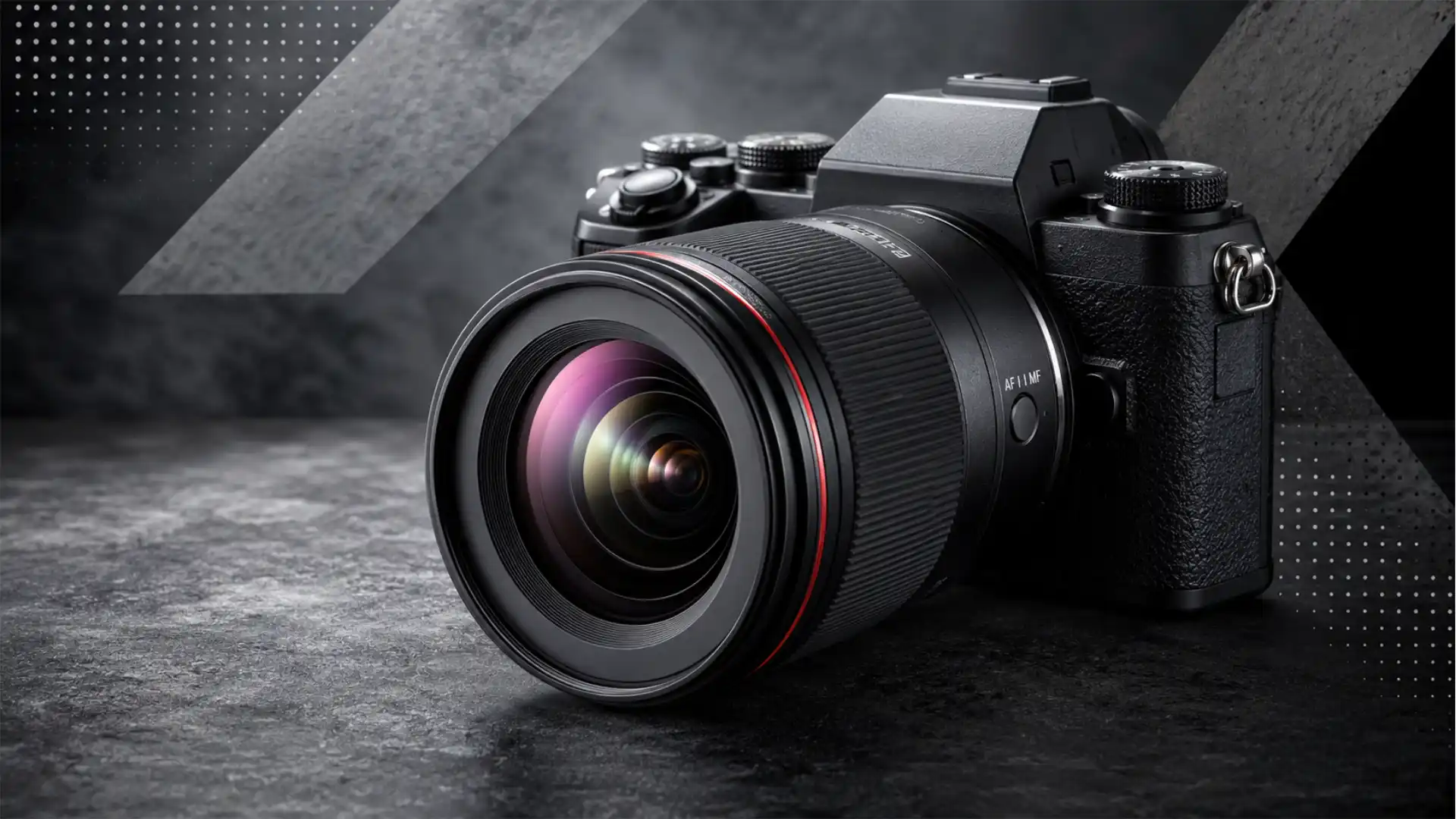
A photograph now has two lives. The first happens at capture, in the fraction of a second when light hits a sensor. The second happens later, inside software, when exposure, colour, tone, noise, contrast, sharpening and output format are decided. RAW matters because it preserves more of the first life before the second one begins. That old photographer’s advice — shoot RAW whenever you can — has gained new force because the camera market, mobile imaging, image standards and AI-era editing are all moving toward files that keep more scene data alive.
Table of Contents
The RAW argument has moved from preference to infrastructure
For years, “shoot RAW” sounded like advice passed between photographers who edited their work seriously. It was practical, but also a little tribal. JPEG shooters wanted speed and convenience. RAW shooters wanted latitude. The argument often stopped there.
That is no longer enough. The shift around RAW is now broader than editing taste. It sits inside the future of camera software, smartphone imaging, archival standards, image authentication, AI training, creator workflows and the business models of camera makers. RAW has become a file-level bet on reversibility. It keeps more decisions open for later, while JPEG, HEIC and most finished outputs close many decisions at the moment of capture.
The freshest reason to revisit the advice is the standardization of Digital Negative. ISO published ISO 12234-4:2026, a standard for the DNG file format, in March 2026. The ISO page describes it as “Digital imaging — Image storage — Part 4: Digital negative format” and says the document specifies the Digital Negative image file format. That does not make every camera suddenly shoot DNG. It does not end Canon CR3, Nikon NEF, Sony ARW or Fujifilm RAF. But it gives DNG a stronger institutional footing for archives, software vendors, mobile operating systems and long-lived image libraries.
At the same time, Apple is still pushing computational RAW deeper into iPhone photography. Apple says ProRAW combines standard RAW information with iPhone image processing, giving more control over exposure, colour and white balance. The iPhone Camera guide also warns that ProRAW files retain more information and produce larger files. That pairing — more control, more storage cost — is the modern RAW trade.
Android is moving in the same direction from the developer side. Google’s Android documentation describes DNG as a cross-platform format for storing camera sensor pixel data with minimal pre-processing, while CameraX 1.5 added APIs for DNG RAW capture and RAW plus JPEG output. RAW is no longer a niche camera-menu option. It is becoming a platform capability.
The camera market adds a commercial layer. CIPA reported that total digital camera shipments rose to 9,438,876 units in 2025, up 111.2% year on year, with built-in lens cameras rising 129.6% and mirrorless cameras rising 112.5%. The same release projected 2026 digital camera shipments at 9.59 million units. A market once flattened by phones is now selling more specialized devices to buyers who care about feel, lenses, image character and post-capture control.
The advice therefore needs a sharper version. Shoot RAW whenever the image may matter later. That means professional work, travel, family moments, documentary scenes, product images, journalism, landscapes, weddings, portraits, research, evidence, brand assets and any picture that may be edited, printed, archived or reinterpreted. It does not mean RAW is perfect. It does not mean every casual snap deserves a giant file. It means the cost of throwing data away at capture is rising.
A RAW file is not an untouched truth
The strongest myth around RAW is that it is the pure image. It is not. A RAW file is closer to the sensor’s capture than a finished JPEG, but it still sits inside a camera system. The sensor has a colour filter array. The camera records black level, white level, lens data and metadata. Some cameras use compression. Some mobile RAW files include multi-frame fusion or processing. Some RAW formats carry manufacturer-specific data that editing apps must interpret.
The useful definition is less romantic: a RAW file stores scene-referred sensor data, or minimally processed sensor data, before the final rendered look is baked in. It normally holds more bit depth and editing headroom than a JPEG. It lets the editor decide white balance, tone curve, colour profile, sharpening, noise reduction and highlight handling with more freedom.
Adobe’s consumer explanation still captures the everyday difference: RAW files are much larger because they contain the image information captured by the camera sensor, while JPEGs are smaller finished files. Adobe compares RAW to a film negative because it preserves more original detail for later control.
But “more original detail” should not be confused with “the objective truth.” Sensors do not see like eyes. RAW converters do not all render the same file identically. Camera colour profiles are interpretations. Lens corrections may be applied or deferred. Demosaicing turns filtered sensor samples into colour pixels. Noise reduction can happen before or after RAW output, especially on phones.
This is why some photographers open the same RAW file in Lightroom, Capture One, Apple Photos, DxO PhotoLab, Darktable or a camera maker’s own software and see different starting points. The file contains more recoverable data, but it still needs translation. RAW is not truth without interpretation. It is interpretation with more room to move.
That room matters most when the camera’s first rendering would be wrong or too aggressive. Auto white balance may turn a warm indoor scene neutral. A phone’s HDR pipeline may flatten contrast. A JPEG engine may sharpen skin, crush shadows or smear foliage. A camera profile may make reds too intense. RAW gives a skilled editor a way back to a cleaner decision.
The other myth is that RAW automatically produces a better photograph. It does not. An underexposed, blurred, badly composed RAW file is still bad. A well-lit JPEG from a good camera can look excellent. Some camera JPEG engines are refined, especially from Fujifilm, Canon, Nikon and smartphones that use multi-frame processing. RAW is not a quality button. It is a control file. The gain appears only when the file is edited well or preserved for future use.
The news behind the renewed RAW case
The reason this topic belongs in news analysis is that several separate developments now point in the same direction. DNG has received ISO standard status. Apple continues to treat RAW as a system-level imaging feature. Android has added clearer RAW plus JPEG capture tools for app developers. Google’s computational photography research has long relied on RAW bursts. Camera shipments have stabilized and partly recovered around users who want dedicated imaging devices. AI imaging research now treats linear RAW as a meaningful technical layer, not merely a photographer’s preference.
ISO 12234-4:2026 matters because image archives live longer than camera bodies. A wedding photographer may need to reopen a 2026 file in 2046. A museum may preserve digital acquisitions for decades. A newsroom may need original captures during a legal dispute. A brand may reuse campaign files after its software stack changes. Standardization does not guarantee friction-free access, but it lowers one kind of risk: the risk that a file format remains defined mainly by one vendor’s evolving documentation.
Adobe’s DNG page already framed DNG as a nonproprietary file format for camera RAW files usable by hardware and software vendors. Adobe also says its DNG Converter translates files from many popular cameras into a more universal DNG file, and its DNG SDK supports reading and writing DNG files. The ISO move sits on top of that history.
The smartphone side is just as revealing. Apple’s public documentation says ProRAW combines standard RAW information with iPhone processing. Apple’s developer page for RAW and ProRAW says ProRAW gives RAW capture benefits while applying multi-image fusion techniques that had not previously been available to RAW workflows. Apple’s WWDC26 Core Image session describes RAW 9 processing APIs that use the Apple Neural Engine and improve sharpness and colour definition while exposing controls such as exposure, noise reduction, sharpness and contrast through CIRAWFilter.
Android’s documentation pushes from another side. DngCreator is built for RAW_SENSOR buffers and Bayer-type RAW pixel data, and CameraX supports RAW and RAW plus JPEG output. For app developers, this is not about nostalgia for darkroom craft. It is about letting apps capture a richer file without forcing every developer to write a whole camera stack from scratch.
Research points the same way. Google’s HDR+ paper describes a burst pipeline that captures, aligns and merges frames to reduce noise and increase dynamic range on mobile cameras. Google’s HDR+ dataset contains 3,640 bursts of full-resolution RAW images, with 28,461 individual images. Newer arXiv work in 2026 describes RAW images as scene-referred linear data and treats RAW data as a stronger basis for low-level vision tasks than finished sRGB images.
These facts do not prove every person should fill a phone with RAW files. They do prove something narrower and more useful: the imaging industry is building more of its future around access to earlier, less-final image data. That is why “always shoot RAW if you can” now sounds less like a purist rule and more like a way to avoid regret.
DNG becoming an ISO standard changes the archive conversation
The DNG standardization story is easy to overstate. Canon users are not going to wake up and find every CR3 replaced. Nikon is not likely to abandon NEF overnight. Sony has commercial reasons to keep ARW. Fujifilm’s RAF files carry the brand’s own colour and sensor logic. Proprietary RAW formats remain tied to performance, features, metadata and brand control.
Still, ISO standard status changes the tone of the DNG debate. A format can be useful before it is standardized, but a formal standard gives institutions a clearer object to cite in procurement, preservation policies, compliance work and software development. For archives and long-term asset management, a documented standard is easier to defend than a vendor preference.
The ISO page says ISO 12234-4:2026 is an International Standard, Edition 1, published in 2026-03, with ISO/TC 42 listed as the technical committee. The abstract says it specifies the Digital Negative file format. Those details matter for organizations that write records policies. A museum, government body or university archive can now refer to an ISO standard rather than only Adobe’s specification.
The practical gain is not magic compatibility. It is better footing. DNG can store RAW data and metadata in a way many applications understand. Adobe says DNG is supported by Photoshop, Photoshop Elements, Lightroom and Lightroom Classic, and that the DNG Converter can translate camera-specific RAW files from many cameras into a more universal DNG file. Android’s DngCreator uses DNG for sensor data with minimal pre-processing. Apple ProRAW uses DNG compatibility as part of the phone workflow.
The limitation is just as real. DNG is a container and specification, not a guarantee that every proprietary camera feature converts cleanly. A file converted from a proprietary RAW may lose maker-specific behaviours, or may not render identically to the manufacturer’s own converter. A DNG from an iPhone ProRAW capture is not the same kind of object as a DNG from a Leica, a Ricoh, a Pentax or an Android app using a RAW_SENSOR stream. DNG has breadth, but breadth is not sameness.
That is why ISO standardization strengthens, rather than ends, the RAW decision. If the image matters, keeping the original camera RAW and a DNG copy may be the safer archival path. The original preserves manufacturer-specific data. The DNG copy gives future software another entry point. The safest archive is not one file. It is a disciplined preservation strategy.
Proprietary RAW is still the camera industry’s default language
The world of RAW remains fragmented. The Verge’s 2025 reporting described the central problem clearly: camera makers use formats such as Canon CR3, Nikon NEF and Sony ARW, and software makers must support both each manufacturer’s format and changes tied to each new camera. The same article noted that DNG has been adopted by some makers, but many large brands still use proprietary files.
This fragmentation frustrates users, but it is not irrational from the manufacturers’ side. A camera maker wants control over sensor data, lens correction, compression, burst modes, pixel-shift files, in-camera processing and brand colour. Proprietary RAW gives them a path to encode features before a public format or third-party software has caught up.
Canon’s own documentation says RAW files from different camera models are not exactly the same, even when they use the same CR2 or CR3 format, which is why RAW processing software such as Digital Photo Professional is updated to support new camera models. That sentence explains the real mess. A file extension alone does not define the whole file.
Nikon’s NX Studio download page lists NEF/NRW RAW among supported formats created with Nikon digital cameras. Sony tells users to use Imaging Edge to convert RAW files to JPEG and TIFF. Fujifilm’s X RAW Studio uses the camera’s own image processor rather than the computer CPU to convert RAW files, preserving the camera’s tonality, colour reproduction and noise reduction. Each brand is saying, in its own way, that RAW is not just pixels. It is also a pipeline.
That pipeline is where brand value lives. Fujifilm’s film simulations, Canon’s skin tones, Nikon’s colour rendering, Sony’s high-resolution modes and computational mobile processing all depend on choices made after sensor capture. The file format becomes a business boundary as much as a technical one.
For photographers, this means the advice cannot stop at “shoot RAW.” It must include “test your software.” A new camera body may produce files your preferred editor supports only after an update. A compressed RAW mode may trade storage for subtle quality loss. A camera’s smallest RAW setting may not be the same as full RAW. A phone’s RAW file may be computational rather than untouched sensor data. The file extension is the beginning of the workflow, not proof the workflow is safe.
Smartphones made RAW less pure and more useful
Smartphones broke the old RAW conversation. With a DSLR or mirrorless camera, the comparison was often simple: RAW for editing, JPEG for convenience. A modern phone complicates that because the JPEG or HEIC file may be the result of a computational pipeline that merges frames, lifts shadows, protects highlights, denoises faces, segments subjects, sharpens edges and tone maps the result. The phone’s finished file may look better than a simple single-frame RAW.
Google’s HDR+ research explains the reason. Phone cameras have small apertures and small sensor pixels, which limits photon gathering in low light and electron capacity for dynamic range. HDR+ responds by capturing, aligning and merging bursts to reduce noise and increase dynamic range.
That means a single-frame phone RAW may look noisy and flat beside the finished JPEG. The JPEG may have more apparent dynamic range because it is not a simple rendering of one exposure. It is a merged, processed photograph. Many users who try RAW on phones once are disappointed because they expect a better-looking image at import. They get a dull working file instead.
Apple ProRAW exists because of that problem. Apple’s support page says ProRAW combines standard RAW information with iPhone image processing. Apple’s developer documentation says ProRAW applies multi-image fusion techniques to RAW workflows. This is the middle ground: not a fully baked JPEG, not a completely simple sensor dump, but a richer editing file that still benefits from the phone’s computational capture.
Google’s long-running research path points to the same idea: computational photography often works best on RAW or near-RAW data before final rendering. The HDR+ dataset itself is built from full-resolution RAW bursts. Newer research on handheld high dynamic range smartphone imaging also operates on linear RAW pixels in bracketed exposures and discusses smartphone sensor dynamic range limits.
So the phone version of “shoot RAW” is not the same as the camera version. On an iPhone Pro model, ProRAW is often worth using for high-contrast scenes, mixed light, night city scenes, landscapes, portraits meant for careful grading and any image intended for print. On Android, DNG capture can be useful when the app and phone support it well. But for fast social sharing, child photos in motion, food in dim restaurants or long bursts, the computational JPEG or HEIC may be the stronger file in practice.
Smartphone RAW is a tool for editing control, not a promise that the camera app’s normal photo is inferior. The best mobile workflow is selective: use RAW or ProRAW when the scene matters and the edit will justify the file size.
The exposure reason RAW still matters
Exposure is where RAW earns its keep. The most common editing regret is not colour. It is lost highlight detail. A clipped sky, a white wedding dress without texture, a bright sign at night, a pale face in hard sun or a reflective product surface can become unrecoverable when the capture or rendering discards highlight information.
RAW gives the editor more room because the final tone curve is not locked in the same way as a JPEG. The camera may still clip sensor data if exposure is too high. RAW cannot resurrect photons the sensor did not record. But when highlight information exists in the file and the JPEG rendering has thrown it away or compressed it harshly, RAW can make the difference between a usable image and a failed one.
This is the practical reason photographers often expose slightly to protect highlights when shooting RAW. Shadows can often be lifted, with noise penalties. Blown highlights usually have no texture to recover. RAW does not remove the need to expose well. It makes careful exposure more rewarding.
In mixed light, RAW also helps because the camera’s automatic rendering may choose a compromise that suits no part of the scene. A sunset portrait may need the sky protected and the face lifted later. A concert image may need stage lights contained while preserving shadow atmosphere. A snow scene may fool metering. A black product on a bright background may need a precise tonal curve that the camera JPEG will not guess.
This is why RAW has stayed central for weddings, events, journalism, landscapes, architecture, real estate, product photography and commercial portraiture. These fields punish capture mistakes. A client does not care that the camera’s JPEG engine made an understandable decision. They care whether the usable file exists.
The rise of HDR phones has not erased this. It has simply moved some exposure decisions into software. A phone can merge frames and tone map aggressively. That can save a casual photo. It can also create halos, unnatural local contrast, waxy skin or flattened atmosphere. RAW or computational RAW lets the editor decide how much of that rescue should happen.
For business and editorial use, the safest file is the one that keeps the most options open. That is still RAW.
White balance is a decision, not a verdict
White balance looks minor until it ruins a file. A camera tries to decide what colour “neutral” should be under daylight, shade, tungsten, LED, fluorescent, neon, mixed indoor light or stage lighting. It often does a decent job. But a decent guess is still a guess.
JPEG locks that guess far more tightly. RAW stores data in a way that lets the white point be shifted later with less damage. The difference becomes obvious in mixed lighting. A hotel ballroom may contain warm chandeliers, cool LED uplights and daylight from windows. A kitchen may mix under-cabinet LEDs with afternoon light. A night street may include sodium lamps, car headlights and shop windows. The camera cannot know the emotional or commercial purpose of the image.
RAW turns white balance from a camera verdict into an editing decision. That matters for skin, food, interiors, products and brand colours. A portrait that looks slightly green under LED lighting can be corrected more cleanly from RAW. A product shoot where the packaging colour must match a brand guide should not depend on the camera’s JPEG guess. A restaurant image needs warmth without making white plates yellow. A newsroom photo may need a neutral rendering for credibility.
Apple’s ProRAW documentation explicitly names exposure, colour and white balance as areas where ProRAW offers more editing control. That is not marketing fluff; it is the everyday reason mobile RAW exists.
The same principle applies to dedicated cameras. RAW converters let editors select a camera profile, adjust tint, set Kelvin values, use grey cards, apply batch corrections and create consistent colour across a shoot. JPEG allows colour correction too, but with less tolerance before banding, posterization or odd hue shifts appear.
White balance flexibility also has archival value. Tastes change. A wedding edited in a warm 2016 style may look dated in 2030. A brand campaign may need a new colour treatment. A travel image may be printed for a gallery rather than posted on a feed. RAW allows the file to be reinterpreted without fighting the first rendering.
Colour science is becoming a software asset
Camera companies used to sell sensors, lenses, bodies and autofocus. They still do. But they also sell colour. Fujifilm’s film simulations, Canon’s skin tones, Leica’s DNG workflows, Nikon’s Picture Controls, Sony’s creator looks and Apple’s Photographic Styles all show the same commercial truth: image character is software as much as optics.
RAW sits at the center of that. A RAW file lets the editor choose the rendering path. It may start with the camera maker’s look. It may use Adobe Color, Camera Matching profiles, custom LUTs, film emulations, brand presets or hand-built profiles. The same capture can become a natural portrait, a muted editorial image, a glossy product shot or a high-contrast monochrome print.
Fujifilm’s X RAW Studio is unusually clear about the link between RAW and brand colour. Fujifilm says the software uses the image processor in the camera instead of the computer CPU, and that it can retain the camera’s tonality, colour reproduction and noise reduction. In other words, the RAW file can be developed through the camera’s own aesthetic engine after the shot.
This matters because many photographers now want both authenticity and style. They want the file to feel like it came from a particular camera, but they also want freedom to refine it. JPEG gives the look quickly. RAW keeps the look editable.
The business side is large. Presets, profiles, mobile editing apps, creator packs, wedding workflows, commercial colour pipelines and camera-matching tools all depend on files that survive grading. A JPEG can be graded, but it is a weaker negative. RAW is a better base for repeatable colour.
The more photography becomes a software-defined medium, the more useful the editable negative becomes. That does not reduce the value of lenses or sensors. It makes the capture file a bridge between optical reality and software taste.
Noise reduction is moving closer to the RAW stage
Noise used to be treated as a post-processing nuisance. Shoot at high ISO, open the file, apply noise reduction, accept some detail loss. That model is changing. Noise reduction is increasingly happening earlier in the pipeline, sometimes at or near the RAW development stage, and sometimes with machine learning.
Apple’s WWDC26 Core Image RAW session describes version 9 of its RAW processing APIs with better sharpness and more defined colour while using the Apple Neural Engine for performance. The same page points developers toward RAW controls such as exposure, noise reduction, sharpness and contrast through CIRAWFilter.
That is not a small detail. If operating systems and editing frameworks improve RAW development, old files may benefit from better software later. A noisy RAW capture from today may process more cleanly in a future converter. A JPEG already had noise reduction baked in at capture, often with detail smearing or edge artifacts. RAW keeps the file eligible for better processing.
Research is moving in the same direction. RAWIC, a 2026 paper on bit-depth adaptive lossless RAW image compression, describes RAW images as preserving linear sensor measurements and high bit-depth information useful for photography and advanced vision tasks, while noting that storage remains difficult because of file size and sensor-dependent features.
The practical lesson is plain: storage is the price of future processing. If a file is stored as a small finished JPEG, it may look fine today but cannot fully benefit from future RAW demosaicing, denoising, colour reconstruction or highlight recovery. If it is stored as RAW, future software has more to work with.
This is not theoretical for working photographers. Many editors have reopened old DSLR files in newer versions of Lightroom, DxO, Capture One or Lightroom’s AI denoise tools and produced cleaner results than were possible when the image was shot. The camera did not change. The negative did.
Storage is still the main argument against always shooting RAW
RAW’s biggest weakness remains simple: the files are large. Adobe states that RAW files are much bigger than JPEGs because they contain the sensor information captured by the camera. Apple warns that ProRAW photos retain more information and therefore create larger files.
That cost is not just memory card space. It affects backup time, cloud bills, phone storage, catalog performance, import speed, culling discipline and long-term archive complexity. A hobbyist who shoots every meal in RAW may fill storage for no reason. A sports photographer shooting 4,000 frames per match needs a sharp workflow. A newsroom on deadline may need JPEG transmission first. A social creator posting daily may not want to handle 48 MP ProRAW files for every casual frame.
The answer is not to dismiss storage concerns. It is to decide which images deserve the negative. The question is not whether RAW costs space. It is whether the photograph is worth keeping editable.
Storage technology has weakened the anti-RAW case. Cards are larger. External SSDs are cheaper. Cloud plans are common. Editing software handles previews better. But the volume of capture has also exploded. High-resolution cameras, burst rates and phones with ProRAW can produce huge libraries fast.
This is where discipline matters. RAW shooters need a delete habit. Keepers deserve backup. Near-duplicates do not. A RAW plus JPEG workflow should not become an excuse to keep everything forever. The photographer who never culls pays twice: once in storage, once in attention.
Compression helps, but it is not always neutral. Canon notes that C-RAW produces 35–55% smaller files than standard CR3 files, but uses lossy compression that discards some image information. That may be a fair trade for many shoots. It may not suit demanding commercial, astrophotography, fine art or heavy recovery work.
The mature position is not “RAW always, no matter what.” It is RAW by default for images with future value, JPEG or HEIC for disposable speed, and RAW plus JPEG when both safety and convenience matter.
RAW plus JPEG is the safest default for many shooters
RAW plus JPEG is not elegant. It creates more files, more clutter and more culling work. It is still the safest setting for many photographers because it gives two outputs at once: a ready-to-use file and a deeper negative.
Android CameraX explicitly supports simultaneous RAW and JPEG outputs. Apple lets iPhone users toggle ProRAW in the Camera app on supported models. Many dedicated cameras have offered RAW plus JPEG for years. The industry keeps this option because it fits real life.
The JPEG handles speed. It can be shared, delivered, messaged, printed quickly, uploaded to a CMS, shown to a client, backed up as a preview or used for fast selection. The RAW handles risk. It waits for the images that need repair, careful grading, large prints or later reuse.
This split is especially useful for travel, family, events, journalism, client previews and any shoot where not every frame deserves editing. A wedding photographer may deliver edited RAW-derived images later but use JPEG previews during culling. A newsroom photographer may transmit JPEGs fast and keep RAWs for archive. A parent may keep JPEGs for daily sharing and RAWs for the rare frame worth printing.
The danger is file chaos. RAW plus JPEG requires naming consistency, import rules, software that stacks pairs and a decision about deletion. Deleting the JPEG but keeping the RAW is usually safe. Deleting the RAW because the JPEG looks fine is riskier. Keeping both forever for every frame is wasteful.
RAW plus JPEG works best as a triage system. Use the JPEG for speed. Keep the RAW for the keepers. Cull the rest without sentiment.
The camera market is rewarding capture control again
The dedicated camera market no longer competes with phones by being the only way to take a decent picture. That battle ended years ago. It competes by offering things phones still struggle to give: larger sensors, interchangeable lenses, optical handling, viewfinders, tactile controls, flash systems, long lenses, sustained capture, better ergonomics and files that support more serious editing.
CIPA’s 2026 outlook shows a market that has found a steadier shape after the smartphone shock. Total digital camera shipments reached 9,438,876 units in 2025, and built-in lens camera shipments rose to 2,436,911 units. Mirrorless shipments reached 6,311,054 units. CIPA linked built-in lens growth to products with features such as high-magnification zoom and video recording, and to buyers valuing portability, convenience and image quality.
Canon’s 2025 annual report says interchangeable-lens digital camera sales grew, driven by demand for entry-level models and new products, and that compact digital camera demand was growing, especially among young people. Canon also reported Imaging Business Unit sales of 1,054.9 billion yen in 2025, up 12.5% from the previous term.
Those buyers are not all RAW editors. Many want the feel of a camera, the look of a lens or the social identity of carrying a compact. But the market recovery still supports the RAW argument. Dedicated cameras give users a stronger capture base. If someone spends money on a mirrorless body, a premium compact or a travel camera, throwing away the negative by default is often a poor bargain.
A dedicated camera’s advantage is not only the JPEG it makes today. It is the file it lets you reinterpret tomorrow. That is the quiet value behind larger sensors and better lenses.
Creator culture makes RAW more useful, not less
Social platforms reward speed, but creator businesses reward reuse. A photo may start as an Instagram post, then become a newsletter header, a YouTube thumbnail, a product page image, a print, a course slide, a media kit asset or a paid campaign visual. The same file may need different crops, colours and export sizes across platforms.
A JPEG can handle some of that. RAW handles it with more headroom. It allows a creator to create a bright vertical crop for Stories, a restrained horizontal crop for a website, a print version with cleaner shadows and a brand-coloured version for an ad. It also supports re-editing when a creator’s style changes.
The modern creator’s archive is a business asset. Losing editability is not just a technical loss; it can become lost revenue. A travel creator may need old location photos for a guide. A food creator may sign a later cookbook deal. A fashion creator may need campaign selects in a different grade. A local business may reuse staff portraits for years. RAW turns a content folder into a deeper visual library.
This is especially true because platform looks change quickly. Heavy HDR, faded film tones, warm orange skin, low-contrast presets, punchy clarity and muted editorial palettes all move in and out of fashion. A finished JPEG traps the old trend. A RAW file lets the image survive it.
The advice for creators is clear: shoot RAW or RAW plus JPEG for planned work, paid work, travel assets, product images, collaborations and anything that might become part of a brand library. Use JPEG or HEIC for casual posts that will never be reused.
Journalism and documentary work need stronger originals
News and documentary photography have a different relationship with RAW. A RAW file is not automatically proof of truth, but it is a stronger original than a heavily processed export. It preserves metadata, capture characteristics and editing latitude. It also lets editors produce fair renderings without relying on a camera JPEG that may have applied invisible tone mapping or sharpening.
This matters more as synthetic images spread. Newsrooms, publishers, courts, NGOs and investigators need ways to preserve original capture files and document editing steps. RAW is not a complete provenance system. It can be altered, converted, stripped of metadata or misrepresented. But a maintained RAW archive gives a stronger chain of custody than only finished JPEGs.
The rise of computational photography complicates this. A phone JPEG may be a fused result of several frames. A ProRAW file may combine RAW information with processing. A camera RAW may include lens corrections or compression. The idea of an untouched original is harder than it used to be.
Still, keeping the earliest available capture file remains a sensible evidence practice. For a dedicated camera, that is usually the original RAW. For a phone, it may be ProRAW, DNG or the original HEIC/JPEG plus metadata, depending on device and app. For a newsroom, policy matters as much as format: keep originals, record edits, avoid destructive workflows, preserve metadata and export finals separately.
The RAW recommendation therefore becomes a trust recommendation. If the image may be challenged, sold, licensed, archived or used to document events, keep the richest original file the device can produce.
Product, real estate and brand photography punish weak files
Commercial photography has little patience for “good enough” capture when details matter. Product colours must match. Whites must stay clean. Highlights on glass, metal, cosmetics, jewellery and packaging must be controlled. Real estate interiors often mix window light with warm fixtures. Brand campaigns may require multiple crops and colour treatments. A weak JPEG limits every downstream decision.
RAW is especially strong in these fields because the edit is part of the job. The client is not buying a camera rendering. They are buying a finished image that fits a brief. That brief may ask for neutral whites, accurate materials, softened contrast, retained texture, clean shadows, controlled reflections and consistent colour across a set.
A JPEG file can break under those demands. Pushing exposure can reveal banding. Changing white balance can distort neutrals. Recovering highlights can fail. Heavy sharpening can create halos that are hard to remove. Skin or product surfaces can look overprocessed.
Commercial photographers shoot RAW because clients change their minds. A background may need to become brighter. A label may need more readable text. A fabric may need truer colour. A property window view may need a different balance. A campaign may need a cooler grade for one market and warmer grade for another. RAW keeps those changes cheaper.
The same logic applies to small businesses. A restaurant owner taking menu photos, a real estate agent photographing listings, an Etsy seller shooting products or a consultant making personal brand images may not identify as a photographer. But if the images support revenue, RAW is insurance.
AI imaging makes original capture data more valuable
AI has changed the meaning of an original image. Finished sRGB images are easy to generate, alter and imitate. RAW sensor data is harder to fake convincingly because it carries device-specific noise, colour response, exposure behaviour, metadata and processing traces. That does not make RAW immune to manipulation. It does make it a richer technical object.
AI research also shows why RAW data matters for machines. RawGen, a 2026 paper, says cameras capture scene-referred linear RAW images that onboard image signal processors convert into display-referred 8-bit sRGB outputs. The paper argues RAW data is more faithful for low-level vision tasks, while large RAW datasets remain hard to collect.
RAWIC describes RAW images as preserving linear sensor measurements and high bit-depth information useful for photography and advanced vision tasks, while file size and sensor differences make storage hard.
This matters beyond academic work. Future image verification systems may rely on capture-level signals. Future editing tools may extract more from old RAW files. Future asset managers may label images by source file richness. Future AI-assisted editors may perform better when given linear data rather than a compressed, tone-mapped output.
In an AI-saturated image market, RAW is a stronger claim of origin and a stronger input for future tools. It is not a moral guarantee. It is a technical advantage.
The limits of the phrase always shoot RAW
“Always shoot RAW” is useful because it prevents regret. It is also too blunt. There are clear cases where RAW is unnecessary or even counterproductive.
Sports photographers working under deadline may need JPEGs that transmit fast from the camera. Event shooters may use JPEG for on-site slideshows or same-day delivery. Casual phone users may not want huge ProRAW files for everyday snapshots. Burst shooters may fill buffers faster with RAW. Some computational phone images may look better in the default processed format than in a poorly developed DNG. High-volume school, catalog or event workflows may rely on standardized JPEG output to control time and cost.
The right rule is conditional: shoot RAW when future control is worth more than present convenience. That condition is met more often than casual users think, but not always.
A second limit is skill. RAW files often look flat at first. They need development. A user who never edits and never plans to edit may gain little. Worse, they may lose the attractive camera colour they liked in the JPEG. RAW pays off when the user has a workflow or at least wants the option to learn.
A third limit is storage governance. Shooting RAW without culling creates a digital landfill. The user feels safer but becomes buried in files. RAW is a negative; not every negative is worth keeping.
A fourth limit is format confusion. Some cameras offer compressed RAW, lossy RAW, small RAW, medium RAW, dual-pixel RAW, pixel-shift RAW or brand-specific variants. Phones may offer RAW, ProRAW, Expert RAW, Ultra HDR JPEG, HEIF, DNG or app-specific modes. The label alone does not tell the whole story.
The mature version of the advice respects those limits without surrendering the central point. If the photograph may matter, capture the richest file practical. If it will not matter, do not create work for yourself.
A practical decision framework for RAW capture
The best default depends on subject, workflow and risk. The goal is not to worship RAW. The goal is to avoid throwing away the file you will later wish you had.
RAW capture choices by shooting situation
| Shooting situation | Best capture choice | Reason |
|---|---|---|
| Paid portraits, weddings, events | RAW plus JPEG | Fast previews, safer final editing |
| Travel and once-only moments | RAW plus JPEG or RAW | Re-editing value is high |
| Product, food, interiors, real estate | RAW | Colour and highlight control matter |
| Daily phone snapshots | HEIC/JPEG | Low future value, smaller files |
| High-contrast mobile scenes | ProRAW or DNG where supported | Better control over tone and white balance |
| Sports or deadline news | JPEG plus RAW if buffer allows | Transmission speed with archive safety |
| Family photos worth printing | RAW plus JPEG | Easy sharing, better future print file |
| Burst-heavy casual shooting | JPEG or HEIC | Storage and buffer speed matter |
This table is a working rule, not a law. The more the image will be edited, printed, sold, reused or questioned, the stronger the case for RAW. The less likely any of that is, the more JPEG or HEIC makes sense.
Workflow discipline decides whether RAW pays off
Shooting RAW is only half the decision. A RAW file that is never backed up, never culled and never developed is just a large liability. A disciplined workflow turns RAW into value.
The first discipline is import. Files should enter a catalog or folder structure with dates, project names and camera originals separated from exports. The original RAW should not be overwritten. Edited TIFFs, JPEGs, HEICs or web exports should live as derivatives.
The second discipline is culling. Delete near-duplicates, missed focus, accidental frames and files with no future use. Many photographers keep too much because RAW feels precious. A bad RAW is still bad. The archive improves when weak files leave.
The third discipline is backup. A RAW workflow needs at least two copies, preferably three for paid work, with one copy off-site or in cloud storage. Memory cards are not archives. Laptop drives fail. Cloud sync is not always backup. A proper archive has redundancy and recovery tests.
The fourth discipline is metadata. Ratings, keywords, copyright data, captions and project notes make files findable. RAW is most useful when the right file can be found later. A 40 TB archive without search discipline is just a warehouse.
The fifth discipline is export. Social media, websites, clients, print labs and CMS systems usually need finished formats. RAW is not the delivery. It is the master. The export should match the destination: colour space, size, sharpening, compression and metadata should be intentional.
RAW rewards people who treat photographs as assets. It punishes people who treat files as a dumping ground.
Compact cameras and mirrorless bodies make the advice easier to follow
Many cameras now make RAW capture less intimidating. Entry mirrorless bodies, premium compacts and even creator-focused cameras often include RAW plus JPEG settings, in-camera RAW development, Wi-Fi transfer and mobile app workflows. This lowers the barrier for users who are not full-time photographers.
Canon’s Digital Photo Professional manual lists Canon RAW images from compatible cameras among supported image formats. Nikon’s NX Studio supports NEF/NRW RAW files from Nikon cameras. Sony points users to Imaging Edge for converting RAW files. Fujifilm’s X RAW Studio connects the camera to the computer and uses the camera’s processor for RAW conversion.
That brand support matters because many users do not want to subscribe to a third-party editor immediately. A camera maker’s software may be less pleasant than Lightroom or Capture One, but it gives a path to the file. It also often understands brand-specific settings first.
The dedicated camera revival among younger buyers makes this practical. Canon’s annual report links sales growth to entry-level interchangeable-lens cameras among young people and new full-frame models, while CIPA’s data shows compact and mirrorless growth. Some buyers are entering photography through style and culture rather than technical training. They may shoot JPEG first. But if they set RAW plus JPEG from the start, they preserve a learning path.
A beginner who shoots JPEG-only for two years may later regret not having RAW files from early travel, family or personal work. A beginner who shoots RAW plus JPEG can ignore the RAWs at first and return to them when skill catches up. RAW is not only for the photographer you are today. It is for the editor you may become.
Mobile operating systems are normalizing RAW support
RAW support used to feel tied to desktop editing. That has changed. Apple lists system-level RAW support across iOS, iPadOS, macOS and visionOS for many third-party cameras, with enhanced support for processing digital camera RAW formats and basic DNG support even for cameras not listed.
This matters because iPad and phone workflows are now real workflows. A photographer can capture on a mirrorless camera, import to an iPad, edit RAW, export for a client and back up to cloud storage without touching a desktop. A mobile journalist can shoot ProRAW, edit quickly and send a processed file. A creator can import camera RAWs to a tablet on the road.
Android’s CameraX support also matters because it gives developers a cleaner route to RAW capture. The more camera apps can support RAW and RAW plus JPEG consistently, the less RAW remains hidden behind manufacturer camera apps or pro-only modes.
The user-facing result is subtle. People may not talk about RAW more. They may simply encounter it more often: a RAW toggle in a camera app, a DNG file in a gallery, a ProRAW badge in Photos, a Lightroom mobile import, a tablet edit, a cloud archive. RAW is becoming ordinary infrastructure for serious images.
The remaining problem is education. Users often do not know where RAW files are stored, why they are larger, why they look flat, or how to export them. Phones can make capture easy, but file management remains messy. The next usability win will come from clearer pairing, stacking, search and deletion tools for RAW plus JPEG libraries.
The hidden cost of baked-in computational looks
Computational photography has made casual images dramatically better. It has also made some images harder to edit naturally. A phone may brighten shadows, smooth noise, sharpen edges, flatten highlights and add local contrast before the user sees the photo. The result looks impressive on a small screen. It may look brittle when edited hard or printed.
The problem is not computation itself. Computation is now part of almost every camera pipeline. The problem is finality. If the phone’s look is baked into an 8-bit or heavily compressed output, the editor inherits those choices.
This is why computational RAW is more interesting than standard phone RAW. ProRAW, Expert RAW-style workflows and multi-frame DNG approaches try to preserve the gains of computational capture while keeping editing latitude. Apple’s ProRAW documentation is built around exactly that mix: standard RAW information plus iPhone image processing.
For serious mobile shooters, the choice is not “computation or RAW.” The better question is which file gives the editor useful computational benefits without trapping the image in a finished style. A normal HEIC may be perfect for quick sharing. A ProRAW file may be better for a print, a commercial post or a high-contrast scene.
The danger is not that phones process images. The danger is having no unprocessed or less-final alternative when the processing gets the scene wrong.
Dynamic range is the battleground
The most valuable promise in modern camera marketing is not megapixels. It is usable dynamic range. Users want skies and faces, windows and interiors, neon and night streets, white dresses and black suits, bright snow and textured shadows. Sensors, processors and software all compete to keep more of that range usable.
RAW matters because dynamic range decisions are often made at development. A RAW file may contain highlight and shadow information that a JPEG tone curve compresses or discards. A phone’s HDR output may create a pleasing version, but not always the version the photographer wants. A RAW or computational RAW file keeps more control in human hands.
New research on smartphone HDR shows why this remains hard. The 2026 “Lucky High Dynamic Range Smartphone Imaging” paper says smartphone sensors remain around twelve stops of dynamic range, while HDR capture and processing can extend usable range by 3–5 stops for handheld photography. It operates on linear RAW pixels in bracketed exposures.
That research language is not meant for casual camera buyers, but the consequence is familiar. High-contrast scenes are still difficult. Software can help, but the best help often starts with RAW-like data. Once the scene has been crushed into a finished tone map, later choices are limited.
The harder the light, the stronger the case for RAW. Flat daylight snapshots need it less. Backlit portraits, night city scenes, sunsets, interiors with windows, stage performances and reflective products need it more.
File format decisions now affect search, retrieval and reuse
Photographers often think about file formats at capture and export. They should also think about retrieval. A RAW archive supports future search in ways that a pile of finished JPEGs may not. Metadata, camera data, lens data, timestamps, GPS, ratings, captions and edits help images reappear when needed.
DNG has a role here because it can carry metadata inside the file and is widely supported. Proprietary RAW formats also carry metadata, but sidecar files and software databases become part of the workflow. Lose the sidecar, and edits or metadata may be lost. Convert poorly, and proprietary features may not map.
This is where the DNG-versus-original debate becomes practical. Some photographers keep proprietary RAWs and XMP sidecars. Some convert to DNG on import. Some keep both. Each approach has tradeoffs.
Keeping originals preserves the camera maker’s data. Converting to DNG may simplify long-term compatibility and metadata handling. Keeping both uses more storage but reduces risk. The best choice depends on the value of the images, the camera system and the archive horizon.
For businesses, agencies and publishers, the file decision should not be left to chance. A photo archive should specify accepted formats, naming, metadata, backup, retention and export rules. RAW capture without asset management is half a strategy.
Brand and legal risk make RAW a business safeguard
For companies, images are not only creative material. They are evidence of work, products, people, places, events, facilities, claims and campaigns. A weak original can create legal, reputational or operational risk.
A product image may need to prove packaging, labeling or condition. A construction photo may document site progress. A medical or scientific image may require careful retention. A public-sector image may fall under records rules. A corporate event photo may be reused for years. A campaign image may need licensing proof and original capture data.
RAW does not solve rights management. It does not replace releases, contracts, captions or records systems. But it gives the organization a better master file. If a dispute arises over editing, cropping, colour or timing, an original RAW file is a stronger starting point than a compressed derivative.
The same applies to brand consistency. A company that keeps RAW masters can re-export old campaign files for new formats, print sizes, accessibility requirements, website redesigns or regional colour treatments. A company that stores only small JPEGs may need reshoots.
RAW is cheap compared with reshooting. That sentence is the business case.
The editing software race favours richer files
Editing software is improving faster than cameras in some areas. Denoising, masking, subject selection, sky selection, lens correction, colour grading, HDR display editing and generative fill have all changed what older files can become. Richer source files benefit most.
Apple’s Core Image RAW updates, Adobe’s ongoing Camera Raw camera support, DxO-style denoising tools, Capture One colour workflows and open-source RAW processors all compete to extract better results from sensor data. Adobe’s supported-camera list shows the endless maintenance work behind this: each camera and RAW extension needs support, profiles and version handling.
The implication is simple. A RAW file captured today may improve in 2030 because the converter improves. A JPEG captured today is mostly stuck with the converter that lived inside the camera at capture.
This does not mean every future edit will be tasteful. It means the option exists. For archives, that option is value. For artists, it is creative freedom. For businesses, it is asset protection. For families, it may be the difference between a phone snapshot and a printable memory.
The future of editing belongs to files with more data. RAW is the most common way photographers keep that future open.
Capture settings that make RAW worth the trouble
RAW is forgiving, but it is not a license to be sloppy. Good capture still matters. Focus, shutter speed, aperture, lens choice, ISO and exposure discipline shape the file before editing begins.
RAW workflow controls that protect image quality
| Workflow stage | Risk | Practical control |
|---|---|---|
| Capture | Clipped highlights | Expose to protect bright detail |
| Capture | Motion blur | Keep shutter speed high enough |
| Capture | Excessive ISO noise | Add light or stabilize where possible |
| Import | Lost originals | Copy to two locations before formatting cards |
| Culling | Archive bloat | Delete weak duplicates early |
| Editing | Overprocessed files | Use restrained sharpening and noise reduction |
| Export | Wrong colour or size | Export per destination, not one-size-fits-all |
| Archive | Future incompatibility | Keep originals, metadata and finished exports |
This table shows the missing half of the RAW debate. A RAW file is only as strong as the workflow around it. The format preserves options, but capture discipline and file discipline decide whether those options remain useful.
Camera makers now sell the negative and the look
The tension between RAW and JPEG is also a tension between control and convenience. Camera makers sell both. They sell JPEG colour and film simulations for people who want finished beauty. They sell RAW depth for people who want editing authority. The smartest cameras make both easy.
Fujifilm is the clearest example because its JPEG looks are a major part of its appeal, yet X RAW Studio shows that RAW development can stay tied to the camera’s processor and colour system. Canon, Nikon and Sony also maintain their own RAW tools. Apple sells computational convenience through the normal camera app while offering ProRAW on supported models. Android gives developers DNG tools and RAW plus JPEG capture.
The future is not RAW versus JPEG. It is layered output. A camera can give a fast finished file, a deeper edit file and metadata that connects them. The user can choose speed, control or both.
For camera makers, this is a retention strategy. The more useful the RAW workflow, the more tied a photographer becomes to a system. Lenses matter. Colour matters. Software support matters. Archive trust matters. A camera brand that produces beautiful JPEGs but awkward RAW files may satisfy casual shooters and frustrate professionals. A brand with strong RAW support becomes part of a long-term workflow.
The negative is now part of the product. Buyers should evaluate it alongside autofocus, sensor size, lens range and video specs.
The beginner’s RAW problem is mostly education
Many beginners avoid RAW because it sounds technical. They may also open a RAW file, see a flat image and assume something is wrong. In fact, the flatness is the point. The camera has not finished the look.
A beginner-friendly RAW workflow should be simple: shoot RAW plus JPEG, use the JPEGs immediately, keep RAWs for the best images, learn basic exposure and white balance edits, export JPEGs for sharing, and delete failures. That is enough. Nobody needs to master colour management on day one.
The danger is all-or-nothing thinking. Beginners hear “professionals shoot RAW” and switch to RAW-only, then struggle to share files or open them. Or they hear “JPEG is easier” and never keep negatives from meaningful moments. RAW plus JPEG avoids both mistakes.
Phone users need an even simpler lesson. ProRAW and DNG files are large. Use them for difficult light, planned edits and meaningful scenes. Turn them off for everyday snapshots. Export finished JPEGs or HEICs for sharing. Keep originals only when they matter.
RAW should not be taught as a badge of seriousness. It should be taught as a recoverable file choice. That framing makes it less intimidating and more practical.
The strongest rule is selective default, not absolutism
The best working rule is this: set capable cameras to RAW plus JPEG unless there is a clear reason not to. Use RAW-only for controlled professional work where JPEGs are unnecessary. Use JPEG or HEIC-only for low-value, high-volume, fast-share capture. Use ProRAW or DNG selectively on phones.
This rule fits most people better than “always” or “never.” It protects images that matter without turning every file into a storage problem. It respects deadlines, phones, beginners and commercial workflows.
It also handles uncertainty. At the moment of capture, you often do not know which image will matter later. A casual family photo may become precious. A travel frame may become a print. A quick product shot may become the only image available for a campaign. RAW plus JPEG covers that uncertainty.
The cost is storage and file management. The benefit is fewer regrets. In photography, that trade often favours the negative.
The real meaning of shooting RAW now
Shooting RAW is not about rejecting camera JPEGs. Many camera JPEGs are beautiful. It is not about distrusting computational photography. The best phone cameras use computation brilliantly. It is not about pretending that a RAW file is pure reality. It is not.
Shooting RAW means admitting that capture is only the first decision. It keeps exposure, colour, white balance, tone, noise and rendering open long enough for a better decision to be made later.
That matters more now because images live longer and travel farther. A photo may be edited by AI software that does not exist yet. It may be used as evidence. It may be printed years later. It may be converted into multiple campaign assets. It may be regraded when style changes. It may need to survive a dead app, a new operating system or a discontinued camera line.
The industry’s movement confirms this. DNG has become an ISO standard. Apple and Android continue to build RAW into their imaging systems. Google’s computational research uses RAW bursts. Camera makers are finding renewed demand from buyers who want dedicated imaging tools. AI research treats RAW data as a richer layer than finished sRGB images.
The advice survives because it is rooted in regret. The image you shot only as a compressed finished file may be good enough. The image you shot as RAW can be something else later.
If you can shoot RAW, and the photograph might matter, shoot RAW. The file may not look finished today. That is exactly why it is worth keeping.
Practical questions about shooting RAW
Shoot RAW whenever the image may need serious editing, printing, licensing, archiving or later reuse. JPEG or HEIC is fine for quick casual images with low future value.
RAW is better for editing control and recovery. JPEG is better for speed, smaller files and instant sharing. The better choice depends on the job the file must do.
No. RAW preserves more data, but it needs development. A bad exposure, missed focus or motion blur will not become good because the file is RAW.
No. Apple ProRAW combines standard RAW information with iPhone image processing, so it is a computational RAW workflow rather than a simple untouched sensor dump.
Yes, Android supports DNG RAW workflows through camera APIs, and CameraX supports RAW and RAW plus JPEG output where device capability allows it.
DNG is now specified by ISO 12234-4:2026 as Digital Negative format. Many cameras still use proprietary RAW formats, so ISO status does not mean every camera uses DNG.
For archives, DNG can improve long-term compatibility. For maximum manufacturer-specific data, keeping the original RAW is safer. Many serious archives keep originals and may also keep DNG copies.
Often, yes, but it depends on the camera and compression type. Lossless compressed RAW is safer than lossy compressed RAW. Canon says C-RAW uses lossy compression while saving space.
RAW helps only if highlight data was captured. If the sensor clipped the highlights completely, RAW cannot restore missing detail.
Yes. RAW gives much more freedom to adjust white balance and tint after capture, especially under mixed lighting.
Beginners should consider RAW plus JPEG. The JPEG gives an easy finished file, while the RAW remains available when editing skills improve.
For quick posts, JPEG or HEIC is often enough. For creator work that may be reused, re-cropped, printed or sold, RAW is safer.
No. Phone RAW or ProRAW is best for difficult light and images you plan to edit. For everyday snapshots, normal HEIC or JPEG is usually more practical.
No. RAW is a stronger original than a finished export, but it is not proof by itself. Provenance, metadata, chain of custody and editing records still matter.
They can. Storage is the main tradeoff. Use RAW for images with future value and build a culling and backup workflow.
No. Many brands use proprietary formats such as Canon CR3, Nikon NEF, Sony ARW and Fujifilm RAF. DNG is widely supported, but not universal.
Yes. Better demosaicing, noise reduction, lens correction and colour tools can extract better results from old RAW captures than older software could.
For campaigns, product shoots, events, archives and brand assets, businesses should usually request RAW masters or clearly define file delivery terms in the contract.
Yes, for the images you may print or care about years later. RAW plus JPEG is a good family default because it keeps sharing simple and preserves the best frames.
Shoot RAW plus JPEG, import to dated folders or a catalog, back up originals, delete weak files, edit only the keepers and export JPEGs for sharing.
Author:
Jan Bielik
CEO & Founder of Webiano Digital & Marketing Agency
This article is an original analysis supported by the sources cited below
ISO 12234-4:2026 Digital imaging — Image storage — Part 4: Digital negative format
Official ISO page for the 2026 Digital Negative format standard.
Digital Negative (DNG), Adobe DNG Converter
Adobe’s main DNG resource, including specification, SDK, converter and patent-license information.
Adobe Digital Negative Converter
Adobe documentation for converting camera-specific RAW files into DNG.
Cameras supported by Camera Raw
Adobe’s support list showing the breadth and maintenance burden of RAW camera compatibility.
What are the differences between JPEG and RAW?
Adobe’s explainer on RAW and JPEG file characteristics.
Take Apple ProRAW photos with your iPhone camera
Apple’s iPhone guide for enabling and shooting ProRAW.
About Apple ProRAW
Apple’s support article explaining how ProRAW combines RAW information with iPhone image processing.
Capturing photos in RAW and Apple ProRAW formats
Apple developer documentation describing RAW and ProRAW capture workflows.
CIRAWFilter
Apple developer documentation for processing RAW image sensor data through Core Image.
Enhance RAW image processing with Core Image
Apple WWDC26 session page describing Core Image RAW 9 processing APIs.
Digital camera RAW formats supported by iOS 18, iPadOS 18, macOS Sequoia, and visionOS 2
Apple’s system-level RAW support list for third-party camera files.
DngCreator
Android developer reference for creating DNG files from camera sensor data.
Introducing CameraX 1.5
Android Developers Blog post announcing CameraX RAW capture support.
CameraX release notes
Android CameraX release notes documenting RAW and RAW plus JPEG output APIs.
2026 outlook on the shipment by product-type concerning cameras and related goods
CIPA’s 2026 outlook and 2025 camera shipment results.
Canon Digital Photo Professional supported image formats
Canon manual page listing RAW image support for compatible Canon cameras.
Nikon NX Studio download center
Nikon’s NX Studio page listing NEF/NRW RAW support.
Convert RAW files to JPEG and TIFF formats with the Imaging Edge software
Sony support page for RAW file conversion through Imaging Edge.
FUJIFILM X RAW Studio
Fujifilm’s official X RAW Studio page describing camera-processor-based RAW conversion.
Image file formats RAW, JPEG and more
Canon Europe explainer on image file types, CR3, C-RAW and RAW processing.
Burst photography for high dynamic range and low-light imaging on mobile cameras
Google Research publication describing the HDR+ burst pipeline for mobile imaging.
Introducing the HDR+ Burst Photography Dataset
Google Research blog post documenting a dataset of full-resolution RAW bursts.
RawGen learning camera raw image generation
arXiv paper on generating scene-referred RAW representations and RAW data for vision tasks.
RAWIC bit-depth adaptive lossless raw image compression
arXiv paper on learned lossless compression for RAW images.
Lucky high dynamic range smartphone imaging
arXiv paper on smartphone HDR imaging operating on linear RAW pixels.
We asked camera companies why their RAW formats are all different and confusing
The Verge report on proprietary RAW formats, DNG adoption and software compatibility friction.
| Citing this article? Brief excerpts are welcome. Please credit Webiano.digital, name the author where stated, and include a link to https://webiano.digital and to this original article. Full or substantial republication requires prior written permission. Read our Copyright and Content Use Policy. |
This article was prepared with the assistance of artificial intelligence tools. The content underwent expert human review, and Webiano Digital & Marketing Agency assumes editorial responsibility for its final version and publication.