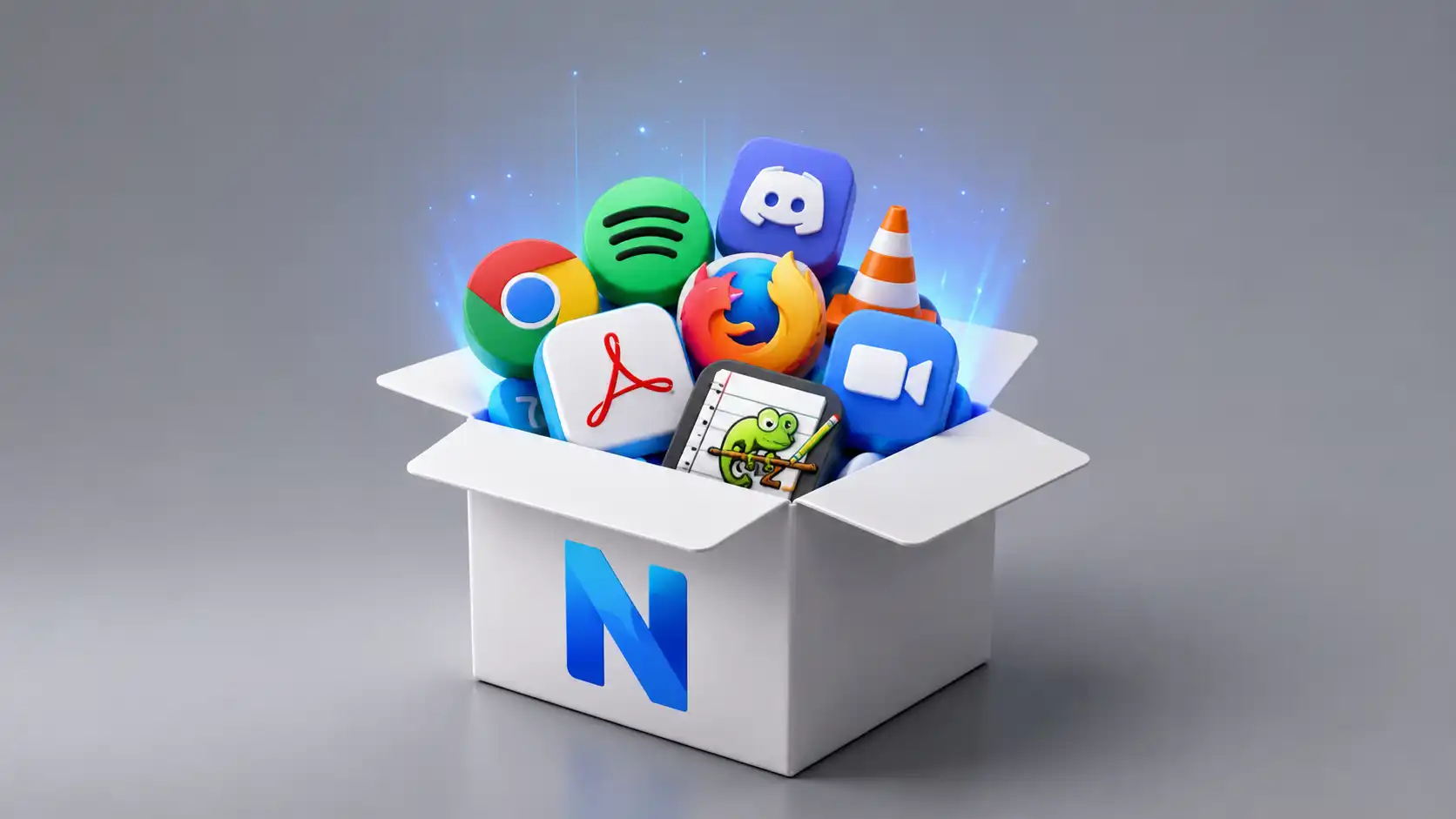
Ninite looks almost suspiciously plain because it is built around one stubborn promise: pick the Windows apps you want, download one installer, run it, and stop babysitting setup screens. Its own homepage says it plainly: “No toolbars. No clicking next. Just pick your apps and go.” That line has aged better than many louder software pitches because it names the exact pain Windows users still remember in their hands: clicking through installers, declining bundled extras, checking boxes, unchecking boxes, waiting, then repeating the same ritual for the next app.
Table of Contents
The genius is the refusal
The surprise is not that Ninite exists; the surprise is that it still feels unusually sane. The web has been trained to add accounts, dashboards, modals, trials, pricing gates, app launchers, onboarding tours, AI buttons, and new names for old workflows. Ninite’s free home flow is almost aggressively uninterested in that performance. It presents a page full of recognizable apps, lets you tick boxes, and hands you a custom installer. That restraint is the product.
Ninite is not trying to become your operating system, your app store, your identity layer, or your productivity hub. It is a tool for one of the most annoying jobs in PC ownership: installing and updating common Windows programs without trusting every individual installer to behave. This is why it fits Web Radar so well. It is not a hidden art project or a strange interactive archive. It is a small, useful web object that has kept its shape while the rest of the software world got louder.
The site works because it treats setup as a chore, not a ceremony. A new Windows machine often comes with a clean desktop and an empty feeling. You still need a browser, a file archiver, a media player, a PDF reader, a chat app, a password manager, maybe Git, maybe Python, maybe VLC, maybe 7-Zip, maybe Notepad++. The old way was a tour of search results and download pages. Ninite collapses that tour into a short checklist.
The magic is less about speed than about confidence. Anyone can download a stack of installers. The hard part is knowing that each one came from the right place, that the latest stable version is selected, that the 64-bit build is used where it should be, that the installer will not sneak in a browser toolbar, and that already current apps will be skipped instead of disturbed. Ninite’s homepage says its installer downloads apps from each publisher’s official site and verifies digital signatures or hashes before running anything.
That is a very specific kind of internet taste. Ninite does not ask the user to admire it. It removes itself from the job as quickly as possible. The best moment in the experience is not a beautiful interface state. It is the absence of ten ugly ones. You start it, you do something else, and the boring work gets done in the background.
A lot of web tools promise convenience by making you adopt their world. Ninite promises convenience by not becoming a world. The free version does not install a permanent Ninite app on your PC, according to its privacy page. It installs the apps you chose, with default settings, and says no to browser toolbars and other junk. That distinction matters. Plenty of utilities begin as helpers and slowly turn into residents. Ninite mostly behaves like a visitor who knows where the tools are kept.
The product’s plainness also gives it a strange cultural afterlife. Many people first met Ninite through a family tech-support scenario: setting up a parent’s laptop, rebuilding a friend’s computer, preparing a work machine after a Windows reinstall, or making a personal “must-have apps” installer to keep around. The official help page even frames setting up a new PC as the original use of Ninite: choose apps, click the installer button, run the downloaded executable, and let it handle the choices without “clicking Next.”
That family-support angle is important because it reveals the real problem Ninite solved. The issue was never only that installing apps takes time. It was that installers used to be tiny trust exams. Which download button is real? Which mirror is safe? Which checkbox opts you into something irritating? Which version matches your system? Which update page is trying to sell you the paid edition? Ninite turned that pile of small doubts into a single, repeatable action.
It is easy to dismiss tools like this as old internet utilities. The better reading is that Ninite understood software fatigue earlier than most. It knew that ordinary users did not want more installation options. They wanted fewer traps. It knew that tech people did not want a glorious dashboard for every small job. They wanted a link they could send to someone with confidence.
That confidence explains why Ninite still feels fresh despite its age. Its copyright footer now runs through 2026, and the company says Ninite was founded by Patrick Swieskowski and Sascha Kuzins, with Y Combinator among its investors. The site has been around long enough to feel like infrastructure, yet it has not lost the personality of a hacker-made answer to a daily annoyance.
Web Radar is about sites worth opening because they reveal something about the web. Ninite reveals how much power there is in saying no. No account for home use. No installer theater. No fake personalization. No dramatic learning curve. No “platform” language for a task that should take five minutes. That is not nostalgia. That is good product judgment.
A small web page with a stubborn product idea
Ninite’s homepage is basically a checklist with a conscience. It organizes apps into categories such as browsers, messaging, media, imaging, documents, security, online storage, utilities, compression tools, developer tools, runtimes, and more. The page shows familiar names rather than abstract bundles: Chrome, Firefox, Edge, Brave, Zoom, Discord, Teams, VLC, Spotify, Audacity, GIMP, Paint.NET, LibreOffice, Malwarebytes, Dropbox, OneDrive, 7-Zip, WinRAR, Git, FileZilla, Notepad++, PuTTY, Visual Studio Code, Cursor, and other utilities.
The design is not fashionable, but it is legible in the way a good workshop wall is legible. You see the tools. You select the tools. You get the tool that fetches the tools. The page does not need to be emotionally engaging because the job is already emotionally clear. You are there because you want to turn a naked Windows install into a usable machine.
The current homepage also makes the update function visible rather than hiding it in documentation. Ninite lists recent app updates near the top of the page and says users do not have to watch for updates because its bots do that work. On the version I checked, the site was showing current update activity for apps including Visual Studio Code, Opera Chromium, Chrome, and Krita. That little news strip matters. It tells the user the catalog is not a dusty software directory.
The catalog has a pleasingly practical personality. It is not a marketplace trying to expose you to every possible program. It is a curated working shelf. You get mainstream browsers, chat clients, readers, archivers, media tools, developer basics, and repair utilities. You will not find every niche app you love, and that is partly the point. Ninite says it only adds popular user-requested apps. Curation here means fewer surprises.
That limit is both a strength and a source of friction. Power users always want one more app. IT teams may want line-of-business software. Designers may want a specific creative tool. Gamers may want a launcher not listed. Ninite’s refusal to support everything keeps it comprehensible, but it also means the site works best for the common software layer: the dependable set of apps that appear again and again on real Windows machines.
A compact read on Ninite
| Area | What stands out |
|---|---|
| Core use | Install or update selected Windows apps from one custom installer |
| Best audience | Home users, family tech support, repair shops, small IT teams, MSPs |
| Product taste | Plain checklist, quiet automation, very little ceremony |
| Trust promise | Official downloads, validation before running, junkware refusal |
| Main limit | Only supported catalog apps, not every program a user might want |
| Pro direction | Browser-based machine management, bulk patching, policies, Intune path |
The table makes the central pattern easier to see: Ninite is not “download software faster” in a vague sense. It is a specific answer to a specific Windows maintenance ritual. The tool is strongest when the user accepts the catalog and values clean automation more than endless choice.
The homepage still says Ninite works on Windows 11, 10, 8.x, 7, and equivalent Server versions. That breadth is part of the reason it survives. Many app-management conversations now assume a modern managed workplace, but real life is messier. Homes, small businesses, repair counters, nonprofits, classrooms, side offices, and relatives’ laptops do not always live inside a polished management stack.
Ninite’s app page also reads like a small history of Windows software culture. Beside current essentials, you see names that evoke older PC habits: Winamp, Pidgin, IrfanView, PuTTY, WinMerge, OpenOffice, Classic Start, CDBurnerXP, TeraCopy, WinDirStat. Some are evergreen. Some are artifacts that still matter to specific users. The catalog is useful partly because it has not been flattened into whatever a platform owner wants to promote this quarter.
The site’s category logic is also refreshingly ordinary. There is no attempt to rename “documents” as “knowledge creation” or “utilities” as “workflow acceleration.” It knows that a PDF reader is a PDF reader. It knows that a compression app is a compression app. That sounds trivial until you spend time around software pages that describe a screenshot tool like a civilization-level breakthrough.
Ninite’s copy has the same discipline. “Pick the apps you want” is a better instruction than a paragraph of brand voice. “Download and run your custom installer/updater” tells the user exactly what happens next. The absence of over-explanation creates trust because the task does not need theater. The user is not being warmed up for a funnel. They are being handed a wrench.
The free home page being ad-free and junkware-free is not a small detail. Ninite says its website is free for home use because Pro users keep it running. That business model matters because download sites have historically been a dangerous neighborhood. A utility that makes money by adding confusion to downloads cannot be fully aligned with the user. Ninite’s free product works because the paid product is aimed at organizations that need patching and deployment.
That split gives the site a rare kind of honesty. Home users get a useful, clean path. Organizations pay for management features. The free flow does not need to be ruined by dark patterns because it also acts as a front door to Ninite’s reputation. People who first used it to set up one family laptop may later recognize it when they need a small-business patching tool.
The site’s accessibility gesture is also worth noticing. Ninite links to a screen-reader-friendly accessible apps page right at the top of the homepage. It is a small thing, but it fits the product’s practical ethic. The job should be available without making the interface itself another obstacle.
Ninite’s strongest design choice is that the generated installer is reusable. The help page explains that Ninite installers always install the latest versions regardless of when they were created, so you can keep the same installer and run it again later to update the selected apps. That turns a one-time setup shortcut into a lightweight maintenance habit.
That reusability is the moment where Ninite becomes more than a convenience link. You can create a personal installer for your standard setup, keep it in a folder or on a USB drive, and run it after a reinstall. You can send a custom link to someone else. You can use it as a repeatable baseline. The web page becomes a small recipe for how you like a PC to feel.
There is also a subtle social function here. Ninite lets a technical person turn judgment into a safe shortcut for someone else. Instead of writing a long email with links and warnings, you can make a selection and share a route. That is a more humane version of tech support: not “learn everything I know,” but “use this clean path.”
The product is not trying to impress the advanced user with complexity. It impresses by removing a familiar mess. That is why it works for both beginners and the person fixing the beginner’s machine. The same absence of prompts that makes it easy for a parent also makes it fast for a technician.
Ninite’s web presence is a useful reminder that a website does not need to be large to be deep. A page can have depth through behavior, trust, and repeat use. The best part of Ninite is not its layout. It is the way the page connects to an installer, a maintained catalog, publisher downloads, validation checks, and update logic without dragging the user through all that machinery.
The installer that behaves like a good technical friend
Ninite’s own help page uses the best metaphor for the product: it tries to behave like “a technical friend” you asked to install a few apps. That metaphor is unusually accurate. A good technical friend does not ask whether you want the Ask toolbar. A good technical friend picks the right architecture, uses the current version, skips what is already installed, and leaves the defaults alone unless there is a reason not to.
The technical-friend idea is what separates Ninite from a simple downloader. A downloader fetches files. Ninite makes decisions. It says no to toolbars and other junk, installs the latest version, chooses 32-bit or 64-bit builds, uses the PC’s language, skips apps that are up to date, and upgrades old ones. Those are not glamorous decisions, but they are exactly the ones that make PC setup irritating when they are left to the user.
The way the installer works is clever without feeling clever. When you create a Ninite installer, the site stores your app choices in its database and associates them with a random installer ID. The downloaded executable is stamped with that ID. When you run it, it asks Ninite’s servers for the latest configuration for those choices, which is why an old Ninite installer can still install current app versions.
That architecture explains why the installer is both custom and current. It is not a frozen bundle of old software. It is a recipe that checks in when it runs. This is a subtle but important distinction. A folder full of downloaded installers goes stale almost immediately. A Ninite installer is closer to a standing instruction: get these apps, but get them correctly at runtime.
The update behavior follows naturally from that model. Ninite checks the versions already installed on the PC, skips apps that are current, and upgrades apps that are not. Its home update help says users can keep the installer executable around and run it from time to time to keep those apps updated. This gives ordinary users a simple patching ritual: run the same thing again.
The simplicity hides a lot of small protections. Ninite downloads each app from the publisher’s official site when available, checks the files before using them, and begins the install only after confirming validity. The security page says each Ninite executable is signed by the company, configuration data is fetched over TLS, and downloaded programs are checked with a SHA-256 hash or a valid publisher signature before anything runs.
That validation step is where Ninite becomes a trust product, not only a time-saver. The download web has long trained users to ignore danger signs because getting software often requires too many clicks. Ninite’s promise is not that every app in the world is safe. Its promise is narrower and stronger: for the apps it supports, it will fetch and run them through a controlled process and reject the junk.
The refusal of bundled junkware is especially important. Ninite says it declines toolbar offers and bundled extras, and its privacy page says it installs apps with default settings while saying no to browser toolbars and other junk. Anyone who used Windows heavily during the toolbar era understands why that sentence carries emotional weight. A clean installer was once a luxury.
The tool also preserves a useful amount of normality. It installs apps in their default locations, works in the background, skips reboot requests, and installs 64-bit apps on 64-bit machines. Those choices are conservative in the best sense. Ninite is not trying to reinvent how software lives on Windows. It is trying to get regular installs done without the mess.
The background behavior is not just aesthetic. It changes the user’s role. With a normal installer chain, the user is an unpaid quality-control worker, watching for unexpected prompts. With Ninite, the user becomes a selector. The tool handles the repetitive work because the repetitive work is the product’s domain.
There is a nice discipline in leaving app settings alone. Many utilities become dangerous because they decide to be smarter than the user. Ninite usually avoids that trap. It chooses the current installer, the right build, and the clean path, then leaves each app mostly as its publisher intended. That restraint reduces the risk of “helpful” surprises.
The same restraint explains why Ninite rejects certain requested features. Its help page has a “Not Features” section built around the idea that staying simple requires fighting complexity. The listed not-features include custom install locations, more apps, detailed download progress, links to app homepages, Shockwave, and drivers. Not every refusal will please every user, but the refusal itself is part of the design.
Drivers are a good example of the boundary. A tool that promises to install apps safely across many PCs should be very careful about becoming a driver utility. The driver-update category is full of questionable software, fragile machine-specific decisions, and risk. Ninite’s decision to keep its job narrower makes the whole product more trustworthy.
The absence of detailed progress may irritate some people, but it fits the product. Ninite is not meant to entertain you with granular status. It is meant to make you stop caring. If the install succeeds, the less you watched, the better. In a culture obsessed with dashboards, that is almost radical.
The “run it again” update model is also psychologically clean. It does not require users to learn a package manager, open a store, sign into an account, or remember which app came from which site. It gives them a single repeatable behavior. For nontechnical users, repeatability is often more useful than power.
For technical users, Ninite works as a lowest-friction baseline. It may not replace winget, Chocolatey, Intune, an RMM, or full endpoint management. It does not need to. It is the fastest way to put the obvious apps back where they belong, especially when the machine is not already under a management system.
There is a lovely product lesson in that humility. Ninite succeeds because it does not confuse “simple” with “dumb.” The user interface is simple. The backend work is not. The user’s mental model is simple. The maintenance of app definitions, validation rules, language handling, installer automation, and update checks is not. Good tools often move complexity to the place where it belongs.
The name of the experience is almost the opposite of onboarding. You do not learn Ninite over time. You understand it in seconds, then trust it through repetition. That is rare on the modern web, where many services treat every visit as a chance to pull you deeper into their system.
Why it still matters beside app stores and package managers
A reasonable person might ask why Ninite still matters when Windows has the Microsoft Store, winget, Intune, browser downloads, and many software vendors now ship auto-updaters. The answer is that real Windows software remains split across too many channels. Some apps live in the Store. Some live on vendor sites. Some have good auto-updaters. Some have bad ones. Some users do not know or care which channel is “correct.” Ninite is useful because it smooths over that fragmentation for a practical set of common apps.
The Microsoft Store is cleaner than the old download web, but it does not cover every habit or every workplace. Many Windows users still install classic desktop applications directly. Many organizations still care about predictable deployment, version control, caching, and app-specific settings. Many home users simply know the apps they want and do not want to search through Store listings. Ninite remains good at the old but still common job: install normal Windows programs cleanly.
Package managers are powerful, but they have a social problem. Tools like winget are excellent for people comfortable with commands, scripts, manifests, and terminals. They are less natural for someone setting up their mother’s laptop. Ninite’s web checklist has almost no cultural barrier. You do not need to explain a command. You can say: choose these, download this, run it.
That is why Ninite keeps living in the gap between consumer simplicity and admin discipline. It is plain enough for home use, but careful enough that professionals do not feel silly using it. The same product logic scales upward into Ninite Pro, where the company adds machine management, patching, policies, tags, reporting, caching, command-line use, and other features for organizations.
The homepage says Ninite installs and updates about a million apps each day for home users and Pro subscribers. That number explains the site’s quiet endurance. Ninite is not a viral toy. It is part of the maintenance layer of many PCs. People do not post screenshots every time it saves them twenty minutes; they just use it again.
The app list also shows how much Windows work still lives outside one neat channel. Ninite Pro’s supported software list includes browsers, runtimes, media tools, developer tools, remote access apps, office suites, PDF readers, compression tools, security utilities, sync clients, and legacy versions where organizations may still need them. That breadth tells a real story about Windows: the ecosystem is not one garden. It is a city.
Ninite’s catalog is especially useful after resets, rebuilds, and hand-me-down machines. A fresh Windows install is clean, but clean is not the same as ready. You still need the apps that make the machine yours. Ninite turns “remember everything I use” into a visual checklist. That is more forgiving than a command file and faster than manually visiting vendor sites.
It is also useful during the awkward middle stage of technical maturity. A small business may not yet have full endpoint management. A school club, tiny nonprofit, local office, or family business may still operate through whoever “knows computers.” Ninite is the kind of tool that lets that person act more consistently without building a management platform around the task.
The Pro product is where Ninite becomes less of a convenience site and more of a patching system. Ninite Pro lets users manage Windows PCs from a browser after installing a lightweight agent, with each machine as a row and each app as a column. Users can update, install, or uninstall individual cells, entire rows, columns, or larger selections, and watch agents work in real time. That grid metaphor is strong because it matches how admins think about software coverage.
Ninite Pro’s roaming and offline behavior also reveals the real-world conditions it serves. The Pro page says commands for offline machines can be delivered when those machines come back online, and roaming laptops work through the web interface because agents communicate with Ninite’s servers over a secure connection. That is a long way from “I need VLC on my new laptop,” but it is built from the same premise: app maintenance should not require a person sitting through installers.
The download caching feature is another practical touch. Ninite Pro can mark certain machines as cache servers so other machines route downloads through them, reducing repeated external downloads when the same update is needed across a network. It is exactly the sort of unglamorous feature that matters in offices with many machines and imperfect bandwidth.
Policies are where the product’s simplicity meets institutional reality. Ninite Pro supports automatic update policies that apply updates when available, and it allows locking apps when machines require a specific point release. That lock matters because “latest” is usually right for home users, but not always right for business-critical software. Good management tools know when not to change things.
The Intune integration through Nintune shows how Ninite is adapting without abandoning its core. Nintune connects Ninite’s app logic to Microsoft Intune and, according to the Nintune page, combines Ninite’s catalog with 13,332 WinGet apps. The name is almost too cute, but the product direction makes sense: many organizations already live in Intune, so Ninite is bringing its cleaner app handling into that environment.
Nintune also tells us something about the future of tools like this. The problem is no longer only “how do I install Chrome and 7-Zip on my home PC.” The problem is “how do I keep third-party apps current across messy fleets without turning every app into a bespoke packaging project.” Ninite’s original web checklist was a consumer answer to a consumer pain. Nintune is the same instinct applied to managed software distribution.
The page’s detail about WinGet apps is also revealing. Nintune says Ninite’s own installer automation is the “gold standard,” but it cannot support every app, so it adds thousands of WinGet apps while noting that WinGet apps do not have all the features of Ninite apps. That is honest product positioning. Ninite knows its curated catalog is stronger, but it also knows admins need breadth.
This is the rare case where a tool can grow upward without ruining the original charm. The free flow still feels small. The Pro and Nintune paths serve organizations. The free page does not need to pretend every home user is secretly an enterprise buyer. The enterprise product does not need to pretend app patching is fun.
Ninite’s relevance also comes from the stubborn survival of bad installers. Even when software vendors behave better than they did in the worst toolbar years, installers still ask too many questions, bundle too many side tasks, reboot at annoying times, or expose users to confusing choice architecture. Ninite’s “no clicking next” promise is not old-fashioned because the human cost of installing software never disappeared.
App stores have improved discovery but have not fully solved setup trust. Discovery is only one stage. Maintenance, version freshness, silent updating, architecture matching, publisher download validation, and bulk installation are different jobs. Ninite is not glamorous because it does the jobs around discovery rather than pretending discovery is all that matters.
The product also respects a basic truth about computers: people repeat setups. Developers rebuild machines. Families replace laptops. Small offices add PCs. Repair people wipe and restore systems. Students start semesters. Gamers rebuild rigs. Creators upgrade hardware. Every repeat setup turns previous choices into friction. Ninite is useful because it remembers the shape of that friction.
Ninite’s strongest competition may not be another tool but user apathy. Many people tolerate outdated apps, random download pages, and messy installs because the pain comes in small installments. Ninite turns that scattered pain into a visible job and removes most of it. It reminds the user that the old ritual was not normal; it was just accepted.
The trust problem hiding inside every install button
Every software download contains a trust question. You are not just getting a program. You are giving code permission to run on your machine. That is why Ninite’s security posture matters more than its plain interface suggests. A tool that automates installation is only useful if its automation is more trustworthy than the manual work it replaces.
Ninite’s security page is unusually direct for a utility site. It says updating apps involves privileged operations and must be handled carefully. It describes signed Ninite executables, TLS for app configuration, downloads from official publisher mirrors, validation by SHA-256 hash or publisher signature, and hard failure when validation does not pass. Those details are not decorative. They are the reason the shortcut is safe enough to recommend.
The “no prompts to ignore validation failures” detail deserves attention. Ninite says if validation fails, the app update fails, with no option to continue using questionable data. That is a strong product choice because many users would click through a warning to finish the job. Ninite removes the temptation. A failed safe path is better than a successful suspicious one.
The official-mirror approach is also important. Ninite is not trying to become a random mirror farm. It downloads from publisher sites where possible and uses its own mirror only when an official mirror is unreliable, while still validating files before use. The user gets the convenience of one flow without surrendering entirely to an opaque download bundle.
This is why Ninite feels different from the old download portals. Many download sites treated the installer wrapper as a monetization surface. Ninite treats it as a risk surface. That difference changes the ethics of the whole experience. The wrapper exists to remove junk, not add it.
The privacy page reinforces that posture in plain language. Ninite says it does not spam or sell email addresses, does not list malware or shady apps, reports non-identifying diagnostic information after installs to improve reliability, and does not include malware or spyware. It also says the free version and Ninite Pro Classic do not install Ninite itself. That last point is one of the most persuasive lines on the page.
A utility that does not install itself permanently is rare enough to feel almost polite. Many helpers want to become startup items, tray icons, notification engines, update schedulers, browser extensions, or subscription reminders. Ninite’s free flow mostly leaves after doing the job. The lack of residency is part of the trust model.
The affiliate note on the privacy page is also worth reading carefully. Ninite says some apps are tagged with a Ninite affiliate key and that Ninite receives a commission when users upgrade those apps. The important part is not that affiliate revenue exists. The important part is that the site says so, and that the core free experience is not built around pushing users into confusing offers.
Ninite’s refusal of junkware is more than a convenience feature; it is a memory of a worse web. For years, ordinary users learned to fear the installer screen because harmless-looking buttons changed browser search, installed toolbars, added startup clutter, or bundled trialware. Ninite’s promise is an antidote to that era. It turns a manipulative interface problem into a handled rule.
The security model is not perfect magic, and the article should not pretend it is. Ninite still depends on its own infrastructure, its catalog maintenance, publisher downloads, and the correctness of its automation. Any tool that automates privileged installs needs trust. The difference is that Ninite tells the user where that trust sits and documents the safety checks around it.
The strongest recommendation is not “trust Ninite blindly.” It is “Ninite has made the trust boundary easier to understand than most manual download journeys.” Instead of trusting ten search results, ten download buttons, ten vendor pages, and ten installer flows, the user trusts one maintained system that is explicitly built to reject common installer junk.
The product’s long life supports that trust, but does not replace the technical details. Longevity alone is not proof of safety. Popularity alone is not proof either. The more persuasive evidence is the combination of signed executables, secure configuration delivery, publisher-source downloads, validation checks, and a business model that does not depend on contaminating the installer with extras.
The Pro side raises the stakes because organizations use it for patching. Ninite Pro is used to patch and secure software in thousands of organizations, according to its Pro page. When a tool moves from one home laptop to a fleet, the trust question grows. Ninite’s security page says the same precautions apply to the Pro Agent and that the company limits access, runs minimal services, and keeps its servers patched.
The trust issue also explains why the curated catalog matters. A tool that supported every random app on the internet would carry far more risk. Ninite’s narrower catalog means each supported app can be handled more deliberately. The frustration of missing apps is tied to the safety of the apps that are present.
There is a product-design lesson in the way Ninite handles failure. It would be easy to make an installer that asks the user what to do when something goes wrong. Ninite is more opinionated: if validation fails, stop. If an app is current, skip it. If an installer offers junk, decline it. Those rules make the tool useful precisely because the user is not forced to judge every branch.
That clarity matters for the people who are often dragged into tech support. A family tech helper wants to reduce the number of future problems. They do not want to introduce a mysterious updater, a browser hijack, or a pile of trialware while trying to help. Ninite’s appeal is emotional as much as technical: it lets the helper act generously without becoming nervous.
For small IT teams, the trust value is multiplied by repetition. A bad installer choice on one machine is annoying. A bad installer choice across fifty machines is a week of cleanup. Tools that enforce clean defaults and validation are boring until they prevent a mess. Then they become part of the team’s quiet survival kit.
The web is full of tools that make risky things easy. Ninite is more interesting because it makes a common risky thing boring. That is a higher bar. It asks not “how quickly can we get the user to click,” but “how much suspicious clicking can we remove from the user’s life.”
From home shortcut to small IT discipline
The free Ninite flow is the doorway, but the Pro product shows the deeper idea. Ninite Pro takes the same clean-installer logic and applies it to many machines. The page describes a browser-based interface where PCs appear after installing the Ninite Agent, with machines as rows and apps as columns. Admins can patch or install by selecting cells, rows, columns, or everything. It is a spreadsheet-like mental model for software maintenance.
That grid is smart because it matches the question admins actually ask. Which machines have which apps? Which apps are stale? Which updates are missing across this group? Which client needs attention? A list of installers does not answer that. A machine-by-app view does. Ninite Pro is still opinionated about simplicity, but the job has expanded from “set up this PC” to “keep these PCs sane.”
The Pro product’s support for tags, grouping, filtering, and status views is not surprising, but it is well aligned. Ninite says machines can be tagged, including per-client tags for managed service providers, and machines are automatically tagged with online/offline and server/workstation status. That is the kind of organization layer that matters once the user is responsible for other people’s machines.
The pricing model is also straightforward in the way Ninite tends to be. Ninite Pro is a subscription based on machine count, with tiered per-machine pricing, and one account can be used at multiple locations and with multiple clients because licensing cares about total machines. The product is not trying to price by mystery. It prices by the object being managed.
The Pro Classic inclusion is another sign of practical product thinking. The Pro page says Ninite Pro Classic remains included with every Ninite Pro account for teams that want command-line use, RMM integration, startup scripts, or existing workflows. A company less respectful of its users might force everyone into the new interface. Ninite keeps the old path because admins often have real scripts and habits already in place.
This is where Ninite’s personality becomes useful for managed service providers and repair shops. The tool does not try to replace every endpoint platform. It does a specific job well: install, update, audit, and manage supported third-party apps. In a small support business, that narrowness can be a strength. It means technicians can build consistent patching routines without creating a giant internal software project.
The command-line and automation features listed in help show the same practical bias. Ninite’s features page points to language selection, HTTP proxy support, silent mode, offline mode, command-line app selection, update-only mode, download cache, and app audit reporting, with several of those marked for Pro. Those are not flashy features. They are the things you need when the job must repeat cleanly.
The Nintune product extends that practical bias into Microsoft’s management world. Nintune is framed as “Ninite + Intune,” allowing control of apps in Microsoft Intune without going near Microsoft’s IntuneWinAppUtil content preparation tool. It adds Ninite’s app catalog and thousands of WinGet apps, and manages the process from a web interface. The pitch is very specific because the pain is very specific.
The Nintune details show how far the original Ninite idea can travel. It supports Intune assignment modes such as Required, Available, Available + Update, Update Only, Uninstall, and Available, according to the page. That is the enterprise version of the same instinct: do the right thing based on the job, not based on a generic installer flow.
Nintune’s update-only concept is especially aligned with real machines. Users install apps on their own. Admins then need to patch what exists without forcing the app onto every machine. Nintune’s page describes updater apps with requirement scripts that skip machines where the app is not installed. That is a small but sharp understanding of workplace mess.
The inclusion of WinGet apps beside Ninite’s own catalog is a careful compromise. Ninite knows breadth matters, but it also marks the difference between its packaged apps and WinGet-sourced apps. That honesty is important for IT teams. “We support everything equally” would sound better in marketing, but it would be less useful in practice.
The Pro and Nintune layers also protect the free product from bloat. Because paid users fund the company, the free site does not need to become an ad maze. Because Pro handles the management complexity, the home flow can remain a checklist. The product line has a clean division of labor.
This is one of the reasons Ninite has not suffered the usual utility-site decay. Many free utilities age badly because they chase revenue inside the user’s task. Ninite found a professional version of the same task. That lets the free version remain clean while still being part of a serious business.
The move from home use to Pro also says something about software maintenance as a cultural problem. Home users experience it as annoyance. IT teams experience it as exposure. Unpatched third-party apps create risk, and the most common apps are often the ones attackers know how to target. Ninite’s free product saves time; its paid products create a routine for keeping familiar apps current.
The Ninite Updater page, aimed at easier automatic update checking, frames updates as a pain caused by download sites, installer prompts, and manual repetition. It says the updater detects supported apps, lets users install updates at once, and avoids websites, download management, repeated installer clicking, toolbars, changed shortcuts, and app-by-app manual work. Even where the exact product packaging changes, the thesis stays the same: updates should not punish the user.
There is a strong editorial lesson here for anyone building web tools. Ninite did not start by asking how to capture more user time. It started by asking how to remove a chore. The Pro business then grows from the same chore repeated across more machines. That is a healthier kind of expansion than inventing artificial engagement around a solved job.
The product’s enterprise direction also avoids a common trap: turning home users into beta testers for admin complexity. The free page does not ask ordinary users to understand policies, tenants, cache servers, assignment types, command-line switches, or tags. Those features live where they belong. The home user gets checkboxes. The admin gets controls.
This respect for different audiences is rarer than it should be. Many products flatten everyone into the same onboarding journey. Ninite keeps the home job, Pro job, and Intune job distinct. That clarity is one reason the site still feels calm.
The small design decisions that make it memorable
Ninite is memorable because it makes a boring job feel finished. Many utilities make boring jobs feel managed, monitored, synchronized, tracked, or analyzed. Ninite makes the job disappear. That emotional finish is powerful. You do not leave with a new dashboard to check. You leave with apps installed.
The first design decision is the checklist. A checklist is humble, but it is exactly right for a task built from known choices. The user does not need a recommendation engine to decide between Chrome, Firefox, Edge, Brave, or Opera. They need a visible list and a clean way to select. The format respects the user’s existing preferences instead of pretending the site must discover them.
The second decision is the single executable. After selection, the user gets one custom installer/updater. That object is easy to understand, easy to save, easy to rerun, and easy to send. It turns a web selection into a portable action. The site itself becomes less important after the installer exists, which is a surprisingly generous design move.
The third decision is saying no to prompts. Normal installers often turn installation into a miniature negotiation. Ninite refuses the negotiation. It installs in the default location, declines bundled offers, picks the right version, and works in the background. The user is not forced into fake choices that exist mainly to protect vendors or upsell extras.
The fourth decision is skipping current apps. This turns rerunning the installer from a risky repeat into a safe habit. The user does not have to worry that Ninite will reinstall everything unnecessarily. It checks what is present, skips what is current, and moves on. A small behavior becomes a huge trust builder.
The fifth decision is refusing to support every request. The “Not Features” page may look odd at first, but it gives the product a spine. Ninite knows that more features can make the tool worse. This is not minimalism as fashion. It is minimalism as maintenance strategy.
The sixth decision is letting the catalog feel familiar. Ninite’s list has many apps ordinary Windows users recognize. The value is not novelty. It is the relief of seeing your usual kit in one place. When a tool’s job is maintenance, novelty can be a liability. Familiarity is the point.
The seventh decision is plain documentation. The help pages are short, direct, and almost aggressively unadorned. They explain what happens without burying the user in brand language. The security page says exactly how validation works. The privacy page says what is reported and what is not installed. The Pro page describes rows, columns, agents, tags, policies, caches, and pricing in practical terms.
The eighth decision is letting the user keep control without making the user do labor. That balance is hard. Too much automation feels risky. Too little automation is not useful. Ninite’s free flow hits the sweet spot: the user chooses apps, then the tool handles the repeated mechanical decisions. Choice remains at the level where the user has real preference.
The ninth decision is avoiding account gravity for home use. The free path does not begin with registration. It begins with selection. That single choice changes the mood of the site. You are not entering a relationship. You are doing a job. In an era where even tiny tools want an account, this feels almost luxurious.
The tenth decision is not pretending to be beautiful. Ninite is neat enough, but it is not trying to win a design award. That is a strength. Beautiful interfaces can become suspicious when they stand between the user and a simple maintenance task. Ninite’s visual plainness says: the installer is the point.
There is also a peculiar pleasure in a site that still feels like a web page. You can scan it. You can understand it. You can share it. You can use the browser’s ordinary behaviors. It does not feel like a mobile app trapped in a desktop tab. It feels like a tool bench.
The update ticker adds life without becoming noise. It shows the catalog is maintained and that app versions change constantly. It is not a feed you need to follow. It is a pulse. That is the right level of presence for a maintenance tool.
The app categories carry a quiet editorial voice. They tell you what the maintainers think belongs in the normal software kit. Browsers, messaging, media, documents, security, online storage, utilities, compression, developer tools. This is a map of how ordinary computers are used. It is not exhaustive, but it is recognizable.
The site’s humor is dry enough to be useful. The privacy page says, “Let’s keep this simple,” then actually keeps it simple. That kind of understatement is rare. Many privacy pages begin with warmth and then become unreadable. Ninite’s page feels written by people who know users have better things to do.
The whole product has that same quality: it respects the user’s impatience. It does not mistake impatience for stupidity. It assumes the user knows what they want, dislikes pointless prompts, and wants fewer chances to make a bad click. That is a more flattering view of the user than many “friendly” products offer.
Ninite is also memorable because it gives technical people a clean recommendation. Recommending software can be risky. A bad recommendation creates support debt. Ninite is the kind of tool a tech person can send without a paragraph of caveats. That social portability may be one of its strongest growth engines.
The product has become part of the mental checklist for a certain kind of Windows person. New PC? Ninite. Reinstall? Ninite. Family laptop? Ninite. Repair bench? Ninite. That kind of association is hard to buy because it comes from repeated relief rather than advertising.
The best utility brands are often built around a feeling of not being tricked. Ninite has that feeling. It does not promise a new life. It does not decorate the task. It does not ask you to celebrate the install process. It simply removes a layer of annoyance that should never have been there.
Reader notes before opening it
Ninite is worth opening when the job is ordinary and repeated. Setting up a fresh Windows PC is the obvious case. So is updating a cluster of common apps that you already have installed. The site is also useful when you are helping someone remotely or preparing a standard app set for a family member, friend, or small office.
The best way to use it at home is to build a personal baseline. Choose the apps you nearly always install, download the Ninite installer, and keep it somewhere obvious. Run it after new PC setup, after a Windows reinstall, or every so often for updates. The installer will fetch current versions when it runs and skip apps that are already current.
Ninite is not the right answer when you need a program outside the catalog. It only supports the apps it supports. That limitation is not a bug in the casual sense; it is part of the safety and simplicity model. If the app is not listed, you still need the vendor’s official download path, a trusted package manager, the Microsoft Store, or your organization’s software management process.
It is also not a full replacement for managed endpoint security or enterprise patch governance. Ninite Pro and Nintune move into that territory, but the free home installer is a clean utility, not a policy system. For a home user, that is fine. For an organization, the paid products and existing IT controls matter.
Users who like custom install paths may feel boxed in. Ninite installs apps in their default locations and intentionally avoids certain forms of customization. That choice may annoy tinkerers, but it protects the main promise: repeatable clean installs with fewer decisions.
The site is especially good for the first hour after Windows becomes usable. Once network drivers are working and the browser is available, Ninite can quickly put the familiar layer back: browser choices, VLC, 7-Zip, SumatraPDF or Foxit, LibreOffice, Malwarebytes, Dropbox or OneDrive, Notepad++, Git, FileZilla, Visual Studio Code, and the rest of your usual kit.
The tool is also good for reducing bad search behavior. Many users download software by searching the app name and clicking whatever result looks plausible. That is still a risky habit. Ninite gives them a safer route for supported apps, especially when the alternative is a confusing page full of ads, fake download buttons, mirrors, and upsell language.
For a technical helper, the best trick is preselection. Ninite supports links with apps selected, according to its help index. That means you can create a clean app set for someone else without turning the support conversation into a scavenger hunt. You are not only recommending Ninite; you are recommending a specific setup.
For a small business, the decision point is frequency. If you occasionally set up one machine, the free flow may be enough. If you manage many machines, need reporting, need silent mode, want update-only behavior, or care about policy and fleet visibility, Ninite Pro is where the product becomes serious. The Pro page’s machine grid, auto-update policies, cache servers, tags, and command-line support exist for that heavier use.
For Microsoft Intune shops, Nintune is the more interesting branch. Its promise is not “install apps from a website,” but “use Ninite’s update logic and catalog inside an Intune workflow.” The page also states that Nintune is included with Ninite Pro rather than priced as a separate add-on. That makes it worth a look for teams already paying for Pro or considering it.
The biggest reason to open Ninite today is that it still feels honest. It does one recognizable job, uses language humans understand, documents the trust model, and keeps the free home path clean. That should not be rare, but it is. The web has made many simple jobs feel strangely ceremonial. Ninite cuts the ceremony.
There is also a small emotional reward in seeing old web pragmatism survive. Ninite belongs to the lineage of tools made by people who were annoyed enough to fix a specific annoyance properly. It does not need a grand theory. It does not need a personality cult. It needs to install your apps without making you hate computers.
The most interesting thing about Ninite may be how little it asks from the user. It does not ask you to admire its interface. It does not ask for attention after the job. It does not ask you to understand package management. It does not ask you to trust a dozen installer screens. It asks you to choose your apps and then lets the boring machinery run.
That is why Ninite remains a Web Radar recommendation rather than just a utility link. It is a small lesson in product taste: the best software sometimes wins by making fewer claims, owning a narrow job, and refusing to make the user participate in needless complexity. A plain checklist can be a better interface than a beautiful dashboard when the user is trying to escape the task, not live inside it.
Open Ninite when you want a Windows PC to feel usable without turning setup into an afternoon. Pick the apps, run the installer, keep the file, run it again when needed. The site’s core trick is still that simple, and the reason it works is that the simple thing is backed by years of catalog maintenance, installer automation, and a healthy disrespect for junkware.
Author:
Jan Bielik
CEO & Founder of Webiano Digital & Marketing Agency

This article is an original analysis supported by the sources cited below
Ninite
Official Ninite homepage used for the current product promise, app categories, supported Windows versions, free home-use positioning, current update activity, and core installer behavior.
How Ninite works
Official Ninite help page used for the explanation of installer IDs, runtime configuration checks, latest-version behavior, architecture and language handling, skipping current apps, and installer automation.
Keeping apps up-to-date
Official Ninite help page used for the reusable installer and update behavior described in the article.
Ninite security details
Official Ninite security page used for the details on signed executables, TLS configuration delivery, publisher-source downloads, SHA-256 or publisher-signature validation, validation failure behavior, and Pro Agent security.
Ninite privacy policy
Official Ninite privacy page used for the notes on non-identifying diagnostics, no malware or spyware, no permanent Ninite installation in the free version or Pro Classic, and bundled-junk refusal.
Ninite Pro
Official Ninite Pro page used for browser-based fleet management, machine grid behavior, agents, caching, tagging, policies, command-line support, pricing structure, and organizational use.
Ninite Pro app list
Official supported software list used to verify the breadth and current examples of Ninite Pro-supported applications.
Nintune
Official Nintune page used for the Intune integration, Ninite catalog plus WinGet app coverage, assignment types, update-only behavior, tenant model, and inclusion with Ninite Pro.
| Citing this article? Brief excerpts are welcome. Please credit Webiano.digital, name the author where stated, and include a link to https://webiano.digital and to this original article. Full or substantial republication requires prior written permission. Read our Copyright and Content Use Policy. |
This article was prepared with the assistance of artificial intelligence tools. The content underwent expert human review, and Webiano Digital & Marketing Agency assumes editorial responsibility for its final version and publication.