Hacker Simulator is not trying to teach you how to break into anything. Its whole trick is smaller, safer, and more charming: it gives you the feeling of sitting inside a movie terminal without pretending the fantasy is real. Open hacker-simulator.com and you are dropped into a dark, draggable desktop of fake cracking windows, progress bars, ASCII skulls, permission warnings, code rain, and panels that look like a late-night cyber scene built out of text. The site describes itself as a harmless interactive hacking simulator and says it is not real hacking or doing anything harmful.
Table of Contents
The fake terminal that understands the joke
That honesty matters. A worse version of this idea would sell danger. This one sells atmosphere. It understands that the appeal of fake hacking is not the actual act of compromise. The appeal is the theater: the blinking cursor, the scrolling terminal, the “access denied” flash, the absurdly serious progress bar that makes nothing feel like something. Hacker Simulator takes that shared visual language and strips it down until the joke is clean.
The site sits in the same internet family as Hacker Typer, Pranx, and GeekTyper, but it has a more restrained flavor. Where some hacker prank pages pile on cinematic interfaces, logos, buttons, and loud movie references, Hacker Simulator leans into ASCII and fake system windows. The official page even claims that, unlike other hacker simulators, it feels more realistic because it is ASCII-text-based. That is not a technical claim so much as a design instinct, but the instinct is right. Text still feels closer to the machine than glossy neon dashboards do.
The site’s best quality is that it does not over-explain itself before the fun starts. You are supposed to poke it. Open the start menu, change the colors, resize the windows, speed up the animation, drag panels around, type nonsense into the terminal, and watch the desktop become a small stage. It is a toy, but a toy with enough surface detail to reward a few minutes of curiosity.
A fake desktop built from familiar hacker theater
The first thing Hacker Simulator gets right is the mood. The screen does not look like a polished cybersecurity product. It looks like someone found a forgotten terminal in a basement and decided to perform danger with it. That is the correct emotional register for this kind of site. Fake hacking works best when it feels slightly dirty, slightly outdated, slightly theatrical.
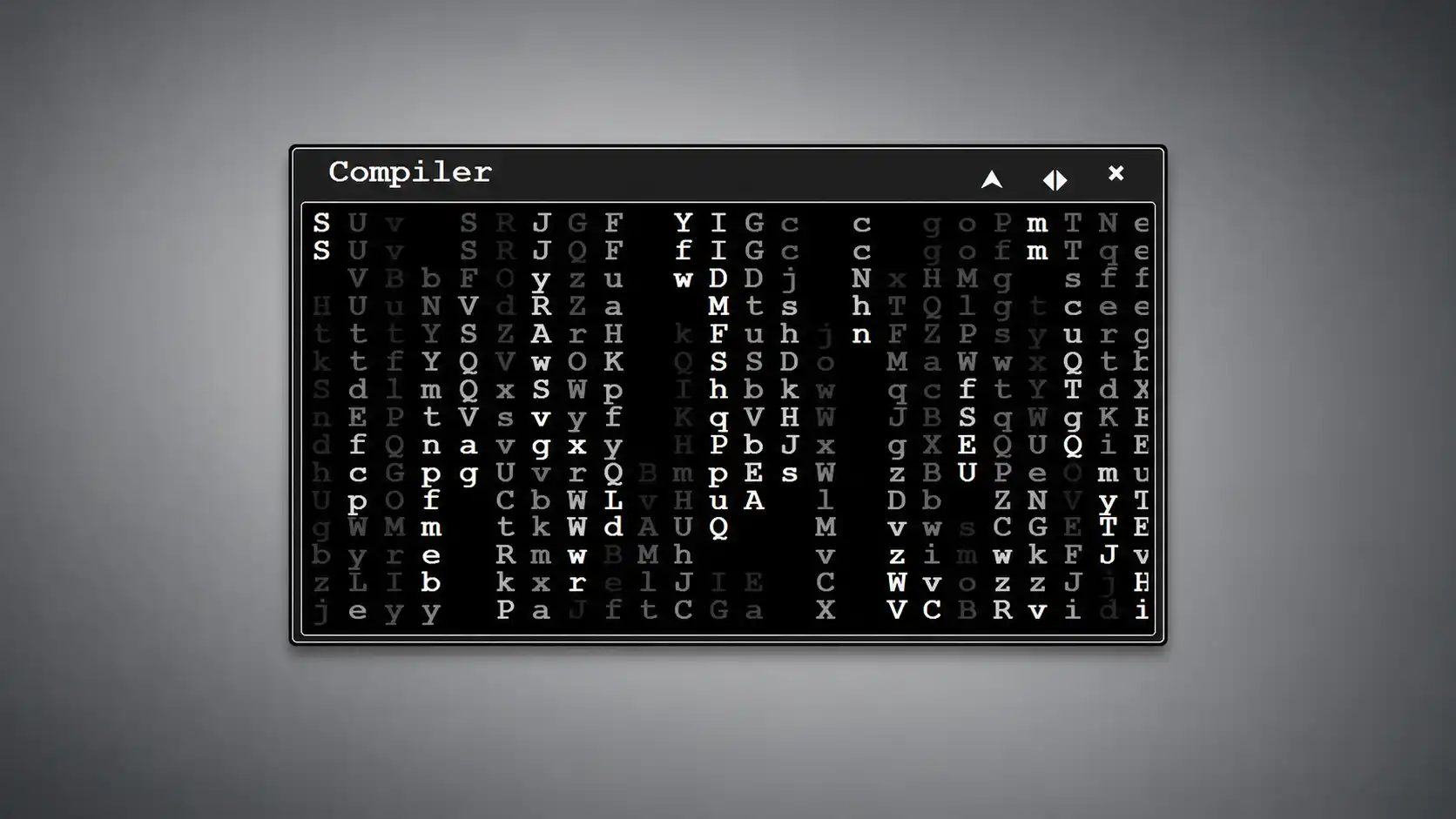
The layout is simple: multiple small windows sit on a desktop, and each window performs a different piece of the fantasy. One panel behaves like a terminal, one parses through folders, one displays program text line by line, one shows transfer speed, one renders random characters in a table, one shows a distorted ASCII image, and others stage downloads, uploads, permission messages, and warnings. The official page lists 13 windows, including Terminal, Directory, Encryptor, Transfer, Scripts, Receiver, Compiler, Download, Upload, Access, two warnings, and Help.
That list is funny because it reads like a prop department inventory. The site is not building a believable cyber operation; it is building the visual ingredients people already associate with hacking. A fake folder crack, a fake malware upload, a fake permission granted message, a fake Matrix-style code rain: each panel is a little prop. The user arranges the props.
The ASCII matters more than it seems. ASCII art gives the whole thing a rough texture that glossy interfaces usually lose. A skull made out of blocks is more memorable than a generic vector skull icon. A progress bar built from text feels more like a terminal joke than a loading animation. Even when the site is silly, the text-based look keeps it from becoming disposable.
There is also a nice tension between the old and the current. The idea of “hacking” as a blinking command screen belongs partly to older films and early internet culture, but people still recognize it instantly. Real cybersecurity work now involves cloud dashboards, identity systems, logs, alerts, tickets, scripts, and a lot of patient investigation. Yet the public image remains the terminal: green text, black screen, fast typing, impossible confidence. Hacker Simulator does not correct that myth. It plays it back as a miniature stage set.
The page includes a security-awareness note, saying the site wants to raise awareness for online security and promote ethical hacking. That line keeps the prank from drifting into something nastier. The project knows it is using the aesthetics of intrusion, so it adds a plain disclaimer and a safety checklist. The page also repeats that the simulator is harmless and not doing anything harmful.
The better joke, though, is hidden in the interaction. You can close, widen, move, minimize, and reopen panels from the taskbar. That makes the fake desktop feel less like a static poster and more like a tiny operating system. You do not have to believe it. You only need enough control to enjoy the illusion.
The start menu is where the site becomes more than a looping animation. You can choose color schemes such as black and white, DOS, Pascal, and neon green; change the font style and size; adjust window width; alter animation speed; minimize panels; or toggle windows. Those options are not deep, but they are exactly the right kind of shallow. They let you tune the vibe.
This is where Hacker Simulator earns its place as a Web Radar find. It is not important because it is big. It is interesting because it understands a small behavior perfectly. People like to cosplay interfaces. They like to make a screen look like something from a film, a game, a server room, a control center, a secret system. Hacker Simulator gives that impulse a clean browser home.
The pleasure is in the limits
Hacker Simulator is not a game in the usual sense. There is no score, no mission tree, no account, no upgrade path, no real puzzle, and no reason to stay for an hour. That sounds like a weakness until you open it. The site works because it knows when to stop.
A full hacking game has to solve a harder problem: it must turn abstract technical work into rules, challenges, and feedback. That can be brilliant when done well, but it also creates friction. Hacker Simulator avoids all of that. It is not a simulation of skill. It is a simulation of posture. You sit down, type nonsense, arrange windows, and feel the screen react as if you are doing something complicated.
The terminal window is the clearest example. When the terminal is active, random typing adds code-like material to the panel, creating the feeling that you are writing something far faster and more serious than your fingers deserve. The official page describes this as a “hacker typer” behavior: start pressing random buttons and the panel fills with code-like text.
This is the old Hacker Typer trick, and it still works because it flatters the body. The keyboard becomes a prop instrument. You are not solving anything; you are performing. The site turns random keystrokes into screen confidence. That is why these tools keep circulating: they let the user feel the rhythm of expertise without demanding the expertise.
Hacker Typer itself has been around since 2011 and describes its origin as a desire to look like the stereotypical hacker from movies and pop culture. That single sentence explains the whole genre better than any cybersecurity lecture could. People are not opening these pages because they confuse them with real tools. They open them because the stereotype is fun to inhabit for a moment.
Hacker Simulator’s difference is density. It does not only fill one terminal with fake code. It gives you a little desk of fake consequences. There is downloading, uploading, compiling, warning, denial, access, folder parsing, data transfer, and suspicious ASCII imagery. The panels are shallow, but together they create the illusion of a larger system.
That shallow quality is not laziness. For a web toy, shallow often means readable. You understand the whole thing within seconds. You do not need onboarding. You do not need a tutorial. The controls are obvious enough, and the content is familiar enough, that the site starts working before you have consciously learned it.
There is a kind of discipline in that. The page resists the urge to become a product. No dashboard account. No long intro. No fake difficulty curve. No collection system. No endless “cyber academy” overlay. Just a simulated desktop, settings, hot keys, and the joke. The web used to be full of small single-purpose pages like this. Many were crude, but the best ones had focus.
The limits also make it safer as a recommendation. This is not a dual-use hacking tutorial disguised as entertainment. The site shows fake actions with fake outputs. It does not hand the visitor exploit instructions, credential theft flows, or operational steps. The official disclaimer is plain about the harmless nature of the simulator.
That distinction matters because “hacker simulator” can mean very different things online. Some tools are pure visual pranks, some are games, some are cybersecurity training environments, and some sit closer to real technical practice. Hacker Simulator belongs to the visual-prank category. Its value is aesthetic, not instructional.
The most charming limit is that the site is still browser-native. There is nothing to install, no app store gate, no download anxiety, and no heavy 3D wrapper. Open a URL and the screen changes into a fake command center. That instant transformation is part of the pleasure. It feels like a trick the web is uniquely good at.
Why ASCII still feels sharper than glossy cyberpunk
A lot of “hacker” design has become strangely uniform: black backgrounds, green text, blue maps, red warnings, glowing grids, world maps, skull icons, and the occasional hexagon. Hacker Simulator uses some of that vocabulary, but the ASCII base keeps it from looking like a stock cybersecurity landing page. The roughness helps.
ASCII is old, but it is not only nostalgic. It carries the feeling of constraint. When an image is built from characters, the viewer senses that the machine is being asked to draw with limited material. That makes the skull, the folder, the warning, and the progress bar feel more like terminal artifacts than decorative UI.
The site’s official text points directly to that decision. It says the simulator is more realistic because it is ASCII-text-based. Strictly speaking, real hacking does not look like ASCII skulls and malware upload bars either. Yet the claim makes emotional sense. ASCII belongs to the visual world of terminals, bulletin boards, command-line tools, old text files, and underground internet aesthetics.
The word “realistic” is doing funny work here. The simulator is not realistic in behavior. It is realistic in texture. A fake dashboard full of polished widgets can feel less convincing than a crude wall of terminal text because most people associate terminal text with lower-level control. That association is powerful even when it is inaccurate.
GeekTyper leans harder into the movie-and-game joke. Its own page says it was inspired by media where hacking is usually portrayed incorrectly, and it lets users mash keys while simulated code appears on screen. It also offers many themed interfaces, from cyberpunk-style themes to pop-culture-inspired ones.
Hacker Simulator is quieter than that. It does not chase the biggest cinematic reference. Its best panels look like scraps from an imaginary terminal session rather than scenes from a blockbuster. That restraint gives it more replay value than expected. You are not locked into one joke. You are arranging a mood.
Pranx’s hacker simulator goes broader. It includes interactive programs such as fake Bitcoin mining, surveillance camera viewing, password cracking, nuclear plant control, Interpol database entry, and secret deals, while also offering passive windows and a hacker typer. It is funnier, louder, and more deliberately prank-like.
Hacker Simulator feels more like the stripped-down cousin. It is less interested in “look at all these wild things I can pretend to hack” and more interested in the terminal desktop as an object. That makes it useful for a different mood. Pranx is a prank drawer. GeekTyper is a pop-culture costume rack. Hacker Simulator is a fake workstation.
What stands out at a glance
| Feature | Why it matters |
|---|---|
| ASCII-based panels | They make the fake hacking feel rougher, older, and more terminal-like. |
| Draggable windows | The visitor performs the scene instead of only watching it. |
| Start menu settings | Color, font, size, and speed controls let the mood change quickly. |
| Harmless disclaimer | The site makes the prank clear and avoids pretending to be a real hacking tool. |
| Security checklist | The page turns the joke back toward safer online habits. |
The table makes the site easier to understand because Hacker Simulator is not one big feature. It is a bundle of small design choices that fit the same fantasy. None of them would be remarkable alone. Together, they create a tiny stage for fake computer drama.
The typography choices also matter. DOS, Pascal, bold, print, wide, and Arial-style options let the user shift the simulator between retro computing, green-screen cliché, and plain fake terminal. Most people will probably choose green because green-on-black is the classic hacker costume. Still, the ability to change it gives the site a little personality.
The animation speed control is a smart detail. Too slow and the illusion dies; too fast and it becomes a screensaver. The page lets the user find the pace that feels right for their screen. That is a tiny control, but it makes the site feel less canned.
The window width setting does something similar. A fake terminal must fit the monitor it is performing on. Narrow windows feel cramped and old-school. Wide windows feel more like a dramatic command center. The site lets both exist.
These settings also make Hacker Simulator useful beyond casual play. A streamer, teacher, presenter, video editor, or party host could use it as a harmless visual background. It is the kind of web toy that can sit behind a joke, a scene, a lecture about security myths, or a quick “look busy” gag.
The site’s biggest weakness is the same thing as its charm: it has no depth once the fantasy is understood. After a few minutes, you have seen the major panels and settings. There is no second layer waiting. For some projects, that would be fatal. For this one, it is fine. A fake terminal does not need a season pass.
The security-awareness wrapper is clumsy but useful
Hacker Simulator includes a section called “How to avoid getting hacked?” and a long checklist of safety advice. The writing there is rough in places, but the instinct is good: a page using hacker aesthetics should point visitors toward basic security habits. The site tells users not to reuse passwords, to use stronger passwords, to turn on two-step verification, to update apps and operating systems, to treat suspicious emails carefully, to use secure connections, and to watch privacy settings.
That section is not the main reason to open the site. Nobody visits a fake ASCII terminal because they want a clean security guide. Still, the checklist prevents the page from feeling irresponsible. It gives the prank a soft landing. You play with the myth, then you are reminded that real online safety is boring, ordinary, and worth doing.
The official advice from CISA’s Secure Our World campaign matches the broad direction: recognize and report phishing, use strong passwords, make accounts safer with multifactor authentication, and update software. Those are not glamorous habits, which is exactly why they need repeating.
The contrast is almost comic. The fake simulator says “uploading malware” and “permission granted”; real security says update software, stop reusing passwords, and turn on MFA. The fantasy is loud. The defense is dull. A good prank page can make that contrast visible without lecturing.
The strongest safety message is the simplest one: do not confuse the interface of expertise with expertise. A screen full of command-like text can look powerful even when it is doing nothing. That is the exact trick scammers and fake “tech support” actors exploit in darker contexts. Hacker Simulator is harmless because it declares the trick. The broader lesson is that screens can perform authority.
That is why the site is more interesting than another throwaway prank. It sits at the edge of a real internet literacy problem. Many people still read technical-looking screens as proof that something serious is happening. Progress bars, logs, warnings, IP addresses, and terminal output all carry psychological weight. Hacker Simulator turns that weight into play.
The disclaimer line is doing real work. The page says the simulator is harmless, interactive, and not actually hacking. A better internet would make that kind of labeling normal for prank tools. It lets the visitor enjoy the performance without turning the fantasy into a claim.
The site also mentions cookies, anonymous visitor analytics, and personalized ads. That tiny line is almost funnier than the fake malware upload. The fake hacker screen is harmless; the ordinary ad-supported web machinery is real. The page’s fantasy is cyber danger, but its actual business reality is standard web tracking and ads.
That does not make the site sinister. It makes it normal. Many small web toys survive through ads and analytics. Still, it is a reminder that the web’s real risks often look mundane. The fake skull is not the story. The cookie notice is closer to everyday internet life.
Who should open it
Hacker Simulator is for people who like interfaces as culture. If you have ever paused a film to look at the fake operating system on screen, this site will make immediate sense. It is not about hacking. It is about the visual grammar of “hacking” as imagined by decades of screens.
It is also for teachers who want a quick way to separate myth from reality. Open the site, let students laugh at the fake panels, then ask what real security work looks like. The simulator becomes a useful object because it is obviously fake but visually persuasive. It gives the discussion a shared reference point.
Designers may enjoy it for a different reason. The site is a small study in how little visual information a user needs before they accept a scene. A few draggable windows, a few progress bars, a blinking cursor, and some dense text create a full imagined world. No onboarding. No brand story. No illustration library. Just the right signals.
Writers and video makers may find it useful as a prop. Need a harmless browser-based fake hacker screen for a joke, a draft, a pitch, or a scene reference? This is cleaner than installing random software or using a real terminal full of private files. It gives the vibe without the risk.
Parents might also recognize its value. A child who likes “hacker” imagery can safely play with the fantasy here without being pulled into tools that teach harmful steps. The page is not a cybersecurity curriculum, but it is a better landing place than random search results for “how to hack.”
The site is not for people who want realism in the strict sense. There are no real networks to inspect, no legitimate training labs, no command syntax to learn, and no meaningful feedback loop. Anyone seeking cybersecurity practice should go to proper learning platforms, capture-the-flag environments, or structured courses. Hacker Simulator is an aesthetic toy.
It is also not the funniest prank page in the category. Pranx is broader and more chaotic, with fake interactive programs such as Bitcoin mining, surveillance cameras, password cracking, and dramatic database access. Hacker Simulator is better when you want a cleaner, more text-heavy scene.
Hacker Typer remains the purest version of the single trick. Start typing and fake code appears. It is fast, iconic, and still good because it knows exactly what it is. Hacker Simulator adds windows and ambiance around that core gesture.
GeekTyper is the maximalist option. It openly frames itself around inaccurate hacking portrayals in movies and games and offers themed fake interfaces. For a bigger costume-box experience, that is the stronger choice. For a smaller ASCII terminal desktop, Hacker Simulator feels sharper.
The ideal use is brief. Open it, go full screen, change the color scheme, type for a minute, move the panels, enjoy the little fiction, leave. That is not a criticism. Some web pages are best when they do not demand loyalty.
Small checks before opening it
No. The site itself says it is a harmless interactive simulator and animation, not real hacking and not doing anything harmful.
Not in any serious training sense. It includes a security checklist and promotes ethical hacking awareness, but the main experience is visual play. Real learning needs real exercises, accurate explanations, and safe labs.
Yes, especially if the viewer already recognizes movie-hacker language. The draggable windows, fake progress bars, warnings, and terminal typing create enough screen drama for a quick gag.
It depends on the moment. Hacker Typer is cleaner for pure fake typing, while Hacker Simulator is better for a full desktop scene with multiple panels. Hacker Typer’s own about text says it grew from the desire to look like the stereotypical hacker from movies and pop culture.
Better is the wrong frame. GeekTyper is more theme-heavy, Pranx is more prank-heavy, and Hacker Simulator is more ASCII-desktop-heavy. Each one understands a slightly different version of the same internet ritual.
The site is small, immediate, and readable. It is the kind of link that needs almost no explanation. “Open this and pretend you are hacking” is enough.
The web still needs small theatrical toys
The best small websites often do one emotionally specific thing. Hacker Simulator does not solve a problem; it gives shape to a familiar fantasy. That is still a legitimate web function. Not every useful page needs to be productive. Some pages are useful because they preserve a mood.
The internet used to feel more comfortable with that. A site could be a generator, a fake desktop, a weird clock, a single joke, a strange archive, a visualizer, or a tiny game with no account system attached. Hacker Simulator belongs to that older tradition. It is a page you visit for the page itself, not for a platform around it.
There is taste in the restraint. The site does not need a leaderboard, a login, a mobile app push, a paid upgrade, or a synthetic community layer. It is better because it stays small. It opens, performs, and leaves the visitor alone.
The project also says something about how interfaces become folklore. Most people do not know what real intrusion analysis looks like, but they know what “hacking” looks like on a screen. That image is wrong, but it is shared. Hacker Simulator borrows the shared image and turns it into a toy.
That borrowing could have been tacky. It works because the site’s materials feel close to the myth’s roots: text, panels, warnings, symbols, speed, and a little danger that never becomes real. The fake desktop is not elegant, and it should not be. Elegance would flatten the joke.
Hacker Simulator is worth opening because it respects the power of a tiny illusion. A few panels and a blinking cursor can still make a browser feel like a secret machine. The effect lasts only a few minutes, but those minutes are clean. The web needs more links like that: odd, focused, harmless, and instantly understandable.
Author:
Jan Bielik
CEO & Founder of Webiano Digital & Marketing Agency
This article is an original analysis supported by the sources cited below
Online Hacker Simulator
Official site for Hacker Simulator, including the simulator interface, settings, window list, disclaimer, and security-awareness text.
Online Hacker Simulator and Typer
Related browser-based hacker prank and typer experience used as a comparison point for the broader fake-hacking web toy category.
Hacker Typer
Long-running fake hacker typing site used as context for the single-action version of the genre and its movie-hacker origin story.
GEEKTyper.com
Themed fake hacking simulator used as a comparison point for movie-and-game-inspired hacker interface play.
Secure Our World
CISA public cybersecurity guidance referenced for basic safety habits such as phishing awareness, strong passwords, multifactor authentication, and software updates.
| Citing this article? Brief excerpts are welcome. Please credit Webiano.digital, name the author where stated, and include a link to https://webiano.digital and to this original article. Full or substantial republication requires prior written permission. Read our Copyright and Content Use Policy. |
This article was prepared with the assistance of artificial intelligence tools. The content underwent expert human review, and Webiano Digital & Marketing Agency assumes editorial responsibility for its final version and publication.