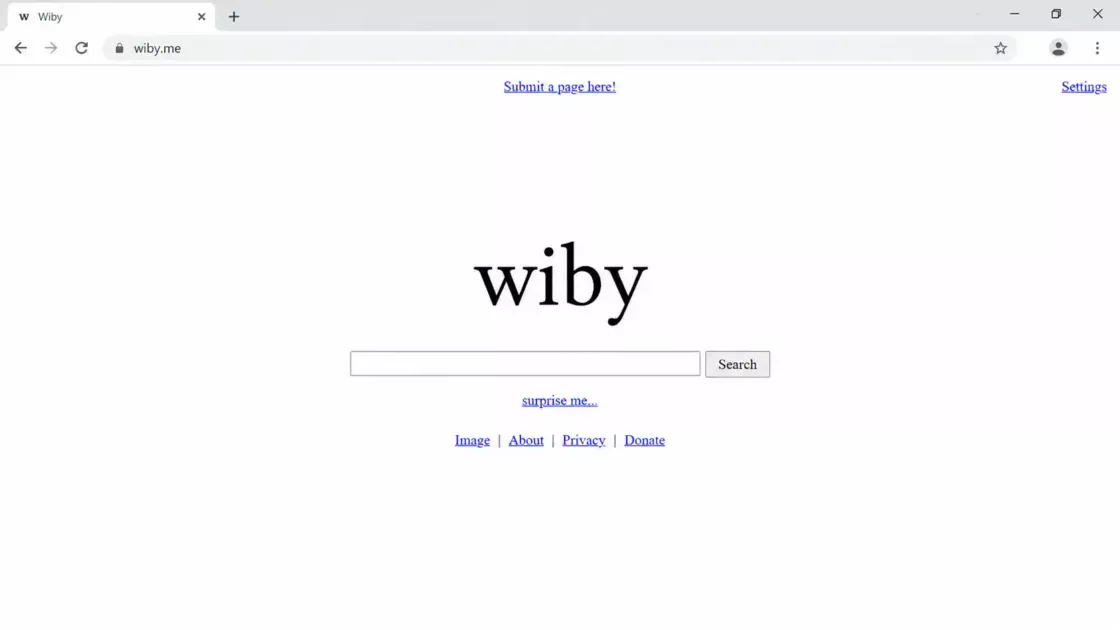
Pointer Pointer is almost offensively simple: move your mouse, stop, and the website finds a photograph in which somebody appears to be pointing straight at your cursor. The page itself does not try to explain much. It asks you to hold still while it locates your pointer, then rewards your patience with a stranger’s finger, arm, elbow, party pose, or badly timed vacation gesture aimed with suspicious precision at the exact spot where your arrow sits. The official site still preserves that stripped-down ritual, which is part of the charm. It does not greet you with onboarding, menus, share prompts, or a manifesto. It just waits for your mouse to stop.
Table of Contents
The first laugh comes from the accuracy. Not perfect scientific accuracy, not laser-mapped computer vision accuracy, but comic accuracy: close enough that your brain accepts the illusion and starts hunting for the trick. Place the cursor near the top-left corner and a person may lean into frame, finger angled upward. Drag it down to the lower edge and someone in a crowd may suddenly seem to be calling you out from a festival photo. The site feels less like a tool than a small prank built with unusual patience. Someone had to collect or index enough images of people pointing in enough directions to make the whole thing feel alive. The joke lands because it seems both dumb and overbuilt.
The second laugh comes from the photographs themselves. They rarely look polished in the way a product demo looks polished. Many feel like snapshots pulled from the messy, flash-lit, slightly embarrassing layer of the internet: students, family gatherings, nights out, tourist poses, presentations, beaches, bars, ceremonies, living rooms, anonymous people caught mid-gesture. A finger that once meant “look over there” is repurposed into “look at your mouse.” The site performs a quiet act of collage. It strips the photo of its original social meaning and gives it a new one, based entirely on where you have placed a tiny white arrow.
The whole page behaves like a one-sentence idea that refused to be diluted. Most novelty websites decay because they add features after the joke is already complete. Pointer Pointer does the opposite. It resists decoration. It has no leaderboard, no achievement badges, no profile system, no daily challenge. You do not win. You do not customize anything. You are not trained, scored, or converted. You move a cursor, wait a beat, and get pointed at. The restraint is what makes it memorable. The site understands that a small joke gets weaker when it starts begging to become a platform.
Its weirdness also comes from how personally impersonal it feels. Nobody on the site knows you. The photographs were not taken for you. The people in them are not responding to you. Yet every image arrives with the little jolt of direct address. For half a second, the web stops being a passive surface and becomes a room full of people noticing exactly where you are. That is not profound in the heavy-handed sense. It is just a sharp little reversal. You usually point at the web. Here, the web points back.
IDFA’s archive places Pointer Pointer in 2012 and credits Jonathan Puckey, Luna Maurer, and Roel Wouters, with production connected to Moniker. The archive describes the original experience almost exactly as people still remember it: place the cursor somewhere, hold it still for a few seconds, and a photograph appears with somebody pointing at the white arrow. It also notes that the delay was not a flaw but a deliberate part of the timing. That matters. The wait gives the site a tiny sense of ceremony. It turns image loading into a search party.
That old delay is one of the smartest choices in the whole piece. A faster version would be less funny. If every image snapped instantly into place, Pointer Pointer would feel like a visual database responding to coordinates. The pause lets your cursor become a target. You hold still, almost obediently, while the page appears to consult a hidden archive of human gestures. The tension is ridiculous, but it works. By the time the image appears, your attention has narrowed to a single point. The finger arrives like a punchline.
The site’s premise is so easy to describe that it risks sounding less strange than it is. “A website finds pictures of people pointing at your cursor” sounds like a sentence from a list of weird websites, the kind people used to trade in chat windows or bury in forum threads. Yet opening it is different. The brain wants to test it. You move your pointer a little higher. Then lower. Then to the exact corner. Then somewhere awkward, just to see whether the archive breaks. The site turns a basic act of computer use into a game of provocation. You are not browsing content. You are trying to catch the machine being lazy.
What makes Pointer Pointer worth revisiting is not nostalgia alone. Plenty of old web toys survive as screenshots in memory but feel dead when reopened. This one still works because the action remains physical. A mouse cursor is a small thing, yet it carries decades of learned behavior: select, drag, click, hover, dismiss, aim. Pointer Pointer hijacks that muscle memory and gives it a social response. It does not ask you to admire cleverness from a distance. It asks you to move your hand.
The editorial appeal is clear: Pointer Pointer is a rare web object that needs almost no explanation and still rewards close attention. It belongs in the category of internet finds that make people say, “Why does this exist?” and then keep using it for longer than they planned. Not because it has depth in the usual product sense. Because it has discipline. The idea is clean, the execution is absurdly committed, and the effect is immediate. That combination is harder to make than it looks.
The pleasure of being located
Most websites pretend to be about choice, but Pointer Pointer is about position. It cares less about what you want than where you are. The page does not ask for a query, preference, topic, or identity. It only reads the cursor’s location and answers with a human gesture. That makes the interaction feel almost primitive. Before feeds, filters, recommendation engines, and personal dashboards, there was the basic pleasure of moving something on a screen and seeing the screen respond. Pointer Pointer returns to that older, tactile contract.
The cursor is usually invisible in cultural terms. We depend on it constantly, but we do not think about it unless it disappears, freezes, lags, or changes shape. It is an interface ghost. It becomes a hand when you hover over a link, a caret when you enter text, a spinner when the machine hesitates, an arrow when you are simply present. Pointer Pointer makes the cursor the main character. The site turns that tiny piece of interface furniture into an object worth noticing.
That is why the project feels more precise than a random image generator. A random image generator says, “Here is something strange.” Pointer Pointer says, “Here is something strange because of where you are.” The distinction is small but powerful. Your movement completes the joke. Without your cursor, the photographs are ordinary. Without the photographs, your cursor is ordinary. Together they produce a little collision between human pose and machine coordinate.
The odd intimacy comes from a mismatch between scale and attention. Your mouse pointer is barely more than a speck, but the site treats it as worth finding. It combs through an implied archive and returns somebody aiming at it. In normal web design, the user’s position is used to trigger menus, track behavior, shape analytics, or reveal hidden controls. Here, the same basic fact becomes theatrical. The site does not hide that it is watching your pointer. It makes watching the pointer the entire performance.
This is where the name becomes better than it first appears. “Pointer Pointer” is not cute nonsense. It is a clean little recursive joke. A pointer that points to your pointer. A person’s finger turned into a user interface element. A human gesture used to locate a digital gesture. The phrase sounds like a programming variable and a playground command at the same time. It also has the bluntness of the site itself. No metaphor is needed. The thing does exactly what the name says.
The experience is not immersive, and that is part of its strength. It does not pull you into a fictional world. It does not ask you to suspend disbelief for a narrative. You remain painfully aware of your browser, your cursor, your screen, your small hand movement. The site turns that awareness into comedy. It makes the frame visible. You are not inside the internet. You are sitting at a machine, moving an arrow, while strangers from old photographs keep singling it out.
That kind of attention feels almost alien on a web shaped by scrolling. Feeds train people to move vertically, skim quickly, and let content replace itself. Pointer Pointer asks for a slower, more deliberate gesture. You place the cursor. You stop. You wait. The reward arrives because you held still, not because you kept moving. The site is silly, but its tempo is oddly calm. It gives you a tiny interaction loop that is complete in itself.
The photographs make the loop feel richer than the code should allow. Every image carries accidental details: a bad haircut, a crowded bar, a half-smile, a blurry friend in the background, a hand entering from the wrong edge, a person pointing too hard at something nobody can now see. The original reason for the gesture is lost. The site keeps only the angle. It treats human bodies as arrows and social moments as coordinate data. That sounds cold when written plainly, yet the result feels funny because the images remain so human.
There is a faint melancholy hiding under the joke. Not a tragic one. More like the feeling of finding an old folder of photos and realizing every gesture once had a context. These people were pointing at friends, cakes, stages, landscapes, jokes, maybe nothing at all. Pointer Pointer turns those frozen gestures into service workers for your cursor. They still point, forever, but now they point at whatever you decide. The absurdity is light, yet the reuse is strangely poetic.
The user’s role is small but satisfying. You do not create the content. You do not choose the image. You only choose a location. That tiny agency is enough. The site turns a screen into a map of possible punchlines. Every coordinate might summon a different stranger, a different hand, a different accidental composition. It is a game of moving and waiting, but the waiting feels active because your placement matters.
Many web toys want to be shared because they are surprising once. Pointer Pointer survives because it is surprising repeatedly. The first image proves the idea. The second image tests it. The third image starts the obsession. By the fifth or sixth, you are no longer asking whether it works. You are asking how much of the screen it can cover, how strange the poses can get, how far the illusion will stretch. The site turns skepticism into play without adding rules.
That is the cleanest reason to visit. Pointer Pointer is not “useful” in the ordinary sense, and trying to defend it as useful would flatten it. Its usefulness is emotional and editorial. It reminds you that the web can still be a place for tiny, self-contained experiments that do not need a business model in the foreground. It offers a small, shareable wonder: the sense that a screen has noticed one exact pixel-sized decision you just made.
A tiny mechanism with a strong sense of timing
Pointer Pointer’s trick feels magical because the interface hides its machinery. The page does not show a grid, a map, or a classification system. You never see the archive. You never see the labels. You only see the final match. That absence matters. A more transparent version would turn the experience into a demo. Pointer Pointer keeps the backstage out of sight, so the image feels like it has been found just for you.
The IDFA archive says the loading pause was deliberately built into the interaction, not merely tolerated. That decision gives the site its comic rhythm. The phrase “please hold still” frames the search like a serious operation. The cursor must stop moving so the system can locate it. The instruction is absurd because the task is absurd, yet it gives the site a voice: calm, officious, faintly ridiculous.
The best small web experiences often have this kind of voice without writing much. Pointer Pointer has barely any language, but the site still has a personality. It is patient. It is literal. It is committed to a pointless task with total seriousness. That seriousness is the joke. The page behaves as though finding a photo of someone pointing at your cursor is a public service. It does not wink too hard. It trusts the user to notice the absurdity.
The mechanism also respects the physicality of desktop browsing. A finger on a phone screen would change the entire project. Touch input already includes the body. A mouse cursor is more detached: a proxy, a little arrow you pilot from a distance. Pointer Pointer connects that proxy back to human hands. It creates a chain of pointing: your hand moves the mouse, the mouse moves the cursor, the image shows another hand pointing at the cursor. The loop is silly, but it is also clean design thinking.
This is why the site belongs to desktop culture more than mobile culture. It is about the arrow, not just the screen. A touchscreen version would lose the uncanny middle layer. If a person in a photo points at your fingertip, the joke becomes too direct. If they point at your cursor, the joke travels through an interface artifact. The arrow is the star. It is both your representative and your target.
The image archive feels handmade even when you do not know how it was assembled. The matches often have the unevenness of human collection rather than the smoothness of a machine-generated system. Some photos are perfectly aligned. Others are slightly off but still charming. Some look like obvious pointing poses. Others rely on an arm, a glance, a group arrangement, or a gesture that only becomes pointing because your cursor is nearby. That imperfection keeps the site from feeling sterile.
A perfect version might be worse. If every match were mathematically exact, the experience would become too clean, too demonstrative, too close to a computer vision showcase. Pointer Pointer benefits from near misses. They let the user participate in the illusion. Your brain completes the angle. You accept the gesture because it is close enough and funny enough. The site does not need to win a measurement contest. It needs to keep the gag alive.
The interface also avoids the trap of explaining itself while you use it. No tooltip says, “We searched our database of tagged images.” No counter says, “Image 183 of 7,432.” No panel shows metadata. That restraint protects the mystery. It lets you imagine a ridiculous system underneath: a tiny office of people urgently searching for the right pointing photograph, a database indexed by finger angle, a web librarian shouting “lower right corner!” The joke expands because the site leaves room for you to invent the backstage.
The table below captures why such a small page manages to stick. The site is not rich in features, but it is rich in decisions. Each decision narrows the experience until only the joke remains.
What makes Pointer Pointer worth opening
| Element | What it does | Why it works |
|---|---|---|
| Cursor position | Turns your mouse location into the input | Makes the joke feel personal without asking anything personal |
| Stillness delay | Forces a pause before the image appears | Gives the match comic timing and a fake sense of search |
| Found photos | Uses messy human gestures as interface arrows | Keeps the experience warm, strange, and unpredictable |
| No extra features | Refuses menus, accounts, scores, and explanations | Protects the purity of the gag |
The compactness is the point. Pointer Pointer does not succeed because it does many things. It succeeds because every part of it protects one thing: the little shock of seeing a stranger point exactly where you placed your cursor.
The more you look at it, the more it feels like an editing project as much as a coding project. The code has to read position and return an image, but the taste is in the archive. Which photographs are funny? Which gestures read clearly? Which near misses still feel satisfying? Which images create enough variety without breaking the premise? A database can store pictures, but the site’s pleasure comes from curation. Somebody had to understand that a finger in a party photo might be funnier than a clean studio shot.
The randomness works because it is bounded. You are not seeing any photo. You are seeing a photo organized around a gesture. That constraint gives the randomness shape. The site never drifts away from pointing, so every image belongs to the same family, yet the people, settings, moods, and poses keep changing. It is a small lesson in generative-feeling design without actual generative excess: define the rule tightly, then let the outcomes feel loose.
The phrase “please hold still” also places the user in a comic role. You become the subject of a tiny procedure. You obey the instruction because you want the reward. During that pause, the cursor stops being a tool and becomes a specimen. The site locates it. The person in the image confirms it. The joke is not only that someone points at your cursor. The joke is that you willingly become part of a pointless calibration ritual.
That ritual explains why people keep moving the cursor after the premise is clear. The user is not seeking new information. The user is testing a boundary. Corners, edges, dead center, awkward diagonals, tiny shifts. The site turns the screen into a territory. Every coordinate becomes a possible challenge. The pleasure is half discovery, half disbelief.
Pointer Pointer also has rare confidence in silence. Many digital projects try to keep users engaged by speaking constantly: prompts, labels, badges, tips, confirmations. This page lets the photograph do nearly all the talking. The lack of text leaves the image to carry the social energy. A person points. You laugh. You move. The loop needs no commentary.
That silence gives the site a timeless quality. Its visual culture is very much tied to a certain era of web images, but its interaction has not aged in the same way. Moving a cursor and receiving a response remains basic. The gag still needs only a browser, a mouse or trackpad, and curiosity. It does not rely on a current meme format, celebrity reference, or platform habit. It is old without being stale.
The Moniker sensibility in miniature
Pointer Pointer makes more sense when placed near Moniker’s other work, even though it stands perfectly well on its own. Moniker described itself as an Amsterdam-based interactive design studio researching the social effects of technology, and its about page says the studio was founded in 2012 by Luna Maurer, Roel Wouters, and Jonathan Puckey, with Puckey leaving in 2016 and the studio stopping in 2023 as Maurer and Wouters continued their practices independently. That background helps explain why Pointer Pointer feels like a joke with a thesis hiding under it.
Moniker’s work often treats users less like consumers and more like performers. That distinction matters. In many digital products, the user’s action is a means to an end: click to buy, scroll to read, tap to confirm, drag to sort. In Moniker-like projects, the action itself becomes visible. The user’s movement, hesitation, obedience, curiosity, and awkwardness are part of the piece. Pointer Pointer does this with almost no friction. You move; the site answers; your movement becomes the subject.
IDFA’s archive reads the site as a comment on the cursor’s possible disappearance in a touch-first culture. It describes Pointer Pointer as a project built on an observation about the modern web: smartphones and tablets were making the cursor feel less central, with pointing and clicking being replaced by swiping. The archive’s phrasing from 2012 now feels like a time capsule. The cursor did not vanish, but it did become less culturally glamorous. Pointer Pointer catches it at a funny moment: still common, suddenly old-fashioned, perfect for a farewell prank that never quite became a farewell.
The project sits beside Moniker’s better-documented fascination with pointers and public participation. In “Do Not Touch,” Moniker built an interactive, crowd-sourced music video for Light Light’s track “Kilo,” explicitly celebrating the 50th anniversary of the computer pointer. The project recorded viewers’ pointers and folded them into an ever-changing video, turning the cursor from a private control device into a collective visual presence.
That connection sharpens the reading of Pointer Pointer. Both projects treat the cursor as more than a utility. In one, the pointer becomes a crowd. In the other, the pointer becomes a target. Both make an interface element visible by surrounding it with human behavior. They are playful, but not random in the lazy sense. They notice something most people ignore, then build a rule around it.
Moniker’s “Click Click Click” offers another useful comparison. That browser-event game places a green button on a plain white page and measures tiny mouse actions, then feeds back observations about the user’s behavior. The project description says even the smallest movements get measured, recorded, and valued, and it frames the piece around online behavior being captured and monetized.
Pointer Pointer is gentler, but it shares that interest in making hidden interaction visible. In Click Click Click, the website watches you and says the watching out loud. In Pointer Pointer, the website watches one thing: where your cursor stops. Then it responds with a human finger. The first feels like surveillance satire. The second feels like slapstick. Both rely on the same basic reversal: the interface pays attention to behavior users usually perform without thinking.
This is why calling Pointer Pointer merely “random” undersells it. The images are random in mood, source, and social context, but the project is not random in structure. It is governed by a strict condition. It only cares about pointing. It only cares about the cursor. It only works when those two things meet. That kind of constraint is close to a design exercise: define a rule, make it legible, then let the user explore its edges.
The site also reflects a web culture that was more comfortable with useless brilliance. Not useless as an insult. Useless as freedom from conversion logic. A page could exist because the premise was funny enough, because the interaction was elegant enough, because somebody wanted to make an idea real before the joke evaporated. Pointer Pointer has that energy. It is not a startup MVP disguised as art. It is not a brand activation pretending to be weird. It is a tiny public object with no obvious demand beyond attention.
That matters because the current web often turns play into a funnel. A strange interaction becomes a campaign. A clever toy becomes a lead magnet. A visual trick becomes a prompt to install an app. Pointer Pointer feels refreshingly unconcerned with capture. It wants you for seconds or minutes, not as a retained user segment. It does not try to deepen the relationship. It points, you grin, you leave, and the encounter is complete.
The project’s endurance comes from that lack of ambition as much as from its cleverness. It does not need to scale into anything. It already reached its ideal size. The fact that IDFA’s archive says the site drew nearly a million visits in its first four days only makes the restraint more impressive. Many projects would have treated that early attention as a reason to expand. Pointer Pointer stayed Pointer Pointer.
There is taste in refusing the obvious next step. A lesser version might add categories: party pointers, celebrity pointers, animal pointers, dramatic pointers. It might let users upload their own photos, rate matches, save favorites, compete for weirdest cursor placement. Some of those features might be amusing for a day. They would also make the site heavier. Pointer Pointer’s charm depends on not becoming a content machine.
The project understands that a joke can be an interface and an interface can be a joke. That sounds neat, but the execution is what matters. You do not read the concept and nod politely. You test it with your own hand. You discover that the site’s premise survives repeated use because the interaction loop is so direct. The cursor becomes a question. The image becomes the answer.
Moniker’s broader practice helps explain the confidence behind that loop. Their about page describes projects that explore how people use technology and how technology affects daily life, with work across interactive media, video, installation, print, physical formats, and performance. Pointer Pointer is tiny beside that list, yet it contains the same attention to behavior. It does not lecture about interface culture. It stages one small behavior until you notice it.
Why this old web toy still travels
Pointer Pointer has the rare quality of being shareable without being shallow. Someone can send the link with almost no explanation, and the recipient will understand the assignment within seconds. That makes it perfect internet folklore. It travels through messages, group chats, office Slack channels, classrooms, design lectures, weird-web lists, and bored afternoons. The site is easy to pass around because the premise fits in one sentence. It is worth passing around because the experience is better than the sentence.
The project also has a clean “you have to try it” factor. Reading about it is not the same as moving the cursor. Screenshots cannot fully capture it because the match depends on your placement. A video can show the trick, but it cannot give you the tiny feeling of control. Pointer Pointer is built for demonstration, but it is even better as a handoff. One person opens it, laughs, and immediately wants another person to take the mouse.
That kind of web object is rarer than it sounds. Many interactive experiments are impressive but hard to explain. Others are easy to explain but boring after the first click. Pointer Pointer sits in the sweet spot: instantly legible, still fun after several attempts, strange enough to remember. The site gives people a compact social gift. It says, “I found a thing,” and the thing delivers before the sender has to oversell it.
Its humor is also safe from the usual aging process of topical jokes. It does not depend on politics, celebrity gossip, a social platform scandal, a browser war, or a now-dead meme format. It depends on pointing, one of the oldest human gestures, and the cursor, one of the most familiar desktop symbols. The collision remains readable. A person points. Your cursor sits there. The web has made a tiny accusation.
The photographs may date the site, but they do not break it. If anything, their older web texture adds flavor. The images feel like artifacts from the pre-polished social internet: less filtered, less branded, less optimized for vertical feeds. They have flash glare, awkward crops, crowded backgrounds, and the accidental comedy of people posing for cameras without knowing they would become interface components. The datedness helps. It makes the site feel excavated rather than obsolete.
Pointer Pointer also survives because it does not demand a correct mood. You can be bored, tired, skeptical, distracted, or procrastinating. The site still works. It gives a quick hit of absurdity without asking for emotional investment. That is not a small virtue. Many digital experiences require attention they have not earned. Pointer Pointer earns attention first, then gives it back quickly.
The page also reveals how much pleasure can live in a single responsive rule. Move, stop, match. That is the whole grammar. Yet within that grammar, the results feel broad. A person points from the left. Another from above. A group points together. Someone points with theatrical intensity. Someone barely points at all. Someone seems angry. Someone seems proud. The system feels bigger than it is because the human material is unpredictable.
There is a lesson here for product designers, though the site should not be reduced to a lesson. The best interaction is sometimes the one that is easiest to repeat. Pointer Pointer has no learning curve because the mouse already taught you everything. It does not ask for a new mental model. It uses the most basic affordance of desktop life and gives it a surprising response. That is why the project feels obvious after the fact, which is often the highest compliment for a small idea.
It also avoids the self-importance that often damages digital art online. The site does not announce that it is about embodiment, interface archaeology, participatory media, or post-touch nostalgia, even though a critic could argue all of that. It lets the user laugh first. The thinking is there for people who want it. The joke is there for everyone else. That ordering is generous. It respects the browser as a place where the serious and stupid can share the same pixel.
The early popularity noted by IDFA makes sense because the site creates instant social proof without needing numbers. If a person shows it to you, you can understand why they shared it. The experience itself explains its spread. A million early visits sound dramatic, but the traffic is not mysterious. The project was built for the chain reaction of “look at this.”
Pointer Pointer’s biggest strength may be that it gives people permission to enjoy a pointless thing. Much of the web now asks users to justify attention. Did you learn something? Did you buy something? Did you save time? Did you improve yourself? Pointer Pointer does none of that. It burns a little time beautifully. It reminds you that wasted time can have texture, wit, and craft.
That “waste” is not empty. A good internet detour changes the temperature of a day. It breaks a work rhythm, derails a serious chat, or gives a room a shared laugh. Pointer Pointer is a perfect detour because it is brief and self-contained. You do not fall into an infinite feed. You do not emerge angry. You leave with the memory of a stranger in an old photo pointing at your cursor like it has committed a minor crime.
The site’s lack of growth is a kind of preservation. It still feels like the web page people discovered rather than a franchise built from that discovery. The interface remains blunt. The name remains blunt. The reward remains blunt. That bluntness is not laziness. It is the project’s whole aesthetic. A more polished site would be less believable. A smoother site would have less bite.
The best way to think about Pointer Pointer is as a tiny machine for producing uncanny recognition. It sees one thing about you, not who you are but where your cursor is. Then it finds a human image that appears to see the same thing. The recognition is fake, of course. That is why it is funny. But for a moment, the fake recognition works. The internet points. You feel found.
The charm of an idea that refuses to become content
The web is full of things that start as ideas and end as content inventory. A clever premise becomes a series, a template, a page of variants, a newsletter hook, a short-form video format, a brand voice. Pointer Pointer dodges that fate by keeping the experience stubbornly singular. It does not produce endless commentary about pointing. It produces pointing. The site is almost comically loyal to its own verb.
That loyalty gives it a sculptural quality. You can walk around the idea by moving the cursor, but the object never changes into something else. The site has edges. It has a front door and a behavior. Once you understand it, you are not pushed toward a second layer. This makes it feel closer to a digital object than a media property. It exists, does its thing, and remains itself.
The refusal to become content is also why the site feels less exhausting than most novelty pages. Many web experiences try to milk attention by adding variation until the original idea becomes wallpaper. Pointer Pointer uses variation only where it matters: in the photographs. The core action never changes. The user’s curiosity is directed toward the archive, not toward new mechanics. That keeps the experience clean.
The photographs act like found poetry for gestures. Pointing is usually practical. It directs attention, assigns blame, identifies a person, gives instructions, poses for a joke, marks a landmark, or demands that a camera notice something outside the frame. Pointer Pointer removes the outside world and leaves the vector. A human arm becomes an arrow. A social moment becomes a UI response. The transformation is silly, but it is also exact.
There is something revealing about how quickly users accept the recontextualization. Nobody needs to be told that the people were not really pointing at the cursor. The trick is transparent. Yet the brain enjoys pretending. This is the same basic pleasure behind forced perspective photos, visual puns, and accidental alignments. Pointer Pointer turns that pleasure into an interactive database. You stage the coincidence, then the site supplies the evidence.
The site also plays with authority in a small way. A pointing finger can accuse, direct, select, command, mock, or celebrate. When a stranger points at your cursor, the gesture feels slightly bossy even though nothing is being asked of you. The cursor, usually your instrument of control, becomes the thing being controlled by attention. The power flips for a second. Your pointer is no longer pointing. It is being pointed at.
That reversal is funny because the cursor is normally so confident. It chooses links, closes windows, drags files, summons menus, edits text, deletes things. It is the little spear of user agency. Pointer Pointer makes it passive. The arrow sits there while a human finger from a photograph calls it out. The mighty cursor becomes an object on display.
The site’s humor depends on the dignity of the useless task. The system behaves as though coordinate-matched pointing photos are a serious database problem. It grants the cursor an importance no sane person would assign it. That disproportion is classic comedy: too much effort applied to too little consequence. The joke is not only the image. The joke is the imagined labor behind the image.
This imagined labor is part of why the site feels ingenious. It makes the user picture a hidden archive sorted by finger angle, body posture, and screen location. You start to wonder how the images were gathered and mapped. You wonder how many were rejected. You wonder whether anyone has ever found the same photo twice. You wonder how weird the edge cases get. A page with one function opens a surprising amount of curiosity about its making.
Good weird websites often work this way. They are not weird because they are chaotic. They are weird because they follow one rule more faithfully than expected. The more faithful the rule, the funnier the outcome. Pointer Pointer takes a throwaway observation—people in photos point in every direction—and turns it into a complete interaction. It is a joke made from classification.
It also resists the museum-glass problem that affects older digital projects. Some web art is easier to respect than enjoy. You open it, understand its place in internet history, and move on. Pointer Pointer still invites childish testing. The project may be archived by institutions, but it is not trapped by institutional seriousness. It remains best experienced through fiddling.
That matters for Web Radar because the format is about discovery, not homework. A good find should make the reader want to open the link, not merely appreciate that it exists. Pointer Pointer passes that test immediately. It is the kind of site that makes the browser feel playful again for a few minutes. The premise is small enough to trust and strange enough to click.
The site also has a rare lack of anxiety. It does not care whether you understand the creators, the awards, the historical context, or the theory of the cursor. It works before any of that. The supporting context makes it richer, but not necessary. This is a strong sign. A digital project that needs an essay before it functions usually has a problem. Pointer Pointer functions first and tolerates the essay afterward.
The old web had many pointless things, but not all pointless things were well made. Pointer Pointer is not memorable because it is random. It is memorable because the randomness is framed by a tight, repeatable act. It has the confidence of a good magic trick: no excess, no speech, no explanation while the card is being revealed. Place the cursor. Hold still. Finger appears. Done.
Before you move the cursor
The first thing to know is that Pointer Pointer is best on a desktop or laptop. The project is built around the mouse pointer as an object. A trackpad still works because it moves the same arrow. A phone changes the relationship. Touch input does not give the cursor the same ghostly presence, and the whole joke depends on that ghost. The page is about being pointed at through an interface layer, not simply touching a screen.
The second thing to know is that the delay is part of the experience. Do not rush it. Put the cursor somewhere specific and leave it there. The site’s “hold still” instruction is not just a loading message. It is the setup. The pause gives your pointer time to become funny. The image lands better when you feel the wait.
The third thing to know is that the photos are the point, not a flaw. Their randomness, age, awkwardness, and uneven quality are what keep the site from feeling like a sterile tech demo. A slicker image set would damage the joke. The pleasure comes from seeing ordinary people, in ordinary or bizarre social settings, suddenly recruited into the exact task of finding your cursor.
The fourth thing to know is that you will probably start testing the corners. Almost everyone does. The site invites that behavior. It turns the screen into a challenge space. Corners feel harder. Edges feel harder. The center feels too easy. That little instinct to push the system is part of the design. The page does not need to tell you what to do next because curiosity supplies the instructions.
The fifth thing to know is that the project is not trying to be more useful than it is. It will not organize your work, teach you a skill, or solve a problem. It offers a compact experience of surprise. That is enough. Some of the best web discoveries are useful only because they restore a sense that someone, somewhere, made a thing for the pleasure of making the thing work.
The sixth thing to know is that the creators’ broader work gives the joke extra weight, but the joke does not depend on that knowledge. Moniker’s documented projects often expose or reshape ordinary digital behavior, from recorded pointers in “Do Not Touch” to measured browser actions in “Click Click Click.” Pointer Pointer belongs to that family, yet it remains the most instantly readable of the bunch. You do not need to know the studio to enjoy the first match. Knowing the studio just makes the match feel less accidental.
The seventh thing to know is that Pointer Pointer is a useful antidote to overbuilt digital experiences. Not because every site should be this minimal, but because it proves how much can happen when a project commits to one behavior. It does not ask users to manage preferences, interpret dashboards, or learn controls. It gives them a single physical action and a single comic response.
The eighth thing to know is that you may remember it longer than many more impressive sites. That is the strange power of a clean gimmick. You may forget a beautifully animated landing page within an hour, but you will remember the website that found a stranger pointing at your cursor. Memory likes sharp shapes. Pointer Pointer is all sharp shape.
The ninth thing to know is that the site makes a better recommendation than a description. Send it to someone without too much setup. The more you explain, the more you steal from the first image. A short line is enough: “Move your cursor and wait.” The site will handle the rest.
The tenth thing to know is that the project’s smallness is not a limitation. It is the reason it works. Pointer Pointer has the courage to end where other sites would begin expanding. Once you recognize that, the page starts to feel less like a novelty and more like a tiny editorial standard: find the idea, cut everything that weakens it, leave the user with the strongest possible version.
The smallest possible recommendation
Open Pointer Pointer when you have thirty seconds and a cursor. That is the whole recommendation. It does not require a mood, a setup, a tutorial, or a reason. The page gives you a tiny interaction that still feels fresh because it touches something basic: the pleasure of seeing a machine respond to your hand in a way you did not expect.
The best version of the visit is slow. Do not drag wildly around the page at first. Pick one spot. Hold still. Let the message feel mock-serious. Watch the image arrive. Then move a little. Try a harder spot. Let the site prove itself again. The rhythm matters because the project is less about browsing many images than about repeating one small act until it becomes funny in slightly new ways.
Pointer Pointer is also a reminder that the web does not need to be loud to be memorable. A single-purpose page can carry more personality than a polished product with ten sections and a conversion funnel. This site has no grand pitch, yet it leaves a distinct aftertaste. It makes the cursor feel visible. It makes anonymous photographs feel complicit. It makes the screen feel briefly theatrical.
There is a particular joy in a website that does not ask to become part of your life. Pointer Pointer does not want your morning routine. It does not ask for an email. It does not promise productivity. It does not try to become a habit. It is a small door you open, laugh through, and close. That modesty is part of the delight.
The project’s oldness is also part of why it deserves attention now. It comes from a period when the browser still felt like a playground for odd experiments, but it has not become a fossil. It remains interactive, legible, and funny. The user action has not expired. The cursor still exists. The finger still finds it. The joke still completes.
The deeper charm is that Pointer Pointer treats the most ordinary interface object as worthy of a response. Your cursor is usually a means to something else. Here, it becomes the destination. That is the tiny inversion at the center of the whole piece. You are not pointing at the web. The web is pointing at the thing you use to point.
A less disciplined project would have buried that inversion under extra material. Pointer Pointer leaves it exposed. The page feels almost naked: instruction, cursor, wait, photo. That nakedness gives the interaction confidence. Nothing distracts from the exact moment when the image arrives and the gesture lines up. The site knows where the laugh is.
It also reminds editors, designers, and curious internet people that discovery does not always mean finding something new. Sometimes it means finding something that still works because it was made with a clean enough idea. Pointer Pointer has been around long enough to be old web lore, yet it still feels worth opening because the premise has not been eaten by time. A good small idea can outlive many ambitious ones.
The next time the web feels like a stack of feeds, dashboards, prompts, and arguments, Pointer Pointer is a useful little reset. It gives you one page, one cursor, one human gesture, one joke. It does not fix the internet. It does not need to. It only proves that a browser can still surprise you with almost nothing.
That is why Pointer Pointer belongs in the Web Radar canon. It is strange without being obscure, simple without being thin, old without being dead, and funny without needing to chase the current joke cycle. It is a small masterpiece of internet literalism. You place your pointer somewhere on the screen, and somewhere in the archive, a stranger is ready to point back.
Before you open it
Pointer Pointer is a tiny interactive website that finds a photo of someone pointing at your cursor. You move your mouse somewhere on the screen, hold still, and the site returns an image where a person appears to be pointing directly at that exact spot.
Yes, the site is still live and usable. The interaction remains extremely simple: place the cursor, wait through the “hold still” moment, and watch the image appear.
The joke comes from the mismatch between effort and purpose. The site appears to have an oddly specific archive of people pointing in almost every possible direction, all so it can locate one tiny cursor on your screen.
Pointer Pointer is credited to Jonathan Puckey, Luna Maurer, and Roel Wouters, with production connected to Moniker. That context matters because Moniker’s work often explored how people behave inside digital interfaces.
Not in the normal productivity sense. Its value is that it makes the browser feel playful again for a few minutes. It is a perfect example of a small web idea executed with taste and restraint.
Because it still delivers the rare feeling of finding a weird, memorable internet object. It does one thing, explains almost nothing, and still makes people move their cursor around just to see what happens next.
Author:
Jan Bielik
CEO & Founder of Webiano Digital & Marketing Agency

Source
Pointer Pointer
Official website of Pointer Pointer, used to verify the current live interaction and the site’s minimal “hold still” prompt.
Pointer Pointer
IDFA archive entry for the 2012 project, used for creator credits, early traffic context, the deliberate loading pause, and the interpretation of the cursor as a disappearing interface symbol.
Moniker about us
Official Moniker background page, used for studio history, founder information, and context on Moniker’s interest in the social effects of technology.
Do Not Touch
Official Moniker project page for the crowd-sourced interactive music video, used as supporting context for Moniker’s repeated interest in the computer pointer as a cultural and interactive object.
Click Click Click
Official Moniker project page for the browser-event based game, used to compare Pointer Pointer with another project that makes ordinary browser behavior visible.
| Citing this article? Brief excerpts are welcome. Please credit Webiano.digital, name the author where stated, and include a link to https://webiano.digital and to this original article. Full or substantial republication requires prior written permission. Read our Copyright and Content Use Policy. |
This article was prepared with the assistance of artificial intelligence tools. The content underwent expert human review, and Webiano Digital & Marketing Agency assumes editorial responsibility for its final version and publication.