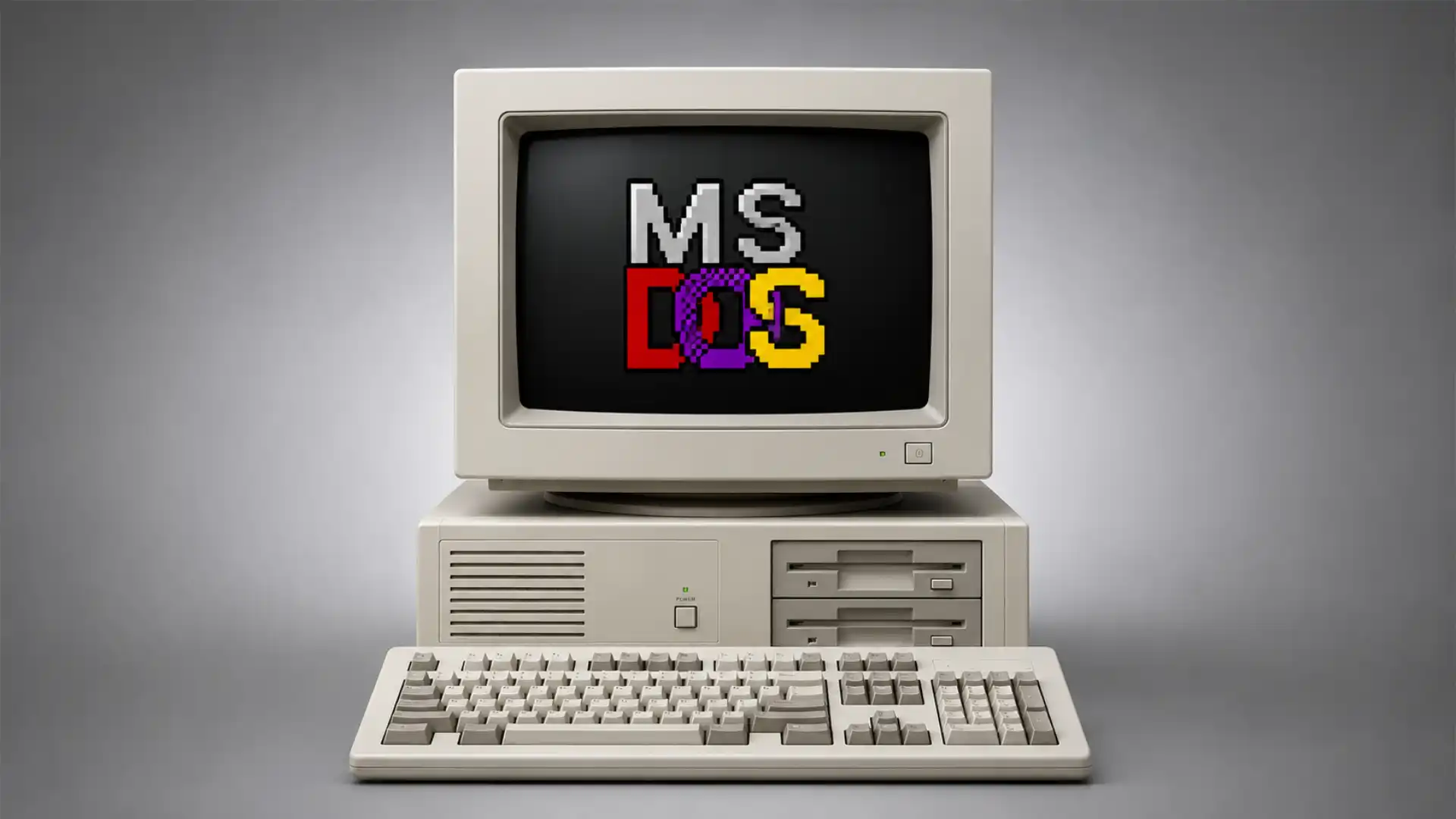
The best MS-DOS emulator on the web does not feel like a museum exhibit. It feels like someone smuggled a working old PC into the browser and dared you to click play. That small difference matters. A museum exhibit asks you to admire an artifact from a safe distance. js-dos, and the wider little orbit around it, asks you to run the thing. Not watch a video of it. Not read a nostalgic paragraph about beige towers and floppy drives. Run it, hear it, wait through the old timing, fight the keyboard focus, maybe remember what “press any key” used to mean before every app became a polished pane of floating buttons. The project’s own description is plain enough: js-dos is an API for running DOS and Windows 9x programs in a browser or Node.js, with browser playback, multiple emulator backends, multiplayer, cloud storage, and WebAssembly support. The surprise is not that it works. The surprise is how much of the old machine feeling survives inside a tab.
Table of Contents
The command prompt that survived the browser
MS-DOS should have been one of those dead interfaces we remember only through screenshots. A black screen. A blinking cursor. A directory listing. A sound card setup screen asking whether your Sound Blaster lives at IRQ 5 or IRQ 7. For many people, DOS is less an operating system than a mood: brittle, direct, slightly hostile, oddly honest. It has none of the plush safety of modern software. It expects you to know where you are. It does not explain itself unless the program writer remembered to include a manual. That is exactly why running DOS software in a browser feels so strange. The browser is supposed to be the softest surface in computing. DOS is not soft. Putting them together creates a small, useful shock.
The first clever move in js-dos is that it treats old software as something that can live on the web without being flattened into content. A DOS game is not a YouTube clip. A DOS application is not a screenshot gallery. The interesting part is the loop between program, input, sound, memory, timing, and display. If that loop is broken, the object becomes documentary material. If the loop holds, even imperfectly, the thing is alive again. js-dos works because it understands that browser emulation is not only about showing old pixels. It is about giving old software back its behavior. The official js-dos v8 page says it can run DOS and Windows 9x programs in the browser or Node.js, with DOSBox and DOSBox-X among its backends. That backend choice matters because it anchors the shiny web layer in a long-running emulation tradition rather than pretending the browser solved the problem alone.
DOSBox is the old reference point here, the tool many people used long before browser emulation became a casual click. The official DOSBox site still lists version 0.74-3 as the latest stable release, a security release from 2019 with fixes for parsing and memory access issues. That old-school status is part of the charm and part of the risk. DOSBox is trusted because it solved a real compatibility problem for old games and programs. It is also a reminder that emulation is not a magic wrapper around nostalgia. It is code that has to defend the host machine from weird old binaries, broken assumptions, and whatever a user decides to mount. A good web emulator must inherit the romance of DOSBox without inheriting all of its rough edges.
DOSBox-X adds another layer to the story because it cares about more than games. Its official site describes it as an open-source DOS emulator for DOS applications and games, with official support for DOS-based Windows such as Windows 3.x and Windows 9x. The project states that it goes further than standard DOSBox by focusing on general emulation, accuracy, Windows 9x, PC-98, printing, networking, clipboard behavior, and many knobs for configuring the virtual machine. That matters because DOS is not only Doom, Duke Nukem, and Prince of Persia. It is spreadsheets, paint programs, shareware utilities, menu shells, accounting software, children’s programs, sound trackers, and abandoned tools from offices that no longer exist. A browser-based DOS project gets more interesting when it can host the boring software too.
The web version changes the social shape of emulation. A desktop emulator is usually private. You download it, find files, mount folders, edit a config, remember commands, and keep the result on your own machine. A browser emulator turns old software into something closer to a link. That is a radical shift, even if the page looks plain. A teacher can embed a program. A preservation site can show a working object. A developer can test a piece of retro code without asking every visitor to install a local emulator. A curious reader can open a forgotten title for five minutes and leave without committing to a setup ritual. The web does not just run the emulator. The web changes who gets to touch the old machine.
The tension is that DOS was never designed to be a link. It assumes a keyboard it owns, a screen it owns, a filesystem it owns, and often a user who is willing to sit with it. Browsers share those things badly. Keyboard shortcuts collide. The mouse may need capture. Full-screen is guarded by permissions. Audio can be blocked until the user clicks. Storage is fenced. Large files must travel over the network before the old program even wakes up. Internet Archive’s Jason Scott wrote about exactly these problems when discussing thousands of MS-DOS games playable at the Archive, naming keyboard collision and browser performance as real pain points in browser-based emulation. The miracle is not frictionless playback. The miracle is that the friction is low enough for casual discovery.
This is where js-dos feels less like a novelty and more like a piece of web infrastructure. Its GitHub page describes a full-featured DOS player that can run DOS and Windows 9x programs in the browser or Node.js, with support for worker or render thread execution, Node and browser contexts, DOSBox and DOSBox-X backends, large games, multiplayer, cloud storage, and both WebAssembly and pure JavaScript versions. Those are not decorative features. They are the difference between a demo that runs one small game and a system that can be used by people who publish, preserve, teach, and tinker. The project is most interesting when you stop thinking about it as an emulator and start thinking about it as a publishing format for old software.
The browser has always been hungry for old formats. It swallowed PDFs, Flash games, Java applets, video players, chat widgets, map tiles, fonts, spreadsheet viewers, 3D models, and terminal sessions. DOS software is a tougher meal because it is not a document. It is a small world with its own rules. js-dos makes that world portable enough to move through the web. That portability is not perfect, and nobody serious about preservation should pretend it is. But the difference between “download these files and configure this emulator” and “press play in this page” is enormous. The first version asks for technical patience. The second invites accidental curiosity.
That accidental curiosity is the real editorial reason to care. The web has become very good at recommending the same current things to the same current people. Old software resists that feed logic. It is too awkward, too uneven, too context-heavy. A DOS emulator in the browser cracks open a side corridor. You may arrive for a famous game and stay for a menu program, a shareware editor, a strange educational title, or an interface that makes no attempt to court you. The value is not only nostalgia. It is contact with a web that still knows how to surprise.
The page behaves like a tiny machine
Open a js-dos powered page and the first thing you notice is how physical the browser suddenly feels. A normal website scrolls. A normal app catches clicks and turns them into neat interface actions. A DOS program grabs you differently. The screen becomes a box. The keyboard becomes local. The mouse may vanish into the emulated world. The old graphics do not merely decorate the page; they take possession of a rectangle inside it. That rectangle has rules older than the tab around it. A good emulator page becomes a small machine inside a larger machine.
The official js-dos docs describe a layered setup that explains why the experience feels more serious than a one-off hack. In the v7 documentation, js-dos is described as a top layer that combines the pieces needed to run a DOS program in the browser, with emulators-ui as the middle layer for virtual controls and sound components, and emulators as the bottom layer for emulator backends across environments. The docs also describe the jsdos bundle as a universal package format understood by the system. That architecture is the quiet reason a DOS program can become something you embed, share, and restart without rebuilding the whole setup each time.
The bundle idea is small but decisive. Old DOS software is often messy. It may need executable files, configuration files, disk images, batch scripts, a mounted drive, a sound setup, maybe a CD image, maybe a special memory mode. A bundle turns that tangle into a package the player understands. The user sees play. The publisher handles the weirdness. That division of labor is what the web does best when it is working well: hide only the boring plumbing, not the character of the object. The old software remains strange, but it no longer asks every visitor to become a systems archaeologist.
DOS.Zone shows what happens when the emulator becomes a destination rather than only a library. The site presents itself as an online DOS games collection, supports mobile and offline games, links to a multiplayer hub, and exposes a catalog broken into genres and systems. At the time I checked it, the visible category links included MS-DOS, IBM PC, Windows 95, Windows 98, Windows 3.1, 3Dfx, first-person shooters, RPGs, educational software, simulators, strategy, puzzle games, and many more. The page also lists hot titles directly in the interface. It does not feel like a pristine archive. It feels like a working arcade built from old PC DNA.
That arcade feeling is not trivial. Most preservation interfaces are built around catalog logic: title, date, creator, files, metadata, download options. DOS.Zone is closer to a messy playable shelf. That has limits, especially when legal status, metadata quality, and historical context matter. But discovery works differently when play is the primary gesture. You do not begin by studying an item record. You begin by opening a title and seeing whether the machine catches. For Web Radar, that makes DOS.Zone a better front door than a sterile compatibility table.
The site’s catalog counts also reveal something about the shape of the collection. The visible page lists thousands of items across IBM PC and MS-DOS categories, along with smaller groups for Windows 95, Windows 98, Windows 3.1, 3Dfx, and many genres. A count is not the same as a curated canon, and a live web catalog can change. Still, the scale matters because browser emulation gets more useful as the library grows from demonstration to habit. A single playable DOS game is a trick. A dense catalog starts to feel like an alternate web.
The most modern part of the project is multiplayer. Browser-based DOS multiplayer sounds almost absurd at first. The classics that people remember were built around local networks, serial links, modems, IPX, and setups that felt arcane even when the hardware was current. js-dos advertises multiplayer support as a core feature, and its GitHub page lists a multiplayer demo hub with games such as Doom and Heroes 2. That turns the emulator from a private nostalgia box into a social wrapper around old code.
There is a product lesson hidden there. The easiest way to preserve old software is to lock it in amber. The more interesting way is to let it circulate under new conditions while still respecting its shape. Multiplayer is not only a feature checkbox. It answers a human problem: old PC games were often remembered socially, but the original social hardware is gone. The browser supplies a new meeting place. The emulator supplies the old rules. The result is not authentic in a museum sense, but it may be authentic in the memory sense.
Mobile support is another strange compromise. DOS games were built for keyboards, mice, joysticks, and sometimes function-key rituals that make no sense on a phone. js-dos v8 describes mobile support as work in progress while v7 is marked production for mobile, and DOS.Zone says it supports mobile and offline games. That does not mean every old program becomes pleasant on glass. It means the project is willing to confront the mismatch instead of pretending the mismatch does not exist. Running DOS on a phone is ridiculous until you remember that the web’s job is often to make ridiculous access possible.
The little controls around the emulator matter because they decide whether the old program feels playable or trapped. Volume, full-screen, mouse capture, on-screen keys, save behavior, focus prompts, file loading, and restart controls are not glamorous. They are the whole experience for a visitor who does not know DOS. A technically accurate emulator wrapped in a hostile interface becomes a locked cabinet. A softer wrapper risks sanding off the old system’s personality. The best browser emulation sits in that narrow middle: helpful enough to enter, weird enough to remain itself.
Why js-dos feels different from a nostalgia site
Most nostalgia sites are built around memory. js-dos is built around execution. That is the central distinction. A nostalgia site tells you that a thing mattered. An emulator lets you test whether it still has voltage. Sometimes the answer is yes. Sometimes the answer is “this aged badly.” Sometimes the answer is stranger: the graphics are primitive, the controls are stubborn, the interface is impatient, and yet the program has more personality than many modern apps with 200 screens of onboarding. Execution cuts through sentiment. The old thing has to run and defend itself.
That is why the project works as a web discovery object. It is not asking readers to admire computing history from a distance. It turns computing history into an action. Press play. Click inside the frame. Hear the audio lag for a beat. Watch a setup screen ask you something nobody has asked you since the Clinton administration. The moment is small but sharp. You are not reading about old software. You are negotiating with it.
The design challenge is that old software does not behave like modern content, and that is its best quality. Modern web products tend to reduce user confusion. DOS programs often increase it, or at least refuse to hide it. The interface vocabulary is different: command lines, menu bars, arrow-key navigation, setup utilities, save directories, manual-driven controls, and error messages that assume you know the machine. For younger users, that alienness is educational. For older users, it can be sentimental. For designers, it is a reminder that “intuitive” is often just “trained by the current era.” A DOS emulator in the browser makes interface history tactile.
This matters because the web is losing many of its older textures. Flash disappeared from mainstream browsers. Browser plug-ins faded. Small personal sites became harder to find. Web games moved into stores, launchers, and fenced platforms. A browser-based DOS emulator cuts against that drift. It makes the web feel like a place where odd runtimes can still be hosted, linked, embedded, and played with. The web feels larger when it can run things it was never originally meant to run.
js-dos also has a maker-facing personality that pure archives often lack. The docs are not only for players. They explain how to run DOS in the browser, use bundles, embed through iframes, use the system in React, and work with the underlying packages. The GitHub repository presents the project as an API, not a shrine. That matters because living preservation needs builders, not only curators.
DOS.Zone Studio turns that builder logic into a visible tool. Its page describes the Game Studio as a component of the DOS.Zone community project for creating js-dos bundles, with generated configuration files and up-to-date js-dos features. The site says the generated bundles are not licensed by the Studio itself, leaving their use open from the tool’s side. That does not erase the copyright responsibilities attached to the actual game or program files. It does show that the project is trying to make packaging less painful. The hard part of browser emulation is often not the emulator. It is preparing the object so it behaves on arrival.
The publishing page makes the ecosystem feel even more like a small platform. DOS.Zone asks submitters for a jsdos bundle, slug, title, short description, year, language, genres, bundle creator, mouse capture setting, cursor setting, and whether to use DOSBox-X instead of DOSBox. It also says submissions are uploaded to temporary storage for review before publication. Those fields reveal the work behind the play button. A browser DOS catalog is not only a pile of files. It is metadata, emulator choice, control decisions, moderation, and presentation.
That raises a tricky point about taste. A clean archive may preserve badly if nobody wants to browse it. A playable catalog may attract users while leaving gaps in context. js-dos and DOS.Zone lean toward access and play. That choice gives them energy. It also means an editor should treat the experience as a living web project, not as a definitive historical record. It is worth opening because it gets you close to the software quickly, not because it answers every archival question.
The relationship with Internet Archive sits in the background as a useful contrast. The Internet Archive’s MS-DOS games collection began as a large-scale attempt to make entertainment and games for MS-DOS machines accessible, and its 2019 blog post discussed adding thousands more titles for online access through the Archive’s Emularity system. Archive-style preservation carries a different burden: public access, research value, metadata, scale, and long-term stewardship. DOS.Zone feels more like a playable community front end; the Archive feels more like a public memory institution that also lets the software run.
Emularity helps explain the Archive side of this story. The Emularity GitHub page describes it as a loader for in-browser emulation systems, handling file downloads, filesystem arrangement, emulator arguments, and full-screen transitions. It says it works with MAME, EM-DOSBox, and Scripted Amiga Emulator, and notes that the system has been used by millions of users at the Internet Archive. The EM-DOSBox entry describes a JavaScript port of DOSBox that emulates an IBM PC compatible running DOS. That is the institutional cousin of js-dos: less glossy as a product surface, but powerful as public infrastructure.
The shared lesson is clear: the browser became a preservation surface by accident and persistence. It was not born to run old operating environments. It became fast enough, scriptable enough, permissive enough, and weird enough for people to push emulators into it. WebAssembly made the performance story stronger. Mature emulators supplied the machine behavior. Sites like the Archive supplied catalogs and public purpose. Projects like js-dos supplied a developer-friendly layer and playable packaging. The result is a pocket universe of old software that lives one click away from ordinary browsing.
The clever part is the bundle
A DOS emulator without packaging is like a theater without stagehands. The actors exist, the building exists, the audience may even arrive, but the show will fall apart unless somebody handles the cues. Old PC software often expects exact paths, file names, memory settings, graphics modes, sound cards, disk layouts, and launch commands. A browser only sees a blob of files unless someone tells it what those files mean. The bundle is where the old mess becomes web-shaped. That is the quiet design move that makes js-dos worth noticing.
The js-dos docs call the jsdos bundle a universal package format understood by the system. That phrase sounds dry, but it is the difference between preservation as a folder dump and preservation as a runnable experience. The bundle can carry the prepared structure the player needs. It gives the web page a known object to load. It reduces the number of decisions left to the user at the worst possible time: before they have even seen the program work. A bundle is a promise that the old software has been given a fair chance to start.
This is especially useful for programs that were never meant for casual drive-by use. Shareware games often asked users to run setup utilities. Later DOS titles might need CD audio, expanded memory, or special graphics choices. Business programs might expect printer ports or data directories. Educational software may hide inside menu systems with brittle assumptions. A bundle cannot solve every case, but it can preserve the launch path. The launch path is often the part that kills curiosity first.
There is an editorial analogy here. A good article does not merely dump research notes on the reader. It shapes a path through them. A good emulator bundle does not merely dump files into the browser. It shapes a path into the program. That path should not lie about the object. It should not make a 1993 interface pretend to be a 2026 app. But it should remove the irrelevant blockers between the visitor and the object’s real behavior. The bundle is curation expressed as configuration.
The most Web Radar thing about js-dos is that it lets a dead format become linkable again. A link is the basic social unit of the web. When a DOS program becomes linkable, it joins the circulation system of the internet. It can appear in a blog post, a classroom page, a forum thread, a personal archive, a web experiment, or a game night invite. That changes the odds of rediscovery. People do not need to decide that they are “getting into DOS emulation.” They only need to click one odd page. The link lowers the psychological cost of touching history.
This is why the iframe path matters, too. The js-dos v7 docs include an iframe integration route as a fast way to embed a game from the DOS Zone repository on a page. The docs also mention focusing the iframe so it can receive input, which sounds tiny until you remember how often browser emulation fails at exactly that boundary between page and machine. Embedding is not a side feature. It is how old software escapes the archive and appears in ordinary editorial space.
Once old software becomes embeddable, it can become evidence. A writer discussing early interface design can place the program next to the argument. A teacher explaining memory constraints can let students run a title that exposes them. A game critic can show how a control scheme feels rather than only describe it. A preservationist can pair an item record with a runnable version. The emulator turns old software from a cited object into an experienced object.
There is also a restraint worth respecting. js-dos does not erase the need to understand rights, files, and provenance. A bundle is not a legal blessing. DOS.Zone’s publishing page asks uploaders to confirm that transferred content is not restricted by licenses, which shows that the platform knows this boundary exists. Browser convenience can make old software feel ownerless, especially when the original publisher is gone or the title has circulated as abandonware for decades. A good click does not settle ownership. It only makes access easier.
For readers who just want to play, all of this may sound like plumbing. But the plumbing is the product. The reason a DOS title can launch in a browser tab is that someone made choices about emulator backend, file layout, controls, storage, input capture, and metadata. Those choices are invisible when they work and infuriating when they fail. The elegance of the experience is measured by how quickly the old software, not the emulator, becomes the center of attention.
What stands out at a glance
| Part of the experience | Why it matters |
|---|---|
| Browser playback | Old DOS and Windows 9x programs become accessible through a page instead of a local emulator ritual. |
| DOSBox and DOSBox-X backends | The project can draw on established emulator behavior while offering different compatibility paths. |
| Bundles | Files, launch settings, and configuration can travel as a prepared runnable object. |
| DOS.Zone catalog | The emulator has a public playground with categories, hot titles, mobile support, offline support, and multiplayer links. |
| Studio and publishing flow | The ecosystem includes tools for preparing and submitting runnable packages, not just playing them. |
| Browser limits | Keyboard focus, large downloads, storage, sound, and performance still shape the experience. |
The table looks simple because the value is simple: js-dos is not only a way to imitate a DOS machine; it is a way to package DOS behavior for the web. The best parts are not the most dramatic parts. They are the small bridges between old assumptions and modern browsing. A program that once expected a local PC now sits inside a web page, with enough scaffolding around it to be clicked by someone who has never typed cd games in their life.
The limits are part of the charm
Browser DOS emulation is not clean, and that is not a failure. It has timing problems, input problems, browser permission problems, file size problems, and taste problems. Some games will feel wrong. Some controls will need a minute. Some pages will ask for a click before audio starts. Some programs will load like a stubborn machine waking from a long sleep. That roughness is frustrating when you want instant entertainment. It is fascinating when you care about the shape of old software. The friction tells you what modern computing normally hides.
Keyboard collision is one of the best examples. Internet Archive’s blog post on adding more MS-DOS games called out the way emulator input needs can be taken over by the browser itself. Anyone who has tried old games in a web page knows this problem: arrows scroll, function keys trigger browser actions, shortcuts escape the frame, and the page has to negotiate control. The old program expects ownership. The browser refuses to give it fully. That tug-of-war is the browser reminding DOS that it is only a guest.
Large CD-ROM-era games expose another boundary. The Archive post explains that CD-ROM software can mean huge downloads pulled into memory, sometimes hundreds of megabytes, and that a browser session does not behave like a physical disc sitting in a local drive. That changes the feel of access. A tiny shareware game may open quickly and feel magical. A large multimedia title may feel like the web straining under the weight of a plastic disc from 1996. The bigger the old object, the more visible the translation becomes.
Performance is not only about the user’s computer. It is about the browser engine, WebAssembly, graphics output, audio buffering, tab throttling, device battery limits, memory pressure, and the complexity of the emulated program. A simple CGA game and a late DOS 3D title do not ask the same thing from a browser. js-dos advertises support for very large games such as Diablo, and DOS.Zone includes 3Dfx and later Windows-era categories, but the experience will always depend on the title, device, browser, and configuration. The old machine has been virtualized, but it still demands resources.
The sound is another tiny trap. Old DOS games cared deeply about sound cards, MIDI, sampled effects, and setup choices. Browser audio is ruled by permissions, user gestures, device output, and latency. When it works, it can feel wonderful: a scratchy effect, a MIDI line, an intro theme that floods back with embarrassing force. When it fails, the silence feels wrong. A DOS game without sound is not half a game; sometimes it is a different memory.
Save states and storage create a different kind of ambiguity. js-dos lists cloud storage as a feature, and the docs mention services around storing saves. That is useful because old games expect persistent disks, while browser sessions can be temporary, private, cleared, blocked, or split across devices. But storage also changes the mental model. On a real DOS machine, saved data lived somewhere you could often find. On a web emulator, it may live in browser storage, a backend service, or a bundle-specific system. The save file, once a plain object, becomes part of the platform.
Legal uncertainty sits under the whole category like a basement hum. Some old DOS software is freeware. Some is shareware. Some has been re-released commercially. Some is abandoned in practice but not in law. Some is open source now. Some is tangled in defunct publishers, acquired catalogs, expired distribution channels, and unclear rights. Browser emulation makes access so easy that the underlying rights question can disappear from the user’s mind. It should not. The web’s convenience does not turn old commercial software into public property.
This is why official and community framing matters. The Internet Archive speaks in the language of research, entertainment, quick online access, and preservation, while also acknowledging that browser-based emulation introduces problems. DOS.Zone speaks in the language of free online play, community, publishing, support, and bundles. js-dos speaks in the language of APIs, backends, integration, storage, and features. Each framing invites a different kind of user. The same old executable can be a cultural artifact, a playable game, a developer test case, or a rights problem.
The emulator also exposes how much context old software used to assume. A modern app often includes tooltips, onboarding, recovery flows, account systems, and reset buttons. A DOS game may expect a manual, a reference card, a printed keyboard overlay, or a friend who already knows the commands. A browser wrapper cannot restore all of that context. It can only provide the executable moment. Sometimes the missing manual is the loudest thing on the screen.
That missing context can be productive. It forces readers to ask why old interfaces felt the way they did. Why did games use so many keyboard commands? Why did setup programs ask about hardware addresses? Why did copy protection rely on manuals? Why did menus behave differently from app to app? Why did saving sometimes mean choosing a slot, a file name, or a path? These are not quaint details. They are traces of a computing environment shaped by scarcity, hardware variety, and user responsibility. Browser emulation makes those traces visible again.
The charm is not that everything works perfectly. The charm is that enough works to let the old assumptions rub against the new ones. The browser wants safety, abstraction, and convenience. DOS wants directness, control, and a user who reads the screen. The emulator becomes a treaty between the two. Sometimes the treaty is elegant. Sometimes it is awkward. The awkward cases are often the most honest ones.
The internet archive effect
No serious look at browser DOS emulation can ignore the Internet Archive, even when js-dos is the more clickable Web Radar find. The Archive helped normalize the idea that old software could run inside a web page for public access. Its MS-DOS games collection was framed as software for MS-DOS machines that represent entertainment and games, and the 2019 Archive blog post discussed adding 2,500 more MS-DOS games for online access through the Emularity system. That post also credits the long work of the eXoDOS project for acquisition and configuration effort across thousands of titles. The Archive made browser emulation feel like a public library function, not only a hobbyist trick.
The Archive’s version of the story is heavier because it carries institutional responsibility. When a public library-like platform hosts software, it attracts different expectations. People expect provenance, metadata, stability, context, accessibility, and a preservation argument. They also expect the software to work, which is unfairly difficult when thousands of titles vary wildly in hardware needs and file condition. The Archive blog post is refreshingly honest about the mess: keyboard collisions, browser horsepower, CD-ROM file sizes, and titles that may be taken offline for later work. That honesty makes the project more credible, not less.
Emularity is the load-bearing idea behind much of that access. It is described as a loader for in-browser emulation systems, able to download specified files, arrange them as a filesystem, build emulator arguments, and handle full-screen transitions. It supports EM-DOSBox, a JavaScript port of DOSBox, along with MAME and Scripted Amiga Emulator. That sounds technical because it is technical. But the user-facing idea is simple: old software needs a stage manager in the browser. Emularity is one of the stage managers that taught the web how to host old machines.
js-dos feels more productized, while Emularity feels more archival. That difference is useful. js-dos gives developers and community publishers a clean way to run DOS and Windows 9x programs in browser or Node.js, package them, wrap them with UI, and plug into community surfaces like DOS.Zone. Emularity focuses on loading and coordinating emulators as part of a wider software emulation effort. Both projects point toward the same larger truth: preservation on the web needs boring technical glue.
The eXoDOS mention in the Archive post is also worth pausing over. eXoDOS is not the center of this article, but its role shows how much labor sits before the web button. Gathering files, checking versions, preparing configurations, dealing with copy protection, arranging metadata, and making old games behave dependably is slow work. The Archive post says the eXoDOS project had more than 7,000 titles made to work dependably and consistently at that time. Browser playback is the glamorous surface of a much older preservation grind.
That grind is why small web tools like js-dos deserve attention. They do not replace the archival labor. They make parts of it reusable. A package format, a player, a studio, an embed route, and a publishing path mean that the same work does not have to be reinvented from nothing each time. When these tools are public, they also let hobbyists, educators, artists, and tiny communities participate. The web gets richer when preservation tools are not locked inside institutions.
The Archive also teaches a useful caution about scale. A few hand-picked games can be polished. Thousands of titles reveal every weird corner. Some will load slowly. Some will behave incorrectly. Some will be badly documented. Some will have rights issues. Some will matter historically even if they are not fun. At scale, browser emulation stops being a novelty and becomes collection management. The bigger the library, the less “playable” can mean “perfect.”
DOS.Zone takes a different bet by leaning into play, categories, hot titles, and community. It has the energy of a site that wants people to click, not only to cite. That makes it less solemn and more alive. It also means the visitor should bring judgment. A playable web catalog is not a peer-reviewed archive. It is a door. The right way to use it is with curiosity, not blind trust.
The best reader experience may be to use both modes. Open DOS.Zone when you want the fast electric feeling of discovery. Open the Internet Archive when you want a broader preservation frame and item records. Read js-dos documentation when you want to understand how the player and bundles work. Read DOSBox and DOSBox-X materials when you want to understand the emulator lineage underneath. The web is strongest here when the playful, archival, and technical layers remain visible together.
Small web projects need this kind of memory
The larger reason to care about a browser MS-DOS emulator is not nostalgia. It is memory with behavior. The web is full of memories that have been reduced to images, summaries, and listicles. Old software loses something when it is turned into a thumbnail. A DOS game’s pacing, key response, audio roughness, save ritual, install assumptions, and failure modes are part of the object. You cannot capture that fully in a screenshot. Executable memory is a different kind of memory.
This matters for product people because old software exposes decisions that modern software hides. A 1990s DOS interface may look crude, but it often reveals its structure plainly. Menus are visible. Files are real. Settings are explicit. Hardware assumptions leak through. Modern software often hides structure behind smooth flows, cloud accounts, permissions, and invisible sync. Running old software is not a lesson in superiority. Much of it is worse. But it does remind designers that every interface era trains its users to accept different tradeoffs. Old software is a mirror that makes current habits look less natural.
It matters for game culture because many old games are better understood through touch than reputation. A classic may be famous for the wrong reasons. A forgotten title may feel oddly fresh. A celebrated interface may be painful. A clumsy game may reveal a design experiment that later became standard. Browser emulation lowers the cost of those checks. You can test a claim quickly. The ability to play changes criticism from inherited opinion into direct contact.
It matters for education because DOS is a friendly way to show that computers used to ask more of users. That is not a romantic claim. It was often annoying. But it also made the machine feel legible. Directories, files, commands, launch options, config files, memory errors, and device choices made the operating environment visible. A browser emulator lets a class encounter that world without finding old hardware or installing a local stack. The browser becomes a safe window into a less abstract computer.
It matters for web culture because projects like js-dos defend the web’s identity as a runtime, not only a publishing surface. A web page can be an article, a store, a feed, a dashboard, or a checkout. It can also be a machine room. It can host a tiny operating environment, a game, a programming tool, a simulation, a museum piece, or a social space. The browser’s weird breadth is one of the last pieces of internet magic that still feels underused. A DOS emulator reminds us that the web can still run odd things beautifully enough.
The project also has a pleasing refusal to be overexplained. You do not need a grand mission statement to understand it. It runs old DOS and Windows-era software in the browser. It gives developers an API. It gives players a catalog through DOS.Zone. It gives bundle makers a studio path. It sits on top of emulator history instead of pretending to replace it. The value is concrete. Open page. Press play. Old machine appears.
That concrete quality is rare in digital preservation writing. Too often, preservation is discussed in large, noble abstractions while the actual experience is a broken link, a missing plug-in, a dead download, or a PDF about something nobody can use. Browser emulation is not a universal cure. It is fragile and imperfect. But it has one huge editorial advantage: it lets the reader verify the claim with their hands. If the program runs, the past has not been fully converted into a story yet.
There is a strange intimacy in watching DOS run inside a modern browser chrome. The tab bar, extensions, password manager, notification permissions, and modern operating system all sit around the frame. Inside it, the old program believes it has a PC. That mismatch is funny and moving. It makes the browser feel like a time capsule with Wi-Fi. It also makes the old software feel more stubborn than obsolete. The prompt survived by becoming a guest inside the very interface that replaced it.
For Web Radar, the strongest recommendation is simple: open DOS.Zone, then open js-dos documentation after your curiosity wakes up. Start with play, because play is the hook. Then notice the infrastructure. Notice the bundle idea. Notice the backend choices. Notice the Studio. Notice that this is not only a retro toy but a small publishing system for software that predates the web as most people know it. The site is worth clicking because it turns a dead-feeling category into a living web object.
The best hidden internet gems usually do one of two things. They either show you something you did not know existed, or they make a familiar thing behave in a way you did not expect. js-dos does both. You know DOS existed. You may know DOSBox existed. You may even know the Internet Archive runs old software. But a polished, embeddable, bundle-driven browser path for DOS and Windows 9x programs still feels like a small portal. It makes the old command prompt feel improbably present.
Things worth knowing before opening it
No. js-dos is a web-facing player and API layer for running DOS and Windows 9x programs in browsers or Node.js, while DOSBox is one of the classic emulator projects underneath this broader world. js-dos can use multiple backends, including DOSBox and DOSBox-X, which makes it better understood as a browser packaging and playback system rather than a direct replacement for the desktop emulator tradition. The family resemblance is real, but the role is different.
It is better read as a community play site and catalog powered by the js-dos ecosystem, not as a final authority on software history. It lists many games and categories, supports mobile and offline play, links to multiplayer, and includes publishing flows for submitted bundles. That makes it exciting and easy to browse. It also means historical claims, rights status, and metadata deserve a second look when accuracy matters. Use it as a doorway, not a courthouse.
No. Some titles fit the browser beautifully. Others expose every seam: keyboard conflicts, mouse capture, audio quirks, slow downloads, big CD-ROM images, and performance limits. The Internet Archive has documented several of these issues in its own MS-DOS browser-emulation work. That is not a reason to skip it. It is a reason to approach it with the right patience. The old machine is being translated live, and translation has accents.
Retro players will arrive first, but they are not the only audience. Designers can study old interface patterns. Teachers can show students how computers behaved before the cloud softened everything. Writers can embed working software as evidence. Developers can use js-dos as an API and packaging path. Preservation-minded readers can compare the playful route with the Internet Archive’s institutional route. The audience is anyone who thinks old software should still be touched, not only remembered.
The nicest thing about js-dos is that it does not ask DOS to become fashionable. It lets DOS remain abrupt, boxy, stubborn, funny, and sometimes hostile. The wrapper is modern enough to get you in, but not so modern that the old programs lose their posture. That balance is why it belongs in Web Radar. It is a small piece of the web that makes the internet feel less flattened.
Author:
Jan Bielik
CEO & Founder of Webiano Digital & Marketing Agency
This article is an original analysis supported by the sources cited below
js-dos 8.xx
Official js-dos page describing the browser and Node.js API, DOS and Windows 9x support, emulator backends, multiplayer, cloud storage, mobile status, and WebAssembly support.
js-dos GitHub repository
Official source repository for js-dos, with project description, feature list, demos, documentation links, and development information.
js-dos v7 documentation
Official documentation explaining js-dos layers, bundles, emulator UI components, emulator backends, and getting-started paths.
DOS.Zone
Community front end for playing DOS games in the browser, with categories, hot titles, mobile and offline support, and multiplayer entry points.
DOS.Zone Studio
Official Studio page describing the tool used to create js-dos bundles and generate configuration files for the DOS.Zone ecosystem.
DOSBox
Official DOSBox website, used as the reference point for the long-running DOS emulator lineage behind much browser DOS emulation.
DOSBox-X
Official DOSBox-X website describing its broader DOS, Windows 3.x, Windows 9x, PC-98, configuration, and accuracy goals.
Internet Archive blog on MS-DOS games
Internet Archive post by Jason Scott discussing thousands of MS-DOS games playable through browser emulation and the practical limits of that approach.
| Citing this article? Brief excerpts are welcome. Please credit Webiano.digital, name the author where stated, and include a link to https://webiano.digital and to this original article. Full or substantial republication requires prior written permission. Read our Copyright and Content Use Policy. |
This article was prepared with the assistance of artificial intelligence tools. The content underwent expert human review, and Webiano Digital & Marketing Agency assumes editorial responsibility for its final version and publication.