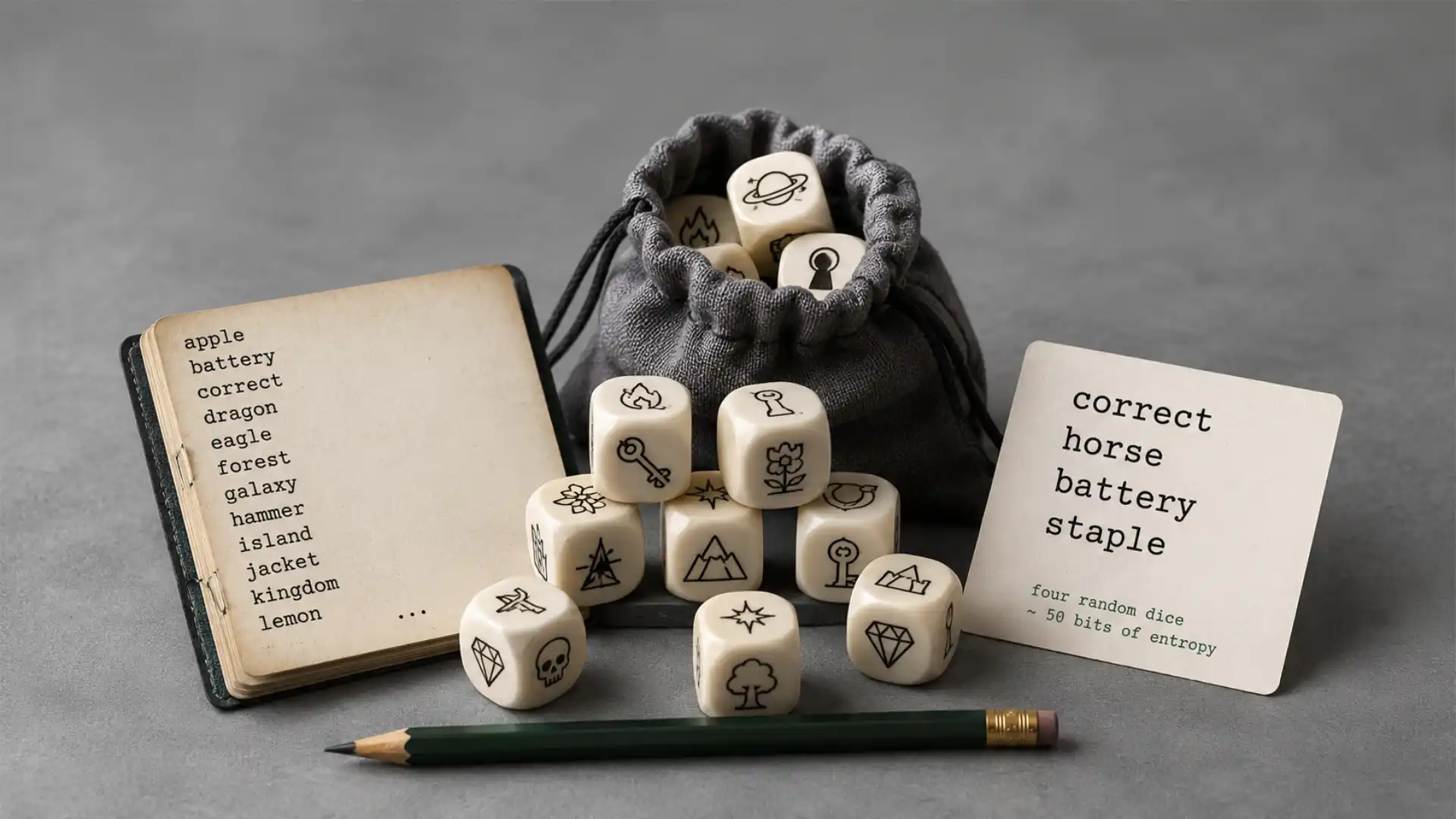
Open Diceware Passphrase Generator and the first surprise is how little it tries to impress you. There is no futuristic dashboard, no fake hacker aesthetic, no glowing shield icon begging you to feel safer. It is a plain little web page that rolls virtual dice, turns the results into words, and gives you a passphrase that a human might actually remember. That sounds almost too modest for a security tool, which is exactly why it works. The site explains that it is based on the Diceware method, where five virtual dice rolls form a five-digit lookup number against a word list, and the page lets you choose the number of generated words from 2 to 8.
Table of Contents
The charm is in the mismatch. Passwords are usually treated like punishment. They must be long, strange, full of symbols, different everywhere, never written down, never forgotten, never reused, and somehow still typed correctly into a smart TV with arrow keys. Diceware approaches the same mess with the energy of someone sliding a cup of dice across a table. Roll, lookup, repeat. The resulting phrase is not magic, but it is memorable enough to feel humane.
Diceware.dmuth.org belongs to a pleasing class of websites that feel like they were made because someone cared about a problem in public. It is not trying to become your identity platform. It does not ask you to create an account. It does not bury the tool under a conversion funnel. It does not pad the experience with fake urgency. It gives you the thing, explains the idea, links to the older roots of the method, and quietly lets you leave.
That smallness matters. Good internet tools often feel smaller than the problem they solve. A password manager is still the right home for most daily logins, but the password manager itself needs a master passphrase. A laptop disk encryption prompt may need something you can type without copy-paste. A shared machine, a smart TV, a recovery phrase written on paper, an SSH key, or a one-off account may need a secret that is strong without being a keyboard accident. Diceware gives that moment a shape.
The most interesting thing about the site is not that it generates passphrases. Plenty of sites do that. The interesting thing is that it preserves the ritual of randomness. Diceware was never just “make words random.” It was a strict little procedure: roll dice, record the numbers, consult a list, accept the result. The point is to remove your taste from the password. Your favorite dog, street, band, year, joke, and clever substitution all disappear. The dice do not know you. That is the whole security story.
The little password machine with dice in its soul
The original Diceware page describes the method with almost stubborn physicality. Each word is selected by five rolls of a six-sided die. The five digits become a lookup number, and that number points to a word in a special list. The complete English list has 7,776 entries, because 6 × 6 × 6 × 6 × 6 equals 7,776. The original page also gives entropy figures: each word contributes about 12.9 bits, while six words reach about 77.5 bits under the stated assumptions.
That arithmetic gives Diceware its odd elegance. The words look ordinary, but the selection process is not ordinary at all. A phrase like “drift museum lantern velvet onion ladder” may sound like a lost indie album, but if those words were chosen randomly from a 7,776-word list, the search space is enormous. The security does not come from sounding cryptic. It comes from refusing to let a human invent the phrase.
Doug Muth’s version keeps that core idea and turns it into a small web interaction. The app rolls virtual dice and produces the words instantly. It also shows the number of possible passwords, which is a useful reminder that length and randomness are doing the heavy lifting. The site’s “About Diceware” section is direct about the problem: people are bad at remembering random strings of letters and numbers, but much better at remembering phrases of words.
The page also has a nice, slightly nerdy contradiction built into it. It makes a strict security method feel playful without weakening the idea. A lot of consumer security design tries to calm people with friendly illustrations while hiding the mechanism. Diceware does the reverse. It shows the mechanism, keeps the explanation close to the button, and lets the weirdness stay weird. The tool does not need to pretend passphrases are exciting. It lets them be strange, readable, and useful.
There is a reason this still feels current. The password problem has not become more charming with time. People still reuse passwords. They still pick things attackers can guess. They still choose patterns that feel private but are not. EFF’s Dice-Generated Passphrases guide makes the same central point from another angle: randomly chosen words give you a phrase that is easier to remember and harder to guess, especially when used for encryption keys, password safes, or disk encryption.
The Muth site is not a full security curriculum, and that is good. Its job is to be a door, not a textbook. You can open it, generate a phrase, understand why the phrase exists, and move on. The supporting links are there for people who want the deeper math, the original word lists, or the older Diceware documentation. The tool itself stays close to the task.
What stands out
| Feature | Why it matters |
|---|---|
| Word-based passphrases | They are easier to remember than random symbol strings. |
| Diceware method | The randomness comes from selection, not human cleverness. |
| 2 to 8 word choices | You can trade length against convenience. |
| Visible possibility count | The page makes strength feel concrete. |
| Open source code | You can inspect or run the project yourself. |
| Tiny recent bundle | The site feels quick rather than dusty. |
The table is short because the product is short. Diceware.dmuth.org is not memorable because it has many features. It is memorable because the few features sit exactly where they should: generation, explanation, copying, and enough background to make the whole thing trustworthy.
A website that refuses to make security feel grim
Security tools often carry a scolding tone. They treat the user as the weak link and then wonder why the user avoids them. Diceware has a different personality. It is serious about randomness, but it does not perform seriousness. It admits that humans are bad at certain kinds of memorization. It offers a better fit for human memory. It even keeps a little smile in the writing.
That tone matters because password advice is full of contradictions from the user’s side. People are told to be unique, random, long, secret, and convenient all at once. A password manager solves much of that by storing unique passwords for each account, but a person still needs some passwords they can carry in their head. The master password for the password manager is the obvious one. Device encryption and key files are another. Diceware is especially good for that narrow, stubborn category.
The site’s own FAQ points to smart TVs and shared computers as good use cases. That is a revealing choice. A smart TV password field is where symbol-heavy password advice goes to die. Entering “J8%pL@qz!2” with a remote control is a tiny form of suffering. A phrase made of normal words is not just easier to remember; it is easier to type when the input method is hostile. The site also notes that Diceware can live alongside a password manager rather than replace it.
The best part of the experience is that it feels specific. This is not “online safety” as a vague lifestyle brand. It is a generator for one kind of secret, rooted in one known method, with tradeoffs that are not hidden. That restraint is rare. Many security sites stretch themselves into general advice hubs. Diceware stays small enough to be trusted as a tool.
There is also something refreshing about the lack of visual theater. No cyber padlock. No dark mode command center. No threat map. The page’s plainness makes it feel closer to a calculator than a product. You type or click, the output changes, and the math sits underneath. For a password generator, that is a better emotional design than drama. Fear makes people freeze; a clean tool lets them act.
Doug Muth’s 2026 update adds another layer to the story. This is not a fossil from the web’s security past. Muth wrote that he had cleaned up the code and removed unused parts, reducing the shipped bundle from 735 K to 8 K after relying on cryptographically secure random number functions already available in modern browsers. He also wrote that load time on his cell connection dropped from roughly 3–5 seconds to well under a second.
That detail is catnip for the right kind of reader. A password generator getting smaller in 2026 feels almost rebellious. The web has trained us to expect simple pages to arrive carrying megabytes of scripts, trackers, frameworks, and visual fluff. A tiny security tool that gets tinier because browsers matured is a nice reversal. The update makes the site feel cared for in the most internet-native way: someone removed weight.
Why the old Diceware idea still works online
The Diceware method has a satisfying old-web seriousness. It was built for people who wanted a reproducible way to make secrets without trusting their own imagination. The original page explains that Diceware uses ordinary dice to select words at random from a special list, with each word tied to a five-digit number made from dice outcomes. It also emphasizes that the process is prescriptive: you follow the steps instead of improvising.
That prescriptive quality is underrated. Most weak passwords are not weak because people failed to be creative enough. They are weak because people were creative in predictable ways. They substituted zero for O, added an exclamation point, used a child’s name, stacked a date onto a word, or made a phrase that felt personal. Attackers know those habits. Diceware’s small genius is that it does not ask you to become less predictable. It removes you from the choice.
Online generators complicate the purist version of the idea. The original Diceware guidance preferred physical dice because dice are inspectable and offline. A web generator asks you to trust the code, the browser, the delivery path, and the machine you are using. That is a real distinction, not a pedantic one. If a passphrase protects something serious, generating it offline with physical dice remains the cleanest version of the ritual.
Muth’s project partly answers that concern by being open source. The GitHub repository gives the tool a second life outside the hosted page. Its README points to the live version, explains the Diceware basis, and says you can download a release zip to run it on your own computer through a local web server. It also says the app is designed to run without requiring an internet connection, with copies of assets such as Bootstrap and jQuery included.
That makes the site more interesting than a disposable generator. It is both a hosted convenience and a portable artifact. You can treat the public page as a quick tool, or you can take the code and run it locally if your threat model calls for that. The phrase “threat model” sounds heavy, but the everyday version is simple: decide how bad it would be if the passphrase were exposed, then choose the generation method that fits.
EFF’s guide lands in a similar place with its own wording and recommendations. For most applications, EFF suggests a six-word passphrase using its long wordlist. It also notes that passphrases are especially suitable for protecting encryption keys, full-disk encryption, mobile device encryption, and password manager databases, while warning against reusing a passphrase across online accounts.
That last warning is crucial. Diceware does not make password reuse safe. A strong phrase reused across many services is still a shared failure point. If one service leaks it or stores it badly, the phrase becomes dangerous elsewhere. Diceware is best understood as a way to create memorable high-entropy secrets, not as permission to use one poetic string for your entire life online.
The web version also shows a product lesson that goes beyond passwords. Good tools can translate old procedures without flattening their culture. Diceware began as dice, word lists, printed pages, and careful instructions. Muth’s generator makes it faster, but it still gestures back to the method’s physical roots. You do not need to read a cryptography paper to get the emotional logic: randomness comes from the dice, not from you.
The charm is in the visible weirdness
The generated phrases are funny. That is part of the appeal. A password made of machine-picked words can sound like a surreal postcard: picnic cargo velvet oxygen skillet river. The words are normal, yet the combination is not. It is memorable because it is slightly wrong. Your brain wants to turn it into a scene, and that scene becomes the hook.
This is where Diceware beats the average “strong password” generator for human memory. A random character string is opaque. You can memorize it with effort, but it gives you little material to work with. Random words give the mind something to stage. EFF’s guide even suggests making your own mnemonic or story after generating the words, which keeps the randomness intact while giving memory a path to follow.
There is a design lesson hiding here. Memorability does not have to mean guessability. People often create memorable passwords by choosing meaningful things: names, dates, places, teams, lyrics, jokes. Diceware creates memorability by arranging meaningless selections into a phrase your imagination can carry. The phrase becomes memorable after the random selection, not before it.
The site’s interface reinforces that idea. It does not invite you to edit the words into something cuter. That is good. The moment you start swapping words because one “feels better,” you risk smuggling human preference back into the system. The best Diceware phrase is not the one you would have chosen. It is the one you would not have chosen, but can still remember.
The “number of possible passwords” display is a small but smart piece of feedback. It turns abstract entropy into a visible count. Many users do not think in bits, and they should not need to. Seeing the possibility space grow when you add words is more persuasive than a lecture. The page makes a mathematical point through interaction.
The best Web Radar subjects often have this quality: they reveal a philosophy through a tiny interface. Diceware.dmuth.org is about passwords, but it is also about a belief that good security can be procedural, readable, and modest. It does not need to dazzle. It needs to stop you from inventing a bad secret.
That puts it near an older, better idea of the web. A person had a problem, built a page, documented the reasoning, published the source, and kept the thing running. Not everything needs to be a SaaS company. Some websites are closer to tools hanging on a pegboard. You open them when needed, use them for a minute, and feel glad they exist.
The tradeoff between trust and convenience
A web passphrase generator always raises the same uncomfortable question. Should you trust a website to generate a secret? The honest answer is: not blindly. A hosted generator is convenient, but the safest version of Diceware is still physical dice, an offline word list, and a room where nobody is watching. That is the most inspectable path.
The hosted version has its place. Not every passphrase guards a nation-state target or a million-dollar wallet. For everyday cases, a small open source generator may be a better choice than a password you invent under pressure. The risk of weak human choice is common and boring. The risk of a targeted attack against your passphrase generation session is usually narrower. Those two risks are not equal for every person.
Muth’s GitHub repository matters here because it gives cautious users an escape hatch. You are not locked into the live page. The README says the release zip can be downloaded and served locally, and that the project is meant to run without needing the internet once set up. That does not remove every possible concern, but it moves the tool away from pure “trust this website” territory.
The 2026 code-size reduction also matters for trust in a softer way. A smaller shipped script is easier to reason about than a bloated one. Size alone is not proof of safety, but a tool that cut its bundle from 735 K to 8 K after using modern browser crypto functions is sending a cultural signal: the maintainer wants less machinery, not more.
The source choices are also worth noting. The app says it now uses EFF’s word list for five-dice rolls. The site explains that it originally used the older Diceware list, but moved away from it because symbols, punctuation, numbers, and very short words made generated passwords harder to remember. It links to EFF’s wordlist and notes usability improvements without compromising security.
That is a good product decision, not just a security decision. A passphrase people mistype or cannot recall is not a win. Security tools often worship theoretical purity while ignoring the moment the user actually has to unlock a laptop at 7:48 a.m. Good word-list design respects spelling, recall, typing, and the tiny irritations that turn strong advice into abandoned advice.
There are limits. Diceware is not a replacement for unique passwords stored in a password manager. It is not a reason to stop using multi-factor authentication. It does not protect you from phishing if you type the phrase into a fake login page. It does not make a compromised device safe. It solves one problem well: generating a random, memorable passphrase.
The site is admirable because it mostly knows that. It does not inflate itself into a full security suite. The FAQ even says Diceware can be used concurrently with a password manager. That distinction keeps the tool honest. It is a hammer, not a workshop.
The tiny web tool as taste test
A site like this is easy to underestimate. It is not visually loud enough to demand attention. It will not trend because of a shocking interface. It does not have the novelty of AI or the social pull of a network. But it has the slower appeal of a well-made internet object: it does one thing, explains itself, and respects the user’s time.
That respect is visible in the writing. The site explains entropy without turning into a lecture. It gives examples without drowning the tool. It acknowledges password managers without picking a fake fight. It includes bad use cases, which is always a good sign. Tools that admit where they should not be used are usually more trustworthy than tools that claim to be for everyone.
It also has the kind of small personal authorship that the web keeps losing. Doug Muth’s main site frames Diceware as one of his own projects, not a faceless product line. In the April 2026 post, he writes about cleaning up the code, shrinking the bundle, and testing the load time over a cellphone connection. That kind of note is not marketing copy. It is a maintainer telling other web people what changed and why it pleased him.
That makes the generator feel lived-in. The best small tools often have fingerprints. You can sense the maker’s preferences: keep the page light, keep the source public, keep the explanation visible, keep the old method’s spirit. None of those choices are flashy, but together they make the site feel like part of the web rather than a growth experiment wearing a utility costume.
There is also a small irony in its nerdiness. The tool looks like it belongs to people who already know what entropy means, yet it may be most useful to people who do not. The whole Diceware approach is friendly to non-experts because the rule is exact. Roll dice. Look up words. Use the result. You do not need to judge whether “SunsetCoffee1994!” is clever enough. It is not. Let the dice choose.
For readers who enjoy internet artifacts, Diceware.dmuth.org is worth opening even if you already use a password manager. It is a compact demonstration of security as design restraint. The page shows how an old cryptographic folk practice can become a browser tool without losing its soul. It also shows that a useful website does not need to grow tentacles to justify its existence.
The closest comparison is not another password generator, but a good kitchen scale. It sits there, plain and specific, waiting for the moment when precision matters. Most days you do not think about it. When you need it, you are glad it is simple.
Practical notes before opening it
Use a password manager for everyday logins, because unique random passwords across accounts are still the sane default. Diceware is better for the few secrets you need to remember or type manually: a password manager master passphrase, a device encryption phrase, an SSH key passphrase, or a situation where copying from a vault is awkward.
No. Physical dice plus an offline word list are the cleanest form of Diceware because the randomness is visible and local. The web version is a convenience layer. The open source repository and local-running option make that convenience more defensible, but they do not erase the difference between a hosted generator and dice on a desk.
The safest general answer is to lean longer when the phrase protects something important. EFF suggests six words for most applications with its long wordlist, and the original Diceware page gives entropy estimates that rise with every added word. Muth’s page offers controls from 2 to 8 generated words, so the tool lets you choose based on the use case.
Avoid editing it for taste. If you dislike a word, generate a new phrase rather than hand-picking replacements. The point of Diceware is that the phrase is chosen by randomness, not by your preferences. Human preference is where weak patterns sneak back in.
No. A strong reused passphrase is still reused. EFF’s guide warns that a passphrase should be used for a single purpose, especially because breached or leaked credentials can be tried elsewhere. Use Diceware for memorable high-stakes secrets, not as one master password for the whole web.
People who like tools with a visible method will love it. Security-curious readers will appreciate the Diceware lineage. Product people will notice the restraint. Old-web fans will enjoy the combination of live page, source code, plain explanation, and a maintainer who recently made the whole thing smaller.
Diceware.dmuth.org is a tiny reminder that security does not always need to feel like a warning label. Sometimes the best way to make a stronger secret is to stop being clever, roll the dice, and accept the strange little phrase the universe hands you.
Author:
Jan Bielik
CEO & Founder of Webiano Digital & Marketing Agency
This article is an original analysis supported by the sources cited below
Diceware Password Generator
Official live web app for Doug Muth’s Diceware passphrase generator, including the generator interface, use-case notes, FAQ, word-list explanation, and links to the original Diceware material.
dmuth/diceware
Official GitHub repository for the Diceware web app, including source code, project README, license details, and notes about running the app locally or offline.
Diceware Update
Doug Muth’s April 2026 update describing recent code cleanup, the move to modern browser cryptographic random number functions, and the bundle-size reduction from 735 K to 8 K.
EFF Dice-Generated Passphrases
Electronic Frontier Foundation guide explaining dice-generated passphrases, the EFF long wordlist, recommended six-word passphrases, passphrase use cases, and warnings against reuse.
The Diceware Passphrase Home Page
Original Diceware reference page by Arnold G. Reinhold, explaining the Diceware method, word-list structure, dice-roll process, and entropy estimates.
| Citing this article? Brief excerpts are welcome. Please credit Webiano.digital, name the author where stated, and include a link to https://webiano.digital and to this original article. Full or substantial republication requires prior written permission. Read our Copyright and Content Use Policy. |
This article was prepared with the assistance of artificial intelligence tools. The content underwent expert human review, and Webiano Digital & Marketing Agency assumes editorial responsibility for its final version and publication.