A short link looks harmless until it becomes the place where your campaign, product, analytics, social preview, mobile routing, QR code, and attribution logic all meet. That is the trick behind Dub. It starts with the most boring object on the internet, the shortened URL, then quietly turns it into a control panel. Not a bloated dashboard trying to replace your marketing stack. Not a gimmick for people who enjoy renaming links. A fast, polished link layer that makes you notice how much of the web still depends on the tiny decision of where a click should go.
Table of Contents
Dub describes itself as a link attribution platform for short links, conversion tracking, and affiliate programs, but the most interesting way to understand it is simpler: it is a tool for treating links as objects worth managing properly. Its public site now frames the product across short links, real-time analytics, conversion analytics, and partner programs; the Dub Links page focuses on branded short links, custom previews, UTM templates, deep links, geo and device targeting, QR codes, A/B tests, and a REST API.
The internet is full of URL shorteners, and most of them make the same bargain: paste a long URL, get a short URL, maybe see a click count later. Dub is more opinionated. It assumes the link is not an afterthought. It assumes the link is part of the campaign itself. The link might need a clean social card. It might need to send iPhone users to the App Store and Android users to Google Play. It might need to stop working after a webinar closes. It might need to carry UTM parameters without letting a team invent five spellings of the same campaign name. It might need to be made by an API, not a person.
That sounds like a small product category until you remember how links behave in the wild. They leave your website. They travel through newsletters, Slack messages, PDFs, SMS campaigns, QR codes, Discord servers, partner dashboards, influencer bios, and launch posts. A link is often the only piece of your marketing system that actually reaches the outside world intact. Analytics platforms may sit behind your site. CRM records may arrive later. The short link is out there first, being clicked by real people, on real devices, from messy contexts you do not control.
Dub’s appeal sits in that messy space. It is not trying to make links glamorous. It is trying to make them less dumb. That distinction matters. A smart link tool should not feel like an analytics lecture. It should feel like a quicker way to make one decision: what should happen when this specific person clicks this specific thing right now?
The humble short link grew teeth
The old mental model for a URL shortener is still shaped by character limits and ugly affiliate links. You shortened a URL because it was too long, too hard to print, too ugly for a tweet, or too risky to paste in a place where line breaks might mangle it. That job still exists, but it is no longer the interesting part. The short URL is now a routing surface, and Dub leans into that reality.
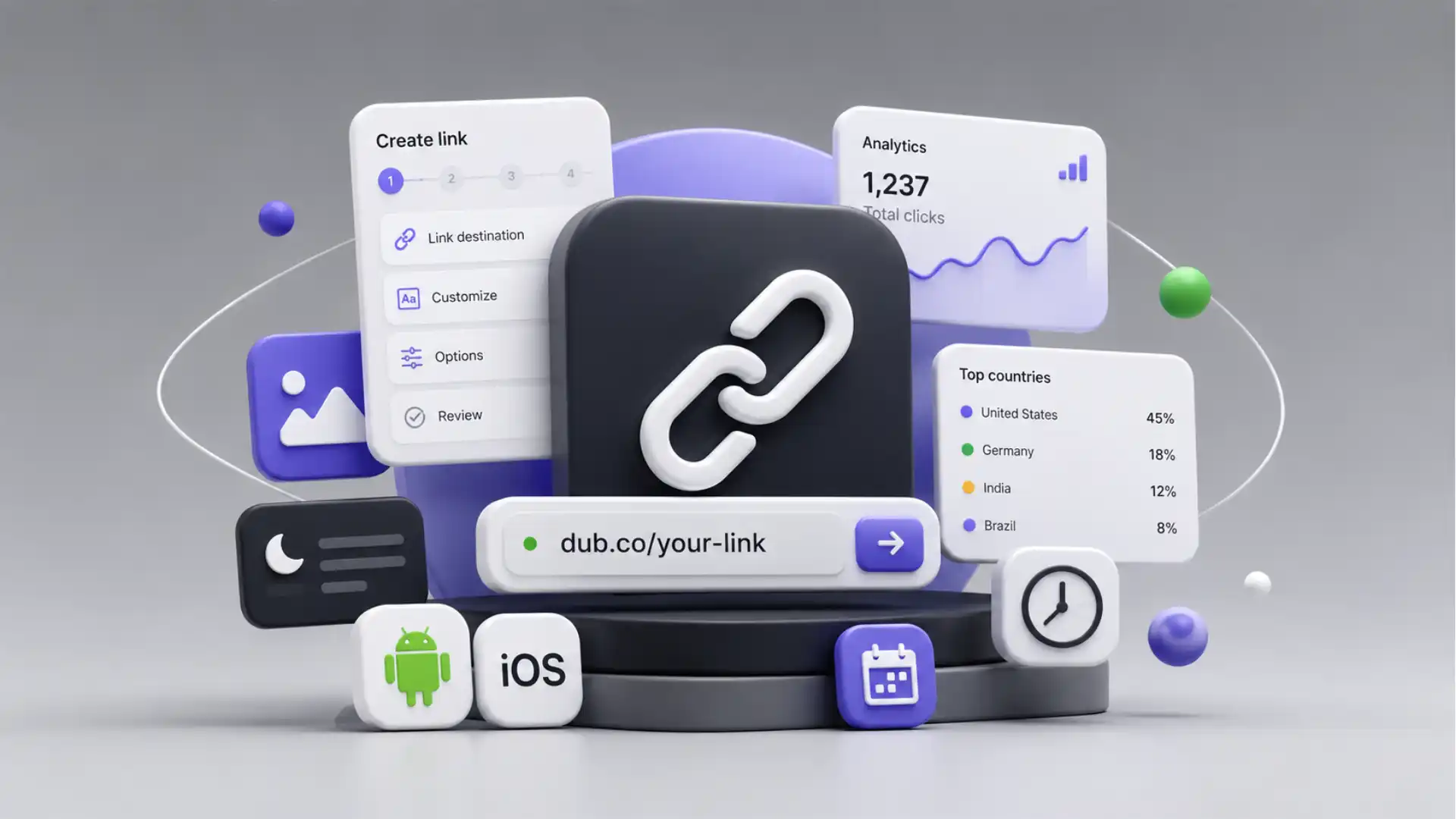
On Dub’s Links page, the short link is presented as a bundle of decisions: branded domains, custom link previews, UTM templates, mobile deep links, tags, folders, geo and device targeting, QR codes, A/B tests, analytics, and API creation. The page even shows the link builder as a kind of campaign workstation, not a single input box.
The phrase “short links with superpowers” would sound like product-page noise if the underlying details were not so practical. Dub lets a link carry a custom social preview, which means the card people see on X, LinkedIn, WhatsApp, Discord, or similar surfaces is not left to whatever metadata the destination page exposes. It also supports device targeting, so one short link can route iOS and Android visitors to different destinations, while falling back to a main URL when the device rule does not match.
That is where the product starts to feel less like a replacement for Bitly and more like a quiet repair job for all the places where links usually fail. A startup launches a mobile app and shares one link. A creator promotes a course and wants a better preview card than the default thumbnail. A newsletter sponsor wants a short branded URL but also needs clicks grouped by campaign. A product team wants every invite link created automatically. An agency wants a link to die after an event ends instead of sending people into a dead registration page.
Dub’s link expiration feature is a good example of a small option that changes how links behave. The documentation says expiration can be set inside the link builder, with a date and time and an optional expiration URL. After the expiration date, Dub can show an expired link page or redirect to a custom destination, and clicks after expiration are not tracked.
That last detail is easy to miss. Expired clicks are not tracked. It is a product decision, not just a technical footnote. It says the expired link is no longer part of the campaign’s live measurement. For event links, limited offers, beta invites, one-off partner promotions, job postings, private resources, or seasonal landing pages, that matters. The link has a lifecycle, and Dub gives the lifecycle a switch.
Most link shorteners understand that links have destinations. Dub understands that links have conditions. A destination is static. A condition is contextual. Device type, geography, campaign metadata, preview card, expiration, password protection, folder, tag, QR code, custom domain, analytics retention, API ownership: these are not decorative features. They are the difference between a link as a pointer and a link as a controlled object.
That distinction is why Dub feels contemporary. The web is less tidy than it used to be. People do not just click from a desktop browser into a homepage. They tap from a mobile app into an app store. They scan a QR code from a physical poster. They click a creator’s bio link from an in-app browser. They open a newsletter from a privacy-protecting email client. They forward a WhatsApp message. They screenshot a link. Routing is now part of distribution, not a backend detail.
Dub does not solve every one of those problems by magic. No link platform can. But it makes the common decisions visible. It puts them in the link creation flow rather than hiding them as afterthoughts. That is the product’s strongest editorial argument: the wizard is not just a form, it is the place where the link gets its behavior.
The wizard is the product
The most underrated thing about Dub is the link builder. A weak product would make advanced link options feel like a settings cave. Dub puts them closer to the act of creating the link. That sounds obvious, yet most marketing tools fail at exactly this point. They treat everyday campaign work as either too simple to deserve structure or too complex to fit inside one clean interface.
Dub’s own help center describes the link builder as the place for UTM builder, custom link previews, device targeting, geo targeting, password protection, expiration dates, and link cloaking. It also notes that users can create short links with custom domains and that analytics can include geolocation, device, browser, and referrer information.
The reason this works is that Dub’s options match real moments in a marketer’s day. The UTM builder is for the person who has typed utm_source=twitter one day and utm_source=x the next, then regretted it later. The custom preview is for the person who shared a carefully designed landing page and watched a random image appear in the social card. The expiration date is for the person who knows the offer should not live forever. The device targeting panel is for the app team tired of telling users to choose the right store manually.
There is a strange amount of dignity in a good UTM builder. Dub’s documentation says its UTM builder supports source, medium, campaign, term, content, and ref, and that it also supports reusable UTM templates. The product point is not that UTM fields exist; every marketer already knows they exist. The point is that campaign naming becomes less dependent on memory and more dependent on a repeatable interface.
Messy UTM discipline is one of those problems that looks too small to fix until it ruins a report. Someone uses newsletter, someone else uses email, another person uses Email, and a fourth uses a sponsor-specific string that never appears again. The link works. The campaign goes live. The data becomes annoying forever. Dub cannot make a team disciplined on its own, but the interface nudges the right behavior at the moment when the link is made.
The custom link preview feature is more visually satisfying. Dub says users can upload an image, set a title, and set a description for how the link appears on social media, with recommended image dimensions of 1200 by 630 pixels and limits for title and description length. The documentation also says the feature is available on Pro plans and above.
That feature matters because social cards are the storefront windows of shared links. Most people do not inspect a URL before they tap. They see a title, image, and description. A weak card makes a good link look unfinished. A wrong card makes a campaign look careless. Dub treats the preview as part of the link, not as something only the destination website controls.
There is also a subtle power shift here. Normally, Open Graph metadata belongs to the destination page. If you do not own that destination, you cannot easily change the preview. If you are linking to press coverage, a partner page, a marketplace listing, a Notion document, a PDF, or an external registration page, you may be stuck with whatever metadata that page serves. Dub’s proxy approach gives the link owner more presentation control. That is useful, but it also raises the stakes: when marketers can customize previews, they carry responsibility for not making misleading cards. Control is only tasteful when it stays honest.
Device targeting is the feature that feels most like a product team sneaked into a marketing tool. Dub’s help page says device targeting lets users set custom destinations for iOS and Android, with the main destination URL used as fallback. The same page says device targeting is evaluated before geo targeting and A/B testing when multiple targeting features are enabled.
That priority order is exactly the kind of small product detail that tells you Dub is thinking about actual link behavior. If an iPhone user should go to the App Store, that should probably happen before a country-based rule or experiment split. A link with multiple rules needs a logic tree, even if the user never sees the tree. Dub exposes enough of that logic to avoid confusion.
Expiration dates bring a different kind of clarity. A link is not always a permanent path. Some links are tickets. Some are invitations. Some are limited offers. Some are temporary redirects during a launch. Dub’s expiration flow accepts a date and time, can redirect expired visitors to another URL, and even supports natural-language date input such as “in 2 hours” or “tomorrow at 5PM,” according to its documentation.
This is where Dub’s polish matters. Many open source tools have features. Fewer have product judgment. The decision to support keyboard shortcuts for link preview, UTM, targeting, and expiration is not revolutionary, but it signals that the builder is meant for repeated use. The tool is not only for the founder making one vanity URL. It is for the operator making links again and again.
A good wizard does not merely ask for inputs. It teaches the shape of the work. Dub’s builder says a link is not finished when it has a destination. It is finished when it has the right domain, slug, campaign metadata, preview, routing behavior, and measurement context. The product’s taste is in refusing to treat those details as advanced trivia.
Analytics without the spreadsheet aftertaste
A link shortener with no analytics is just a prettier redirect. A link shortener with bad analytics becomes a vanity counter. Dub tries to sit in a more useful middle ground: enough information to show whether a link is working, without turning every click into a reporting ceremony.
Dub’s Analytics page describes real-time analytics, dashboard sharing, detailed geo and device data, date range selection, CSV export, filters, conversion tracking, customer insights, and a real-time events stream. The Dub Links page also shows analytics for clicks, leads, sales, device categories, browsers, countries, customer insights, and shareable analytics dashboards.
The most important word there is not “analytics.” It is “shareable.” Link performance is rarely private to one person. A founder wants to show investors which launch channel worked. An agency wants to show a client campaign results. A sponsor wants to verify newsletter clicks. A partner wants to see referral traffic. A product marketer wants to show the growth team which post drove signups. A link dashboard that can be shared becomes a small unit of trust.
Dub’s analytics are also useful because they sit directly beside the link object. In large marketing stacks, the data is often somewhere else: analytics platform, BI dashboard, ad manager, CRM, affiliate tool, spreadsheet, warehouse. Those systems may be more powerful, but they also create distance. Dub’s value is proximity. You are looking at the thing that was shared and the behavior around it.
The tool does not need to become your entire measurement stack to be useful. It can answer the basic questions quickly: How many clicks did this get? Which devices? Which countries? Which browser? Did it produce leads or sales? What happened after the click? Who needs to see this dashboard? The link becomes a lightweight report, not just a row inside a bigger report.
That is especially important for people who operate across many channels without a large analytics team. A solo creator running sponsor links does not want to build a warehouse. A small SaaS founder does not want to spend an afternoon comparing campaign names in Google Analytics. A community manager running a launch across Discord, X, LinkedIn, and email does not need a twelve-tab attribution model. They need link-level signal fast.
Dub’s free plan makes that entry point feel unusually accessible. As of the current Dub Links pricing page, the Free plan includes 1K tracked events per month, 25 new links per month, 30-day analytics retention, one user, basic support, real-time analytics, API access, link tags, UTM templates, QR codes, and 3 custom domains. Paid Dub Links plans then raise tracked events, new links, analytics retention, domains, users, and support levels, with Pro at $25 per month, Business at $75 per month, Advanced at $250 per month, and Enterprise on custom annual billing.
The free tier is not just a teaser if your usage is modest. One thousand tracked events per month is enough for personal projects, early experiments, indie launches, small newsletters, internal tools, or low-volume client links. Twenty-five new links per month is not a lot for a high-output marketing team, but it is plenty for someone who wants branded short links with real analytics and does not yet need the heavier features. The free plan makes Dub easy to try without pretending every user is already a growth department.
The paid split is reasonable too. Pro is where the more serious link features begin to make sense. Business is where conversion tracking, A/B testing, customer insights, and event webhooks become part of the story. Advanced is for higher volume. Enterprise is for organizations with custom needs. The product does not hide the fact that advanced features cost money. Device targeting, custom previews, and expiration are listed across paid plans in the comparison table, while individual help pages note that some features are available on Pro plans and above.
There is a small naming issue worth noticing. Dub’s pricing page now refers to “tracked events,” while many people casually describe shortener plans as click limits. That distinction matters because Dub has grown beyond click counting. A click is one kind of event. A lead or sale can be another. For a simple user, the practical limit still feels like “how much link activity do I get?” For a product team, the event framing better matches conversion tracking. Dub is not only counting taps; it is trying to connect taps to outcomes.
The risk is complexity creep. Once a link tool starts talking about leads, sales, partner programs, customer insights, webhooks, and attribution, it can drift away from the thing that made it attractive in the first place: quick link creation. Dub’s interface has to keep defending that center. The product works because the link remains the primary object. If the platform ever makes the link feel secondary to dashboards and partner infrastructure, it loses the sharpness that makes it interesting.
For now, the balance feels good. The analytics are strong enough to matter but not so heavy that they swallow the link builder. The free plan is generous enough for discovery. The paid plans leave room for teams that need more events, more domains, more users, and deeper retention. Dub’s analytics feel best when they answer the question you had before you clicked into the dashboard, not when they try to impress you with everything they could possibly measure.
Open source changes the bargain
Dub’s open source status changes how the product feels. It is not only a hosted link shortener with a nice UI. The codebase is public on GitHub, and the repository describes Dub as an open-source link attribution platform for short links, conversion tracking, and affiliate programs. The repository also lists a modern stack that includes Next.js, TypeScript, Tailwind, Prisma, Upstash, Tinybird, PlanetScale, NextAuth.js, BoxyHQ, Turborepo, Stripe, Resend, and Vercel.
That stack reads like a map of modern SaaS infrastructure. It also makes Dub more interesting to developers than a closed shortener would be. If you are evaluating a hosted tool that will sit in front of important links, transparency matters. You may not audit every line yourself. You may never self-host. But the public repo changes the posture. Dub is inspectable in a category where trust is unusually important.
A link shortener sits between user intent and destination. That is a sensitive position. It can see clicks. It can redirect traffic. It can break campaigns. It can become a dependency hiding behind thousands of shared URLs. If a shortener disappears, changes terms, gets acquired, or loses a domain, the damage is not abstract. Old links start failing. Printed links do not update. Partner links lose attribution. Campaign archives become unreliable. The public code does not remove those risks, but it gives technical teams another option.
Dub’s self-hosting documentation says users can self-host Dub on their own servers and cloud infrastructure for greater control over data and design. The guide lists requirements including accounts for GitHub, Tinybird, Upstash, PlanetScale, Vercel, and either Cloudflare or AWS, plus a custom domain and optional custom short domain. It also notes AGPLv3 source-access obligations when distributing or allowing remote interaction with modified code.
That is not a one-click hobby deployment. Self-hosting Dub is clearly for people comfortable with multiple services, environment variables, databases, storage, deployment, and license responsibilities. This is good to say plainly because “self-host” has become a vague comfort word in software marketing. Dub is self-hostable, but not frictionless. The tradeoff is control, not instant simplicity.
For some teams, the hosted version will make more sense. They get the polished product, managed infrastructure, updates, support, and fewer moving parts. For others, especially teams with strict data preferences, technical curiosity, or a desire to modify the product, the source code is the point. The existence of both paths is what makes Dub feel stronger than a purely closed tool and more polished than many open source alternatives.
Open source also creates a product pressure that closed SaaS does not always feel. If the hosted product becomes too expensive, too restrictive, or too unfocused, the public code gives users a different kind of leverage. It does not mean everyone will fork and run their own link infrastructure. Most will not. But the option changes the tone of the relationship. The hosted product has to win on polish and convenience, not simply on lock-in.
There is a cultural layer too. Dub emerged in a corner of the internet where developers and marketers overlap: indie hackers, SaaS founders, creator-operators, growth engineers, open source maintainers, and product-led startups. Those people care about branded links, but they also care about APIs, source code, custom domains, clean dashboards, and whether a tool feels tasteful. Dub’s public GitHub presence fits that audience. It says: yes, this is a marketing tool, but it was built by people who understand developer expectations.
The API reinforces that. Dub’s API documentation says the REST API lets users manage Dub workspace resources programmatically, including creating links, creating partners, tracking lead and sale events, and retrieving analytics. It uses HTTPS at https://api.dub.co, authenticates with bearer tokens, and offers native SDKs for TypeScript, Python, Ruby, PHP, and Go.
Programmatic link creation is not a side feature for this category. It is a different use case entirely. A dashboard is fine when a person needs ten campaign links. An API is needed when a product creates invite links, referral links, customer-specific links, marketplace links, partner links, QR-code-backed assets, or per-resource share URLs at scale. A shortener becomes infrastructure when software creates the links without asking a human to paste anything.
That infrastructure role makes the open source angle feel less like a badge and more like a practical asset. Developers can inspect the way the system is built. Teams can self-host if the bargain makes sense. Contributors can understand the direction of the product. Customers can evaluate whether the tool is a serious dependency or a thin wrapper around redirects. This matters because links age. A link made today might still be clicked in two years. A tool that owns those links should not feel disposable.
Dub’s GitHub README says the platform powers 100M+ clicks and 2M+ links monthly and is used by teams from companies including Twilio, Buffer, Framer, Perplexity, Vercel, and Laravel. Those numbers and logos are marketing claims, but paired with a visible codebase and current documentation, they point to a product that has moved beyond a weekend project.
The better question is not whether Dub is “open source or SaaS.” It is both. The hosted business pays for the polish. The open source repo earns technical trust. The self-host path serves the users who need control. That mix is becoming more common, but it is especially useful for infrastructure-adjacent products. When a tool touches traffic, attribution, and public links, transparency is not a decoration.
Who should open Dub first
Dub is easiest to recommend to people who already know their links are a mess. Not catastrophic. Just messy. Campaign links live in old docs. UTM names drift. Social previews look random. QR codes point to stale pages. Mobile users land on desktop pages. Affiliate links feel ugly. Product-generated links are hard to track. Analytics are scattered across tools. Dub is for the moment when link management becomes just painful enough to deserve its own layer.
For a solo creator, Dub is attractive because it makes sponsor links and campaign links feel less amateur. A custom domain gives the link a cleaner public face. The analytics show whether the audience actually clicked. QR codes cover offline or presentation use. Custom previews on paid plans let a shared link carry the right visual framing. The free plan may be enough for small-volume publishing, and the paid plan is there when the creator starts treating links as part of the business.
For a startup founder, the appeal is sharper. Founders share links constantly: waitlists, product demos, launch pages, investor updates, referral programs, docs, hiring pages, beta invites, app downloads, and partner campaigns. Many of those links need to be measured without building a full attribution setup. Dub gives a founder a link layer that looks serious before the company has a serious marketing team.
For marketers, Dub’s most useful quality is operational tidiness. The UTM builder and templates reduce naming drift. Tags and folders keep campaigns findable. Custom domains make links feel on-brand. Analytics dashboards let teams share performance with stakeholders. Expiration dates reduce the number of old campaign links that keep pointing to the wrong place. Device and geo targeting support more specific routing. This is not glamorous work, but it is exactly the work that prevents marketing operations from becoming junk drawers.
For product teams, the API is the door. A product can create links on behalf of users, partners, customers, or internal workflows. A developer can retrieve analytics, create folders or tags, and integrate link behavior into existing systems. Dub’s documentation and SDKs make it feel approachable for product-led use cases, not just manual marketing campaigns.
For agencies, Dub offers a cleaner way to manage client links without building a separate reporting ritual for every campaign. A branded domain looks better in the wild. Shareable analytics can reduce back-and-forth. Folders and tags give each account or campaign some structure. The risk for agencies is price and workspace management as volume rises, but the basic fit is obvious: client-facing links should not look like disposable tracking scraps.
For developers and open source maintainers, Dub is interesting for another reason: it treats link management as a product surface without hiding the code. If you maintain a project, run a community, publish docs, promote releases, or need stable branded links for resources that move, Dub gives you a cleaner public layer. If you want to inspect or self-host, the repo and documentation are available. If you only want the hosted product, you do not need to become your own link infrastructure team.
Dub at a glance
| What stands out | Why it matters |
|---|---|
| Open source core | Teams can inspect the code, contribute, or self-host when control matters. |
| Polished link builder | UTM fields, previews, routing, expiration, tags, folders, and QR codes sit close to link creation. |
| Custom social cards | Shared links can carry a more intentional image, title, and description. |
| iOS and Android targeting | One public link can send mobile users to the right app destination. |
| Free hosted plan | Small projects get 1K tracked events per month, 25 new links, API access, QR codes, UTM templates, and 3 custom domains. |
| API and SDKs | Products can create and manage links without manual dashboard work. |
| Self-hosting path | Technical teams can run Dub themselves, with the tradeoff of setup complexity. |
The table makes Dub’s position easier to see: it is not just a prettier shortener, and it is not only a heavy attribution platform. It sits between those two ideas. The hosted app is polished enough for non-technical operators, while the open source repo, API, SDKs, and self-hosting docs keep it credible for developers.
The people who should hesitate are just as clear. If you only need to shorten one link twice a year, Dub may be more product than you need. If you need huge enterprise attribution across every paid channel, you may still need a larger analytics or customer data setup. If you want a self-hosted tool but dislike managing multiple cloud services, Dub’s self-hosting guide may feel too involved. The product is strongest when links are frequent, public, measurable, and worth treating carefully.
There is also a philosophical limit. Link attribution can become obsessive. Not every click deserves a dashboard. Not every campaign needs ten parameters. Not every link should be customized until it loses its honesty. Dub gives you power over the link, but tasteful use still belongs to the person holding the controls. A good link should be short, clear, and trustworthy. The extra intelligence should make the experience better, not sneakier.
This is why Dub’s best users will probably be the ones who care about restraint. Use custom social cards to make links clearer, not to mislead. Use device targeting to reduce friction, not to trap people. Use expiration to avoid stale links, not to hide information. Use analytics to learn, not to turn every visitor into a scoreboard. Dub is a sharp instrument; the editorial taste comes from knowing when not to overconfigure it.
The web lesson hiding inside Dub
Dub is interesting because it reveals something obvious that most people ignore: links are not passive anymore. They are small pieces of software behavior. They route, measure, expire, present, identify, and report. A single URL can carry a campaign’s public identity, its tracking logic, its mobile strategy, its visual preview, and its reporting surface.
That is a lot of pressure for a string of characters.
The older web treated URLs like addresses. You published them, bookmarked them, linked them, and hoped they stayed alive. The platform web treats links more like traffic switches. They sit between surfaces that do not behave the same way: app stores, mobile apps, browsers, social cards, messaging apps, QR scanners, ad networks, email clients, partner dashboards, and internal tools. A modern link is less like a street address and more like a small border checkpoint.
Dub’s product taste is that it makes the checkpoint visible without making it ugly. The link builder is the border control room. The analytics page is the logbook. The custom domain is the sign outside. The social preview is the storefront window. The expiration date is the closing time. The API is the factory line. The open source repo is the building plan.
That metaphor could become dramatic, but the actual product remains pleasantly practical. Paste a destination. Choose a short domain. Set a slug. Add UTMs. Upload a preview image. Pick device targets. Set an expiration. Create a QR code. Share the link. Watch the clicks. It is still a link shortener at the surface. The difference is that Dub understands how much work happens beneath that surface.
This matters because the web keeps producing more places where links are separated from their original context. A link inside a newsletter might be forwarded into a private Slack. A QR code printed on a flyer might be scanned months later. A partner link might get pasted into a YouTube description, then copied into a Reddit thread. A mobile app link might be opened from an in-app browser that behaves strangely. Once a link leaves your hands, the only control you still have is the behavior you gave it before it left.
Dub gives more of that control back. Not total control. The web is too unruly for that. But enough control to make links feel intentional again.
The open source part adds a second lesson. The best modern SaaS tools often win by combining hosted convenience with developer legibility. Dub’s public codebase, self-hosting path, API, and SDKs make the product more credible than a black-box shortener. The hosted app makes it more usable than a repo that expects you to assemble everything yourself. That hybrid model fits the object Dub manages: public enough to matter, technical enough to deserve transparency.
The product also suggests a design lesson. Tools do not need to invent new categories to feel fresh. Sometimes the smarter move is to revisit a neglected primitive. Links are old. URL shorteners are old. Redirects are old. UTM parameters are old. QR codes are old. Open Graph previews are old. Dub’s trick is not novelty. It is arrangement. It puts the old pieces together in a way that matches how people actually distribute things now.
That is why Dub is a good Web Radar find. It is not strange because nobody has ever shortened a URL before. It is strange because a mature, familiar, almost boring web object suddenly feels underbuilt everywhere else. After using or even just inspecting Dub, other link workflows start to look careless. The tiny URL begins to feel like wasted real estate.
There is a quiet pleasure in tools that make you reconsider a habit. You have pasted links thousands of times. You have probably ignored most of the small failures around them: bad previews, inconsistent UTMs, stale event pages, mystery clicks, ugly domains, mobile misroutes, partner links with no clean reporting. Dub gathers those little annoyances and says: this is a product surface.
It is right.
Small answers before opening it
Dub is best understood as an open source link management and attribution platform, not only a URL shortener. It creates branded short links, tracks performance, supports campaign metadata, offers custom previews and routing features on paid tiers, provides API access, and can be self-hosted by technical teams. Its own documentation describes it as a platform for partner programs, marketing attribution, real-time analytics, short links, webhooks, integrations, REST API access, and SDKs.
The free hosted plan is genuinely useful for small projects, but it has clear limits. The current Dub Links pricing page lists 1K tracked events per month, 25 new links per month, one user, 30-day analytics retention, real-time analytics, API access, tags, UTM templates, QR codes, and 3 custom domains on the Free plan. That is enough for experiments and modest publishing, not enough for a team producing many campaign links every week.
Self-hosting is possible, but it is for people who are comfortable running software infrastructure. Dub’s self-hosting guide mentions multiple service prerequisites, including GitHub, Tinybird, Upstash, PlanetScale, Vercel, and either Cloudflare or AWS, plus custom domain setup. It is a serious option, not a magic button.
The custom social card feature is one of Dub’s most memorable touches. It lets link owners set the image, title, and description shown when a Dub link is shared on social platforms and messaging apps, with the caveat that the feature is documented as available on Pro plans and above. For campaigns, launches, press links, and partner pages, that small visual control can change how polished a shared link feels.
Device targeting is useful when a single public link needs different mobile destinations. Dub’s documentation describes iOS and Android destination options, with the main URL acting as fallback. It also says device targeting takes priority over geo targeting and A/B testing when those rules are combined.
The main reason to open Dub is not the short URL itself. The reason is the set of decisions around it: branding, routing, metadata, expiration, QR codes, analytics, API creation, and ownership. Dub makes the link feel like a small product artifact instead of a throwaway paste action.
Author:
Jan Bielik
CEO & Founder of Webiano Digital & Marketing Agency
This article is an original analysis supported by the sources cited below
Dub official website
The main Dub homepage, used to verify the current positioning of Dub as a link attribution platform for short links, conversion tracking, and affiliate programs.
Dub Links product page
The official product page for Dub Links, used to verify the link builder, branded short links, custom previews, UTM templates, device and geo targeting, QR codes, analytics, API, and SDK framing.
Dub Links pricing
The official pricing page for Dub Links, used to verify the Free, Pro, Business, Advanced, and Enterprise plan details, including the free plan limits and included features.
Dub help center article about Dub Links
The official help center overview for Dub Links, used to verify the link builder features, custom domain claims, analytics features, and QR code support.
Dub help center article about custom link previews
The official documentation for custom social cards, used to verify custom image, title, description, plan availability, and preview behavior.
Dub help center article about device targeting
The official documentation for iOS and Android routing, fallback behavior, and targeting priority order.
Dub help center article about link expiration
The official documentation for link expiration, custom expiration URLs, expired link behavior, and tracking notes after expiration.
Dub API introduction
The official API documentation, used to verify REST API behavior, authentication, base URL, supported actions, and SDK availability.
Dub self-hosting documentation
The official self-hosting guide, used to verify self-hosting positioning, prerequisites, setup direction, and AGPLv3 source-access note.
Dub GitHub repository
The public source repository, used to verify Dub’s open source positioning, tech stack, self-hosting mention, and repository-level product description.
| Citing this article? Brief excerpts are welcome. Please credit Webiano.digital, name the author where stated, and include a link to https://webiano.digital and to this original article. Full or substantial republication requires prior written permission. Read our Copyright and Content Use Policy. |
This article was prepared with the assistance of artificial intelligence tools. The content underwent expert human review, and Webiano Digital & Marketing Agency assumes editorial responsibility for its final version and publication.