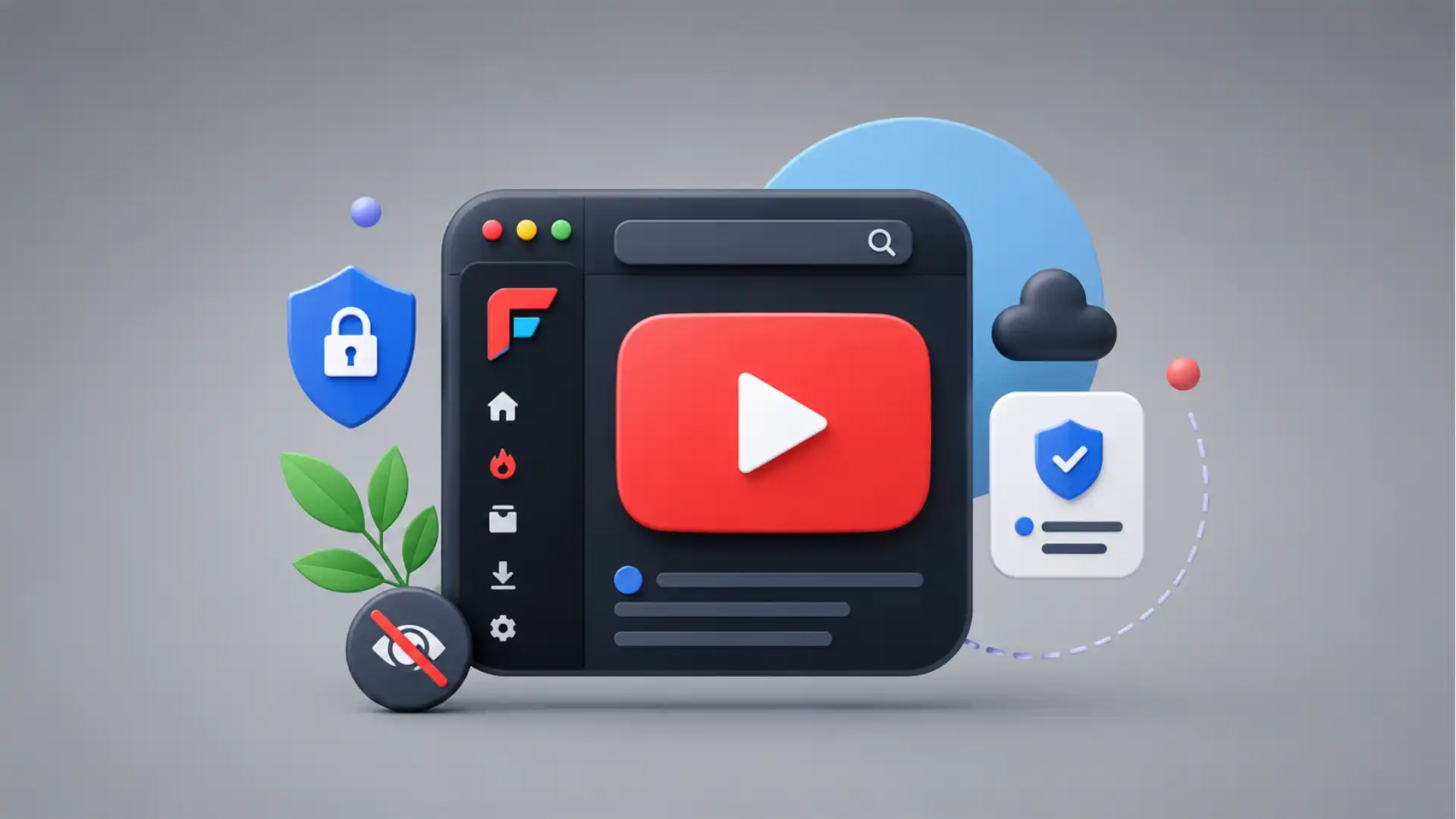
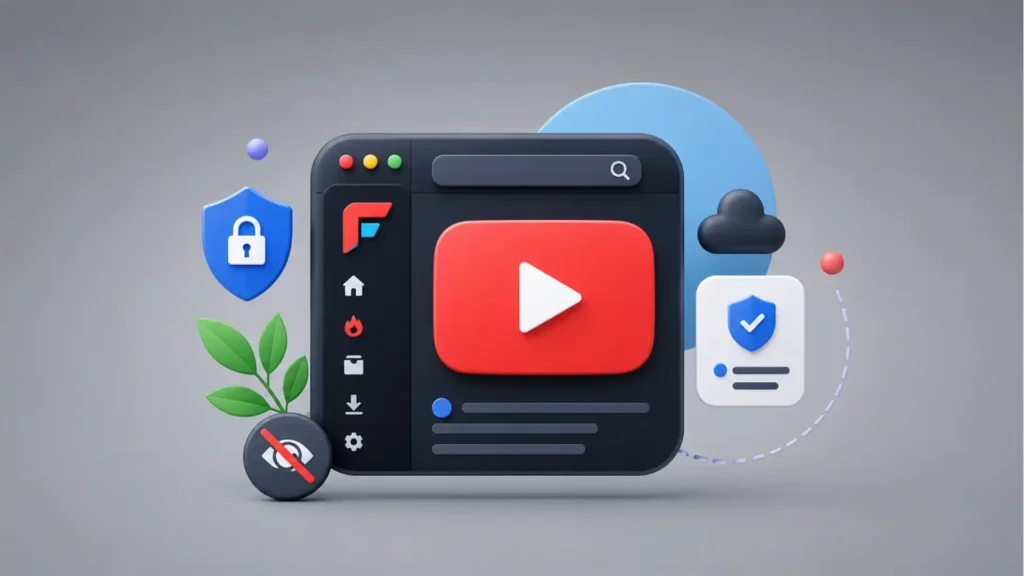
FreeTube feels almost suspiciously normal at first. You open it, search for a video, click a thumbnail, and watch. The interface does not try to reinvent video. It does not bury you in a manifesto before playback. It does not ask you to build a new social graph, join a new platform, or pledge loyalty to a new creator economy. It just takes one of the most familiar actions on the internet — watching YouTube — and moves it into a desktop app that is built around a blunt idea: you should not need a Google account, cookies, or YouTube’s web interface to follow videos you care about. FreeTube’s own site describes it as “The Private YouTube Client,” with current features including subscriptions without an account, local subscriptions, local playlists, local history, no ads, and an open-source AGPLv3 license.
Table of Contents
The private YouTube client hiding in plain sight
That is the hook. FreeTube is not trying to be a rival video network. It is not a creator platform. It is not a downloader dressed up as a media app. It is a viewing client for YouTube, and that distinction matters because it points to a quieter corner of the web: the layer of independent tools that sit between users and giant platforms, giving people a different interface for the same information. FreeTube’s GitHub repository says the app uses either a built-in extractor or the Invidious API to obtain data and videos, and it does not use official YouTube APIs. It also states that YouTube can still see video requests, while cookies and JavaScript tracking are removed from the usual web experience.
The best way to understand FreeTube is not as a “privacy app” in the abstract, but as a refusal of the default bargain. The default bargain says that watching a tutorial, a repair video, a lecture, a song, or a two-minute product demo must happen inside an environment tuned for logging in, recommending, measuring, remembering, nudging, monetising, and pulling you deeper. FreeTube cuts away a lot of that surrounding machinery. You still watch YouTube videos. You still search. You still subscribe. You still build a feed. But your subscriptions, playlists, and history live on your own computer rather than inside a Google account, according to the project’s documentation and repository.
That makes FreeTube oddly modern and oddly old-fashioned at the same time. Modern because it answers a very current fatigue: the feeling that every simple online act has become part of an enormous behavioural system. Old-fashioned because it restores something closer to the desktop software logic of the early web, where an app could be yours, your preferences could be local, and using a service did not automatically mean becoming part of its account layer. FreeTube is not nostalgia, exactly. It is more like a little piece of old internet muscle memory rebuilt for a platform age.
The project is also honest about its limits, which makes it more interesting. The GitHub repository says that a VPN or Tor is highly recommended if the user wants to hide their IP address while using FreeTube. That is a crucial caveat. FreeTube is not magic invisibility. It reduces specific kinds of tracking tied to cookies, JavaScript, account history, and local data storage, but it does not erase the network-level fact that videos need to be requested from somewhere.
That honesty is part of the charm. Many privacy tools sell a fantasy of total escape. FreeTube does something more useful: it changes the shape of the relationship. It lets you keep using the enormous public catalogue of YouTube while refusing some of the behavioural scaffolding around it. The result is not pure freedom. It is a cleaner, more controlled way to touch a very messy platform.
FreeTube’s current official download page lists Release 0.24.0 Beta, and its GitHub releases page shows v0.24.0 Beta dated April 1, 2026. That “Beta” label is worth noticing. It signals a project that is active, useful, and still exposed to the brittle reality of depending on YouTube’s changing internals. FreeTube is polished enough to recommend to the right kind of user, but not the kind of thing to install on a relative’s machine and promise it will behave forever.
The reason it belongs in Web Radar is simple: FreeTube is one of those tools that makes the web feel more negotiable. It reminds you that the official interface is not the only interface. The main app is not the only way to access the content. A platform can be huge, but still surrounded by alternative clients, wrappers, extractors, local workflows, and small acts of refusal. That is where FreeTube gets interesting: not just in its feature list, but in the feeling it gives you when you realise YouTube can be separated from YouTube.com.
What changes when YouTube becomes a desktop app
The first surprise is how little FreeTube asks from you. You do not log in. You do not connect a Google account. You do not create a new identity just to follow channels. The official site lists “Subscribe to channels without an account” as a current feature, and that one line explains most of the app’s emotional appeal.
A normal YouTube subscription is not just a bookmark. It is part of an account system. It sits beside watch history, recommendations, comments, likes, notifications, purchases, memberships, location signals, device signals, and whatever else the platform uses to model user behaviour. FreeTube turns the subscription back into something smaller and calmer: a local preference. You follow a channel because you want to see its videos. The app remembers that locally. The rest of the platform does not need to be invited into the room.
That sounds minor until you feel the difference. YouTube on the web is brilliant at collapsing intention. You arrive to watch one video and leave after a chain of recommendations. You open a channel and get pulled into Shorts, homepage shelves, sidebars, comments, autoplay, sign-in prompts, and a feed that is always learning from you. FreeTube is still a YouTube client, so it cannot make the platform pure. But it does make the act of watching feel less like entering a behavioural casino.
The familiar design helps. FreeTube’s site says its design is similar to YouTube, which makes the move easier for people who do not want to learn a completely new video workflow. That decision matters. Privacy software often fails because it asks users to accept pain as proof of virtue. FreeTube does not make privacy feel ceremonial. It keeps the basic shape of the video experience recognizable, then moves the sensitive parts — subscriptions, playlists, history — into local storage.
The GitHub feature list shows how far the project has gone beyond a minimal viewer. FreeTube includes local subscriptions, playlists, and history; profiles for organising subscriptions into more focused feeds; import and export for subscriptions; YouTube Trending; chapters; SponsorBlock; DeArrow; external player support; theme support; screenshots; multiple windows; picture-in-picture; keyboard shortcuts; and controls for hiding app elements through distraction-free settings.
Those details matter because they make FreeTube feel less like a workaround and more like a chosen interface. A workaround is something you tolerate because the main thing is broken. A chosen interface is something you keep because it matches how you want to use the web. FreeTube is closer to the second category for people who spend a lot of time watching educational videos, lectures, repair guides, music, commentary, software demos, or long-form channels but do not want that activity folded into a Google profile.
The app also makes YouTube feel less socially sticky. You do not arrive as a logged-in participant. You arrive as a viewer. For some people, that is a loss: no comments, no personal recommendations tied to years of account behaviour, no frictionless creator memberships. For others, it is the point. FreeTube returns YouTube to a more deliberate mode, where the video is central and the surrounding machinery is less dominant.
FreeTube is especially good for the kind of person who uses YouTube as a library rather than as a social feed. If you think of YouTube as a place to retrieve specific knowledge, follow a handful of channels, or watch long-form material without being chased around by the homepage, the app makes immediate sense. It is less compelling for someone who lives inside YouTube’s recommendation loop and likes the platform precisely because it always knows what to suggest next.
The project’s import feature also lowers the switching cost. FreeTube’s site says users can import YouTube subscriptions to see their feed instantly, and the FAQ confirms that importing YouTube subscriptions is supported. That matters because an alternative client dies quickly if it asks people to rebuild years of subscriptions by hand. FreeTube understands that the subscription list is the user’s real map.
The app is available across desktop systems rather than living as a browser-only trick. The official site says it runs on Windows, Mac, and several Linux distributions. The FAQ is careful about mobile, though. It says there are no plans for official ports to unsupported platforms, including Android and iOS, and mentions an unofficial Android fork rather than an official app. That boundary gives FreeTube a clear identity: this is a desktop client first, not a cross-device replacement for every YouTube habit.
That desktop-first identity gives the product a different rhythm. YouTube’s official experience wants to follow you everywhere: phone, TV, browser, tablet, notifications, background audio, logged-in memory. FreeTube is more like a controlled workstation for video. It belongs on a laptop or desktop, in a place where you search, watch, learn, collect, and leave.
The strongest FreeTube experience is probably not casual entertainment. It is intentional viewing. Open the app because you want a lecture. Search because you need a tutorial. Follow channels because they publish material you actually want. Use profiles because your repair channels, programming channels, music channels, and politics channels do not need to live in one recommendation soup. That is where the app starts to feel less like a clone and more like a personal tool.
FreeTube at a glance
| Area | What stands out | Why it matters |
|---|---|---|
| Privacy model | Local subscriptions, playlists, and history | Keeps core viewing data on your machine rather than inside a Google account |
| Access style | No Google login required | Makes YouTube feel more like a catalogue and less like an account trap |
| Video fetching | Built-in extractor or Invidious API | Gives users two paths when one method becomes unreliable |
| Interface | Familiar YouTube-like design | Reduces the friction that often kills privacy tools |
| Best use | Intentional desktop viewing | Works well for people who search, follow, learn, and watch without wanting the full YouTube web layer |
| Main limit | YouTube can still see video requests unless routed differently | FreeTube reduces tracking, but it does not erase every network signal |
The table shows the real shape of FreeTube: it is not a total YouTube replacement, and it is not trying to become one. It is a focused desktop client for people who want YouTube’s videos without the usual account-driven environment. That narrower ambition is why the app works.
The privacy trick is local data
FreeTube’s most important design choice is not the lack of ads. The no-ad experience is obvious and pleasant, but the deeper shift is local data. The official site says subscriptions, playlists, and history are stored locally. The GitHub repository repeats the same point and adds that this data is never sent out.
Local storage changes the emotional texture of watching. On the official YouTube site, every subscription and watched video feels like part of a long-running behavioural file. In FreeTube, the same actions feel more like personal organisation. A subscription becomes closer to an RSS feed. History becomes a convenience, not a platform memory. A playlist becomes a local shelf, not another signal in a recommendation system.
That difference may sound philosophical, but it affects behaviour. People watch differently when they feel watched. They avoid strange searches, hesitate before clicking sensitive topics, or let recommendations steer them because the platform has already built a path. A local-first client does not remove every trace, but it does remove some of the feeling that every click is being folded back into a profile.
FreeTube’s repository gives a precise privacy caveat that should be repeated in any honest recommendation. The app can stop YouTube from tracking users through cookies and JavaScript, but YouTube can still see video requests. The project recommends VPN or Tor for hiding the user’s IP address. That distinction is not a weakness in the project. It is a sign that the developers are not selling a fantasy.
The built-in extractor is one route. According to the repository, FreeTube uses a built-in extractor to grab and serve data and videos. It does not rely on official YouTube APIs. That matters because official APIs often come with platform rules, quotas, access constraints, and dependencies that make independent clients more fragile or less private. FreeTube’s route is more independent, but also more exposed to breakage when YouTube changes how things work.
This is the trade that runs through the entire app. You get more control, less account dependency, less web tracking, local data, and a calmer interface. In return, you accept that the app lives near the edge of a giant platform it does not control. YouTube can change internals. Extractors can break. Invidious instances can be blocked. Users can hit playback errors that have nothing to do with the app’s interface and everything to do with the cat-and-mouse nature of unofficial access.
That fragility is not a reason to dismiss FreeTube. It is a reason to understand what category it belongs to. FreeTube is part of the same wider family as alternative front ends, independent clients, privacy-respecting wrappers, and open-source tools that try to loosen the grip of the official web. These tools often work beautifully until they don’t. Then they get patched, rerouted, or adjusted. The experience is not always as smooth as the official app, but it gives users a choice the official app rarely offers.
The local-data approach also makes FreeTube feel more personal in a way the platform version does not. A Google account is portable and convenient, but it is also owned by the relationship between user and company. A FreeTube profile is closer to a file cabinet. You can import, export, organise, and move your own subscriptions. The repository lists export and import support, and profiles for focused feeds, which makes the app feel unusually respectful of user organisation.
Profiles are a small feature with a large psychological effect. On YouTube, your interests tend to collapse into one big identity. Watch a few videos on a passing topic and the platform may decide this is now part of who you are. FreeTube profiles let you separate interests by intention. One profile for programming. One for music. One for cycling repairs. One for language learning. That separation is not just tidier; it resists the platform habit of turning every curiosity into a permanent signal.
The absence of account login also changes what “following” means. You can follow a creator without entering a deeper commercial relationship with the platform. You can keep up with channels without feeding a centralised recommendation model tied to your identity. You can build your own feed without handing the feed builder to Google. That is a very web-native idea, even if it arrives inside a desktop app.
FreeTube also makes a quiet argument for boring privacy. The best privacy does not always look like encryption dashboards and threat models. Sometimes it looks like a search bar, a subscription list, and a history tab that stay on your computer. FreeTube’s privacy is not theatrical. It is architectural.
This is why the app is worth opening even for people who do not plan to use it every day. It shows how much of a platform experience is optional. The video catalogue and the official interface feel inseparable because we usually meet them together. FreeTube separates them enough to make the difference visible. Once you see that, the official web starts to feel less inevitable.
The Invidious option gives it a second personality
FreeTube has another trick: it can use Invidious. The official docs describe Invidious as an open-source web project for browsing YouTube, with goals similar to FreeTube but a different approach. Invidious lets many users use one instance, mixing requests together while the instance fetches information, which makes it harder to identify one person.
That distinction between FreeTube and Invidious is useful. FreeTube is a desktop app. Invidious is a web project and can act as a middle layer. The FreeTube docs say Invidious has its own extractor and public API, and FreeTube can connect to an Invidious instance so that Invidious obtains data on the user’s behalf.
The Invidious API changes the privacy and reliability equation. FreeTube’s docs list several advantages: Invidious can make requests to YouTube on the user’s behalf, prevent the user’s IP from being sent to YouTube, mix requests from multiple users, update extractor logic without requiring a FreeTube update, and proxy videos, images, and RSS feeds so FreeTube does not make direct YouTube connections.
That sounds powerful, but the docs are careful about the other side. Public Invidious instances can be more likely to get blocked because many users share them. Proxying data can make content slower to load. Some FreeTube features, such as live chat, may not be available through Invidious. Again, the project’s honesty matters. FreeTube does not pretend every privacy route is cost-free.
The result is a product with two personalities. With the local built-in extractor, FreeTube feels like a direct desktop client that avoids cookies and JavaScript tracking but still requests videos. With Invidious, it can feel more like a client using a privacy buffer. Neither option is perfect. The useful part is that users can choose the failure mode they prefer.
That choice is rare in mainstream software. Most apps hide the path between action and server. FreeTube exposes it enough for users to think about it. Do you want speed and directness? Do you want a middle layer? Do you want fallback behaviour? The docs say FreeTube can fall back to the Invidious API if the Local API fails, when that fallback is enabled in settings. That kind of setting is not glamorous, but it is a sign of a tool built for people who want agency.
Invidious also makes FreeTube part of a wider open-source ecosystem rather than a single isolated app. The relationship between the two projects shows how independent web tools often survive: not as one perfect replacement, but as overlapping pieces. One project builds a desktop interface. Another project builds an alternative web front end and API. Users route around breakage, blocked instances, extractor changes, and shifting platform behaviour. It is messy, but it is alive.
This is where FreeTube becomes more than a privacy convenience. It becomes a small lesson in web architecture. The official platform says: use our website, our app, our account, our recommendation engine, our ads, our data model. FreeTube and Invidious say: the videos are one thing; the interface and data relationship are another. Separating those layers is a political act in the mildest, most practical sense.
For less technical users, the Invidious settings may feel like too much. Instance selection, proxy behaviour, fallback settings, and extractor choices are not everyday app language. FreeTube’s familiar design softens the learning curve, but the underlying reality still shows through. This is not a sealed consumer appliance. It is a user-controlled tool touching a hostile or at least unfriendly upstream platform.
That visible machinery is also part of its appeal. Many modern apps treat users like they should never see the pipes. FreeTube lets some pipes remain visible because the pipes matter. Privacy is not just a toggle. It is a route. FreeTube gives you routes.
The important editorial judgment is that FreeTube should not be judged by the same standard as an official YouTube client. An official client wins on platform integration, stability, sign-in convenience, comments, subscriptions tied to creator monetisation, casting, mobile polish, and the invisible benefits of first-party access. FreeTube wins on user control, local data, reduced tracking, a calmer interface, and the stubborn dignity of not making every viewing session part of a Google account.
That is why FreeTube feels like a tool for people who have already started asking better questions. Not “Where is the private YouTube?” but “Why does watching a public video require this much platform intimacy?” Once you ask that, FreeTube’s existence feels less niche.
Where the rough edges live
FreeTube’s rough edges are not accidents around the product; they are consequences of its position. It is an independent client for a platform that has no reason to make independent clients comfortable. That means playback can break, APIs can fail, extractors can need updates, and public middle layers can become slow or blocked. The GitHub issues page shows active reports around local API errors, Invidious API issues, playback freezes, content loading problems, keyboard shortcuts, and platform-specific bugs.
The project’s Beta label should shape expectations. The official site currently presents FreeTube Release 0.24.0 Beta, while GitHub releases list v0.24.0 Beta dated April 1, 2026. “Beta” does not mean unusable. It means this is active software living in a moving environment. Users who understand that will be happier than users who expect a flawless consumer substitute for YouTube.
The biggest practical limit is that FreeTube depends on YouTube continuing to be reachable in ways the app can parse. The repository says it uses extractor APIs rather than official APIs. That is a strength for independence, but it also means the app has to keep adapting. If YouTube changes delivery, throttling, request patterns, signatures, or playback behaviour, FreeTube users may feel it quickly.
Public Invidious instances add another layer of variability. The FreeTube docs say Invidious instances can be blocked, and because many users may share one instance, the risk can be higher than with the local API. That does not make Invidious bad. It makes it realistic. Shared privacy infrastructure often becomes a target precisely because it is shared.
Another limit is social. FreeTube is not where you go to become part of YouTube’s full interactive culture. If your YouTube experience depends on comments, community posts, memberships, creator notifications, logged-in recommendations, paid features, or mobile continuity, FreeTube will feel incomplete. The FAQ also makes clear that the project is focused on YouTube and has no current plan to support services outside YouTube.
The lack of official mobile support narrows the audience. The FAQ says there are zero plans to port FreeTube to unsupported platforms, no official Android port, and no official iOS app. That is not a tiny omission in a phone-first media world. It means FreeTube is best seen as a desktop companion, not a universal YouTube replacement.
For some users, that limitation will actually be healthy. A desktop-only YouTube client encourages intentional use. You sit down, search, watch, and close. You do not get push notifications while standing in line. You do not fill every idle gap with Shorts. You do not carry the whole platform in your pocket through a logged-in feedback loop. FreeTube’s lack of mobile polish may be a drawback, but it also keeps the app from becoming another all-day habit machine.
There is also the creator-support question. FreeTube’s site lists no ads as a feature. For viewers, that is pleasant. For creators who rely on YouTube ad revenue, it is more complicated. FreeTube does not solve that tension. Users who care about specific creators may need other ways to support them: memberships, direct support, merchandise, paid newsletters, Patreon-style platforms, or simply using official YouTube when they want that support relationship to count inside the platform.
That tension should not be brushed aside. Alternative clients often shift power toward viewers and away from platform monetisation systems. Sometimes that is exactly what users want, especially when ads become invasive or tracking-heavy. But creators are not imaginary. A thoughtful FreeTube user can still support creators directly. The app just separates watching from the advertising machine.
The interface may also feel slightly uncanny to people who expect every product to be frictionless. A privacy-first YouTube client cannot always hide the complexity of extractors, proxies, instances, and upstream failures. Some users will love that control. Others will decide the official YouTube site is easier. Both reactions are reasonable.
The right recommendation is therefore precise: FreeTube is for users who value control more than perfect convenience. It is for people who already dislike the logged-in web, who understand that privacy often involves tradeoffs, and who are willing to adjust a setting when a route breaks. It is not for people who want YouTube without YouTube and without any cost.
The app’s roughness also protects it from becoming bland. FreeTube has the texture of software made by people with a point of view. It does not feel focus-grouped into softness. It has settings because settings matter. It supports local data because local data matters. It warns about IP visibility because truth matters more than a clean sales pitch. That texture is why the project is worth radar attention.
The design lesson hidden inside FreeTube
FreeTube makes one design lesson painfully clear: the official interface is often the business model wearing a costume. YouTube’s web interface is not merely a neutral way to show videos. It is also a machine for account retention, advertising, recommendations, behavioural measurement, creator monetisation, comments, Shorts discovery, notifications, and subscription management. FreeTube strips many of those layers away, and the remaining experience feels calmer because the business model is less present.
That does not mean the official YouTube interface is badly designed. It is extremely good at what it is built to do. The point is that its goals are not identical to the viewer’s goals. A viewer may want one video. The platform wants a session. A viewer may want a clean subscription feed. The platform wants engagement. A viewer may want local memory. The platform wants account memory. FreeTube works because it realigns the interface toward the viewer’s narrower intent.
The familiar design is the clever part. FreeTube does not make privacy look alien. It borrows enough visual grammar from YouTube that users understand where they are, then changes the underlying relationship. The official site explicitly says the familiar design makes it easy to move to FreeTube. That is good product thinking. Radical changes often need ordinary surfaces.
The app also shows that privacy is easier to adopt when it does not demand a new identity. Many alternative platforms ask users to leave the mainstream network and start again. That is hard because creators, archives, tutorials, music, lectures, and communities are already on YouTube. FreeTube avoids that impossible migration problem. It does not ask the user to abandon the library. It changes the client.
That strategy has wider meaning beyond video. Some of the most interesting web tools are not new destinations; they are alternate doors into existing destinations. RSS readers did this for blogs and news. Third-party Reddit apps did this before API restrictions changed the terrain. Mastodon clients do this for federated feeds. Browser extensions do this for messy websites. Alternative front ends do this for platforms. FreeTube belongs in that lineage.
The product also asks a subtle question about ownership. If your subscriptions exist only inside a platform account, do you own your map of the web? FreeTube says: keep the map locally. Export it. Import it. Organise it. Use profiles. The repository’s feature list includes local search across subscriptions, playlists, and history, plus import and export. That is not a decorative feature. It is a different philosophy of user memory.
The most underrated feature may be separation. Separate your subscriptions from your Google account. Separate your history from platform training. Separate profiles by interest. Separate watching from commenting. Separate video access from the official web interface. Separation is a form of control, and FreeTube gives users more of it than YouTube’s own design wants them to have.
The “distraction free” settings push this further. The GitHub feature list says users can show or hide app functionality or elements through distraction-free settings. That matters because distraction is not just an aesthetic problem. It is a product strategy. When an app lets users remove elements, it admits that the interface should serve the task rather than the session length.
FreeTube’s design is also interesting because it resists the cult of cloud sync. Cloud sync is convenient, but it has taught users that every preference belongs on someone else’s server. FreeTube’s local storage feels almost defiant because it makes a normal desktop assumption: your machine is a legitimate place for your own data. That should not feel radical, but it does.
The app’s open-source license deepens that trust. FreeTube’s official site says the project is free and open-source software under the AGPLv3 license. Open source does not automatically make software safe, polished, or morally pure. But it does give a privacy-focused project more credibility than a closed black box asking users to trust vague promises. With FreeTube, the code and issue tracker are visible.
The visible issue tracker also makes the project feel human. Bugs are not hidden behind a support portal. Users file reports. Maintainers respond. Problems sit in public. That can look messy, but it is a better kind of mess than polished opacity. A privacy tool should be allowed to show its seams.
FreeTube’s design lesson is not that every app should be local, open-source, and desktop-first. The sharper lesson is that users benefit when the interface and the business model are not welded together. A platform can host the content, but a different client can shape the experience. That space between content and interface is where some of the web’s best inventions still happen.
The kind of user who will actually care
FreeTube is not for everyone, and that is a strength. The web is full of products that pretend to be universal. FreeTube has a narrower audience: people who watch YouTube often enough to care, but not in the way YouTube wants them to care. They want the videos, not the full platform embrace.
The first obvious group is privacy-conscious desktop users. These are people who already use Firefox with hardened settings, block trackers, prefer open-source apps, run Linux, or at least feel uneasy about Google accounts touching every part of their online life. For them, FreeTube does not require a long explanation. It fits an existing worldview.
The second group is intentional learners. YouTube is one of the greatest informal learning archives ever assembled, but its interface often treats learning the same way it treats entertainment: as a stream to extend. FreeTube is attractive for people who use YouTube to learn a programming language, repair a bicycle, study music theory, follow lectures, understand electronics, cook, build, research, or revisit saved material without being pushed into unrelated recommendations.
The third group is people who hate the homepage. YouTube’s homepage can be useful, but it can also feel like a slot machine trained on your past weaknesses. FreeTube’s local subscriptions and profiles make it easier to build a feed around chosen channels rather than platform guesses. That may be the app’s most everyday benefit: not abstract privacy, but fewer temptations.
The fourth group is archivist-minded users. These users care about export, import, local lists, profiles, and keeping their own map. They dislike platforms that make personal organisation feel trapped. FreeTube’s subscription import and export support speaks directly to them.
The fifth group is people who prefer desktop software to browser tabs. That preference is unfashionable in some circles, but it is still real. A dedicated app can feel more contained than a website. It can sit in its own window, keep its own settings, and avoid mixing video habits with the rest of browser activity. FreeTube benefits from that containment.
The wrong user is just as clear. If someone wants effortless mobile sync, official comments, YouTube Premium integration, creator memberships inside the app, perfect casting, every experimental YouTube feature, and a support team responsible for breakage, FreeTube will frustrate them. The FAQ’s lack of official mobile plans makes that especially clear.
FreeTube is also not the best fit for people who want privacy without thinking about privacy. Some privacy products hide every tradeoff behind a green shield icon. FreeTube requires a bit more awareness. The choice between local API and Invidious, the VPN/Tor caveat, the possibility of blocked instances, and the Beta status all ask users to understand the route their video requests take. That is not hard, but it is not invisible.
The ideal FreeTube user has a small rebellious streak. Not a dramatic one. Just enough to ask why a subscription feed needs an account, why a watch history needs to be cloud memory, why a tutorial search should train a recommendation engine, and why the only acceptable interface for a public video archive should be the one designed by the company monetising it.
The app is also useful as a secondary client. You do not need to move your entire YouTube life into FreeTube to appreciate it. Use official YouTube when you want comments, creator interaction, mobile features, or Premium benefits. Use FreeTube when you want calm, local subscriptions, less tracking, and a focused desktop session. The split itself is the win.
That partial-use case may be the most realistic. Most users do not change habits overnight. They route specific behaviours through better tools. FreeTube can become the place for serious watching, while the official app remains the place for casual browsing. That is still a meaningful shift because it breaks the assumption that one platform interface must own every context.
There is a quiet pleasure in using software that does one thing against the grain. FreeTube is not a lifestyle brand. It is not trying to make privacy cute. It is a practical tool with a clear stance. That is enough.
The small rebellion against the logged-in web
FreeTube matters because the logged-in web has become the default even when it is not necessary. Reading, watching, saving, following, searching, and learning often get wrapped in accounts because accounts are useful for platforms. They make behaviour durable. They make measurement easier. They make ads more targeted. They make recommendations stickier. They make switching harder. FreeTube asks whether watching public videos really needs all of that.
The answer is more complicated than a slogan. Accounts do have benefits. They sync across devices. They support paid subscriptions. They help creators build communities. They store comments, purchases, notifications, and preferences. Many users like those features. FreeTube’s argument is not that accounts are always bad. Its argument is that an account should not be the price of a usable subscription feed.
That is why the app feels refreshing. It does not require the user to reject YouTube’s cultural value. YouTube is full of extraordinary material: lectures, obscure repairs, independent documentaries, music performances, local news, historical footage, software lessons, design critiques, comedy, and the long tail of human explanation. FreeTube lets users keep touching that archive while reducing some of the platform intimacy around it.
The app also exposes how much modern convenience is really dependency. YouTube’s official interface is convenient because everything is remembered for you, everywhere. But that convenience depends on centralised memory. FreeTube gives up some of that cloud magic and replaces it with local ownership. For the right user, that feels like relief.
The open-source nature of the project also puts it in a different moral category from commercial privacy wrappers. A closed third-party YouTube client asking for trust would be suspicious. FreeTube being open source under AGPLv3 does not eliminate every concern, but it makes the project inspectable, forkable, and accountable in a way closed clients are not.
The project’s refusal to expand everywhere is also strangely admirable. The FAQ says the team has no current plans to support services outside YouTube and no plans for official mobile ports beyond supported platforms. Many projects damage themselves by chasing every surface. FreeTube’s focus keeps the mission clear: a private desktop YouTube client, not an everything app.
That focus gives the app editorial clarity. It knows the object of critique. It knows the user problem. It knows the compromise. It does not need to become a streaming platform, a social network, a creator marketplace, or a mobile habit. It can stay small enough to have taste.
FreeTube also belongs to a larger question about the future of the web: will users accept official clients as the only legitimate clients? Platforms would prefer that. Official clients are easier to monetise, control, and measure. Users should prefer a messier world where independent clients can exist, even if those clients sometimes break. A web with alternative clients is a web with more room to breathe.
The fact that FreeTube exists at all is encouraging. It means some developers still believe the interface is up for debate. It means some users still care where their history lives. It means desktop software still has a place in a browser-dominated culture. It means a giant platform can be approached from the side door.
FreeTube is not polished enough to be invisible, and that may be good. Invisible software is comfortable, but it often hides power. FreeTube makes you notice the arrangement: YouTube’s videos here, Google’s account layer there, your local data on your machine, optional Invidious in the middle, VPN or Tor if IP privacy matters. That mental map is healthier than blind convenience.
The best internet gems do not always look spectacular. Some look like small utilities with a stubborn philosophy. FreeTube is one of those. It is memorable because it changes the feeling of a daily action. Watching a YouTube video becomes less like entering a platform and more like opening a file from a public shelf.
That is enough reason to try it. Not because it will replace YouTube for everyone, and not because it solves every privacy problem. Try it because it proves that the official interface is not destiny. Try it because local subscriptions feel better than they should. Try it because the web needs more tools that give users a hand on the steering wheel.
Useful doubts before opening FreeTube
No. FreeTube is an independent, open-source YouTube client. Its GitHub repository states that it does not use official YouTube APIs and instead uses a built-in extractor, with Invidious available as an option.
No. It reduces specific tracking tied to cookies, JavaScript, account use, and cloud-stored viewing data, but the project says YouTube can still see video requests. FreeTube recommends using a VPN or Tor if hiding your IP address matters.
Yes. FreeTube’s official site lists account-free subscriptions as a current feature, and the project stores subscriptions locally.
Yes. The official site says users can import subscriptions from YouTube, and the FAQ confirms that YouTube subscription import is supported.
No. The FAQ says there are no plans for official ports to unsupported platforms, no official Android port, and no official iOS app. It mentions an unofficial Android fork, but that is not the same as an official FreeTube mobile release.
The best first users are desktop viewers who use YouTube as a library, dislike account-based tracking, want local subscriptions, and accept that unofficial clients can have occasional breakage. FreeTube is less suited to people who need the full official YouTube ecosystem on every device.
FreeTube is worth opening because it makes a familiar platform feel negotiable. It shows that YouTube’s catalogue, YouTube’s website, YouTube’s account system, and YouTube’s recommendation machinery are related but not identical. Once you feel that separation, the web feels a little less locked down.
Author:
Jan Bielik
CEO & Founder of Webiano Digital & Marketing Agency
This article is an original analysis supported by the sources cited below
FreeTube official website
Official project website used for current positioning, feature claims, supported desktop platforms, local data claims, account-free subscriptions, AGPLv3 licensing, and the current release label.
FreeTube GitHub repository
Official source repository used for the project’s technical description, extractor model, privacy caveats, feature list, local data claims, and VPN or Tor recommendation.
FreeTube releases on GitHub
Official release page used to verify the current listed v0.24.0 Beta release and its April 1, 2026 release date.
FreeTube docs on the Invidious API
Official documentation page used for how FreeTube connects to Invidious, what the Invidious API does, its privacy advantages, its limits, and fallback behaviour.
FreeTube docs on Invidious
Official documentation page used for the relationship between FreeTube and Invidious, the difference between the desktop app and the web project, and how Invidious works as a middle layer.
FreeTube FAQ
Official FAQ used for platform plans, lack of official Android and iOS ports, subscription import support, and the project’s current focus on YouTube rather than other services.
| Citing this article? Brief excerpts are welcome. Please credit Webiano.digital, name the author where stated, and include a link to https://webiano.digital and to this original article. Full or substantial republication requires prior written permission. Read our Copyright and Content Use Policy. |
This article was prepared with the assistance of artificial intelligence tools. The content underwent expert human review, and Webiano Digital & Marketing Agency assumes editorial responsibility for its final version and publication.