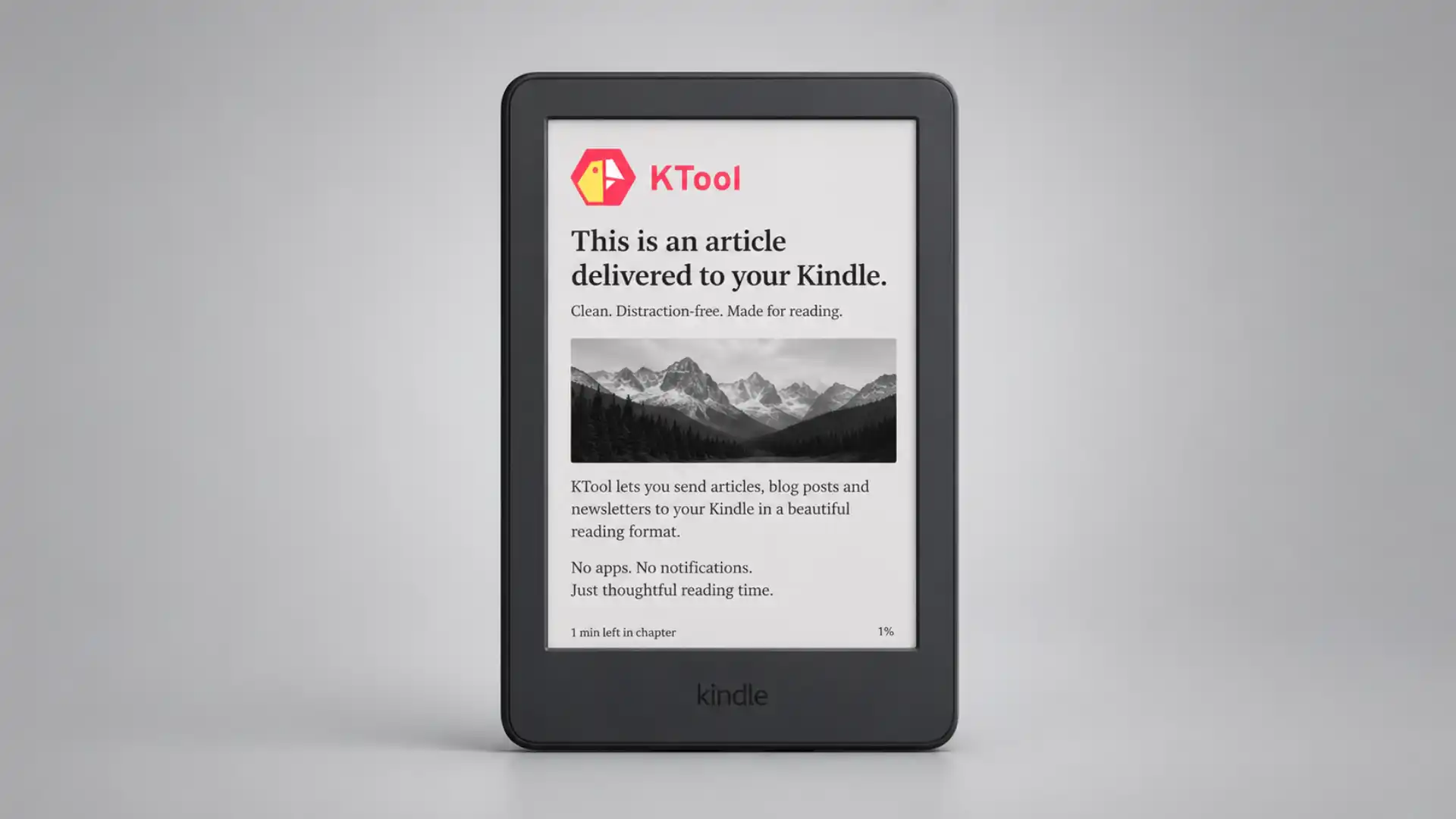
KTool exists for a very specific kind of internet guilt: the tab you opened because the article looked smart, the newsletter you meant to finish, the Hacker News thread that became too long, the Substack essay that deserves a chair instead of a standing glance between meetings. Most read-it-later tools solve the collecting part. KTool is more interested in the last mile: getting that reading onto a Kindle, where it finally feels like reading.
Table of Contents
The web is easier to collect than it is to read
The promise is almost suspiciously plain: send articles, blog posts, newsletters, RSS feeds and other web material to Kindle. The official KTool homepage describes it as a tool for sending web articles, Hacker News discussions, newsletters, Wikipedia articles, Twitter threads, StackOverflow answers, Markdown, PDF, DOCX and Standard Ebooks to Kindle.
That sounds small until you notice how broken web reading has become. A laptop article is surrounded by tabs, messages, feeds, work tools and the soft pressure to do something else. A phone article is worse: the reading device is also the interruption device. Kindle is slower, narrower, calmer and harder to abuse. KTool’s bet is that the best way to read the web is sometimes to remove it from the web.
The product has a useful kind of stubbornness. It does not try to become a social reading network, a productivity dashboard or a knowledge-management religion. It takes the internet’s messy reading inputs and turns them into Kindle-friendly output. The KTool Chrome Web Store listing describes browser sending, RSS, newsletters, PDF, Markdown, DOCX, Hacker News discussions, Standard Ebooks, Wikipedia articles, previews, history search, image support, emoji support and keyboard shortcuts.
The hidden cleverness is that KTool treats Kindle as an endpoint, not as a bookshop. Amazon already has its own Send to Kindle system, including a web tool and browser extension for sending files or web content to a Kindle library. KTool sits in the space around that system: article cleanup, newsletters, feed delivery, history, digests, conversion and cross-device sending.
That makes KTool feel like a bridge between two internet eras. On one side is the endless stream: newsletters, posts, feeds, threads, essays, docs and discussions. On the other side is a single-purpose slab of e-ink that was never built for the social web but remains unusually good at making text feel worth finishing.
Why KTool feels different from another save button
Most “save for later” products quietly become graveyards. You save too much, read too little and eventually stop trusting the archive. The problem is not lack of storage. The problem is that the saved item stays inside the same attention environment that made you postpone it in the first place.
KTool changes the setting. A saved article does not wait inside another browser queue. It arrives on the device where many people already have a reading habit. That shift matters. Kindle has friction, but it is useful friction: no open tabs, no Slack, no algorithmic sidebar, no comments unless you deliberately sent the comments.
The product’s best audience is not “anyone who reads.” It is people who already own a Kindle and keep wishing more of their online reading lived there. The Chrome listing says KTool can send to Kindle e-readers, Android Kindle app, and iPhone or iPad Kindle app, which means the Kindle library becomes the destination even when the hardware is not nearby.
KTool also understands that modern reading is not only articles. Newsletters now carry some of the best independent writing on the web. RSS feeds still matter to people who build their own information diet. Technical discussions on Hacker News or StackOverflow can be more valuable than the original post. Twitter threads, despite the platform’s mess, have often been used as long-form publishing in disguise. KTool’s support list is interesting because it follows where people actually read, not where tidy product categories say reading should happen.
There is a small but important product taste in that choice. KTool does not treat everything as a generic URL. Its pages mention support for specific reading shapes: Wikipedia, StackOverflow answers, Hacker News discussions, newsletters, RSS feeds and Standard Ebooks. That tells you the product was built by someone who has felt the rough edges of sending web text to an e-reader.
The founder story gives the tool a sharper reason to exist. Daniel Nguyen has written that KTool began as a way to offload reading to Kindle because of eyesight concerns, and the KTool homepage tells a similar story about wanting to move reading away from computer screens. That origin matters because KTool does not feel like a generic productivity feature that was added after a brainstorming session. It feels like a personal workaround that grew into a product.
The product is also refreshingly unglamorous. It does not need you to migrate your life. You click, send, read. The official install page points users toward browser extensions and mobile apps, while the App Store listing says the iOS app adds a KTool share target so articles can be shared from the phone to Kindle.
That is the kind of web utility that ages well. It does one job that sits between larger platforms. Amazon owns Kindle. Newsletter platforms own inbox attention. Browsers own tabs. KTool survives by connecting them in a way the larger platforms have not bothered to make pleasant.
The best feature is the escape route
The real feature is not “send to Kindle.” The real feature is escape. KTool gives articles a way out of the browser before the browser eats them.
A good KTool workflow is almost boring. You find something worth reading, send it, and stop pretending you will finish it inside the same screen where you manage work. Later, the item appears in a calmer place. The product reduces the number of decisions around reading. It removes the need to copy links, open Amazon’s send page, clean formatting by hand, or maintain a separate read-it-later queue.
That is especially useful for newsletters. Email is a terrible long-form reading environment for people who receive too much of it. Newsletters land beside invoices, calendar nudges, password resets and sales outreach. KTool’s newsletter and RSS pitch moves recurring reading away from the inbox and into a Kindle-style reading flow. Its pricing page describes unlimited newsletter subscriptions, support for more than 100 newsletter formats, custom digests and magazines, downloadable EPUBs and full-text search on higher tiers.
The RSS feature is quietly one of the more interesting parts. KTool’s RSS article says feed items can be parsed and added to a Daily Magazine by default, or configured to send directly to Kindle or into a Weekly Magazine. It also says KTool can detect content type, pull full content when needed and convert it into an ebook for Kindle.
That turns Kindle into something close to a personal newspaper. Not the nostalgic newspaper as a single publisher’s bundle, but a personal edition assembled from feeds and newsletters you actually chose. For readers who still miss the old RSS web, this is the most appealing version of KTool: not only a send button, but a small publishing press for your own reading list.
What stands out in KTool
| Area | What KTool does | Why it matters |
|---|---|---|
| Articles | Sends web pages to Kindle | Moves long reads away from browser noise |
| Newsletters | Forwards recurring email reading | Keeps good writing out of inbox clutter |
| RSS | Builds daily or weekly Kindle reading | Revives feed reading in an e-ink format |
| Threads and discussions | Supports Twitter threads, Hacker News and StackOverflow | Treats internet-native formats as real reading |
| Documents | Supports Markdown, DOCX, EPUB and PDF on paid plans | Makes Kindle a broader reading endpoint |
| Digests | Bundles items into magazines | Turns scattered links into a deliberate session |
The table shows the product’s real shape: KTool is not only a converter. It is a routing tool for attention. The more reading sources you have, the more useful that routing becomes.
The Kindle is the constraint that makes it work
Kindle is limited in all the right ways. It is not great at browsing. It is not great at multitasking. It is not great at quick replies. Those weaknesses become strengths when the goal is reading.
KTool benefits from that constraint. A web article sent to Kindle is no longer part of the live web. It becomes a document. That changes how the reader behaves. You are less likely to skim for escape hatches. You are more likely to settle in and give the text a fair chance.
There is a cost to that transformation. Some web pages depend on interactive charts, embedded video, comments, live updates, scripts or complex layouts. Kindle is not the place for all of that. KTool is strongest when the heart of the page is text. It is less magical when the page’s value lives in motion, interactivity or layout.
That limitation is healthy. It forces a useful editorial question before sending: is this something I want to read, or something I merely want to keep? KTool rewards the first answer and exposes the second.
The Kindle-native angle also matters for notes and highlights. KTool’s homepage says it supports Kindle native features such as notes and highlights. For readers who already review Kindle highlights, that is a serious advantage over a browser bookmark. The article becomes part of the same reading memory as books, reports and saved documents.
The best version of KTool is not for hoarders. It is for readers who make small editorial decisions. Send the long profile. Send the technical explainer. Send the newsletter issue that still feels relevant tomorrow. Do not send every tab. A Kindle pile can become as dead as a Pocket archive if you treat it as storage rather than selection.
KTool’s pricing points toward that heavier use case. Its pricing page positions Premium around unlimited articles, newsletters and RSS feeds, with higher-tier features such as longer data retention, custom digests and magazines, EPUB downloads, document sending and full-text search. That tells you who the product is really for: people who read enough online that Kindle delivery becomes infrastructure.
The setup is simple, but Amazon still sets the rules
KTool lives inside Amazon’s Kindle document system, so setup is part of the story. Kindle users have personal document email settings and approved sender rules. Amazon’s help page explains that users manage approved email addresses through Personal Document Settings.
That dependency became more visible in 2025. KTool published an action notice saying Amazon would stop accepting partial email addresses or domain-only addresses such as “@ktool.io” in the Approved Personal Document Email List starting April 1, 2025. In plain terms, tools like KTool must adapt when Amazon changes Kindle delivery rules.
This is the main caveat with KTool. It is useful because Kindle is useful, but Kindle is not an open neutral pipe. Amazon controls the document delivery system, supported file types, approval rules and account settings. Amazon’s Send to Kindle page lists supported file types such as PDF, DOC, DOCX, TXT, RTF, HTML, image formats and EPUB.
KTool’s value is built around making that system easier and more reader-shaped. Amazon’s own Send to Kindle extension can send web content, preview Kindle appearance, send selected text and edit title or author details. KTool has to earn its place by handling the messy parts that power readers care about: newsletters, RSS, recurring delivery, digests, history and support for odd web formats.
That gives KTool both strength and fragility. The strength is that it plugs into a device and reading habit millions of people already understand. The fragility is that it remains downstream of Amazon. A small independent product can make Kindle reading more useful, but it cannot fully control the ground beneath it.
For most users, that trade is acceptable. You are not buying a replacement for Kindle. You are buying a better way to feed Kindle. The difference matters.
Who will actually care about KTool
KTool is for people whose internet reading is better than their reading behavior. They find good material. They subscribe to strong newsletters. They open long essays with real intent. Then the day breaks the promise.
Researchers, founders, writers, analysts, developers and heavy newsletter readers are obvious fits. They often collect reading across many sources and need a calmer review environment. KTool is also a good match for people who read before sleep and do not want a phone in that ritual. Simon Høiberg’s testimonial on the KTool site describes using it to queue articles and Twitter threads during the day and read them on Kindle before sleep.
Developers and technical readers get a slightly different benefit. Support for StackOverflow answers, Hacker News discussions, Markdown and DOCX means KTool is not limited to polished magazine prose. It can carry rougher, more useful internet text onto Kindle. That is rare. Many reading products are built around beautiful essays. KTool seems more aware that some of the web’s best reading is buried in answers, comments and threads.
Newsletter readers may get the most immediate relief. If your inbox is already overloaded, the best newsletter issues deserve to be removed from it. KTool’s newsletter forwarding turns the inbox from a reading place into a routing place. That is a healthier role for email.
RSS loyalists get the most charming use case. The idea of daily or weekly Kindle magazines assembled from feeds is old-school in the best way. It rejects both algorithmic feeds and inbox chaos. You pick sources, KTool assembles them, Kindle receives them. That is not flashy, but it is civilised.
The people who will not care are just as clear. If you mostly read short posts, social feeds, interactive pages or video-heavy content, KTool will feel unnecessary. If you do not like Kindle reading, KTool will not convert you by itself. If you want a full research database with tags, backlinks, AI summaries and team collaboration, this is not that product. Its power is narrower and cleaner.
The product tells a bigger story about the web
KTool is interesting because it does not try to fix the web at the source. It accepts that the web is noisy, fragmented and full of good material in bad reading containers. Then it builds a door out.
That is a very Web Radar kind of object. It is not a giant platform. It is not a grand new protocol. It is a small tool with a strong point of view: the browser is not always the right place to read what the browser helped you find.
The product also reveals a quiet demand for slower interfaces. People do not only want faster capture, better syncing and smarter feeds. They also want less screen aggression. KTool’s own copy leans heavily on reducing screen time and reading on Kindle instead. The language may be simple, but the need is real.
There is a nice contradiction here. KTool is a web service that helps you spend less time on the web. It depends on browser extensions, mobile share sheets, RSS feeds, newsletters and Amazon’s cloud delivery, yet the desired end state is a quiet e-ink page. The internet supplies the material. Kindle supplies the mood.
That contradiction is why the tool is memorable. A lot of productivity software makes the user feel busier. KTool makes a pile of online reading feel more like a book stack. The difference is emotional as much as technical.
It also understands that “read later” should mean later, somewhere else. Not later in the same tab strip. Not later in the same inbox. Not later inside another app designed to become a habit. Later on a device that changes the posture of the act.
Common doubts before sending the web to Kindle
Not exactly. Amazon provides the underlying Kindle delivery tools and its own browser extension. KTool is more specialised around web articles, newsletters, RSS, digests and internet-native reading formats.
No. The Chrome Web Store listing says KTool can send to Kindle e-readers, the Android Kindle app and the iPhone or iPad Kindle app. The e-reader is still the ideal destination, but the Kindle library is broader than the device.
Yes. KTool’s official pages describe newsletter support, and its pricing page mentions unlimited newsletter subscriptions and support for more than 100 newsletter formats on paid plans.
Yes. KTool’s RSS guide says users can subscribe to feeds, choose daily or weekly reading, and have items parsed into Kindle-ready ebooks or magazines.
KTool advertises a 7-day free trial on its homepage, while its pricing page pushes Premium for unlimited articles, newsletters and RSS feeds. The exact plan choice depends on how much recurring reading you want to send.
The main risk is dependency on Amazon’s Kindle delivery rules. KTool’s own 2025 notice about approved sender address changes shows that Amazon policy changes can require KTool users to update settings.
Why it is worth opening
KTool is worth opening because it solves a real, unfashionable problem. It does not ask you to become a new kind of reader. It helps you act on the kind of reader you already claim to be.
The product’s appeal is clearest after a day of failed reading. You opened three smart things. You read none of them properly. You do not need another feed. You need a better destination. KTool gives those pieces a destination that respects them more than the browser does.
The best internet tools often feel obvious after you see them. Of course newsletters should be readable on Kindle. Of course long articles should leave the laptop. Of course RSS could become a personal Kindle magazine. Of course Hacker News discussions might deserve an e-ink read when they get dense enough. Yet most people still do not have that workflow.
KTool makes that workflow approachable. Browser extension, mobile app, web sending, newsletter forwarding, RSS delivery, digests, history, documents. It is not trying to be profound. It is trying to get good reading into the one place where you might actually finish it.
That is enough. The web keeps producing more good text than most people can handle. KTool’s quiet argument is that the answer is not always smarter filtering. Sometimes the answer is a better room.
Author:
Jan Bielik
CEO & Founder of Webiano Digital & Marketing Agency
This article is an original analysis supported by the sources cited below
KTool official website
The official KTool homepage describing the product’s core promise, supported content types, Kindle-native positioning, testimonials and founder story.
KTool pricing
The official pricing page used for plan-level features such as unlimited articles, newsletters, RSS feeds, custom digests, EPUB downloads, full-text search and retention.
KTool Chrome Web Store listing
The browser extension listing used to verify extension features, supported Kindle destinations, document support, privacy wording and developer information.
KTool RSS guide
KTool’s official guide explaining how RSS feeds can be parsed, scheduled and sent to Kindle as daily or weekly reading.
KTool Amazon Send to Kindle change notice
KTool’s official notice about Amazon’s 2025 approved sender address change and the resulting user action required.
Amazon Send to Kindle
Amazon’s official Send to Kindle page used to verify the underlying Kindle document delivery environment.
Amazon Send to Kindle Chrome extension
Amazon’s official browser extension page used for comparison with KTool’s more specialised Kindle reading workflow.
Amazon approved personal document email list help
Amazon’s help page explaining approved sender email settings for Kindle personal documents.
| Citing this article? Brief excerpts are welcome. Please credit Webiano.digital, name the author where stated, and include a link to https://webiano.digital and to this original article. Full or substantial republication requires prior written permission. Read our Copyright and Content Use Policy. |
This article was prepared with the assistance of artificial intelligence tools. The content underwent expert human review, and Webiano Digital & Marketing Agency assumes editorial responsibility for its final version and publication.