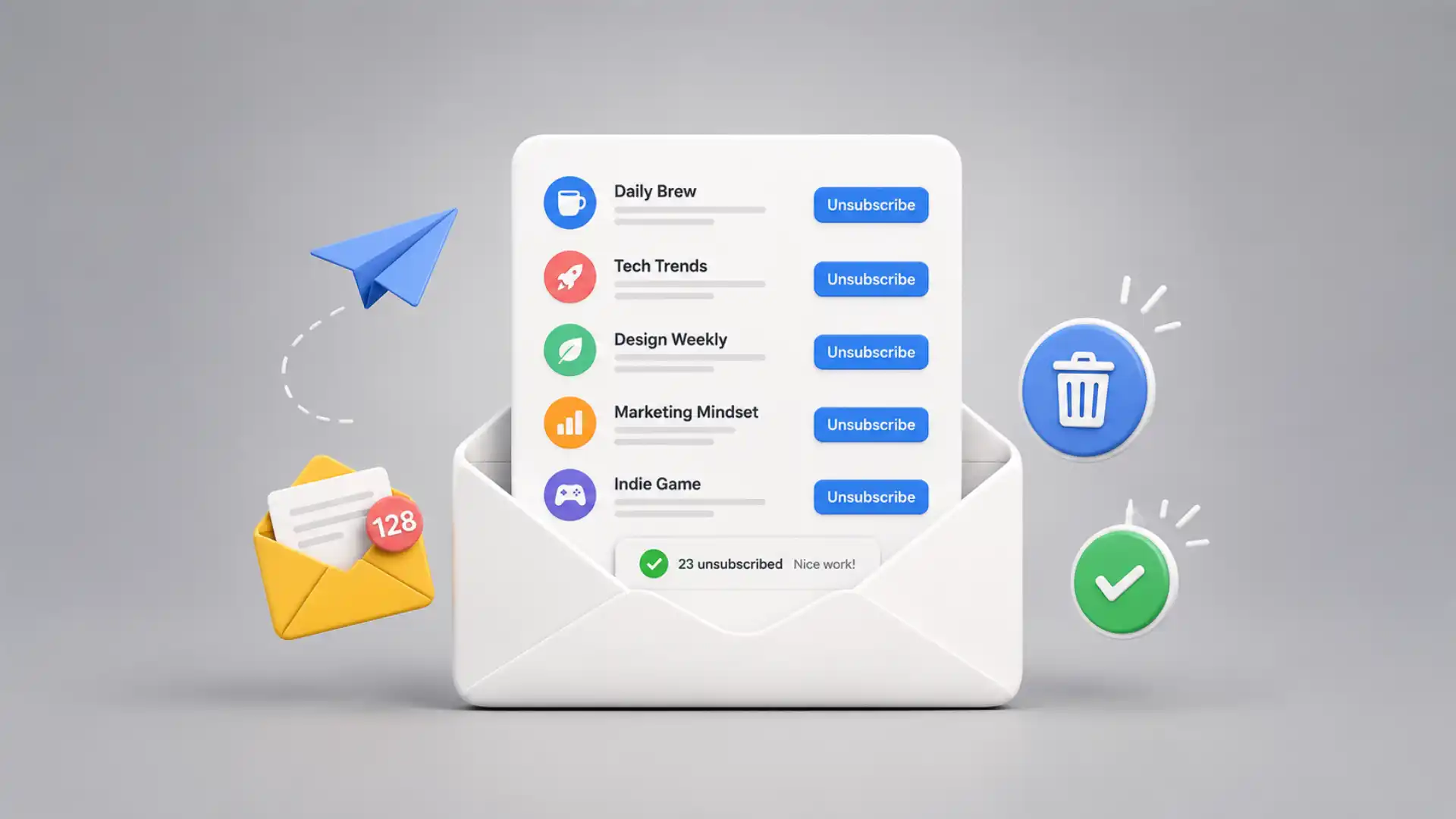
The best thing about Leave Me Alone is that it treats unsubscribing as a real action, not a cosmetic one. A lot of inbox tools promise calm by pushing messages somewhere else: a folder, a digest, a label, a later pile you will definitely not read later. Leave Me Alone starts from a blunter idea. If you do not want this sender anymore, the tool should help remove you from the list, not make the list easier to ignore. Its homepage describes the core offer in plain terms: see newsletters in one place and unsubscribe from them with a single click.
Table of Contents
The rare pleasure of ending a relationship with a sender
That sounds small until you remember how email clutter actually works. The annoying part is not one newsletter. It is the sediment. A discount code from a shop you used once. A product update from a tool you tested in 2021. Three founder newsletters you meant to read. A political campaign list you somehow joined. An old webinar funnel. The inbox does not feel messy because any single sender is unbearable. It feels messy because hundreds of low-stakes senders have gained the right to appear in the same space as your boss, your bank, your doctor, your friends, and the receipt you actually need.
Leave Me Alone’s useful trick is visibility. Instead of forcing you to remember every mailing list you joined, it searches connected mailboxes for subscription emails and presents them as a list you can act on. The company’s own “how it works” page describes the flow as search, choose, then keep, roll up, or unsubscribe. That matters because most people do not know the shape of their own email habits until the senders are stacked in front of them.
The site has the feeling of a tool built by people who are irritated by the same thing you are irritated by. It does not open with a grand thesis about productivity. It opens with a working button for a boring, painful job. The product lives in the gap between “I should clean my inbox someday” and the moment you actually see the list of newsletters you have allowed into your life. That gap is where most inbox systems fail. They ask you to build a discipline. Leave Me Alone asks you to make decisions.
The name is doing more work than a cute name usually does. “Leave Me Alone” is the emotional state behind the product. It is not “email intelligence,” “communication management,” or some other polished phrase that hides the annoyance. The site understands that newsletter clutter is not only an organizational problem. It is a consent problem. You once said yes, maybe casually, maybe by accident, maybe because a discount box nudged you into it. Months later, the sender is still there, tapping on the glass.
That is why the product feels more satisfying than a filter rule. A filter says, “Keep sending it, but hide it from me.” A real unsubscribe says, “Stop sending it.” Leave Me Alone says it follows unsubscribe links and actually unsubscribes you from emails, so the sender stops reaching you rather than being tucked away in a folder. That claim is the product’s center of gravity, and it gives the service a sharper point of view than the average inbox organizer.
The difference is not pedantic. If a tool only hides newsletters, your mailbox is still receiving them, your account is still on lists, and your attention still has to trust a rule system. Hiding is housekeeping. Unsubscribing is eviction. The first makes the mess less visible. The second reduces the number of people allowed to make the mess in the first place. Leave Me Alone is interesting because it seems to understand that distinction at the product level, not just the marketing level.
The experience also has a strangely moral rhythm. Not moral in a preachy sense, but moral in the quiet sense of asking, “Do I still want this?” You scan the list and notice the difference between a sender you enjoy, a sender you tolerate, and a sender you forgot existed. The tool turns inbox cleanup into a set of tiny editorial calls. Keep. Roll up. Unsubscribe. The verbs are blunt, and blunt verbs are helpful when your inbox has spent years blurring every sender into one grey stream.
The result is a product that feels less like an organizer and more like an audit of your online yeses. Every newsletter is evidence of a moment: a signup, a purchase, a curiosity, a lazy checkbox, a work experiment, a phase. Leave Me Alone does not make that sentimental, which is good. It simply gives you the list and lets you trim it. The pleasure comes from seeing the old permissions become visible enough to revoke.
The inbox problem is really a permission problem
Most inbox-cleaning advice treats the inbox like a room that needs tidying. Archive more. Label better. Touch each email once. Build rules. Reserve time. Those habits may work for a certain kind of person, usually the kind of person who already enjoys maintaining systems. Leave Me Alone takes a more interesting stance: the real mess is upstream. Too many senders have permission to enter.
That upstream view changes the job. If you have fifty newsletters arriving each week, a better folder structure only reduces the pain after the mail arrives. It does not reduce the number of arrivals. Leave Me Alone’s subscription list puts the upstream problem in one place, where you can stop pretending the inbox is only messy because you are undisciplined. Sometimes the inbox is messy because hundreds of brands, tools, shops, communities, creators, and automated systems keep showing up.
The web is very good at collecting small permissions. Sign up to read one article. Download one template. Join one webinar. Get one coupon. Try one beta. Receive one shipping update. Each action feels harmless because the cost is invisible at the moment of signup. The bill arrives later as a little drip of unwanted mail. Leave Me Alone is useful because it brings the hidden cost back into view.
A strange thing happens when all those senders sit in one list. You stop judging the inbox message by message and start judging senders as relationships. Some relationships are still alive. Some are dead. Some were never relationships at all, only residue from a checkout flow. This is where the product becomes more than a button. It gives you a different unit of attention. You are not cleaning emails. You are cleaning access.
The homepage describes a three-part flow: unsubscribe from subscription emails, combine remaining newsletters into scheduled digests, and block unwanted marketing, newsletters, and cold emails through Inbox Shield. That combination is more thoughtful than it first looks. It splits inbox noise into three categories: senders you do not want, senders you like but do not need immediately, and senders that should be screened before they become a problem.
That three-way split is where Leave Me Alone earns its place. A blunt unsubscribe tool would be useful once and then disappear. A digest tool alone would risk becoming another pile. A screener alone would feel defensive but not restorative. The product’s better idea is sequencing. First you cut dead subscriptions. Then you move the good-but-nonurgent stuff into a calmer reading pattern. Then you guard the inbox against the next wave.
There is also a nice refusal in the product’s language. It does not pretend that every email deserves a smarter workflow. Some emails deserve deletion. Some deserve a digest. Some deserve a shield. That sounds obvious, but a surprising number of productivity products treat every incoming item as material to be processed. Leave Me Alone is more willing to say that the sender is the problem.
The one-click promise works because the decision is the hard part, not the click. Opening an email, finding the tiny unsubscribe link, landing on a sender’s preference page, dodging a “Are you sure?” prompt, choosing between too many frequency options, then returning to the inbox is a bad loop. It is small enough to postpone and annoying enough to avoid. Multiply that by dozens of senders and you have the exact kind of chore that never feels worth starting.
Leave Me Alone compresses that chore into a list. The compression matters. When chores are scattered, they feel infinite. When they are listed, they become countable. Countable messes are less intimidating. You can move through them. You can stop after twenty. You can see progress. The product turns a vague anxiety, “my inbox is out of control,” into a set of sender-level decisions.
There is a quiet editorial skill in the way the product frames the choices. “Keep in inbox” is not treated as failure. “Rollup” is not a punishment. “Unsubscribe” is not hidden behind guilt. The site’s learn page says that after connecting accounts, users see subscription emails and can unsubscribe, add to a Rollup, or keep them in the inbox. That triage respects the fact that newsletters are not all junk.
That respect matters because newsletter clutter is often self-inflicted in the nicest possible way. People subscribe because they are curious. They like writers. They follow tools. They want deals. They want to learn. A product that treats all newsletters as trash misses the real behavior. Leave Me Alone is more interesting because it gives the “keep” pile a place to go. You are not forced into a purity ritual where a clean inbox means rejecting the web.
The better fantasy is not inbox zero. The better fantasy is an inbox where everything has earned its route. Urgent people and systems arrive directly. Good reading arrives when you choose to read. Dead senders are gone. Unknown or suspicious senders wait behind a screen. That is a different picture of control from the old productivity promise. It is less heroic, and probably more realistic.
A tool built around real unsubscribes, not inbox theater
The phrase “real unsubscribes” is the most important claim on the site. Leave Me Alone uses it repeatedly because it separates the product from tools that simply sort, hide, or filter. The company says that it follows unsubscribe links and actually unsubscribes the user from emails, which means the emails should stop even after the user stops using the service.
That claim has an appealing finality. Email tools often create new dependencies. You need the folder system to keep running. You need the app to keep sorting. You need the assistant to keep guessing. With real unsubscribes, the cleanup travels outside the tool. If a sender stops sending, the benefit is not trapped inside Leave Me Alone’s interface. The sender has been told to go away.
This is why the product feels closer to pest control than decoration. A beautiful inbox interface is nice, but beauty can hide a continuing infestation. Leave Me Alone’s pitch is less glamorous: find the nests and close them down. That is not as flashy as AI summaries, but it may be more useful for the specific pain of recurring newsletters and marketing emails.
There is a cultural point here too. The inbox has become a place where companies externalize their follow-up burden. They send because sending is cheap. The recipient pays the cost in attention, storage, search noise, decision fatigue, and mild annoyance. Leave Me Alone gives the recipient a countermeasure that also operates at scale. If senders can automate arrival, users should be able to automate departure.
The product’s one-click framing should not be mistaken for magic. Unsubscribing still depends on the mechanics available in the email: unsubscribe links, unsubscribe addresses, filters for cases where removal is not clean, and the sender obeying rules. Leave Me Alone’s own comparison page says it follows provided unsubscribe links, and where there is no link, it sends an email to the unsubscribe mailing address, assuming the sender obeys.
That caveat is not a weakness so much as a reminder of what email is. Email is old, uneven, and full of senders with different standards. No tool can turn every messy sender into a well-behaved citizen. The useful thing is that Leave Me Alone centralizes the attempts, tracks the choices, and removes the repetitive work from the user. It does the dull following-through that most people abandon after three unsubscribe pages.
The product also supports multiple accounts, which is crucial for real inbox life. Plenty of people have a work account, a personal account, an old personal account, a shopping account, maybe a project account. The Learn page tells users they can connect multiple email addresses and see the relevant subscription emails, while the homepage and feature pages keep pointing to the same idea: clean the subscription layer across accounts, not one tab at a time.
The multiple-account angle is not glamorous, but it is exactly the sort of boring feature that makes the product credible. Inbox clutter does not respect account boundaries. A shopping newsletter may hit one address, a SaaS update another, a community digest another. Cleaning only Gmail while ignoring Outlook is like vacuuming one room and declaring the apartment fixed. A useful cleanup tool needs to see the mess where it actually lives.
There is also a psychological advantage to unsubscribing in batches. One unsubscribe feels like maintenance. Fifty unsubscribes feel like reclaiming territory. Leave Me Alone’s testimonials lean heavily on this feeling, including users describing hundreds of lists removed in minutes. Testimonials are not proof for everyone, but they match the product’s core appeal: concentrated relief from a chore that usually happens one tiny annoyance at a time.
The service’s pricing page says users can unsubscribe from 10 emails for free without a credit card, then move to paid options. The same page frames the paid model as part of the privacy bargain, arguing that free competitors may fund themselves through aggregated email-derived data, while Leave Me Alone charges users instead.
That is a notable position because inbox access is intimate. An email tool sees patterns that a normal app never sees: who sends to you, what you buy, what services you use, what communities you join, what newsletters you read, what companies keep trying to reach you. A free inbox cleaner is not automatically suspicious, but the business model deserves scrutiny. Leave Me Alone makes the trade visible: pay for the tool rather than paying through your data.
The pricing page currently shows some odd zero-dollar text in scraped page output for recurring plans, which may reflect dynamic pricing display rather than final checkout data. The reliable takeaway is not the scraped plan amounts, but the stated structure: a free 10-unsubscribe test, a one-off seven-day pass described at $19, recurring plans, and a 14-day money-back guarantee. Readers should check the live pricing page before buying, because pricing pages are exactly the kind of web pages that change.
That small caution is part of reading this product fairly. Leave Me Alone is a live service, not an archival project. Features, prices, and provider permissions can shift. The editorial point is still clear: it is selling inbox control as a paid, privacy-forward service rather than a free utility that monetizes the exhaust. Whether that trade is worth it depends on how badly your inbox leaks attention.
The strongest use case is a person who has accumulated years of subscriptions and feels the drag daily. If you get five newsletters and love all five, the service is unnecessary. If your inbox has become a public square where every old signup gets a microphone, the value is obvious within minutes. The product is not trying to make you more sophisticated. It is trying to make you less reachable by senders you no longer care about.
Rollups turn the keep pile into something readable
The clever part of Leave Me Alone is that it does not confuse “newsletter” with “bad email.” Some newsletters are genuinely worth reading. Some are where the web still feels personal, strange, expert, funny, local, or alive. The problem is timing and placement. A good essay arriving between a password reset and a client reply does not become more readable because it is good. It becomes another interruption.
Rollups are Leave Me Alone’s answer to that problem. The Rollups page describes them as a way to combine favorite emails into digests and decide when they arrive. The homepage says the service can collect remaining newsletters after unsubscribing and deliver them daily or weekly on the user’s schedule.
This is a better treatment for newsletters than pure removal. The web has trained users to think in extremes: subscribe to everything and drown, or unsubscribe from everything and miss the good stuff. Rollups create a middle path. A sender can be worth reading without deserving the right to interrupt Tuesday at 9:17. That distinction is subtle, and it is exactly the kind of distinction inboxes usually erase.
The Rollup idea also restores a little ceremony to reading. Newsletters often want attention that the inbox cannot provide. Long reads, essays, industry digests, independent commentary, niche reports, artist updates, and thoughtful links all suffer when they arrive in the same stream as shipping notices. A weekly digest is not only fewer emails. It is a different reading posture. The user chooses a moment, and the newsletters arrive as a bundle that looks intentional.
Leave Me Alone says users can create different Rollups for different categories and choose how often and when they arrive. On the Inbox Shield page, the company says users can categorize emails into up to 10 Rollups, with digests sent daily or weekly on a custom schedule. That is the sort of feature that makes the product feel less like a one-time cleaner and more like a long-term inbox boundary system.
The category idea matters because “newsletter” is too broad a bucket. A daily deal alert, a deep technical essay, a local events list, and a founder diary do not belong in the same rhythm. One might be daily and disposable. One might be Sunday reading. One might be useful only before the weekend. Rollups let the user admit that different kinds of subscription mail deserve different tempos.
There is a small sadness in needing this feature, and that sadness is part of why it works. Newsletters were supposed to be a direct, calmer alternative to social feeds. Then newsletter overload became its own feed. Writers, brands, shops, platforms, analysts, communities, and creators all discovered the inbox. The channel that once felt intimate started to feel crowded. Rollups are a way to preserve the good parts without letting every sender set the schedule.
The product’s Focus Mode reader, described on the Rollups page, adds another layer to this. Leave Me Alone frames the inbox as a distracting place for long emails, which is exactly right. Reading a long newsletter inside a noisy inbox is like trying to read a magazine at the customer service desk. A dedicated reader is not necessary for everyone, but it shows that the product team understands the difference between receiving and reading.
The keep pile is where most inbox tools become lazy. They assume that anything you do not delete should remain in the normal flow. Leave Me Alone’s better assumption is that kept emails still need placement. A newsletter can pass the “do I want this?” test and fail the “do I want this now?” test. Rollups give that second question a button.
There is also a quiet antidote to guilt here. Many people keep newsletters because unsubscribing feels like admitting they will never read them. Rollups let them keep the possibility without paying the daily attention tax. Of course, a Rollup can become a graveyard too. A weekly bundle you never open is still clutter, only tidier. But that is useful feedback. If you ignore the digest for a month, the sender probably belongs in the unsubscribe pile after all.
The product is most interesting when its features pressure each other. Unsubscribe removes dead weight. Rollups test whether saved newsletters still deserve time. Inbox Shield catches future noise before it settles in. None of these ideas is new in isolation. The editorial value is in how the product arranges them around the same question: who gets to reach you, when, and in what form?
That question is bigger than inbox hygiene. The inbox is one of the few remaining digital spaces that still feels personally owned, even though it is constantly invaded by automated systems. Leave Me Alone does not reclaim it with a dramatic redesign. It gives users a set of permissions. This sender leaves. This sender waits. This sender comes through. This sender gets screened. It is a simple grammar for a messy part of online life.
Inbox Shield is the defensive half of the product
Unsubscribing solves yesterday’s clutter, but it does not stop tomorrow’s. The web keeps asking for email addresses, and users keep handing them over because the alternative is often friction. You need an account. You want a discount. You need access to a download. You want a ticket. You want to test a tool. Once the address is out, the inbox becomes a place other people can keep revisiting.
Inbox Shield is Leave Me Alone’s defensive layer. The Shield page describes a screener that lets users control who can contact them; when someone emails for the first time, the user can decide whether to keep receiving messages. Screened items can be viewed on the website or sent in a daily email.
That screener idea feels especially suited to the post-signup web. The problem is not only newsletters you chose. It is cold email, social media notifications, spam-like marketing, and the follow-up sequences that appear after a trial account or a download. A simple unsubscribe list cleans the past. A screener watches the door. The door metaphor is overused, but in email it is accurate: senders are trying to enter a space you still rely on.
Leave Me Alone also describes curated blocklists for spam, social-media, and cold emails, plus custom blocklists. The Shield page mentions do-not-disturb mode, priority senders, and Shielded Emails, which can forward, unsubscribe, block, or roll up emails sent to those masked addresses.
Shielded Emails are a particularly internet-native feature. The old advice was to keep a separate junk address. That still works, but it is blunt. A masked or shielded address lets a user give one address to one context and later control what happens to mail sent there. If a shop, conference, forum, or download form becomes noisy, the user has a more precise lever than poisoning their main inbox.
The defensive features make Leave Me Alone more than a cleanup app. A cleanup app is satisfying once. A boundary app becomes part of how you move around the web. That is a much more interesting category. It treats email not as a static archive but as a live perimeter. Every signup is a possible future sender. Every sender needs a route, a rejection, or a delay.
The risk, of course, is complexity. Inbox tools can become control panels that demand as much attention as the mail they manage. Leave Me Alone seems aware of this risk in its surface language. The product keeps returning to a small set of actions: unsubscribe, roll up, screen, block, allow. That clarity matters. A boundary system is only useful if the user understands the boundary without studying a manual.
The priority senders feature is a small but important counterweight. A tool that blocks too aggressively creates a new anxiety: what if I miss something important? Leave Me Alone says priority senders always land in the inbox, skipping screeners or blocklists. That means the product is not only about saying no. It is about making yes more explicit.
Do-not-disturb mode also points to a different inbox philosophy. The goal is not merely less email. The goal is email at the right time. Some messages are welcome, but not during a focus window. Some senders are fine, but not instantly. This is where Leave Me Alone overlaps with broader attention tools without losing its specific identity. It does not try to become a whole productivity operating system. It stays close to the inbox.
The app’s strongest idea may be that inbox control should happen at the sender level before it happens at the message level. Most email clients still treat individual messages as the main objects: reply, archive, delete, mark unread, snooze. Leave Me Alone shifts the unit to senders and subscriptions. That shift is why the product feels fresh even though unsubscribing is an old idea. It matches the actual source of recurring clutter.
The defensive layer also makes the product feel honest about relapse. A cleaned inbox does not stay clean by virtue of your new personality. It stays clean because systems prevent the same accumulation from happening again. Leave Me Alone’s Shield, Rollups, and blocklists are not glamorous, but they acknowledge a boring truth: the web will keep asking to enter your inbox, so the inbox needs a bouncer.
The privacy bargain is the product
Any tool that connects to your email deserves suspicion before it earns trust. Email is not a normal data source. It contains receipts, travel, work, relationships, logins, personal crises, medical reminders, financial traces, and boring details that become revealing in aggregate. A product that promises to clean email must explain what it sees, what it stores, what it changes, and how it makes money.
Leave Me Alone leans hard into that explanation. Its security page says that when users connect an email account, the service searches and fetches subscription emails and stores email metadata in its database. For the Unsubscribe feature, it stores metadata of emails the user unsubscribes from. For Rollups, it fetches, encrypts, and stores email content needed to create the Rollup. For Inbox Shield, it monitors arriving emails and stores metadata for the screener.
Those details are not decorative. They are the real cost of the product. You cannot build a newsletter list without reading enough mailbox data to identify subscription senders. You cannot build a Rollup without fetching the content of the messages being rolled up. You cannot screen new senders without watching incoming metadata. The privacy question is not whether the tool touches email. It must. The question is whether the scope is clear and restrained.
The privacy policy gives more granular detail. For users only using Unsubscribe, Leave Me Alone says it stores metadata including to and from addresses, and does not store email content; if the account is deleted, that information is deleted irrevocably. For Rollups, it fetches content from selected senders and says that content is used only to build the Rollup, encrypted at rest, and removed after set conditions, including deletion or sender removal.
That specificity is reassuring because it gives readers something to judge. Vague privacy language is easy to write and hard to trust. Specific privacy language creates accountability. If a service says which scopes it requests, which metadata it stores, which content it stores only for certain features, and what deletion means, the user can make a better decision. Leave Me Alone still asks for trust, but it asks in a more inspectable way than many inbox products.
The Gmail permissions are especially worth reading. The privacy policy says the Gmail modify scope allows Leave Me Alone to view and modify email but not delete it, and that it uses view access to search mailing list emails and display metadata, while Rollups and Inbox Shield require additional uses within that scope. It also says the settings scope is used to create filters for emails that cannot be unsubscribed from.
That level of access may feel uncomfortable, and it should. A good product does not erase the discomfort of connecting your inbox. It makes the trade legible enough that you can decide. Leave Me Alone’s privacy-forward posture is not a magic shield. It is a set of choices: paid model, declared scopes, metadata limits for Unsubscribe, encrypted content for Rollups, deletion language, and public claims about not selling or sharing user data except when legally required.
The paid model matters inside that trust story. The pricing page explicitly argues that Leave Me Alone charges because it wants to provide a privacy-focused service rather than monetize email-derived data. Whether a user finds that convincing depends on their trust threshold, but the alignment is cleaner than a free inbox scanner with unclear incentives.
There is also a useful humility in the company’s security page. It says the team is open and transparent “in every way we can” and invites questions about how the service operates. That sentence does not prove anything by itself, but it fits the product’s broader posture: show the mechanics, name the permissions, and make the business model visible.
The founders’ story strengthens that posture without turning the product into a personality cult. The About page says Leave Me Alone is built by Danielle and James, a couple of independent founders, without funding or outside support. It also says the product began from the observation that many unwanted emails come from mailing lists people intentionally subscribed to, making them harder to treat as spam.
That origin story matches the product’s shape. Spam filters already exist for obvious garbage. The harder category is consensual clutter: things you did ask for, or half-asked for, or asked for once and no longer want. A big platform might treat that as a classification problem. Leave Me Alone treats it as a consent cleanup problem. That difference gives the product a clearer moral texture than “smarter inbox” tools.
Still, privacy-conscious users should read before connecting. The product touches sensitive territory, and the right answer will differ by person. A freelancer with a messy public-facing inbox may find the trade easily worthwhile. A lawyer, journalist, therapist, executive, or anyone with highly sensitive communications may need stricter boundaries or a dedicated low-risk account. The tool is interesting, but interest is not permission. Email access should be granted deliberately.
The best privacy feature may be the one that is not a feature at all: the service has to persuade you to pay. Payment creates a pause. A free tool can be tried impulsively. A paid tool asks the user to decide whether the pain is real enough. That pause is healthy when the object being connected is an inbox. Leave Me Alone’s paid model does not guarantee virtue, but it makes the product’s incentives easier to understand.
Where the product stands out
Leave Me Alone is not interesting because nobody has ever built an unsubscribe tool. It is interesting because it combines unsubscribing, digesting, screening, and privacy positioning into a product that feels emotionally accurate. The inbox is not just overloaded. It is over-permitted. Leave Me Alone’s best moves all address that permission layer.
The useful parts at a glance
| Part of Leave Me Alone | What it does | Why it matters |
|---|---|---|
| Subscription list | Shows newsletter and subscription senders together | Makes hidden inbox permissions visible |
| Real unsubscribes | Follows unsubscribe routes rather than only hiding mail | Cuts off unwanted senders at the source |
| Rollups | Bundles kept newsletters into scheduled digests | Keeps good reading without daily interruption |
| Inbox Shield | Screens, blocks, and prioritizes senders | Stops new clutter from becoming permanent |
| Shielded Emails | Uses masked addresses with routing choices | Gives each signup a safer boundary |
| Privacy pages | Explain scopes, stored data, and feature-specific access | Makes the email-access trade inspectable |
The table shows why the product works better as a system than as a single button. Unsubscribing is the satisfying act, but visibility, routing, screening, and trust make the act safer and more durable. A one-time purge is nice. A changed relationship with the inbox is better.
The design taste here is practical rather than decorative. Leave Me Alone’s site uses cheerful graphics and friendly copy, but the product’s real design achievement is conceptual. It reduces a messy emotional problem into a few clean choices. A subscription sender can be removed, bundled, kept, screened, or blocked. That sounds simple because good product thinking often sounds obvious after someone has done it.
The product also avoids the trap of making email feel like a second job. A lot of productivity software asks users to learn categories, build systems, and maintain habits. Leave Me Alone’s central loop is closer to pruning. Open the list, make decisions, leave with less. The Rollups and Shield features add depth, but the product does not require a new life philosophy before it works.
That lack of grandeur is refreshing. Inbox tools often sell an identity: the disciplined person, the high-performance worker, the zero-inbox monk. Leave Me Alone sells relief. It says your inbox is full of old sender relationships, and you can end them. That is a more believable promise than becoming a different kind of person.
The independent-founder angle adds a certain web charm. The About page is direct about Danielle and James building the product without outside funding or support. In a market full of AI wrappers, enterprise dashboards, and productivity dashboards with suspiciously similar copy, a focused paid tool made by a small team has a different texture. It feels like a web product with an opinion, not a feature carved out of a larger suite.
That opinion is most visible in the product’s stance against hiding. Filtering has its place, especially when unsubscribing fails. But hiding alone lets senders keep behaving as if they are welcome. Leave Me Alone’s editorial judgment is that unwanted subscription mail should not merely be managed. It should be stopped. That judgment is what makes the site worth opening.
The product is also a useful mirror for newsletter culture. Newsletters became fashionable because they offered a more direct relationship than feeds controlled by social platforms. That directness is real, and many newsletters are worth protecting. But directness at scale becomes crowding. Leave Me Alone exposes that crowding without sneering at newsletters themselves. It gives the good ones a quieter home and tells the stale ones to leave.
There is a tiny comic pleasure in the whole experience. The inbox has spent years acting like a serious work surface while quietly filling with coupon codes, “last chance” campaigns, webinar reminders, cold pitches, and lifecycle emails from software you barely remember. Pressing unsubscribe across a list of those senders feels like finally being rude in a socially acceptable way. The product’s name gives you permission to enjoy that rudeness.
The service is not for everyone, and that clarity helps. People with clean inboxes do not need it. People who already use aliases, rules, custom domains, and careful signup habits may only need parts of it. People who distrust third-party inbox access may decide the trade is too high. But for users with years of accumulated subscription mess, Leave Me Alone hits a very specific nerve.
The product’s limits are mostly the limits of email itself. Some senders do not behave well. Some unsubscribe links are hostile or broken. Some “unsubscribe” flows are really preference mazes. Some mail is not subscription mail but still annoying. Some users will create Rollups and never read them. Some will clean the inbox once, then start leaking permissions again. Leave Me Alone cannot fix human curiosity or corporate follow-up culture. It gives you better tools for refusing them.
That is enough. Not every good web tool needs to feel futuristic. Some simply need to notice a pain that everyone has normalized and build a direct instrument for it. Leave Me Alone is one of those tools. It turns the inbox from a place where senders accumulate by default into a place where senders have to earn a route.
Questions worth asking before connecting an inbox
The core experience is built around subscription emails and newsletter-like senders, but the product now stretches into broader inbox control with Rollups, Inbox Shield, blocklists, do-not-disturb mode, priority senders, and Shielded Emails. The important distinction is that it is strongest where recurring senders are the problem.
Leave Me Alone’s privacy policy says its Gmail modify permission allows it to view and modify mail but not delete it, and the security materials explain that it uses permissions to identify subscription emails, move messages in certain cases, and support features such as Rollups and Inbox Shield. Users should read the live permissions page for the provider they plan to connect.
For Unsubscribe-only use, the privacy policy says it stores metadata, not content. For Rollups, it fetches and stores selected sender content needed to build the digest, encrypts it at rest, and removes it under stated conditions. For Inbox Shield, it stores sender metadata for screening functions.
The pricing page says users can unsubscribe from 10 emails for free without a credit card, which is enough to test the feeling of the product but not enough to clean a truly messy inbox. The moment of clarity will probably arrive before the tenth unsubscribe, because the list itself reveals whether the problem is real.
The best fit is someone with years of subscription buildup across one or more accounts, especially if they still like newsletters but hate the constant arrival pattern. The weaker fit is someone with strict email-security requirements, a minimal inbox, or a personal system that already handles aliases, sender rules, and newsletter digests.
The site gives you a rare kind of internet pleasure: seeing all the stale permissions in one place and cutting them off. The feeling is not dramatic. It is cleaner than that. You open a list, recognize the ghosts of old signups, and start making them leave.
A small web product with a strong point of view
The internet is full of tools that promise to organize the consequences of saying yes too often. Leave Me Alone is better because it helps undo the yes. That is the whole charm. It does not scold you for subscribing. It does not ask you to become a productivity monk. It just reveals the pile and gives you a clean set of actions.
The product also respects the fact that email is not dead, no matter how often people announce its decline. Email remains the account layer of the web, the receipt layer of commerce, the notification layer of services, the publishing layer for newsletters, and the fallback layer for nearly everything important. Because email still matters, inbox noise matters. A cluttered inbox is not only ugly. It makes an important channel less trustworthy.
Leave Me Alone’s strength is that it does not try to replace the inbox. It tries to correct the flow into it. That is a more modest and more believable ambition. Gmail, Outlook, Yahoo, Fastmail, iCloud, and other providers remain the places where mail lives. Leave Me Alone sits beside them as a permission editor. The Shield page says Inbox Shield works with major providers including Gmail, Outlook, Yahoo, AOL, Fastmail, iCloud, and others.
There is something very web-native about that role. The product does not own the communication layer. It patches a bad pattern around it. The web creates too many easy subscriptions and too few graceful exits. Leave Me Alone makes the exit easier. That is a humble job, but it touches a daily irritation for anyone who has used the internet for long enough.
The site is also a reminder that some of the most appealing tools are not the ones that add capability. They subtract burden. They reduce the number of things arriving, the number of senders with access, the number of decisions waiting in the inbox, the number of newsletters pretending to be urgent. Good subtraction is underrated because it does not demo as dramatically as generation, automation, or AI. But in a noisy inbox, subtraction is the whole point.
The Rollups feature keeps the subtraction from becoming puritanical. The goal is not to reject online culture. The goal is to stop online culture from arriving whenever it likes. A great newsletter still deserves attention. It may deserve Sunday morning rather than the middle of a workday. That is a mature distinction for a product to make, and it gives Leave Me Alone a warmer feeling than tools that treat every sender as clutter.
The privacy posture gives the product its necessary seriousness. A cute unsubscribe app with vague data practices would be hard to recommend. Leave Me Alone’s official pages put the permission and storage conversation near the surface. Users still need to decide whether they are comfortable connecting an inbox, but the product gives them enough information to make that decision without hunting through legal fog.
The independent-builder story gives the whole thing a sharper edge. Danielle and James say they built Leave Me Alone without outside funding or support. That does not make the product automatically better, but it does make the tone easier to understand. The service feels like it was built from annoyance rather than market mapping. Someone looked at subscription clutter and thought, “This should be easier to stop.”
That is the kind of web project Web Radar exists to notice. It is not a giant platform. It is not trying to become the operating system of work. It is a focused tool with a memorable name and a strong read on one behavior: we say yes to too many senders, then spend years paying for those yeses in attention. Leave Me Alone gives the user a button for no.
The most persuasive moment is probably not the homepage. It is the first scan of your own subscription list. That is when the product stops being an idea and becomes a mirror. You see the stores, tools, newsletters, communities, services, and forgotten experiments that still think they belong in your day. Some of them do. Most do not. The product’s job is to make that obvious.
A good inbox tool should leave you with fewer reasons to open it. Leave Me Alone does that in the most literal way. Fewer unwanted senders. Fewer scattered newsletters. Fewer cold emails slipping through. Fewer half-remembered signups turning into daily interruptions. The web will keep asking for your email address, but this tool makes the ask feel less permanent.
Open Leave Me Alone when your inbox starts to feel haunted. The ghosts are usually old subscriptions. This site gives them names, lines them up, and lets you decide which ones still deserve to stay. That is not a grand reinvention of email. It is better: a sharp little refusal machine for a part of the internet that has become far too comfortable walking into your day.
Author:
Jan Bielik
CEO & Founder of Webiano Digital & Marketing Agency
This article is an original analysis supported by the sources cited below
Leave Me Alone homepage
Official product page used for the core promise, the three-step inbox cleanup flow, real unsubscribes, Rollups, Inbox Shield, and the current public positioning of the service.
How Leave Me Alone works
Official explanation of the product flow, including connecting mailboxes, viewing subscription emails, choosing to unsubscribe, adding senders to Rollups, or keeping mail in the inbox.
Leave Me Alone Rollups
Official feature page used for the newsletter digest angle, scheduled delivery, browser or inbox reading, and the idea of turning favorite newsletters into calmer reading bundles.
Leave Me Alone Inbox Shield
Official feature page used for Inbox Screener, blocklists, do-not-disturb mode, priority senders, Shielded Emails, provider support, and the defensive side of the product.
Leave Me Alone pricing
Official pricing page used for the free 10-unsubscribe test, seven-day pass description, money-back guarantee, plan structure, and the company’s stated reasoning for charging rather than using email-derived data as the business model.
Leave Me Alone security
Official security page used for the explanation of stored metadata, Rollup content handling, Inbox Shield monitoring, provider permissions, anonymous statistics, and the product’s transparency claims.
Leave Me Alone privacy policy
Official privacy policy used for data-storage details, Gmail and Outlook scope explanations, Rollup content retention, Inbox Shield metadata, third-party processors, open startup statistics, and policy update history.
Leave Me Alone about page
Official company page used for the founders’ background, independent-builder context, and the origin point around intentionally subscribed mailing lists that later become unwanted.
| Citing this article? Brief excerpts are welcome. Please credit Webiano.digital, name the author where stated, and include a link to https://webiano.digital and to this original article. Full or substantial republication requires prior written permission. Read our Copyright and Content Use Policy. |
This article was prepared with the assistance of artificial intelligence tools. The content underwent expert human review, and Webiano Digital & Marketing Agency assumes editorial responsibility for its final version and publication.