Pomofocus does something almost rude by modern software standards: it asks you to pick a task, press start, and leave it alone. No onboarding maze. No fake dashboard ceremony. No animated coach clapping at you from the corner. The site loads around a red timer, a task list, a few tabs for work and breaks, and the old promise of the Pomodoro method: stay with one thing for a short, visible stretch of time. Pomofocus describes itself as a customizable Pomodoro timer for desktop and mobile browsers, built for focus tasks such as study, writing, and coding.
Table of Contents
The surprise is not that Pomofocus exists. The web is full of timers. The surprise is that this one still feels like a tool rather than a productivity religion. Open it and you understand the job in seconds. The timer is the main character. The task list is nearby but not needy. Settings are there, reports are there, premium features are there, but they do not crowd the first moment. Pomofocus feels like a browser tab that knows it is borrowing your attention, not claiming your identity.
Pomofocus also lands in a strange cultural pocket. People are tired of productivity apps that become another source of work. Many tools start with a sincere wish to protect time, then slowly grow into a second job: tags, dashboards, automations, smart plans, imported calendars, goals, streaks, charts, weekly reviews, quarterly rituals, and a polite email reminding you that you have failed at being your best self. Pomofocus does not escape that economy completely. It has reports, ads on the free tier, account features, and a premium layer. Still, its center holds. It remains a timer with enough task structure to matter.
The reason it works is almost embarrassingly plain. Pomofocus makes time look like something you can touch. A task may feel slippery when it lives in your head or inside a bloated to-do app. Twenty-five minutes is different. It has edges. It starts. It ends. It rings. It gives you a small frame, which is often more useful than a grand system. The official Pomodoro Technique page makes the same distinction in a more formal way: the timer is only the starting point, while the full method includes planning, interruption handling, and effort estimation.
Pomofocus is not the purest version of the Pomodoro Technique, and it does not need to be. Its power is translation, not doctrine. It takes the approachable parts of the method and turns them into a web object: add tasks, estimate Pomodoros, start a timer, take short breaks, repeat until the task is done. The official Pomofocus page lays out that exact flow, including task estimates where one Pomodoro equals twenty-five minutes of work.
The internet has a lot of beautiful tools that nobody remembers to use. Pomofocus survives because it is boring in the right places. The red background is memorable without becoming precious. The numbers are large enough to command the tab. The task list is basic enough that you do not sink into administration. The reports are present but not so deep that they turn focus into accounting. This is a narrow product, and the narrowness is the taste.
The little timer that does not want your whole life
Pomofocus starts with a blunt proposition: you probably do not need a new productivity identity, only a timer and one task. That is why the site feels immediately understandable. The interface does not ask you to build a workspace before you work. It does not push you into templates before you know whether you like the rhythm. It does not insist that your attention problem is secretly a project-management problem.
The site’s official instructions keep the ritual short: add today’s tasks, estimate Pomodoros, select one task, run a twenty-five-minute focus session, take a five-minute break, then repeat. That is the entire runway. A reader could object that this is not special. A kitchen timer can do the same thing. True. But Pomofocus earns its place by connecting the countdown to a tiny task ledger, so the timer is not floating in the air. It is attached to the work in front of you.
That connection matters more than it looks. A standalone timer only measures elapsed time; Pomofocus quietly asks what the time is for. The difference is small, but it changes the feel of the session. When you start a timer against a task, you are not just “being productive.” You are reading chapter three. Fixing the checkout bug. Drafting the email. Cleaning the spreadsheet. The task name holds you accountable without turning the session into surveillance.
The homepage copy mentions study, writing, and coding, and those examples fit the product well. Pomofocus is strongest for work that has a clear object but weak natural boundaries. Reading can leak across an afternoon. Writing can become research, avoidance, formatting, and self-disgust. Coding can stretch into six open threads. A visible timer does not solve any of that by itself, but it gives the next twenty-five minutes a border.
There is a tiny behavioral trick here. Pomofocus lowers the shame cost of starting. A blank morning plan can feel dramatic. A full project can feel too large to touch. A twenty-five-minute block feels like a test, not a life choice. The site does not need to promise a new you. It only needs to make the next block less negotiable.
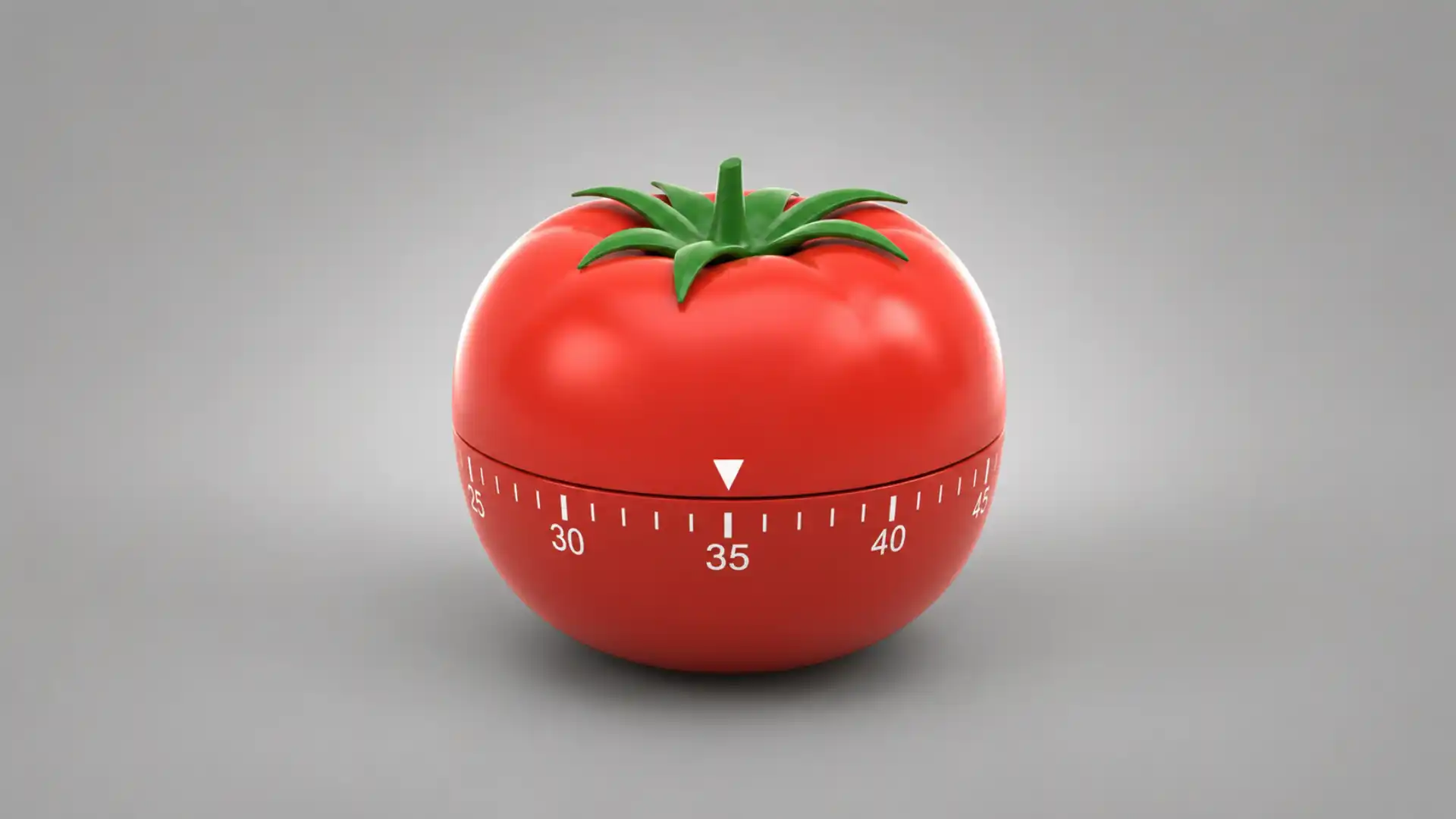
The Pomodoro Technique itself comes from Francesco Cirillo’s tomato-shaped kitchen timer and the practice of breaking work into timed intervals separated by breaks. The official Pomodoro Technique page says the name comes from the kitchen timer Cirillo used when he created the method in the 1980s, and it frames the twenty-five-minute session as one piece of a wider system. Pomofocus strips that heritage down into something internet-native: one tab, one sound, one next task.
The most interesting thing about Pomofocus is not its feature set. It is the refusal to make focus feel glamorous. The product does not dress concentration up as a lifestyle aesthetic. It is not trying to make you look disciplined. It gives you an interval and asks you to sit there. That is less marketable than a grand focus platform, but probably closer to how attention is repaired in daily life.
A lot of productivity software flatters the user by implying they are one configuration away from mastery. Pomofocus is more honest: the hard part is still doing the work. The tool cannot make the paragraph good, the exam material easier, or the bug less annoying. It can only make the work period visible enough that you notice when you abandon it. That modesty is why it feels trustworthy.
Pomofocus also benefits from being a website rather than a heavy app. A browser tab is already where much of the work happens. Students study through browsers. Writers draft in browser-based editors. Developers live between documentation, issue trackers, and local tools. Opening a dedicated focus tab is a lower-friction move than installing another desktop app, granting permissions, learning a sidebar, or syncing another account.
The official site still offers downloads for Mac, Windows, and Linux, which is a useful concession for people who like a dedicated window. It also warns Windows users that the app may trigger an unsafe-app warning because it is not signed with a developer certificate. That detail is oddly human: Pomofocus feels like an indie utility that became popular without being sanded into enterprise smoothness.
The maker trail supports that feeling. Yuya Uzu’s personal site identifies him as an indie web developer in Tokyo and lists Pomofocus as a 2019 project. It also names him as the maker of Pomofocus. This matters because Pomofocus carries the temperament of a small web project: clear purpose, light surface, few claims, and enough rough edges to feel alive.
There is a second kind of honesty in the legal and privacy pages. Pomofocus is not pretending to be a privacy utopia. Its privacy policy says it uses cookies and usage data, mentions service providers, and states that third-party advertising partners may use cookies or similar technologies to show ads. For a free web tool, that is not shocking. But it is worth saying plainly because focus tools often market calm while quietly joining the same attention economy they claim to resist.
The tension does not ruin the product. It makes the product more real. Pomofocus sits between two worlds: the old web of simple single-purpose tools and the current web of freemium software, analytics, ads, accounts, and integrations. Its charm comes from how much of the old feeling still survives inside the new business wrapper.
What Pomofocus gets right
The first thing Pomofocus gets right is hierarchy. The timer dominates the screen because the timer is the job. That sounds obvious until you compare it with many productivity products that bury the actual work behind navigation, dashboards, and motivational furniture. Pomofocus gives the countdown visual authority. It is the object you came for.
The second thing it gets right is timing the complexity. You can start before you understand every feature. The timer, break tabs, and task entry are enough. Settings wait. Reports wait. Premium waits. A product that protects attention should not demand a tour before it protects anything. Pomofocus understands that the first session is more important than the first impression.
The third thing is that the task list is present but humble. A to-do list beside a Pomodoro timer is a better default than a timer alone. It turns the site from a clock into a small workbench. You can add tasks for the day, estimate how many Pomodoros each might take, and see what you are doing now. The official page includes “estimate finish time” and “add templates” among its basic features, which gives the task list just enough planning weight without making it a full project-management system.
The estimate feature is especially smart. Guessing the number of Pomodoros gives vague work a unit. You may not know whether “finish slides” will take all afternoon, but you can guess three or four blocks and learn from being wrong. Over time, the user develops a rougher but more honest sense of task size. That is a better form of productivity than color-coding a plan you will not follow.
Pomofocus also respects the reality of repeated work. Templates are a small feature with a large behavioral payoff. If you study vocabulary daily, review invoices every morning, write one draft block after lunch, or do an end-of-day cleanup, saving repeated tasks removes a tiny bit of friction. The site’s basic feature list says users can save repetitive tasks as templates and add them with one click. That is not dramatic, but focus often breaks on undramatic friction.
Custom settings are another sensible layer. Pomofocus does not force the canonical rhythm on every body and every task. The official feature list mentions personalized focus and break time, alarm sounds, background sounds, and more. Some people work well in twenty-five-minute blocks. Others need fifty minutes for writing, fifteen for language drills, or ten for cleaning a backlog. The Pomodoro Technique has a recognizable default, but the timer becomes more useful when the ritual can bend.
The background sounds are worth a small note because they are risky. A focus app can easily become a toy box of ambience. Pomofocus includes sound customization, but the product does not seem built around sonic decoration. That restraint matters. Once a tool makes you spend ten minutes choosing rain, café noise, or lo-fi static, it has become another procrastination surface. Pomofocus keeps the sound layer secondary.
Reports are the part where Pomofocus could have gone wrong. Time reports can turn into self-surveillance very quickly. The basic feature list mentions visual reports showing focused time by day, week, and month. Premium adds yearly reports and CSV downloads. Used lightly, reports help users see patterns. Used obsessively, they turn attention into a scoreboard. Pomofocus gives enough to notice your rhythm, not enough to pretend that every hour has been morally audited.
There is also a pleasant old-web directness to the layout. Pomofocus does not hide the method behind proprietary vocabulary. It says Pomodoro. It says short break. It says long break. It uses the language people already know. A lot of modern software renames ordinary actions to make them feel ownable. Pomofocus avoids that trap. It is not trying to coin a philosophy.
The official footer says Pomofocus was made by Yuya Uzu and carries a 2019–2026 copyright notice. That span gives the project a quiet kind of credibility. Plenty of tiny tools appear, go viral in a student forum, and rot. Pomofocus is still maintained, still reachable, still understandable, and still centered on the same core action. Longevity is a feature when the product category is full of abandoned side projects.
The legal notice adds a sharper current detail: it lists FocusLab LLC as the seller, a Tokyo address, Yuya Shirouzu as the responsible person for operation, accepted payment by credit card, and service availability immediately after payment. That tells us Pomofocus is no longer just a casual side-project page; it has an operating shell around it. The product grew up, but the front door still feels small.
The app also has a pleasingly low emotional temperature. It does not shame you for pausing. It does not turn missed sessions into a tragedy. It does not surround the timer with inspirational copy. The interface understands that work is ordinary. You start, stop, break, restart, and sometimes fail. That is healthier than pretending every timer block is a heroic act of discipline.
The site’s greatest design choice may be that it does not try to solve motivation. Motivation is too slippery for a web timer. Pomofocus gives structure, not desire. It assumes you arrived with at least a small intention, then gives that intention a container. That is a more mature product stance than promising to make users unstoppable.
Where Pomofocus earns the tab
| What stands out | Why it matters | Best fit |
|---|---|---|
| Large central timer | Keeps the session visible and hard to ignore | Students, writers, coders |
| Task estimates | Turns vague work into countable blocks | Daily planning |
| Short and long breaks | Gives effort a rhythm instead of a grind | Study and deep work |
| Visual reports | Shows patterns without becoming a full analytics suite | Habit checking |
| Templates | Removes friction from repeated routines | Recurring work |
| Premium projects and exports | Adds structure for heavier users | Freelancers, power users |
The table is compact because Pomofocus is compact. Its strengths do not need a giant matrix. The product earns a place in the browser through a few specific choices: visible time, named tasks, light estimates, and just enough memory to make yesterday’s effort visible.
The task list is the trick
The timer gets the attention, but the task list is where Pomofocus becomes sticky. A countdown without a task is too easy to romanticize. You can start a timer and still drift through email, reorganize tabs, clean your desktop, or read about productivity instead of doing the thing. A named task makes the drift more obvious. It gives the session a witness.
The official Pomofocus flow starts with tasks before the timer. That order matters. Add tasks for today, estimate Pomodoros, pick one, then begin. The site is not only timing attention; it is forcing a small planning act. The planning is not heavy. It is not a weekly review. It is just enough to answer the question most people avoid: what exactly am I doing next?
This is where Pomofocus quietly borrows from the fuller Pomodoro system. The official Pomodoro Technique page says the complete method includes daily planning, interruption management, and effort estimation, not just timed work sessions. Pomofocus does not reproduce the full paper-based system, but it preserves the crucial habit of estimating effort before starting.
Effort estimation is one of the least glamorous skills in work. People are often bad at knowing how long their own tasks take. Pomofocus gives that weakness a safe format. You are not producing a formal deadline. You are guessing how many tomatoes the task will cost. A wrong guess becomes information rather than failure. That tone is important. A focus tool should not punish learning.
The task list also fights the common “productive wandering” problem. Without a chosen task, a work session can feel busy and still be evasive. Pomofocus makes the chosen task visible under the timer. When the session gets uncomfortable, you can see the promise you made ten minutes ago. That small visual reminder is sometimes enough to keep you from opening a new tab.
The task estimate feature gives the day a loose shape. A list with Pomodoro counts is more honest than a list with no scale. Five tasks may look reasonable until one has an estimate of six Pomodoros. A tiny task may stop haunting you once you see it is only one block. The method does not require perfect forecasting. It only asks you to notice that tasks have weight.
There is also a psychological benefit to checking off timed progress. Completed Pomodoros give partial credit before the whole task is finished. This is useful for work that takes longer than one sitting. A draft may still be rough after two sessions, but the two sessions happened. A chapter may not be mastered, but the work has a count. Pomofocus turns invisible effort into small marks.
That said, the task list is intentionally limited. Pomofocus is not trying to replace Todoist, Things, Notion, Jira, or a proper planning system. Its official premium features include Todoist integration, which is an admission that many serious task ecosystems already live elsewhere. This is a good boundary. The timer should not pretend to be the whole workplace.
A weak tool tries to trap every workflow inside itself. A good small tool knows when to connect and when to stay small. Pomofocus lets heavier users pull Todoist tasks into the focus ritual, while casual users can type a few tasks by hand. That split keeps the front door clean. People who only want a timer are not punished for not having a system.
The task templates sit in the same middle ground. They are useful without being architectural. Saving repeated tasks does not require building a database of your life. It just lets a routine reappear faster. That is the right level of convenience for a timer. Anything more would risk turning the tool into another place to maintain.
Pomofocus’s task list also has a nice social invisibility. It is private by default in the emotional sense, even if the privacy mechanics are more complex. You do not need to share goals, invite teammates, join a focus room, or prove effort to a community. The task is yours. The timer runs. The absence of social pressure is part of the calm.
The product category around Pomodoro tools often pulls toward gamification. Pomofocus resists the urge to turn focus into a pet, tree, badge, avatar, or streak economy. There is nothing wrong with gamified focus when it works for someone, but it changes the emotional contract. The tool becomes a reward machine. Pomofocus is more austere. It rewards you mainly by ending the session.
That ending is underrated. The ring is the product. It gives permission to stop, stretch, refill water, or look away. People often think focus tools are about forcing work, but the break is just as important. The Pomodoro rhythm protects attention by adding rest as a rule rather than a guilty exception. Pomofocus keeps that structure visible through its work, short break, and long break modes.
The long break matters because it acknowledges fatigue. Four blocks of work should not feel like one endless tunnel. A longer pause after several sessions creates a cycle that the body can understand. The official Pomodoro description on Pomofocus mentions work intervals traditionally twenty-five minutes long separated by short breaks, and the site’s usage instructions repeat the focus-and-break pattern.
For students, the task list turns “study” into named slices. That is the difference between a wish and a plan. “Study biology” is foggy. “Review cell respiration notes” is workable. “Do ten practice questions” is even better. Pomofocus does not teach that skill directly, but its layout nudges users toward it. A task field asks for a task-shaped answer.
For writers, the tool is useful because it does not care about the quality of the prose during the session. The timer only asks whether you stayed in the chair with the draft. That can be freeing. Writing tools often invite formatting, research, and revision too early. Pomofocus sits outside the editor and gives the messy block a boundary.
For programmers, Pomofocus is best when the task is already scoped. “Fix checkout bug” may be too large; “reproduce checkout bug” is a stronger Pomodoro task. The tool rewards smaller units. That is not a limitation of the software so much as a limitation of attention. The task list becomes a mirror for whether the user has defined work sharply enough.
This is the quiet genius of Pomofocus: it makes bad task phrasing visible without lecturing you about productivity. If you keep dragging the same task across session after session, you know something. Maybe the task is too large. Maybe it is blocked. Maybe you are avoiding a decision. The tool does not diagnose the problem. It shows the pattern.
A web app with just enough memory
The best single-purpose web tools have a delicate relationship with memory. They should remember enough to be useful, but not so much that they become a second brain. Pomofocus stores tasks, settings, reports, and account-linked features, yet the product still feels lighter than a full productivity suite. The memory serves the timer.
This “just enough memory” quality is why Pomofocus is more useful than a disposable timer. A disposable timer forgets the connection between time and work. Pomofocus remembers sessions well enough to show focused time across days, weeks, and months. The official feature list calls these visual reports. A user can see whether Monday was heavy, whether mornings work better, or whether a study streak is real rather than imagined.
But reports are a dangerous ingredient. Once a tool can measure effort, the user may start performing for the measurement. Pomofocus partly avoids that trap by keeping reports close to the focus habit rather than turning them into a management dashboard. The numbers are there to reflect, not to supervise. That distinction is fragile, but the interface appears to understand it.
The premium layer pushes the memory further. Projects let users group focus time by larger bodies of work. Yearly reports stretch the time horizon. CSV downloads make the data portable. Todoist integration brings external tasks into the timer. Webhook integration connects sessions to services such as Zapier or IFTTT, according to the official premium feature list. For a heavy user, these features change Pomofocus from a daily timer into a small time-tracking companion.
The question is whether that extra structure harms the charm. So far, Pomofocus keeps the heavier layer behind the main action. A new user does not need to know about webhooks. A student with one exam does not need yearly reports. A writer trying to survive the next page does not need CSV exports. The premium features sit behind the curtain until the user wants them.
The privacy policy gives a less romantic view of the same growth. Pomofocus collects usage data, uses cookies, and may work with third-party advertising partners. The policy says usage data can include IP address, browser type and version, visited pages, time and date of visit, time spent on pages, device identifiers, and diagnostic data. It also says advertising partners may use cookies and similar technologies to collect information when users use the service.
That is not a reason to panic, but it is a reason to be precise. A focus tool is still a website. It lives inside the same browser economy as news sites, dashboards, shops, and social networks. Users who treat Pomofocus as a private diary of effort should read the policy before turning it into a serious record of their working life. The tool is calm; the web around it is not innocent.
The service also names Japan in its data-transfer section. The privacy policy says that if users are located outside Japan and choose to provide information, the data is transferred to Japan and processed there. This will not matter to every casual user, but it may matter to people using Pomofocus at work, in regulated environments, or with sensitive task names.
A practical habit follows from that: do not put secrets in the task names. Use “client proposal” instead of a confidential client name. Use “security review” instead of a live vulnerability description. Use “legal draft” instead of a case detail. Pomofocus does not need sensitive text to work. The timer only needs enough context to keep you honest.
The terms page is also worth reading for boundaries. Pomofocus says the service may be used for personal, non-commercial purposes and prohibits reverse-engineering, decompiling, or disassembling any part of the website. That language is standard enough, but it clarifies that Pomofocus is not open-source playground software. It is a public product with rules.
This is where the web-radar view becomes more interesting than a normal app recommendation. Pomofocus looks tiny, but it reveals the tradeoffs of modern small software. A useful free tool becomes popular. Popularity requires hosting, maintenance, support, maybe a company, maybe ads, maybe premium. The tool then has to grow without losing the behavior that made people love it. Pomofocus is one of the cleaner examples of that balancing act.
The app downloads tell the same story. A browser tool gained enough demand to justify desktop packages. The official page links downloads for Mac, Windows, and Linux. The web app remains the main easy entry, but the desktop versions are there for users who want the timer outside the browser. That is a nice reversal: a web tab that becomes a desktop habit, not a desktop suite shoved into the web.
The operating environment listed in the legal notice includes current versions of Chrome, Safari, Firefox, Edge, iOS Safari, and Android Chrome. That cross-device footprint fits how Pomodoro actually gets used. A student may start on a laptop and check a timer on mobile. A freelancer may use a desktop app during client work and the browser version while traveling. The technique is portable, so the tool needs to be portable too.
Pomofocus’s memory also creates a gentle continuity between sessions. When yesterday’s tasks or patterns are visible, today’s work feels less like starting from zero. That can be motivating without becoming theatrical. The user sees evidence of prior effort and gets a small nudge back into the ritual. The product does not need fireworks; continuity is enough.
There is one subtle downside to browser-based memory. The tab can become part of the clutter it is trying to fight. Many users will keep Pomofocus open beside email, chats, documents, research tabs, dashboards, and distraction tabs. The timer may be visible, but it also lives in the same crowded strip where attention goes to die. The desktop app may solve that for some people by giving the timer its own place.
The browser tab has another weakness: it cannot create discipline across the rest of the machine. Pomofocus will not block websites. It will not lock your phone. It will not stop notifications from hijacking the session. That is probably a strength for users who hate paternal software, but it means Pomofocus depends on the user’s environment. A timer is not a shield.
This is why Pomofocus works best as a ritual anchor, not a fortress. It marks the start of focus; it does not police the whole room. You still need to mute notifications, close junk tabs, put the phone elsewhere, or choose work that can actually be done in a timed block. The tool is honest enough not to pretend otherwise.
The premium layer stays on the right side of the line
Pomofocus has a premium tier, and the feature split is revealing. The free core keeps the timer useful; the paid layer adds memory, structure, exports, integrations, and fewer distractions. The official premium list includes projects, yearly reports, CSV report downloads, more than three templates, Todoist integration, webhook integration, and no ads. That is a reasonable split for a small tool because it does not lock the basic ritual behind payment.
This matters because productivity tools often abuse anxiety. They let users start a system, then charge at the point where the system becomes emotionally hard to leave. Pomofocus does not appear to make that mistake at the surface level. You can run the timer, manage simple tasks, customize settings, and see basic reports without needing to turn focus into a subscription decision.
The ad question is more complicated. A free focus tool with ads is inherently awkward. The privacy policy says Pomofocus works with third-party advertising partners, and the official premium feature list includes “No Ads” as a paid benefit. This is a familiar web bargain, but it is still a weird fit for a tool whose job is to reduce distraction. Users who are sensitive to visual clutter may find the premium tier more about calm than features.
The premium projects feature is probably the most useful paid addition for freelancers and serious self-trackers. Project-level focus time answers a different question than daily focus time. Daily reports tell you whether you worked. Project reports tell you where the work went. For someone juggling client work, study modules, content production, or coding projects, that distinction matters.
CSV export is also more serious than it sounds. Export is a form of respect. If a tool lets users download focus history, it admits that the data belongs in other contexts too. A freelancer may compare focus blocks against invoices. A student may archive study hours. A researcher may inspect patterns outside the app. Pomofocus puts CSV downloads in premium, but the presence of export still signals that the data is not trapped only as a pretty chart.
Todoist integration is a smart paid feature because it keeps Pomofocus small. Instead of rebuilding a mature task manager, Pomofocus connects to one. This is the correct product instinct. The task list inside Pomofocus is good for the day’s focus. Todoist is better for a larger task universe. Integration lets each tool keep its shape.
Webhook integration is the power-user door. A timer event can become a trigger elsewhere. The official page mentions connections to other apps such as Zapier and IFTTT. A user could log sessions, update dashboards, post personal automations, or connect focus rituals to a broader workflow. This is not necessary for most people, but it gives the tool depth without crowding the main interface.
There is a line Pomofocus should never cross: it should not become a productivity command center. The temptation is obvious. Add calendars. Add habits. Add AI planning. Add team rooms. Add chat. Add notes. Add “focus scores.” Add social accountability. Each feature would be defensible in a pitch deck and risky in the product. Pomofocus works because it is not everything.
The company wrapper adds credibility but also pressure. FocusLab LLC appears in the legal notice as the seller, with the responsible person listed as Yuya Shirouzu. Once a product has a seller, payments, refund terms, and premium features, it needs revenue logic. The editorial question is whether that logic will remain quiet enough for the tool’s original character. At present, the front page suggests yes.
The refund policy is direct: the legal notice says full refunds are accepted within seven days of the payment date. That is a small trust signal. It does not make Pomofocus unique, but it gives the commercial layer a clean edge. People testing a focus tool should not feel trapped by a mistaken upgrade.
The terms state that changes may become effective immediately when posted. That is another ordinary but useful reminder: web tools are living agreements. A timer may feel static, but the service terms, privacy posture, pricing, and ad setup can shift. Anyone building a serious workflow around Pomofocus should revisit the official pages now and then.
For casual users, the premium decision is likely simple. Use the free tool until you feel a clear missing piece. If ads bother you, projects matter, or exports are useful, premium has a plain role. If you only need a timer and a task list for study blocks, the free core is the product. Pomofocus’s best feature is that it does not make the upgrade psychologically mandatory on day one.
For heavy users, the question is whether Pomofocus should be the center of work data. The answer depends on how much detail you need. Pomofocus can show focus hours and group them by project with premium, but it is not a full time tracker, billing system, project database, or worklog engine. That limitation is healthy. It also means professionals with detailed reporting needs may outgrow it.
That outgrowing should not be treated as failure. Small tools should have edges. If Pomofocus gets a student through exams, helps a writer draft a book chapter, or gives a developer a cleaner morning rhythm, it has done its job. A product does not need to own the user forever to be worth recommending.
The premium layer is best understood as a way to preserve the small tool for people who need a little more. That is a better model than pretending every user is a beginner. Some users really do want exports. Some want Todoist. Some want yearly patterns. Pomofocus can serve them without making the first-time experience heavy.
The danger is not the existence of premium. The danger is letting monetization rewrite the emotional tone. A focus tool should not nag. It should not turn every completed session into an upgrade prompt. It should not make the free user feel second-class in the middle of work. Pomofocus appears to keep most of that pressure away from the central ritual, which is why the product still feels recommendable.
The quiet lesson for the rest of the web
Pomofocus is a good website because it has a narrow verb. Start. Focus. Break. Repeat. Many digital products fail because nobody can say the core verb without using a paragraph. Pomofocus has a tiny action loop, and the interface reinforces it. That is the kind of product clarity the web keeps forgetting.
The web is full of tools that confuse “useful” with “large.” Pomofocus argues for usefulness as restraint. It gives the user a timer, a task list, estimates, settings, reports, and optional integrations. That sounds like plenty because it is plenty. The product does not need to become a calendar, note app, community, blocker, coach, or operating system for ambition.
There is also a design lesson in color. The red Pomofocus surface makes the timer feel like an object, not just text on a page. It echoes the tomato origin of the method without needing a literal tomato mascot everywhere. The visual identity is strong enough to remember and plain enough to stare at for twenty-five minutes. That is a rare balance. Many focus apps either look sterile or overdecorated.
The product also understands that friction has two sides. Too much friction prevents starting; too little friction makes intention weightless. Pomofocus removes setup friction but keeps the deliberate act of choosing a task and pressing start. That small act matters. A timer that starts automatically would be easier, but less meaningful. The user needs to cross a tiny threshold.
Good web tools often have this threshold. They ask for one clear input before giving value. A calculator asks for numbers. A markdown previewer asks for text. A color picker asks for a color. Pomofocus asks for a task and attention. That exchange is honest. The site does not gather your life story to run a countdown.
The maker context deepens the appeal. Yuya Uzu’s site lists Pomofocus among other small, concrete projects, including tools for developers, art-house cinema listings, a bookshelf community, laptop-friendly cafés, flashcards, and YouTube looping. This is a familiar indie-web pattern: specific projects born from specific internet behaviors. They do not announce a platform revolution. They solve small annoyances with taste.
That is part of why Pomofocus feels different from many venture-shaped productivity apps. It does not sound like it was invented in a strategy meeting. The product has the shape of someone scratching their own itch, then sanding the result enough for strangers. That origin is not automatically noble, but it often produces better first experiences because the first user was real.
Pomofocus also shows how a tool can be popular without becoming socially loud. There is no obvious community layer at the center. You are not joining a cohort. You are not broadcasting sessions. You are not posting streaks. The product respects solitary effort. In an internet culture that turns everything into performance, that quietness is almost radical.
A focus timer has to be careful with encouragement. Too much praise makes the work feel childish. Pomofocus avoids the worst motivational patterns by keeping the copy short and functional. The achievement is the completed interval. The reward is the break. The user does not need confetti for doing ordinary work.
The tool also exposes a truth about attention that is easy to avoid. Most focus problems are not solved by information. People already know they should close social feeds, stop checking email, and work on one task. Pomofocus does not teach a new theory. It makes the known thing easier to practice for one block. The gap between knowing and doing is where small tools earn their keep.
The official Pomodoro Technique page frames the method as a complete productivity system, not just a timer, and names daily planning, interruption management, and effort estimation as parts of the method. Pomofocus does not carry all of that complexity, but it leaves room for it. A beginner can start with the timer. A serious user can bring in planning sheets, external task systems, or premium reports later.
This graduated path is good product thinking. A tool should meet the lazy version of the user and still support the disciplined version. Pomofocus lets a distracted person start in seconds. It also gives a disciplined person enough reporting and structure to build a habit. The same interface can host both moods because the core loop is simple.
There is another lesson in not overexplaining. Pomofocus does not bury users in productivity science. The homepage briefly describes the Pomodoro Technique and its traditional interval structure, then returns to the tool. That is the right balance. A person opening a timer does not need a dissertation on attention. They need to start.
This is not anti-research. It is pro-context. The right amount of explanation depends on the user’s moment. Pomofocus is opened at the edge of work, when the user is trying not to drift. Too much theory would become one more delay. The site gives enough background to orient the method, then gets out of the way.
The web could use more of this confidence. A product does not need to prove its intelligence at every pixel. Pomofocus feels smart because it is plain where plainness helps. It trusts the user to understand a countdown. It trusts the task list to need only a few controls. It trusts that the method’s reputation is enough.
One of the better compliments for Pomofocus is that it is easy to forget the brand while using it. The work becomes larger than the tool. That should be the goal of focus software. The user should remember the chapter, code, draft, or revision session, not the app. Pomofocus leaves a mark by not grabbing for too much credit.
Of course, the product is not perfect. No timer can fix an overloaded life. If your task list is impossible, Pomofocus may only reveal the impossibility faster. If your work environment is chaotic, twenty-five-minute blocks may be shredded by messages. If your problem is burnout, a timer may become one more instrument of pressure. The tool is best for attention drift, not structural exhaustion.
This is where a human recommendation needs restraint. Pomofocus is worth opening, but it is not medicine, management, or a substitute for rest. It is a clean little mechanism for turning one task into one timed attempt. That is enough. The internet is more trustworthy when recommendations do not pretend small tools solve large lives.
The small frictions worth noticing
The first friction is ads. A focus tool with advertising carries an obvious contradiction. The official privacy policy mentions third-party advertising partners, and the premium list names “No Ads” as a paid feature. Some users will shrug. Others will find it absurd that a timer for concentration includes the machinery of ad tracking. Both reactions are fair.
The second friction is account and data sensitivity. Pomofocus tasks may look harmless until they name confidential work. A task timer does not need private details, so users should keep task titles generic. The privacy policy’s usage-data language and data-transfer note are not unusual for a web service, but focus histories can become intimate over time.
The third friction is that Pomofocus is not a blocker. It will not stop you from cheating. You can press start and open another tab. You can let the timer run while doing shallow work. You can build a beautiful list and avoid the hardest item. That is not a design failure. It is the nature of a tool that respects user agency. But users expecting enforcement should look elsewhere.
The fourth friction is that the Pomodoro rhythm does not suit every task. Some work hates interruption. A programmer deep inside a complex mental model may not want a bell at twenty-five minutes. A designer may need a longer exploratory stretch. A writer in flow may resent the break. Pomofocus allows custom session lengths, which helps, but the method still works best when the user treats the timer as a guide rather than a law.
The fifth friction is the temptation to count instead of work. Pomodoros are a useful unit, not a moral score. Four shallow sessions are not better than two honest ones. A beautiful report does not guarantee meaningful progress. Pomofocus makes focus visible, but users still need judgment about what they are focusing on.
The sixth friction is that a timer can make avoidance look productive. Planning Pomodoros is not the same as doing them. A person can spend too much time estimating tasks, editing templates, changing sounds, and reviewing reports. Pomofocus is light enough to reduce that risk, but the risk belongs to the category. Productivity tools attract people who are very good at preparing to work.
The seventh friction is desktop trust. The official site warns that Windows users may see an unsafe-app warning because the app is not signed with a developer certificate. This does not mean the app is malicious, but it does mean less technical users may feel uneasy. The browser version is the safer default for anyone who does not want to think about installed software.
The eighth friction is method drift. The full Pomodoro Technique includes more than timing, and Pomofocus users may mistake the timer for the whole practice. The official Pomodoro Technique page is explicit that the timer is only the starting point. This matters if someone wants deep planning improvement, not just a focused sprint. Pomofocus is an entry point, not the entire tradition.
These frictions are not dealbreakers. They are the cost of a small, real web tool living inside a messy digital economy. The important question is whether the tool’s central action remains clean. With Pomofocus, it does. Open the tab, name the task, press start, work until the bell. The rest is negotiable.
The better way to use Pomofocus is to keep the ritual plain. Write one task in language you cannot dodge. Do not write “project.” Write “draft the opening section.” Do not write “math.” Write “solve problems 11 to 20.” Do not write “website.” Write “fix mobile menu bug.” The sharper the task, the more useful the timer.
Then choose a session length that matches the work. Twenty-five minutes is a default, not a personality test. Use shorter blocks when the task is unpleasant or administrative. Use longer blocks when the work needs depth. Keep breaks real. Do not spend the break inside another attention trap and pretend your brain has rested.
Use reports lightly. A weekly glance is healthier than hourly self-auditing. Look for patterns: which days carried work, which tasks kept slipping, which times of day felt easier. Then adjust the environment, not just the numbers. A report should lead to fewer illusions, not more guilt.
Use premium only when the missing piece is obvious. Do not upgrade because you imagine a more disciplined version of yourself will appear. Upgrade because projects, exports, Todoist, webhooks, or no ads solve a felt problem. Pomofocus is at its best when it serves behavior already forming, not fantasy behavior.
Small doubts before opening it
Yes, but that is not a dismissal. Its strength is the combination of a clean browser timer, a nearby task list, estimates, reports, templates, and optional premium structure. Many timers count down. Fewer make the next task visible without turning the product into a management suite.
Yes. The official site describes Pomofocus as working on desktop and mobile browsers, and the legal notice lists current versions of major desktop and mobile browsers as supported environments. The site also offers desktop downloads for Mac, Windows, and Linux.
It is faithful to the recognizable timer rhythm and the habit of estimating tasks, but the full Pomodoro Technique is broader than a web timer. The official Pomodoro Technique page says the complete system includes planning, interruption management, and effort estimation. Pomofocus gives you a practical, lightweight doorway into that world.
Pomofocus is best for students, writers, coders, freelancers, and anyone whose work can be named in small blocks. It is weaker for work that depends on long uninterrupted flow, constant meetings, emotional labor, or complex team coordination. A timer works best when the next action is clear.
Treat it as a normal web service, not a private notebook. The privacy policy says Pomofocus uses cookies, usage data, service providers, and third-party advertising partners. That does not make it unusual, but users should avoid putting sensitive names or confidential details into task titles.
Yes. The core timer, task flow, settings, templates, and basic reports are enough for many users. Premium is for people who want projects, yearly reports, CSV downloads, more templates, Todoist, webhooks, or no ads. The free version is not merely a demo of the idea.
The answer is blunt: Pomofocus gives procrastination a visible object. You can argue with a vague intention forever. A timer running against a named task is harder to argue with. It does not make the work easy, but it makes the avoidance less slippery.
Why this tiny site still feels like the web at its best
Pomofocus belongs to a class of websites that feel almost endangered: single-purpose tools that do one ordinary job clearly. They do not need your whole calendar. They do not ask for your team. They do not speak in managerial fog. They give you a working surface and trust you to bring the work.
That quality is easy to underestimate because the tool is not spectacular. Pomofocus is not a memorable web experience in the flashy sense. It is not an interactive art piece, a strange archive, a social experiment, or a dazzling technical demo. It is memorable because it respects the thin moment between intending to work and escaping into something easier.
The best internet utilities often live in that thin moment. They catch a behavior at the point where it usually breaks. A unit converter catches uncertainty. A paste cleaner catches messy text. A timer catches drift. Pomofocus catches the moment when a task is still vague enough to avoid and makes it specific enough to begin.
The site also has a moral lesson for product makers, though Pomofocus itself does not preach. Do not add features until the original behavior is safe. The original behavior here is starting a timed focus session attached to one task. Everything else should protect that. Settings protect it. Reports reflect it. Templates reduce friction around it. Integrations extend it. Ads threaten it. Premium can support it if handled quietly.
Pomofocus shows that product taste is often subtraction after success. The hard part is not launching a timer; the hard part is keeping the timer from turning into a circus. The project has been around since 2019 according to Yuya Uzu’s portfolio, and the Pomofocus footer carries 2019–2026 copyright text. Six or seven years is enough time for a product to lose its shape. Pomofocus still has one.
It also feels refreshingly unashamed of being useful. Some web projects hide utility beneath branding, content, and personality. Pomofocus puts the utility first. The page title, the timer, the task list, and the method explanation all point in the same direction. That coherence is a form of politeness.
For readers who collect interesting websites, Pomofocus is worth saving not because it is obscure to productivity nerds, but because it is a clean example of a durable internet micro-tool. It has enough adoption to keep going, enough business structure to survive, enough features to be useful, and enough restraint to stay recognizable. That combination is rarer than it should be.
The best way to judge Pomofocus is not to read about it. Open it when you are avoiding one specific task. Give the task a name. Set one block. Start. If you are still looking for settings after five minutes, you are using it wrong. If the bell rings and you have moved the work forward even slightly, the site has done what it promised.
That modest promise is the whole point. Pomofocus does not sell a transformed life; it offers a bounded attempt. A bounded attempt is often the only honest unit of progress available during a difficult day. Twenty-five minutes will not rescue a broken schedule, but it can rescue the next piece of attention from the swamp.
There are bigger focus systems, stricter blockers, prettier study rooms, richer task managers, and more private local-first tools. Pomofocus does not need to beat them all. It only needs to be the tab you can open without thinking, the red timer you recognize, the small list that asks what you are actually doing, and the bell that tells you the block is over.
That is why it belongs in Web Radar. Pomofocus is not hidden because nobody knows Pomodoro timers exist; it is hidden in plain sight because its restraint is easy to miss. In a web culture that keeps turning simple needs into heavy systems, a timer that knows when to stop is more interesting than it first appears.
Author:
Jan Bielik
CEO & Founder of Webiano Digital & Marketing Agency

This article is an original analysis supported by the sources cited below
Pomodoro Timer Online – Pomofocus
Official Pomofocus page used for the product description, feature list, usage flow, platform notes, desktop download links, and attribution to Yuya Uzu.
Privacy Policy – Pomofocus
Official privacy policy used for details about cookies, usage data, service providers, advertising partners, data transfer, and contact information.
Terms and Conditions – Pomofocus
Official terms page used for service-use boundaries, change terms, and legal limitations.
Legal Notice – Pomofocus
Official legal notice used for seller details, operating environment, refund policy, payment method, and responsible person for operation.
Yuya Uzu
Official maker page used to confirm Yuya Uzu as an indie web developer, maker of Pomofocus, and the 2019 origin listing for the project.
Pomodoro Technique
Official Pomodoro Technique site used for background on Francesco Cirillo, the tomato timer origin, the broader method, and the distinction between a timer and the full productivity system.
Human-style writing instructions
Internal editorial instruction file used for the article’s tone standard, direct wording, and avoidance of generic machine-like phrasing.
| Citing this article? Brief excerpts are welcome. Please credit Webiano.digital, name the author where stated, and include a link to https://webiano.digital and to this original article. Full or substantial republication requires prior written permission. Read our Copyright and Content Use Policy. |
This article was prepared with the assistance of artificial intelligence tools. The content underwent expert human review, and Webiano Digital & Marketing Agency assumes editorial responsibility for its final version and publication.