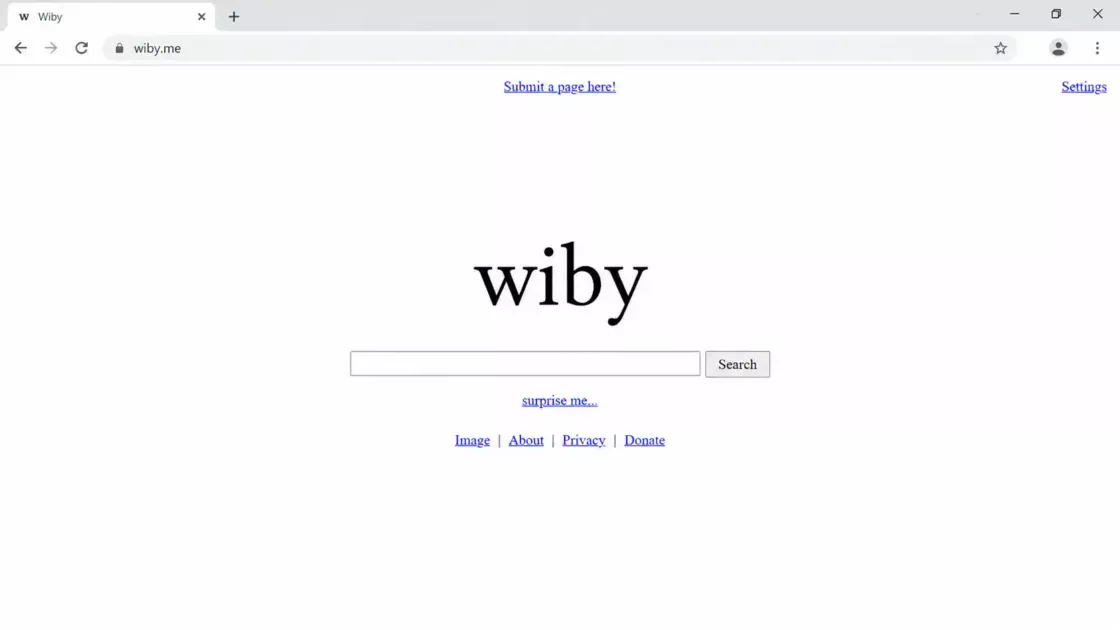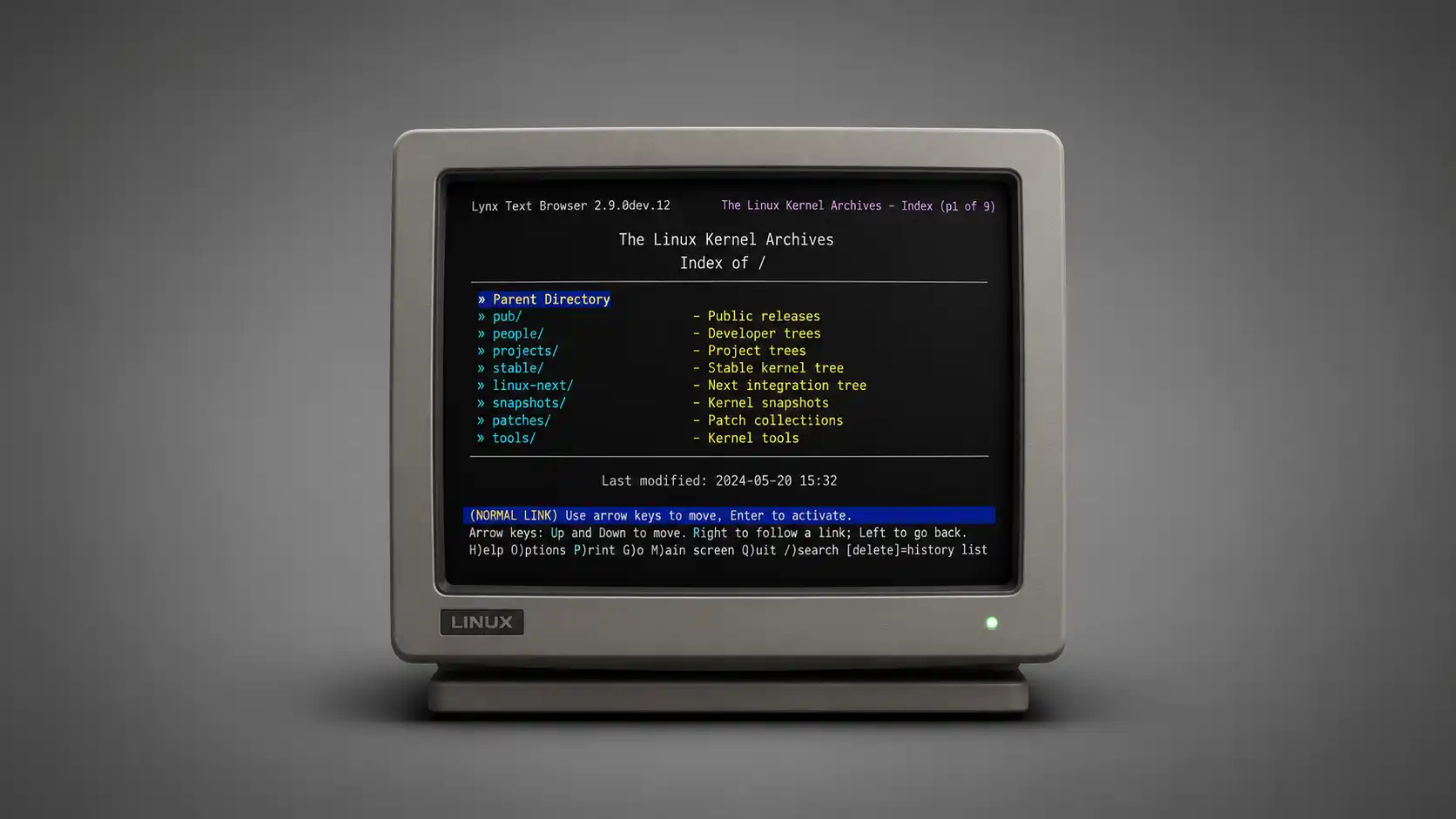
Open Lynx and the web suddenly loses its makeup. No hero banners. No cookie pop-ups crawling over the page. No autoplay video. No fixed header stalking you down the screen. No carousel pretending to be useful. What remains is almost rude in its simplicity: links, headings, forms, text, and the occasional reminder that an image existed there before Lynx quietly translated it into words.
Table of Contents
It feels less like visiting a website and more like receiving a transmission. The closest emotional comparison is teletext: blocky, fast, constrained, oddly intimate, and built around the assumption that information should arrive before decoration. Lynx is not literally teletext, of course. It is a real web browser for cursor-addressable character-cell terminals, with current documentation describing it as a fully featured WWW client for terminals and terminal emulators.
The strange part is that Lynx is not a nostalgia toy. The official Lynx distribution site says the most recent stable release is 2.9.3, and the current user guide is also for Lynx 2.9.3. That matters because this is not abandoned software preserved in amber. It is an old browser that still receives care, still builds, still runs, and still has a brutally clear opinion about what the web is when you remove the surface.
Lynx is worth opening because it turns browsing into a test. A readable site becomes cleaner. A messy site becomes exposed. A hostile site becomes nearly useless. A good document survives. A product page full of scripted persuasion starts looking like a pile of broken labels. It is a browser, but it also behaves like a lie detector for web design.
The web without glass
Most browsers treat the screen as a stage. Lynx treats it like a terminal. That shift sounds small until you actually use it. A normal browser invites websites to perform: animate, overlay, track, measure, suggest, interrupt, request, expand, collapse, and beg. Lynx asks a colder question: where are the links and what does the document say?
The official synopsis still has the old-world smell of serious computing. Lynx is described as a browser for Unix and VMS users connected through cursor-addressable character-cell terminals or emulators, including VT100-style terminals. That phrasing alone tells you what kind of internet it came from. It assumes terminals. It assumes keyboards. It assumes the user might be remote, technical, bandwidth-aware, and perfectly happy to move through a page with arrows.
That is why Lynx feels so different from a minimalist reading mode. Reader modes are polite afterthoughts. They take a modern browser and hide the mess after the page has already arrived. Lynx starts somewhere else. It never agrees to become a visual browser in the first place. It does not peel away the modern page; it interprets the web through the discipline of text.
The result is often charmingly blunt. Links become selectable lines. Images become alt text or placeholders. Navigation menus stop being spatial puzzles and become lists. Form fields sit in the flow like old terminal prompts. The web stops pretending it is a magazine, a television channel, a shopping mall, and an app shell at the same time. It becomes a set of addressable documents again.
There is a real pleasure in that. Not a lifestyle-brand kind of minimalism, but the relief of being left alone. You press g, type a URL, hit Enter, and get something that resembles the page’s skeleton. You can move with arrow keys, follow a link, go back, search within the current document, dump a page to standard output, save things, and make the browser behave like another tool in a Unix session.
The teletext comparison sticks because Lynx makes the web feel paged again. Teletext had a tempo: punch in a number, wait, read, move. Lynx has its own tempo: select a link, enter, scan, search, back. Both reward directness. Both make glossy persuasion impossible. Both turn information into a grid of choices rather than a surface to be seduced by.
That does not mean Lynx is gentle. It can be baffling when a site assumes JavaScript for everything. It can make a beautifully designed interface look like an exploded parts diagram. It can turn a modern navigation bar into a long stack of repeated links. The joke lands quickly: when the web is reduced to text, some websites reveal that their actual content is thin.
The first shock is how little is missing
The surprising thing about Lynx is not what it lacks. The surprising thing is how much ordinary browsing still works when you stop expecting websites to entertain you. Documentation pages, package pages, manuals, old blogs, release notes, mailing list archives, plain HTML, search-result pages, internal dashboards, router panels, wiki pages, and many news articles can remain perfectly readable.
The user guide lays out a browser that is more capable than its reputation suggests. Lynx can display HTML documents from local files and remote systems, and its documentation lists schemes such as HTTP, Gopher, FTP, WAIS, NNTP, finger, and telnet-related services. That breadth is part of its personality. Lynx does not feel like a stripped-down Chrome. It feels like a general information client from an internet where protocols still had different textures.
Navigation is almost comically direct. The guide says that nearly all movement through hypertext can be done with arrow keys and the numeric keypad, with extra history and visited-link views available from keyboard commands. This is not a browser built around a pointing hand. It is a browser built around intent. You move down to a link. You go right. You go left to return. It feels less like browsing and more like reading a machine-readable outline.
Search is built into the rhythm. Lynx uses / for finding words or phrases within the current document, and the guide notes that previous searches are kept in a circular buffer. That one detail changes the feel of long pages. You are not scrolling through layouts; you are querying a text surface. It makes sense that people who live in terminals still keep Lynx around, even when they rarely use it as their main browser.
The browser also has real state. Lynx supports sessions, with options to save and restore the current activity through session files. This is a reminder that “text browser” does not mean “toy browser.” It can remember where you were. It can handle cookies. It can work with forms. It can be configured. It can be scripted. It can be used badly, cleverly, lazily, or obsessively, like any tool with enough age behind it.
The command line side is the real hook for Linux users. Lynx accepts options and a start file or URL from the command line, and the guide documents lynx [options] startfile as the basic shape. That means you can open a URL from a terminal, dump a rendered page, inspect a remote document over SSH, or use it in a workflow where launching a graphical browser would feel like driving a truck into a hallway.
The famous trick is lynx -dump. The guide says -dump writes the formatted output of a specified document to standard output. That turns Lynx from a browser into a converter. You can take a web page and turn it into text in a pipe. You can grep it, redirect it, save it, mail it, diff it, feed it into another script, or just read it without opening a graphical session.
That is where Lynx stops feeling quaint. A browser that runs inside a terminal is not only a retro experience. It is also an answer to a practical question: what if the web page is data, and the browser is just one tool for turning that data into something readable?
A browser that behaves like a Unix tool
Modern browsers are operating systems wearing browser clothes. Lynx is closer to a command. It has configuration files, flags, environment habits, keyboard bindings, dump modes, and a personality shaped by text streams. The difference is not only aesthetic. It changes what you expect from the software.
A graphical browser wants to own your attention. Lynx is happy to appear, do a job, and disappear. Use it to read a man-page style website. Use it inside a server session. Use it over a slow connection. Use it to check whether a page’s actual links make sense. Use it to pull a readable version of a page into a text file. None of those uses require ceremony.
That makes Lynx feel unusually honest on Linux. It fits beside ssh, less, grep, tmux, vim, curl, and man without trying to become the center of your machine. It has the manners of old Unix software: terse, configurable, slightly unforgiving, and much more powerful than its plain surface suggests.
The man page description is still clear enough to sell the idea. Arch’s manual page describes Lynx as a fully featured WWW client for cursor-addressable character-cell displays, able to show HTML documents with links from local files and remote systems. That line has no glamour, which is exactly why it works. It tells you the job. It does not pretend the job is bigger than it is.
The interface also has a useful kind of friction. With a mouse, you can drift. With Lynx, you choose. Every link is a decision. Every screen is a passage. Every page has a current position. Even the lack of images changes your posture. You stop hunting for visual cues and start reading the structure. On some sites, that feels calming. On others, it feels like walking through a warehouse with the lights half on.
Configuration is part of the culture. The options menu lets users change runtime behavior, including user mode, link display, character set, cookie handling, image verbosity, and key choices. Lynx even supports vi-style movement keys, mapping h, j, k, and l to left, down, up, and right when enabled. That single option says a lot about the audience. Lynx expects some users to care deeply about how their fingers move.
It also understands external editors. The guide documents editor integration for editing files, sending mail or comments, posting news articles, and editing textarea fields. That sounds obscure until you imagine filling out a long web form inside a terminal and opening the text field in an editor you trust. The modern web often traps writing inside fragile boxes. Lynx quietly hands the text back to your tools.
The rough edges are part of the point. Lynx is not trying to smooth every interaction into a glossy, app-like surface. It is trying to make the web navigable from a character display. When the page is built with that possibility in mind, Lynx feels fast and clean. When the page is built as a JavaScript ceremony, Lynx becomes a protest.
What Lynx strips away
Lynx is best understood as a subtraction machine. It removes the parts of the web that many sites now treat as mandatory and then asks whether anything useful survives. That makes it fun, but it also makes it merciless.
A compact map of the Lynx effect
| Layer of the modern web | What Lynx does to it | What the user learns |
|---|---|---|
| Visual branding | Mostly disappears | The words must carry the site |
| Navigation menus | Become link lists | Structure becomes obvious or chaotic |
| Images and media | Turn into alt text or absence | Accessibility work becomes visible |
| JavaScript flows | Often break or vanish | The site’s dependence on scripts is exposed |
| Long articles | Become plain reading paths | Good writing survives the stripping |
| Forms | Remain usable when built plainly | Basic HTML still matters |
| Ads and overlays | Usually lose their grip | Attention gets quieter |
The table makes Lynx look like a critic, but it is really just literal. It renders what it can, ignores what does not belong in a text terminal, and leaves the user with the consequences. A clear site looks clean. A bloated site looks ridiculous. A hostile site may become unreadable, which is also a form of truth.
Images are the most obvious casualty. Lynx does not give you the visual web. It gives you whatever the page says about its visuals, when the page says anything at all. Good alt text suddenly matters. Decorative image noise vanishes. Product pages can become oddly abstract. A travel article without images becomes either a readable essay or a set of captions with ambition.
This is why Lynx is still a useful accessibility mirror, even though it is not a full accessibility testing tool. It shows whether the text layer of a site carries meaning. It shows whether links make sense when separated from layout. It shows whether a page has been built with enough semantic care to survive outside the visual browser. That is not the whole accessibility story, but it is a sharp check.
The browser also reveals link rot in design thinking. Many modern sites use links like props. They wrap entire cards. They hide destination meaning behind buttons labeled “Learn more.” They repeat navigation blocks three times. They bury the real article below share bars, related modules, newsletter forms, and scripted recommendations. Lynx collapses these choices into a plain sequence. Suddenly, lazy labeling becomes embarrassing.
Forms are a subtler test. Lynx can handle many HTML forms, and the guide describes text fields, selection fields, submit behavior, textarea editing, and form submission details. When a form is built as HTML first, it can still make sense. When it is really a JavaScript app disguised as a form, Lynx often has nothing useful to hold.
Cookies exist here too, but they feel different. Lynx supports cookie exchanges and lets users modify cookie behavior through configuration. In a graphical browser, cookies usually arrive as legal theater. In Lynx, they are closer to plumbing. You feel less like a customer being managed and more like an operator deciding what state to keep.
The greatest subtraction is emotional. Lynx removes the web’s constant demand to react. There is no infinite scroll dopamine. No product tile shimmer. No newsletter modal pretending to be a gift. No video trailer starting because your pointer crossed the wrong rectangle. A page becomes a document or it becomes debris.
The pleasure and punishment of text only browsing
Using Lynx for five minutes is delightful. Using it for a whole afternoon is educational. Using it as your only browser would be a deliberate hardship for most people. That range is exactly why it is interesting. It is not a universal replacement. It is a different lens.
The pleasure comes first. Lynx is fast in the way old tools are fast: not because it wins a benchmark, but because it has so little nonsense to negotiate. On a readable page, it feels immediate. Text appears. Links are ready. The keyboard does not need to ask where the mouse went. You move.
It is especially satisfying over SSH. Imagine being connected to a remote Linux machine and needing to check documentation, verify a URL, inspect a package page, or read an install note without leaving the terminal. Lynx belongs there. It gives the remote session a tiny window onto the web without requiring a desktop, a browser profile, or a graphical tunnel.
It is also good for reading pages you half distrust. Not as a security shield by itself, and not as a magic privacy device, but as a way to avoid much of the scripted page theater. Lynx is not trying to run the modern interface layer. If the site’s useful content is present as HTML, you get the content. If the site requires client-side execution for everything, you learn that quickly.
The punishment arrives when the web forgets documents exist. Some pages load almost nothing. Some navigation becomes a fog of repeated labels. Some sites block text browsers by user agent or serve broken experiences to anything unfamiliar. Some flows depend on visual drag, script-rendered menus, canvas, client-side routing, or authentication pages that assume a full graphical environment.
There is no point pretending Lynx handles the modern web gracefully. It handles a certain web brilliantly: documents, indexes, manuals, old pages, simple forms, package repositories, text-heavy resources, internal pages, and anything built with plain HTML respect. It handles many modern pages like a customs officer handling a box of glitter.
That limitation is useful. A site that fails in Lynx may still be fine for its intended audience, but the failure tells you something. It says the content is coupled to presentation. It says the interface may not degrade. It says the page’s idea of “web” is closer to “application runtime” than “document.” Sometimes that is fair. Often it is just lazy.
Lynx also makes you aware of line length, naming, and hierarchy. A normal browser hides structural mess with spacing and typography. Lynx shows the pile. If a page has five navigation regions before the article starts, you feel every one. If links are named clearly, you glide. If every link says “click here,” the page becomes nearly meaningless.
That is the hidden editorial joy of Lynx. It is a browser for people who like the web enough to be annoyed by what happened to it. It does not complain. It simply withholds the decorations and lets the page answer for itself.
Small things to know before opening it
First practical note: Lynx is usually one package away. On Linux, it is commonly available through distribution repositories. Debian’s wiki describes Lynx as a text-mode WWW browser for cursor-addressable, character-cell display devices and notes support for services such as Gopher, HTTP, FTP, WAIS, and NNTP. On many systems, the install command is as unsurprising as sudo apt install lynx, sudo dnf install lynx, or sudo pacman -S lynx, depending on the distribution.
Second practical note: start with a page that respects text. Do not begin with a huge social network, a banking dashboard, or a modern SaaS app. Start with documentation, a wiki, a package page, a small blog, an old archive, a standards document, or your own website. Lynx rewards pages that still know how to be documents.
Third practical note: learn four keys before judging it. Use the up and down arrows to select links. Use the right arrow or Enter to follow a link. Use the left arrow to go back. Use q to quit. The guide says q exits with confirmation, while Q or Control-D quits without verification. That is enough to begin.
Fourth practical note: the g key is your address bar. Lynx does not give you the comforting chrome of a modern browser, but the command becomes second nature. Press g, type a URL, go. Press / to search within the current page. Press n to repeat that search. The whole interaction feels closer to less than to Firefox, which is part of the appeal.
Fifth practical note: use dump mode at least once. Try a command like lynx -dump example-page and redirect the output into a text file. The point is not that you will browse this way every day. The point is seeing a web page become terminal output. Once you see that, Lynx stops being a curiosity and becomes a small bridge between the web and the shell.
Sixth practical note: do not confuse plain with private. Lynx avoids much of the modern browser surface, but it still makes network requests. It still sends headers. It can handle cookies. It can be configured in ways that change behavior. Treat it as a different browser, not as a cloak of invisibility.
Seventh practical note: some sites will be ugly because they are badly structured, not because Lynx is bad. That distinction matters. Lynx is unforgiving, but it is often revealing. If a page’s meaning depends on layout tricks, unlabeled images, script-only rendering, or vague link text, the terminal version will expose the damage.
Eighth practical note: Lynx is more fun when you stop asking it to be Chrome. It is not a graphical browser with features missing. It is a text browser with a different contract. Once you accept that, the experience becomes much less frustrating and much more interesting.
Why this old browser still belongs on the web radar
Web Radar is usually drawn to the strange corners of the internet. Lynx is stranger because it is not obscure in the usual way. It is known, old, packaged, documented, and still maintained. Yet most people who live on the web have never really used it. They know the idea of a text browser, but not the feeling of the web suddenly becoming a terminal document.
That feeling is the discovery. Lynx makes familiar websites unfamiliar. It turns a homepage into a list of promises. It turns a news article into a reading test. It turns product pages into strings of claims. It turns navigation into architecture. It turns bad accessibility into silence. It turns modern web bloat into something you can actually see.
It also gives older web values a working body. People talk about a lighter web, a calmer web, a readable web, a web of documents, a web that degrades, a web where links mean something. Lynx does not campaign for any of that. It simply continues to exist as if those values were normal.
There is a small moral charge in using it. Not a grand one. Not the kind that requires manifestos. Just the tiny shock of remembering that a browser can be a reader, not a showroom. A page can be navigated with keys. A link can be a line. A document can be useful without a megabyte of ceremony around it.
Lynx also belongs in the toolkit of anyone who builds websites. Designers should see what their navigation becomes. Writers should see whether their headings carry the article. Developers should see whether their pages degrade into something coherent. Product teams should see how much of their funnel is actual information and how much is choreography.
The browser is especially good at humiliating empty pages. A site with strong content can survive the stripping. A site built from slogans and components often cannot. Lynx does not sneer. It just renders. The embarrassment is supplied by the page.
There is also a deeper internet-culture pleasure here. Lynx is a reminder that the web was not born as a feed. It was not born as a storefront. It was not born as a full-screen persuasion engine. It was a linked information system, and Lynx still treats it that way. The result feels old, but not dead. It feels narrow, but not small.
That is why Lynx is not merely a retro browser. Retro software asks you to admire the past. Lynx asks you to inspect the present. It makes the modern web answer a simple question: if the styling, scripting, tracking, animation, and visual seduction disappear, what did you actually publish?
The best answer is a readable page. The worst answer is nothing. Most websites sit somewhere between those two, and Lynx is a fast way to find out where.
Open it once for the novelty. Keep it around for the moments when a graphical browser feels too heavy, too loud, or too eager to mediate. Lynx will not replace the modern web browser for most people. It does something more interesting. It reminds you that the web can still be read like a signal.
Author:
Jan Bielik
CEO & Founder of Webiano Digital & Marketing Agency
This article is an original analysis supported by the sources cited below
LYNX – The text web-browser
Official Lynx distribution page used to verify the current stable release and project status.
LYNX – The text web-browser by Thomas E. Dickey
Maintainer page used for the official synopsis and background on Lynx as a terminal-oriented browser.
Lynx Users Guide v2.9.3
Official user guide used for navigation behavior, command-line options, sessions, search, forms, cookies, configuration, and -dump.
lynx(1) Arch manual page
Linux manual reference used for the concise description of Lynx as a WWW client for character-cell displays.
Debian wiki Lynx page
Distribution documentation used for Linux context and protocol support descriptions.
Lynx snapshots repository
Snapshot repository used as supporting context for the maintained source distribution.
| Citing this article? Brief excerpts are welcome. Please credit Webiano.digital, name the author where stated, and include a link to https://webiano.digital and to this original article. Full or substantial republication requires prior written permission. Read our Copyright and Content Use Policy. |
This article was prepared with the assistance of artificial intelligence tools. The content underwent expert human review, and Webiano Digital & Marketing Agency assumes editorial responsibility for its final version and publication.